release Mercury Mountaineer 2008 s Owner's Guide
[x] Cancel search | Manufacturer: MERCURY, Model Year: 2008, Model line: Mountaineer, Model: Mercury Mountaineer 2008Pages: 376, PDF Size: 3.19 MB
Page 118 of 376

Fuel Used
Selecting this function from the
INFO menu. “FUEL USED XXX.X
GAL” will display the fuel used since
last reset. The information displayed
will be in gallons or liters,
depending on English/Metric mode
state.
Trip elapsed drive time
Select this function from the INFO
menu to display a timer.
To operate the Trip Elapsed Drive
Time perform the following:
1. Press and release RESET in order
to start the timer.
2. Press and release RESET to
pause the timer.
3. Press and hold RESET for 2 seconds in order to reset the timer to
zero.
Blank display
Select this function from the INFO menu to turn the upper two lines of
the message center display OFF.
Setup menu
Press the SETUP control twice for
the following displays:
•AWD Lock (4.6 L engine vehicles
only)
•System Check
•Units (English/Metric)
•Language
•Autolamp
•Autolock
•Autounlock
•Power Running Boards (if equipped)
INFOSETUP
RESET
2008 Mountaineer(mnt)
Owners Guide (post-2002-fmt)
USA(fus)
Driver Controls
118
Page 126 of 376
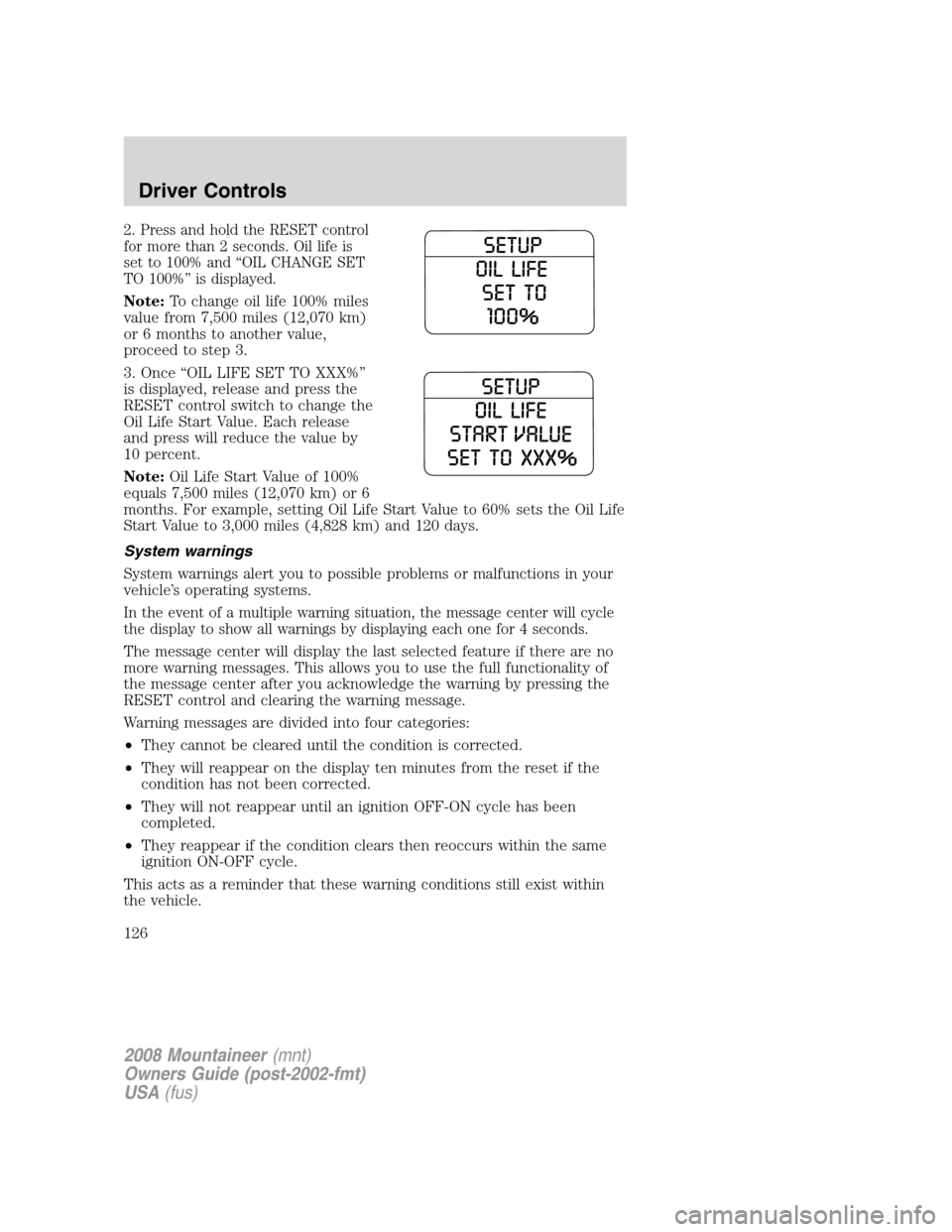
2. Press and hold the RESET control
for more than 2 seconds. Oil life is
set to 100% and “OIL CHANGE SET
TO 100%” is displayed.
Note:To change oil life 100% miles
value from 7,500 miles (12,070 km)
or 6 months to another value,
proceed to step 3.
3. Once “OIL LIFE SET TO XXX%”
is displayed, release and press the
RESET control switch to change the
Oil Life Start Value. Each release
and press will reduce the value by
10 percent.
Note:Oil Life Start Value of 100%
equals 7,500 miles (12,070 km) or 6
months. For example, setting Oil Life Start Value to 60% sets the Oil Life
Start Value to 3,000 miles (4,828 km) and 120 days.
System warnings
System warnings alert you to possible problems or malfunctions in your
vehicle’s operating systems.
In the event of a multiple warning situation, the message center will cycle
the display to show all warnings by displaying each one for 4 seconds.
The message center will display the last selected feature if there are no
more warning messages. This allows you to use the full functionality of
the message center after you acknowledge the warning by pressing the
RESET control and clearing the warning message.
Warning messages are divided into four categories:
•They cannot be cleared until the condition is corrected.
•They will reappear on the display ten minutes from the reset if the
condition has not been corrected.
•They will not reappear until an ignition OFF-ON cycle has been
completed.
•They reappear if the condition clears then reoccurs within the same
ignition ON-OFF cycle.
This acts as a reminder that these warning conditions still exist within
the vehicle.
2008 Mountaineer(mnt)
Owners Guide (post-2002-fmt)
USA(fus)
Driver Controls
126
Page 128 of 376
electrical loads as soon as possible. If the warning stays on or comes on
when the engine is operating at normal speeds, have the electrical
system checked as soon as possible.
FUEL LEVEL LOW.Displayed as an early reminder of a low fuel
condition.
PARK BRAKE ENGAGED.Displayed when the manual park brake is
set, the engine is running and the vehicle is driven more than 3 mph (5
km/h). If the warning stays on after the park brake is released, contact
your authorized dealer as soon as possible.
CHECK BRAKE SYSTEM.Displayed when the braking system is not
operating properly. If the warning stays on or continues to come on,
contact your authorized dealer as soon as possible.
CHECK PARK AID (if equipped).Displayed when the transmission is
in R (Reverse) and the Reverse Sensing System (Park Aid) is disabled.
Refer toReverse Sensing System (Park Aid)in this section to enable.
LOW TIRE PRESSURE.Displayed when one or more tires on your
vehicle have low tire pressure. Refer toInflating your tiresin theTires,
Wheels and Loadingchapter.
TIRE MONITOR FAULT.Displayed when the Tire Pressure Monitoring
System is malfunctioning. If the warning stays on or continues to come
on, have the system inspected by your authorized dealer.
TIRE SENSOR FAULT.Displayed when a tire pressure sensor is
malfunctioning, or your spare tire is in use. For more information on how
the system operates under these conditions, refer toUnderstanding
your Tire Pressure Monitoring Systemin theTires, Wheels and
Loadingchapter. If the warning stays on or continues to come on, have
the system inspected by your authorized dealer.
BRAKE FLUID LEVEL LOW.Indicates the brake fluid level is low and
the brake system should be inspected immediately. Refer toBrake fluid
reservoirin theMaintenance and Specificationschapter.
CHECK HEADLAMP.Displayed when the headlamps are activated and
at least one bulb is burned out. Check the lamps as soon as possible and
have the burned out lamp replaced. Refer toReplacing headlamp bulbs
in theLightschapter.
CHECK HIGHBEAM LAMP.Displayed when the highbeam lamps are
activated and at least one bulb is burned out. Check the lamps as soon
as possible and have the burned out lamp replaced. Refer toReplacing
headlamp bulbsin theLightschapter.
2008 Mountaineer(mnt)
Owners Guide (post-2002-fmt)
USA(fus)
Driver Controls
128
Page 133 of 376

5 passenger stowage:
When the lid is open, it will stand
up on its own.
1. To open, lift the release handle
and the lid.
2. To close, lower the lid, lift the
release handle and press down on
the lid.
REAR LIFTGATE
The liftgate area is only intended for cargo, not passengers. You can open
and close the liftgate from outside the vehicle. It cannot be opened from
inside the cargo area.
•To open the liftgate window,
press the control on the remote
entry transmitter or, with the
liftgate unlocked, push the
control button on theright side
under the license plate lamp
shield.
•To open the liftgate, unlock the
liftgate (with the power door
locks, the remote entry or the
keyless entry pad) and pull the
middlelever under the license plate lamp shield.
To lock the liftgate and the liftgate window, use the power door locks.
The liftgate door and window should be closed before driving. If not,
possible damage may occur to your vehicle.
Always close liftgate window before opening liftgate. Liftgate
glass and liftgate should never be open at the same time. Failure
to observe this warning may result in personal injury or damage to
your vehicle.
Make sure the liftgate door and/or window are closed to prevent
exhaust fumes from being drawn into the vehicle. This will also
reduce the risk of passengers and cargo falling out.
2008 Mountaineer(mnt)
Owners Guide (post-2002-fmt)
USA(fus)
Driver Controls
133
Page 137 of 376

4. Press and hold the 3•4. While holding the 3•4 press the 7•8.
5. Release the 7•8.
6. Release the 3•4.
The user should receive a horn chirp to indicate the system has been
disabled or a chirp followed by a honk to indicate the system has been
enabled.
Message center procedure
For information on activating/deactivating the autolock feature using the
vehicle’s message center (if equipped), refer toMessage center
information in theDriver Controlschapter.
Autounlock
The autounlock feature will unlock all the doors when:
•the ignition is in the 3 (ON) position, all the doors are closed, and the
vehicle has been in motion at a speed greater than 12 mph (20 km/h);
•the vehicle has then come to a stop and the ignition is turned to the 1
(OFF/LOCK) or 2 (ACC) position; and
•the driver door is opened within 10 minutes of the ignition being
transitioned to the 1 (OFF/LOCK) or 2 (ACC) position.
Note:The doors will not autounlock if the vehicle has been
electronically locked before the driver door is opened.
Deactivating/activating autounlock
Your vehicle comes with the autounlock feature activated. There are four
methods to enable/disable this feature:
•Through your authorized dealer, or
•Performing the power door lock control procedure, or
•Performing the keyless entry key pad (if equipped) procedure, or
•Performing the message center (if equipped) procedure.
Before following the activation or deactivation procedures, make sure
that the anti-theft system is not armed, ignition is in the 1 (OFF/LOCK)
position, and all vehicle doors, liftgate and liftgate window are closed.
2008 Mountaineer(mnt)
Owners Guide (post-2002-fmt)
USA(fus)
Locks and Security
137
Page 138 of 376

Power door unlock/lock procedure
You must complete Steps 1-5 within
30 seconds or the procedure will
have to be repeated. If the
procedure needs to be repeated,
you must wait 30 seconds.Note:
Alldoors must be closed and
remain closed throughout the
configuration process.
1. Turn the ignition to the 3 (ON) position.
2. Press the power door unlock control three times.
3. Turn the ignition from the 3 (ON) to the 1 (OFF/LOCK) position.
4. Press the power door unlock control three times.
5. Turn the ignition back to the 3 (ON) position. The horn will chirp.
6. Press the lock control, then press the unlock control. The horn will
chirp once if autounlock was deactivated or twice (one short and one
long chirp) if autounlock was activated.
7. Turn the ignition to the 1 (OFF/LOCK) position. The horn will chirp
once to confirm the procedure is complete.
Keyless entry key pad procedure
1. Turn the ignition to the 1 (OFF/LOCK) position.
2. Close all doors, the liftgate and liftgate window.
3. Enter 5–digit entry code
4. Press and hold the 3•4. While holding the 3•4 press the 7•8
twice.
5. Release the 7•8.
6. Release the 3•4.
The user should receive a horn chirp to indicate the system has been
disabled or a chirp followed by a honk to indicate the system has been
enabled.
Message center procedure
For information on activating/deactivating the autounlock feature using
the vehicle’s message center (if equipped), refer toMessage center
information in theDriver Controlschapter.
2008 Mountaineer(mnt)
Owners Guide (post-2002-fmt)
USA(fus)
Locks and Security
138
Page 141 of 376

The remote entry system allows you
to lock or unlock all vehicle doors
and liftgate, open the liftgate
window without a key and activate
the panic alarm.
The remote entry lock/unlock feature operates in any ignition position.
The liftgate glass feature operates as long as the vehicle’s speed is less
than 3 mph (5 km/h). The panic feature operates with the key in the 1
(OFF/LOCK) position.
If there is any potential remote keyless entry problem with your vehicle,
ensureALLremote entry transmitters are brought to the authorized
dealer to aid in troubleshooting.
Two step door unlocking
1. Pressand release to unlock the driver’s door.Note:The interior
lamps will illuminate (refer to theIlluminated entryfeature later in this
section) if the control on the overhead lamp isnotset to theoff
position and the perimeter alarm system (if equipped) will deactivate.
2. Press
and release again within three seconds to unlock the
passenger doors, the liftgate and liftgate glass.
The battery saver feature will turn off the interior lamps 30 minutes after
the ignition is turned to the 1 (OFF/LOCK) position.
One step door unlocking
If the one step door unlocking feature is activated, press
and release
once to unlock all of the doors, the liftgate and liftgate glass.Note:The
interior lamps will illuminate (refer to theillumination entryfeature
later in this section). If the control on the overhead lamp is in the door
position, the perimeter alarm system (if equipped) will deactivate.
2008 Mountaineer(mnt)
Owners Guide (post-2002-fmt)
USA(fus)
Locks and Security
141
Page 142 of 376

Switching from two step to one step door unlocking
Your vehicle comes with two step unlocking enabled. Unlocking can be
switched between two step and one step door unlocking by pressing and
holding both the
andbuttons simultaneously on the remote entry
transmitter for approximately 4 seconds. The parklamps will flash twice
to indicate that the vehicle has switched to one step unlocking. Repeat
the procedure to switch back to two-step unlocking.
Locking the doors/liftgate
1. Pressand release to lock all the doors and liftgate. The lamps will
flash.Note:If any door, the liftgate or the liftgate glass are not closed
properly, the lamps will not flash.
2. Press
and release again within three seconds to confirm that all the
doors are closed and locked.Note:The doors will lock again, the horn
will chirp and the lamps flash once.
Note:If any door, the liftgate or the liftgate glass are not closed
properly, the horn will make two quick chirps.
Opening the liftgate window
Press
to unlatch the liftgate window.
Car finder
Press
twice within three seconds. The horn will chirp and the turn
lamps will flash. It is recommended that this method be used to locate
your vehicle, rather than using the panic alarm.
Sounding a panic alarm
Press
to activate the alarm. The horn will sound and the parklamps
will flash for a maximum of 3 minutes. Press again or turn the ignition to
the 3 (ON) position to deactivate, or wait for the alarm to timeout in 3
minutes.
Note:The panic alarm will only operate when the ignition is in the 1
(OFF/LOCK) position .
2008 Mountaineer(mnt)
Owners Guide (post-2002-fmt)
USA(fus)
Locks and Security
142
Page 147 of 376

Programming a personal entry code
Up to three personal entry codes may be programmed to the vehicle. To
create your own personal entry code:
1. Enter the factory set code.
2. Within five seconds press the 1•2 on the keypad.
3. Enter your personal 5-digit code. Each number must be entered
within five seconds of each other.
4. Press 1•2, 3•4or5•6 to indicate which of the three personal
entry code positions you wish to use.
5. The doors will again lock then unlock to confirm that your personal
key code has been programmed to the module.
Tips:
•Do not set a code that uses five of the same number.
•Do not use five numbers in sequential order.
•The factory set code will work even if you have set your own personal
code.
•If you program a code to a position that already contains a set code,
the previously-set code will be erased.
Erasing personal code
1. Enter the factory set 5–digit code.
2. Within five seconds, press the 1•2 on the keypad and release.
3. Press and hold the 1•2 for two seconds. This must be done within
five seconds of completing Step 2.
Allpersonal codes are now erased and only the factory set 5–digit code
will work.
Anti-scan feature
If the wrong code has been entered 7 times (35 consecutive button
presses), the keypad will go into an anti-scan mode. This mode disables
the keypad for one minute and the keypad lamp will flash.
The anti-scan feature will turn off after:
•one minute of keypad inactivity.
•pressing the UNLOCK
control on the remote entry transmitter.
•the ignition is turned to the 3 (ON) position.
2008 Mountaineer(mnt)
Owners Guide (post-2002-fmt)
USA(fus)
Locks and Security
147
Page 161 of 376

2. Lift the cargo mode lever located
on the back of the seatback to kneel
the seat down and get a flat loading
floor.
Returning to the upright position from full lowered load floor
position
The seatback cannot be returned to the upright position until the seat is
returned from the kneel down position. To return the seat to the upright
position:
1. Push the seat rearward until the
latch is engaged. Use the cushion or
seatback to return to the fold-down
position. Do not use the recliner
handle as it could cause damage to
the handle.
2. Return the seatback to the
upright position.
Adjusting the 2nd row seat for E-Z Entry
The E-Z entry seat allows for easier entry and exit to and from the 3rd
row seat.
To enter the 3rd row seat:
1. Fold down the 2nd row seat and release the handle. Refer toFolding
down the 2nd row 60/40 seats and bucket seatsearlier in this section.
Note:When folding down the seat, lift the handle only once. When the
seatback releases and folds, the handle should be released. Any further
turning of the handle while the seatback releases, may damage the
handle. Once the seatback is folded, a second lifting of the handle will
detach the seat rear leg locking mechanism from the floor allowing the
seat to tumble forward.
2008 Mountaineer(mnt)
Owners Guide (post-2002-fmt)
USA(fus)
Seating and Safety Restraints
161