radio MINI 3 door 2013 User Guide
[x] Cancel search | Manufacturer: MINI, Model Year: 2013, Model line: 3 door, Model: MINI 3 door 2013Pages: 233, PDF Size: 17.19 MB
Page 53 of 233
Turn signal, high beams,
headlamp flasher
Turn signal
Using turn signals
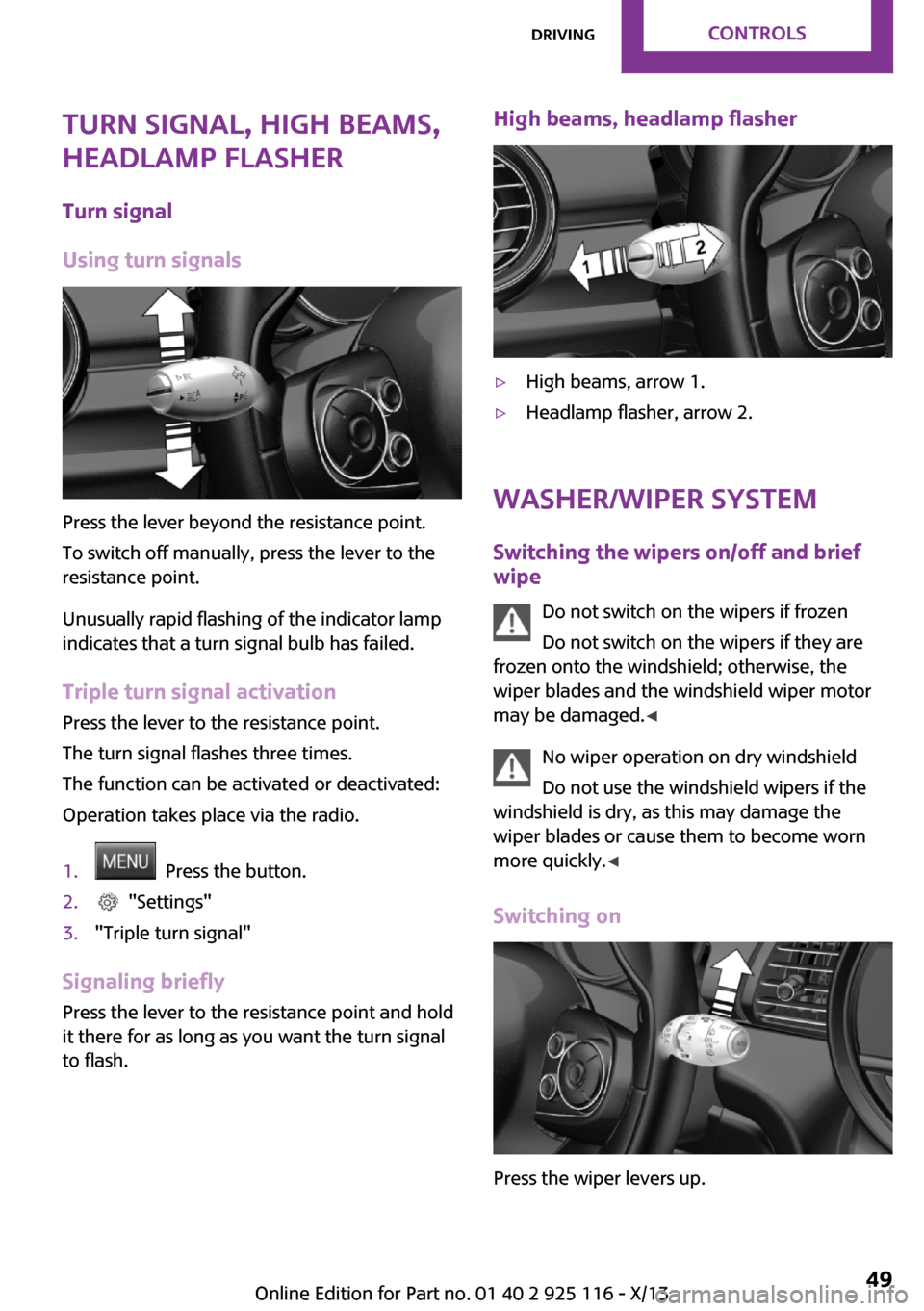
Press the lever beyond the resistance point.
To switch off manually, press the lever to the
resistance point.
Unusually rapid flashing of the indicator lamp
indicates that a turn signal bulb has failed.
Triple turn signal activation Press the lever to the resistance point.
The turn signal flashes three times.
The function can be activated or deactivated:
Operation takes place via the radio.
1. Press the button.2. "Settings"3."Triple turn signal"
Signaling briefly Press the lever to the resistance point and hold
it there for as long as you want the turn signal
to flash.
High beams, headlamp flasher▷High beams, arrow 1.▷Headlamp flasher, arrow 2.
Washer/wiper system
Switching the wipers on/off and brief
wipe
Do not switch on the wipers if frozen
Do not switch on the wipers if they are
frozen onto the windshield; otherwise, the
wiper blades and the windshield wiper motor
may be damaged. ◀
No wiper operation on dry windshield
Do not use the windshield wipers if the
windshield is dry, as this may damage the
wiper blades or cause them to become worn
more quickly. ◀
Switching on
Press the wiper levers up.
Seite 49DrivingControls49
Online Edition for Part no. 01 40 2 925 116 - X/13
Page 61 of 233
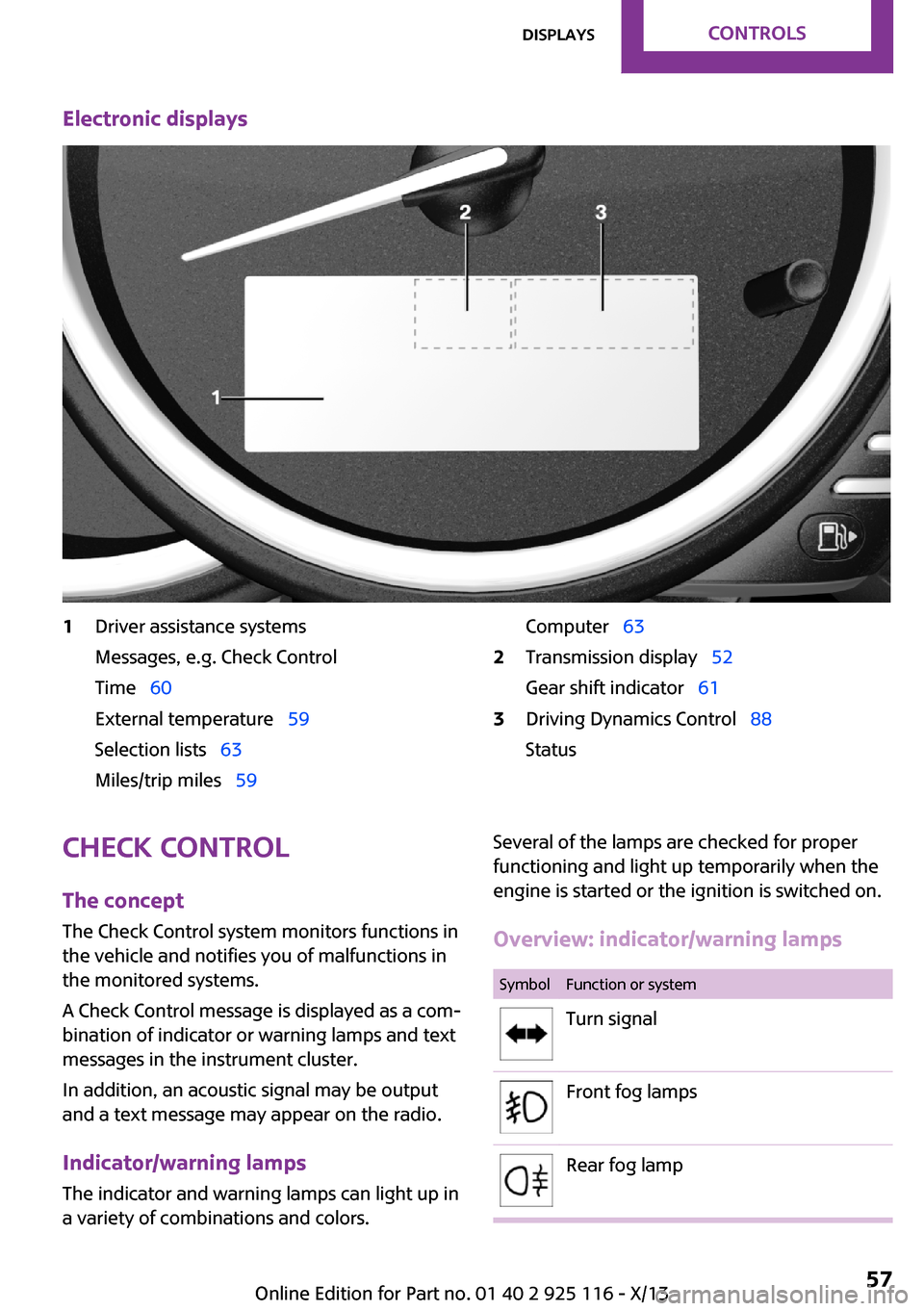
Electronic displays1Driver assistance systems
Messages, e.g. Check Control
Time 60
External temperature 59
Selection lists 63
Miles/trip miles 59Computer 632Transmission display 52
Gear shift indicator 613Driving Dynamics Control 88
StatusCheck Control
The concept
The Check Control system monitors functions in
the vehicle and notifies you of malfunctions in the monitored systems.
A Check Control message is displayed as a com‐
bination of indicator or warning lamps and text
messages in the instrument cluster.
In addition, an acoustic signal may be output
and a text message may appear on the radio.
Indicator/warning lamps The indicator and warning lamps can light up in
a variety of combinations and colors.Several of the lamps are checked for proper
functioning and light up temporarily when the
engine is started or the ignition is switched on.
Overview: indicator/warning lampsSymbolFunction or systemTurn signalFront fog lampsRear fog lampSeite 57DisplaysControls57
Online Edition for Part no. 01 40 2 925 116 - X/13
Page 62 of 233
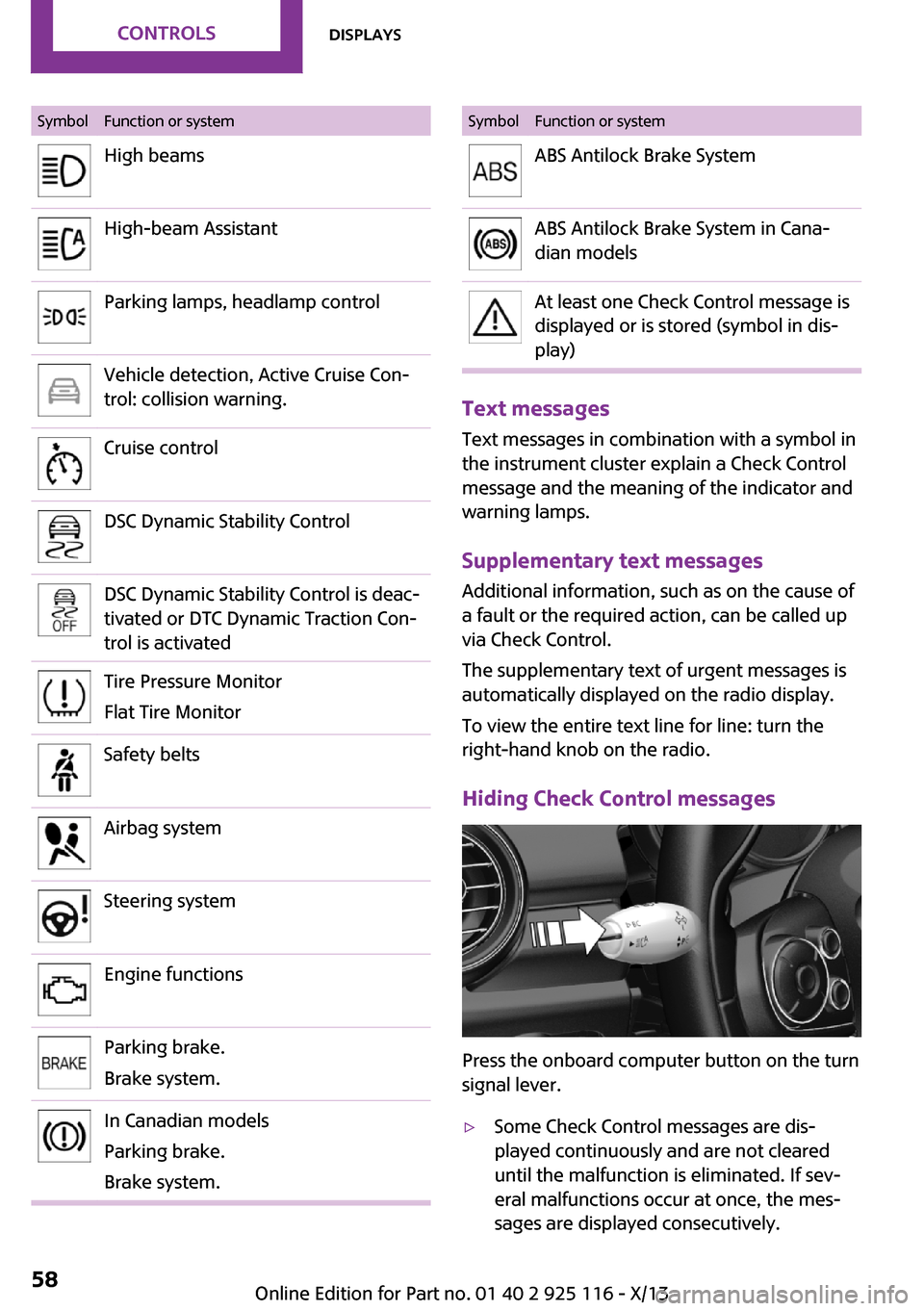
SymbolFunction or systemHigh beamsHigh-beam AssistantParking lamps, headlamp controlVehicle detection, Active Cruise Con‐
trol: collision warning.Cruise controlDSC Dynamic Stability ControlDSC Dynamic Stability Control is deac‐
tivated or DTC Dynamic Traction Con‐
trol is activatedTire Pressure Monitor
Flat Tire MonitorSafety beltsAirbag systemSteering systemEngine functionsParking brake.
Brake system.In Canadian models
Parking brake.
Brake system.SymbolFunction or systemABS Antilock Brake SystemABS Antilock Brake System in Cana‐
dian modelsAt least one Check Control message is
displayed or is stored (symbol in dis‐
play)
Text messages
Text messages in combination with a symbol in
the instrument cluster explain a Check Control
message and the meaning of the indicator and
warning lamps.
Supplementary text messages Additional information, such as on the cause of
a fault or the required action, can be called up
via Check Control.
The supplementary text of urgent messages is
automatically displayed on the radio display.
To view the entire text line for line: turn the
right-hand knob on the radio.
Hiding Check Control messages
Press the onboard computer button on the turn
signal lever.
▷Some Check Control messages are dis‐
played continuously and are not cleared
until the malfunction is eliminated. If sev‐
eral malfunctions occur at once, the mes‐
sages are displayed consecutively.Seite 58ControlsDisplays58
Online Edition for Part no. 01 40 2 925 116 - X/13
Page 64 of 233
Therefore, drive carefully on bridges and
shaded roads, for example, to avoid the in‐
creased risk of an accident. ◀
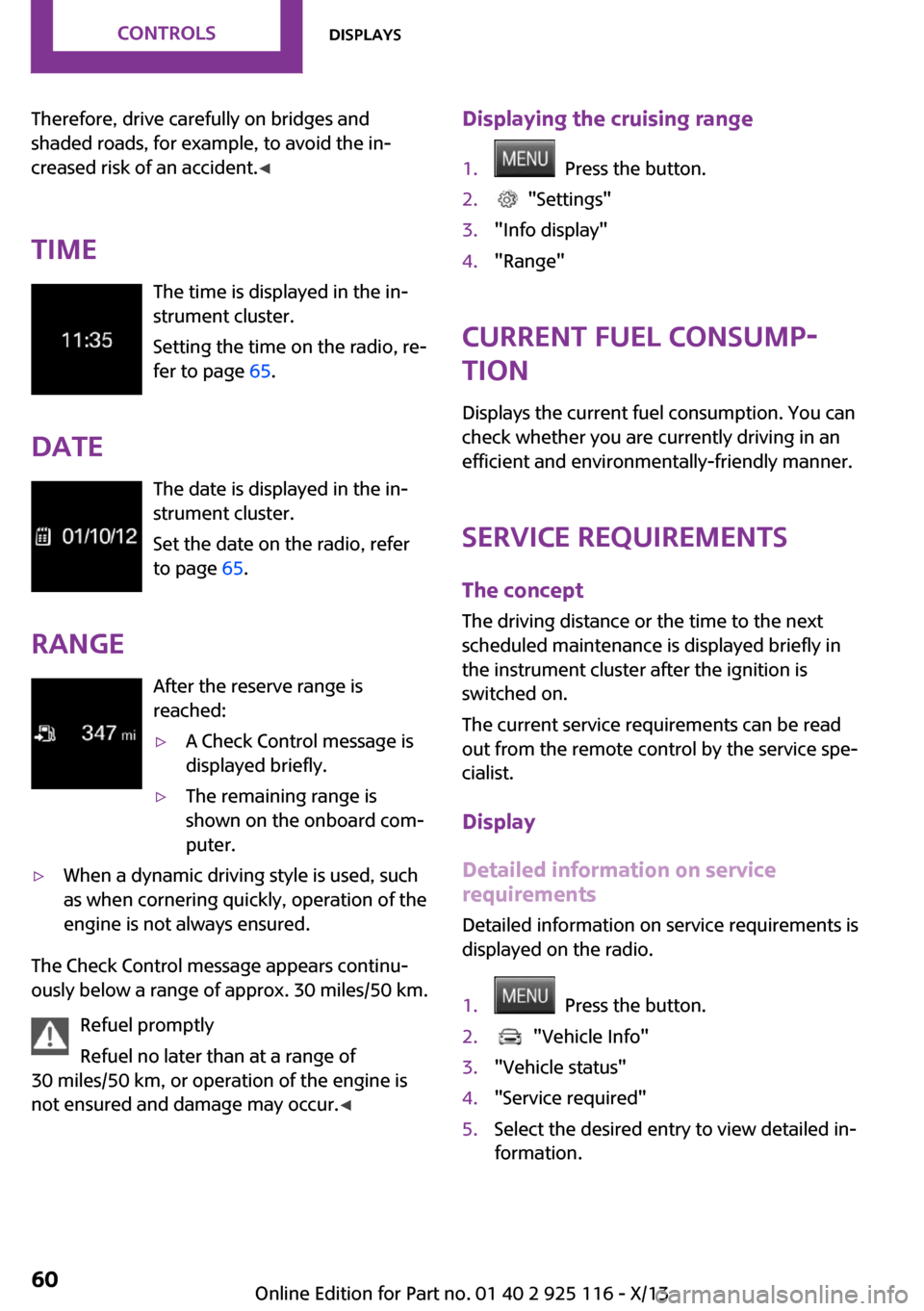
Time The time is displayed in the in‐
strument cluster.
Setting the time on the radio, re‐
fer to page 65.
Date The date is displayed in the in‐
strument cluster.
Set the date on the radio, refer
to page 65.
Range After the reserve range is
reached:▷A Check Control message is
displayed briefly.▷The remaining range is
shown on the onboard com‐
puter.▷When a dynamic driving style is used, such
as when cornering quickly, operation of the
engine is not always ensured.
The Check Control message appears continu‐
ously below a range of approx. 30 miles/50 km.
Refuel promptly
Refuel no later than at a range of
30 miles/50 km, or operation of the engine is
not ensured and damage may occur. ◀
Displaying the cruising range1. Press the button.2. "Settings"3."Info display"4."Range"
Current fuel consump‐
tion
Displays the current fuel consumption. You can
check whether you are currently driving in an
efficient and environmentally-friendly manner.
Service requirements The concept
The driving distance or the time to the next
scheduled maintenance is displayed briefly in
the instrument cluster after the ignition is
switched on.
The current service requirements can be read
out from the remote control by the service spe‐
cialist.
Display
Detailed information on service
requirements
Detailed information on service requirements is
displayed on the radio.
1. Press the button.2. "Vehicle Info"3."Vehicle status"4."Service required"5.Select the desired entry to view detailed in‐
formation.Seite 60ControlsDisplays60
Online Edition for Part no. 01 40 2 925 116 - X/13
Page 67 of 233
▷During calibration of the camera immedi‐
ately after vehicle shipment.
Selection lists in the in‐
strument cluster
The concept
The following can be displayed or operated us‐
ing the buttons on the steering wheel and the
display in the instrument cluster:
▷Current audio source.
In addition, programs of the Driving Dynamics
Control are displayed.
Display
Activating a list and adjusting the
setting
Button the steering wheelFunctionActivate the corre‐
sponding list, and se‐
lect the desired set‐
ting.Computer
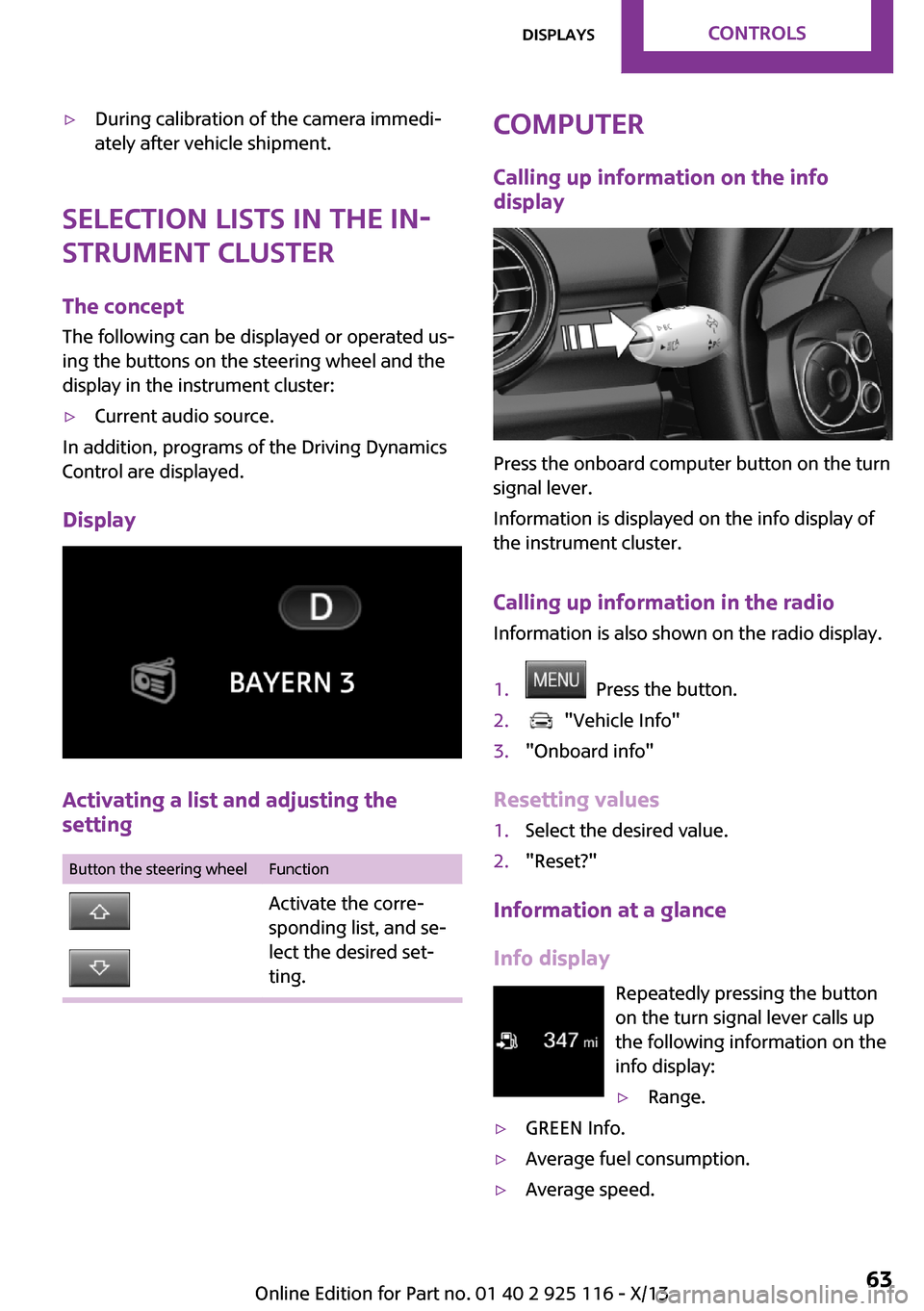
Calling up information on the info
display
Press the onboard computer button on the turn
signal lever.
Information is displayed on the info display of
the instrument cluster.
Calling up information in the radio Information is also shown on the radio display.
1. Press the button.2. "Vehicle Info"3."Onboard info"
Resetting values
1.Select the desired value.2."Reset?"
Information at a glance
Info display Repeatedly pressing the button
on the turn signal lever calls up the following information on the
info display:
▷Range.▷GREEN Info.▷Average fuel consumption.▷Average speed.Seite 63DisplaysControls63
Online Edition for Part no. 01 40 2 925 116 - X/13
Page 68 of 233
▷Date.▷Speed limit detection.
Radio
Selected information is shown on the radio.
▷Range.▷Average fuel consumption.▷Average speed.
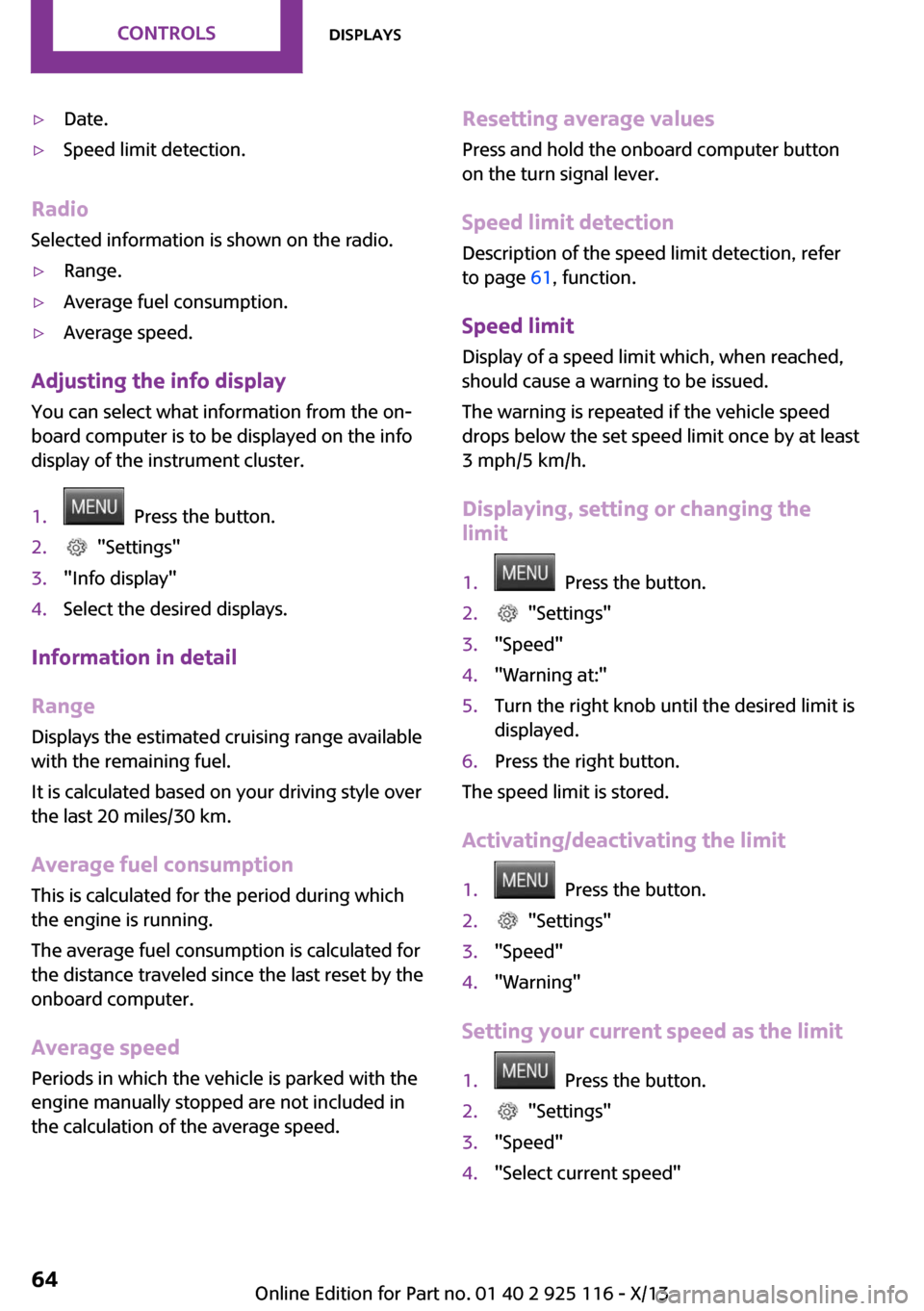
Adjusting the info display
You can select what information from the on‐
board computer is to be displayed on the info
display of the instrument cluster.
1. Press the button.2. "Settings"3."Info display"4.Select the desired displays.
Information in detail
Range
Displays the estimated cruising range available
with the remaining fuel.
It is calculated based on your driving style over
the last 20 miles/30 km.
Average fuel consumption This is calculated for the period during which
the engine is running.
The average fuel consumption is calculated for
the distance traveled since the last reset by the
onboard computer.
Average speed Periods in which the vehicle is parked with the
engine manually stopped are not included in
the calculation of the average speed.
Resetting average values
Press and hold the onboard computer button
on the turn signal lever.
Speed limit detection
Description of the speed limit detection, refer
to page 61, function.
Speed limit Display of a speed limit which, when reached,
should cause a warning to be issued.
The warning is repeated if the vehicle speed
drops below the set speed limit once by at least
3 mph/5 km/h.
Displaying, setting or changing the
limit1. Press the button.2. "Settings"3."Speed"4."Warning at:"5.Turn the right knob until the desired limit is
displayed.6.Press the right button.
The speed limit is stored.
Activating/deactivating the limit
1. Press the button.2. "Settings"3."Speed"4."Warning"
Setting your current speed as the limit
1. Press the button.2. "Settings"3."Speed"4."Select current speed"Seite 64ControlsDisplays64
Online Edition for Part no. 01 40 2 925 116 - X/13
Page 69 of 233
The current vehicle speed is stored as the
limit.
Settings on the radio
The following settings are created on the radio:
▷Time, date.▷Formats, units of measure.
Formats and units of measure
1. Press the button.2. "Settings"3."Language/Units"4.Select the desired format or unit of meas‐
ure:▷"Language:"▷"Consumption:"▷"Distance:"▷"Pressure:"▷"Temperature:"5.Set the desired unit of measure or lan‐
guage.
Setting the time and date
1. Press the button.2. "Settings"3."Time/Date"4.Select desired menu entry:▷"Time:"▷"Time format:"▷"Date:"▷"Date format:"5.Turn the right knob until the desired setting
is selected.LED ring on the central
instrument cluster
The concept
The LED ring indicates functions via light ani‐
mations.
Have the basic displays, for example the LED
color or vehicle speed or event displays, e.g.
temperature indicators of the air conditioner or
the volume settings of the radio adjusted im‐
mediately.
Switching on/off LED ring1. Press the button.2. "Settings"3."Center display"4."Center display"
Adjusting the LED ring
1. Press the button.2. "Settings"3."Center display"4."Standard view" or "Event view"5.Select the desired setting.
Setting the brightness
1. Press the button.2. "Settings"3."Center display"4."Brightness"5.Turn the right-hand knob.
The setting is stored for the remote control cur‐
rently in use.
Seite 65DisplaysControls65
Online Edition for Part no. 01 40 2 925 116 - X/13
Page 71 of 233
Welcome lamps and
headlamp courtesy de‐
lay feature
Welcome lamps
When the vehicle is parked, leave the switch in
position
or : parking and interior lamps
come on briefly when the vehicle is unlocked
depending on the ambient light.
Activating/deactivating
Operation takes place via the radio.
1. Press the button2. "Settings"3."Lighting"4."Welcome light"
The setting is stored for the remote control cur‐
rently in use.
Headlamp courtesy delay feature The low beams stay lit for a short while if the
headlamp flasher is switched on after the lights
and ignition are switched off.
Setting the duration Operation takes place via the radio.
1. Press the button2. "Settings"3."Lighting"4."Pathway lighting:"5.Set the duration.
The setting is stored for the remote control cur‐
rently in use.
Automatic headlamp
control
Switch position
: the low beams are
switched on and off automatically, e.g., in tun‐
nels, in twilight or if there is precipitation. The
indicator lamp in the instrument cluster lights
up.
A blue sky with the sun low on the horizon can
cause the lights to be switched on.
The low beams always stay on when the fog
lamps are switched on.
Personal responsibility
The automatic headlamp control cannot
serve as a substitute for your personal judg‐
ment in determining when the lamps should be
switched on in response to ambient lighting
conditions.
For example, the sensors are unable to detect
fog or hazy weather. To avoid safety risks, you
should always switch on the lamps manually
under these conditions. ◀
Daytime running lights
With the ignition switched on, the daytime run‐
ning lights light up in position 0,
or .
After the ignition is switched off, the parking
lamps light up in position
.
Activating/deactivating
In some countries, daytime running lights are
compulsory, so it may not be possible to deacti‐
vate the daytime running lights.
Operation takes place via the radio.
1. Press the button2. "Settings"3."Lighting"4."Daytime running lamps"Seite 67LampsControls67
Online Edition for Part no. 01 40 2 925 116 - X/13
Page 74 of 233
Instrument lightingAdjusting The parking lamps or low beams
must be switched on to adjust
the brightness.
Adjust the brightness using the
thumbwheel.
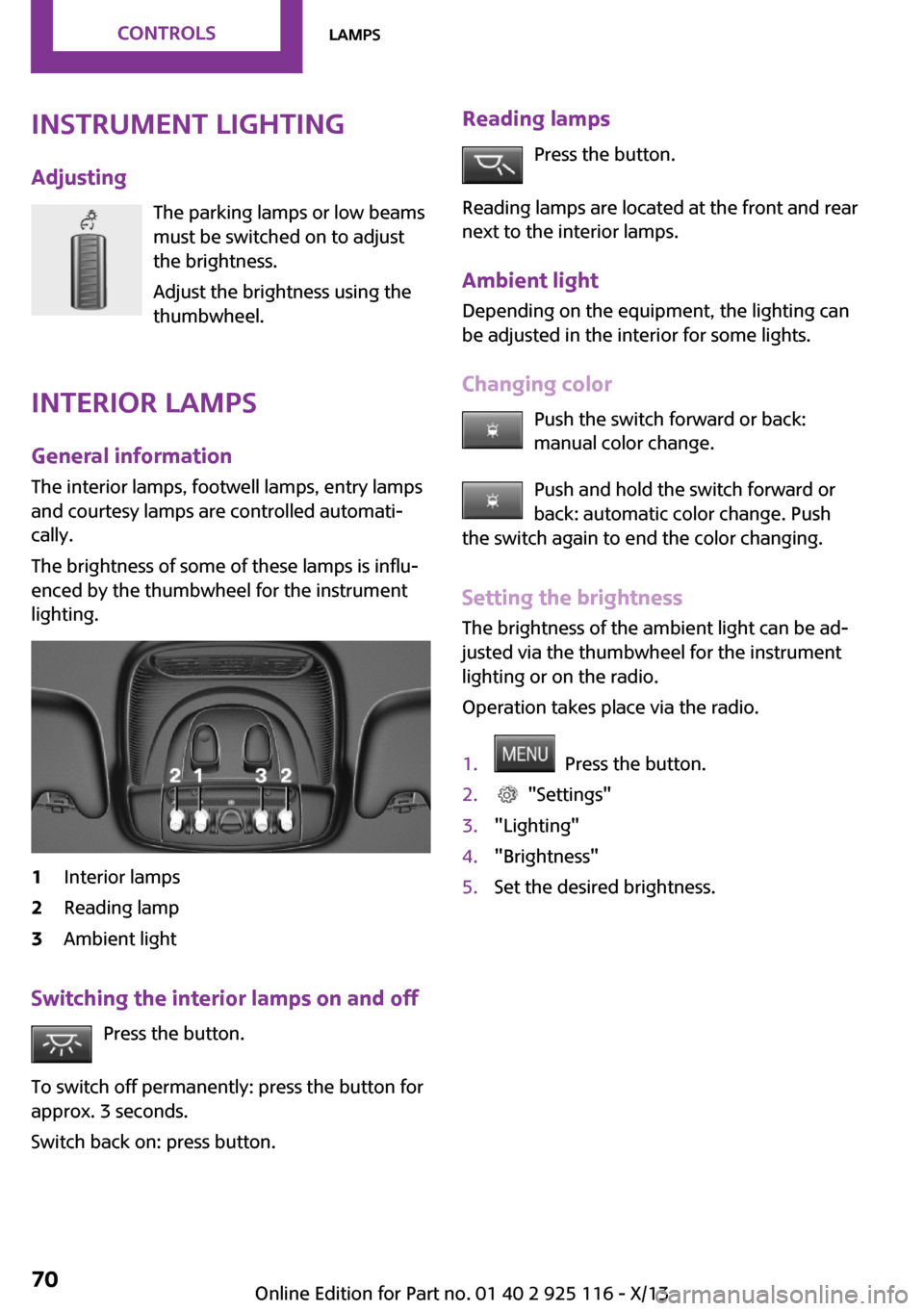
Interior lamps
General information
The interior lamps, footwell lamps, entry lamps
and courtesy lamps are controlled automati‐ cally.
The brightness of some of these lamps is influ‐
enced by the thumbwheel for the instrument
lighting.1Interior lamps2Reading lamp3Ambient light
Switching the interior lamps on and off
Press the button.
To switch off permanently: press the button for
approx. 3 seconds.
Switch back on: press button.
Reading lamps
Press the button.
Reading lamps are located at the front and rear
next to the interior lamps.
Ambient light
Depending on the equipment, the lighting can
be adjusted in the interior for some lights.
Changing color Push the switch forward or back:manual color change.
Push and hold the switch forward or
back: automatic color change. Push
the switch again to end the color changing.
Setting the brightness The brightness of the ambient light can be ad‐
justed via the thumbwheel for the instrument
lighting or on the radio.
Operation takes place via the radio.1. Press the button.2. "Settings"3."Lighting"4."Brightness"5.Set the desired brightness.Seite 70ControlsLamps70
Online Edition for Part no. 01 40 2 925 116 - X/13
Page 81 of 233
▷TPM was unable to complete the reset. Re‐
set the system again.▷Disturbance by systems or devices with the
same radio frequency: after leaving the
area of the disturbance, the system auto‐
matically becomes active again.
Declaration according to NHTSA/FMVSS
138 Tire Pressure Monitoring System
Each tire, including the spare (if provided)
should be checked monthly when cold and in‐
flated to the inflation pressure recommended
by the vehicle manufacturer on the vehicle
placard or tire inflation pressure label. (If your
vehicle has tires of a different size than the size
indicated on the vehicle placard or tire inflation
pressure label, you should determine the
proper tire inflation pressure for those tires.) As
an added safety feature, your vehicle has been
equipped with a tire pressure monitoring sys‐
tem (TPMS) that illuminates a low tire pressure
telltale when one or more of your tires is signifi‐
cantly under-inflated. Accordingly, when the
low tire pressure telltale illuminates, you should
stop and check your tires as soon as possible,
and inflate them to the proper pressure. Driving
on a significantly under-inflated tire causes the
tire to overheat and can lead to tire failure. Un‐
der-inflation also reduces fuel efficiency and
tire tread life, and may affect the vehicle's han‐
dling and stopping ability. Please note that the
TPMS is not a substitute for proper tire mainte‐
nance, and it is the driver's responsibility to
maintain correct tire pressure, even if under-in‐
flation has not reached the level to trigger illu‐
mination of the TPMS low tire pressure telltale.
Your vehicle has also been equipped with a
TPMS malfunction indicator to indicate when
the system is not operating properly. The TPMS
malfunction indicator is combined with the low
tire pressure telltale. When the system detects
a malfunction, the telltale will flash for approxi‐
mately one minute and then remain continu‐
ously illuminated. This sequence will continue
upon subsequent vehicle start-ups as long as
the malfunction exists. When the malfunction
indicator is illuminated, the system may not be
able to detect or signal low tire pressure as in‐
tended. TPMS malfunctions may occur for a va‐
riety of reasons, including the installation of re‐
placement or alternate tires or wheels on the
vehicle that prevent the TPMS from functioning
properly. Always check the TPMS malfunction
telltale after replacing one or more tires or
wheels on your vehicle to ensure that the re‐
placement or alternate tires and wheels allow
the TPMS to continue to function properly.
FTM Flat Tire Monitor
The concept The system does not measure the actual infla‐
tion pressure in the tires.
It detects a pressure loss in a tire by comparing
the rotational speeds of the individual wheels
while moving.
In the event of a pressure loss, the diameter
and therefore the rotational speed of the corre‐
sponding wheel change. This is detected and
reported as a flat tire.
Functional requirements The system must have been initialized when
the tire inflation pressure was correct; other‐
wise, reliable signaling of a flat tire is not en‐
sured. Initialize the system after each correc‐
tion of the tire inflation pressure and after
every tire or wheel change.
Status display The current status of the flat tire monitor can
be displayed, e.g., whether the RPA is active.1. Press the button.2. "Vehicle Info"3."Vehicle status"4."Flat Tire Monitor (FTM)"
The status is displayed.
Seite 77SafetyControls77
Online Edition for Part no. 01 40 2 925 116 - X/13