water MINI 3 door 2013 User Guide
[x] Cancel search | Manufacturer: MINI, Model Year: 2013, Model line: 3 door, Model: MINI 3 door 2013Pages: 233, PDF Size: 17.19 MB
Page 191 of 233
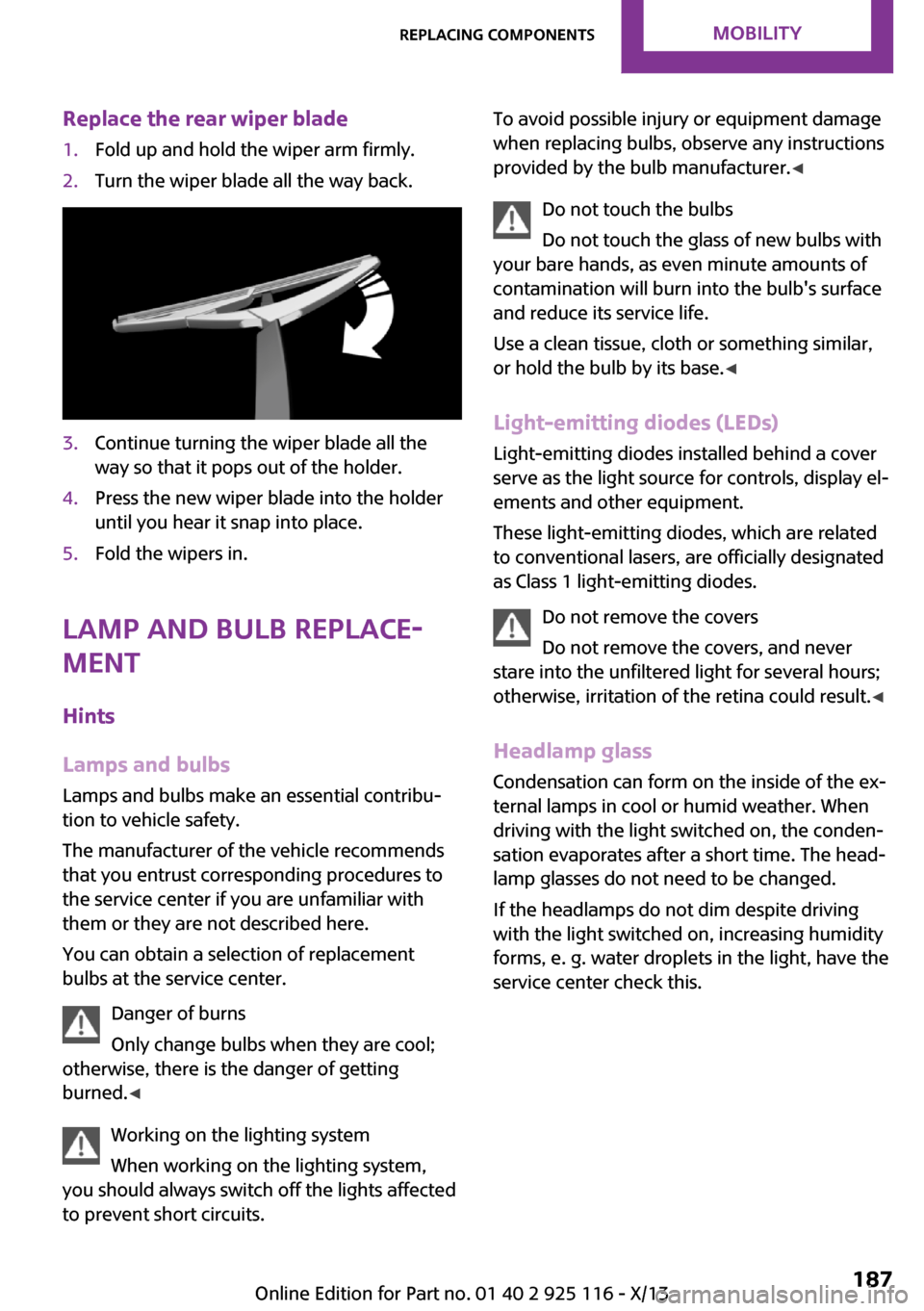
Replace the rear wiper blade1.Fold up and hold the wiper arm firmly.2.Turn the wiper blade all the way back.3.Continue turning the wiper blade all the
way so that it pops out of the holder.4.Press the new wiper blade into the holder
until you hear it snap into place.5.Fold the wipers in.
Lamp and bulb replace‐
ment
Hints
Lamps and bulbs Lamps and bulbs make an essential contribu‐
tion to vehicle safety.
The manufacturer of the vehicle recommends
that you entrust corresponding procedures to
the service center if you are unfamiliar with
them or they are not described here.
You can obtain a selection of replacement
bulbs at the service center.
Danger of burns
Only change bulbs when they are cool;
otherwise, there is the danger of getting
burned. ◀
Working on the lighting system
When working on the lighting system,
you should always switch off the lights affected
to prevent short circuits.
To avoid possible injury or equipment damage
when replacing bulbs, observe any instructions
provided by the bulb manufacturer. ◀
Do not touch the bulbs
Do not touch the glass of new bulbs with
your bare hands, as even minute amounts of
contamination will burn into the bulb's surface
and reduce its service life.
Use a clean tissue, cloth or something similar,
or hold the bulb by its base. ◀
Light-emitting diodes (LEDs)
Light-emitting diodes installed behind a cover
serve as the light source for controls, display el‐
ements and other equipment.
These light-emitting diodes, which are related
to conventional lasers, are officially designated
as Class 1 light-emitting diodes.
Do not remove the covers
Do not remove the covers, and never
stare into the unfiltered light for several hours;
otherwise, irritation of the retina could result. ◀
Headlamp glass Condensation can form on the inside of the ex‐
ternal lamps in cool or humid weather. When
driving with the light switched on, the conden‐
sation evaporates after a short time. The head‐
lamp glasses do not need to be changed.
If the headlamps do not dim despite driving
with the light switched on, increasing humidity
forms, e. g. water droplets in the light, have the
service center check this.Seite 187Replacing componentsMobility187
Online Edition for Part no. 01 40 2 925 116 - X/13
Page 208 of 233
Automatic transmission:1.Drive into the car wash.2.Engage transmission position N.3.Switch the engine off.
In this way, the ignition remains switched
on, and a Check-Control message is dis‐
played.
Do not turn off the ignition in the car
wash
Do not turn off the ignition in the car wash;
otherwise, the transmission position P is
engaged and damages can result. ◀
To start the engine:
1.Depress the brake pedal.2.Press the Start/Stop button.
Pressing the Start/Stop button without stepping
on the brake turns the ignition off.
The vehicle cannot be locked from the outside
when in transmission position N. A signal is
sounded when an attempt is made to lock the
vehicle.
Headlamps
▷Do not rub dry and do not use abrasive or
caustic cleansers.▷Soak areas that have been soiled, e.g., due
to insects, with shampoo and wash off with
water.▷Thaw ice with de-icing spray; do not use an
ice scraper.
After washing the vehicle
After washing the vehicle, apply the brakes
briefly to dry them; otherwise, braking action
can be reduced and corrosion of the brake
discs can occur.
Completely remove all residues on the win‐
dows, to minimize loss of visibility due to
smearing and to reduce wiper noises and wiper
blade wear.
Vehicle care
Car care products MINI recommends using cleaning and care
products from MINI, since these have been
tested and approved.
Car care and cleaning products
Follow the instructions on the container.
When cleaning the interior, open the doors or
windows.
Only use products intended for cleaning vehi‐
cles.
Cleansers can contain substances that are dan‐
gerous and harmful to your health. ◀
Vehicle paint
Regular care contributes to driving safety and
value retention. Environmental influences in
areas with elevated air pollution or natural con‐
taminants, such as tree resin or pollen can af‐
fect the vehicle's paintwork. Tailor the fre‐
quency and extent of your car care to these
influences.
Aggressive substances such as spilled fuel, oil,
grease or bird droppings must be removed im‐
mediately to prevent the finish from being al‐
tered or discolored.
Leather care Remove dust from the leather often, using a
cloth or vacuum cleaner.
Otherwise, particles of dust and road grime
chafe in pores and folds, and lead to increased
wear and premature degradation of the leather
surface.
To guard against discoloration, such as from
clothing, provide leather care roughly every
two months.
Clean light-colored leather more frequently be‐
cause soiling on such surfaces is substantially
more visible.Seite 204MobilityCare204
Online Edition for Part no. 01 40 2 925 116 - X/13
Page 209 of 233
Use leather care products; otherwise, dirt and
grease will gradually break down the protective
layer of the leather surface.
Suitable care products are available from the
service center.
Upholstery material care
Vacuum regularly with a vacuum cleaner.
If they are very dirty, e.g., beverage stains, use
a soft sponge or microfiber cloth with a suitable
interior cleaner.
Clean the upholstery down to the seams using
large sweeping motions. Avoid rubbing the ma‐
terial vigorously.
Damage from Velcro® fasteners
Open Velcro® fasteners on pants or other
articles of clothing can damage the seat covers.
Ensure that any Velcro® fasteners are closed. ◀
Caring for special components Light-alloy wheels
When cleaning the vehicle, use only neutral
wheel cleaners having a pH value from 5 to 9.
Do not use abrasive cleaning agents or steam
jets above 140 ℉/60 ℃. Follow the manufac‐
turer's instructions.
Aggressive, acidic or alkaline cleaning agents
can destroy the protective layer of adjacent
components, such as the brake disk.
Chrome surfaces
Carefully clean components such as the radia‐
tor grille or door handles with an ample supply
of water, possibly with shampoo added, partic‐
ularly when they have been exposed to road
salt.
Rubber components Aside from water, treat only with rubber cleans‐
ers.When cleaning rubber seals, do not use any sili‐
con-containing car care products in order to
avoid damage or reduced noise damping.
Fine wood parts Clean fine wood facing and fine wood compo‐
nents only with a moist rag. Then dry with a
soft cloth.
Plastic components
These include:▷Imitation leather surfaces.▷Headliner.▷Lamp lenses.▷Instrument cluster cover.▷Matte black spray-coated components.▷Painted parts in the interior.
Clean with a microfiber cloth.
Lightly dampen the cloth with water.
Do not soak the headliner.
Do not use cleansers that contain alcohol
or solvents
Do not use cleansers that contain alcohol or
solvents, such as lacquer thinners, heavy-duty
grease removers, fuel, or such; this could lead
to surface damage. ◀
Safety belts
Dirty belt straps impede the reeling action and
thus have a negative impact on safety.
Chemical cleaning
Do not clean chemically; this can destroy
the webbing. ◀
Use only a mild soapy solution, with the safety
belts clipped into their buckles.
Do not allow the reels to retract the safety belts
until they are dry.
Seite 205CareMobility205
Online Edition for Part no. 01 40 2 925 116 - X/13
Page 210 of 233
Carpets and floor matsNo objects in the area around the pedals
Keep floor mats, carpets, and any other
objects out of the area of motion of the pedals;
otherwise, the function of the pedals could be
impeded while driving and create the risk of an
accident.
Do not place additional floor mats over existing
mats or other objects.
Only use floor mats that have been approved
for the vehicle and can be properly fixed in
place.
Ensure that the floor mats are securely fastened
again after they were removed for cleaning, for
example. ◀
Floor mats can be removed from the passenger
compartment for cleaning.
If the floor carpets are very dirty, clean with a
microfiber cloth and water or a textile cleaner.
To prevent matting of the carpet, rub back and
forth in the direction of travel only.
Sensors/cameras To clean sensors and cameras, use a cloth
moistened with a small amount of glass
cleaner.
Cleaning displays and screens
Do not use any chemical or household
cleaning agents; otherwise, surfaces can be af‐
fected. ◀
Keeping out moisture
Keep all fluids and moisture away from
the unit; otherwise, electrical components can
be damaged. ◀
Avoid pressure
Avoid pressing too hard when cleaning
and do not use abrasive materials; otherwise,
damage can result. ◀Clean with a clean, antistatic microfiber cloth.
Long-term vehicle storage
When the vehicle is shut down for longer than
three months, special measures must be taken.
Additional information is available from the
service center.Seite 206MobilityCare206
Online Edition for Part no. 01 40 2 925 116 - X/13
Page 231 of 233
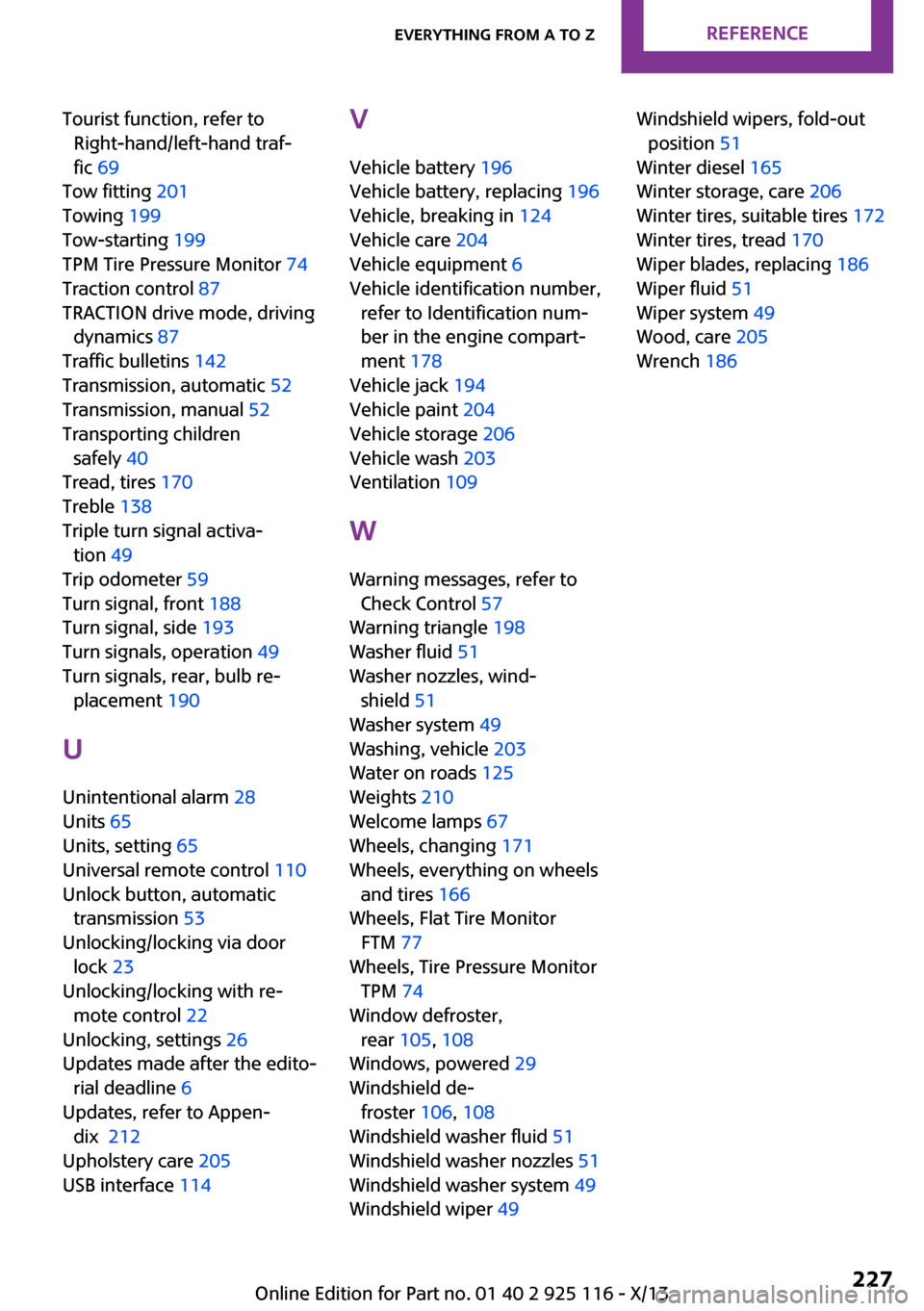
Tourist function, refer to
Right-hand/left-hand traf‐
fic 69
Tow fitting 201
Towing 199
Tow-starting 199
TPM Tire Pressure Monitor 74
Traction control 87
TRACTION drive mode, driving
dynamics 87
Traffic bulletins 142
Transmission, automatic 52
Transmission, manual 52
Transporting children
safely 40
Tread, tires 170
Treble 138
Triple turn signal activa‐
tion 49
Trip odometer 59
Turn signal, front 188
Turn signal, side 193
Turn signals, operation 49
Turn signals, rear, bulb re‐
placement 190
U
Unintentional alarm 28
Units 65
Units, setting 65
Universal remote control 110
Unlock button, automatic
transmission 53
Unlocking/locking via door
lock 23
Unlocking/locking with re‐
mote control 22
Unlocking, settings 26
Updates made after the edito‐
rial deadline 6
Updates, refer to Appen‐
dix
Upholstery care 205
USB interface 114
V
Vehicle battery 196
Vehicle battery, replacing 196
Vehicle, breaking in 124
Vehicle care 204
Vehicle equipment 6
Vehicle identification number,
refer to Identification num‐
ber in the engine compart‐
ment 178
Vehicle jack 194
Vehicle paint 204
Vehicle storage 206
Vehicle wash 203
Ventilation 109
W
Warning messages, refer to
Check Control 57
Warning triangle 198
Washer fluid 51
Washer nozzles, wind‐
shield 51
Washer system 49
Washing, vehicle 203
Water on roads 125
Weights 210
Welcome lamps 67
Wheels, changing 171
Wheels, everything on wheels
and tires 166
Wheels, Flat Tire Monitor
FTM 77
Wheels, Tire Pressure Monitor
TPM 74
Window defroster,
rear 105, 108
Windows, powered 29
Windshield de‐
froster 106, 108
Windshield washer fluid 51
Windshield washer nozzles 51
Windshield washer system 49
Windshield wiper 49
Windshield wipers, fold-out
position 51
Winter diesel 165
Winter storage, care 206
Winter tires, suitable tires 172
Winter tires, tread 170
Wiper blades, replacing 186
Wiper fluid 51
Wiper system 49
Wood, care 205
Wrench 186
Seite 227Everything from A to ZReference227
Online Edition for Part no. 01 40 2 925 116 - X/13
212