wheel MINI 3 door 2013 Owner's Guide
[x] Cancel search | Manufacturer: MINI, Model Year: 2013, Model line: 3 door, Model: MINI 3 door 2013Pages: 233, PDF Size: 17.19 MB
Page 98 of 233
pressing on the brake pedal or accelerator
pedal.
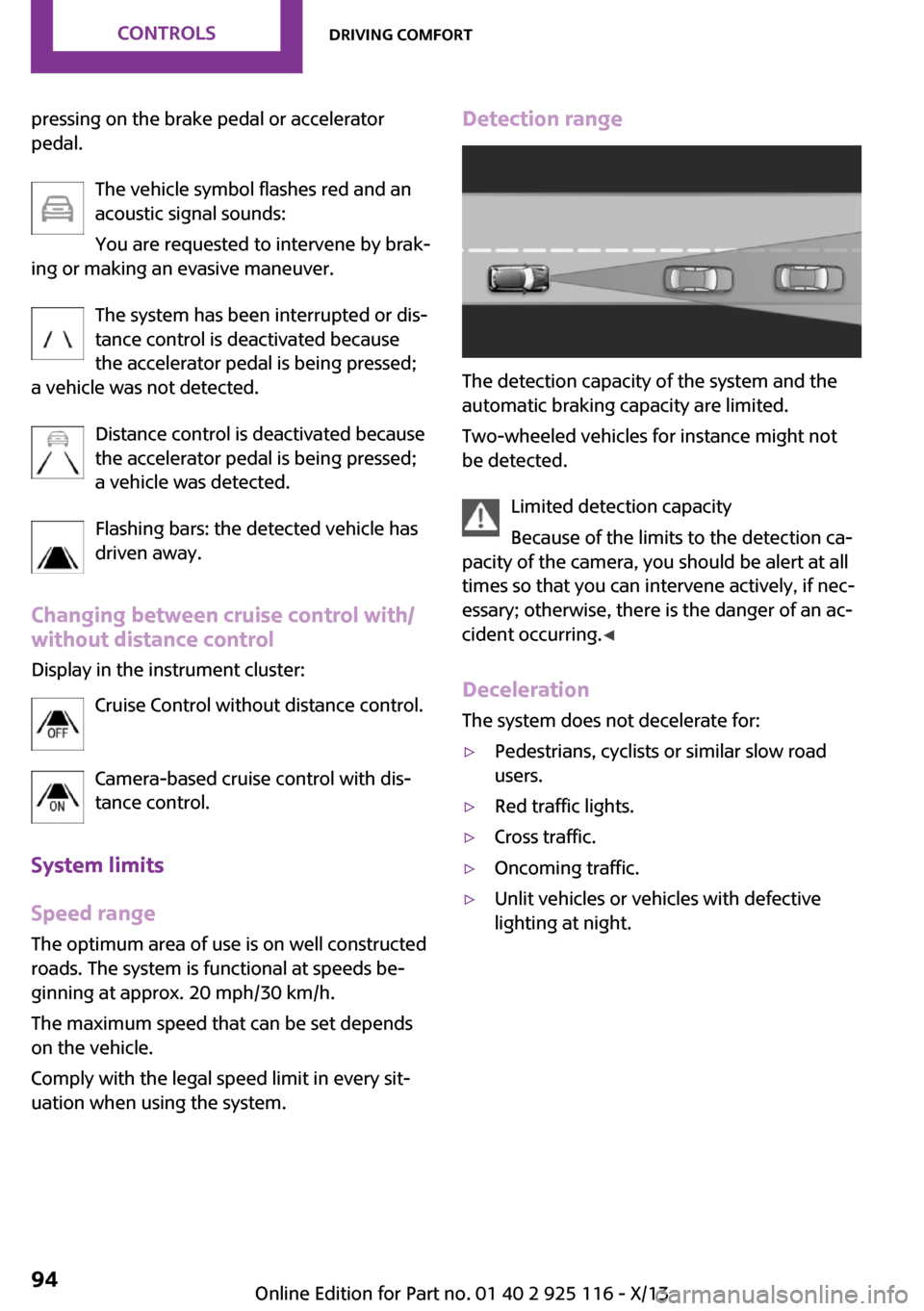
The vehicle symbol flashes red and an
acoustic signal sounds:
You are requested to intervene by brak‐
ing or making an evasive maneuver.
The system has been interrupted or dis‐
tance control is deactivated because
the accelerator pedal is being pressed;
a vehicle was not detected.
Distance control is deactivated because
the accelerator pedal is being pressed;
a vehicle was detected.
Flashing bars: the detected vehicle has
driven away.
Changing between cruise control with/ without distance control
Display in the instrument cluster:
Cruise Control without distance control.
Camera-based cruise control with dis‐tance control.
System limits
Speed range The optimum area of use is on well constructed
roads. The system is functional at speeds be‐
ginning at approx. 20 mph/30 km/h.
The maximum speed that can be set depends
on the vehicle.
Comply with the legal speed limit in every sit‐
uation when using the system.Detection range
The detection capacity of the system and the
automatic braking capacity are limited.
Two-wheeled vehicles for instance might not
be detected.
Limited detection capacity
Because of the limits to the detection ca‐
pacity of the camera, you should be alert at all
times so that you can intervene actively, if nec‐
essary; otherwise, there is the danger of an ac‐
cident occurring. ◀
Deceleration The system does not decelerate for:
▷Pedestrians, cyclists or similar slow road
users.▷Red traffic lights.▷Cross traffic.▷Oncoming traffic.▷Unlit vehicles or vehicles with defective
lighting at night.Seite 94ControlsDriving comfort94
Online Edition for Part no. 01 40 2 925 116 - X/13
Page 100 of 233
Cruise controlThe concept
The system is functional at speeds beginning at
approx. 20 mph/30 km/h.
It maintains the speed that was set using the
control elements on the steering wheel.
The system brakes on downhill gradients if en‐
gine braking action is insufficient.
Unfavorable conditions
Do not use the system if unfavorable con‐
ditions make it impossible to drive at a constant
speed, for instance:▷On curvy roads.▷In heavy traffic.▷On slippery roads, in fog, snow or rain, or
on a loose road surface.
Otherwise, you could lose control of the vehicle
and cause an accident. ◀
General information
Depending on the set drive mode, refer to
page 88, the characteristics of the cruise con‐
trol can change in certain areas.
Controls
At a glance
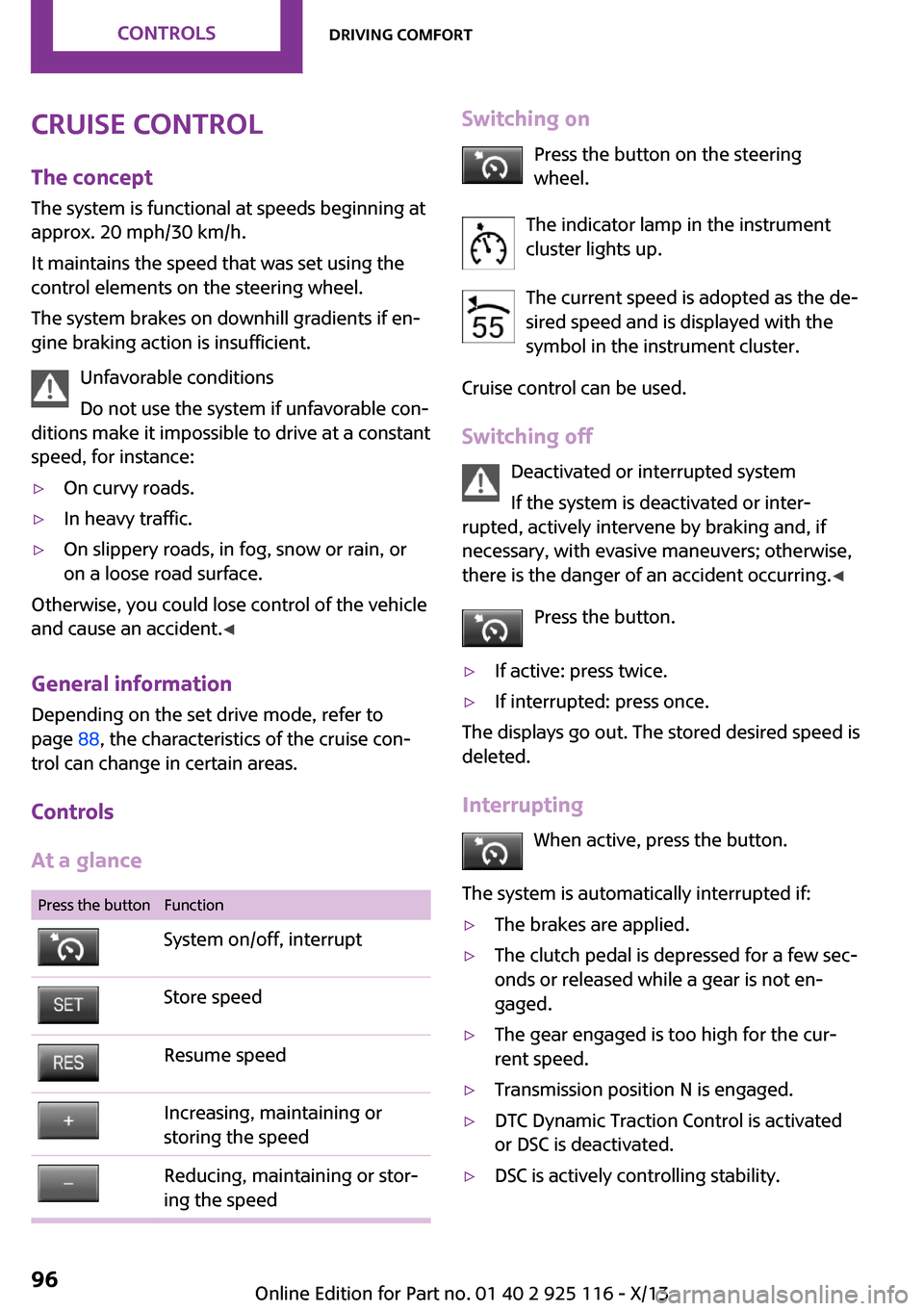
Press the buttonFunctionSystem on/off, interruptStore speedResume speedIncreasing, maintaining or
storing the speedReducing, maintaining or stor‐
ing the speedSwitching on
Press the button on the steering
wheel.
The indicator lamp in the instrument
cluster lights up.
The current speed is adopted as the de‐
sired speed and is displayed with the
symbol in the instrument cluster.
Cruise control can be used.
Switching off Deactivated or interrupted system
If the system is deactivated or inter‐
rupted, actively intervene by braking and, if
necessary, with evasive maneuvers; otherwise,
there is the danger of an accident occurring. ◀
Press the button.▷If active: press twice.▷If interrupted: press once.
The displays go out. The stored desired speed is
deleted.
Interrupting When active, press the button.
The system is automatically interrupted if:
▷The brakes are applied.▷The clutch pedal is depressed for a few sec‐
onds or released while a gear is not en‐
gaged.▷The gear engaged is too high for the cur‐
rent speed.▷Transmission position N is engaged.▷DTC Dynamic Traction Control is activated
or DSC is deactivated.▷DSC is actively controlling stability.Seite 96ControlsDriving comfort96
Online Edition for Part no. 01 40 2 925 116 - X/13
Page 104 of 233
▷When using high-pressure washers, do not
spray the sensors for long periods and
maintain a distance of at least 12 in/30 cm.
Parking assistant
The concept
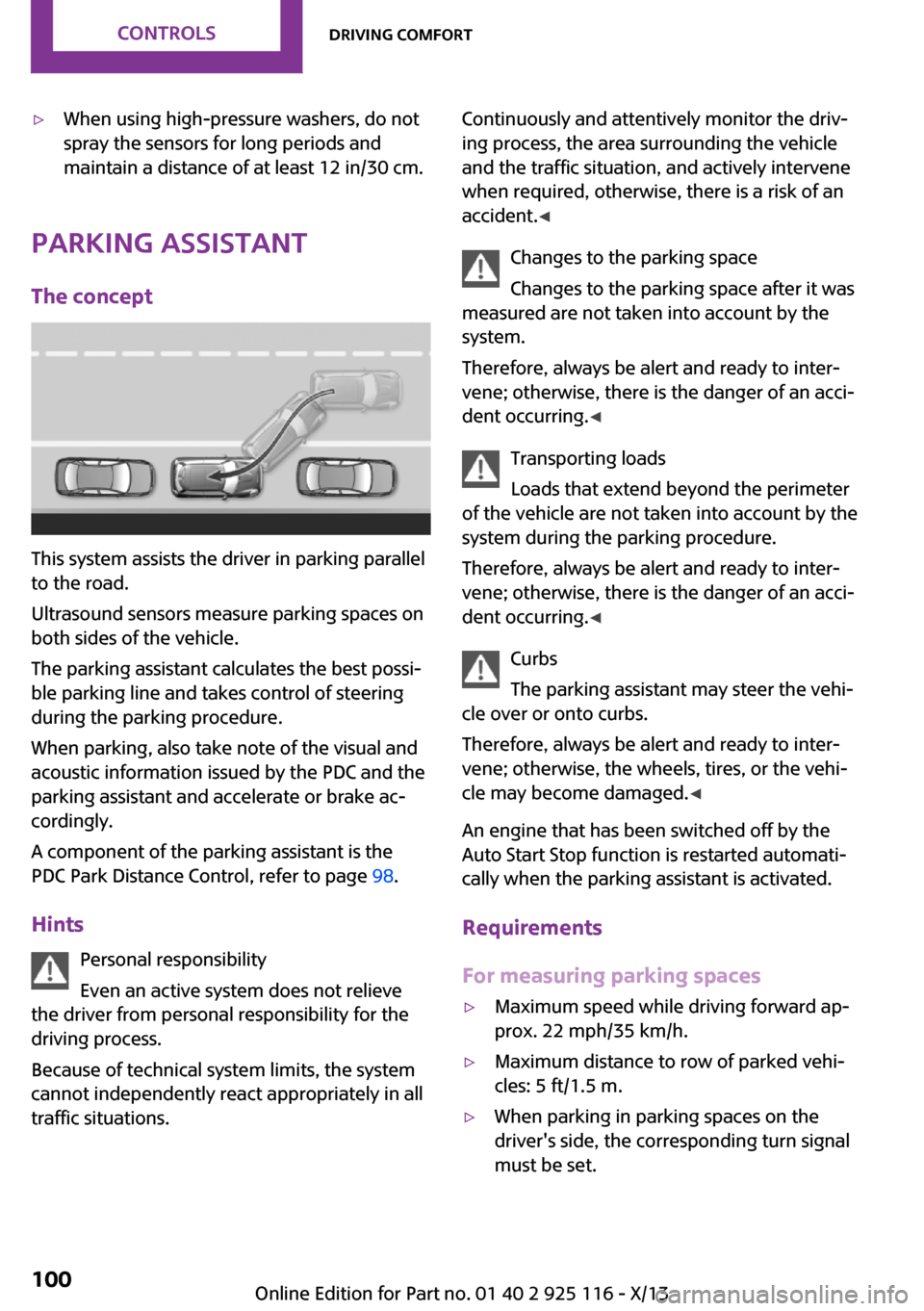
This system assists the driver in parking parallel
to the road.
Ultrasound sensors measure parking spaces on
both sides of the vehicle.
The parking assistant calculates the best possi‐
ble parking line and takes control of steering
during the parking procedure.
When parking, also take note of the visual and
acoustic information issued by the PDC and the
parking assistant and accelerate or brake ac‐
cordingly.
A component of the parking assistant is the
PDC Park Distance Control, refer to page 98.
Hints Personal responsibility
Even an active system does not relieve
the driver from personal responsibility for the
driving process.
Because of technical system limits, the system
cannot independently react appropriately in all
traffic situations.
Continuously and attentively monitor the driv‐
ing process, the area surrounding the vehicle
and the traffic situation, and actively intervene
when required, otherwise, there is a risk of an
accident. ◀
Changes to the parking space
Changes to the parking space after it was
measured are not taken into account by the
system.
Therefore, always be alert and ready to inter‐
vene; otherwise, there is the danger of an acci‐
dent occurring. ◀
Transporting loads
Loads that extend beyond the perimeter
of the vehicle are not taken into account by the
system during the parking procedure.
Therefore, always be alert and ready to inter‐
vene; otherwise, there is the danger of an acci‐
dent occurring. ◀
Curbs
The parking assistant may steer the vehi‐
cle over or onto curbs.
Therefore, always be alert and ready to inter‐
vene; otherwise, the wheels, tires, or the vehi‐
cle may become damaged. ◀
An engine that has been switched off by the
Auto Start Stop function is restarted automati‐
cally when the parking assistant is activated.
Requirements
For measuring parking spaces▷Maximum speed while driving forward ap‐
prox. 22 mph/35 km/h.▷Maximum distance to row of parked vehi‐
cles: 5 ft/1.5 m.▷When parking in parking spaces on the
driver's side, the corresponding turn signal
must be set.Seite 100ControlsDriving comfort100
Online Edition for Part no. 01 40 2 925 116 - X/13
Page 105 of 233
Suitable parking space▷Gap between two objects or behind an in‐
dividual object, each of the objects being at
least 5 ft/1.5 m long.▷Minimum length of the gap: own vehicle's
length plus approx. 3.3 ft/1.0 m.▷Minimum depth: approx. 5 ft/1.5 m.
For parking procedure
▷Doors and tailgate closed.▷Parking brake released.▷When parking in parking spaces on the
driver's side, the corresponding turn signal
must be set.
At a glance
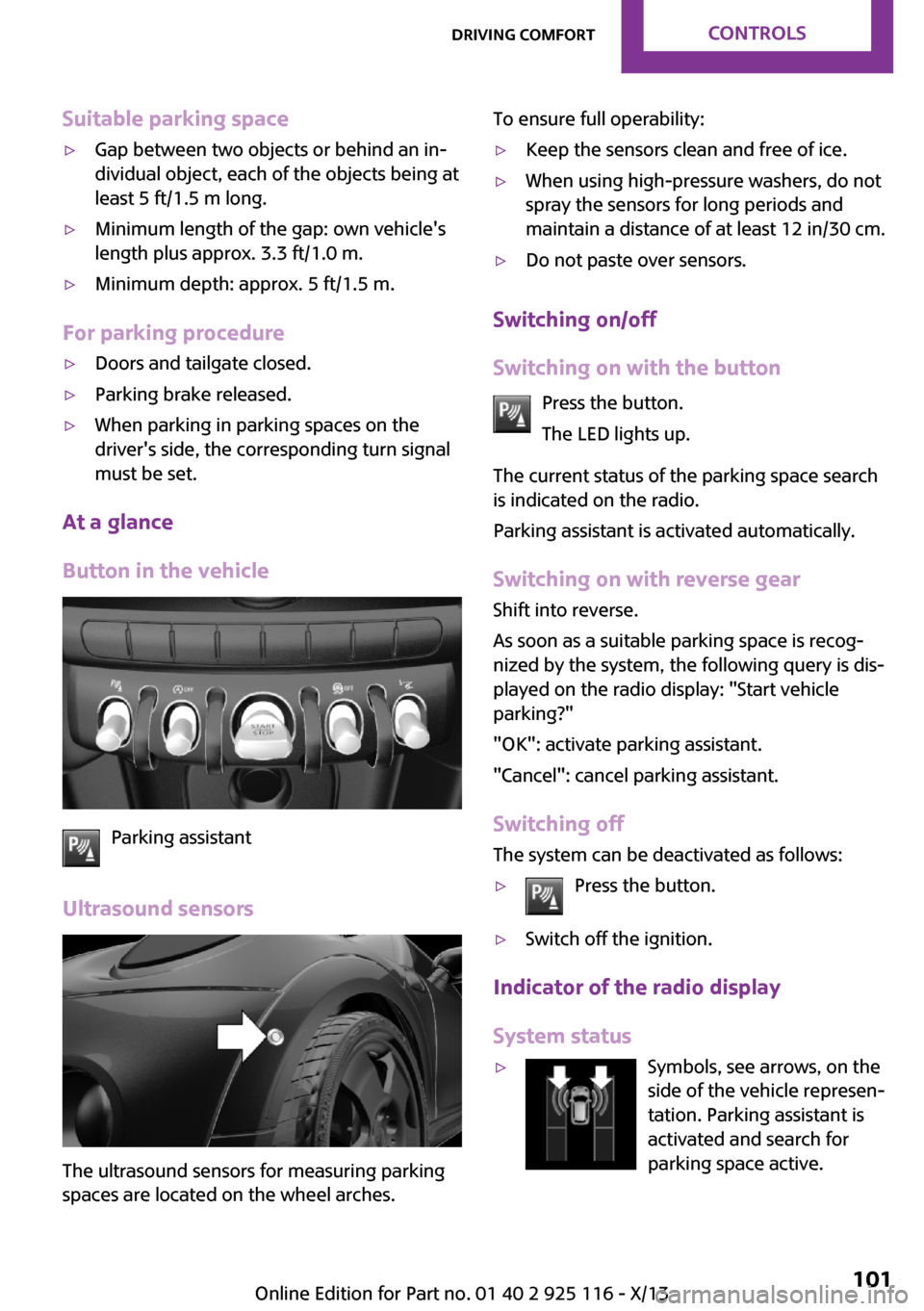
Button in the vehicle
Parking assistant
Ultrasound sensors
The ultrasound sensors for measuring parking
spaces are located on the wheel arches.
To ensure full operability:▷Keep the sensors clean and free of ice.▷When using high-pressure washers, do not
spray the sensors for long periods and
maintain a distance of at least 12 in/30 cm.▷Do not paste over sensors.
Switching on/off
Switching on with the button Press the button.
The LED lights up.
The current status of the parking space search
is indicated on the radio.
Parking assistant is activated automatically.
Switching on with reverse gear
Shift into reverse.
As soon as a suitable parking space is recog‐ nized by the system, the following query is dis‐
played on the radio display: "Start vehicle
parking?"
"OK": activate parking assistant.
"Cancel": cancel parking assistant.
Switching off The system can be deactivated as follows:
▷Press the button.▷Switch off the ignition.
Indicator of the radio display
System status
▷Symbols, see arrows, on the
side of the vehicle represen‐
tation. Parking assistant is
activated and search for
parking space active.Seite 101Driving comfortControls101
Online Edition for Part no. 01 40 2 925 116 - X/13
Page 106 of 233
▷Suitable parking spaces are displayed next
to the vehicle symbol at the edge of the
road as on the display.▷The parking procedure is ac‐
tive. Steering control has
been seized.▷Parking space search is always active
whenever the vehicle is moving forwards
slow and straight, even if the system is de‐
activated.
Parking using the parking assistant
Check the traffic situation as well
Loud sounds outside and within the vehi‐
cle can drown out the signal tones of the park‐
ing assistant and PDC.
Check the traffic situation around the vehicle
with your own eyes; otherwise, there is the
danger of an accident. ◀
1.Switch on the parking assistant and activate
it if necessary.
The status of the parking space search is in‐
dicated on the display.2.Follow the instructions on the display.
To achieve the best possible parking posi‐
tion, wait for the automatic steering wheel
movement after the gear change when the
vehicle is stationary.
The end of the parking procedure is indi‐
cated on the display.3.Adjust the parking position yourself if nec‐
essary.
Interrupting manually
The parking assistant can be interrupted at any
time:
▷Press the button.Interrupting automatically
The system is interrupted automatically in the
following situations:▷If the driver grasps the steering wheel or if
he takes over steering.▷If a gear is selected that does not match the
instruction on the display.▷If the vehicle speed exceeds approx.
6 mph/10 km/h.▷On snow-covered or slippery road surfaces
if necessary.▷If a maximum number of parking attempts
or the time taken for parking is exceeded.▷If the Park Distance Control PDC displays
clearances that are too small.▷When switching into other functions of the
radio.▷When trailer operation is detected.
A Check Control message is displayed.
Continuing
An interrupted parking procedure can be con‐
tinued if necessary.
To do this, follow the instructions on the dis‐
play.
System limits
No parking assistance The parking assistant does not offer assistance
in the following situations:
▷In tight curves.
Functional limitations
The system may not be fully functional in the
following situations:
▷When sensors are dirty or iced over.▷In heavy fog, rain or snowfall.▷On bumpy road surfaces such as gravel
roads.Seite 102ControlsDriving comfort102
Online Edition for Part no. 01 40 2 925 116 - X/13
Page 107 of 233
▷When leaves or snow has collected in the
parking space.▷With a mounted emergency wheel.
Limits of ultrasonic measurement
The detection of objects can reach the physical
limits of ultrasonic measurement, e.g., in the
following circumstances:
▷With tow bars and trailer hitches.▷With thin or wedge-shaped objects.▷With elevated, protruding objects such as
ledges or cargo.▷With objects with corners and sharp edges.▷With objects with a fine surface structure,
such as fences.
Low objects already displayed, e.g., curbs, can
move into the blind area of the sensors before
or after a continuous tone sounds.
High, protruding objects such as ledges may
not be detected.
The parking assistant may identify parking
spaces that are not suitable for parking.
Malfunction A Check Control message is displayed.
The parking assistant failed. Have the system
checked.
Seite 103Driving comfortControls103
Online Edition for Part no. 01 40 2 925 116 - X/13
Page 109 of 233
Climate control functions in detail
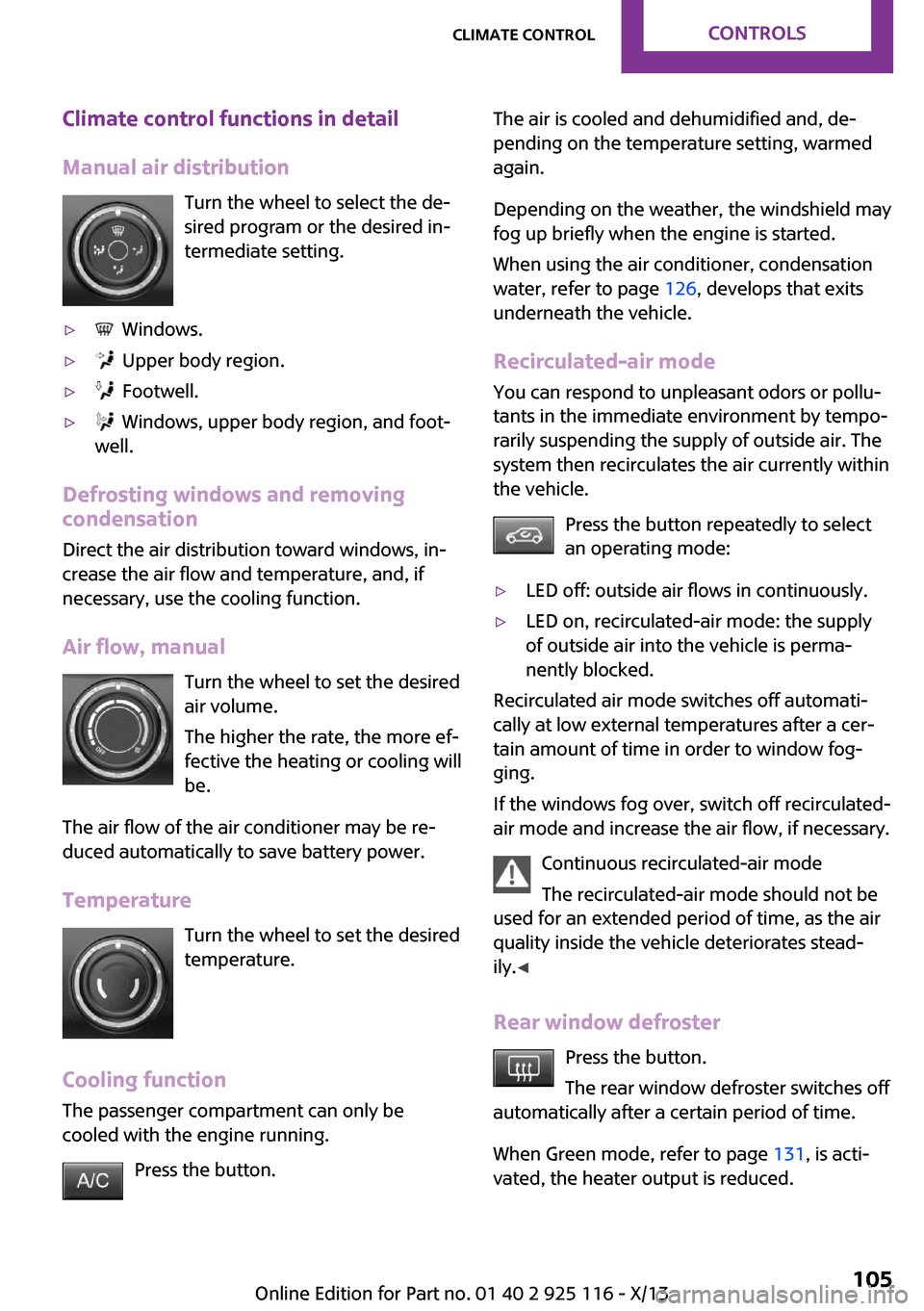
Manual air distribution Turn the wheel to select the de‐
sired program or the desired in‐
termediate setting.▷ Windows.▷ Upper body region.▷ Footwell.▷ Windows, upper body region, and foot‐
well.
Defrosting windows and removing
condensation
Direct the air distribution toward windows, in‐
crease the air flow and temperature, and, if
necessary, use the cooling function.
Air flow, manual Turn the wheel to set the desired
air volume.
The higher the rate, the more ef‐
fective the heating or cooling will
be.
The air flow of the air conditioner may be re‐
duced automatically to save battery power.
Temperature Turn the wheel to set the desired
temperature.
Cooling function The passenger compartment can only be
cooled with the engine running.
Press the button.
The air is cooled and dehumidified and, de‐
pending on the temperature setting, warmed
again.
Depending on the weather, the windshield may
fog up briefly when the engine is started.
When using the air conditioner, condensation
water, refer to page 126, develops that exits
underneath the vehicle.
Recirculated-air mode
You can respond to unpleasant odors or pollu‐
tants in the immediate environment by tempo‐
rarily suspending the supply of outside air. The
system then recirculates the air currently within
the vehicle.
Press the button repeatedly to select
an operating mode:▷LED off: outside air flows in continuously.▷LED on, recirculated-air mode: the supply
of outside air into the vehicle is perma‐
nently blocked.
Recirculated air mode switches off automati‐
cally at low external temperatures after a cer‐
tain amount of time in order to window fog‐
ging.
If the windows fog over, switch off recirculated-
air mode and increase the air flow, if necessary.
Continuous recirculated-air mode
The recirculated-air mode should not be
used for an extended period of time, as the air
quality inside the vehicle deteriorates stead‐
ily. ◀
Rear window defroster Press the button.
The rear window defroster switches off
automatically after a certain period of time.
When Green mode, refer to page 131, is acti‐
vated, the heater output is reduced.
Seite 105Climate controlControls105
Online Edition for Part no. 01 40 2 925 116 - X/13
Page 110 of 233
Windshield defrosterPress the button.
The front window defroster switches
off automatically after a certain period of time.
Switching the system on/off
Switching off Turn wheel for air quantity to the
left until the control switches off.Switching on
Set any air volume.
Microfilter
In external and recirculated air mode the mi‐
crofilter filters dust and pollen out of the air.
This filter should be replaced during scheduled
maintenance, refer to page 184, of your vehi‐
cle.
Automatic climate control
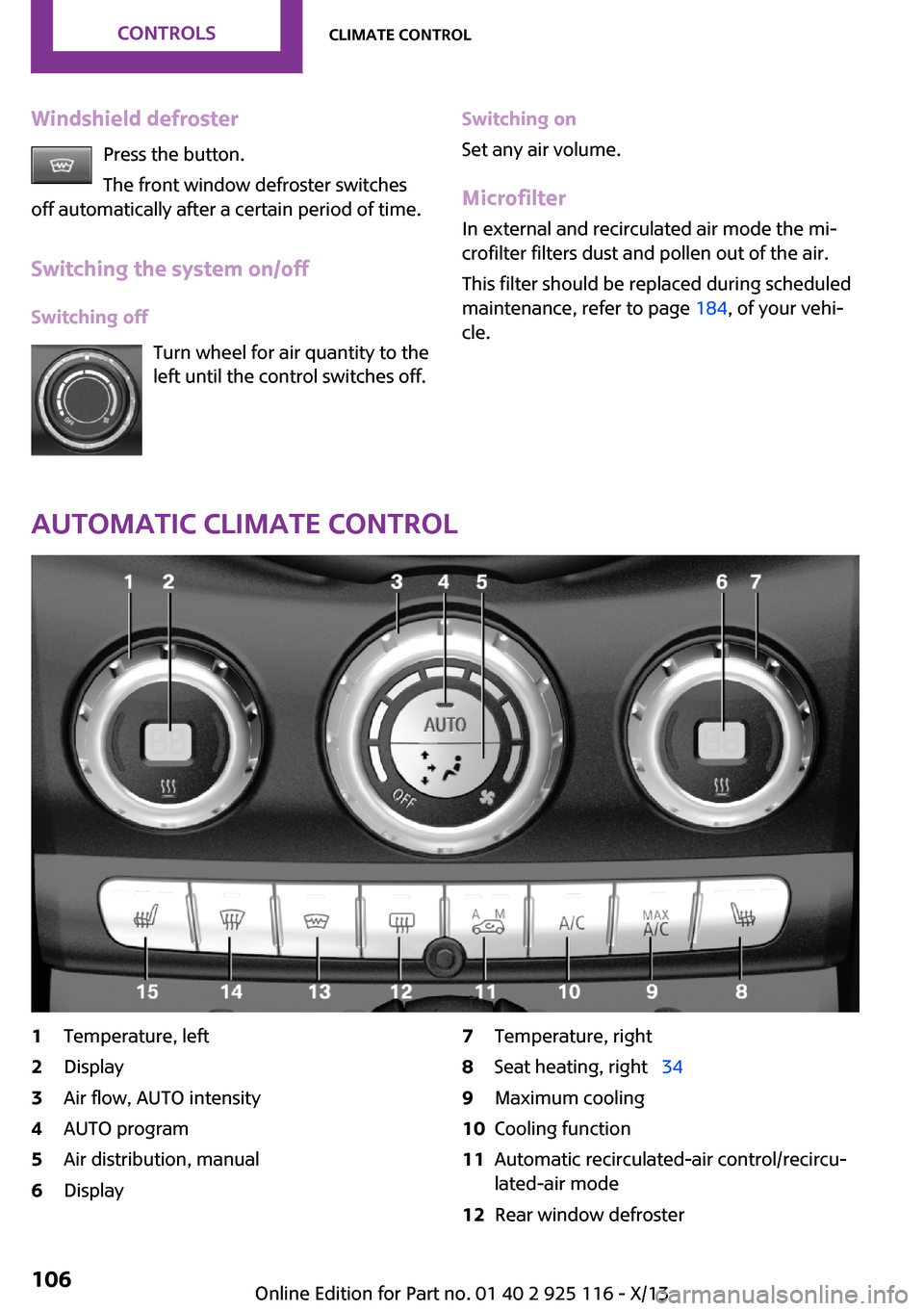
1Temperature, left2Display3Air flow, AUTO intensity4AUTO program5Air distribution, manual6Display7Temperature, right8Seat heating, right 349Maximum cooling10Cooling function11Automatic recirculated-air control/recircu‐
lated-air mode12Rear window defrosterSeite 106ControlsClimate control106
Online Edition for Part no. 01 40 2 925 116 - X/13
Page 111 of 233
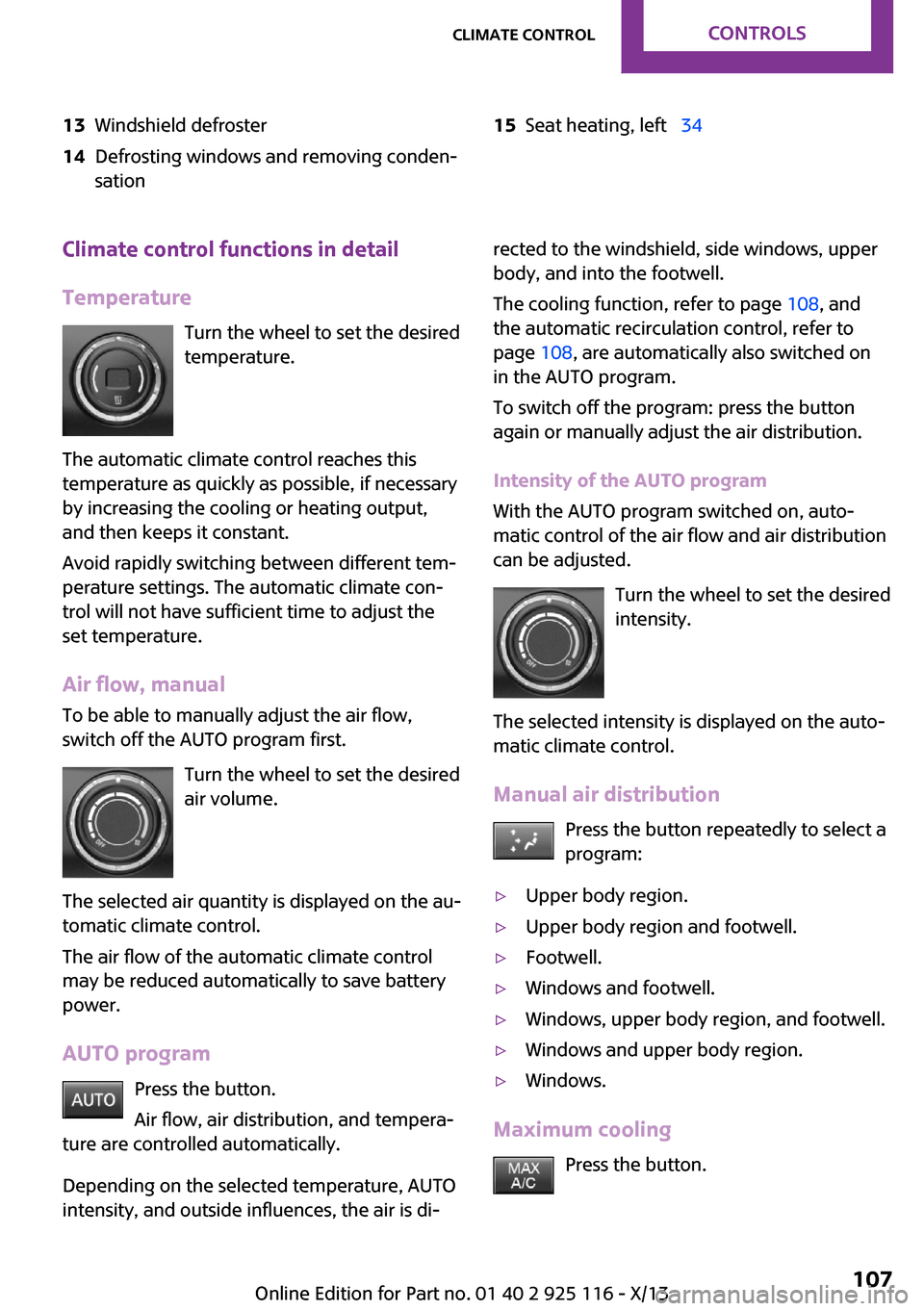
13Windshield defroster14Defrosting windows and removing conden‐
sation15Seat heating, left 34Climate control functions in detail
Temperature Turn the wheel to set the desired
temperature.
The automatic climate control reaches this
temperature as quickly as possible, if necessary
by increasing the cooling or heating output,
and then keeps it constant.
Avoid rapidly switching between different tem‐
perature settings. The automatic climate con‐
trol will not have sufficient time to adjust the
set temperature.
Air flow, manual
To be able to manually adjust the air flow,
switch off the AUTO program first.
Turn the wheel to set the desired
air volume.
The selected air quantity is displayed on the au‐
tomatic climate control.
The air flow of the automatic climate control
may be reduced automatically to save battery
power.
AUTO program Press the button.
Air flow, air distribution, and tempera‐
ture are controlled automatically.
Depending on the selected temperature, AUTO
intensity, and outside influences, the air is di‐rected to the windshield, side windows, upper
body, and into the footwell.
The cooling function, refer to page 108, and
the automatic recirculation control, refer to
page 108, are automatically also switched on
in the AUTO program.
To switch off the program: press the button
again or manually adjust the air distribution.
Intensity of the AUTO program
With the AUTO program switched on, auto‐
matic control of the air flow and air distribution can be adjusted.
Turn the wheel to set the desired
intensity.
The selected intensity is displayed on the auto‐
matic climate control.
Manual air distribution Press the button repeatedly to select a
program:▷Upper body region.▷Upper body region and footwell.▷Footwell.▷Windows and footwell.▷Windows, upper body region, and footwell.▷Windows and upper body region.▷Windows.
Maximum cooling
Press the button.
Seite 107Climate controlControls107
Online Edition for Part no. 01 40 2 925 116 - X/13
Page 113 of 233
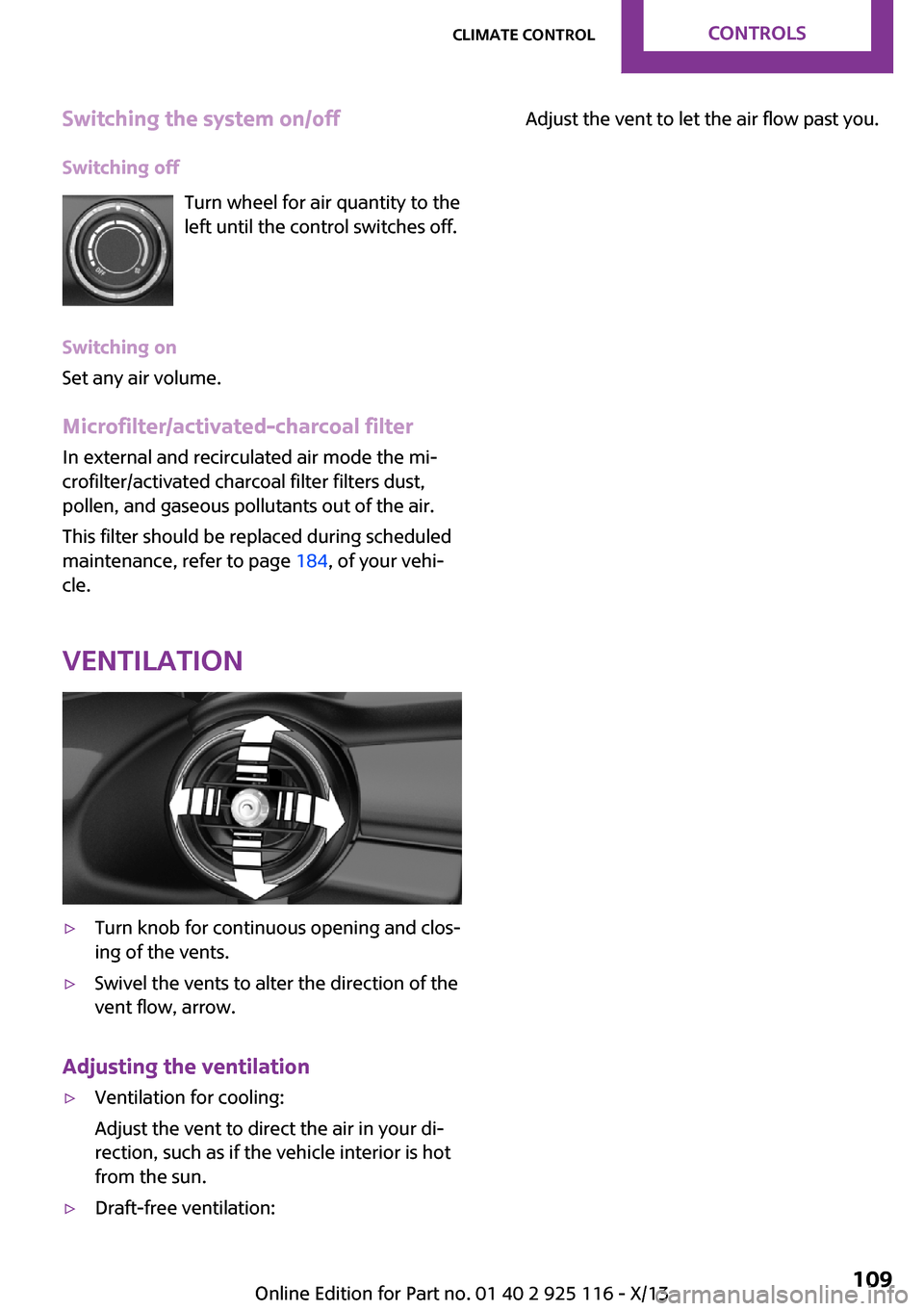
Switching the system on/offSwitching off Turn wheel for air quantity to the
left until the control switches off.
Switching on
Set any air volume.
Microfilter/activated-charcoal filter In external and recirculated air mode the mi‐
crofilter/activated charcoal filter filters dust,
pollen, and gaseous pollutants out of the air.
This filter should be replaced during scheduled
maintenance, refer to page 184, of your vehi‐
cle.
Ventilation▷Turn knob for continuous opening and clos‐
ing of the vents.▷Swivel the vents to alter the direction of the
vent flow, arrow.
Adjusting the ventilation
▷Ventilation for cooling:
Adjust the vent to direct the air in your di‐
rection, such as if the vehicle interior is hot
from the sun.▷Draft-free ventilation:Adjust the vent to let the air flow past you.Seite 109Climate controlControls109
Online Edition for Part no. 01 40 2 925 116 - X/13