parking brake MINI 3 door 2013 Owner's Manual
[x] Cancel search | Manufacturer: MINI, Model Year: 2013, Model line: 3 door, Model: MINI 3 door 2013Pages: 233, PDF Size: 17.19 MB
Page 18 of 233
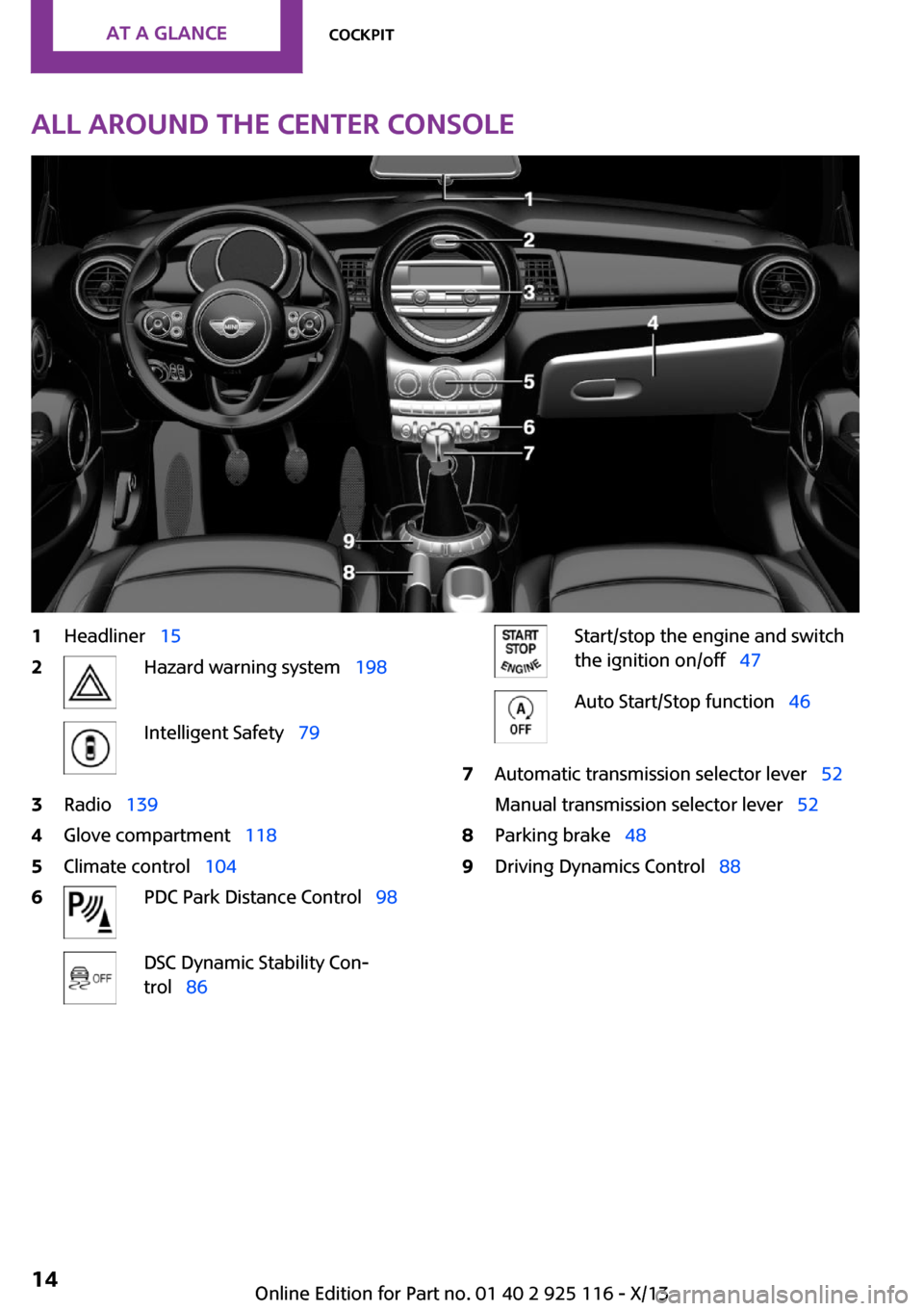
All around the center console1Headliner 152Hazard warning system 198Intelligent Safety 793Radio 1394Glove compartment 1185Climate control 1046PDC Park Distance Control 98DSC Dynamic Stability Con‐
trol 86Start/stop the engine and switch
the ignition on/off 47Auto Start/Stop function 467Automatic transmission selector lever 52
Manual transmission selector lever 528Parking brake 489Driving Dynamics Control 88Seite 14At a glanceCockpit14
Online Edition for Part no. 01 40 2 925 116 - X/13
Page 49 of 233
Radio ready state
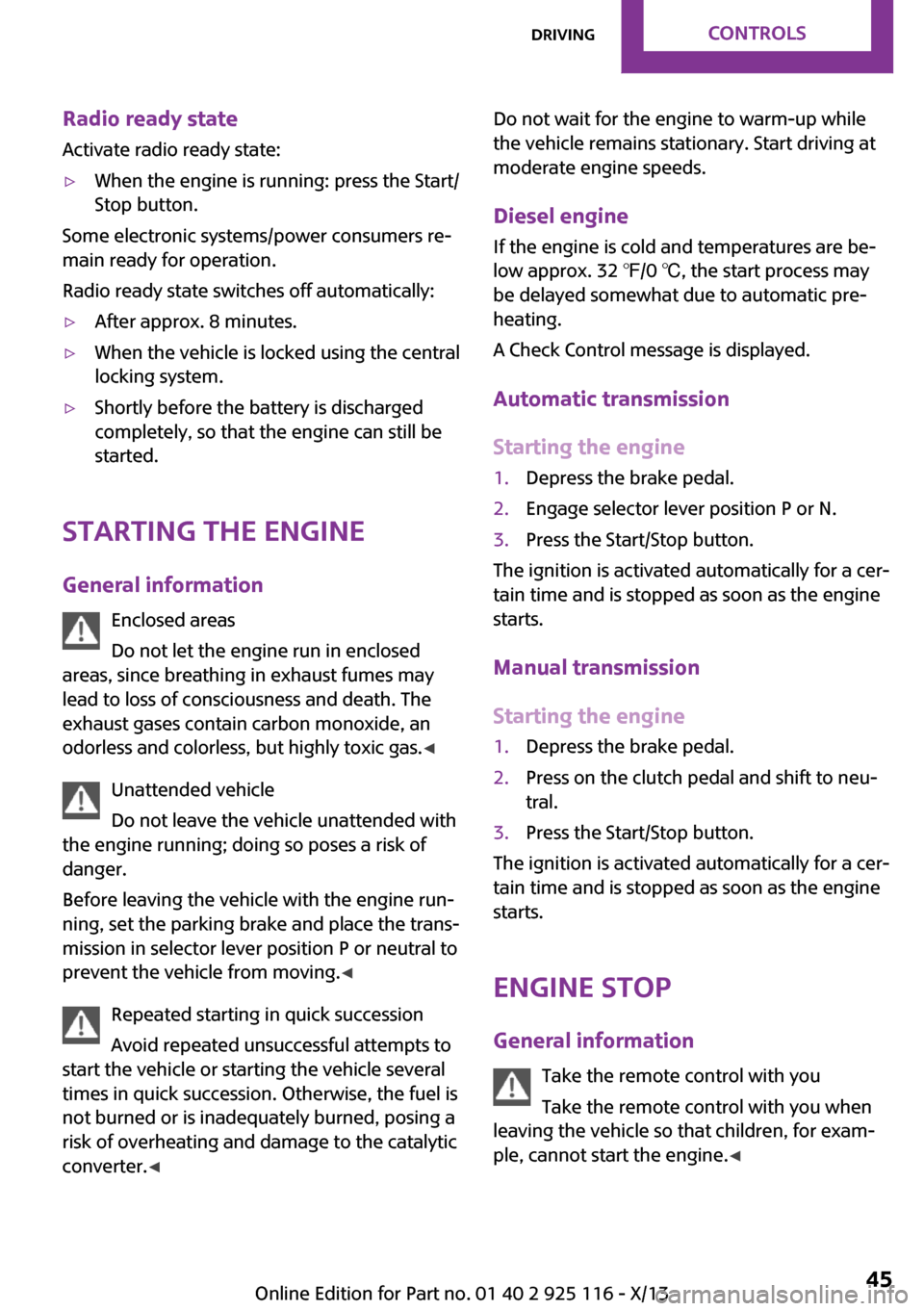
Activate radio ready state:▷When the engine is running: press the Start/
Stop button.
Some electronic systems/power consumers re‐
main ready for operation.
Radio ready state switches off automatically:
▷After approx. 8 minutes.▷When the vehicle is locked using the central
locking system.▷Shortly before the battery is discharged
completely, so that the engine can still be
started.
Starting the engine
General information Enclosed areas
Do not let the engine run in enclosed
areas, since breathing in exhaust fumes may
lead to loss of consciousness and death. The
exhaust gases contain carbon monoxide, an
odorless and colorless, but highly toxic gas. ◀
Unattended vehicle
Do not leave the vehicle unattended with
the engine running; doing so poses a risk of
danger.
Before leaving the vehicle with the engine run‐
ning, set the parking brake and place the trans‐
mission in selector lever position P or neutral to
prevent the vehicle from moving. ◀
Repeated starting in quick succession
Avoid repeated unsuccessful attempts to
start the vehicle or starting the vehicle several
times in quick succession. Otherwise, the fuel is
not burned or is inadequately burned, posing a
risk of overheating and damage to the catalytic
converter. ◀
Do not wait for the engine to warm-up while
the vehicle remains stationary. Start driving at
moderate engine speeds.
Diesel engine If the engine is cold and temperatures are be‐
low approx. 32 ℉/0 ℃, the start process may
be delayed somewhat due to automatic pre‐
heating.
A Check Control message is displayed.
Automatic transmission
Starting the engine1.Depress the brake pedal.2.Engage selector lever position P or N.3.Press the Start/Stop button.
The ignition is activated automatically for a cer‐
tain time and is stopped as soon as the engine
starts.
Manual transmission
Starting the engine
1.Depress the brake pedal.2.Press on the clutch pedal and shift to neu‐
tral.3.Press the Start/Stop button.
The ignition is activated automatically for a cer‐
tain time and is stopped as soon as the engine
starts.
Engine stop
General information Take the remote control with you
Take the remote control with you when
leaving the vehicle so that children, for exam‐
ple, cannot start the engine. ◀
Seite 45DrivingControls45
Online Edition for Part no. 01 40 2 925 116 - X/13
Page 50 of 233
Set the parking brake and further secure
the vehicle as required
Set the parking brake firmly when parking; oth‐
erwise, the vehicle could roll. On steep upward
and downward inclines, further secure the ve‐
hicle, for example, by turning the steering
wheel in the direction of the curb. ◀
Before driving into a car wash In order for the vehicle to be able to roll into a
car wash, pay attention to the information re‐
garding Washing in automatic car washes, refer
to page 203.
Automatic transmission
Switching off the engine1.Engage selector lever position P with the
vehicle stopped.2.Press the Start/Stop button.
The engine is switched off.
The radio ready state is switched on.3.Set the parking brake.
Manual transmission
Switching off the engine
1.With the vehicle at a standstill, press the
Start/Stop button.
The engine is switched off.
The radio ready state is switched on.2.Shift into first gear or reverse.3.Set the parking brake.
Auto Start/Stop function
The concept
The Auto Start/Stop function helps save fuel.
The system switches off the engine during a
stop, e.g., in traffic congestion or at traffic
lights. The ignition remains switched on. The
engine starts again automatically for driving off.
Automatic operation
After each engine start, the Auto Start/Stop
function is ready and is activated at speeds
faster than about 3 mph, approx. 5 km/h.
Engine stop The engine is switched off automatically during
a stop under the following conditions:
Manual transmission:▷Neutral is engaged and the clutch pedal is
not pressed.▷The driver's safety belt is buckled or the
driver's door is closed.
Automatic transmission:
▷Gear selector lever in drive mode D.▷Brake pedal remains depressed while the
vehicle is stopped.▷The driver's safety belt is buckled or the
driver's door is closed.
In order to be able to release the brake pedal,
engage selector lever position P. The engine re‐
mains off.
To continue driving depress the brake pedal.
When a drive mode is engaged, the engine
starts automatically.
The air flow of the air conditioner is reduced
when the engine is switched off.
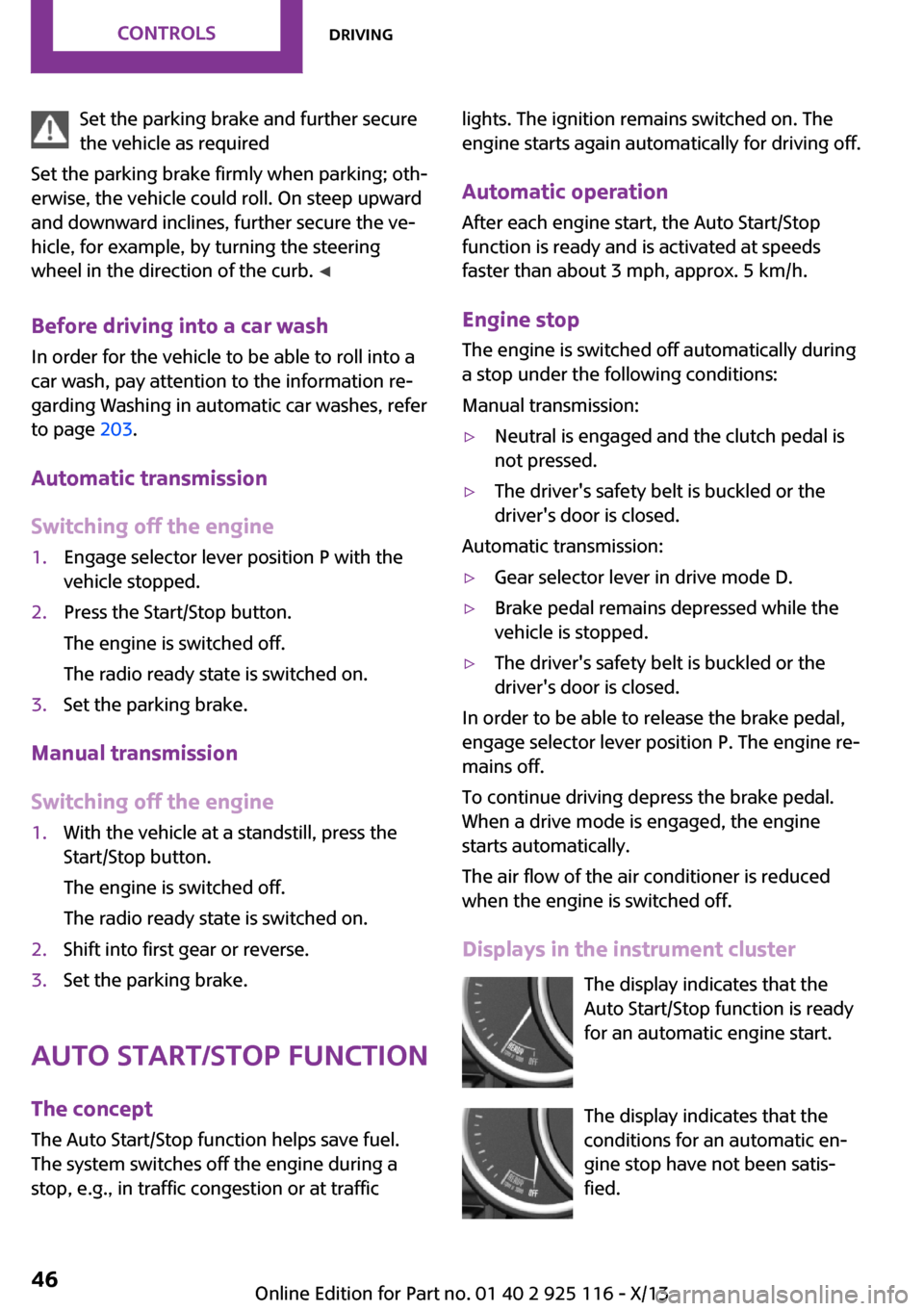
Displays in the instrument cluster The display indicates that the
Auto Start/Stop function is ready
for an automatic engine start.
The display indicates that the
conditions for an automatic en‐
gine stop have not been satis‐
fied.
Seite 46ControlsDriving46
Online Edition for Part no. 01 40 2 925 116 - X/13
Page 51 of 233
NoteThe engine is not switched off automatically in
the following situations:▷The external temperature is high and auto‐
matic climate control is running.▷The passenger compartment has not yet
been heated or cooled to the required
level.▷The engine is not yet at operating tempera‐
ture.▷The wheels are at a sharp angle or the
steering wheel is being turned.▷After driving in reverse.▷Fogging of the windows when the auto‐
matic climate control is switched on.▷The vehicle battery charge is very low.▷The engine compartment lid is unlocked.▷The parking assistant is activated.▷Stop-and-go traffic.▷Gear selector lever in selector lever posi‐
tioned in or M/S or in drive mode R.
Starting the engine
The engine starts automatically under the fol‐
lowing conditions:
▷Manual transmission:
The clutch pedal is pressed.▷Automatic transmission:
By releasing the brake pedal.
After the engine starts, accelerate as usual.
Safety mode
After the engine switches off automatically, it
will not start again automatically if any one of
the following conditions are met.
▷The driver's safety belt is unbuckled and
the driver's door is open.▷The hood was unlocked.
Some indicator lamps light up for varying
lengths of time.
The engine can only be started via the Start/
Stop button.
Note
Even if driving away was not intended, the de‐
activated engine starts up automatically in the
following situations:▷Excessive warming of the passenger com‐
partment when the cooling function is
switched on.▷The steering wheel is turned.▷Automatic transmission: the drive mode is
changed from D to R or M/S or into selector
lever position N.▷Automatic transmission: the selector lever
position is changed from P to N, or into
drive mode D, R or M/S.▷The vehicle begins rolling.▷Fogging of the windows when the auto‐
matic climate control is switched on.▷The vehicle battery charge is very low.▷Excessive cooling of the passenger com‐
partment when the heating is switched on.▷Manual transmission: low brake vacuum
pressure; this can occur, for example, if the
brake pedal is depressed a number of times
in succession.
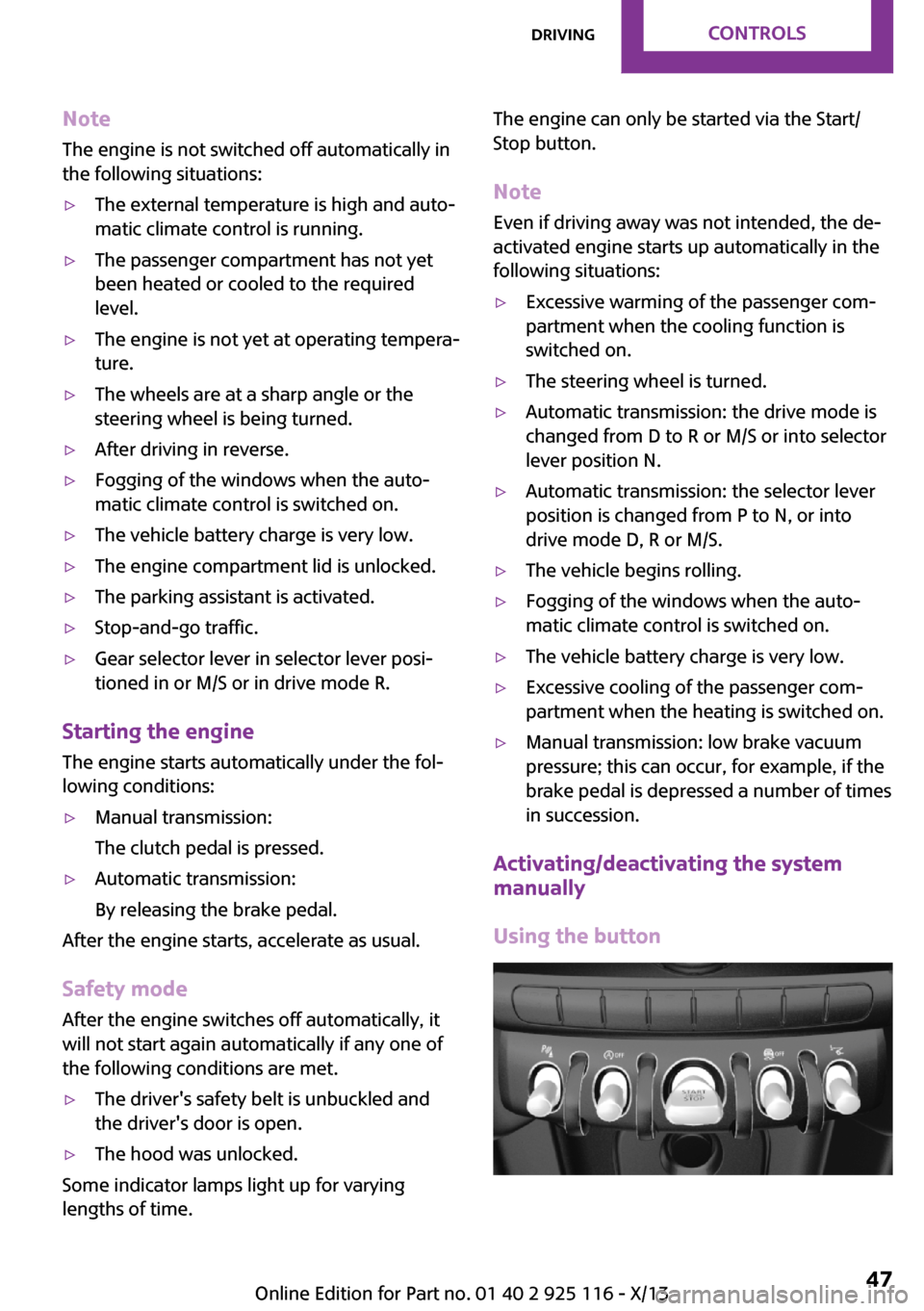
Activating/deactivating the system
manually
Using the button
Seite 47DrivingControls47
Online Edition for Part no. 01 40 2 925 116 - X/13
Page 52 of 233
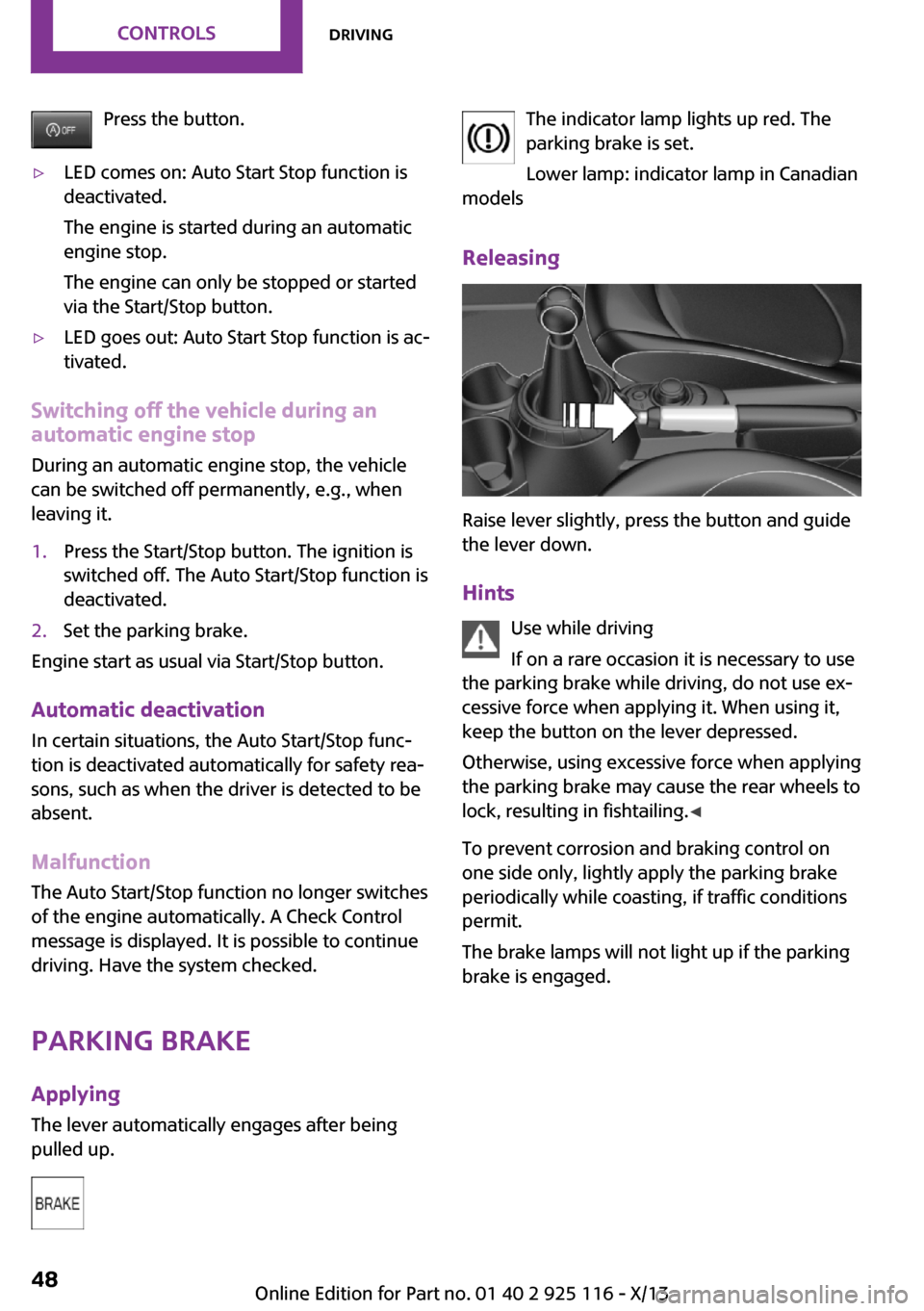
Press the button.▷LED comes on: Auto Start Stop function is
deactivated.
The engine is started during an automatic
engine stop.
The engine can only be stopped or started
via the Start/Stop button.▷LED goes out: Auto Start Stop function is ac‐
tivated.
Switching off the vehicle during an automatic engine stop
During an automatic engine stop, the vehicle
can be switched off permanently, e.g., when
leaving it.
1.Press the Start/Stop button. The ignition is
switched off. The Auto Start/Stop function is
deactivated.2.Set the parking brake.
Engine start as usual via Start/Stop button.
Automatic deactivation
In certain situations, the Auto Start/Stop func‐
tion is deactivated automatically for safety rea‐
sons, such as when the driver is detected to be
absent.
Malfunction
The Auto Start/Stop function no longer switches
of the engine automatically. A Check Control
message is displayed. It is possible to continue
driving. Have the system checked.
Parking brakeApplying
The lever automatically engages after being
pulled up.
The indicator lamp lights up red. The
parking brake is set.
Lower lamp: indicator lamp in Canadian
models
Releasing
Raise lever slightly, press the button and guide
the lever down.
Hints Use while driving
If on a rare occasion it is necessary to use
the parking brake while driving, do not use ex‐
cessive force when applying it. When using it,
keep the button on the lever depressed.
Otherwise, using excessive force when applying
the parking brake may cause the rear wheels to
lock, resulting in fishtailing. ◀
To prevent corrosion and braking control on
one side only, lightly apply the parking brake
periodically while coasting, if traffic conditions
permit.
The brake lamps will not light up if the parking
brake is engaged.
Seite 48ControlsDriving48
Online Edition for Part no. 01 40 2 925 116 - X/13
Page 58 of 233
The selected drive mode is briefly displayed in
the instrument cluster, followed by the current
one.
Manual mode M/S: prevent automatic upshifting
Once maximum engine speed is attained, M/S
manual mode is automatically upshifted as
needed.
For vehicles with Sport automatic transmission,
automatic shift operations are not performed if
one of the following conditions is met:▷DSC is deactivated.▷TRACTION is activated.
In addition, the kickdown is deactivated.
Ending the sport program/manual
mode
Push the gear selector lever to the right.
D is displayed in the instrument cluster.
Shift paddles for Sport automatic
transmission
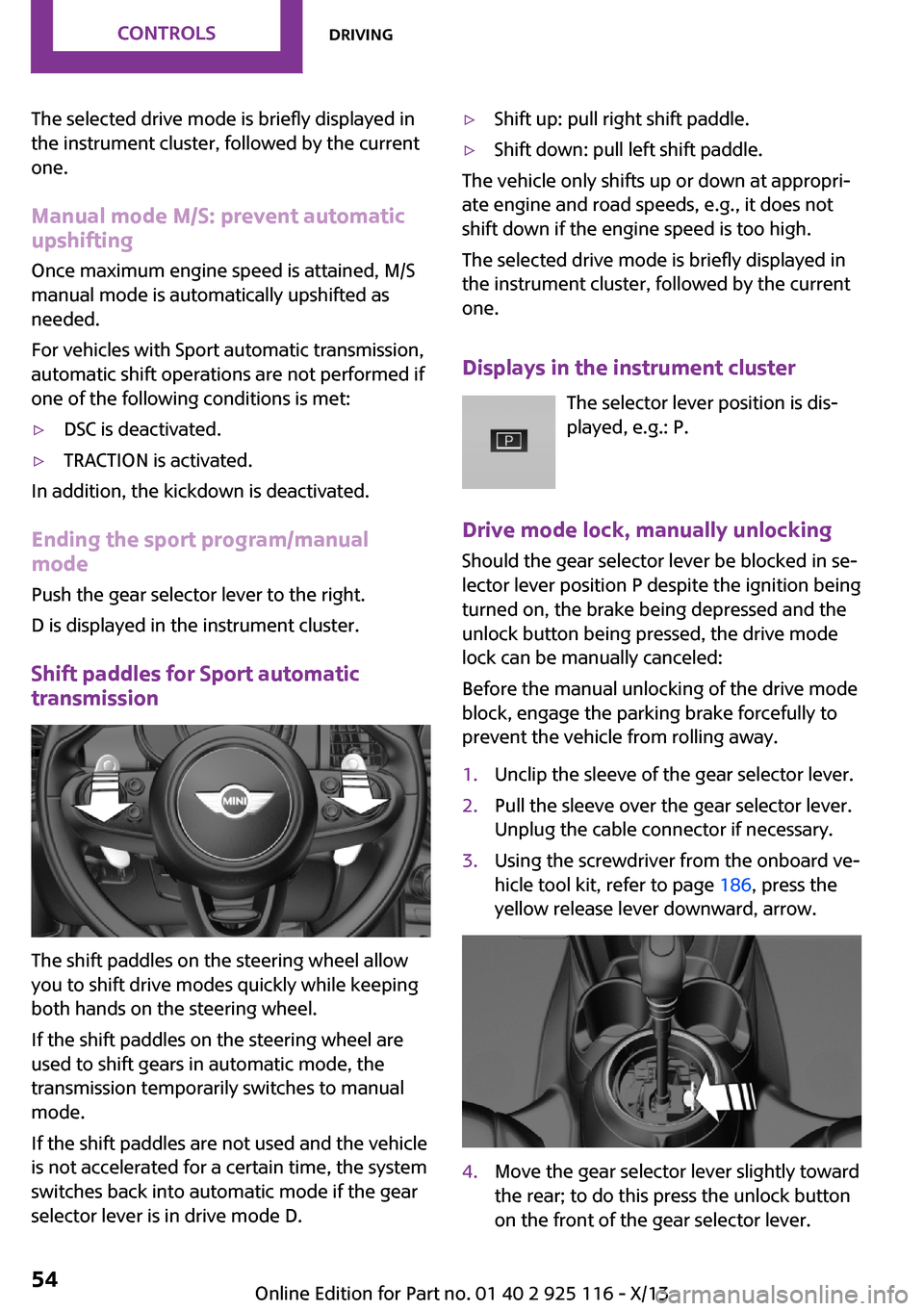
The shift paddles on the steering wheel allow
you to shift drive modes quickly while keeping
both hands on the steering wheel.
If the shift paddles on the steering wheel are
used to shift gears in automatic mode, the
transmission temporarily switches to manual
mode.
If the shift paddles are not used and the vehicle
is not accelerated for a certain time, the system
switches back into automatic mode if the gear
selector lever is in drive mode D.
▷Shift up: pull right shift paddle.▷Shift down: pull left shift paddle.
The vehicle only shifts up or down at appropri‐
ate engine and road speeds, e.g., it does not
shift down if the engine speed is too high.
The selected drive mode is briefly displayed in
the instrument cluster, followed by the current
one.
Displays in the instrument cluster The selector lever position is dis‐
played, e.g.: P.
Drive mode lock, manually unlocking Should the gear selector lever be blocked in se‐
lector lever position P despite the ignition being
turned on, the brake being depressed and the
unlock button being pressed, the drive mode
lock can be manually canceled:
Before the manual unlocking of the drive mode
block, engage the parking brake forcefully to
prevent the vehicle from rolling away.
1.Unclip the sleeve of the gear selector lever.2.Pull the sleeve over the gear selector lever.
Unplug the cable connector if necessary.3.Using the screwdriver from the onboard ve‐
hicle tool kit, refer to page 186, press the
yellow release lever downward, arrow.4.Move the gear selector lever slightly toward
the rear; to do this press the unlock button
on the front of the gear selector lever.Seite 54ControlsDriving54
Online Edition for Part no. 01 40 2 925 116 - X/13
Page 62 of 233
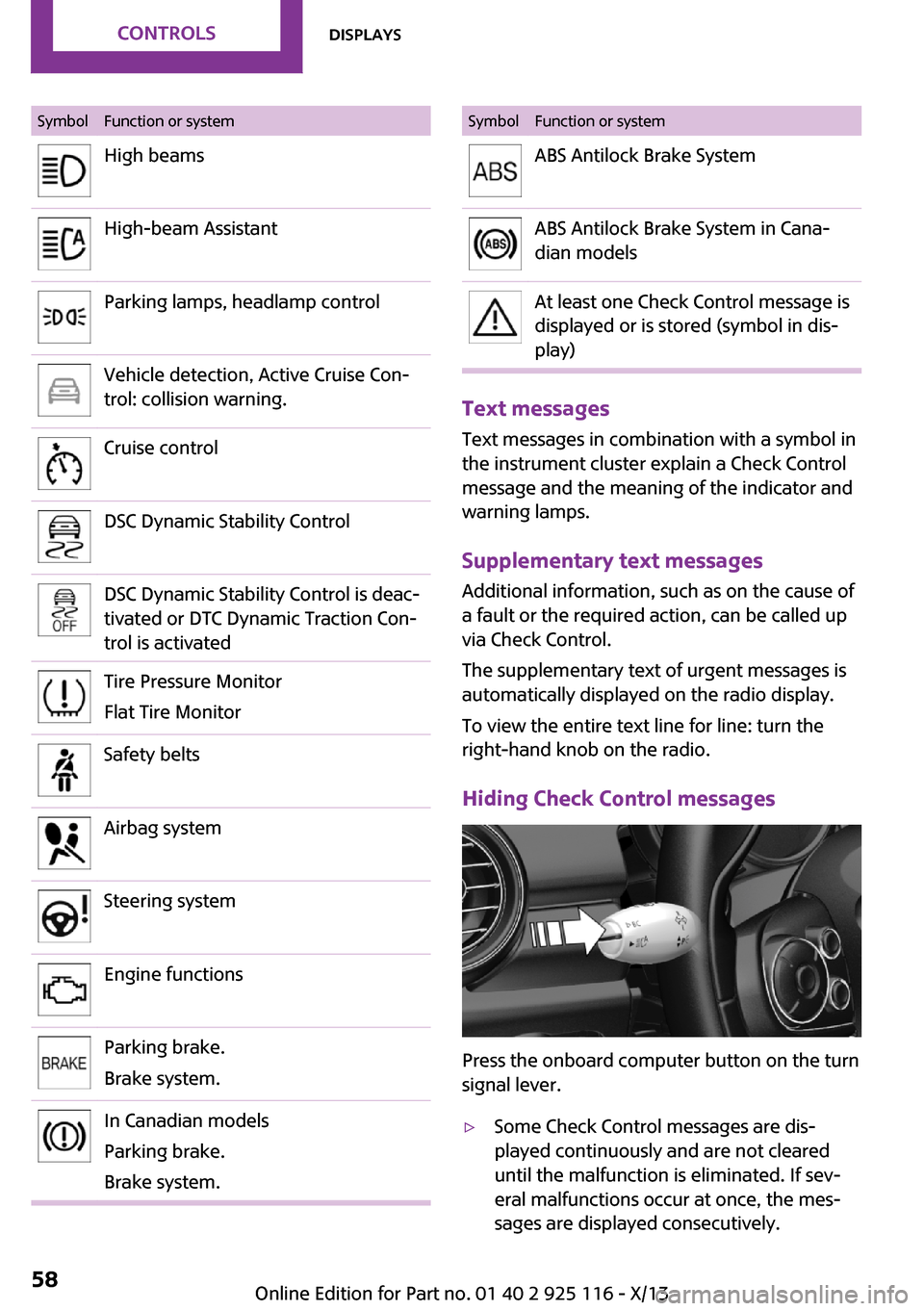
SymbolFunction or systemHigh beamsHigh-beam AssistantParking lamps, headlamp controlVehicle detection, Active Cruise Con‐
trol: collision warning.Cruise controlDSC Dynamic Stability ControlDSC Dynamic Stability Control is deac‐
tivated or DTC Dynamic Traction Con‐
trol is activatedTire Pressure Monitor
Flat Tire MonitorSafety beltsAirbag systemSteering systemEngine functionsParking brake.
Brake system.In Canadian models
Parking brake.
Brake system.SymbolFunction or systemABS Antilock Brake SystemABS Antilock Brake System in Cana‐
dian modelsAt least one Check Control message is
displayed or is stored (symbol in dis‐
play)
Text messages
Text messages in combination with a symbol in
the instrument cluster explain a Check Control
message and the meaning of the indicator and
warning lamps.
Supplementary text messages Additional information, such as on the cause of
a fault or the required action, can be called up
via Check Control.
The supplementary text of urgent messages is
automatically displayed on the radio display.
To view the entire text line for line: turn the
right-hand knob on the radio.
Hiding Check Control messages
Press the onboard computer button on the turn
signal lever.
▷Some Check Control messages are dis‐
played continuously and are not cleared
until the malfunction is eliminated. If sev‐
eral malfunctions occur at once, the mes‐
sages are displayed consecutively.Seite 58ControlsDisplays58
Online Edition for Part no. 01 40 2 925 116 - X/13
Page 93 of 233
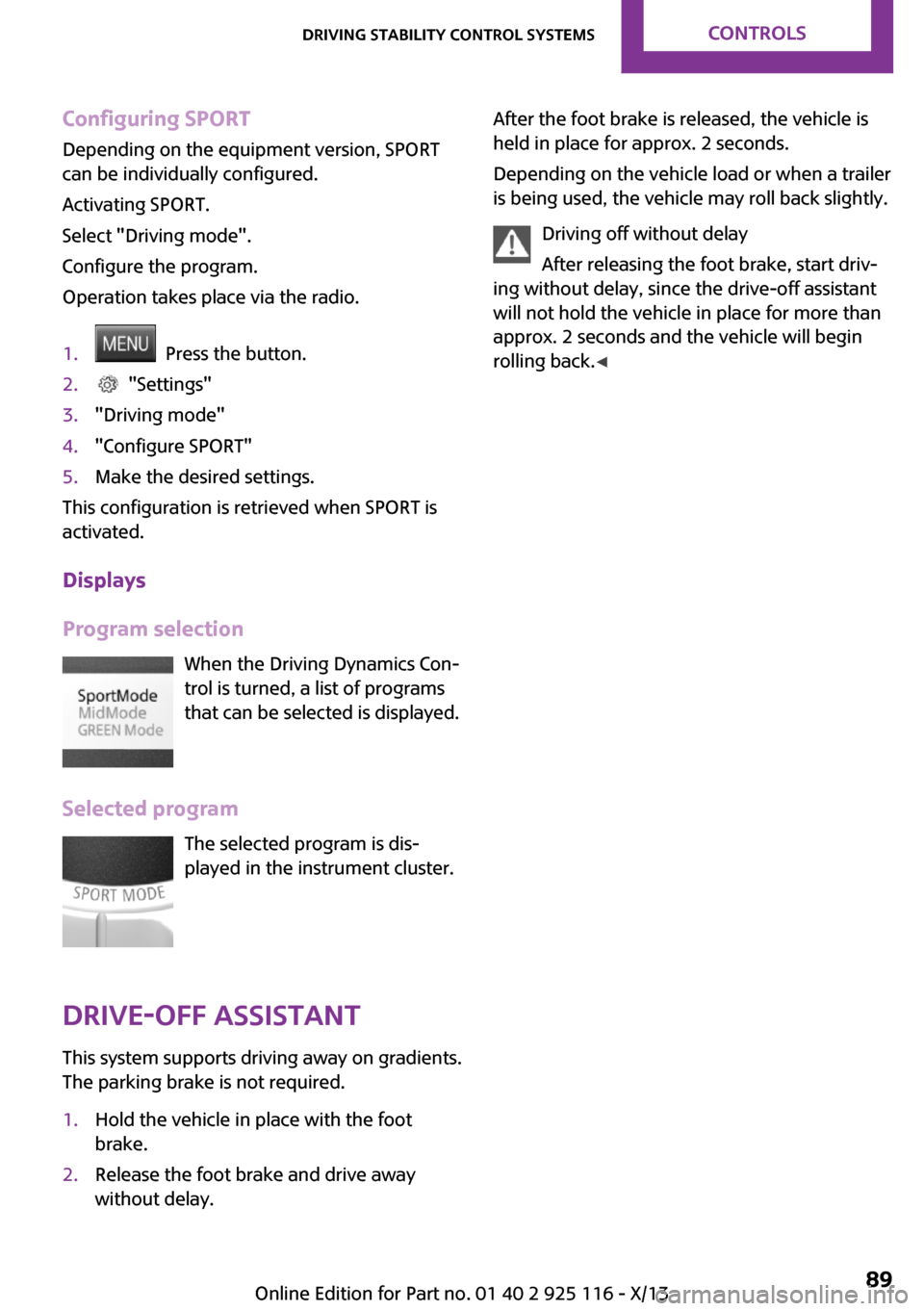
Configuring SPORT
Depending on the equipment version, SPORT
can be individually configured.
Activating SPORT.
Select "Driving mode".
Configure the program.
Operation takes place via the radio.1. Press the button.2. "Settings"3."Driving mode"4."Configure SPORT"5.Make the desired settings.
This configuration is retrieved when SPORT is
activated.
Displays
Program selection When the Driving Dynamics Con‐
trol is turned, a list of programs
that can be selected is displayed.
Selected program The selected program is dis‐
played in the instrument cluster.
Drive-off assistant
This system supports driving away on gradients.
The parking brake is not required.
1.Hold the vehicle in place with the foot
brake.2.Release the foot brake and drive away
without delay.After the foot brake is released, the vehicle is
held in place for approx. 2 seconds.
Depending on the vehicle load or when a trailer
is being used, the vehicle may roll back slightly.
Driving off without delay
After releasing the foot brake, start driv‐
ing without delay, since the drive-off assistant
will not hold the vehicle in place for more than
approx. 2 seconds and the vehicle will begin
rolling back. ◀Seite 89Driving stability control systemsControls89
Online Edition for Part no. 01 40 2 925 116 - X/13
Page 104 of 233
▷When using high-pressure washers, do not
spray the sensors for long periods and
maintain a distance of at least 12 in/30 cm.
Parking assistant
The concept
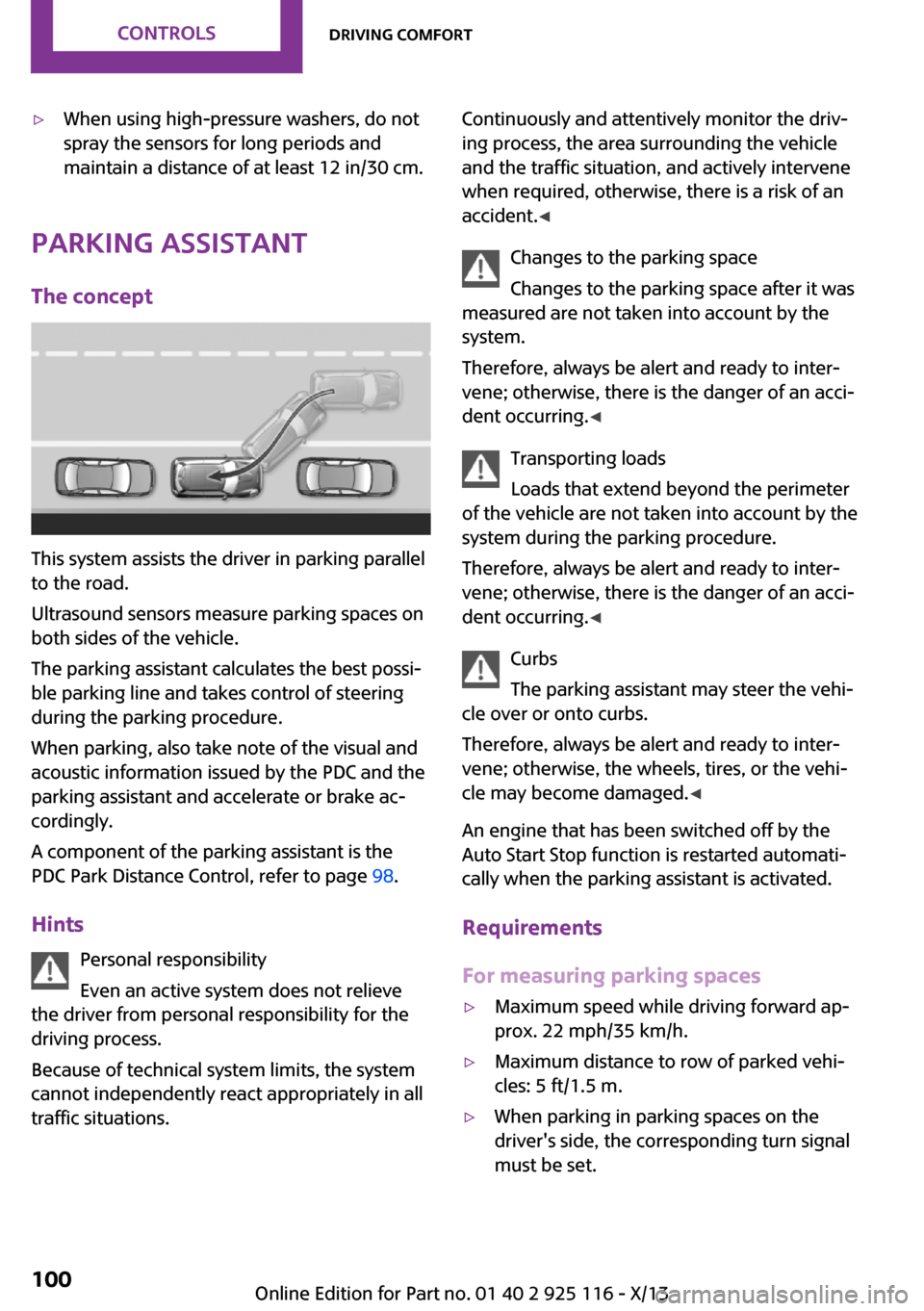
This system assists the driver in parking parallel
to the road.
Ultrasound sensors measure parking spaces on
both sides of the vehicle.
The parking assistant calculates the best possi‐
ble parking line and takes control of steering
during the parking procedure.
When parking, also take note of the visual and
acoustic information issued by the PDC and the
parking assistant and accelerate or brake ac‐
cordingly.
A component of the parking assistant is the
PDC Park Distance Control, refer to page 98.
Hints Personal responsibility
Even an active system does not relieve
the driver from personal responsibility for the
driving process.
Because of technical system limits, the system
cannot independently react appropriately in all
traffic situations.
Continuously and attentively monitor the driv‐
ing process, the area surrounding the vehicle
and the traffic situation, and actively intervene
when required, otherwise, there is a risk of an
accident. ◀
Changes to the parking space
Changes to the parking space after it was
measured are not taken into account by the
system.
Therefore, always be alert and ready to inter‐
vene; otherwise, there is the danger of an acci‐
dent occurring. ◀
Transporting loads
Loads that extend beyond the perimeter
of the vehicle are not taken into account by the
system during the parking procedure.
Therefore, always be alert and ready to inter‐
vene; otherwise, there is the danger of an acci‐
dent occurring. ◀
Curbs
The parking assistant may steer the vehi‐
cle over or onto curbs.
Therefore, always be alert and ready to inter‐
vene; otherwise, the wheels, tires, or the vehi‐
cle may become damaged. ◀
An engine that has been switched off by the
Auto Start Stop function is restarted automati‐
cally when the parking assistant is activated.
Requirements
For measuring parking spaces▷Maximum speed while driving forward ap‐
prox. 22 mph/35 km/h.▷Maximum distance to row of parked vehi‐
cles: 5 ft/1.5 m.▷When parking in parking spaces on the
driver's side, the corresponding turn signal
must be set.Seite 100ControlsDriving comfort100
Online Edition for Part no. 01 40 2 925 116 - X/13
Page 105 of 233
Suitable parking space▷Gap between two objects or behind an in‐
dividual object, each of the objects being at
least 5 ft/1.5 m long.▷Minimum length of the gap: own vehicle's
length plus approx. 3.3 ft/1.0 m.▷Minimum depth: approx. 5 ft/1.5 m.
For parking procedure
▷Doors and tailgate closed.▷Parking brake released.▷When parking in parking spaces on the
driver's side, the corresponding turn signal
must be set.
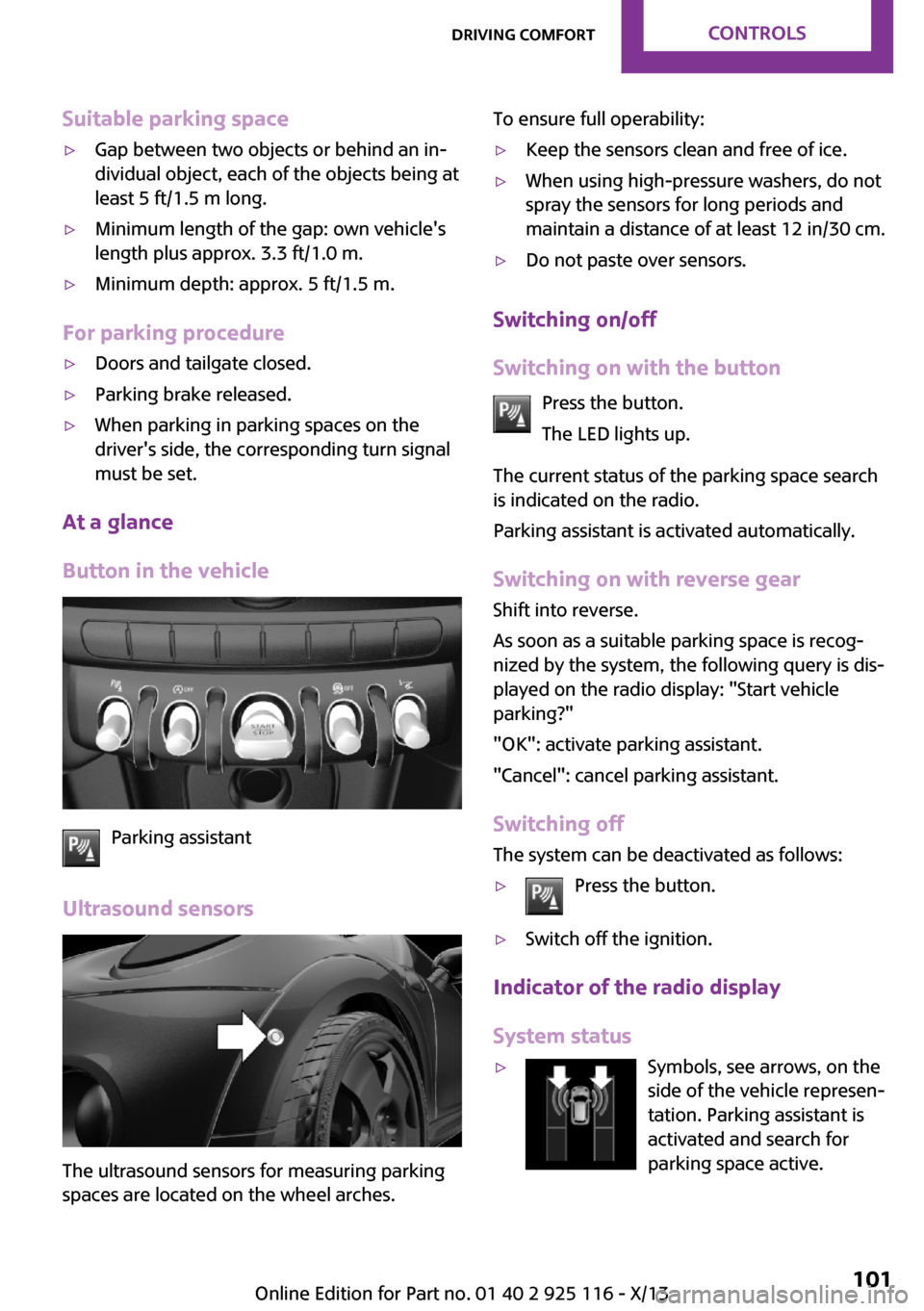
At a glance
Button in the vehicle
Parking assistant
Ultrasound sensors
The ultrasound sensors for measuring parking
spaces are located on the wheel arches.
To ensure full operability:▷Keep the sensors clean and free of ice.▷When using high-pressure washers, do not
spray the sensors for long periods and
maintain a distance of at least 12 in/30 cm.▷Do not paste over sensors.
Switching on/off
Switching on with the button Press the button.
The LED lights up.
The current status of the parking space search
is indicated on the radio.
Parking assistant is activated automatically.
Switching on with reverse gear
Shift into reverse.
As soon as a suitable parking space is recog‐ nized by the system, the following query is dis‐
played on the radio display: "Start vehicle
parking?"
"OK": activate parking assistant.
"Cancel": cancel parking assistant.
Switching off The system can be deactivated as follows:
▷Press the button.▷Switch off the ignition.
Indicator of the radio display
System status
▷Symbols, see arrows, on the
side of the vehicle represen‐
tation. Parking assistant is
activated and search for
parking space active.Seite 101Driving comfortControls101
Online Edition for Part no. 01 40 2 925 116 - X/13