door lock MINI 3 door 2014 User Guide
[x] Cancel search | Manufacturer: MINI, Model Year: 2014, Model line: 3 door, Model: MINI 3 door 2014Pages: 240, PDF Size: 11.05 MB
Page 60 of 240
Transporting children safelyVehicle features and op‐
tions
This chapter describes all standard, country-
specific and optional features offered with theseries. It also describes features that are not
necessarily available in your car, e. g., due to
the selected options or country versions. This
also applies to safety-related functions and sys‐
tems.
The right place for children
Note
Children in the vehicle
Do not leave children unattended in the
vehicle; otherwise, they could endanger them‐
selves and other persons, e.g., by opening the
doors. ◀
Children should always be in the rear Accident research shows that the safest place
for children is in the back seat.
Transporting children in the rear
Only transport children younger than
13 years of age or shorter than 5 ft/150 cm in
the rear in child restraint systems provided in
accordance with the age, weight and size of
the child; otherwise, there is an increased risk
of injury in an accident.
Children 13 years of age or older must wear a
safety belt as soon as a suitable child restraint system can no longer be used due to their age,
weight and size. ◀
Children on the front passenger seat
Should it ever be necessary to use a child re‐
straint system in the front passenger seat,
make sure that the front, knee and side airbags
on the front passenger side are deactivated.
Automatic deactivation of front-seat passenger
airbags, refer to page 95.Note
Deactivating the front-seat passenger air‐
bags
If a child restraint system is used in the front
passenger seat, deactivate the front-seat pas‐
senger airbags; otherwise, there is an increased
risk of injury to the child when the airbags are
activated, even with a child restraint system. ◀
Installing child re‐
straint systems
Hints Manufacturer's information for child re‐straint systems
To select, mount and use child restraint sys‐
tems, observe the information provided by the
system manufacturer; otherwise, the protective
effect can be lost. ◀
Ensuring the stability of the child seat
When installing child restraint systems,
make sure that the child seat is securely fas‐
tened to the backrest of the seat. Angle and
headrest of the backrest might need to be ad‐
justed or possibly be removed. Make sure that
all backrests are securely locked. Otherwise the
stability of the child seat can be affected, and
there is an increased risk of injury because ofSeite 56CONTROLSTransporting children safely56
Online Edition for Part no. 01 40 2 957 280 - X/14
Page 63 of 240
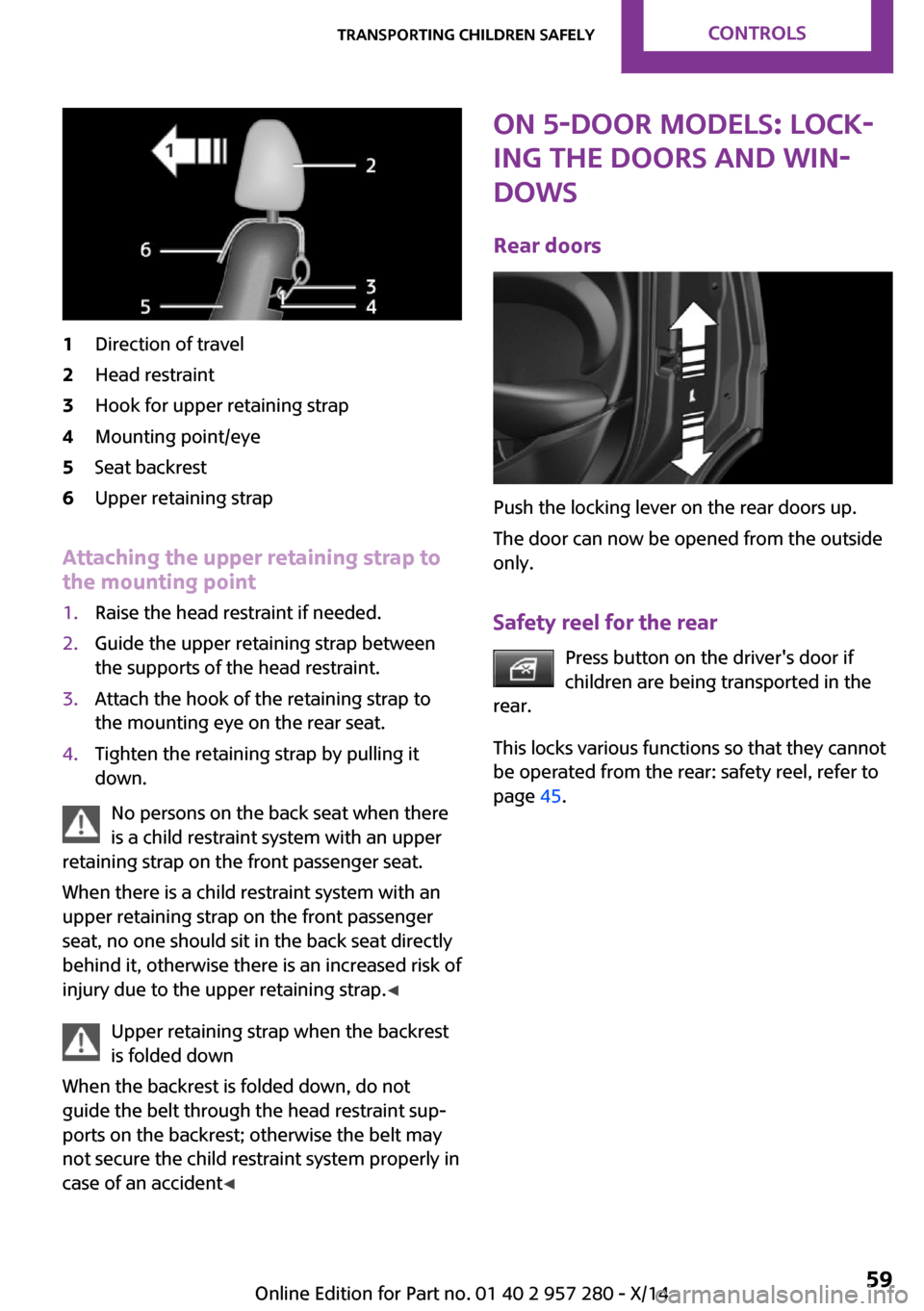
1Direction of travel2Head restraint3Hook for upper retaining strap4Mounting point/eye5Seat backrest6Upper retaining strap
Attaching the upper retaining strap to
the mounting point
1.Raise the head restraint if needed.2.Guide the upper retaining strap between
the supports of the head restraint.3.Attach the hook of the retaining strap to
the mounting eye on the rear seat.4.Tighten the retaining strap by pulling it
down.
No persons on the back seat when there
is a child restraint system with an upper
retaining strap on the front passenger seat.
When there is a child restraint system with an
upper retaining strap on the front passenger
seat, no one should sit in the back seat directly
behind it, otherwise there is an increased risk of
injury due to the upper retaining strap. ◀
Upper retaining strap when the backrest
is folded down
When the backrest is folded down, do not
guide the belt through the head restraint sup‐
ports on the backrest; otherwise the belt may
not secure the child restraint system properly in
case of an accident ◀
ON 5-door models: Lock‐
ing the doors and win‐
dows
Rear doors
Push the locking lever on the rear doors up.
The door can now be opened from the outside
only.
Safety reel for the rear Press button on the driver's door if
children are being transported in the
rear.
This locks various functions so that they cannot
be operated from the rear: safety reel, refer to
page 45.
Seite 59Transporting children safelyCONTROLS59
Online Edition for Part no. 01 40 2 957 280 - X/14
Page 64 of 240
DrivingVehicle features and op‐
tions
This chapter describes all standard, country-
specific and optional features offered with the
series. It also describes features that are not
necessarily available in your car, e. g., due to
the selected options or country versions. This
also applies to safety-related functions and sys‐
tems.
Start/Stop button The concept Pressing the Start/Stop button
switches the ignition on or off
and starts the engine.
Steptronic transmission: the en‐
gine starts in selector lever posi‐
tion P or N with the brake pedal pressed when
you press the Start/Stop button.
Manual transmission: the engine starts with the
clutch pedal pressed when the Start/Stop but‐
ton is pressed.
Ignition on Steptronic transmission: press the Start/Stop
button, and do not press on the brake pedal at
the same time.
Manual transmission: press the Start/Stop but‐
ton without stepping on the clutch pedal.
All vehicle systems are ready for operation.
Most of the indicator and warning lights in the
instrument cluster light up for a varied length of
time.
To save battery power when the engine is off,
reel off the ignition and any unnecessary elec‐
tronic systems/power consumers.Note
If the engine is switched off and the ignition is
switched on, the system automatically switches
to the radio-ready state with doors open and
the lights switched off or the daytime running
lights switched on.
Ignition off
Manual transmission: press the Start/Stop but‐
ton again without stepping on the clutch pedal.
Steptronic transmission: shift to selector lever
position P, press the Start/Stop button again
without stepping on the brake.
All indicator lights in the instrument cluster go
out.
To save battery power when the engine is off,
reel off the ignition and any unnecessary elec‐
tronic systems/power consumers.
Ignition automatically cuts off while the vehicle
is stationary and the engine is stopped:▷During locking, also with the low beams ac‐
tivated.▷Shortly before the battery is discharged
completely, so that the engine can still be
started. This function is only available when
the low beams are turned off.▷When opening and closing the driver door,
if the driver's safety belt is unbuckled and
the low beams are turned off.▷While the driver's safety belt is unbuckled
with driver's door open and low beams off.▷The low beams reel to parking lights after
approx. 15 minutes of no use.
Radio ready state
Activate radio-ready state:
▷When the engine is running: press the Start/
Stop button.Seite 60CONTROLSDriving60
Online Edition for Part no. 01 40 2 957 280 - X/14
Page 65 of 240
Some electronic systems/power consumers re‐
main ready for operation.
Radio ready state switches off automatically:▷After approx. 8 minutes.▷When the vehicle is locked using the central
locking system.▷Shortly before the battery is discharged
completely, so that the engine can still be
started.
The radio-ready state remains active if, e.g., the
ignition is automatically switched off for the fol‐
lowing reasons:
▷Opening or closing the driver's door.▷Unfastening of the driver's safety belt.▷When automatically switching from low
beams to parking lights.
Starting the engine
General information Enclosed areas
Do not let the engine run in enclosed
areas, since breathing in exhaust fumes may
lead to loss of consciousness and death. The
exhaust gases contain carbon monoxide, an
odorless and colorless but highly toxic gas. ◀
Unattended vehicle
Do not leave the vehicle unattended with
the engine running; doing so poses a risk of
danger.
Before leaving the vehicle with the engine run‐
ning, set the parking brake and place the trans‐
mission in selector lever position P or N to pre‐
vent the vehicle from moving. ◀
Repeated starting in quick succession
Avoid trying to start the vehicle repeat‐
edly and in quick succession. Otherwise, the
fuel is not burned or is inadequately burned,
posing a risk of overheating and damage to the
catalytic converter. ◀
Do not wait for the engine to warm-up while
the vehicle remains stationary. Start driving at
moderate engine speeds.
Steptronic transmission
Starting the engine1.Depress the brake pedal.2.Engage selector lever position P or N.3.Press the Start/Stop button.
The ignition is activated automatically for a cer‐
tain time and is stopped as soon as the engine
starts.
Manual transmission
Starting the engine
1.Depress the brake pedal.2.Press on the clutch pedal and shift to neu‐
tral.3.Press the Start/Stop button.
The ignition is activated automatically for a cer‐
tain time and is stopped as soon as the engine
starts.
Engine stop
General information Take the remote control with you
Take the remote control with you when
leaving the vehicle so that children, e.g., cannot
start the engine. ◀
Apply parking brake and further secure
the vehicle if needed.
Set the parking brake firmly when parking; oth‐
erwise, the vehicle could roll. On steep upward
and downward inclines, further secure the ve‐
Seite 61DrivingCONTROLS61
Online Edition for Part no. 01 40 2 957 280 - X/14
Page 67 of 240
NoteThe engine is not switched off automatically in
the following situations:▷The external temperature is high and auto‐
matic climate control is running.▷The car's interior has not yet been heated
or cooled to the required level.▷The engine is not yet at operating tempera‐
ture.▷The wheels are at a sharp angle or the
steering wheel is being turned.▷After driving in reverse.▷Fogging of the windows when the auto‐
matic climate control is switched on.▷The vehicle battery charge is very low.▷The engine compartment lid is unlocked.▷The parking assistant is activated.▷Stop-and-go traffic.▷Selector lever in selector lever position R, N
or M/S.
Starting the engine
The engine starts automatically under the fol‐
lowing conditions:
▷Manual transmission:
The clutch pedal is pressed.▷Steptronic transmission:
By releasing the brake pedal.
After the engine starts, accelerate as usual.
Safety mode
After the engine switches off automatically, it
will not start again automatically if any one of
the following conditions are met.
▷The driver's safety belt is unbuckled and
the driver's door is open.▷The hood was unlocked.
Some indicator lights light up for a varied
length of time.
The engine can only be started via the Start/
Stop button.
Note
Even if driving off was not intended, the deacti‐
vated engine starts up automatically in the fol‐
lowing situations:▷Excessive warming of the car's interior
when the cooling function is switched on.▷The steering wheel is turned.▷Steptronic transmission: change from selec‐
tor lever position D to R, N or M/S.▷Steptronic transmission: change from selec‐
tor lever position P to R, N, D or M/S.▷The vehicle begins rolling.▷Fogging of the windows when the auto‐
matic climate control is switched on.▷The vehicle battery charge is very low.▷Excessive cooling of the car's interior when
the heating is switched on.▷Manual transmission: low brake vacuum
pressure; this can occur, e.g., if the brake
pedal is depressed a number of times in
succession.
Switching the system on/off
Using the button
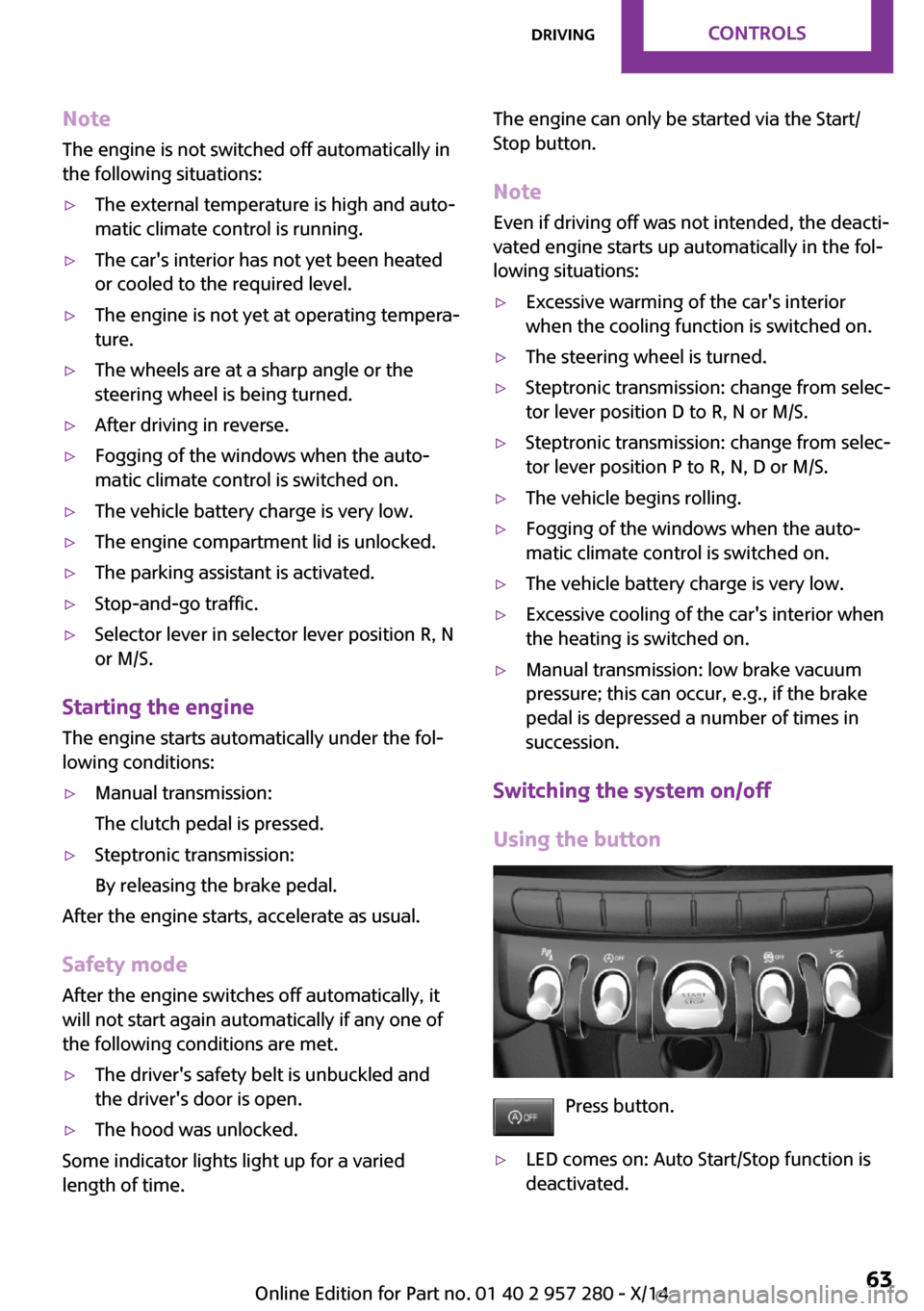
Press button.
▷LED comes on: Auto Start/Stop function is
deactivated.Seite 63DrivingCONTROLS63
Online Edition for Part no. 01 40 2 957 280 - X/14
Page 152 of 240
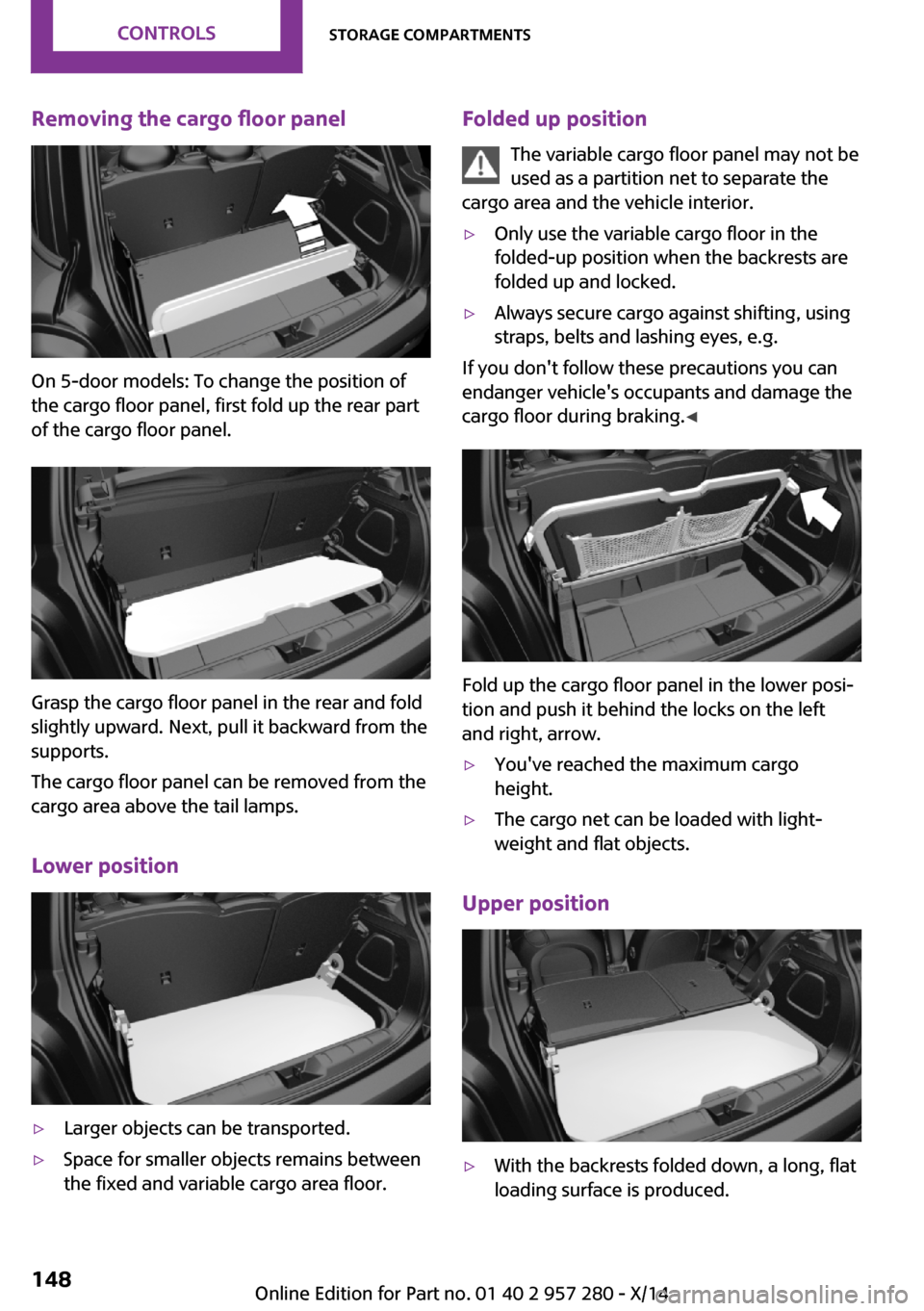
Removing the cargo floor panel
On 5-door models: To change the position of
the cargo floor panel, first fold up the rear part
of the cargo floor panel.
Grasp the cargo floor panel in the rear and fold
slightly upward. Next, pull it backward from the
supports.
The cargo floor panel can be removed from the
cargo area above the tail lamps.
Lower position
▷Larger objects can be transported.▷Space for smaller objects remains between
the fixed and variable cargo area floor.Folded up position
The variable cargo floor panel may not be
used as a partition net to separate the
cargo area and the vehicle interior.▷Only use the variable cargo floor in the
folded-up position when the backrests are
folded up and locked.▷Always secure cargo against shifting, using
straps, belts and lashing eyes, e.g.
If you don't follow these precautions you can
endanger vehicle's occupants and damage the
cargo floor during braking. ◀
Fold up the cargo floor panel in the lower posi‐
tion and push it behind the locks on the left
and right, arrow.
▷You've reached the maximum cargo
height.▷The cargo net can be loaded with light‐
weight and flat objects.
Upper position
▷With the backrests folded down, a long, flat
loading surface is produced.Seite 148CONTROLSStorage compartments148
Online Edition for Part no. 01 40 2 957 280 - X/14
Page 217 of 240
Manual transmission:1.Drive into the car wash.2.Shift to neutral.3.Switch the engine off.4.Switch on the ignition.
Steptronic transmission:
1.Drive into the car wash.2.Engage selector lever position N.3.Press the Start/Stop button to reel off the
engine.
In this way, the ignition remains switched
on, and two Check-Control messages are
displayed.
A signal sounds when you leave the vehicle
while in selector lever position N.
The vehicle cannot be locked from the outside
when in selector lever position N. A signal is
sounded when an attempt is made to lock the
vehicle.
To start the engine:
1.Depress the brake pedal.2.Press the Start/Stop button.
Headlights
▷Do not rub dry and do not use abrasive or
acidic cleansers.▷Soak areas that have been dirtied e. g.,
from insects, with shampoo and wash off
with water.▷Thaw ice with de-icing spray; do not use an
ice scraper.
After washing the vehicle
After washing the vehicle, apply the brakes
briefly to dry them; otherwise, braking action
can be reduced and corrosion of the brake
discs can occur.
Completely remove all residues on the win‐
dows, to minimize loss of visibility due to
smearing and to reduce wiper noises and wiper
blade wear.
Vehicle care Car care products
MINI recommends using cleaning and care
products from MINI, since these have been
tested and approved.
Car care and cleaning products
Follow the instructions on the container.
When cleaning the interior, open the doors or
windows.
Only use products intended for cleaning vehi‐
cles.
Cleansers can contain substances that are dan‐
gerous and harmful to your health. ◀
Vehicle paint
Regular care contributes to driving safety and
value retention. Environmental influences in
areas with elevated air pollution or natural con‐
taminants, such as tree resin or pollen can af‐
fect the vehicle's paintwork. Tailor the fre‐
quency and extent of your car care to these
influences.
Aggressive substances such as spilled fuel, oil,
grease or bird droppings must be removed im‐
mediately to prevent the finish from being al‐
tered or discolored.
Leather careRemove dust from the leather often, using a
cloth or vacuum cleaner.
Otherwise, particles of dust and road grime
chafe in pores and folds, and lead to increased
wear and premature degradation of the leather
surface.
To guard against discoloration, such as from
clothing, provide leather care roughly every
two months.Seite 213CareMOBILITY213
Online Edition for Part no. 01 40 2 957 280 - X/14
Page 231 of 240
Camera-based cruise control,ACC 113
Camera, care 215
Camera, rearview cam‐ era 123
Can holder, refer to Cu‐ pholder 146
Car battery 205
Car care products 213
Care, displays 215
Care, vehicle 213
Cargo 155
Cargo area 142
Cargo area, adapting size 147
Cargo area, enlarging 143
Cargo area lid 40
Cargo area, storage compart‐ ments 147
Cargo cover 142
Cargo, securing 156
Cargo straps, securing cargo 156
Car key, refer to Remote con‐ trol 34
Carpet, care 215
Car wash 212
Catalytic converter, refer to Hot exhaust system 153
CBS Condition Based Serv‐ ice 193
Center armrest 146
Center console 16
Central instrument cluster, LED ring 85
Central locking system 39
Central screen, refer to Control Display 18
Changes, technical, refer to Safety 7
Changing parts 195
Changing wheels 202
Changing wheels/tires 179
Chassis number, see vehicle identification number 9
Check Control 73 Checking the oil level elec‐
tronically 188
Children, seating position 56
Children, transporting safely 56
Child restraint fixing sys‐ tem 56
Child restraint fixing system LATCH 57
Child restraint fixing systems, mounting 56
Child safety locks 59
Child seat, mounting 56
Child seats 56
Chrome parts, care 214
Cigarette lighter 141
Cleaning, displays 215
Climate control 130, 132
Clock 77
Closing/opening via door lock 39
Closing/opening with remote control 37
Clothes hooks 147
Coasting 163
Coasting with engine decou‐ pled, coasting 163
Coasting with idling en‐ gine 163
Combination reel, refer to Turn signals 65
Combination reel, refer to Wiper system 65
Comfort Access 40
Compact wheel 203
Compartments in the doors 146
Compass 139
Compressor 181
Computer 81
Condensation on win‐ dows 134
Condensation under the vehi‐ cle 154
Condition Based Service CBS 193 Configuring driving pro‐
gram 112
Confirmation signal 42
Control Display 18
Control Display, settings 84
Controller 19
Control systems, driving stabil‐ ity 109
Convenient opening 37
Coolant 191
Cooling function 131, 134
Cooling, maximum 134
Cooling system 191
Cornering lamp 89
Corrosion on brake discs 154
Cosmetic mirror 141
Cruise control 119
Cruise control, active 113
Cruising range 77
Cupholder 146
Current fuel consumption 78
D
Damage, tires 179
Damping control, dy‐ namic 110
Data, technical 218
Date 77
Daytime running lights 89
Defrosting, refer to defrosting the windows 131
Defrosting, refer to Windows, defrosting 134
Defrosting the windows 131
Dehumidifying, air 131, 134
Deleting personal data 24
Deletion of personal data 24
Destination distance 82
Digital clock 77
Digital compass 139
Dimensions 218
Dimmable exterior mirrors 54
Dimmable interior rearview mirror 55 Seite 227Everything from A to ZREFERENCE227
Online Edition for Part no. 01 40 2 957 280 - X/14
Page 232 of 240
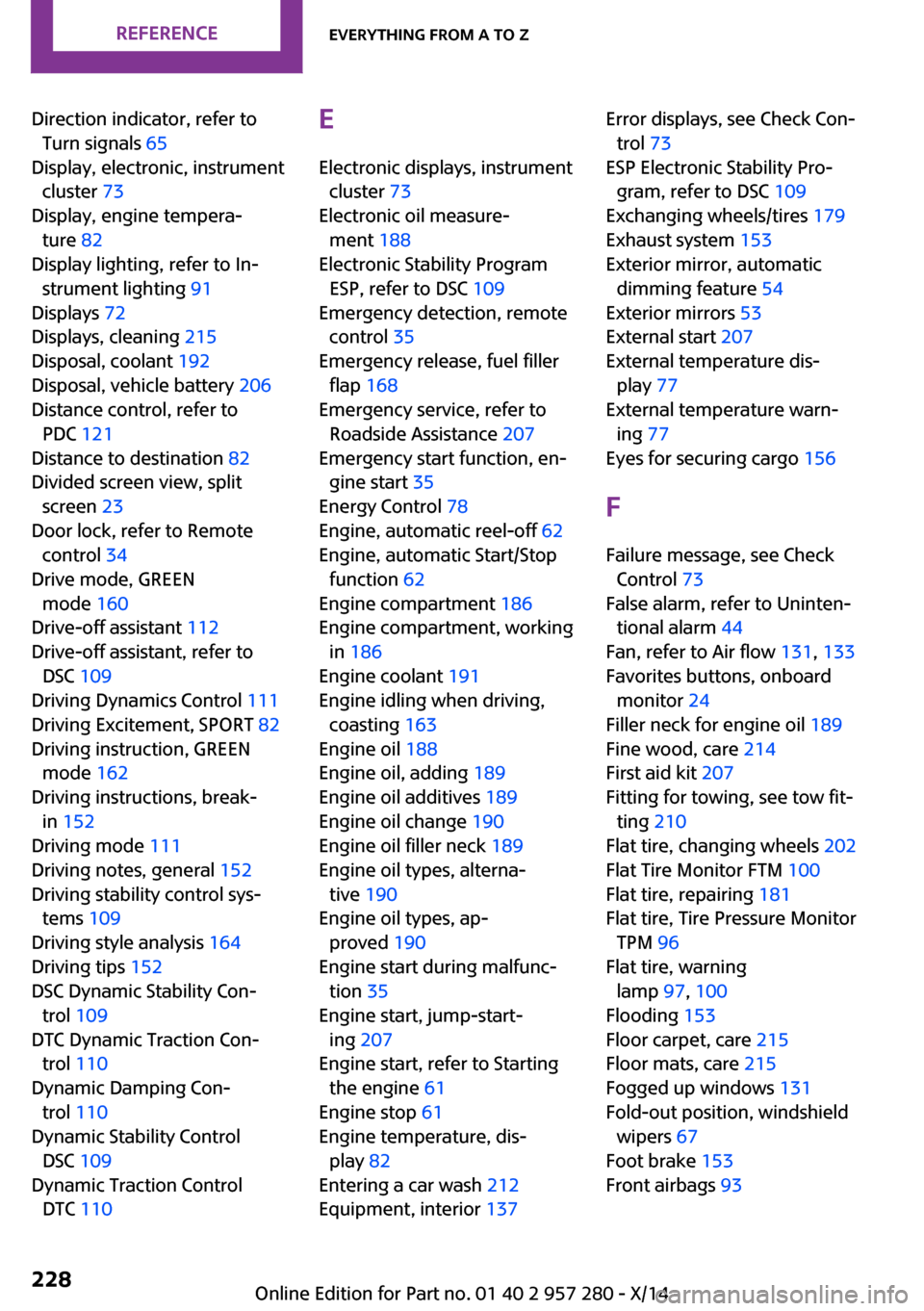
Direction indicator, refer toTurn signals 65
Display, electronic, instrument cluster 73
Display, engine tempera‐ ture 82
Display lighting, refer to In‐ strument lighting 91
Displays 72
Displays, cleaning 215
Disposal, coolant 192
Disposal, vehicle battery 206
Distance control, refer to PDC 121
Distance to destination 82
Divided screen view, split screen 23
Door lock, refer to Remote control 34
Drive mode, GREEN mode 160
Drive-off assistant 112
Drive-off assistant, refer to DSC 109
Driving Dynamics Control 111
Driving Excitement, SPORT 82
Driving instruction, GREEN mode 162
Driving instructions, break- in 152
Driving mode 111
Driving notes, general 152
Driving stability control sys‐ tems 109
Driving style analysis 164
Driving tips 152
DSC Dynamic Stability Con‐ trol 109
DTC Dynamic Traction Con‐ trol 110
Dynamic Damping Con‐ trol 110
Dynamic Stability Control DSC 109
Dynamic Traction Control DTC 110 E
Electronic displays, instrument cluster 73
Electronic oil measure‐ ment 188
Electronic Stability Program ESP, refer to DSC 109
Emergency detection, remote control 35
Emergency release, fuel filler flap 168
Emergency service, refer to Roadside Assistance 207
Emergency start function, en‐ gine start 35
Energy Control 78
Engine, automatic reel-off 62
Engine, automatic Start/Stop function 62
Engine compartment 186
Engine compartment, working in 186
Engine coolant 191
Engine idling when driving, coasting 163
Engine oil 188
Engine oil, adding 189
Engine oil additives 189
Engine oil change 190
Engine oil filler neck 189
Engine oil types, alterna‐ tive 190
Engine oil types, ap‐ proved 190
Engine start during malfunc‐ tion 35
Engine start, jump-start‐ ing 207
Engine start, refer to Starting the engine 61
Engine stop 61
Engine temperature, dis‐ play 82
Entering a car wash 212
Equipment, interior 137 Error displays, see Check Con‐
trol 73
ESP Electronic Stability Pro‐ gram, refer to DSC 109
Exchanging wheels/tires 179
Exhaust system 153
Exterior mirror, automatic dimming feature 54
Exterior mirrors 53
External start 207
External temperature dis‐ play 77
External temperature warn‐ ing 77
Eyes for securing cargo 156
F Failure message, see Check Control 73
False alarm, refer to Uninten‐ tional alarm 44
Fan, refer to Air flow 131, 133
Favorites buttons, onboard monitor 24
Filler neck for engine oil 189
Fine wood, care 214
First aid kit 207
Fitting for towing, see tow fit‐ ting 210
Flat tire, changing wheels 202
Flat Tire Monitor FTM 100
Flat tire, repairing 181
Flat tire, Tire Pressure Monitor TPM 96
Flat tire, warning lamp 97, 100
Flooding 153
Floor carpet, care 215
Floor mats, care 215
Fogged up windows 131
Fold-out position, windshield wipers 67
Foot brake 153
Front airbags 93 Seite 228REFERENCEEverything from A to Z228
Online Edition for Part no. 01 40 2 957 280 - X/14
Page 234 of 240
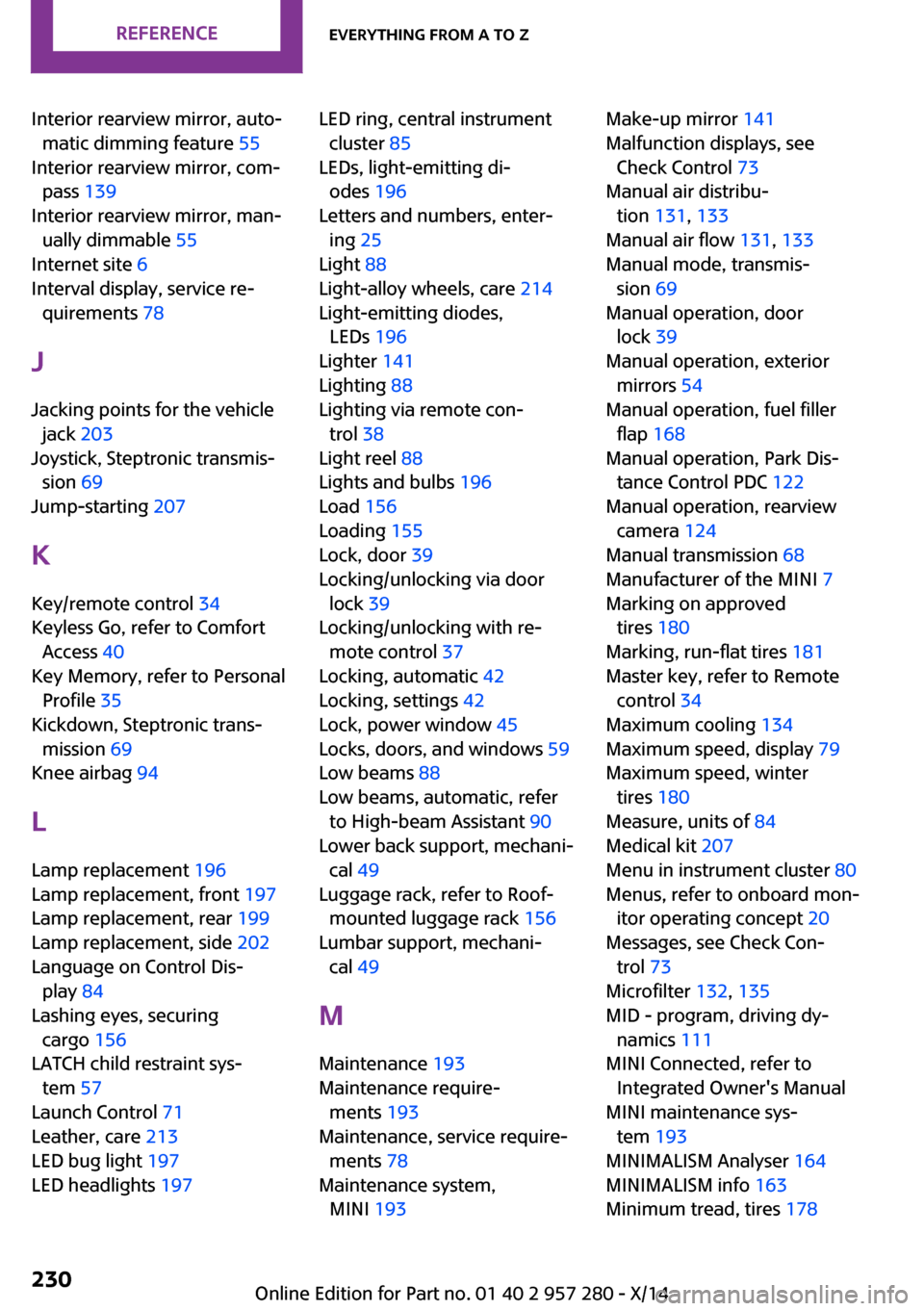
Interior rearview mirror, auto‐matic dimming feature 55
Interior rearview mirror, com‐ pass 139
Interior rearview mirror, man‐ ually dimmable 55
Internet site 6
Interval display, service re‐ quirements 78
J
Jacking points for the vehicle jack 203
Joystick, Steptronic transmis‐ sion 69
Jump-starting 207
K Key/remote control 34
Keyless Go, refer to Comfort Access 40
Key Memory, refer to Personal Profile 35
Kickdown, Steptronic trans‐ mission 69
Knee airbag 94
L Lamp replacement 196
Lamp replacement, front 197
Lamp replacement, rear 199
Lamp replacement, side 202
Language on Control Dis‐ play 84
Lashing eyes, securing cargo 156
LATCH child restraint sys‐ tem 57
Launch Control 71
Leather, care 213
LED bug light 197
LED headlights 197 LED ring, central instrument
cluster 85
LEDs, light-emitting di‐ odes 196
Letters and numbers, enter‐ ing 25
Light 88
Light-alloy wheels, care 214
Light-emitting diodes, LEDs 196
Lighter 141
Lighting 88
Lighting via remote con‐ trol 38
Light reel 88
Lights and bulbs 196
Load 156
Loading 155
Lock, door 39
Locking/unlocking via door lock 39
Locking/unlocking with re‐ mote control 37
Locking, automatic 42
Locking, settings 42
Lock, power window 45
Locks, doors, and windows 59
Low beams 88
Low beams, automatic, refer to High-beam Assistant 90
Lower back support, mechani‐ cal 49
Luggage rack, refer to Roof- mounted luggage rack 156
Lumbar support, mechani‐ cal 49
M
Maintenance 193
Maintenance require‐ ments 193
Maintenance, service require‐ ments 78
Maintenance system, MINI 193 Make-up mirror 141
Malfunction displays, see Check Control 73
Manual air distribu‐ tion 131, 133
Manual air flow 131, 133
Manual mode, transmis‐ sion 69
Manual operation, door lock 39
Manual operation, exterior mirrors 54
Manual operation, fuel filler flap 168
Manual operation, Park Dis‐ tance Control PDC 122
Manual operation, rearview camera 124
Manual transmission 68
Manufacturer of the MINI 7
Marking on approved tires 180
Marking, run-flat tires 181
Master key, refer to Remote control 34
Maximum cooling 134
Maximum speed, display 79
Maximum speed, winter tires 180
Measure, units of 84
Medical kit 207
Menu in instrument cluster 80
Menus, refer to onboard mon‐ itor operating concept 20
Messages, see Check Con‐ trol 73
Microfilter 132, 135
MID - program, driving dy‐ namics 111
MINI Connected, refer to Integrated Owner's Manual
MINI maintenance sys‐ tem 193
MINIMALISM Analyser 164
MINIMALISM info 163
Minimum tread, tires 178 Seite 230REFERENCEEverything from A to Z230
Online Edition for Part no. 01 40 2 957 280 - X/14