ECO mode MINI Clubman 2010 (Mini Connected) User Guide
[x] Cancel search | Manufacturer: MINI, Model Year: 2010, Model line: Clubman, Model: MINI Clubman 2010Pages: 218, PDF Size: 3.97 MB
Page 167 of 218
MOBILITYAT A GLANCE CONTROLS DRIVING TIPS ENTERTAINMENT
165
NAVIGATION REFERENCE
Run-flat tires*
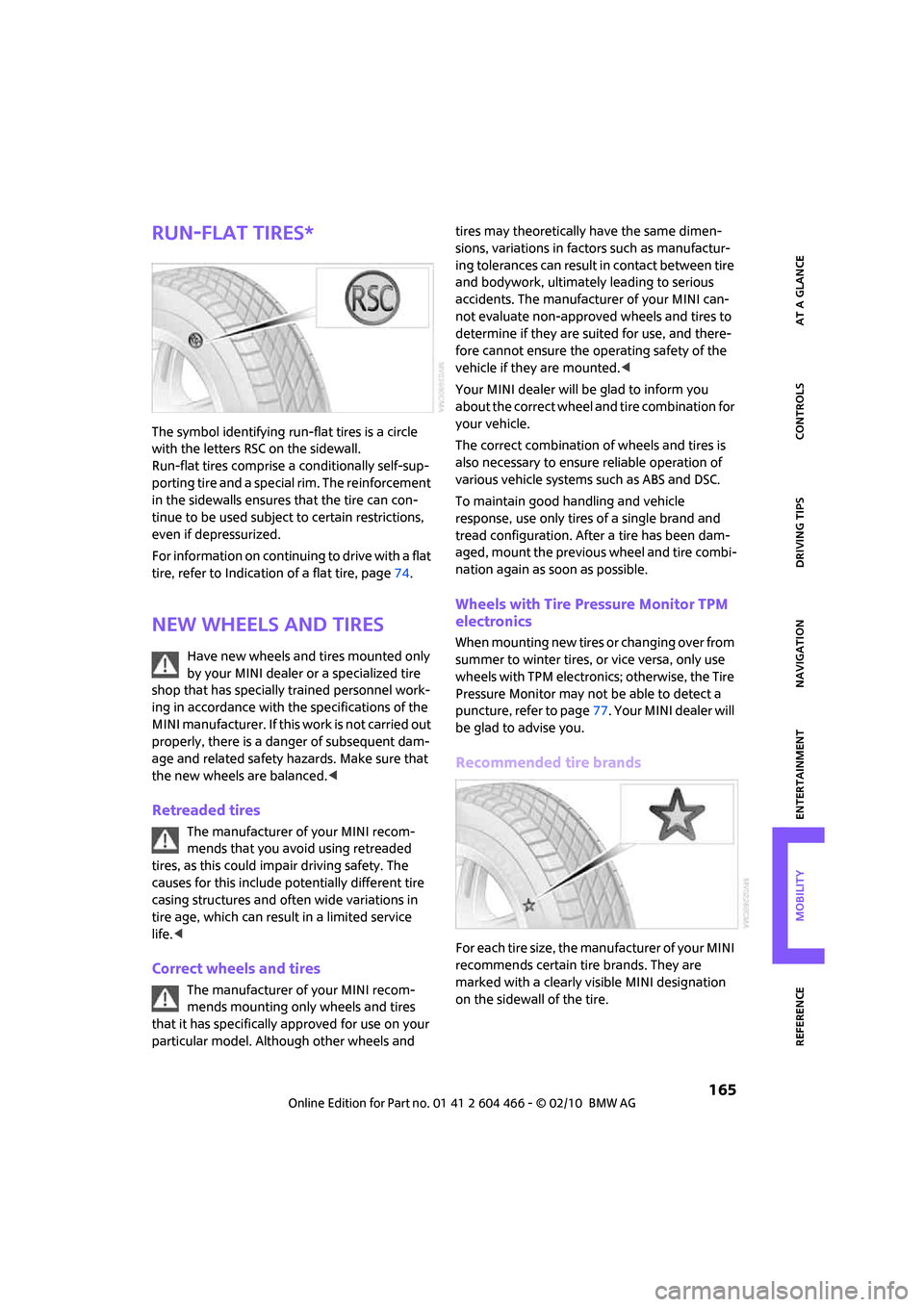
The symbol identifying run-flat tires is a circle
with the letters RSC on the sidewall.
Run-flat tires comprise a conditionally self-sup-
porting tire and a special rim. The reinforcement
in the sidewalls ensures that the tire can con-
tinue to be used subject to certain restrictions,
even if depressurized.
For information on continuing to drive with a flat
tire, refer to Indication of a flat tire, page74.
New wheels and tires
Have new wheels and tires mounted only
by your MINI dealer or a specialized tire
shop that has specially trained personnel work-
ing in accordance with the specifications of the
MINI manufacturer. If this work is not carried out
properly, there is a danger of subsequent dam-
age and related safety hazards. Make sure that
the new wheels are balanced.<
Retreaded tires
The manufacturer of your MINI recom-
mends that you avoid using retreaded
tires, as this could impair driving safety. The
causes for this include potentially different tire
casing structures and often wide variations in
tire age, which can result in a limited service
life.<
Correct wheels and tires
The manufacturer of your MINI recom-
mends mounting only wheels and tires
that it has specifically approved for use on your
particular model. Although other wheels and tires may theoretically have the same dimen-
sions, variations in factors such as manufactur-
ing tolerances can result in contact between tire
and bodywork, ultimately leading to serious
accidents. The manufacturer of your MINI can-
not evaluate non-approved wheels and tires to
determine if they are suited for use, and there-
fore cannot ensure the operating safety of the
vehicle if they are mounted.<
Your MINI dealer will be glad to inform you
about the correct wheel and tire combination for
your vehicle.
The correct combination of wheels and tires is
also necessary to ensure reliable operation of
various vehicle systems such as ABS and DSC.
To maintain good handling and vehicle
response, use only tires of a single brand and
tread configuration. After a tire has been dam-
aged, mount the previous wheel and tire combi-
nation again as soon as possible.
Wheels with Tire Pressure Monitor TPM
electronics
When mounting new tires or changing over from
summer to winter tires, or vice versa, only use
wheels with TPM electronics; otherwise, the Tire
Pressure Monitor may not be able to detect a
puncture, refer to page77. Y o u r M I N I d e a l e r w i l l
be glad to advise you.
Recommended tire brands
For each tire size, the manufacturer of your MINI
recommends certain tire brands. They are
marked with a clearly visible MINI designation
on the sidewall of the tire.
Page 172 of 218
Maintenance
170
Maintenance
MINI Maintenance System
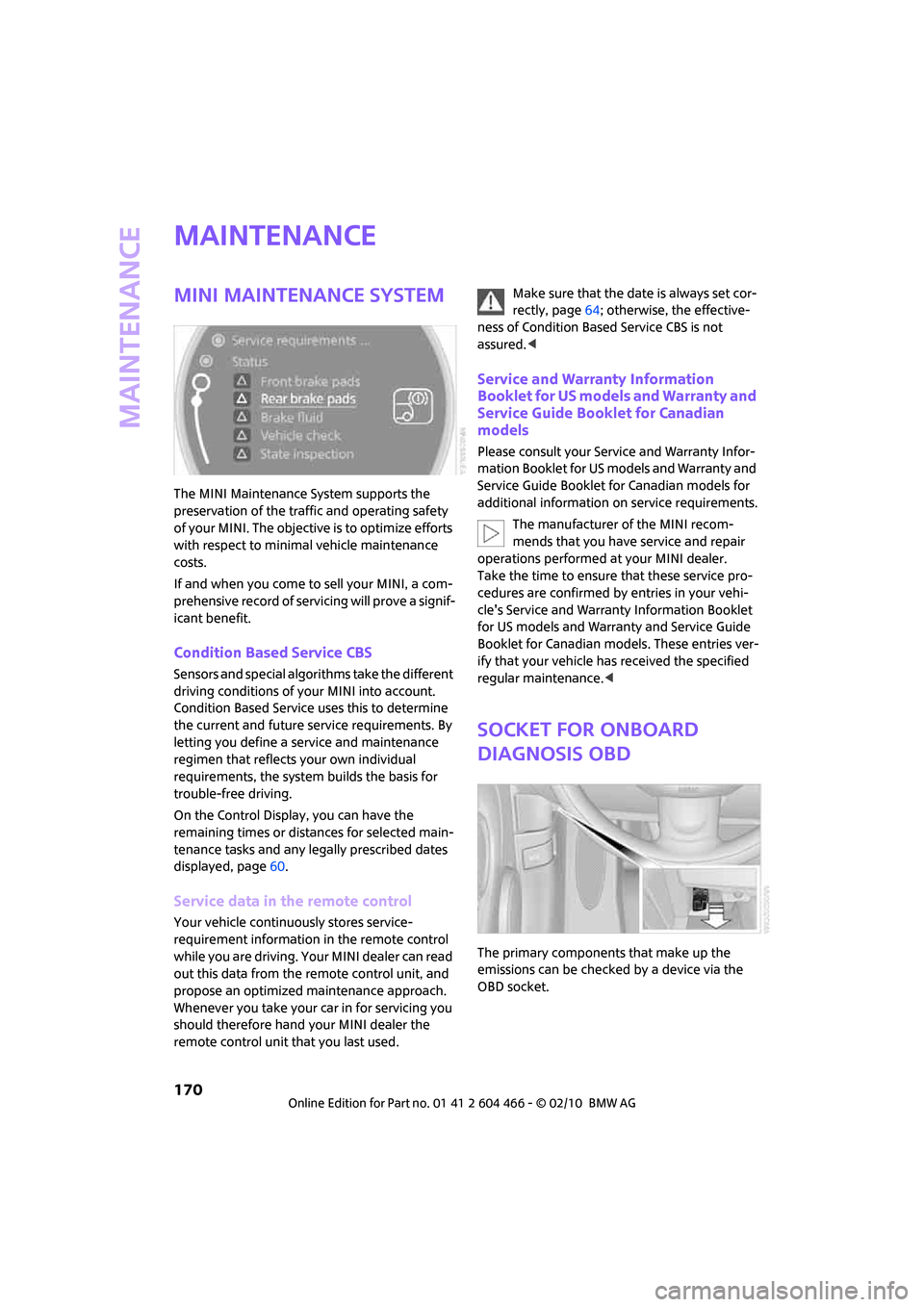
The MINI Maintenance System supports the
preservation of the traffic and operating safety
of your MINI. The objective is to optimize efforts
with respect to minimal vehicle maintenance
costs.
If and when you come to sell your MINI, a com-
prehensive record of servicing will prove a signif-
icant benefit.
Condition Based Service CBS
Sensors and special algorithms take the different
driving conditions of your MINI into account.
Condition Based Service uses this to determine
the current and future service requirements. By
letting you define a service and maintenance
regimen that reflects your own individual
requirements, the system builds the basis for
trouble-free driving.
On the Control Display, you can have the
remaining times or distances for selected main-
tenance tasks and any legally prescribed dates
displayed, page60.
Service data in the remote control
Your vehicle continuously stores service-
requirement information in the remote control
while you are driving. Your MINI dealer can read
out this data from the remote control unit, and
propose an optimized maintenance approach.
Whenever you take your car in for servicing you
should therefore hand your MINI dealer the
remote control unit that you last used.Make sure that the date is always set cor-
rectly, page64; otherwise, the effective-
ness of Condition Based Service CBS is not
assured.<
Service and Warranty Information
Booklet for US models and Warranty and
Service Guide Booklet for Canadian
models
Please consult your Service and Warranty Infor-
mation Booklet for US models and Warranty and
Service Guide Booklet for Canadian models for
additional information on service requirements.
The manufacturer of the MINI recom-
mends that you have service and repair
operations performed at your MINI dealer.
Take the time to ensure that these service pro-
cedures are confirmed by entries in your vehi-
cle's Service and Warranty Information Booklet
for US models and Warranty and Service Guide
Booklet for Canadian models. These entries ver-
ify that your vehicle has received the specified
regular maintenance.<
Socket for Onboard
Diagnosis OBD
The primary components that make up the
emissions can be checked by a device via the
OBD socket.
Page 173 of 218
MOBILITYAT A GLANCE CONTROLS DRIVING TIPS ENTERTAINMENT
171
NAVIGATION REFERENCE
Emissions
The warning lamps come on. The vehicle
is producing higher emissions. You can
continue your journey, but moderate
your speed and exercise due caution.
Have the car checked as soon as possible.
Under certain circumstances, one of the lamps
will flash or light up continuously. This indicates
excessive misfiring or a malfunction in the
engine. If this happens, reduce your speed and
visit the nearest MINI dealer as soon as possible.
Severe misfiring can quickly lead to serious dam-
age of emissions-related components, espe-
cially the catalytic converter. In addition,
mechanical engine components can become
damaged.
If the fuel filler cap is not properly tight-
ened, the OBD system may conclude
that fuel vapors are escaping, causing
an indicator to light up. If the filler cap is then
tightened, the indicator should go out within a
few days.
Data memory
Your vehicle displays data about the operation,
malfunctions, and user settings. These data are
stored in the vehicle and can be partly stored in
the remote control; the data can be read by suit-
able devices, in particular at your service center.
The data read out are used for supporting the
service processes and repair or for optimization
and development of vehicle functions.
Page 211 of 218
REFERENCEAT A GLANCE CONTROLS DRIVING TIPS MOBILITY
209
Rear fog lamp83
– indicator lamp13
– replacing bulb180
Rear lamps
– bulb replacement179
Rear lamps, refer to Tail
lamps179
Rear seat backrest, folding98
Rear seats
– folding the backrests98
Rear window defroster87
Rearview mirror, refer to
Mirrors41
Receiving level of mobile
phone, refer to Status
information20
Reception
– radio station138
Recirculated-air mode86
Recirculation of air, refer to
Recirculated-air mode86
Reclining seat, refer to
Backrest38
Recording times, refer to
Stopwatch68
Refueling156
Releasing
– hood167
Remote control26
– battery renewal34
– Comfort Access33
– garage door opener88
– malfunctions29,34
– service data170
– splitdoor29
"Repeat directory" during
audio playback146
"Repeat track" during audio
playback146
Replacement remote
control26
Replacing bulbs, refer to
Lamps and bulbs176
Replacing tires, refer to New
wheels and tires165
Reporting safety defects6
Reserve warning, refer to Fuel
gauge56Reservoir for washer
systems52
"Reset"74
"Reset" of tone settings134
Reset, refer to Resetting tone
settings134
"Reset" the stopwatch68
Restraint systems
– for children43
– refer to Safety belts40
Reverse
– CD changer146
– CD player146
Reverse gear
– automatic transmission with
Steptronic49
– manual transmission48
Road map121
Roadside Assistance186
Roadside parking lamps82
– replacing bulb178
Roadworthiness test, refer to
Service requirements60
Roof load capacity194
Roof-mounted luggage
rack101
Rope, refer to Tow-starting,
towing away188
Route118
– changing118,124
– display121
– displaying arrow view121
– displaying map view121
– displaying town123
– list123
– selecting118
– selecting criteria118
– taking detours124
Route selection118
RSC Run-flat System
Component, refer to Run-flat
tires165
Rubber parts, care173
Run-flat System Component
RSC, refer to Run-flat
tires165Run-flat tires165
– flat tire74
– tire inflation pressure158
– tire replacement165
– winter tires166
S
Safety belt
– number37
Safety Belt Reminder40
Safety belts40
– damage40
– indicator lamp40
– reminder40
– sitting safely37
Safety belts, care174
Safety systems
– airbags79
– Antilock Brake System
ABS71
– Dynamic Stability Control
DSC71
– safety belts40
Safety tires, refer to Run-flat
tires165
"SAT" on the radio132,140
Satellite radio140
– enabling channel140
– selecting channel140
– storing channel140
Scale for navigation,
changing122
"Scan"
– Briefly play stations on the
radio136
Scan
– CD changer144
– CD player144
– radio136
"Scan all" during audio
playback145
"Scan directory" during audio
playback145
Screen, refer to Onboard
monitor controls16
Screw thread for tow
fitting187