ECU MINI Clubman 2010 (Mini Connected) User Guide
[x] Cancel search | Manufacturer: MINI, Model Year: 2010, Model line: Clubman, Model: MINI Clubman 2010Pages: 218, PDF Size: 3.97 MB
Page 178 of 218
Replacing components
176
Replacing components
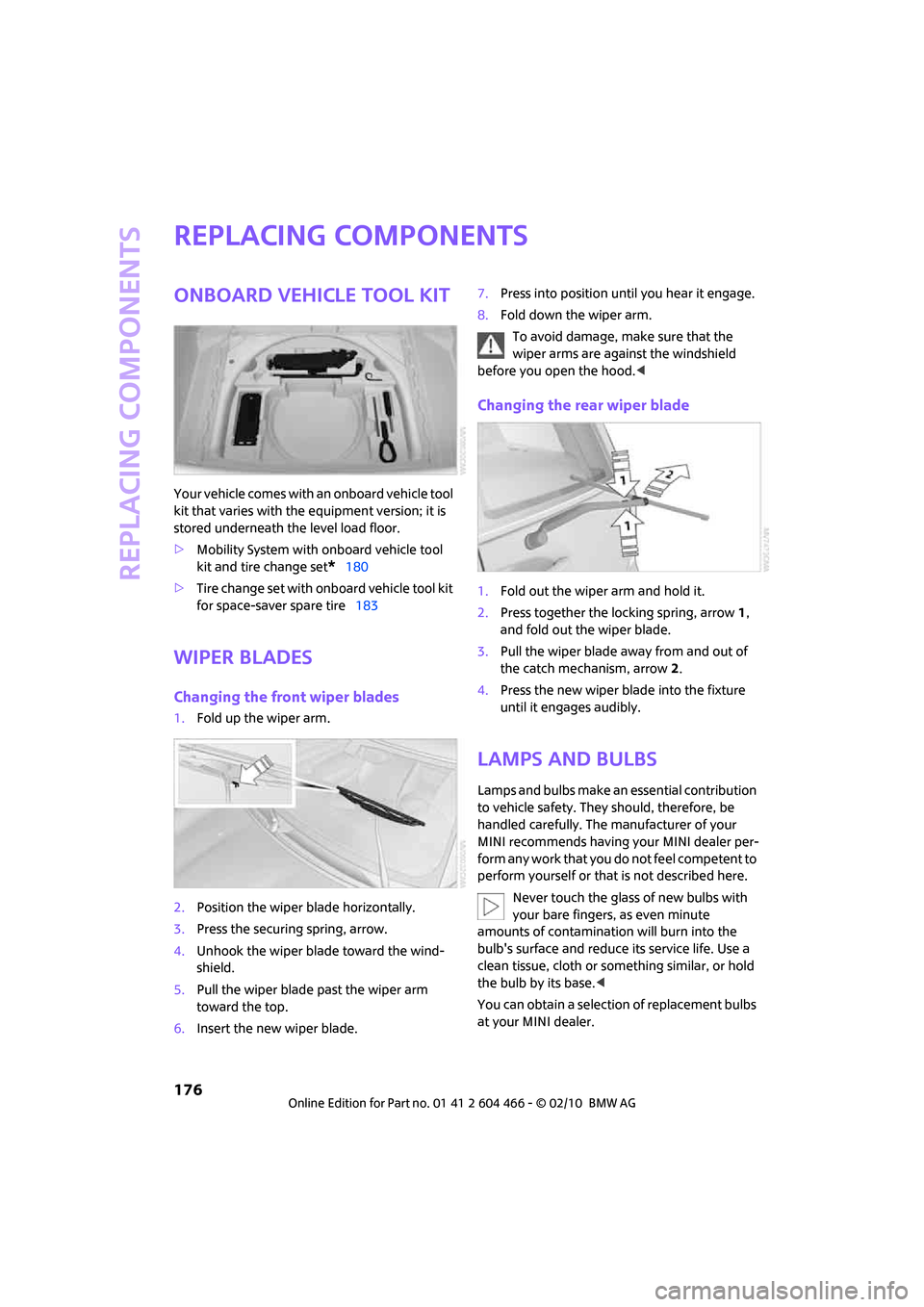
Onboard vehicle tool kit
Your vehicle comes with an onboard vehicle tool
kit that varies with the equipment version; it is
stored underneath the level load floor.
>Mobility System with onboard vehicle tool
kit and tire change set
*180
>Tire change set with onboard vehicle tool kit
for space-saver spare tire183
Wiper blades
Changing the front wiper blades
1.Fold up the wiper arm.
2.Position the wiper blade horizontally.
3.Press the securing spring, arrow.
4.Unhook the wiper blade toward the wind-
shield.
5.Pull the wiper blade past the wiper arm
toward the top.
6.Insert the new wiper blade.7.Press into position until you hear it engage.
8.Fold down the wiper arm.
To avoid damage, make sure that the
wiper arms are against the windshield
before you open the hood.<
Changing the rear wiper blade
1.Fold out the wiper arm and hold it.
2.Press together the locking spring, arrow 1,
and fold out the wiper blade.
3.Pull the wiper blade away from and out of
the catch mechanism, arrow 2.
4.Press the new wiper blade into the fixture
until it engages audibly.
Lamps and bulbs
Lamps and bulbs make an essential contribution
to vehicle safety. They should, therefore, be
handled carefully. The manufacturer of your
MINI recommends having your MINI dealer per-
form any work that you do not feel competent to
perform yourself or that is not described here.
Never touch the glass of new bulbs with
your bare fingers, as even minute
amounts of contamination will burn into the
bulb's surface and reduce its service life. Use a
clean tissue, cloth or something similar, or hold
the bulb by its base.<
You can obtain a selection of replacement bulbs
at your MINI dealer.
Page 186 of 218
Replacing components
184
Preparing for a tire change
Observe the safety precautions regarding
flat tires on page180.<
Additional safety measures when chang-
ing tires:
Only change the tire when parked on a surface
that is level, firm and not slippery.
The vehicle or the jack could slip sideways on
soft or slippery support surfaces, such as snow,
ice, flagstones, etc.
Do not use a wooden block or similar object as a
support base for the jack, as this would prevent
it from extending to its full support height and
reduce its load-carrying capacity.
Do not lie under the vehicle or start the engine
when the vehicle is supported by the jack; other-
wise, there is a risk of fatal injury.<
1.Place the foldable chock
* behind the front
wheel on the other side of the vehicle or in
front of the wheel if the vehicle is on an
incline. If the wheel is changed on a surface
with a more severe slope, take additional
precautions to secure the vehicle from roll-
ing.
2.Uncover the lug bolts if necessary.
3.Loosen the lug bolts by a half turn.
Jacking up the vehicle
The vehicle jack is designed for changing
wheels only. Do not attempt to raise
another vehicle model with it or to raise any load
of any kind. To do so could cause accidents and
personal injury.<
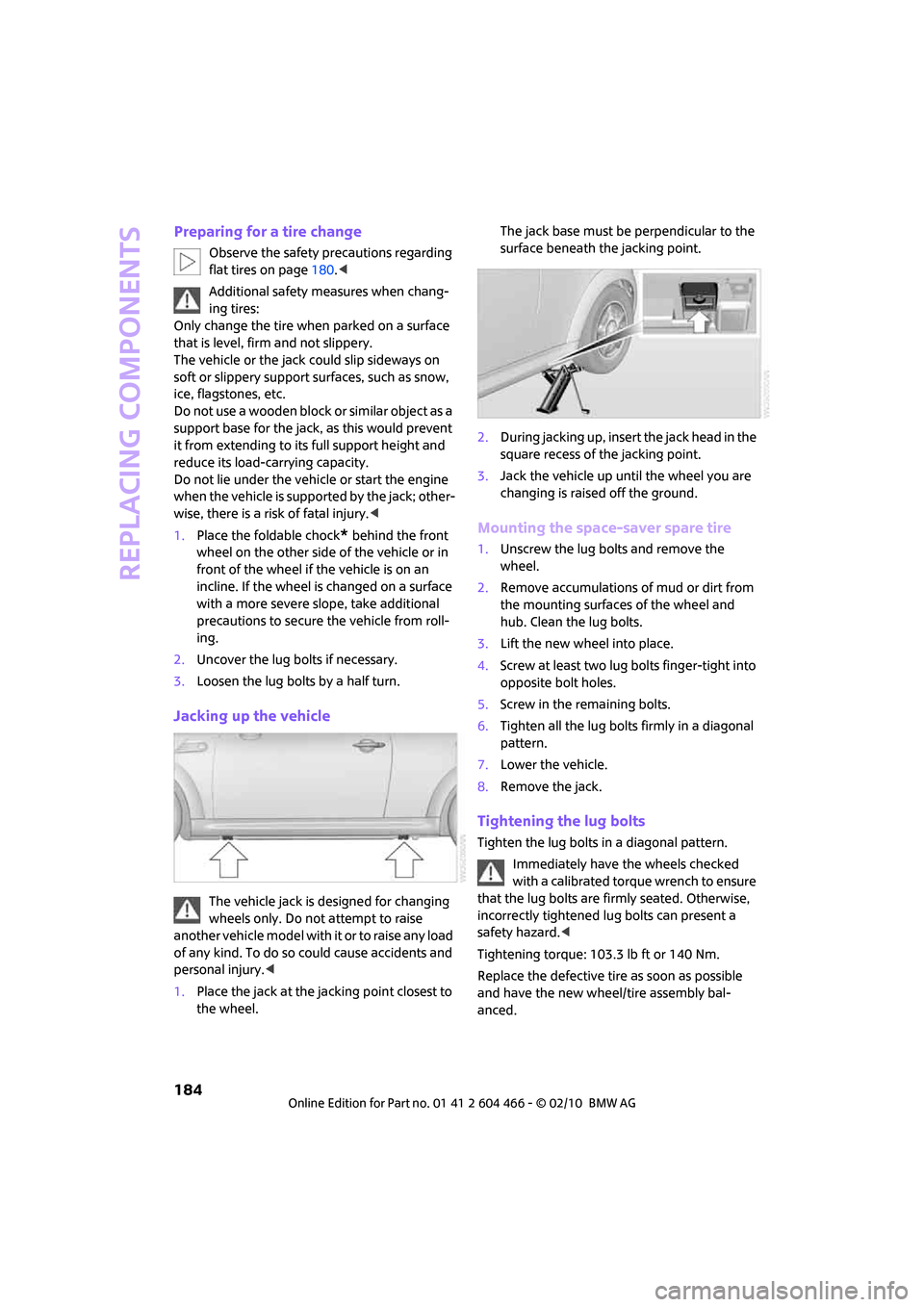
1.Place the jack at the jacking point closest to
the wheel.The jack base must be perpendicular to the
surface beneath the jacking point.
2.During jacking up, insert the jack head in the
square recess of the jacking point.
3.Jack the vehicle up until the wheel you are
changing is raised off the ground.
Mounting the space-saver spare tire
1.Unscrew the lug bolts and remove the
wheel.
2.Remove accumulations of mud or dirt from
the mounting surfaces of the wheel and
hub. Clean the lug bolts.
3.Lift the new wheel into place.
4.Screw at least two lug bolts finger-tight into
opposite bolt holes.
5.Screw in the remaining bolts.
6.Tighten all the lug bolts firmly in a diagonal
pattern.
7.Lower the vehicle.
8.Remove the jack.
Tightening the lug bolts
Tighten the lug bolts in a diagonal pattern.
Immediately have the wheels checked
with a calibrated torque wrench to ensure
that the lug bolts are firmly seated. Otherwise,
incorrectly tightened lug bolts can present a
safety hazard.<
Tightening torque: 103.3 lb ft or 140 Nm.
Replace the defective tire as soon as possible
and have the new wheel/tire assembly bal-
anced.
Page 187 of 218
MOBILITYAT A GLANCE CONTROLS DRIVING TIPS ENTERTAINMENT
185
NAVIGATION REFERENCE
Vehicle battery
Maintenance
The battery is 100 % maintenance-free, the
electrolyte will last for the life of the battery
when the vehicle is operated in a temperate cli-
mate.
Battery replacement
Only use vehicle batteries that have been
approved for your vehicle by the manu-
facturer; otherwise, the vehicle could be dam-
aged and systems or functions may not be fully
available.<
After a battery replacement, have the battery
registered on the vehicle by your dealer to
ensure that all comfort functions are fully avail-
able.
Charging the battery
Only charge the battery in the vehicle when the
engine is off. Connections, refer to Jump-start-
ing on page186.
Disposal
After replacing old batteries, return the
used batteries to your MINI dealer or to a
recycling point. Maintain the battery in an
upright position for transport and storage.
Always secure the battery against tipping over
during transport.<
Power failure
After a temporary power loss, some equipment
may not be fully functional and may require ini-
tialization. Individual settings are also lost and
must be reprogrammed:
>Time and date
These values must be updated, page63.
>Radio
In some cases, stations may have to be
stored again, page137.
>Navigation system
Operability must be waited for, page106.>Glass sunroof
*, electric
It may only be possible to raise the sunroof,
if applicable. The system must be initialized.
Contact your nearest MINI dealer.
Fuses
Do not attempt to repair a blown fuse or
replace it with a fuse of a different color or
Ampere rating. To do this could cause a fire in
the vehicle resulting from a circuit overload.
Have the fuse changed only by a MINI dealer or
a workshop that has specially trained personnel
working in accordance with the specifications of
the MINI manufacturer.<
A fuse allocation diagram is located on the inside
of the fuse box cover panels.
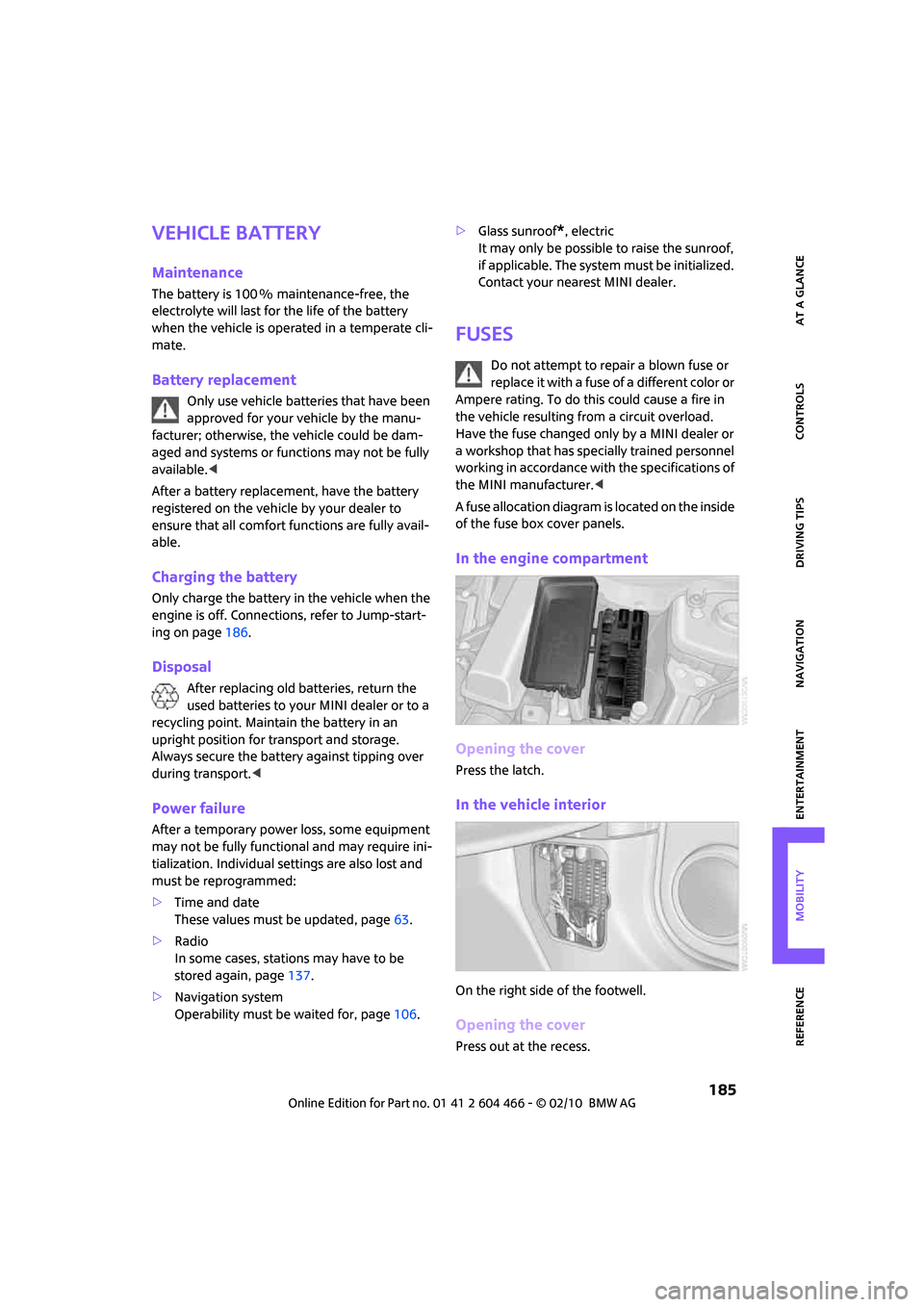
In the engine compartment
Opening the cover
Press the latch.
In the vehicle interior
On the right side of the footwell.
Opening the cover
Press out at the recess.
Page 203 of 218
REFERENCEAT A GLANCE CONTROLS DRIVING TIPS MOBILITY
201
Avoid highways in
navigation118
"Avoid tollroads" in
Navigation118
Axle loads, refer to
Weights194
B
Background lighting, refer to
Ambient lighting84
Backrests, refer to Seats37
Backup lamps
– replacing bulb179
Balance, tone control133
Band-aids, refer to First aid
pouch186
Bar, refer to Tow-starting,
towing away188
Bass sounds, refer to Tone
control133
Bass sounds, refer to Treble
and bass133
Bass, tone control133
Battery185
– charging185
– disposal34,185
– jump-starting186
– temporary power failure185
Battery renewal
– remote control34
Being towed188
Belt tensioner, refer to Safety
belts40
Belts, refer to Safety belts40
Beverage holders, refer to
Cupholders91
Black ice, refer to Outside
temperature warning55
Blower, refer to Air flow rate86
Bottle holders, refer to
Cupholders91
Brake Assist71
Brake fluid, refer to Service
requirements60Brake lamps
– replacing bulbs179
Brake pads, breaking in96
Brake rotors97
– brakes96
– breaking in96
Brake system96
– breaking in96
– disc brakes97
– MINI Maintenance
System170
Brakes
– ABS71
– breaking in96
– MINI Maintenance
System170
– parking brake47
– service requirements60
Brakes, refer to Braking
safely97
Breakdown service, refer to
Roadside Assistance186
Break-in period
96
Breaking in the clutch96
"Brightness" on the Control
Display69
Bulb changing, refer to Lamps
and bulbs176
Button for starting the
engine46
Buttons on the steering
wheel11
C
California Proposition 65
warning5
Can holders, refer to
Cupholders91
Capacities194
Car battery, refer to Vehicle
battery185
Car care172
"Car Data"57
Car key, refer to Keys/remote
controls26Car phone
– installation location, refer to
Center armrest90
– refer to separate Owner's
Manual
Car radio, refer to Radio135
Car wash, care172
Car washes172
Care172
– car washes172
– car-care products172
– CD/DVD drives175
– external172
– high-pressure washers172
– internal174
– leather174
– manual washing173
– upholstery and fabrics174
– windows173
– wiper blades173
Cargo area
– capacity194
Cargo bay98
– Comfort Access33
– doors, refer to Splitdoor31
– lamp83
– opening from outside31
– trunk lid, refer to Splitdoor31
Cargo bay doors, refer to
Splitdoor31
Cargo bay, expanding98
Cargo bay lamp83
Cargo bay partition net, refer
to Partition net99
Cargo loading99
– securing cargo100
– stowing cargo100
– vehicle98
Cargo, securing100
Carpets, care174
Catalytic converter, refer to
Hot exhaust system96
"Categories"141
"CD"132,143
Page 208 of 218
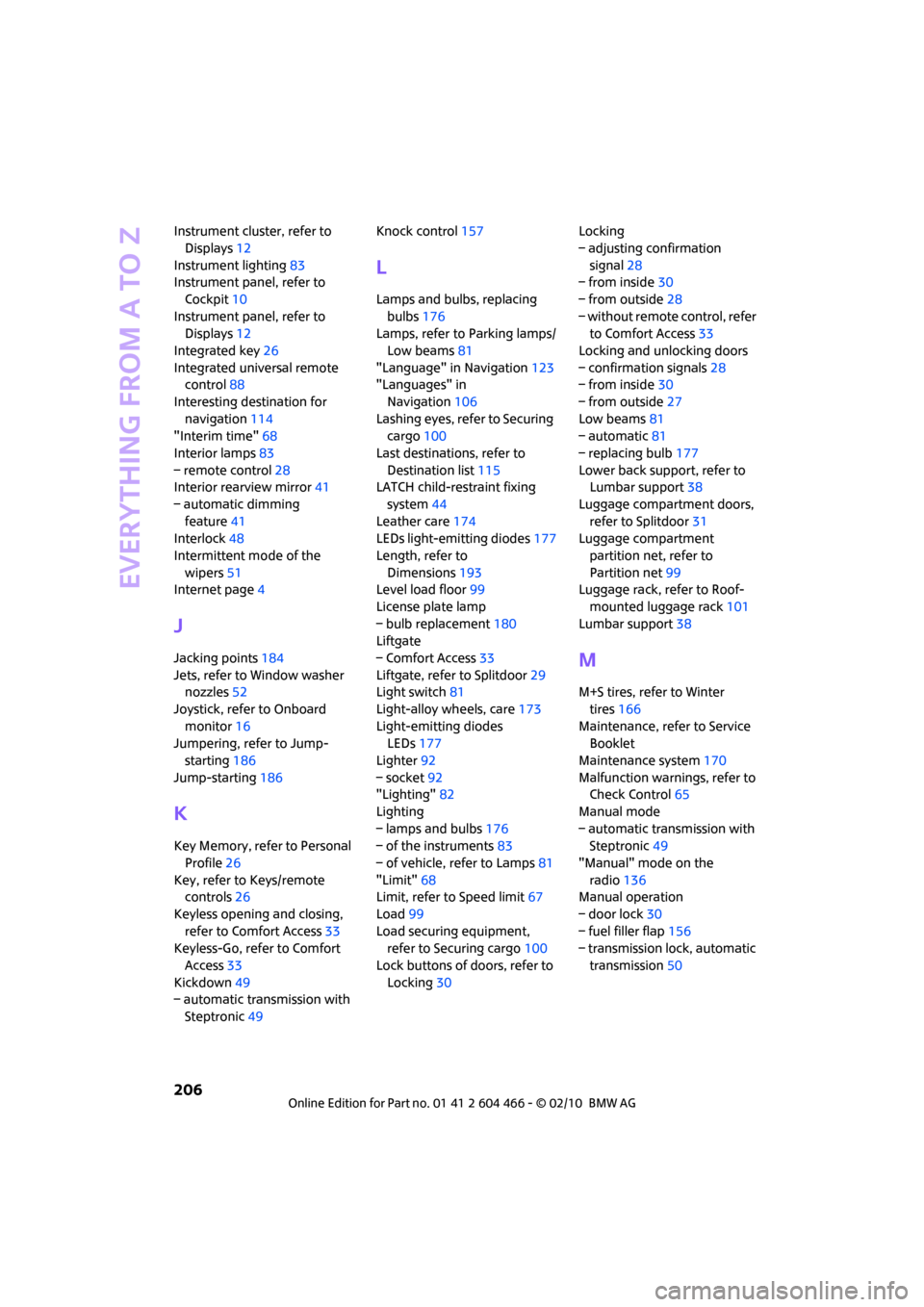
Everything from A to Z
206
Instrument cluster, refer to
Displays12
Instrument lighting83
Instrument panel, refer to
Cockpit10
Instrument panel, refer to
Displays12
Integrated key26
Integrated universal remote
control88
Interesting destination for
navigation114
"Interim time"68
Interior lamps83
– remote control28
Interior rearview mirror41
– automatic dimming
feature41
Interlock48
Intermittent mode of the
wipers51
Internet page4
J
Jacking points184
Jets, refer to Window washer
nozzles52
Joystick, refer to Onboard
monitor16
Jumpering, refer to Jump-
starting186
Jump-starting186
K
Key Memory, refer to Personal
Profile26
Key, refer to Keys/remote
controls26
Keyless opening and closing,
refer to Comfort Access33
Keyless-Go, refer to Comfort
Access33
Kickdown49
– automatic transmission with
Steptronic49Knock control157
L
Lamps and bulbs, replacing
bulbs176
Lamps, refer to Parking lamps/
Low beams81
"Language" in Navigation123
"Languages" in
Navigation106
Lashing eyes, refer to Securing
cargo100
Last destinations, refer to
Destination list115
LATCH child-restraint fixing
system44
Leather care174
LEDs light-emitting diodes177
Length, refer to
Dimensions193
Level load floor99
License plate lamp
– bulb replacement180
Liftgate
– Comfort Access33
Liftgate, refer to Splitdoor29
Light switch81
Light-alloy wheels, care173
Light-emitting diodes
LEDs177
Lighter92
– socket92
"Lighting"82
Lighting
– lamps and bulbs176
– of the instruments83
– of vehicle, refer to Lamps81
"Limit"68
Limit, refer to Speed limit67
Load99
Load securing equipment,
refer to Securing cargo100
Lock buttons of doors, refer to
Locking30Locking
– adjusting confirmation
signal28
– from inside30
– from outside28
– without remote control, refer
to Comfort Access33
Locking and unlocking doors
– confirmation signals28
– from inside30
– from outside27
Low beams81
– automatic81
– replacing bulb177
Lower back support, refer to
Lumbar support38
Luggage compartment doors,
refer to Splitdoor31
Luggage compartment
partition net, refer to
Partition net99
Luggage rack, refer to Roof-
mounted luggage rack
101
Lumbar support38
M
M+S tires, refer to Winter
tires166
Maintenance, refer to Service
Booklet
Maintenance system170
Malfunction warnings, refer to
Check Control65
Manual mode
– automatic transmission with
Steptronic49
"Manual" mode on the
radio136
Manual operation
– door lock30
– fuel filler flap156
– transmission lock, automatic
transmission50
Page 212 of 218
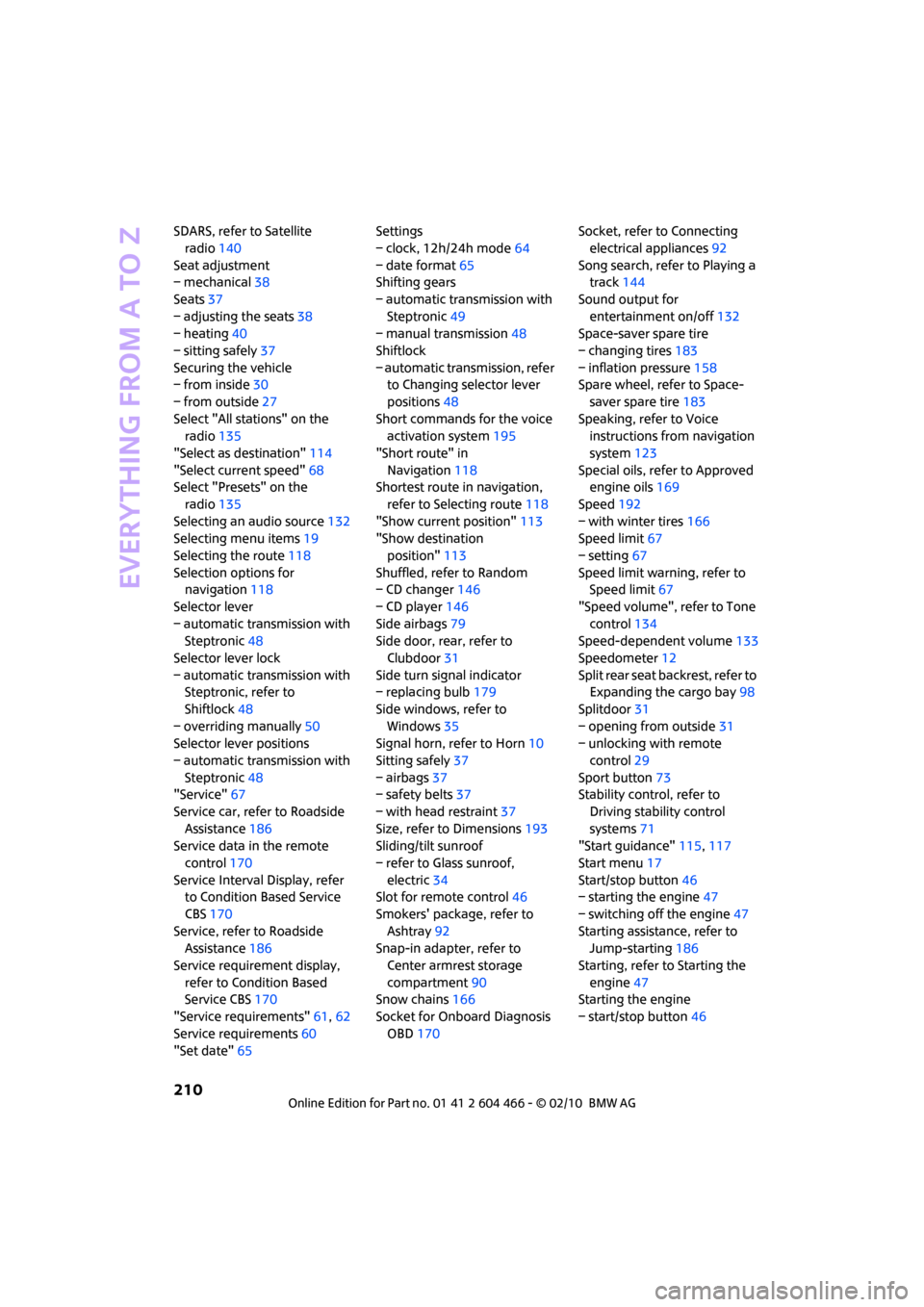
Everything from A to Z
210
SDARS, refer to Satellite
radio140
Seat adjustment
– mechanical38
Seats37
– adjusting the seats38
– heating40
– sitting safely37
Securing the vehicle
– from inside30
– from outside27
Select "All stations" on the
radio135
"Select as destination"114
"Select current speed"68
Select "Presets" on the
radio135
Selecting an audio source132
Selecting menu items19
Selecting the route118
Selection options for
navigation118
Selector lever
– automatic transmission with
Steptronic48
Selector lever lock
– automatic transmission with
Steptronic, refer to
Shiftlock48
– overriding manually50
Selector lever positions
– automatic transmission with
Steptronic48
"Service"67
Service car, refer to Roadside
Assistance186
Service data in the remote
control170
Service Interval Display, refer
to Condition Based Service
CBS170
Service, refer to Roadside
Assistance186
Service requirement display,
refer to Condition Based
Service CBS170
"Service requirements"61,62
Service requirements60
"Set date"65Settings
– clock, 12h/24h mode64
– date format65
Shifting gears
– automatic transmission with
Steptronic49
– manual transmission48
Shiftlock
– automatic transmission, refer
to Changing selector lever
positions48
Short commands for the voice
activation system195
"Short route" in
Navigation118
Shortest route in navigation,
refer to Selecting route
118
"Show current position"113
"Show destination
position"113
Shuffled, refer to Random
– CD changer146
– CD player146
Side airbags79
Side door, rear, refer to
Clubdoor31
Side turn signal indicator
– replacing bulb179
Side windows, refer to
Windows35
Signal horn, refer to Horn10
Sitting safely37
– airbags37
– safety belts37
– with head restraint37
Size, refer to Dimensions193
Sliding/tilt sunroof
– refer to Glass sunroof,
electric34
Slot for remote control46
Smokers' package, refer to
Ashtray92
Snap-in adapter, refer to
Center armrest storage
compartment90
Snow chains166
Socket for Onboard Diagnosis
OBD170Socket, refer to Connecting
electrical appliances92
Song search, refer to Playing a
track144
Sound output for
entertainment on/off132
Space-saver spare tire
– changing tires183
– inflation pressure158
Spare wheel, refer to Space-
saver spare tire183
Speaking, refer to Voice
instructions from navigation
system123
Special oils, refer to Approved
engine oils169
Speed192
– with winter tires166
Speed limit67
– setting67
Speed limit warning, refer to
Speed limit67
"Speed volume", refer to Tone
control134
Speed-dependent volume133
Speedometer12
Split rear seat backrest, refer to
Expanding the cargo bay98
Splitdoor31
– opening from outside31
– unlocking with remote
control29
Sport button73
Stability control, refer to
Driving stability control
systems71
"Start guidance"115,117
Start menu17
Start/stop button46
– starting the engine47
– switching off the engine47
Starting assistance, refer to
Jump-starting186
Starting, refer to Starting the
engine47
Starting the engine
– start/stop button46
Page 213 of 218
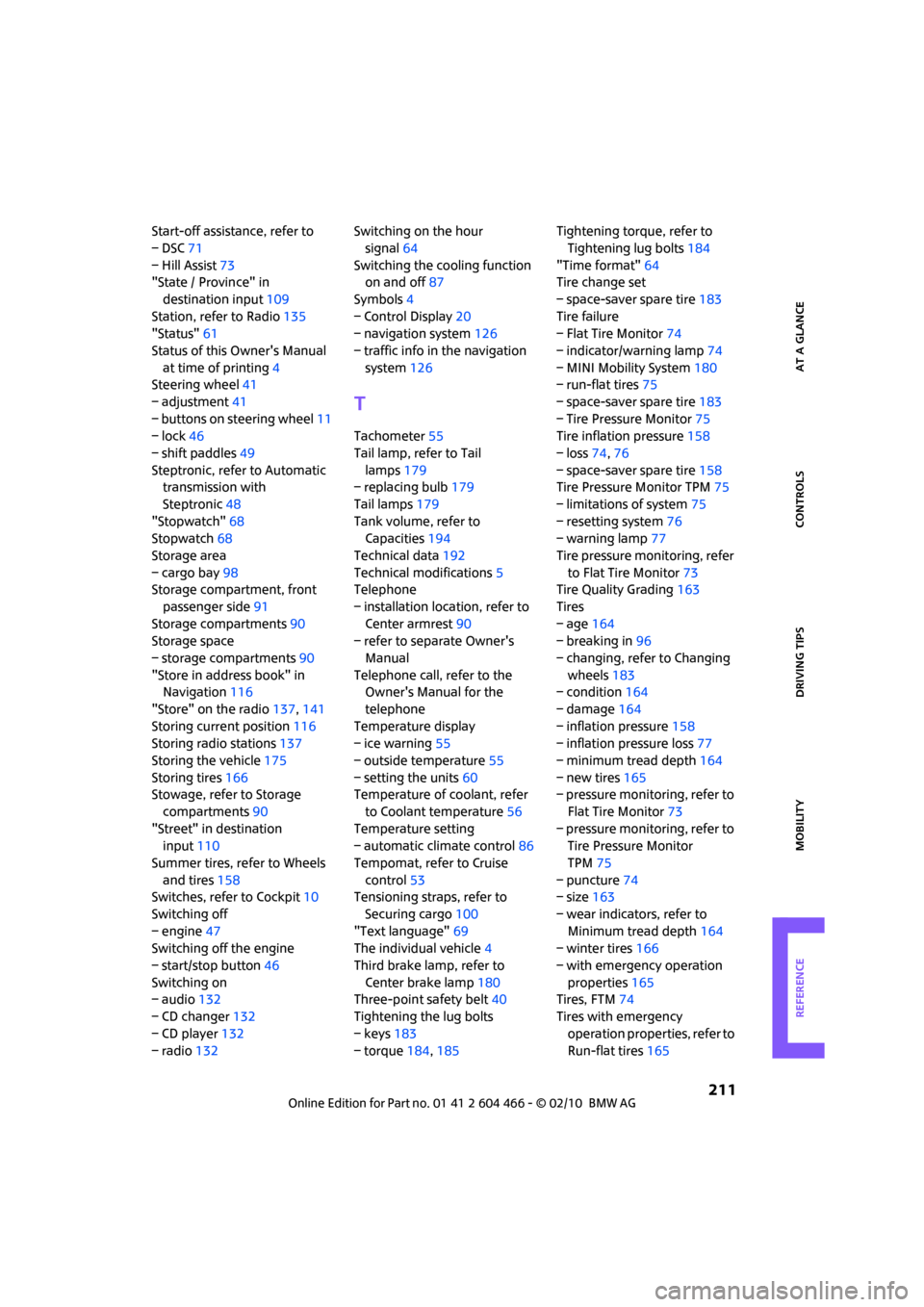
REFERENCEAT A GLANCE CONTROLS DRIVING TIPS MOBILITY
211
Start-off assistance, refer to
– DSC71
– Hill Assist73
"State / Province" in
destination input109
Station, refer to Radio135
"Status"61
Status of this Owner's Manual
at time of printing4
Steering wheel41
– adjustment41
– buttons on steering wheel11
– lock46
– shift paddles49
Steptronic, refer to Automatic
transmission with
Steptronic48
"Stopwatch"68
Stopwatch68
Storage area
– cargo bay98
Storage compartment, front
passenger side91
Storage compartments90
Storage space
– storage compartments90
"Store in address book" in
Navigation116
"Store" on the radio137,141
Storing current position116
Storing radio stations137
Storing the vehicle175
Storing tires166
Stowage, refer to Storage
compartments90
"Street" in destination
input110
Summer tires, refer to Wheels
and tires158
Switches, refer to Cockpit10
Switching off
– engine47
Switching off the engine
– start/stop button46
Switching on
– audio132
– CD changer132
– CD player132
– radio132Switching on the hour
signal64
Switching the cooling function
on and off87
Symbols4
– Control Display20
– navigation system126
– traffic info in the navigation
system126
T
Tachometer55
Tail lamp, refer to Tail
lamps179
– replacing bulb179
Tail lamps179
Tank volume, refer to
Capacities194
Technical data192
Technical modifications5
Telephone
– installation location, refer to
Center armrest90
– refer to separate Owner's
Manual
Telephone call, refer to the
Owner's Manual for the
telephone
Temperature display
– ice warning55
– outside temperature55
– setting the units60
Temperature of coolant, refer
to Coolant temperature56
Temperature setting
– automatic climate control86
Tempomat, refer to Cruise
control53
Tensioning straps, refer to
Securing cargo100
"Text language"69
The individual vehicle4
Third brake lamp, refer to
Center brake lamp180
Three-point safety belt40
Tightening the lug bolts
– keys183
– torque184,185Tightening torque, refer to
Tightening lug bolts184
"Time format"64
Tire change set
– space-saver spare tire183
Tire failure
– Flat Tire Monitor74
– indicator/warning lamp74
– MINI Mobility System180
– run-flat tires75
– space-saver spare tire183
– Tire Pressure Monitor75
Tire inflation pressure158
– loss74,76
– space-saver spare tire158
Tire Pressure Monitor TPM75
– limitations of system75
– resetting system76
– warning lamp77
Tire pressure monitoring, refer
to Flat Tire Monitor73
Tire Quality Grading163
Tires
– age164
– breaking in96
– changing, refer to Changing
wheels183
– condition164
– damage164
– inflation pressure158
– inflation pressure loss77
– minimum tread depth164
– new tires165
– pressure monitoring, refer to
Flat Tire Monitor73
– pressure monitoring, refer to
Tire Pressure Monitor
TPM75
– puncture74
– size163
– wear indicators, refer to
Minimum tread depth164
– winter tires166
– with emergency operation
properties165
Tires, FTM74
Tires with emergency
operation properties, refer to
Run-flat tires165
Page 214 of 218
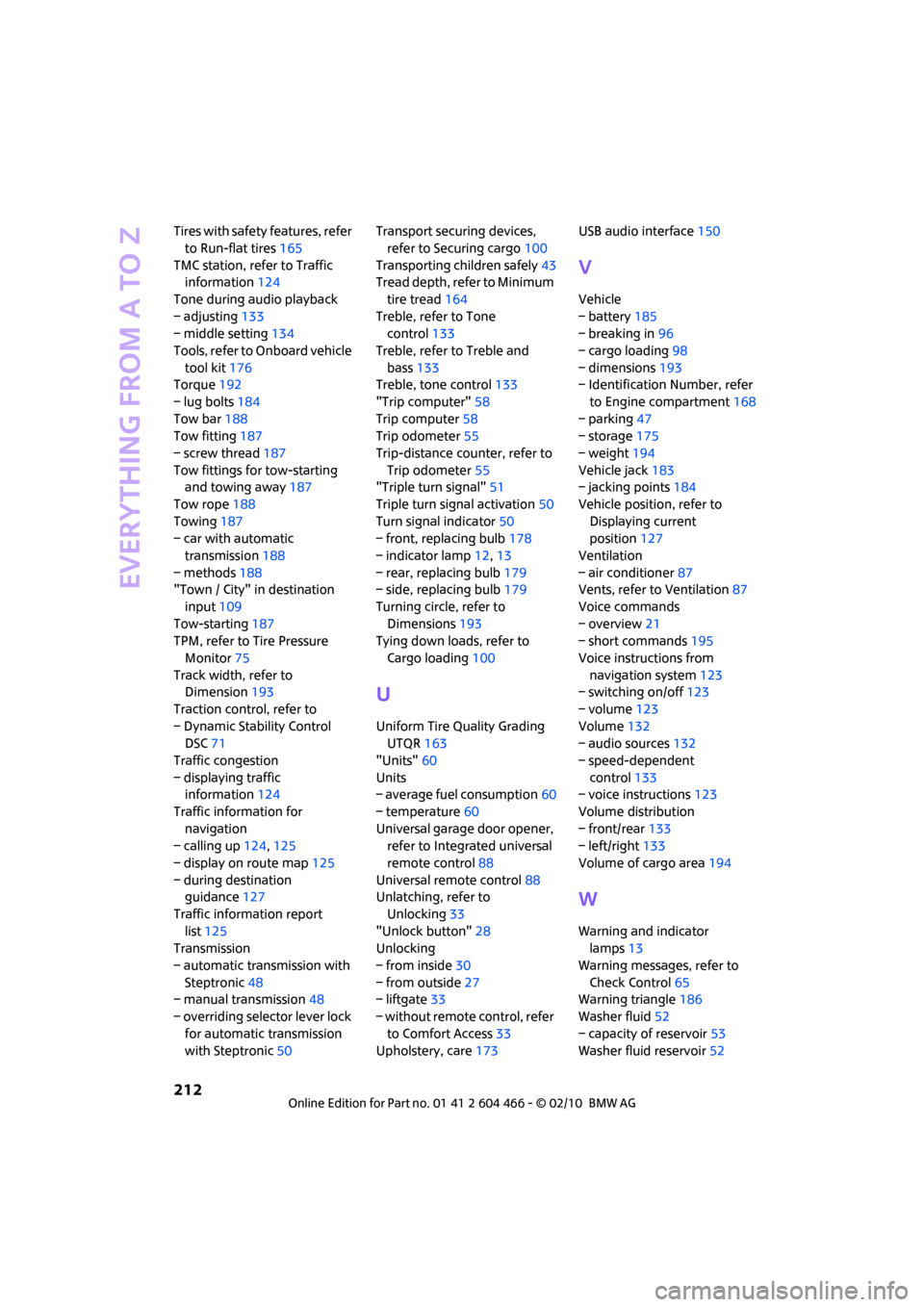
Everything from A to Z
212
Tires with safety features, refer
to Run-flat tires165
TMC station, refer to Traffic
information124
Tone during audio playback
– adjusting133
– middle setting134
Tools, refer to Onboard vehicle
tool kit176
Torque192
– lug bolts184
Tow bar188
Tow fitting187
– screw thread187
Tow fittings for tow-starting
and towing away187
Tow rope188
Towing187
– car with automatic
transmission188
– methods188
"Town / City" in destination
input109
Tow-starting187
TPM, refer to Tire Pressure
Monitor75
Track width, refer to
Dimension193
Traction control, refer to
– Dynamic Stability Control
DSC71
Traffic congestion
– displaying traffic
information124
Traffic information for
navigation
– calling up124,125
– display on route map125
– during destination
guidance127
Traffic information report
list125
Transmission
– automatic transmission with
Steptronic48
– manual transmission48
– overriding selector lever lock
for automatic transmission
with Steptronic50Transport securing devices,
refer to Securing cargo100
Transporting children safely43
Tread depth, refer to Minimum
tire tread164
Treble, refer to Tone
control133
Treble, refer to Treble and
bass133
Treble, tone control133
"Trip computer"58
Trip computer58
Trip odometer55
Trip-distance counter, refer to
Trip odometer55
"Triple turn signal"51
Triple turn signal activation50
Turn signal indicator50
– front, replacing bulb178
– indicator lamp12,13
– rear, replacing bulb179
– side, replacing bulb179
Turning circle, refer to
Dimensions193
Tying down loads, refer to
Cargo loading100
U
Uniform Tire Quality Grading
UTQR163
"Units"60
Units
– average fuel consumption60
– temperature60
Universal garage door opener,
refer to Integrated universal
remote control88
Universal remote control88
Unlatching, refer to
Unlocking33
"Unlock button"28
Unlocking
– from inside30
– from outside27
– liftgate33
– without remote control, refer
to Comfort Access33
Upholstery, care173USB audio interface150
V
Vehicle
– battery185
– breaking in96
– cargo loading98
– dimensions193
– Identification Number, refer
to Engine compartment168
– parking47
– storage175
– weight194
Vehicle jack183
– jacking points184
Vehicle position, refer to
Displaying current
position127
Ventilation
– air conditioner87
Vents, refer to Ventilation87
Voice commands
– overview21
– short commands195
Voice instructions from
navigation system123
– switching on/off123
– volume123
Volume132
– audio sources132
– speed-dependent
control133
– voice instructions123
Volume distribution
– front/rear133
– left/right133
Volume of cargo area194
W
Warning and indicator
lamps13
Warning messages, refer to
Check Control65
Warning triangle186
Washer fluid52
– capacity of reservoir53
Washer fluid reservoir52