door lock MINI Clubman 2010 (Mini Connected) User Guide
[x] Cancel search | Manufacturer: MINI, Model Year: 2010, Model line: Clubman, Model: MINI Clubman 2010Pages: 218, PDF Size: 3.97 MB
Page 83 of 218
MOBILITYAT A GLANCE CONTROLS DRIVING TIPS ENTERTAINMENT
81
NAVIGATION REFERENCE
Lamps
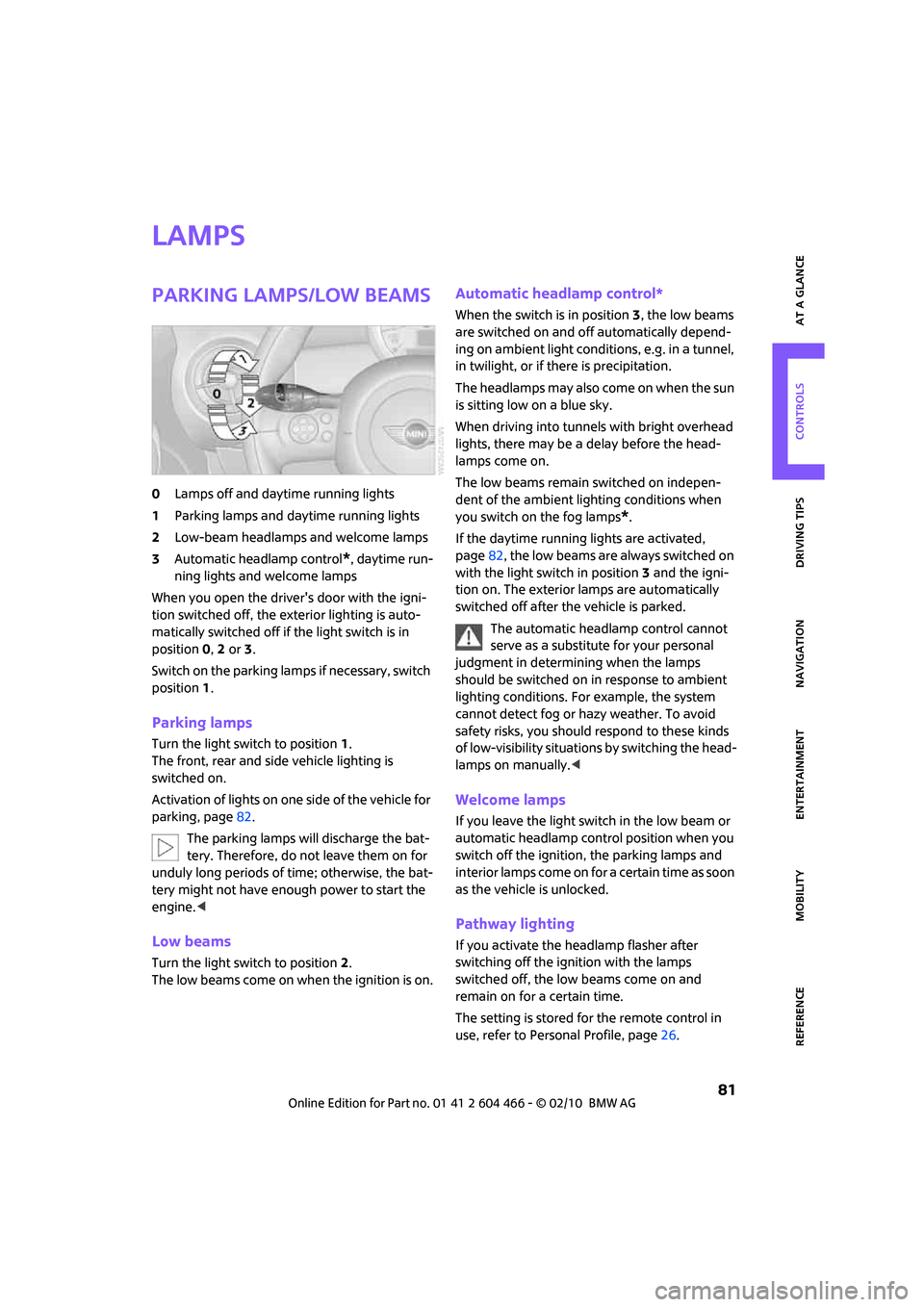
Parking lamps/low beams
0Lamps off and daytime running lights
1Parking lamps and daytime running lights
2Low-beam headlamps and welcome lamps
3Automatic headlamp control
*, daytime run-
ning lights and welcome lamps
When you open the driver's door with the igni-
tion switched off, the exterior lighting is auto-
matically switched off if the light switch is in
position 0, 2 or 3.
Switch on the parking lamps if necessary, switch
position 1.
Parking lamps
Turn the light switch to position 1.
The front, rear and side vehicle lighting is
switched on.
Activation of lights on one side of the vehicle for
parking, page82.
The parking lamps will discharge the bat-
tery. Therefore, do not leave them on for
unduly long periods of time; otherwise, the bat-
tery might not have enough power to start the
engine.<
Low beams
Turn the light switch to position 2.
The low beams come on when the ignition is on.
Automatic headlamp control*
When the switch is in position3, the low beams
are switched on and off automatically depend-
ing on ambient light conditions, e.g. in a tunnel,
in twilight, or if there is precipitation.
The headlamps may also come on when the sun
is sitting low on a blue sky.
When driving into tunnels with bright overhead
lights, there may be a delay before the head-
lamps come on.
The low beams remain switched on indepen-
dent of the ambient lighting conditions when
you switch on the fog lamps
*.
If the daytime running lights are activated,
page82, the low beams are always switched on
with the light switch in position 3 and the igni-
tion on. The exterior lamps are automatically
switched off after the vehicle is parked.
The automatic headlamp control cannot
serve as a substitute for your personal
judgment in determining when the lamps
should be switched on in response to ambient
lighting conditions. For example, the system
cannot detect fog or hazy weather. To avoid
safety risks, you should respond to these kinds
of low-visibility situations by switching the head-
lamps on manually.<
Welcome lamps
If you leave the light switch in the low beam or
automatic headlamp control position when you
switch off the ignition, the parking lamps and
interior lamps come on for a certain time as soon
as the vehicle is unlocked.
Pathway lighting
If you activate the headlamp flasher after
switching off the ignition with the lamps
switched off, the low beams come on and
remain on for a certain time.
The setting is stored for the remote control in
use, refer to Personal Profile, page26.
Page 174 of 218
Care
172
Care
Car-care products
Regular cleaning and care helps to maintain the
value of your MINI.
The manufacturer of your MINI recommends
using manufacturer-approved products to clean
and care for your vehicle.
MINI Service would be pleased to advise you on
cleaning and care products and services for your
MINI.
The ingredients of original MINI Care Prod-
ucts have been tested, and the products
have been tested in the laboratory and in prac-
tice. They offer optimum care and protection for
your vehicle.<
Do not use any cleansers containing alco-
hol or solvents as these may cause dam-
age.<
Cleaning agents may contain hazardous
or health-damaging substances. Follow
the warning and hazard instructions on the
packaging. For interior cleaning, always open
the doors or windows of the vehicle.
Do not use any products that are not intended
for cleaning the vehicle.<
External care
Washing your vehicle
Especially during the winter months the
vehicle should be frequently washed. Dirt
and road salt can damage the vehicle.<
After washing the vehicle, apply the
brakes briefly to dry them; otherwise,
water can reduce braking efficiency over the
short term and the brake rotors can corrode.<
Car washes
Preference should be given to cloth car washes.Do not use automatic high-pressure car
washes; otherwise, water may drip into
the vehicle around the windows.<
Before driving into the car wash, check if the sys-
tem is suitable for your MINI. Observe the fol-
lowing points:
>Dimensions of the vehicle, page193
>If necessary: fold in the outside mirrors,
page 41.
>Maximum permissible tire width
Avoid car washes with tracks higher than
4 in/10 cm; otherwise, the chassis could
be damaged.<
Preparations for driving into the car wash:
>Unscrew the rod antenna.
>Deactivate the rain sensor
* to prevent unin-
tentional wiping.
>Deactivate the rear window wiper
* and pro-
tect it from damage. Ask the car wash oper-
ator about measures that can be taken to
protect the wipers.
>Remove additional attachments, e.g. spoil-
ers or telephone antennas, if there is a pos-
sibility that they could be damaged.
Automatic transmission
Before driving into the car wash, make sure that
the vehicle can roll:
1.Place the remote control, even with Comfort
Access, in the ignition lock.
2.Move the selector lever to position N.
3.Release the parking brake.
4.Switch off the engine.
5.Insert the remote control in the ignition lock
so that the vehicle can roll.
Steam jets/high-pressure washers
When using steam jets or high-pressure
washers, ensure that you maintain suffi-
cient clearance to the vehicle and do not exceed
a temperature of 1407/606.
Page 200 of 218
Short commands for the voice activation system
198
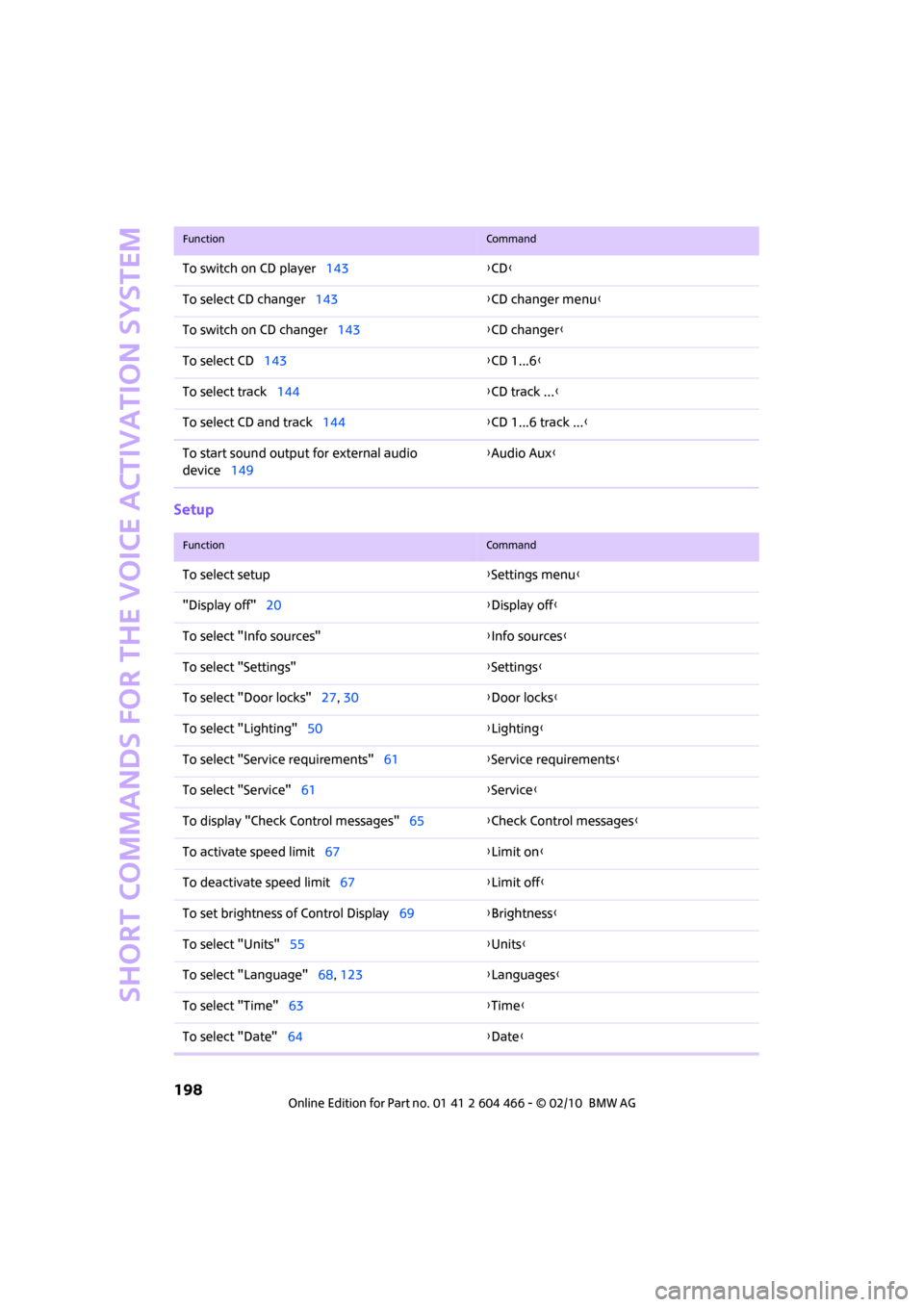
Setup
To switch on CD player143{CD}
To select CD changer143{CD changer menu}
To switch on CD changer143{CD changer}
To select CD143{CD 1...6}
To select track144{CD track ...}
To select CD and track144{CD 1...6 track ...}
To start sound output for external audio
device149{Audio Aux}
FunctionCommand
FunctionCommand
To select setup{Settings menu}
"Display off"20{Display off}
To select "Info sources"{Info sources}
To select "Settings"{Settings}
To select "Door locks"27, 30{Door locks}
To select "Lighting"50{Lighting}
To select "Service requirements"61{Service requirements}
To select "Service"61{Service}
To display "Check Control messages"65{Check Control messages}
To activate speed limit67{Limit on}
To deactivate speed limit67{Limit off}
To set brightness of Control Display69{Brightness}
To select "Units"55{Units}
To select "Language"68, 123{Languages}
To select "Time"63{Time}
To select "Date"64{Date}
Page 204 of 218
Everything from A to Z
202
CD changer143
– controls132
– fast forward/reverse146
– playing a track144
– random order146
– repeating a track145
– selecting a CD143
– selecting a track144
– switching on/off132
– tone control133
– volume133
CD player143
– controls132
– fast forward/reverse146
– playing a track144
– random order146
– repeating a track145
– selecting a track144
– switching on/off132
– tone control133
– volume133
Center armrest90
Center brake lamp180
Center console, refer to
Around the center
console14
"Central locking"28
Central locking system27
– Comfort Access33
– from inside30
– from outside27
Changing bulbs176
Changing the language on the
Control Display68
Changing the measurement
units on the Control
Display60
Changing wheels183
Chassis number, refer to
Engine compartment168
Check Control65
"Check Control messages"67
Child restraint systems43
Child seats43
Child-restraint fixing system
LATCH44
Chrome parts, care173
Chrome parts, refer to
Care172Cigarette lighter92
Cleaning headlamps52
– washer fluid52
Clock55
– 12h/24h mode64
– hour signal
64
– setting time63
Closing
– from inside30
– from outside27
Clothes hooks91
Clubdoor31
Cockpit10
Cold start, refer to Starting the
engine47
Comfort Access33
– replacing the battery34
– what to observe before
entering a car wash34
Comfort area, refer to Around
the center console14
Compact disc, refer to
– CD changer143
– CD player143
Compartment for remote
control, refer to Ignition
lock46
Computer56
– displays on Control
Display57
– hour signal64
Condensation, refer to When
the vehicle is parked97
Condition Based Service
CBS170
Configuring settings, refer to
Personal Profile26
Connecting vacuum cleaner,
refer to Connecting electrical
appliances92
Consumption, refer to Average
fuel consumption56
Control Display
– settings59
– switching off/on20
Control Display, refer to
Onboard monitor16
Control stick, refer to Onboard
monitor16Control unit, refer to Onboard
monitor16
Controls and displays10
Convenient access, refer to
Comfort Access33
Convenient operation
– windows28
Convenient start, refer to
Starting the engine47
Coolant169
– checking level169
– filling169
Coolant temperature56
Cooling fluid, refer to
Coolant169
Cooling, maximum86
Copyright2
Country of destination for
navigation109
Cross-hairs in navigation
113
Cruise control
– indicator lamp13
Cruising range56
Cupholders91
Curb weight, refer to
Weights194
Current fuel consumption57
"Current position"127
Current position
– displaying127
– entering116
– storing116
D
Dashboard instruments, refer
to Displays12
Dashboard lighting, refer to
Instrument lighting83
Dashboard, refer to Cockpit10
Data192
– capacities194
– dimensions193
– engine192
– weights194
Data memory171
"Date"65
Page 205 of 218
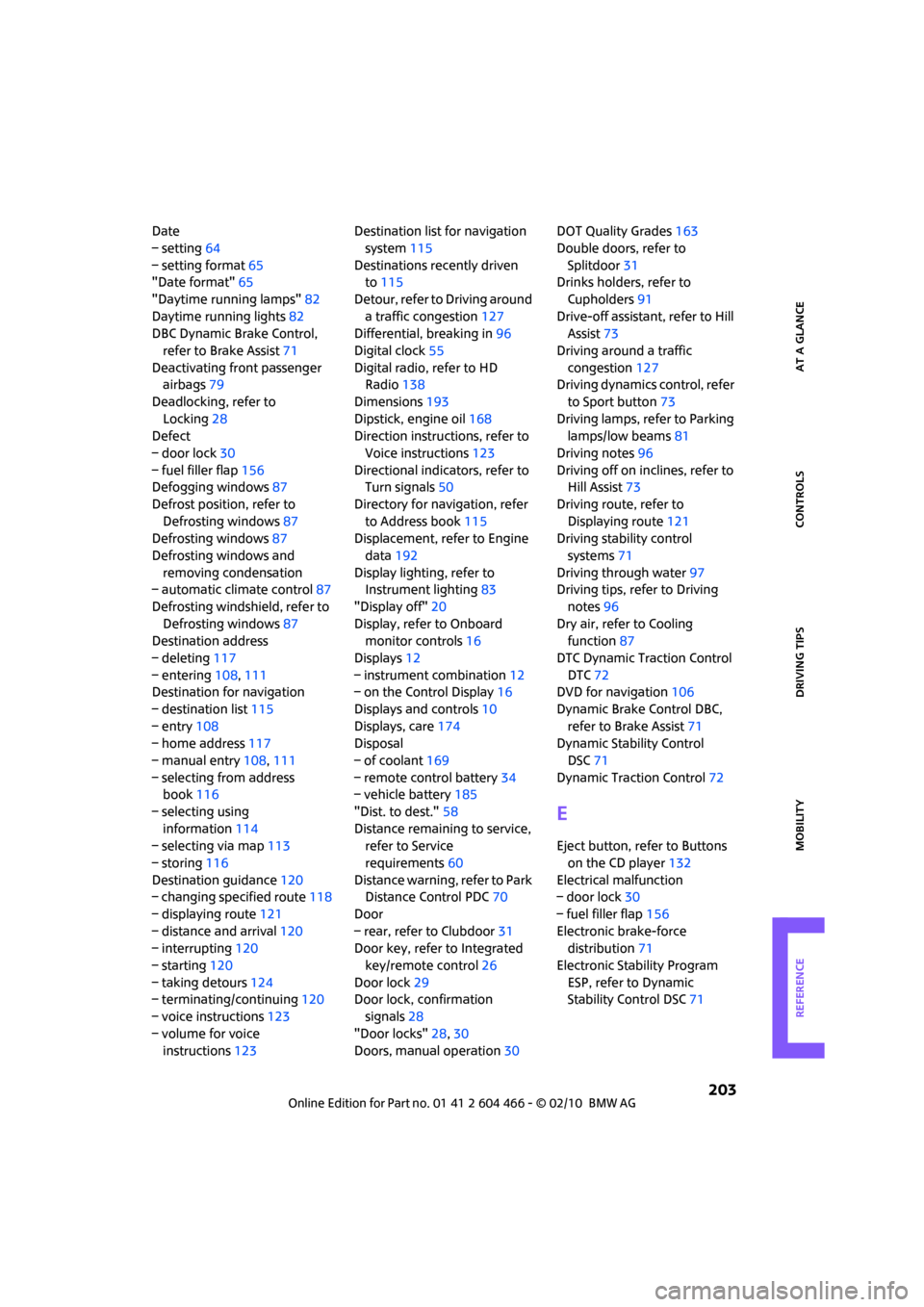
REFERENCEAT A GLANCE CONTROLS DRIVING TIPS MOBILITY
203
Date
– setting64
– setting format65
"Date format"65
"Daytime running lamps"82
Daytime running lights82
DBC Dynamic Brake Control,
refer to Brake Assist71
Deactivating front passenger
airbags79
Deadlocking, refer to
Locking28
Defect
– door lock30
– fuel filler flap156
Defogging windows87
Defrost position, refer to
Defrosting windows87
Defrosting windows87
Defrosting windows and
removing condensation
– automatic climate control87
Defrosting windshield, refer to
Defrosting windows87
Destination address
– deleting117
– entering108,111
Destination for navigation
– destination list115
– entry108
– home address117
– manual entry108,111
– selecting from address
book116
– selecting using
information114
– selecting via map113
– storing116
Destination guidance120
– changing specified route118
– displaying route121
– distance and arrival120
– interrupting120
– starting120
– taking detours124
– terminating/continuing120
– voice instructions123
– volume for voice
instructions123Destination list for navigation
system115
Destinations recently driven
to115
Detour, refer to Driving around
a traffic congestion127
Differential, breaking in96
Digital clock55
Digital radio, refer to HD
Radio138
Dimensions193
Dipstick, engine oil168
Direction instructions, refer to
Voice instructions123
Directional indicators, refer to
Turn signals50
Directory for navigation, refer
to Address book115
Displacement, refer to Engine
data192
Display lighting, refer to
Instrument lighting83
"Display off"20
Display, refer to Onboard
monitor controls16
Displays12
– instrument combination12
– on the Control Display16
Displays and controls10
Displays, care174
Disposal
– of coolant169
– remote control battery34
– vehicle battery185
"Dist. to dest."58
Distance remaining to service,
refer to Service
requirements60
Distance warning, refer to Park
Distance Control PDC70
Door
– rear, refer to Clubdoor31
Door key, refer to Integrated
key/remote control26
Door lock29
Door lock, confirmation
signals28
"Door locks"28,30
Doors, manual operation30DOT Quality Grades163
Double doors, refer to
Splitdoor31
Drinks holders, refer to
Cupholders91
Drive-off assistant, refer to Hill
Assist73
Driving around a traffic
congestion127
Driving dynamics control, refer
to Sport button73
Driving lamps, refer to Parking
lamps/low beams81
Driving notes96
Driving off on inclines, refer to
Hill Assist73
Driving route, refer to
Displaying route121
Driving stability control
systems71
Driving through water
97
Driving tips, refer to Driving
notes96
Dry air, refer to Cooling
function87
DTC Dynamic Traction Control
DTC72
DVD for navigation106
Dynamic Brake Control DBC,
refer to Brake Assist71
Dynamic Stability Control
DSC71
Dynamic Traction Control72
E
Eject button, refer to Buttons
on the CD player132
Electrical malfunction
– door lock30
– fuel filler flap156
Electronic brake-force
distribution71
Electronic Stability Program
ESP, refer to Dynamic
Stability Control DSC71
Page 206 of 218
Everything from A to Z
204
Emergency operation, refer to
Manual operation
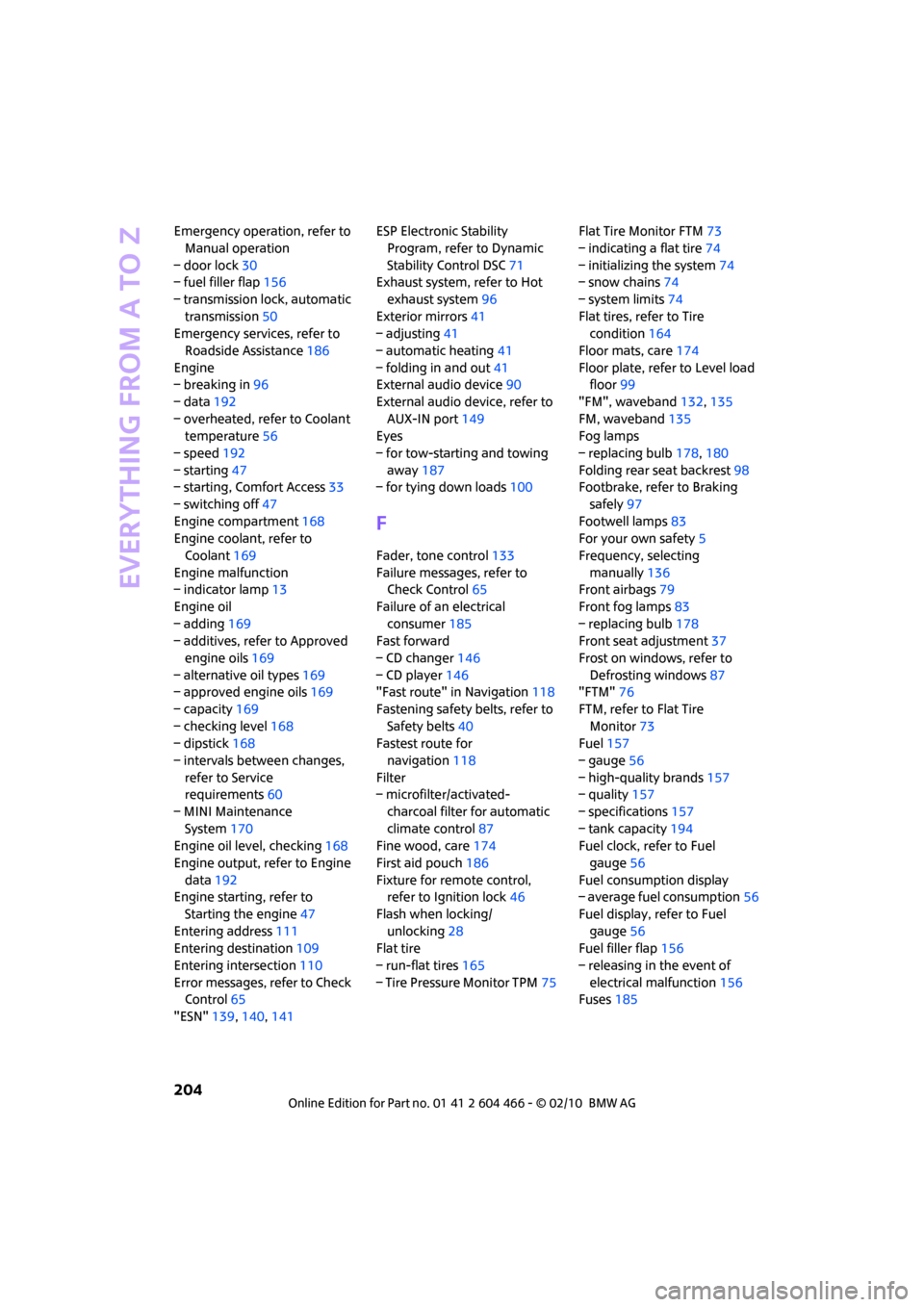
– door lock30
– fuel filler flap156
– transmission lock, automatic
transmission50
Emergency services, refer to
Roadside Assistance186
Engine
– breaking in96
– data192
– overheated, refer to Coolant
temperature56
– speed192
– starting47
– starting, Comfort Access33
– switching off47
Engine compartment168
Engine coolant, refer to
Coolant169
Engine malfunction
– indicator lamp13
Engine oil
– adding169
– additives, refer to Approved
engine oils169
– alternative oil types169
– approved engine oils169
– capacity169
– checking level168
– dipstick168
– intervals between changes,
refer to Service
requirements60
– MINI Maintenance
System170
Engine oil level, checking168
Engine output, refer to Engine
data192
Engine starting, refer to
Starting the engine47
Entering address111
Entering destination109
Entering intersection110
Error messages, refer to Check
Control65
"ESN"139,140,141ESP Electronic Stability
Program, refer to Dynamic
Stability Control DSC71
Exhaust system, refer to Hot
exhaust system96
Exterior mirrors41
– adjusting41
– automatic heating41
– folding in and out41
External audio device90
External audio device, refer to
AUX-IN port149
Eyes
– for tow-starting and towing
away187
– for tying down loads100
F
Fader, tone control133
Failure messages, refer to
Check Control65
Failure of an electrical
consumer185
Fast forward
– CD changer146
– CD player146
"Fast route" in Navigation118
Fastening safety belts, refer to
Safety belts40
Fastest route for
navigation118
Filter
– microfilter/activated-
charcoal filter for automatic
climate control87
Fine wood, care174
First aid pouch186
Fixture for remote control,
refer to Ignition lock46
Flash when locking/
unlocking28
Flat tire
– run-flat tires165
– Tire Pressure Monitor TPM75Flat Tire Monitor FTM73
– indicating a flat tire74
– initializing the system74
– snow chains74
– system limits74
Flat tires, refer to Tire
condition164
Floor mats, care174
Floor plate, refer to Level load
floor99
"FM", waveband132,135
FM, waveband135
Fog lamps
– replacing bulb178,180
Folding rear seat backrest98
Footbrake, refer to Braking
safely97
Footwell lamps83
For your own safety5
Frequency, selecting
manually136
Front airbags79
Front fog lamps83
– replacing bulb178
Front seat adjustment37
Frost on windows, refer to
Defrosting windows87
"FTM"76
FTM, refer to Flat Tire
Monitor73
Fuel157
– gauge56
– high-quality brands157
– quality157
– specifications157
– tank capacity194
Fuel clock, refer to Fuel
gauge56
Fuel consumption display
– average fuel consumption56
Fuel display, refer to Fuel
gauge56
Fuel filler flap156
– releasing in the event of
electrical malfunction156
Fuses185
Page 207 of 218
REFERENCEAT A GLANCE CONTROLS DRIVING TIPS MOBILITY
205
G
Garage door opener, refer to
Integrated universal remote
control88
Gasoline
– refer to Average fuel
consumption56
Gasoline display, refer to Fuel
gauge56
Gasoline, refer to Required
fuel157
Gear indicator
– automatic transmission with
Steptronic48
Gear shifting
– automatic transmission48
– manual transmission48
Gearshift lever
– automatic transmission with
Steptronic48
– manual transmission48
General driving notes96
Glass sunroof, electric34
– convenient operation28,29
– opening, closing35
– raising35
– remote control28
Glove compartment89
GPS navigation, refer to
Navigation system106
Grills85
Gross vehicle weight, refer to
Weights194
H
Halogen lamps
– replacing bulb177
Handbrake, refer to Parking
brake47
Hands-free system14
Hazard warning flashers14
"HD radio"138
HD radio, refer to High
Definition Radio138
Head airbags79
Head restraints39
– sitting safely37Headlamp control,
automatic81
Headlamp flasher50
– indicator lamp11,13
Headlamps
– replacing bulb177
Headlamps, care173
Headlight glass lens177
Heated
– mirrors41
– rear window87
– seats40
Heating
– mirrors41
– rear window87
– seats40
Heavy loads, refer to Stowing
cargo100
Height adjustment
– seats38
– steering wheel41
Height, refer to
Dimensions193
High beams82
– headlamp flasher82
– indicator lamp13
– replacing bulb177
High Definition Radio, refer to
HD Radio138
High water, refer to Driving
through water97
Highways, refer to Route
criteria118
Hill Assist73
Hills97
Holders for cups91
Home address117
"Home address" in
Navigation118
Homepage4
Hood167
Horn10
Hot exhaust system96
"Hour memo"64
"House number" in
destination input
111
Hydroplaning96
I
IBOC, refer to HD Radio138
Ice warning55
ID3 tag, refer to Information
about the track144
Ignition46
– switched off46
– switched on46
Ignition key position 1, refer to
Radio readiness46
Ignition key position 2, refer to
Ignition on46
Ignition key, refer to
Integrated key/remote
control26
Ignition lock46
Imprint2
Indicator and warning
lamps13
– Tire Pressure Monitor TPM77
Indicator lighting, refer to
Instrument lighting83
Individual settings, refer to
Personal Profile26
Inflation pressure monitoring,
refer to Tire Pressure Monitor
TPM75
Information
– on another location114
– on country114
– on current position114
– on destination location114
"Information" in
Navigation114
"Information on
destination"115
Initializing
– Flat Tire Monitor FTM74
– glass sunroof, electric35
Installation location
– drive for navigation DVD and
audio CD106
Instructions for navigation
system, refer to Voice
instructions123
Page 208 of 218
Everything from A to Z
206
Instrument cluster, refer to
Displays12
Instrument lighting83
Instrument panel, refer to
Cockpit10
Instrument panel, refer to
Displays12
Integrated key26
Integrated universal remote
control88
Interesting destination for
navigation114
"Interim time"68
Interior lamps83
– remote control28
Interior rearview mirror41
– automatic dimming
feature41
Interlock48
Intermittent mode of the
wipers51
Internet page4
J
Jacking points184
Jets, refer to Window washer
nozzles52
Joystick, refer to Onboard
monitor16
Jumpering, refer to Jump-
starting186
Jump-starting186
K
Key Memory, refer to Personal
Profile26
Key, refer to Keys/remote
controls26
Keyless opening and closing,
refer to Comfort Access33
Keyless-Go, refer to Comfort
Access33
Kickdown49
– automatic transmission with
Steptronic49Knock control157
L
Lamps and bulbs, replacing
bulbs176
Lamps, refer to Parking lamps/
Low beams81
"Language" in Navigation123
"Languages" in
Navigation106
Lashing eyes, refer to Securing
cargo100
Last destinations, refer to
Destination list115
LATCH child-restraint fixing
system44
Leather care174
LEDs light-emitting diodes177
Length, refer to
Dimensions193
Level load floor99
License plate lamp
– bulb replacement180
Liftgate
– Comfort Access33
Liftgate, refer to Splitdoor29
Light switch81
Light-alloy wheels, care173
Light-emitting diodes
LEDs177
Lighter92
– socket92
"Lighting"82
Lighting
– lamps and bulbs176
– of the instruments83
– of vehicle, refer to Lamps81
"Limit"68
Limit, refer to Speed limit67
Load99
Load securing equipment,
refer to Securing cargo100
Lock buttons of doors, refer to
Locking30Locking
– adjusting confirmation
signal28
– from inside30
– from outside28
– without remote control, refer
to Comfort Access33
Locking and unlocking doors
– confirmation signals28
– from inside30
– from outside27
Low beams81
– automatic81
– replacing bulb177
Lower back support, refer to
Lumbar support38
Luggage compartment doors,
refer to Splitdoor31
Luggage compartment
partition net, refer to
Partition net99
Luggage rack, refer to Roof-
mounted luggage rack
101
Lumbar support38
M
M+S tires, refer to Winter
tires166
Maintenance, refer to Service
Booklet
Maintenance system170
Malfunction warnings, refer to
Check Control65
Manual mode
– automatic transmission with
Steptronic49
"Manual" mode on the
radio136
Manual operation
– door lock30
– fuel filler flap156
– transmission lock, automatic
transmission50
Page 210 of 218
Everything from A to Z
208
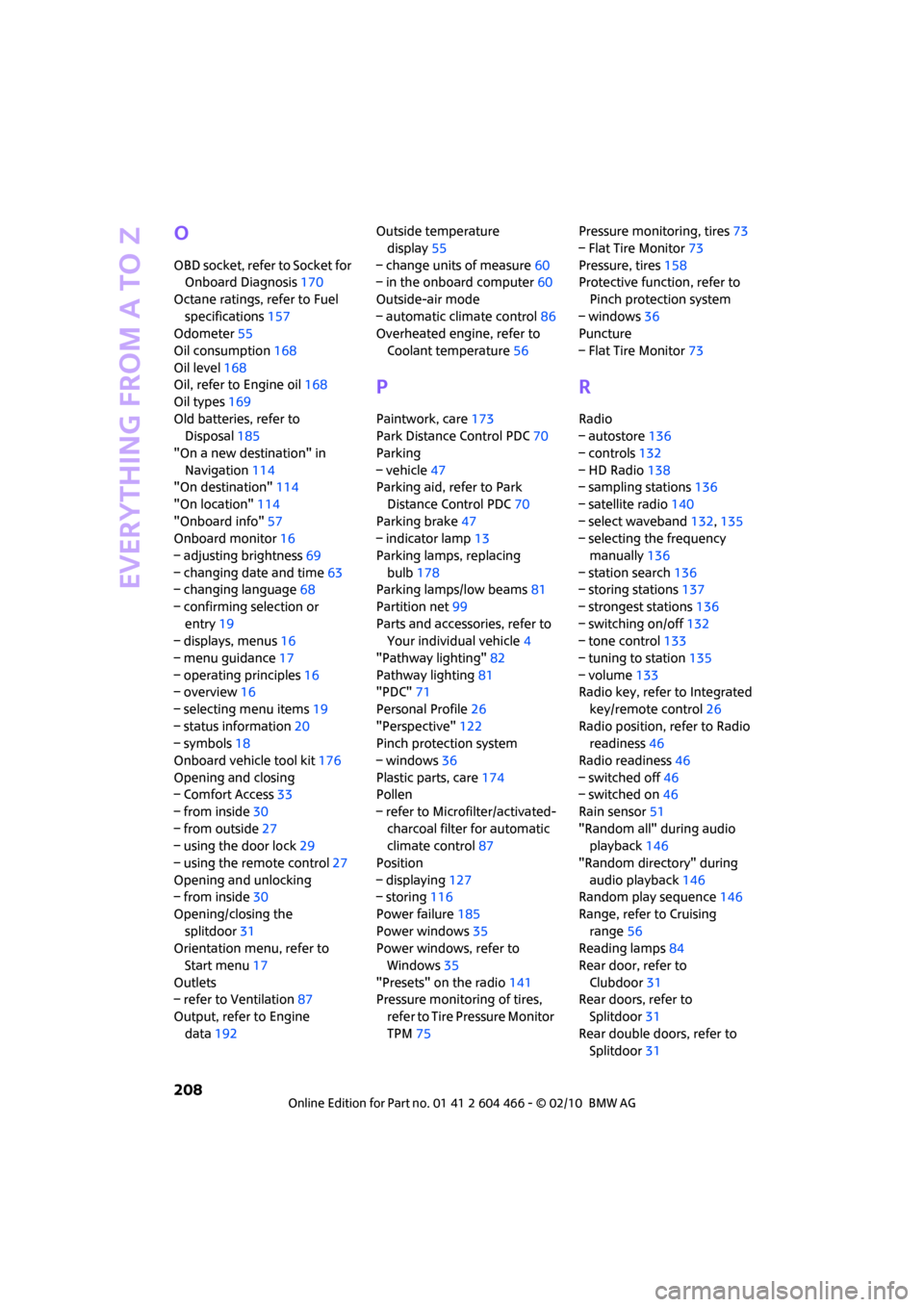
O
OBD socket, refer to Socket for
Onboard Diagnosis170
Octane ratings, refer to Fuel
specifications157
Odometer55
Oil consumption168
Oil level168
Oil, refer to Engine oil168
Oil types169
Old batteries, refer to
Disposal185
"On a new destination" in
Navigation114
"On destination"114
"On location"114
"Onboard info"57
Onboard monitor16
– adjusting brightness69
– changing date and time63
– changing language68
– confirming selection or
entry19
– displays, menus16
– menu guidance17
– operating principles16
– overview16
– selecting menu items19
– status information20
– symbols18
Onboard vehicle tool kit176
Opening and closing
– Comfort Access33
– from inside30
– from outside27
– using the door lock29
– using the remote control27
Opening and unlocking
– from inside30
Opening/closing the
splitdoor31
Orientation menu, refer to
Start menu17
Outlets
– refer to Ventilation87
Output, refer to Engine
data192Outside temperature
display55
– change units of measure60
– in the onboard computer60
Outside-air mode
– automatic climate control86
Overheated engine, refer to
Coolant temperature56
P
Paintwork, care173
Park Distance Control PDC70
Parking
– vehicle47
Parking aid, refer to Park
Distance Control PDC70
Parking brake47
– indicator lamp13
Parking lamps, replacing
bulb178
Parking lamps/low beams81
Partition net99
Parts and accessories, refer to
Your individual vehicle4
"Pathway lighting"82
Pathway lighting81
"PDC"71
Personal Profile26
"Perspective"122
Pinch protection system
– windows36
Plastic parts, care174
Pollen
– refer to Microfilter/activated-
charcoal filter for automatic
climate control87
Position
– displaying127
– storing116
Power failure185
Power windows35
Power windows, refer to
Windows35
"Presets" on the radio141
Pressure monitoring of tires,
refer to Tire Pressure Monitor
TPM75Pressure monitoring, tires73
– Flat Tire Monitor73
Pressure, tires158
Protective function, refer to
Pinch protection system
– windows36
Puncture
– Flat Tire Monitor73
R
Radio
– autostore136
– controls132
– HD Radio138
– sampling stations136
– satellite radio140
– select waveband132,135
– selecting the frequency
manually136
– station search136
– storing stations137
– strongest stations136
– switching on/off132
– tone control133
– tuning to station135
– volume133
Radio key, refer to Integrated
key/remote control26
Radio position, refer to Radio
readiness46
Radio readiness46
– switched off46
– switched on46
Rain sensor51
"Random all" during audio
playback146
"Random directory" during
audio playback146
Random play sequence146
Range, refer to Cruising
range56
Reading lamps84
Rear door, refer to
Clubdoor31
Rear doors, refer to
Splitdoor31
Rear double doors, refer to
Splitdoor31
Page 211 of 218
REFERENCEAT A GLANCE CONTROLS DRIVING TIPS MOBILITY
209
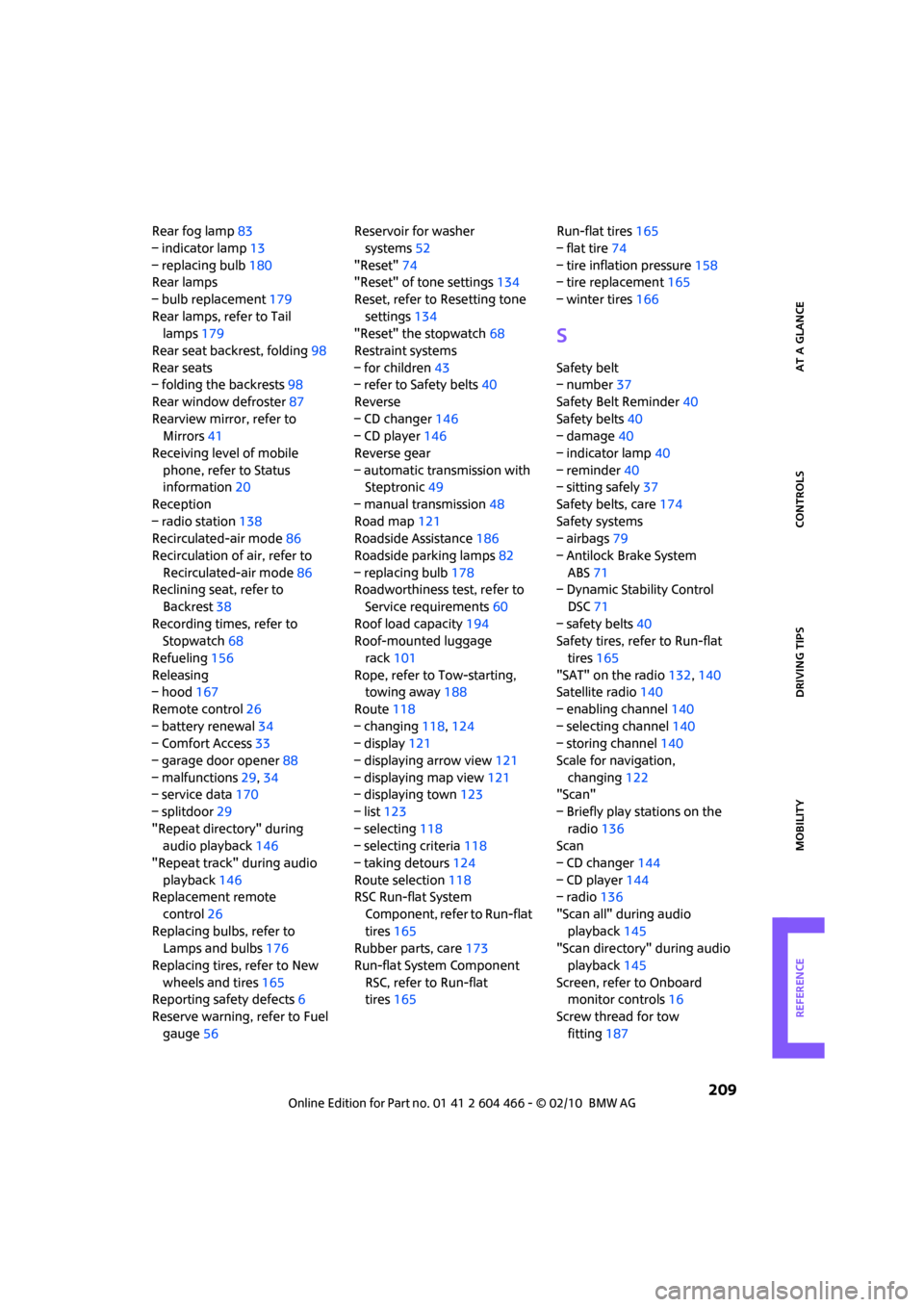
Rear fog lamp83
– indicator lamp13
– replacing bulb180
Rear lamps
– bulb replacement179
Rear lamps, refer to Tail
lamps179
Rear seat backrest, folding98
Rear seats
– folding the backrests98
Rear window defroster87
Rearview mirror, refer to
Mirrors41
Receiving level of mobile
phone, refer to Status
information20
Reception
– radio station138
Recirculated-air mode86
Recirculation of air, refer to
Recirculated-air mode86
Reclining seat, refer to
Backrest38
Recording times, refer to
Stopwatch68
Refueling156
Releasing
– hood167
Remote control26
– battery renewal34
– Comfort Access33
– garage door opener88
– malfunctions29,34
– service data170
– splitdoor29
"Repeat directory" during
audio playback146
"Repeat track" during audio
playback146
Replacement remote
control26
Replacing bulbs, refer to
Lamps and bulbs176
Replacing tires, refer to New
wheels and tires165
Reporting safety defects6
Reserve warning, refer to Fuel
gauge56Reservoir for washer
systems52
"Reset"74
"Reset" of tone settings134
Reset, refer to Resetting tone
settings134
"Reset" the stopwatch68
Restraint systems
– for children43
– refer to Safety belts40
Reverse
– CD changer146
– CD player146
Reverse gear
– automatic transmission with
Steptronic49
– manual transmission48
Road map121
Roadside Assistance186
Roadside parking lamps82
– replacing bulb178
Roadworthiness test, refer to
Service requirements60
Roof load capacity194
Roof-mounted luggage
rack101
Rope, refer to Tow-starting,
towing away188
Route118
– changing118,124
– display121
– displaying arrow view121
– displaying map view121
– displaying town123
– list123
– selecting118
– selecting criteria118
– taking detours124
Route selection118
RSC Run-flat System
Component, refer to Run-flat
tires165
Rubber parts, care173
Run-flat System Component
RSC, refer to Run-flat
tires165Run-flat tires165
– flat tire74
– tire inflation pressure158
– tire replacement165
– winter tires166
S
Safety belt
– number37
Safety Belt Reminder40
Safety belts40
– damage40
– indicator lamp40
– reminder40
– sitting safely37
Safety belts, care174
Safety systems
– airbags79
– Antilock Brake System
ABS71
– Dynamic Stability Control
DSC71
– safety belts40
Safety tires, refer to Run-flat
tires165
"SAT" on the radio132,140
Satellite radio140
– enabling channel140
– selecting channel140
– storing channel140
Scale for navigation,
changing122
"Scan"
– Briefly play stations on the
radio136
Scan
– CD changer144
– CD player144
– radio136
"Scan all" during audio
playback145
"Scan directory" during audio
playback145
Screen, refer to Onboard
monitor controls16
Screw thread for tow
fitting187