audio MINI Clubman 2011 Owner's Manual
[x] Cancel search | Manufacturer: MINI, Model Year: 2011, Model line: Clubman, Model: MINI Clubman 2011Pages: 196, PDF Size: 3.08 MB
Page 17 of 196
CockpitAT A GLANCE
15
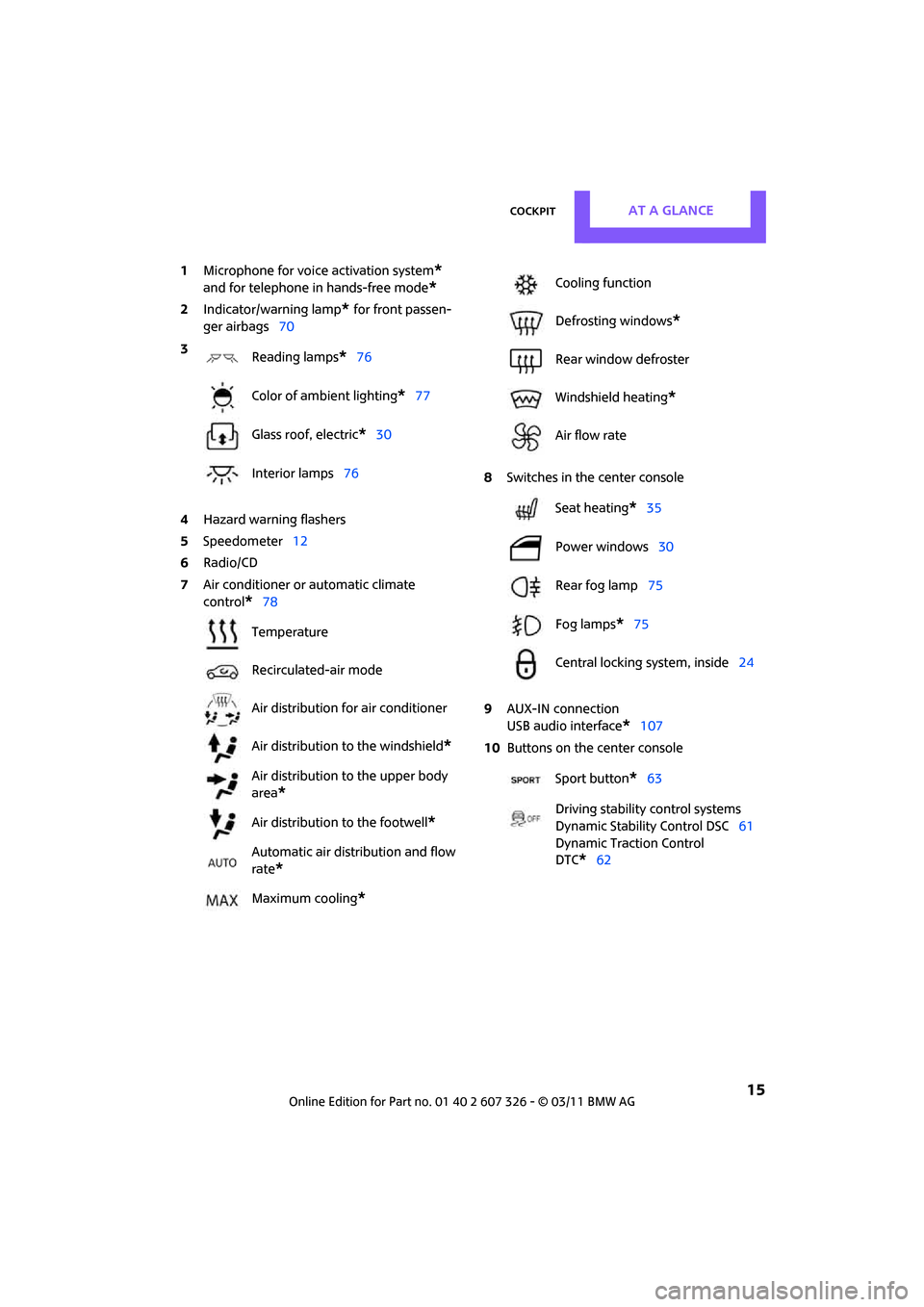
1Microphone for voice activation system*
and for telephone in hands-free mode*
2Indicator/warning lamp* for front passen-
ger airbags 70
4 Hazard warning flashers
5 Speedometer 12
6 Radio/CD
7 Air conditioner or automatic climate
control
*78 8
Switches in the center console
9 AUX-IN connection
USB audio interface
*107
10 Buttons on the center console
3
Reading lamps
*76
Color of ambient lighting
*77
Glass roof, electric
*30
Interior lamps 76
Temperature
Recirculated-air mode
Air distribution for air conditioner
Air distribution to the windshield
*
Air distribution to the upper body
area
*
Air distribution to the footwell*
Automatic air distribution and flow
rate
*
Maximum cooling*
Cooling function
Defrosting windows
*
Rear window defroster
Windshield heating
*
Air flow rate
Seat heating
*35
Power windows 30
Rear fog lamp 75
Fog lamps
*75
Central locking system, inside 24
Sport button
*63
Driving stability control systems
Dynamic Stability Control DSC 61
Dynamic Traction Control
DTC*62
Page 18 of 196
AT A GLANCERadio MINI Boost CD
16
Radio MINI Boost CD
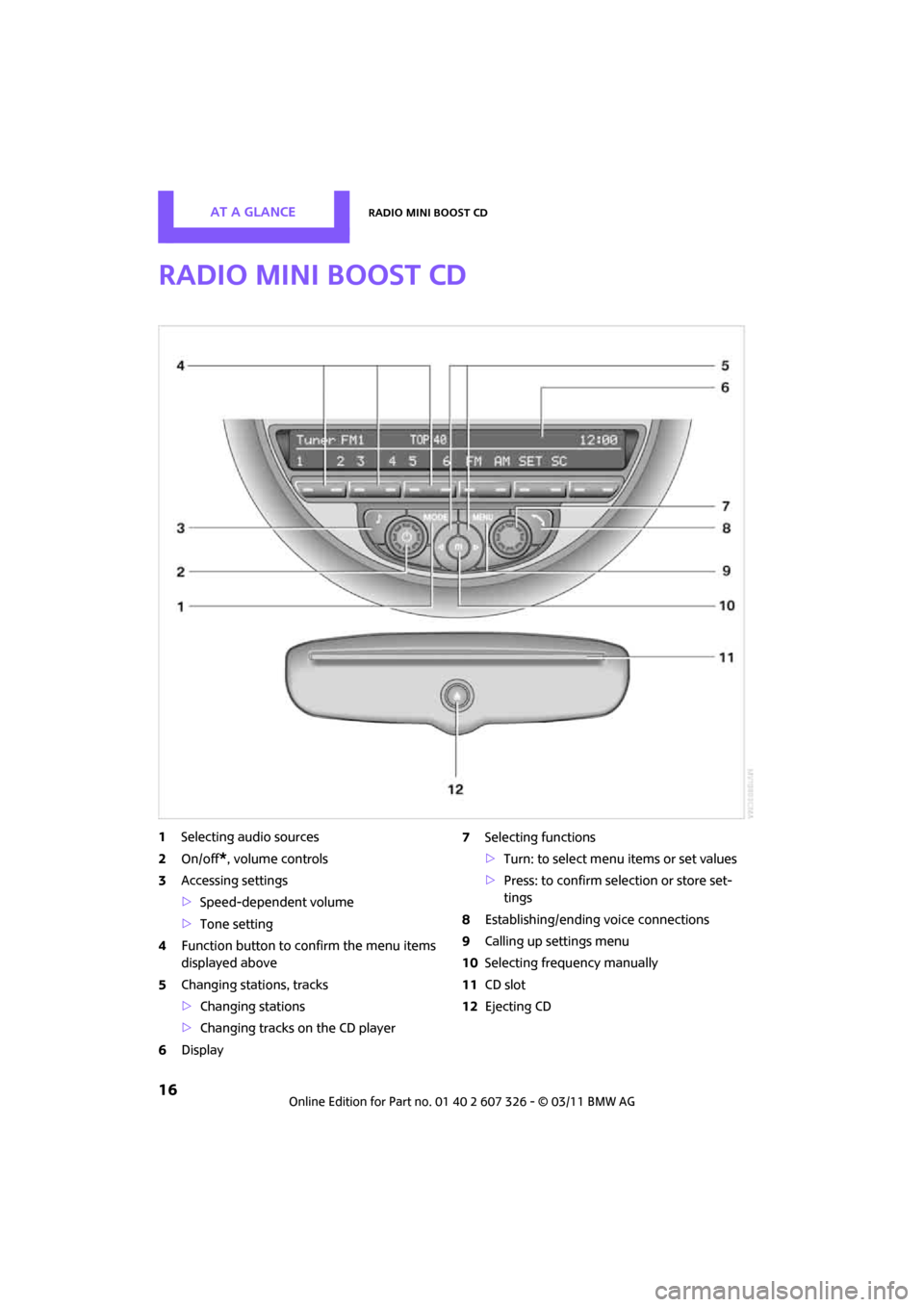
1Selecting audio sources
2 On/off
*, volume controls
3 Accessing settings
>Speed-dependent volume
> Tone setting
4 Function button to confirm the menu items
displayed above
5 Changing stations, tracks
>Changing stations
> Changing tracks on the CD player
6 Display 7
Selecting functions
>Turn: to select menu items or set values
> Press: to confirm selection or store set-
tings
8 Establishing/ending voice connections
9 Calling up settings menu
10 Selecting frequency manually
11 CD slot
12 Ejecting CD
Page 19 of 196
Radio MINI Boost CDAT A GLANCE
17
Menu navigation
Radio and telephone functions* can be called
up by using the buttons on the radio and menus.
Calling up the settings menu
Press the MENUbutton for:
> Settings
> MINI phone numbers
> Telephone
*
Calling up the audio menu
Press the MODEbutton for:
> Radio
> HD Radio
*
>Satellite radio*
>CD player
> External audio device , for example, an
MP3 player
> USB audio interface
*
Selecting a menu item
Menu items can be selected by using the knob
on the right or by using the function buttons.
Using the knob on the right
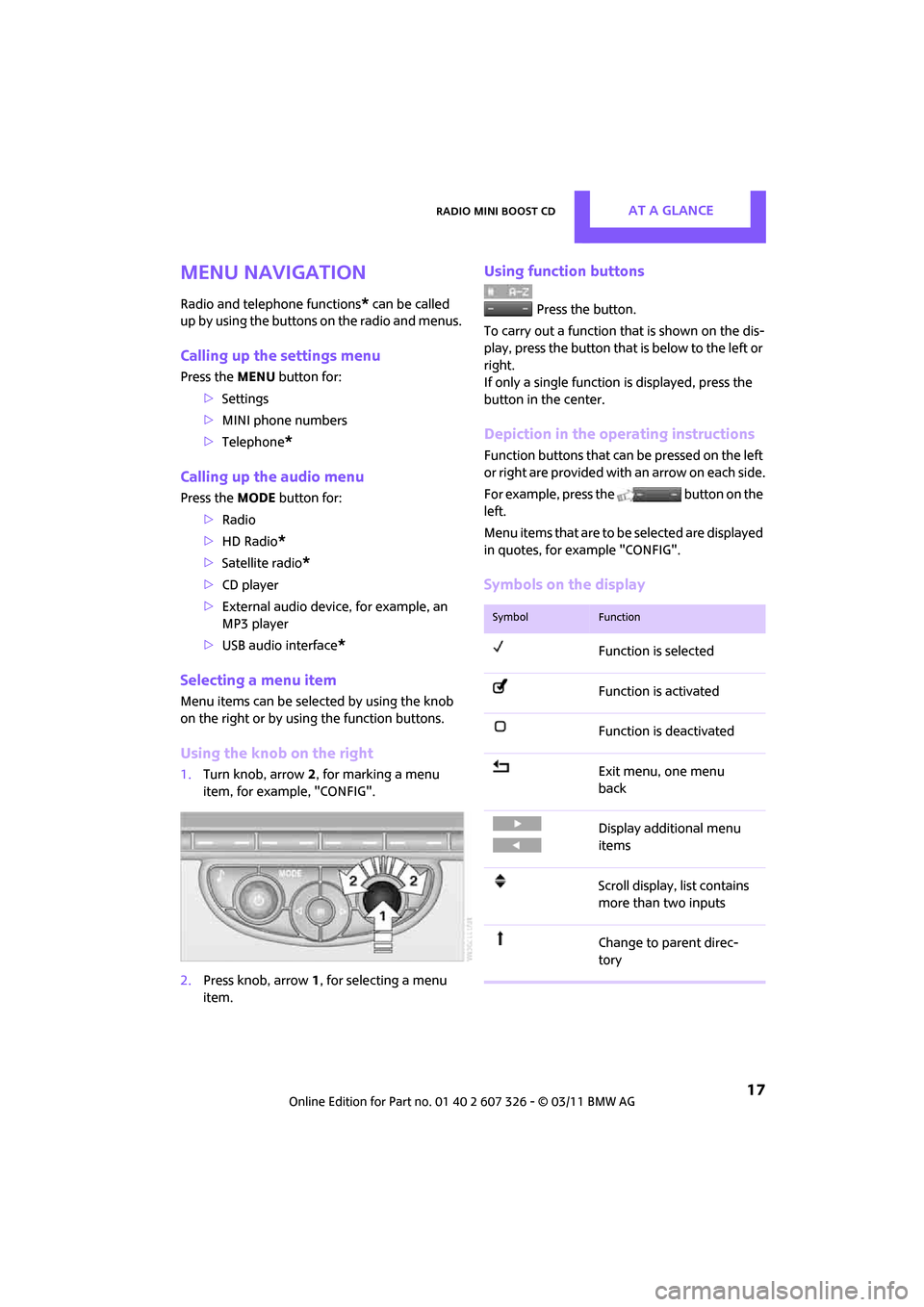
1. Turn knob, arrow 2, for marking a menu
item, for example, "CONFIG".
2. Press knob, arrow 1, for selecting a menu
item.
Using function buttons
Press the button.
To carry out a function that is shown on the dis-
play, press the button that is below to the left or
right.
If only a single function is displayed, press the
button in the center.
Depiction in the operating instructions
Function buttons that can be pressed on the left
or right are provided with an arrow on each side.
For example, press the button on the
left.
Menu items that are to be selected are displayed
in quotes, for example "CONFIG".
Symbols on the display
SymbolFunction
Function is selected
Function is activated
Function is deactivated
Exit menu, one menu
back
Display additional menu
items
Scroll display, list contains
more than two inputs
Change to parent direc-
tory
Page 87 of 196
Practical interior accessoriesCONTROLS
85
If the LED2 does not flash rapidly after
approx. 60 seconds, alter the distance and
repeat this step.
Canada: if the LED is not flashing rapidly
after 60 seconds, change the distance and
repeat the step or, if the programming was
interrupted by the hand-held transmitter,
press and hold the memory button and
press the button on the hand-held transmit-
ter for 2 seconds and release several times.
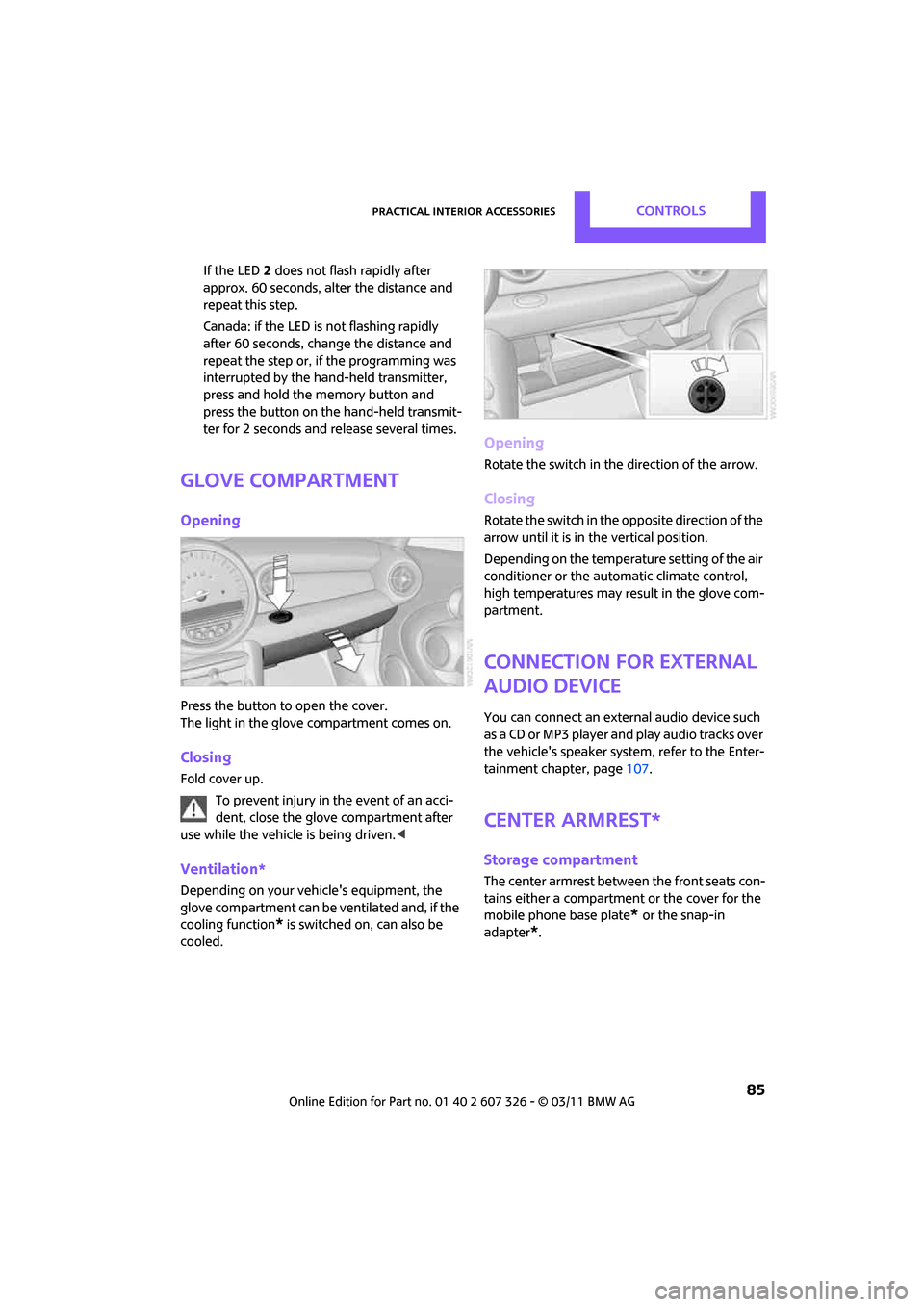
Glove compartment
Opening
Press the button to open the cover.
The light in the glove compartment comes on.
Closing
Fold cover up.
To prevent injury in the event of an acci-
dent, close the glove compartment after
use while the vehicle is being driven. <
Ventilation*
Depending on your vehicle's equipment, the
glove compartment can be ventilated and, if the
cooling function
* is switched on, can also be
cooled.
Opening
Rotate the switch in the direction of the arrow.
Closing
Rotate the switch in the opposite direction of the
arrow until it is in the vertical position.
Depending on the temperature setting of the air
conditioner or the automatic climate control,
high temperatures may result in the glove com-
partment.
Connection for external
audio device
You can connect an external audio device such
as a CD or MP3 player an d play audio tracks over
the vehicle's speaker system, refer to the Enter-
tainment chapter, page 107.
Center armrest*
Storage compartment
The center armrest between the front seats con-
tains either a compartment or the cover for the
mobile phone base plate
* or the snap-in
adapter
*.
Page 102 of 196
ENTERTAINMENTRadio MINI Boost CD
100
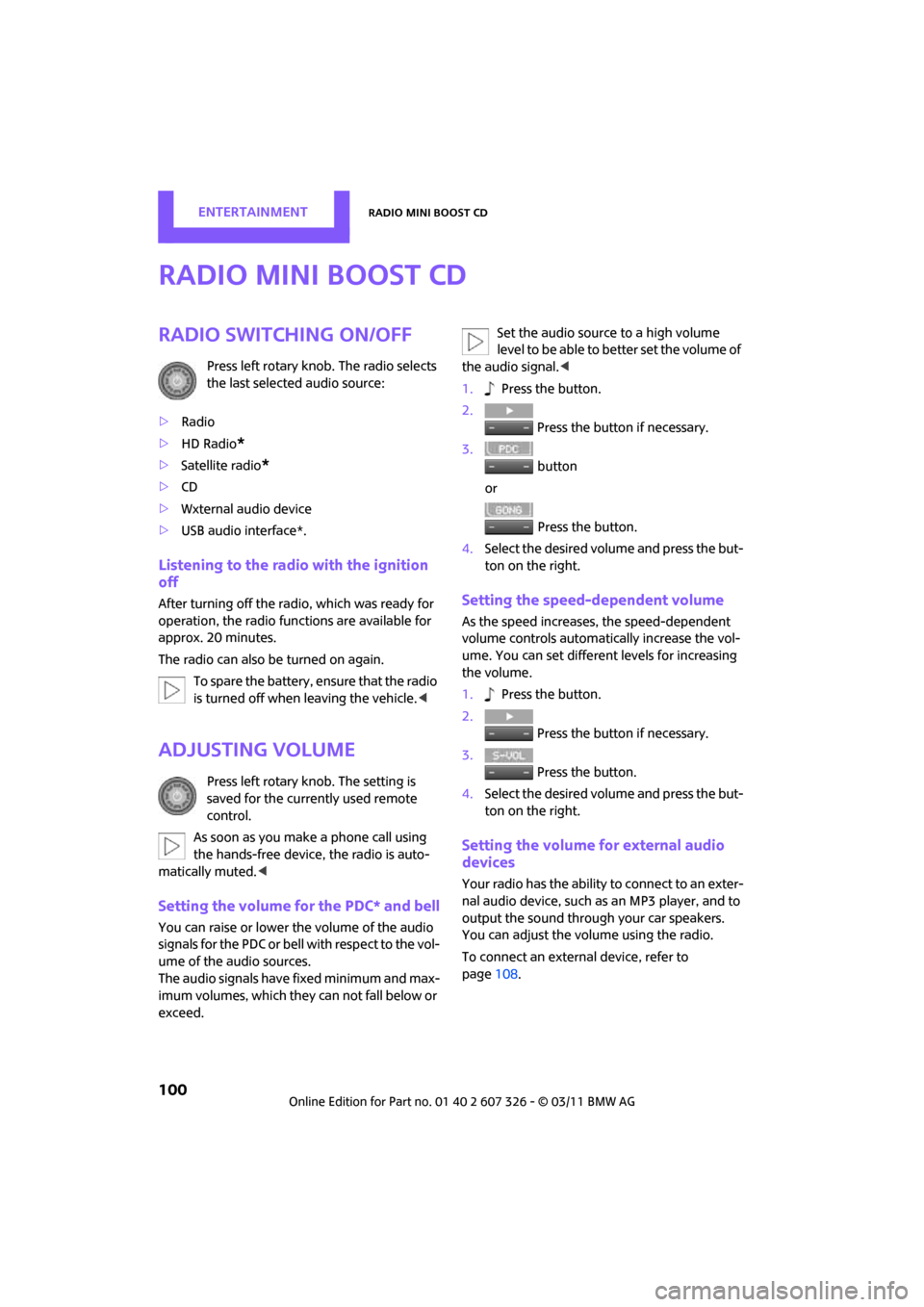
Radio MINI Boost CD
Radio switching on/off
Press left rotary knob. The radio selects
the last selected audio source:
> Radio
> HD Radio
*
>Satellite radio*
>CD
> Wxternal audio device
> USB audio interface*.
Listening to the radi o with the ignition
off
After turning off the radi o, which was ready for
operation, the radio functions are available for
approx. 20 minutes.
The radio can also be turned on again.
To spare the battery, ensure that the radio
is turned off when leaving the vehicle. <
Adjusting volume
Press left rotary knob. The setting is
saved for the currently used remote
control.
As soon as you make a phone call using
the hands-free device, the radio is auto-
matically muted. <
Setting the volume for the PDC* and bell
You can raise or lower the volume of the audio
signals for the PDC or bell with respect to the vol-
ume of the audio sources.
The audio signals have fixed minimum and max-
imum volumes, which they can not fall below or
exceed. Set the audio source to a high volume
level to be able to better set the volume of
the audio signal. <
1. Press the button.
2. Press the button if necessary.
3. button
or
Press the button.
4. Select the desired volume and press the but-
ton on the right.
Setting the speed-dependent volume
As the speed increases, the speed-dependent
volume controls automatically increase the vol-
ume. You can set different levels for increasing
the volume.
1. Press the button.
2. Press the button if necessary.
3. Press the button.
4. Select the desired volume and press the but-
ton on the right.
Setting the volume for external audio
devices
Your radio has the ability to connect to an exter-
nal audio device, such as an MP3 player, and to
output the sound through your car speakers.
You can adjust the volume using the radio.
To connect an extern al device, refer to
page 108.
Page 103 of 196

Radio MINI Boost CDENTERTAINMENT
101
To adjust the volume of an external audio device
to the radio:
1. MODE Press button.
2. Press the button.
3. Press the button.
4. Select the desired volume and press the but-
ton on the right.
Tone control
You can select between the following settings:
>Bass: bass adjustment.
> Treble: treble adjustment.
> Balance: volume distribution left/right.
> Fader: volume distri bution front/back.
The tone settings are set for all audio sources at
once.
Setting the bass, treble and balance
1. Press the button.
2. Select the desired volume and press the but-
ton on the right.
3. Carry out the desired se ttings and press the
button on the right.
Resetting tone settings
The tone settings are reset to the middle value.
1. Press the button.
2. Press the button.
Time
Setting the time, date and time format
You may set the time, date and the time format,
refer to page 57.
Radio
You radio is designed for the reception of FM
and AM signals.
To listen to the radio
1.Turn on the radio, refer to page 100.
2. MODE If necessary, press the button.
3. Press the button.
4. Press the corresponding button as
often as necessary until the desired wave-
length band is selected.
> AM: AM and AMA
> FM: FM1/FM2 and FMA
Selecting a station
The setting is stored for the remote control in
use.
Next station
… Press the button.
The next available st ation is selected.
Page 106 of 196
ENTERTAINMENTRadio MINI Boost CD
104
Operation indicators
Acquiring
A search for digital stations is being conducted.
No Signal
No digital station has been found.
Satellite radio*
You can receive more than 100 different chan-
nel with higher audio quality.
The channels are offered in defined packages.
To receive the channels of your choice, you have
to approve the package.You may experience signal drops and
muting events related to this new technol-
ogy. <
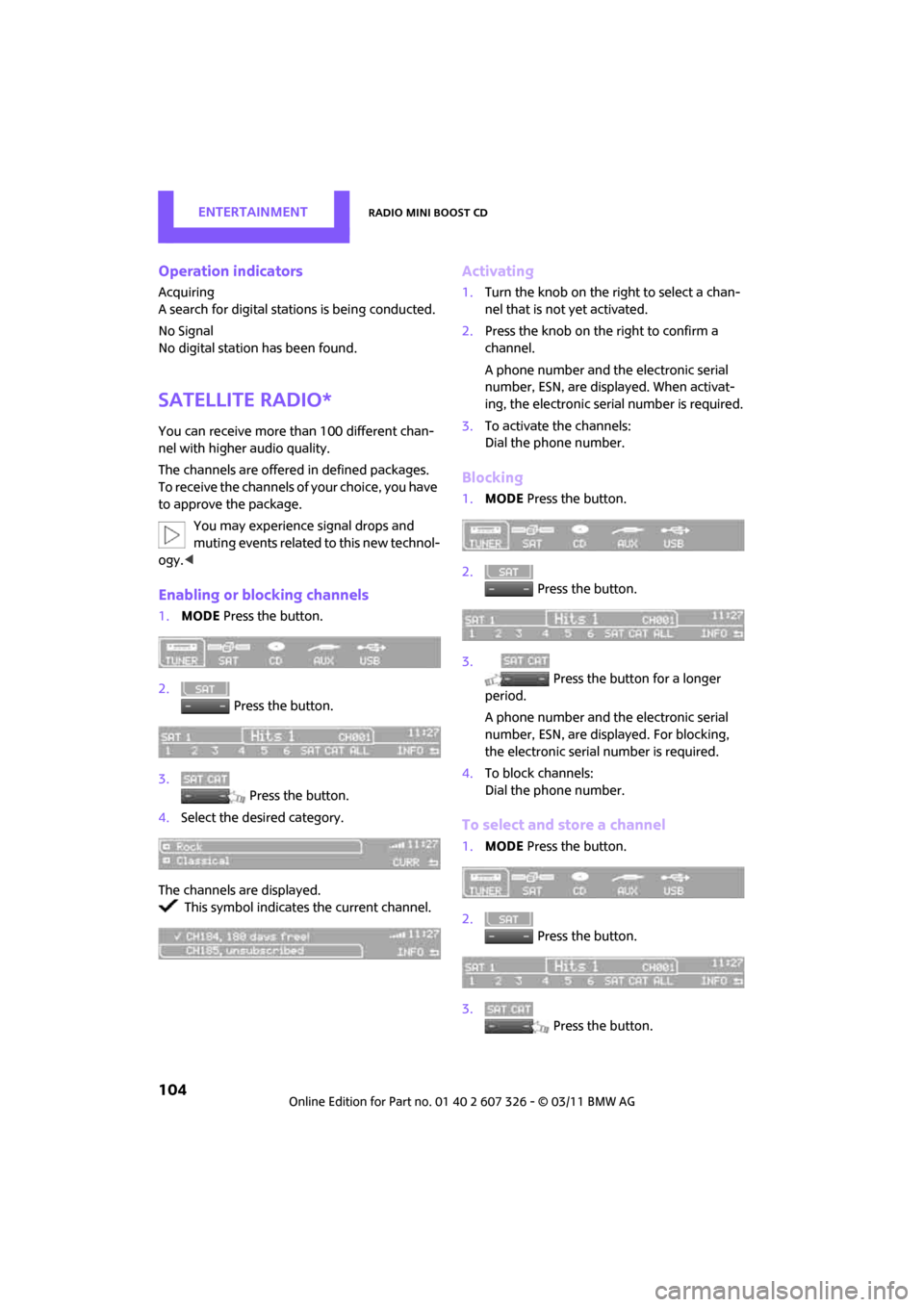
Enabling or blocking channels
1.MODE Press the button.
2. Press the button.
3. Press the button.
4. Select the desired category.
The channels are displayed. This symbol indicates the current channel.
Activating
1. Turn the knob on the right to select a chan-
nel that is not yet activated.
2. Press the knob on the right to confirm a
channel.
A phone number and the electronic serial
number, ESN, are displayed. When activat-
ing, the electronic serial number is required.
3. To activate the channels:
Dial the phone number.
Blocking
1.MODE Press the button.
2. Press the button.
3. Press the button for a longer
period.
A phone number and the electronic serial
number, ESN, are displayed. For blocking,
the electronic serial number is required.
4. To block channels:
Dial the phone number.
To select and store a channel
1.MODE Press the button.
2. Press the button.
3. Press the button.
Page 108 of 196
ENTERTAINMENTRadio MINI Boost CD
106
Changing the music track
Jumping tracks
… Press the button as often as necessary
until the desired track is reached.
Using the knob on the right:
Turn the knob on the right until the desired track
has been reached.
Fast forward/reverse
1. … Press and hold the button.
The track can be heard but is distorted.
2. To cancel the fast forward/reverse, release
the button.
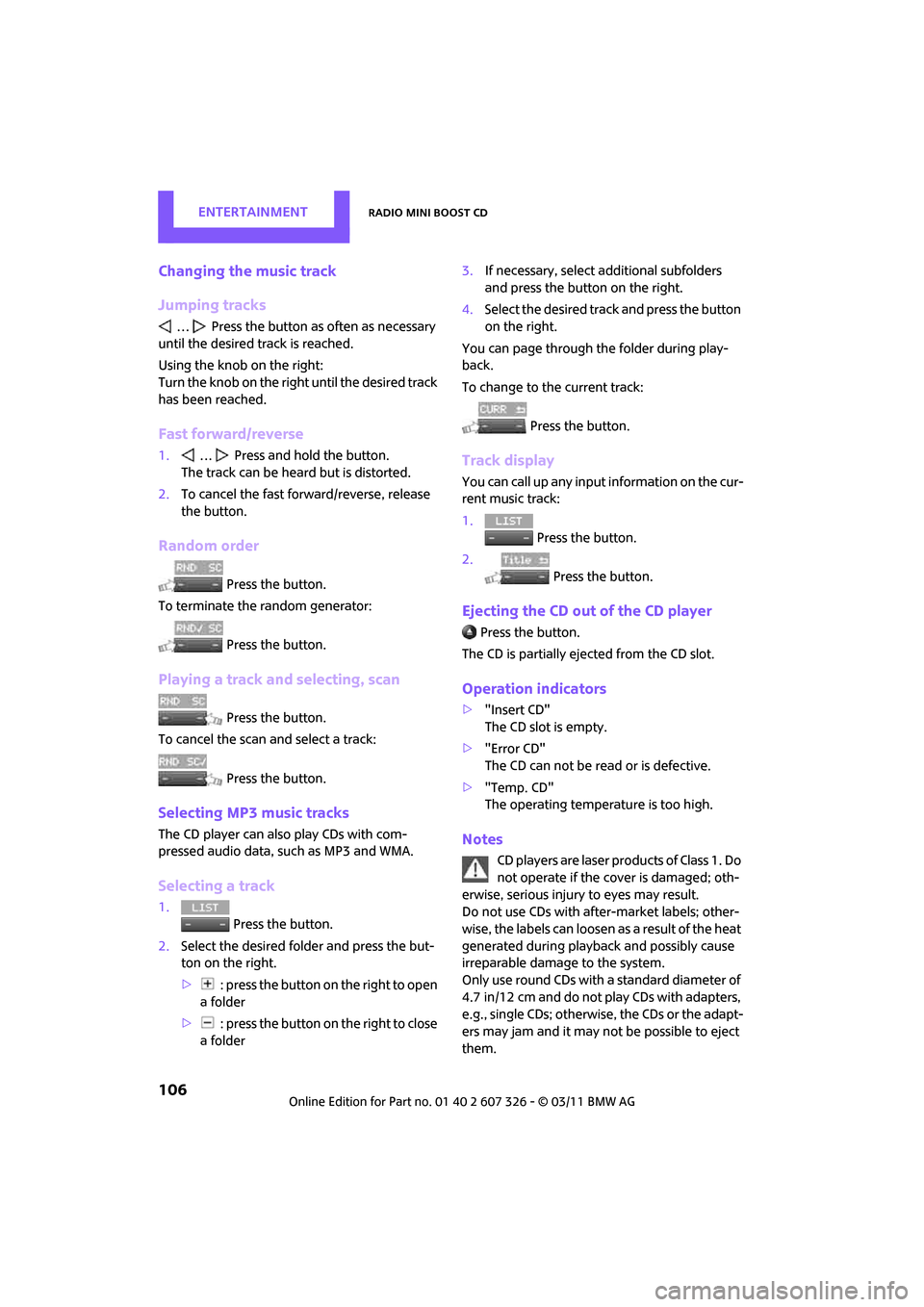
Random order
Press the button.
To terminate the random generator:
Press the button.
Playing a track and selecting, scan
Press the button.
To cancel the scan and select a track:
Press the button.
Selecting MP3 music tracks
The CD player can also play CDs with com-
pressed audio data, such as MP3 and WMA.
Selecting a track
1. Press the button.
2. Select the desired folder and press the but-
ton on the right.
> : press the button on the right to open
a folder
> : press the button on the right to close
a folder 3.
If necessary, select a dditional subfolders
and press the button on the right.
4. Select the desired track and press the button
on the right.
You can page through the folder during play-
back.
To change to the current track:
Press the button.
Track display
You can call up any input information on the cur-
rent music track:
1. Press the button.
2. Press the button.
Ejecting the CD out of the CD player
Press the button.
The CD is partially ejected from the CD slot.
Operation indicators
> "Insert CD"
The CD slot is empty.
> "Error CD"
The CD can not be read or is defective.
> "Temp. CD"
The operating temperature is too high.
Notes
CD players are laser products of Class 1. Do
not operate if the co ver is damaged; oth-
erwise, serious injury to eyes may result.
Do not use CDs with after-market labels; other-
wise, the labels can loosen as a result of the heat
generated during playback and possibly cause
irreparable damage to the system.
Only use round CDs with a standard diameter of
4.7 in/12 cm and do not pl ay CDs with adapters,
e.g., single CDs; otherwise, the CDs or the adapt-
ers may jam and it may not be possible to eject
them.
Page 109 of 196
Radio MINI Boost CDENTERTAINMENT
107
Do not use combined CD/DVDs, e.g., DVDPlus;
otherwise, the CD/DVD may jam and it may not
be possible to eject it.<
General malfunctions
The CD players are optimized for operation in
vehicles. They may be mo re sensitive to defec-
tive CDs than player s for stationary use.
If a CD can not be played, first check if the CD is
properly inserted.
Humidity
If there is high humidity, the CD or the focusing
lens for the laser beam may get fogged up and
playing the CD may temporarily not be possible.
Malfunctions with individual CDs
If there are malfunctions with individual CDs,
then they may be due to the following causes.
CDs that you burned yourself
Potential problems with home-burned CDs are,
for example, inconsistent data generation and
burning processes, as we ll as low quality or
excessive aging of the blanks that are used.
Only write on the upper surface of CDs with a
writing instrument that is suitable for the pur-
pose.
Damaged CDs
Avoid finger prints as well as dust, scratches and
moisture.
Store CDs in sleeves.
Do not expose CDs to a temperature greater
than 122 7/50 6, elevated humidity or direct
sunlight.
CDs with copy protection
CDs are often provided with copy protection
from the manufacturer. This can result in CDs not
playing or playing back in only a limited fashion.
Care
If necessary, clean the reflecting side of the CD
with a commercially availab le cleaning cloth by
wiping in a straight line from the center out-
wards.
USB audio interface*
> iPods/iPhones or USB devices such as MP3
players and USB memory sticks: connect via
the USB audio interface.
> iPhone/mobile phone music players: con-
nection using a snap-in adapter
*, refer to
page 123.
> Only one iPod/iPhone can be connected to
the vehicle. Output fr om an iPod/iPhone to
the USB audio interface is only possible if
there is no iPhone in the snap-in adapter.
> Popular audio files, such as MP3, AAC and
M3U playlists, can be played. Depending on
the audio file, proper playback can not be
ensured in every case,
such as for bit rates greater than 256 kbit/s.
> Music tracks with inte grated Digital Rights
Management (DRM) cannot be played.
Because of the large number of audio devices on
the market, it can not be ensured that every
device will properly operate in the vehicle. Addi-
tional information may be found at
www.mini.com/connectivity or at a dealer.
Page 110 of 196
ENTERTAINMENTRadio MINI Boost CD
108
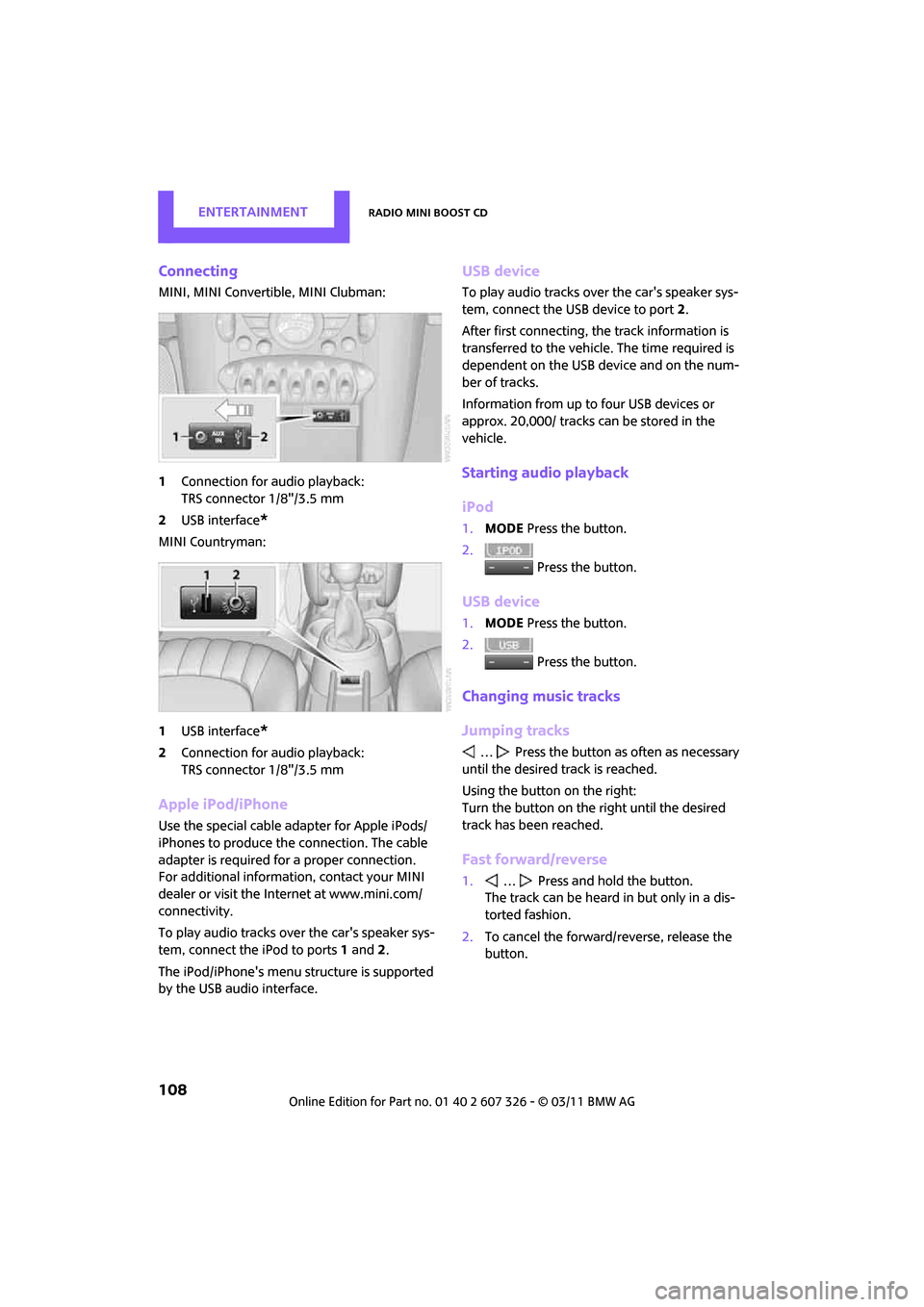
Connecting
MINI, MINI Convertible, MINI Clubman:
1Connection for audio playback:
TRS connector 1/8"/3.5 mm
2 USB interface
*
MINI Countryman:
1USB interface
*
2Connection for audio playback:
TRS connector 1/8"/3.5 mm
Apple iPod/iPhone
Use the special cable adapter for Apple iPods/
iPhones to produce the connection. The cable
adapter is required for a proper connection.
For additional information, contact your MINI
dealer or visit the Internet at www.mini.com/
connectivity.
To play audio tracks over the car's speaker sys-
tem, connect the iPod to ports 1 and 2.
The iPod/iPhone's menu structure is supported
by the USB audio interface.
USB device
To play audio tracks over the car's speaker sys-
tem, connect the USB device to port 2.
After first connecting, the track information is
transferred to the vehicle. The time required is
dependent on the USB device and on the num-
ber of tracks.
Information from up to four USB devices or
approx. 20,000/ tracks can be stored in the
vehicle.
Starting audio playback
iPod
1. MODE Press the button.
2. Press the button.
USB device
1.MODE Press the button.
2. Press the button.
Changing music tracks
Jumping tracks
… Press the button as often as necessary
until the desired track is reached.
Using the button on the right:
Turn the button on the right until the desired
track has been reached.
Fast forward/reverse
1. … Press and hold the button.
The track can be heard in but only in a dis-
torted fashion.
2. To cancel the forward/reverse, release the
button.