ignition MINI Clubman 2016 (Mini Connected) Owner's Guide
[x] Cancel search | Manufacturer: MINI, Model Year: 2016, Model line: Clubman, Model: MINI Clubman 2016Pages: 246, PDF Size: 5.21 MB
Page 148 of 246

4.Likewise, press and hold the button of the
desired function on the hand-held trans‐
mitter.
5.Release both buttons as soon as the interior
rearview mirror LED flashes more rapidly.
The LED flashing faster indicates that the
button on the interior rearview mirror has
been programmed. The system can then be
controlled by the button on the interior
rearview mirror.
If the LED does not flash faster after at least
60 seconds, change the distance and re‐
peat the step. Several more attempts at dif‐
ferent distances may be necessary. Wait at
least 15 seconds between attempts.
Canada: if programming with the hand-
held transmitter was interrupted, hold
down the interior rearview mirror button
and repeatedly press and release the hand-
held transmitter button for 2 seconds.
Controls
WARNING
Body parts can be jammed when operat‐
ing remote-controlled systems, for example the
garage door, using the integrated universal re‐
mote control. There is risk of injuries or risk of
property damage. Make sure that the area of
movement of the respective system is clear
during programming and operation. Also follow
the safety instructions of the hand-held trans‐
mitter.◀
The system, such as the garage door, can be
operated using the button on the interior rear‐
view mirror while the engine is running or
when the ignition is started. To do this, hold
down the button within receiving range of the
system until the function is activated. The inte‐
rior rearview mirror LED stays lit while the wire‐
less signal is being transmitted.
Deleting stored functions
Press and hold the left and right button on the
interior rearview mirror simultaneously for ap‐
proximately 20 seconds until the LED flashes
rapidly. All stored functions will be deleted. The
functions cannot be deleted individually.
Digital compass
Overview
1Control button2Mirror display
Mirror display
The point of the compass is displayed in the
mirror when driving straight.
Operating concept
Various functions can be called up by pressing
the control button with a pointed object, such
as the tip of a ballpoint pen or similar object.
The following setting options are displayed in
succession, depending on how long the control
button is pressed:
▷Pressed briefly: turns display on/off.▷3 to 6 seconds: compass zone setting.▷6 to 9 seconds: compass calibration.▷9 to 12 seconds: left/right-hand steering
setting.
▷12 to 15 seconds: language setting.
Setting the compass zones
Sets the particular compass zones on the vehi‐
cle so that the compass operates correctly; re‐
fer to World map with compass zones.
Seite 148CONTROLSInterior equipment148
Online Edition for Part no. 01 40 2 964 571 - X/15
Page 191 of 246
CAUTION
The compressor can overheat during ex‐
tended operation. There is risk of property
damage. Do not run the compressor for more
than 10 min.◀
If a tire inflation pressure of 2 bar is not
reached:
1.Switch off the compressor.2.Unscrew the filling hose from the wheel.3.Drive forward and back to distribute the
sealant in the tire.
4.Inflate the tire again using the compressor.
If a tire inflation pressure of 2 bar cannot be
reached, contact your dealer’s service cen‐
ter or another qualified service center or re‐
pair shop.
Stowing the Mobility System
1.Remove the connection hose of the sealant
container from the wheel.
2.After pressing the red unlock button on the
compressor, remove the sealing container.
3.Wrap the empty sealant container in suita‐
ble material to avoid dirtying the trunk.
4.Stow the Mobility System back in the vehi‐
cle.
Distributing the sealant
Immediately drive approx. 5 miles/10 km to en‐
sure that the sealant is evenly distributed in the
tire.
Do not exceed a speed of 50 mph/80 km/h.
If possible, do not drive at speeds less than
12 mph/20 km/h.
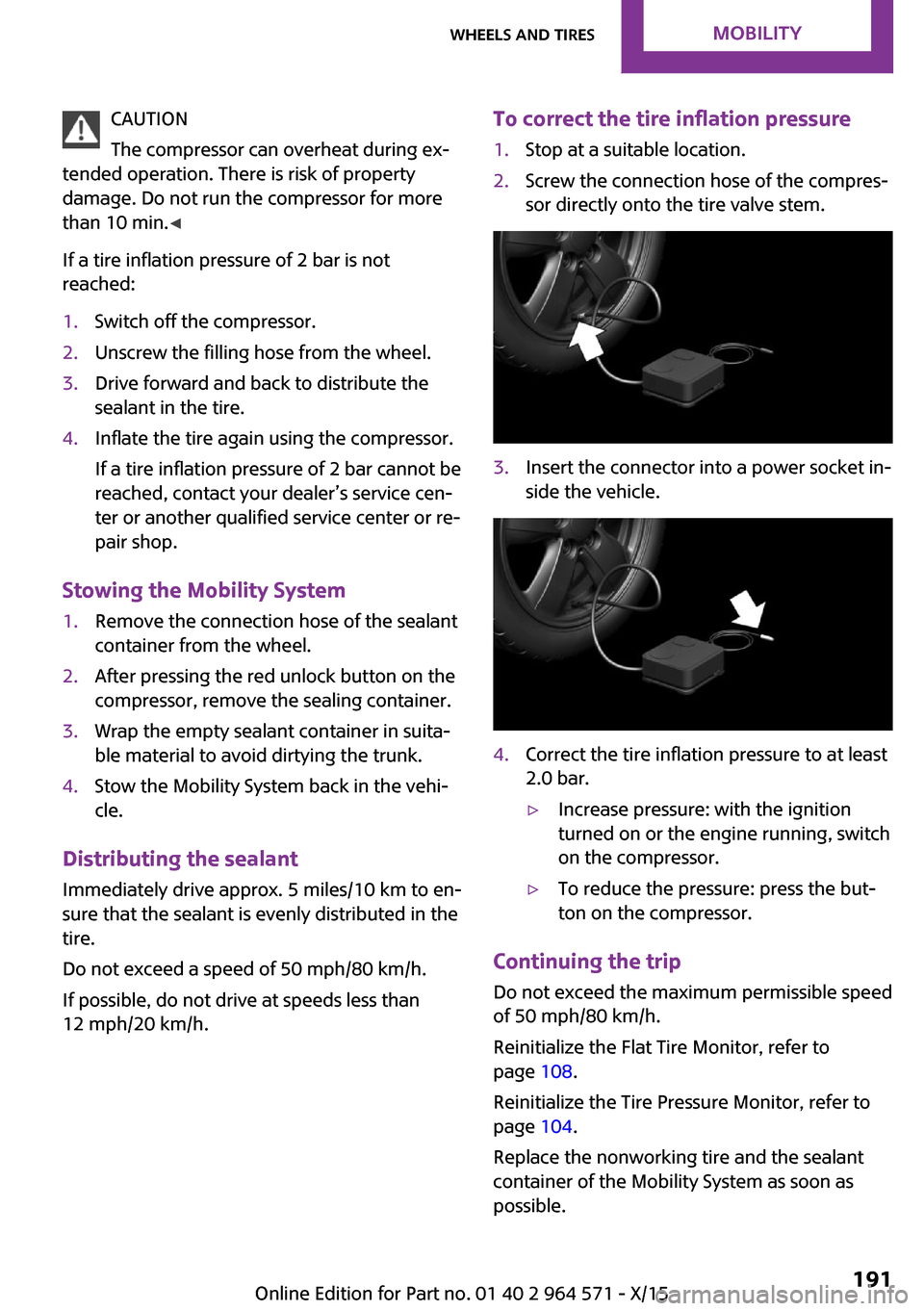
To correct the tire inflation pressure1.Stop at a suitable location.2.Screw the connection hose of the compres‐
sor directly onto the tire valve stem.
3.Insert the connector into a power socket in‐
side the vehicle.
4.Correct the tire inflation pressure to at least
2.0 bar.
▷Increase pressure: with the ignition
turned on or the engine running, switch
on the compressor.
▷To reduce the pressure: press the but‐
ton on the compressor.
Continuing the trip
Do not exceed the maximum permissible speed
of 50 mph/80 km/h.
Reinitialize the Flat Tire Monitor, refer to
page 108.
Reinitialize the Tire Pressure Monitor, refer to
page 104.
Replace the nonworking tire and the sealant
container of the Mobility System as soon as
possible.
Seite 191Wheels and tiresMOBILITY191
Online Edition for Part no. 01 40 2 964 571 - X/15
Page 196 of 246
CAUTION
Too much engine oil can damage the en‐
gine or the catalytic converter. There is risk of
property damage. Do not add too much engine
oil. When too much engine oil is added, have oil
level corrected by a dealer’s service center or
another qualified service center or repair
shop.◀
Detailed measurement
The concept
In the detailed measurement the engine oil
level is checked when the vehicle is stationary,
and displayed via a scale.
If the engine oil level reaches the minimum
level, a check control message is displayed.
During the measurement, the idle speed is in‐
creased somewhat.
Requirements
▷Vehicle is parked in a horizontal position.▷Manual transmission: shift lever in neutral
position, clutch and accelerator pedals not
depressed.
▷Steptronic transmission: selector lever in se‐
lector lever position N or P and accelerator
pedal not depressed.
▷Engine is running and is at operating tem‐
perature.
Performing a detailed measurement
On the Control Display:
1. "Vehicle info"2."Vehicle status"3. "Measure engine oil level"4."Start measurement"
The engine oil level is checked and displayed
via a scale.
Time: approx. 1 minute.
Adding engine oil
Information
WARNING
Operating materials, for example oils,
greases, coolants, fuels, can contain harmful in‐
gredients. There is risk of injuries or danger to
life. Observe the instructions on the containers.
Avoid the contact of articles of clothing, skin or
eyes with operating materials. Do not refill op‐
erating materials into different bottles. Store
operating materials out of reach of children.◀
CAUTION
A too low engine oil level causes engine
damage. There is risk of property damage.
Add engine oil within the next
125 miles/200 km.◀
CAUTION
Too much engine oil can damage the en‐
gine or the catalytic converter. There is risk of
property damage. Do not add too much engine
oil. When too much engine oil is added, have oil
level corrected by a dealer’s service center or
another qualified service center or repair
shop.◀
General information
Only add engine oil when the message is dis‐
played in the instrument cluster. The quantity
to be added is indicated in the message dis‐
played in the instrument cluster.
Switch off the ignition and safely park the vehi‐
cle before engine oil is added.
Overview
The oil filler neck is located in the engine com‐
partment, refer to page 193.
Opening the oil filler neck
1.Open the hood, refer to page 193.Seite 196MOBILITYEngine oil196
Online Edition for Part no. 01 40 2 964 571 - X/15
Page 218 of 246
Steptronic transmission: transporting
the vehicle
Information
The vehicle must not be towed if the front
wheels are touching the ground.
CAUTION
The vehicle can be damaged when tow‐
ing the vehicle with a lifted rear axle. There is
risk of property damage. Have vehicle trans‐
ported only with lifted front axle or on a load‐
ing platform.◀
Tow truck
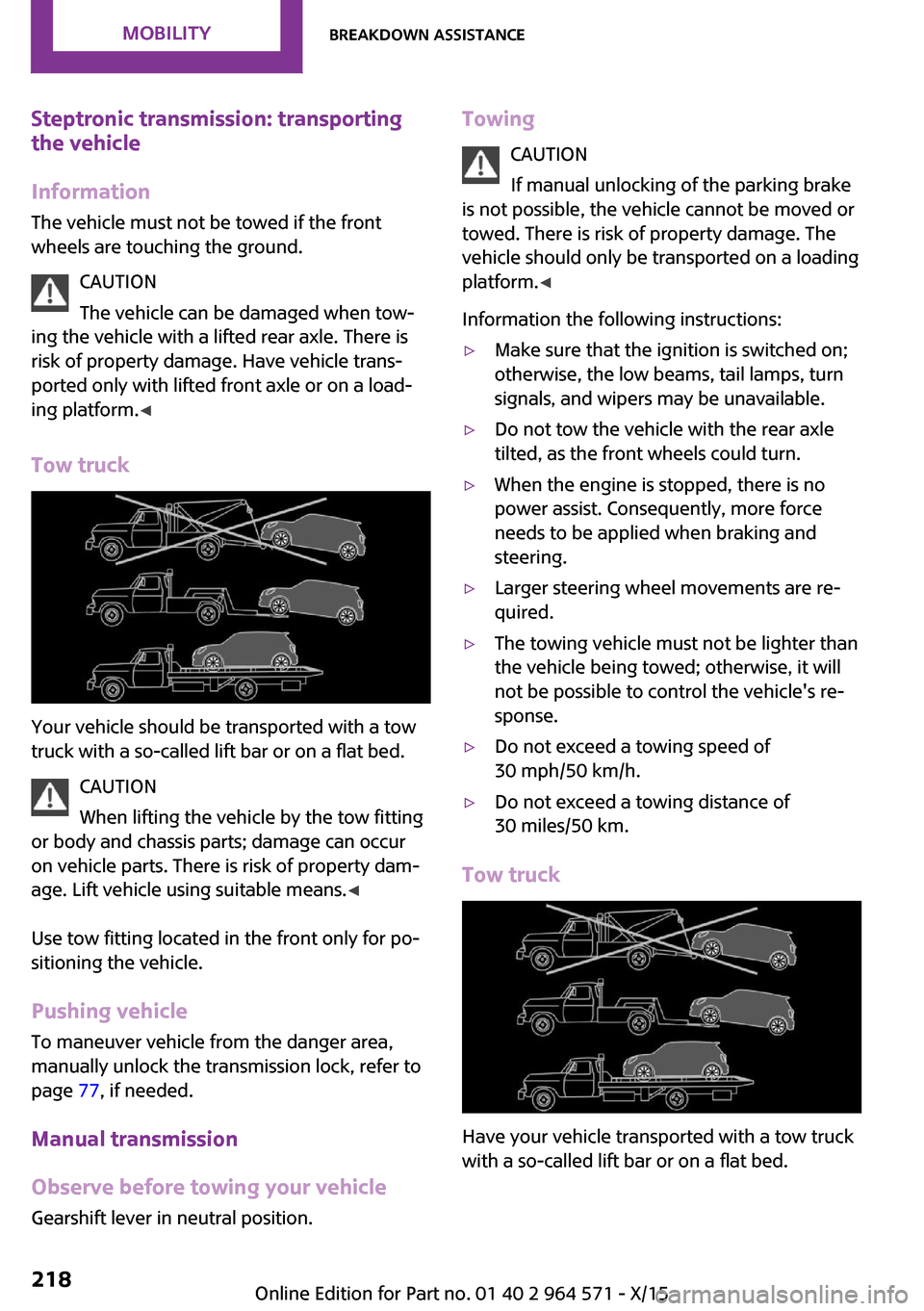
Your vehicle should be transported with a tow
truck with a so-called lift bar or on a flat bed.
CAUTION
When lifting the vehicle by the tow fitting
or body and chassis parts; damage can occur
on vehicle parts. There is risk of property dam‐
age. Lift vehicle using suitable means.◀
Use tow fitting located in the front only for po‐
sitioning the vehicle.
Pushing vehicle
To maneuver vehicle from the danger area,
manually unlock the transmission lock, refer to
page 77, if needed.
Manual transmission
Observe before towing your vehicle
Gearshift lever in neutral position.
Towing
CAUTION
If manual unlocking of the parking brake
is not possible, the vehicle cannot be moved or
towed. There is risk of property damage. The
vehicle should only be transported on a loading
platform.◀
Information the following instructions:
▷Make sure that the ignition is switched on;
otherwise, the low beams, tail lamps, turn
signals, and wipers may be unavailable.
▷Do not tow the vehicle with the rear axle
tilted, as the front wheels could turn.
▷When the engine is stopped, there is no
power assist. Consequently, more force
needs to be applied when braking and
steering.
▷Larger steering wheel movements are re‐
quired.
▷The towing vehicle must not be lighter than
the vehicle being towed; otherwise, it will
not be possible to control the vehicle's re‐
sponse.
▷Do not exceed a towing speed of
30 mph/50 km/h.
▷Do not exceed a towing distance of
30 miles/50 km.
Tow truck
Have your vehicle transported with a tow truck
with a so-called lift bar or on a flat bed.
Seite 218MOBILITYBreakdown assistance218
Online Edition for Part no. 01 40 2 964 571 - X/15
Page 220 of 246
▷Use only the tow fitting provided with the
vehicle and screw it all the way in.
▷Use the tow fitting for towing on paved
roads only.
▷Use tow fitting located in the front only for
positioning the vehicle.
▷Avoid lateral loading of the tow fitting, for
example, do not lift the vehicle by the tow
fitting.
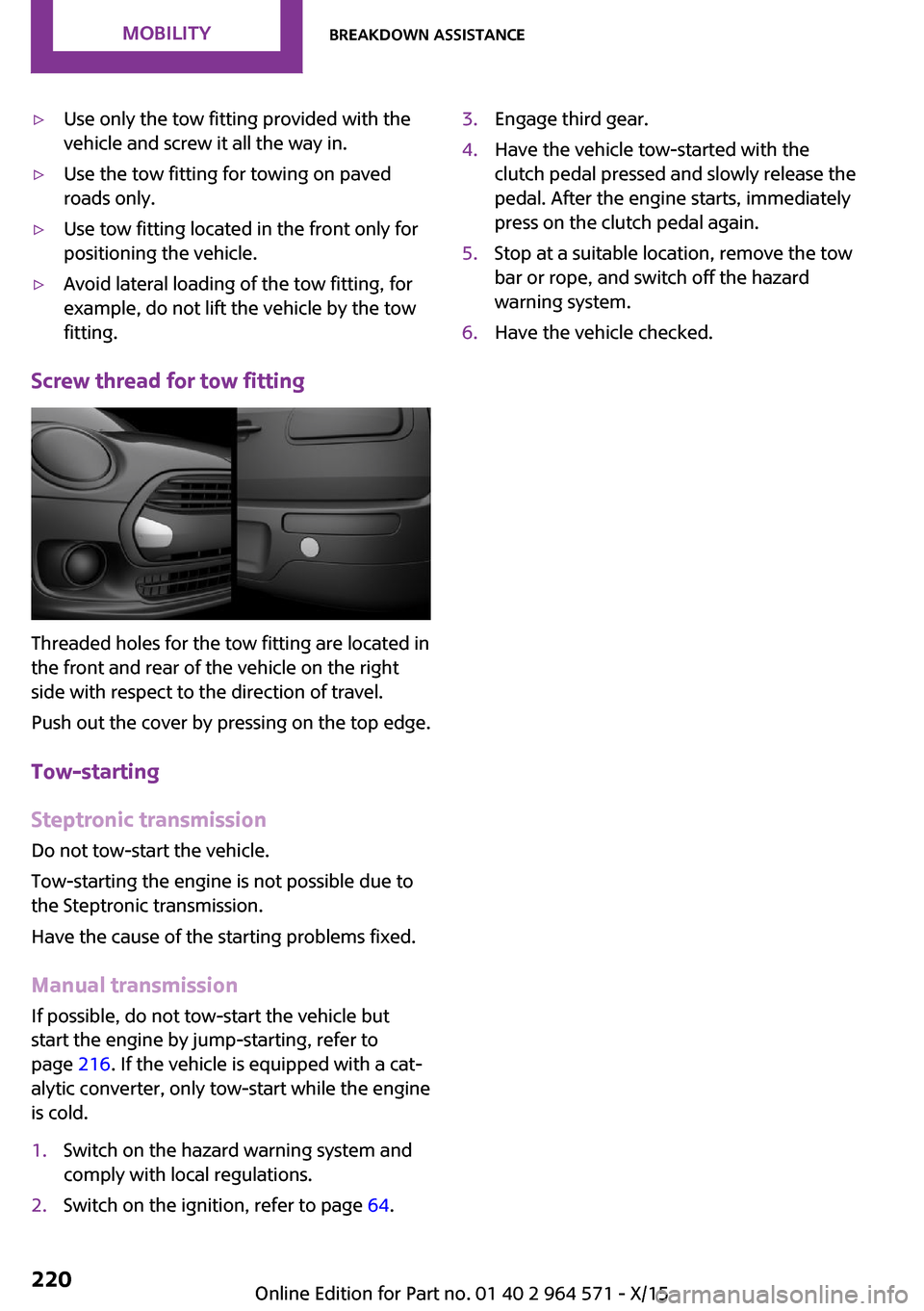
Screw thread for tow fitting
Threaded holes for the tow fitting are located in
the front and rear of the vehicle on the right
side with respect to the direction of travel.
Push out the cover by pressing on the top edge.
Tow-starting
Steptronic transmission
Do not tow-start the vehicle.
Tow-starting the engine is not possible due to
the Steptronic transmission.
Have the cause of the starting problems fixed.
Manual transmission
If possible, do not tow-start the vehicle but
start the engine by jump-starting, refer to
page 216. If the vehicle is equipped with a cat‐
alytic converter, only tow-start while the engine
is cold.
1.Switch on the hazard warning system and
comply with local regulations.
2.Switch on the ignition, refer to page 64.3.Engage third gear.4.Have the vehicle tow-started with the
clutch pedal pressed and slowly release the
pedal. After the engine starts, immediately
press on the clutch pedal again.
5.Stop at a suitable location, remove the tow
bar or rope, and switch off the hazard
warning system.
6.Have the vehicle checked.Seite 220MOBILITYBreakdown assistance220
Online Edition for Part no. 01 40 2 964 571 - X/15
Page 222 of 246

Manual transmission:1.Drive into the car wash.2.Shift to neutral.3.Switch the engine off.4.Switch on the ignition.
Steptronic transmission:
1.Drive into the car wash.2.Engage selector lever position N.3.Make sure that the parking brake is re‐
leased.
4.Press the Start/Stop button to switch off the
engine.
In this way, the ignition remains switched
on, and two Check-Control messages are
displayed.
A signal sounds when you leave the vehicle
while in selector lever position N.
The vehicle cannot be locked from the outside
when in selector lever position N. A signal is
sounded when an attempt is made to lock the
vehicle.
To start the engine with manual transmission:
1.Press on the clutch pedal.2.Press the Start/Stop button.
To start the engine with Steptronic transmis‐
sion:
1.Depress the brake pedal.2.Press the Start/Stop button.
Headlights
▷Do not rub dry and do not use abrasive or
acidic cleansers.
▷Soak areas that have been dirtied e. g.,
from insects, with shampoo and wash off
with water.
▷Thaw ice with de-icing spray; do not use an
ice scraper.
After washing the vehicle
After washing the vehicle, apply the brakes
briefly to dry them; otherwise, braking action
can be reduced and corrosion of the brake
discs can occur.
Completely remove all residues on the win‐
dows, to minimize loss of visibility due to
smearing and to reduce wiper noises and wiper
blade wear.
Vehicle care
Car care products
The manufacturer of your vehicle recommends
using care and cleaning products from MINI.
WARNING
Cleansers can contain substances that are
dangerous and harmful to your health. There is
risk of injuries. When cleaning the interior, open
the doors or windows. Only use products in‐
tended for cleaning vehicles. Follow the instruc‐
tions on the container.◀
Vehicle paint
Regular care contributes to driving safety and
value retention. Environmental influences in
areas with elevated air pollution or natural con‐
taminants, such as tree resin or pollen can af‐
fect the vehicle's paintwork. Tailor the fre‐
quency and extent of your car care to these
influences.
Aggressive substances such as spilled fuel, oil,
grease or bird droppings must be removed im‐
mediately to prevent the finish from being al‐
tered or discolored.
Leather care
Remove dust from the leather often, using a
cloth or vacuum cleaner.
Otherwise, particles of dust and road grime
chafe in pores and folds, and lead to increased
Seite 222MOBILITYCare222
Online Edition for Part no. 01 40 2 964 571 - X/15
Page 239 of 246
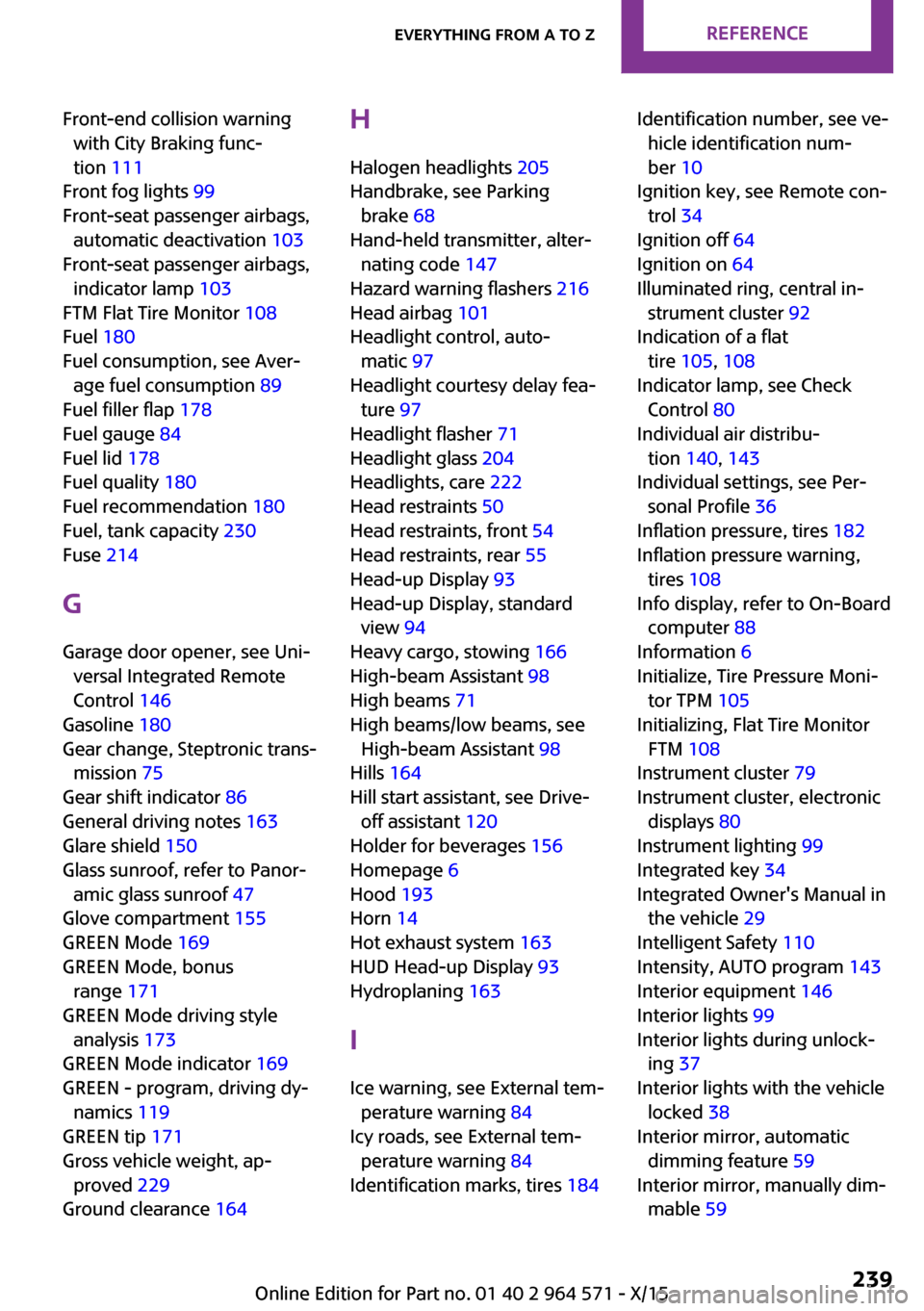
Front-end collision warning
with City Braking func‐
tion 111
Front fog lights 99
Front-seat passenger airbags,
automatic deactivation 103
Front-seat passenger airbags,
indicator lamp 103
FTM Flat Tire Monitor 108
Fuel 180
Fuel consumption, see Aver‐
age fuel consumption 89
Fuel filler flap 178
Fuel gauge 84
Fuel lid 178
Fuel quality 180
Fuel recommendation 180
Fuel, tank capacity 230
Fuse 214
G
Garage door opener, see Uni‐
versal Integrated Remote
Control 146
Gasoline 180
Gear change, Steptronic trans‐
mission 75
Gear shift indicator 86
General driving notes 163
Glare shield 150
Glass sunroof, refer to Panor‐
amic glass sunroof 47
Glove compartment 155
GREEN Mode 169
GREEN Mode, bonus
range 171
GREEN Mode driving style
analysis 173
GREEN Mode indicator 169
GREEN - program, driving dy‐
namics 119
GREEN tip 171
Gross vehicle weight, ap‐
proved 229
Ground clearance 164
H
Halogen headlights 205
Handbrake, see Parking
brake 68
Hand-held transmitter, alter‐
nating code 147
Hazard warning flashers 216
Head airbag 101
Headlight control, auto‐
matic 97
Headlight courtesy delay fea‐
ture 97
Headlight flasher 71
Headlight glass 204
Headlights, care 222
Head restraints 50
Head restraints, front 54
Head restraints, rear 55
Head-up Display 93
Head-up Display, standard
view 94
Heavy cargo, stowing 166
High-beam Assistant 98
High beams 71
High beams/low beams, see
High-beam Assistant 98
Hills 164
Hill start assistant, see Drive-
off assistant 120
Holder for beverages 156
Homepage 6
Hood 193
Horn 14
Hot exhaust system 163
HUD Head-up Display 93
Hydroplaning 163
I
Ice warning, see External tem‐
perature warning 84
Icy roads, see External tem‐
perature warning 84
Identification marks, tires 184
Identification number, see ve‐
hicle identification num‐
ber 10
Ignition key, see Remote con‐
trol 34
Ignition off 64
Ignition on 64
Illuminated ring, central in‐
strument cluster 92
Indication of a flat
tire 105, 108
Indicator lamp, see Check
Control 80
Individual air distribu‐
tion 140, 143
Individual settings, see Per‐
sonal Profile 36
Inflation pressure, tires 182
Inflation pressure warning,
tires 108
Info display, refer to On-Board
computer 88
Information 6
Initialize, Tire Pressure Moni‐
tor TPM 105
Initializing, Flat Tire Monitor
FTM 108
Instrument cluster 79
Instrument cluster, electronic
displays 80
Instrument lighting 99
Integrated key 34
Integrated Owner's Manual in
the vehicle 29
Intelligent Safety 110
Intensity, AUTO program 143
Interior equipment 146
Interior lights 99
Interior lights during unlock‐
ing 37
Interior lights with the vehicle
locked 38
Interior mirror, automatic
dimming feature 59
Interior mirror, manually dim‐
mable 59
Seite 239Everything from A to ZREFERENCE239
Online Edition for Part no. 01 40 2 964 571 - X/15