Voice MINI Clubman 2016 Owner's Manual (Mini Connected)
[x] Cancel search | Manufacturer: MINI, Model Year: 2016, Model line: Clubman, Model: MINI Clubman 2016Pages: 246, PDF Size: 5.21 MB
Page 5 of 246
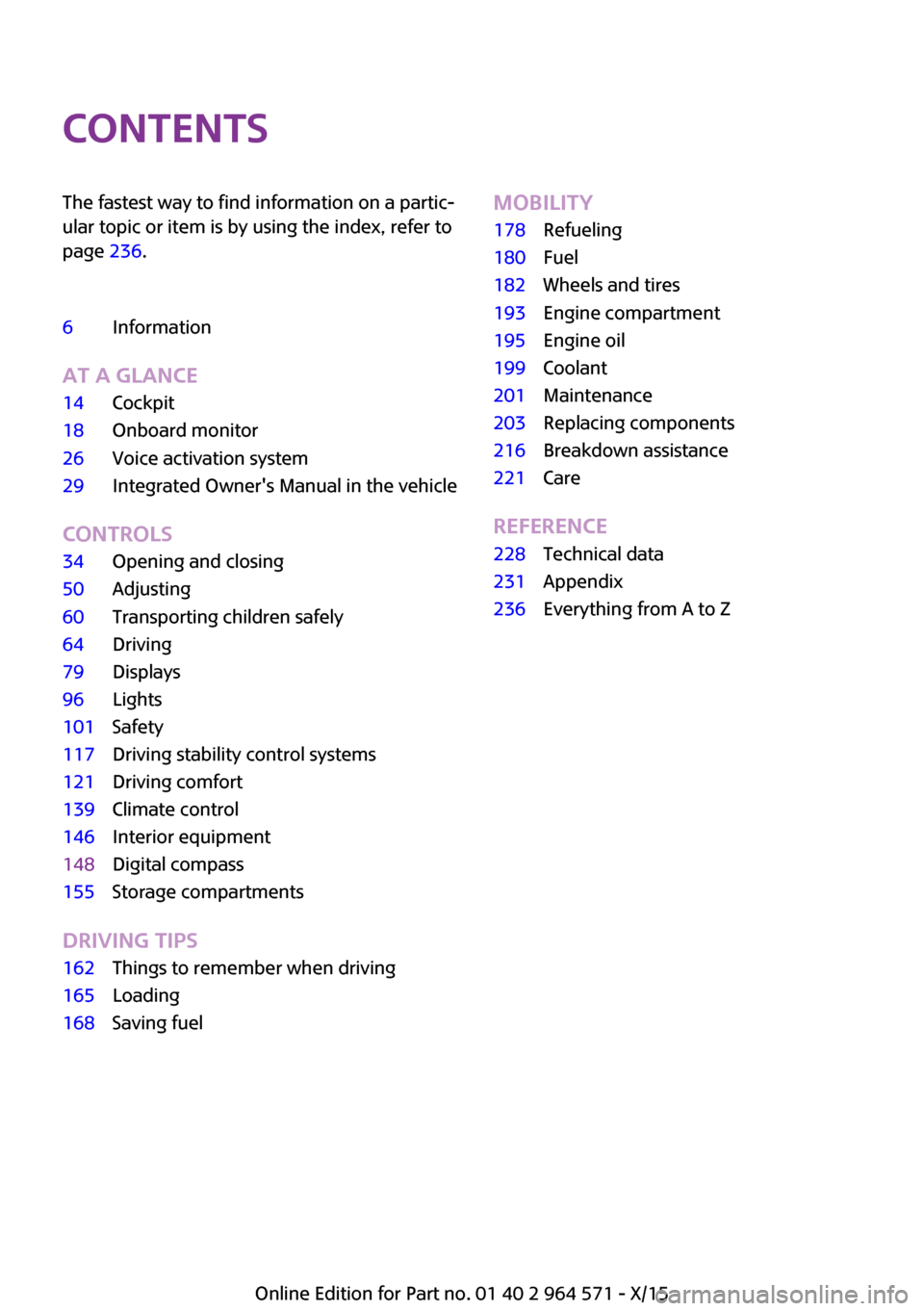
ContentsThe fastest way to find information on a partic‐
ular topic or item is by using the index, refer to
page 236.
6Information
AT A GLANCE
14Cockpit18Onboard monitor26Voice activation system29Integrated Owner's Manual in the vehicle
CONTROLS
34Opening and closing50Adjusting60Transporting children safely64Driving79Displays96Lights101Safety117Driving stability control systems121Driving comfort139Climate control146Interior equipment148Digital compass155Storage compartments
DRIVING TIPS
162Things to remember when driving165Loading168Saving fuelMOBILITY178Refueling180Fuel182Wheels and tires193Engine compartment195Engine oil199Coolant201Maintenance203Replacing components216Breakdown assistance221Care
REFERENCE
228Technical data231Appendix236Everything from A to Z
Online Edition for Part no. 01 40 2 964 571 - X/15
Page 6 of 246
InformationUsing this Owner's
Manual
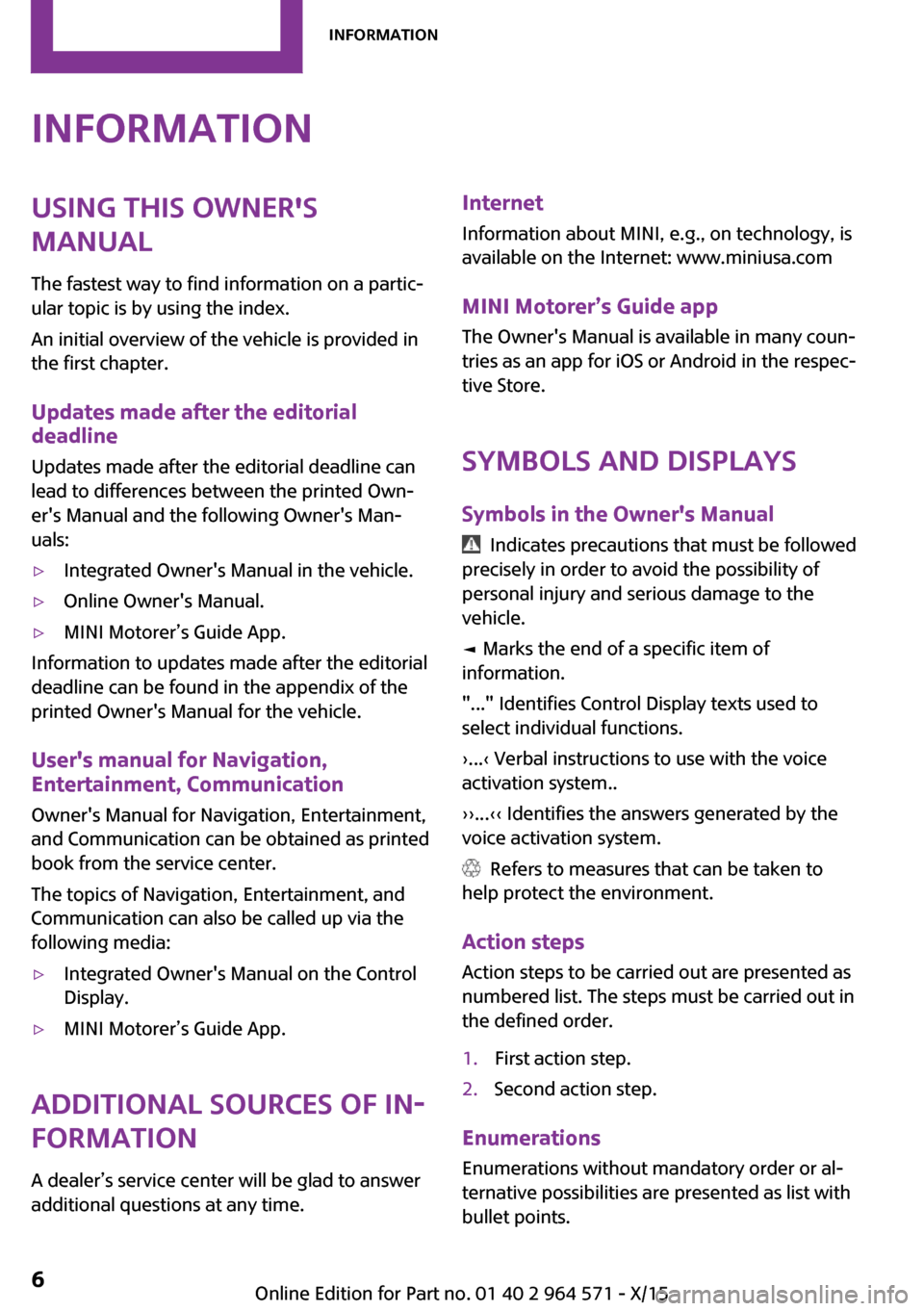
The fastest way to find information on a partic‐
ular topic is by using the index.
An initial overview of the vehicle is provided in
the first chapter.
Updates made after the editorial
deadline
Updates made after the editorial deadline can
lead to differences between the printed Own‐
er's Manual and the following Owner's Man‐
uals:
▷Integrated Owner's Manual in the vehicle.▷Online Owner's Manual.▷MINI Motorer’s Guide App.
Information to updates made after the editorial
deadline can be found in the appendix of the
printed Owner's Manual for the vehicle.
User's manual for Navigation,
Entertainment, Communication
Owner's Manual for Navigation, Entertainment,
and Communication can be obtained as printed
book from the service center.
The topics of Navigation, Entertainment, and
Communication can also be called up via the
following media:
▷Integrated Owner's Manual on the Control
Display.
▷MINI Motorer’s Guide App.
Additional sources of in‐
formation
A dealer’s service center will be glad to answer
additional questions at any time.
Internet
Information about MINI, e.g., on technology, is
available on the Internet: www.miniusa.com
MINI Motorer’s Guide app
The Owner's Manual is available in many coun‐
tries as an app for iOS or Android in the respec‐
tive Store.
Symbols and displays
Symbols in the Owner's Manual
Indicates precautions that must be followed
precisely in order to avoid the possibility of
personal injury and serious damage to the
vehicle.
◄ Marks the end of a specific item of
information.
"..." Identifies Control Display texts used to
select individual functions.
›...‹ Verbal instructions to use with the voice
activation system..
››...‹‹ Identifies the answers generated by the
voice activation system.
Refers to measures that can be taken to
help protect the environment.
Action steps
Action steps to be carried out are presented as
numbered list. The steps must be carried out in
the defined order.
1.First action step.2.Second action step.
Enumerations
Enumerations without mandatory order or al‐
ternative possibilities are presented as list with
bullet points.
Seite 6Information6
Online Edition for Part no. 01 40 2 964 571 - X/15
Page 15 of 246
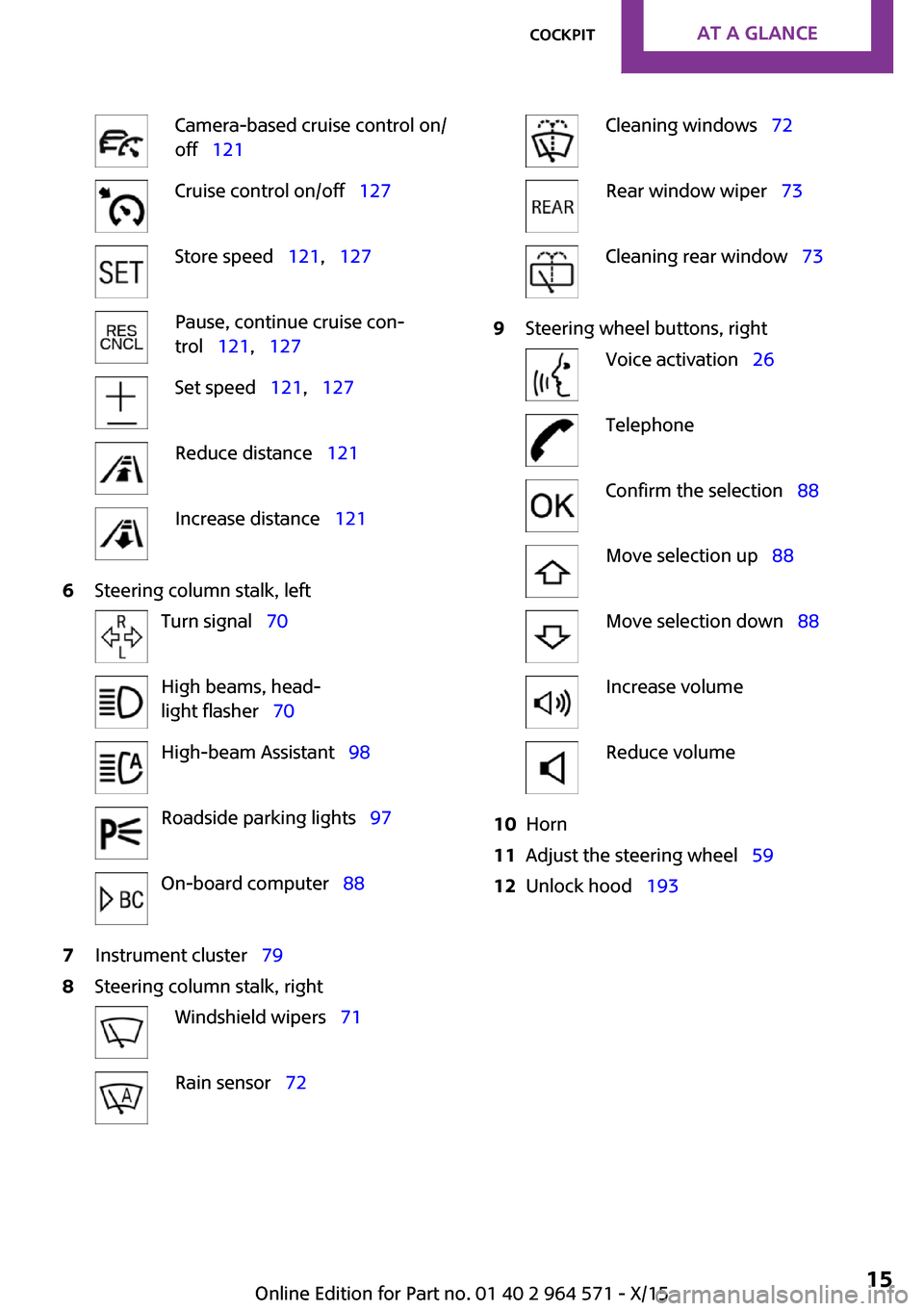
Camera-based cruise control on/
off 121
Cruise control on/off 127Store speed 121, 127Pause, continue cruise con‐
trol 121, 127
Set speed 121, 127Reduce distance 121Increase distance 1216Steering column stalk, leftTurn signal 70High beams, head‐
light flasher 70
High-beam Assistant 98Roadside parking lights 97On-board computer 887Instrument cluster 798Steering column stalk, rightWindshield wipers 71Rain sensor 72Cleaning windows 72Rear window wiper 73Cleaning rear window 739Steering wheel buttons, rightVoice activation 26TelephoneConfirm the selection 88Move selection up 88Move selection down 88Increase volumeReduce volume10Horn11Adjust the steering wheel 5912Unlock hood 193Seite 15CockpitAT A GLANCE15
Online Edition for Part no. 01 40 2 964 571 - X/15
Page 25 of 246
▷Music collection.▷Navigation, e.g. stored destinations.▷Phone book.▷Voice notes
Altogether, the deletion of the data can take up
to 30 minutes.
Functional requirement
Data can only be deleted while stationary.
Deleting data
Heed and follow the instructions on the Control
Display.
1.Switch on the ignition.2. "Settings"3.Open "Options".4."Delete all personal data"5."Continue"6."OK"
Entering letters and
numbers
General information
On the Control Display:
1.Turn the controller: select letters or num‐
bers.
2.Select additional letters or numbers if
needed.
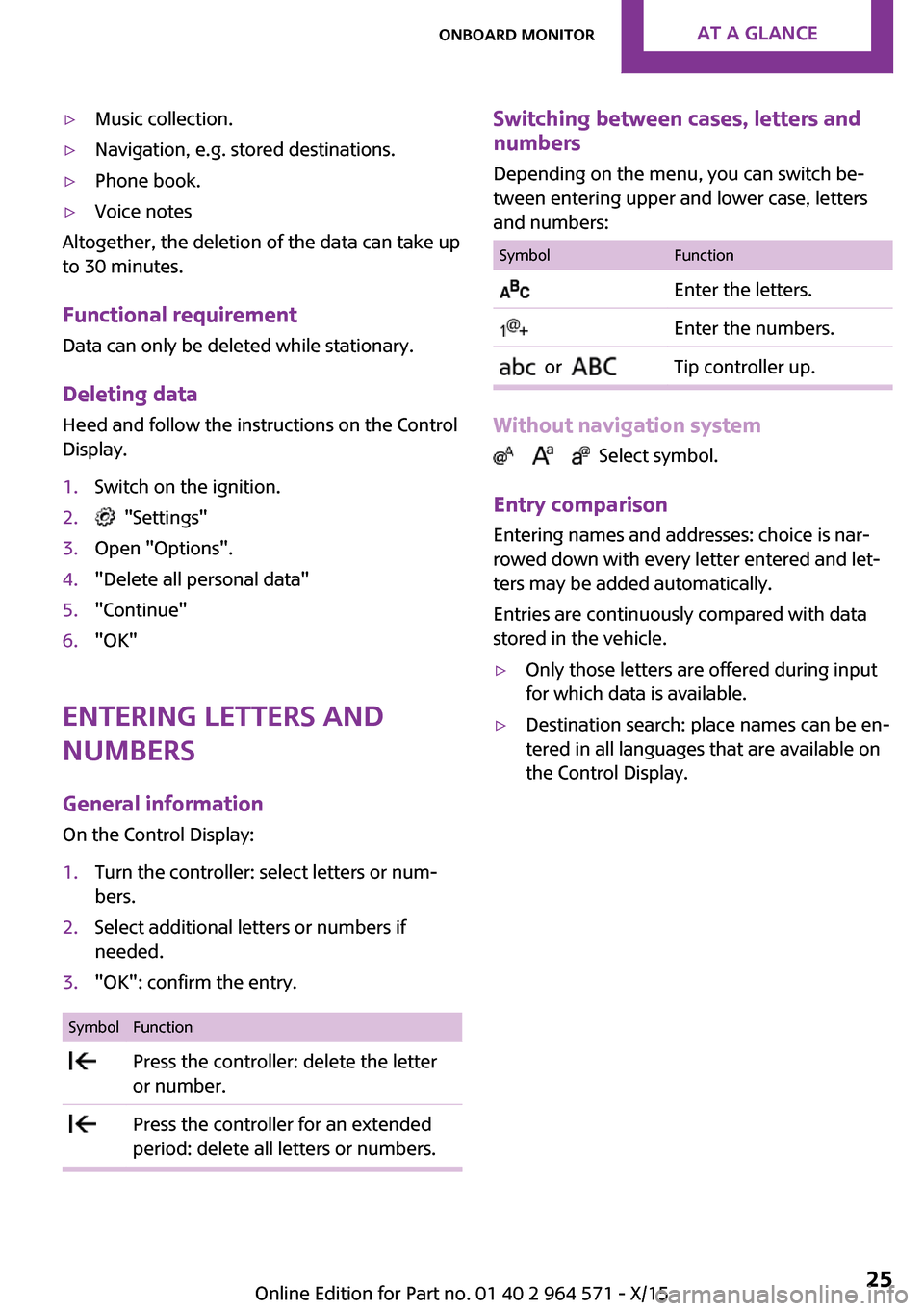
3."OK": confirm the entry.SymbolFunction Press the controller: delete the letter
or number.
Press the controller for an extended
period: delete all letters or numbers.
Switching between cases, letters and
numbers
Depending on the menu, you can switch be‐
tween entering upper and lower case, letters
and numbers:
SymbolFunction Enter the letters. Enter the numbers. or Tip controller up.
Without navigation system
Select symbol.
Entry comparison
Entering names and addresses: choice is nar‐
rowed down with every letter entered and let‐
ters may be added automatically.
Entries are continuously compared with data
stored in the vehicle.
▷Only those letters are offered during input
for which data is available.
▷Destination search: place names can be en‐
tered in all languages that are available on
the Control Display.
Seite 25Onboard monitorAT A GLANCE25
Online Edition for Part no. 01 40 2 964 571 - X/15
Page 26 of 246
Voice activation systemVehicle features and op‐
tions
This chapter describes all standard, country-
specific and optional features offered with the
series. It also describes features that are not
necessarily available in your car, e. g., due to
the selected options or country versions. This
also applies to safety-related functions and sys‐
tems. The respectively applicable country provi‐
sions must be observed when using the respec‐
tive features and systems.
The concept
▷Most functions displayed on the Control
Display can be operated by voice com‐
mands via the voice activation system. The
system supports you with announcements
during input.
▷Functions that can only be used when the
vehicle is stationary cannot be used via the
voice activation system.
▷The system uses a special microphone on
the driver's side.
▷›...‹ Verbal instructions in the Owner's
Manual to use with the voice activation sys‐
tem.
Requirements
Via the Control Display, set a language that is
also supported by the voice activation system
so that the spoken commands can be identi‐
fied.
Set the language, refer to page 92.
Using voice activation
Activating the voice activation system
1. Press button on the steering wheel.2.Wait for the signal.3.Say the command.
A command that is recognized by the voice
activation system is announced and dis‐
played in the instrument cluster.
This symbol in the instrument cluster indi‐
cates that the voice activation system is active.
If no other commands are available, operate
the function via the onboard monitor.
Terminating the voice activation
system
Briefly press the button on the steering
wheel or ›Cancel‹.
Possible commands
Most menu items on the Control Display can be
voiced as commands.
The available commands depend on the menu
that is currently displayed on the Control Dis‐
play.
There are short commands for many functions.
You may select lists such as phone lists via
voice activation. Read these lists out loud ex‐
actly as they show in the respective list.
Having possible commands read aloud
You can have available commands read out
loud for you: ›Voice commands‹
E. g. if the "Settings" menu is displayed, the
commands for the settings are read out loud.
Seite 26AT A GLANCEVoice activation system26
Online Edition for Part no. 01 40 2 964 571 - X/15
Page 27 of 246
Executing functions using short
commands
Execute functions on the main menu via short
commands. It almost doesn't matter which
menu item is selected, e.g., ›Vehicle status‹.
Help dialog for the voice activation
system
Calling up help dialog: ›Help‹
Additional commands for the help dialog:
▷›Help with examples‹: announces informa‐
tion about the current operating options
and the most important commands for
them.
▷›Help with voice activation‹: information
about the principle of operation for the
voice activation system is announced.
One example: opening the
tone settings
Via the main menu
The commands of the menu items are spoken
just as they are selected via the controller.
1.Turn on the Entertainment sound output if
needed.
2. Press button on the steering wheel.3.›Radio‹4.›Tone‹
Via short command
The desired tone settings can also be started
via a short command.
1.Turn on the Entertainment sound output if
needed.
2. Press button on the steering wheel.3.›Tone‹Setting the voice dialog
Set system to standard dialog or use a short
version.
The short version of the voice dialog plays back
short messages in abbreviated form.
On the Control Display:
1. "Settings"2."Language/Units"3."Speech type:"4.Select setting.
Adjusting the volume
Turn the volume button during the spoken in‐
structions until the desired volume is set.
▷The volume remains constant even if the
volume of other audio sources is changed.
▷The volume is stored for the profile cur‐
rently used.
Information on Emer‐
gency Requests
Do not use the voice activation system to ini‐
tiate an Emergency Request. In stressful situa‐
tions, the voice and vocal pitch can change.
This can unnecessarily delay the establishment
of a phone connection.
Environmental condi‐
tions
▷Say the commands, numbers, and letters
smoothly and with normal volume, empha‐
sis, and speed.
▷Always say commands in the language of
the voice activation system.
▷Keep the doors, windows, and glass sun‐
roof closed to prevent noise interference.
Seite 27Voice activation systemAT A GLANCE27
Online Edition for Part no. 01 40 2 964 571 - X/15
Page 28 of 246

▷Avoid making other noise in the vehicle
while speaking.
Seite 28AT A GLANCEVoice activation system28
Online Edition for Part no. 01 40 2 964 571 - X/15
Page 88 of 246
▷If the traffic signs are non-conforming.▷During calibration of the camera immedi‐
ately after vehicle delivery.
Selection lists in the in‐
strument cluster
The concept
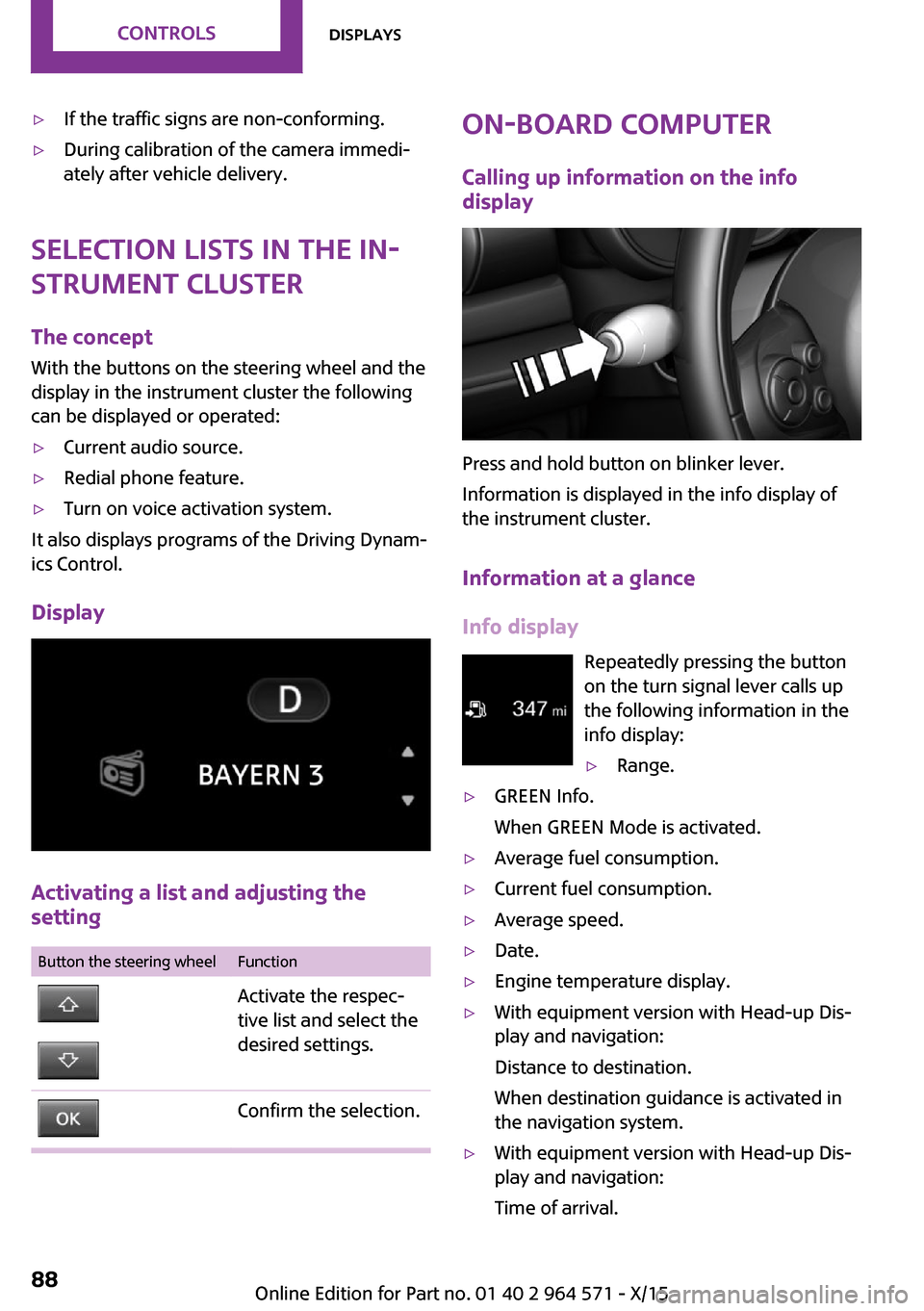
With the buttons on the steering wheel and the
display in the instrument cluster the following
can be displayed or operated:
▷Current audio source.▷Redial phone feature.▷Turn on voice activation system.
It also displays programs of the Driving Dynam‐
ics Control.
Display
Activating a list and adjusting the
setting
Button the steering wheelFunctionActivate the respec‐
tive list and select the
desired settings.
Confirm the selection.On-board computer
Calling up information on the info
display
Press and hold button on blinker lever.
Information is displayed in the info display of
the instrument cluster.
Information at a glance
Info display
Repeatedly pressing the button
on the turn signal lever calls up
the following information in the
info display:
▷Range.▷GREEN Info.
When GREEN Mode is activated.
▷Average fuel consumption.▷Current fuel consumption.▷Average speed.▷Date.▷Engine temperature display.▷With equipment version with Head-up Dis‐
play and navigation:
Distance to destination.
When destination guidance is activated in
the navigation system.
▷With equipment version with Head-up Dis‐
play and navigation:
Time of arrival.
Seite 88CONTROLSDisplays88
Online Edition for Part no. 01 40 2 964 571 - X/15
Page 92 of 246
5.Press the Controller.6.Make the necessary settings for the month
and year.
The date is stored.
Setting the date format
1. "Settings"2."Time/Date"3."Format:"4.Select the desired format.
The date format is stored.
Language
Setting the language
To set the language on the Control Display:
1. "Settings"2."Language/Units"3."Language:"4.Select the desired language.
Settings are stored for the profile currently
used.
Setting the voice dialog
Voice dialog for the voice activation system, re‐
fer to page 27.
Units of measurement
Setting the units of measurement
To set the units for fuel consumption, route/
distance and temperature:
1. "Settings"2."Language/Units"3.Select the desired menu item.4.Select the desired unit.
Settings are stored for the profile currently
used.
Brightness
Setting the brightness
To set the brightness of the Control Display:
1. "Settings"2."Control display"3."Brightness"4.Turn the Controller until the desired bright‐
ness is set.
5.Press the Controller.
Settings are stored for the profile currently
used.
Depending on the light conditions, the bright‐
ness settings may not be clearly visible.
LED ring on the central
instrument cluster
The concept
The LED ring displays light animations to repre‐
sent specific functions.
Basic displays
Basic functions, for example the tachometer,
can be set to be displayed continually if so de‐
sired.
Event displays
Functions that are only displayed temporarily,
for example the volume or temperature set‐
tings, can be set as event displays.
Several vehicle assistance functions can also be
displayed on the LED ring. This display corre‐
sponds with the displays of the function in the
respective display.
Example: tachometer
Like the tachometer in the instrument cluster,
the light animations of the tachometer's basic
display show the current RPMs and the respec‐
tive RPM warning margins.
Seite 92CONTROLSDisplays92
Online Edition for Part no. 01 40 2 964 571 - X/15
Page 243 of 246
Steptronic transmission 75
Stopping the engine 65
Storage compartments 155
Storage, tires 188
Storing the vehicle 224
Suitable engine oil types 197
Summer tires, tread 186
Sun visor 150
Supplementary text mes‐
sages 83
Switch for Dynamic Driv‐
ing 119
Switch-on times, parked-car
ventilation 145
Switch, see Cockpit 14
Symbols 6
Symbols in the status field 23
T
Tachometer 84
Tailgate, see split doors 40
Tail lamps 207
Technical changes, refer to
Own Safety 7
Technical data 228
Temperature, air condi‐
tioner 140
Temperature, automatic cli‐
mate control 142
Temperature display for exter‐
nal temperature 84
Temperature, engine 89
Tempomat, see camera-based
cruise control 121
Terminal, starting aid 217
Text messages, supplemen‐
tary 83
Theft alarm system, see Alarm
system 44
Thigh support 52
Tilt alarm sensor 45
Time of arrival 89
Tire damage 186
Tire identification marks 184
Tire inflation pressure 182
Tire inflation pressure moni‐
tor, refer to FTM 108
Tire Pressure Monitor
TPM 104
Tires, changing 187
Tire sealant 189
Tires, everything on wheels
and tires 182
Tires, run-flat tires 188
Tire tread 186
Tone, refer to Integrated
Owner's Manual
Tools 203
Total vehicle weight 229
Touchpad 21
Towing 217
Tow-starting 217
TPM Tire Pressure Moni‐
tor 104
Traction control 118
TRACTION drive mode, driving
dynamics 118
Transmission lock, releasing
manually 77
Transmission, manual trans‐
mission 74
Transmission, see Steptronic
transmission 75
Transporting children
safely 60
Tread, tires 186
Triple turn signal activa‐
tion 70
Trip odometer 84
Trip onboard computer 90
Trip recorder, see Trip odome‐
ter 84
Turning circle lines, rearview
camera 133
Turn signal, front 205
Turn signal, side 211
Turn signals, operation 70
Turn signals, rear, bulb re‐
placement 207
U
Unintentional alarm 45
Units of measurement 92
Universal remote control 146
Unlock button, Steptronic
transmission 75
Unlocking/locking via door
lock 39
Unlocking/locking with re‐
mote control 37
Unlocking, settings 43
Updates made after the edito‐
rial deadline 7
Upholstery care 223
USB interface 151
V
Vanity mirror 150
Vehicle battery 213
Vehicle battery, replacing 214
Vehicle, break-in 162
Vehicle care 222
Vehicle features and op‐
tions 7
Vehicle identification num‐
ber 10
Vehicle jack 212
Vehicle paint 222
Vehicle storage 224
Vehicle wash 221
Ventilation 144
Ventilation, see Parked-car
ventilation 144
VIN, see vehicle identification
number 10
Voice activation system 26
W
Warning and indicator lamps,
see Check Control 80
Warning displays, see Check
Control 80
Seite 243Everything from A to ZREFERENCE243
Online Edition for Part no. 01 40 2 964 571 - X/15