Sport MINI COOPER 2012 User Guide
[x] Cancel search | Manufacturer: MINI, Model Year: 2012, Model line: COOPER, Model: MINI COOPER 2012Pages: 207, PDF Size: 3.18 MB
Page 74 of 207

Technology for driving comfort and safetyCONTROLS
73
airbags for the front passenger are activated or
deactivated by the system accordingly.The indicator lamp above the interior rear-
view mirror shows th e current status of
the front passenger airbags, deactivated or acti-
vated, refer to Status of front passenger airbags
below. <
Before transporting a child on the front
passenger seat, read the safety precau-
tions and handling instructions under Transport-
ing children safely, page 41.
The front and side airbags can also be deacti-
vated by adolescents and adults sitting in certain
positions; the indicator lamp for the front pas-
senger airbags comes on. In such cases, the pas-
senger should change his or her sitting position
so that the front passenger airbags are activated
and the indicator lamp goes out. If the desired
airbag status cannot be achieved by changing
the sitting position, transport the relevant pas-
senger on a rear seat. Do not attach covers,
cushions, ball mats or other items to the front
passenger seat unless they are specifically rec-
ommended by the manufacturer of your MINI.
Do not place items under the seat which could
press against the seat fr om below. Otherwise,
a correct analysis of the seat cushion is not
ensured. <
Status of front passenger airbags
The indicator lamp for the front passenger air-
bags shows the functional status of the front
passenger's front and side airbags in accordance
with whether and how th e front passenger seat
is occupied. The indica tor lamp shows whether the front passenger airbags are activated or
deactivated.
>
The indicator lamp co mes on as intended
when a child in a specially designated child
restraint system is detected on the seat.
The front and side airbags for the front
passenger are not activated.
Most child seats are detected by the
system. This particularly applies to
child seats that were required by NHTSA at
the time of manufacture of the vehicle. After
installing a child seat, check that the indica-
tor lamp for the front passenger airbags
lights up. It indicates that the child seat has
been detected and that the front passenger
airbags are deactivated. <
> The indicator lamp does not come on as long
as a person of sufficient size and in a correct
sitting position is detected on the seat.
The front and side airbags for the front
passenger are activated.
> The indicator lamp does not come on if the
seat is empty.
The front and side airbags for the front
passenger are not activated.
Operational readiness of airbag system
As of radio readiness, page 44, the warning
lamp lights up briefly to indicate that the entire
airbag system and the belt tensioners are
operational.
Online Edition for Part no. 01 40 2 914 744 - \251 07/12 BMW AG
Page 91 of 207
CONTROLSPractical interior accessories
90
Storage compartments
Do not put any unsecured objects into the
interior of the vehicle; otherwise these
may endanger the occupants, e.g., during
braking and evasive maneuvers.<
Do not use the instrument panel as a shelf,
for example with non-slip mats; other-
wise, it could be damaged. <
In the vehicle interior
Depending on your vehicle's equipment, you
will find storage compartments in the doors,
next to the rear seats and in the center console.
Nets are located in the passenger footwell and
on the backs of the front seat backrests.
Storage compartment on the front
passenger side
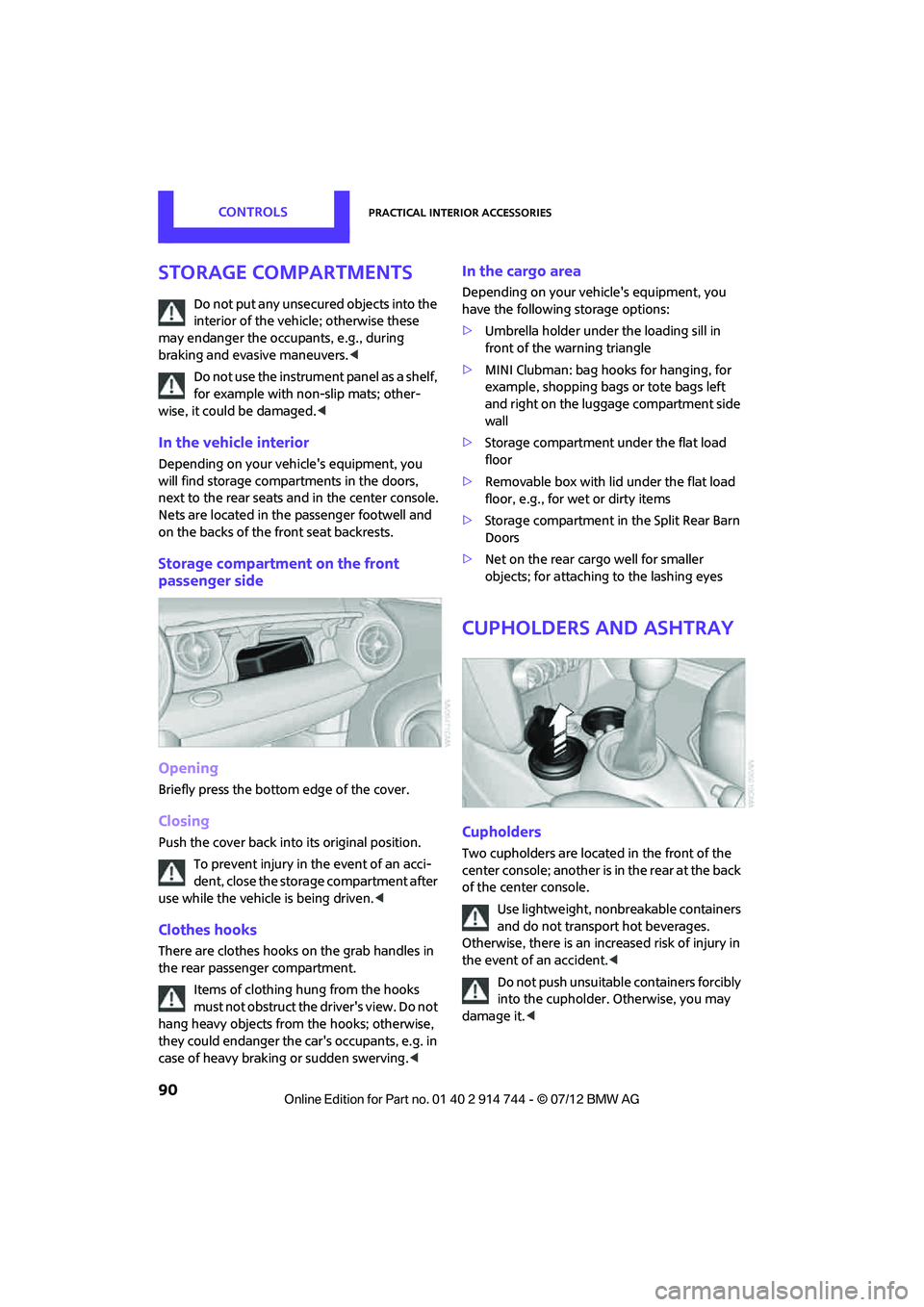
Opening
Briefly press the bottom edge of the cover.
Closing
Push the cover back into its original position.
To prevent injury in the event of an acci-
dent, close the storage compartment after
use while the vehicle is being driven. <
Clothes hooks
There are clothes hooks on the grab handles in
the rear passenger compartment.
Items of clothing hung from the hooks
must not obstruct the driver's view. Do not
hang heavy objects from the hooks; otherwise,
they could endanger the ca r's occupants, e.g. in
case of heavy braking or sudden swerving. <
In the cargo area
Depending on your vehicle's equipment, you
have the following storage options:
>Umbrella holder under the loading sill in
front of the warning triangle
> MINI Clubman: bag hooks for hanging, for
example, shopping bags or tote bags left
and right on the luggage compartment side
wall
> Storage compartment under the flat load
floor
> Removable box with lid under the flat load
floor, e.g., for wet or dirty items
> Storage compartment in the Split Rear Barn
Doors
> Net on the rear cargo well for smaller
objects; for attachin g to the lashing eyes
Cupholders and ashtray
Cupholders
Two cupholders are located in the front of the
center console; another is in the rear at the back
of the center console.
Use lightweight, nonbreakable containers
and do not transport hot beverages.
Otherwise, there is an increased risk of injury in
the event of an accident. <
Do not push unsuitable containers forcibly
into the cupholder. Otherwise, you may
damage it. <
Online Edition for Part no. 01 40 2 914 744 - \251 07/12 BMW AG
Page 100 of 207
Things to remember when drivingDRIVING TIPS
99
3.Subtract the combined weight of the driver
and passengers from XXX pounds or YYY
kilograms.
4. The resulting figure equals the available
amount of cargo and luggage load capacity.
For example, if the XXX amount equals
1,400 lbs and there will be four 150 lbs
passengers in your vehicle, the amount of
available cargo and luggage load capacity is
650 lbs:
1,400 lbs minus 750 lbs = 650 lbs.
5. Determine the combined weight of luggage
and cargo being loaded on the vehicle. That
weight may not safely exceed the available
cargo and luggage load capacity calculated
in step 4.
6. If your vehicle will be towing a trailer, part of
the load from your trail er will be transferred
to your vehicle. Consult the manual for
transporting a trailer to determine how this
may reduce the available cargo and luggage
load capacity of your vehicle.
Load
The permissible load is the sum of the occu-
pants' weights and the weight of the cargo. The
greater the weight of the occupants, the less
cargo/luggage can be transported.
Stowing cargo
> Position heavy objects as low and as far for-
ward as possible, ideally directly behind the
rear seat backrests.
> Cover sharp edges and corners.
> For very heavy cargo when the rear seat is
not occupied, secure each safety belt in the
respective opposite buckle. >
Do not stack higher than the top edge of the
backrests.
> Use the cargo net, refer to page 98. Ensure
that no objects can penetrate through the
net.
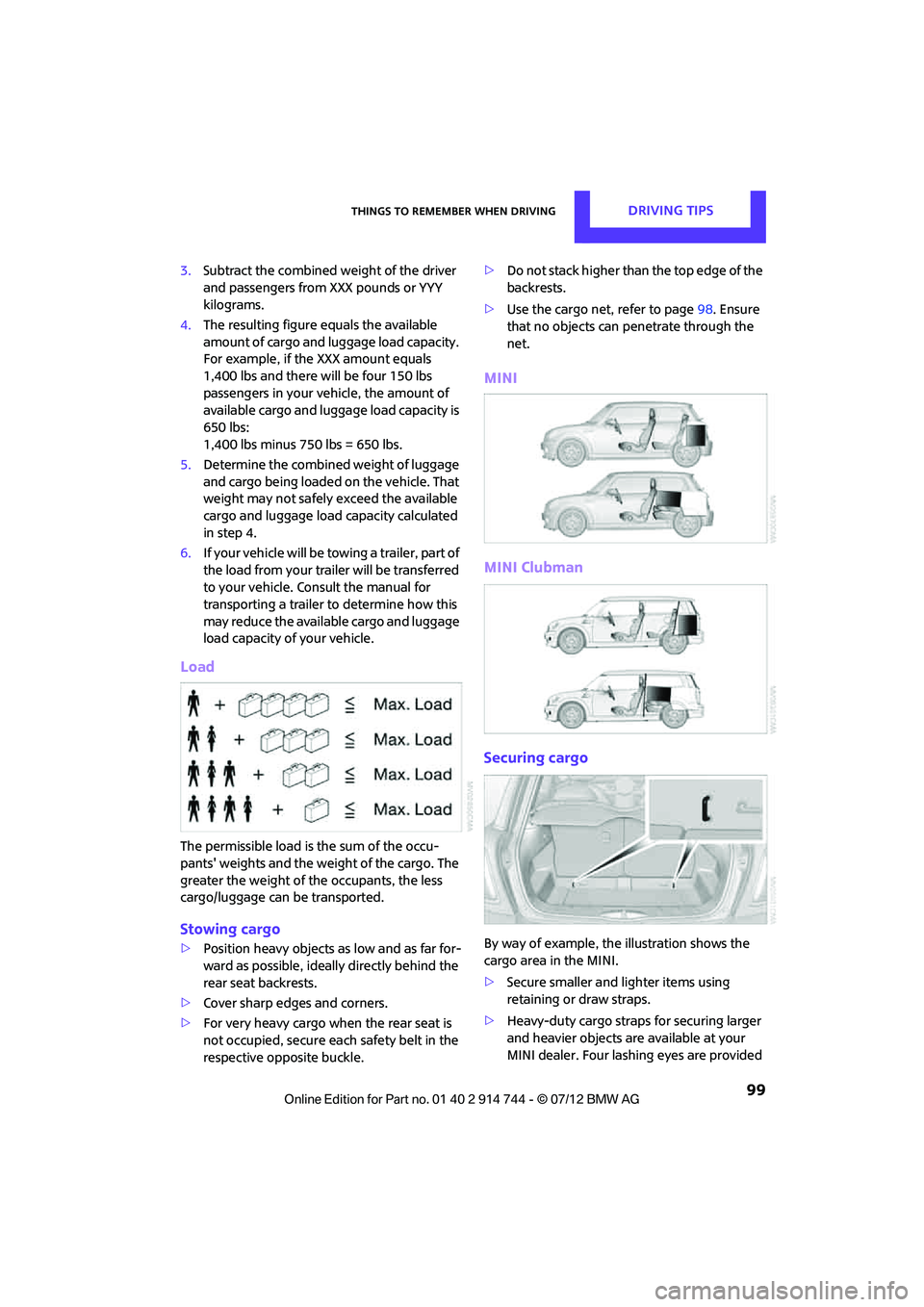
MINI
MINI Clubman
Securing cargo
By way of example, the illustration shows the
cargo area in the MINI.
> Secure smaller and lighter items using
retaining or draw straps.
> Heavy-duty cargo straps for securing larger
and heavier objects ar e available at your
MINI dealer. Four lashing eyes are provided
Online Edition for Part no. 01 40 2 914 744 - \251 07/12 BMW AG
Page 139 of 207

MOBILITYWheels and tires
138
MINI John Cooper Works Clubman tire inflation pressures
Tire coding
Knowledge of the labeling on the side of the tire
makes it easier to identify and choose the right
tires.
Tire size
Speed letter
Q = up to 100 mph/160 km/h
T = up to 118 mph/190 km/h H = up to 131 mph/210 km/h
V = up to 150 mph/240 km/h
W = up to 167 mph/270 km/h
Y = up to 186 mph/300 km/h
Tire Identification Number
Tires with DOT codes meet the guidelines of the
US Department of Transportation.
DOT code:
Uniform Tire Quality Grading
Quality grades can be found where applicable
on the tire sidewall between tread shoulder and
maximum section width. For example:
Tire size Tire pressures in bar/psi
Speeds up to a max. of 100 mph/160 km/h Speeds including those
exceeding
100 mph/160 km/h
All pressure specifications in the
table are indicated in bar/psi for
cold tires. Cold = ambient
temperature
185/50 R 17 86 H M+S XL RSC
205/45 R 17 84 V M+S RSC
205/45 R 17 84 W RSC 2.6/38 2.6/38 2.7/39 3.1/45
205/40 R 18 82 W RSC 2.8/41 2.8/41 2.9/42 3.3/48
More details on the permissible load and weights can be found on page191.
e.g.
Nominal width in mm
Aspect
ratio in Ξ
Radial belt construction
Rim diameter in inches
Load rating,
(not on ZR tires)
Speed code letter,
(before the R on ZR tires)225/45 R 17 91 V
For instance:
Manufacturer's code
for tire make
tire size and
tire design
Tire ageDOT xxxx xxx 1012
Online Edition for Part no. 01 40 2 914 744 - \251 07/12 BMW AG
Page 145 of 207

MOBILITYEngine compartment
144
Hood
Releasing
Pull the lever.Do not clean the windshield and head-
lamps if the hood is unlocked as this may
damage the headlamp washer system. <
Opening
To avoid damage, make sure that the
wiper arms are against the windshield
before you open the hood. <
Press the release handle and open the hood.
Closing
Close the hood from a height of approx. 16 in/
40 cm with momentum. It must be clearly heard
to engage.
If you notice any signs while driving your
vehicle that the hood is not completely
closed, stop at once and close it securely.
Make sure that the closing path of the hood is
clear; otherwise, injuries may result. <
Engine oil
Engine oil consumption depends on driving style
and operating conditions, e.g., with a very
sporty driving style, the engine oil consumption
is significantly increased.
Therefore, check the engine oil level regularly
after each refueling.
Checking engine oil level
1. With the vehicle's engine at normal operat-
ing temperature, i.e. after uninterrupted
driving for at least 6 miles/10 km, park the
vehicle on a level surface.
2. Switch off the engine.
3. Pull the dipstick out after approx. 5 minutes
and wipe it off with a lint-free cloth, paper
towel or similar material.
4. Carefully push the dipstick all the way into
the guide tube and pull it out again.
The oil level should be between the two
marks on the dipstick.
Online Edition for Part no. 01 40 2 914 744 - \251 07/12 BMW AG
Page 166 of 207

Replacing componentsMOBILITY
165
6.Tighten all the lug bolts firmly in a diagonal
pattern.
7. Lower the vehicle.
8. Remove the jack.
Tightening the lug bolts
Tighten the lug bolts in a diagonal pattern.
Immediately have the wheels checked
with a calibrated torque wrench to ensure
that the lug bolts are firmly seated. Otherwise,
incorrectly tightened lug bolts can present a
safety hazard. <
Tightening torque: 103.3 lb ft or 140 Nm.
Replace the defective tire as soon as possible
and have the new wheel/tire assembly
balanced.
Vehicle battery
Maintenance
The battery is maintenance-free; that is, the
electrolyte will last for the life of the battery
when the vehicle is operated in a temperate
climate.
Battery replacement
Only use vehicle batteries that have been
approved for your vehicle by the manu-
facturer; otherwise, the vehicle could be
damaged and systems or functions may not
be fully available. <
After a battery replacement, have the battery
registered on the vehicle by your MINI dealer to
ensure that all convenience functions are fully
available and, if nece ssary, the corresponding
Check Control messages are no longer dis-
played.
Charging the battery
Note
Do not connect battery chargers to the
sockets installed in the vehicle at the
factory; otherwise you may cause damage to
the battery. <
Only charge the battery in the vehicle when
the engine is off. Connections, refer to Jump-
starting on page 168.
General information
To guarantee the full service life of the battery,
ensure that the battery is always properly
charged.
It may be necessary to charge the battery in the
following situations:
>If frequent short trips are taken.
> If the vehicle is frequently parked for more
than a month.
Disposal
After replacing old batteries, return the
used batteries to your MINI dealer or to
arecycling center. Maint ain the battery in an
upright position for transport and storage.
Always secure the battery against tipping over
during transport. <
Power failure
After a temporary power loss, some equipment
may not be fully functional and may require ini-
tialization. Individual se ttings are also lost and
must be reprogrammed:
> Time and date
These values must be updated, page 61.
> Radio
In some cases, statio ns may have to be
stored again, page 106.
> Glass sunroof, electric
It may only be possible to tilt the sunroof, if
applicable. The system must be initialized.
Contact your nearest MINI dealer.
Online Edition for Part no. 01 40 2 914 744 - \251 07/12 BMW AG
Page 170 of 207
Giving and receiving assistanceMOBILITY
169
Body ground in MINI:
6.Attach the second terminal clamp of the
minus/– jumper cable to the negative termi-
nal of the battery or to the engine or body
ground of the vehicle to be started.
Starting the engine
1.Start the engine of the donor vehicle and
allow it to run for a few minutes at slightly
increased idle speed.
2. Start the engine of the other vehicle in the
usual manner.
If the first start attempt is not successful,
wait a few minutes be fore another attempt
in order to allow the discharged battery to
recharge.
3. Let the engines run for a few minutes.
4. Disconnect the jumper cables by reversing
the above connecting sequence.
If necessary, have the battery checked and
recharged. Never use spray fluids to start the
engine. <
Tow-starting, towing
away
Observe the applicable laws and
regulations for tow-st arting and towing
vehicles. <
Do not transport an y passengers other
than the driver in a vehicle that is being
towed. <
Using a tow fitting
The screw-in tow fitting must always be carried
in the car. It can be screwed in at the front or
rear of the MINI.
It is stored in the toolkit in the cargo area under-
neath the cover on the right-hand side,
page153.
Use only the tow fitting provided with the
vehicle and screw it all the way in. Use the
tow fitting for towing on paved roads only. Avoid
lateral loading of the tow fitting, e.g. do not lift
the vehicle by the tow fitting. Otherwise, the tow
fitting and the vehicle could be damaged. <
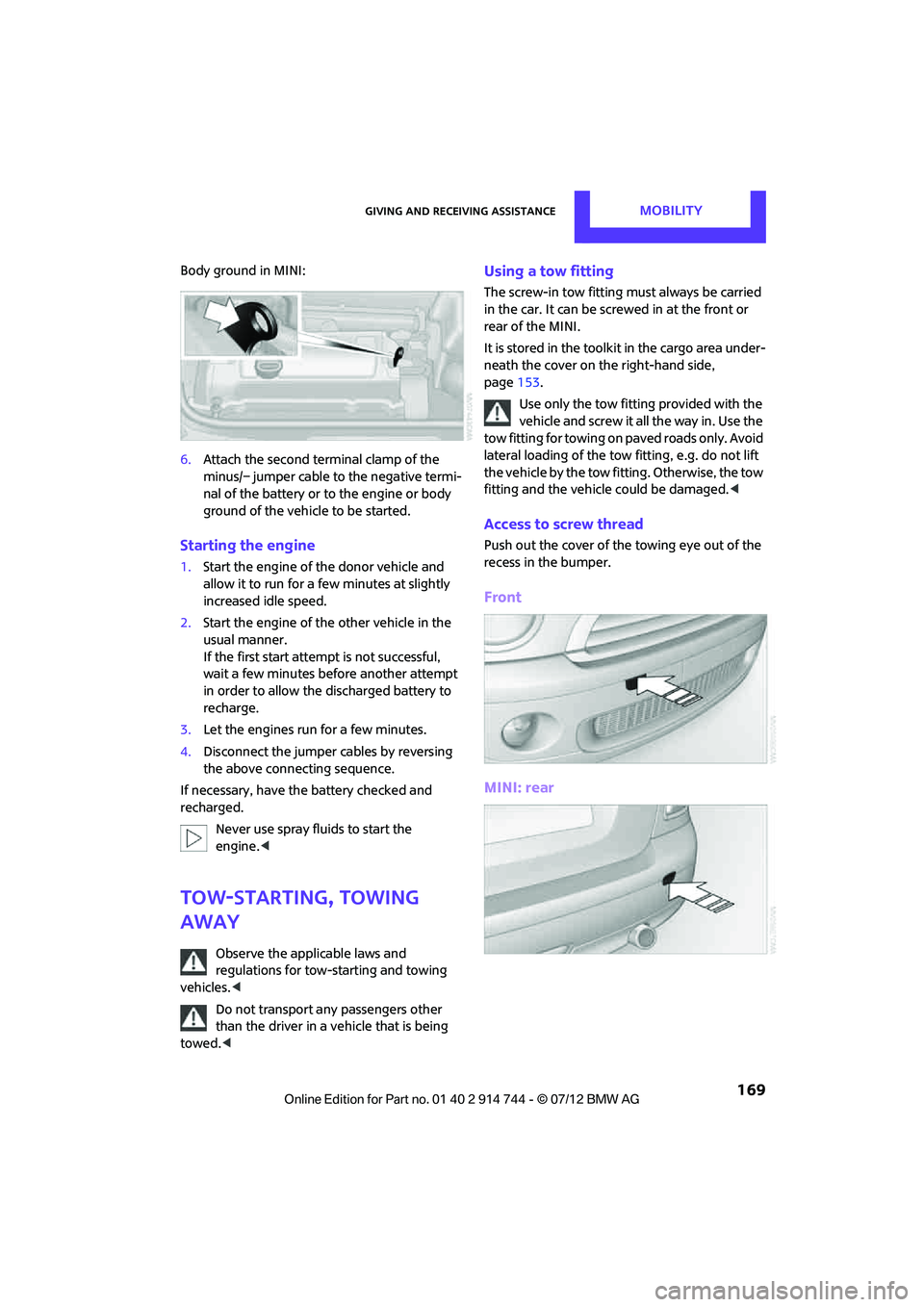
Access to screw thread
Push out the cover of the towing eye out of the
recess in the bumper.
Front
MINI: rear
Online Edition for Part no. 01 40 2 914 744 - \251 07/12 BMW AG
Page 171 of 207

MOBILITYGiving and receiving assistance
170
John Cooper Works with aerodynamic bumper:
Pull out the bottom of the cover panel of the
towing eye in the bumper, arrow.
MINI Clubman: rear
Being towed
Make sure that the ignition is switched on,
refer to page 44; otherwise, the low
beams, tail lamps, turn signals, and windshield
wipers may be unavailable. Do not tow the
vehicle with just the rear axle raised, as this
would allow the steering to turn. <
There is no power assist while the engine is off.
Thus, braking and steering will require increased
effort.
Switch on the hazard warning flashers,
depending on local regulations.
Manual transmission
Gearshift lever in neutral position.
Automatic transmission
Tow vehicles with automatic transmission
only with a tow truck or with the front
wheels lifted; otherwise, the transmission can be
damaged. <
Towing with a tow bar
The towing vehicle must not be lighter
than the towed vehicle; otherwise, it may
be impossible to maintain control. <
The tow fittings used should be on the same side
on both vehicles. Should it prove impossible to
avoid mounting the tow bar at an angle, please
observe the following:
> Clearance and maneuver ing capability will
be sharply limited during cornering.
> The tow bar will generate lateral forces if it is
attached offset.
Only attach the tow bar to the tow fittings,
as attachment to other vehicle parts can
lead to damage. <
Towing with a tow rope
When starting off in the towing vehicle, make
sure that the tow rope is taut.
To avoid jerking and the associated
stresses on vehicle components when
towing, always use nylon ropes or nylon straps.
Attach the tow rope to the tow fittings only, as
attaching it to other pa rts of the vehicle could
result in damage. <
Towing with a tow truck
Have the MINI transported by a tow truck with a
so-called lift bar or on a flat bed.
Do not lift vehicle by tow fitting or body
and chassis parts, otherwise damage may
result. <
Online Edition for Part no. 01 40 2 914 744 - \251 07/12 BMW AG
Page 195 of 207

194
REFERENCEEverything from A to Z
Everything from A to Z
Index
A
ABS Antilock Brake System64
Accepting a call 121
Accessories, see Vehicle equipment 4
Acknowledgment signals for locking/unlocking vehicle 24
Activated-charcoa l filter for
automatic climate control 84
Adaptive Light Control 77
Adding engine oil 145
Additives
– coolant 146
– engine oil 145
Adjusting temperature inside the car, refer to Air
conditioner 81
Adjusting temperature inside the car, refer to Automatic
climate control 82
Airbags 72
– sitting safely 35
– warning lamp 73
Air conditioner 80
Air conditioning mode
– air conditioner 81
– automatic cl imate control82
– ventilation 84
Air distribution
– automatic 83
– individual 82
– manual 82
Air flow rate 81,83
– air conditioning system 81
– automatic cl imate control83
– heating, ventilation 81
Airing, refer to Ventilation84
Air outlets, refer to Air vents 80
Air pressure, checking, refer to Tire inflation pressure 131Air recirculation, refer to
Recirculated-air
mode 81,83
Air supply
– air conditioner 81
– automatic climate control 82
– ventilation 84
Air vents 80
AKI, refer to Fuel grade 129
Alarm system 29
All-season tires, refer to Winter tires 141
Ambient air, refer to Recirculated-air
mode 81,83
Ambient lighting 79
Antenna, care 149
An
tifreeze
– coolant 146
– washer fluid 52
Antilock Brake System ABS 64
Anti-theft alarm system, refer to Alarm system 29
Anti-theft system 23
Approved axle loads, refer to Weights 191
Approved engine oils 145
Approved gross vehicle weight, refer to Weights 191
Armrest, refer to Center armrest 89
Ashtray 91
Assistant systems, refer to
– Dynamic Stability Control DSC 64
Audio device, external 89
Automatic
– air distribution 83
– air flow rate 83
– cruise control 52
– headlamp control 75Automatic climate control
80
– automatic air distribution 83
Automatic station search 105
Automatic station storage 106
Automatic transmission with Steptronic 46
– interlock 47
– overriding selector lever lock 48
– shiftlock 47
– sport program 48
AUTO program for automatic
climate control 83
Auto radio, refer to Radio MINI Boost CD 104
AUX-In, refer to External audio device 89
AUX-In connection 104
Average fuel consumption 55
– setting the units 58
Average speed 56
Axle loads, refer to Weights 191
B
Background lighting, refer to
Ambient lighting 79
Backrests, refer to Seats 36
Backup lamps
– replacing bulb 158,159
Band-aids, refer to First aid
pouch 167
Bar, refer to Tow-starting, towing away 170
Base plate for telephone or mobile phone
– refer to Snap-in adapter 124
Online Edition for Part no. 01 40 2 914 744 - \251 07/12 BMW AG
Page 198 of 207

Everything from A to ZREFERENCE
197
Drive-off assistant, refer to Hill
Assist 66
Driving dynamics control, refer to Sport button 66
Driving lamps, refer to Parking lamps/low beams 75
Driving notes 94
Driving off on inclines, refer to Hill Assist 66
Driving stability control
systems 64
Driving through water 95
Driving tips, refer to Driving
notes 94
Dry air, refer to Cooling function 84
DSC Dynamic Stability Control 64
DTC Dynamic Traction
Control 65
Dynamic Brake Control DBC, refer to Brake Assist 64
Dynamic Stability Control DSC 64
Dynamic Traction Control
DTC 65
E
Eject button 110
Electrical malfunction
– door lock 26
– fuel filler flap 128
Electric power windows
– initializing 33
Electronic brake-force
distribution 64
Electronic Stability Program ESP, refer to Dynamic
Stability Control DSC 64
Emergency operation, refer to Manual operation
– door lock 26
– fuel filler flap 128
– transmission lock, automatic
transmission 48 Emergency services, refer to
Roadside Assistance 167
Ending a call 122
Engine
– breaking in 94
– data 186
– overheated, refer to Coolant
temperature 146
– speed 186
– starting, Comfort Access 30
Engine compartment 143
Engine coolant, refer to Coolant 146
Engine oil
– additives, refer to Approved engine oils 145
– alternative oil types 145
– approved engine oils 145
– capacity 145
– checking level 144
– dipstick 144
– intervals between changes,
refer to Service
requirements 59
– MINI Maintenance
System 147
Engine oil level, checking 144
Engine output, refer to Engine
data 186
Engine starting, refer to
Starting the engine 45
ESP Electronic Stability Program, refer to Dynamic
Stability Control DSC 64
Exhaust system, refer to Hot exhaust system 95
Exterior mirrors 39
– adjusting 39
– automatic heating 39
– folding in and out 39
External audio device 89,104
External care 149
External temperature display
– change units of measure 58
– in the onboard computer 58Eyes
– for tow-
starting and towing
away 169
– for tying down loads 99
F
Failure messages, refer to
Check Control 61
Failure of an electrical
consumer 166
Fastening safety be lts, refer to
Safety belts 38
Fast forward
– CD 109
Fault messages, refer to Check
Control 61
Filter
– microfilter/activated-
charcoal filter for automatic
climate control 84
– microfilter for air
conditioner 82
Fine wood, care 152
First aid pouch 167
Fixture for remote control, refer to Ignition lock 44
Flash when locking/
unlocking 24
Flat load floor 98
Flat tire
– run-flat tires 140
– Tire Pressure Monitor TPM 69
Flat Tire Monitor FTM 66
– indicating a flat tire 67
– initializing the system 67
– snow chains 67
– system limits 67
Flat tires, refer to Tire
condition 139
Floor mats, care 151
Floor plate, refe r to Flat load
floor 98
Fog lamps
– replacing bulb 156,159
Folding rear seat backrest 97
Online Edition for Part no. 01 40 2 914 744 - \251 07/12 BMW AG