brake light MINI COOPER 2013 User Guide
[x] Cancel search | Manufacturer: MINI, Model Year: 2013, Model line: COOPER, Model: MINI COOPER 2013Pages: 267, PDF Size: 3.53 MB
Page 216 of 267
CareMOBILITY
215
The manufacturer of the MINI recommends
repairing paint damage professionally according
to factory specifications with original MINI
paints.
Preservation
Preservation is necessary when water no longer
beads on the clean paint surface. To preserve
the paint, only use preservatives that contain
carnauba or synthetic waxes.
Rubber seals
Only treat with water or rubber care products.
Do not use silicon sprays or other silicon-
containing care products on rubber seals;
otherwise, noise and damage could occur. <
Chrome parts
Carefully clean vehicle parts such as the radiator
grill and door handles with copious quantities of
water and, if necessary, a shampoo additive,
especially when contaminated with road salt.
For additional treatment, use chrome polish.
Light alloy wheels
The system produces brake dust that collects on
the light alloy wheels. Clean them regularly with
acid-free wheel cleaner.
Do not use aggressive , acid-containing,
highly alkaline, or abrasive cleansers or
steam jets hotter than 140 7/60 6 as they may
cause damage. <
External sensors
Keep the outside sensors on the vehicle
such as the Park Di stance Control clean
and ice-free to ensure that they function prop-
erly. <
Internal care
Upholstery/fabrics
Regularly use a vacuum cleaner to remove sur-
face dirt.
In case of serious spots such as liquid stains, use
a soft sponge or lint-free microfiber cloth and
suitable interior cleane rs. Observe the instruc-
tions on the packaging.
Clean upholstery up to the seams. Do not
rub forcefully. <
Velcro fasteners on pants or other items of
clothing can damage seat covers. Make
sure that all Velcro fasteners are closed. <
Leather/leather coverings
The leather processed by the manufac-
turer of your MINI is a high-quality natural
product. Light variations in the grain is one of
the typical properties of natural leather. <
Dust and road grit in the pores and folds of the
leather have an abrasive effect, leading to
increased wear and causing the leather surface
to become brittle prematurely. Use a cloth or
vacuum cleaner to remove dust on a regular
basis.
Especially when the leather has a light color, it
should be cleaned regularl y since it tends to get
heavily soiled.
Treat the leather twice a year using a leather
lotion since dirt and grease will gradually attack
the leather's protective layer.
Carpets/floor mats
Keep floor mats, carp et, and other objects
out of the movement range of the pedals;
otherwise, they may inhi bit the function of the
pedals during driving.
Do not place additional floor mats onto an exist-
ing one or onto other objects.
Only use floor mats that have been approved for
the vehicle and can be appropriately fastened.
Make sure that the floo r mats are securely fas-
00320051004F004C00510048000300280047004C0057004C005200510003
Page 223 of 267
MOBILITYReplacing components
222
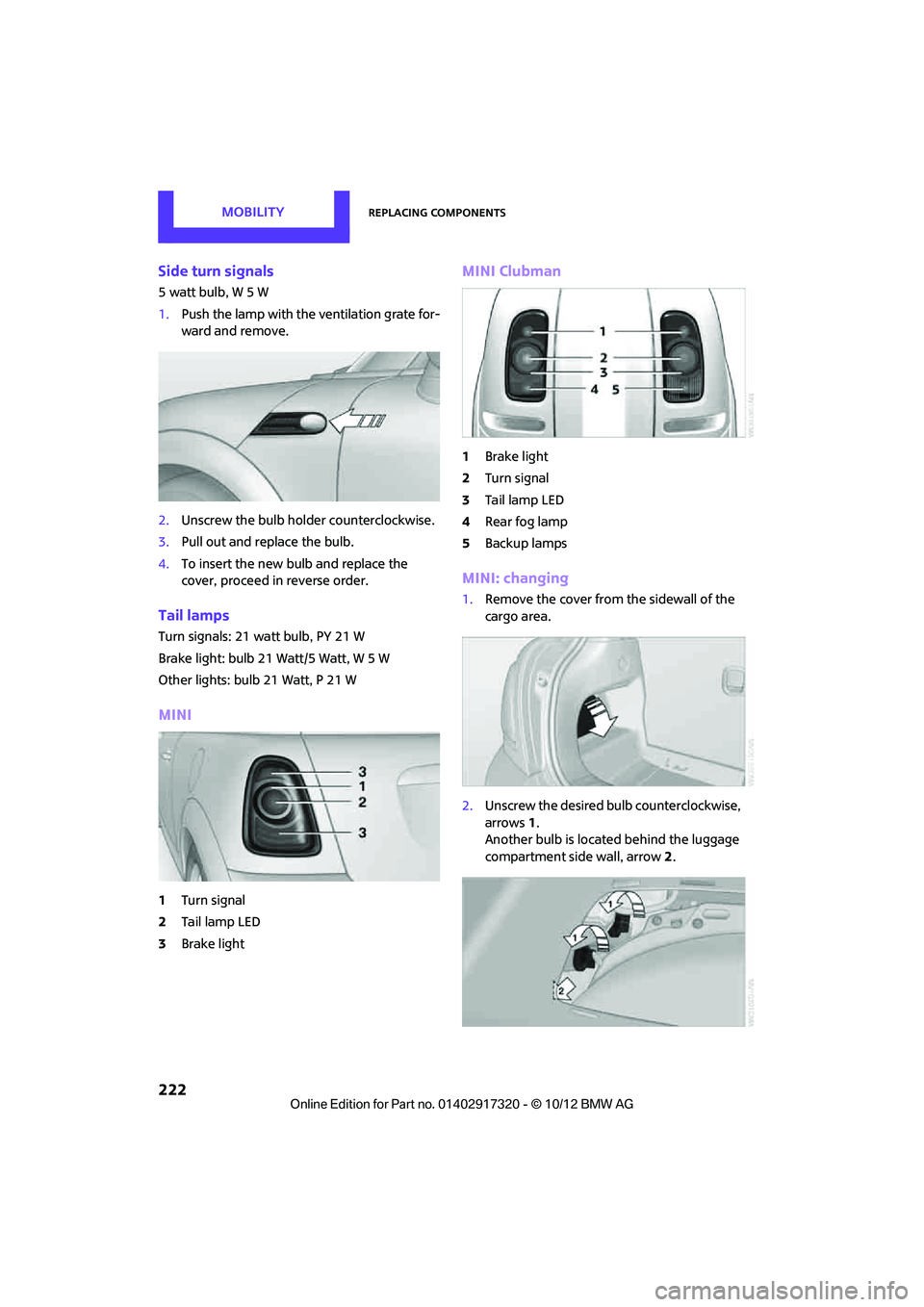
Side turn signals
5 watt bulb, W 5 W
1.Push the lamp with the ventilation grate for-
ward and remove.
2. Unscrew the bulb holder counterclockwise.
3. Pull out and replace the bulb.
4. To insert the new bulb and replace the
cover, proceed in reverse order.
Tail lamps
Turn signals: 21 watt bulb, PY 21 W
Brake light: bulb 21 Watt/5 Watt, W 5 W
Other lights: bulb 21 Watt, P 21 W
MINI
1Turn signal
2 Tail lamp LED
3 Brake light
MINI Clubman
1Brake light
2 Turn signal
3 Tail lamp LED
4 Rear fog lamp
5 Backup lamps
MINI: changing
1.Remove the cover from the sidewall of the
cargo area.
2. Unscrew the desired bulb counterclockwise,
arrows 1.
Another bulb is located behind the luggage
compartment side wall, arrow 2.
00320051004F004C00510048000300280047004C0057004C005200510003
Page 253 of 267
252
REFERENCEEverything from A to Z
Everything from A to Z
Index
A
ABS Antilock Brake System69
Accepting a call 159,171
Accessories, see Vehicle equipment 4
Acknowledgment signals for locking/unlocking vehicle 28
Activated-charcoa l filter for
automatic climate control 89
Adaptive Light Control 82
Adding engine oil 209
Additives
– coolant 210
– engine oil 209
Address, entering 118
Address for navigation
– entering 112,118
Adjusting temperature inside the car, refer to Air
conditioner 86
Adjusting temperature inside the car, refer to Automatic
climate control 87
Adjusting the tone during audio operation, refer to
Tone control 133
Airbags 78
– sitting safely 38
– warning lamp 79
Air conditioner 85
Air conditioning mode
– air conditioner 86
– automatic cl imate control87
– ventilation 89
Air distribution
– automatic 88
– individual 87
– manual 87 Air flow rate
86,88
– air conditioning system 86
– automatic climate control 88
– heating, ventilation 86
Airing, refer to Ventilation89
Air outlets, refe r to Air vents86
Air pressure, checking, refer to Tire inflation pressure 195
Air recirculation, refer to
Recirculated-air
mode 86,88
Air supply
– air conditioner 86
– automatic climate control 87
– ventilation 89
Air vents 86
AKI, refer to Fuel grade 193
Alarm system 32
All-season ti res, refer to Winter
tires 206
AM, waveband 135
Ambi ent a
ir, refer to
Recirculated-air
mode 86,88
Ambient lighting 84
Antenna, care 213
Antifreeze
– coolant 210
– washer fluid 54
Antilock Brake System ABS 69
Anti-theft alarm system, refer to Alarm system 32
Anti-theft system 27
Approved axle loads, refer to Weights 242
Approved engine oils 209
Approved gross vehicle weight, refer to Weights 242
Armrest, refer to Center armrest 95 Arrival time
– computer
59
– route guidance 121
Ashtray 96
Assistant systems, refer to
– Dynamic Stability Control
DSC 69
Audio 132
– controls 132
– switching on/off 132
– tone control 133
– volume 133
Audio device, external 94
Automatic
– air distribution 88
– air flow rate 88
– cruise control 55
– headlamp control 81
Automatic climate control 85
– automatic air distribution 88
Automatic transmission with Steptronic 49
– Interlock 50
– overriding selector lever lock 51
– Shiftlock 50
– sport program 51
AUTO program for automatic climate control 88
Auxiliary phone 168
AUX-In, refer to External audio device 94
AUX-In connection 145
Average fuel consumption 58
– setting the units 60
Average speed 59
Av oiding highways for
navigati o
n121
Axle loads, refer to Weights 242
00320051004F004C00510048000300280047004C0057004C005200510003
Page 254 of 267
Everything from A to ZREFERENCE
253
B
Background lighting, refer to
Ambient lighting 84
Backrests, refer to Seats 39
Backup lamps
– replacing bulb 222,223
Band-aids, refer to First aid pouch 231
Bar, refer to Tow-starting,
towing away 234
Base plate for telephone or mobile phone
– refer to Snap-in adapter 177
Bass sounds, refer to Tone control 133
Battery 229
– disposal 35,230
– jump-starting 232
– temporary power failure 230
Battery renewal
– remote control 35
Being towed 234
Belts, refer to Safety belts 41
Belt tensioner, refer to Safety
belts 41
Beverage holders, refer to Cupholders 96
Black ice, refer to External temperature warning 58
Blower, refer to Air flow rate 86,88
Bluetooth, activating/
deactivating 157,167
Bluetooth audio 149
– device pairing 150
– disconnecting an audio connection 152
– playback 151
– unpairing device 152
– What to do if... 152
Bottle holders, refer to
Cupholders 96
Brake Assist 69
Brake fluid, refer to Service
requirements 61 Brake lamps
– replacing bulbs
222,223
Brake pads, breaking in 100
Brake rotors 102
– brakes 100
– breaking in 100
Brakes
– ABS 69
– breaking in 100
– MINI Maintenance
System 211
– parking brake 49
– service requirem ents
61
Brakes, refer to Braking sa fely 101
Br
ake system 100
– breaking in 100
– disc brakes 102
– MINI Maintenance
System 211
Breakdown service, refer to Roadside Assistance 231
Breaking in the clutch 100
Break-in period 100
Bulb changing, refer to Lamps
and bulbs 219
Button for starting the engine 47
Buttons on the steering wheel 11
C
Calendar 183
– displaying appointment 183
– selecting calendar day 183
California Proposition 65 warning 5
Call
– ending 160,172
– muting the microphone 173
Calling, refer to Phone
numbers, dialing 160,172
Calling, refer to Telephone 95
Can holders, refer to
Cupholders 96
Capacities 244 Car battery, refer to Vehicle
battery 229
Car care 213
Care 213
– car-care products 213
– car washes 213
– CD/DVD drives 216
– high-pressure washers 214
– leather 215
– manual washing 214
– upholstery and fabrics 215
– windows 214
– wiper blades 214
Cargo, securing 105
Cargo area 102
– capacity 242
– Comfort Access 34
– cover 102
– doors, refer to Split Rear Barn
Doors 31
– lamp 84
– opening from outside 31
– trunk lid, refer to Split Rear Barn Doors 31
Cargo area, expanding 103
Cargo area doors, refer to Split Rear Barn Doors 31
Cargo area lamp 84
Cargo area lid, refer to Tailgate 31
Cargo area partition net, refer to Cargo net 104
Cargo loading 104
– securing cargo 105
– stowing cargo 105
– vehicle 102
Cargo net 104
Car key, refer to Keys/remote controls 26
Carpets, care 215
Car phone
– installation location, refer to
Ce
nter armrest 95
– refer to Telephone 95
Car phone, refer to
Telephone 156,166
Car radio, refer to Radio 135
00320051004F004C00510048000300280047004C0057004C005200510003
Page 255 of 267
REFERENCEEverything from A to Z
254
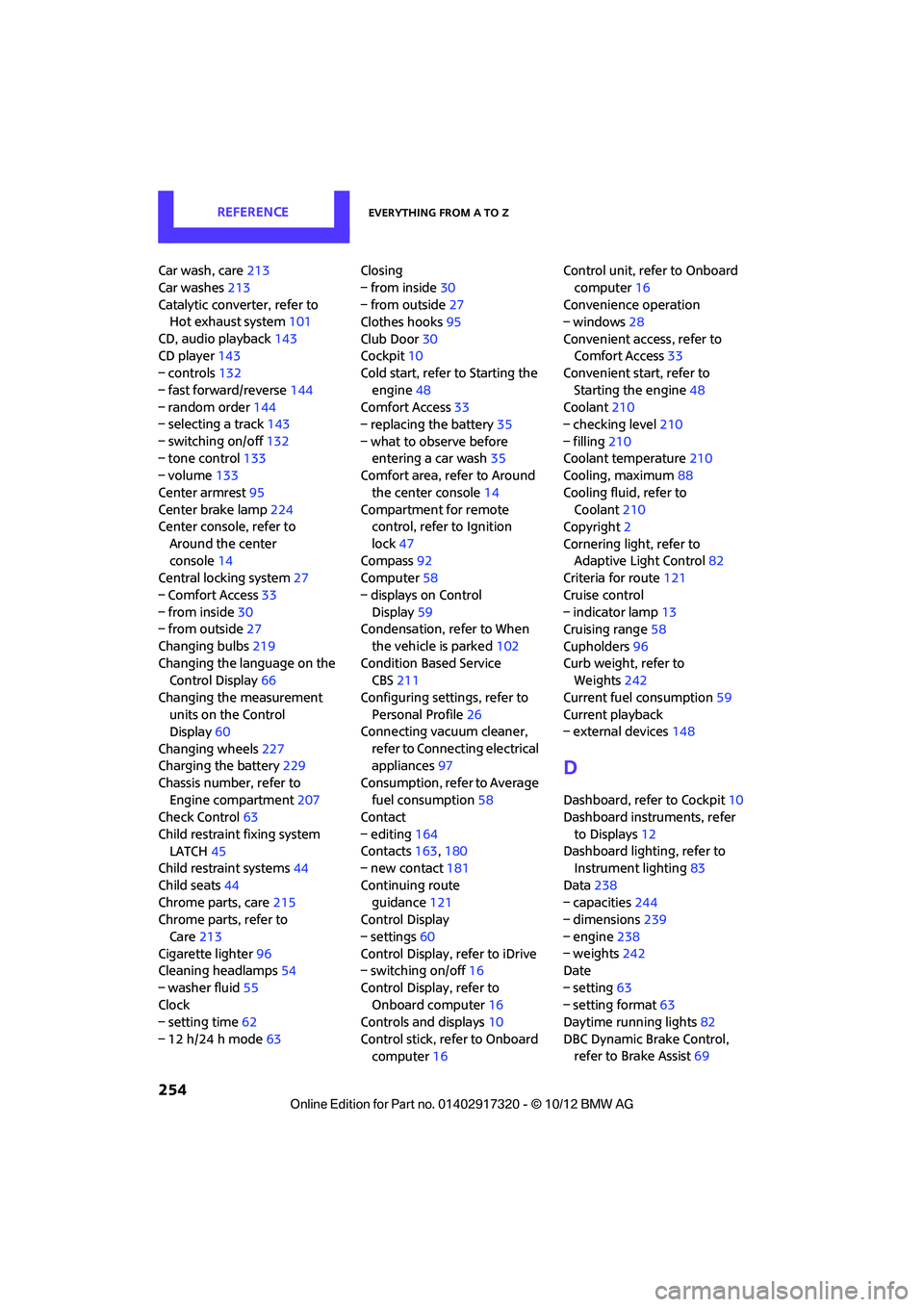
Car wash, care213
Car washes 213
Catalytic conver ter, refer to
Hot exhaust system 101
CD, audio playback 143
CD player 143
– controls 132
– fast forward/reverse 144
– random order 144
– selecting a track 143
– switching on/off 132
– tone control 133
– volume 133
Center armrest 95
Center brake lamp 224
Center console, refer to
Around the center
console 14
Central locking system 27
– Comfort Access 33
– from inside 30
– from outside 27
Changing bulbs 219
Changing the language on the Control Display 66
Changing the measurement units on the Control
Display 60
Changing wheels 227
Charging the battery 229
Chassis number, refer to Engine compartment 207
Check Control 63
Child restraint fixing system LATCH 45
Child restraint systems 44
Child seats 44
Chrome parts, care 215
Chrome parts, refer to
Care 213
Cigarette lighter 96
Cleaning headlamps 54
– washer fluid 55
Clock
– setting time 62
– 12 h/24 h mode 63Closing
– from inside
30
– from outside 27
Clothes hooks 95
Club Door 30
Cockpit 10
Cold start, refer to Starting the
engine 48
Comfort Access 33
– replacing the battery 35
– what to observe before entering a car wash 35
C omfort ar
ea, refer to Around
the center console 14
Compartment for remote control, refer to Ignition
lock 47
Compass 92
Computer 58
– displays on Control Display 59
Condensation, refer to When
the vehicle is parked 102
Condition Based Service CBS 211
Configuring settings, refer to Personal Profile 26
Connecting vacuum cleaner,
refer to Connecting electrical
appliances 97
Consumption, refer to Average fuel consumption 58
Contact
– editing 164
Contacts 163,180
– new contact 181
Continuing route guidance 121
Control Display
– settings 60
Control Display, refer to iDrive
– switching on/off 16
Control Display, refer to Onboard computer 16
Controls and displays 10
Control stick, refer to Onboard computer 16 Control unit, refer to Onboard
computer 16
Convenience operation
– windows 28
Convenient access, refer to Comfort Access 33
Convenient star t, refer to
Starting the engine 48
Coolant 210
– checking level 210
– filling 210
Coolant temperature 210
Cooling, maximum 88
Cooling fluid, refer to Coolant 210
Copyright 2
Cornering light, refer to Adaptive Light Control 82
Criteria for route 121
Cruise control
– indicator lamp 13
Cruising range 58
Cupholders 96
Curb weight, refer to Weights 242
Current fuel consumption 59
Curren t playback
– external devices 148
D
Dashboard, refer to Cockpit 10
Dashboard instruments, refer
to Displays 12
Dashboard lighting, refer to Instrument lighting 83
Data 238
– capacities 244
– dimensions 239
– engine 238
– weights 242
Date
– setting 63
– setting format 63
Daytime running lights 82
DBC Dynamic Brake Control, refer to Brake Assist 69
00320051004F004C00510048000300280047004C0057004C005200510003
Page 256 of 267
Everything from A to ZREFERENCE
255
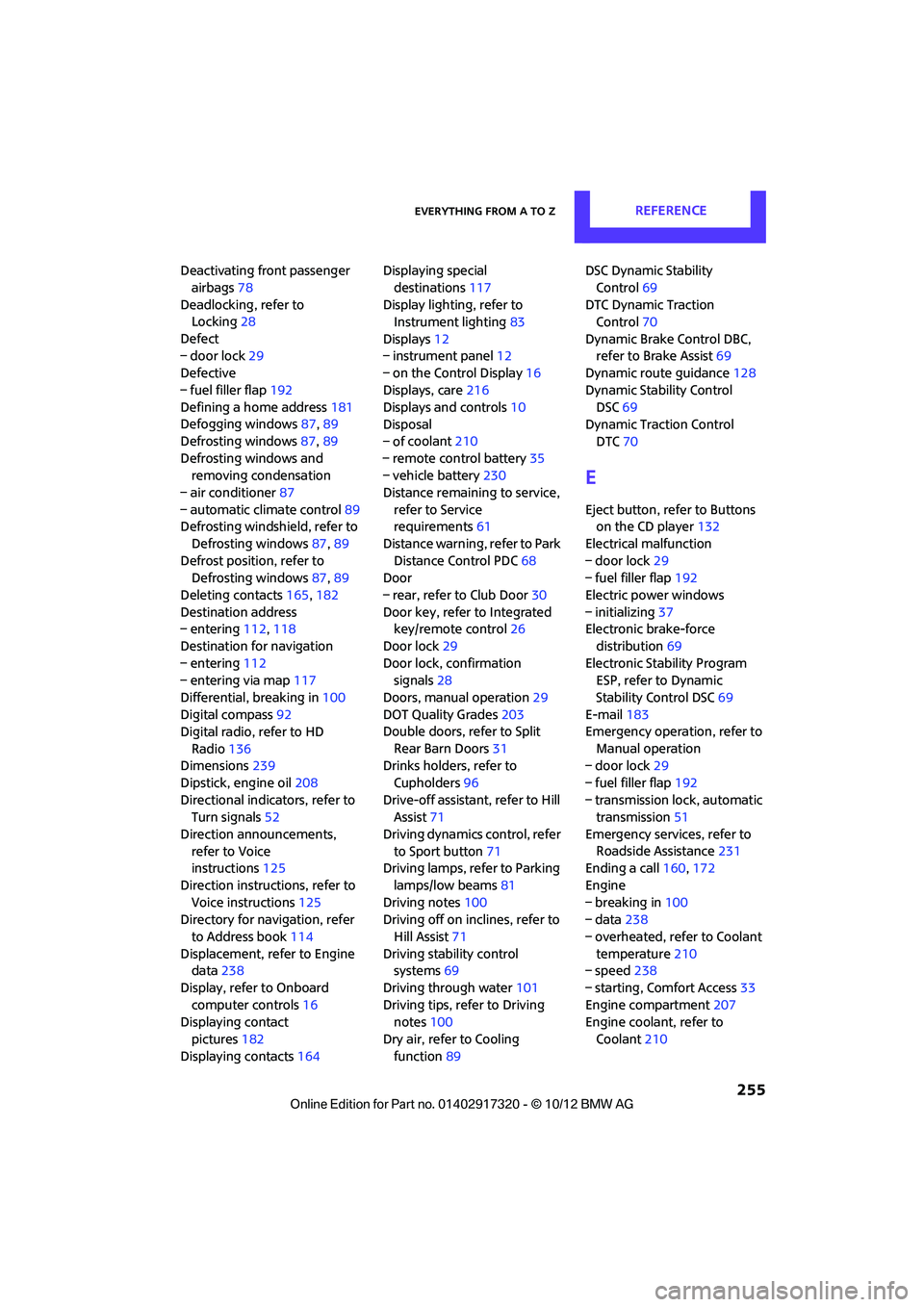
Deactivating front passenger airbags 78
Deadlocking, refer to Locking 28
Defect
– door lock 29
Defective
– fuel filler flap 192
Defining a home address 181
Defogging windows 87,89
Defrosting windows 87,89
Defrosting windows and removing condensation
– air conditioner 87
– automatic climate control 89
Defrosting windshield, refer to
Defrosting windows 87,89
Defrost position, refer to Defrosting windows 87,89
Deleting contacts 165,182
Destination address
– entering 112,118
Destination for navigation
– entering 112
– entering via map 117
Differential, breaking in 100
Digital compass 92
Digital radio, refer to HD
Radio 136
Dimensions 239
Dipstick, engine oil 208
Directional indicators, refer to Turn signals 52
Direction announcements, refer to Voice
instructions 125
Direction instructions, refer to Voice instructions 125
Directory for navigation, refer
to Address book 114
Displacement, refer to Engine data 238
Display, refer to Onboard computer controls 16
Displaying contact
pictures 182
Displaying contacts 164Displaying special
destinations 117
Display lighting, refer to Instrument lighting 83
Displays 12
– instrument panel 12
– on the Control Display 16
Displays, care 216
Displays and controls 10
Disposal
– of coolan
t210
–
remote control battery 35
– vehicle battery 230
Distance remaining to service, refer to Service
requirements 61
Distance warning, refer to Park Distance Control PDC 68
Door
– rear, refer to Club Door 30
Door key, refer to Integrated key/remote control 26
Door lock 29
Door lock, confirmation signals 28
Doors, manual operation 29
DOT Quality Grades 203
Double doors, refer to Split
Rear Barn Doors 31
Drinks holders, refer to
Cupholders 96
Drive-off assistant, refer to Hill
Assist 71
Driving dynamics control, refer to Sport button 71
Driving lamps, refer to Parking
lamps/low beams 81
Driving notes 100
Driving off on inclines, refer to
Hill Assist 71
Driving stability control systems 69
Driving through water 101
Driving tips, refer to Driving notes 100
Dry air, refer to Cooling function 89 DSC Dynamic Stability
Control 69
DTC Dynamic Traction Control 70
Dynamic Brake Control DBC, refer to Brake Assist 69
Dynamic route guidance 128
Dynamic Stability Control DSC 69
Dynamic Traction Control
DTC 70
E
Eject button, refer to Buttons
on the CD player 132
Electrical malfunction
– door lock 29
– fuel filler flap 192
Electric power windows
– initializing 37
Electronic brake-force
distribution 69
Electronic Stability Program ESP, refer to Dynamic
Stability Control DSC 69
E-mail 183
Emergency operation, refer to
Manual operation
– door lock 29
– fuel filler flap 192
– transmission lock, automatic transmission 51
Emergency services, refer to Roadside Assistance 231
Ending a call 160,172
Engine
– breaking in 100
– data 238
– overheated, refer to Coolant temperature 210
– speed 238
– starting, Comfort Access 33
Engine compartment 207
Engine coolant, refer to
Coolant 210
00320051004F004C00510048000300280047004C0057004C005200510003
Page 258 of 267
Everything from A to ZREFERENCE
257
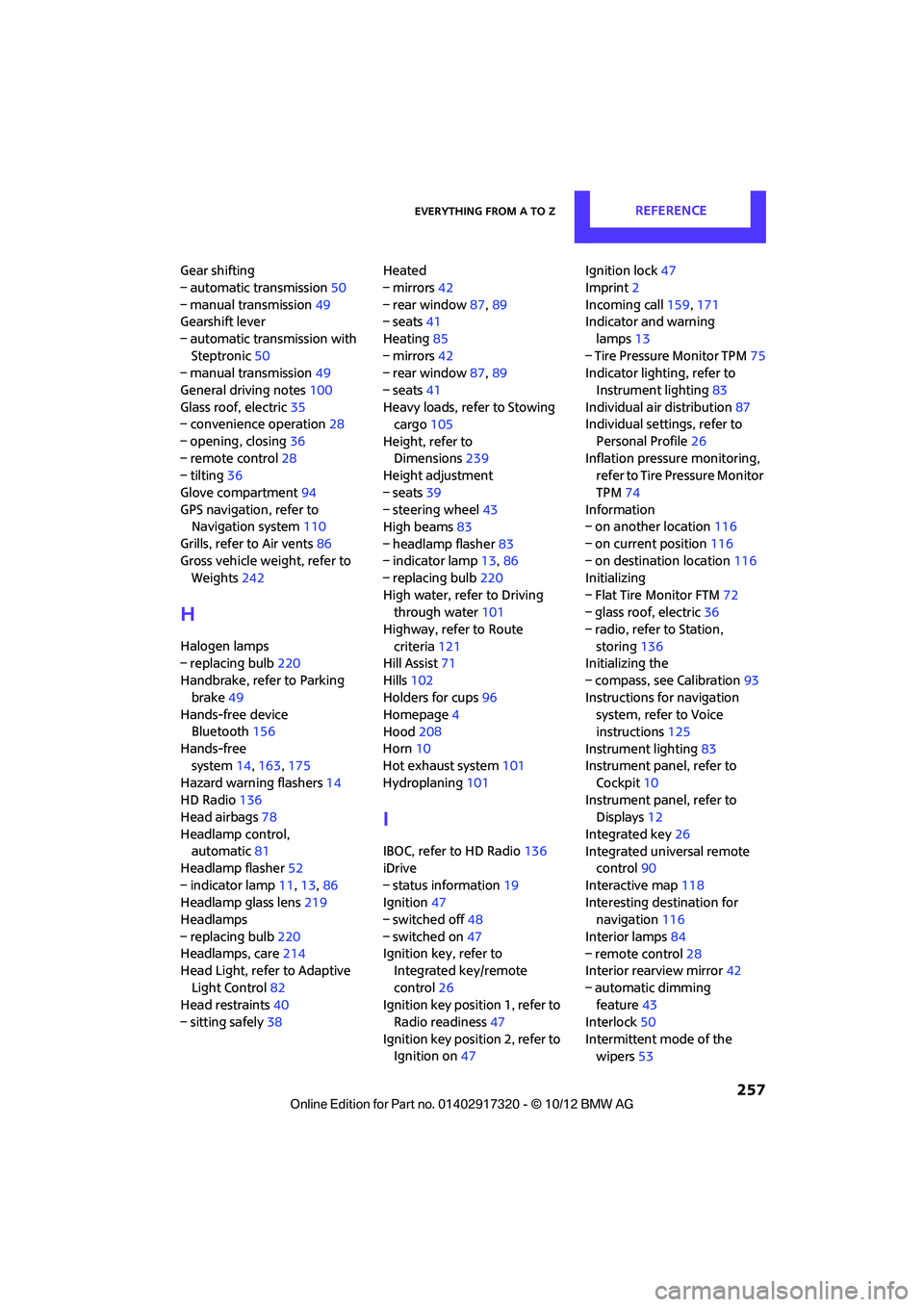
Gear shifting
– automatic transmission50
– manual transmission 49
Gearshift lever
– automatic transmission with Steptronic 50
– manual transmission 49
General driving notes 100
Glass roof, electric 35
– convenience operation 28
– opening, closing 36
– remote control 28
– tilting 36
Glove compartment 94
GPS navigation, refer to Navigation system 110
Grills, refer to Air vents 86
Gross vehicle weight, refer to Weights 242
H
Halogen lamps
– replacing bulb 220
Handbrake, refer to Parking
brake 49
Hands-free device Bluetooth 156
Hands-free system 14,163 ,175
Hazard warning flashers 14
HD Radio 136
Head airbags 78
Headlamp control, automatic 81
Headlamp flasher 52
– indicator lamp 11,13,86
Headlamp glass lens 219
Headlamps
– replacing bulb 220
Headlamps, care 214
Head Light, refer to Adaptive
Light Control 82
Head restraints 40
– sitting safely 38 Heated
– mirrors
42
– rear window 87,89
– seats 41
Heating 85
– mirrors 42
– rear window 87,89
– seats 41
Heavy loads, refer to Stowing cargo 105
Height, refer to Dimensions 239
Height adjustment
– seats 39
– steering wheel 43
High beams 83
– headlamp flasher 83
– indicator lamp 13,86
– replacing bulb 220
High water, refer to Driving through water 101
Highway, refer to Route
criteria 121
Hill Assist 71
Hills 102
Holders for cups 96
Homepage 4
Hood 208
Horn 10
Hot exhaust system 101
Hydroplaning 101
I
IBOC, refer to HD Radio 136
iDrive
– status information 19
Ignition 47
– switched off 48
– switched on 47
Ignition key, refer to Integrated key/remote
control 26
Ignition key position 1, refer to Radio readiness 47
Ignition key position 2, refer to Ignition on 47 Ignition lock
47
Imprint 2
Incoming call 159,171
Indicator and warning
lamps 13
– Tire Pressure Monitor TPM 75
Indicator lighting, refer to
Instrument lighting 83
Individual air distribution 87
Individual settings, refer to
Personal Profile 26
Inflation pressure monitoring, refer to Tire Pressure Monitor
TPM 74
Information
– on another location 116
– on current position 116
– on destination location 116
Initializing
– Flat Tire Monitor FTM 72
– glass roof, electric 36
– radio, refer to Station,
storing 136
Initializing the
– compass, see Calibration 93
Instructions for navigation system, refer to Voice
instructions 125
Instrument lighting 83
Instrument pane l, refer to
Cockpit 10
Instrument pane l, refer to
Displays 12
Integrated key 26
Integrated universal remote control 90
Interactive map 118
Interesting destination for navigation 116
Interior lamps 84
– remote control 28
Interior rearview mirror 42
– automatic dimming feature 43
Interlock 50
Intermittent mode of the wipers 53
00320051004F004C00510048000300280047004C0057004C005200510003
Page 261 of 267
REFERENCEEverything from A to Z
260
P
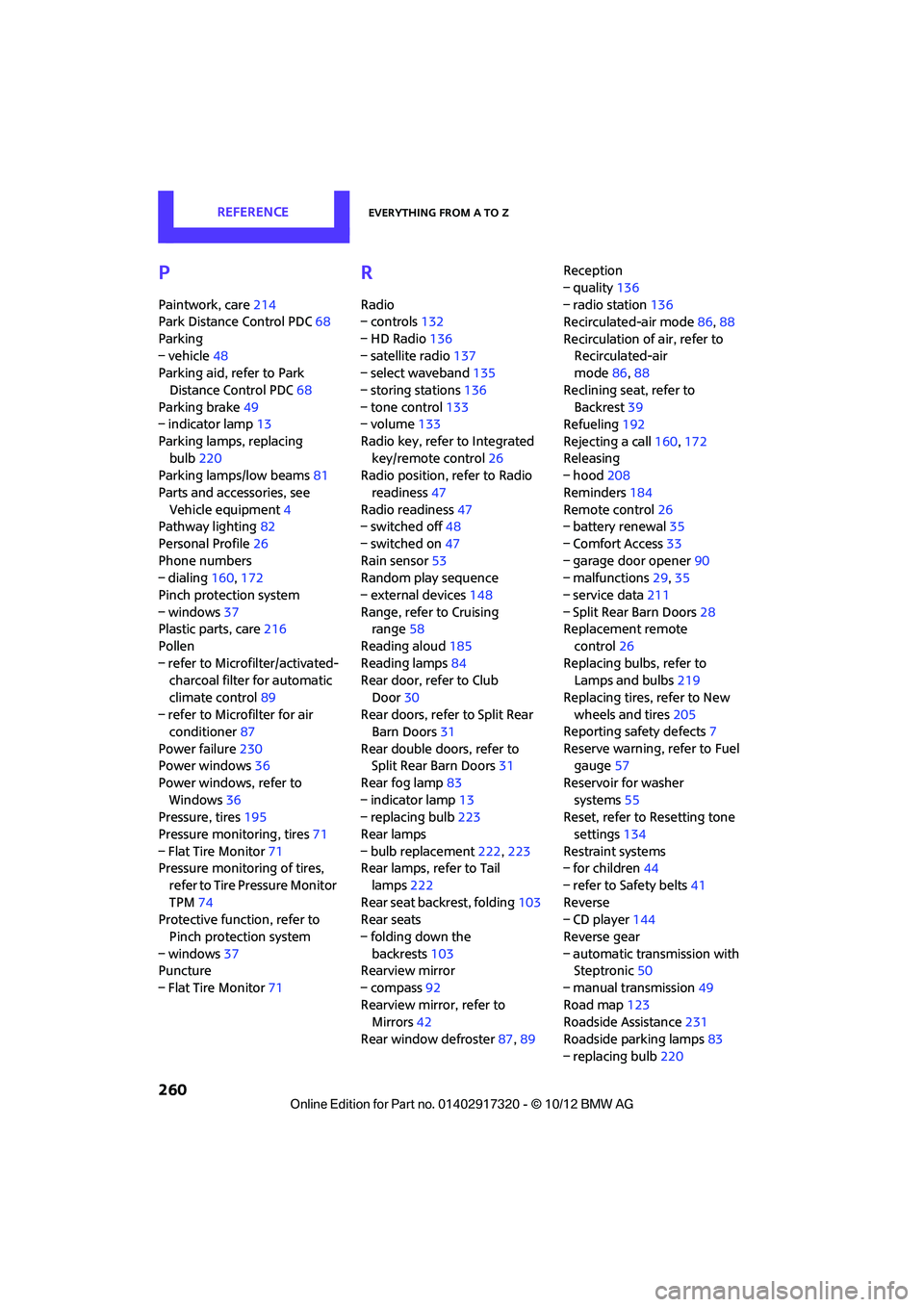
Paintwork, care214
Park Distance Control PDC 68
Parking
– vehicle 48
Parking aid, refer to Park
Distance Control PDC 68
Parking brake 49
– indicator lamp 13
Parking lamps, replacing bulb 220
Parking lamps/low beams 81
Parts and accessories, see Vehicle equipment 4
Pathway lighting 82
Personal Profile 26
Phone numbers
– dialing 160,172
Pinch protection system
– windows 37
Plastic parts, care 216
Pollen
– refer to Microfilter/activated- charcoal filter for automatic
climate control 89
– refer to Microfilter for air conditioner 87
Power failure 230
Power windows 36
Power windows, refer to Windows 36
Pressure, tires 195
Pressure moni toring, tires71
– Flat Tire Monitor 71
Pressure monitoring of tires,
refer to Tire Pressure Monitor
TPM 74
Protective function, refer to
Pinch protection system
– windows 37
Puncture
– Flat Tire Monitor 71
R
Radio
– controls132
– HD Radio 136
– satellite radio 137
– select waveband 135
– storing stations 136
– tone control 133
– volume 133
Radio key, refer to Integrated key/remote control 26
Radio position, refer to Radio
readiness 47
Radio readiness 47
– switched off 48
– switched on 47
Rain sensor 53
Random play sequence
– external devices 148
Range, refer to Cruising range 58
Reading aloud 185
Reading lamps 84
Rear door, re fer to Club
Door 30
Rear doors, refer to Split Rear Barn Doors 31
Rear double doors, refer to Split Rear Barn Doors 31
Rear fog lamp 83
– indicator lamp 13
– replacing bulb 223
Rear lamps
– bulb replacement 222,223
Rear lamps, refer to Tail
lamps 222
Rear seat back rest, folding103
Rear seats
– folding down the backrests 103
Rearview mirror
– compass 92
Rearview mirror, refer to Mirrors 42
Rear window defroster 87,89 Reception
– quality
136
– radio station 136
Recirculated-air mode 86,88
Recirculation of air, refer to Recirculated-air
mode 86,88
Reclining seat , refer to
Backrest 39
Refueling 192
Rejecting a call 160,172
Rele asing
– hood 208
Reminders 184
Remote con
trol26
– battery renewal 35
– Comfort Access 33
– garage door opener 90
– malfunctions 29,35
– service data 211
– Split Rear Barn Doors 28
Replacement remote
control 26
Replacing bulbs, refer to Lamps and bulbs 219
Replacing tires, refer to New
wheels and tires 205
Reporting safety defects 7
Reserve warning, refer to Fuel gauge 57
Reservoir for washer systems 55
Reset, refer to Resetting tone
settings 134
Restraint systems
– for children 44
– refer to Safety belts 41
Reverse
– CD player 144
Reverse gear
– automatic transmission with Steptronic 50
– manual transmission 49
Road map 123
Roadside Assistance 231
Roadside parking lamps 83
– replacing bulb 220
00320051004F004C00510048000300280047004C0057004C005200510003