tow MINI COOPER 2013 User Guide
[x] Cancel search | Manufacturer: MINI, Model Year: 2013, Model line: COOPER, Model: MINI COOPER 2013Pages: 267, PDF Size: 3.53 MB
Page 103 of 267
DRIVING TIPSThings to remember when driving
102
Hills
To prevent overheating and the resulting
reduced efficiency of the brake system,
drive long or steep downhill gradients in the
gear in which the least braking is required. Even
light but consistent brake pressure can lead to
high temperatures, brake wear and possibly
even brake failure. <
You can increase the engine's braking effect by
shifting down, all the way to first gear if neces-
sary. This strategy helps you avoid placing
excessive loads on the brake system. Downshift-
ing in manual mode of the automatic transmis-
sion, page 51.
Never drive with the clutch held down,
with the transmission in neutral or with
the engine switched off; otherwise, engine brak-
ing action will not be present or there will be no
power assistance to the brakes or steering.
Never allow floor mats, carpets or any other
objects to protrude into the area around the
pedals; otherwise, pedal function could be
impaired. <
Corrosion on brake rotors
When the vehicle is driven only occasionally,
during extended periods when the vehicle is not
used at all, and in op erating conditions where
brake applications are less frequent, there is an
increased tendency for corrosion to form on
rotors, while contaminants accumulate on the
brake pads. This occurs because the minimum
pressure which must be exerted by the pads
during brake applications to clean the rotors is
not reached.
Should corrosion form on the brake rotors, the
brakes will tend to respond with a pulsating
effect that even extended application will fail to
cure.
When the vehicle is parked
Condensation forms while the automatic climate
control is in operation, and then exits under the
vehicle. Traces of condensed water under the
vehicle are therefore normal. In the MINI Cooper S, the coolant pump may
continue to run for some time after the engine is
switched off. This will
generate noise in the
engine compartment.
Cargo loading
To avoid loading the tires beyond their
approved carrying capacity, never over-
load the vehicle. Overloading can lead to over-
heating and increases the rate at which damage
develops inside the tires. The ultimate result can
assume the form of a sudden blowout. <
Avoid fluid spills in the cargo area as they
could damage the vehicle. <
MINI: cargo area cover
Do not place any objects on the cover;
otherwise, they could endanger the car's
occupants, e.g. in the case of braking or sudden
swerving, or they may damage the cover. <
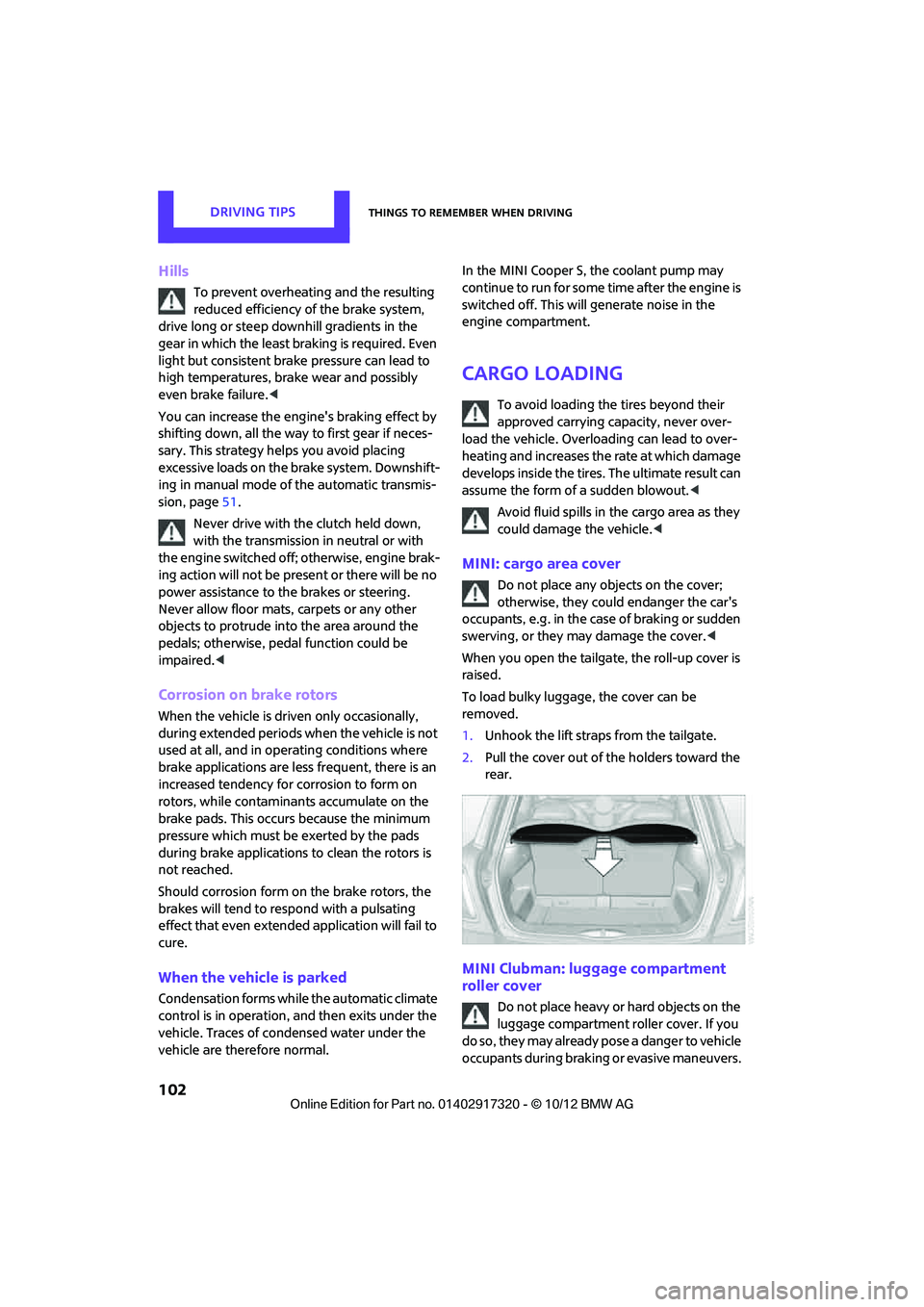
When you open the tailgate, the roll-up cover is
raised.
To load bulky luggage, the cover can be
removed.
1. Unhook the lift straps from the tailgate.
2. Pull the cover out of the holders toward the
rear.
MINI Clubman: luggage compartment
roller cover
Do not place heavy or hard objects on the
luggage compartment roller cover. If you
do so, they may already po s e a d a n g e r t o v e h i c l e
occupants during braking or evasive maneuvers.
00320051004F004C00510048000300280047004C0057004C005200510003
Page 105 of 267
DRIVING TIPSThings to remember when driving
104
MINI Clubman: cargo net
Ensure that the cargo net is firmly
attached; otherwise, injuries may occur.<
The cargo net can be mounted in the cargo area
or behind the front seats.
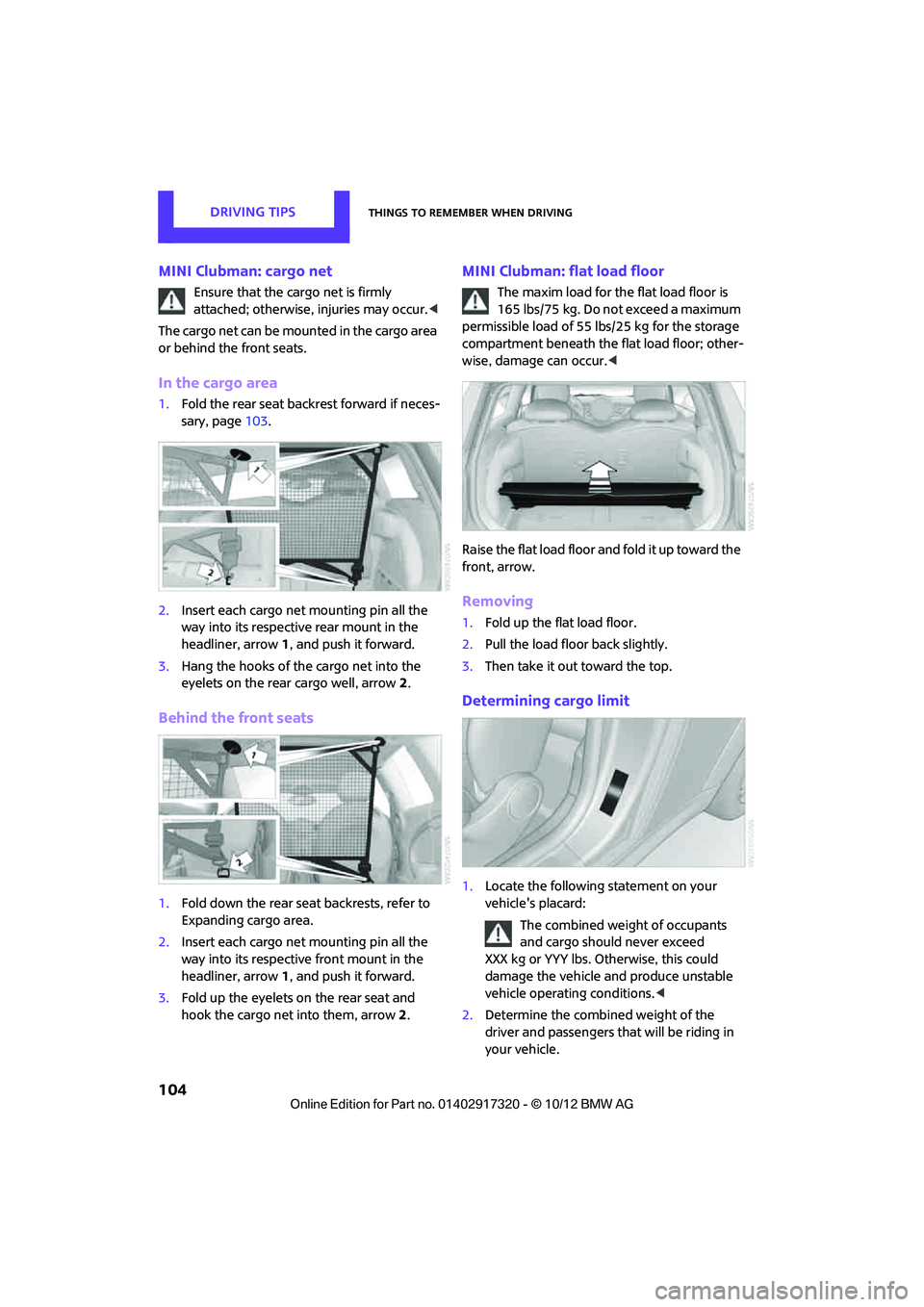
In the cargo area
1. Fold the rear seat backrest forward if neces-
sary, page 103.
2. Insert each cargo net mounting pin all the
way into its respective rear mount in the
headliner, arrow 1, and push it forward.
3. Hang the hooks of the cargo net into the
eyelets on the rear cargo well, arrow2.
Behind the front seats
1. Fold down the rear seat backrests, refer to
Expanding cargo area.
2. Insert each cargo net mounting pin all the
way into its respective front mount in the
headliner, arrow 1, and push it forward.
3. Fold up the eyelets on the rear seat and
hook the cargo net into them, arrow 2.
MINI Clubman: flat load floor
The maxim load for the flat load floor is
165 lbs/75 kg. Do not exceed a maximum
permissible load of 55 lbs/25 kg for the storage
compartment beneath the flat load floor; other-
wise, damage can occur. <
Raise the flat load floor an d fold it up toward the
front, arrow.
Removing
1. Fold up the flat load floor.
2. Pull the load floor back slightly.
3. Then take it out toward the top.
Determining cargo limit
1.Locate the following statement on your
vehicle's placard:
The combined weight of occupants
and cargo should never exceed
XXX kg or YYY lbs. Otherwise, this could
damage the vehicle and produce unstable
vehicle operating conditions. <
2. Determine the combined weight of the
driver and passengers that will be riding in
your vehicle.
00320051004F004C00510048000300280047004C0057004C005200510003
Page 106 of 267
Things to remember when drivingDRIVING TIPS
105
3.Subtract the combined weight of the driver
and passengers from XXX pounds or YYY
kilograms.
4. The resulting figure equals the available
amount of cargo and luggage load capacity.
For example, if the XXX amount equals
1,400 lbs and there will be four 150 lb-pas-
sengers in your vehicle, the amount of avail-
able cargo and luggage load capacity is
650 lbs:
1,400 lbs minus 750 lbs = 650 lbs.
5. Determine the combined weight of luggage
and cargo being loaded on the vehicle. That
weight may not safely exceed the available
cargo and luggage load capacity calculated
in step 4.
6. If your vehicle will be towing a trailer, part of
the load from your trail er will be transferred
to your vehicle. Consult the manual for
transporting a trailer to determine how this
may reduce the available cargo and luggage
load capacity of your vehicle.
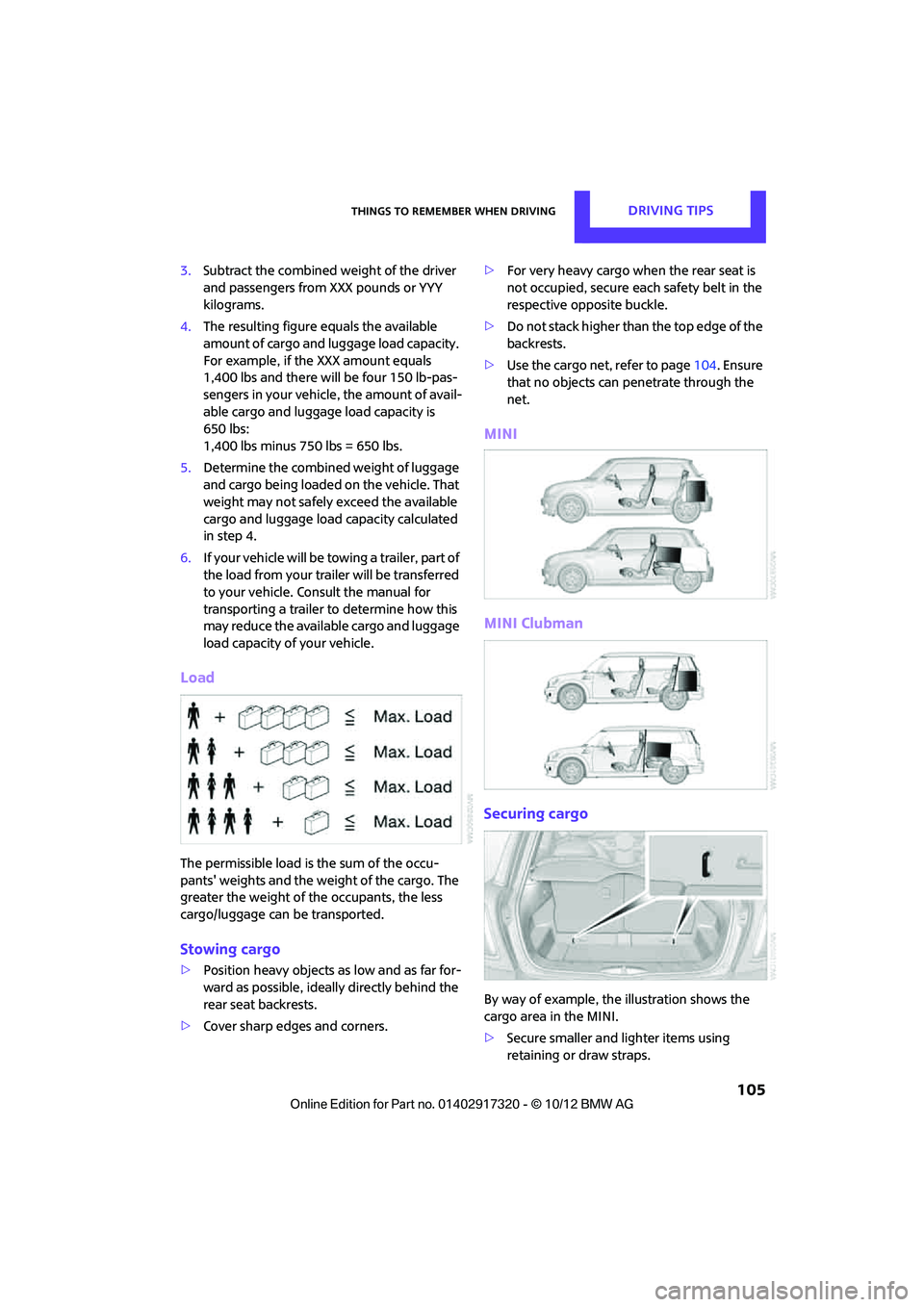
Load
The permissible load is the sum of the occu-
pants' weights and the weight of the cargo. The
greater the weight of the occupants, the less
cargo/luggage can be transported.
Stowing cargo
> Position heavy objects as low and as far for-
ward as possible, ideally directly behind the
rear seat backrests.
> Cover sharp edges and corners. >
For very heavy cargo wh en the rear seat is
not occupied, secure each safety belt in the
respective opposite buckle.
> Do not stack higher than the top edge of the
backrests.
> Use the cargo net, refer to page 104. Ensure
that no objects can penetrate through the
net.
MINI
MINI Clubman
Securing cargo
By way of example, the illustration shows the
cargo area in the MINI.
> Secure smaller and lighter items using
retaining or draw straps.
00320051004F004C00510048000300280047004C0057004C005200510003
Page 113 of 267
NAVIGATIONDestination entry
112
Destination entry
General information
In entering your destination you can select from
among the following options:
>Manual destination entry, see below
> Selecting destination from address book,
page 114
> Last destin ations, page 115
> Special destinations, refer to page 116
> Entering the destinatio n via map, refer to
page 117
> Selecting home address, refer to page 115
> Entering destinatio n via voice, page118
After selecting your dest ination you can proceed
to start the route guidance, page 121.
Manual destination
entry
To make it easier to enter town/city names and
street names, you are supported with the word-
match principle, refer to page120. This makes it
possible to enter different spellings and com-
pletes your entry automatically so that stored
town/city names and st reet names can be
accessed quickly.
1. "Navigation"
2. "Enter address" The system also supports
you with the following
features:
> If you do not enter a street, the system will
guide you to the downtown area of a town
or city.
> You can skip the entry of country and town/
city if the current entries should be retained
for your new destination.
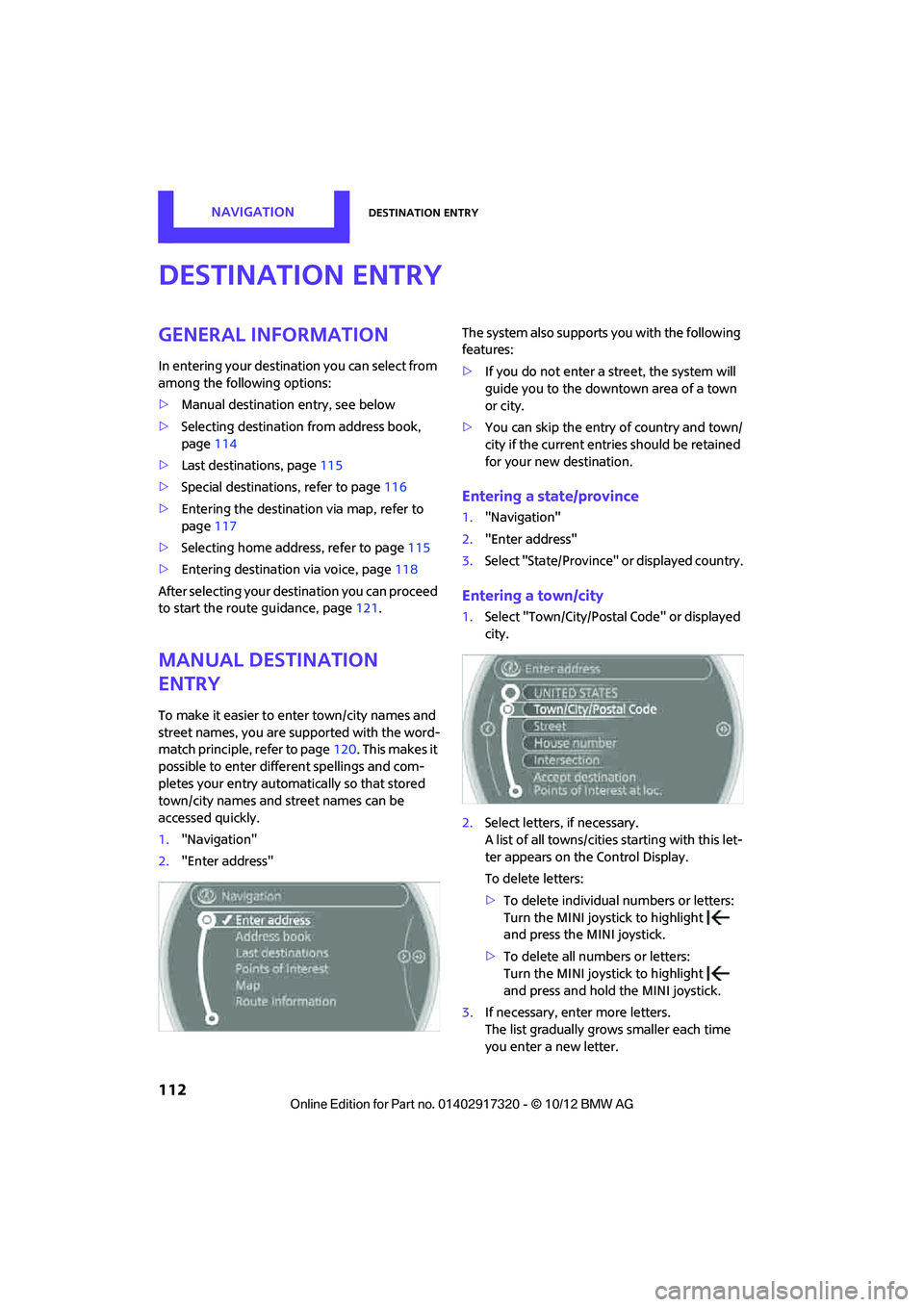
Entering a state/province
1."Navigation"
2. "Enter address"
3. Select "State/Province" or displayed country.
Entering a town/city
1.Select "Town/City/Postal Code" or displayed
city.
2. Select letters, if necessary.
A list of all towns/cities starting with this let-
ter appears on the Control Display.
To delete letters:
>To delete individual numbers or letters:
Turn the MINI joystick to highlight
and press the MINI joystick.
> To delete all numbers or letters:
Turn the MINI joystick to highlight
and press and hold the MINI joystick.
3. If necessary, enter more letters.
The list gradually grow s smaller each time
you enter a new letter.
00320051004F004C00510048000300280047004C0057004C005200510003
Page 114 of 267
Destination entryNAVIGATION
113
To enter spaces, if necessary:
Select the symbol.
4. If necessary, move the MINI joystick to the
right and change to the list of towns and cit-
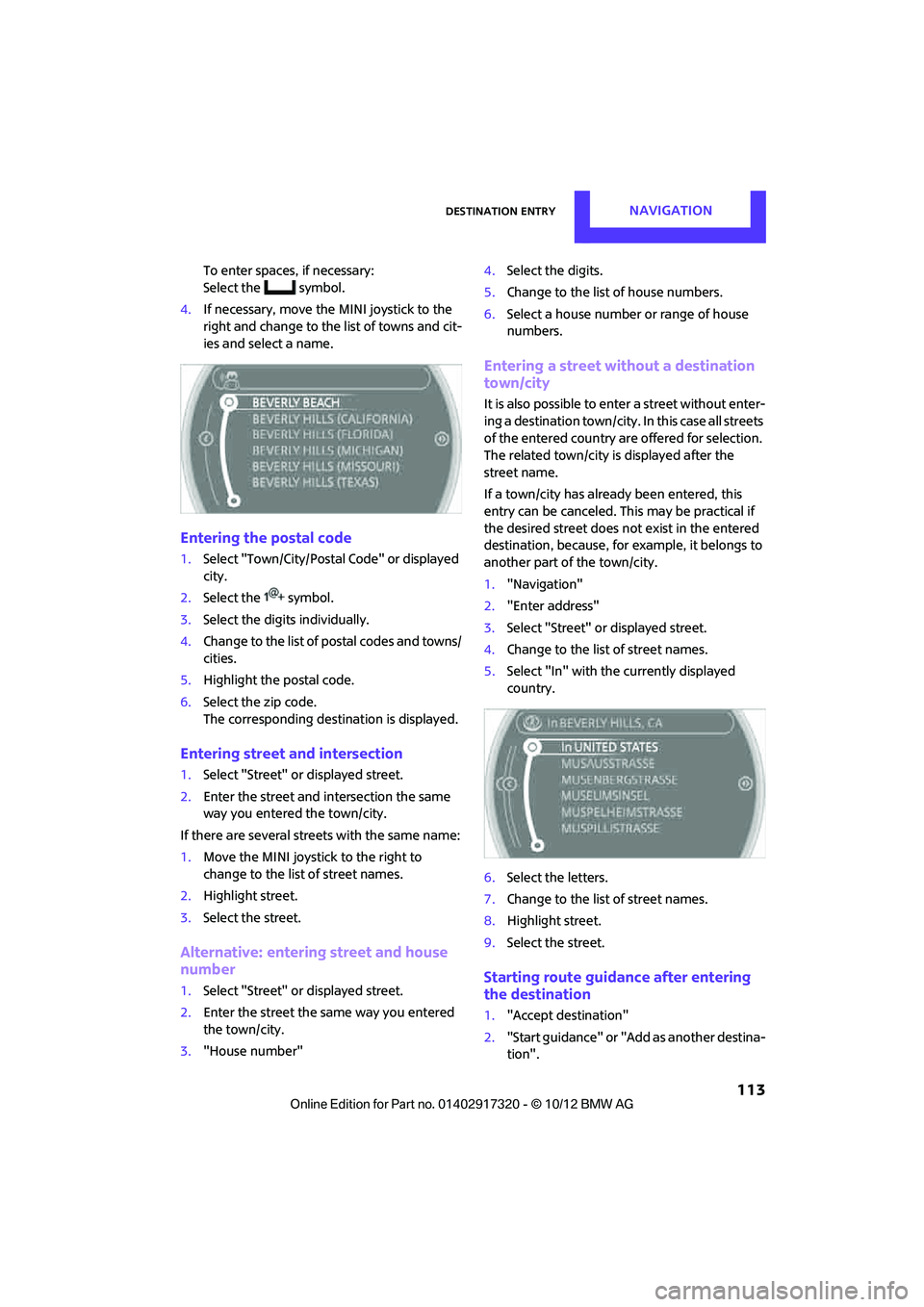
ies and select a name.
Entering the postal code
1. Select "Town/City/Postal Code" or displayed
city.
2. Select the symbol.
3. Select the digits individually.
4. Change to the list of postal codes and towns/
cities.
5. Highlight the postal code.
6. Select the zip code.
The corresponding dest ination is displayed.
Entering street and intersection
1.Select "Street" or displayed street.
2. Enter the street and intersection the same
way you entered the town/city.
If there are several streets with the same name:
1. Move the MINI joystick to the right to
change to the list of street names.
2. Highlight street.
3. Select the street.
Alternative: entering street and house
number
1.Select "Street" or displayed street.
2. Enter the street the same way you entered
the town/city.
3. "House number" 4.
Select the digits.
5. Change to the list of house numbers.
6. Select a house number or range of house
numbers.
Entering a street without a destination
town/city
It is also possible to enter a street without enter-
ing a destination town/city. In this case all streets
of the entered country are offered for selection.
The related town/city is displayed after the
street name.
If a town/city has already been entered, this
entry can be canceled. Th is may be practical if
the desired street does not exist in the entered
destination, because, for example, it belongs to
another part of the town/city.
1. "Navigation"
2. "Enter address"
3. Select "Street" or displayed street.
4. Change to the list of street names.
5. Select "In" with the currently displayed
country.
6. Select the letters.
7. Change to the list of street names.
8. Highlight street.
9. Select the street.
Starting route guidance after entering
the destination
1."Accept destination"
2. "Start guidance" or "Add as another destina-
tion".
00320051004F004C00510048000300280047004C0057004C005200510003
Page 117 of 267
NAVIGATIONDestination entry
116
Deleting the last destinations
1."Navigation"
2. "Last destinations"
3. Highlight the destination.
4. Open "Options".
5. "Delete entry" or "Delete all last destina-
tions".
Special destinations
You can search for a special destination, e.g. a
hotel or place of interest, and start route guid-
ance to the corresponding location.
The scope of information provided
depends on the particular set of naviga-
tion data you are using. <
Accessing search for special
destinations
1."Navigation"
2. Select "Points of Interest"
search.
A-Z search
1."A-Z search"
2. "Town/City"
3. "Category"
4. "Category details"
For some special destinations, it is possible
to select several catego ry details. Move the
MINI joystick to the left to exit category
details.
5. "Keyword"
6. Enter keyword.
A list of the special destinations is displayed.
7. Select the special destination.
8. Select the symbol.
9. "Start guidance" or "Add as another destina-
tion". If several details are stored, then you can
scroll through the pages.
If a phone number is available, a connection
can be established, if desired.
Category search
1.
"Category search"
2. "Search destination"
3. Select or enter town/city.
4. "Category"
5. Select category.
6. "Category details"
For some special destinations, it is possible
to select several catego ry details. Move the
MINI joystick to the left to exit category
details.
7. "Start search"
A list of the special destinations is displayed.
8. Select the special destination.
Details are displayed.
9. Select the symbol.
10. "Start guidance" or "Add as another destina-
tion".
If several details are stored, then you can scroll
through the pages. If a phone number is avail-
able, a connection can be established, if desired.
Special destination location
As you input the search destination, you can
select from among various options.
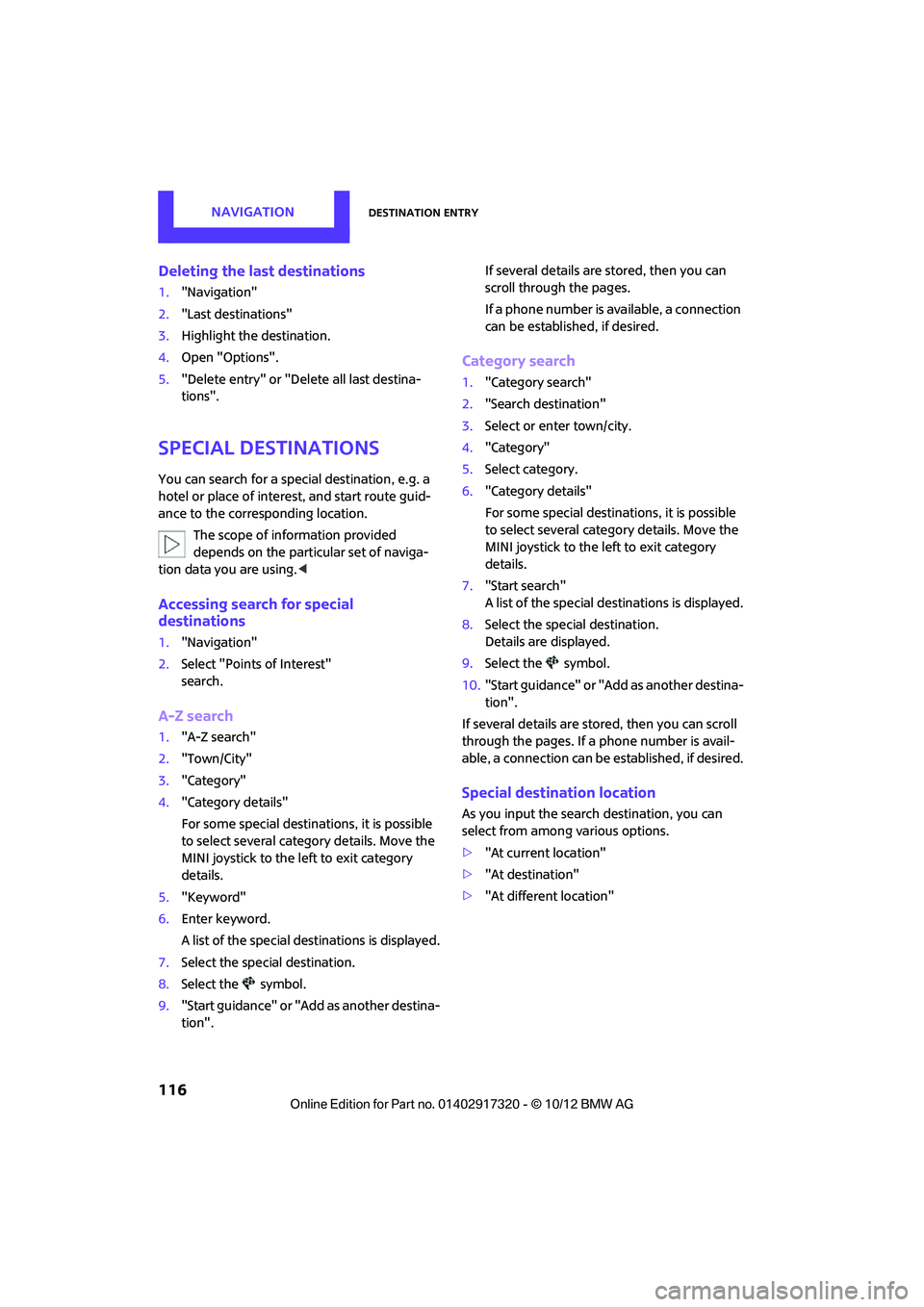
> "At current location"
> "At destination"
> "At different location"
00320051004F004C00510048000300280047004C0057004C005200510003
Page 118 of 267
Destination entryNAVIGATION
117
>With active route guidance: "Along route"
Starting the search for special
destinations
1."Start search"
2. A list of the special destinations is displayed.
>"At current location"
The special destinations are displayed in
order of their distance and are displayed
with a direction arro w pointing toward
the destination.
> "At destination", "At different location",
"Along route"
The special destinations are displayed in
order of their distance from the search
point.
> Destinations of the se lected category are
displayed in the map display as symbols.
The display depends on the map scale
and the category.
3. Highlight special destination.
4. Select the special destination.
5. Select the symbol.
6. "Start guidance" or "Add as another destina-
tion".
The distance from the de stination is displayed.
Displaying special destinations in the
map
To display symbols of the special destinations in
the map:
1. "Navigation"
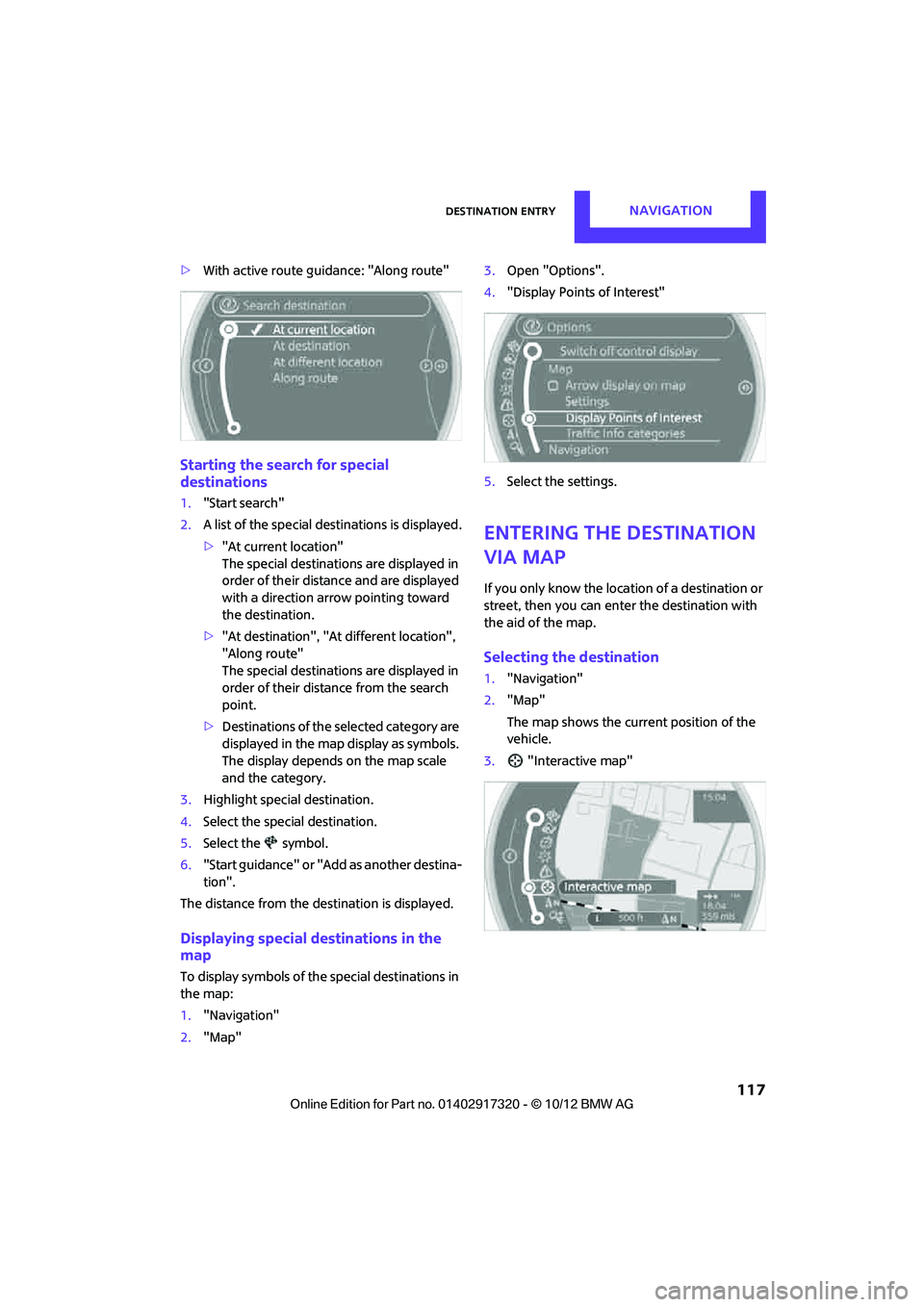
2. "Map" 3.
Open "Options".
4. "Display Points of Interest"
5. Select the settings.
Entering the destination
via map
If you only know the loca tion of a destination or
street, then you can enter the destination with
the aid of the map.
Selecting the destination
1. "Navigation"
2. "Map"
The map shows the curre nt position of the
vehicle.
3. "Interactive map"
00320051004F004C00510048000300280047004C0057004C005200510003
Page 119 of 267
NAVIGATIONDestination entry
118
4.Select the destination with the cross-hairs.
> Changing scale: turn the MINI joystick.
> Moving map: move the MINI joystick in
the corresponding direction.
> Shifting map diag onally: move the
MINI joystick in the corresponding direc-
tion and turn the MINI joystick.
5. Press the MINI joystick to display additional
menu items.
>Select the symbol: "Start guidance" or
"Add as another destination".
> "Find points of interest": the search for
special destinations is started.
Specifying the street
If the system does not detect any street, then a
street name in the vicinity or the coordinates of
the destination are displayed.
Additional functions
In the interactive map, th e scale can be adjusted
and the visible map sectio n can be shifted. You
can also access other func tions by pressing the
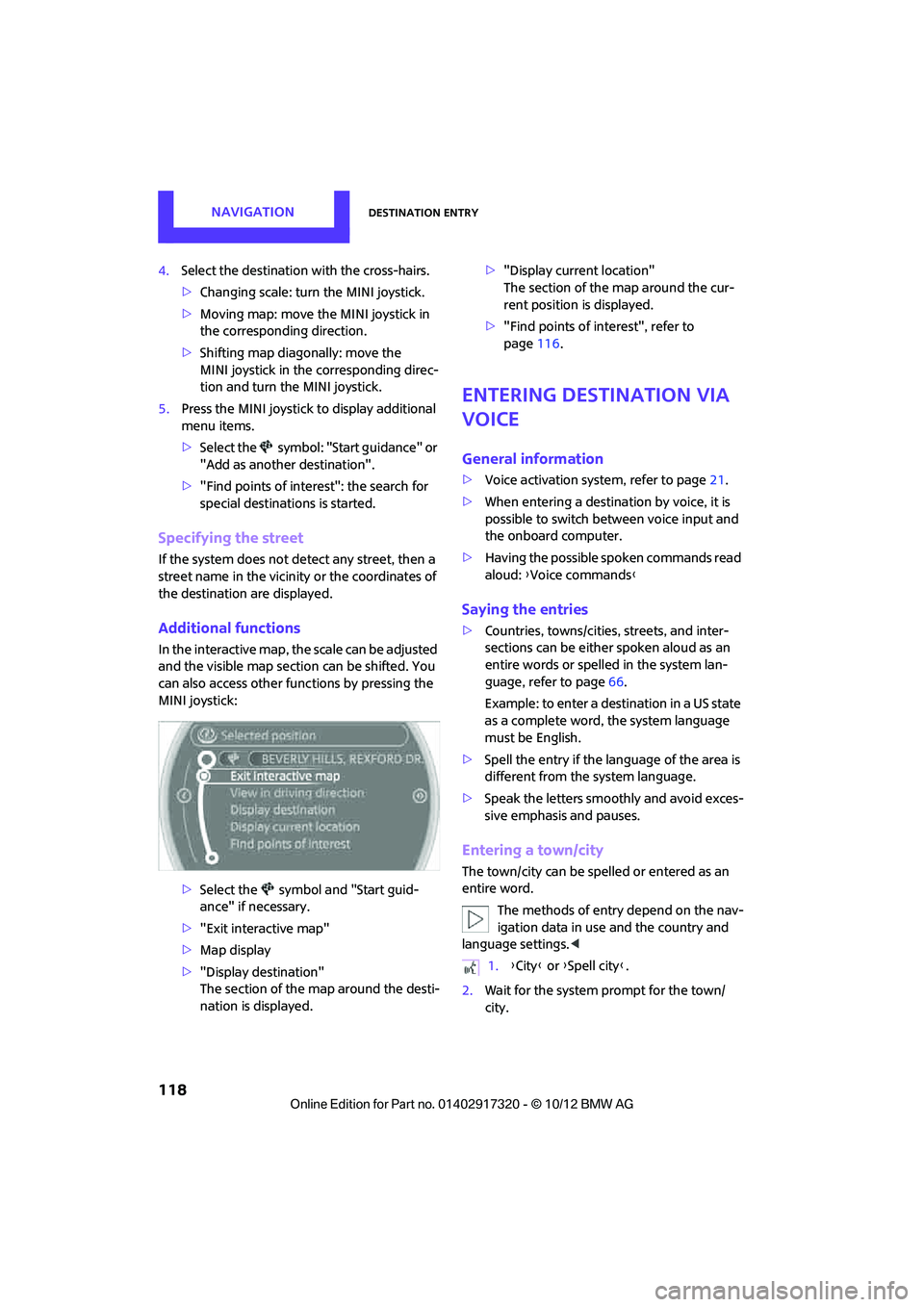
MINI joystick:
>Select the symbol and "Start guid-
ance" if necessary.
> "Exit interactive map"
> Map display
> "Display destination"
The section of the map around the desti-
nation is displayed. >
"Display current location"
The section of the map around the cur-
rent position is displayed.
> "Find points of interest", refer to
page 116.
Entering destination via
voice
General information
>Voice activation system, refer to page 21.
> When entering a destinat ion by voice, it is
possible to switch between voice input and
the onboard computer.
> Having the possible spoken commands read
aloud: {Voice commands }
Saying the entries
>Countries, towns/cities , streets, and inter-
sections can be either spoken aloud as an
entire words or spelled in the system lan-
guage, refer to page 66.
Example: to enter a destination in a US state
as a complete word, the system language
must be English.
> Spell the entry if the language of the area is
different from the system language.
> Speak the letters smoothly and avoid exces-
sive emphasis and pauses.
Entering a town/city
The town/city can be spelled or entered as an
entire word.
The methods of entry depend on the nav-
igation data in use and the country and
language settings. <
2. Wait for the system prompt for the town/
city.
1.{City} or { Spell city}.
00320051004F004C00510048000300280047004C0057004C005200510003
Page 120 of 267
Destination entryNAVIGATION
119
3.Say the name of the town/city or if neces-
sary, spell at least the first three letters.
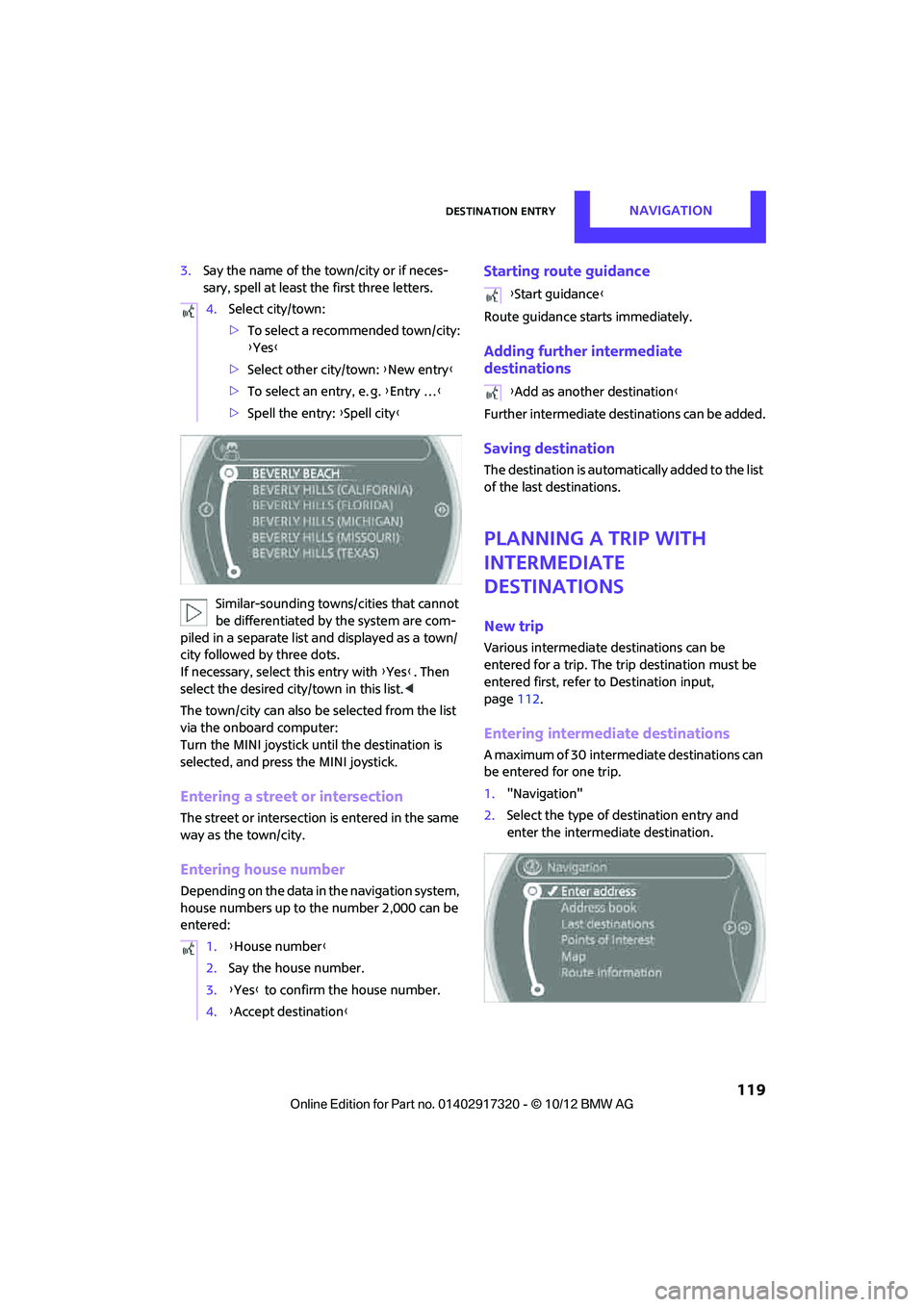
Similar-sounding towns/cities that cannot
be differentiated by the system are com-
piled in a separate list and displayed as a town/
city followed by three dots.
If necessary, select this entry with {Yes }. Then
select the desired city/town in this list. <
The town/city can also be selected from the list
via the onboard computer:
Turn the MINI joystick until the destination is
selected, and press the MINI joystick.
Entering a street or intersection
The street or intersection is entered in the same
way as the town/city.
Entering house number
Depending on the data in the navigation system,
house numbers up to the number 2,000 can be
entered:
Starting route guidance
Route guidance starts immediately.
Adding further intermediate
destinations
Further intermediate dest inations can be added.
Saving destination
The destination is automati cally added to the list
of the last destinations.
Planning a trip with
intermediate
destinations
New trip
Various intermediate destinations can be
entered for a trip. The tr ip destination must be
entered first, refer to Destination input,
page 112.
Entering intermed iate destinations
A maximum of 30 intermed iate destinations can
be entered for one trip.
1. "Navigation"
2. Select the type of destination entry and
enter the intermed iate destination.
4.
Select city/town:
>To select a recommended town/city:
{Yes }
> Select other city/town: {New entry }
> To select an entry, e. g. {Entry … }
> Spell the entry: {Spell city }
1. {House number }
2. Say the house number.
3. {Yes } to confirm the house number.
4. {Accept destination }
{Start guidance }
{ Add as another destination }
00320051004F004C00510048000300280047004C0057004C005200510003
Page 121 of 267
NAVIGATIONDestination entry
120
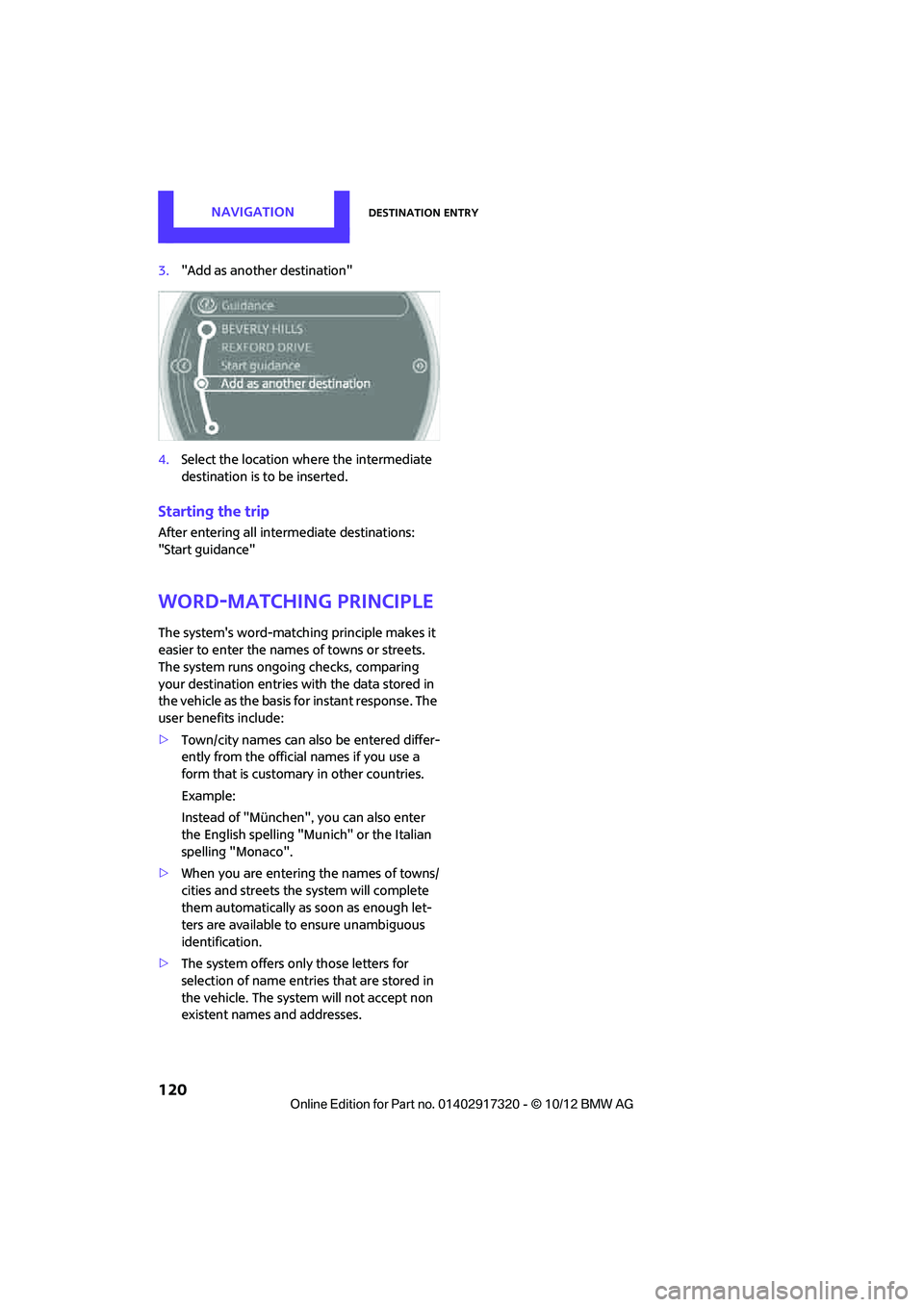
3."Add as another destination"
4. Select the location where the intermediate
destination is to be inserted.
Starting the trip
After entering all inte rmediate destinations:
"Start guidance"
Word-matching principle
The system's word-matching principle makes it
easier to enter the name s of towns or streets.
The system runs ongoing checks, comparing
your destination entries wi th the data stored in
the vehicle as the basis for instant response. The
user benefits include:
> Town/city names can also be entered differ-
ently from the official names if you use a
form that is customary in other countries.
Example:
Instead of "München", you can also enter
the English spelling "Munich" or the Italian
spelling "Monaco".
> When you are entering the names of towns/
cities and streets the system will complete
them automatically as soon as enough let-
ters are available to ensure unambiguous
identification.
> The system offers only those letters for
selection of name entries that are stored in
the vehicle. The system will not accept non
existent names and addresses.
00320051004F004C00510048000300280047004C0057004C005200510003