fuel MINI COOPER 2014 Owners Manual
[x] Cancel search | Manufacturer: MINI, Model Year: 2014, Model line: COOPER, Model: MINI COOPER 2014Pages: 230, PDF Size: 11.58 MB
Page 5 of 230
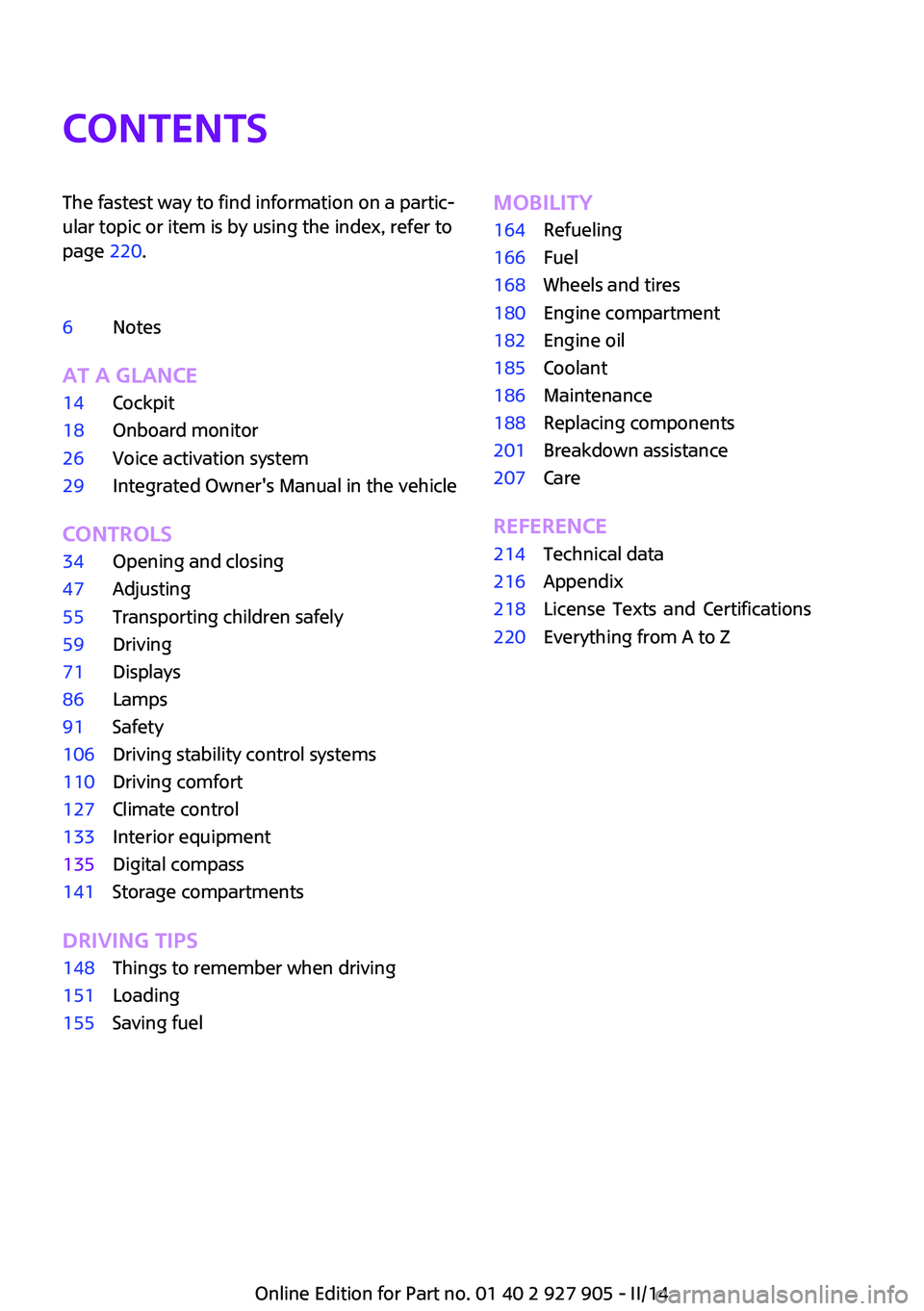
ContentsThe fastest way to find information on a partic‐
ular topic or item is by using the index, refer to
page 220.
6Notes
AT A GLANCE
14Cockpit18Onboard monitor26Voice activation system29Integrated Owner's Manual in the vehicle
CONTROLS
34Opening and closing47Adjusting55Transporting children safely59Driving71Displays86Lamps91Safety106Driving stability control systems110Driving comfort127Climate control133Interior equipment135Digital compass141Storage compartments
DRIVING TIPS
148Things to remember when driving151Loading155Saving fuelMOBILITY164Refueling166Fuel168Wheels and tires180Engine compartment182Engine oil185Coolant186Maintenance188Replacing components201Breakdown assistance207Care
REFERENCE
214Technical data216Appendix218
Online Edition for Part no. 01 40 2 927 905 - II/14
220Everything from A to ZLicense Texts and Certifications
Page 39 of 230
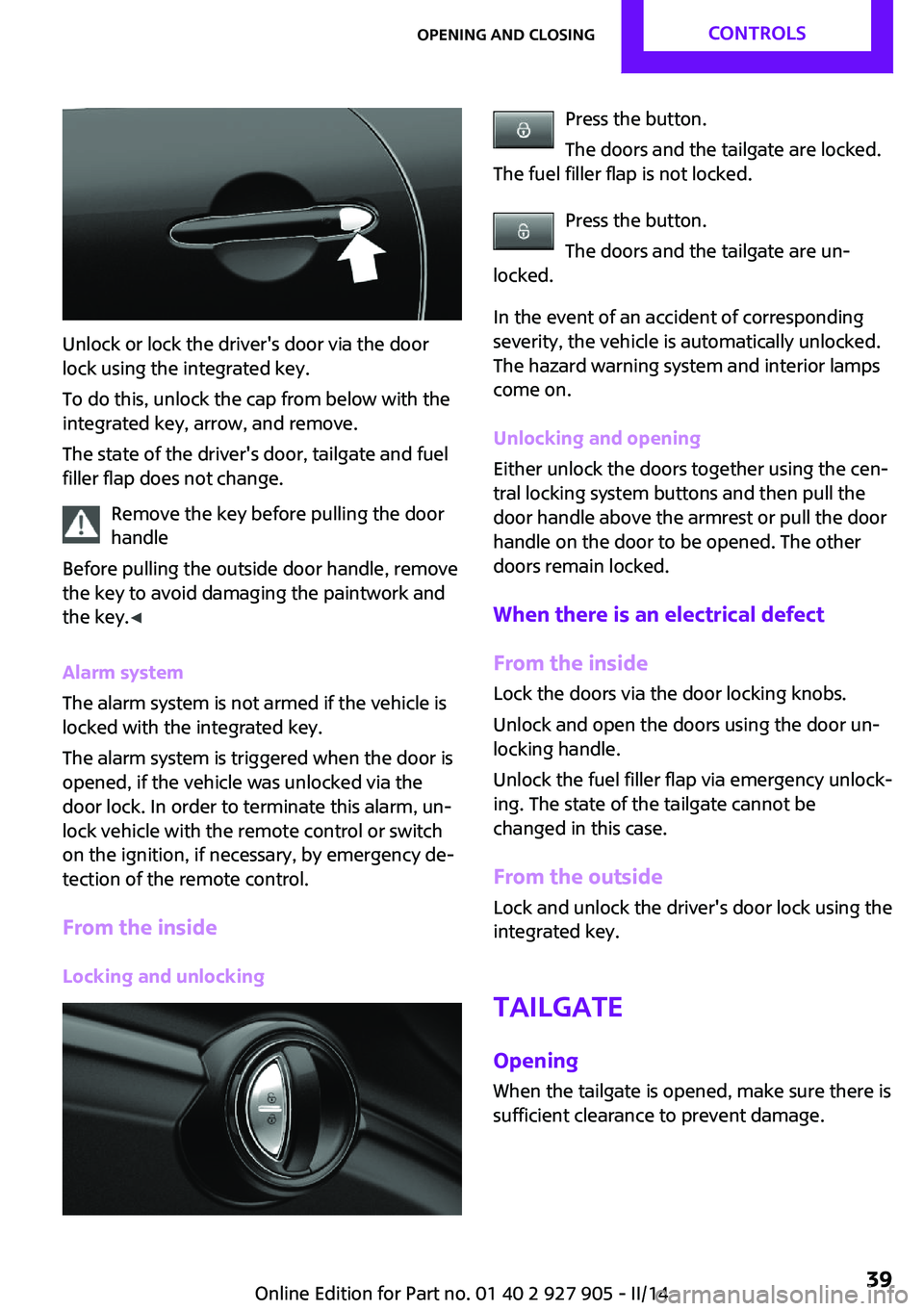
Unlock or lock the driver's door via the door
lock using the integrated key.
To do this, unlock the cap from below with the
integrated key, arrow, and remove.
The state of the driver's door, tailgate and fuel
filler flap does not change.
Remove the key before pulling the door
handle
Before pulling the outside door handle, remove
the key to avoid damaging the paintwork and
the key. ◀
Alarm system
The alarm system is not armed if the vehicle is
locked with the integrated key.
The alarm system is triggered when the door is
opened, if the vehicle was unlocked via the
door lock. In order to terminate this alarm, un‐
lock vehicle with the remote control or switch
on the ignition, if necessary, by emergency de‐
tection of the remote control.
From the inside Locking and unlocking
Press the button.
The doors and the tailgate are locked.
The fuel filler flap is not locked.
Press the button.
The doors and the tailgate are un‐
locked.
In the event of an accident of corresponding
severity, the vehicle is automatically unlocked.
The hazard warning system and interior lamps
come on.
Unlocking and opening
Either unlock the doors together using the cen‐
tral locking system buttons and then pull the
door handle above the armrest or pull the door
handle on the door to be opened. The other
doors remain locked.
When there is an electrical defect From the inside Lock the doors via the door locking knobs.
Unlock and open the doors using the door un‐
locking handle.
Unlock the fuel filler flap via emergency unlock‐
ing. The state of the tailgate cannot be
changed in this case.
From the outside
Lock and unlock the driver's door lock using the
integrated key.
Tailgate
Opening When the tailgate is opened, make sure there is
sufficient clearance to prevent damage.Seite 39Opening and closingCONTROLS39
Online Edition for Part no. 01 40 2 927 905 - II/14
Page 42 of 230
AdjustingUnlocking The settings are saved in the active profile. Per‐
sonal Profile, refer to page 35.
Doors1. "Settings"2."Doors/key"3. Select the symbol.4.Select the desired function.▷"Driver's door only"
Only the driver's door and the fuel filler
flap are unlocked. Pressing again un‐
locks the entire vehicle.▷"All doors"
The entire vehicle is unlocked.▷"Comfort access"
The entire vehicle is unlocked. Pressing
again lowers the window when the
door is subsequently opened.
Tailgate
Depending on the equipment version and
country variant, this setting is not offered in
some cases.
1. "Settings"2."Doors/key"3. Select the symbol.4.Select the desired function.▷"Tailgate"
Only the tailgate is unlocked.▷"Tailgate + door(s)"
The tailgate and the doors are un‐
locked.Locking
The settings are saved in the active profile. Per‐
sonal Profile, refer to page 35.1. "Settings"2."Doors/key"3.Select the desired setting.▷"Lock if no door is opened"
The vehicle locks automatically after a
short period of time if a door is not
opened.▷"Lock after start driving"
The vehicle locks automatically after
you drive away.
Confirmation signals from the vehicle
1."Settings"2."Doors/key"3.Select the desired setting.▷"Acoustic sig. lock/unlock"
The unlocking is acknowledged by one
honk of the horn.▷"Flash when lock/unlock"
The unlocking is acknowledged by two
flashes, the locking by one.
Alarm system
The concept
When the vehicle is locked, the vehicle alarm
system responds to:
▷Opening of a door, the hood or the tailgate.▷Movements in the vehicle.▷Changes in the vehicle tilt, e.g., during at‐
tempts to steal a wheel or when towing the
car.▷Interruptions in battery voltage.
The alarm system briefly indicates tampering:
▷Acoustic alarm.Seite 42CONTROLSOpening and closing42
Online Edition for Part no. 01 40 2 927 905 - II/14
Page 60 of 230
Radio ready state
Activate radio ready state:▷When the engine is running: press the Start/
Stop button.
Some electronic systems/power consumers re‐
main ready for operation.
Radio ready state switches off automatically:
▷After approx. 8 minutes.▷When the vehicle is locked using the central
locking system.▷Shortly before the battery is discharged
completely, so that the engine can still be
started.
Starting the engine
General information Enclosed areas
Do not let the engine run in enclosed
areas, since breathing in exhaust fumes may
lead to loss of consciousness and death. The
exhaust gases contain carbon monoxide, an
odorless and colorless, but highly toxic gas. ◀
Unattended vehicle
Do not leave the vehicle unattended with
the engine running; doing so poses a risk of
danger.
Before leaving the vehicle with the engine run‐
ning, set the parking brake and place the trans‐
mission in selector lever position P or neutral to
prevent the vehicle from moving. ◀
Repeated starting in quick succession
Avoid repeated unsuccessful attempts to
start the vehicle or starting the vehicle several
times in quick succession. Otherwise, the fuel is
not burned or is inadequately burned, posing a
risk of overheating and damage to the catalytic
converter. ◀
Do not wait for the engine to warm-up while
the vehicle remains stationary. Start driving at
moderate engine speeds.
Diesel engine If the engine is cold and temperatures are be‐
low approx. 32 ℉/0 ℃, the start process may
be delayed somewhat due to automatic pre‐
heating.
A Check Control message is displayed.
Automatic transmission
Starting the engine1.Depress the brake pedal.2.Engage selector lever position P or N.3.Press the Start/Stop button.
The ignition is activated automatically for a cer‐
tain time and is stopped as soon as the engine
starts.
Manual transmission
Starting the engine
1.Depress the brake pedal.2.Press on the clutch pedal and shift to neu‐
tral.3.Press the Start/Stop button.
The ignition is activated automatically for a cer‐
tain time and is stopped as soon as the engine
starts.
Engine stop
General information Take the remote control with you
Take the remote control with you when
leaving the vehicle so that children, for exam‐
ple, cannot start the engine. ◀
Seite 60CONTROLSDriving60
Online Edition for Part no. 01 40 2 927 905 - II/14
Page 61 of 230
Set the parking brake and further secure
the vehicle as required
Set the parking brake firmly when parking; oth‐
erwise, the vehicle could roll. On steep upward
and downward inclines, further secure the ve‐
hicle, for example, by turning the steering
wheel in the direction of the curb. ◀
Before driving into a car wash In order for the vehicle to be able to roll into a
car wash, pay attention to the information re‐
garding Washing in automatic car washes, refer
to page 207.
Automatic transmission
Switching off the engine1.Engage selector lever position P with the
vehicle stopped.2.Press the Start/Stop button.
The engine is switched off.
The radio ready state is switched on.3.Set the parking brake.
Manual transmission
Switching off the engine
1.With the vehicle at a standstill, press the
Start/Stop button.
The engine is switched off.
The radio ready state is switched on.2.Shift into first gear or reverse.3.Set the parking brake.
Auto Start/Stop function
The concept
The Auto Start/Stop function helps save fuel.
The system switches off the engine during a
stop, e.g., in traffic congestion or at traffic
lights. The ignition remains switched on. The
engine starts again automatically for driving off.
Automatic operation
After every start of the engine using the Start/
Stop button, the Auto Start/Stop function is in
the last selected state, refer to page 63. When
the Auto Start/Stop function is active, it is avail‐
able when the vehicle is traveling faster than
about 3 mph, approx. 5 km/h.
Engine stop
The engine is switched off automatically during
a stop under the following conditions:
Manual transmission:▷Neutral is engaged and the clutch pedal is
not pressed.▷The driver's safety belt is buckled or the
driver's door is closed.
Automatic transmission:
▷The selector lever is in selector lever posi‐
tion D.▷Brake pedal remains depressed while the
vehicle is stopped.▷The driver's safety belt is buckled or the
driver's door is closed.
In order to be able to release the brake pedal,
engage selector lever position P. The engine re‐
mains off.
To continue driving depress the brake pedal.
When a gear is engaged, the engine starts au‐
tomatically.
The air flow of the air conditioner is reduced
when the engine is switched off.
Displays in the instrument cluster The display indicates that the
Auto Start/Stop function is ready
for an Automatic engine start.
Seite 61DrivingCONTROLS61
Online Edition for Part no. 01 40 2 927 905 - II/14
Page 71 of 230
DisplaysVehicle equipment
All standard, country-specific and optional
equipment that is offered in the model series is
described in this chapter. Therefore, equipmentis also described that is not available in a vehi‐
cle, e. g., because of the selected optional
equipment or country variant. This also applies
for safety-related functions and systems.
Instrument cluster
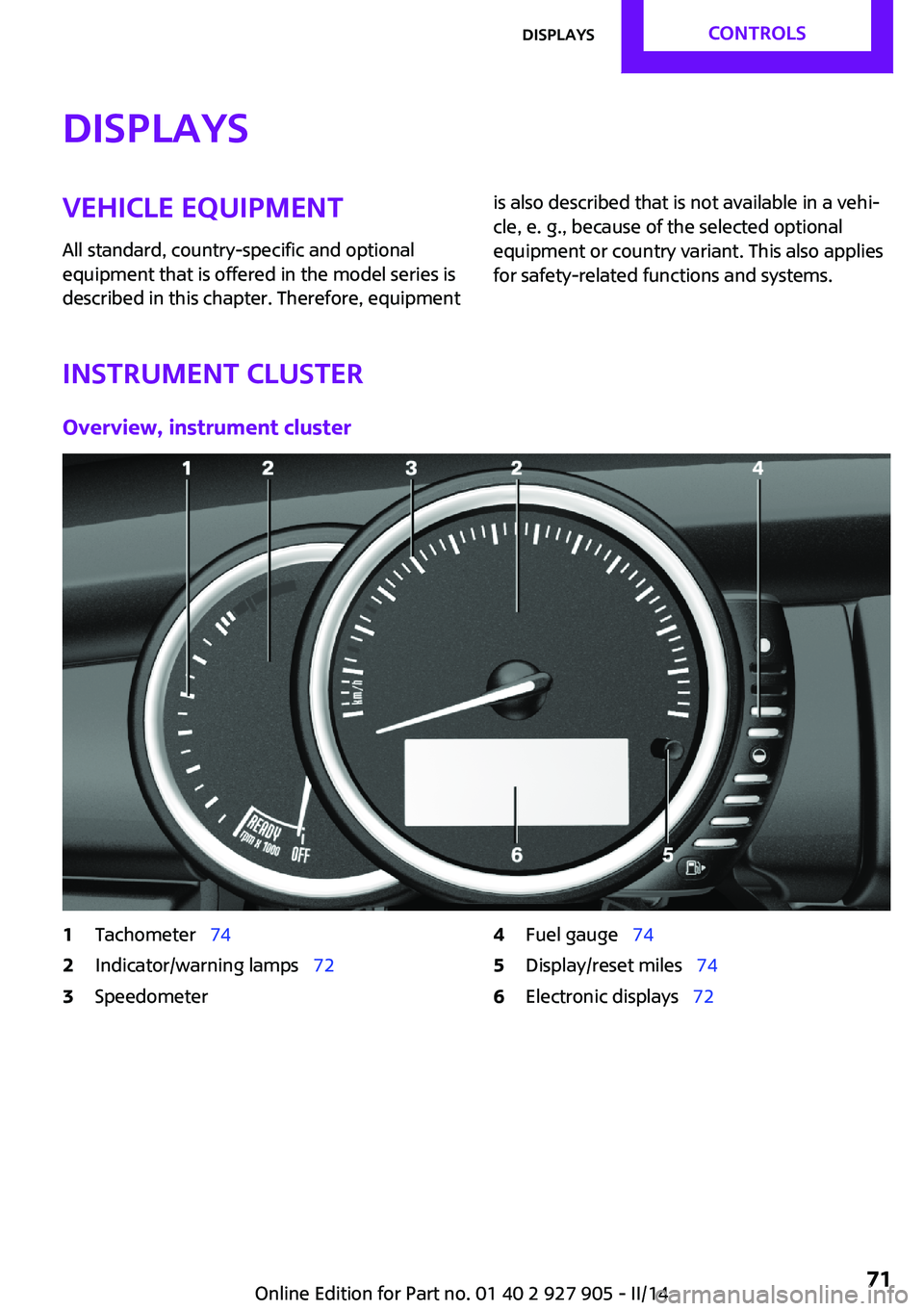
Overview, instrument cluster
1Tachometer 742Indicator/warning lamps 723Speedometer4Fuel gauge 745Display/reset miles 746Electronic displays 72Seite 71DisplaysCONTROLS71
Online Edition for Part no. 01 40 2 927 905 - II/14
Page 74 of 230

Hiding Check Control messages
Press the onboard computer button on the turn
signal lever.
▷Some Check Control messages are dis‐
played continuously and are not cleared
until the malfunction is eliminated. If sev‐
eral malfunctions occur at once, the mes‐
sages are displayed consecutively.
These messages can be hidden for approx.
8 seconds. After this time, they are dis‐
played again automatically.▷Other Check Control messages are hidden
automatically after approx. 20 seconds.
They are stored and can be displayed again
later.
Displaying stored Check Control
messages
1. "Vehicle Info"2."Vehicle status"3. "Check Control"4.Select the text message.
Messages after trip completion
Special messages that are displayed during
driving are displayed again after the ignition is
switched off.
Fuel gauge
The vehicle inclination may
cause the display to vary.
The arrow beside the fuel pump
symbol shows which side of the
vehicle the fuel filler flap is on.
Hints on refueling, refer to page 164.
Tachometer
Always avoid engine speeds in the red warning
field. In this range, the fuel supply is interrupted
to protect the engine.
Engine oil temperature If the engine oil along with the engine becomes
too hot, a Check Control message is displayed.
Coolant temperature If the coolant along with the engine becomes
too hot, a Check Control message is displayed.
Check the coolant level, refer to page 185.
Odometer and trip odom‐
eter
The concept
Odometer and trip odometer are displayed in
the instrument cluster.
Resetting the trip odometer Press the knob.▷The odometer is displayed
when the ignition is switched
off.Seite 74CONTROLSDisplays74
Online Edition for Part no. 01 40 2 927 905 - II/14
Page 75 of 230
▷When the ignition is switched on, the trip
odometer is reset.
External temperature
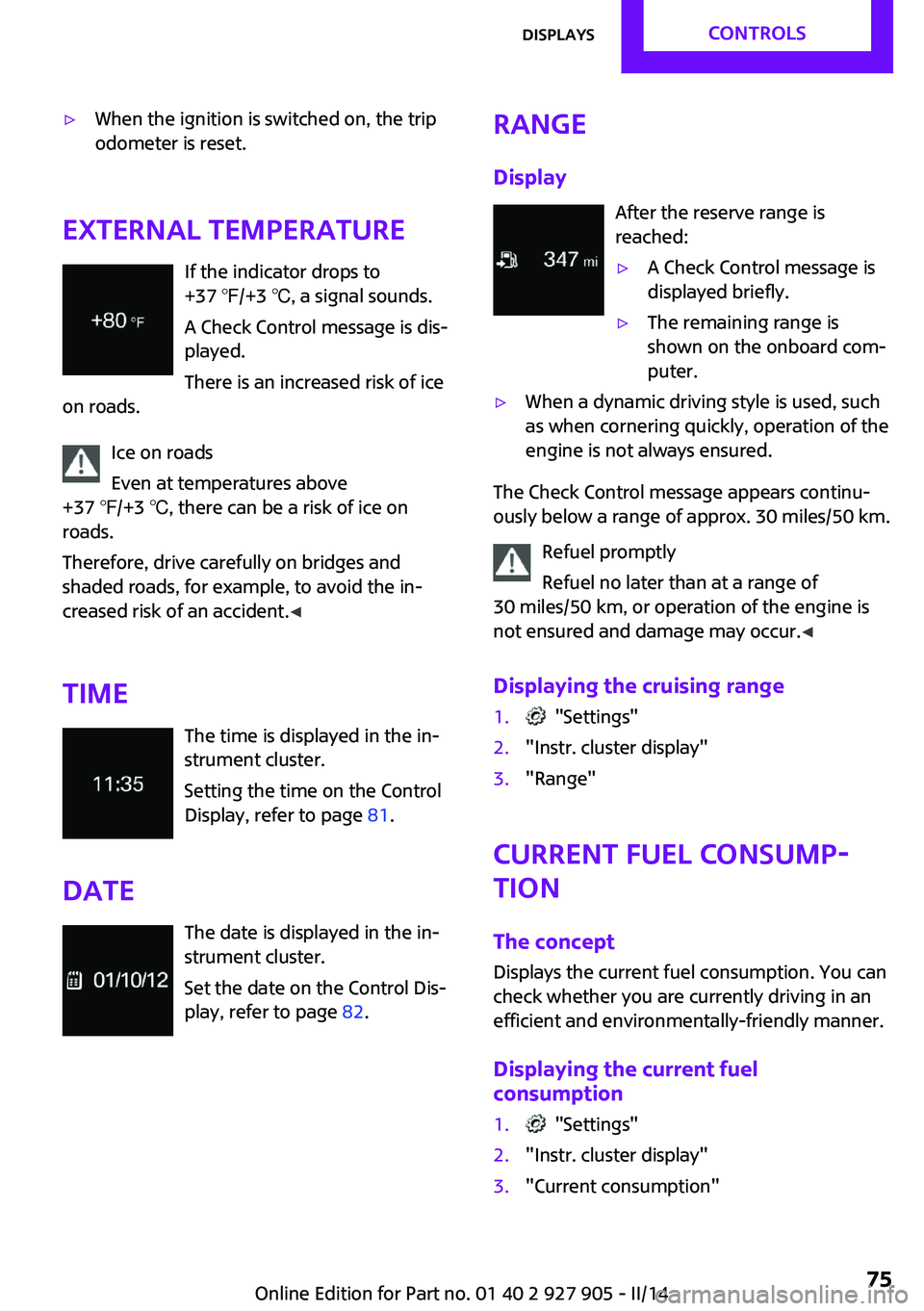
If the indicator drops to
+37 ℉/+3 ℃, a signal sounds.
A Check Control message is dis‐
played.
There is an increased risk of ice
on roads.
Ice on roads
Even at temperatures above
+37 ℉/+3 ℃, there can be a risk of ice on
roads.
Therefore, drive carefully on bridges and
shaded roads, for example, to avoid the in‐
creased risk of an accident. ◀
Time The time is displayed in the in‐
strument cluster.
Setting the time on the Control
Display, refer to page 81.
Date The date is displayed in the in‐
strument cluster.
Set the date on the Control Dis‐
play, refer to page 82.
Range
Display After the reserve range is
reached:▷A Check Control message is
displayed briefly.▷The remaining range is
shown on the onboard com‐
puter.▷When a dynamic driving style is used, such
as when cornering quickly, operation of the
engine is not always ensured.
The Check Control message appears continu‐
ously below a range of approx. 30 miles/50 km.
Refuel promptly
Refuel no later than at a range of
30 miles/50 km, or operation of the engine is
not ensured and damage may occur. ◀
Displaying the cruising range
1. "Settings"2."Instr. cluster display"3."Range"
Current fuel consump‐
tion
The concept
Displays the current fuel consumption. You can
check whether you are currently driving in an
efficient and environmentally-friendly manner.
Displaying the current fuel
consumption
1. "Settings"2."Instr. cluster display"3."Current consumption"Seite 75DisplaysCONTROLS75
Online Edition for Part no. 01 40 2 927 905 - II/14
Page 76 of 230
Service requirementsThe concept
The driving distance or the time to the next
scheduled maintenance is displayed briefly in the instrument cluster after the ignition is
switched on.
The current service requirements can be read
out from the remote control by the service spe‐ cialist.
Display
Detailed information on service
requirements
More information on the scope of service re‐
quired can be displayed on the Control Display.1. "Vehicle Info"2."Vehicle status"3. "Service required"
Required maintenance procedures and le‐
gally mandated inspections are displayed.4.Select an entry to call up detailed informa‐
tion.
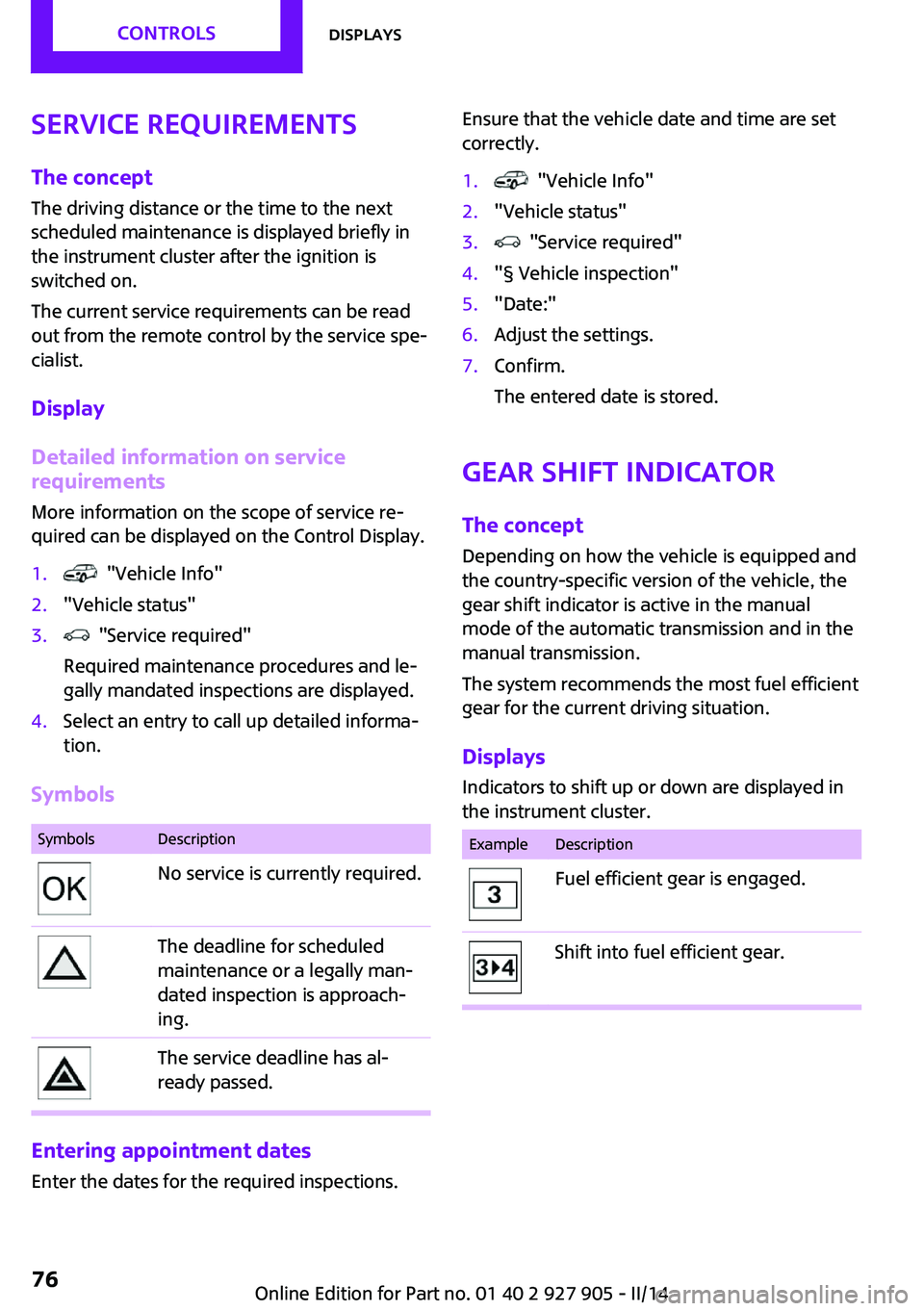
Symbols
SymbolsDescriptionNo service is currently required.The deadline for scheduled
maintenance or a legally man‐
dated inspection is approach‐
ing.The service deadline has al‐
ready passed.
Entering appointment dates
Enter the dates for the required inspections.
Ensure that the vehicle date and time are set
correctly.1. "Vehicle Info"2."Vehicle status"3. "Service required"4."§ Vehicle inspection"5."Date:"6.Adjust the settings.7.Confirm.
The entered date is stored.
Gear shift indicator
The concept
Depending on how the vehicle is equipped and
the country-specific version of the vehicle, the
gear shift indicator is active in the manual
mode of the automatic transmission and in the
manual transmission.
The system recommends the most fuel efficient
gear for the current driving situation.
Displays Indicators to shift up or down are displayed in
the instrument cluster.
ExampleDescriptionFuel efficient gear is engaged.Shift into fuel efficient gear.Seite 76CONTROLSDisplays76
Online Edition for Part no. 01 40 2 927 905 - II/14
Page 79 of 230
Activating a list and adjusting the
settingButton the steering wheelFunctionActivate the corre‐
sponding list, and se‐
lect the desired set‐
ting.Confirm the selection.
Computer
Calling up information on the info
display
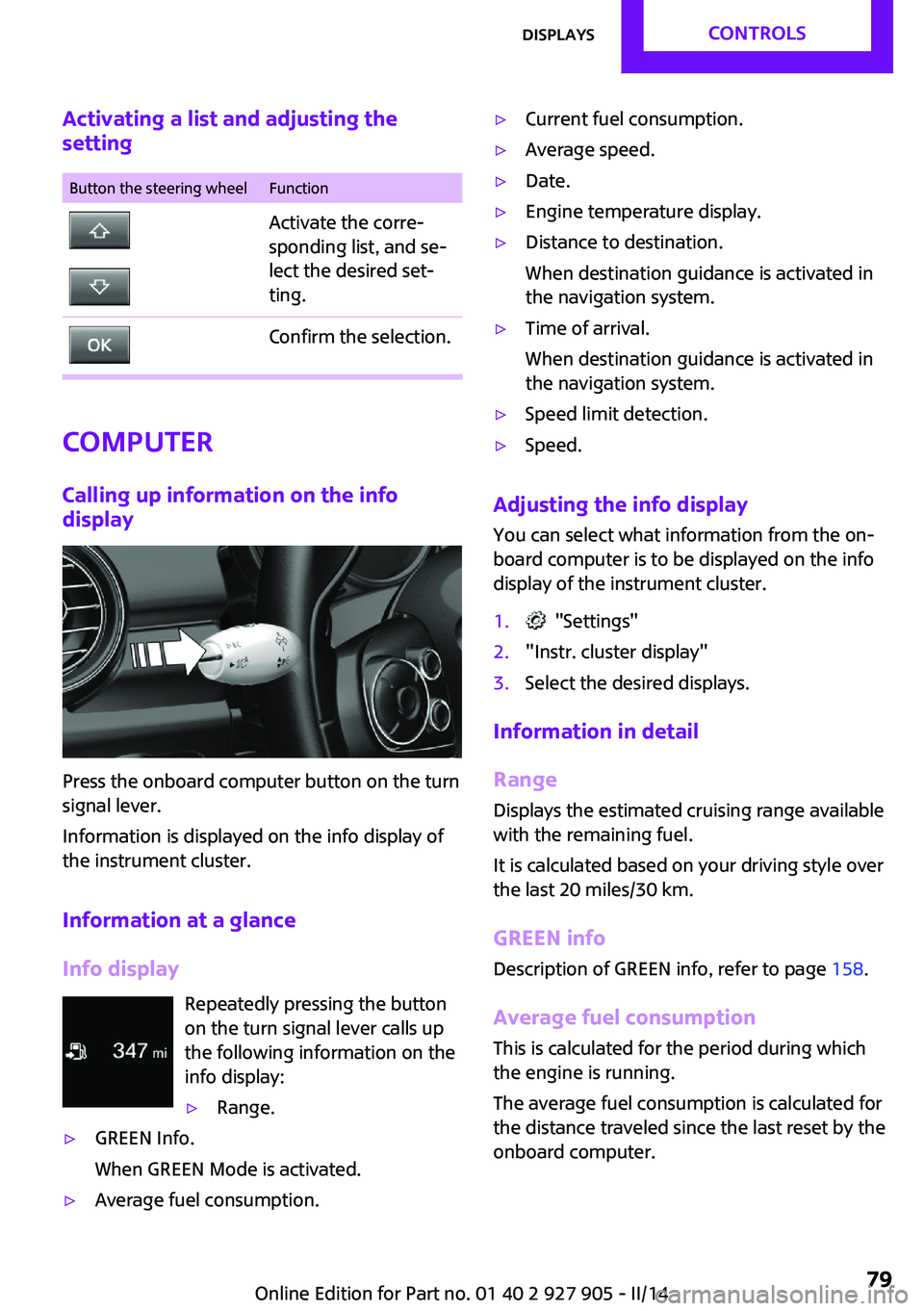
Press the onboard computer button on the turn
signal lever.
Information is displayed on the info display of
the instrument cluster.
Information at a glance
Info display Repeatedly pressing the button
on the turn signal lever calls up
the following information on the
info display:
▷Range.▷GREEN Info.
When GREEN Mode is activated.▷Average fuel consumption.▷Current fuel consumption.▷Average speed.▷Date.▷Engine temperature display.▷Distance to destination.
When destination guidance is activated in
the navigation system.▷Time of arrival.
When destination guidance is activated in
the navigation system.▷Speed limit detection.▷Speed.
Adjusting the info display
You can select what information from the on‐
board computer is to be displayed on the info
display of the instrument cluster.
1. "Settings"2."Instr. cluster display"3.Select the desired displays.
Information in detail
Range
Displays the estimated cruising range available
with the remaining fuel.
It is calculated based on your driving style over
the last 20 miles/30 km.
GREEN info Description of GREEN info, refer to page 158.
Average fuel consumption
This is calculated for the period during which
the engine is running.
The average fuel consumption is calculated for
the distance traveled since the last reset by the
onboard computer.
Seite 79DisplaysCONTROLS79
Online Edition for Part no. 01 40 2 927 905 - II/14