sunroof MINI COOPER CONVERTIBLE 2011 User Guide
[x] Cancel search | Manufacturer: MINI, Model Year: 2011, Model line: COOPER CONVERTIBLE, Model: MINI COOPER CONVERTIBLE 2011Pages: 186, PDF Size: 3.25 MB
Page 94 of 186
Things to remember when driving
92
Things to remember when driving
Break-in period
Moving parts need breaking-in time to adjust to
each other. Please follow the instructions below
in order to achieve the optimal service life and
economy of operation for your vehicle.
Engine and differential
Always obey all official speed limits.
Up to 1,200 miles/2,000 km
Drive at varying engine and road speeds, but do
not exceed the following:
>Gasoline engine
4,500 rpm or 100 mph/160 km/h
Avoid full-throttle operation and use of the
transmission's kickdown mode.
After driving 1,200 miles/2,000 km
Engine and vehicle speeds can be gradually
increased.
Tires
Due to technical factors associated with their
manufacture, tires do not achieve their full trac-
tion potential until after an initial break-in
period. Therefore, drive cautiously during the
first 200 miles/300 km.
Brake system
Brakes require an initial break-in period of
approx. 300 miles/500 km to achieve optimized
contact and wear patterns between brake pads
and rotors. Drive cautiously during this break-in
period.
Clutch
The function of the clutch reaches its optimal
level only after a distance driven of approx.
300 miles/500 km. During this break-in period,
engage the clutch gently.
Following part replacement
The same break-in procedures should be
observed if any of the components mentioned
above have to be renewed in the course of the
vehicle's operating life.
General driving notes
Close the liftgate
Only drive with the liftgate closed. Failure
to do so may endanger passengers or
other road users or may damage the vehicle in
the event of an accident or a braking and eva-
sive maneuver. In addition, exhaust gas may
flow into the passenger compartment.<
If special circumstances make it absolutely nec-
essary to drive with the liftgate open:
1.Close all windows and the glass sunroof
*.
2.Switch off the recirculated-air mode and sig-
nificantly increase the air flow rate of the air
conditioner or automatic climate control,
page79 or81.
Hot exhaust system
As in all vehicles, extremely high tempera-
tures are generated on the exhaust sys-
tem. Do not remove the heat shields installed
adjacent to various sections of the exhaust sys-
tem, and never apply undercoating to them.
When driving, standing at idle and while park-
ing, take care to avoid possible contact between
the hot exhaust system and any highly flamma-
ble materials such as hay, leaves, grass, etc. Such
contact could lead to a fire, with the risk of seri-
ous personal injuries and property damage. Do
not touch hot exhaust tail pipes. Otherwise,
there is a risk of burns.<
Page 100 of 186
Things to remember when driving
98
When loading, make sure that there is sufficient
space for the movement of the glass sunroof
and that no objects protrude into the swiveling
area of the liftgate; otherwise, damage can
occur.
Fasten roof-mounted cargo correctly and
securely to prevent it from shifting or falling off
during the trip.
Drive smoothly. Avoid sudden acceleration and
braking maneuvers, and take corners gently.
Saving fuel
Fuel consumption depends on a number of dif-
ferent factors. The implementation of certain
measures, your driving style and regular mainte-
nance can have an influence on fuel consump-
tion and on the environmental impact.
Remove unnecessary cargo
Additional weight increases fuel consumption.
Remove attached parts no longer in use
Remove auxiliary mirrors, roof- or rear-mounted
luggage racks whenever you are not using
them.
Attached parts on the vehicle affect its aerody-
namics and increase fuel consumption.
Check tire inflation pressure regularly
Check and, if necessary, correct tire inflation
pressure at least twice a month and before start-
ing on a long trip.
Low inflation pressure increases rolling resis-
tance and thus leads to greater fuel consump-
tion and tire wear.
Drive off immediately
Do no t wa it for t he eng ine to warm u p wh ile the
vehicle remains stationary. Start driving right
away, but at moderate engine speeds. This is the
fastest way for the cold engine to reach its oper-
ating temperature.
Think ahead while driving
Avoid unnecessary acceleration and braking by
maintaining a suitable distance to the vehicle
driving ahead.
Driving smoothly and anticipating impending
traffic situations reduces fuel consumption.
Avoid high engine speeds
Use first gear only for driving off. In second and
higher gears, accelerate smoothly to a suitable
engine and road speed. In doing so, avoid high
engine speeds and shift up early.
When you reach your desired traveling speed,
shift to the highest suitable gear and drive at
constant speed.
As a rule: driving at low engine speeds lowers
fuel consumption and reduces wear.
Coasting
When approaching a red traffic light, take your
foot off the accelerator and let the vehicle coast
to a halt in the highest suitable gear.
On a downhill gradient, take your foot off the
accelerator and let the vehicle coast in a suitable
gear.
Fuel supply is shut off automatically when the
vehicle is coasting.
Switch off the engine during lengthy
stops
Switch off the engine when stopping for lengthy
periods, e.g. at traffic lights, railroad crossings or
in traffic jams.
Have the vehicle serviced
Have your vehicle serviced regularly to achieve
good economy and a long vehicle life. The man-
ufacturer of your MINI recommends having the
vehicle serviced by a MINI dealer. Also note the
MINI Maintenance System, page131.
Page 115 of 186
113
AT A GLANCE REFERENCE MOBILITYCONTROLS DRIVING TIPS COMMUNICATIONS
>Always say commands in the language of
the voice activation system.
>Keep doors, windows, glass sunroof
*/pan-
orama glass roof
*, or convertible top*
closed to avoid noise interference.
>Avoid ambient noise in the vehicle while
speaking.
MINI contact*
Several MINI center phone numbers can be dis-
played.
>"Road Assist": roadside service
*, if you
require assistance in the event of a flat tire.
>"Service": MINI Service, for example if you
need to make a service appointment.
>"Cust Relat": MINI Hotline
* for information
about your vehicle.
Displaying phone numbers
1.Press the button.
2.
Press the button.
3.Turn the right rotary knob until the desired
phone number is displayed.
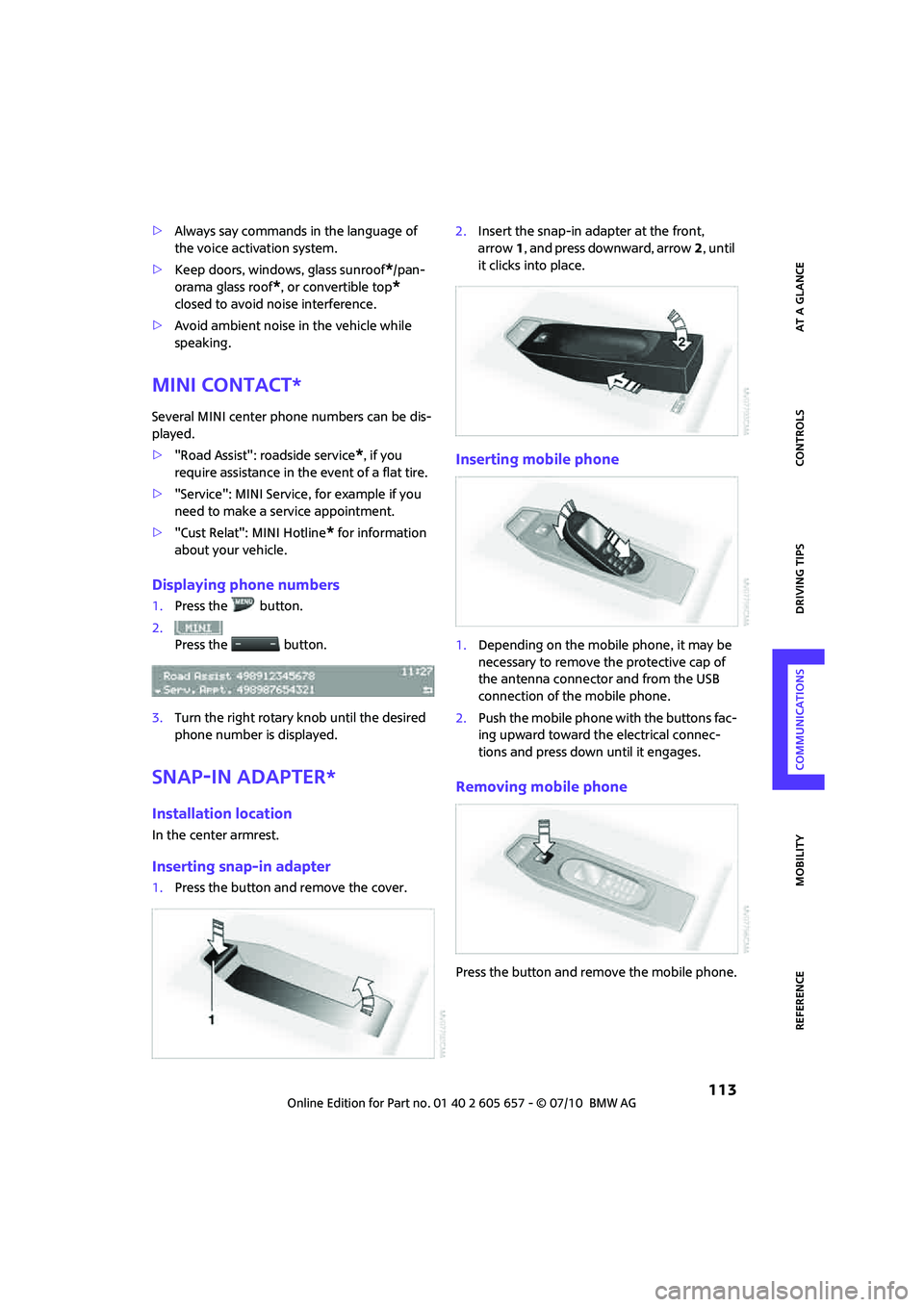
Snap-in adapter*
Installation location
In the center armrest.
Inserting snap-in adapter
1.Press the button and remove the cover.2.Insert the snap-in adapter at the front,
arrow1, and press downward, arrow2, until
it clicks into place.
Inserting mobile phone
1.Depending on the mobile phone, it may be
necessary to remove the protective cap of
the antenna connector and from the USB
connection of the mobile phone.
2.Push the mobile phone with the buttons fac-
ing upward toward the electrical connec-
tions and press down until it engages.
Removing mobile phone
Press the button and remove the mobile phone.
Page 149 of 186
147
AT A GLANCE REFERENCEMOBILITYCONTROLS DRIVING TIPS COMMUNICATIONS
ensure that all comfort functions are fully avail-
able.
Charging the battery
Only charge the battery in the vehicle when the
engine is off. Connections, refer to Jump-start-
ing on page148.
Disposal
After replacing old batteries, return the
used batteries to your MINI dealer or to a
recycling center. Maintain the battery in an
upright position for transport and storage.
Always secure the battery against tipping over
during transport.<
Power failure
After a temporary power loss, some equipment
may not be fully functional and may require ini-
tialization. Individual settings are also lost and
must be reprogrammed:
>Time and date
These values must be updated, page60.
>Radio
Stations must be stored again, refer to the
separate Owner's Manual for Radio.
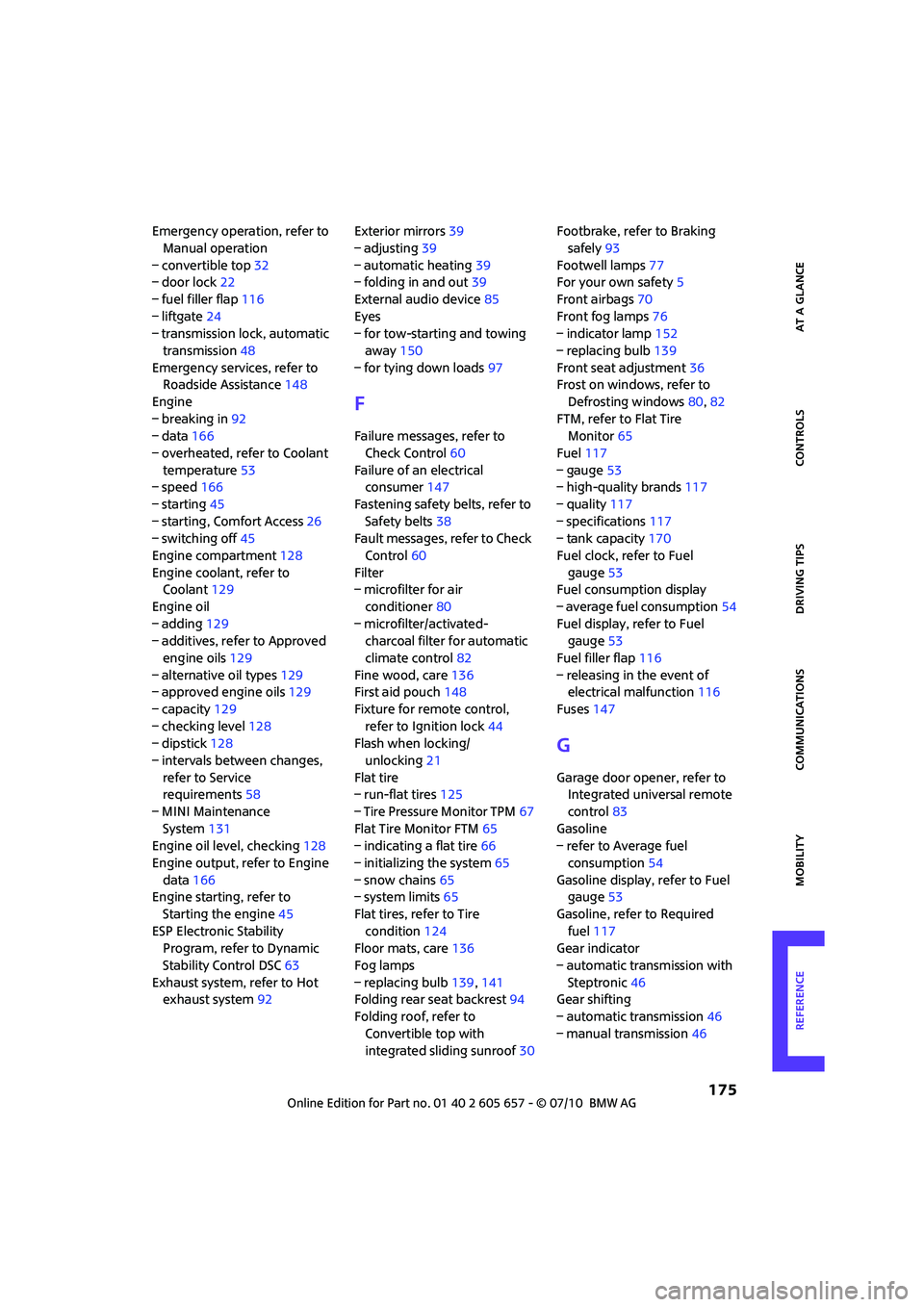
>Glass sunroof
*, electric
It may only be possible to raise the sunroof,
if applicable. The system must be initialized.
Contact your nearest MINI dealer.
Fuses
Do not attempt to repair a blown fuse or
replace it with a fuse of a different color or
Ampere rating. To do this could cause a fire in
the vehicle resulting from a circuit overload.
Have the fuse changed only by a MINI dealer or
a workshop that has specially trained personnel
working in accordance with the specifications of
the MINI manufacturer.<
A fuse allocation diagram is located on the inside
of the fuse box cover panels.
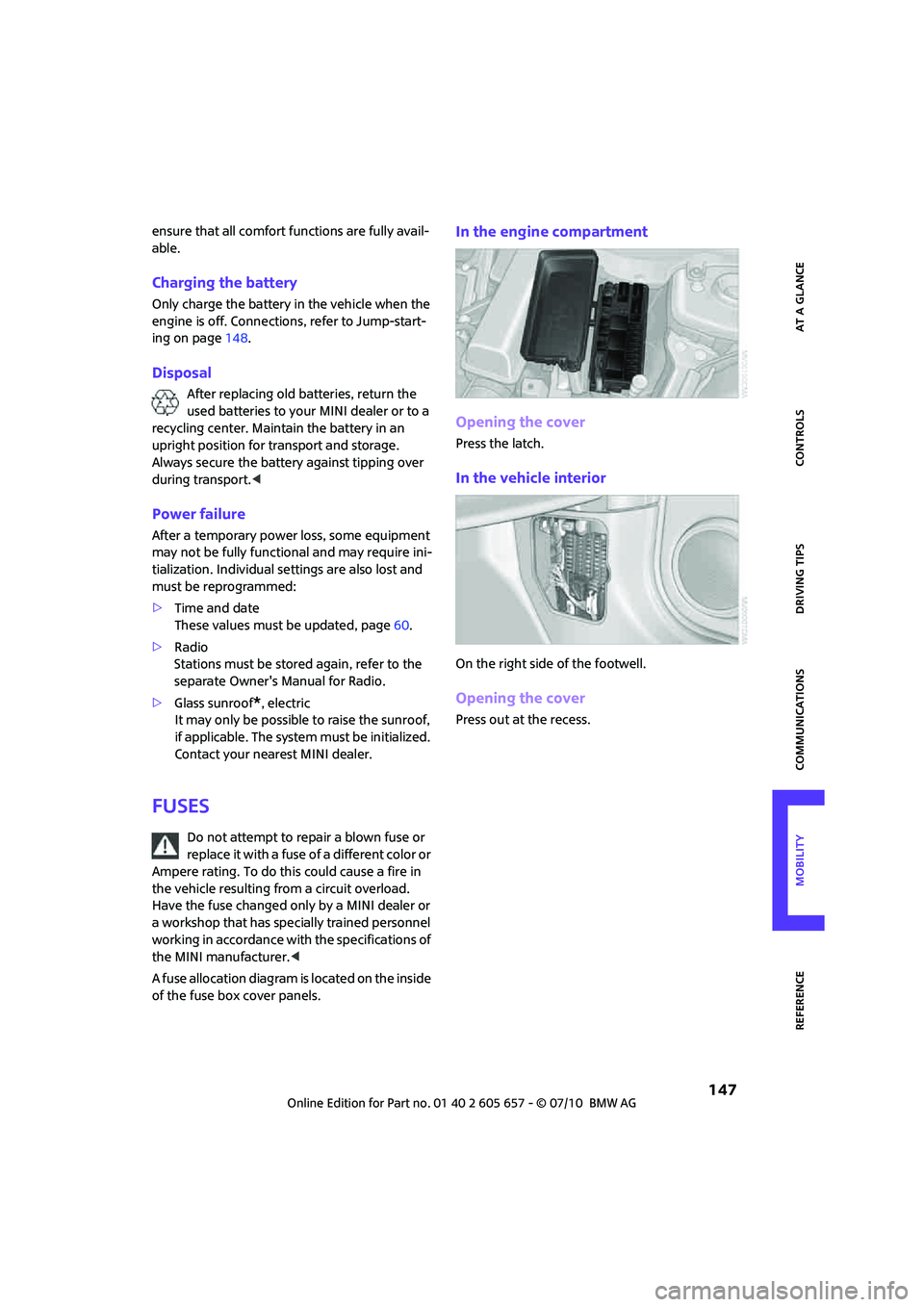
In the engine compartment
Opening the cover
Press the latch.
In the vehicle interior
On the right side of the footwell.
Opening the cover
Press out at the recess.
Page 156 of 186
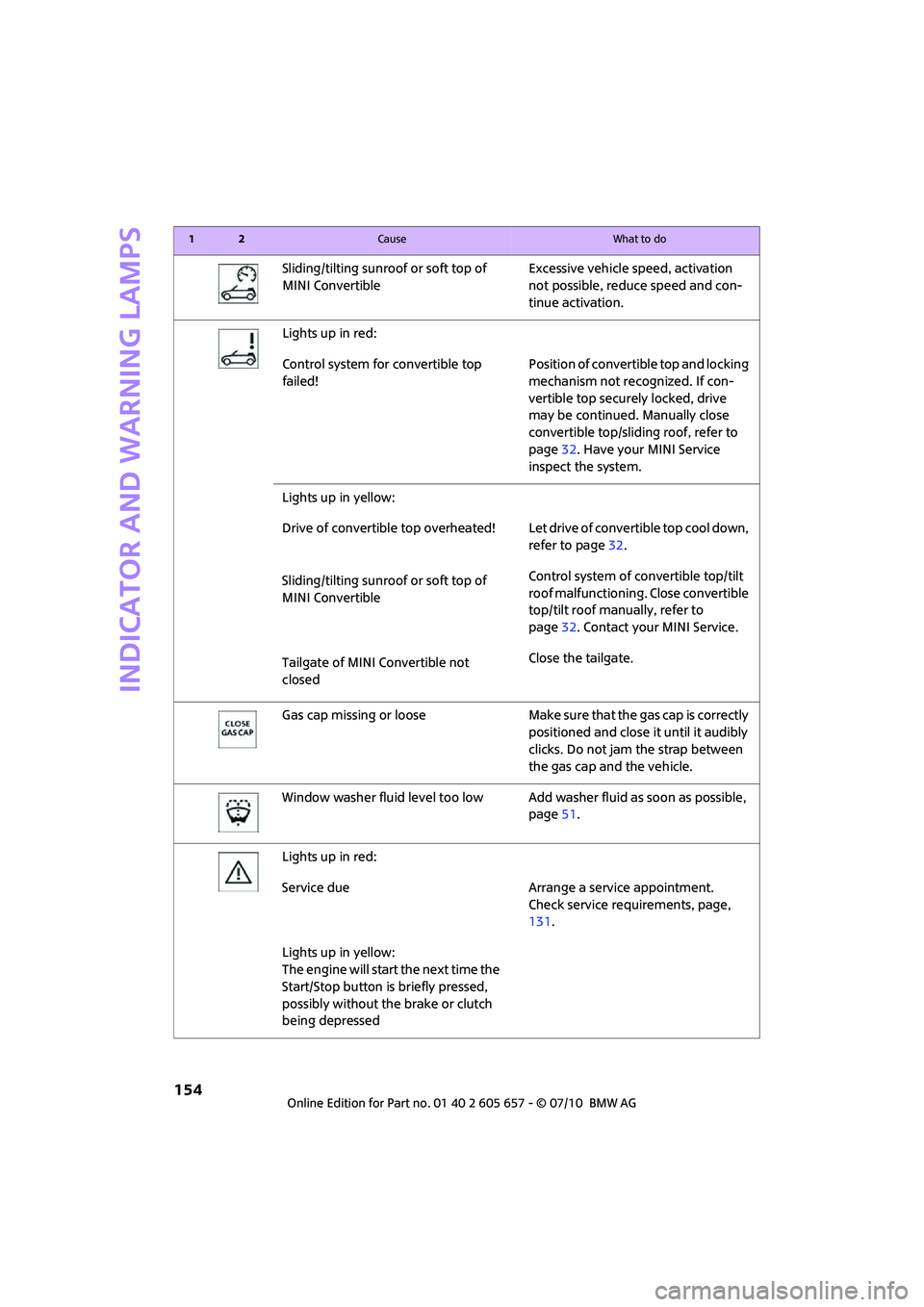
Indicator and warning lamps
154
Sliding/tilting sunroof or soft top of
MINI ConvertibleExcessive vehicle speed, activation
not possible, reduce speed and con-
tinue activation.
Lights up in red:
Control system for convertible top
failed!Position of convertible top and locking
mechanism not recognized. If con-
vertible top securely locked, drive
may be continued. Manually close
convertible top/sliding roof, refer to
page32. Have your MINI Service
inspect the system.
Lights up in yellow:
Drive of convertible top overheated! Let drive of convertible top cool down,
refer to page32.
Sliding/tilting sunroof or soft top of
MINI ConvertibleControl system of convertible top/tilt
roof malfunctioning. Close convertible
top/tilt roof manually, refer to
page32. Contact your MINI Service.
Tailgate of MINI Convertible not
closedClose the tailgate.
Gas cap missing or loose Make sure that the gas cap is correctly
positioned and close it until it audibly
clicks. Do not jam the strap between
the gas cap and the vehicle.
Window washer fluid level too low Add washer fluid as soon as possible,
page51.
Lights up in red:
Service due Arrange a service appointment.
Check service requirements, page,
131.
Lights up in yellow:
The engine will start the next time the
Start/Stop button is briefly pressed,
possibly without the brake or clutch
being depressed
12Cause What to do
Page 177 of 186
175
AT A GLANCE REFERENCEMOBILITYCONTROLS DRIVING TIPS COMMUNICATIONS
Emergency operation, refer to
Manual operation
– convertible top32
– door lock22
– fuel filler flap116
– liftgate24
– transmission lock, automatic
transmission48
Emergency services, refer to
Roadside Assistance148
Engine
– breaking in92
– data166
– overheated, refer to Coolant
temperature53
– speed166
– starting45
– starting, Comfort Access26
– switching off45
Engine compartment128
Engine coolant, refer to
Coolant129
Engine oil
– adding129
– additives, refer to Approved
engine oils129
– alternative oil types129
– approved engine oils129
– capacity129
– checking level128
– dipstick128
– intervals between changes,
refer to Service
requirements58
– MINI Maintenance
System131
Engine oil level, checking128
Engine output, refer to Engine
data166
Engine starting, refer to
Starting the engine45
ESP Electronic Stability
Program, refer to Dynamic
Stability Control DSC63
Exhaust system, refer to Hot
exhaust system92Exterior mirrors39
– adjusting39
– automatic heating39
– folding in and out39
External audio device85
Eyes
– for tow-starting and towing
away150
– for tying down loads97
F
Failure messages, refer to
Check Control60
Failure of an electrical
consumer147
Fastening safety belts, refer to
Safety belts38
Fault messages, refer to Check
Control60
Filter
– microfilter for air
conditioner80
– microfilter/activated-
charcoal filter for automatic
climate control82
Fine wood, care136
First aid pouch148
Fixture for remote control,
refer to Ignition lock44
Flash when locking/
unlocking21
Flat tire
– run-flat tires125
– Tire Pressure Monitor TPM67
Flat Tire Monitor FTM65
– indicating a flat tire66
– initializing the system65
– snow chains65
– system limits65
Flat tires, refer to Tire
condition124
Floor mats, care136
Fog lamps
– replacing bulb139,141
Folding rear seat backrest94
Folding roof, refer to
Convertible top with
integrated sliding sunroof30Footbrake, refer to Braking
safely93
Footwell lamps77
For your own safety5
Front airbags70
Front fog lamps76
– indicator lamp152
– replacing bulb139
Front seat adjustment36
Frost on windows, refer to
Defrosting windows80,82
FTM, refer to Flat Tire
Monitor65
Fuel117
– gauge53
– high-quality brands117
– quality117
– specifications117
– tank capacity170
Fuel clock, refer to Fuel
gauge53
Fuel consumption display
– average fuel consumption54
Fuel display, refer to Fuel
gauge53
Fuel filler flap116
– releasing in the event of
electrical malfunction116
Fuses147
G
Garage door opener, refer to
Integrated universal remote
control83
Gasoline
– refer to Average fuel
consumption54
Gasoline display, refer to Fuel
gauge53
Gasoline, refer to Required
fuel117
Gear indicator
– automatic transmission with
Steptronic46
Gear shifting
– automatic transmission46
– manual transmission46
Page 178 of 186
Everything from A to Z
176
Gearshift lever
– automatic transmission with
Steptronic46
– manual transmission46
General driving notes92
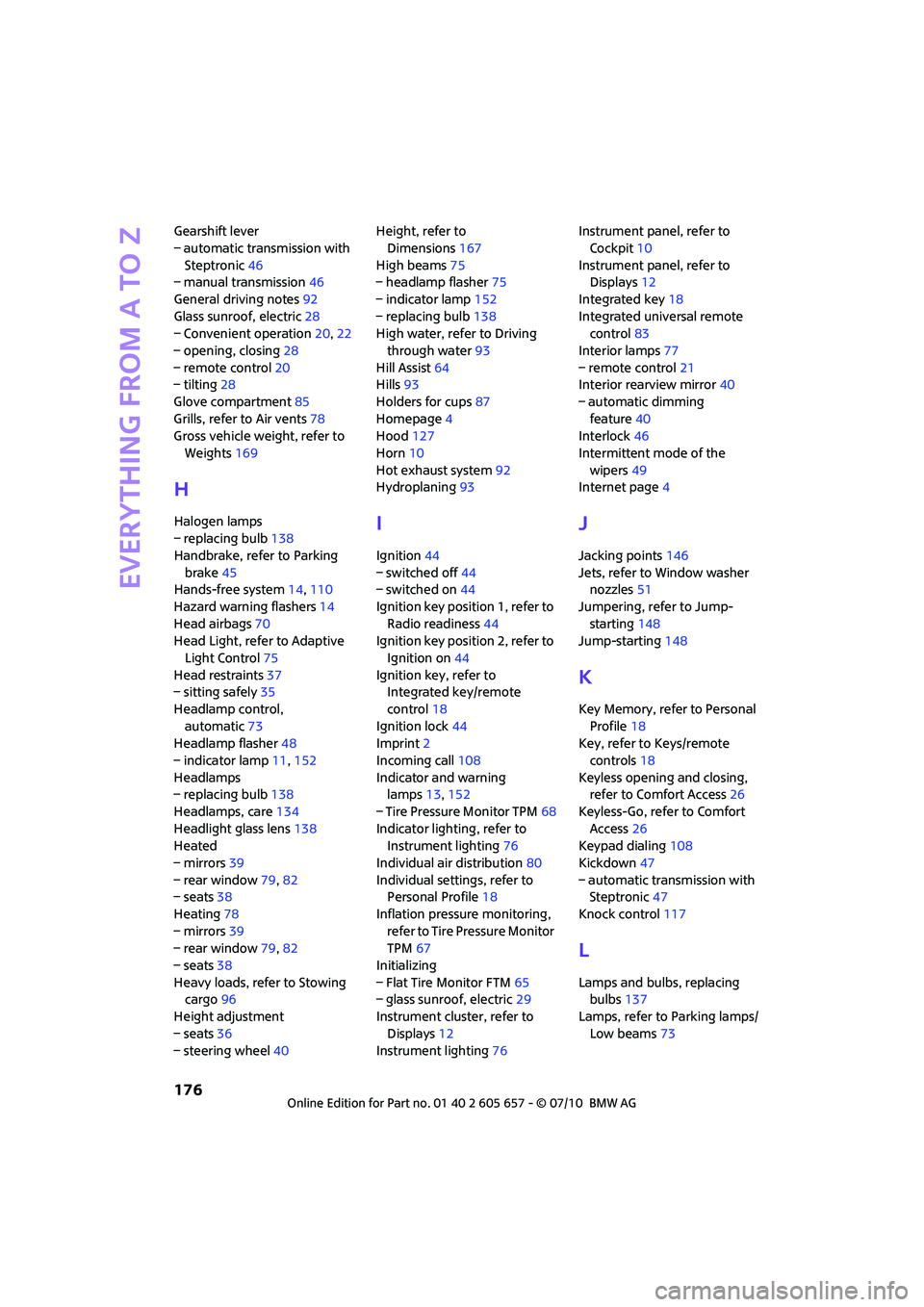
Glass sunroof, electric28
– Convenient operation20,22
– opening, closing28
– remote control20
– tilting28
Glove compartment85
Grills, refer to Air vents78
Gross vehicle weight, refer to
Weights169
H
Halogen lamps
– replacing bulb138
Handbrake, refer to Parking
brake45
Hands-free system14,110
Hazard warning flashers14
Head airbags70
Head Light, refer to Adaptive
Light Control75
Head restraints37
– sitting safely35
Headlamp control,
automatic73
Headlamp flasher48
– indicator lamp11,152
Headlamps
– replacing bulb138
Headlamps, care134
Headlight glass lens138
Heated
– mirrors39
– rear window79,82
– seats38
Heating78
– mirrors39
– rear window79,82
– seats38
Heavy loads, refer to Stowing
cargo96
Height adjustment
– seats36
– steering wheel40Height, refer to
Dimensions167
High beams75
– headlamp flasher75
– indicator lamp152
– replacing bulb138
High water, refer to Driving
through water93
Hill Assist64
Hills93
Holders for cups87
Homepage4
Hood127
Horn10
Hot exhaust system92
Hydroplaning93I
Ignition44
– switched off44
– switched on44
Ignition key position 1, refer to
Radio readiness44
Ignition key position 2, refer to
Ignition on44
Ignition key, refer to
Integrated key/remote
control18
Ignition lock44
Imprint2
Incoming call108
Indicator and warning
lamps13,152
– Tire Pressure Monitor TPM68
Indicator lighting, refer to
Instrument lighting76
Individual air distribution80
Individual settings, refer to
Personal Profile18
Inflation pressure monitoring,
refer to Tire Pressure Monitor
TPM67
Initializing
– Flat Tire Monitor FTM65
– glass sunroof, electric29
Instrument cluster, refer to
Displays12
Instrument lighting76Instrument panel, refer to
Cockpit10
Instrument panel, refer to
Displays12
Integrated key18
Integrated universal remote
control83
Interior lamps77
– remote control21
Interior rearview mirror40
– automatic dimming
feature40
Interlock46
Intermittent mode of the
wipers49
Internet page4
J
Jacking points146
Jets, refer to Window washer
nozzles51
Jumpering, refer to Jump-
starting148
Jump-starting148
K
Key Memory, refer to Personal
Profile18
Key, refer to Keys/remote
controls18
Keyless opening and closing,
refer to Comfort Access26
Keyless-Go, refer to Comfort
Access26
Keypad dialing108
Kickdown47
– automatic transmission with
Steptronic47
Knock control117
L
Lamps and bulbs, replacing
bulbs137
Lamps, refer to Parking lamps/
Low beams73
Page 181 of 186
179
AT A GLANCE REFERENCEMOBILITYCONTROLS DRIVING TIPS COMMUNICATIONS
Restraint systems
– for children41
– refer to Safety belts38
Reverse gear
– automatic transmission with
Steptronic47
– manual transmission46
Roadside Assistance148
Roadside parking lamps75
– replacing bulb139
Roadworthiness test, refer to
Service requirements58
Roof load capacity169
Roof-mounted luggage
rack97
Rope, refer to Tow-starting,
towing away151
RSC Run-flat System
Component, refer to Run-flat
tires125
Rubber parts, care135
Run-flat System Component
RSC, refer to Run-flat
tires125
Run-flat tires125
– flat tire66
– tire inflation pressure118
– tire replacement125
– winter tires126
S
Safety belt
– number35
Safety Belt Reminder39
Safety belts38
– damage39
– indicator lamp39
– reminder39
– sitting safely35
Safety belts, care136
Safety systems
– airbags70
– Antilock Brake System
ABS63
– Dynamic Stability Control
DSC63
– safety belts38Safety tires, refer to Run-flat
tires125
Screw thread for tow
fitting150
Seat adjustment
– mechanical36
Seats36
– adjusting the seats36
– heating38
– sitting safely35
Securing the vehicle
– from inside23
– from outside19
Selector lever
– automatic transmission with
Steptronic46
Selector lever lock
– automatic transmission with
Steptronic, refer to
Shiftlock46
– overriding manually48
Selector lever positions
– automatic transmission with
Steptronic46
Service car, refer to Roadside
Assistance148
Service data in the remote
control131
Service Interval Display, refer
to Condition Based Service
CBS131
Service, refer to Roadside
Assistance148
Service requirement display,
refer to Condition Based
Service CBS131
Service requirements58
Settings
– clock, 12h/24h mode57
Shifting gears
– automatic transmission with
Steptronic47
– manual transmission46
Shiftlock
– automatic transmission, refer
to Changing selector lever
positions46
Side airbags70Side turn signal
– replacing bulb140
Side windows, refer to
Windows29
Signal horn, refer to Horn10
Sitting safely35
– airbags35
– safety belts35
– with head restraint35
Size, refer to Dimensions167
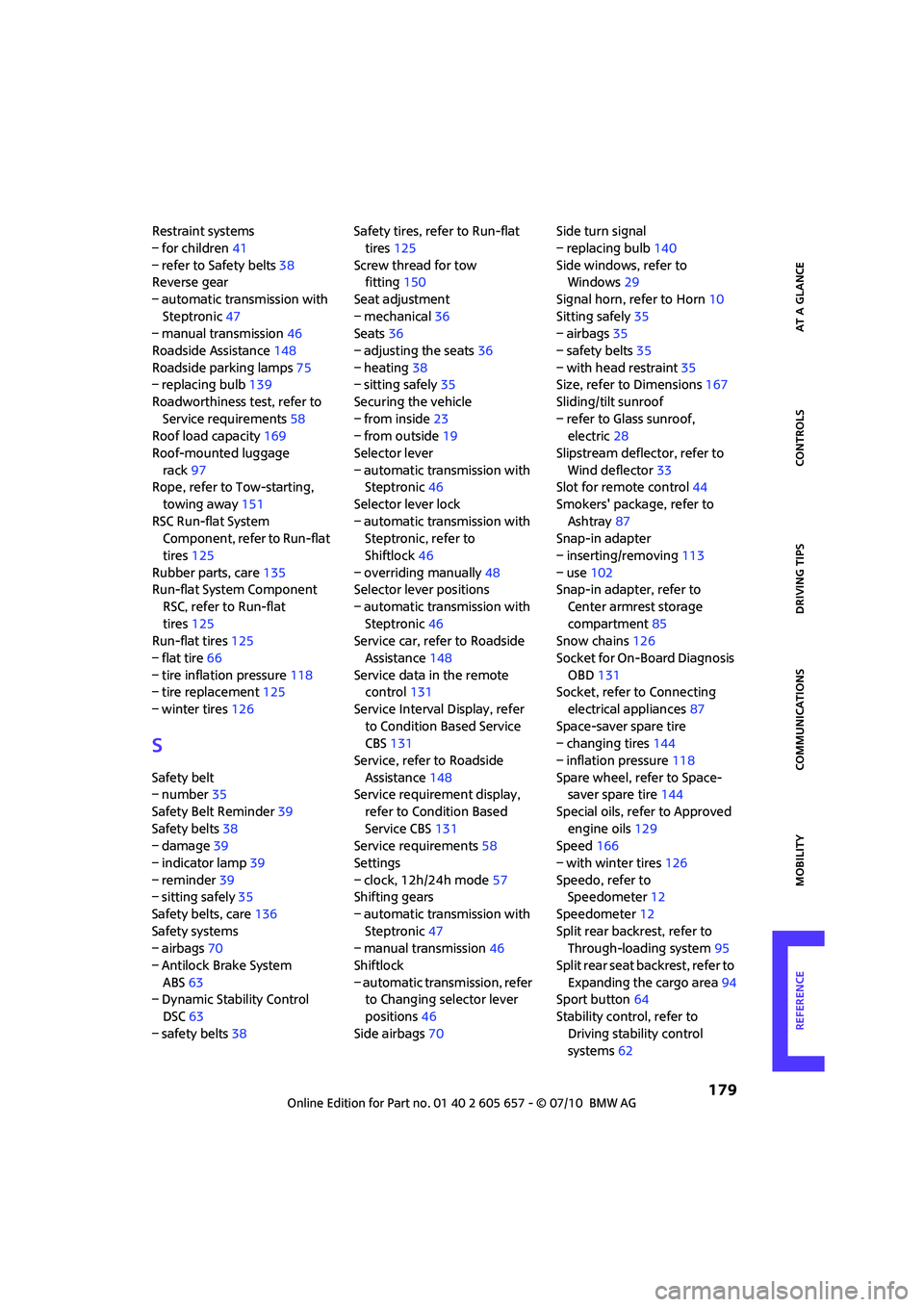
Sliding/tilt sunroof
– refer to Glass sunroof,
electric28
Slipstream deflector, refer to
Wind deflector33
Slot for remote control44
Smokers' package, refer to
Ashtray87
Snap-in adapter
– inserting/removing113
– use102
Snap-in adapter, refer to
Center armrest storage
compartment85
Snow chains126
Socket for On-Board Diagnosis
OBD131
Socket, refer to Connecting
electrical appliances87
Space-saver spare tire
– changing tires144
– inflation pressure118
Spare wheel, refer to Space-
saver spare tire144
Special oils, refer to Approved
engine oils129
Speed166
– with winter tires126
Speedo, refer to
Speedometer12
Speedometer12
Split rear backrest, refer to
Through-loading system95
Split rear seat backrest, refer to
Expanding the cargo area94
Sport button64
Stability control, refer to
Driving stability control
systems62