Back MINI COOPER CONVERTIBLE 2012 Owner's Manual
[x] Cancel search | Manufacturer: MINI, Model Year: 2012, Model line: COOPER CONVERTIBLE, Model: MINI COOPER CONVERTIBLE 2012Pages: 218, PDF Size: 4.5 MB
Page 79 of 218
CONTROLSTechnology for driving comfort and safety
78
Deactivating both DTC and DSC
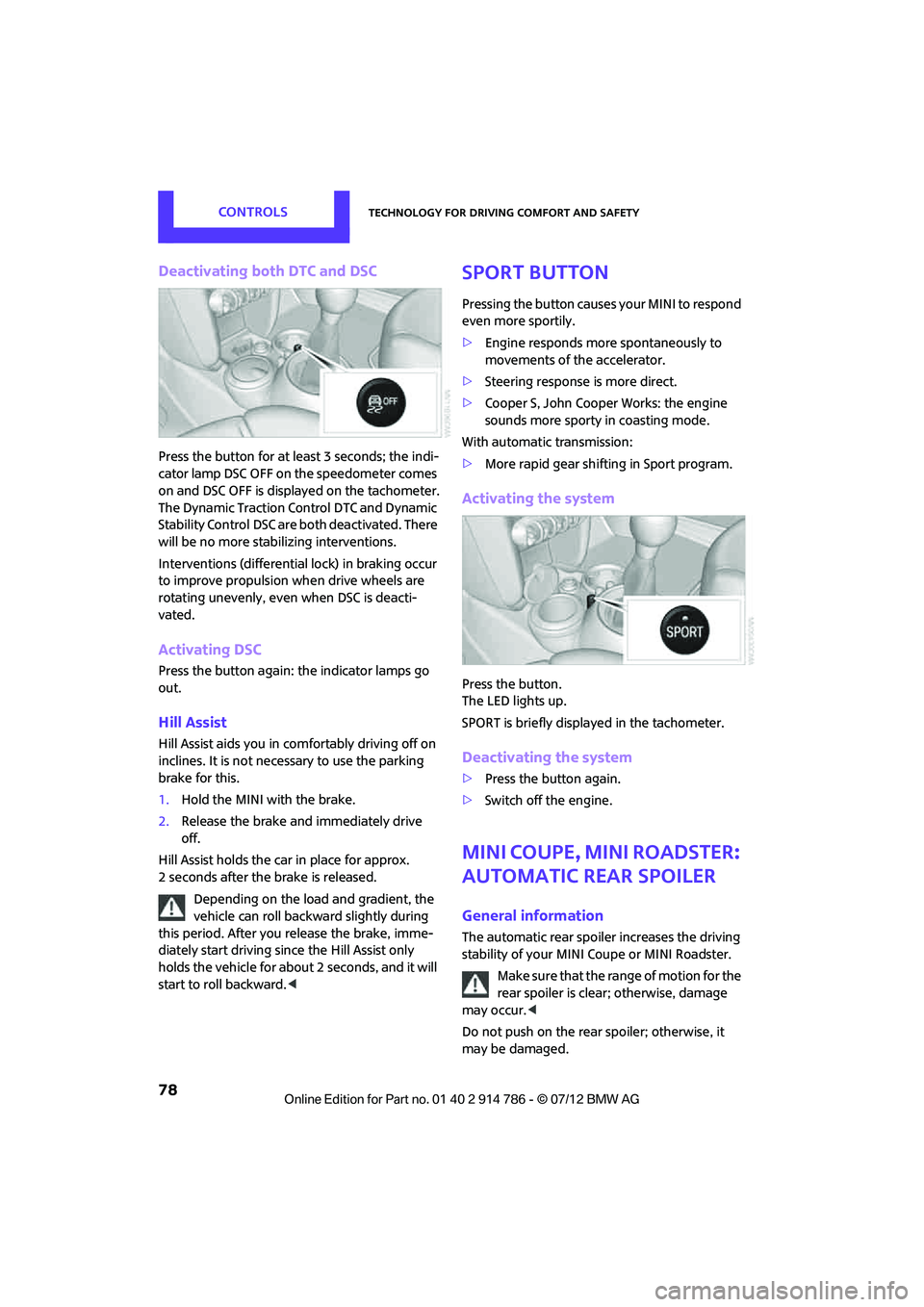
Press the button for at least 3 seconds; the indi-
cator lamp DSC OFF on the speedometer comes
on and DSC OFF is displayed on the tachometer.
The Dynamic Traction Control DTC and Dynamic
Stability Control DSC are both deactivated. There
will be no more stabilizing interventions.
Interventions (differential lock) in braking occur
to improve propulsion when drive wheels are
rotating unevenly, even when DSC is deacti-
vated.
Activating DSC
Press the button again: the indicator lamps go
out.
Hill Assist
Hill Assist aids you in co mfortably driving off on
inclines. It is not necessary to use the parking
brake for this.
1. Hold the MINI with the brake.
2. Release the brake and immediately drive
off.
Hill Assist holds the car in place for approx.
2 seconds after the brake is released. Depending on the load and gradient, the
vehicle can roll backwa rd slightly during
this period. After you release the brake, imme-
diately start driving since the Hill Assist only
holds the vehicle for about 2 seconds, and it will
start to roll backward. <
Sport button
Pressing the button causes your MINI to respond
even more sportily.
>Engine responds more spontaneously to
movements of the accelerator.
> Steering response is more direct.
> Cooper S, John Cooper Works: the engine
sounds more sporty in coasting mode.
With automatic transmission:
> More rapid gear shifting in Sport program.
Activating the system
Press the button.
The LED lights up.
SPORT is briefly displayed in the tachometer.
Deactivating the system
>Press the button again.
> Switch off the engine.
MINI Coupe, MINI Roadster:
automatic rear spoiler
General information
The automatic rear spoiler increases the driving
stability of your MINI Coupe or MINI Roadster.
Make sure that the ra nge of motion for the
rear spoiler is clear; otherwise, damage
may occur. <
Do not push on the rear spoiler; otherwise, it
may be damaged.
Online Edition for Part no. 01 40 2 914 786 - \251 07/12 BMW AG
Page 81 of 218
CONTROLSTechnology for driving comfort and safety
80
Flat Tire Monitor FTM
The concept
The system does not measure the actual infla-
tion pressure in the tires.
The system detects a pressure loss in a tire by
comparing the rotational speeds of the indivi-
dual wheels while moving.
In the event of a pressure loss, the diameter and
therefore the rotational speed of the corre-
sponding wheel change. This is detected and
reported as a flat tire.
Functional requirement
The system must have be en initialized while the
tire inflation pressure was correct; otherwise,
reliable signaling of a fl at tire is not ensured.
Initialize the system afte r every correction of the
tire inflation pressure and after every tire or
wheel change.
System limitations
Sudden serious tire damage caused by
external influences cannot be indicated in
advance. <
A natural, even pressure loss in all four tires
cannot be detected. Therefore, check the tire
inflation pressure regularly.
In the following situatio ns, the system could be
delayed or malfunction:
> System has not been initialized.
> Driving on snowy or sl ippery road surface.
> Performance-oriented style of driving: slip in
the drive wheels, high lateral acceleration.
> Snow chains are attached.
When the vehicle is driven with a space-saver
spare tire, page 174, the Flat Tire Monitor
cannot function.
Initializing the system
The initialization process adopts the set inflation
tire pressures as refere nce values for the detec- tion of a flat tire. Initia
lization is started by con-
firming the inflation pressures.
Do not initialize the syst em when driving with
snow chains.
Using the button in the turn signal lever
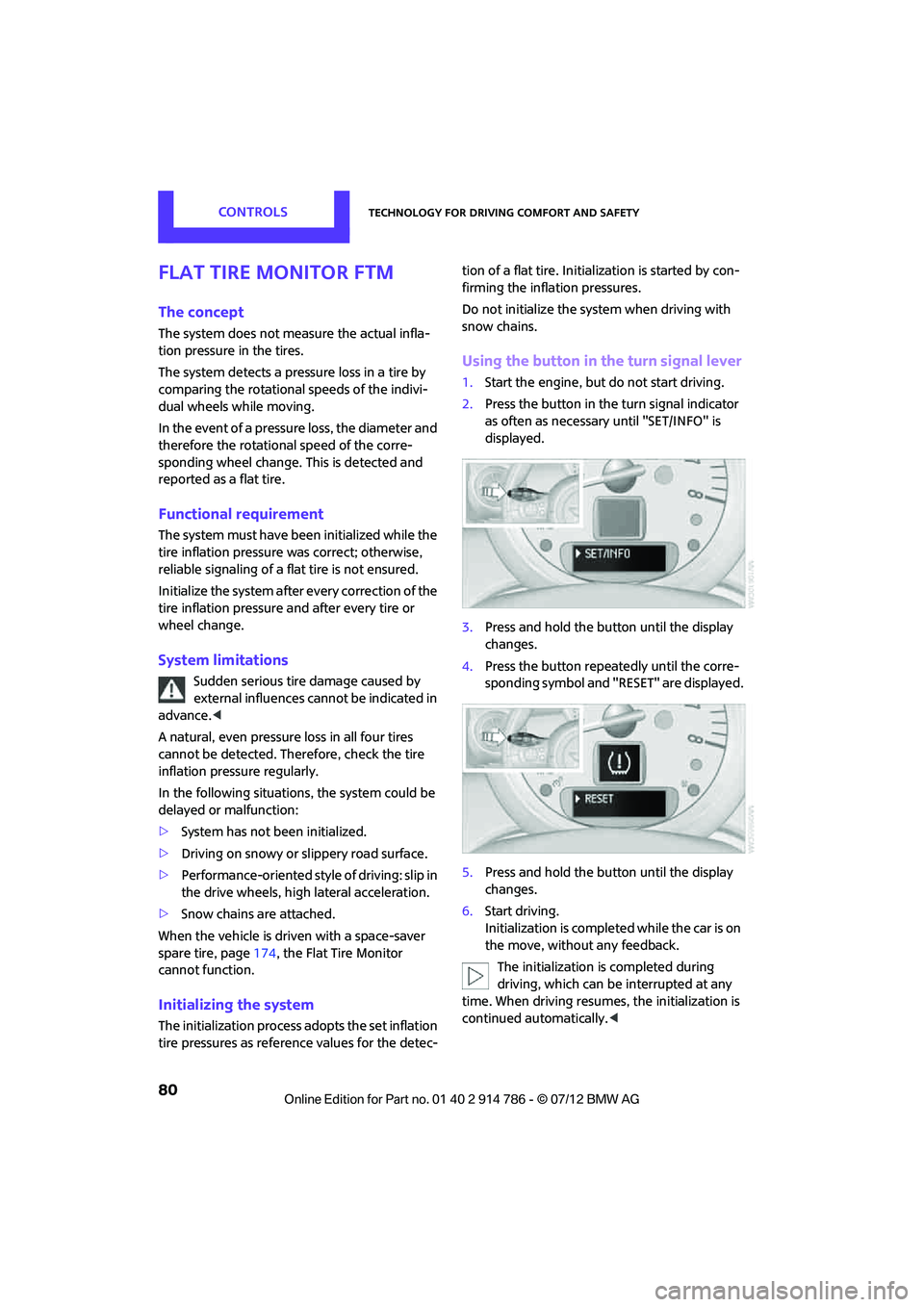
1. Start the engine, but do not start driving.
2. Press the button in the turn signal indicator
as often as necessary until "SET/INFO" is
displayed.
3. Press and hold the button until the display
changes.
4. Press the button repeatedly until the corre-
sponding symbol and "RESET" are displayed.
5. Press and hold the button until the display
changes.
6. Start driving.
Initialization is completed while the car is on
the move, without any feedback.
The initialization is completed during
driving, which can be interrupted at any
time. When driving resumes, the initialization is
continued automatically. <
Online Edition for Part no. 01 40 2 914 786 - \251 07/12 BMW AG
Page 86 of 218
Technology for driving comfort and safetyCONTROLS
85
Airbags
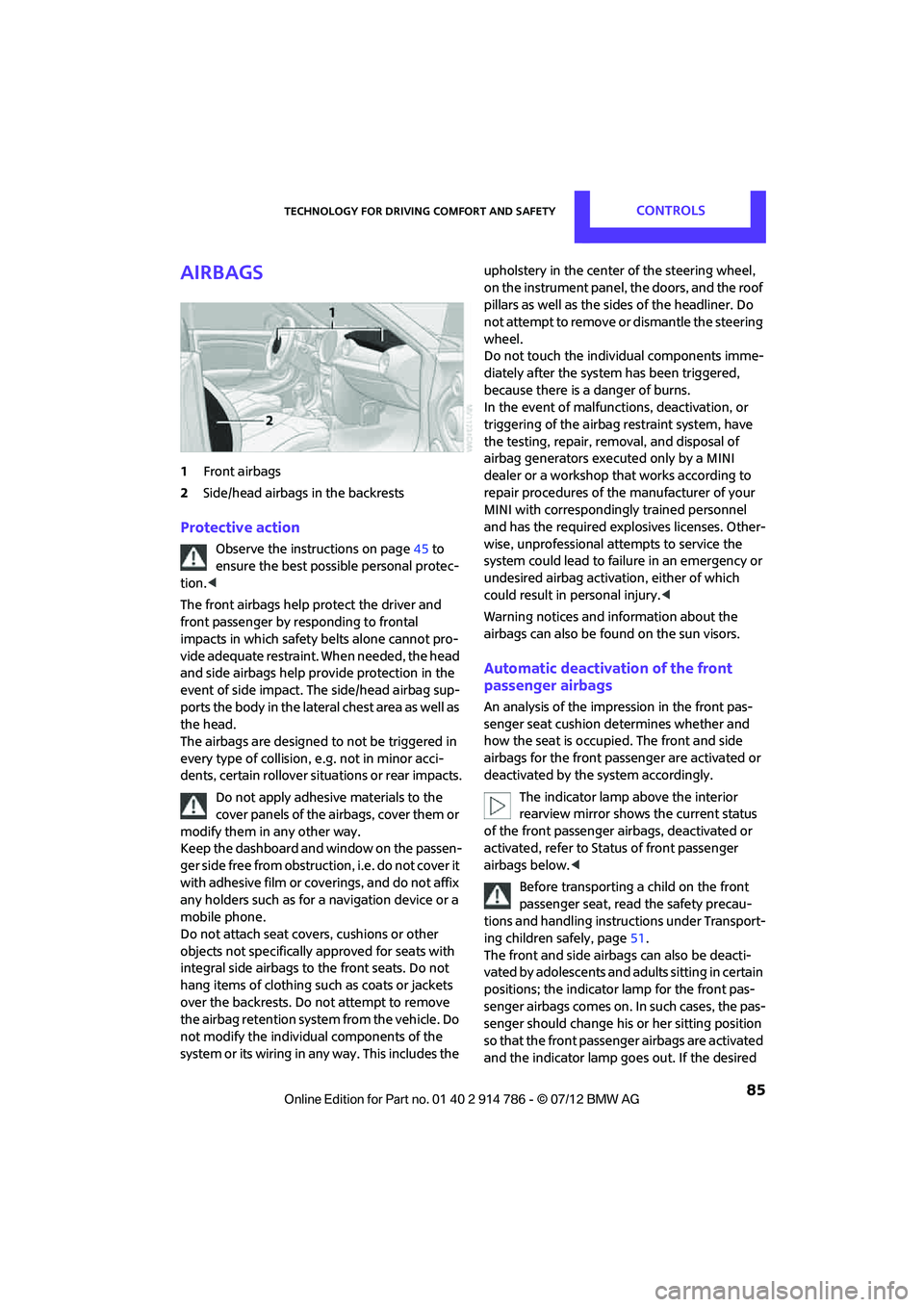
1Front airbags
2 Side/head airbags in the backrests
Protective action
Observe the instructions on page 45 to
ensure the best possible personal protec-
tion. <
The front airbags help protect the driver and
front passenger by responding to frontal
impacts in which safety belts alone cannot pro-
vide adequate restraint. When needed, the head
and side airbags help provide protection in the
event of side impact. The side/head airbag sup-
ports the body in the lateral chest area as well as
the head.
The airbags are designed to not be triggered in
every type of collision, e.g. not in minor acci-
dents, certain rollover si tuations or rear impacts.
Do not apply adhesive materials to the
cover panels of the airbags, cover them or
modify them in any other way.
Keep the dashboard and window on the passen-
g e r s i d e f r e e f r o m o b s t r u c t i o n , i . e . d o n o t c o v e r i t
with adhesive film or coverings, and do not affix
any holders such as for a navigation device or a
mobile phone.
Do not attach seat covers, cushions or other
objects not specifically approved for seats with
integral side airbags to the front seats. Do not
hang items of clothing such as coats or jackets
over the backrests. Do not attempt to remove
the airbag retention system from the vehicle. Do
not modify the individual components of the
system or its wiring in any way. This includes the upholstery in the center of the steering wheel,
on the instrument panel, the doors, and the roof
pillars as well as the side
s of the headliner. Do
not attempt to remove or dismantle the steering
wheel.
Do not touch the individual components imme-
diately after the system has been triggered,
because there is a danger of burns.
In the event of malfuncti ons, deactivation, or
triggering of the airbag restraint system, have
the testing, repair, removal, and disposal of
airbag generators executed only by a MINI
dealer or a workshop th at works according to
repair procedures of the manufacturer of your
MINI with correspondingly trained personnel
and has the required explosives licenses. Other-
wise, unprofessional attempts to service the
system could lead to fail ure in an emergency or
undesired airbag activation, either of which
could result in personal injury. <
Warning notices and in formation about the
airbags can also be found on the sun visors.
Automatic deactivation of the front
passenger airbags
An analysis of the impression in the front pas-
senger seat cushion determines whether and
how the seat is occupied. The front and side
airbags for the front passenger are activated or
deactivated by the system accordingly.
The indicator lamp above the interior
rearview mirror shows the current status
of the front passenger airbags, deactivated or
activated, refer to Status of front passenger
airbags below. <
Before transporting a child on the front
passenger seat, read the safety precau-
tions and handling instructions under Transport-
ing children safely, page 51.
The front and side airbag s can also be deacti-
vated by adolescents and adults sitting in certain
positions; the indicator lamp for the front pas-
senger airbags comes on. In such cases, the pas-
senger should change his or her sitting position
so that the front passenger airbags are activated
and the indicator lamp goes out. If the desired
Online Edition for Part no. 01 40 2 914 786 - \251 07/12 BMW AG
Page 93 of 218

CONTROLSLamps
92
If the automatic headlamp control is acti-
vated, the low beams will come on auto-
matically when you switch on the fog lamps. <
Rear fog lamp
The low beams or parking lamps with fog lamps
must be switched on. The yellow indicator lamp
c o m e s o n w h e n t h e r e a r f o g l a m p i s s w i t c h e d o n .
Instrument lighting
You can adjust the brightness of the instrument
lighting only when the parking lamps or the low
beams are on.
The intensity of the brightness changes up to a
predetermined end point, and then decreases.
Adjusting brightness
>Briefly press button: br ightness changes in
stages.
> Press and hold the button. Brightness
changes in a continuous manner.
Interior lamps
The interior lighting, the footwell lamps and the
luggage compartment lighting are automati-
cally controlled.
To reduce the drain on the battery, a short
while after the ignition is switched off,
refer to Start/Stop button on page 55, all lights in
the vehicle's passenger compartment are
switched off. <
Switching interior lamps on/off manually
To switch the interior lamps on/off.
Press the switch.
To switch off the interior lamps permanently,
press the switch for about 3 seconds.
Reading lamps
To switch the reading lamps on and off.
Press the switch.
MINI Roadster with semi-automatic
convertible top
>To switch on interior lamps:
Press switches back together.
> To switch on reading lamps:
Press the switch forward.
Online Edition for Part no. 01 40 2 914 786 - \251 07/12 BMW AG
Page 94 of 218
LampsCONTROLS
93
To turn off, press the respective switch forward
again or back.
Ambient lighting
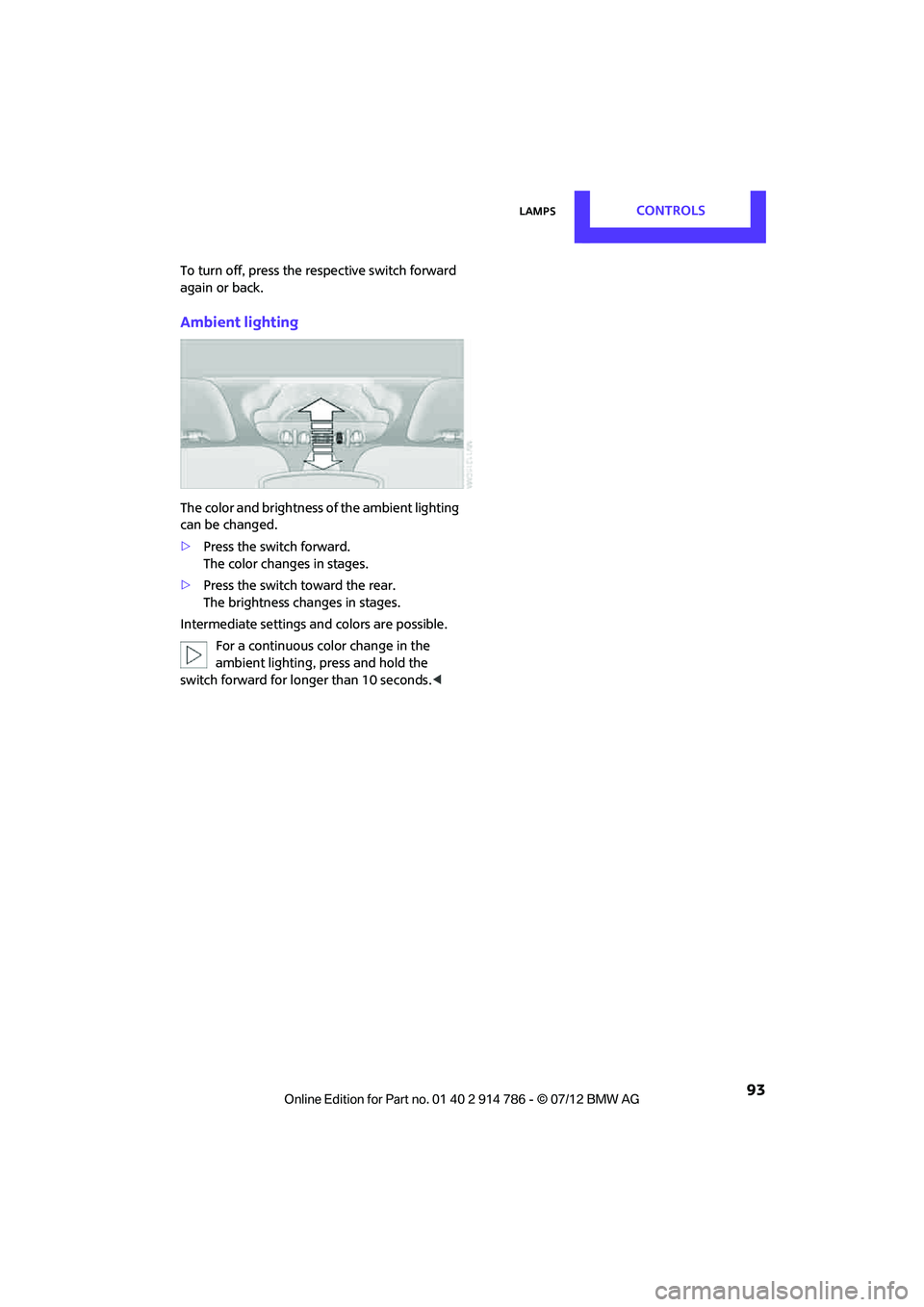
The color and brightness of the ambient lighting
can be changed.
>Press the switch forward.
The color changes in stages.
> Press the switch toward the rear.
The brightness changes in stages.
Intermediate settings and colors are possible. For a continuous color change in the
ambient lighting, press and hold the
switch forward for lo nger than 10 seconds. <
Online Edition for Part no. 01 40 2 914 786 - \251 07/12 BMW AG
Page 98 of 218
ClimateCONTROLS
97
Air flow rate, manual
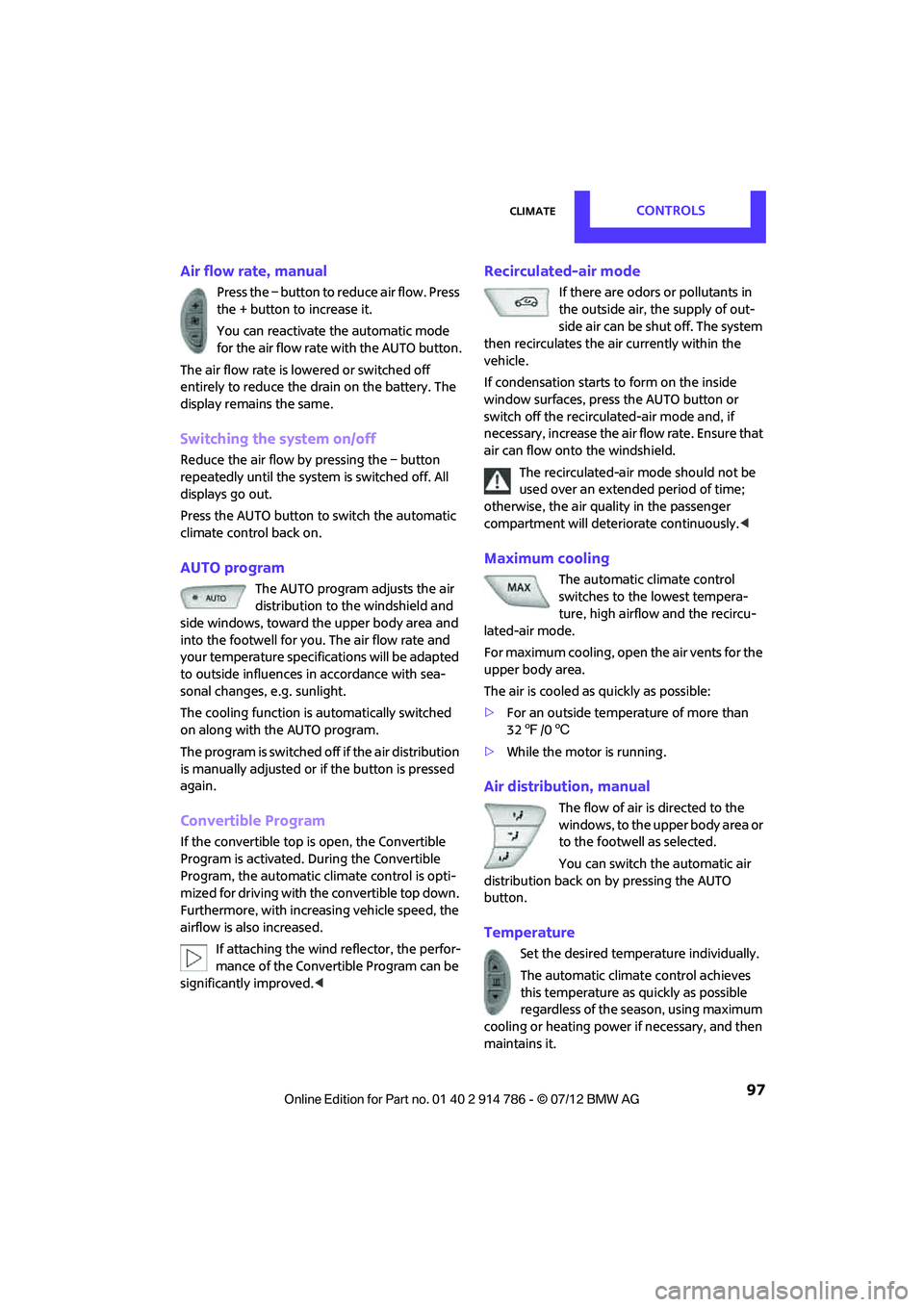
Press the – button to reduce air flow. Press
the + button to increase it.
You can reactivate the automatic mode
for the air flow rate with the AUTO button.
The air flow rate is lowered or switched off
entirely to reduce the drain on the battery. The
display remains the same.
Switching the system on/off
Reduce the air flow by pressing the – button
repeatedly until the system is switched off. All
displays go out.
Press the AUTO button to switch the automatic
climate control back on.
AUTO program
The AUTO program adjusts the air
distribution to the windshield and
side windows, toward the upper body area and
into the footwell for you. The air flow rate and
your temperature specific ations will be adapted
to outside influences in accordance with sea-
sonal changes, e.g. sunlight.
The cooling function is automatically switched
on along with the AUTO program.
The program is switched of f if the air distribution
is manually adjusted or if the button is pressed
again.
Convertible Program
If the convertible top is open, the Convertible
Program is activated. During the Convertible
Program, the automatic cl imate control is opti-
mized for driving with the convertible top down.
Furthermore, with increasing vehicle speed, the
airflow is also increased.
If attaching the wind reflector, the perfor-
mance of the Convertible Program can be
significantly improved.<
Recirculated-air mode
If there are odors or pollutants in
the outside air, the supply of out-
side air can be shut off. The system
then recirculates the air currently within the
vehicle.
If condensation starts to form on the inside
window surfaces, press the AUTO button or
switch off the recirculated-air mode and, if
necessary, increase the air flow rate. Ensure that
air can flow onto the windshield.
The recirculated-air mode should not be
used over an extended period of time;
otherwise, the air quality in the passenger
compartment will deteriorate continuously. <
Maximum cooling
The automatic climate control
switches to the lowest tempera-
ture, high airflow and the recircu-
lated-air mode.
For maximum cooling, open the air vents for the
upper body area.
The air is cooled as quickly as possible:
> For an outside temperature of more than
327 /06
> While the motor is running.
Air distribution, manual
The flow of air is directed to the
windows, to the upper body area or
to the footwell as selected.
You can switch the automatic air
distribution back on by pressing the AUTO
button.
Temperature
Set the desired temperature individually.
The automatic climat e control achieves
this temperature as quickly as possible
regardless of the season, using maximum
cooling or heating power if necessary, and then
maintains it.
Online Edition for Part no. 01 40 2 914 786 - \251 07/12 BMW AG
Page 101 of 218
CONTROLSPractical interior accessories
100
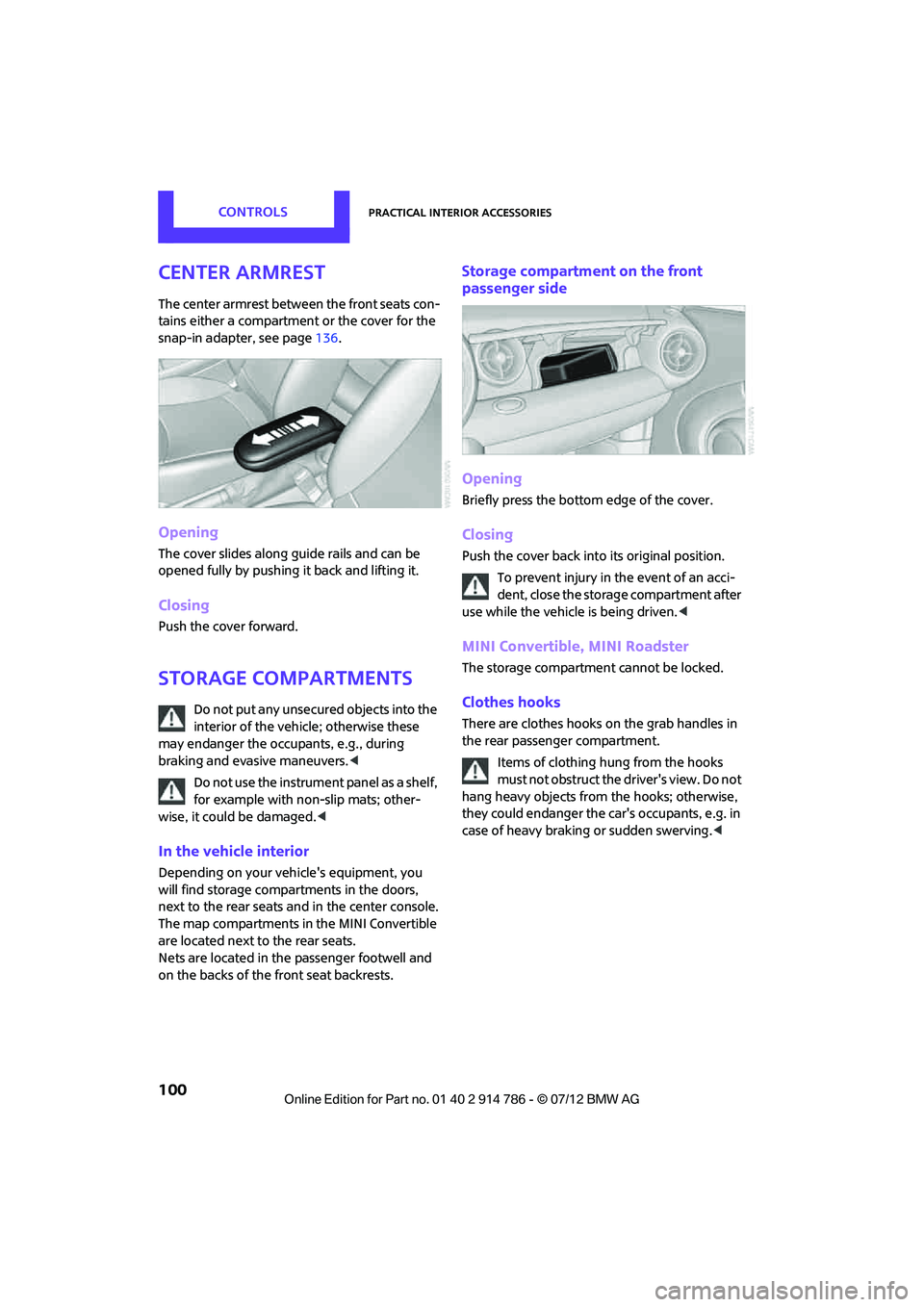
Center armrest
The center armrest between the front seats con-
tains either a compartment or the cover for the
snap-in adapter, see page136.
Opening
The cover slides along guide rails and can be
opened fully by pushing it back and lifting it.
Closing
Push the cover forward.
Storage compartments
Do not put any unsecured objects into the
interior of the vehicle; otherwise these
may endanger the occupants, e.g., during
braking and evasive maneuvers.<
Do not use the instrument panel as a shelf,
for example with non-slip mats; other-
wise, it could be damaged. <
In the vehicle interior
Depending on your vehicle's equipment, you
will find storage compartments in the doors,
next to the rear seats and in the center console.
The map compartments in the MINI Convertible
are located next to the rear seats.
Nets are located in the passenger footwell and
on the backs of the front seat backrests.
Storage compartment on the front
passenger side
Opening
Briefly press the bottom edge of the cover.
Closing
Push the cover back into its original position.
To prevent injury in the event of an acci-
dent, close the storage compartment after
use while the vehicle is being driven. <
MINI Convertible, MINI Roadster
The storage compartment cannot be locked.
Clothes hooks
There are clothes hooks on the grab handles in
the rear passenger compartment.
Items of clothing hung from the hooks
must not obstruct the driver's view. Do not
hang heavy objects from the hooks; otherwise,
they could endanger the car's occupants, e.g. in
case of heavy braking or sudden swerving. <
Online Edition for Part no. 01 40 2 914 786 - \251 07/12 BMW AG
Page 102 of 218
Practical interior accessoriesCONTROLS
101
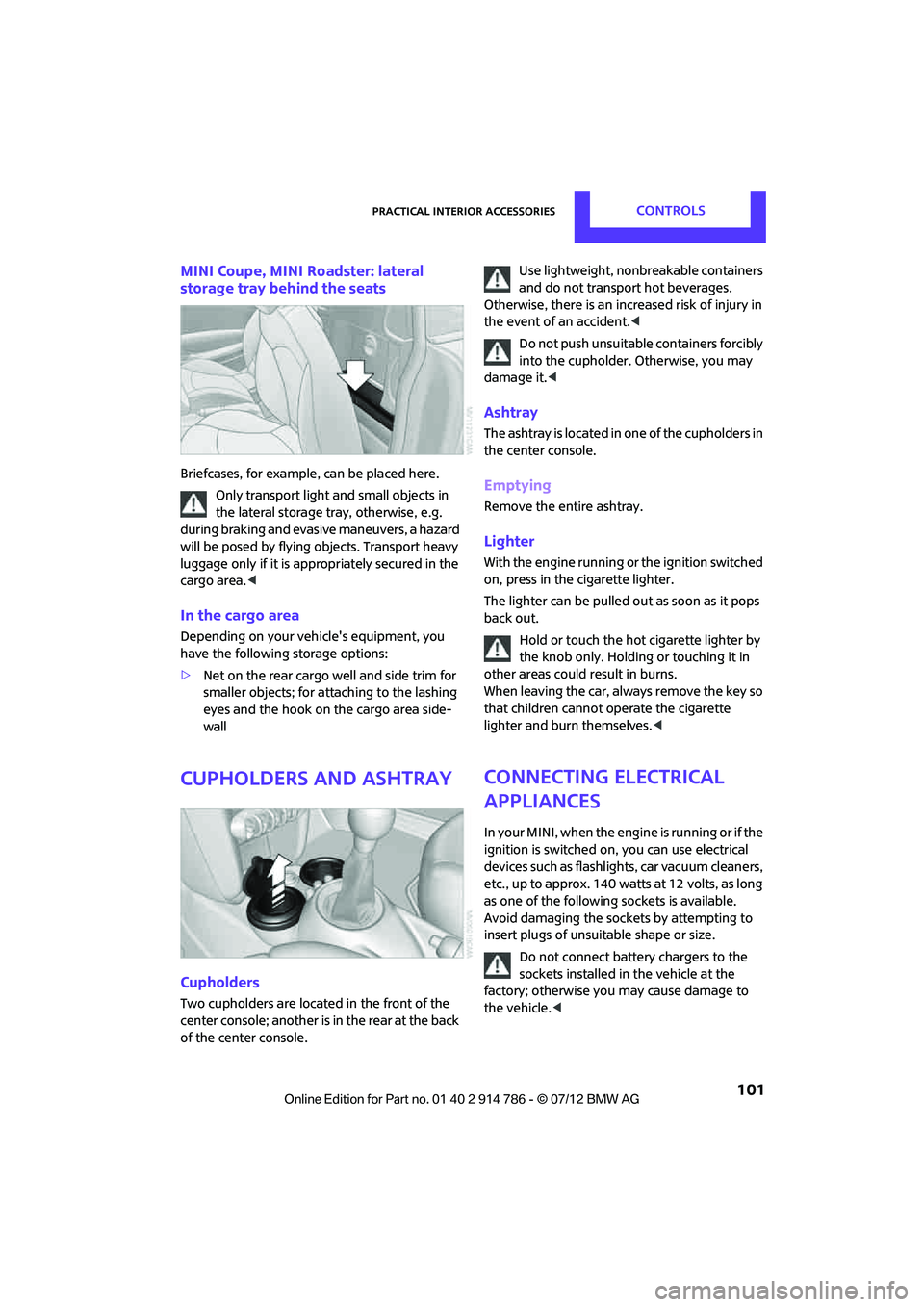
MINI Coupe, MINI Roadster: lateral
storage tray behind the seats
Briefcases, for example, can be placed here.
Only transport light and small objects in
the lateral storage tray, otherwise, e.g.
during braking and evasive maneuvers, a hazard
will be posed by flying objects. Transport heavy
luggage only if it is appropriately secured in the
cargo area. <
In the cargo area
Depending on your vehicle's equipment, you
have the following storage options:
>Net on the rear cargo well and side trim for
smaller objects; for attaching to the lashing
eyes and the hook on the cargo area side-
wall
Cupholders and ashtray
Cupholders
Two cupholders are located in the front of the
center console; another is in the rear at the back
of the center console. Use lightweight, nonbreakable containers
and do not transport hot beverages.
Otherwise, there is an increased risk of injury in
the event of an accident. <
Do not push unsuitable containers forcibly
into the cupholder. Otherwise, you may
damage it.<
Ashtray
The ashtray is located in one of the cupholders in
the center console.
Emptying
Remove the entire ashtray.
Lighter
With the engine running or the ignition switched
on, press in the cigarette lighter.
The lighter can be pulled out as soon as it pops
back out.
Hold or touch the hot cigarette lighter by
the knob only. Holding or touching it in
other areas could re sult in burns.
When leaving the car, always remove the key so
that children cannot operate the cigarette
lighter and burn themselves. <
Connecting electrical
appliances
In your MINI, when the engine is running or if the
ignition is switched on, you can use electrical
devices such as flashlights, car vacuum cleaners,
etc., up to approx. 140 watts at 12 volts, as long
as one of the following sockets is available.
Avoid damaging the sockets by attempting to
insert plugs of unsui table shape or size.
Do not connect battery chargers to the
sockets installed in the vehicle at the
factory; otherwise you may cause damage to
the vehicle. <
Online Edition for Part no. 01 40 2 914 786 - \251 07/12 BMW AG
Page 109 of 218
DRIVING TIPSThings to remember when driving
108
Never drive with the clutch held down,
with the transmission in neutral or with
the engine switched off; otherwise, engine
braking action will not be present or there will be
no power assistance to the brakes or steering.
Never allow floor mats, carpets or any other
objects to protrude into the area around the
pedals; otherwise, pedal function could be
impaired. <
Corrosion on brake rotors
When the vehicle is driven only occasionally,
during extended periods when the vehicle is not
used at all, and in op erating conditions where
brake applications are less frequent, there is an
increased tendency for corrosion to form on
rotors, while contaminan ts accumulate on the
brake pads. This occurs because the minimum
pressure which must be exerted by the pads
during brake applications to clean the rotors is
not reached.
Should corrosion form on the brake rotors, the
brakes will tend to respond with a pulsating
effect that even extended application will fail to
cure.
When the vehicle is parked
Condensation forms while the automatic climate
control is in operation, and then exits under the
vehicle. Traces of condensed water under the
vehicle are therefore normal.
In the MINI Cooper S, the coolant pump may
continue to run for some time after the engine is
switched off. This will generate noise in the
engine compartment.
Cargo loading
To avoid loading the tires beyond their
approved carrying ca pacity, never over-
load the vehicle. Overloading can lead to over-
heating and increases the rate at which damage
develops inside the tires. The ultimate result can
assume the form of a sudden blowout.
<
MINI Coupe: cargo area cover
Do not place any objects on the cover;
otherwise, they could endanger the car's
occupants, e.g. in the case of braking or sudden
swerving, or they may damage the cover. <
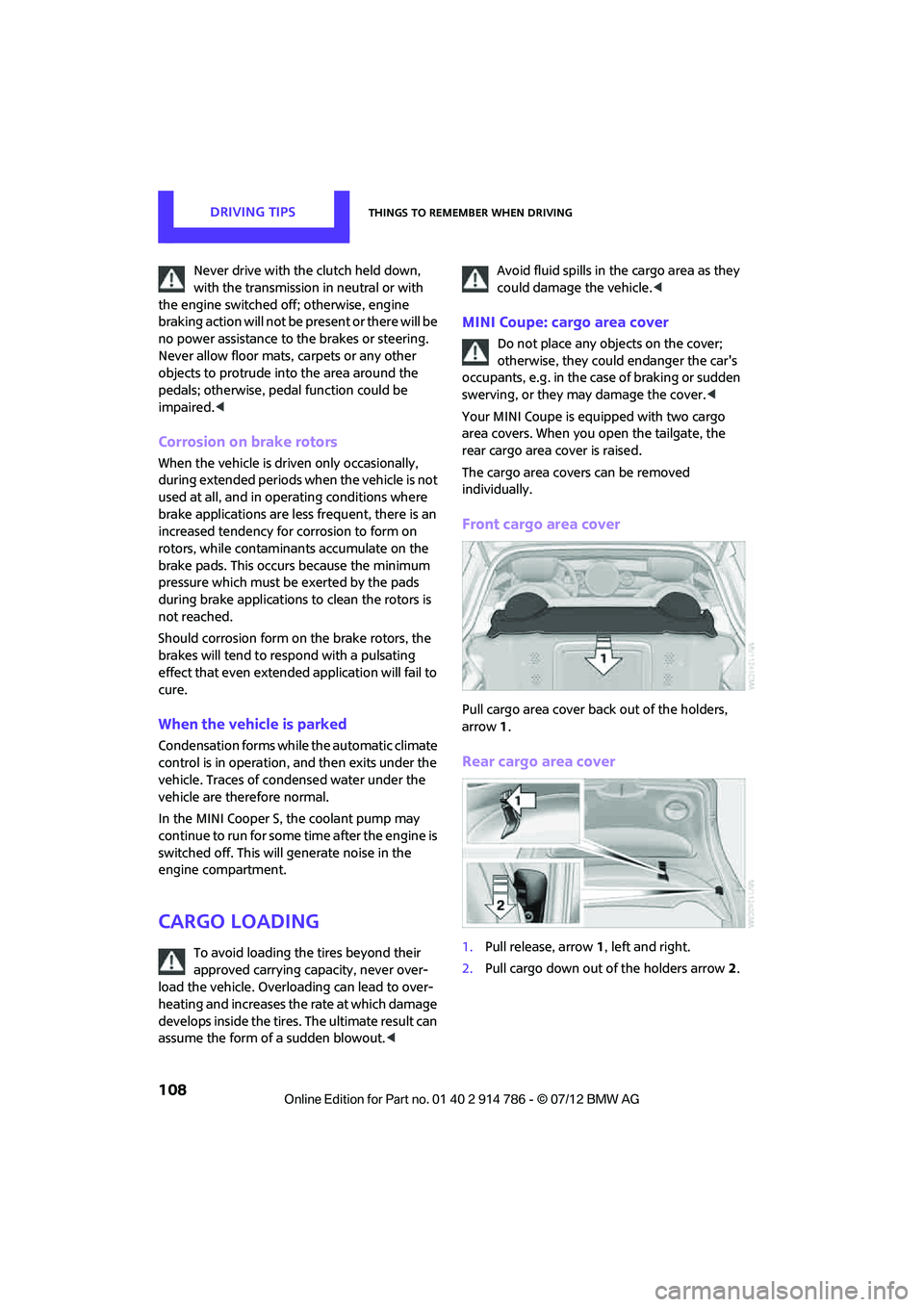
Your MINI Coupe is equipped with two cargo
area covers. When you open the tailgate, the
rear cargo area cover is raised.
The cargo area covers can be removed
individually.
Front cargo area cover
Pull cargo area cover back out of the holders,
arrow 1.
Rear cargo area cover
1. Pull release, arrow 1, left and right.
2. Pull cargo down out of the holders arrow 2.
Online Edition for Part no. 01 40 2 914 786 - \251 07/12 BMW AG
Page 110 of 218
Things to remember when drivingDRIVING TIPS
109
MINI Coupe, MINI Roadster: opening for
loading
Always secure snowboards and similar
items; otherwise, these may pose a hazard
to occupants during braking or evasive maneu-
vers. <
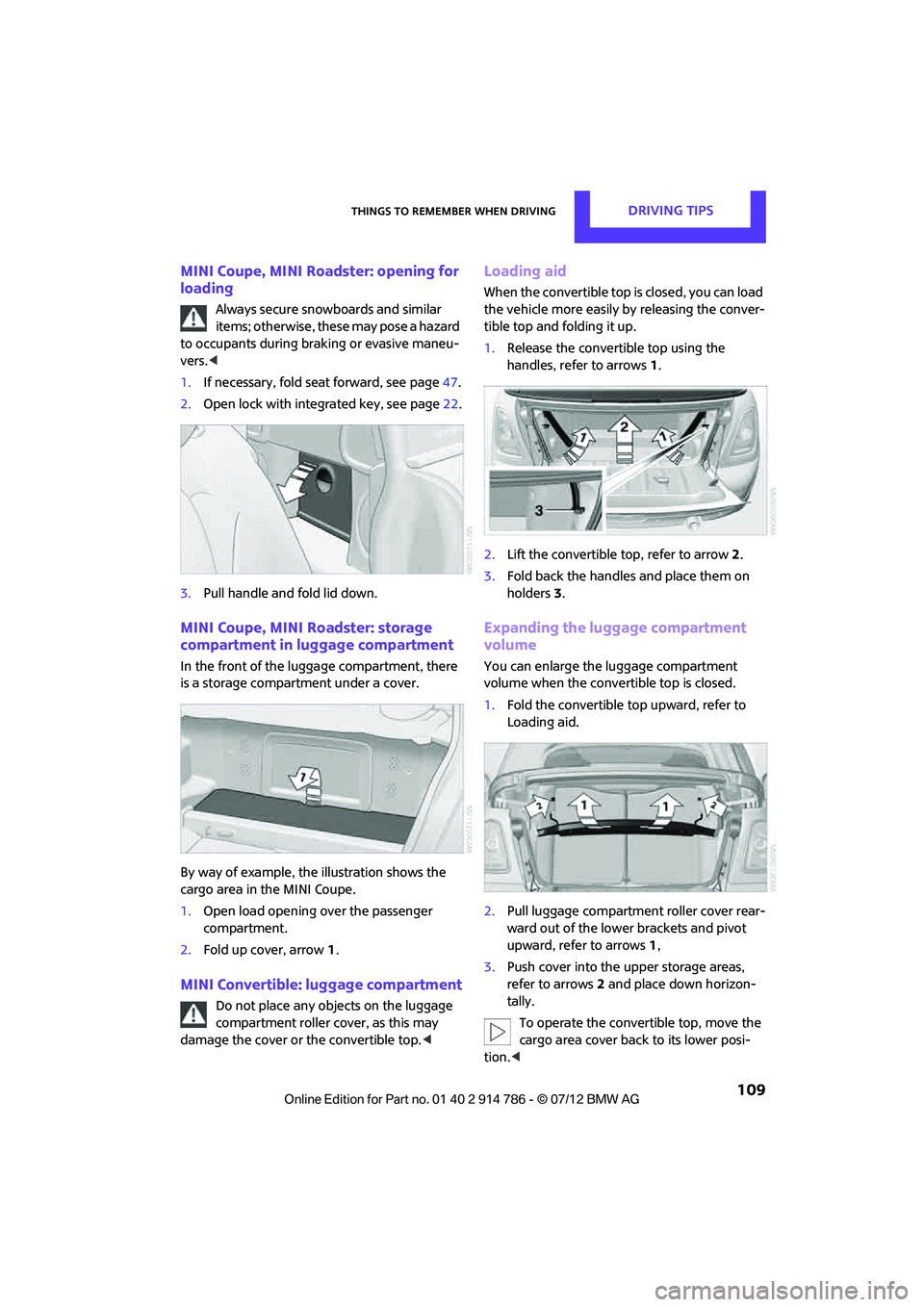
1. If necessary, fold seat forward, see page 47.
2. Open lock with integrated key, see page 22.
3. Pull handle and fold lid down.
MINI Coupe, MINI Roadster: storage
compartment in luggage compartment
In the front of the luggage compartment, there
is a storage compartment under a cover.
By way of example, the illustration shows the
cargo area in the MINI Coupe.
1. Open load opening over the passenger
compartment.
2. Fold up cover, arrow 1.
MINI Convertible: luggage compartment
Do not place any objects on the luggage
compartment roller cover, as this may
damage the cover or the convertible top. <
Loading aid
When the convertible top is closed, you can load
the vehicle more easily by releasing the conver-
tible top and folding it up.
1.Release the convertible top using the
handles, refer to arrows 1.
2. Lift the convertible top, refer to arrow2.
3. Fold back the handles and place them on
holders 3.
Expanding the luggage compartment
volume
You can enlarge the luggage compartment
volume when the convertible top is closed.
1. Fold the convertible top upward, refer to
Loading aid.
2. Pull luggage compartment roller cover rear-
ward out of the lower brackets and pivot
upward, refer to arrows 1,
3. Push cover into the upper storage areas,
refer to arrows 2 and place down horizon-
tally.
To operate the convertible top, move the
cargo area cover back to its lower posi-
tion. <
Online Edition for Part no. 01 40 2 914 786 - \251 07/12 BMW AG