Drive MINI COOPER CONVERTIBLE 2012 Service Manual
[x] Cancel search | Manufacturer: MINI, Model Year: 2012, Model line: COOPER CONVERTIBLE, Model: MINI COOPER CONVERTIBLE 2012Pages: 218, PDF Size: 4.5 MB
Page 111 of 218
DRIVING TIPSThings to remember when driving
110
Split-folding rear seats
To be able to transport larger objects, the rear
backrest can be folded down.
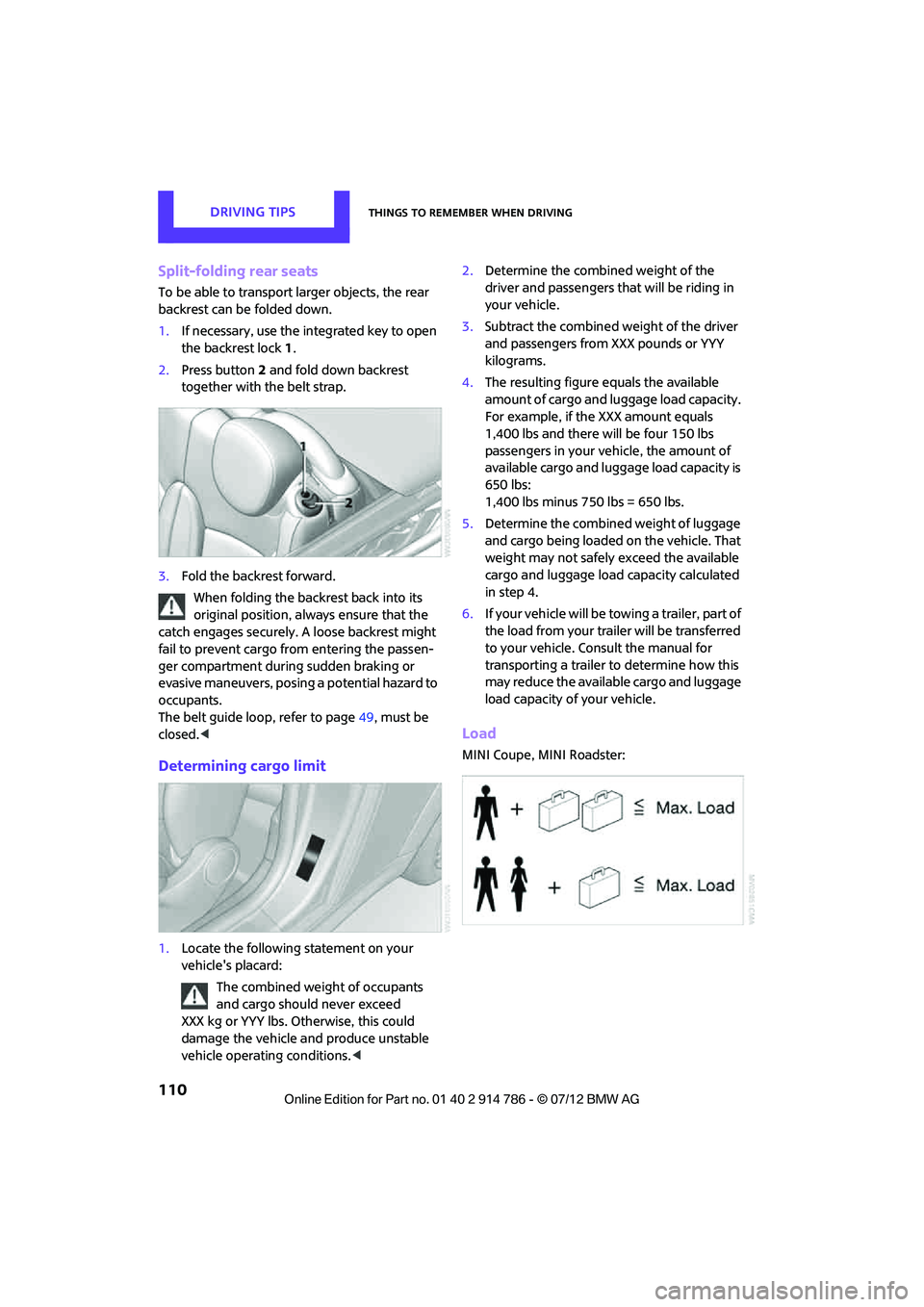
1.If necessary, use the integrated key to open
the backrest lock 1.
2. Press button 2 and fold down backrest
together with the belt strap.
3. Fold the backrest forward.
When folding the backrest back into its
original position, alwa ys ensure that the
catch engages securely. A loose backrest might
fail to prevent cargo from entering the passen-
ger compartment during sudden braking or
evasive maneuvers, posing a potential hazard to
occupants.
The belt guide loop, refer to page 49, must be
closed. <
Determining cargo limit
1.Locate the following statement on your
vehicle's placard:
The combined weight of occupants
and cargo should never exceed
XXX kg or YYY lbs. Otherwise, this could
damage the vehicle and produce unstable
vehicle operating conditions. <2.
Determine the combined weight of the
driver and passengers that will be riding in
your vehicle.
3. Subtract the combined weight of the driver
and passengers from XXX pounds or YYY
kilograms.
4. The resulting figure equals the available
amount of cargo and luggage load capacity.
For example, if the XXX amount equals
1,400 lbs and there will be four 150 lbs
passengers in your vehicle, the amount of
available cargo and luggage load capacity is
650 lbs:
1,400 lbs minus 750 lbs = 650 lbs.
5. Determine the combined weight of luggage
and cargo being loaded on the vehicle. That
weight may not safely exceed the available
cargo and luggage load capacity calculated
in step 4.
6. If your vehicle will be towing a trailer, part of
the load from your trailer will be transferred
to your vehicle. Consult the manual for
transporting a trailer to determine how this
may reduce the available cargo and luggage
load capacity of your vehicle.
Load
MINI Coupe, MINI Roadster:
Online Edition for Part no. 01 40 2 914 786 - \251 07/12 BMW AG
Page 113 of 218

DRIVING TIPSThings to remember when driving
112
ger the car's occupants, for example if sudden
braking or swerves are necessary.
Do not exceed the approved gross vehicle
weight and axle loads, page 203; otherwise, the
operating safety of the vehicle is no longer
assured and the vehicle will not be in compli-
ance with the construction and use regulations.
Heavy or hard objects should not be carried
loose inside the car, since they could be thrown
around, for example as a result of heavy braking,
sudden swerves, etc., and endanger the occu-
pants. Do not secure cargo using the fastening
points for the tether strap, page 52; they may
become damaged. <
Rear luggage rack
A special rack system is available as an option for
your MINI. Please note the information con-
tained in the assembly instructions.
Mounting points
The mounting points are under the protective
caps in the bumper.
Push out the caps at the respective slots.
Loading rear luggage rack
When loading, make su re that the maximum
allowed roof load, the gross vehicle weight and
the axle loads are not exceeded.
You can find the applicable data under Weights
on page 203.
Saving fuel
Your vehicle incorporates numerous technolo-
gies for reducing fuel consumption and emis-
sions.
Fuel consumption depends on a number of
different factors. Fuel consumption and environ-
mental pollution are affect ed by various actions,
the manner of driving and regular maintenance.
Remove unnecessary cargo
Additional weight increases fuel consumption.
Remove attached parts no longer in use
Remove luggage rack if no longer needed after
use.
Attached parts on the ve hicle affect its aerody-
namics and increase fuel consumption.
Closing windows
Open windows increase air resistance and
therefore fuel consumption.
Check tire inflation pressure regularly
Check and, if necessary, correct tire inflation
pressure at least twice a month and before start-
ing on a long trip.
Low inflation pressure increases rolling resis-
tance and thus leads to greater fuel consump-
tion and tire wear.
Drive off immediately
Do not wait for the engine to warm up while the
vehicle remains stationary. Start driving right
away, but at moderate engi ne speeds. This is the
fastest way for the cold engine to reach its
operating temperature.
Think ahead while driving
Avoid unnecessary accelera tion and braking. by
maintaining a suitable di stance to the vehicle
driving ahead.
Looking-ahead and smooth driving reduces fuel
consumption.
Online Edition for Part no. 01 40 2 914 786 - \251 07/12 BMW AG
Page 114 of 218
Things to remember when drivingDRIVING TIPS
113
Avoid high engine speeds
Use first gear only for driving off. In second and
higher gears, accelerate smoothly to a suitable
engine and road speed. In doing so, avoid high
engine speeds and shift up early.
When you reach your desired traveling speed,
shift to the highest suitable gear and drive at
constant speed.
As a rule: driving at lo w engine speeds lowers
fuel consumption and reduces wear.
Coasting
When approaching a red traffic light, take your
foot off the accelerator and let the car roll to a
stop in the highest gear possible.
On a downhill gradient, take your foot off the
accelerator and let the vehi cle coast in a suitable
gear.
Fuel supply is shut off automatically when the
vehicle is coasting.
Switch off the engine during lengthy
stops
Switch off the engine when stopping for lengthy
periods, e.g. at traffic lights, railroad crossings or
in traffic jams.
Switch off any features that are not
currently required
Features such as air conditioning, seat heaters
and the rear window defroster require a great
deal of energy and result in greater fuel con-
sumption, especially in city driving and during
Stop & Go operation. For this reason, switch off
these features if they are not really needed.
Have the vehicle serviced
Have your vehicle serviced regularly to achieve
good economy and a long vehicle life. The
manufacturer of your MINI recommends having
the vehicle serviced by a MINI dealer. Also note
the MINI Maintenance System, page 159.
Online Edition for Part no. 01 40 2 914 786 - \251 07/12 BMW AG
Page 126 of 218
Radio MINI Boost CDENTERTAINMENT
125
Adjusting the iPod volume
The volume of the iPod can be lower or higher
than the audio sources for the radio.
To adjust the volume of the iPod to the volume
of the other audio sources:
1. Press the button.
2. Select the desired volume and press the
knob on the right.
Notes
>The USB audio interface supplies the con-
nected audio devices with power, provided
that this is supported by the audio device.
For this reason, audio devices are not to be
connected to a receptacle in the vehicle
during operation.
> Do not expose audio devices to extreme
ambient conditions, for example, very high
temperatures; refer to the operating instruc-
tions for the audio device.
> Do not connect any devices, e.g. fans or
lamps, to the USB audio interface.
> Do not connect USB hard drives.
Online Edition for Part no. 01 40 2 914 786 - \251 07/12 BMW AG
Page 143 of 218

MOBILITYRefueling
142
The use of poor quality fuels may result in
harmful engine deposits or damage. Addi-
tionally, problems rela ting to driveability,
starting and stalling, es pecially under certain
environmental conditions such as high ambient
temperatures and high altitudes, may occur.
If driveability problems are encountered, we
recommend switching to a high quality gasoline
brand and a higher octane grade - AKI number -
for a few tankfuls. To avoid harmful engine
deposits, it is highly recommended to purchase
gasoline from BP or Top Tier retailers.
Failure to comply with these recommendations
may result in a need for unscheduled mainte-
nance. <
Online Edition for Part no. 01 40 2 914 786 - \251 07/12 BMW AG
Page 144 of 218
Wheels and tiresMOBILITY
143
Wheels and tires
Vehicle equipment
In this chapter, all production, country, and
optional equipment that is offered in the model
range is described. Equipment is also described
that is not available because of, for example,
selected options or count ry version. This also
applies to safety related functions and systems.
Tire inflation pressures
Information for your safety
It is not merely the tires' service life, but also
driving comfort and, to a great extent, driving
safety that depend on the condition of the tires
and the maintenance of the specified tire pres-
sure.
Checking pressure
Check the tire inflatio n pressure regularly
and correct it, if nece ssary: at least twice a
month and before starting long trips. If you fail
to observe this precaution you may be driving
on tires with incorrect tire pressures, a condition
that can not only compromise your vehicle's
driving stability, but also lead to tire damage and
the risk of an accident. Do not drive with
deflated, i.e. flat tires, except when using run-
flat tires. A flat tire will seriously impair your
vehicle's handling and braking response.
Attempts to drive on a flat tire can lead to loss of
control over the vehicle. <
Check the tire inflation pressures only on cold
tires. This means after a maximum of 1.25 miles/
2 km driving or when the vehicle has been
parked for at least 2 hours. When tires are warm,
the tire inflation pressure is higher. After adjusting the tire inflation pressure,
reinitialize the Flat Tire Monitor, page 80,
or reset the Tire Pressure Monitor, page 82.<
Checking the tire inflation pressure of
the compact tire
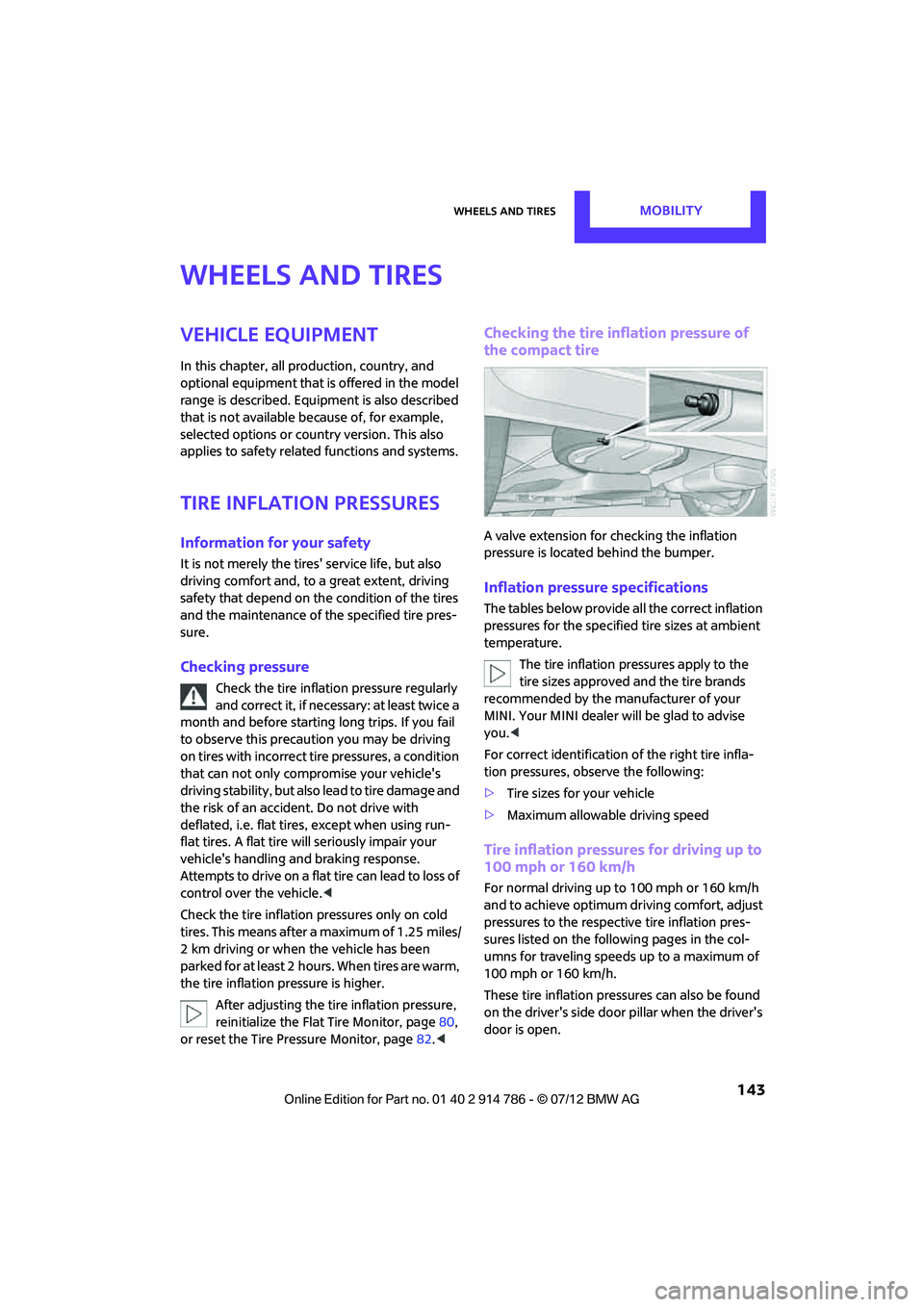
A valve extension for checking the inflation
pressure is located behind the bumper.
Inflation pressure specifications
The tables below provide all the correct inflation
pressures for the specifie d tire sizes at ambient
temperature.
The tire inflation pressures apply to the
tire sizes approved and the tire brands
recommended by the manufacturer of your
MINI. Your MINI dealer will be glad to advise
you. <
For correct identification of the right tire infla-
tion pressures, observe the following:
> Tire sizes for your vehicle
> Maximum allowable driving speed
Tire inflation pressures for driving up to
100 mph or 160 km/h
For normal driving up to 100 mph or 160 km/h
and to achieve optimum dr iving comfort, adjust
pressures to the respective tire inflation pres-
sures listed on the foll owing pages in the col-
umns for traveling speeds up to a maximum of
100 mph or 160 km/h.
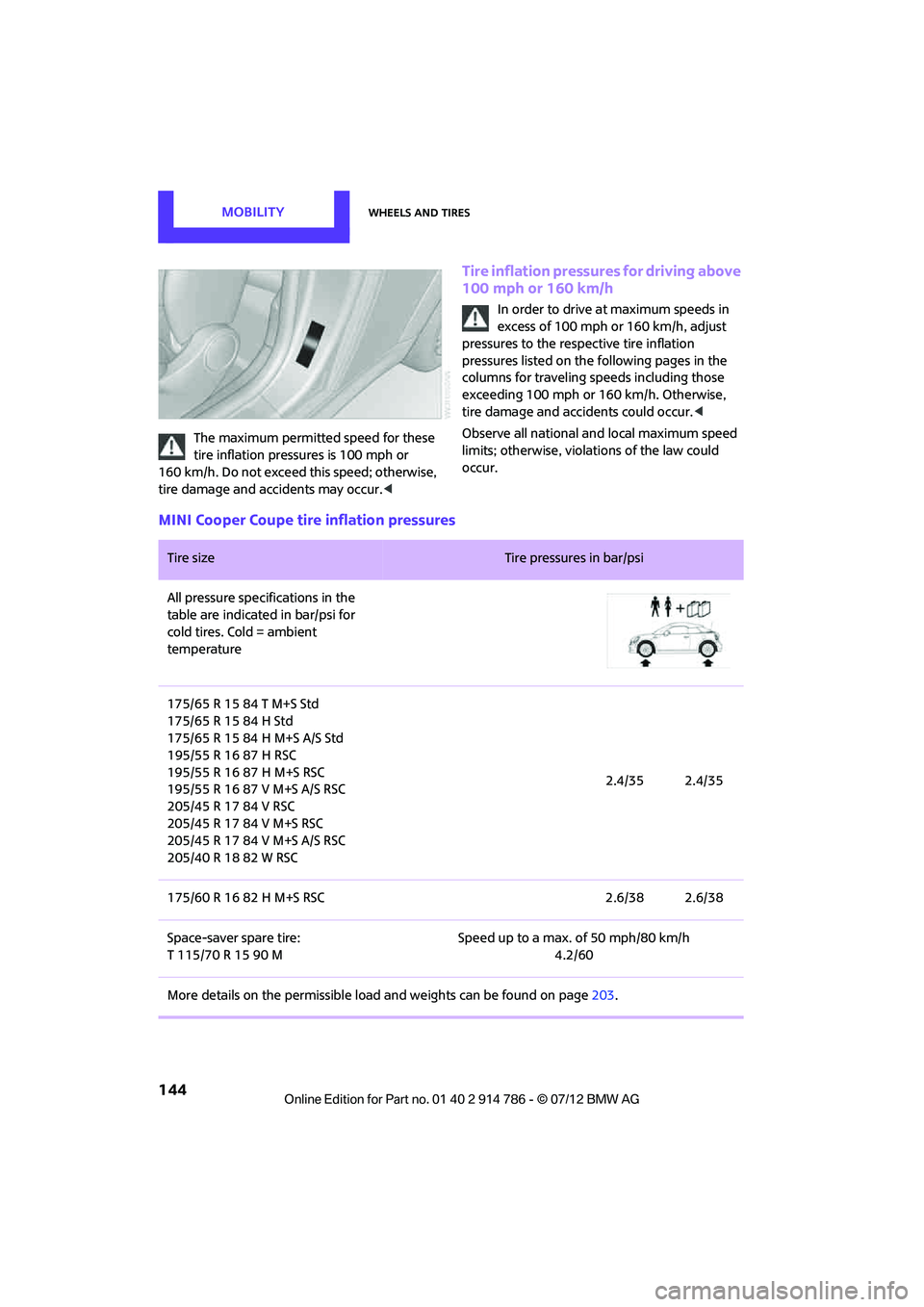
These tire inflation pre ssures can also be found
on the driver's side door pillar when the driver's
door is open.
Online Edition for Part no. 01 40 2 914 786 - \251 07/12 BMW AG
Page 145 of 218
MOBILITYWheels and tires
144
The maximum permitted speed for these
tire inflation pressures is 100 mph or
160 km/h. Do not exceed this speed; otherwise,
tire damage and accidents may occur. <
Tire inflation pressures for driving above
100 mph or 160 km/h
In order to drive at maximum speeds in
excess of 100 mph or 160 km/h, adjust
pressures to the respective tire inflation
pressures listed on the following pages in the
columns for traveling sp eeds including those
exceeding 100 mph or 160 km/h. Otherwise,
tire damage and accidents could occur. <
Observe all national and local maximum speed
limits; otherwise, violat ions of the law could
occur.
MINI Cooper Coupe tire inflation pressures
Tire size Tire pressures in bar/psi
All pressure specifications in the
table are indicated in bar/psi for
cold tires. Cold = ambient
temperature
175/65 R 15 84 T M+S Std
175/65 R 15 84 H Std
175/65 R 15 84 H M+S A/S Std
195/55 R 16 87 H RSC
195/55 R 16 87 H M+S RSC
195/55 R 16 87 V M+S A/S RSC
205/45 R 17 84 V RSC
205/45 R 17 84 V M+S RSC
205/45 R 17 84 V M+S A/S RSC
205/40 R 18 82 W RSC 2.4/35 2.4/35
175/60 R 16 82 H M+S RSC 2.6/38 2.6/38
Space-saver spare tire:
T 115/70 R 15 90 M Speed up to a max. of 50 mph/80 km/h
4.2/60
More details on the permissible load and weights can be found on page203.
Online Edition for Part no. 01 40 2 914 786 - \251 07/12 BMW AG
Page 153 of 218
MOBILITYWheels and tires
152
Winter tires
When winter tires wear down past a tread depth
of 0.16 in/4 mm, they become perceptibly less
suitable for winter conditions. In the interest of
safety, new tires should be installed.
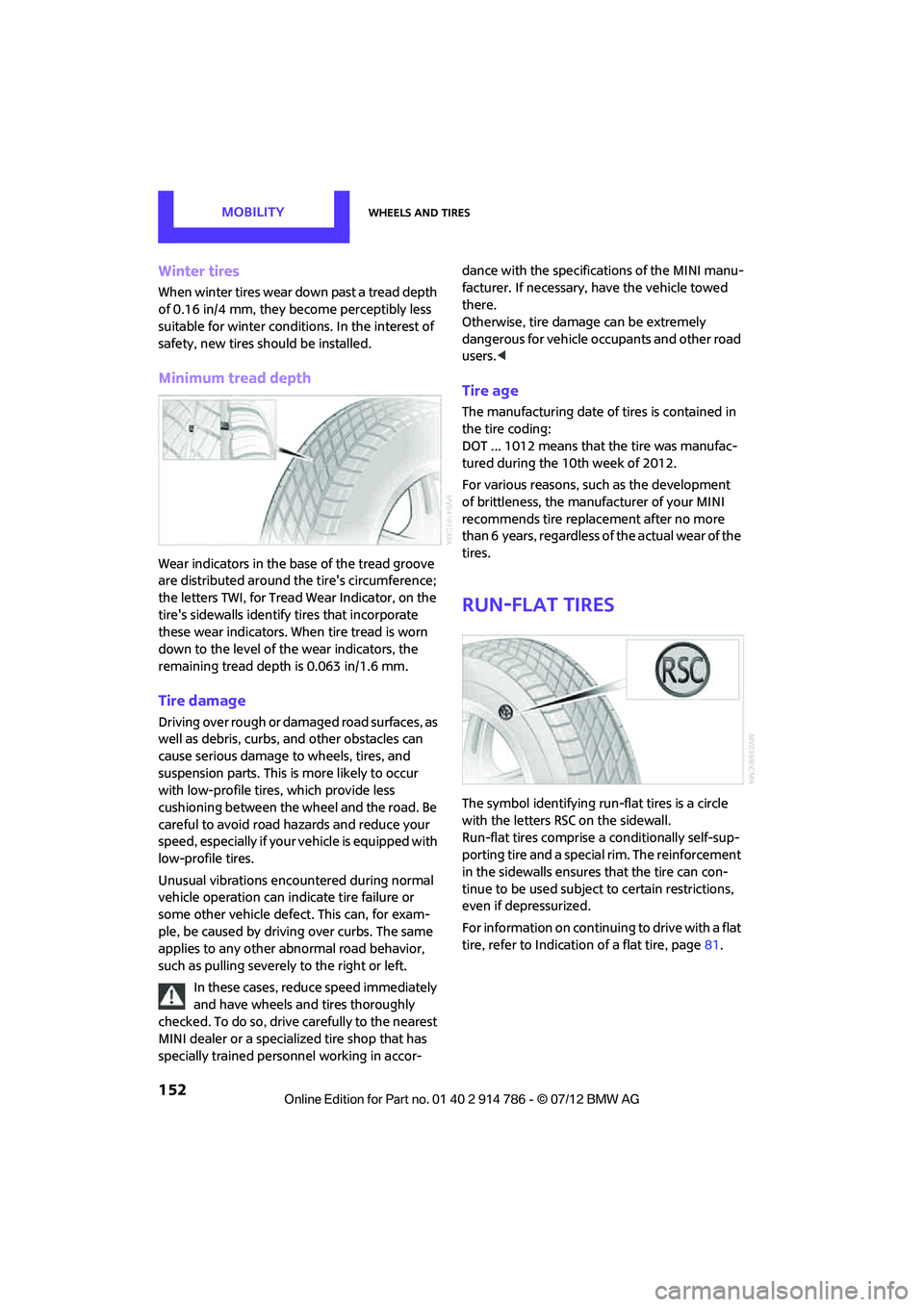
Minimum tread depth
Wear indicators in the base of the tread groove
are distributed around the tire's circumference;
the letters TWI, for Tread Wear Indicator, on the
tire's sidewalls identify tires that incorporate
these wear indicators. When tire tread is worn
down to the level of the wear indicators, the
remaining tread dept h is 0.063 in/1.6 mm.
Tire damage
Driving over rough or damaged road surfaces, as
well as debris, curbs, and other obstacles can
cause serious damage to wheels, tires, and
suspension parts. This is more likely to occur
with low-profile tire s, which provide less
cushioning between the wheel and the road. Be
careful to avoid road hazards and reduce your
speed, especially if your vehicle is equipped with
low-profile tires.
Unusual vibrations encountered during normal
vehicle operation can indicate tire failure or
some other vehicle defect . This can, for exam-
ple, be caused by drivin g over curbs. The same
applies to any other abnormal road behavior,
such as pulling severely to the right or left.
In these cases, reduce speed immediately
and have wheels and tires thoroughly
checked. To do so, drive carefully to the nearest
MINI dealer or a specialized tire shop that has
specially trained personnel working in accor- dance with the specifications of the MINI manu-
facturer. If necessary, have the vehicle towed
there.
Otherwise, tire damage can be extremely
dangerous for vehicle occupants and other road
users.
<
Tire age
The manufacturing date of tires is contained in
the tire coding:
DOT ... 1012 means that the tire was manufac-
tured during the 10th week of 2012.
For various reasons, such as the development
of brittleness, the manufacturer of your MINI
recommends tire replac ement after no more
than 6 years, regardless of the actual wear of the
tires.
Run-flat tires
The symbol identifying run-flat tires is a circle
with the letters RSC on the sidewall.
Run-flat tires comprise a conditionally self-sup-
porting tire and a special rim. The reinforcement
in the sidewalls ensures that the tire can con-
tinue to be used subject to certain restrictions,
even if depressurized.
For information on continuing to drive with a flat
tire, refer to Indication of a flat tire, page 81.
Online Edition for Part no. 01 40 2 914 786 - \251 07/12 BMW AG
Page 165 of 218
MOBILITYCare
164
Leather/leather coverings
The leather processed by the manufac-
turer of your MINI is a high-quality natural
product. Light variations in the grain is one of
the typical properties of natural leather. <
Dust and road grit in th e pores and folds of the
leather have an abrasive effect, leading to
increased wear and causing the leather surface
to become brittle prematurely. Use a cloth or
vacuum cleaner to remo ve dust on a regular
basis.
Especially when the leather has a light color, it
should be cleaned regularl y since it tends to get
heavily soiled.
Treat the leather twice a year using a leather
lotion since dirt and grease will gradually attack
the leather's protective layer.
Carpets/floor mats
Keep floor mats, carpet, and other objects
out of the movement range of the pedals;
otherwise, they may inhibit the function of the
pedals during driving.
Do not place additional floor mats onto an
existing one or onto other objects.
Only use floor mats that have been approved for
the vehicle and can be appropriately fastened.
Make sure that the fl oor mats are securely
fastened again after they have been removed,
e.g. for cleaning. <
Floor mats can be removed to be cleaned.
If the carpets are very dirty, clean with a micro-
fiber cloth and water or an interior cleaner.
When doing so, rub forw ard and back in the
driving direction; othe rwise, the carpet may
become matted.
Interior plastic parts
These include:
> Plastic surfaces
> Lamp glass
> Display panes
> Mat parts Only clean with water and, if necessary, solvent-
free plastic cleaners.
Do not use solvents such as alcohol,
lacquer thinner, cold cleaners, fuel, or
similar, as these will damage the surfaces. <
Decorative strips
Only clean decorative strips and fine wood parts
with damp cloths. Wipe dry with a soft cloth.
Safety belts
Dirty belt straps impede the reeling action and
thus have a negative impact on safety.
Do not clean chemically, as this may
destroy the webbing. <
Displays
To clean displays, such as the radio or display
elements, use an anti-static microfiber cloth.
Avoid pressing too hard when cleaning
the display as this can cause damage. <
Do not use chemical or abrasive house-
hold cleaning agents. Keep fluids of any
kind away from the device. Surfaces or electrical
components may otherwise become corroded
or damaged. <
CD/DVD drives
Do not use cleaning CDs as this could
damage parts of the drive. <
Vehicle storage
If you park your vehicle longer than three
months, ask your MINI dealer to advise you.
Online Edition for Part no. 01 40 2 914 786 - \251 07/12 BMW AG
Page 166 of 218

Replacing componentsMOBILITY
165
Replacing components
Vehicle equipment
In this chapter, all production, country, and
optional equipment that is offered in the model
range is described. Equipment is also described
that is not available because of, for example,
selected options or count ry version. This also
applies to safety related functions and systems.
Toolkit
Your vehicle comes with a toolkit that varies
with the equipment version; it is stored under-
neath the flat load floor.
With Mobility Kit
1 Sealant bottle
2 Hexagon wrench
3 Extractor hook
4 Vehicle jack
5 Wheel stud wrench
6 Flat screwdriver/Phillips screwdriver, towing
eyelet
7 Compressor
Run-flat tires or space-saver spare tire
The toolkit includes a pouch with a plastic bag in
which you can place the damaged wheel. 1
Folding chock and cove r for defective wheel
2 Extractor hook
3 Wheel stud wrench
4 Vehicle jack
5 Special wrench for removing the space-
saver spare tire
6 Flat screwdriver/Phillips screwdriver
7 Towing eyelet
8 Lifting handle
Wiper blades
Do not place windshield wipers on the
windshield if wiper blades are not
installed; otherwise, the windshield may be
damaged. <
MINI Coupe, MINI Roadster: wiper blade
replacement
1.Fold out the wiper arm and hold it.
Online Edition for Part no. 01 40 2 914 786 - \251 07/12 BMW AG