display MINI COOPER CONVERTIBLE 2015 Repair Manual
[x] Cancel search | Manufacturer: MINI, Model Year: 2015, Model line: COOPER CONVERTIBLE, Model: MINI COOPER CONVERTIBLE 2015Pages: 231, PDF Size: 5.56 MB
Page 177 of 231

MaintenanceVehicle equipment
This chapter describes all series equipment as
well as country-specific and special equipment
offered for this model series. Therefore, it also
describes equipment that may not be found in
your vehicle, for instance due to the selected
special equipment or the country version. This
also applies to safety-related functions and sys‐
tems.
When using the features and systems described
here, adhere to local regulations.
MINI maintenance system
The MINI maintenance system provides infor‐
mation on required maintenance measures and
thus provides support in maintaining road
safety and the operational reliability of the ve‐
hicle.
Condition Based Service
CBS
Sensors and special algorithms take into ac‐
count the various driving conditions of your
MINI. Based on this, Condition Based Service
determines the current and future mainte‐
nance requirements.
The system makes it possible to adapt the
amount of maintenance you need to your user
profile.
Detailed information on service requirements
can be displayed in the tachometer, refer to
page 71.
Service data in the remote control Information on the required maintenance is
continuously stored in the remote control. Your
service center will read out this data and sug‐
gest the right array of service procedures for
your vehicle. Therefore, hand your service spe‐
cialist the remote control that you used most
recently.
Setting the correct date
Make sure the date is set correctly; other‐
wise, the effectiveness of CBS Condition Based
Service is not ensured. ◀
Service and Warranty In‐
formation Booklet for
US models and Warranty
and Service Guide Book‐
let for Canadian models
Please consult your Service and Warranty Infor‐
mation Booklet for US models and Warranty
and Service Guide Booklet for Canadian models
for additional information on service require‐
ments.
Maintenance and repair should be performed
by your service center. Make sure to have regu‐
lar maintenance procedures recorded in the ve‐
hicle's Service and Warranty Information Book‐
let for US models, and in the Warranty and
Service Guide Booklet for Canadian models.
These entries are proof of regular maintenance.Seite 175MaintenanceMOBILITY175
Online Edition for Part no. 01 40 2 961 029 - II/15
Page 178 of 231

Socket for OBD Onboard
Diagnosis
Socket for Onboard Diagnosis
The socket for Onboard Diagnosis may
only be used by the service center, by work‐
shops that operate according to the specifica‐
tions of the vehicle manufacturer with appro‐
priately trained personnel, and by other
authorized persons. Otherwise, its use may
lead to vehicle malfunctions. ◀
Primary components in the vehicle emissions
can be checked via the OBD socket using a de‐
vice.
Emissions The warning lamps light up. The vehicle
is producing higher emissions. You can
continue your journey, but moderate
your speed and exercise due caution. Have the
vehicle checked as soon as possible.
Under certain circumstances, one of the lamps
flashes or lights up continuously. This indicates
that there is excessive misfiring or a malfunc‐
tion in the engine. If this happens, reduce the
vehicle speed and drive to the next service cen‐
ter promptly. Serious engine misfiring within a
brief period can seriously damage emission
control components, in particular the catalytic
converter. In addition, the mechanical engine
components may become damaged.
If the fuel filler cap is not properly tight‐
ened, the OBD system may conclude
that fuel vapor is escaping; this will cause a dis‐
play to light up. If the filler cap is then tight‐
ened, the display should go out in a few days.Seite 176MOBILITYMaintenance176
Online Edition for Part no. 01 40 2 961 029 - II/15
Page 189 of 231

3.Mount the new wheel.4.Screw in at least two bolts crosswise.5.Screw in the remaining lug bolts.6.Fully tighten all lug bolts in a diagonal pat‐
tern.7.Lower the vehicle.8.Remove the jack.
Retightening the lug bolts
Retighten the lug bolts diagonally.
Checking that the lug bolts are tight
Always have the lug bolts checked with a
calibrated torque wrench as soon as possible to
ensure that they are tightened to the specified
torque. Otherwise, incorrectly tightened lug
bolts are a hidden safety risk. ◀
The tightening torque equals
103.3 lb ft/140 Nm.
Replace the defective tire as soon as possible
and have the new wheel balanced.
Vehicle battery Maintenance
The battery is maintenance-free, i.e., the elec‐
trolyte will last for the life of the battery in tem‐
perate climate conditions.
The service center will be happy to answer any
questions on the battery.
Battery replacement Use approved vehicle batteries
Only use vehicle batteries that have been
approved for your vehicle by the manufacturer;
otherwise, the vehicle could be damaged and
systems or functions may not be fully availa‐
ble. ◀
Have the vehicle battery registered by the serv‐
ice center after it is replaced to ensure that all comfort functions are available without restric‐
tions and that any associated Check Control
messages are no longer displayed.
Charging the battery
Note Do not connect the charger to the socket
Do not connect the battery charger to the
socket installed in the vehicle at the factory as
this could damage the battery. ◀
Only charge the battery in the vehicle when the
engine is switched off. Connections, refer to
page 189.
General information Ensure that the battery is sufficiently charged to
achieve the full battery life.
It may be necessary to charge the battery in
the following cases:▷When the vehicle is frequently used to
travel short distances.▷When the vehicle has not been driven for
more than one month.
Power failure
After a temporary power failure, some equip‐
ment will be restricted in its use and will need
to be reinitialized. In addition, certain individual
settings will be lost and must be updated:
▷Time and date: the values must be up‐
dated, refer to page 71.▷Radio: the stations need to be stored again,
refer to page 130.
Disposing of old batteries
Have used batteries disposed of by the
service center after they are replaced or
take them to a recycling center.
Maintain the battery in an upright position for
transport and storage. Secure the battery so
that it does not tip over during transport.
Seite 187Replacing componentsMOBILITY187
Online Edition for Part no. 01 40 2 961 029 - II/15
Page 191 of 231

Breakdown assistanceVehicle equipment
This chapter describes all series equipment as
well as country-specific and special equipment
offered for this model series. Therefore, it also
describes equipment that may not be found in
your vehicle, for instance due to the selected
special equipment or the country version. This
also applies to safety-related functions and sys‐
tems.
When using the features and systems described
here, adhere to local regulations.
Hazard warning flash‐
ers
The button is located on the speedometer.
Warning triangle The warning triangle is located in the front on
the trunk floor.
First aid kit Some of the articles contained in the first aid kit
have a limited service life. Therefore, check the
use-by dates of the contents regularly and re‐
place the items before they expire.
The first aid kit is located in the left side trim on
the cargo area floor.
Roadside Assistance
Service availability Roadside Assistance can be reached around the
clock in many countries. You can obtain assis‐
tance there in the event of a vehicle break‐
down.
Roadside Assistance A phone number for Roadside Assistance can
be displayed, refer to page 146, via the radio.
Jump-starting Notes
If the battery is discharged, the engine can be
started using the battery of another vehicle and
two jumper cables. In the same way, you can
help jump-start another vehicle. Only use
jumper cables with fully insulated clamp han‐
dles.
To prevent personal injury or damage to both
vehicles, adhere strictly to the following proce‐
dure.
Seite 189Breakdown assistanceMOBILITY189
Online Edition for Part no. 01 40 2 961 029 - II/15
Page 200 of 231
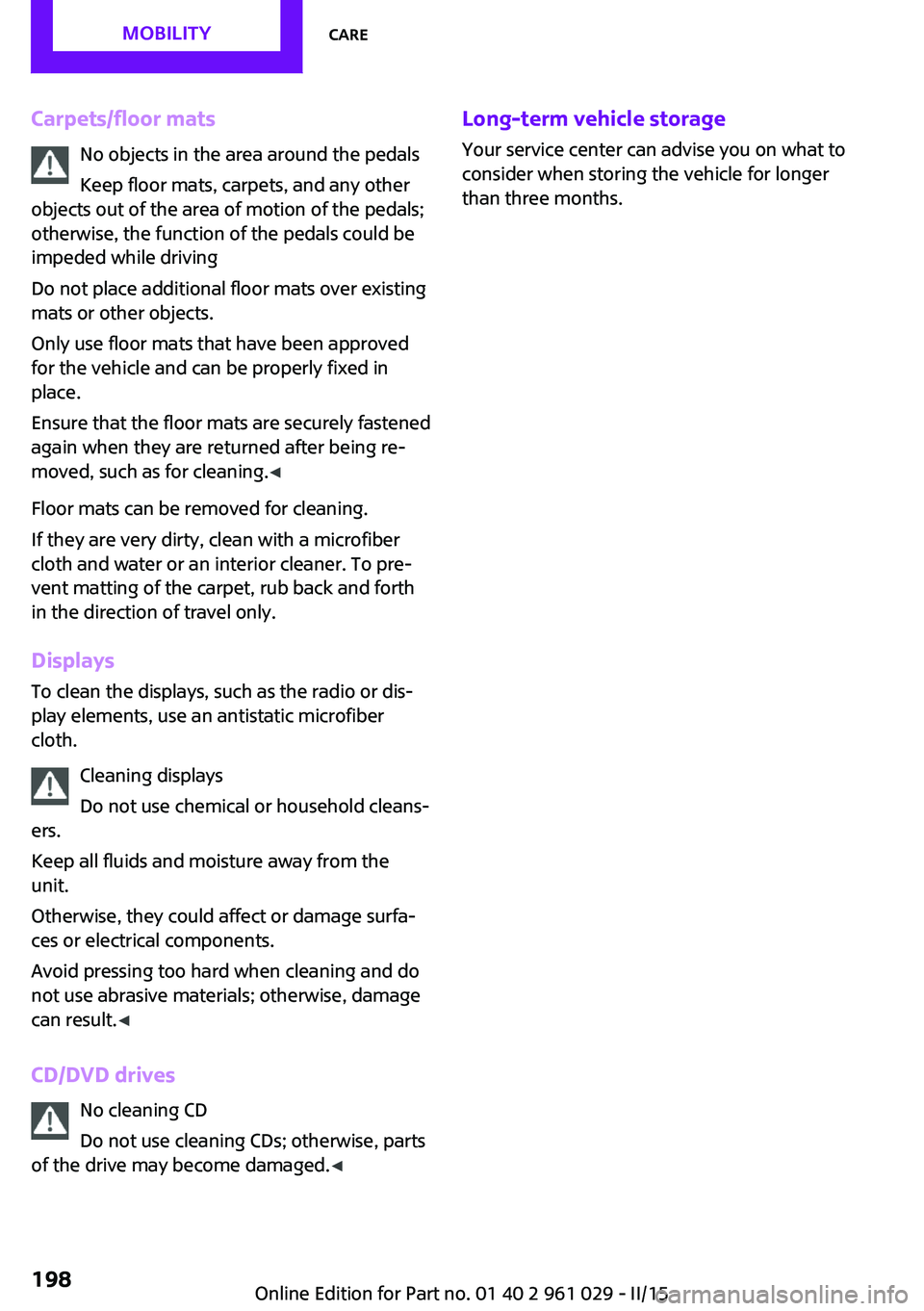
Carpets/floor matsNo objects in the area around the pedals
Keep floor mats, carpets, and any other
objects out of the area of motion of the pedals;
otherwise, the function of the pedals could be
impeded while driving
Do not place additional floor mats over existing
mats or other objects.
Only use floor mats that have been approved
for the vehicle and can be properly fixed in
place.
Ensure that the floor mats are securely fastened
again when they are returned after being re‐
moved, such as for cleaning. ◀
Floor mats can be removed for cleaning.
If they are very dirty, clean with a microfiber
cloth and water or an interior cleaner. To pre‐
vent matting of the carpet, rub back and forth
in the direction of travel only.
Displays To clean the displays, such as the radio or dis‐
play elements, use an antistatic microfiber
cloth.
Cleaning displays
Do not use chemical or household cleans‐
ers.
Keep all fluids and moisture away from the
unit.
Otherwise, they could affect or damage surfa‐
ces or electrical components.
Avoid pressing too hard when cleaning and do
not use abrasive materials; otherwise, damage
can result. ◀
CD/DVD drives No cleaning CD
Do not use cleaning CDs; otherwise, parts
of the drive may become damaged. ◀Long-term vehicle storage
Your service center can advise you on what to
consider when storing the vehicle for longer
than three months.Seite 198MOBILITYCare198
Online Edition for Part no. 01 40 2 961 029 - II/15
Page 201 of 231

Indicator/warning lampsVehicle equipment
This chapter describes all series equipment as
well as country-specific and special equipment
offered for this model series. Therefore, it also
describes equipment that may not be found in
your vehicle, for instance due to the selectedspecial equipment or the country version. This
also applies to safety-related functions and sys‐
tems.
When using the features and systems described
here, adhere to local regulations.
Overview
The indicator and warning lights can light up in
a variety of combinations and colors in display
area 1 or 2. The table contains information on
causes and how to respond. Note whether a
lamp lights up alone or in combination with an‐
other. Some lights can light up in different col‐
ors. Corresponding distinctions are made in the
text. 12CauseHow to respondTurn signalThe high-beams/headlight flasher are
switched on.The front fog lamps are switched on.The rear fog lights are switched on.Fasten safety belts.Fasten safety belt, refer to page 48.External temperature warningDrive conservatively, refer to
page 66.Seite 199Indicator/warning lampsMOBILITY199
Online Edition for Part no. 01 40 2 961 029 - II/15
Page 221 of 231
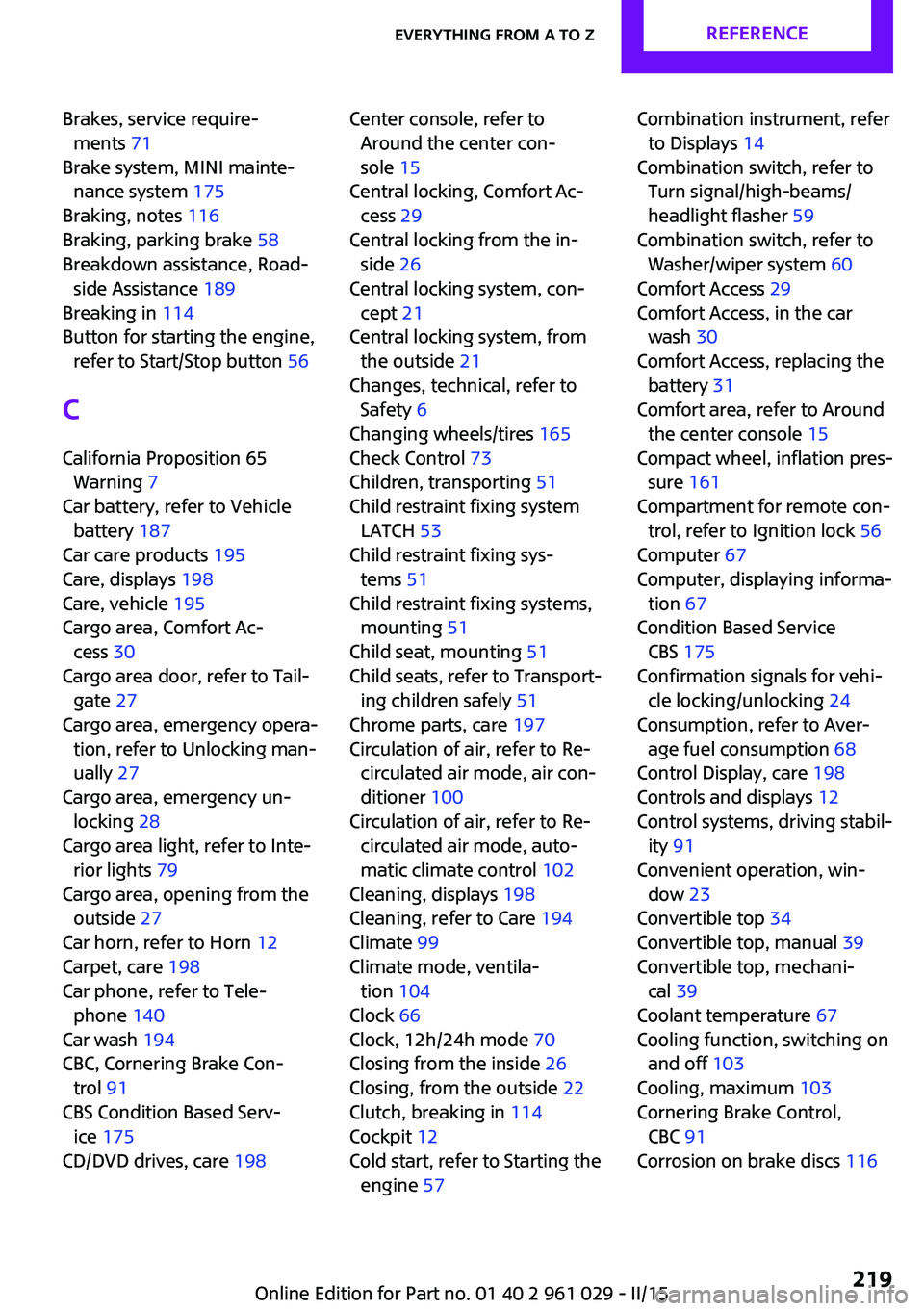
Brakes, service require‐ments 71
Brake system, MINI mainte‐ nance system 175
Braking, notes 116
Braking, parking brake 58
Breakdown assistance, Road‐ side Assistance 189
Breaking in 114
Button for starting the engine, refer to Start/Stop button 56
C
California Proposition 65 Warning 7
Car battery, refer to Vehicle battery 187
Car care products 195
Care, displays 198
Care, vehicle 195
Cargo area, Comfort Ac‐ cess 30
Cargo area door, refer to Tail‐ gate 27
Cargo area, emergency opera‐ tion, refer to Unlocking man‐
ually 27
Cargo area, emergency un‐ locking 28
Cargo area light, refer to Inte‐ rior lights 79
Cargo area, opening from the outside 27
Car horn, refer to Horn 12
Carpet, care 198
Car phone, refer to Tele‐ phone 140
Car wash 194
CBC, Cornering Brake Con‐ trol 91
CBS Condition Based Serv‐ ice 175
CD/DVD drives, care 198 Center console, refer to
Around the center con‐
sole 15
Central locking, Comfort Ac‐ cess 29
Central locking from the in‐ side 26
Central locking system, con‐ cept 21
Central locking system, from the outside 21
Changes, technical, refer to Safety 6
Changing wheels/tires 165
Check Control 73
Children, transporting 51
Child restraint fixing system LATCH 53
Child restraint fixing sys‐ tems 51
Child restraint fixing systems, mounting 51
Child seat, mounting 51
Child seats, refer to Transport‐ ing children safely 51
Chrome parts, care 197
Circulation of air, refer to Re‐ circulated air mode, air con‐
ditioner 100
Circulation of air, refer to Re‐ circulated air mode, auto‐
matic climate control 102
Cleaning, displays 198
Cleaning, refer to Care 194
Climate 99
Climate mode, ventila‐ tion 104
Clock 66
Clock, 12h/24h mode 70
Closing from the inside 26
Closing, from the outside 22
Clutch, breaking in 114
Cockpit 12
Cold start, refer to Starting the engine 57 Combination instrument, refer
to Displays 14
Combination switch, refer to Turn signal/high-beams/
headlight flasher 59
Combination switch, refer to Washer/wiper system 60
Comfort Access 29
Comfort Access, in the car wash 30
Comfort Access, replacing the battery 31
Comfort area, refer to Around the center console 15
Compact wheel, inflation pres‐ sure 161
Compartment for remote con‐ trol, refer to Ignition lock 56
Computer 67
Computer, displaying informa‐ tion 67
Condition Based Service CBS 175
Confirmation signals for vehi‐ cle locking/unlocking 24
Consumption, refer to Aver‐ age fuel consumption 68
Control Display, care 198
Controls and displays 12
Control systems, driving stabil‐ ity 91
Convenient operation, win‐ dow 23
Convertible top 34
Convertible top, manual 39
Convertible top, mechani‐ cal 39
Coolant temperature 67
Cooling function, switching on and off 103
Cooling, maximum 103
Cornering Brake Control, CBC 91
Corrosion on brake discs 116 Seite 219Everything from A to ZREFERENCE219
Online Edition for Part no. 01 40 2 961 029 - II/15
Page 222 of 231

Cradle for telephone or mobilephone, refer to Snap-in
adapter 147
Cruise control 96
Cupholders 105
Current fuel consumption 68
Curve lights, refer to Adaptive Light Control 77
D Dashboard lighting, refer to Instrument lighting 78
Dashboard, refer to Cock‐ pit 12
Dashboard, refer to Dis‐ plays 14
Date, display format 70
Date, setting 71
Daytime running lights 76
Decorative trim, care 197
Defogging windows 100
Defroster, rear window, auto‐ matic climate control 103
Defroster, rear window, with air conditioner 100
Defrosting windows 100
Defrost setting, refer to De‐ frosting windows 100
Dip stick, engine oil 172
Directional indicators, refer to Turn signals 59
Display lighting, refer to In‐ strument lighting 78
Displays 14
Displays and controls 12
Displays, care 198
Displays, cleaning 198
Displays, refer to Instrument cluster 14
Disposal, remote control bat‐ tery 31
Distance warning, refer to Park Distance Control
PDC 97 Door key, refer to Remote
control with integrated
key 20
Door lock 25
Door lock, confirmation sig‐ nals 24
Doors, manual operation 26
Doors, unlocking and locking, confirmation signals 24
Doors, unlocking and locking from the inside 26
Doors, unlocking and locking, from the outside 22
DOT Quality Grades 163
Drive-off assistant, refer to Hill drive-off assistant 93
Driving notes, breaking in 114
Driving off on hills, refer to Hill drive-off assistant 93
Driving stability control sys‐ tems 91
Driving tips, refer to Driving notes 114
Dry air, refer to Cooling func‐ tion 103
DSC Dynamic Stability Con‐ trol 91
DTC Dynamic Traction Con‐ trol 92
Dynamic Stability Control DSC 91
Dynamic Traction Control DTC 92
E
Electrical convertible top 34
Electrical malfunction, convertible top 36, 42
Electrical malfunction, door lock 26
Electrical malfunction, fuel filler flap 152
Electrical malfunction, tail‐ gate 27 Electronic brake-force distri‐
bution 91
Electronic Stability Program ESP, refer to Dynamic Stabil‐
ity Control DSC 91
Emergency operation, fuel filler flap, unlocking man‐
ually 152
Emergency operation, refer to Manual operation 26
Emergency operation, refer to Manual operation of
convertible top 36, 42
Emergency operation, refer to Manual operation, tail‐
gate 27
Emergency operation, Step‐ tronic transmission, refer to
Selector lever lock, overrid‐
ing 65
Emergency unlocking 28
Energy, saving, refer to Saving fuel 121
Engine, breaking in 114
Engine compartment 170
Engine oil, adding 172
Engine oil, additives, refer to Approved engine oils 173
Engine oil, alternative oil types 173
Engine oil change intervals, refer to Service require‐
ments 71
Engine oil, dip stick 172
Engine oil, filling capacity 217
Engine oil, MINI maintenance system 175
Engine oil types, alterna‐ tive 173
Engine oil types, ap‐ proved 173
Engine, overheating, refer to Coolant temperature 67
Engine start, assistance 189
Engine, starting 57 Seite 220REFERENCEEverything from A to Z220
Online Edition for Part no. 01 40 2 961 029 - II/15
Page 223 of 231
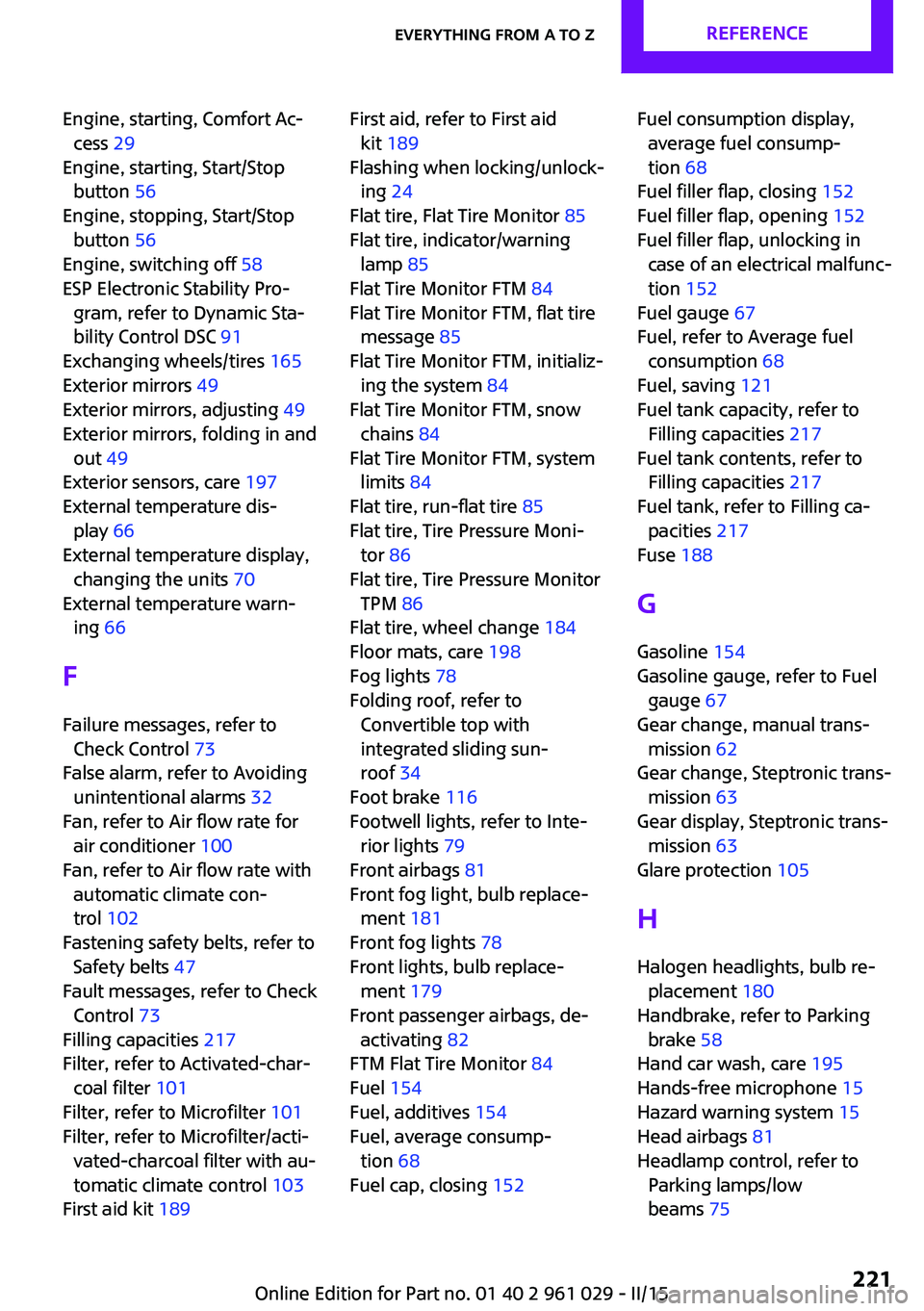
Engine, starting, Comfort Ac‐cess 29
Engine, starting, Start/Stop button 56
Engine, stopping, Start/Stop button 56
Engine, switching off 58
ESP Electronic Stability Pro‐ gram, refer to Dynamic Sta‐
bility Control DSC 91
Exchanging wheels/tires 165
Exterior mirrors 49
Exterior mirrors, adjusting 49
Exterior mirrors, folding in and out 49
Exterior sensors, care 197
External temperature dis‐ play 66
External temperature display, changing the units 70
External temperature warn‐ ing 66
F Failure messages, refer to Check Control 73
False alarm, refer to Avoiding unintentional alarms 32
Fan, refer to Air flow rate for air conditioner 100
Fan, refer to Air flow rate with automatic climate con‐
trol 102
Fastening safety belts, refer to Safety belts 47
Fault messages, refer to Check Control 73
Filling capacities 217
Filter, refer to Activated-char‐ coal filter 101
Filter, refer to Microfilter 101
Filter, refer to Microfilter/acti‐ vated-charcoal filter with au‐
tomatic climate control 103
First aid kit 189 First aid, refer to First aid
kit 189
Flashing when locking/unlock‐ ing 24
Flat tire, Flat Tire Monitor 85
Flat tire, indicator/warning lamp 85
Flat Tire Monitor FTM 84
Flat Tire Monitor FTM, flat tire message 85
Flat Tire Monitor FTM, initializ‐ ing the system 84
Flat Tire Monitor FTM, snow chains 84
Flat Tire Monitor FTM, system limits 84
Flat tire, run-flat tire 85
Flat tire, Tire Pressure Moni‐ tor 86
Flat tire, Tire Pressure Monitor TPM 86
Flat tire, wheel change 184
Floor mats, care 198
Fog lights 78
Folding roof, refer to Convertible top with
integrated sliding sun‐
roof 34
Foot brake 116
Footwell lights, refer to Inte‐ rior lights 79
Front airbags 81
Front fog light, bulb replace‐ ment 181
Front fog lights 78
Front lights, bulb replace‐ ment 179
Front passenger airbags, de‐ activating 82
FTM Flat Tire Monitor 84
Fuel 154
Fuel, additives 154
Fuel, average consump‐ tion 68
Fuel cap, closing 152 Fuel consumption display,
average fuel consump‐
tion 68
Fuel filler flap, closing 152
Fuel filler flap, opening 152
Fuel filler flap, unlocking in case of an electrical malfunc‐
tion 152
Fuel gauge 67
Fuel, refer to Average fuel consumption 68
Fuel, saving 121
Fuel tank capacity, refer to Filling capacities 217
Fuel tank contents, refer to Filling capacities 217
Fuel tank, refer to Filling ca‐ pacities 217
Fuse 188
G
Gasoline 154
Gasoline gauge, refer to Fuel gauge 67
Gear change, manual trans‐ mission 62
Gear change, Steptronic trans‐ mission 63
Gear display, Steptronic trans‐ mission 63
Glare protection 105
H
Halogen headlights, bulb re‐ placement 180
Handbrake, refer to Parking brake 58
Hand car wash, care 195
Hands-free microphone 15
Hazard warning system 15
Head airbags 81
Headlamp control, refer to Parking lamps/low
beams 75 Seite 221Everything from A to ZREFERENCE221
Online Edition for Part no. 01 40 2 961 029 - II/15
Page 224 of 231
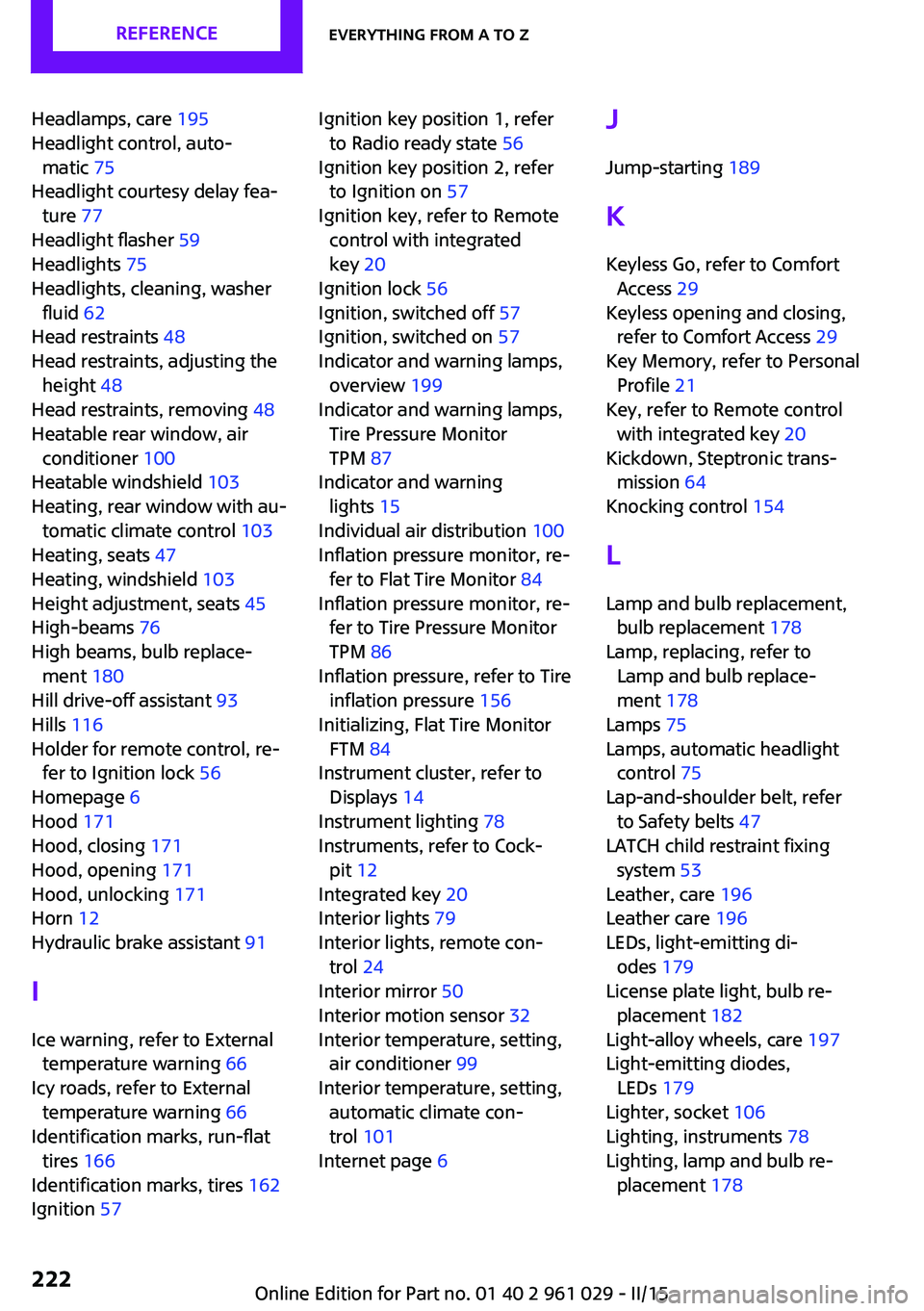
Headlamps, care 195
Headlight control, auto‐ matic 75
Headlight courtesy delay fea‐ ture 77
Headlight flasher 59
Headlights 75
Headlights, cleaning, washer fluid 62
Head restraints 48
Head restraints, adjusting the height 48
Head restraints, removing 48
Heatable rear window, air conditioner 100
Heatable windshield 103
Heating, rear window with au‐ tomatic climate control 103
Heating, seats 47
Heating, windshield 103
Height adjustment, seats 45
High-beams 76
High beams, bulb replace‐ ment 180
Hill drive-off assistant 93
Hills 116
Holder for remote control, re‐ fer to Ignition lock 56
Homepage 6
Hood 171
Hood, closing 171
Hood, opening 171
Hood, unlocking 171
Horn 12
Hydraulic brake assistant 91
I
Ice warning, refer to External temperature warning 66
Icy roads, refer to External temperature warning 66
Identification marks, run-flat tires 166
Identification marks, tires 162
Ignition 57 Ignition key position 1, refer
to Radio ready state 56
Ignition key position 2, refer to Ignition on 57
Ignition key, refer to Remote control with integrated
key 20
Ignition lock 56
Ignition, switched off 57
Ignition, switched on 57
Indicator and warning lamps, overview 199
Indicator and warning lamps, Tire Pressure Monitor
TPM 87
Indicator and warning lights 15
Individual air distribution 100
Inflation pressure monitor, re‐ fer to Flat Tire Monitor 84
Inflation pressure monitor, re‐ fer to Tire Pressure Monitor
TPM 86
Inflation pressure, refer to Tire inflation pressure 156
Initializing, Flat Tire Monitor FTM 84
Instrument cluster, refer to Displays 14
Instrument lighting 78
Instruments, refer to Cock‐ pit 12
Integrated key 20
Interior lights 79
Interior lights, remote con‐ trol 24
Interior mirror 50
Interior motion sensor 32
Interior temperature, setting, air conditioner 99
Interior temperature, setting, automatic climate con‐
trol 101
Internet page 6 J
Jump-starting 189
K
Keyless Go, refer to Comfort Access 29
Keyless opening and closing, refer to Comfort Access 29
Key Memory, refer to Personal Profile 21
Key, refer to Remote control with integrated key 20
Kickdown, Steptronic trans‐ mission 64
Knocking control 154
L Lamp and bulb replacement, bulb replacement 178
Lamp, replacing, refer to Lamp and bulb replace‐
ment 178
Lamps 75
Lamps, automatic headlight control 75
Lap-and-shoulder belt, refer to Safety belts 47
LATCH child restraint fixing system 53
Leather, care 196
Leather care 196
LEDs, light-emitting di‐ odes 179
License plate light, bulb re‐ placement 182
Light-alloy wheels, care 197
Light-emitting diodes, LEDs 179
Lighter, socket 106
Lighting, instruments 78
Lighting, lamp and bulb re‐ placement 178 Seite 222REFERENCEEverything from A to Z222
Online Edition for Part no. 01 40 2 961 029 - II/15