display MINI COOPER CONVERTIBLE 2015 Owners Manual
[x] Cancel search | Manufacturer: MINI, Model Year: 2015, Model line: COOPER CONVERTIBLE, Model: MINI COOPER CONVERTIBLE 2015Pages: 231, PDF Size: 5.56 MB
Page 6 of 231
Addendum
ate for use in your vehicle and that can be
properly fixed in place.”
9. At page 122, under the heading: “Have
maintenance carried out,” the sentence be-
ginning, “Have the maintenance carried
out …” should be disregarded and the fol-
lowing text should be read in lieu thereof:
“MINI recommends that you have the main-
tenance carried out by your service center.”
10. At page 156, under the heading “Pressure
specifications,” the sentence beginning,
“The inflation pressures apply to the tire si-
zes approved … .” should be disregarded.
11. At page 165, under the heading: “Approved
wheels and tires,” the term “Approved”
should be disregarded and in lieu thereof,
the term “Recommended” should be read in
its place. In addition, the text of that section
should be disregarded and the following
text should be read in lieu thereof:
The manufacturer of your vehicle strongly
suggests that you use wheels and tires that
have been recommended by the vehicle
manufacturer for your vehicle type; other-
wise, for example, despite having the same
official size ratings, variations can lead to
body contact and with it, the risk of severe
accidents.
The manufacturer of your vehicle does not
evaluate non-recommended wheels and ti-
res to determine if they are suitable for use
on your vehicle.
12. At page 171, under the heading “Hood,” the
sentence beginning, “If you are unfamiliar”
should be disregarded.
13. At page 175, under the heading: “Service
and Warranty Information Booklet for US
Models and Warranty and Service Guide
Booklet for Canadian Models,” the second
paragraph should be disregarded and the
following text read in lieu thereof:
The manufacturer of your vehicle recom-
mends that you have maintenance and re-
pair performed by your MINI dealer's service
center or another service center or repair
shop that employs trained personnel that
can perform maintenance and repair work
on your vehicle in accordance with MINI
specifications. The manufacturer of your ve-
hicle recommends that you maintain re-
cords of all maintenance and repair work
performed on your vehicle.
14. At page 187, under the “Battery replace-
ment” section, the text should be disregar-
ded and in lieu thereof the following text
should be read:
Use of recommended vehicle batteries
The manufacturer of your vehicle recom-
mends that you use vehicle batteries that it
has tested and recommends for use in your
vehicle; otherwise the vehicle could be da-
maged and systems or functions may not be
fully available.
After a battery replacement, the manufactu-
rer of your vehicle recommends that you
have the battery registered on your vehicle
by a service center to ensure that all comfort
functions are fully available, and that any
“check control” messages of these comfort
functions are no longer displayed.
Online Edition for Part no. 01 40 2 961 029 - II/15
Page 7 of 231
ContentsThe fastest way to find information on a partic‐
ular topic or item is by using the index, refer to
page 218.6Notes
AT A GLANCE
12Cockpit
CONTROLS
20Opening and closing45Adjusting51Transporting children safely56Driving66Displays75Lamps81Safety91Driving stability control systems96Driving comfort99Climate105Interior equipment109Storage compartments
DRIVING TIPS
114Things to remember when driving118Loading121Saving fuel
ENTERTAINMENT
126Radio MINI Boost CD
COMMUNICATION
140TelephoneMOBILITY152Refueling154Fuel156Wheels and tires170Engine compartment172Engine oil174Coolant175Maintenance177Replacing components189Breakdown assistance194Care199Indicator/warning lamps
REFERENCE
214Technical data218Everything from A to Z
Online Edition for Part no. 01 40 2 961 029 - II/15
Page 8 of 231
NotesUsing this Owner's
Manual
The fastest way to find information on a partic‐
ular topic is by using the index.
An initial overview of the vehicle is provided in
the first chapter.
Additional sources of information
Should you have any questions, your service
center will be glad to advise you at any time.
Information on MINI, e.g., on technology, is
available on the Internet: www.mini.com
Information about MINI, e.g., on technology, is
available on the Internet: www.miniusa.com
Symbols
Indicates precautions that must be followed
precisely in order to avoid the possibility of
personal injury and serious damage to the
vehicle.
◄ Marks the end of a specific item of
information.
"..." Identifies radio display texts used to select
individual functions.
Refers to measures that can be taken to
help protect the environment.
Symbols on vehicle components
Indicates that you should consult the
relevant section of this Owner's Manual for
information on a particular part or assembly.
Vehicle equipment
The manufacturer of your MINI is the Bayeri‐
sche Motoren Werke Aktiengesellschaft, BMW
AG.
This Owner's Manual describes all models, all
series equipment, as well as country-specific
and special equipment offered in the model
series. Therefore, this Owner's Manual also de‐
scribes and depicts equipment that may not be
contained in your vehicle because of the se‐
lected special equipment or country version, for
example.
This also applies to safety-related functions and
systems.
For options and equipment not described in
this Owner's Manual, please refer to the Sup‐
plementary Owner's Manuals.
Status of this Owner's
Manual at time of print‐
ing
The manufacturer of your vehicle pursues a
policy of constant development that is con‐
ceived to ensure that our vehicles continue to
embody the highest quality and safety stan‐
dards. In rare cases, therefore, the features de‐
scribed in this Owner's Manual may differ from
those in your vehicle.
For your own safety
Warranty
Your vehicle is technically configured for the
operating conditions and registration require‐
ments applying in the country of first delivery
— homologation. If your vehicle is to be oper‐
ated in a different country it might be neces‐Seite 6Notes6
Online Edition for Part no. 01 40 2 961 029 - II/15
Page 16 of 231

Displays1Tachometer 67
with indicator and warning lights 152Display for▷Current speed 66▷Indicator/warning lights 153Resetting the trip odometer 664Display for▷Steptronic transmission position 63▷On-board computer 67▷Service requirements 71▷Odometer and trip odometer 66▷Flat Tire Monitor 84▷Tire Pressure Monitor 86▷Settings and information 69▷Personal Profile settings 215Instrument lighting 786Speedometer with indicator and warning
lights 157Fuel gauge 678Radio display9Radio Radio MINI Boost CD 126Seite 14AT A GLANCECockpit14
Online Edition for Part no. 01 40 2 961 029 - II/15
Page 17 of 231

Indicator/warning lights
The concept
The indicator and warning lights can light up in
a variety of combinations and colors in display
area 1 or 2.
Several of the lights are checked for proper
functioning when the engine is started or the
ignition is switched on, and light up briefly.
What to do in case of a malfunction
A list of all indicator and warning lights, as well
as notes on possible causes of malfunctions
and on how to respond, refer to page 199
All around the center console
1Hazard warning system2Speedometer with
Radio MINI Boost CD 1263CD drive4Air conditioning, automatic climate con‐
trol 1005Buttons on the center consoleSeite 15CockpitAT A GLANCE15
Online Edition for Part no. 01 40 2 961 029 - II/15
Page 23 of 231

Personal Profile
The concept
You can set several of your vehicle's functions
to suit your personal needs and preferences.▷Through Personal Profile, most of these set‐
tings are stored for the remote control cur‐
rently in use.▷While the vehicle is being unlocked, the re‐
mote control is recognized and the settings
stored with it are called up and imple‐
mented.▷Your personal settings will be recognized
and called up again even if the vehicle has
been used in the meantime by someone
else with another remote control.▷The individual settings are stored for no
more than three remote controls.
Personal Profile settings
The following functions and settings can be
stored in a profile.
More information on the settings can be found
under:
▷Response of the central locking system
when the car is being unlocked, refer to
page 22.▷Automatic locking of the vehicle, refer to
page 26.▷Triple turn signal activation, refer to
page 59.▷Settings for the displays in the speedometer
and tachometer:▷12h/24h clock format, refer to
page 70.▷Date format, refer to page 70.▷Units of measure for fuel consumption,
distance covered/remaining distances,
and temperature, refer to page 70.▷Light settings:▷Headlamp courtesy delay feature, refer
to page 77.▷Daytime running lights, refer to
page 76.▷Automatic climate control, refer to
page 101: AUTO program, activating/deac‐
tivating the cooling function, setting the
temperature, air volume, and air distribu‐
tion.▷Entertainment:▷Last entertainment source.▷Radio MINI Boost CD:
Tone settings, refer to page 128.
Volume, refer to page 128.
Central locking system
The concept
The central locking system becomes active
when the driver's door is closed.
The system simultaneously engages and re‐
leases the locks on the following:
▷Doors.▷Tailgate.▷Fuel filler flap.
Operating from the outside
▷Via the remote control.▷Via the door lock.▷In cars with Comfort Access, via the door
handles on the driver's and front passenger
sides.
The following takes place simultaneously when
locking/unlocking the vehicle via the remote
control:
▷Depending on the vehicle equipment, the
anti-theft protection is switched on and off
as well. The anti-theft protection makes it
impossible to unlock the doors using the
lock buttons or door handles.Seite 21Opening and closingCONTROLS21
Online Edition for Part no. 01 40 2 961 029 - II/15
Page 24 of 231
▷The welcome lamps, interior lamps, and
ambient lighting are switched on and off.▷The alarm system is armed or disarmed, re‐
fer to page 31.
Operating from the inside
Via the button for the central locking system,
refer to page 26.
In an accident of the necessary severity, the
central locking system unlocks automatically.
The hazard warning system and interior lamps
come on.
Opening and closing:
from the outside
Using the remote control
General information Take the remote control with you
People or animals left unattended in a
parked vehicle can lock the doors from the in‐
side. Always take the remote control with you
when leaving the vehicle so that the vehicle
can then be opened from the outside. ◀
Unlocking
Press the button. The vehicle is un‐
locked.
The welcome lamps and interior lamps are
switched on.
You can set how the vehicle is to be unlocked.
The setting is stored for the remote control cur‐
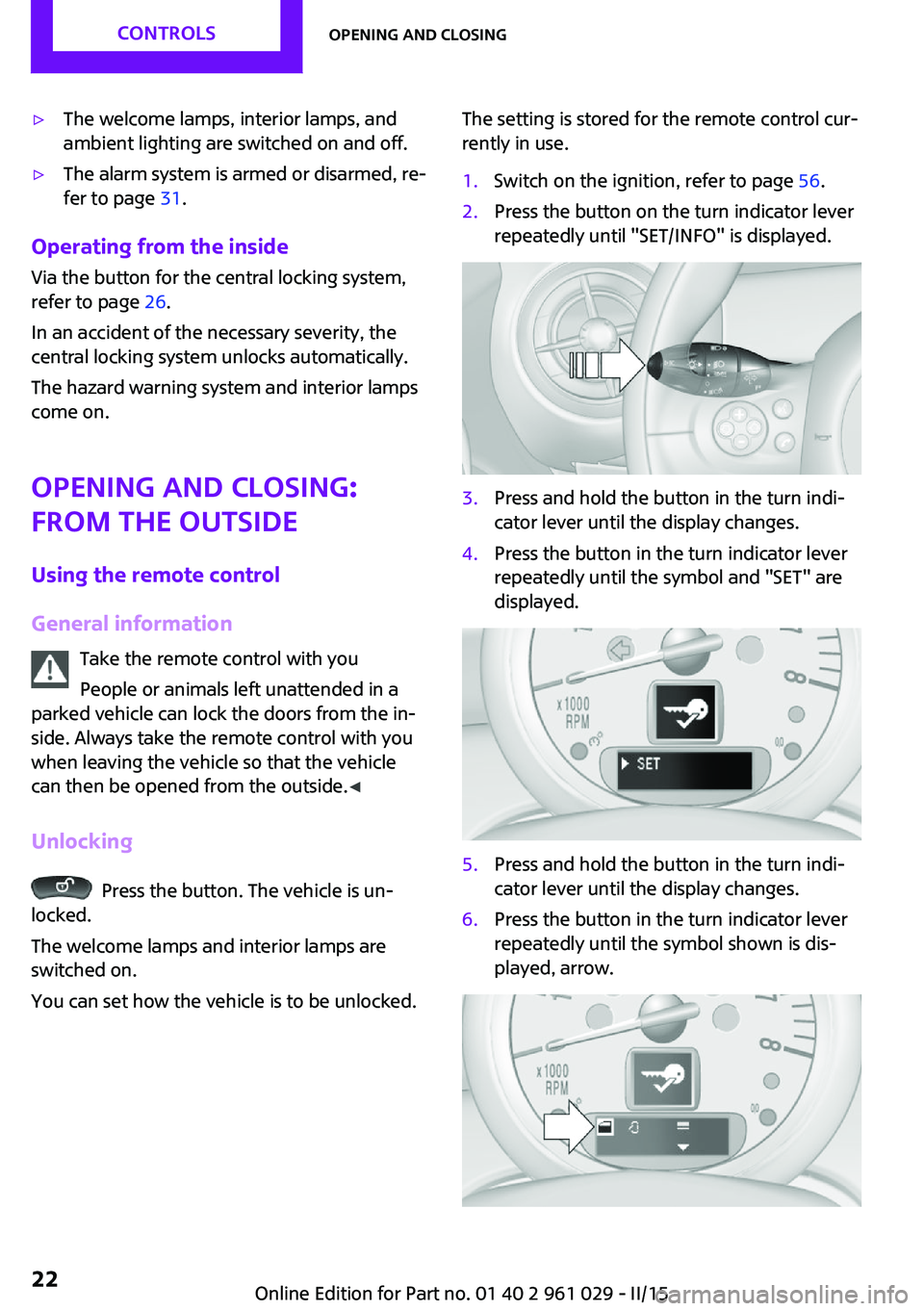
rently in use.1.Switch on the ignition, refer to page 56.2.Press the button on the turn indicator lever
repeatedly until "SET/INFO" is displayed.3.Press and hold the button in the turn indi‐
cator lever until the display changes.4.Press the button in the turn indicator lever
repeatedly until the symbol and "SET" are
displayed.5.Press and hold the button in the turn indi‐
cator lever until the display changes.6.Press the button in the turn indicator lever
repeatedly until the symbol shown is dis‐
played, arrow.Seite 22CONTROLSOpening and closing22
Online Edition for Part no. 01 40 2 961 029 - II/15
Page 25 of 231
7.Press and hold the button in the turn indi‐
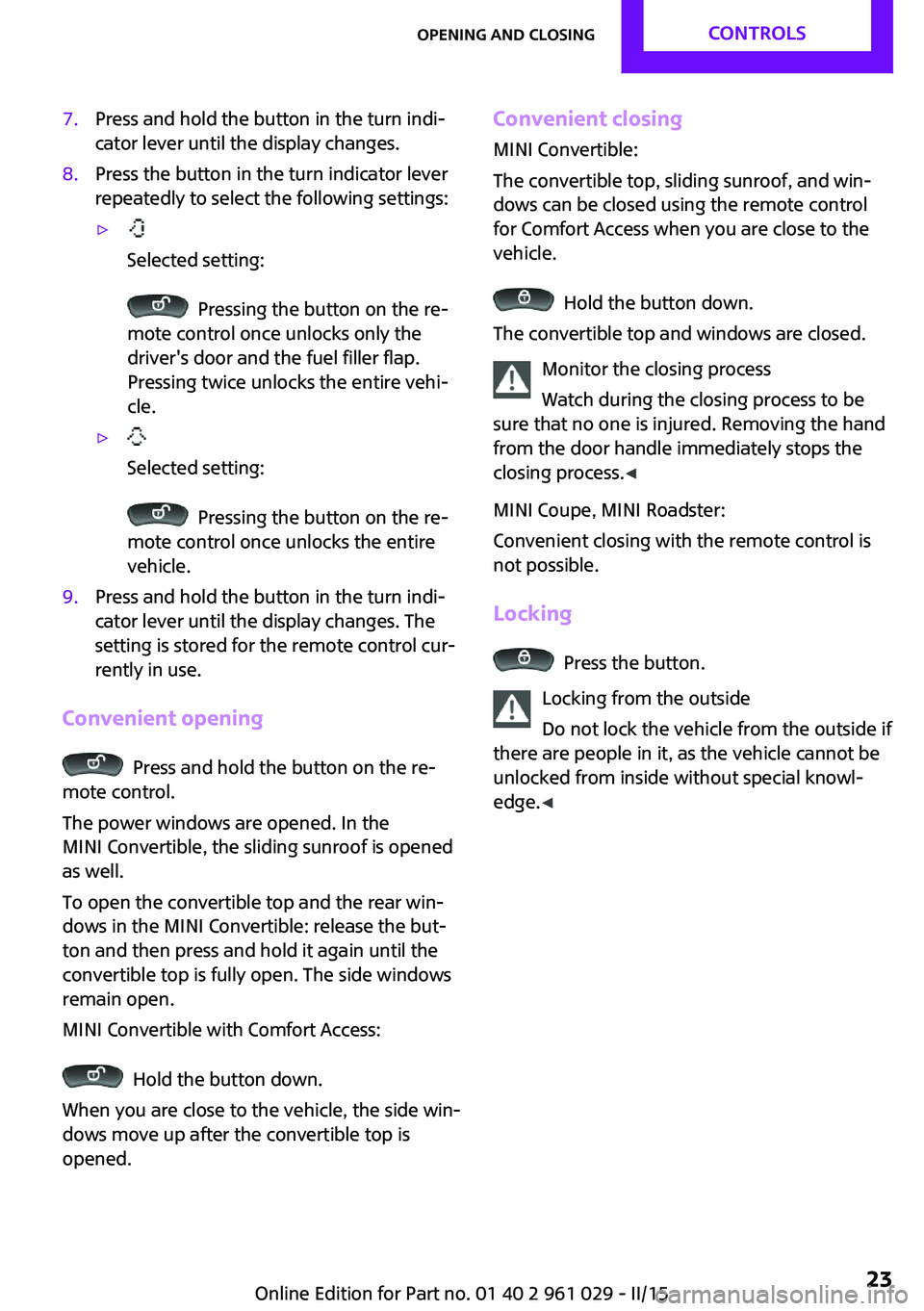
cator lever until the display changes.8.Press the button in the turn indicator lever
repeatedly to select the following settings:▷
Selected setting:
Pressing the button on the re‐
mote control once unlocks only the
driver's door and the fuel filler flap.
Pressing twice unlocks the entire vehi‐
cle.
▷
Selected setting:
Pressing the button on the re‐
mote control once unlocks the entire
vehicle.
9.Press and hold the button in the turn indi‐
cator lever until the display changes. The
setting is stored for the remote control cur‐
rently in use.
Convenient opening
Press and hold the button on the re‐
mote control.
The power windows are opened. In the
MINI Convertible, the sliding sunroof is opened
as well.
To open the convertible top and the rear win‐
dows in the MINI Convertible: release the but‐
ton and then press and hold it again until the
convertible top is fully open. The side windows
remain open.
MINI Convertible with Comfort Access:
Hold the button down.
When you are close to the vehicle, the side win‐
dows move up after the convertible top is
opened.
Convenient closing
MINI Convertible:
The convertible top, sliding sunroof, and win‐
dows can be closed using the remote control
for Comfort Access when you are close to the
vehicle.
Hold the button down.
The convertible top and windows are closed.
Monitor the closing process
Watch during the closing process to be
sure that no one is injured. Removing the hand
from the door handle immediately stops the
closing process. ◀
MINI Coupe, MINI Roadster:
Convenient closing with the remote control is
not possible.
Locking
Press the button.
Locking from the outside
Do not lock the vehicle from the outside if
there are people in it, as the vehicle cannot be
unlocked from inside without special knowl‐
edge. ◀
Seite 23Opening and closingCONTROLS23
Online Edition for Part no. 01 40 2 961 029 - II/15
Page 26 of 231
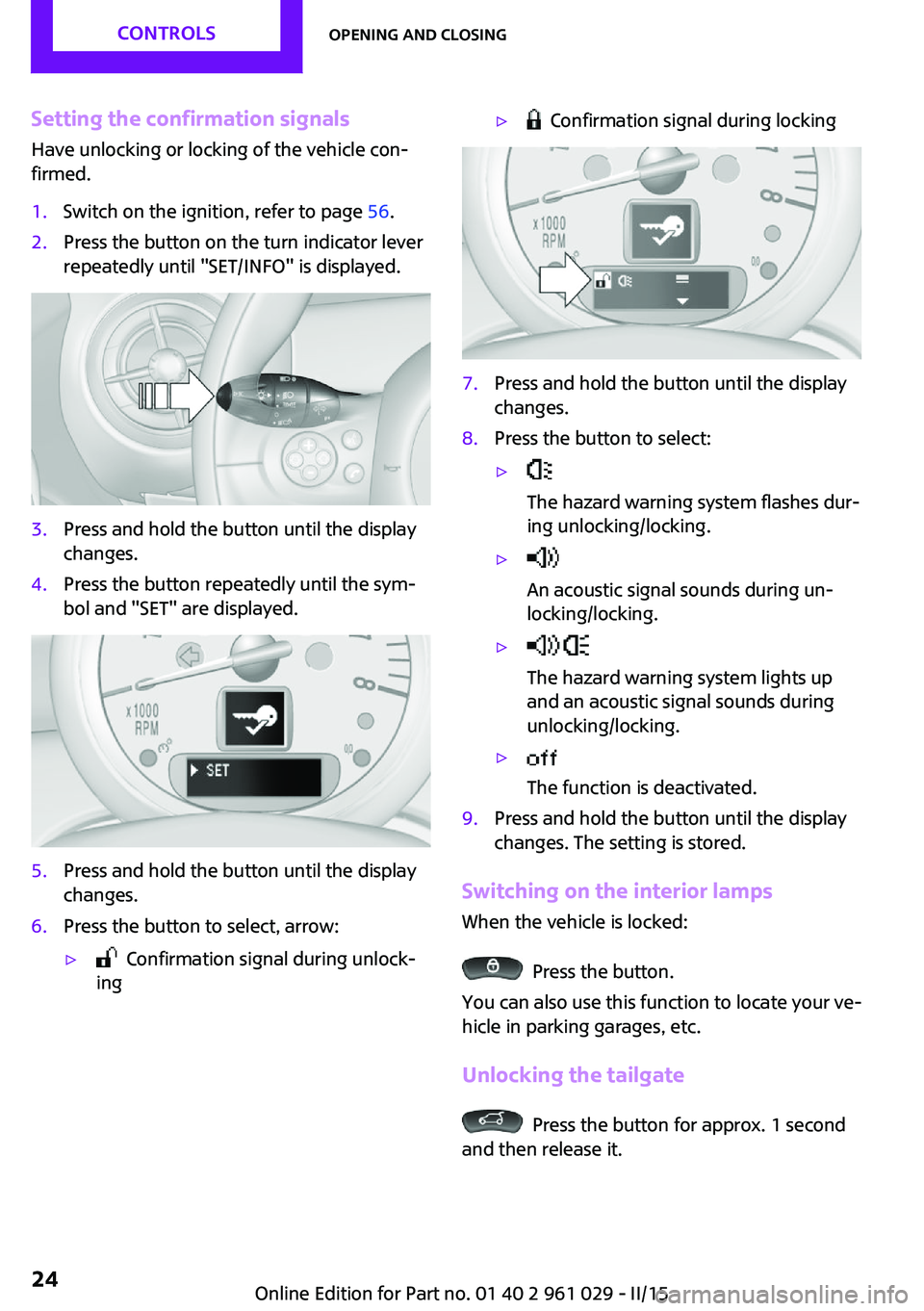
Setting the confirmation signalsHave unlocking or locking of the vehicle con‐
firmed.1.Switch on the ignition, refer to page 56.2.Press the button on the turn indicator lever
repeatedly until "SET/INFO" is displayed.3.Press and hold the button until the display
changes.4.Press the button repeatedly until the sym‐
bol and "SET" are displayed.5.Press and hold the button until the display
changes.6.Press the button to select, arrow:▷ Confirmation signal during unlock‐
ing▷ Confirmation signal during locking7.Press and hold the button until the display
changes.8.Press the button to select:▷
The hazard warning system flashes dur‐
ing unlocking/locking.▷
An acoustic signal sounds during un‐
locking/locking.▷
The hazard warning system lights up
and an acoustic signal sounds during
unlocking/locking.▷
The function is deactivated.9.Press and hold the button until the display
changes. The setting is stored.
Switching on the interior lamps
When the vehicle is locked:
Press the button.
You can also use this function to locate your ve‐
hicle in parking garages, etc.
Unlocking the tailgate
Press the button for approx. 1 second
and then release it.
Seite 24CONTROLSOpening and closing24
Online Edition for Part no. 01 40 2 961 029 - II/15
Page 28 of 231
MINI Convertible: sliding sunroof and
convertible top operation in addition.
Opening/closing
Turn the key to the unlock or lock position and
hold it there.
In the MINI Convertible, the convertible top is
closed, followed by the sliding sunroof and side
windows.
Keep the closing area clear
Watch during the opening and closing
process to be sure that no one becomes trap‐
ped. Releasing the key stops the motion. ◀
Manual operation
If an electrical malfunction occurs, the driver's
door can be unlocked or locked by turning the
integrated key to the end positions of the door
lock.
Opening and closing:
from the inside
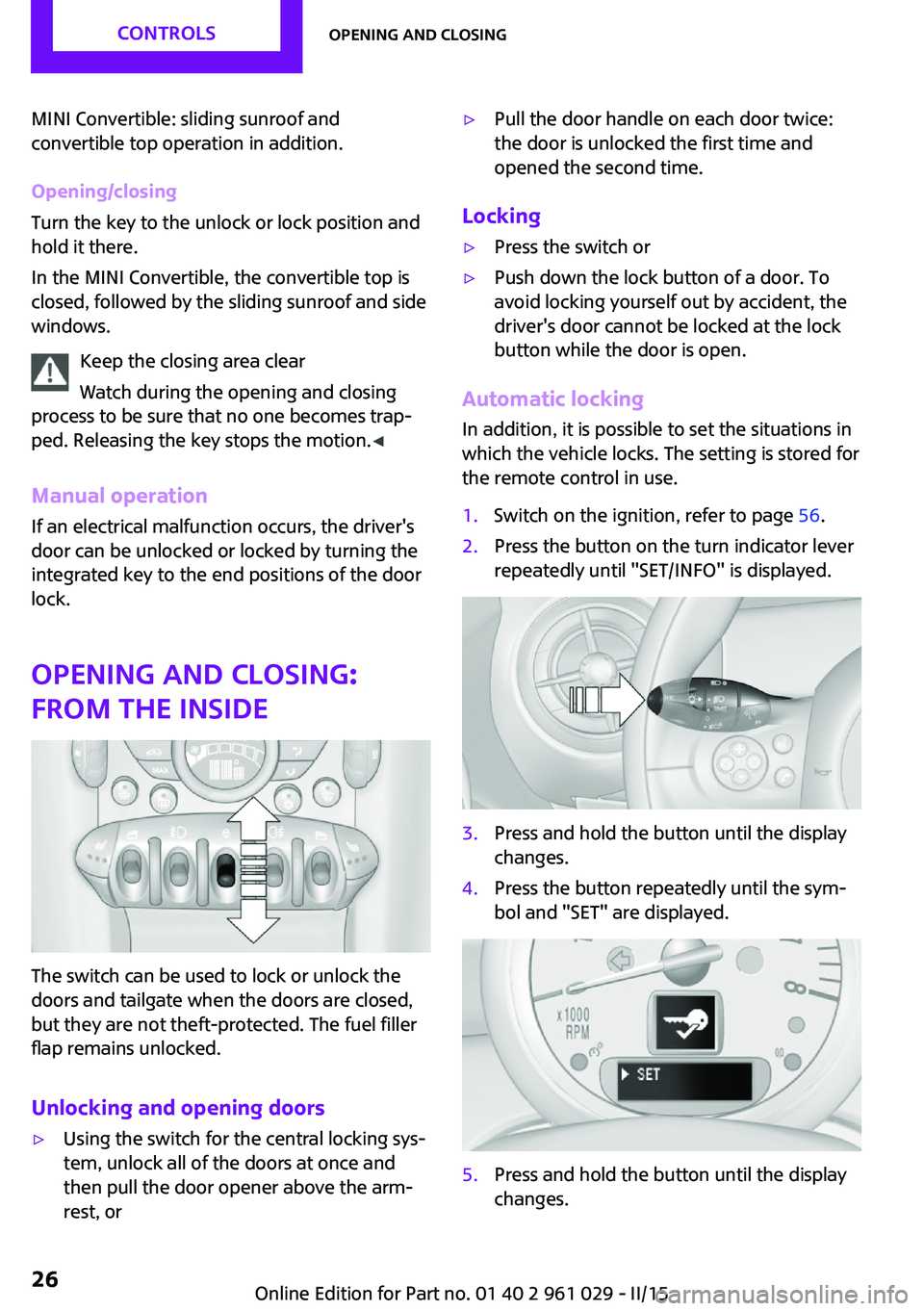
The switch can be used to lock or unlock the
doors and tailgate when the doors are closed,
but they are not theft-protected. The fuel filler
flap remains unlocked.
Unlocking and opening doors
▷Using the switch for the central locking sys‐
tem, unlock all of the doors at once and
then pull the door opener above the arm‐
rest, or▷Pull the door handle on each door twice:
the door is unlocked the first time and
opened the second time.
Locking
▷Press the switch or▷Push down the lock button of a door. To
avoid locking yourself out by accident, the
driver's door cannot be locked at the lock
button while the door is open.
Automatic locking
In addition, it is possible to set the situations in
which the vehicle locks. The setting is stored for
the remote control in use.
1.Switch on the ignition, refer to page 56.2.Press the button on the turn indicator lever
repeatedly until "SET/INFO" is displayed.3.Press and hold the button until the display
changes.4.Press the button repeatedly until the sym‐
bol and "SET" are displayed.5.Press and hold the button until the display
changes.Seite 26CONTROLSOpening and closing26
Online Edition for Part no. 01 40 2 961 029 - II/15