display MINI COUPE ROADSTER CONVERTIBLE 2012 Workshop Manual
[x] Cancel search | Manufacturer: MINI, Model Year: 2012, Model line: COUPE ROADSTER CONVERTIBLE, Model: MINI COUPE ROADSTER CONVERTIBLE 2012Pages: 283, PDF Size: 9.38 MB
Page 128 of 283
Destination entryNAVIGATION
127
To enter spaces, if necessary:
Select the symbol.
4. If necessary, move the MINI joystick to the
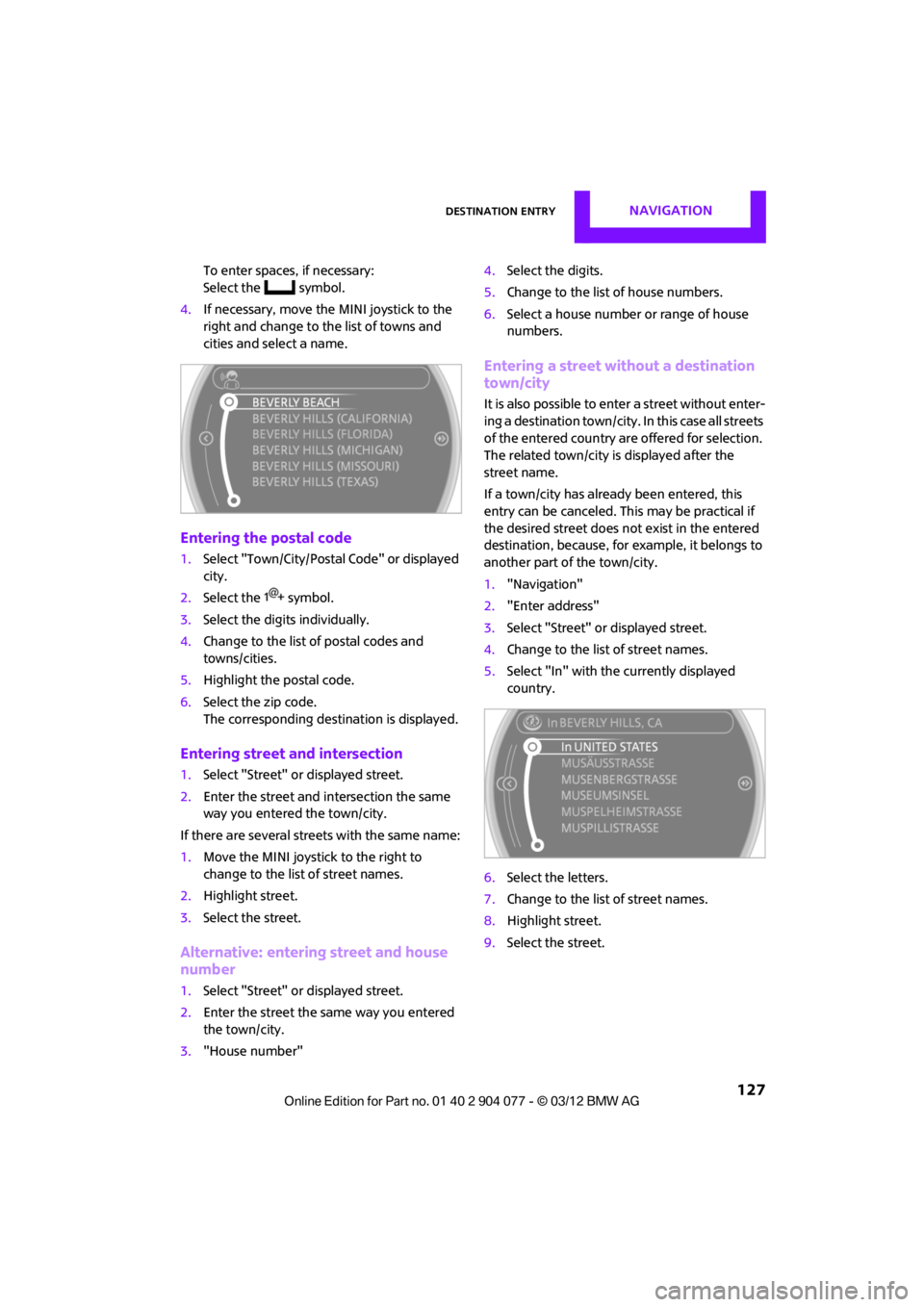
right and change to the list of towns and
cities and select a name.
Entering the postal code
1.Select "Town/City/Postal Code" or displayed
city.
2. Select the symbol.
3. Select the digits individually.
4. Change to the list of postal codes and
towns/cities.
5. Highlight the postal code.
6. Select the zip code.
The corresponding dest ination is displayed.
Entering street and intersection
1.Select "Street" or displayed street.
2. Enter the street and intersection the same
way you entered the town/city.
If there are several streets with the same name:
1. Move the MINI joystick to the right to
change to the list of street names.
2. Highlight street.
3. Select the street.
Alternative: entering street and house
number
1.Select "Street" or displayed street.
2. Enter the street the same way you entered
the town/city.
3. "House number" 4.
Select the digits.
5. Change to the list of house numbers.
6. Select a house number or range of house
numbers.
Entering a street without a destination
town/city
It is also possible to enter a street without enter-
ing a destination town/city. In this case all streets
of the entered country are offered for selection.
The related town/city is displayed after the
street name.
If a town/city has already been entered, this
entry can be canceled. Th is may be practical if
the desired street does not exist in the entered
destination, because, for example, it belongs to
another part of the town/city.
1. "Navigation"
2. "Enter address"
3. Select "Street" or displayed street.
4. Change to the list of street names.
5. Select "In" with the currently displayed
country.
6. Select the letters.
7. Change to the list of street names.
8. Highlight street.
9. Select the street.
00320051004F004C00510048000300280047004C0057004C005200510003
Page 129 of 283
NAVIGATIONDestination entry
128
Starting route guidance after entering
the destination
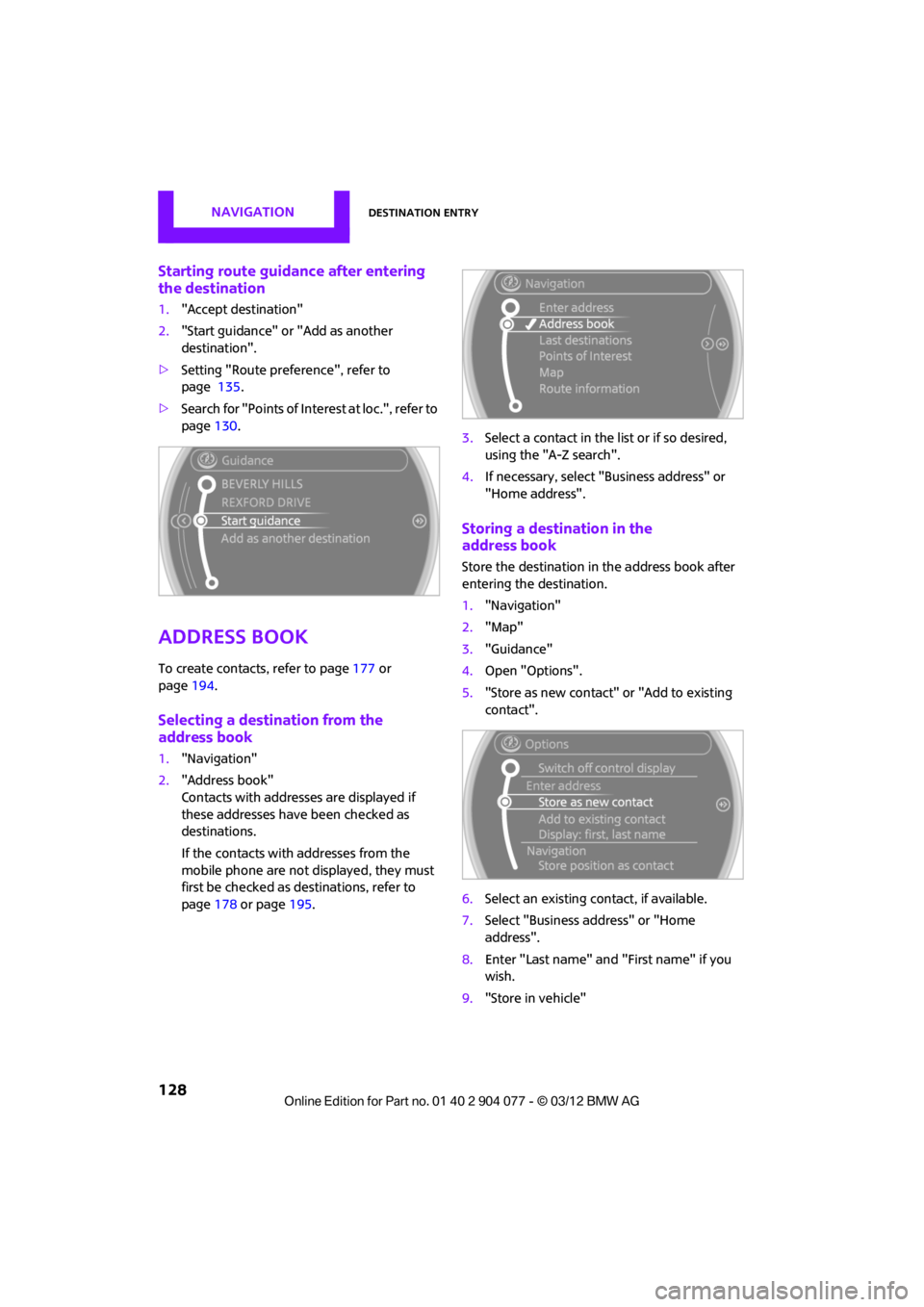
1."Accept destination"
2. "Start guidance" or "Add as another
destination".
> Setting "Route preference", refer to
page 135.
> Search for "Points of Inte rest at loc.", refer to
page 130.
Address book
To create contacts, refer to page 177 or
page 194.
Selecting a destination from the
address book
1."Navigation"
2. "Address book"
Contacts with addresses are displayed if
these addresses have been checked as
destinations.
If the contacts with addresses from the
mobile phone are not displayed, they must
first be checked as de stinations, refer to
page 178 or page 195. 3.
Select a contact in the list or if so desired,
using the "A-Z search".
4. If necessary, select "B usiness address" or
"Home address".
Storing a destination in the
address book
Store the destination in the address book after
entering the destination.
1. "Navigation"
2. "Map"
3. "Guidance"
4. Open "Options".
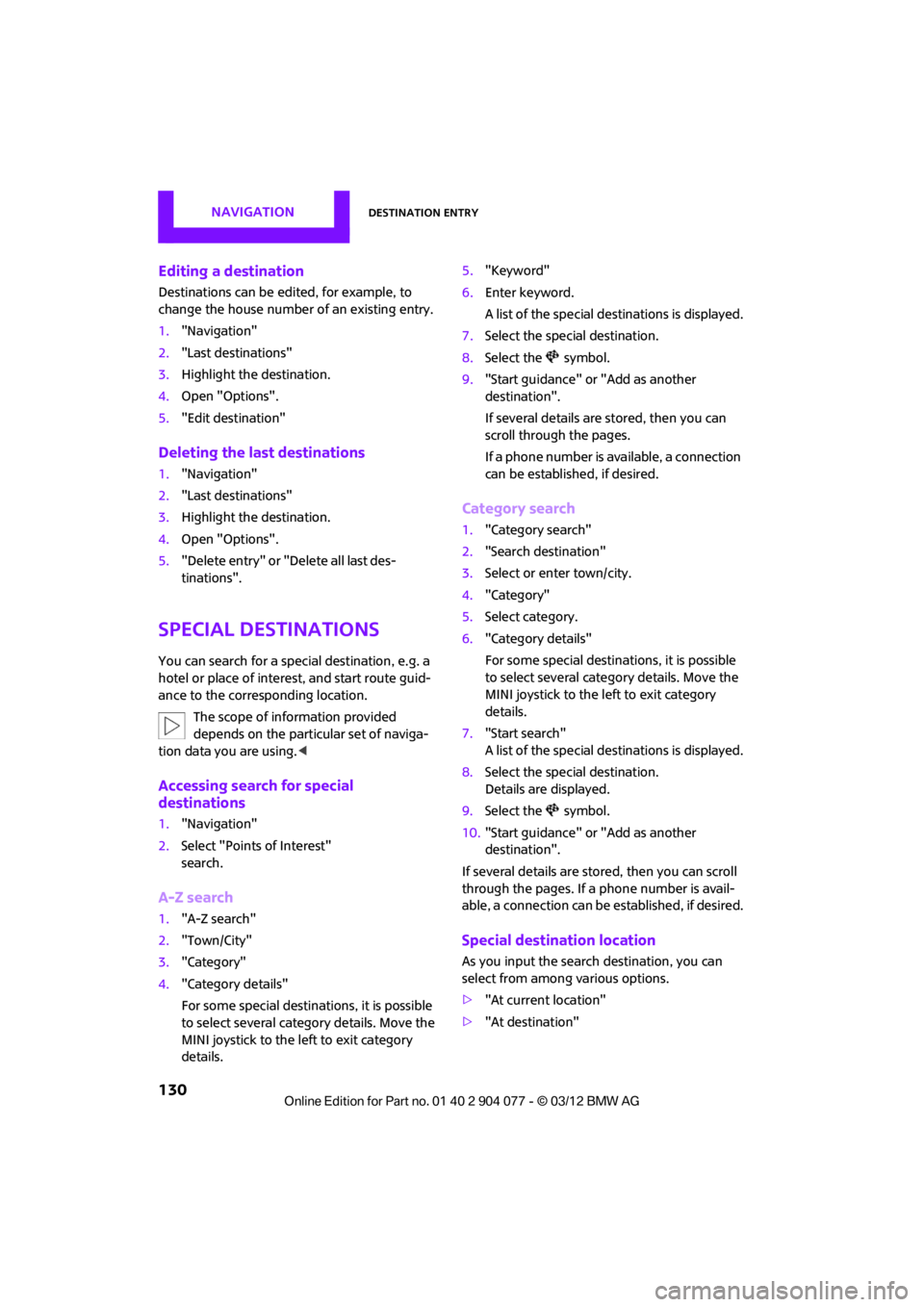
5. "Store as new contact" or "Add to existing
contact".
6. Select an existing co ntact, if available.
7. Select "Business address" or "Home
address".
8. Enter "Last name" and "First name" if you
wish.
9. "Store in vehicle"
00320051004F004C00510048000300280047004C0057004C005200510003
Page 131 of 283
NAVIGATIONDestination entry
130
Editing a destination
Destinations can be edited, for example, to
change the house number of an existing entry.
1. "Navigation"
2. "Last destinations"
3. Highlight the destination.
4. Open "Options".
5. "Edit destination"
Deleting the last destinations
1."Navigation"
2. "Last destinations"
3. Highlight the destination.
4. Open "Options".
5. "Delete entry" or "Delete all last des-
tinations".
Special destinations
You can search for a special destination, e.g. a
hotel or place of interest, and start route guid-
ance to the corresponding location.
The scope of information provided
depends on the particular set of naviga-
tion data you are using. <
Accessing search for special
destinations
1."Navigation"
2. Select "Points of Interest"
search.
A-Z search
1."A-Z search"
2. "Town/City"
3. "Category"
4. "Category details"
For some special destinations, it is possible
to select several catego ry details. Move the
MINI joystick to the left to exit category
details. 5.
"Keyword"
6. Enter keyword.
A list of the special destinations is displayed.
7. Select the special destination.
8. Select the symbol.
9. "Start guidance" or "Add as another
destination".
If several details are stored, then you can
scroll through the pages.
If a phone number is available, a connection
can be established, if desired.
Category search
1."Category search"
2. "Search destination"
3. Select or enter town/city.
4. "Category"
5. Select category.
6. "Category details"
For some special destinations, it is possible
to select several catego ry details. Move the
MINI joystick to the left to exit category
details.
7. "Start search"
A list of the special destinations is displayed.
8. Select the special destination.
Details are displayed.
9. Select the symbol.
10. "Start guidance" or "Add as another
destination".
If several details are stored, then you can scroll
through the pages. If a phone number is avail-
able, a connection can be established, if desired.
Special destination location
As you input the search destination, you can
select from among various options.
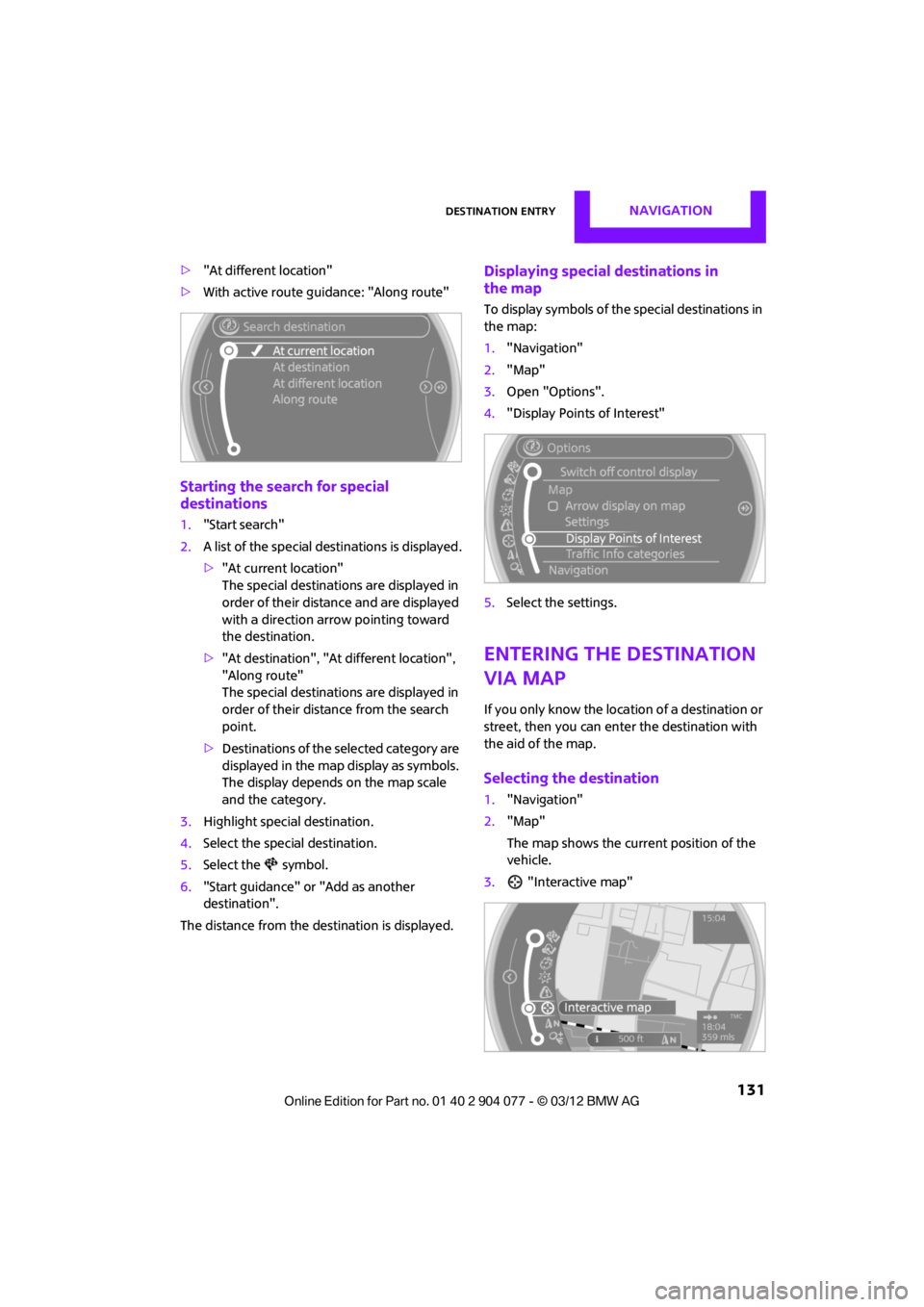
> "At current location"
> "At destination"
00320051004F004C00510048000300280047004C0057004C005200510003
Page 132 of 283
Destination entryNAVIGATION
131
>"At different location"
> With active route guidance: "Along route"
Starting the search for special
destinations
1."Start search"
2. A list of the special destinations is displayed.
>"At current location"
The special destinations are displayed in
order of their distance and are displayed
with a direction arro w pointing toward
the destination.
> "At destination", "At different location",
"Along route"
The special destinations are displayed in
order of their distance from the search
point.
> Destinations of the se lected category are
displayed in the map display as symbols.
The display depends on the map scale
and the category.
3. Highlight special destination.
4. Select the special destination.
5. Select the symbol.
6. "Start guidance" or "Add as another
destination".
The distance from the de stination is displayed.
Displaying special destinations in
the map
To display symbols of the special destinations in
the map:
1. "Navigation"
2. "Map"
3. Open "Options".
4. "Display Points of Interest"
5. Select the settings.
Entering the destination
via map
If you only know the loca tion of a destination or
street, then you can enter the destination with
the aid of the map.
Selecting the destination
1. "Navigation"
2. "Map"
The map shows the curre nt position of the
vehicle.
3. "Interactive map"
00320051004F004C00510048000300280047004C0057004C005200510003
Page 133 of 283
NAVIGATIONDestination entry
132
4.Select the destination with the cross-hairs.
> Changing scale: turn the MINI joystick.
> Moving map: move the MINI joystick in
the corresponding direction.
> Shifting map diag onally: move the
MINI joystick in the corresponding
direction and turn the MINI joystick.
5. Press the MINI joystick to display additional
menu items.
>Select the symbol: "Start guidance" or
"Add as another destination".
> "Find points of interest": the search for
special destinations is started.
Specifying the street
If the system does not detect any street, then a
street name in the vicinity or the coordinates of
the destination are displayed.
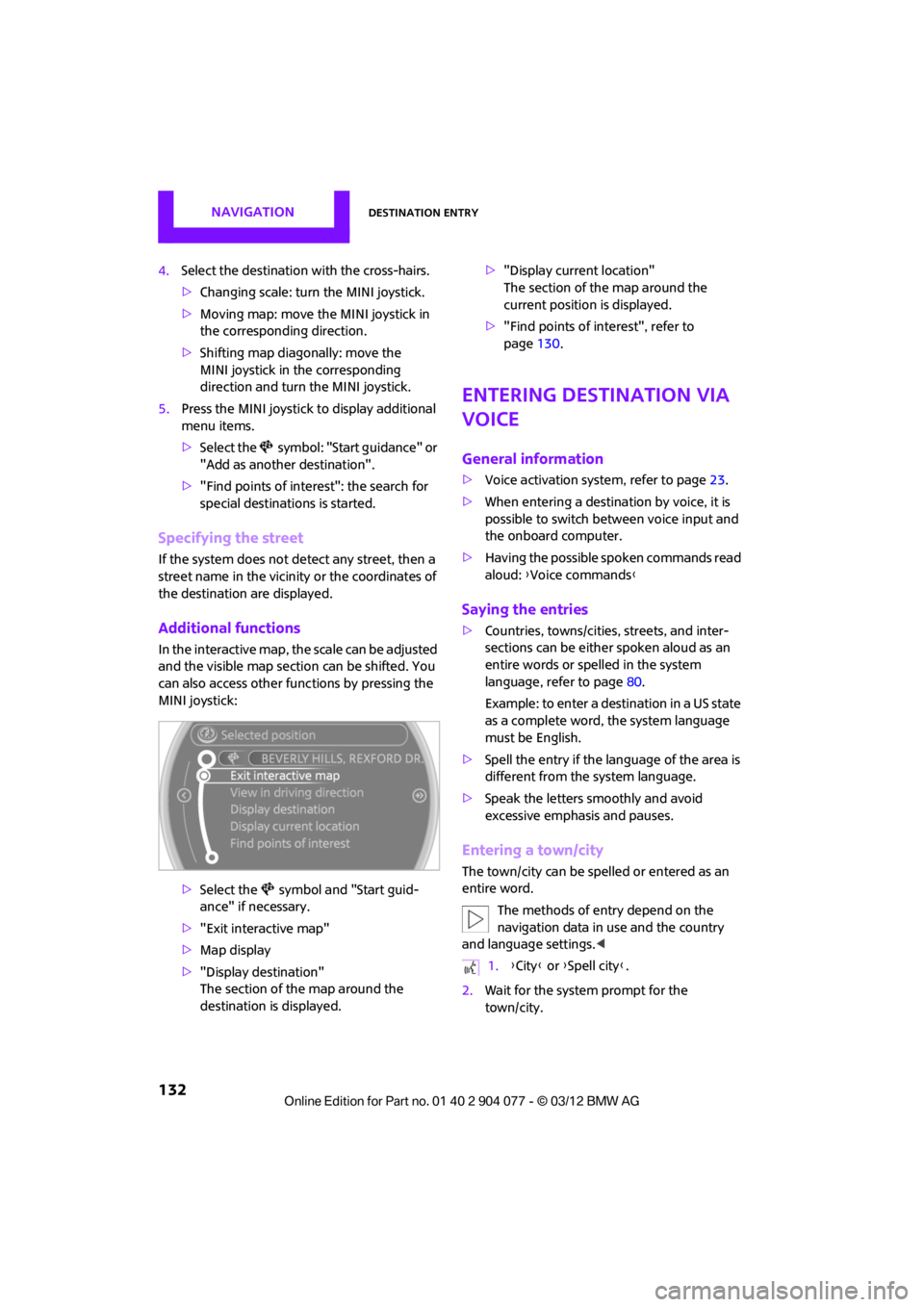
Additional functions
In the interactive map, th e scale can be adjusted
and the visible map sectio n can be shifted. You
can also access other func tions by pressing the
MINI joystick:
>Select the symbol and "Start guid-
ance" if necessary.
> "Exit interactive map"
> Map display
> "Display destination"
The section of the map around the
destination is displayed. >
"Display current location"
The section of the map around the
current position is displayed.
> "Find points of interest", refer to
page 130.
Entering destination via
voice
General information
>Voice activation system, refer to page 23.
> When entering a destinat ion by voice, it is
possible to switch between voice input and
the onboard computer.
> Having the possible spoken commands read
aloud: {Voice commands }
Saying the entries
>Countries, towns/cities , streets, and inter-
sections can be either spoken aloud as an
entire words or spelled in the system
language, refer to page 80.
Example: to enter a destination in a US state
as a complete word, the system language
must be English.
> Spell the entry if the language of the area is
different from the system language.
> Speak the letters smoothly and avoid
excessive emphasis and pauses.
Entering a town/city
The town/city can be spelled or entered as an
entire word.
The methods of entry depend on the
navigation data in use and the country
and language settings. <
2. Wait for the system prompt for the
town/city.
1.{City} or { Spell city}.
00320051004F004C00510048000300280047004C0057004C005200510003
Page 134 of 283
Destination entryNAVIGATION
133
3.Say the name of the town/city or if neces-
sary, spell at least the first three letters.
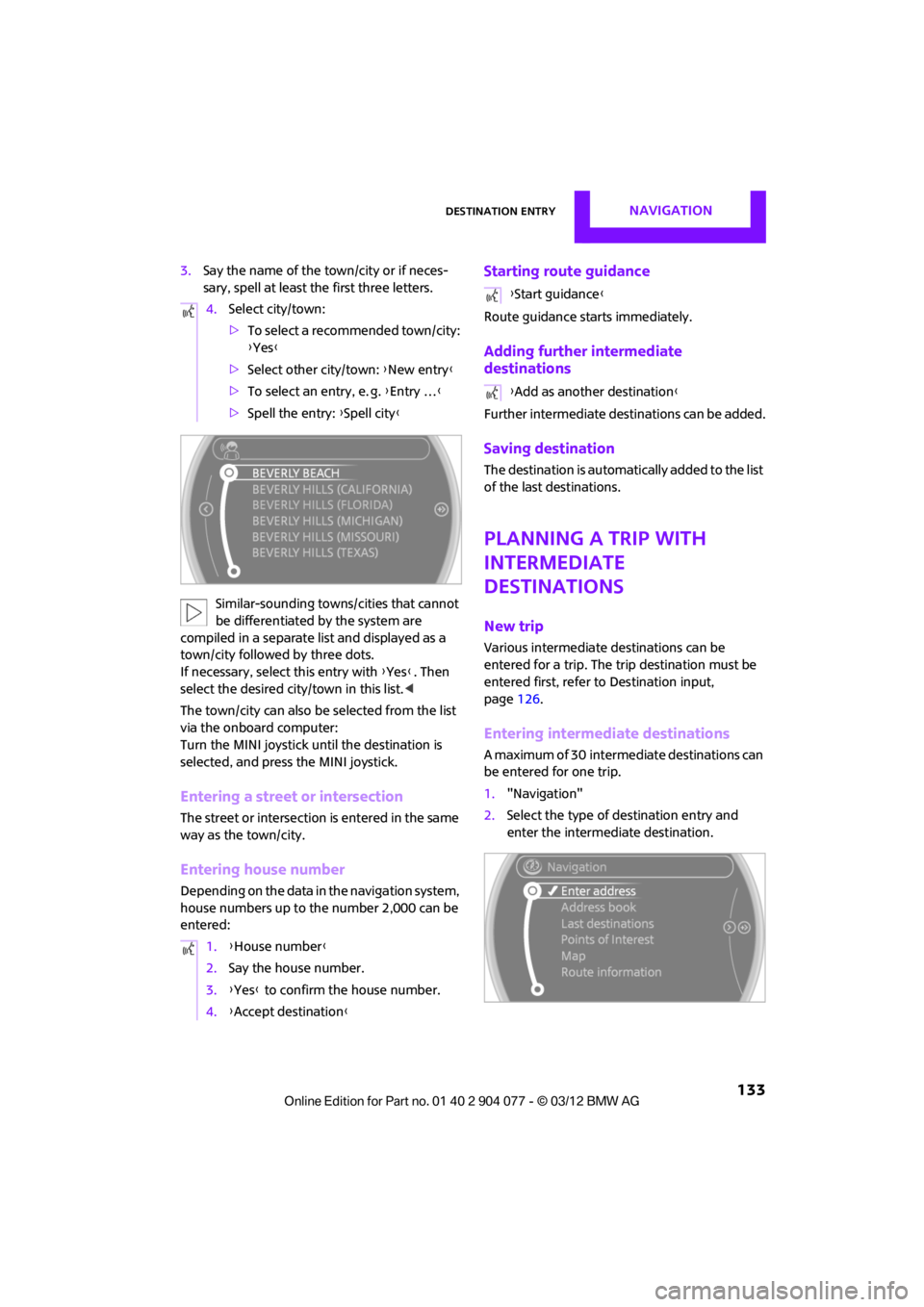
Similar-sounding towns/cities that cannot
be differentiated by the system are
compiled in a separate list and displayed as a
town/city followed by three dots.
If necessary, select this entry with {Yes }. Then
select the desired city/town in this list. <
The town/city can also be selected from the list
via the onboard computer:
Turn the MINI joystick until the destination is
selected, and press the MINI joystick.
Entering a street or intersection
The street or intersection is entered in the same
way as the town/city.
Entering house number
Depending on the data in the navigation system,
house numbers up to the number 2,000 can be
entered:
Starting route guidance
Route guidance starts immediately.
Adding further intermediate
destinations
Further intermediate dest inations can be added.
Saving destination
The destination is automati cally added to the list
of the last destinations.
Planning a trip with
intermediate
destinations
New trip
Various intermediate destinations can be
entered for a trip. The tr ip destination must be
entered first, refer to Destination input,
page 126.
Entering intermed iate destinations
A maximum of 30 intermed iate destinations can
be entered for one trip.
1. "Navigation"
2. Select the type of destination entry and
enter the intermed iate destination.
4.
Select city/town:
>To select a recommended town/city:
{Yes }
> Select other city/town: {New entry }
> To select an entry, e. g. {Entry … }
> Spell the entry: {Spell city }
1. {House number }
2. Say the house number.
3. {Yes } to confirm the house number.
4. {Accept destination }
{Start guidance }
{ Add as another destination }
00320051004F004C00510048000300280047004C0057004C005200510003
Page 136 of 283
Route guidanceNAVIGATION
135
Route guidance
Starting route guidance
1."Navigation"
2. "Enter address"
3. Select the destination.
4. "Accept destination"
5. "Start guidance"
> The route is displayed on the onboard
computer.
> The distance to the destination/intermedi-
ate destination and th e estimated time of
arrival are displayed in the map view.
> The arrow display is displayed on the
onboard computer, if so desired.
Terminating route
guidance
In the arrow or map view
1."Navigation"
2. "Map"
3. Select the symbol.
4. "Stop guidance"
Continuing route
guidance
If the destination was not reached during the
last trip, route guid ance can be resumed.
"Resume guidance"
Route criteria
General information
> You can influence the calculated route by
selecting certain criteria.
> Route criteria can be changed during desti-
nation input and during route guidance.
> Street types are part of the navigation data
and are taken into account in route plan-
ning, e.g. avoiding highways.
> The proposed route can differ from personal
experience.
> The settings are stored for the remote
control currently in use.
> Route guidance with traffic information,
refer to page 141.
Changing route criteria
1."Navigation"
2. "Map"
3. "Route preference"
4. Selecting a criterion:
> "Fast route": time-optimized route
through a combination of the least possi-
ble distance and stre tches of road that
allow rapid driving.
> "Efficient route": optimized combi-
nation of the fastest and shortest
possible route.
> "Short route": shor t distance without
taking time into account.
00320051004F004C00510048000300280047004C0057004C005200510003
Page 137 of 283
NAVIGATIONRoute guidance
136
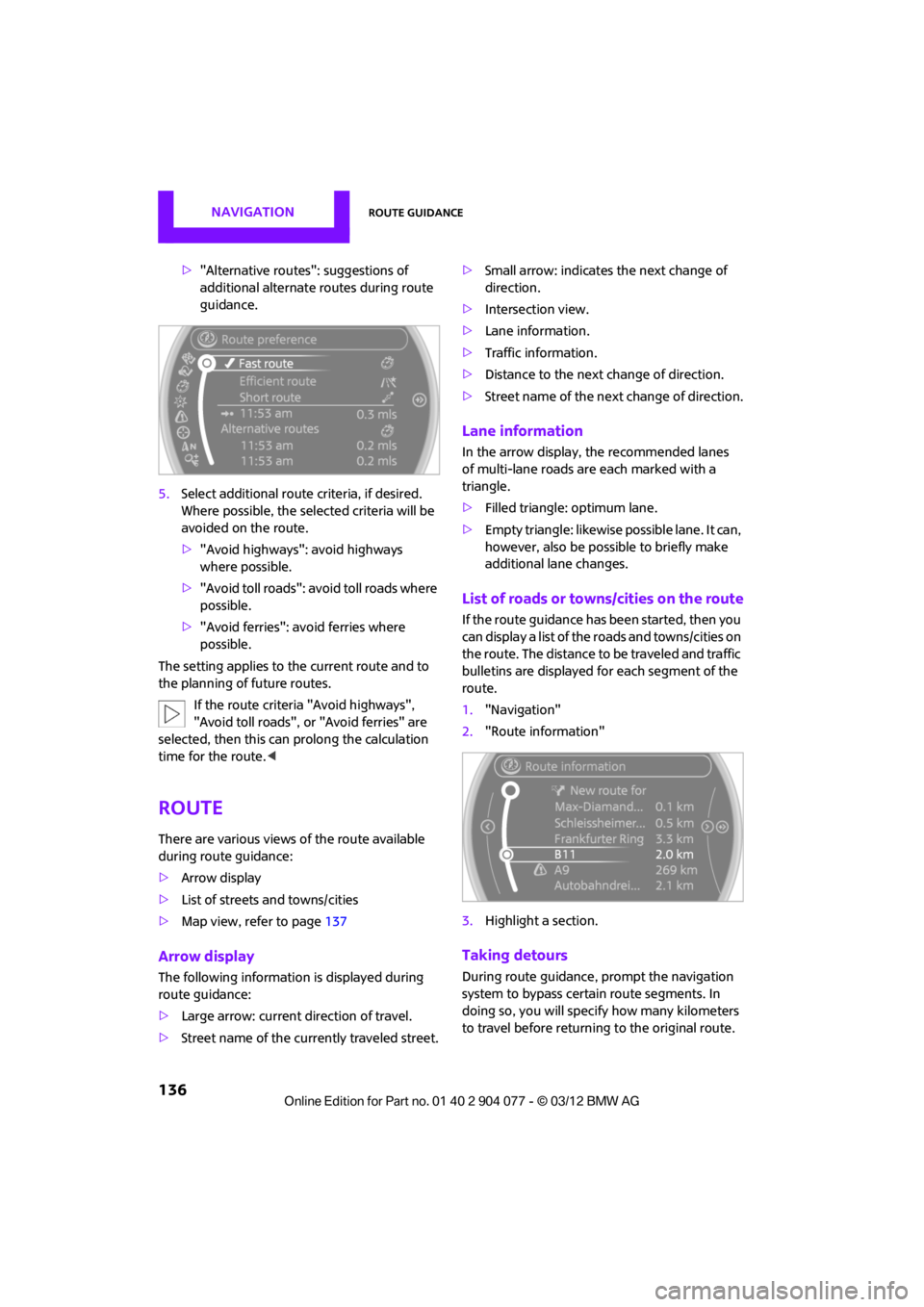
>"Alternative routes": suggestions of
additional alternate routes during route
guidance.
5. Select additional route criteria, if desired.
Where possible, the selected criteria will be
avoided on the route.
>"Avoid highways": avoid highways
where possible.
> "Avoid toll roads": avoid toll roads where
possible.
> "Avoid ferries": avoid ferries where
possible.
The setting applies to the current route and to
the planning of future routes.
If the route criteria "Avoid highways",
"Avoid toll roads", or "Avoid ferries" are
selected, then this can prolong the calculation
time for the route. <
Route
There are various views of the route available
during route guidance:
>Arrow display
> List of streets and towns/cities
> Map view, refer to page 137
Arrow display
The following information is displayed during
route guidance:
>Large arrow: current direction of travel.
> Street name of the currently traveled street. >
Small arrow: indicates the next change of
direction.
> Intersection view.
> Lane information.
> Traffic information.
> Distance to the next change of direction.
> Street name of the next change of direction.
Lane information
In the arrow display, the recommended lanes
of multi-lane roads are each marked with a
triangle.
>Filled triangle: optimum lane.
> Empty triangle: likewise possible lane. It can,
however, also be possi ble to briefly make
additional lane changes.
List of roads or towns/cities on the route
If the route guidance has been started, then you
can display a list of the roads and towns/cities on
the route. The distance to be traveled and traffic
bulletins are displayed fo r each segment of the
route.
1. "Navigation"
2. "Route information"
3. Highlight a section.
Taking detours
During route guidance, prompt the navigation
system to bypass certai n route segments. In
doing so, you will specif y how many kilometers
to travel before returning to the original route.
00320051004F004C00510048000300280047004C0057004C005200510003
Page 138 of 283
Route guidanceNAVIGATION
137
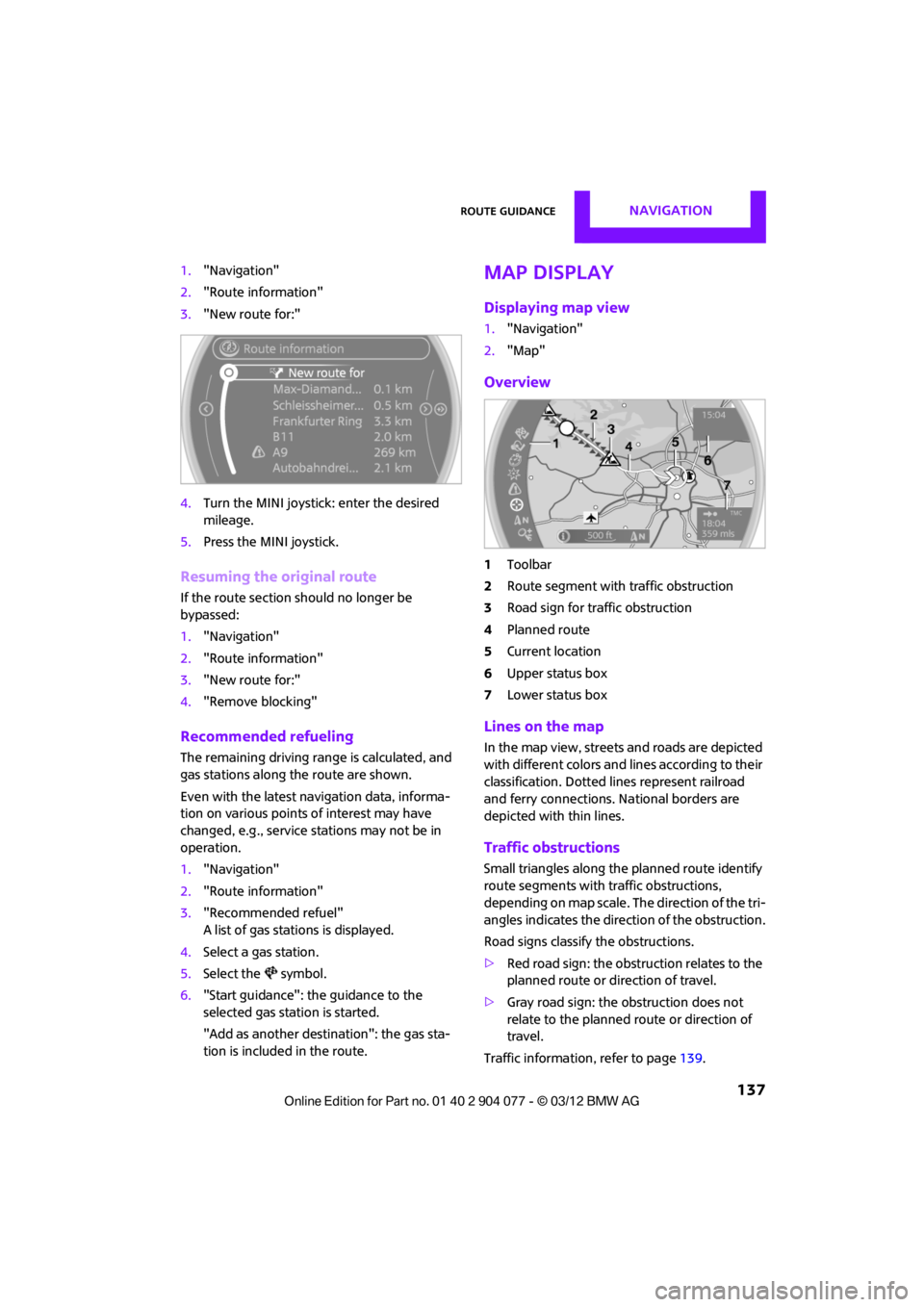
1."Navigation"
2. "Route information"
3. "New route for:"
4. Turn the MINI joystick: enter the desired
mileage.
5. Press the MINI joystick.
Resuming the original route
If the route section should no longer be
bypassed:
1."Navigation"
2. "Route information"
3. "New route for:"
4. "Remove blocking"
Recommended refueling
The remaining driving ra nge is calculated, and
gas stations along the route are shown.
Even with the latest navigation data, informa-
tion on various points of interest may have
changed, e.g., service st ations may not be in
operation.
1. "Navigation"
2. "Route information"
3. "Recommended refuel"
A list of gas stations is displayed.
4. Select a gas station.
5. Select the symbol.
6. "Start guidance": th e guidance to the
selected gas station is started.
"Add as another destination": the gas sta-
tion is included in the route.
Map display
Displaying map view
1. "Navigation"
2. "Map"
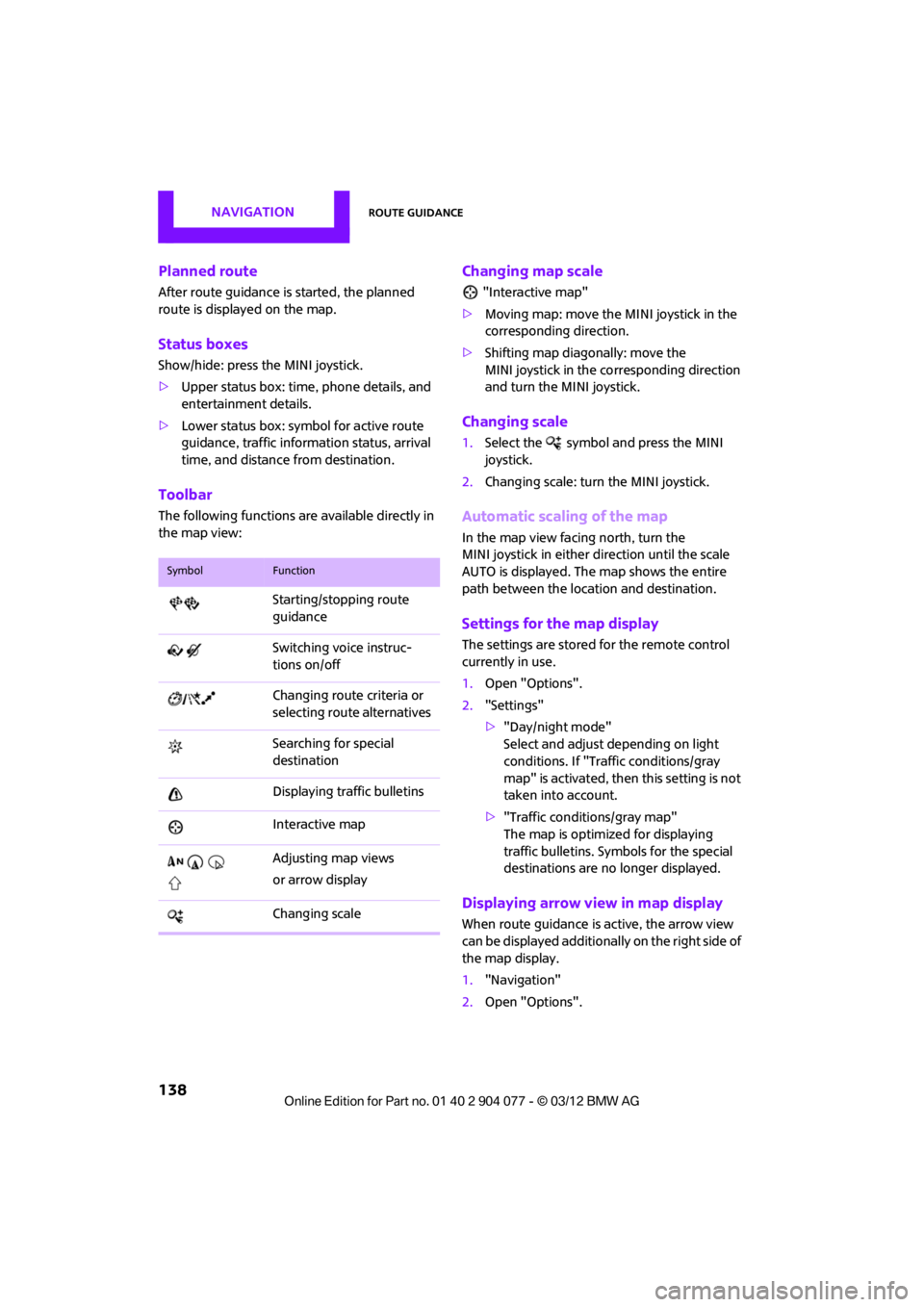
Overview
1Toolbar
2 Route segment with traffic obstruction
3 Road sign for traffic obstruction
4 Planned route
5 Current location
6 Upper status box
7 Lower status box
Lines on the map
In the map view, streets and roads are depicted
with different colors and lines according to their
classification. Dotted lines represent railroad
and ferry connections. National borders are
depicted with thin lines.
Traffic obstructions
Small triangles along the planned route identify
route segments with traffic obstructions,
depending on map scale. The direction of the tri-
angles indicates the dire ction of the obstruction.
Road signs classify the obstructions.
> Red road sign: the obstruction relates to the
planned route or direction of travel.
> Gray road sign: the obstruction does not
relate to the planned route or direction of
travel.
Traffic information, refer to page 139.
00320051004F004C00510048000300280047004C0057004C005200510003
Page 139 of 283
NAVIGATIONRoute guidance
138
Planned route
After route guidance is started, the planned
route is displayed on the map.
Status boxes
Show/hide: press the MINI joystick.
>Upper status box: time, phone details, and
entertainment details.
> Lower status box: symb ol for active route
guidance, traffic inform ation status, arrival
time, and distance from destination.
Toolbar
The following functions ar e available directly in
the map view:
Changing map scale
"Interactive map"
> Moving map: move the MINI joystick in the
corresponding direction.
> Shifting map diagonally: move the
MINI joystick in the co rresponding direction
and turn the MINI joystick.
Changing scale
1. Select the symbol and press the MINI
joystick.
2. Changing scale: turn the MINI joystick.
Automatic scaling of the map
In the map view facing north, turn the
MINI joystick in either direction until the scale
AUTO is displayed. The map shows the entire
path between the location and destination.
Settings for the map display
The settings are stored for the remote control
currently in use.
1.Open "Options".
2. "Settings"
>"Day/night mode"
Select and adjust depending on light
conditions. If "Traffic conditions/gray
map" is activated, then this setting is not
taken into account.
> "Traffic conditions/gray map"
The map is optimize d for displaying
traffic bulletins. Symbols for the special
destinations are no longer displayed.
Displaying arrow view in map display
When route guidance is active, the arrow view
can be displayed additionally on the right side of
the map display.
1. "Navigation"
2. Open "Options".
SymbolFunction
Starting/stopping route
guidance
Switching voice instruc-
tions on/off
Changing route criteria or
selecting route alternatives
Searching for special
destination
Displaying traffic bulletins
Interactive map
Adjusting map views
or arrow display
Changing scale
00320051004F004C00510048000300280047004C0057004C005200510003