seat adjustment MINI COUPE ROADSTER CONVERTIBLE 2012 Owners Manual
[x] Cancel search | Manufacturer: MINI, Model Year: 2012, Model line: COUPE ROADSTER CONVERTIBLE, Model: MINI COUPE ROADSTER CONVERTIBLE 2012Pages: 283, PDF Size: 9.38 MB
Page 51 of 283
CONTROLSAdjustments
50
Adjustments
Vehicle equipment
In this chapter, all production, country, and
optional equipment that is offered in the model
range is described. Equipment is also described
that is not available because of, for example,
selected options or coun try version. This also
applies to safety relate d functions and systems.
Sitting safely
The ideal sitting position can make a vital contri-
bution to relaxed, fatigu e-free driving. In con-
junction with the safety belts, the head restraints
and the airbags, the seated position has a major
influence on your safety in the event of an acci-
dent. To ensure that th e safety systems operate
with optimal efficiency, we strongly urge you to
observe the instructions contained in the follow-
ing section.
For additional information on transporting
children safely, refer to page 56.
Airbags
Always maintain an adequate distance
between yourself and the airbags. Always
grip the steering wheel on the rim, with your
hands in the 3 o'clock and 9 o'clock positions, to
minimize the risk of inju ry to the hands or arms
in the event of the airbag being deployed.
No one and nothing should come between the
airbags and the seat occupant.
Do not use the cover of the front airbag on the
front passenger side as a storage area. Ensure
that the front passenger is correctly seated, e.g.
that no feet or legs are propped against the
dashboard. Otherwise, leg injury could result if
the front airbag suddenly deployed.
Make sure that passeng ers keep their heads
away from the side/head airbag; otherwise inju-
ries can occur when airbags are deployed.
fully excluded, depending on the circumstances.
The ignition and inflation noise may provoke a
mild hearing loss in extremely sensitive individ-
uals. This effect is usually only temporary.
For airbag locations as well as additional infor-
mation, refer to page
93.
Head restraint
A correctly adjusted head restraint reduces the
risk of neck injury in the event of an accident.
Adjust the head restraint in such a way
that its center is at approx. ear level.
Otherwise, there is an increased risk of injury in
the event of an accident. <
Head restraints, refer to page 52.
Safety belt
Before every drive, make sure that all occupants
wear their safety belts. Airbags complement the
safety belt as an additional safety device, but
they do not represent a substitute.
Number of safety belts
Never allow more than one person to
wear a single safety belt. Never allow
infants or small children to ride in a passenger's
lap.
Make sure that the belt in the lap area sits low
across the hips and does not press against the
abdomen. The safety belt must not rest against
the throat, run across sh arp edges, pass over
hard or fragile objects or be pinched. Fasten the
safety belt so that it is pulled taut across the lap
and shoulder, fitting the body snugly without
any twists. Otherwise, the belt could slide over
the hips in the event of a frontal collision and
00320051004F004C00510048000300280047004C0057004C005200510003
Page 52 of 283
AdjustmentsCONTROLS
51
injure the abdomen. Avoid wearing bulky cloth-
ing and regularly pull the belt in the upper-body
area taut; otherwise, its restraining effect could
be impaired. <
Safety belts, refer to page 53.
Seats
Note before adjusting
Never attempt to adjust your seat while
the vehicle is moving. The seat could
respond with unexpected movement, and the
ensuing loss of vehicle control could lead to an
accident.
On the front passenger seat as well, do not
incline the backrest too far to the rear while the
vehicle is being driven; otherwise, there is a
danger in the event of an accident of sliding
under the safety belt, el iminating the protection
normally provided by the belt.<
Comply with the instruct ions on head restraint
height on page 52 and on damaged safety belts
on page 54.
Seat adjustment
Observe the instructions on page 51 to
ensure the best possible personal
protection.<
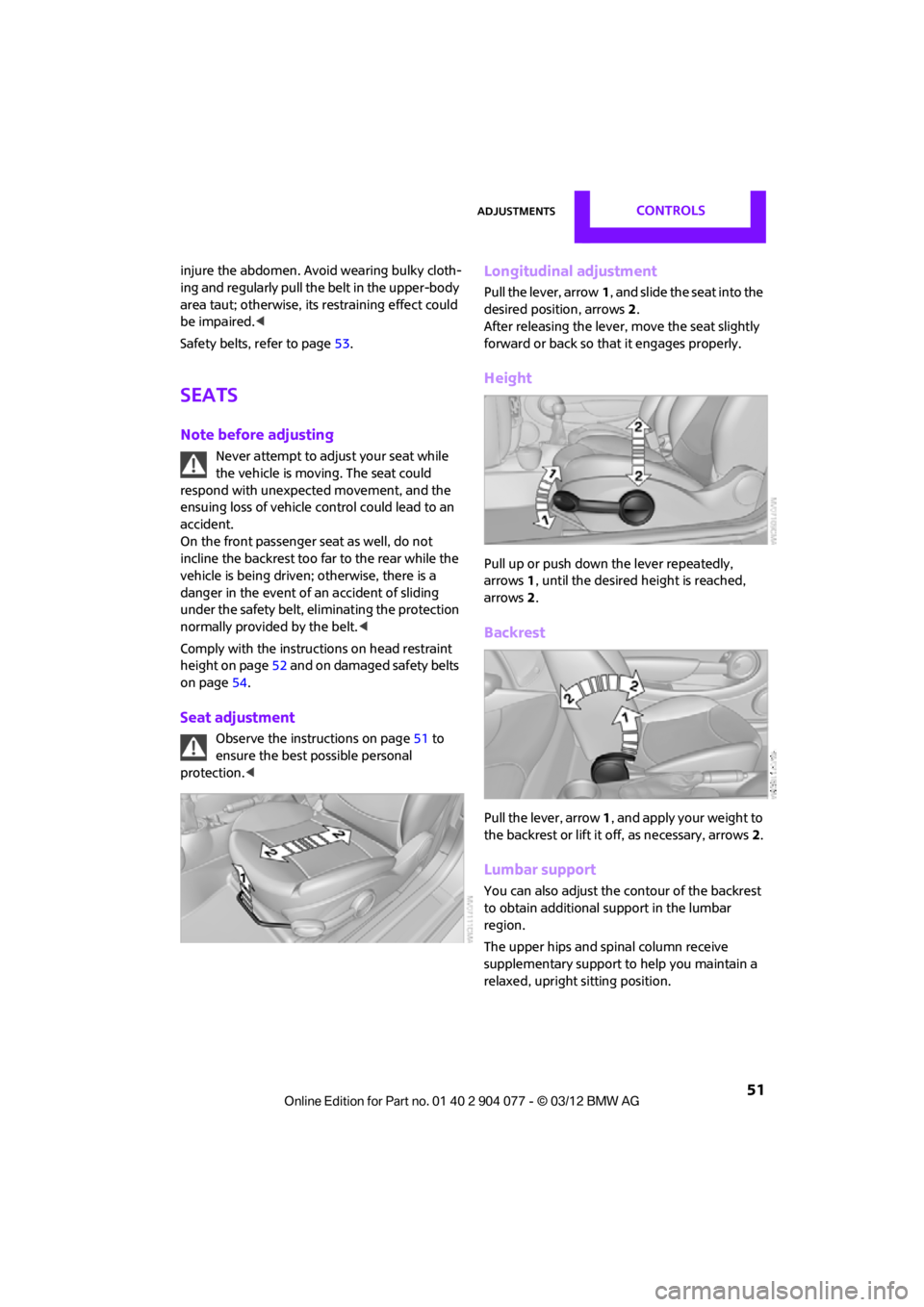
Longitudinal adjustment
Pull the lever, arrow 1, and slide the seat into the
desired position, arrows 2.
After releasing the lever, move the seat slightly
forward or back so that it engages properly.
Height
Pull up or push down the lever repeatedly,
arrows 1, until the desired height is reached,
arrows 2.
Backrest
Pull the lever, arrow 1, and apply your weight to
the backrest or lift it off, as necessary, arrows 2.
Lumbar support
You can also adjust the contour of the backrest
to obtain additional support in the lumbar
region.
The upper hips and spinal column receive
supplementary support to help you maintain a
relaxed, upright sitting position.
00320051004F004C00510048000300280047004C0057004C005200510003
Page 53 of 283
CONTROLSAdjustments
52
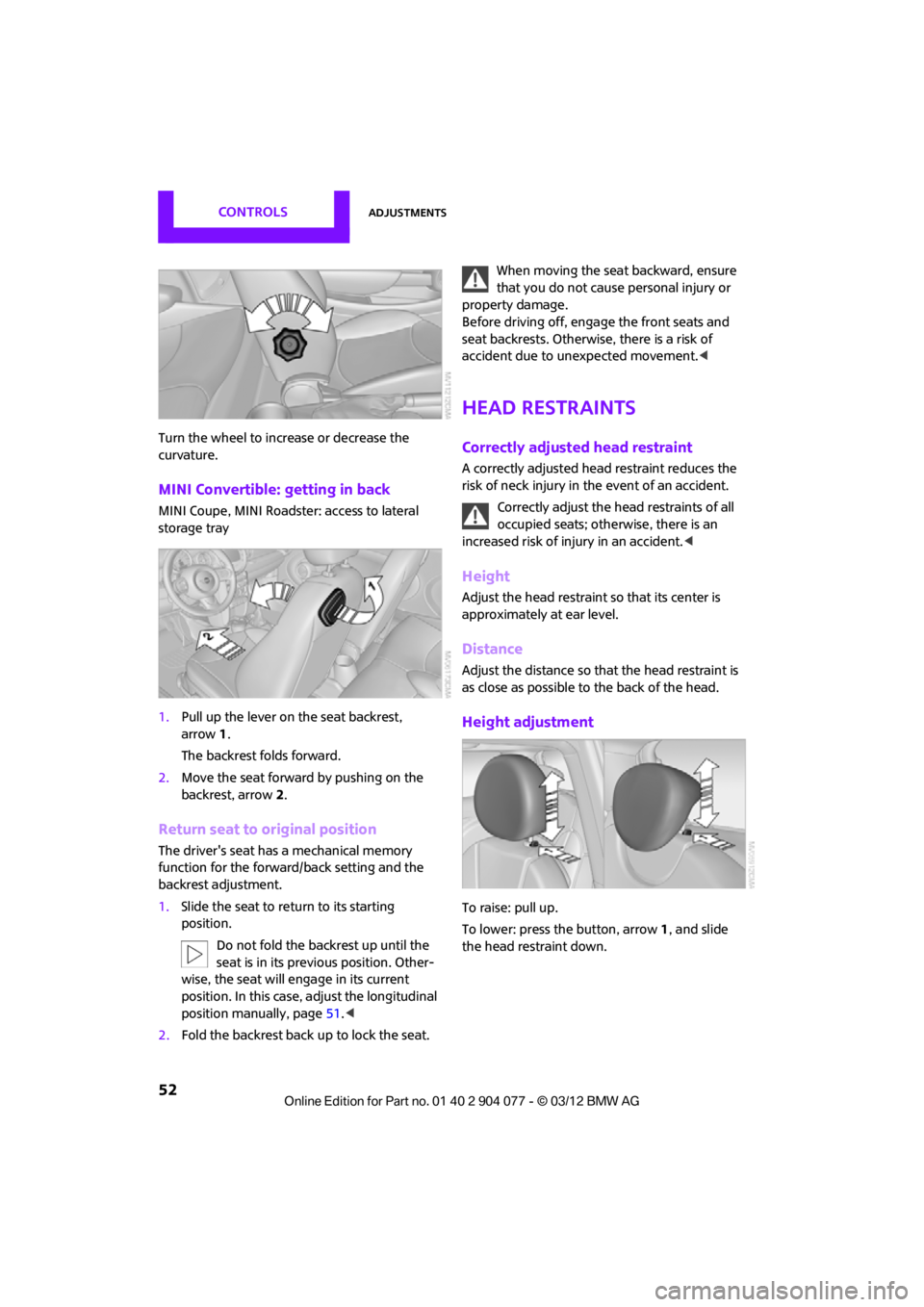
Turn the wheel to increase or decrease the
curvature.
MINI Convertible: getting in back
MINI Coupe, MINI Roadster: access to lateral
storage tray
1.Pull up the lever on the seat backrest,
arrow 1.
The backrest folds forward.
2. Move the seat forward by pushing on the
backrest, arrow 2.
Return seat to original position
The driver's seat has a mechanical memory
function for the forward/back setting and the
backrest adjustment.
1. Slide the seat to retu rn to its starting
position.
Do not fold the backrest up until the
seat is in its previous position. Other-
wise, the seat will engage in its current
position. In this case, adjust the longitudinal
position manually, page 51.<
2. Fold the backrest back up to lock the seat. When moving the seat backward, ensure
that you do not cause personal injury or
property damage.
Before driving off, enga ge the front seats and
seat backrests. Otherwise, there is a risk of
accident due to unexpected movement. <
Head restraints
Correctly adjusted head restraint
A correctly adjusted head restraint reduces the
risk of neck injury in the event of an accident.
Correctly adjust the head restraints of all
occupied seats; othe rwise, there is an
increased risk of injury in an accident. <
Height
Adjust the head restraint so that its center is
approximately at ear level.
Distance
Adjust the distance so th at the head restraint is
as close as possible to the back of the head.
Height adjustment
To raise: pull up.
To lower: press the button, arrow 1, and slide
the head restraint down.
00320051004F004C00510048000300280047004C0057004C005200510003
Page 54 of 283
AdjustmentsCONTROLS
53
Removing
Only remove a head restraint if no one will be
sitting on the seat in question.Reinstall the head restraint before
transporting passengers, as otherwise the
head restraint cannot provide its protective
function. <
Front
1.Pull up as far as it will go.
2. Fold the backrest forward slightly.
3. Press button 1 and pull the head restraint
out as far as it will go.
4. Fold back the backrest.
MINI Convertible: rear
1.Pull up as far as it will go.
2. Press button 1 and pull the head restraint
out completely.
Seat heating
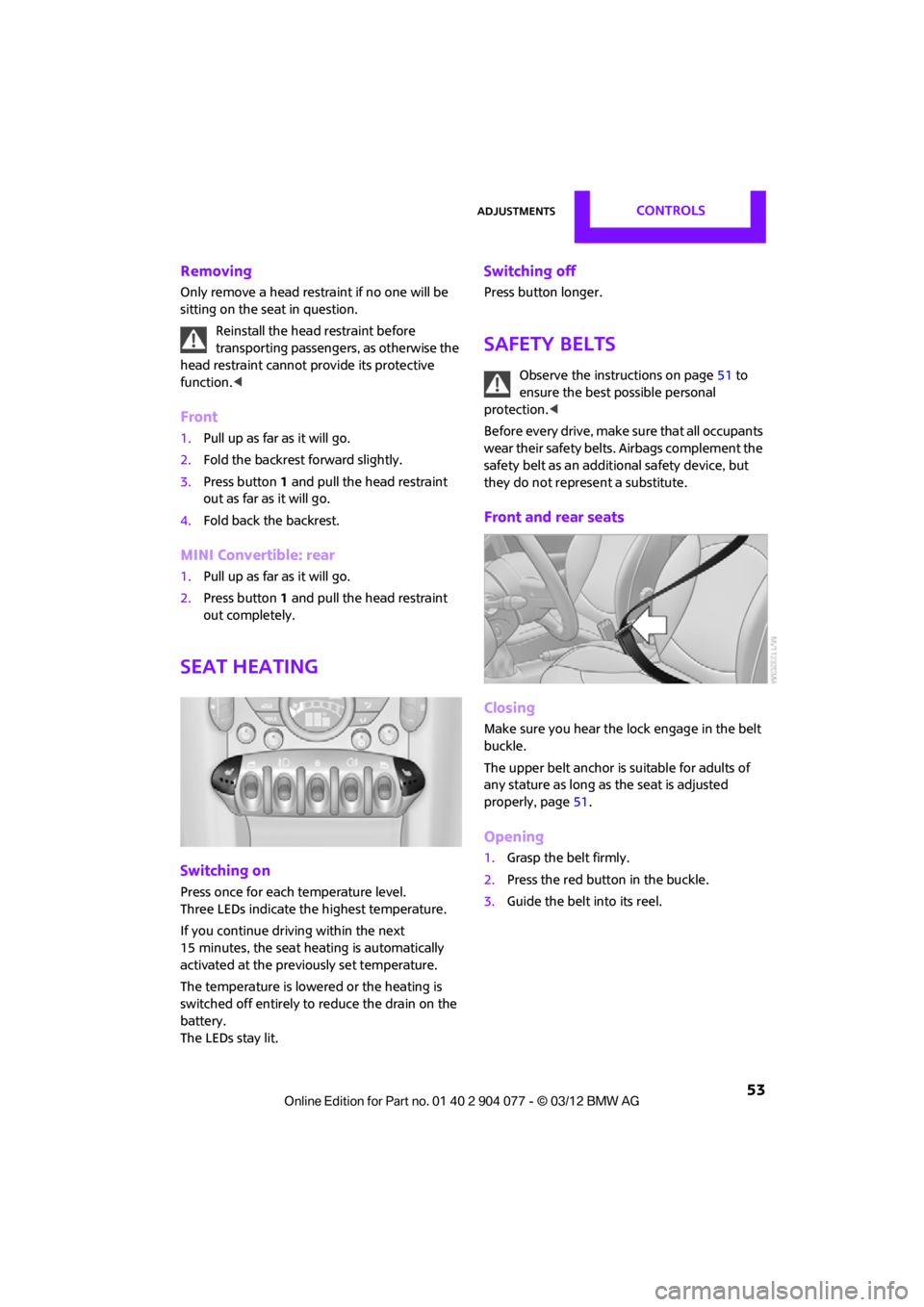
Switching on
Press once for each temperature level.
Three LEDs indicate the highest temperature.
If you continue driving within the next
15 minutes, the seat heating is automatically
activated at the previously set temperature.
The temperature is lowered or the heating is
switched off entirely to reduce the drain on the
battery.
The LEDs stay lit.
Switching off
Press button longer.
Safety belts
Observe the instructions on page 51 to
ensure the best possible personal
protection.<
Before every drive, make sure that all occupants
wear their safety belts. Airbags complement the
safety belt as an additi onal safety device, but
they do not represent a substitute.
Front and rear seats
Closing
Make sure you hear the lock engage in the belt
buckle.
The upper belt anchor is suitable for adults of
any stature as long as the seat is adjusted
properly, page 51.
Opening
1.Grasp the belt firmly.
2. Press the red button in the buckle.
3. Guide the belt into its reel.
00320051004F004C00510048000300280047004C0057004C005200510003
Page 55 of 283
CONTROLSAdjustments
54
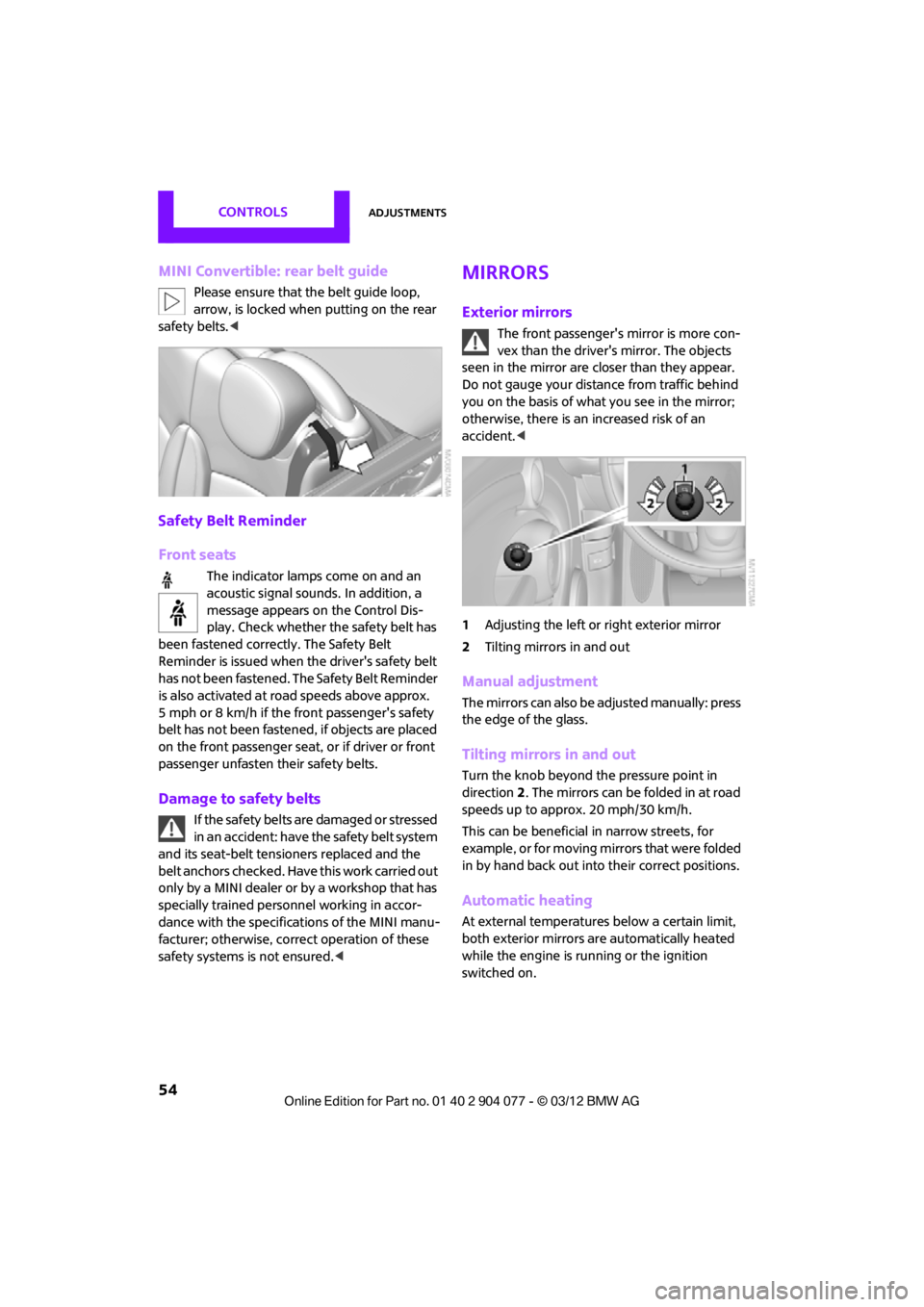
MINI Convertible: rear belt guide
Please ensure that the belt guide loop,
arrow, is locked when putting on the rear
safety belts.<
Safety Belt Reminder
Front seats
The indicator lamps come on and an
acoustic signal sounds. In addition, a
message appears on the Control Dis-
play. Check whether the safety belt has
been fastened correctly. The Safety Belt
Reminder is issued when the driver's safety belt
has not been fastened. The Safety Belt Reminder
is also activated at ro ad speeds above approx.
5 mph or 8 km/h if the front passenger's safety
belt has not been fastened , if objects are placed
on the front passenger seat, or if driver or front
passenger unfasten their safety belts.
Damage to safety belts
If the safety belts ar e damaged or stressed
in an accident: have th e safety belt system
and its seat-belt tensioners replaced and the
belt anchors checked. Have this work carried out
only by a MINI dealer or by a workshop that has
specially trained personnel working in accor-
dance with the specifications of the MINI manu-
facturer; otherwise, correct operation of these
safety systems is not ensured.<
Mirrors
Exterior mirrors
The front passenger's mirror is more con-
vex than the driver's mirror. The objects
seen in the mirror are closer than they appear.
Do not gauge your distance from traffic behind
you on the basis of what you see in the mirror;
otherwise, there is an increased risk of an
accident. <
1 Adjusting the left or right exterior mirror
2 Tilting mirrors in and out
Manual adjustment
The mirrors can also be adjusted manually: press
the edge of the glass.
Tilting mirrors in and out
Turn the knob beyond the pressure point in
direction 2. The mirrors can be folded in at road
speeds up to approx. 20 mph/30 km/h.
This can be beneficial in narrow streets, for
example, or for moving mi rrors that were folded
in by hand back out into their correct positions.
Automatic heating
At external temperatures below a certain limit,
both exterior mirrors are automatically heated
while the engine is running or the ignition
switched on.
00320051004F004C00510048000300280047004C0057004C005200510003
Page 56 of 283

AdjustmentsCONTROLS
55
Interior rearview mirror
To reduce glare from vehicles behind you when
you are driving at night:
Turn the knob.
Interior and exterior mirrors,
automatic dimming feature
It is controlled by two photosensors:
>Inside the interior rearview mirror, arrow
> On the back of the mirror.
For proper function:
> Keep the photosensors clean
> Do not cover the area between the interior
rearview mirror and the windshield
> Do not place stickers or decals on the wind-
shield in front of the mirror.
Steering wheel
Adjustments
Do not adjust the steering wheel position
while the car is in motion; otherwise, there
is a risk of accident due to an unexpected
movement. <
1. Fold the lever down.
2. Move the steering wheel to the preferred
distance and angle to suit your seated
position.
3. Swing the lever back up.
Do not use force to swing the lever
back up; otherwise, the mechanism
will be damaged. <
00320051004F004C00510048000300280047004C0057004C005200510003
Page 273 of 283

REFERENCEEverything from A to Z
272
Emergency services, refer to Roadside Assistance 243
Emergency unlocking 34
Ending a call 174,186
Engine
– breaking in 114
– data 250
– overheated, refer to Coolant temperature 224
– speed 250
– starting, Comfort Access 36
Engine compartment 221
Engine coolant, refer to
Coolant 224
Engine malfunction
– indicator lamp 13
Engine oil
– additives, refer to Approved engine oils 223
– alternative oil types 223
– approved engine oils 223
– capacity 223
– checking level 222
– dipstick 222
– intervals between changes,
refer to Service
requirements 75
– MINI Maintenance
System 225
Engine oil level, checking 222
Engine output, refer to Engine data 250
Engine starti ng, refer to
Starting the engine 61
Entering destination 126
Entering intersection 127
Entertainment sound output on/off 146
Entry map for destination 131
ESP Electronic Stability Program, refer to Dynamic
Stability Control DSC 83
Exhaust system, refer to Hot exhaust system 115 Exterior mirrors
54
– adjusting 54
– automatic heating 54
– folding in and out 54
External audio device 108
External audio de vice, refer to
AUX-In connection 159
External care 227
External devices
– random play sequence 162
– software update 166
External temperature display
– change units of measure 74
– in the onboard computer 74
Eyes
– for tow-starting and towing
away 245
– for tying down loads 119
F
Failure messages, refer to
Check Control 77
Failure of an electrical consumer 242
Fastening safety belts, refer to Safety belts 53
Fastest route for
navigation 135
Fast forward
– CD player 158
Fault messages, refer to Check Control 77
Filter
– microfilter/activated- charcoal filter for automatic
climate control 105
– microfilter for air conditioner 103
Fine wood, care 230
First aid pouch 243
Fixture for remote control,
refer to Ignition lock 60
Flash when locking/ unlocking 30 Flat tire
– run-flat tires
218
– Tire Pressure Monitor TPM 89
Flat Tire Monitor FTM 87
– indicating a flat tire 88
– initializing the system 87
– snow chains 87
– system limits 87
Flat tires, refer to Tire condition 217
Floor mats, care 230
FM, waveband 149
Fog lamps
– replacing bulb 234,236
Folding roof, refer to Convertible top with
integrated sliding sunroof 39
Footbrake, refer to Braking safely 115
Footwell lamps 99
For your own safety 5
Front airbags 93
Front fog lamps 98,99
– replacing bulb 234
Front seat adjustment 51
Frost on windows, refer to Defrosting
windows 103,105
FTM, refer to Flat Tire Monitor 87
Fuel 207
– gauge 70
– high-quality brands 207
– quality 207
– specifications 207
– tank
capaci
ty 259
Fuel clock, refer to Fuel gauge 70
Fuel consumption display
– average fuel consumption 72
Fuel display, refer to Fuel gauge 70
Fuel filler flap 206
– releasing in the event of electrical malfunction 206
Fuses 242
00320051004F004C00510048000300280047004C0057004C005200510003
Page 274 of 283

Everything from A to ZREFERENCE
273
G
Gasoline
– refer to Average fuel consumption 72
Gasoline, refer to Required
fuel 207
Gasoline display, refer to Fuel gauge 70
Gear indicator
– automatic transmission with Steptronic 63
Gear shifting
– automatic transmission 63
– manual transmission 62
Gearshift lever
– automatic transmission with Steptronic 63
– manual transmission 62
General driving notes 114
Glass roof, electric
– convenience
operation 30,32
– remote control 30
Glove compartment 107
GPS navigation, refer to Navigation system 124
Grills, refer to Air vents 101
Gross vehicle weight, refer to Weights 257
H
Halogen lamps
– replacing bulb 233
Handbrake, refer to Parking
brake 62
Hands-free device Bluetooth 170
Hands-free system 14,177 ,189
Hazard warning flashers 14
HD Radio 150
Head airbags 93 Headlamp control,
automatic 96
Headlamp flasher 65
– indicator
lamp 11,13, 102, 105
Headlamp glass lens 233
Headlamps
– replacing bulb 233
Headlamps, care 228
Head Light, refer to Adaptive
Light Control 97
Head restraints 52
– sitting safely 50
Heated
– mirrors 54
– rear window 103,105
– seats 53
Heating 101
– mirrors 54
– rear window 103,105
– seats 53
Heavy loads, refer to Stowing
cargo 119
Height, refer to Dimensions 251
Height adjustment
– seats 51
– steering wheel 55
High beams 98
– headlamp flasher 98
– indicator lamp 13,102 ,105
– replacing bulb 233
High water, refer to Driving
through water 115
Highway, refer to Route criteria 135
Hill Assist 85
Hills 115
Hol ders for cu
ps109
Hom
epage 4
Hood 222
Horn 10
Hot exhaust system 115
Hydroplaning 115
I
IBOC, refer to HD Radio 150
iDrive
– status information 21
Ignition 60
– switched off 61
– switched on 60
Ignition key, refer to Integrated key/remote
control 28
Ignition key position 1, refer to Radio readiness 60
Ignition key position 2, refer to Ignition on 60
Ignition lock 60
Imprint 2
Incoming call 173,185
Indicator and warning
lamps 13
– Tire Pressure Monitor TPM 90
Indicator lighting, refer to
Instrument lighting 99
Individual air distribution 103
Individual settings, refer to
Personal Profile 28
Inflation pressure monitoring, refer to Tire Pressure Monitor
TPM 89
Information
– on another location 130
– on current position 130
– on destination location 130
Initializing
– Flat Tire Monitor FTM 87
– radio, refer to Station,
storing 150
Instructions for navigation system, refer to Voice
instructions 139
Instrument cluster, refer to Displays 12
Instrument lighting 99
Instrument pane l, refer to
Cockpit 10
00320051004F004C00510048000300280047004C0057004C005200510003
Page 278 of 283

Everything from A to ZREFERENCE
277
Reserve warning, refer to Fuel gauge 70
Reservoir for washer systems 67
Reset, refer to Resetting tone settings 148
Restraint systems
– for children 56
– refer to Safety belts 53
Reverse
– CD player 158
Reverse gear
– automatic transmission with
Steptronic 63
– manual transmission 62
Road map 137
Roadside Assistance 243
Roadside parking lamps 98
– replacing bulb 234
Road worthiness test, refer to Service requirements 75
Roof load capacity 257
Rope, refer to Tow-starting, towing away 246
Route 135,136
– bypassing sections 136
– changing 135,136
– changing criteria 135
– displaying arrow view 136
– displaying map view 137
– displaying streets or towns/ cities 136
– selecting 135
Route guidance 135
– bypassing a route section 136
– changing specified route 135
– distance and arrival 135
– voice instructions 139
– volume of voice instructions 139
Route section, changing 136
Route selection 135
RSC Run-flat System Component, refer to Run-flat
tires 218 Rubber parts, care
229
Run-flat System Component RSC, refer to Run-flat
tires 218
Run-flat tires 218
– flat tire 88
– tire inflation pressure 209
– tire replacement 219
– winter tires 220
S
Safety belt
– number50
Safety Belt Reminder 54
Safety belts 53
– damage 54
– indicator lamp 54
– reminder 54
– sitting safely 50
Safety belts, care 230
Safety systems
– airbags 93
– Antilock Brake System ABS 83
– Dynamic Stability Control DSC 83
– safety belts 53
Safety tires, refer to Run-flat tires 218
Satellite radio 151
– channel, activating or deactivating 152
– channel, selecting 152
– channel, storing 153
– favorites 154
– time shift 153
– Traffic Jump 155
Screen, refer to Onboard
computer controls 17
Screw thread for tow fitting 245
SDARS, refer to Satellite radio 151
Seat adjustment
– mechanical 51 Seats
51
– adjusting the seats 51
– heating 53
– sitting safely 50
Securing the vehicle
– from inside 32
– from outside 29
Selecting navigation system 124
Selecting new scale for
navigation 138
Selector lever
– automatic transmission with
Steptronic 63
Selector lever lock
– automatic transmission with
Steptronic, refer to
Shiftlock 63
– overriding manually 64
Selector lever positions
– automatic transmission with Steptronic 63
Service, refer to Roadside Assistance 243
Service car, refer to Roadside
Assistance 243
Service data in the remote control 225
Service Interval Display, refer to Condition Based Service
CBS 225
Service requ irem
ent
display,
refer to Condition Based
Service CBS 225
Service requirements 75
Settings
– clock, 12 h/24 h mode 76
– date format 77
Setting time and date 77
Setting time zone, time, and date 77
Shifting gears
– automatic transmission with Steptronic 64
– manual transmission 62
00320051004F004C00510048000300280047004C0057004C005200510003
Page 279 of 283

REFERENCEEverything from A to Z
278
Shiftlock
– automatic transmission, refer to Changing selector lever
positions 63
Short commands for the voice activation system 260
Short route in navigation, refer
to Selecting route 135
Shuffled, refer to Random
– CD player 158
Side airbags 93
Side turn signal
– replacing bulb 235
Side windows, refer to Windows 38
Signal horn, refer to Horn 10
Sitting safely 50
– airbags 50
– safety belts 50
– with head restraint 50
Size, refer to Dimensions 251
Slipstream deflector, refer to
Wind deflector 43,48
Slot for remote control 60
Smokers' package, refer to
Ashtray 109
Snap-in adapter
– inserting/removing 191
– use 180
Snap-in adapter, refer to
Center armrest storage
compartment 108
Snow chains 220
Socket, refer to Connecting electrical appliances 110
Socket for On-Board Diagnosis
OBD 226
Software update 166
Space-saver spare tire
– changing tires 239
– inflation pressure 209
Spare wheel, refer to Space-
saver spare tire 239 Speaking, refer to Voice
instructions from navigation
system 139
Special destinations 130
Special oils, refer to Approved engine oils 223
Speed 250
– with winter tires 220
Speed limit 79
– setting 79
Speed limit warning, refer to Speed limit 79
Speedo, refer to
Speedometer 12
Speedometer 12
Speed volume 147
Split-folding rear seats 118
Split rear backrest, refer to Split-folding rear seats 118
Sport button 85
Stability contro l, refer to
Dri v
ing
stability control
systems 83
Start/Stop button 60
– starting the engine 61
– switching off the engine 61
Starting, refer to Starting the engine 61
Starting assistance, refer to Jump-starting 243
Starting route guidance 135
Starting the engine 61
– Start/Stop button 60
Start-off assistance, refer to
– DSC 83
– Hill Assist 85
State/province, for navigation 126
Station, selecting
– radio 149
Status information on the Control Display 21
Status of this Owner's Manual at time of printing 4Steering wheel
55
– adjustment 55
– buttons on steering wheel 11
– lock 60
– shift paddles 64
Steptronic, refer to Automatic transmission with
Steptronic 62
Storage area
– cargo area 116
Storage compartment, front passenger side 108
Storage compartments 108
Storage space
– storage compartments 108
Storage space, refer to
– luggage compartment in the MINI Convertible 117
Storing a destination in the
address book 128
Storing the vehicle 230
Storing tires 220
Stowage, refer to Storage compartments 108
Summer tires, refer to Wheels
and tires 209
SW, waveband 149
Switches, refer to Cockpit 10
Switching off
– engine 61
Switching off the engine 61
– Start/Stop button 60
Switching on
– audio 146
– CD player 146
– radio 146
Switching the cooling function on and off 105
Symb ols4
–
status information 21
00320051004F004C00510048000300280047004C0057004C005200510003