phone MINI Hardtop 2 Door 2015 (Mini Connected) User Guide
[x] Cancel search | Manufacturer: MINI, Model Year: 2015, Model line: Hardtop 2 Door, Model: MINI Hardtop 2 Door 2015Pages: 244, PDF Size: 11.11 MB
Page 43 of 244

▷Shielding of the remote control due to
metal objects.▷Interference of the radio connection from
mobile phones or other electronic devices
in direct proximity.
Do not transport the remote control together
with metal objects or electronic devices.
In the case of a malfunction, unlock and lock
the vehicle using the integrated key, refer to
page 39.
For US owners only The transmitter and receiver units comply with
part 15 of the FCC/Federal Communication
Commission regulations. Operation is governed by the following:
FCC ID:
▷LX8766S.▷LX8766E.▷LX8CAS.▷LX8CAS2.▷MYTCAS4.
Compliance statement:
This device complies with part 15 of the FCC
Rules. Operation is subject to the following two
conditions:
▷This device may not cause harmful interfer‐
ence, and▷this device must accept any interference re‐
ceived, including interference that may
cause undesired operation.
Any unauthorized modifications or changes to
these devices could void the user's authority to
operate this equipment.
Without remote control
From the outside Locking from the outside
Do not lock the vehicle from the outside
with people inside the car, as the vehicle can‐
not be unlocked from inside without special
knowledge. ◀
Remove the key before pulling the door
handle
Before pulling the outside door handle, remove
the key to avoid damaging the paintwork and
the key. ◀
Unlock or lock the driver's door via the door
lock using the integrated key, refer to page 34.
The other doors must be unlocked or locked
from the inside.
To do this, unlock the lid from below with the
integrated key, arrow, and remove.
Alarm system
The alarm system is not armed if the vehicle is
locked with the integrated key.
The alarm system is triggered when the door is
opened, if the vehicle was unlocked via the
door lock. In order to terminate this alarm, un‐
lock vehicle with the remote control or switch
on the ignition, if needed, through emergency
detection of the remote control.
Seite 39Opening and closingCONTROLS39
Online Edition for Part no. 01 40 2 961 168 - II/15
Page 46 of 244
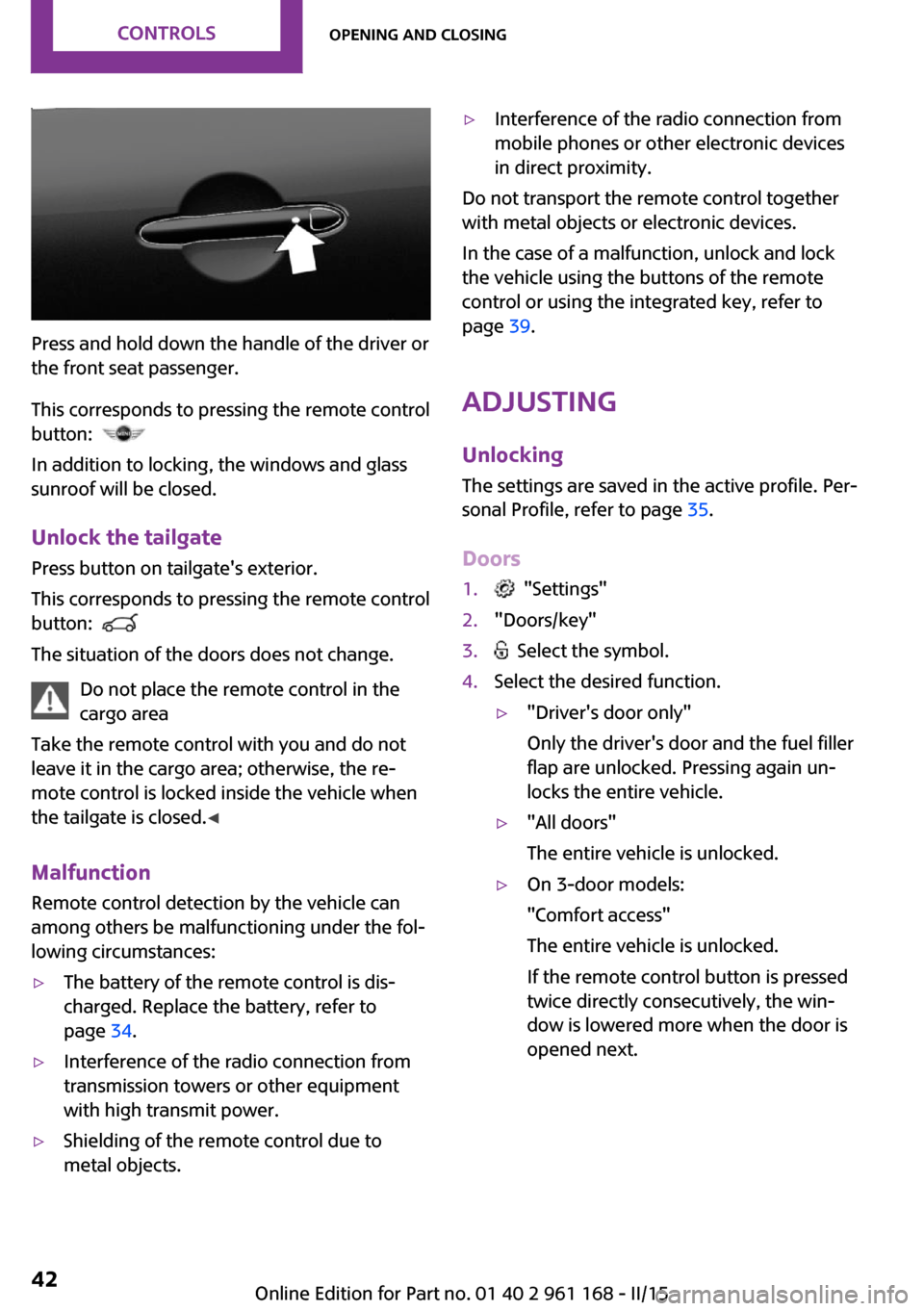
Press and hold down the handle of the driver or
the front seat passenger.
This corresponds to pressing the remote control
button:
In addition to locking, the windows and glass
sunroof will be closed.
Unlock the tailgate Press button on tailgate's exterior.
This corresponds to pressing the remote control
button:
The situation of the doors does not change.
Do not place the remote control in the
cargo area
Take the remote control with you and do not
leave it in the cargo area; otherwise, the re‐
mote control is locked inside the vehicle when
the tailgate is closed. ◀
Malfunction Remote control detection by the vehicle can
among others be malfunctioning under the fol‐
lowing circumstances:
▷The battery of the remote control is dis‐
charged. Replace the battery, refer to
page 34.▷Interference of the radio connection from
transmission towers or other equipment
with high transmit power.▷Shielding of the remote control due to
metal objects.▷Interference of the radio connection from
mobile phones or other electronic devices
in direct proximity.
Do not transport the remote control together
with metal objects or electronic devices.
In the case of a malfunction, unlock and lock
the vehicle using the buttons of the remote
control or using the integrated key, refer to
page 39.
Adjusting Unlocking The settings are saved in the active profile. Per‐
sonal Profile, refer to page 35.
Doors
1. "Settings"2."Doors/key"3. Select the symbol.4.Select the desired function.▷"Driver's door only"
Only the driver's door and the fuel filler
flap are unlocked. Pressing again un‐
locks the entire vehicle.▷"All doors"
The entire vehicle is unlocked.▷On 3-door models:
"Comfort access"
The entire vehicle is unlocked.
If the remote control button is pressed
twice directly consecutively, the win‐
dow is lowered more when the door is
opened next.Seite 42CONTROLSOpening and closing42
Online Edition for Part no. 01 40 2 961 168 - II/15
Page 85 of 244
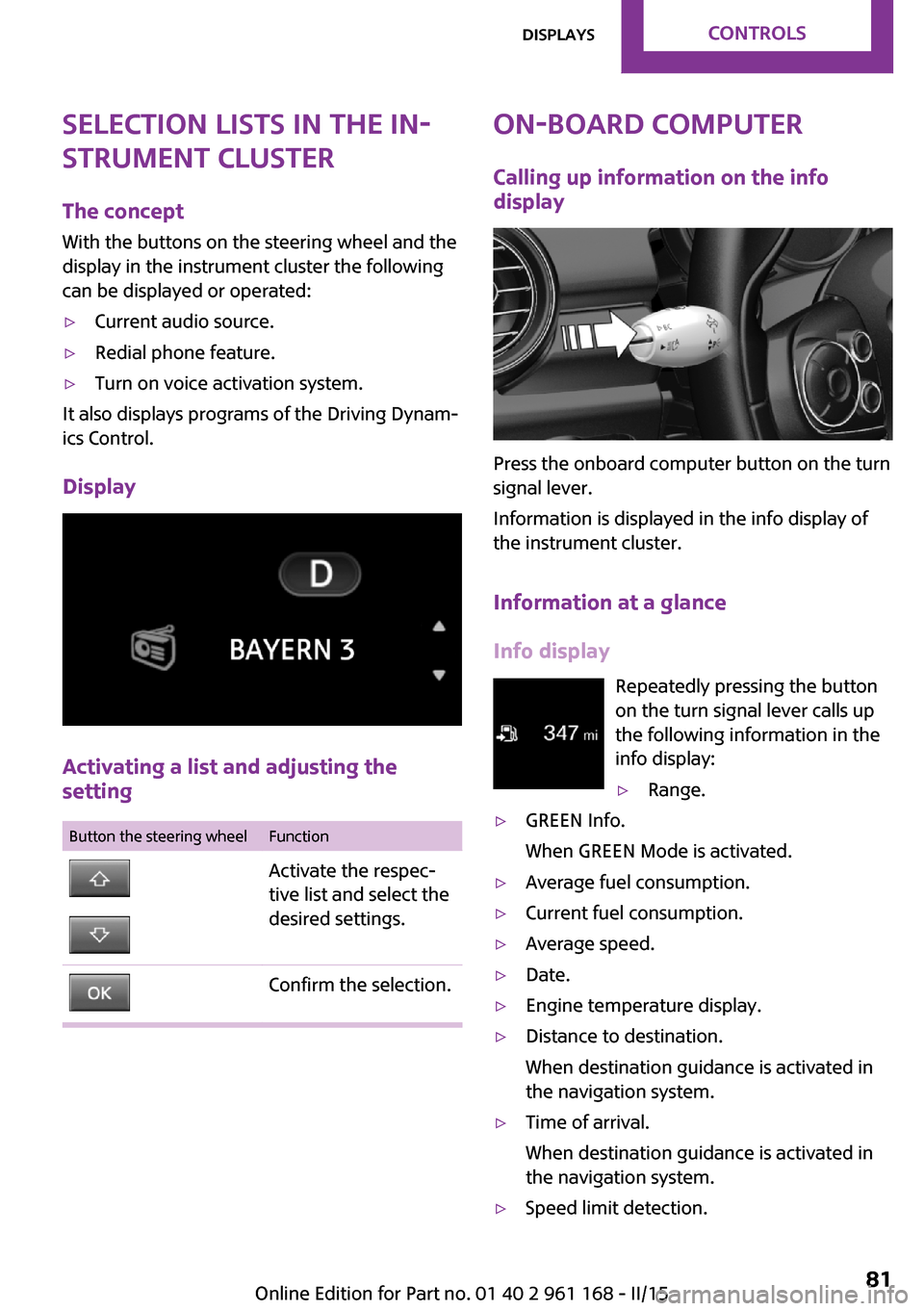
Selection lists in the in‐
strument cluster
The concept
With the buttons on the steering wheel and the
display in the instrument cluster the following
can be displayed or operated:▷Current audio source.▷Redial phone feature.▷Turn on voice activation system.
It also displays programs of the Driving Dynam‐
ics Control.
Display
Activating a list and adjusting the
setting
Button the steering wheelFunctionActivate the respec‐
tive list and select the
desired settings.Confirm the selection.On-board computer
Calling up information on the info
display
Press the onboard computer button on the turn
signal lever.
Information is displayed in the info display of
the instrument cluster.
Information at a glance
Info display Repeatedly pressing the button
on the turn signal lever calls up
the following information in the
info display:
▷Range.▷GREEN Info.
When GREEN Mode is activated.▷Average fuel consumption.▷Current fuel consumption.▷Average speed.▷Date.▷Engine temperature display.▷Distance to destination.
When destination guidance is activated in
the navigation system.▷Time of arrival.
When destination guidance is activated in
the navigation system.▷Speed limit detection.Seite 81DisplaysCONTROLS81
Online Edition for Part no. 01 40 2 961 168 - II/15
Page 100 of 244

Knee airbagThe knee airbag supports the legs in a frontal
impact.
Protective action Airbags are not triggered in every impact situa‐
tion, e.g., in less severe accidents or rear-end
collisions.
Information on how to ensure the opti‐
mal protective effect of the airbags▷Keep at a distance from the airbags.▷Always grasp the steering wheel on the
steering wheel rim, holding your hands at
the 3 o'clock and 9 o'clock positions, to
keep the risk of injury to your hands or
arms as low as possible when the airbag is
triggered.▷There should be no person, animals, or ob‐
jects between an airbag and a person.▷Do not use the cover of the front airbag on
the front passenger side as a storage area.▷Dashboard and windshield on the front
passenger side must stay clear - do not at‐
tach adhesive labels or coverings and do
not attach brackets or cables, e. g., for GPS
devices or' mobile phones.▷Make sure that the front passenger is sitting
correctly, i.e., keeps his or her feet and legs
in the footwell; otherwise, leg injuries might
occur when front airbag is activated.▷Do not place slip covers, seat cushions or
other objects on the front passenger seat
that are not approved specifically for seats
with integrated side airbags.▷Do not hang pieces of clothing, such as
jackets, over the backrests.▷Make sure that occupants keep their heads
away from the side airbag and do not rest
against the head airbag; otherwise, injuries
might occur when airbag is activated.▷Do not remove the airbag system.▷Do not remove the steering wheel.▷Do not apply adhesive materials to the air‐
bag cover panels, do not cover them or
modify them in any way.▷Never modify either the individual compo‐
nents or the wiring in the airbag system.
This also applies to steering wheel covers,
the dashboard, the seats, the roof pillars
and the sides of the roofliner. ◀
Even when you follow all instructions very
closely, injury from contact with the airbags
cannot be ruled out in certain situations.
The ignition and inflation noise may lead to
short-term and, in most cases, temporary hear‐
ing impairment in sensitive individuals.
Malfunction, deactivation and after de‐
ploying the airbags
Do not touch the individual components imme‐
diately after the system has been triggered;
otherwise, you may risk burns.
Only have the airbags checked, repaired or dis‐
mantled and the airbag generator scrapped by
the service center or an authorized repair shop
for handling explosives.
Non-professional attempts to service the sys‐
tem could lead to failure in an emergency or
unintentional activation of the airbag - both
may lead to injury. ◀
Warnings and information on the airbags are
also found on the sun visors.
Functional readiness of the airbag
system
When the ignition is reel on, the warn‐
ing lamp in the instrument cluster lights
up briefly and thereby indicates the op‐
erational readiness of the entire airbag system
and the belt tensioner.
Airbag system malfunctioning
▷Warning lamp does not come on when the
ignition is turned on.▷The warning lamp lights up continuously.Seite 96CONTROLSSafety96
Online Edition for Part no. 01 40 2 961 168 - II/15
Page 159 of 244

▷Close all windows and the glass sunroof.▷Greatly increase the air flow from the vents.▷Drive moderately.
Hot exhaust systemHot exhaust system
High temperatures are generated in the
exhaust system.
Do not remove the heat shields installed and
never apply undercoating to them. Make sure
that flammable materials, e. g. hay, leaves,
grass, etc. do not come in contact with the hot
exhaust system while driving, while in idle posi‐
tion mode, or when parked. Such contact could
lead to a fire, resulting in an increased risk of
serious personal injury as well as property dam‐
age.
Do not touch hot exhaust pipes; otherwise,
there is a danger of getting burned. ◀
Mobile communication devices in the
vehicle
Mobile communication devices in the ve‐hicle
It is not recommended to use mobile phones,
such as mobile phones, in the vehicle interior
without a direct connection to an external aer‐
ial. Otherwise, the vehicle's electronics and mo‐
bile communication devices can interfere with
each other. In addition, there is no assurance
that the radiation generated during transmis‐
sion will be conducted away from the vehicle
interior. ◀
Hydroplaning Hydroplaning
When driving on wet or slushy roads, re‐
duce your speed to prevent hydroplaning. ◀
On wet or slushy roads, a wedge of water can
form between the tires and road surface.
This phenomenon is referred to as hydroplan‐
ing. It is characterized by a partial or complete
loss of contact between the tires and the road
surface, ultimately undermining your ability to
steer and brake the vehicle.
Driving through water Observe water level and speed
Do not exceed the maximum water level
and maximum speed; otherwise, the vehicle's
engine, the electrical systems and the transmis‐
sion may be damaged. ◀
Drive through calm water only if it is not deeper
than 9.8 inches/25 cm and at this height, no
faster than walking speed, up to 3 mph/5 km/h.
Braking safely Your vehicle is equipped with ABS as a standard
feature.
Applying the brakes fully is the most effective
way of braking in situations needed.
Steering is still responsive. You can still avoid
any obstacles with a minimum of steering ef‐
fort.
Pulsation of the brake pedal and sounds from
the hydraulic circuits indicate that ABS is in its
active mode.
Objects in the area around the pedals No objects in the area around the pedals
Keep floor mats, carpets, and any other
objects out of the pedal area; otherwise, the
function of the pedals could be impeded while
driving and create the risk of an accident.
Do not place additional floor mats over existing
mats or other objects.
Only use floor mats that have been approved
for the vehicle and can be properly attached to
floor.
Ensure that the floor mats are securely fastened
again after they were removed for cleaning,
e.g. ◀Seite 155Things to remember when drivingDRIVING TIPS155
Online Edition for Part no. 01 40 2 961 168 - II/15
Page 239 of 244

MINI Connected, refer toIntegrated Owner's Manual
MINI maintenance sys‐ tem 195
MINIMALISM Analyser 166
MINIMALISM info 165
Minimum tread, tires 180
Mirrors 53
Mobile communication devi‐ ces in the vehicle 155
Mobility System 183
Mode, GREEN Mode 162
Modifications, technical, refer to Safety 7
Moisture in headlight 198
Monitor, refer to Control Dis‐ play 18
Mounting of child restraint systems 56
Multifunction steering wheel, buttons 14
Multimedia, refer to Integrated Owner's Manual
N Navigation, refer to Integrated Owner's Manual
Neck restraints, front, refer to Head restraints 51
Neck restraints, rear, refer to Head restraints 52
New wheels and tires 181
Nylon rope for tow-starting/ towing 212
O
OBD Onboard Diagnos‐ tics 196
Obstacle marking, rearview camera 127
Octane rating, refer to Recom‐ mended fuel grade 172
Odometer 77 Office, refer to Integrated
Owner's Manual
Oil 190
Oil, adding 191
Oil additives 191
Oil change 192
Oil change interval, service re‐ quirements 78
Oil filler neck 191
Oil types, alternative 192
Oil types, approved 192
Old batteries, disposal 208
On-board computer 81
Onboard Diagnostics OBD 196
Onboard monitor 18
Onboard monitor operating concept 18
Onboard vehicle tool kit 197
Opening/closing via door lock 39
Opening/closing with remote control 37
Operating menus, onboard monitor 18
Optional equipment, standard equipment 6
Outside air, refer to Automatic recirculated-air control 137
Own safety 7
P Paint, vehicle 215
Panoramic glass sunroof 46
Parallel parking assistant 127
Park Distance Control PDC 123
Parked-car ventilation 138
Parked vehicle, condensa‐ tion 156
Parking aid, refer to PDC 123
Parking assistant 127
Parking brake 64
Parking lights 90 Passenger side mirror, tilting
downward 54
Pathway lines, rearview cam‐ era 126
PDC Park Distance Con‐ trol 123
Pedestrian warning with city braking function 107
Performance Control 112
Personal Profile 35
Phone, refer to Integrated Owner's Manual
Pinch protection system, glass sunroof 47
Pinch protection system, win‐ dows 45
Plastic, care 216
Power failure 207
Power windows 45
Pressure, tire air pressure 174
Pressure warning, tires 102
Profile, refer to Personal Pro‐ file 35
Protective function, glass sun‐ roof 47
Protective function, win‐ dows 45
Push-and-turn switch, refer to Controller 19
R
Radiator fluid 193
Radio-operated key, refer to Remote control 34
Radio ready state 60
Radio, refer to Integrated Owner's Manual
Rain sensor 66
Rear fog lights 93
Rear lights 201
Rear luggage rack 159
Rearview camera 125
Rearview mirror 53
Rear window de‐ froster 134, 137 Seite 235Everything from A to ZREFERENCE235
Online Edition for Part no. 01 40 2 961 168 - II/15