ECU MITSUBISHI ASX 2009 1.G User Guide
[x] Cancel search | Manufacturer: MITSUBISHI, Model Year: 2009, Model line: ASX, Model: MITSUBISHI ASX 2009 1.GPages: 368, PDF Size: 8.13 MB
Page 54 of 368
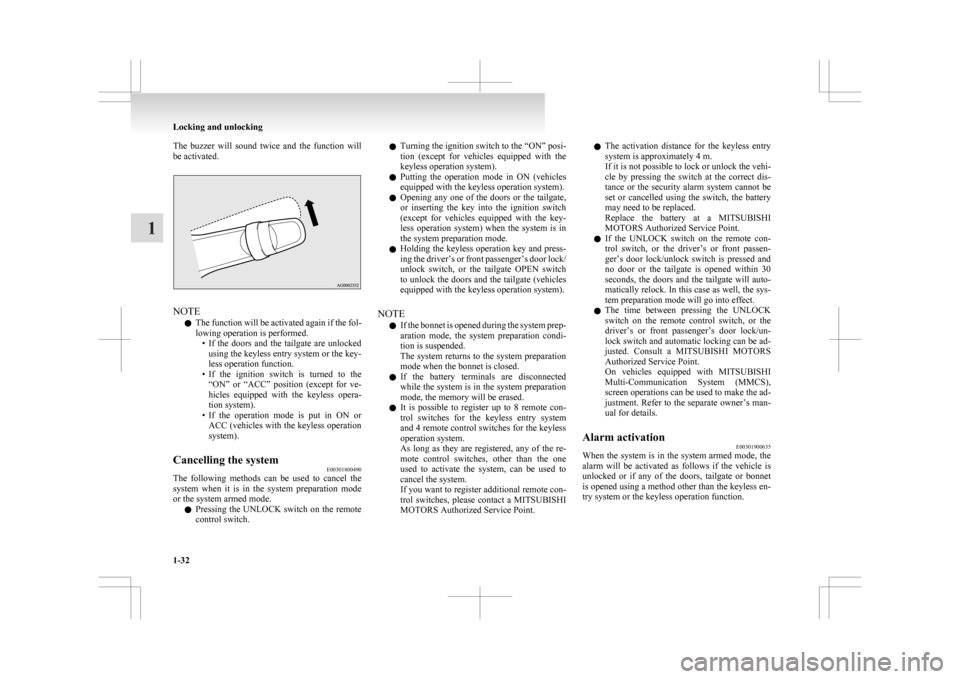
The buzzer will sound twice and the function will
be activated.
NOTE
l The
function will be activated again if the fol-
lowing operation is performed. • If the doors and the tailgate are unlockedusing the keyless entry system or the key-
less operation function.
• If the ignition switch is turned to the “ON” or “ACC” position (except for ve-
hicles equipped with the keyless opera-
tion system).
• If the operation mode is put in ON or ACC (vehicles with the keyless operation
system).
Cancelling the system E00301800490
The following methods can be used to cancel the
system
when it is in the system preparation mode
or the system armed mode.
l Pressing the UNLOCK switch on the remote
control switch. l
Turning
the ignition switch to the “ON” posi-
tion (except for vehicles equipped with the
keyless operation system).
l Putting the operation mode in ON (vehicles
equipped with the keyless operation system).
l Opening any one of the doors or the tailgate,
or inserting the key into the ignition switch
(except for vehicles equipped with the key-
less operation system) when the system is in
the system preparation mode.
l Holding the keyless operation key and press-
ing the driver’s or front passenger’s door lock/
unlock switch, or the tailgate OPEN switch
to unlock the doors and the tailgate (vehicles
equipped with the keyless operation system).
NOTE l If the bonnet is opened during the system prep-
aration mode, the system preparation condi-
tion is suspended.
The system returns to the system preparation
mode when the bonnet is closed.
l If the battery terminals are disconnected
while the system is in the system preparation
mode, the memory will be erased.
l It is possible to register up to 8 remote con-
trol switches for the keyless entry system
and 4 remote control switches for the keyless
operation system.
As long as they are registered, any of the re-
mote control switches, other than the one
used to activate the system, can be used to
cancel the system.
If you want to register additional remote con-
trol switches, please contact a MITSUBISHI
MOTORS Authorized Service Point. l
The activation distance for the keyless entry
system is approximately 4 m.
If it is not possible to lock or unlock the vehi-
cle by pressing the switch at the correct dis-
tance or the security alarm system cannot be
set or cancelled using the switch, the battery
may need to be replaced.
Replace the battery at a MITSUBISHI
MOTORS Authorized Service Point.
l If the UNLOCK switch on the remote con-
trol switch, or the driver’s or front passen-
ger’s door lock/unlock switch is pressed and
no door or the tailgate is opened within 30
seconds, the doors and the tailgate will auto-
matically relock. In this case as well, the sys-
tem preparation mode will go into effect.
l The time between pressing the UNLOCK
switch on the remote control switch, or the
driver’s or front passenger’s door lock/un-
lock switch and automatic locking can be ad-
justed. Consult a MITSUBISHI MOTORS
Authorized Service Point.
On vehicles equipped with MITSUBISHI
Multi-Communication System (MMCS),
screen operations can be used to make the ad-
justment. Refer to the separate owner’s man-
ual for details.
Alarm activation E00301900635
When the system is in the system armed mode, the
alarm
will be activated as follows if the vehicle is
unlocked or if any of the doors, tailgate or bonnet
is opened using a method other than the keyless en-
try system or the keyless operation function. Locking and unlocking
1-32
1
Page 61 of 368
Seat adjustment
E00400300271
Adjust
the driver’s seat so that you are comfortable
and that you can reach the pedals, steering wheel,
switches etc. while retaining a clear field of vision. WARNING
l Do
not attempt to adjust the seat while
driving. This can cause loss of vehicle con-
trol and result in an accident. After ad-
justments are made, ensure the seating is
locked in position by attempting to move
the seat forward and rearward without us-
ing the adjusting mechanism.
l Do not let children or adults ride in areas
of the vehicle that are not equipped with
seats or seat belts. Also, make sure that
all occupants are sitting in their seats and
wearing their seat belts, and that children
are sitting in child restraints.
l To minimize the risk of personal injury
in the event of a collision or sudden brak-
ing, the seatbacks should always be in the
almost upright position while the vehicle
is in motion. The protection provided by
the seat belts may be reduced significant-
ly when the seatback is reclined. There is
greater risk that the passenger will slide
under the seat belt, resulting in serious in-
jury, when the seatback is reclined. CAUTION
l
Make
sure the seat is adjusted by an
adult or with adult supervision for cor-
rect and safe operation.
l Do not place a cushion or the like be-
tween your back and the seatback while
driving. The effectiveness of the head re-
straints will be reduced in the event of an
accident.
l When sliding the seat rearward, be care-
ful not to catch your hand or foot. Front seat
E00400400142
To adjust forward or backward E00400500462
Manual type
Pull
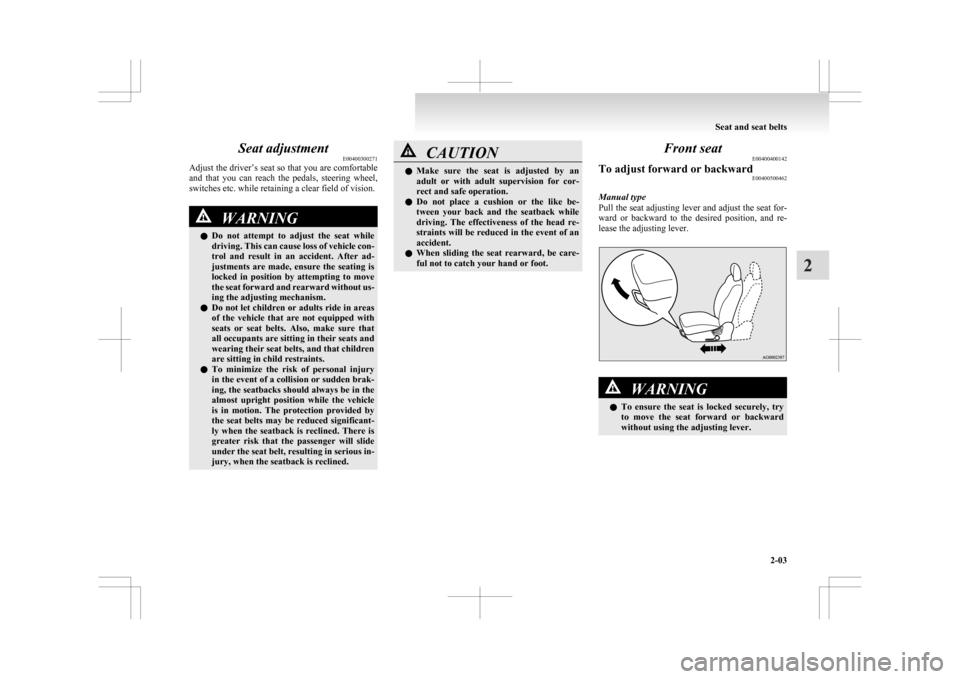
the seat adjusting lever and adjust the seat for-
ward or backward to the desired position, and re-
lease the adjusting lever. WARNING
l To
ensure the seat is locked securely, try
to move the seat forward or backward
without using the adjusting lever. Seat and seat belts
2-03 2
Page 66 of 368
Installation
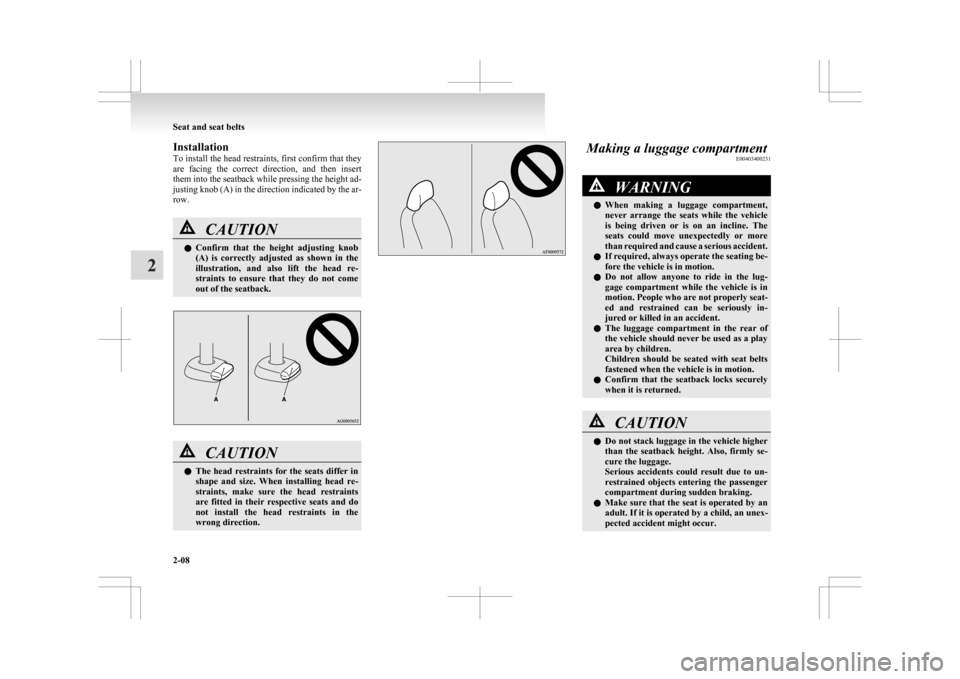
To
install the head restraints, first confirm that they
are facing the correct direction, and then insert
them into the seatback while pressing the height ad-
justing knob (A) in the direction indicated by the ar-
row. CAUTION
l
Confirm
that the height adjusting knob
(A) is correctly adjusted as shown in the
illustration, and also lift the head re-
straints to ensure that they do not come
out of the seatback. CAUTION
l
The
head restraints for the seats differ in
shape and size. When installing head re-
straints, make sure the head restraints
are fitted in their respective seats and do
not install the head restraints in the
wrong direction. Making a luggage compartment
E00403400231 WARNING
l When
making a luggage compartment,
never arrange the seats while the vehicle
is being driven or is on an incline. The
seats could move unexpectedly or more
than required and cause a serious accident.
l If required, always operate the seating be-
fore the vehicle is in motion.
l Do not allow anyone to ride in the lug-
gage compartment while the vehicle is in
motion. People who are not properly seat-
ed and restrained can be seriously in-
jured or killed in an accident.
l The luggage compartment in the rear of
the vehicle should never be used as a play
area by children.
Children should be seated with seat belts
fastened when the vehicle is in motion.
l Confirm that the seatback locks securely
when it is returned. CAUTION
l
Do
not stack luggage in the vehicle higher
than the seatback height. Also, firmly se-
cure the luggage.
Serious accidents could result due to un-
restrained objects entering the passenger
compartment during sudden braking.
l Make sure that the seat is operated by an
adult. If it is operated by a child, an unex-
pected accident might occur. Seat and seat belts
2-08
2
Page 74 of 368
Front passenger’s airbag ONWARNING
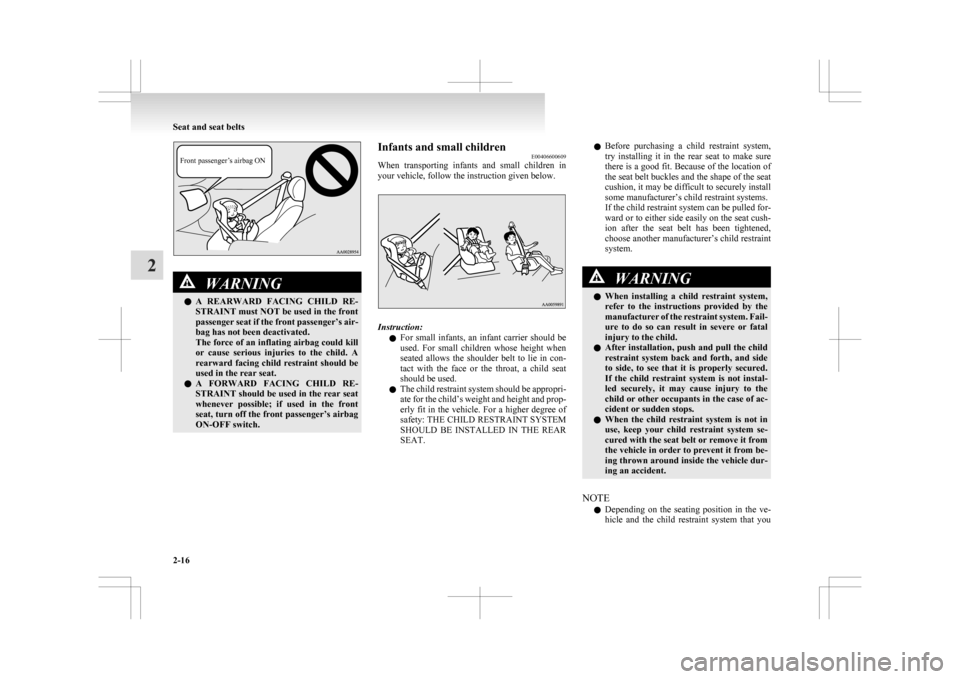
l A
REARWARD FACING CHILD RE-
STRAINT must NOT be used in the front
passenger seat if the front passenger’s air-
bag has not been deactivated.
The force of an inflating airbag could kill
or cause serious injuries to the child. A
rearward facing child restraint should be
used in the rear seat.
l A FORWARD FACING CHILD RE-
STRAINT should be used in the rear seat
whenever possible; if used in the front
seat, turn off the front passenger’s airbag
ON-OFF switch. Infants and small children
E00406600609
When
transporting infants and small children in
your vehicle, follow the instruction given below. Instruction:
l For
small infants, an infant carrier should be
used. For small children whose height when
seated allows the shoulder belt to lie in con-
tact with the face or the throat, a child seat
should be used.
l The child restraint system should be appropri-
ate for the child’s weight and height and prop-
erly fit in the vehicle. For a higher degree of
safety: THE CHILD RESTRAINT SYSTEM
SHOULD BE INSTALLED IN THE REAR
SEAT. l
Before
purchasing a child restraint system,
try installing it in the rear seat to make sure
there is a good fit. Because of the location of
the seat belt buckles and the shape of the seat
cushion, it may be difficult to securely install
some manufacturer’s child restraint systems.
If the child restraint system can be pulled for-
ward or to either side easily on the seat cush-
ion after the seat belt has been tightened,
choose another manufacturer’s child restraint
system. WARNING
l When
installing a child restraint system,
refer to the instructions provided by the
manufacturer of the restraint system. Fail-
ure to do so can result in severe or fatal
injury to the child.
l After installation, push and pull the child
restraint system back and forth, and side
to side, to see that it is properly secured.
If the child restraint system is not instal-
led securely, it may cause injury to the
child or other occupants in the case of ac-
cident or sudden stops.
l When the child restraint system is not in
use, keep your child restraint system se-
cured with the seat belt or remove it from
the vehicle in order to prevent it from be-
ing thrown around inside the vehicle dur-
ing an accident.
NOTE l Depending
on the seating position in the ve-
hicle and the child restraint system that you Seat and seat belts
2-16
2
Page 81 of 368
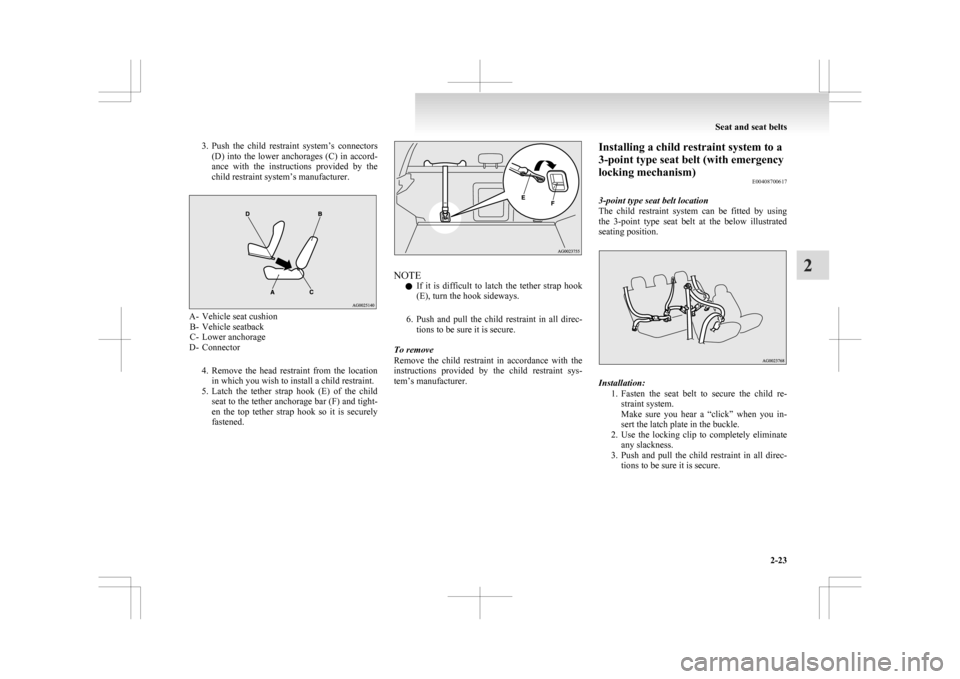
3. Push the child restraint system’s connectors
(D) into the lower anchorages (C) in accord-
ance with the instructions provided by the
child restraint system’s manufacturer. A- Vehicle seat cushion
B-
Vehicle seatback
C- Lower anchorage
D- Connector
4. Remove the head restraint from the locationin which you wish to install a child restraint.
5. Latch the tether strap hook (E) of the child seat to the tether anchorage bar (F) and tight-
en the top tether strap hook so it is securely
fastened. NOTE
l If
it is difficult to latch the tether strap hook
(E), turn the hook sideways.
6. Push and pull the child restraint in all direc- tions to be sure it is secure.
To remove
Remove the child restraint in accordance with the
instructions provided by the child restraint sys-
tem’s manufacturer. Installing a child restraint system to a
3-point type seat belt (with emergency
locking mechanism)
E00408700617
3-point type seat belt location
The
child restraint system can be fitted by using
the 3-point type seat belt at the below illustrated
seating position. Installation:
1. Fasten
the seat belt to secure the child re-
straint system.
Make sure you hear a “click” when you in-
sert the latch plate in the buckle.
2. Use the locking clip to completely eliminate any slackness.
3. Push and pull the child restraint in all direc- tions to be sure it is secure. Seat and seat belts
2-23 2
Page 121 of 368
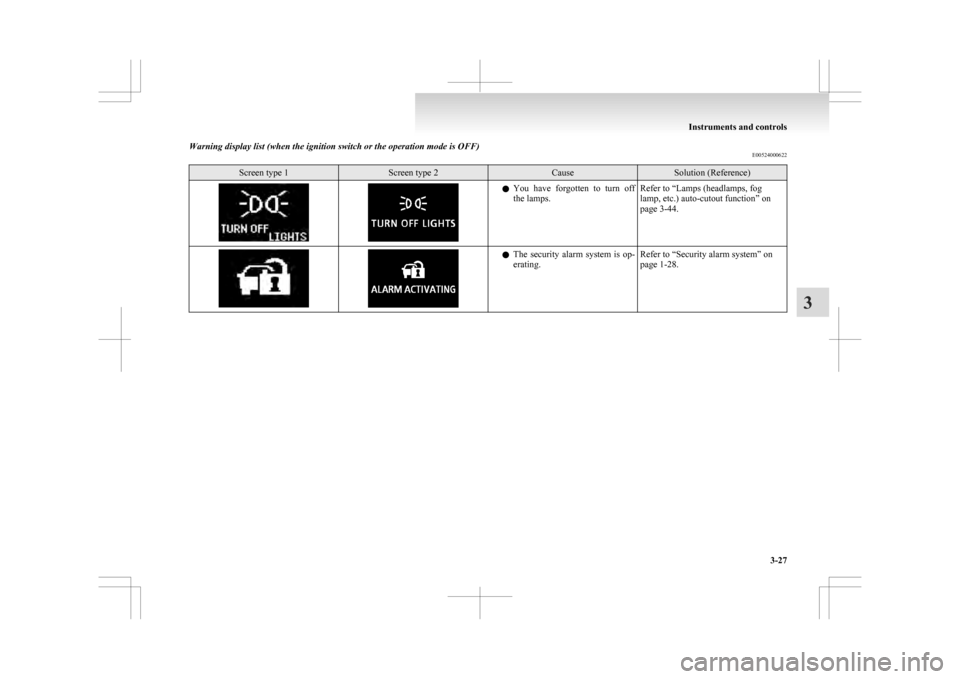
Warning display list (when the ignition switch or the operation mode is OFF)
E00524000622Screen type 1 Screen type 2 Cause Solution (Reference)
l
You have forgotten to turn off
the lamps. Refer to “Lamps (headlamps, fog
lamp, etc.) auto-cutout function” on
page 3-44. l
The
security alarm system is op-
erating. Refer to “Security alarm system” on
page 1-28. Instruments and controls
3-27 3
Page 155 of 368
Safe driving techniques
E00600300446
Driving
safety and protection against injury cannot
be fully ensured. However, we recommend that
you pay extra attention to the following:
Seat belts
Before starting the vehicle, make sure that you and
your passengers have fastened your seat belts.
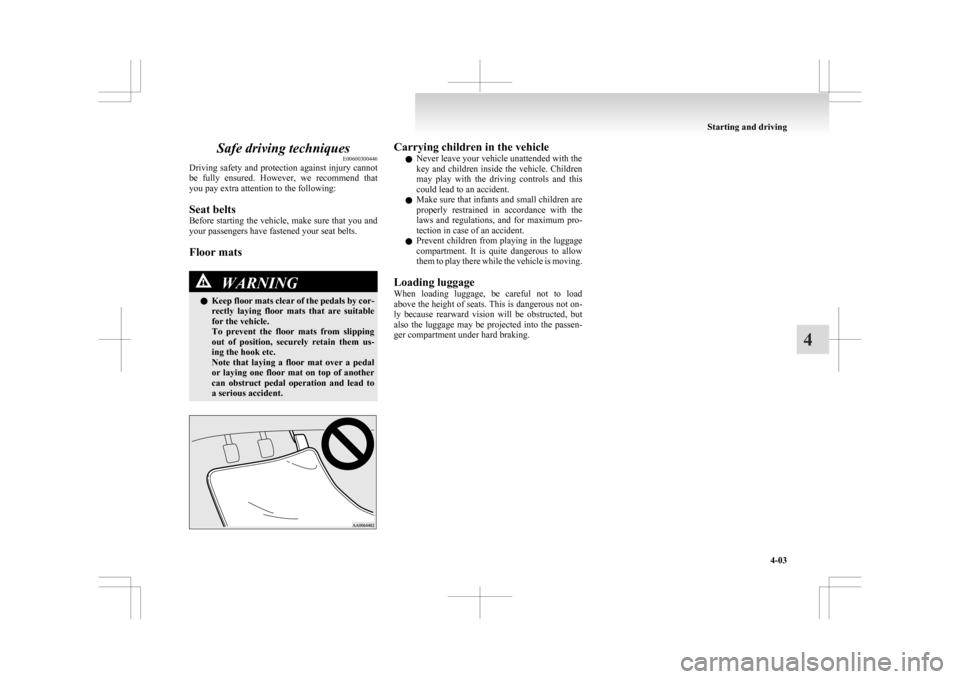
Floor mats WARNING
l Keep
floor mats clear of the pedals by cor-
rectly laying floor mats that are suitable
for the vehicle.
To prevent the floor mats from slipping
out of position, securely retain them us-
ing the hook etc.
Note that laying a floor mat over a pedal
or laying one floor mat on top of another
can obstruct pedal operation and lead to
a serious accident. Carrying children in the vehicle
l Never leave your vehicle unattended with the
key
and children inside the vehicle. Children
may play with the driving controls and this
could lead to an accident.
l Make sure that infants and small children are
properly restrained in accordance with the
laws and regulations, and for maximum pro-
tection in case of an accident.
l Prevent children from playing in the luggage
compartment. It is quite dangerous to allow
them to play there while the vehicle is moving.
Loading luggage
When loading luggage, be careful not to load
above the height of seats. This is dangerous not on-
ly because rearward vision will be obstructed, but
also the luggage may be projected into the passen-
ger compartment under hard braking. Starting and driving
4-03 4
Page 160 of 368
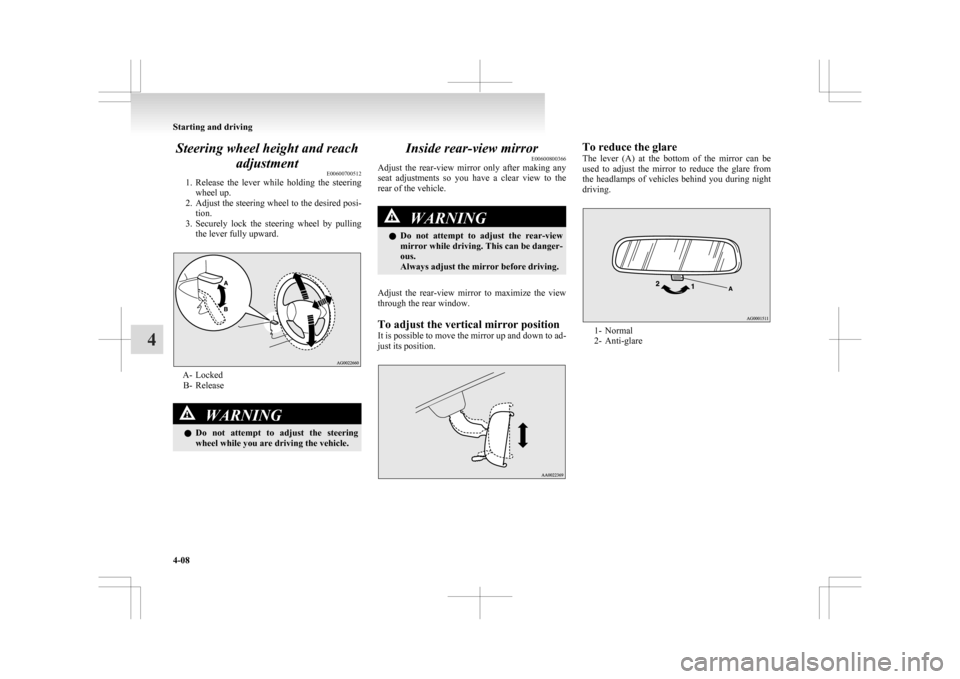
Steering wheel height and reach
adjustment E00600700512
1. Release
the lever while holding the steering
wheel up.
2. Adjust the steering wheel to the desired posi- tion.
3. Securely lock the steering wheel by pulling the lever fully upward. A- Locked
B-
Release WARNING
l Do
not attempt to adjust the steering
wheel while you are driving the vehicle. Inside rear-view mirror
E00600800366
Adjust
the rear-view mirror only after making any
seat adjustments so you have a clear view to the
rear of the vehicle. WARNING
l Do
not attempt to adjust the rear-view
mirror while driving. This can be danger-
ous.
Always adjust the mirror before driving.
Adjust the rear-view mirror to maximize the view
through the rear window.
To adjust the vertical mirror position
It
is possible to move the mirror up and down to ad-
just its position. To reduce the glare
The
lever (A) at the bottom of the mirror can be
used to adjust the mirror to reduce the glare from
the headlamps of vehicles behind you during night
driving. 1- Normal
2-
Anti-glare Starting and driving
4-08
4
Page 178 of 368
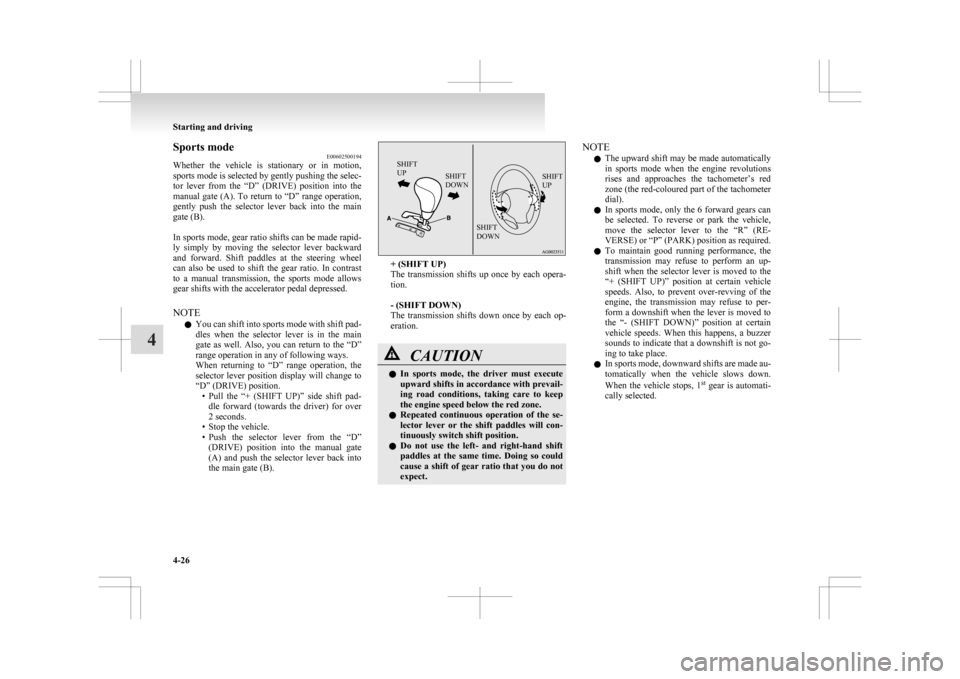
Sports mode
E00602500194
Whether
the vehicle is stationary or in motion,
sports mode is selected by gently pushing the selec-
tor lever from the “D” (DRIVE) position into the
manual gate (A). To return to “D” range operation,
gently push the selector lever back into the main
gate (B).
In sports mode, gear ratio shifts can be made rapid-
ly simply by moving the selector lever backward
and forward. Shift paddles at the steering wheel
can also be used to shift the gear ratio. In contrast
to a manual transmission, the sports mode allows
gear shifts with the accelerator pedal depressed.
NOTE
l You can shift into sports mode with shift pad-
dles when the selector lever is in the main
gate as well. Also, you can return to the “D”
range operation in any of following ways.
When returning to “D” range operation, the
selector lever position display will change to
“D” (DRIVE) position.
• Pull the “+ (SHIFT UP)” side shift pad-dle forward (towards the driver) for over
2 seconds.
• Stop the vehicle.
• Push the selector lever from the “D” (DRIVE) position into the manual gate
(A) and push the selector lever back into
the main gate (B).
SHIFT
UP SHIFT
DOWN SHIFT
UP
SHIFT
DOWN + (SHIFT UP)
The
transmission shifts up once by each opera-
tion.
- (SHIFT DOWN)
The transmission shifts down once by each op-
eration. CAUTION
l
In
sports mode, the driver must execute
upward shifts in accordance with prevail-
ing road conditions, taking care to keep
the engine speed below the red zone.
l Repeated continuous operation of the se-
lector lever or the shift paddles will con-
tinuously switch shift position.
l Do not use the left- and right-hand shift
paddles at the same time. Doing so could
cause a shift of gear ratio that you do not
expect. NOTE
l The
upward shift may be made automatically
in sports mode when the engine revolutions
rises and approaches the tachometer’s red
zone (the red-coloured part of the tachometer
dial).
l In sports mode, only the 6 forward gears can
be selected. To reverse or park the vehicle,
move the selector lever to the “R” (RE-
VERSE) or “P” (PARK) position as required.
l To maintain good running performance, the
transmission may refuse to perform an up-
shift when the selector lever is moved to the
“+ (SHIFT UP)” position at certain vehicle
speeds. Also, to prevent over-revving of the
engine, the transmission may refuse to per-
form a downshift when the lever is moved to
the “- (SHIFT DOWN)” position at certain
vehicle speeds. When this happens, a buzzer
sounds to indicate that a downshift is not go-
ing to take place.
l In sports mode, downward shifts are made au-
tomatically when the vehicle slows down.
When the vehicle stops, 1 st
gear is automati-
cally selected. Starting and driving
4-26
4
Page 187 of 368
WARNING
l Do not leave any objects near the brake
pedal or let a floor mat slide under it; do-
ing so could prevent the full pedal stroke
that would be necessary in an emergency.
Make sure that the pedal can be operated
freely at all times. Make sure the floor
mat is securely held in place.
Brake pad l Avoid hard braking situations.
New
brakes need to be broken-in by moder-
ate use for the first 200 km (124 miles).
l The disc brakes are provided with a warning
device which emits a shrieking metallic
sound while braking if the brake pads have
reached their wear limit. If you hear this
sound, have the brake pads replaced immedi-
ately. WARNING
l Driving
with worn brake pads will make
it harder to stop, and can cause an acci-
dent. Hill start assist*
E00628000155
The
hill start assist makes it easy to start off on a
steep uphill slope by preventing the vehicle from
moving backwards. It keeps the braking force for
about 2 seconds when you move your foot from the
brake pedal to the accelerator pedal. CAUTION
l
Do
not overly rely on the hill start assist
to prevent backwards movement of the ve-
hicle. Under certain circumstances, even
when hill start assist is activated, the vehi-
cle may move backwards if the brake ped-
al is not sufficiently depressed, if the vehi-
cle is heavily loaded, or if the road is very
steep or slippery.
l The hill start assist is not designed to
keep the vehicle stopped in place on up-
hill slopes for more than 2 seconds.
l When facing uphill, do not rely on using
the hill start assist to maintain a stopped
position as an alternative to depressing
the brake pedal.
Doing so could result in an accident.
l Do not perform the following operation
while the hill start assist is operating.
[Except for vehicles equipped with key-
less operation system]
Turn the ignition switch to the “LOCK”
or “ACC” position.
[Vehicles equipped with keyless operation
system]
Put the operation mode in OFF or ACC.
The hill start assist could stop operating,
which could result in an accident. To operate
E00628100172
1. Stop
the vehicle completely using the brake
pedal.
2. On vehicles equipped with M/T, place the
gearshift lever into the 1 st
position.
On vehicles equipped with CVT, place the se-
lector lever into the “D” position.
NOTE l When reversing on an uphill slope, place the
gearshift lever or the selector lever into the
“R” position.
3. Release the brake pedal and the hill start as- sist will maintain the braking force applied
while stopping for approximately 2 seconds.
4. Depress the accelerator pedal and the hill start assist gradually will decrease the brak-
ing force as the vehicle starts moving.
NOTE l The hill start assist is activated when all of
the following conditions are met.
• The engine is running.(The hill start assist will not be activated
while the engine is starting or immediate-
ly after the engine is started.) Starting and driving
4-35 4