ignition MITSUBISHI ASX 2009 1.G Owner's Manual
[x] Cancel search | Manufacturer: MITSUBISHI, Model Year: 2009, Model line: ASX, Model: MITSUBISHI ASX 2009 1.GPages: 368, PDF Size: 8.13 MB
Page 88 of 368
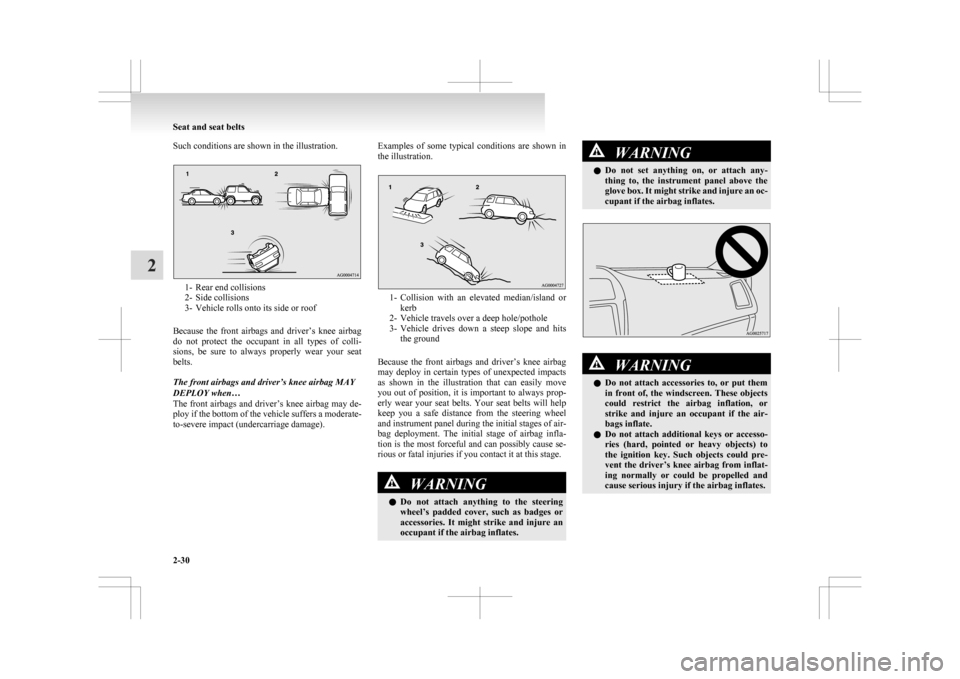
Such conditions are shown in the illustration.
1- Rear end collisions
2-
Side collisions
3- Vehicle rolls onto its side or roof
Because the front airbags and driver’s knee airbag
do not protect the occupant in all types of colli-
sions, be sure to always properly wear your seat
belts.
The front airbags and driver’s knee airbag MAY
DEPLOY when…
The front airbags and driver’s knee airbag may de-
ploy if the bottom of the vehicle suffers a moderate-
to-severe impact (undercarriage damage). Examples of some typical conditions are shown in
the illustration.
1- Collision
with an elevated median/island or
kerb
2- Vehicle travels over a deep hole/pothole
3- Vehicle drives down a steep slope and hits the ground
Because the front airbags and driver’s knee airbag
may deploy in certain types of unexpected impacts
as shown in the illustration that can easily move
you out of position, it is important to always prop-
erly wear your seat belts. Your seat belts will help
keep you a safe distance from the steering wheel
and instrument panel during the initial stages of air-
bag deployment. The initial stage of airbag infla-
tion is the most forceful and can possibly cause se-
rious or fatal injuries if you contact it at this stage. WARNING
l Do
not attach anything to the steering
wheel’s padded cover, such as badges or
accessories. It might strike and injure an
occupant if the airbag inflates. WARNING
l Do
not set anything on, or attach any-
thing to, the instrument panel above the
glove box. It might strike and injure an oc-
cupant if the airbag inflates. WARNING
l Do
not attach accessories to, or put them
in front of, the windscreen. These objects
could restrict the airbag inflation, or
strike and injure an occupant if the air-
bags inflate.
l Do not attach additional keys or accesso-
ries (hard, pointed or heavy objects) to
the ignition key. Such objects could pre-
vent the driver’s knee airbag from inflat-
ing normally or could be propelled and
cause serious injury if the airbag inflates. Seat and seat belts
2-30
2
Page 92 of 368
WARNING
l Do not put a hanger or any heavy or poin-
ted object on the coat hook. If the curtain
airbag was activated, any such item could
be propelled away with great force and
could prevent the curtain airbag from in-
flating correctly. Hang clothes directly on
the coat hook (without using a hanger).
Make sure there are no heavy or sharp ob-
jects in the pockets of clothes that you
hang on the coat hook.
l Never install a rearward facing child re-
straint in the front passenger seat. A for-
ward facing child restraint should be
used in the rear seat whenever possible. If
a forward facing child restraint must be
used in the front passenger seat, adjust
the seat to the most rearward position,
and ensure that the child stays in the
child restraint and away from the door.
l Do not allow a child to lean against or
close to the front door even if the child is
seated in a child restraint system.
The child’s head should also not be
leaned against or be close to the area
where the side airbags and curtain air-
bags are located. It is dangerous if the
side airbags and curtain airbags inflate.
Failure to follow all of these instructions
could lead to serious or fatal injury to the
child.
l We recommend work around and on the
side airbags and curtain airbags system
to be done by a MITSUBISHI MOTORS
Authorized Service Point. SRS warning lamp/display
E00407801546
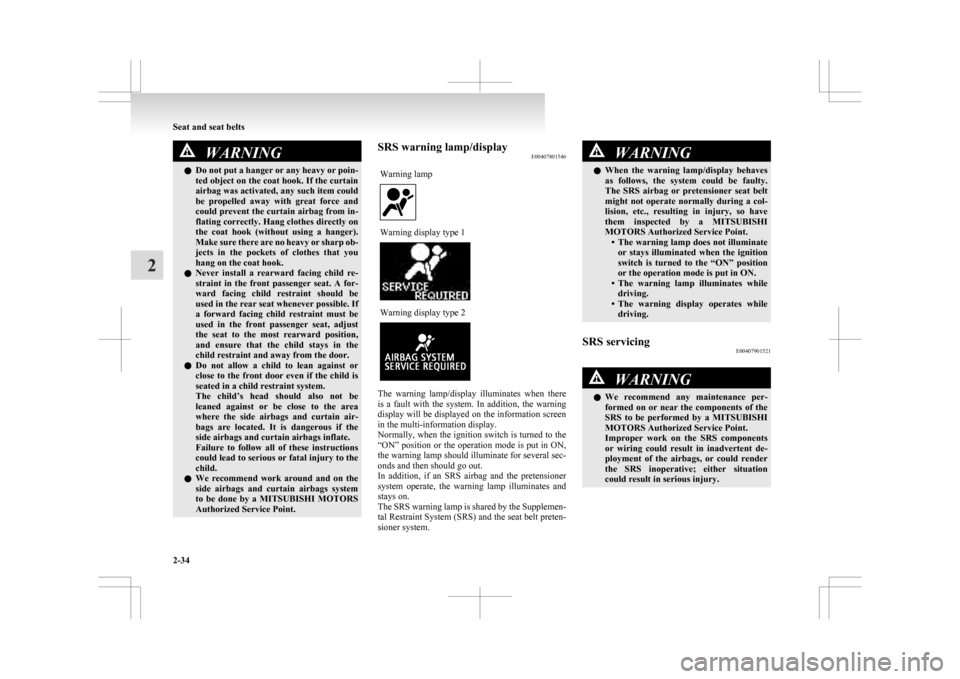
Warning lamp Warning display type 1
Warning display type 2
The warning lamp/display illuminates when there
is
a fault with the system. In addition, the warning
display will be displayed on the information screen
in the multi-information display.
Normally, when the ignition switch is turned to the
“ON” position or the operation mode is put in ON,
the warning lamp should illuminate for several sec-
onds and then should go out.
In addition, if an SRS airbag and the pretensioner
system operate, the warning lamp illuminates and
stays on.
The SRS warning lamp is shared by the Supplemen-
tal Restraint System (SRS) and the seat belt preten-
sioner system. WARNING
l When
the warning lamp/display behaves
as follows, the system could be faulty.
The SRS airbag or pretensioner seat belt
might not operate normally during a col-
lision, etc., resulting in injury, so have
them inspected by a MITSUBISHI
MOTORS Authorized Service Point. • The warning lamp does not illuminateor stays illuminated when the ignition
switch is turned to the “ON” position
or the operation mode is put in ON.
• The warning lamp illuminates while driving.
• The warning display operates while driving.
SRS servicing E00407901521 WARNING
l We
recommend any maintenance per-
formed on or near the components of the
SRS to be performed by a MITSUBISHI
MOTORS Authorized Service Point.
Improper work on the SRS components
or wiring could result in inadvertent de-
ployment of the airbags, or could render
the SRS inoperative; either situation
could result in serious injury. Seat and seat belts
2-34
2
Page 96 of 368
Instruments
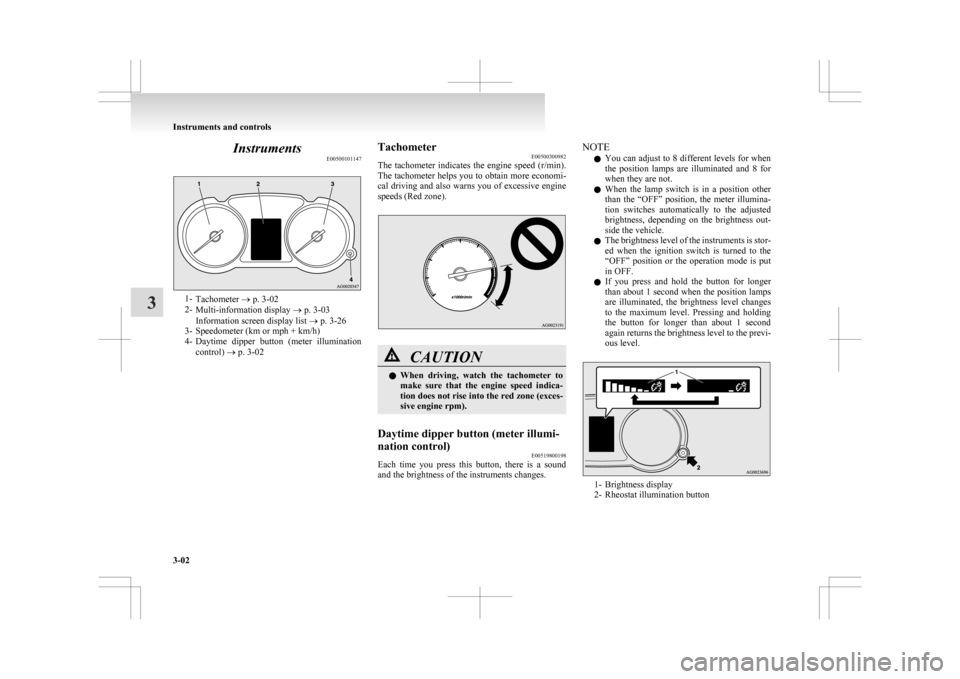
E005001011471-
Tachometer ® p. 3-02
2- Multi-information display ® p. 3-03
Information screen display list ® p. 3-26
3- Speedometer (km or mph + km/h)
4- Daytime dipper button (meter illumination
control) ® p. 3-02 Tachometer
E00500300982
The
tachometer indicates the engine speed (r/min).
The tachometer helps you to obtain more economi-
cal driving and also warns you of excessive engine
speeds (Red zone). CAUTION
l
When
driving, watch the tachometer to
make sure that the engine speed indica-
tion does not rise into the red zone (exces-
sive engine rpm).
Daytime dipper button (meter illumi-
nation control) E00519800198
Each time you press this button, there is a sound
and the brightness of the instruments changes. NOTE
l You
can adjust to 8 different levels for when
the position lamps are illuminated and 8 for
when they are not.
l When the lamp switch is in a position other
than the “OFF” position, the meter illumina-
tion switches automatically to the adjusted
brightness, depending on the brightness out-
side the vehicle.
l The brightness level of the instruments is stor-
ed when the ignition switch is turned to the
“OFF” position or the operation mode is put
in OFF.
l If you press and hold the button for longer
than about 1 second when the position lamps
are illuminated, the brightness level changes
to the maximum level. Pressing and holding
the button for longer than about 1 second
again returns the brightness level to the previ-
ous level. 1- Brightness display
2-
Rheostat illumination button Instruments and controls
3-02
3
Page 97 of 368
Multi-information display
E00519900711
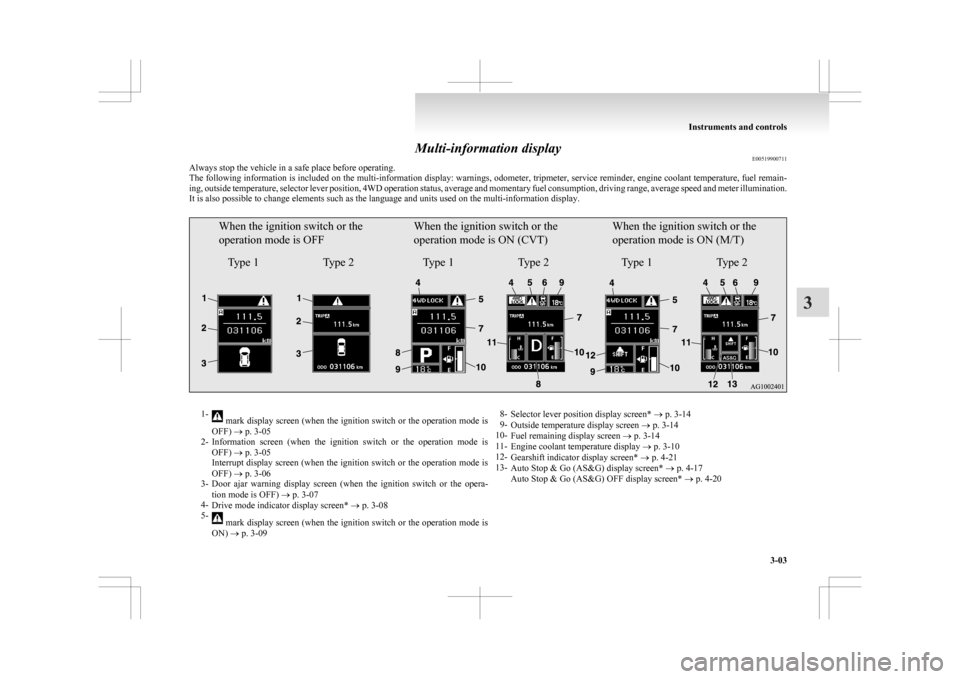
Always stop the vehicle in a safe place before operating.
The
following information is included on the multi-information display: warnings, odometer, tripmeter, service reminder, engine coolant temperature, fuel remain-
ing, outside temperature, selector lever position, 4WD operation status, average and momentary fuel consumption, driving range, average speed and meter illumination.
It is also possible to change elements such as the language and units used on the multi-information display.
When the ignition switch or the
operation mode is OFF
Type 1 Type 2When the ignition switch or the
operation mode is ON (CVT)
Type 1 Type 2When the ignition switch or the
operation mode is ON (M/T)
Type 1 Type 21-
mark display screen (when the ignition switch or the operation mode is
OFF) ® p. 3-05
2- Information
screen (when the ignition switch or the operation mode is
OFF) ® p. 3-05
Interrupt display screen (when the ignition switch or the operation mode is
OFF) ® p. 3-06
3- Door ajar warning display screen (when the ignition switch or the opera-
tion mode is OFF) ® p. 3-07
4- Drive mode indicator display screen* ® p. 3-08
5- mark display screen (when the ignition switch or the operation mode is
ON) ® p. 3-09 8-
Selector lever position display screen* ® p. 3-14
9- Outside temperature display screen ® p. 3-14
10- Fuel remaining display screen ® p. 3-14
11- Engine coolant temperature display ® p. 3-10
12- Gearshift indicator display screen* ® p. 4-21
13- Auto Stop & Go (AS&G) display screen* ® p. 4-17
Auto Stop & Go (AS&G) OFF display screen* ® p. 4-20 Instruments and controls
3-03 3
Page 98 of 368
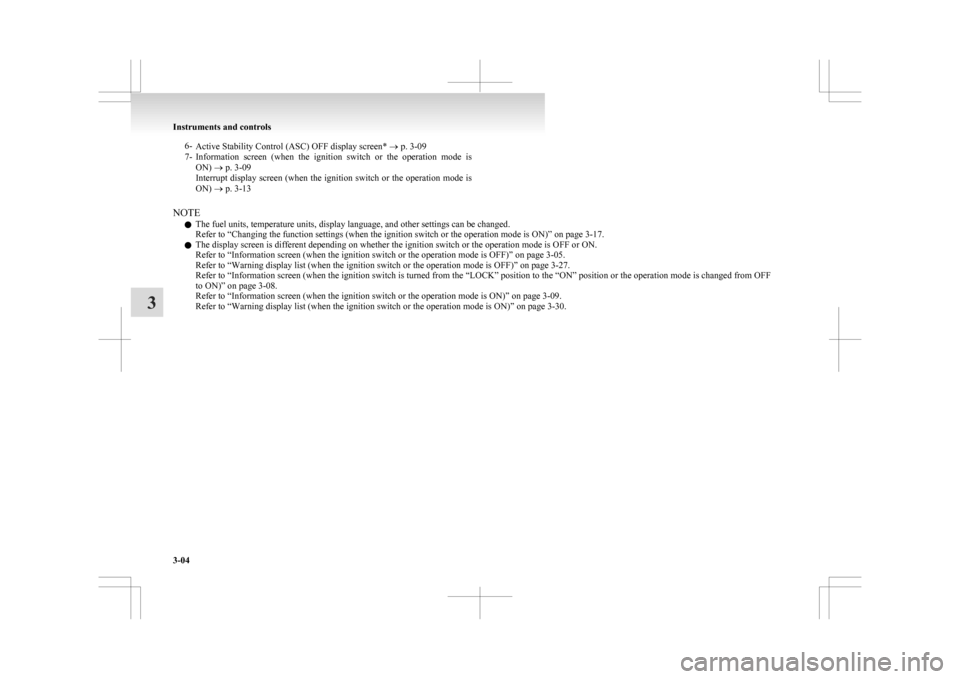
6-
Active Stability Control (ASC) OFF display screen* ® p. 3-09
7- Information screen (when the ignition switch or the operation mode is
ON) ® p. 3-09
Interrupt display screen (when the ignition switch or the operation mode is
ON) ® p. 3-13
NOTE l The fuel units, temperature units, display language, and other settings can be changed.
Refer to “Changing the function settings (when the ignition switch or the operation mode is ON)” on page
3-17.
l The display screen is different depending on whether the ignition switch or the operation mode is OFF or ON.
Refer to “Information screen (when the ignition switch or the operation mode is OFF)” on page
3-05.
Refer to “Warning display list (when the ignition switch or the operation mode is OFF)” on page 3-27.
Refer to “Information screen (when the ignition switch is turned from the “LOCK” position to the “ON” position or the operation mode is changed from OFF
to ON)” on page 3-08.
Refer to “Information screen (when the ignition switch or the operation mode is ON)” on page 3-09.
Refer to “Warning display list (when the ignition switch or the operation mode is ON)” on page 3-30.Instruments and controls
3-04
3
Page 99 of 368
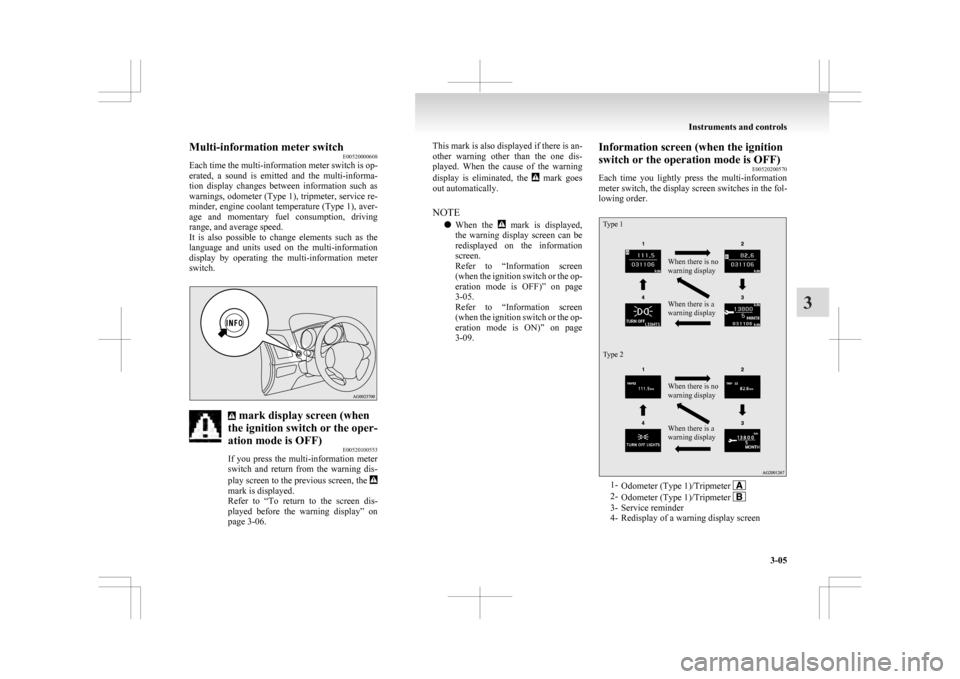
Multi-information meter switch
E00520000608
Each
time the multi-information meter switch is op-
erated, a sound is emitted and the multi-informa-
tion display changes between information such as
warnings, odometer (Type 1), tripmeter, service re-
minder, engine coolant temperature (Type 1), aver-
age and momentary fuel consumption, driving
range, and average speed.
It is also possible to change elements such as the
language and units used on the multi-information
display by operating the multi-information meter
switch. mark display screen (when
the ignition switch or the oper-
ation mode is OFF) E00520100553
If
you press the multi-information meter
switch and return from the warning dis-
play screen to the previous screen, the mark is displayed.
Refer
to “To return to the screen dis-
played before the warning display” on
page 3-06. This mark is also displayed if there is an-
other
warning other than the one dis-
played. When the cause of the warning
display is eliminated, the mark goes
out automatically.
NOTE
l When
the mark is displayed,
the
warning display screen can be
redisplayed on the information
screen.
Refer to “Information screen
(when the ignition switch or the op-
eration mode is OFF)” on page
3-05.
Refer to “Information screen
(when the ignition switch or the op-
eration mode is ON)” on page
3-09. Information screen (when the ignition
switch or the operation mode is OFF)
E00520200570
Each
time you lightly press the multi-information
meter switch, the display screen switches in the fol-
lowing order.
Type 1
Type 2 When there is no
warning display
When there is a
warning display
When there is no
warning display
When there is a
warning display
1-
Odometer (Type 1)/Tripmeter 2-
Odometer (Type 1)/Tripmeter 3- Service reminder
4-
Redisplay of a warning display screen Instruments and controls
3-05 3
Page 101 of 368
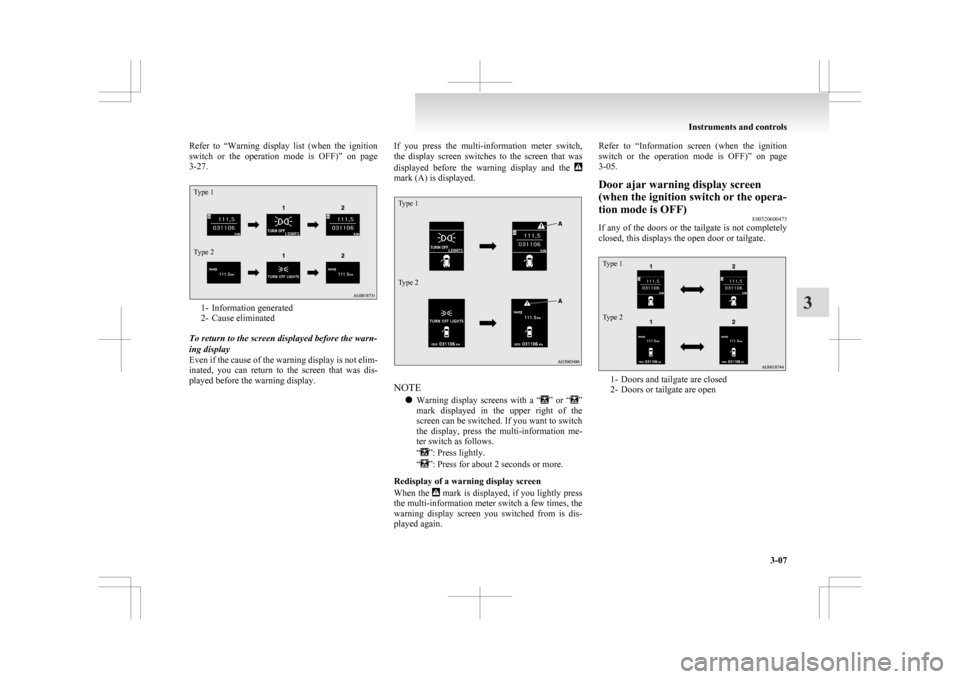
Refer to “Warning
display list (when the ignition
switch or the operation mode is OFF)” on page
3-27.
Type 1
Type 2 1- Information generated
2-
Cause eliminated
To return to the screen displayed before the warn-
ing display
Even if the cause of the warning display is not elim-
inated, you can return to the screen that was dis-
played before the warning display. If you press the multi-information meter switch,
the
display screen switches to the screen that was
displayed before the warning display and the mark (A) is displayed.
Type 1
Type 2
NOTE
l Warning
display screens with a “ ”
or “ ”
mark
displayed in the upper right of the
screen can be switched. If you want to switch
the display, press the multi-information me-
ter switch as follows.
“ ”: Press lightly.
“ ”: Press for about 2 seconds or more.
Redisplay of a warning display screen
When
the mark is displayed, if you lightly press
the
multi-information meter switch a few times, the
warning display screen you switched from is dis-
played again. Refer to “Information
screen (when the ignition
switch or the operation mode is OFF)” on page
3-05.
Door ajar warning display screen
(when the ignition switch or the opera-
tion mode is OFF) E00520600473
If any of the doors or the tailgate is not completely
closed, this displays the open door or tailgate.
Type 1
Type 2 1- Doors and tailgate are closed
2-
Doors or tailgate are open Instruments and controls
3-07 3
Page 102 of 368
Information screen (when the ignition
switch is turned from the “LOCK” po-
sition
to the “ON” position or the oper-
ation mode is changed from OFF to
ON) E00520700621
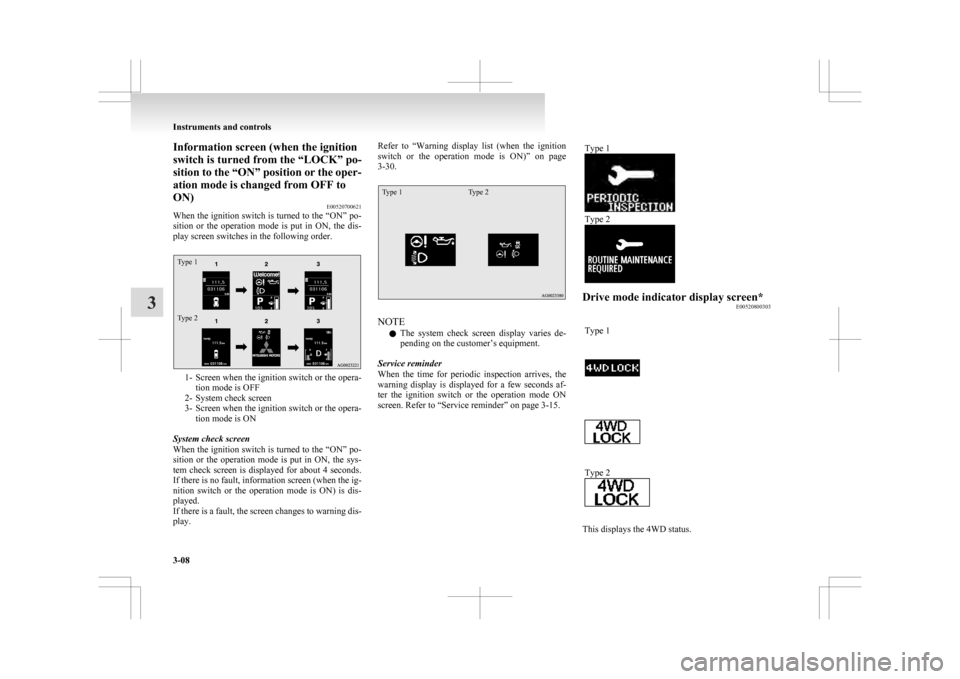
When the ignition switch is turned to the “ON” po-
sition or the operation mode is put in ON, the dis-
play screen switches in the following order.
Type 1
Type 2 1- Screen when the ignition switch or the opera-
tion mode is OFF
2-
System check screen
3- Screen when the ignition switch or the opera- tion mode is ON
System check screen
When the ignition switch is turned to the “ON” po-
sition or the operation mode is put in ON, the sys-
tem check screen is displayed for about 4 seconds.
If there is no fault, information screen (when the ig-
nition switch or the operation mode is ON) is dis-
played.
If there is a fault, the screen changes to warning dis-
play. Refer to “Warning
display list (when the ignition
switch or the operation mode is ON)” on page
3-30.
Type 1 Type 2 NOTE
l The
system check screen display varies de-
pending on the customer’s equipment.
Service reminder
When the time for periodic inspection arrives, the
warning display is displayed for a few seconds af-
ter the ignition switch or the operation mode ON
screen. Refer to “Service reminder” on page 3-15. Type 1 Type 2
Drive mode indicator display screen*
E00520800303
Type 1 Type 2
This displays the 4WD status.Instruments and controls
3-08
3
Page 103 of 368
If you select “4WD LOCK” mode with the drive
mode
selector, “4WD LOCK” is displayed; if you
select “4WD AUTO” mode, “4WD” is displayed.
Nothing is displayed when 2WD mode is selected.
Refer to “Drive mode selector” on page 4-29. mark display screen (when
the ignition switch or the oper-
ation mode is ON) E00520900333
This
is displayed when you press the mul-
ti-information meter switch and switch
the warning display screen.
This mark is also displayed if there is an-
other warning other than the one dis-
played.
When the cause of the warning display
is eliminated, the mark goes out auto-
matically.
NOTE
l When
the mark is displayed,
the
warning display screen can be
redisplayed on the information
screen.
Refer to “Information screen
(when the ignition switch or the op-
eration mode is OFF)” on page
3-05.
Refer to “Information screen
(when the ignition switch or the op-
eration mode is ON)” on page
3-09. Active Stability Control (ASC)
OFF display screen*
E00521000373
This
is displayed when the Active Stabil-
ity Control (ASC) is turned off with the
ASC OFF switch.
If there is a fault with the ASC, the ASC
OFF display is shown.
Refer to ““ASC OFF” switch” on page
4-41. Information screen (when the ignition
switch or the operation mode is ON)
E00521100576
Each
time you lightly press the multi-information
meter switch, the display screen switches in the fol-
lowing order.
Type 1
Type 2 When there is no warning display
When there is no warning display
When there is a
warning display When there is a
warning display
1-
Odometer (Type1)/Tripmeter 2-
Odometer (Type1)/Tripmeter 3- Service reminder
4-
Engine coolant temperature display (Type 1)
5- Driving range display (Type 1) Instruments and controls
3-09 3
Page 104 of 368
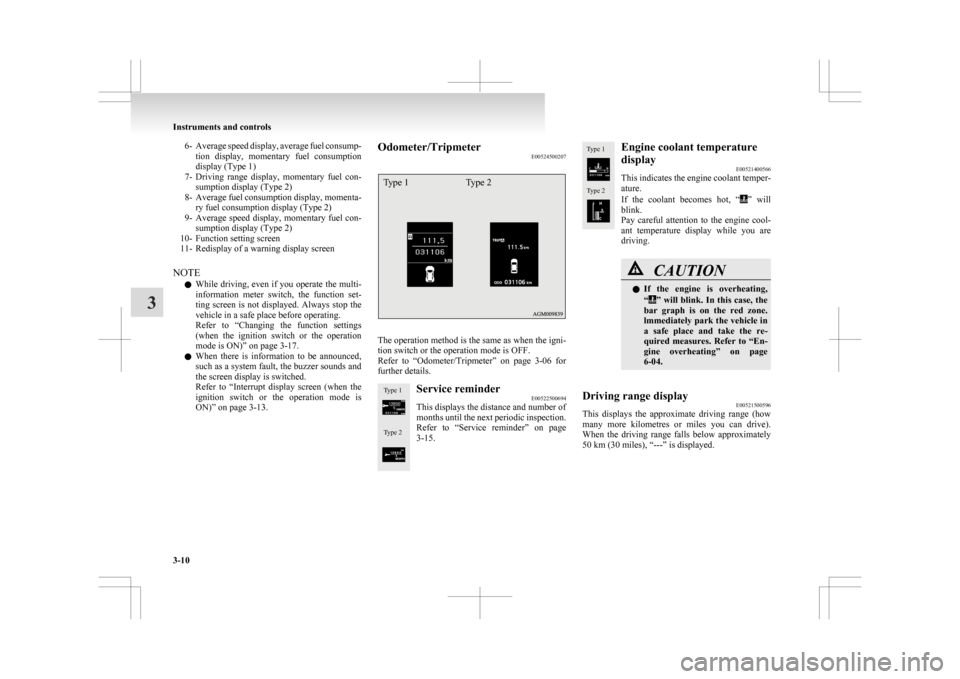
6- Average speed display, average fuel consump-
tion display, momentary fuel consumption
display (Type 1)
7- Driving range display, momentary fuel con- sumption display (Type 2)
8- Average fuel consumption display, momenta- ry fuel consumption display (Type 2)
9- Average speed display, momentary fuel con- sumption display (Type 2)
10- Function setting screen
11- Redisplay of a warning display screen
NOTE l While driving, even if you operate the multi-
information meter switch, the function set-
ting screen is not displayed. Always stop the
vehicle in a safe place before operating.
Refer to “Changing the function settings
(when the ignition switch or the operation
mode is ON)” on page 3-17.
l When there is information to be announced,
such as a system fault, the buzzer sounds and
the screen display is switched.
Refer to “Interrupt display screen (when the
ignition switch or the operation mode is
ON)” on page 3-13. Odometer/Tripmeter
E00524500207
Type 1Type 2 The operation method is the same as when the igni-
tion switch or the operation mode is OFF.
Refer
to “Odometer/Tripmeter” on page 3-06 for
further details.
Type 1
Type 2 Service reminder
E00522500694
This displays the distance and number of
months
until the next periodic inspection.
Refer to “Service reminder” on page
3-15.
Type 1
Type 2 Engine coolant temperature
display
E00521400566
This
indicates the engine coolant temper-
ature.
If the coolant becomes hot, “ ”
will
blink.
Pay careful attention to the engine cool-
ant temperature display while you are
driving. CAUTION
l
If
the engine is overheating,
“ ” will blink. In this case, the
bar graph is on the red zone.
lmmediately park the vehicle in
a safe place and take the re-
quired measures. Refer to “En-
gine overheating” on page
6-04.
Driving range display E00521500596
This displays the approximate driving range (how
many
more kilometres or miles you can drive).
When the driving range falls below approximately
50 km (30 miles), “---” is displayed. Instruments and controls
3-10
3