steering MITSUBISHI ASX 2009 1.G Owner's Manual
[x] Cancel search | Manufacturer: MITSUBISHI, Model Year: 2009, Model line: ASX, Model: MITSUBISHI ASX 2009 1.GPages: 368, PDF Size: 8.13 MB
Page 164 of 368
screen operations can be used to make the ad-
justment.
Refer
to the separate owner’s manual for de-
tails.
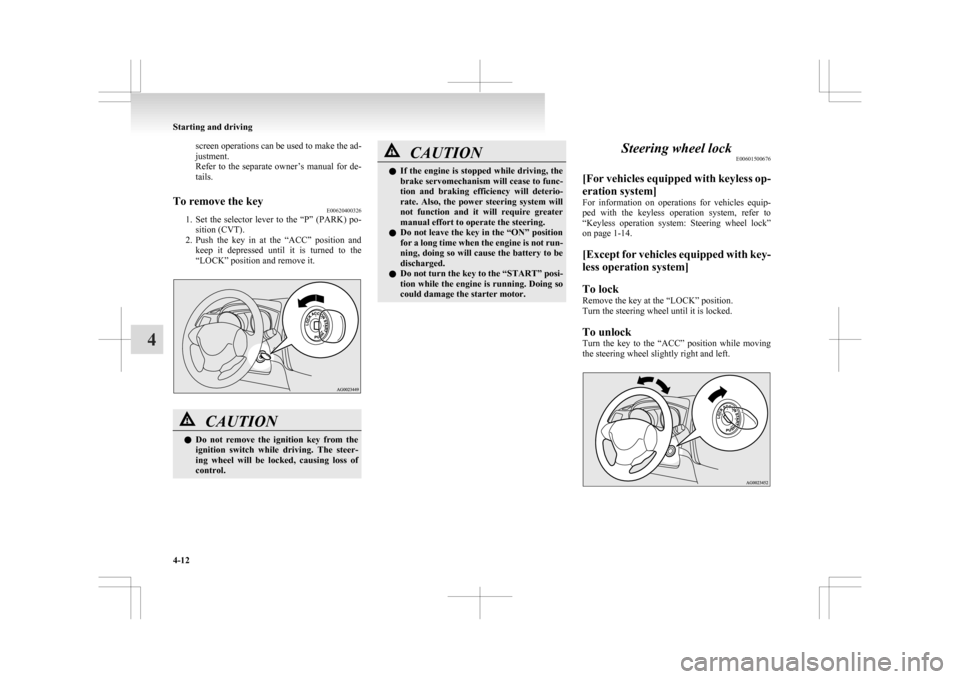
To remove the key E00620400326
1. Set
the selector lever to the “P” (PARK) po-
sition (CVT).
2. Push the key in at the “ACC” position and keep it depressed until it is turned to the
“LOCK” position and remove it. CAUTION
l
Do
not remove the ignition key from the
ignition switch while driving. The steer-
ing wheel will be locked, causing loss of
control. CAUTION
l
If
the engine is stopped while driving, the
brake servomechanism will cease to func-
tion and braking efficiency will deterio-
rate. Also, the power steering system will
not function and it will require greater
manual effort to operate the steering.
l Do not leave the key in the “ON” position
for a long time when the engine is not run-
ning, doing so will cause the battery to be
discharged.
l Do not turn the key to the “START” posi-
tion while the engine is running. Doing so
could damage the starter motor. Steering wheel lock
E00601500676
[For
vehicles equipped with keyless op-
eration system]
For information on operations for vehicles equip-
ped with the keyless operation system, refer to
“Keyless operation system: Steering wheel lock”
on page 1-14.
[Except for vehicles equipped with key-
less operation system]
To lock
Remove the key at the “LOCK” position.
Turn the steering wheel until it is locked.
To unlock
Turn the key to the “ACC” position while moving
the steering wheel slightly right and left. Starting and driving
4-12
4
Page 170 of 368
NOTE
l When
the engine is automatically stopped,
changes will occur in the driving operations.
Pay closel attention to the following. • The brake booster becomes inoperativeand the pedal effort will increase.
If the vehicle is moving, press down the
brake pedal harder than usual.
• The electric power steering system (EPS) becomes inoperative and it will become
harder to turn the steering wheel. CAUTION
l
Observe
the following precautions when
the engine is stopped automatically. Oth-
erwise, an unexpected accident might oc-
cur when the engine restarts automatical-
ly. • Do not depress the accelerator pedalto race the engine while the vehicle is
stopped (regardless of whether the en-
gine is running or stopped).
Otherwise, an unexpected accident
might occur when the engine restarts
automatically. CAUTION
• Do
not leave the driver’s seat or open
the bonnet.
If the driver’s seat belt is unfastened
or if the bonnet is opened, the “ ” dis-
play/indicator
will blink to notify the
driver. If this occurs, the engine will
not restart automatically even if the
clutch pedal is depressed, the seat belt
is refastened, and the bonnet is closed.
While depressing the brake pedal,
fully depress the clutch pedal and
turn the ignition switch to the
“START” position or press the engine
switch to start the engine.
For details, refer to “Starting and stop-
ping the engine” on page 1-15 or “Start-
ing” on page 4-13.
• Do not move the gearshift lever to a po- sition other than the “N” (Neutral) po-
sition.
If the gearshift lever is moved to a po-
sition other than the “N” (Neutral) po-
sition, the “ ”
display/indicator
blinks and the buzzer sounds.
If the gearshift lever is returned to the
“N” (Neutral) position, the display/in-
dicator stops blinking and the buzzer
stops sounding. The engine will not re-
start if the gearshift lever is in a posi-
tion other than the “N” (Neutral) posi-
tion.
NOTE l In
the following cases, the Auto Stop & Go
(AS&G) system will not operate and the en- gine will not stop automatically even if the ve-
hicle is stopped.
•
Driver’s seat belt is not fastened
• Bonnet is open
• After the engine restarts automatically, the vehicle speed has not exceeded ap-
proximately 5 km/h (3 mph)
• Brake booster vacuum pressure is low be- cause the brake pedal is depressed repeat-
edly or depressed harder than usual
• After the ignition switch is turned from the “ON” position to the “START” posi-
tion, approximately 30 seconds or more
have not elapsed.
• After the engine restarts automatically and the vehicle stops again within 10 sec-
onds.
• After presing the engine switch to start the engine from the operation mode is in
ON, approximately 30 seconds or more
have not elapsed
• Engine coolant temperature is low
• Ambient temperature is lower than ap- proximately 3 °C
• Air conditioning is operating and passen- ger compartment has not sufficiently
cooled
• Mode selection dial is set to the demister position.
Refer to “Demisting of the windscreen
and door windows: For quick demisting”
on page 5-08.
• When the air conditioning is operated in AUTO mode where the temperature con-
trol dial is set to the max. hot or the max.
cool position (for vehicles with automatic
air conditioning). Starting and driving
4-18
4
Page 178 of 368
Sports mode
E00602500194
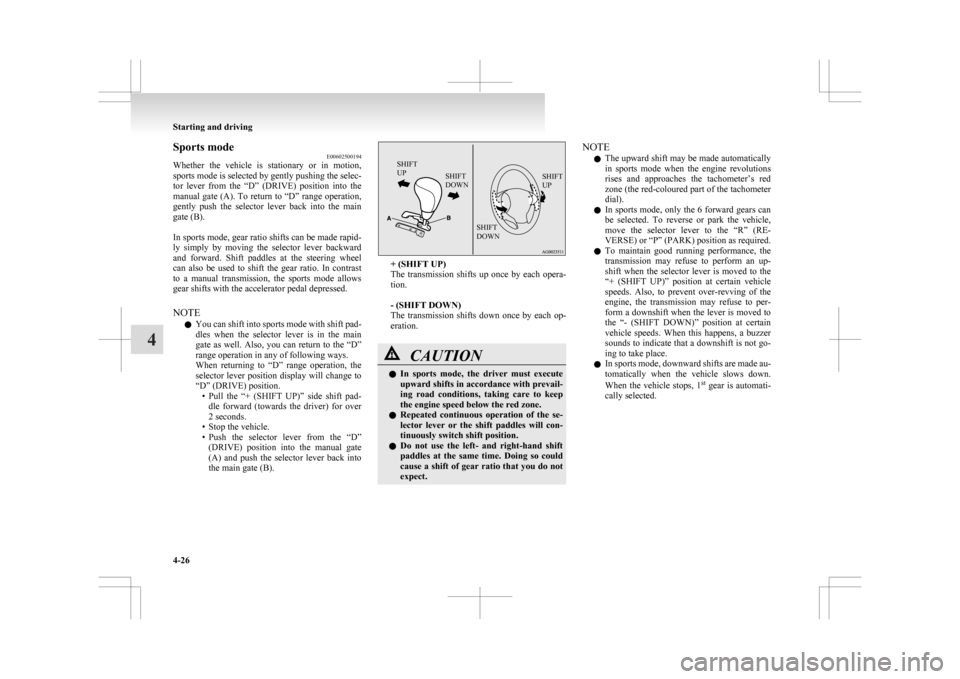
Whether
the vehicle is stationary or in motion,
sports mode is selected by gently pushing the selec-
tor lever from the “D” (DRIVE) position into the
manual gate (A). To return to “D” range operation,
gently push the selector lever back into the main
gate (B).
In sports mode, gear ratio shifts can be made rapid-
ly simply by moving the selector lever backward
and forward. Shift paddles at the steering wheel
can also be used to shift the gear ratio. In contrast
to a manual transmission, the sports mode allows
gear shifts with the accelerator pedal depressed.
NOTE
l You can shift into sports mode with shift pad-
dles when the selector lever is in the main
gate as well. Also, you can return to the “D”
range operation in any of following ways.
When returning to “D” range operation, the
selector lever position display will change to
“D” (DRIVE) position.
• Pull the “+ (SHIFT UP)” side shift pad-dle forward (towards the driver) for over
2 seconds.
• Stop the vehicle.
• Push the selector lever from the “D” (DRIVE) position into the manual gate
(A) and push the selector lever back into
the main gate (B).
SHIFT
UP SHIFT
DOWN SHIFT
UP
SHIFT
DOWN + (SHIFT UP)
The
transmission shifts up once by each opera-
tion.
- (SHIFT DOWN)
The transmission shifts down once by each op-
eration. CAUTION
l
In
sports mode, the driver must execute
upward shifts in accordance with prevail-
ing road conditions, taking care to keep
the engine speed below the red zone.
l Repeated continuous operation of the se-
lector lever or the shift paddles will con-
tinuously switch shift position.
l Do not use the left- and right-hand shift
paddles at the same time. Doing so could
cause a shift of gear ratio that you do not
expect. NOTE
l The
upward shift may be made automatically
in sports mode when the engine revolutions
rises and approaches the tachometer’s red
zone (the red-coloured part of the tachometer
dial).
l In sports mode, only the 6 forward gears can
be selected. To reverse or park the vehicle,
move the selector lever to the “R” (RE-
VERSE) or “P” (PARK) position as required.
l To maintain good running performance, the
transmission may refuse to perform an up-
shift when the selector lever is moved to the
“+ (SHIFT UP)” position at certain vehicle
speeds. Also, to prevent over-revving of the
engine, the transmission may refuse to per-
form a downshift when the lever is moved to
the “- (SHIFT DOWN)” position at certain
vehicle speeds. When this happens, a buzzer
sounds to indicate that a downshift is not go-
ing to take place.
l In sports mode, downward shifts are made au-
tomatically when the vehicle slows down.
When the vehicle stops, 1 st
gear is automati-
cally selected. Starting and driving
4-26
4
Page 179 of 368
Sports mode display
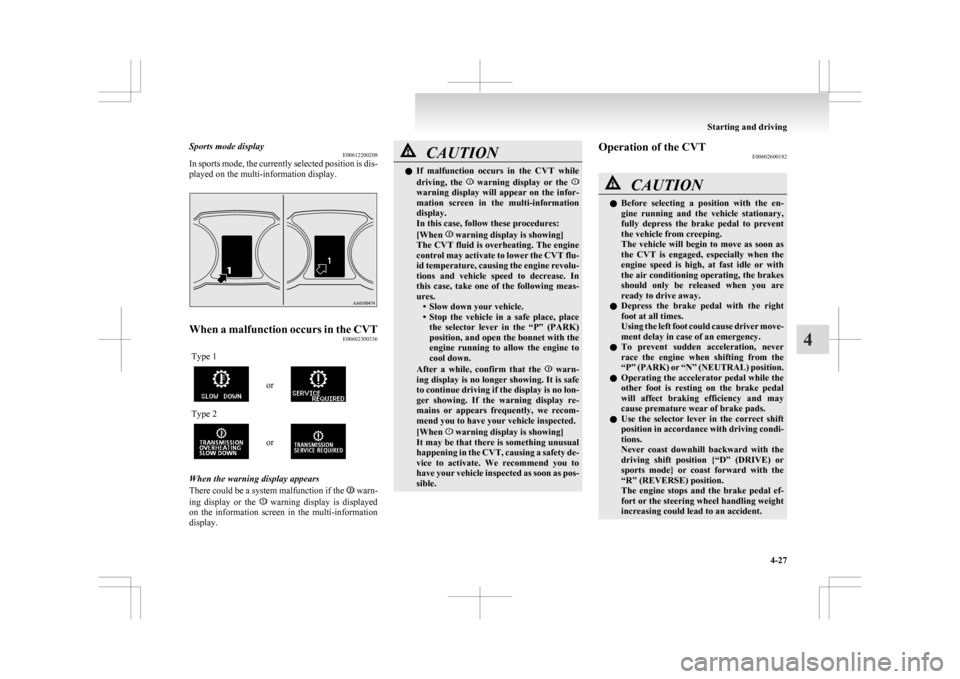
E00612200208
In
sports mode, the currently selected position is dis-
played on the multi-information display. When a malfunction occurs in the CVT
E00602300336
Type 1 or
Type 2
or
When the warning display appears
There
could be a system malfunction if the warn-
ing
display or the warning display is displayed
on
the information screen in the multi-information
display. CAUTION
l
If
malfunction occurs in the CVT while
driving, the warning display or the
warning display will appear on the infor-
mation
screen in the multi-information
display.
In this case, follow these procedures:
[When warning display is showing]
The
CVT fluid is overheating. The engine
control may activate to lower the CVT flu-
id temperature, causing the engine revolu-
tions and vehicle speed to decrease. In
this case, take one of the following meas-
ures. • Slow down your vehicle.
• Stop the vehicle in a safe place, placethe selector lever in the “P” (PARK)
position, and open the bonnet with the
engine running to allow the engine to
cool down.
After a while, confirm that the warn-
ing
display is no longer showing. It is safe
to continue driving if the display is no lon-
ger showing. If the warning display re-
mains or appears frequently, we recom-
mend you to have your vehicle inspected.
[When warning display is showing]
It
may be that there is something unusual
happening in the CVT, causing a safety de-
vice to activate. We recommend you to
have your vehicle inspected as soon as pos-
sible. Operation of the CVT
E00602600182 CAUTION
l
Before
selecting a position with the en-
gine running and the vehicle stationary,
fully depress the brake pedal to prevent
the vehicle from creeping.
The vehicle will begin to move as soon as
the CVT is engaged, especially when the
engine speed is high, at fast idle or with
the air conditioning operating, the brakes
should only be released when you are
ready to drive away.
l Depress the brake pedal with the right
foot at all times.
Using the left foot could cause driver move-
ment delay in case of an emergency.
l To prevent sudden acceleration, never
race the engine when shifting from the
“P” (PARK) or “N” (NEUTRAL) position.
l Operating the accelerator pedal while the
other foot is resting on the brake pedal
will affect braking efficiency and may
cause premature wear of brake pads.
l Use the selector lever in the correct shift
position in accordance with driving condi-
tions.
Never coast downhill backward with the
driving shift position {“D” (DRIVE) or
sports mode} or coast forward with the
“R” (REVERSE) position.
The engine stops and the brake pedal ef-
fort or the steering wheel handling weight
increasing could lead to an accident. Starting and driving
4-27 4
Page 183 of 368
4-wheel drive operation
E00606600887
Your
vehicle has been designed primarily for use
on paved roads.
But its unique 4-wheel drive system allows you to
occasionally travel on unpaved roads, to camp-
grounds, picnic sites, and similar locations.
Not only does this ensure better handling on dry,
paved roads but also permits better traction when
driving on slippery, wet or snow-covered roads and
when moving out of mud.
But it is not suitable for heavy off road use or tow-
ing in rough conditions.
It is particularly important to note that 4-wheel
drive may not give sufficient hill climbing ability
and engine braking on steep slopes. You should try
to avoid driving on steep slopes.
Also, you must exercise caution when driving on
sand and mud and when driving through water be-
cause sufficient traction may not be available in cer-
tain circumstances.
Please avoid driving the vehicle through areas
where the tyres may get stuck in deep sand or mud. WARNING
l Do
not over-rely on the 4-wheel drive ve-
hicles. Even 4-wheel drive vehicles have
limits to the system and ability to main-
tain control and traction. Reckless driv-
ing may lead to accidents. Always drive
carefully, taking account of the road con-
ditions.
l Improperly operating this vehicle on or
off-paved roads can cause an accident or
rollover in which you and your passen-
gers could be seriously injured or killed. WARNING
• Follow
all instructions and guidelines in the owner’s manual.
• Keep your speed low and do not drive faster than conditions allow you to.
NOTE l Driving
on rough roads can be hard on a ve-
hicle. Before you leave paved roads, be sure
all scheduled maintenance and service has
been done, and that you have inspected your
vehicle. Pay special attention to the condi-
tion of the tyres, and check the tyre pressures.
l MITSUBISHI MOTORS is not responsible
to the operator for any damage or injury
caused or liability incurred by improper and
negligent operation of a vehicle. All techni-
ques of vehicle operation depend on the skill
and experience of the operator and other par-
ticipating parties. Any deviation from the rec-
ommended operating instructions above is at
their own risk.
l Note that the stopping distance required of a
4-wheel drive vehicle differs very little from
that of a 2-wheel drive vehicle. When driv-
ing on a snow-covered road or a slippery,
muddy surface, make sure that you keep a suf-
ficient distance between your vehicle and the
one ahead of you.
l The driving posture should be more upright;
adjust the seat to a good position for easy
steering and pedal operation. Be sure to wear
the seat belt. l
After
driving on rough roads, check each
part of the vehicle and wash it thoroughly
with water. Refer to the “Inspection and main-
tenance following rough road operation” sec-
tion and “Maintenance” section. CAUTION
l
Setting
the drive mode-selector to “4WD
LOCK” to drive on dry paved road will
increase fuel consumption, with possible
noise generation.
Turning sharp corners
When
turning a sharp corner in “4WD LOCK” po-
sition at low speed, a slight difference in steering
may be experienced similar to as if the brakes were
applied. This is called tight corner braking and re-
sults from each of the 4 tyres being at a different
distance from the corner. The phenomenon is typi-
cal of 4-wheel drive vehicles. If this occurs, either
straighten out the steering wheel, or change to
“2WD” or “4WD AUTO” mode.
On snowy or icy roads
Set the drive mode-selector to “4WD AUTO” or
“4WD LOCK” in accordance with the road condi-
tions, and then gradually depress the accelerator ped-
al for a smooth start.
NOTE
l The use of snow tyres is recommended.
l Maintain a safe distance between vehicles,
avoid sudden braking, and use engine brak-
ing (downshifting). Starting and driving
4-31 4
Page 189 of 368
l
When the brake assist system is in use, you
may feel as if the depressed brake pedal is
soft, the pedal moves in small motions in con-
junction with the sound of the ABS opera-
tion, or the vehicle body and the steering
wheel vibrate. This occurs when the brake as-
sist system is operating normally and does
not indicate faulty operation. Continue to
firmly depress the brake pedal.
l You may hear an operation noise when the
brake pedal is depressed suddenly while sta-
tionary. This does not indicate a malfunction
and the brake assist system is operating nor-
mally. Emergency stop signal system
E00626000018
This
is a device that reduces the possibility of rear
end collisions by the rapid and automatic blinking
of the hazard warning lamps to alert vehicles ap-
proaching from behind during sudden braking.
When the emergency stop signal system operates,
the hazard warning indication lamp in the instru-
ment cluster blinks rapidly at the same time. CAUTION
l
If
the ABS warning or ASC warning is dis-
played, the emergency stop signal system
may not operate.
Refer to “ABS warning lamp/display” on
page 4-38.
Refer to “ASC warning display” on page
4-42.
NOTE l [Activating
condition for the emergency stop
signal system]
It activates when all of the following condi-
tions are met. • The vehicle speed is approximately55 km/h (34 mph) or higher.
• The brake pedal has been depressed, and the system judges that it was sudden brak-
ing from the vehicle deceleration and the
operating condition of the anti-lock brake
system (ABS).
[Deactivating condition for the emergency
stop signal system]
It deactivates when one of the following con-
ditions is met. • The brake pedal is released.
• The
hazard warning flasher switch is
pressed.
• The system judges that it was not sudden braking from the vehicle deceleration and
the operating condition of the anti-lock
brake system (ABS). Starting and driving
4-37 4
Page 190 of 368
Anti-lock brake system (ABS)
E00607101046
The
anti-lock brake system (ABS) helps prevent
the wheels from locking up when braking. This
helps maintain vehicle drivability and steering
wheel handling.
Driving hints
l Always keep a safe distance from the vehicle
in front of you. Even if your vehicle is equip-
ped with ABS, leave a greater braking dis-
tance when:
• Driving on gravel or snow-covered roads.
• Driving with tyre chains installed.
• Driving on uneven road surfaces.
l Operation of ABS is not restricted to situa-
tions where brakes are applied suddenly.
This system may also prevent the wheels
from locking when you drive over manholes,
steel roadwork plates, road markings, or any
uneven road surface.
l When the ABS is activated, you may feel the
brake pedal pulsation and the vibrations of
the vehicle body and steering wheel. It may
also feel as if the pedal resists being pressed.
In this situation, simply hold the brake ped-
al down firmly. Do not pump the brake,
which will result in reduced braking per-
formance.
l An operation noise is emitted from the en-
gine compartment or you can feel a shock
from the brake pedal when start driving im-
mediately after starting the engine. These are
normal sounds or operations that the ABS
makes when performing a self-check. It does
not indicate a malfunction. l
The ABS can be used after the vehicle has
reached a speed over approximately 10 km/h
(6 mph). It stops working when the vehicle
slows below approximately 5 km/h (3 mph). CAUTION
l
The
ABS cannot prevent accidents. It is
your responsibility to take safety precau-
tions and to drive carefully.
l To prevent failure of the ABS, be sure all
4 wheels and tyres are the same size and
the same type.
l Do not install any aftermarket limited-
slip differential (LSD) on your vehicle.
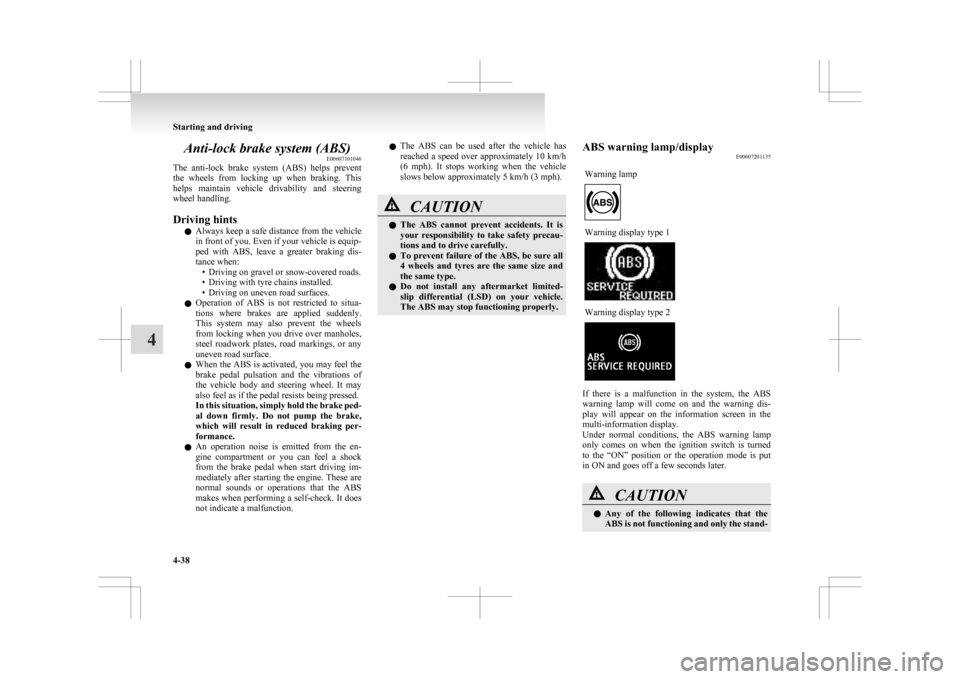
The ABS may stop functioning properly. ABS warning lamp/display
E00607201135
Warning lamp Warning display type 1
Warning display type 2
If there is a malfunction in the system, the ABS
warning
lamp will come on and the warning dis-
play will appear on the information screen in the
multi-information display.
Under normal conditions, the ABS warning lamp
only comes on when the ignition switch is turned
to the “ON” position or the operation mode is put
in ON and goes off a few seconds later. CAUTION
l
Any
of the following indicates that the
ABS is not functioning and only the stand- Starting and driving
4-38
4
Page 192 of 368
Electric power steering system
(EPS) E00629200037
The
electric power steering system (EPS) uses an
electric motor to assist the turning of the steering
wheel.
NOTE
l During repeated full-lock turning of the steer-
ing wheel (for example, while you are ma-
noeuvring the vehicle into a parking space),
a protection function may be activated to pre-
vent overheating of the power steering sys-
tem. This function will make the steering
wheel gradually harder to turn. In this event,
limit your turning of the steering wheel for a
while. When the system has cooled down,
the steering action will return to normal.
l If you turn the steering wheel while the vehi-
cle is stationary with the headlamps on, the
headlamps may become dim. This behaviour
is not abnormal. The headlamps will return
to their original brightness after a short while.
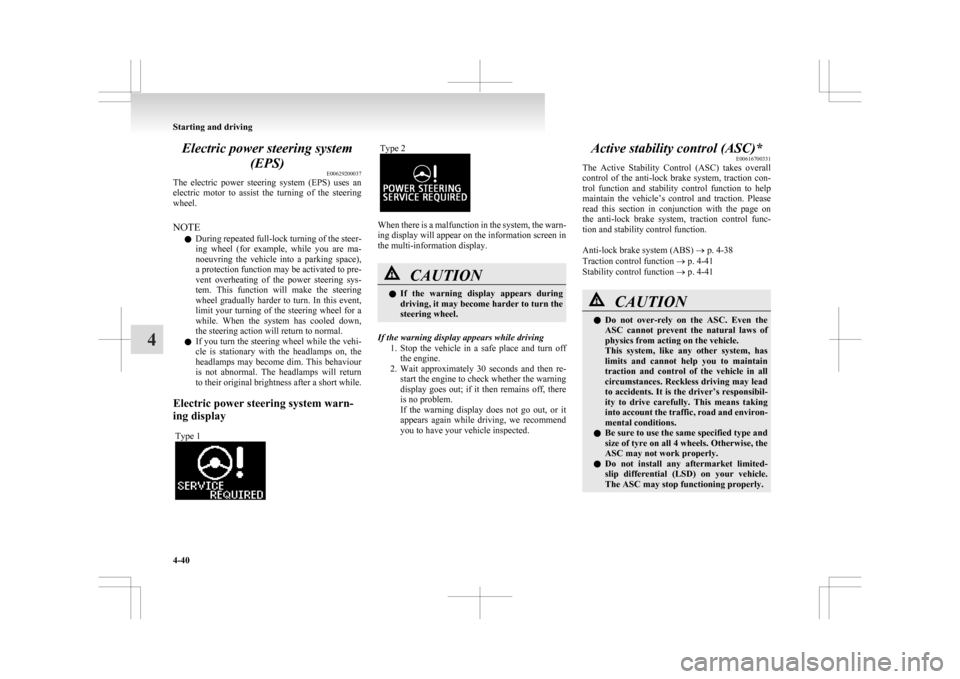
Electric power steering system warn-
ing display Type 1 Type 2
When there is a malfunction in the system, the warn-
ing display will appear on the information screen in
the multi-information display.
CAUTION
l
If
the warning display appears during
driving, it may become harder to turn the
steering wheel.
If the warning display appears while driving 1. Stop
the vehicle in a safe place and turn off
the engine.
2. Wait approximately 30 seconds and then re- start the engine to check whether the warning
display goes out; if it then remains off, there
is no problem.
If the warning display does not go out, or it
appears again while driving, we recommend
you to have your vehicle inspected. Active stability control (ASC)*
E00616700331
The
Active Stability Control (ASC) takes overall
control of the anti-lock brake system, traction con-
trol function and stability control function to help
maintain the vehicle’s control and traction. Please
read this section in conjunction with the page on
the anti-lock brake system, traction control func-
tion and stability control function.
Anti-lock brake system (ABS) ® p. 4-38
Traction control function ® p. 4-41
Stability control function ® p. 4-41 CAUTION
l
Do
not over-rely on the ASC. Even the
ASC cannot prevent the natural laws of
physics from acting on the vehicle.
This system, like any other system, has
limits and cannot help you to maintain
traction and control of the vehicle in all
circumstances. Reckless driving may lead
to accidents. It is the driver’s responsibil-
ity to drive carefully. This means taking
into account the traffic, road and environ-
mental conditions.
l Be sure to use the same specified type and
size of tyre on all 4 wheels. Otherwise, the
ASC may not work properly.
l Do not install any aftermarket limited-
slip differential (LSD) on your vehicle.
The ASC may stop functioning properly. Starting and driving
4-40
4
Page 193 of 368
NOTE
l An
operation noise may be emitted from the
engine compartment in the following situa-
tions. The sound is associated with checking
the operations of the ASC. At this time, you
may feel a shock from the brake pedal if you
depress it. These do not indicate a malfunc-
tion. • When the ignition switch is turned to the“ON” position or the operation mode is
put in ON.
• When the vehicle is driven for a while af- ter the engine is turned on.
l When the ASC is activated, you may feel a
vibration in the vehicle body or hear a whin-
ing sound from the engine compartment.
This indicates that the system is operating nor-
mally. It does not indicate a malfunction.
l When the anti-lock brake system warning
lamp is illuminated, the ASC is not active.
Traction control function E00619000087
On slippery surfaces, the traction control function
prevents
the drive wheels from spinning excessive,
thus helping the vehicle to start moving from a stop-
ped condition. It also provides sufficient driving
force and steering performance as the vehicle turns
while pressing the acceleration pedal. CAUTION
l
When
driving a vehicle on a snowy or icy
road, be sure to install snow tyres and
drive the vehicle at moderate speeds. Stability control function
E00619100017
The
stability control function is designed to help
the driver maintain control of the vehicle on slip-
pery roads or during rapid steering manoeuvres. It
works by controlling the engine output and brake
on each wheel.
NOTE
l The stability control function operates at
speeds of about 15 km/h (9 mph) or higher.
“ASC OFF” switch E00619200353
The ASC is automatically activated when the igni-
tion
switch is turned to the “ON” position or the op-
eration mode is put in ON. You can deactivate the
system by pressing down the “ASC OFF” switch
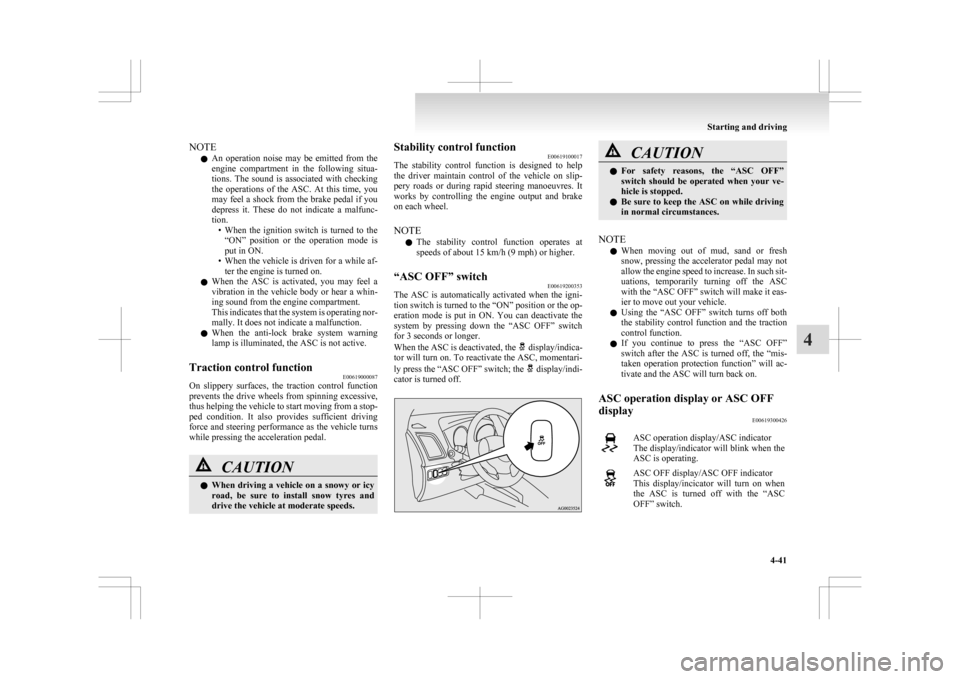
for 3 seconds or longer.
When the ASC is deactivated, the display/indica-
tor
will turn on. To reactivate the ASC, momentari-
ly press the “ASC OFF” switch; the display/indi-
cator is turned off. CAUTION
l
For
safety reasons, the “ASC OFF”
switch should be operated when your ve-
hicle is stopped.
l Be sure to keep the ASC on while driving
in normal circumstances.
NOTE l When
moving out of mud, sand or fresh
snow, pressing the accelerator pedal may not
allow the engine speed to increase. In such sit-
uations, temporarily turning off the ASC
with the “ASC OFF” switch will make it eas-
ier to move out your vehicle.
l Using the “ASC OFF” switch turns off both
the stability control function and the traction
control function.
l If you continue to press the “ASC OFF”
switch after the ASC is turned off, the “mis-
taken operation protection function” will ac-
tivate and the ASC will turn back on.
ASC operation display or ASC OFF
display E00619300426 ASC operation display/ASC indicator
The
display/indicator will blink when the
ASC is operating. ASC OFF display/ASC OFF indicator
This
display/incicator will turn on when
the ASC is turned off with the “ASC
OFF” switch. Starting and driving
4-41 4
Page 204 of 368
NOTE
l It
is possible to set the display language of
the screen to English, Spanish, French, Ger-
man, Italian, Swedish, Dutch, Danish or Por-
tuguese.
For details, please refer to the separate own-
er’s manual for “MITSUBISHI Multi Com-
munication System (MMCS)”.
l When the vehicle is tilting because of the num-
ber of people in the vehicle, the weight and
positioning of luggage, and/or the condition
of the road surface, the lines in the view
from the rear-view camera may not be accu-
rately positioned relative to the actual road.
l The lines in the view from the rear-view cam-
era are based on a level, flat road surface. Do
not use them as a guide for distances to solid
objects.
l Because the rear-view camera has a special
lens, the lines on the ground between parking
spaces may not look parallel on the screen.
l In the following situations, the screen indica-
tion may be difficult to see. There is no ab-
normality.
• Low light (nighttime)
• When the light of the sun or the lightfrom a vehicle’s headlamps shines direct-
ly into the lens
→ When an extremely bright spot is
shown on the screen, colour smearing* (a
characteristic of CCD cameras) can occur.
*: Colour smearing: When an extremely
bright spot (for example, sunlight that has re-
flected off the bumper) is shown on the
screen, it appears to leave a vertical trail.
l If the camera is hot and is then cooled by
rain or a car wash, the lens can mist up. This
phenomenon does not indicate a malfunction. l
It is not possible to fully see obstacles when
the lens is dirty. If the lens becomes contami-
nated by water droplets, snow, mud or oil,
wipe off the contamination, taking care not
to scratch the lens.
l Please observe the following cautions. Ignor-
ing them could lead to a camera malfunction.
• Do not subject the camera to physicalshock.
• Do not apply wax to the camera.
• Do not splash the camera with boiling wa- ter.
• Do not disassemble the camera. Cargo loads
E00609901383
Cargo loads precautions CAUTION
l
Do
not load cargo or luggage higher than
the top of the seatback. Be sure that your
cargo or luggage cannot move once your
vehicle is moving. Having the driver’s vi-
sion blocked, and your cargo being
thrown inside the cabin if you suddenly
have to brake can cause a serious acci-
dent or injury.
l Load heavy cargo or luggage in the front
of the vehicle. If the load in the back of
the vehicle is too heavy, steering may be-
come unstable.
Loading a roof carrier CAUTION
l
Use
a roof carrier that properly fits your
vehicle. Do not load luggage directly onto
the roof. For installation, refer to the in-
struction manual accompanying the roof
carrier.
l When attaching/removing the roof carri-
er and loading/removing luggage, do not
apply excessive pressure on a single point.
Depending on how and where the force is
applied, this may cause dents on the vehi-
cle roof. Starting and driving
4-52
4