change time MITSUBISHI ASX 2009 1.G Owner's Guide
[x] Cancel search | Manufacturer: MITSUBISHI, Model Year: 2009, Model line: ASX, Model: MITSUBISHI ASX 2009 1.GPages: 368, PDF Size: 8.13 MB
Page 200 of 368
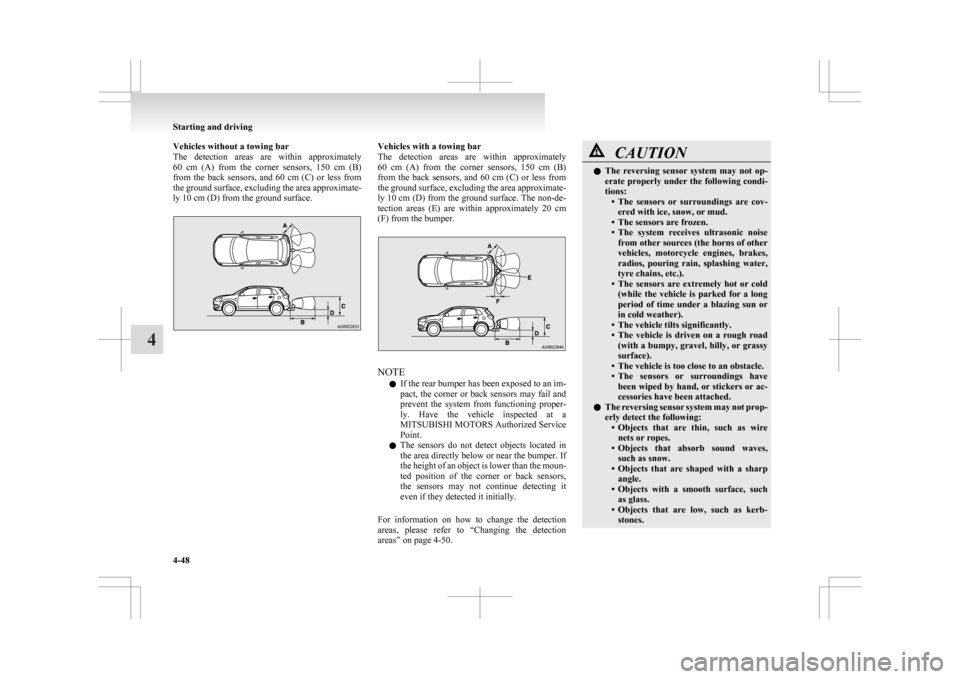
Vehicles without a towing bar
The
detection areas are within approximately
60 cm (A) from the corner sensors, 150 cm (B)
from the back sensors, and 60 cm (C) or less from
the ground surface, excluding the area approximate-
ly 10 cm (D) from the ground surface. Vehicles with a towing bar
The
detection areas are within approximately
60 cm (A) from the corner sensors, 150 cm (B)
from the back sensors, and 60 cm (C) or less from
the ground surface, excluding the area approximate-
ly 10 cm (D) from the ground surface. The non-de-
tection areas (E) are within approximately 20 cm
(F) from the bumper. NOTE
l If
the rear bumper has been exposed to an im-
pact, the corner or back sensors may fail and
prevent the system from functioning proper-
ly. Have the vehicle inspected at a
MITSUBISHI MOTORS Authorized Service
Point.
l The sensors do not detect objects located in
the area directly below or near the bumper. If
the height of an object is lower than the moun-
ted position of the corner or back sensors,
the sensors may not continue detecting it
even if they detected it initially.
For information on how to change the detection
areas, please refer to “Changing the detection
areas” on page 4-50. CAUTION
l
The
reversing sensor system may not op-
erate properly under the following condi-
tions: • The sensors or surroundings are cov-ered with ice, snow, or mud.
• The sensors are frozen.
• The system receives ultrasonic noise from other sources (the horns of other
vehicles, motorcycle engines, brakes,
radios, pouring rain, splashing water,
tyre chains, etc.).
• The sensors are extremely hot or cold (while the vehicle is parked for a long
period of time under a blazing sun or
in cold weather).
• The vehicle tilts significantly.
• The vehicle is driven on a rough road (with a bumpy, gravel, hilly, or grassy
surface).
• The vehicle is too close to an obstacle.
• The sensors or surroundings have been wiped by hand, or stickers or ac-
cessories have been attached.
l The reversing sensor system may not prop-
erly detect the following:
• Objects that are thin, such as wirenets or ropes.
• Objects that absorb sound waves, such as snow.
• Objects that are shaped with a sharp angle.
• Objects with a smooth surface, such as glass.
• Objects that are low, such as kerb- stones. Starting and driving
4-48
4
Page 212 of 368
Temperature control dial
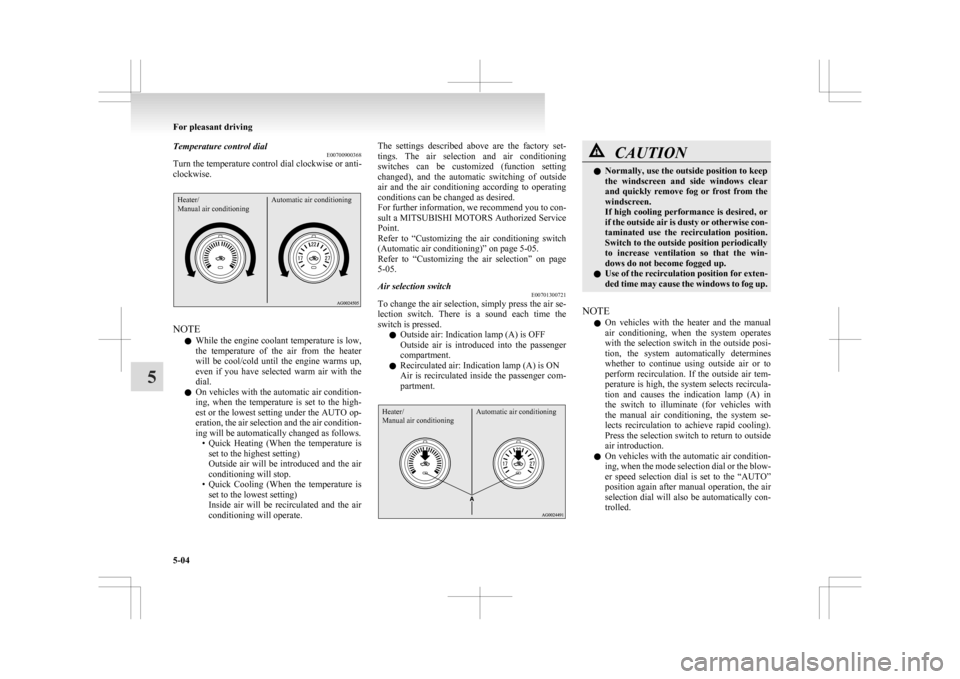
E00700900368
Turn the temperature control dial clockwise or anti-
clockwise.Heater/
Manual air conditioning Automatic air conditioningNOTE
l While
the engine coolant temperature is low,
the temperature of the air from the heater
will be cool/cold until the engine warms up,
even if you have selected warm air with the
dial.
l On vehicles with the automatic air condition-
ing, when the temperature is set to the high-
est or the lowest setting under the AUTO op-
eration, the air selection and the air condition-
ing will be automatically changed as follows.
• Quick Heating (When the temperature isset to the highest setting)
Outside air will be introduced and the air
conditioning will stop.
• Quick Cooling (When the temperature is set to the lowest setting)
Inside air will be recirculated and the air
conditioning will operate. The settings described above are the factory set-
tings.
The air selection and air conditioning
switches can be customized (function setting
changed), and the automatic switching of outside
air and the air conditioning according to operating
conditions can be changed as desired.
For further information, we recommend you to con-
sult a MITSUBISHI MOTORS Authorized Service
Point.
Refer to “Customizing the air conditioning switch
(Automatic air conditioning)” on page 5-05.
Refer to “Customizing the air selection” on page
5-05.
Air selection switch E00701300721
To change the air selection, simply press the air se-
lection
switch. There is a sound each time the
switch is pressed.
l Outside air: Indication lamp (A) is OFF
Outside air is introduced into the passenger
compartment.
l Recirculated air: Indication lamp (A) is ON
Air is recirculated inside the passenger com-
partment.
Heater/
Manual air conditioning Automatic air conditioning CAUTION
l
Normally, use the outside position to keep
the
windscreen and side windows clear
and quickly remove fog or frost from the
windscreen.
If high cooling performance is desired, or
if the outside air is dusty or otherwise con-
taminated use the recirculation position.
Switch to the outside position periodically
to increase ventilation so that the win-
dows do not become fogged up.
l Use of the recirculation position for exten-
ded time may cause the windows to fog up.
NOTE l On
vehicles with the heater and the manual
air conditioning, when the system operates
with the selection switch in the outside posi-
tion, the system automatically determines
whether to continue using outside air or to
perform recirculation. If the outside air tem-
perature is high, the system selects recircula-
tion and causes the indication lamp (A) in
the switch to illuminate (for vehicles with
the manual air conditioning, the system se-
lects recirculation to achieve rapid cooling).
Press the selection switch to return to outside
air introduction.
l On vehicles with the automatic air condition-
ing, when the mode selection dial or the blow-
er speed selection dial is set to the “AUTO”
position again after manual operation, the air
selection dial will also be automatically con-
trolled. For pleasant driving
5-04
5
Page 213 of 368
l
On vehicles with the automatic air condition-
ing, when the engine coolant temperature
rises to a certain level, the air selection is au-
tomatically switched to the recirculation posi-
tion and the indication lamp (A) comes on.
At this time, the system will not switch to the
outside position even if the air selection
switch is pushed.
Customizing the air selection E00732500107
Functions can be changed as desired, as stated below.
l Enable automatic air control
•
Heater/Manual air conditioning:When the system operates, the air selec-
tion switch will be automatically control-
led.
• Automatic air conditioning: When the mode selection dial or blower
speed selection dial is turned to the “AU-
TO” position, the air selection switch is al-
so controlled automatically.
l Disable automatic air control
• Heater/Manual air conditioning:Even when the system operates, the air se-
lection switch will not be automatically
controlled.
• Automatic air conditioning: Even when the mode selection dial or
blower speed selection dial is turned to
the “AUTO” position, the air selection
switch is not controlled automatically.
l Setting change method
Hold down the air selection switch for about
10 seconds or more.
When the setting is changed, a sound is emit-
ted and the indication lamp flashes. • When
the setting is changed from enable
to disable 3 sounds are emitted and the in-
dication lamp flashes 3 times.
• When the setting is changed from disable to enable 2 sounds are emitted and the in-
dication lamp flashes 3 times.
NOTE l The factory setting is “Enable automatic air
control.”
l When the mode selection dial is turned to
“ ”,
in order to prevent misting of the win-
dows the ventilator automatically switches to
outside air even if “Disable automatic air con-
trol” is set.
Air conditioning switch (Air conditioning) E00701500909
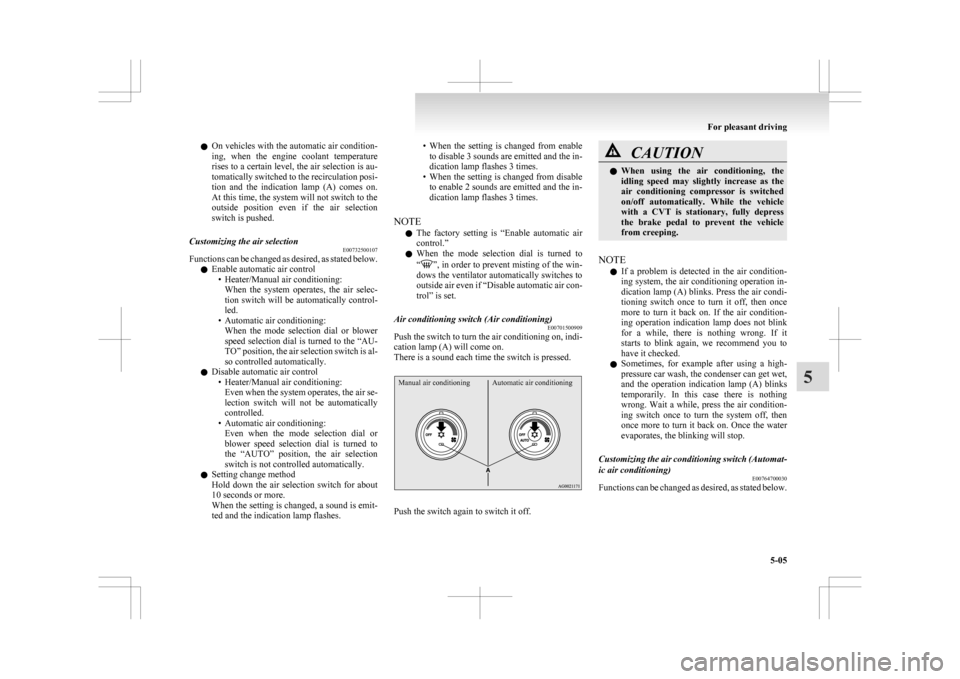
Push the switch to turn the air conditioning on, indi-
cation lamp (A) will come on.
There is a sound each time the switch is pressed.
Manual air conditioning Automatic air conditioning Push the switch again to switch it off. CAUTION
l
When
using the air conditioning, the
idling speed may slightly increase as the
air conditioning compressor is switched
on/off automatically. While the vehicle
with a CVT is stationary, fully depress
the brake pedal to prevent the vehicle
from creeping.
NOTE l If
a problem is detected in the air condition-
ing system, the air conditioning operation in-
dication lamp (A) blinks. Press the air condi-
tioning switch once to turn it off, then once
more to turn it back on. If the air condition-
ing operation indication lamp does not blink
for a while, there is nothing wrong. If it
starts to blink again, we recommend you to
have it checked.
l Sometimes, for example after using a high-
pressure car wash, the condenser can get wet,
and the operation indication lamp (A) blinks
temporarily. In this case there is nothing
wrong. Wait a while, press the air condition-
ing switch once to turn the system off, then
once more to turn it back on. Once the water
evaporates, the blinking will stop.
Customizing the air conditioning switch (Automat-
ic air conditioning) E00764700030
Functions can be changed as desired, as stated below. For pleasant driving
5-05 5
Page 214 of 368
l
Enable automatic air conditioning control:
If the mode selection dial or blower speed se-
lection
dial is turned to the “AUTO” posi-
tion, or the temperature control dial is set to
the minimum temperature, the air condition-
ing switch is controlled automatically.
l Disable automatic air conditioning control:
The air conditioning switch is not controlled
automatically as long as the air conditioning
switch is not operated.
l Setting change method
Hold down the air conditioning switch for
about 10 seconds or more.
When the setting is changed, a sound is emit-
ted and the indication lamp flashes.
• When the setting is changed from enableto disable 3 sounds are emitted and the in-
dication lamp flashes 3 times.
• When the setting is changed from disable to enable 2 sounds are emitted and the in-
dication lamp flashes 3 times.
NOTE l The factory setting is “Enable automatic air
conditioning control”.
l When you turn the mode selection dial to
“ ”,
in order to prevent misting of the win-
dows the air conditioning operates automati-
cally even if “Disable automatic air condition-
ing control” is set.
Operating the air conditioning system E00701800436
Heating (Heater/Manual air conditioning)
Set
the mode selection dial to the “ ”
position
and set the air selection switch (A) to the outside po-
sition. Turn the temperature control dial clockwise or anti-
clockwise
to the desired temperature. Select the de-
sired blower speed. NOTE
l For
quick heating, set the blower speed selec-
tion dial to the position shown in the illustra-
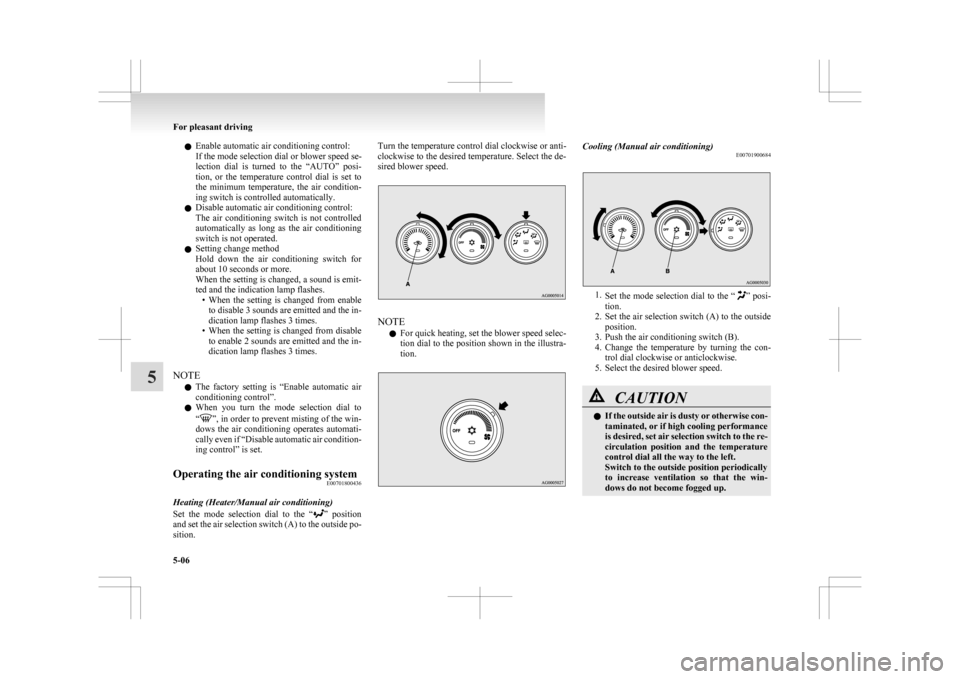
tion. Cooling (Manual air conditioning)
E00701900684 1.
Set
the mode selection dial to the “ ” posi-
tion.
2. Set the air selection switch (A) to the outside position.
3. Push the air conditioning switch (B).
4. Change the temperature by turning the con- trol dial clockwise or anticlockwise.
5. Select the desired blower speed. CAUTION
l
If
the outside air is dusty or otherwise con-
taminated, or if high cooling performance
is desired, set air selection switch to the re-
circulation position and the temperature
control dial all the way to the left.
Switch to the outside position periodically
to increase ventilation so that the win-
dows do not become fogged up. For pleasant driving
5-06
5
Page 218 of 368
Air purifier
E00708400561
An
air filter has been incorporated into the air con-
ditioning so that pollen and dust are cleaned from
the air.
Replace the air filter periodically as its ability to
clean the air will be reduced as it collects pollen
and dirt. For the maintenance interval, refer to the
“SERVICE BOOKLET”.
NOTE
l Operation in certain conditions such as driv-
ing on a dusty road and frequent use of the
air conditioning can lead to reduction of serv-
ice life of the filter. When you feel that the
air flow is lower than normal or when the
windscreen or windows start to fog up easily,
replace the air filter.
We recommend you to have it checked. Audio system*
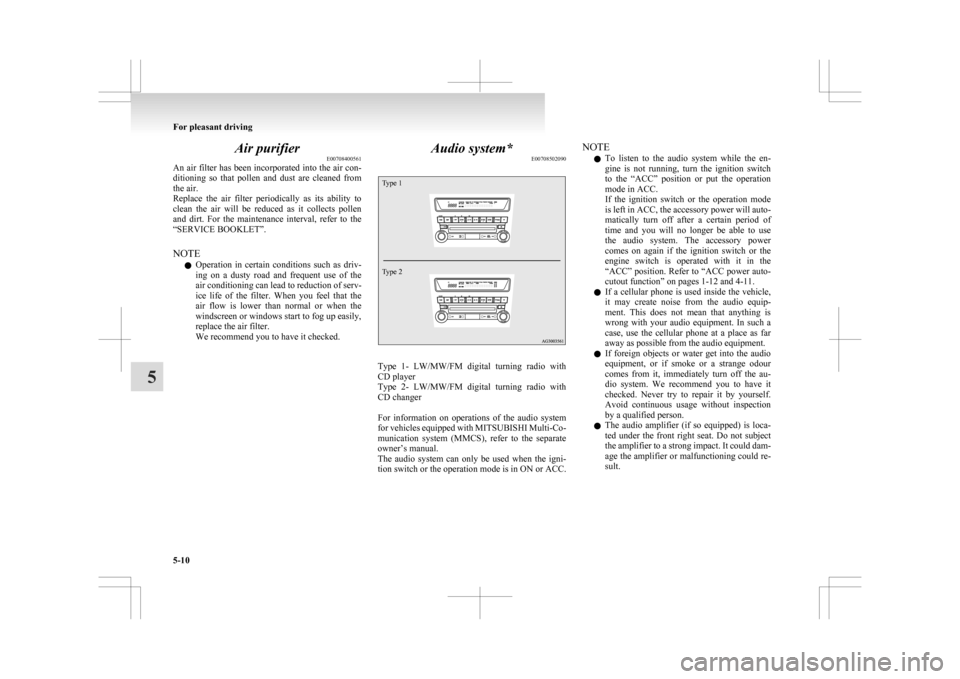
E00708502090
Type 1
Type 2 Type 1- LW/MW/FM digital turning radio with
CD player
Type
2- LW/MW/FM digital turning radio with
CD changer
For information on operations of the audio system
for vehicles equipped with MITSUBISHI Multi-Co-
munication system (MMCS), refer to the separate
owner’s manual.
The audio system can only be used when the igni-
tion switch or the operation mode is in ON or ACC. NOTE
l To
listen to the audio system while the en-
gine is not running, turn the ignition switch
to the “ACC” position or put the operation
mode in ACC.
If the ignition switch or the operation mode
is left in ACC, the accessory power will auto-
matically turn off after a certain period of
time and you will no longer be able to use
the audio system. The accessory power
comes on again if the ignition switch or the
engine switch is operated with it in the
“ACC” position. Refer to “ACC power auto-
cutout function” on pages 1-12 and 4-11.
l If a cellular phone is used inside the vehicle,
it may create noise from the audio equip-
ment. This does not mean that anything is
wrong with your audio equipment. In such a
case, use the cellular phone at a place as far
away as possible from the audio equipment.
l If foreign objects or water get into the audio
equipment, or if smoke or a strange odour
comes from it, immediately turn off the au-
dio system. We recommend you to have it
checked. Never try to repair it by yourself.
Avoid continuous usage without inspection
by a qualified person.
l The audio amplifier (if so equipped) is loca-
ted under the front right seat. Do not subject
the amplifier to a strong impact. It could dam-
age the amplifier or malfunctioning could re-
sult. For pleasant driving
5-10
5
Page 221 of 368
To tune the radio
E00709100624
Automatic tuning
After
pressing the SEEK button, a receivable sta-
tion will be automatically selected and reception of
the station will begin.
Manual tuning
The frequency changes every time the TUNE
switch is turned. Turn the switch to select the de-
sired radio broadcasting station.
To enter frequencies into the memory E00716101144
Manual setting
You
can assign to the memory select buttons a max-
imum of 18 stations in the FM band (6 FM1, 6
FM2 and 6 FM3 stations) and 6 stations each in the
MW and LW band. (Stations already assigned to
the memory select buttons are replaced by any new-
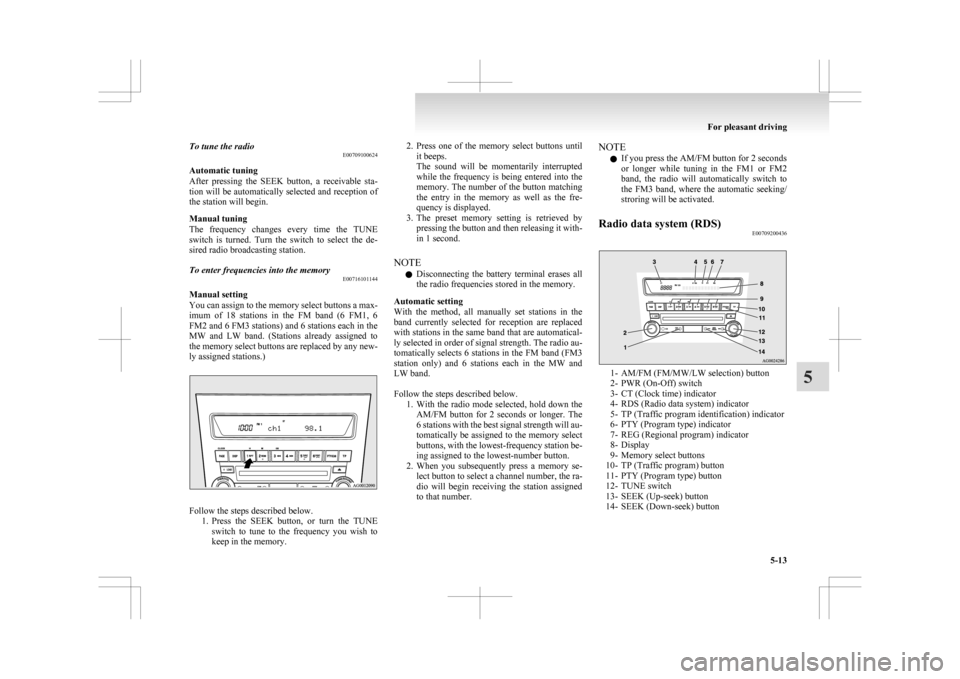
ly assigned stations.) Follow the steps described below.
1. Press
the SEEK button, or turn the TUNE
switch to tune to the frequency you wish to
keep in the memory. 2. Press
one of the memory select buttons until
it beeps.
The sound will be momentarily interrupted
while the frequency is being entered into the
memory. The number of the button matching
the entry in the memory as well as the fre-
quency is displayed.
3. The preset memory setting is retrieved by pressing the button and then releasing it with-
in 1 second.
NOTE l Disconnecting the battery terminal erases all
the radio frequencies stored in the memory.
Automatic setting
With the method, all manually set stations in the
band currently selected for reception are replaced
with stations in the same band that are automatical-
ly selected in order of signal strength. The radio au-
tomatically selects 6 stations in the FM band (FM3
station only) and 6 stations each in the MW and
LW band.
Follow the steps described below. 1. With the radio mode selected, hold down theAM/FM button for 2 seconds or longer. The
6 stations with the best signal strength will au-
tomatically be assigned to the memory select
buttons, with the lowest-frequency station be-
ing assigned to the lowest-number button.
2. When you subsequently press a memory se- lect button to select a channel number, the ra-
dio will begin receiving the station assigned
to that number. NOTE
l If you press the AM/FM button for 2 seconds
or
longer while tuning in the FM1 or FM2
band, the radio will automatically switch to
the FM3 band, where the automatic seeking/
stroring will be activated.
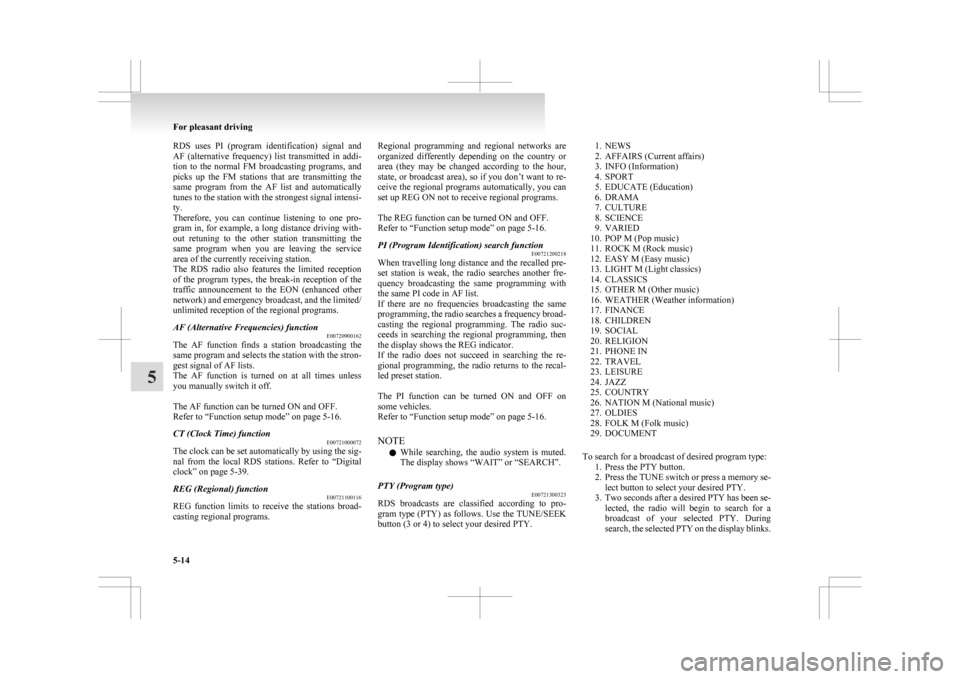
Radio data system (RDS) E00709200436 1- AM/FM (FM/MW/LW selection) button
2-
PWR (On-Off) switch
3- CT (Clock time) indicator
4- RDS (Radio data system) indicator
5- TP (Traffic program identification) indicator
6- PTY (Program type) indicator
7- REG (Regional program) indicator
8- Display
9- Memory select buttons
10- TP (Traffic program) button
11- PTY (Program type) button
12- TUNE switch
13- SEEK (Up-seek) button
14- SEEK (Down-seek) button For pleasant driving
5-13 5
Page 222 of 368
RDS uses PI (program identification) signal and
AF
(alternative frequency) list transmitted in addi-
tion to the normal FM broadcasting programs, and
picks up the FM stations that are transmitting the
same program from the AF list and automatically
tunes to the station with the strongest signal intensi-
ty.
Therefore, you can continue listening to one pro-
gram in, for example, a long distance driving with-
out retuning to the other station transmitting the
same program when you are leaving the service
area of the currently receiving station.
The RDS radio also features the limited reception
of the program types, the break-in reception of the
traffic announcement to the EON (enhanced other
network) and emergency broadcast, and the limited/
unlimited reception of the regional programs.
AF (Alternative Frequencies) function E00720900162
The AF function finds a station broadcasting the
same
program and selects the station with the stron-
gest signal of AF lists.
The AF function is turned on at all times unless
you manually switch it off.
The AF function can be turned ON and OFF.
Refer to “Function setup mode” on page 5-16.
CT (Clock Time) function E00721000072
The clock can be set automatically by using the sig-
nal
from the local RDS stations. Refer to “Digital
clock” on page 5-39.
REG (Regional) function E00721100116
REG function limits to receive the stations broad-
casting regional programs. Regional programming and regional networks are
organized
differently depending on the country or
area (they may be changed according to the hour,
state, or broadcast area), so if you don’t want to re-
ceive the regional programs automatically, you can
set up REG ON not to receive regional programs.
The REG function can be turned ON and OFF.
Refer to “Function setup mode” on page 5-16.
PI (Program Identification) search function E00721200218
When travelling long distance and the recalled pre-
set
station is weak, the radio searches another fre-
quency broadcasting the same programming with
the same PI code in AF list.
If there are no frequencies broadcasting the same
programming, the radio searches a frequency broad-
casting the regional programming. The radio suc-
ceeds in searching the regional programming, then
the display shows the REG indicator.
If the radio does not succeed in searching the re-
gional programming, the radio returns to the recal-
led preset station.
The PI function can be turned ON and OFF on
some vehicles.
Refer to “Function setup mode” on page 5-16.
NOTE
l While searching, the audio system is muted.
The display shows “WAIT” or “SEARCH”.
PTY (Program type) E00721300323
RDS broadcasts are classified according to pro-
gram
type (PTY) as follows. Use the TUNE/SEEK
button (3 or 4) to select your desired PTY.
1. NEWS
2.
AFFAIRS (Current affairs)
3. INFO (Information)
4. SPORT
5. EDUCATE (Education)
6. DRAMA
7. CULTURE
8. SCIENCE
9. VARIED
10. POP M (Pop music)
11. ROCK M (Rock music)
12. EASY M (Easy music)
13. LIGHT M (Light classics)
14. CLASSICS
15. OTHER M (Other music)
16. WEATHER (Weather information)
17. FINANCE
18. CHILDREN
19. SOCIAL
20. RELIGION
21. PHONE IN
22. TRAVEL
23. LEISURE
24. JAZZ
25. COUNTRY
26. NATION M (National music)
27. OLDIES
28. FOLK M (Folk music)
29. DOCUMENT
To search for a broadcast of desired program type: 1. Press the PTY button.
2. Press the TUNE switch or press a memory se-lect button to select your desired PTY.
3. Two seconds after a desired PTY has been se- lected, the radio will begin to search for a
broadcast of your selected PTY. During
search, the selected PTY on the display blinks. For pleasant driving
5-14
5
Page 224 of 368
The traffic information program standby function
is
turned on (with the TP indicator shown on the dis-
play) and after about 45 seconds since the RDS in-
dicator turns off due to weak signal or the tuning
station is changed over from a TP station to a sta-
tion which does not broadcast traffic information,
the sound will beep 5 times and seeks out a TP sta-
tion in all frequencies automatically.
The TP search function can be turned ON and OFF.
Refer to “Function setup mode” on page 5-16.
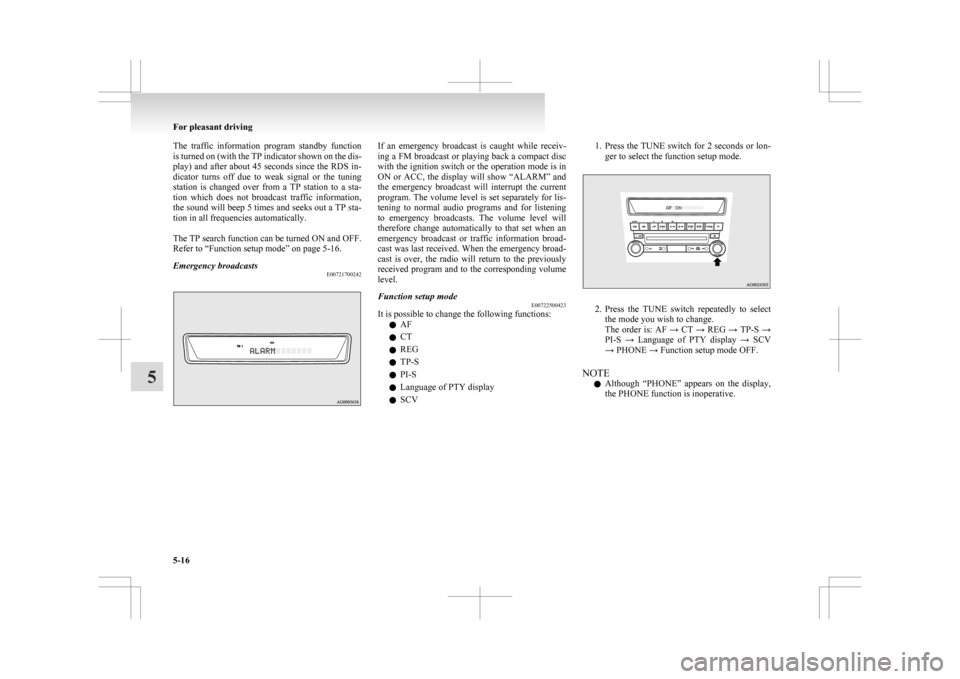
Emergency broadcasts E00721700242 If an emergency broadcast is caught while receiv-
ing
a FM broadcast or playing back a compact disc
with the ignition switch or the operation mode is in
ON or ACC, the display will show “ALARM” and
the emergency broadcast will interrupt the current
program. The volume level is set separately for lis-
tening to normal audio programs and for listening
to emergency broadcasts. The volume level will
therefore change automatically to that set when an
emergency broadcast or traffic information broad-
cast was last received. When the emergency broad-
cast is over, the radio will return to the previously
received program and to the corresponding volume
level.
Function setup mode E00722500423
It is possible to change the following functions:
l AF
l CT
l REG
l TP-S
l PI-S
l Language of PTY display
l SCV 1. Press the TUNE switch for 2 seconds or lon-
ger to select the function setup mode. 2. Press
the TUNE switch repeatedly to select
the mode you wish to change.
The order is: AF → CT → REG → TP-S →
PI-S → Language of PTY display → SCV
→ PHONE → Function setup mode OFF.
NOTE l Although “PHONE” appears on the display,
the PHONE function is inoperative. For pleasant driving
5-16
5
Page 226 of 368
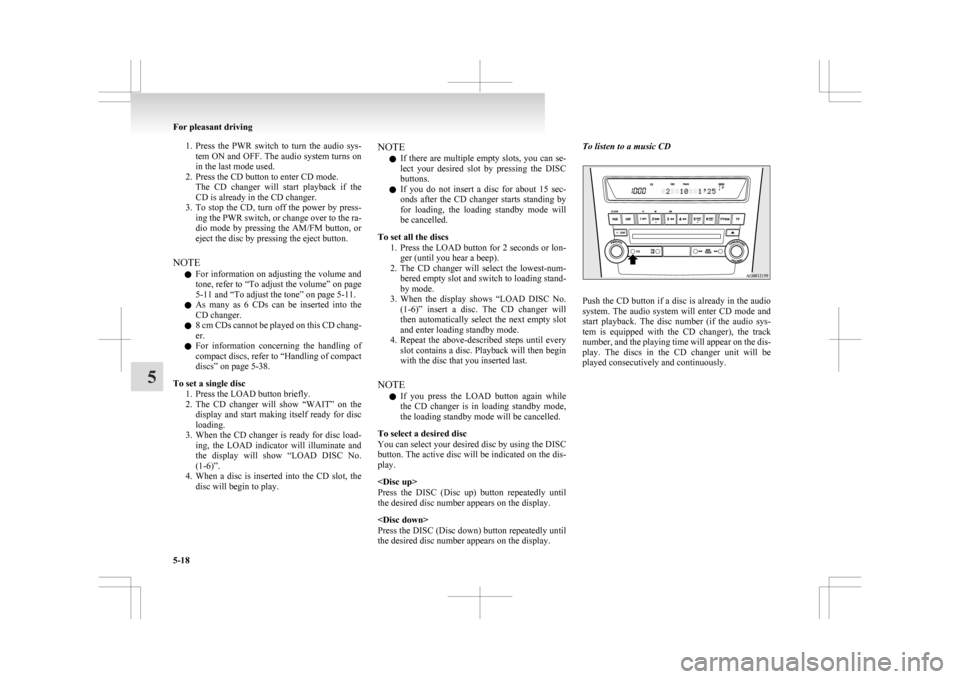
1. Press the PWR switch to turn the audio sys-
tem ON and OFF. The audio system turns on
in the last mode used.
2. Press the CD button to enter CD mode. The CD changer will start playback if the
CD is already in the CD changer.
3. To stop the CD, turn off the power by press- ing the PWR switch, or change over to the ra-
dio mode by pressing the AM/FM button, or
eject the disc by pressing the eject button.
NOTE l For information on adjusting the volume and
tone, refer to “To adjust the volume” on page
5-11 and “To adjust the tone” on page 5-11.
l As many as 6 CDs can be inserted into the
CD changer.
l 8 cm CDs cannot be played on this CD chang-
er.
l For information concerning the handling of
compact discs, refer to “Handling of compact
discs” on page 5-38.
To set a single disc 1. Press the LOAD button briefly.
2. The CD changer will show “WAIT” on thedisplay and start making itself ready for disc
loading.
3. When the CD changer is ready for disc load- ing, the LOAD indicator will illuminate and
the display will show “LOAD DISC No.
(1-6)”.
4. When a disc is inserted into the CD slot, the disc will begin to play. NOTE
l If
there are multiple empty slots, you can se-
lect your desired slot by pressing the DISC
buttons.
l If you do not insert a disc for about 15 sec-
onds after the CD changer starts standing by
for loading, the loading standby mode will
be cancelled.
To set all the discs 1. Press the LOAD button for 2 seconds or lon-ger (until you hear a beep).
2. The CD changer will select the lowest-num- bered empty slot and switch to loading stand-
by mode.
3. When the display shows “LOAD DISC No. (1-6)” insert a disc. The CD changer will
then automatically select the next empty slot
and enter loading standby mode.
4. Repeat the above-described steps until every slot contains a disc. Playback will then begin
with the disc that you inserted last.
NOTE l If you press the LOAD button again while
the CD changer is in loading standby mode,
the loading standby mode will be cancelled.
To select a desired disc
You can select your desired disc by using the DISC
button. The active disc will be indicated on the dis-
play.
Press the DISC (Disc up) button repeatedly until
the desired disc number appears on the display.
Press the DISC (Disc down) button repeatedly until
the desired disc number appears on the display. To listen to a music CD
Push the CD button if a disc is already in the audio
system.
The audio system will enter CD mode and
start playback. The disc number (if the audio sys-
tem is equipped with the CD changer), the track
number, and the playing time will appear on the dis-
play. The discs in the CD changer unit will be
played consecutively and continuously. For pleasant driving
5-18
5
Page 228 of 368
Folder selection
In the order
File selection
In the order
To fast-forward/reverse the disc
Fast-forward
The
disc is fast-forwarded while the button is
held
down. Playback will begin once the button is
released.
Fast-reverse
The disc is fast-reversed while the button is
held
down. Playback will begin once the button is
released.
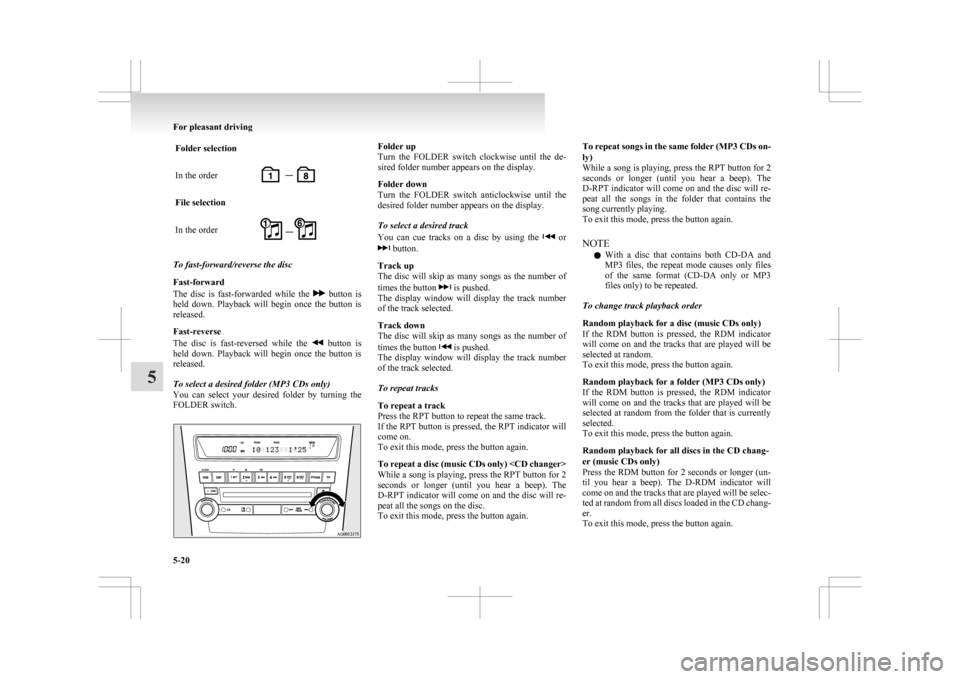
To select a desired folder (MP3 CDs only)
You can select your desired folder by turning the
FOLDER switch. Folder up
Turn
the FOLDER switch clockwise until the de-
sired folder number appears on the display.
Folder down
Turn the FOLDER switch anticlockwise until the
desired folder number appears on the display.
To select a desired track
You can cue tracks on a disc by using the or
button.
Track up
The
disc will skip as many songs as the number of
times the button is pushed.
The
display window will display the track number
of the track selected.
Track down
The disc will skip as many songs as the number of
times the button is pushed.
The
display window will display the track number
of the track selected.
To repeat tracks
To repeat a track
Press the RPT button to repeat the same track.
If the RPT button is pressed, the RPT indicator will
come on.
To exit this mode, press the button again.
To repeat a disc (music CDs only)
While a song is playing, press the RPT button for 2
seconds or longer (until you hear a beep). The
D-RPT indicator will come on and the disc will re-
peat all the songs on the disc.
To exit this mode, press the button again. To repeat songs in the same folder (MP3 CDs on-
ly)
While
a song is playing, press the RPT button for 2
seconds or longer (until you hear a beep). The
D-RPT indicator will come on and the disc will re-
peat all the songs in the folder that contains the
song currently playing.
To exit this mode, press the button again.
NOTE
l With a disc that contains both CD-DA and
MP3 files, the repeat mode causes only files
of the same format (CD-DA only or MP3
files only) to be repeated.
To change track playback order
Random playback for a disc (music CDs only)
If the RDM button is pressed, the RDM indicator
will come on and the tracks that are played will be
selected at random.
To exit this mode, press the button again.
Random playback for a folder (MP3 CDs only)
If the RDM button is pressed, the RDM indicator
will come on and the tracks that are played will be
selected at random from the folder that is currently
selected.
To exit this mode, press the button again.
Random playback for all discs in the CD chang-
er (music CDs only)
Press the RDM button for 2 seconds or longer (un-
til you hear a beep). The D-RDM indicator will
come on and the tracks that are played will be selec-
ted at random from all discs loaded in the CD chang-
er.
To exit this mode, press the button again. For pleasant driving
5-20
5