tow MITSUBISHI ASX 2018 (in English) User Guide
[x] Cancel search | Manufacturer: MITSUBISHI, Model Year: 2018, Model line: ASX, Model: MITSUBISHI ASX 2018Pages: 514, PDF Size: 34.89 MB
Page 179 of 514
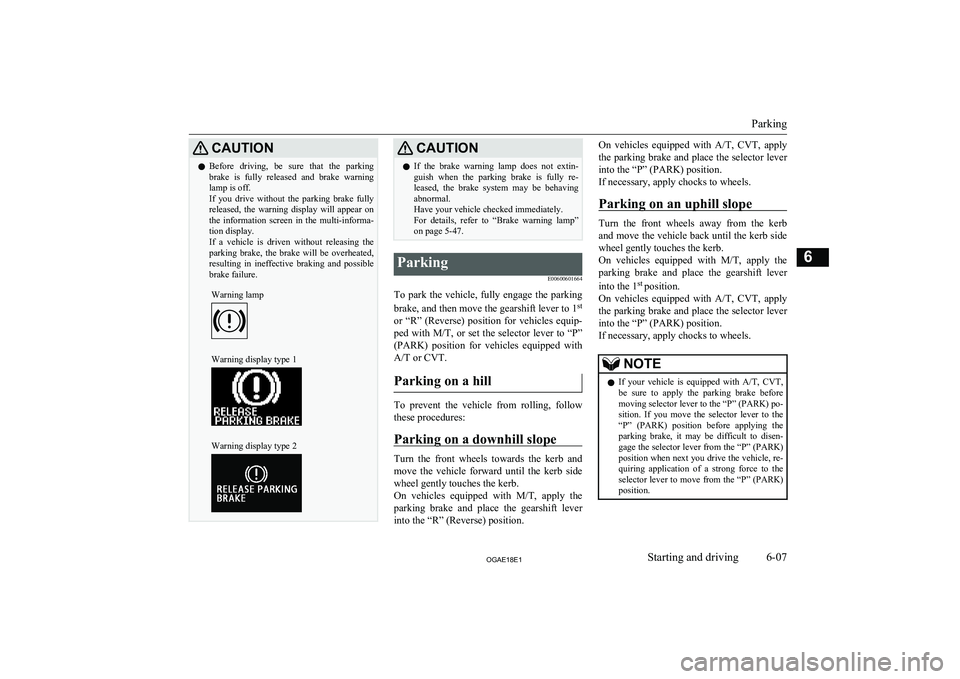
CAUTIONlBefore driving, be sure that the parking
brake is fully released and brake warning lamp is off.
If you drive without the parking brake fully
released, the warning display will appear on the information screen in the multi-informa-tion display.
If a vehicle is driven without releasing the
parking brake, the brake will be overheated, resulting in ineffective braking and possible
brake failure.Warning lampWarning display type 1Warning display type 2CAUTIONl If the brake warning lamp does not extin-
guish when the parking brake is fully re- leased, the brake system may be behavingabnormal.
Have your vehicle checked immediately.
For details, refer to “Brake warning lamp” on page 5-47.Parking
E00600601664
To park the vehicle, fully engage the parkingbrake, and then move the gearshift lever to 1 st
or “R” (Reverse) position for vehicles equip-
ped with M/T, or set the selector lever to “P”
(PARK) position for vehicles equipped with
A/T or CVT.
Parking on a hill
To prevent the vehicle from rolling, followthese procedures:
Parking on a downhill slope
Turn the front wheels towards the kerb and
move the vehicle forward until the kerb side wheel gently touches the kerb.
On vehicles equipped with M/T, apply the
parking brake and place the gearshift lever
into the “R” (Reverse) position.
On vehicles equipped with A/T, CVT, apply
the parking brake and place the selector lever
into the “P” (PARK) position.
If necessary, apply chocks to wheels.
Parking on an uphill slope
Turn the front wheels away from the kerb and move the vehicle back until the kerb side
wheel gently touches the kerb.
On vehicles equipped with M/T, apply the
parking brake and place the gearshift lever
into the 1 st
position.
On vehicles equipped with A/T, CVT, apply
the parking brake and place the selector lever
into the “P” (PARK) position.
If necessary, apply chocks to wheels.
NOTEl If your vehicle is equipped with
A/T, CVT,
be sure to apply the parking brake before
moving selector lever to the “P” (PARK) po- sition. If you move the selector lever to the
“P” (PARK) position before applying the parking brake, it may be difficult to disen-
gage the selector lever from the “P” (PARK) position when next you drive the vehicle, re-
quiring application of a strong force to the selector lever to move from the “P” (PARK)
position.
Parking
6-07OGAE18E1Starting and driving6
Page 183 of 514
Retracting and extending theoutside mirrors
E00601100715
The outside mirror can be folded in towards
the side window to prevent damage when
parking in narrow areas.
CAUTIONl Do not drive the vehicle with the mirror fol-
ded in.
The lack of rearward visibility normally pro-
vided by the mirror could lead to an acci- dent.
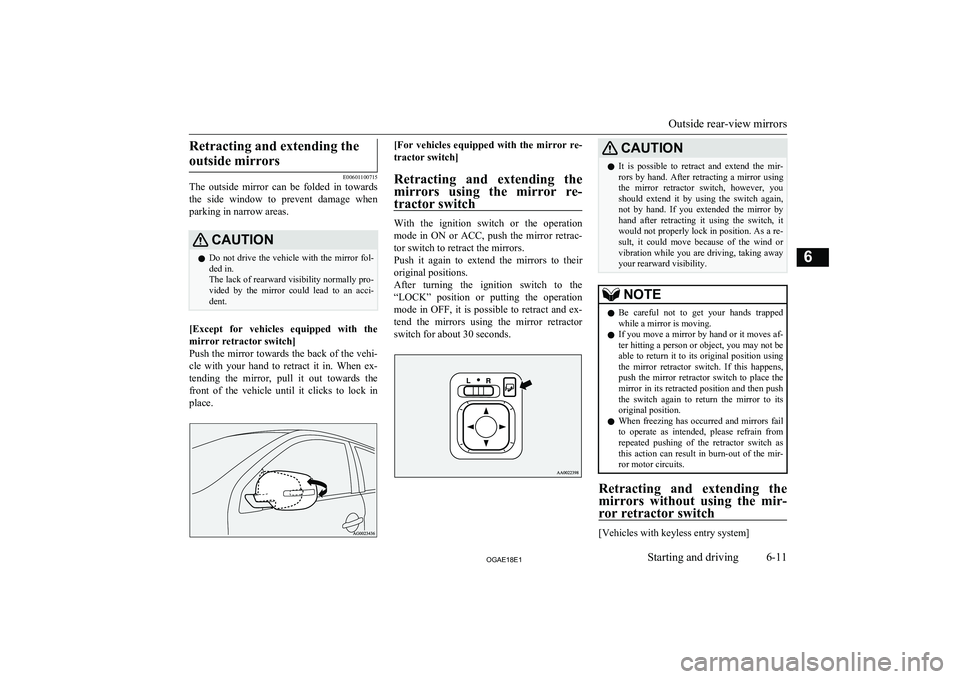
[Except for vehicles equipped with the
mirror retractor switch]
Push the mirror towards the back of the vehi- cle with your hand to retract it in. When ex-
tending the mirror, pull it out towards the
front of the vehicle until it clicks to lock in
place.
[For vehicles equipped with the mirror re-
tractor switch]
Retracting and extending the
mirrors using the mirror re- tractor switch
With the ignition switch or the operation
mode in ON or ACC, push the mirror retrac- tor switch to retract the mirrors.
Push it again to extend the mirrors to their
original positions.
After turning the ignition switch to the
“LOCK” position or putting the operation
mode in OFF, it is possible to retract and ex- tend the mirrors using the mirror retractor
switch for about 30 seconds.
CAUTIONl It is possible to retract and extend the mir-
rors by hand. After retracting a mirror using
the mirror retractor switch, however, you should extend it by using the switch again,
not by hand. If you extended the mirror by
hand after retracting it using the switch, it would not properly lock in position. As a re-
sult, it could move because of the wind or
vibration while you are driving, taking away your rearward visibility.NOTEl Be careful not to get your hands trapped
while a mirror is moving.
l If you move a mirror by hand or it moves af-
ter hitting a person or object, you may not be
able to return it to its original position using the mirror retractor switch. If this happens,
push the mirror retractor switch to place the mirror in its retracted position and then push
the switch again to return the mirror to its original position.
l When freezing has occurred and mirrors fail
to operate as intended, please refrain from repeated pushing of the retractor switch as
this action can result in burn-out of the mir- ror motor circuits.
Retracting and extending the
mirrors without using the mir- ror retractor switch
[Vehicles with keyless entry system]
Outside rear-view mirrors
6-11OGAE18E1Starting and driving6
Page 208 of 514
“Ds” DOWNSHIFT & SPOR-TY DRIVING (except for vehi- cles equipped with shift pad-
dles)
Use when engine braking is needed, or for
high-power sport drive.
“L” LOW
This position is for driving up very steep hills and for engine braking at low speeds when
driving down steep hills.
WARNINGl This position can be used for maximum
engine braking.
Be very careful not to shift into “L” (Low) suddenly.
Sudden engine braking may cause the
tyres to skid.
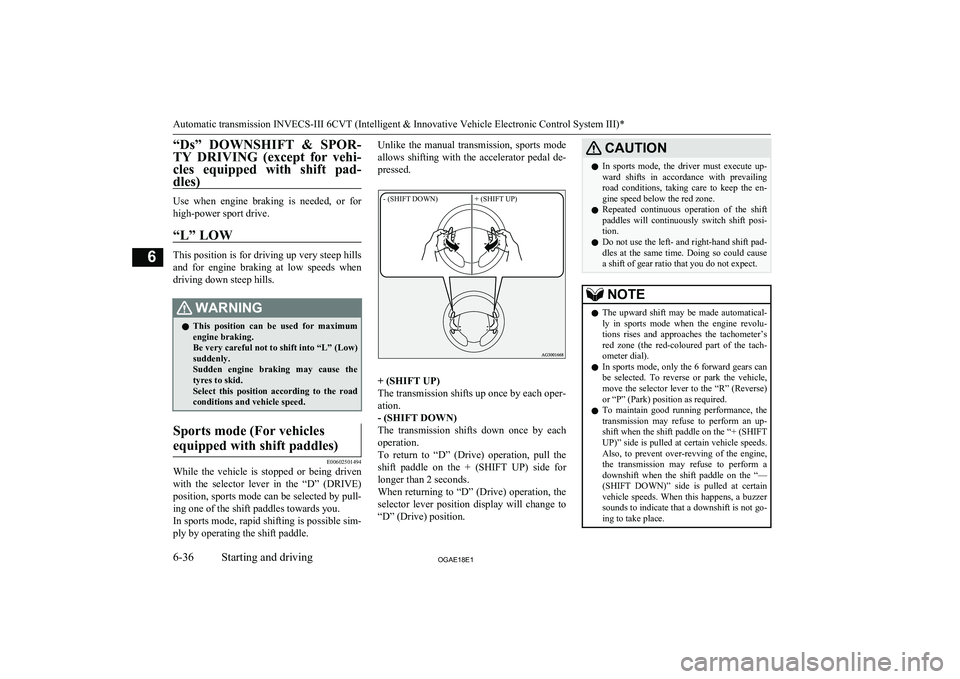
Select this position according to the road conditions and vehicle speed.Sports mode (For vehicles
equipped with shift paddles)
E00602501494
While the vehicle is stopped or being driven with the selector lever in the “D” (DRIVE)
position, sports mode can be selected by pull-
ing one of the shift paddles towards you.
In sports mode, rapid shifting is possible sim-
ply by operating the shift paddle.
Unlike the manual transmission, sports mode
allows shifting with the accelerator pedal de-
pressed.- (SHIFT DOWN)+ (SHIFT UP)
+ (SHIFT UP)
The transmission shifts up once by each oper-
ation.
- (SHIFT DOWN)
The transmission shifts down once by each
operation.
To return to “D” (Drive) operation, pull the
shift paddle on the + (SHIFT UP) side for longer than 2 seconds.
When returning to “D” (Drive) operation, the
selector lever position display will change to “D” (Drive) position.
CAUTIONl In sports mode, the driver must execute up-
ward shifts in accordance with prevailingroad conditions, taking care to keep the en-
gine speed below the red zone.
l Repeated continuous operation of the shift
paddles will continuously switch shift posi-
tion.
l Do not use the left- and right-hand shift pad-
dles at the same time. Doing so could cause a shift of gear ratio that you do not expect.NOTEl The upward shift may be made automatical-
ly in sports mode when the engine revolu-
tions rises and approaches the tachometer’s
red zone (the red-coloured part of the tach- ometer dial).
l In sports mode, only the 6 forward gears can
be selected. To reverse or park the vehicle, move the selector lever to the “R” (Reverse)
or “P” (Park) position as required.
l To maintain good running performance, the
transmission may refuse to perform an up- shift when the shift paddle on the “+ (SHIFTUP)” side is pulled at certain vehicle speeds.
Also, to prevent over-revving of the engine,
the transmission may refuse to perform a downshift when the shift paddle on the “—
(SHIFT DOWN)” side is pulled at certain vehicle speeds. When this happens, a buzzer
sounds to indicate that a downshift is not go- ing to take place.
Automatic transmission INVECS-III 6CVT (Intelligent & Innovative Vehicle Electronic Control System III)*
6-36OGAE18E1Starting and driving6
Page 213 of 514
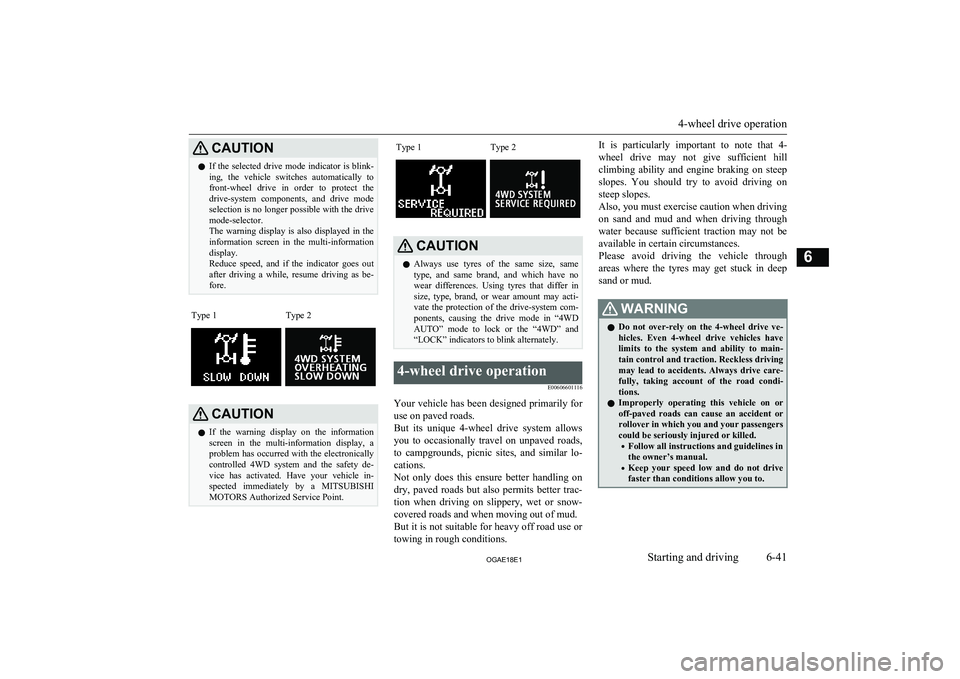
CAUTIONlIf the selected drive mode indicator is blink-
ing, the vehicle switches automatically to front-wheel drive in order to protect thedrive-system components, and drive mode
selection is no longer possible with the drive mode-selector.
The warning display is also displayed in the
information screen in the multi-information display.
Reduce speed, and if the indicator goes out after driving a while, resume driving as be-fore.Type 1Type 2CAUTIONl If the warning display on the information
screen in the multi-information display, a problem has occurred with the electronically
controlled 4WD system and the safety de-
vice has activated. Have your vehicle in-
spected immediately by a MITSUBISHI
MOTORS Authorized Service Point.Type 1Type 2CAUTIONl Always use tyres of the same size, same
type, and same brand, and which have no wear differences. Using tyres that differ in
size, type, brand, or wear amount may acti- vate the protection of the drive-system com-
ponents, causing the drive mode in “4WD
AUTO” mode to lock or the “4WD” and “LOCK” indicators to blink alternately.4-wheel drive operation
E00606601116
Your vehicle has been designed primarily foruse on paved roads.
But its unique 4-wheel drive system allows
you to occasionally travel on unpaved roads, to campgrounds, picnic sites, and similar lo-
cations.
Not only does this ensure better handling on
dry, paved roads but also permits better trac-
tion when driving on slippery, wet or snow- covered roads and when moving out of mud.
But it is not suitable for heavy off road use or
towing in rough conditions.
It is particularly important to note that 4-
wheel drive may not give sufficient hill
climbing ability and engine braking on steep slopes. You should try to avoid driving on
steep slopes.
Also, you must exercise caution when driving on sand and mud and when driving through water because sufficient traction may not be
available in certain circumstances.
Please avoid driving the vehicle through
areas where the tyres may get stuck in deep
sand or mud.WARNINGl Do not over-rely on the 4-wheel drive ve-
hicles. Even 4-wheel drive vehicles have limits to the system and ability to main-tain control and traction. Reckless driving may lead to accidents. Always drive care-
fully, taking account of the road condi-
tions.
l Improperly operating this vehicle on or
off-paved roads can cause an accident or
rollover in which you and your passengers
could be seriously injured or killed.
• Follow all instructions and guidelines in
the owner’s manual.
• Keep your speed low and do not drive
faster than conditions allow you to.
4-wheel drive operation
6-41OGAE18E1Starting and driving6
Page 216 of 514
Cautions on handling of 4-wheel drive vehicles E00606802085
Tyres and wheels
Since the driving torque can be applied to the 4 wheels, the driving performance of the ve-
hicle when operating in 4-wheel drive is
greatly affected by the condition of the tyres.
Pay close attention to the tyres.
l Install only the specified tyres on all
wheels. Refer to “Tyres and wheels” on page 11-12.
l Be sure all 4 tyres and wheels are the
same size and type.
When it is necessary to replace any of
the tyres or wheels, replace all 4 tyres.
l All tyres should be rotated before the
wear difference between the front and rear tyres is recognizable.
Good vehicle performance cannot be expec- ted if there is a difference in wear between
tyres. Refer to “Tyre rotation” on page 10-15.
l Check the tyre inflation pressure regular-
ly.
CAUTIONl Always use tyres of the same size, same
type, and same brand, and which have no wear differences. Using tyres of different
size, type, brands or degree of wear, will in- crease the differential oil temperature, result-
ing in possible damage to the driving sys-
tem. Further, the drive train will be subjec-
ted to excessive loading possibly leading to oil leakage, component seizure, or other seri-
ous faults.
Towing
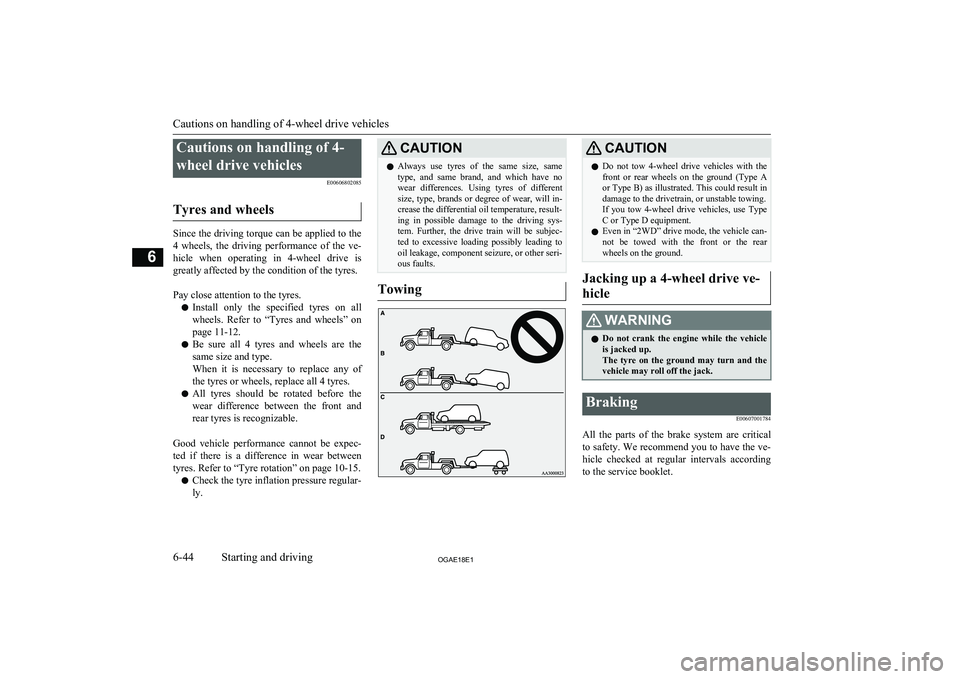
CAUTIONl Do not tow 4-wheel drive vehicles with the
front or rear wheels on the ground (Type Aor Type B) as illustrated. This could result in
damage to the drivetrain, or unstable towing.
If you tow 4-wheel drive vehicles, use Type C or Type D equipment.
l Even in “2WD” drive mode, the vehicle can-
not be towed with the front or the rear wheels on the ground.
Jacking up a 4-wheel drive ve-
hicle
WARNINGl Do not crank the engine while the vehicle
is jacked up.
The tyre on the ground may turn and the vehicle may roll off the jack.Braking
E00607001784
All the parts of the brake system are critical
to safety. We recommend you to have the ve- hicle checked at regular intervals according
to the service booklet.
Cautions on handling of 4-wheel drive vehicles
6-44OGAE18E1Starting and driving6
Page 226 of 514
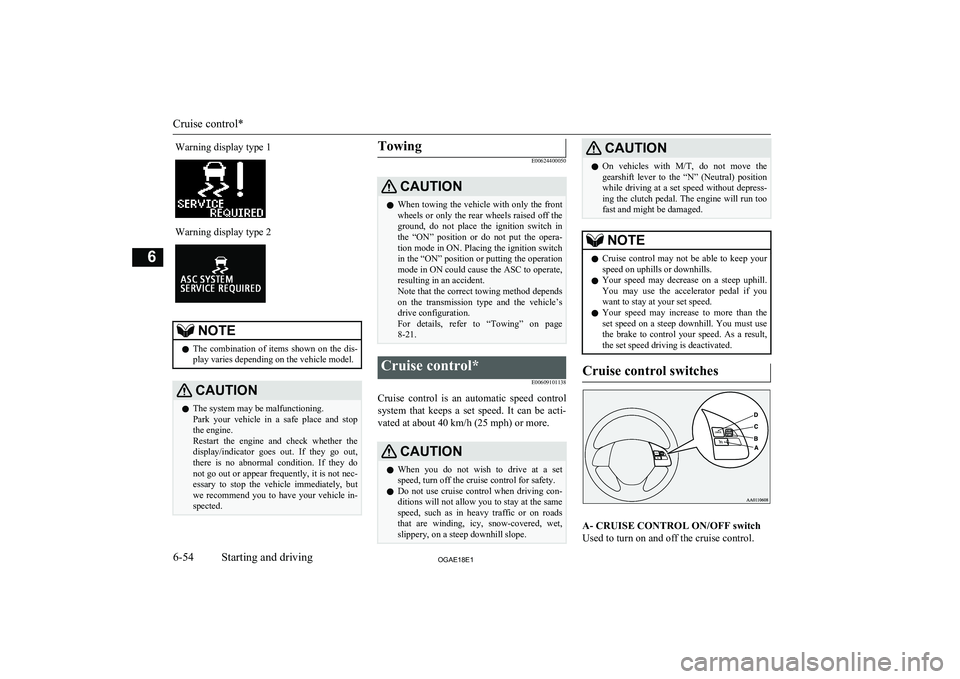
Warning display type 1Warning display type 2NOTElThe combination of items shown on the dis-
play varies depending on the vehicle model.CAUTIONl The system may be malfunctioning.
Park your vehicle in a safe place and stop
the engine.
Restart the engine and check whether the display/indicator goes out. If they go out,
there is no abnormal condition. If they do not go out or appear frequently, it is not nec- essary to stop the vehicle immediately, but
we recommend you to have your vehicle in- spected.Towing
E00624400050CAUTIONl When towing the vehicle with only the front
wheels or only the rear wheels raised off the
ground, do not place the ignition switch in the “ON” position or do not put the opera- tion mode in ON. Placing the ignition switchin the “ON” position or putting the operation
mode in ON could cause the ASC to operate, resulting in an accident.
Note that the correct towing method depends
on the transmission type and the vehicle’s drive configuration.
For details, refer to “Towing” on page 8-21.Cruise control*
E00609101138
Cruise control is an automatic speed controlsystem that keeps a set speed. It can be acti-vated at about 40 km/h (25 mph) or more.
CAUTIONl When you do not wish to drive at a set
speed, turn off the cruise control for safety.
l Do not use cruise control when driving con-
ditions will not allow you to stay at the same
speed, such as in heavy traffic or on roads that are winding, icy, snow-covered, wet, slippery, on a steep downhill slope.CAUTIONl On vehicles with
M/T, do not move the
gearshift lever to the “N” (Neutral) position
while driving at a set speed without depress- ing the clutch pedal. The engine will run too
fast and might be damaged.NOTEl Cruise control may not be able to keep your
speed on uphills or downhills.
l Your speed may decrease on a steep uphill.
You may use the accelerator pedal if you
want to stay at your set speed.
l Your speed may increase to more than the
set speed on a steep downhill. You must use the brake to control your speed. As a result, the set speed driving is deactivated.
Cruise control switches
A- CRUISE CONTROL ON/OFF switch
Used to turn on and off the cruise control.
Cruise control*
6-54OGAE18E1Starting and driving6
Page 233 of 514
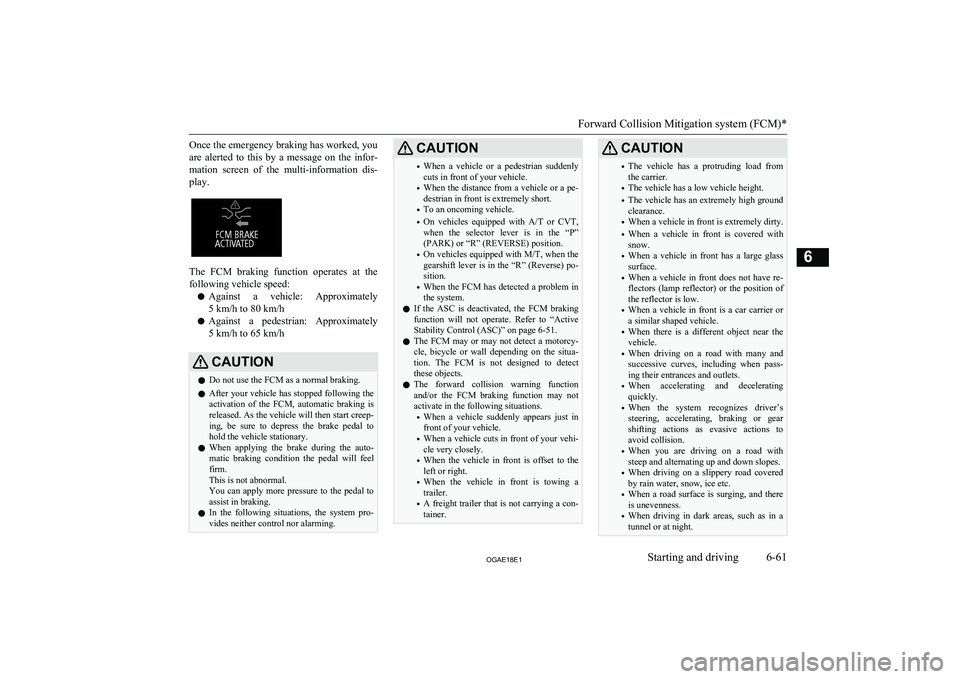
Once the emergency braking has worked, you
are alerted to this by a message on the infor- mation screen of the multi-information dis- play.
The FCM braking function operates at the
following vehicle speed:
l Against a vehicle: Approximately
5 km/h to 80 km/h
l Against a pedestrian: Approximately
5 km/h to 65 km/h
CAUTIONl Do not use the FCM as a normal braking.
l After your vehicle has stopped following the
activation of the FCM, automatic braking is
released. As the vehicle will then start creep-
ing, be sure to depress the brake pedal to hold the vehicle stationary.
l When applying the brake during the auto-
matic braking condition the pedal will feel
firm.
This is not abnormal.
You can apply more pressure to the pedal to
assist in braking.
l In the following situations, the system pro-
vides neither control nor alarming.CAUTION• When a vehicle or a pedestrian suddenly
cuts in front of your vehicle.
• When the distance from a vehicle or a pe-
destrian in front is extremely short.
• To an oncoming vehicle.
• On vehicles equipped with
A/T or CVT,
when the selector lever is in the “P” (PARK) or “R” (REVERSE) position.
• On vehicles equipped with
M/T, when the
gearshift lever is in the “R” (Reverse) po-
sition.
• When the FCM has detected a problem in
the system.
l If the ASC is deactivated, the FCM braking
function will not operate. Refer to “Active
Stability Control (ASC)” on page 6-51.
l The FCM may or may not detect a motorcy-
cle, bicycle or wall depending on the situa-
tion. The FCM is not designed to detect these objects.
l The forward collision warning function
and/or the FCM braking function may not
activate in the following situations.
• When a vehicle suddenly appears just in
front of your vehicle.
• When a vehicle cuts in front of your vehi-
cle very closely.
• When the vehicle in front is offset to the
left or right.
• When the vehicle in front is towing a
trailer.
• A freight trailer that is not carrying a con-
tainer.CAUTION• The vehicle has a protruding load from
the carrier.
• The vehicle has a low vehicle height.
• The vehicle has an extremely high ground
clearance.
• When a vehicle in front is extremely dirty.
• When a vehicle in front is covered with
snow.
• When a vehicle in front has a large glass
surface.
• When a vehicle in front does not have re-
flectors (lamp reflector) or the position of the reflector is low.
• When a vehicle in front is a car carrier or
a similar shaped vehicle.
• When there is a different object near the
vehicle.
• When driving on a road with many and
successive curves, including when pass- ing their entrances and outlets.
• When accelerating and decelerating
quickly.
• When the system recognizes driver’s
steering, accelerating, braking or gear
shifting actions as evasive actions to
avoid collision.
• When you are driving on a road with
steep and alternating up and down slopes.
• When driving on a slippery road covered
by rain water, snow, ice etc.
• When a road surface is surging, and there
is unevenness.
• When driving in dark areas, such as in a
tunnel or at night.
Forward Collision Mitigation system (FCM)*
6-61OGAE18E1Starting and driving6
Page 235 of 514
CAUTION•When passing close to a vehicle, pedes-
trian or object.
• When driving on the road that the vehicle
in front runs in offset position from your
vehicle.
• When passing through an area where ob-
jects may contact the vehicle, such as
thick grass, tree branches, or a banner.
• When there are patterns on the road that
may be mistaken for a vehicle or a pedes- trian.
• When a vehicle cuts into your path in the
detecting range of the sensor.
• When an oncoming vehicle is positioned
straight ahead of your vehicle on a curvedroad.
CAUTION• When passing through a plastic curtain
etc.
• When the FCM detects a long object car-
ried on your vehicle, such as skies or a
roof carrier.
• When driving through fog, steam, smoke
or dust.
• When the windscreen of the sensor por-
tion is covered with dirt, water droplets,
snow and ice, etc.
l Turn off the system beforehand when the ve-
hicle is placed in any of the following situa-
tions as the system can operate unexpected- ly.
• When using an automatic car wash.
• When your vehicle’s wheels are driven by
the engine on a lift.
• When your vehicle is towed or your vehi-
cle tows another vehicle.
• When your vehicle is carried on a truck.
• When enjoying sports driving on a circuit.
• When your vehicle is on a chassis dyna-
mometer or free rollers.
• When the tyre pressure is not correct.
• When installing the spare tyre for emer-
gency.
• When the snow traction device (tyre
chains) are attached.
• If the windscreen on or surrounding the
sensor is cracked or scratched.NOTEl A sound will be heard during the activation
of automatic braking, this is a function of the brake control and is not abnormal.FCM ON/OFF switch
E00635601394
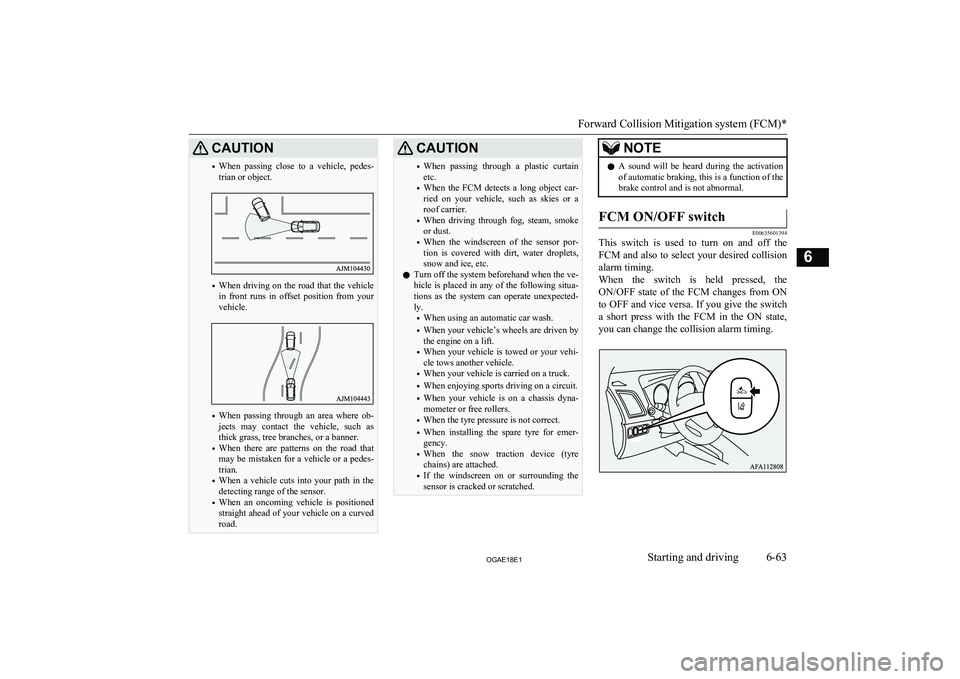
This switch is used to turn on and off the
FCM and also to select your desired collision alarm timing.
When the switch is held pressed, the ON/OFF state of the FCM changes from ON
to OFF and vice versa. If you give the switch
a short press with the FCM in the ON state, you can change the collision alarm timing.
Forward Collision Mitigation system (FCM)*
6-63OGAE18E1Starting and driving6
Page 250 of 514
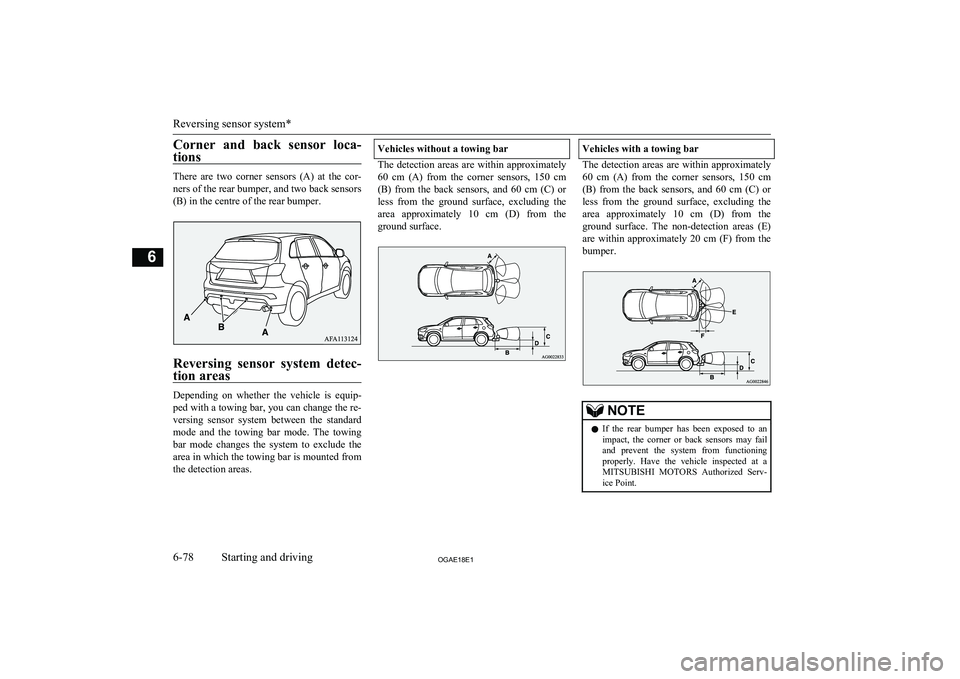
Corner and back sensor loca-tions
There are two corner sensors (A) at the cor-ners of the rear bumper, and two back sensors
(B) in the centre of the rear bumper.
Reversing sensor system detec-
tion areas
Depending on whether the vehicle is equip-
ped with a towing bar, you can change the re-
versing sensor system between the standard
mode and the towing bar mode. The towing
bar mode changes the system to exclude the
area in which the towing bar is mounted from the detection areas.
Vehicles without a towing bar
The detection areas are within approximately
60 cm (A) from the corner sensors, 150 cm
(B) from the back sensors, and 60 cm (C) or less from the ground surface, excluding the
area approximately 10 cm (D) from the
ground surface.
Vehicles with a towing bar
The detection areas are within approximately 60 cm (A) from the corner sensors, 150 cm
(B) from the back sensors, and 60 cm (C) or less from the ground surface, excluding the
area approximately 10 cm (D) from the
ground surface. The non-detection areas (E) are within approximately 20 cm (F) from thebumper.
NOTEl If the rear bumper has been exposed to an
impact, the corner or back sensors may failand prevent the system from functioning
properly. Have the vehicle inspected at a
MITSUBISHI MOTORS Authorized Serv-
ice Point.
Reversing sensor system*
6-78OGAE18E1Starting and driving6
Page 252 of 514
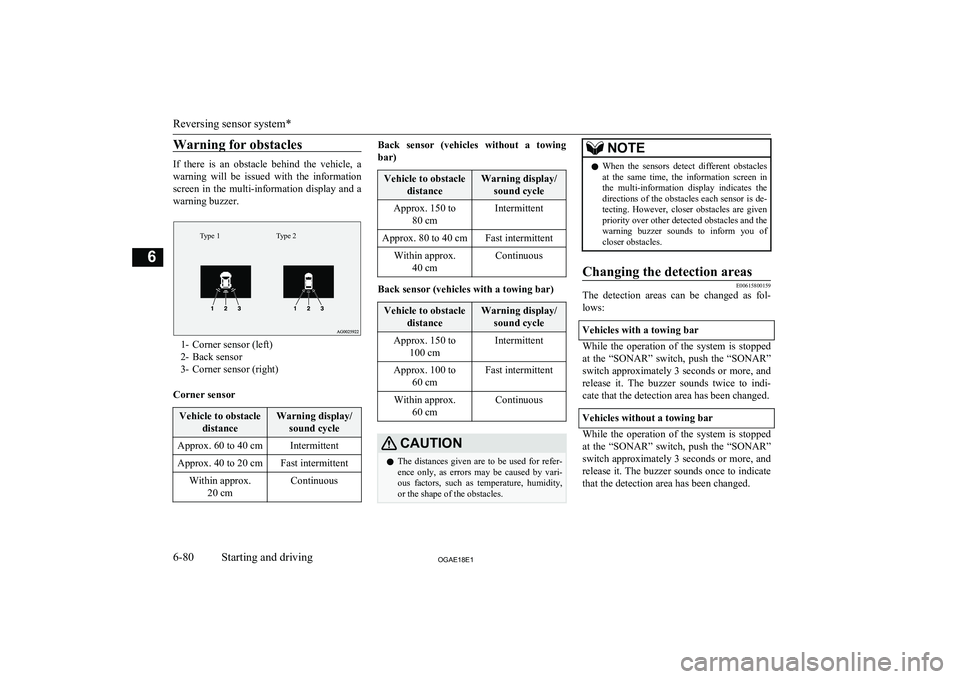
Warning for obstacles
If there is an obstacle behind the vehicle, a
warning will be issued with the information screen in the multi-information display and a
warning buzzer.
Type 2Type 1
1- Corner sensor (left)
2- Back sensor
3- Corner sensor (right)
Corner sensor
Vehicle to obstacle distanceWarning display/sound cycleApprox. 60 to 40 cmIntermittentApprox. 40 to 20 cmFast intermittentWithin approx. 20 cmContinuousBack sensor (vehicles without a towing
bar)Vehicle to obstacle distanceWarning display/sound cycleApprox. 150 to 80 cmIntermittentApprox. 80 to 40 cmFast intermittentWithin approx.40 cmContinuous
Back sensor (vehicles with a towing bar)
Vehicle to obstacle distanceWarning display/sound cycleApprox. 150 to 100 cmIntermittentApprox. 100 to 60 cmFast intermittentWithin approx.60 cmContinuousCAUTIONlThe distances given are to be used for refer-
ence only, as errors may be caused by vari- ous factors, such as temperature, humidity,
or the shape of the obstacles.NOTEl When the sensors detect different obstacles
at the same time, the information screen in the multi-information display indicates the directions of the obstacles each sensor is de-
tecting. However, closer obstacles are given priority over other detected obstacles and the
warning buzzer sounds to inform you of
closer obstacles.Changing the detection areas
E00615800159
The detection areas can be changed as fol-
lows:
Vehicles with a towing bar
While the operation of the system is stopped
at the “SONAR” switch, push the “SONAR”
switch approximately 3 seconds or more, and release it. The buzzer sounds twice to indi-
cate that the detection area has been changed.
Vehicles without a towing bar
While the operation of the system is stopped at the “SONAR” switch, push the “SONAR”
switch approximately 3 seconds or more, and
release it. The buzzer sounds once to indicate that the detection area has been changed.
Reversing sensor system*
6-80OGAE18E1Starting and driving6