radio MITSUBISHI COLT 2009 10.G User Guide
[x] Cancel search | Manufacturer: MITSUBISHI, Model Year: 2009, Model line: COLT, Model: MITSUBISHI COLT 2009 10.GPages: 273, PDF Size: 17.28 MB
Page 165 of 273
Downloaded from www.Manualslib.com manuals search engine To listen to a CDE00709601554
1. Insert disc with label facing up.
When a disc is inserted, the CD player will
begin playing even if the radio is being used.
The CD player will also start playback when
the CD button (9) is pressed with a disc in
the player even if the radio is being used.
2. To stop the CD, turn off the power by press-
ing the PWR switch (1), or change over to
the radio mode by pressing the FM/AM but-
ton (8), or change over to the external audio
input mode by pressing the CD button (9), or
eject the disc by pressing the eject button (2).
NOTE l To adjust the volume and tone, refer to
“To
adjust the volume” on page 5-13 and “To ad-
just the tone” on page 5-13.
l When an 8 cm compact disc is used, the adapt-
er is not used for playback. Insert the disc in
the centre of the disc-loading slot.
l For information concerning the handling of
compact discs, refer to “Handling of compact
discs” on page 5-32.
To fast-forward/reverse the disc
To fast-forward or reverse the disc, use the
TRACK buttons (11).
Fast-forward
You can fast-forward by holding down the
side
of the TRACK button (11) for more than about 1
second.
Fast-reverse
You can fast-reverse by holding down the
side
of the TRACK button (11) for more than about 1
second.
NOTE
l When you have fast-forwarded/fast-reversed
the disc, the playing-time may be shown
with deviation.
To listen to an MP3 CD
This CD player allows you to play MP3 (MPEG Au-
dio Layer-3) files recorded on CD-ROMs, CD-Rs
(recordable CDs), and CD-RWs (rewritable CDs)
in ISO9660 Level 1/Level 2, Joliet, and Romeo for-
mats. Each disc may have a maximum of 100 trees,
100 folders, and 255 files per disc. During MP3
playback, the unit can display ID3 tag information.
For information concerning ID3 tag, refer to “CD
text and MP3 title display” on page 5-26.
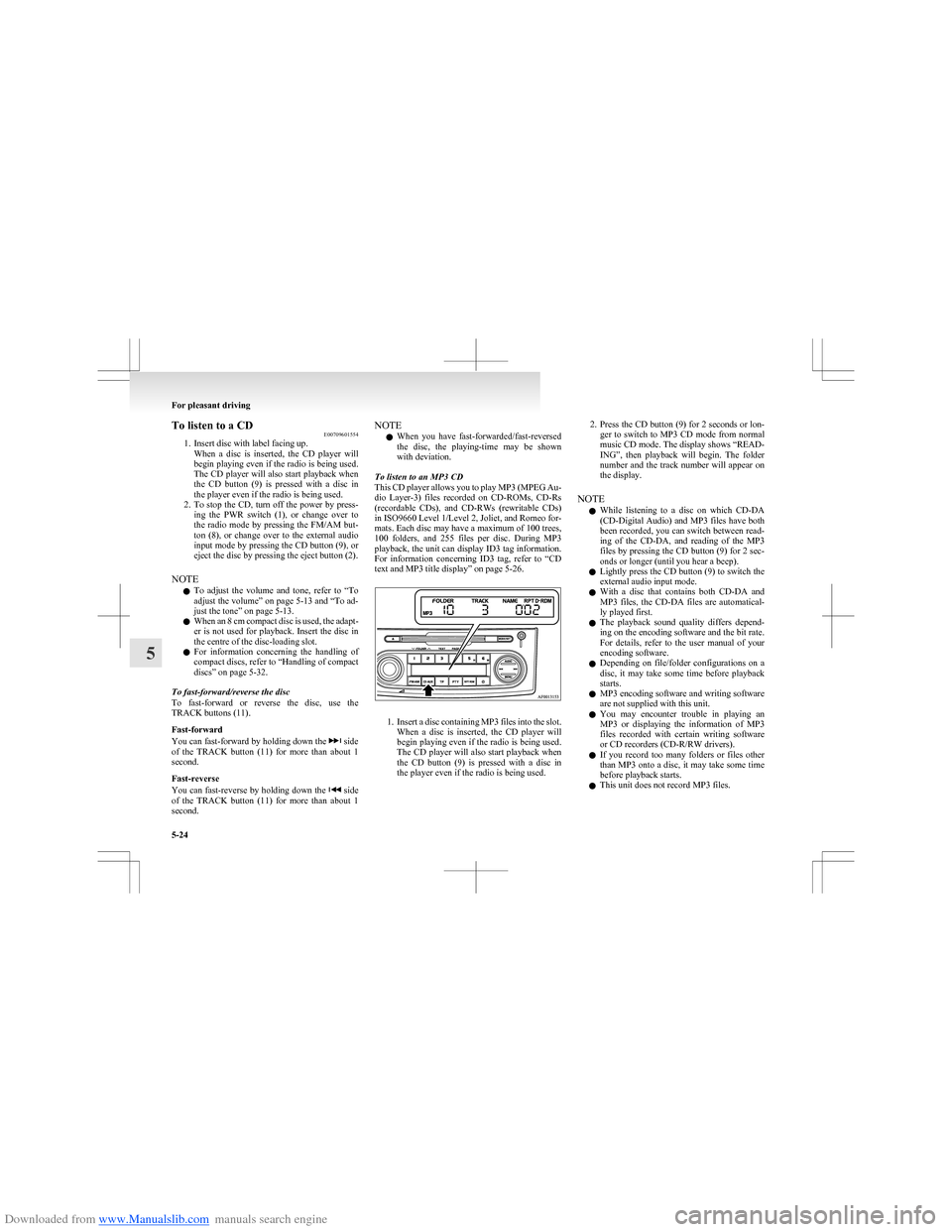
1. Insert a disc containing MP3 files into the slot.
When a disc is inserted, the CD player will
begin playing even if the radio is being used.
The CD player will also start playback when
the CD button (9) is pressed with a disc in
the player even if the radio is being used.
2. Press the CD button (9) for 2 seconds or lon-
ger to switch to MP3 CD mode from normal
music CD mode. The display shows “READ-
ING”, then playback will begin. The folder
number and the track number will appear on
the display.
NOTE l While listening to a disc on which
CD-DA
(CD-Digital Audio) and MP3 files have both
been recorded, you can switch between read-
ing of the CD-DA, and reading of the MP3
files by pressing the CD button (9) for 2 sec-
onds or longer (until you hear a beep).
l Lightly press the CD button (9) to switch the
external audio input mode.
l With a disc that contains both
CD-DA and
MP3 files, the CD-DA files are automatical-
ly played first.
l The playback sound quality differs depend-
ing on the encoding software and the bit rate.
For details, refer to the user manual of your
encoding software.
l Depending on file/folder configurations on a
disc, it may take some time before playback
starts.
l MP3 encoding software and writing software
are not supplied with this unit.
l You may encounter trouble in playing an
MP3 or displaying the information of MP3
files recorded with certain writing software
or CD recorders (CD-R/RW drivers).
l If you record too many folders or files other
than MP3 onto a disc, it may take some time
before playback starts.
l This unit does not record MP3 files.
For pleasant driving
5-24
5
Page 167 of 273
Downloaded from www.Manualslib.com manuals search engine NOTEl The repeat mode will be cancelled by press-
ing the track button (11) or eject button (2).
l With a disc that contains both
CD-DA and
MP3 files, the repeat mode causes only files
of the same format ( CD-DA only or MP3
files only) to be repeated.
To change the order of tracks for playback
Random playback for a disc (music CDs only)
Press the RPT/RDM button (10) two times.
“RDM” will appear on the display. Tracks on the
currently selected disc will be played in a random
sequence.
To exit the random mode, repeatedly press the RPT/
RDM button until the “RDM” display disappears.
Random playback for a folder (MP3 CDs only)
Press the RPT/RDM button (10) two times.
“RDM” will appear on the display. Tracks in the
currently selected folder will be played in a random
sequence. To exit the random mode, repeatedly
press the RPT/RDM button until the “RDM” dis-
play disappears.
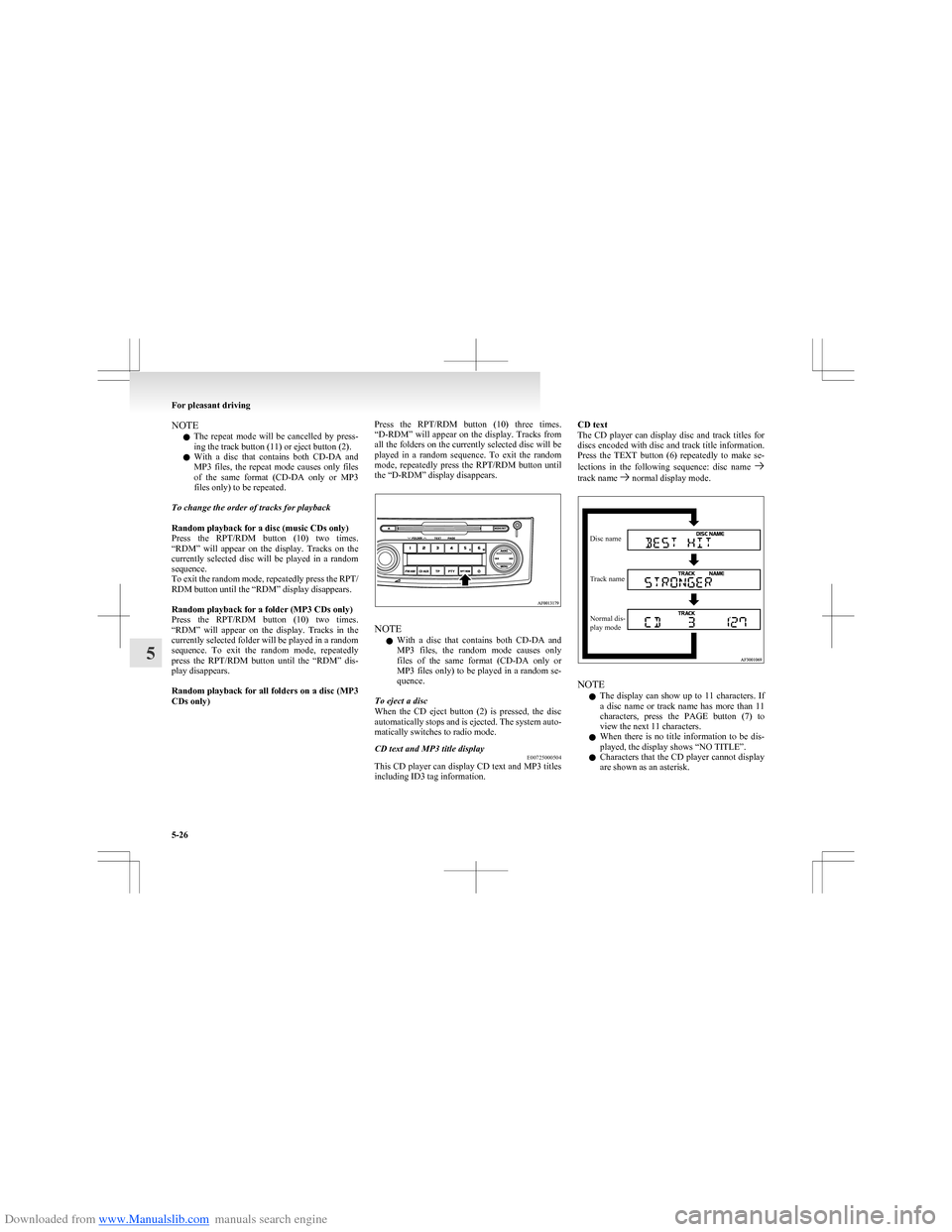
Random playback for all folders on a disc (MP3
CDs only)Press the RPT/RDM button (10) three times.
“D-RDM” will appear on the display. Tracks from
all the folders on the currently selected disc will be
played in a random sequence. To exit the random
mode, repeatedly press the RPT/RDM button until
the “D-RDM” display disappears.
NOTE
l With a disc that contains both
CD-DA and
MP3 files, the random mode causes only
files of the same format ( CD-DA only or
MP3 files only) to be played in a random se-
quence.
To eject a disc
When the CD eject button (2) is pressed, the disc
automatically stops and is ejected. The system auto-
matically switches to radio mode.
CD text and MP3 title display E00725000504
This CD player can display CD text and MP3 titles
including ID3 tag information.
CD text
The CD player can display disc and track titles for
discs encoded with disc and track title information.
Press the TEXT button (6) repeatedly to make se-
lections in the following sequence: disc name
track name normal display mode.
Disc nameTrack nameNormal dis-
play mode
NOTE
l The display can show up to 11 characters. If
a disc name or track name has more than 11
characters, press the PAGE button (7) to
view the next 11 characters.
l When there is no title information to be dis-
played, the display shows “NO TITLE”.
l Characters that the CD player cannot display
are shown as an asterisk.
For pleasant driving
5-26
5
Page 169 of 273
Downloaded from www.Manualslib.com manuals search engine 2. Press the AUX button (2).The display (3) will show “AUX” and then
the external audio input mode will be activa-
ted.
3. To deactivate the external audio input mode,
press the AUX button (2). To switch to anoth-
er mode.CAUTIONl Do not operate the connected audio equip-
ment while driving.
This could distract you and an accident
might occur.
NOTE
l The connected audio equipment cannot be op-
erated with the vehicle’s audio system.
l Depending on the connected audio equip-
ment, it may produce noise from the speakers.
l Use the connected audio equipment’s own
power source, such as its battery.
Noise may be produced from the speakers if
the connected audio equipment is used while
charging it using the accessory socket of the
vehicle.
l Do not activate the external audio input
mode when no audio equipment is connected.
Otherwise, noise may be produced from the
speakers.
l Connect audio equipment when the external
audio input mode is deactivated or lower the
vehicle’s speaker volume before connecting it.
Noise may be produced from the speakers if
audio equipment is connected after the exter-
nal audio input mode is activated.
l Compared to the CD player mode and radio
mode, the vehicle’s speaker volume will be
lower in the external audio input mode. There-
fore, be careful when switching from the ex-
ternal audio input mode to the CD player
mode or radio mode since the speaker vol-
ume will be higher.
l Do not use excessive force on the connection
cord. Otherwise, the cord and connectors
may be damaged.
l If the connection cord alone is left connected
to the auxiliary audio connector, noise may
be produced from the speakers.
l For information on how to connect and oper-
ate the commercially available audio equip-
ment, refer to the owner’s manual for the com-
mercially available audio equipment.Steering wheel audio remote
control switches* E00710000447
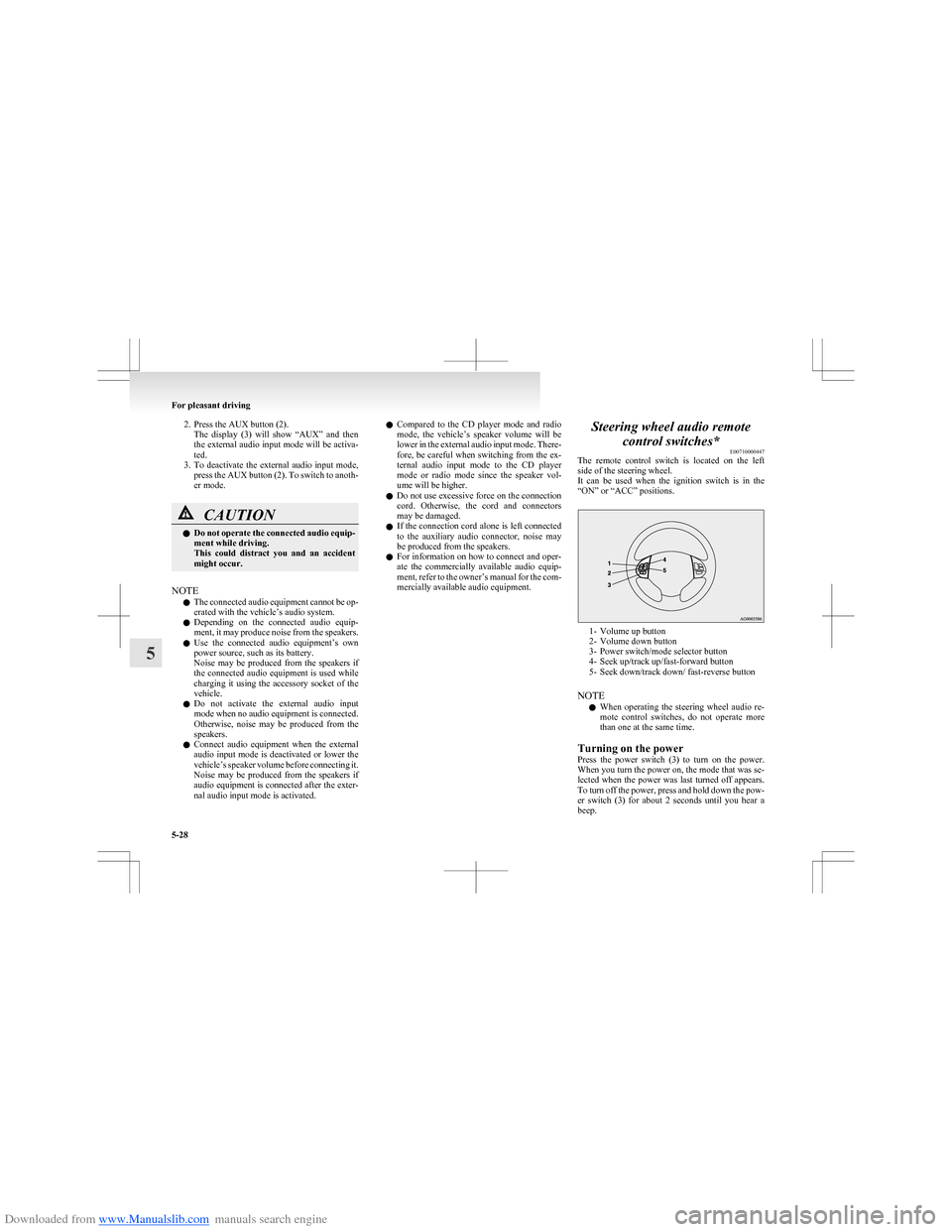
The remote control switch is located on the left
side of the steering wheel.
It can be used when the ignition switch is in the
“ON” or “ACC” positions.
1- Volume up button
2- Volume down button
3- Power switch/mode selector button
4- Seek up/track up/fast-forward button
5- Seek down/track down/ fast-reverse button
NOTE l When operating the steering wheel audio re-
mote control switches, do not operate more
than one at the same time.
Turning on the power
Press the power switch (3) to turn on the power.
When you turn the power on, the mode that was se-
lected when the power was last turned off appears.
To turn off the power, press and hold down the pow-
er switch (3) for about 2 seconds until you hear a
beep.
For pleasant driving
5-28
5
Page 170 of 273
Downloaded from www.Manualslib.com manuals search engine Volume adjustment
Volume up button - 1
While the button is pressed, the volume continues
to increase.
Volume down button - 2
While the button is pressed, the volume continues
to decrease.
Mode selection
Press the mode selector button (3) to select the de-
sired mode.
The mode changes in the following order.
FM1
FM2 FM3 MW LW CD AUX FM1
To listen to the radio
Press the mode selector button (3) to select the de-
sired band (LW/MW/FM).
Automatic tuning
Seek up button - 4/ Seek down button - 5
After pressing these buttons, reception of the selec-
ted station will begin.
To listen to a CD
Press the mode selector button (3) and select CD
mode.
To fast-forward/reverse the disc
To fast-forward/reverse the disc, press the fast-for-
ward button (4) or the fast-reverse button (5).
Fast-forward
You can fast-forward the disc by holding down the
fast-forward button (4). While the button is kept
pressed, the disc will be fast-forwarded.
Fast-reverse
You can fast-reverse the disc by holding down the
fast-reverse button (5). While the button is kept
pressed, the disc will be fast-reversed.
NOTE l In the case of an MP3 CD, you can fast-for-
ward and fast-reverse tracks in the same fold-
er.
To select a desired track
You can select your desired track by using the
track up button (4) or the track down button (5).
NOTE l Pressing the track down button (5) once dur-
ing the song will cause the system to restart
playing from the beginning of the song.
For pleasant driving
5-29
5
Page 172 of 273
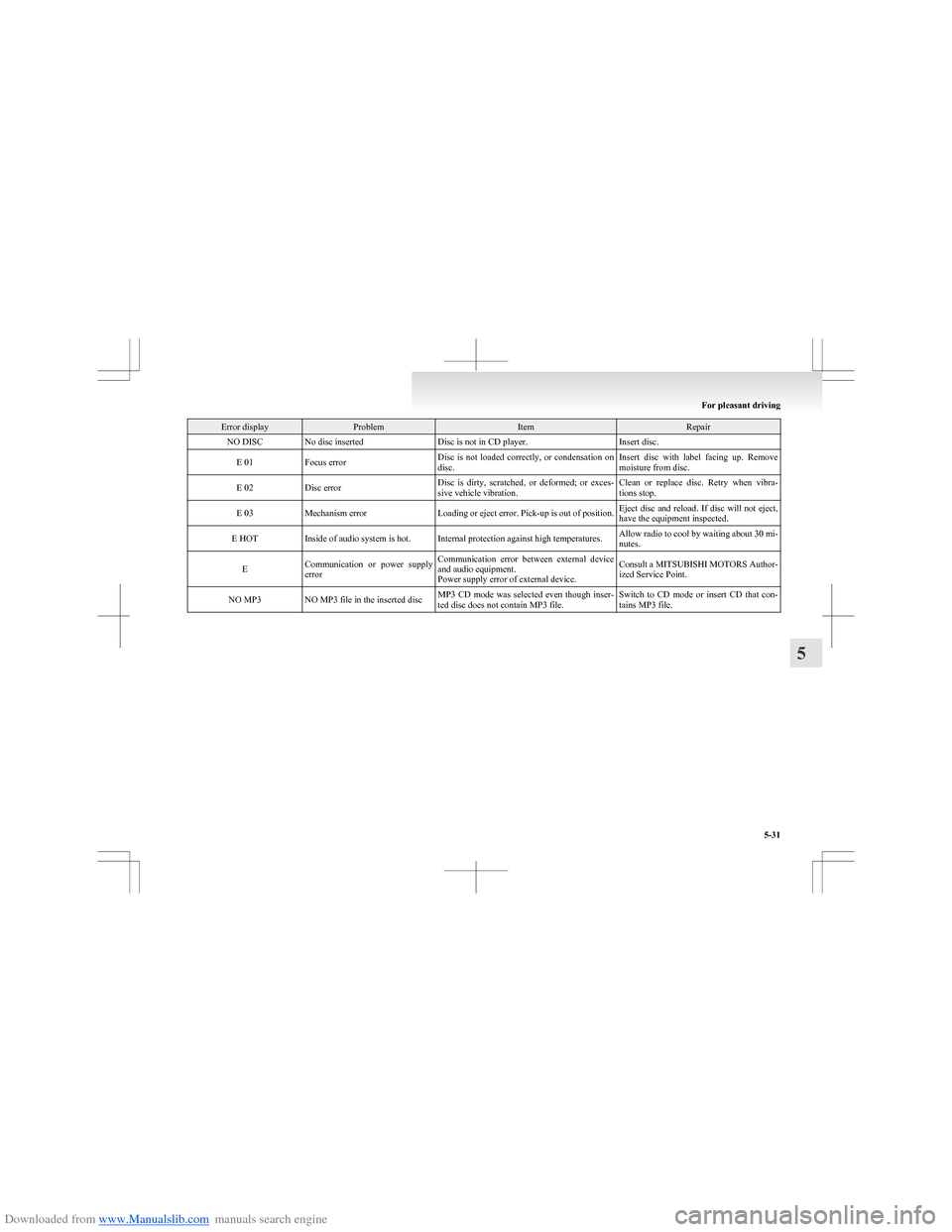
Downloaded from www.Manualslib.com manuals search engine Error displayProblemItemRepairNO DISCNo disc insertedDisc is not in CD player.Insert disc.E 01Focus errorDisc is not loaded correctly, or condensation on
disc.Insert disc with label facing up. Remove
moisture from disc.E 02Disc errorDisc is dirty, scratched, or deformed; or exces-
sive vehicle vibration.Clean or replace disc. Retry when vibra-
tions stop.E 03Mechanism errorLoading or eject error. Pick-up is out of position.Eject disc and reload. If disc will not eject,
have the equipment inspected.E HOTInside of audio system is hot.Internal protection against high temperatures.Allow radio to cool by waiting about 30 mi-
nutes.ECommunication or power supply
errorCommunication error between external device
and audio equipment.
Power supply error of external device.Consult a MITSUBISHI MOTORS Author-
ized Service Point.NO MP3NO MP3 file in the inserted discMP3 CD mode was selected even though inser-
ted disc does not contain MP3 file.Switch to CD mode or insert CD that con-
tains MP3 file.
For pleasant driving
5-31
5
Page 175 of 273
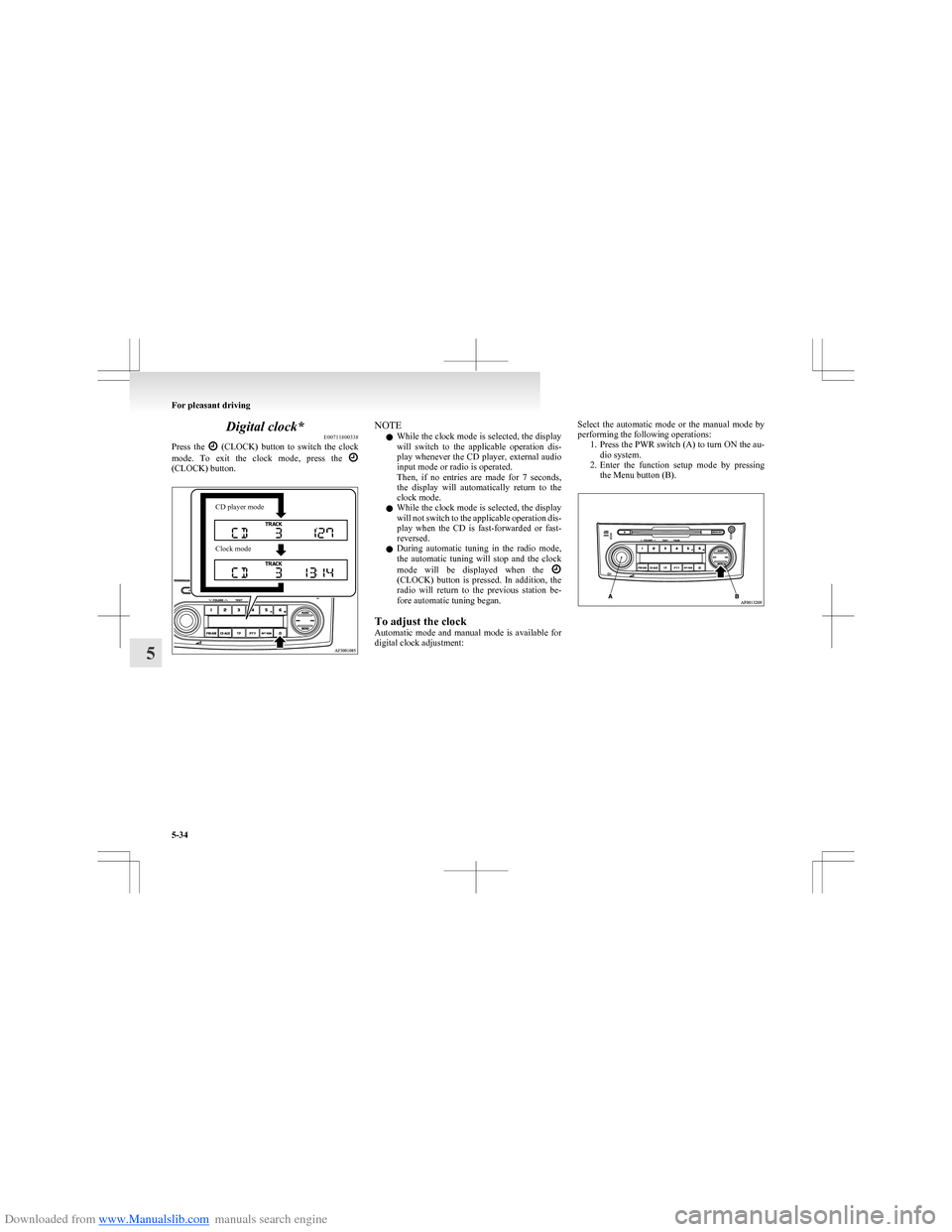
Downloaded from www.Manualslib.com manuals search engine Digital clock*E00711800338
Press the
(CLOCK) button to switch the clock
mode. To exit the clock mode, press the
(CLOCK) button.
CD player modeClock modeNOTE
l While the clock mode is selected, the display
will switch to the applicable operation dis-
play whenever the CD player, external audio
input mode or radio is operated.
Then, if no entries are made for 7 seconds,
the display will automatically return to the
clock mode.
l While the clock mode is selected, the display
will not switch to the applicable operation dis-
play when the CD is fast-forwarded or fast-
reversed.
l During automatic tuning in the radio mode,
the automatic tuning will stop and the clock
mode will be displayed when the
(CLOCK) button is pressed. In addition, the
radio will return to the previous station be-
fore automatic tuning began.
To adjust the clock
Automatic mode and manual mode is available for
digital clock adjustment:
Select the automatic mode or the manual mode by
performing the following operations: 1.Press the PWR switch (A) to turn ON the au-
dio system.
2. Enter the function setup mode by pressing
the Menu button (B).
For pleasant driving
5-34
5
Page 177 of 273
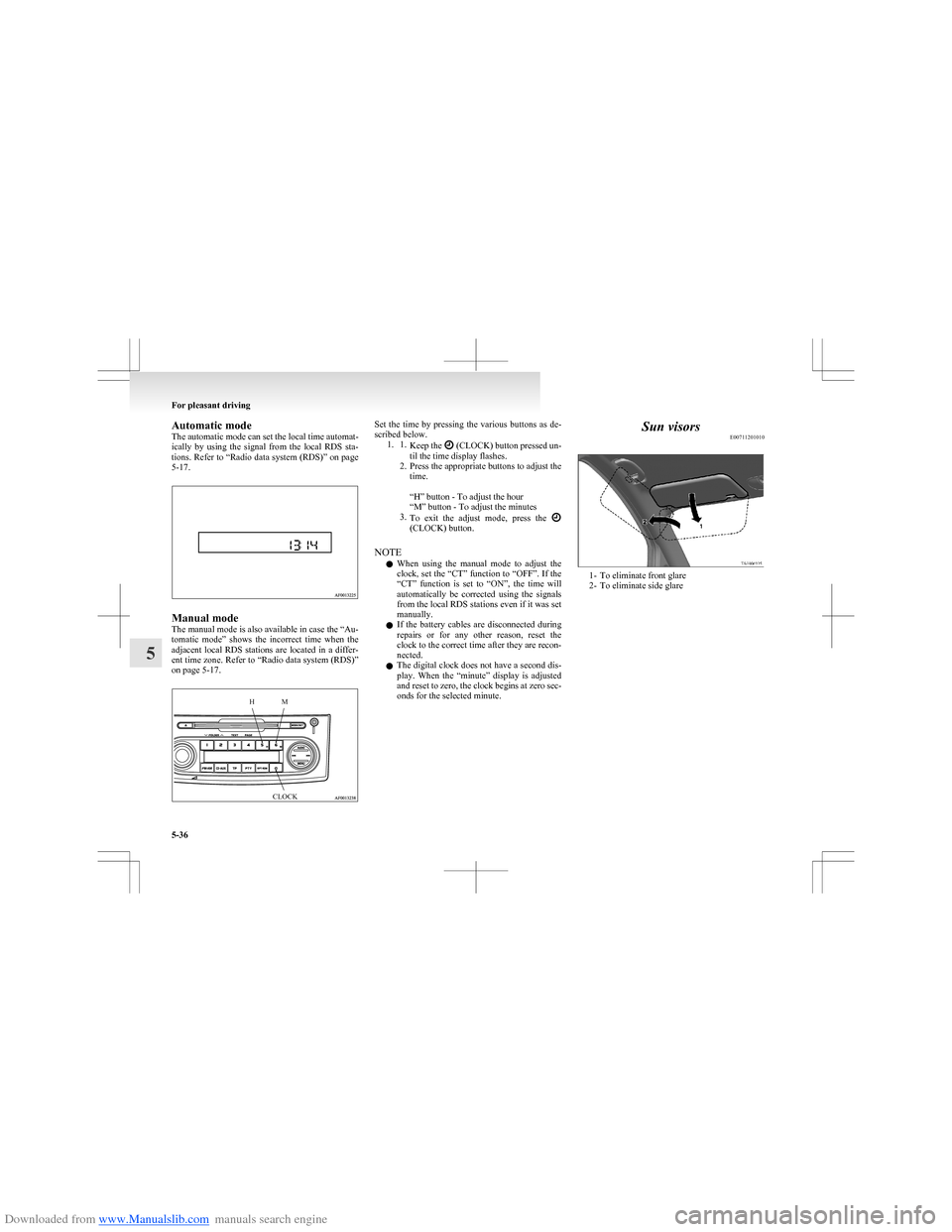
Downloaded from www.Manualslib.com manuals search engine Automatic mode
The automatic mode can set the local time automat-
ically by using the signal from the local RDS sta-
tions. Refer to “Radio data system (RDS)” on page
5-17.
Manual mode
The manual mode is also available in case the “Au-
tomatic mode” shows the incorrect time when the
adjacent local RDS stations are located in a differ-
ent time zone. Refer to “Radio data system (RDS)”
on page 5-17.
HMCLOCKSet the time by pressing the various buttons as de-
scribed below. 1. 1. Keep the
(CLOCK) button pressed un-
til the time display flashes.
2. Press the appropriate buttons to adjust the
time.
“H” button - To adjust the hour
“M” button - To adjust the minutes
3. To exit the adjust mode, press the
(CLOCK) button.
NOTE l When using the manual mode to adjust the
clock, set the “CT” function to “OFF”. If the
“CT” function is set to “ON”, the time will
automatically be corrected using the signals
from the local RDS stations even if it was set
manually.
l If the battery cables are disconnected during
repairs or for any other reason, reset the
clock to the correct time after they are recon-
nected.
l The digital clock does not have a second dis-
play. When the “minute” display is adjusted
and reset to zero, the clock begins at zero sec-
onds for the selected minute.
Sun visors E00711201010
1- To eliminate front glare
2- To eliminate side glare
For pleasant driving
5-36
5
Page 233 of 273
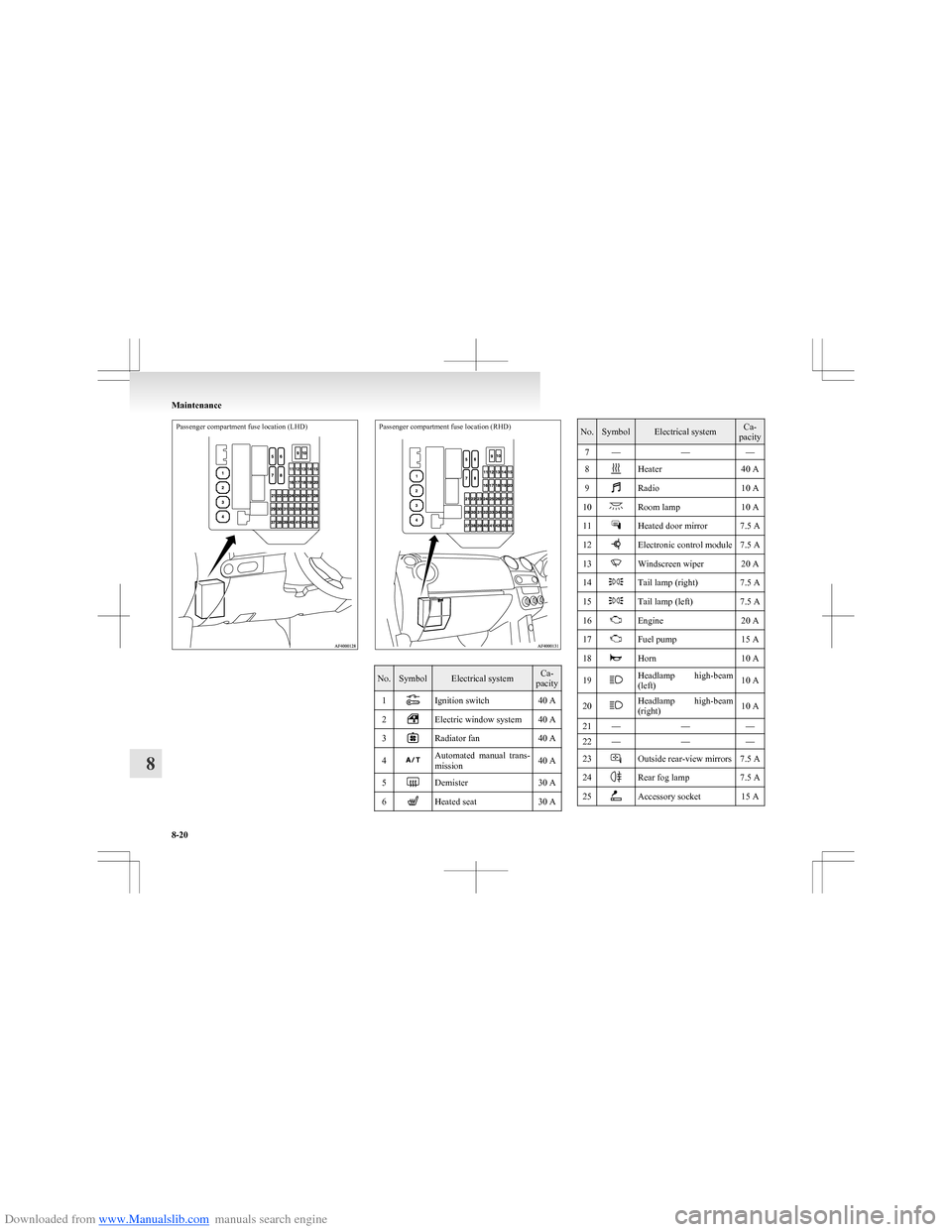
Downloaded from www.Manualslib.com manuals search engine Passenger compartment fuse location (LHD)Passenger compartment fuse location (RHD)
No.SymbolElectrical systemCa-
pacity1Ignition switch40 A2Electric window system40 A3Radiator fan40 A4Automated manual trans-
mission40 A5Demister30 A6Heated seat30 ANo.SymbolElectrical systemCa-
pacity7———8Heater40 A9Radio10 A10Room lamp10 A11Heated door mirror7.5 A12Electronic control module7.5 A13Windscreen wiper20 A14Tail lamp (right)7.5 A15Tail lamp (left)7.5 A16Engine20 A17Fuel pump15 A18Horn10 A19Headlamp high-beam
(left)10 A20Headlamp high-beam
(right)10 A21———22———23Outside rear-view mirrors7.5 A24Rear fog lamp7.5 A25Accessory socket15 A
Maintenance
8-20
8
Page 264 of 273
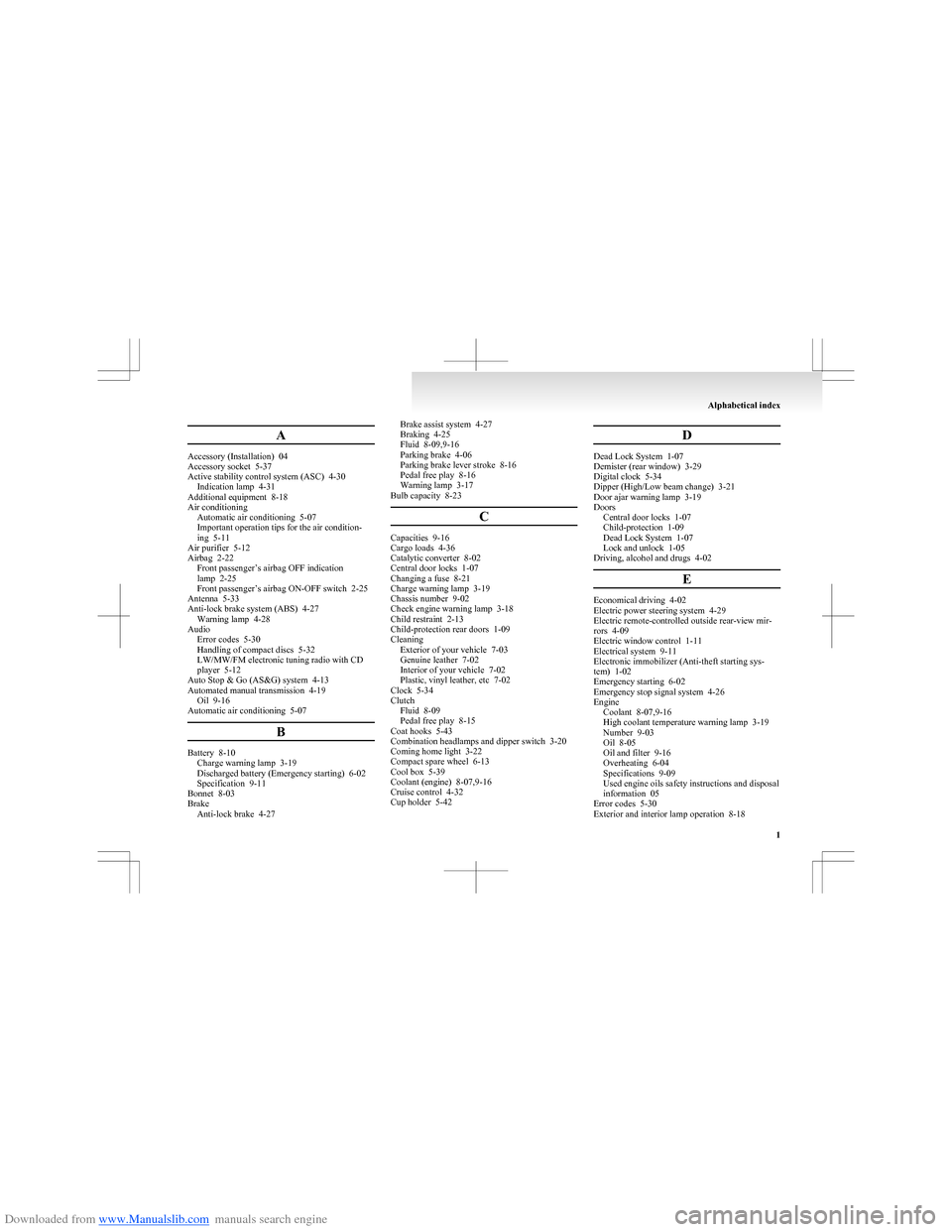
Downloaded from www.Manualslib.com manuals search engine A
Accessory (Installation) 04
Accessory socket 5-37
Active stability control system (ASC) 4-30 Indication lamp 4-31
Additional equipment 8-18
Air conditioning Automatic air conditioning 5-07
Important operation tips for the air condition-
ing 5-11
Air purifier 5-12
Airbag 2-22
Front passenger’s airbag OFF indication
lamp 2-25
Front passenger’s airbag ON-OFF switch 2-25
Antenna 5-33
Anti-lock brake system (ABS) 4-27 Warning lamp 4-28
Audio Error codes 5-30
Handling of compact discs 5-32
LW/MW/FM electronic tuning radio with CD
player 5-12
Auto Stop & Go (AS&G) system 4-13
Automated manual transmission 4-19 Oil 9-16
Automatic air conditioning 5-07
B
Battery 8-10Charge warning lamp 3-19
Discharged battery (Emergency starting) 6-02
Specification 9-11
Bonnet 8-03
Brake Anti-lock brake 4-27
Brake assist system 4-27
Braking 4-25
Fluid 8-09,9-16
Parking brake 4-06
Parking brake lever stroke 8-16
Pedal free play 8-16
Warning lamp 3-17
Bulb capacity 8-23
C
Capacities 9-16
Cargo loads 4-36
Catalytic converter 8-02
Central door locks 1-07
Changing a fuse 8-21
Charge warning lamp 3-19
Chassis number 9-02
Check engine warning lamp 3-18
Child restraint 2-13
Child-protection rear doors 1-09
Cleaning Exterior of your vehicle 7-03
Genuine leather 7-02
Interior of your vehicle 7-02
Plastic, vinyl leather, etc 7-02
Clock 5-34
Clutch Fluid 8-09
Pedal free play 8-15
Coat hooks 5-43
Combination headlamps and dipper switch 3-20
Coming home light 3-22
Compact spare wheel 6-13
Cool box 5-39
Coolant (engine) 8-07,9-16
Cruise control 4-32
Cup holder 5-42
D
Dead Lock System 1-07
Demister (rear window) 3-29
Digital clock 5-34
Dipper (High/Low beam change) 3-21
Door ajar warning lamp 3-19
Doors Central door locks 1-07
Child-protection 1-09
Dead Lock System 1-07
Lock and unlock 1-05
Driving, alcohol and drugs 4-02
E
Economical driving 4-02
Electric power steering system 4-29
Electric remote-controlled outside rear-view mir-
rors 4-09
Electric window control 1-11
Electrical system 9-11
Electronic immobilizer (Anti-theft starting sys-
tem) 1-02
Emergency starting 6-02
Emergency stop signal system 4-26
Engine
Coolant 8-07,9-16
High coolant temperature warning lamp 3-19
Number 9-03
Oil 8-05
Oil and filter 9-16
Overheating 6-04
Specifications 9-09
Used engine oils safety instructions and disposal
information 05
Error codes 5-30
Exterior and interior lamp operation 8-18
Alphabetical index
1
Page 265 of 273
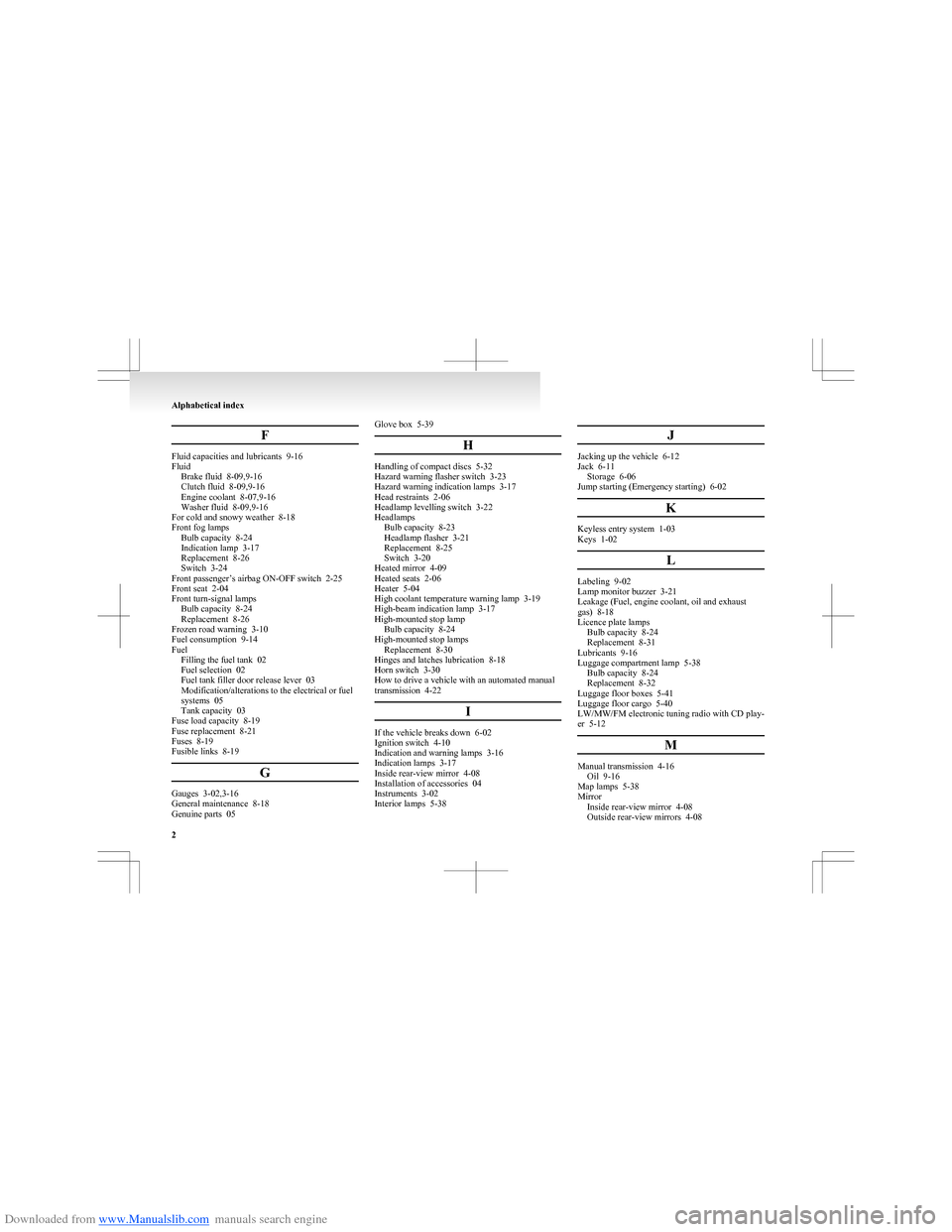
Downloaded from www.Manualslib.com manuals search engine F
Fluid capacities and lubricants 9-16
Fluid Brake fluid 8-09,9-16
Clutch fluid 8-09,9-16
Engine coolant 8-07,9-16
Washer fluid 8-09,9-16
For cold and snowy weather 8-18
Front fog lamps Bulb capacity 8-24
Indication lamp 3-17
Replacement 8-26
Switch 3-24
Front passenger’s airbag ON-OFF switch 2-25
Front seat 2-04
Front turn-signal lamps Bulb capacity 8-24
Replacement 8-26
Frozen road warning 3-10
Fuel consumption 9-14
Fuel Filling the fuel tank 02
Fuel selection 02
Fuel tank filler door release lever 03
Modification/alterations to the electrical or fuel
systems 05
Tank capacity 03
Fuse load capacity 8-19
Fuse replacement 8-21
Fuses 8-19
Fusible links 8-19
G
Gauges 3-02,3-16
General maintenance 8-18
Genuine parts 05
Glove box 5-39
H
Handling of compact discs 5-32
Hazard warning flasher switch 3-23
Hazard warning indication lamps 3-17
Head restraints 2-06
Headlamp levelling switch 3-22
Headlamps Bulb capacity 8-23
Headlamp flasher 3-21
Replacement 8-25
Switch 3-20
Heated mirror 4-09
Heated seats 2-06
Heater 5-04
High coolant temperature warning lamp 3-19
High-beam indication lamp 3-17
High-mounted stop lamp Bulb capacity 8-24
High-mounted stop lamps Replacement 8-30
Hinges and latches lubrication 8-18
Horn switch 3-30
How to drive a vehicle with an automated manual
transmission 4-22
I
If the vehicle breaks down 6-02
Ignition switch 4-10
Indication and warning lamps 3-16
Indication lamps 3-17
Inside rear-view mirror 4-08
Installation of accessories 04
Instruments 3-02
Interior lamps 5-38
J
Jacking up the vehicle 6-12
Jack 6-11 Storage 6-06
Jump starting (Emergency starting) 6-02
K
Keyless entry system 1-03
Keys 1-02
L
Labeling 9-02
Lamp monitor buzzer 3-21
Leakage (Fuel, engine coolant, oil and exhaust
gas) 8-18
Licence plate lamps Bulb capacity 8-24
Replacement 8-31
Lubricants 9-16
Luggage compartment lamp 5-38 Bulb capacity 8-24
Replacement 8-32
Luggage floor boxes 5-41
Luggage floor cargo 5-40
LW/MW/FM electronic tuning radio with CD play-
er 5-12
M
Manual transmission 4-16Oil 9-16
Map lamps 5-38
Mirror Inside rear-view mirror 4-08
Outside rear-view mirrors 4-08
Alphabetical index
2