ignition MITSUBISHI COLT 2009 10.G Workshop Manual
[x] Cancel search | Manufacturer: MITSUBISHI, Model Year: 2009, Model line: COLT, Model: MITSUBISHI COLT 2009 10.GPages: 273, PDF Size: 17.28 MB
Page 133 of 273
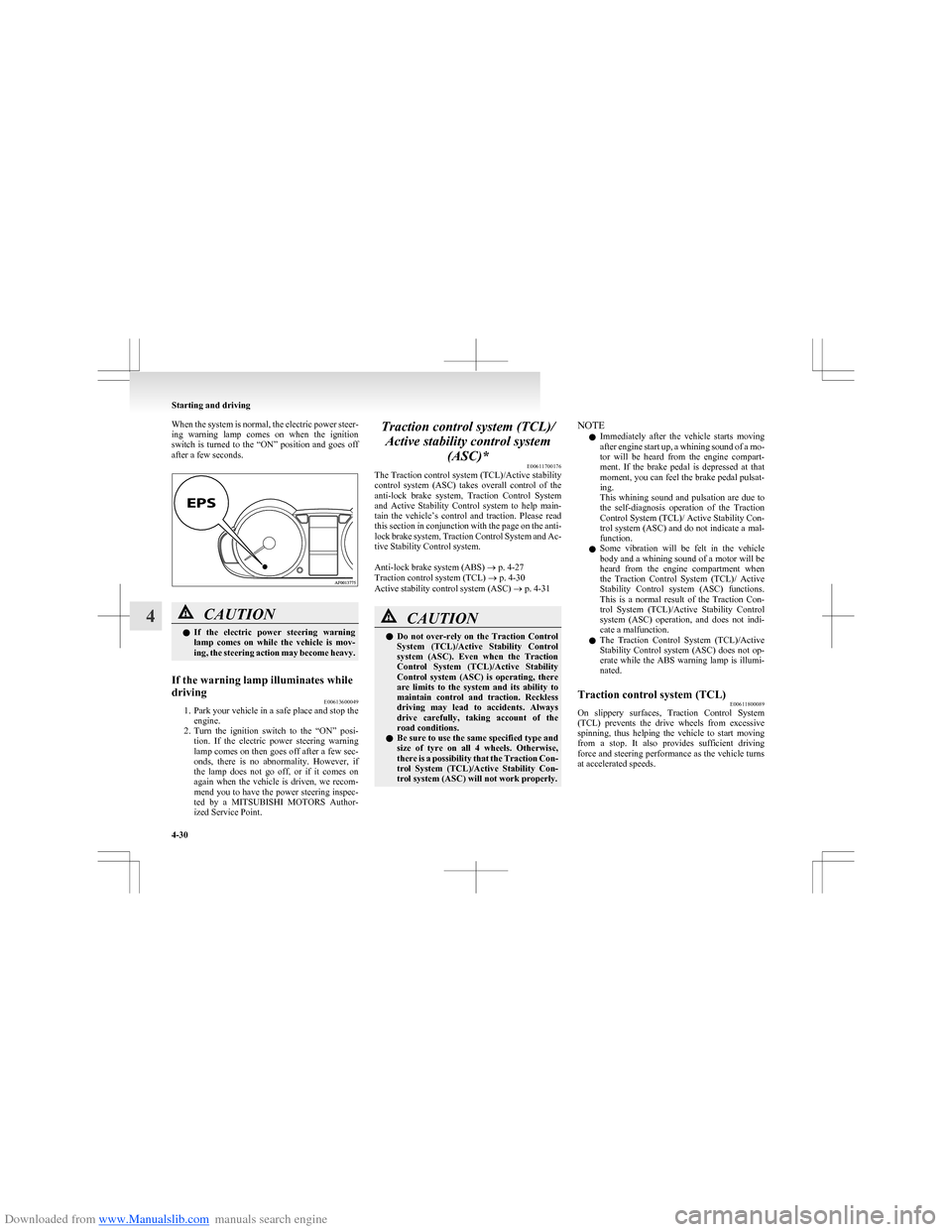
Downloaded from www.Manualslib.com manuals search engine When the system is normal, the electric power steer-
ing warning lamp comes on when the ignition
switch is turned to the “ON” position and goes off
after a few seconds.CAUTIONl If the electric power steering warning
lamp comes on while the vehicle is mov-
ing, the steering action may become heavy.If the warning lamp illuminates while
driving E00613600049
1.Park your vehicle in a safe place and stop the
engine.
2. Turn the ignition switch to the “ON” posi-
tion. If the electric power steering warning
lamp comes on then goes off after a few sec-
onds, there is no abnormality. However, if
the lamp does not go off, or if it comes on
again when the vehicle is driven, we recom-
mend you to have the power steering inspec-
ted by a MITSUBISHI MOTORS Author-
ized Service Point.
Traction control system (TCL)/
Active stability control system (ASC)* E00611700176
The Traction control system (TCL)/Active stability
control system (ASC) takes overall control of the
anti-lock brake system, Traction Control System
and Active Stability Control system to help main-
tain the vehicle’s control and traction. Please read
this section in conjunction with the page on the anti-
lock brake system, Traction Control System and Ac-
tive Stability Control system.
Anti-lock brake system (ABS) ® p. 4-27
Traction control system (TCL) ® p. 4-30
Active stability control system (ASC) ® p. 4-31CAUTIONl Do not over-rely on the Traction Control
System (TCL)/Active Stability Control
system (ASC). Even when the Traction
Control System (TCL)/Active Stability
Control system (ASC) is operating, there
are limits to the system and its ability to
maintain control and traction. Reckless
driving may lead to accidents. Always
drive carefully, taking account of the
road conditions.
l Be sure to use the same specified type and
size of tyre on all 4 wheels. Otherwise,
there is a possibility that the Traction Con-
trol System (TCL)/Active Stability Con-
trol system (ASC) will not work properly.NOTE
l Immediately after the vehicle starts moving
after engine start up, a whining sound of a mo-
tor will be heard from the engine compart-
ment. If the brake pedal is depressed at that
moment, you can feel the brake pedal pulsat-
ing.
This whining sound and pulsation are due to
the self-diagnosis operation of the Traction
Control System (TCL)/ Active Stability Con-
trol system (ASC) and do not indicate a mal-
function.
l Some vibration will be felt in the vehicle
body and a whining sound of a motor will be
heard from the engine compartment when
the Traction Control System (TCL)/ Active
Stability Control system (ASC) functions.
This is a normal result of the Traction Con-
trol System (TCL)/Active Stability Control
system (ASC) operation, and does not indi-
cate a malfunction.
l The Traction Control System (TCL)/Active
Stability Control system (ASC) does not op-
erate while the ABS warning lamp is illumi-
nated.Traction control system (TCL) E00611800089
On slippery surfaces, Traction Control System
(TCL) prevents the drive wheels from excessive
spinning, thus helping the vehicle to start moving
from a stop. It also provides sufficient driving
force and steering performance as the vehicle turns
at accelerated speeds.
Starting and driving
4-30
4
Page 134 of 273
Downloaded from www.Manualslib.com manuals search engine CAUTIONlWhen driving a vehicle on a snowy or icy
road, be sure to install snow tyres and
drive the vehicle at moderate speeds.
NOTE
l When moving out of mud or fresh snow, press-
ing the accelerator pedal may not allow the
engine speed to increase.
Active stability control system (ASC) E00612000091
The Active Stability Control system (ASC) is de-
signed to help maintain the vehicle’s control in slip-
pery conditions, or during rapid steering manoeu-
vres. It works by controlling the engine output and
brake on each wheel.
NOTE l The Active Stability Control system (ASC)
functions at speeds of approximately
10 km/h (6 mph) or higher.
Traction control system (TCL)/Active
stability control system (ASC) indica-
tion lamp E00612100119
The Traction Control System (TCL) and Active Sta-
bility Control system (ASC) share the same indica-
tion lamp.
The indication lamp should illuminate when the ig-
nition switch is turned to the “ON” position, and
should go off after a few seconds. Always make
sure that the lamp goes off before begining to drive.
If the indication lamp stays on or does not illumi-
nate when the ignition switch is turned to the “ON”
position, we recommend you to consult a
MITSUBISHI MOTORS Authorized Service Point.
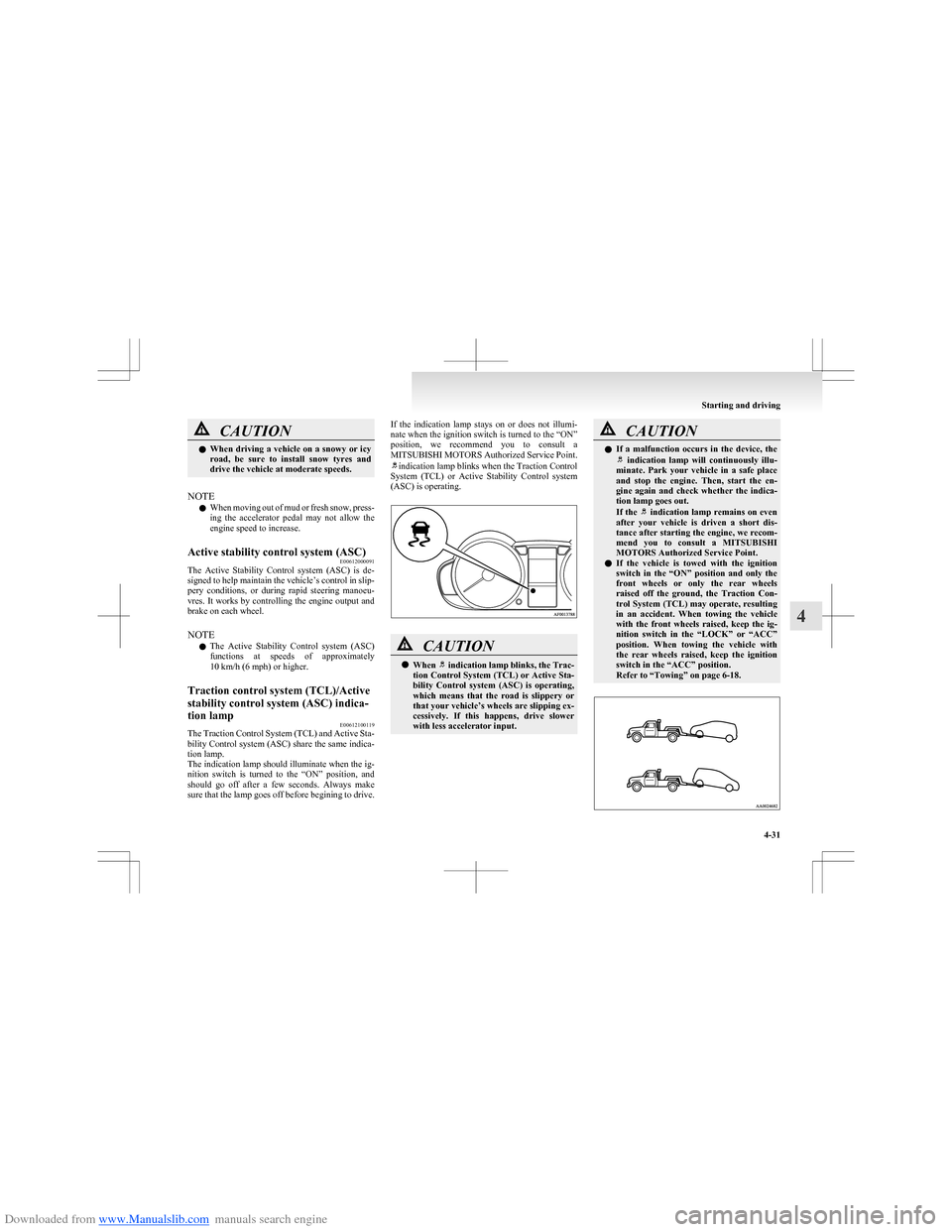
indication lamp blinks when the Traction Control
System (TCL) or Active Stability Control system
(ASC) is operating.
CAUTIONl When indication lamp blinks, the Trac-
tion Control System (TCL) or Active Sta-
bility Control system (ASC) is operating,
which means that the road is slippery or
that your vehicle’s wheels are slipping ex-
cessively. If this happens, drive slower
with less accelerator input.CAUTIONl If a malfunction occurs in the device, the indication lamp will continuously illu-
minate. Park your vehicle in a safe place
and stop the engine. Then, start the en-
gine again and check whether the indica-
tion lamp goes out.
If the
indication lamp remains on even
after your vehicle is driven a short dis-
tance after starting the engine, we recom-
mend you to consult a MITSUBISHI
MOTORS Authorized Service Point.
l If the vehicle is towed with the ignition
switch in the “ON” position and only the
front wheels or only the rear wheels
raised off the ground, the Traction Con-
trol System (TCL) may operate, resulting
in an accident. When towing the vehicle
with the front wheels raised, keep the ig-
nition switch in the “LOCK” or “ACC”
position. When towing the vehicle with
the rear wheels raised, keep the ignition
switch in the “ACC” position.
Refer to “Towing” on page 6-18.
Starting and driving
4-31
4
Page 135 of 273
Downloaded from www.Manualslib.com manuals search engine Cruise control*E00609100623
Cruise control is an automatic speed control system
that keeps a set speed. It can be activated at about
40 km/h (25 mph) or more.CAUTIONl When you do not wish to drive at a set
speed, turn off the cruise control for safety.
l Do not use cruise control when driving
conditions will not allow you to stay at
the same speed, such as in heavy traffic
or on roads that are winding, icy, snow-
covered, wet, slippery, on a steep down-
hill slope.
l On vehicles with M/T, do not move the
gearshift lever to the “N” (Neutral) posi-
tion while driving at a set speed without
depressing the clutch pedal. The engine
will run too fast and might be damaged.
NOTE
l Cruise control may not be able to keep your
speed on uphills or downhills.
l Your speed may decrease on a steep uphill.
You may use the accelerator pedal if you
want to stay at your set speed.
l Your speed may increase to more than the
set speed on a steep downhill. You have to
use the brake to control your speed. As a re-
sult, the set speed driving is deactivated.
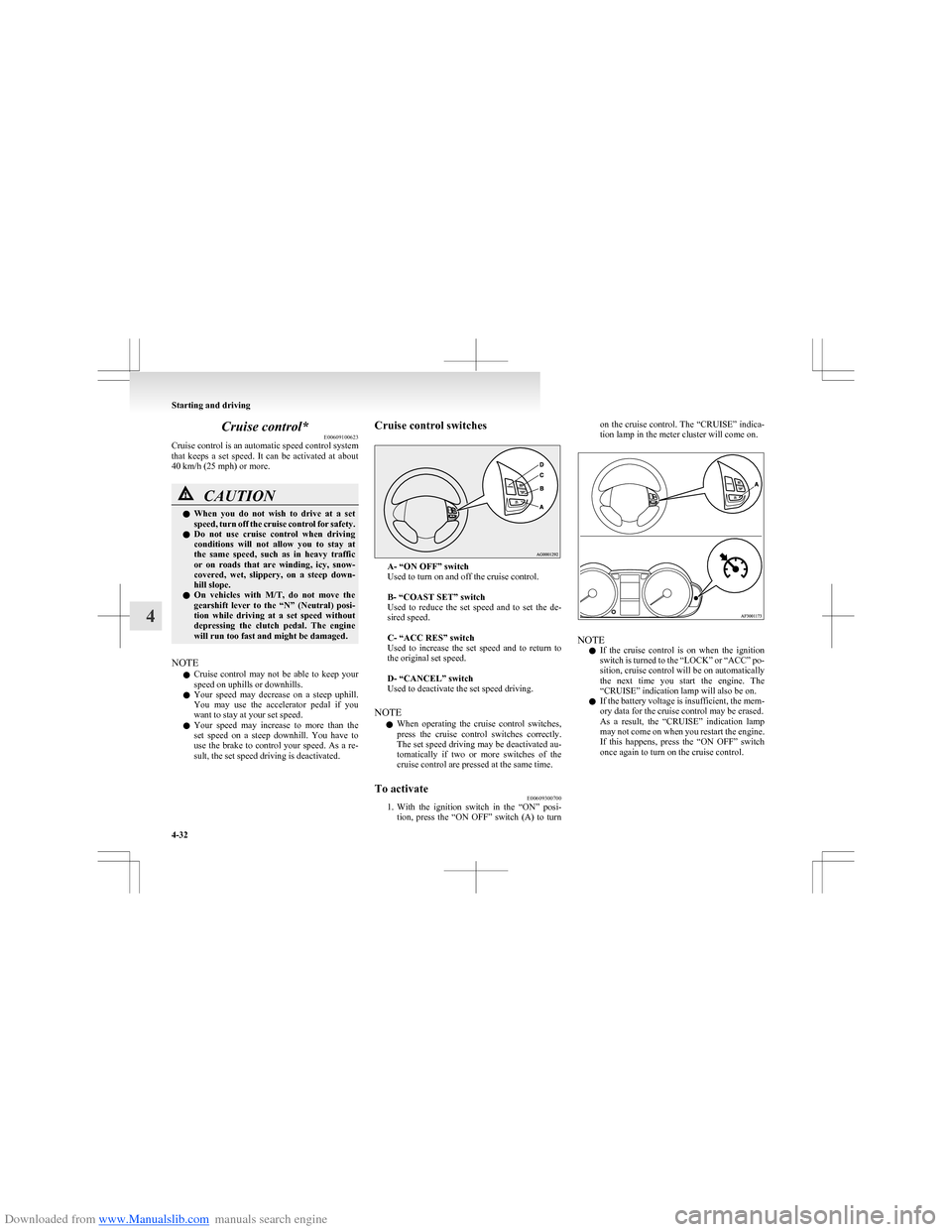
Cruise control switches
A- “ON OFF” switch
Used to turn on and off the cruise control.
B- “COAST SET” switch
Used to reduce the set speed and to set the de-
sired speed.
C- “ACC RES” switch
Used to increase the set speed and to return to
the original set speed.
D- “CANCEL” switch
Used to deactivate the set speed driving.
NOTE l When operating the cruise control switches,
press the cruise control switches correctly.
The set speed driving may be deactivated au-
tomatically if two or more switches of the
cruise control are pressed at the same time.
To activate E00609300700
1.With the ignition switch in the “ON” posi-
tion, press the “ON OFF” switch (A) to turn
on the cruise control. The “CRUISE” indica-
tion lamp in the meter cluster will come on.
NOTE
l If the cruise control is on when the ignition
switch is turned to the “LOCK” or “ACC” po-
sition, cruise control will be on automatically
the next time you start the engine. The
“CRUISE” indication lamp will also be on.
l If the battery voltage is insufficient, the mem-
ory data for the cruise control may be erased.
As a result, the “CRUISE” indication lamp
may not come on when you restart the engine.
If this happens, press the “ON OFF” switch
once again to turn on the cruise control.
Starting and driving
4-32
4
Page 138 of 273
Downloaded from www.Manualslib.com manuals search engine Refer to “To resume the set speed” on page 4-35.To deactivateE00609700889
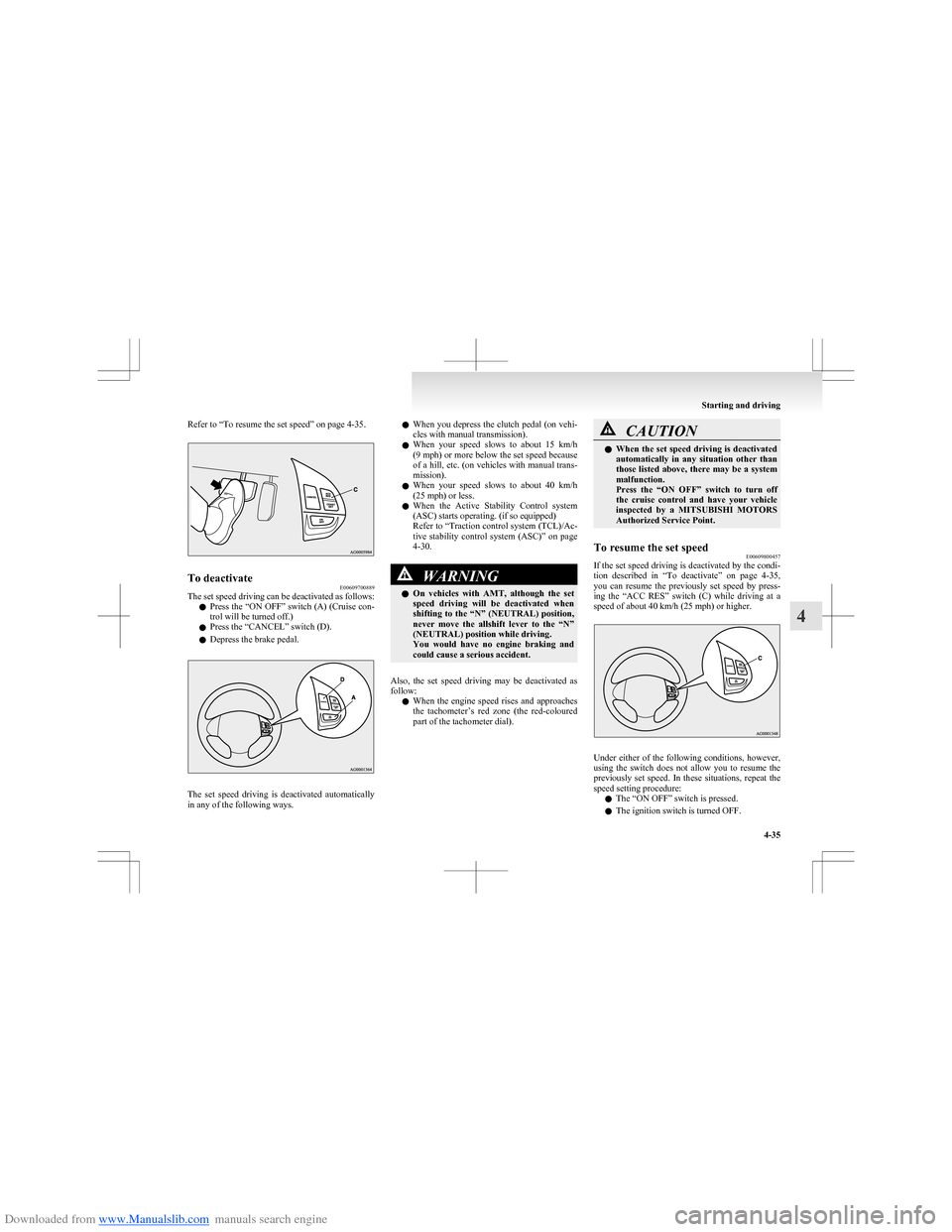
The set speed driving can be deactivated as follows:
l Press the “ON OFF” switch (A) (Cruise con-
trol will be turned off.)
l Press the “CANCEL” switch (D).
l Depress the brake pedal.
The set speed driving is deactivated automatically
in any of the following ways.
l When you depress the clutch pedal (on vehi-
cles with manual transmission).
l When your speed slows to about 15 km/h
(9 mph) or more below the set speed because
of a hill, etc. (on vehicles with manual trans-
mission).
l When your speed slows to about 40 km/h
(25 mph) or less.
l When the Active Stability Control system
(ASC) starts operating. (if so equipped)
Refer to “Traction control system (TCL)/Ac-
tive stability control system (ASC)” on page
4-30.WARNINGl On vehicles with AMT, although the set
speed driving will be deactivated when
shifting to the “N” (NEUTRAL) position,
never move the allshift lever to the “N”
(NEUTRAL) position while driving.
You would have no engine braking and
could cause a serious accident.
Also, the set speed driving may be deactivated as
follow:
l When the engine speed rises and approaches
the tachometer’s red zone (the red-coloured
part of the tachometer dial).
CAUTIONl When the set speed driving is deactivated
automatically in any situation other than
those listed above, there may be a system
malfunction.
Press the “ON OFF” switch to turn off
the cruise control and have your vehicle
inspected by a MITSUBISHI MOTORS
Authorized Service Point.To resume the set speed E00609800457
If the set speed driving is deactivated by the condi-
tion described in “To deactivate” on page 4-35,
you can resume the previously set speed by press-
ing the “ACC RES” switch (C) while driving at a
speed of about 40 km/h (25 mph) or higher.
Under either of the following conditions, however,
using the switch does not allow you to resume the
previously set speed. In these situations, repeat the
speed setting procedure:
l The “ON OFF” switch is pressed.
l The ignition switch is turned OFF.
Starting and driving
4-35
4
Page 150 of 273
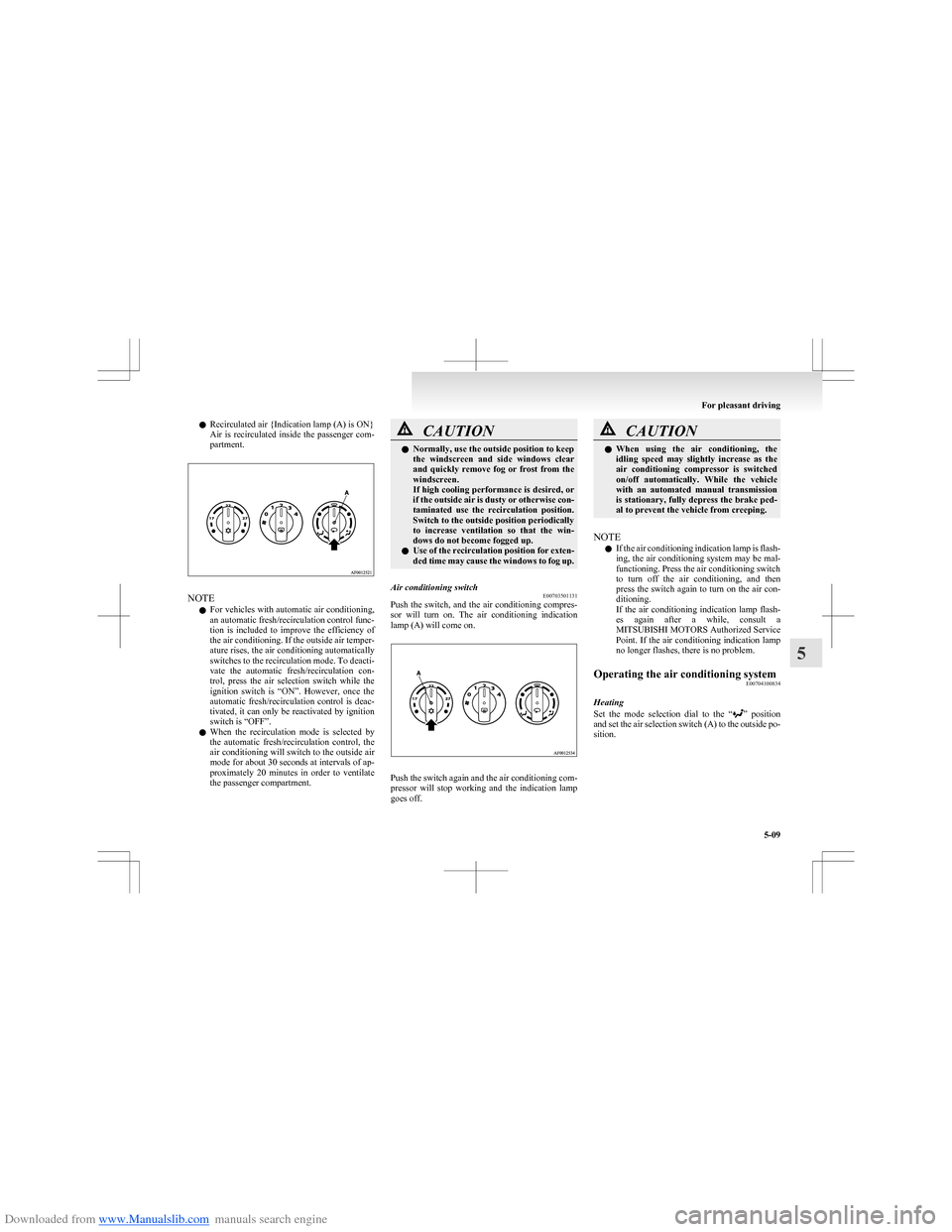
Downloaded from www.Manualslib.com manuals search engine lRecirculated air {Indication lamp (A) is ON}
Air is recirculated inside the passenger com-
partment.
NOTE
l For vehicles with automatic air conditioning,
an automatic fresh/recirculation control func-
tion is included to improve the efficiency of
the air conditioning. If the outside air temper-
ature rises, the air conditioning automatically
switches to the recirculation mode. To deacti-
vate the automatic fresh/recirculation con-
trol, press the air selection switch while the
ignition switch is “ON”. However, once the
automatic fresh/recirculation control is deac-
tivated, it can only be reactivated by ignition
switch is “OFF”.
l When the recirculation mode is selected by
the automatic fresh/recirculation control, the
air conditioning will switch to the outside air
mode for about 30 seconds at intervals of ap-
proximately 20 minutes in order to ventilate
the passenger compartment.
CAUTIONl Normally, use the outside position to keep
the windscreen and side windows clear
and quickly remove fog or frost from the
windscreen.
If high cooling performance is desired, or
if the outside air is dusty or otherwise con-
taminated use the recirculation position.
Switch to the outside position periodically
to increase ventilation so that the win-
dows do not become fogged up.
l Use of the recirculation position for exten-
ded time may cause the windows to fog up.Air conditioning switch E00703501131
Push the switch, and the air conditioning compres-
sor will turn on. The air conditioning indication
lamp (A) will come on.
Push the switch again and the air conditioning com-
pressor will stop working and the indication lamp
goes off.
CAUTIONl When using the air conditioning, the
idling speed may slightly increase as the
air conditioning compressor is switched
on/off automatically. While the vehicle
with an automated manual transmission
is stationary, fully depress the brake ped-
al to prevent the vehicle from creeping.
NOTE
l If the air conditioning indication lamp is flash-
ing, the air conditioning system may be mal-
functioning. Press the air conditioning switch
to turn off the air conditioning, and then
press the switch again to turn on the air con-
ditioning.
If the air conditioning indication lamp flash-
es again after a while, consult a
MITSUBISHI MOTORS Authorized Service
Point. If the air conditioning indication lamp
no longer flashes, there is no problem.
Operating the air conditioning system E00704100834
Heating
Set the mode selection dial to the “
” position
and set the air selection switch (A) to the outside po-
sition.
For pleasant driving
5-09
5
Page 153 of 273
Downloaded from www.Manualslib.com manuals search engine It is recommended that the refrigerant be recovered
and recycled for further use.
During a long period of disuse
The air conditioning should be operated for at least
five minutes each week, even in cold weather. This
is to prevent poor lubrication of the compressor in-
ternal parts and to maintain the air conditioning in
the best operating condition.Air purifier E00708400024
An air filter has been incorporated into this air con-
ditioning so that dirt and dust are cleaned from the
air.
Replace the air filter periodically as its ability to
clean the air will be reduced as it collects pollen
and dirt. For the maintenance interval, refer to the
“SERVICE BOOKLET”.
NOTE l Operation in certain conditions such as driv-
ing on a dusty road and frequent use of the
air conditioning can lead to reduction of serv-
ice life of the filter. When the air flow rate
suddenly drops or when the windscreen or
windows start to fog up easily, the air filter
requires replacement.
We recommend you to have it checked.LW/MW/FM electronic tuning
radio with CD player* E00708502175
The audio system can be used when the ignition
switch is in the “ON” or “ACC” position.
NOTE l To listen to the audio system while the en-
gine is stopped, turn the ignition key to the
“ACC” position.
For Clear Tec models, the audio system will
continue to operate if the ignition switch is in
the “ON” position when the engine stops au-
tomatically. However, in some cases, the au-
dio system may stop producing sound or turn
off.
l If a cellular phone is used inside the vehicle,
it may create noise from the audio equip-
ment. This does not mean that anything is
wrong with your audio equipment. In such a
case, use the cellular phone at a place as far
away as possible from the audio equipment.
l If foreign objects or water get into the audio
equipment, or if smoke or a strange odour
comes from it, immediately turn off the au-
dio system. We recommend you to have it
checked. Never try to repair it by yourself.
Avoid continuous usage without inspection
by a qualified person.
For pleasant driving
5-12
5
Page 161 of 273
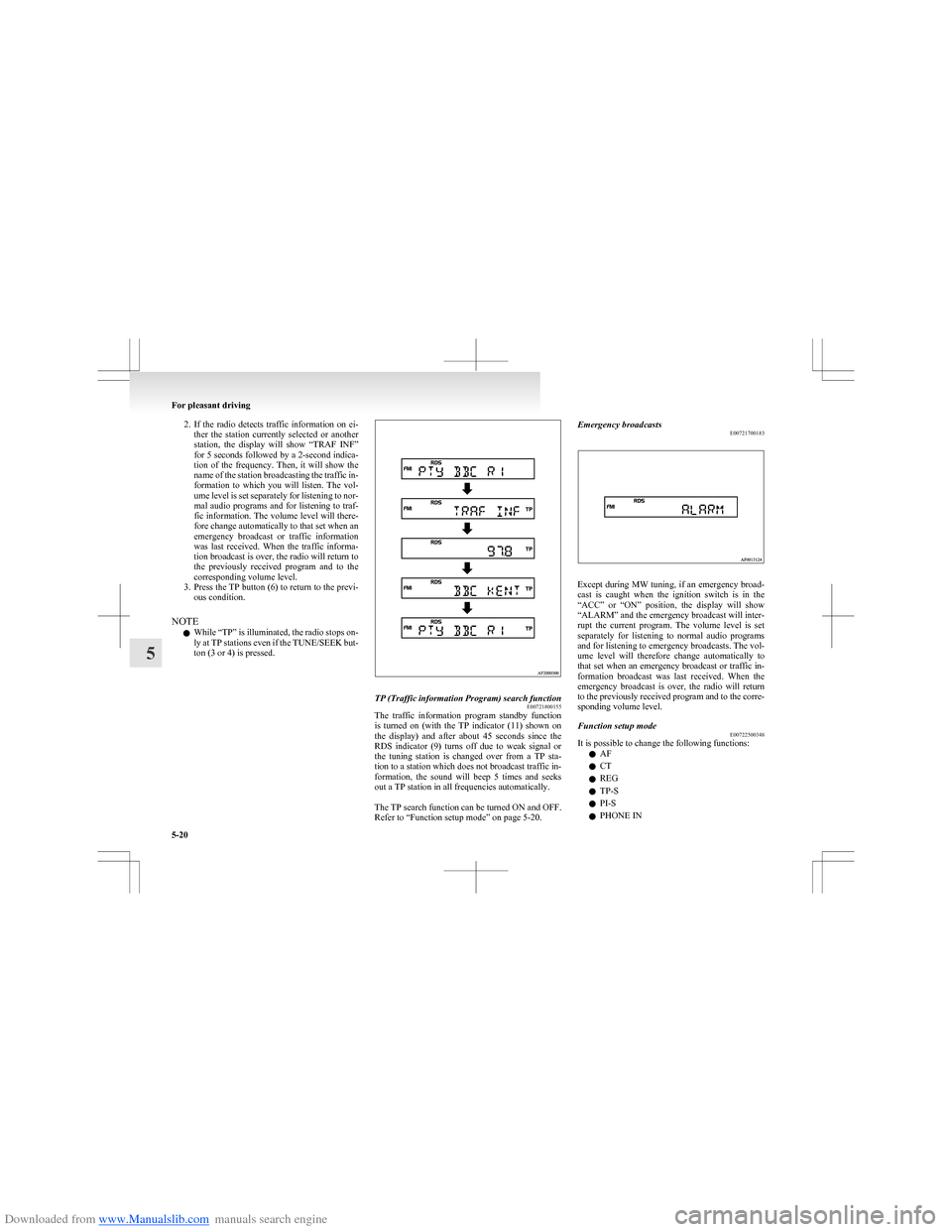
Downloaded from www.Manualslib.com manuals search engine 2.If the radio detects traffic information on ei-
ther the station currently selected or another
station, the display will show “TRAF INF”
for 5 seconds followed by a 2-second indica-
tion of the frequency. Then, it will show the
name of the station broadcasting the traffic in-
formation to which you will listen. The vol-
ume level is set separately for listening to nor-
mal audio programs and for listening to traf-
fic information. The volume level will there-
fore change automatically to that set when an
emergency broadcast or traffic information
was last received. When the traffic informa-
tion broadcast is over, the radio will return to
the previously received program and to the
corresponding volume level.
3. Press the TP button (6) to return to the previ-
ous condition.
NOTE l While “TP” is illuminated, the radio stops on-
ly at TP stations even if the TUNE/SEEK but-
ton (3 or 4) is pressed.TP (Traffic information Program) search function E00721800155
The traffic information program standby function
is turned on (with the TP indicator (11) shown on
the display) and after about 45 seconds since the
RDS indicator (9) turns off due to weak signal or
the tuning station is changed over from a TP sta-
tion to a station which does not broadcast traffic in-
formation, the sound will beep 5 times and seeks
out a TP station in all frequencies automatically.
The TP search function can be turned ON and OFF.
Refer to “Function setup mode” on page 5-20.
Emergency broadcasts E00721700183
Except during MW tuning, if an emergency broad-
cast is caught when the ignition switch is in the
“ACC” or “ON” position, the display will show
“ALARM” and the emergency broadcast will inter-
rupt the current program. The volume level is set
separately for listening to normal audio programs
and for listening to emergency broadcasts. The vol-
ume level will therefore change automatically to
that set when an emergency broadcast or traffic in-
formation broadcast was last received. When the
emergency broadcast is over, the radio will return
to the previously received program and to the corre-
sponding volume level.
Function setup mode E00722500348
It is possible to change the following functions:
l AF
l CT
l REG
l TP-S
l PI-S
l PHONE IN
For pleasant driving
5-20
5
Page 169 of 273
Downloaded from www.Manualslib.com manuals search engine 2. Press the AUX button (2).The display (3) will show “AUX” and then
the external audio input mode will be activa-
ted.
3. To deactivate the external audio input mode,
press the AUX button (2). To switch to anoth-
er mode.CAUTIONl Do not operate the connected audio equip-
ment while driving.
This could distract you and an accident
might occur.
NOTE
l The connected audio equipment cannot be op-
erated with the vehicle’s audio system.
l Depending on the connected audio equip-
ment, it may produce noise from the speakers.
l Use the connected audio equipment’s own
power source, such as its battery.
Noise may be produced from the speakers if
the connected audio equipment is used while
charging it using the accessory socket of the
vehicle.
l Do not activate the external audio input
mode when no audio equipment is connected.
Otherwise, noise may be produced from the
speakers.
l Connect audio equipment when the external
audio input mode is deactivated or lower the
vehicle’s speaker volume before connecting it.
Noise may be produced from the speakers if
audio equipment is connected after the exter-
nal audio input mode is activated.
l Compared to the CD player mode and radio
mode, the vehicle’s speaker volume will be
lower in the external audio input mode. There-
fore, be careful when switching from the ex-
ternal audio input mode to the CD player
mode or radio mode since the speaker vol-
ume will be higher.
l Do not use excessive force on the connection
cord. Otherwise, the cord and connectors
may be damaged.
l If the connection cord alone is left connected
to the auxiliary audio connector, noise may
be produced from the speakers.
l For information on how to connect and oper-
ate the commercially available audio equip-
ment, refer to the owner’s manual for the com-
mercially available audio equipment.Steering wheel audio remote
control switches* E00710000447
The remote control switch is located on the left
side of the steering wheel.
It can be used when the ignition switch is in the
“ON” or “ACC” positions.
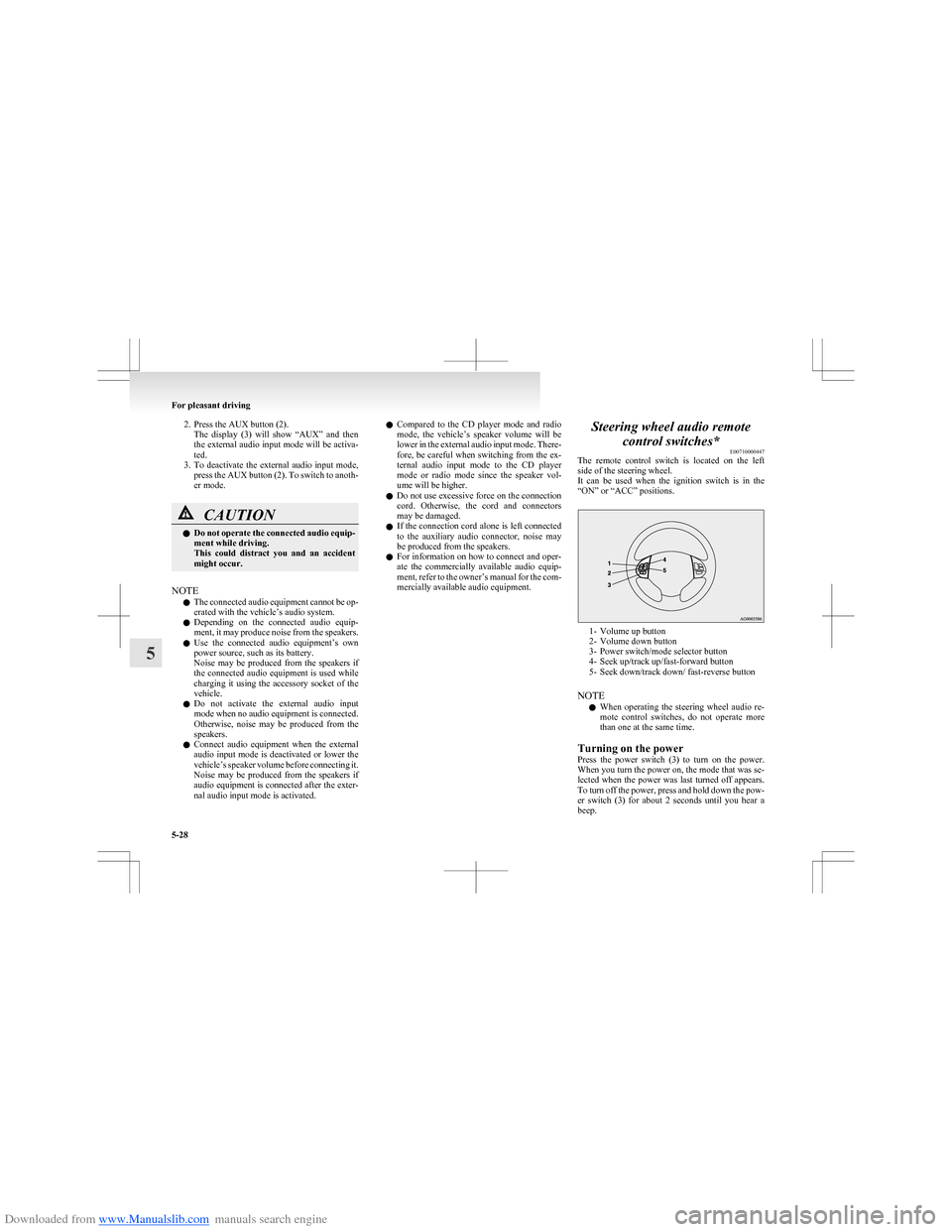
1- Volume up button
2- Volume down button
3- Power switch/mode selector button
4- Seek up/track up/fast-forward button
5- Seek down/track down/ fast-reverse button
NOTE l When operating the steering wheel audio re-
mote control switches, do not operate more
than one at the same time.
Turning on the power
Press the power switch (3) to turn on the power.
When you turn the power on, the mode that was se-
lected when the power was last turned off appears.
To turn off the power, press and hold down the pow-
er switch (3) for about 2 seconds until you hear a
beep.
For pleasant driving
5-28
5
Page 179 of 273
Downloaded from www.Manualslib.com manuals search engine Interior lampsE00712000799
The interior lamps go on when a door or tailgate is
opened.
When all doors and tailgate are closed, the interior
lamps are illuminated and dimmed gradually for 15
seconds then go out.
However, the interior lamps go out immediately
without being dimmed in the following cases:
l The ignition switch is turned “ON”.
l All doors and tailgate are locked using the
key mechanism of the driver’s door, the lock
knob of the driver’s door, or the remote con-
trol switch of the keyless entry system.
NOTE l The dimming period is adjustable.
For further information, we recommend you
to consult a MITSUBISHI MOTORS Author-
ized Service Point.
l If you leave the lamps on without running
the engine, you will run down the battery. Be-
fore you leave the vehicle, make sure that all
the lamps are off.Room lamp with map lamps E00724300018
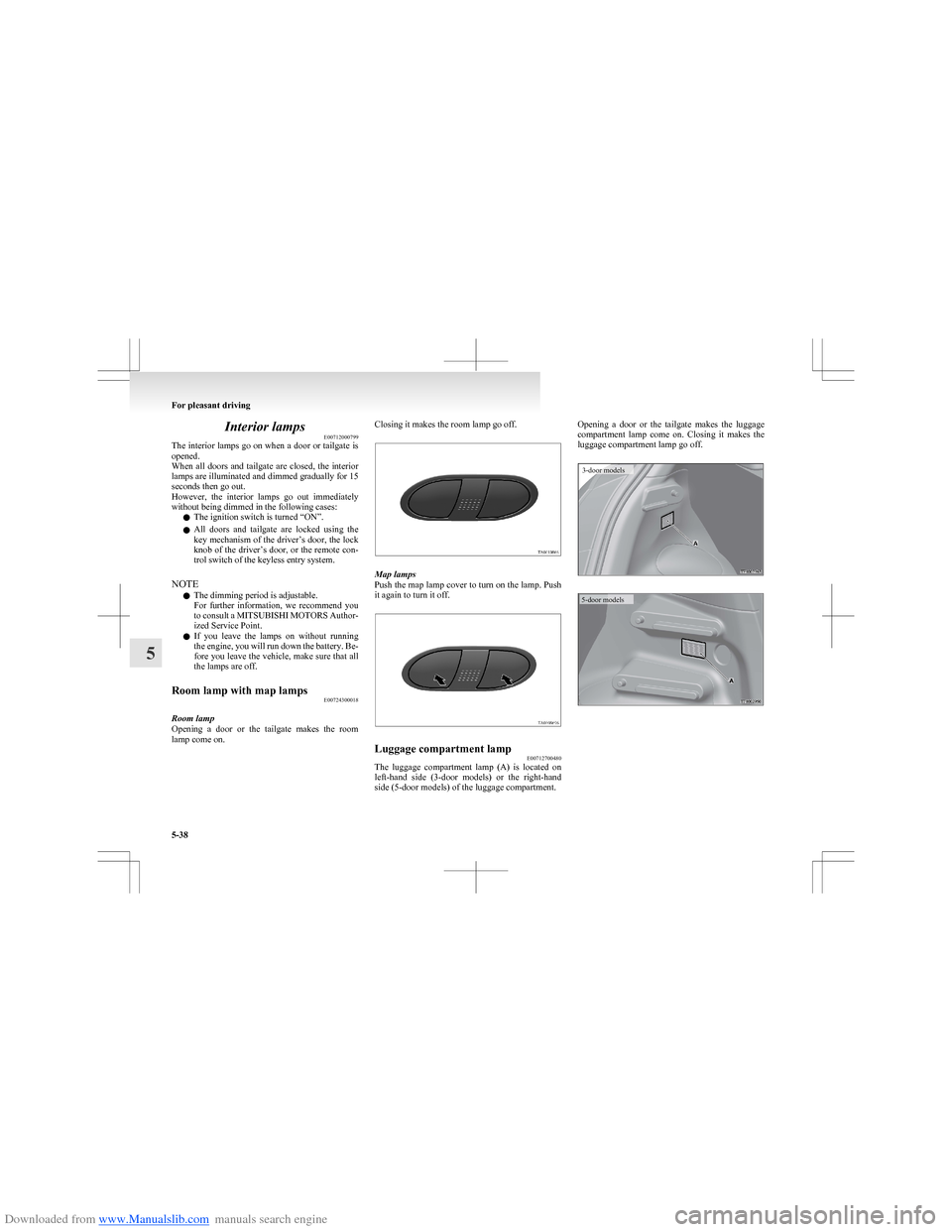
Room lamp
Opening a door or the tailgate makes the room
lamp come on.
Closing it makes the room lamp go off.
Map lamps
Push the map lamp cover to turn on the lamp. Push
it again to turn it off.
Luggage compartment lamp E00712700480
The luggage compartment lamp (A) is located on
left-hand side (3-door models) or the right-hand
side (5-door models) of the luggage compartment.
Opening a door or the tailgate makes the luggage
compartment lamp come on. Closing it makes the
luggage compartment lamp go off.3-door models5-door models
For pleasant driving
5-38
5
Page 187 of 273
Downloaded from www.Manualslib.com manuals search engine If the vehicle breaks downE00800101254
If the vehicle breaks down on the road, move it to
the shoulder and use the hazard warning flashers and/
or the warning triangle etc.
Refer to “Hazard warning flasher switch” on page
3-23.
If the engine stops/fails
Vehicle operation and control are affected if the en-
gine stops.
Before moving the vehicle to a safe area, be aware
of the following:
l The brake booster becomes inoperative and
the pedal effort will increase. Press down the
brake pedal harder than usual.
l Since the power steering system is no longer
operative, the steering wheel feels heavy
when turning it.Emergency starting E00800501900
If the engine cannot be started because the battery
is weak or dead, the battery from another vehicle
can be used with jumper cables to start the engine.WARNINGl To start the engine using jumper cables
connected to another vehicle, perform the
correct procedures according to the in-
struction below. Incorrect procedures
could result in a fire or explosion or dam-
age to the vehicles.
1. Get the vehicles close enough so the jumper
cables can reach, but be sure the vehicles
aren’t touching each other.
If they are, it could cause a ground connec-
tion you don’t want. The vehicle will not
start, and the bad grounding could damage
the electrical systems.
CAUTIONl Check the other vehicle. It must have a 12-
volt battery.
If the other system isn’t 12-volt, shorting
can damage both vehicles.2. You could be injured if the vehicles move.
Set the parking brake firmly on each vehicle.
Put an automatic transmission in “P”
(PARK) or a manual transmission and an au-
tomated manual transmission in “N” (Neu-
tral). With an automated manual transmis-
sion vehicle, confirm that “N” is shown by
the allshift indicator display. Turn off the ig-
nition switch.WARNINGl Turn off the ignition on both vehicles be-
forehand. Make sure that the cables or
your clothes cannot be caught by the fan
or drive belt. Personal injury could result.
NOTE
l Turn off all lamps, heater and other electrical
loads. This will avoid sparks and help save
both batteries.
3. Make sure battery electrolyte is at the proper
level. Refer to “Battery” on page 8-10.
WARNINGl If electrolyte fluid is not visible, or ap-
pears to be frozen, Do Not Attempt Jump
Starting!
A battery might rupture or explode if the
temperature is below the freezing point
or if it is not filled to the proper level.
For emergencies
6-02
6