MITSUBISHI ENDEAVOR 2004 Service Manual PDF
ENDEAVOR 2004
MITSUBISHI
MITSUBISHI
https://www.carmanualsonline.info/img/19/57105/w960_57105-0.png
MITSUBISHI ENDEAVOR 2004 Service Manual PDF
Page 2650 of 3870
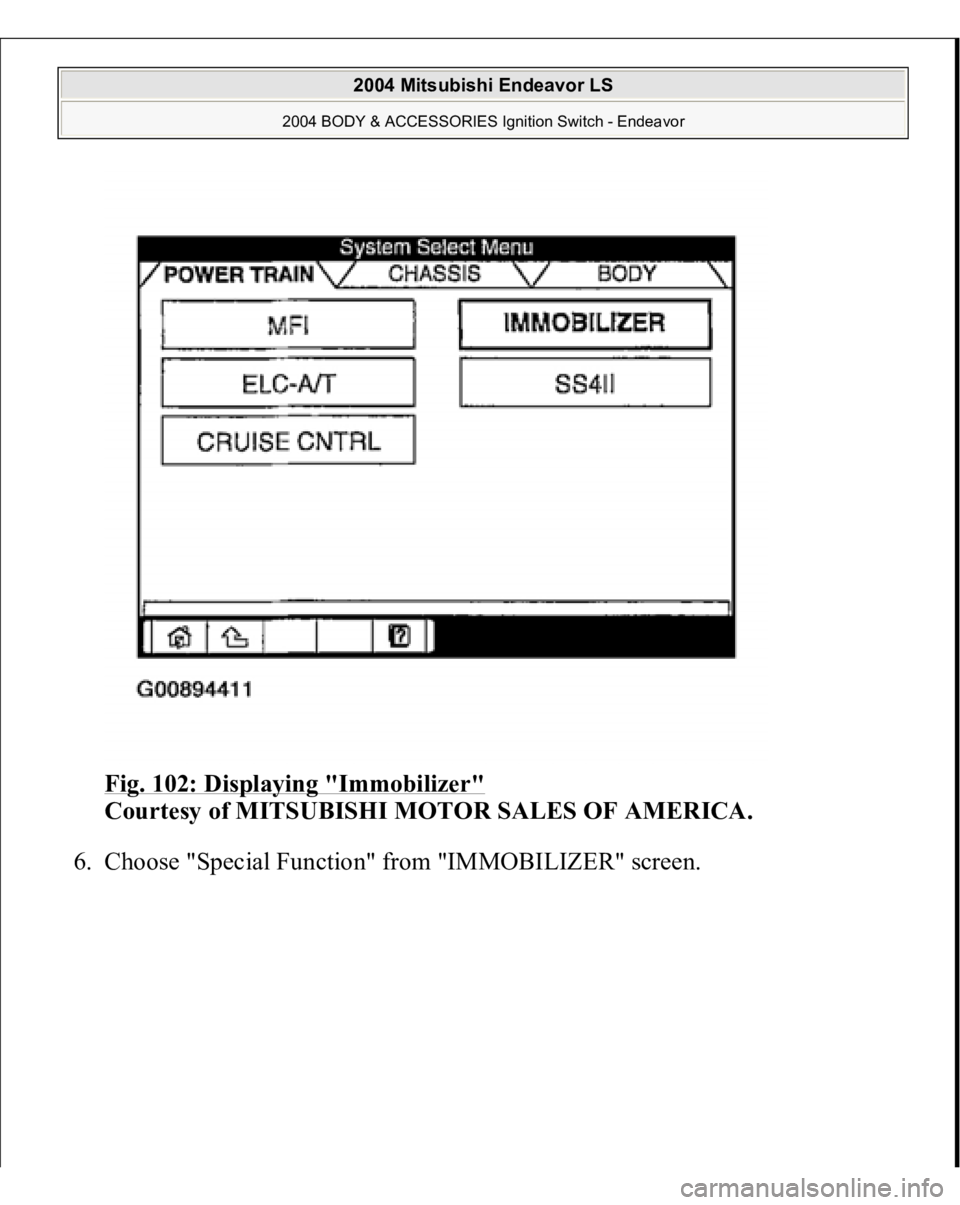
Fig. 102: Displaying "Immobilizer"
Courtesy of MITSUBISHI MOTOR SALES OF AMERICA.
6. Choose "S
pecial Function" from "IMMOBILIZER" screen.
2004 Mitsubishi Endeavor LS
2004 BODY & ACCESSORIES Ignition Switch - Endeavor
Page 2651 of 3870
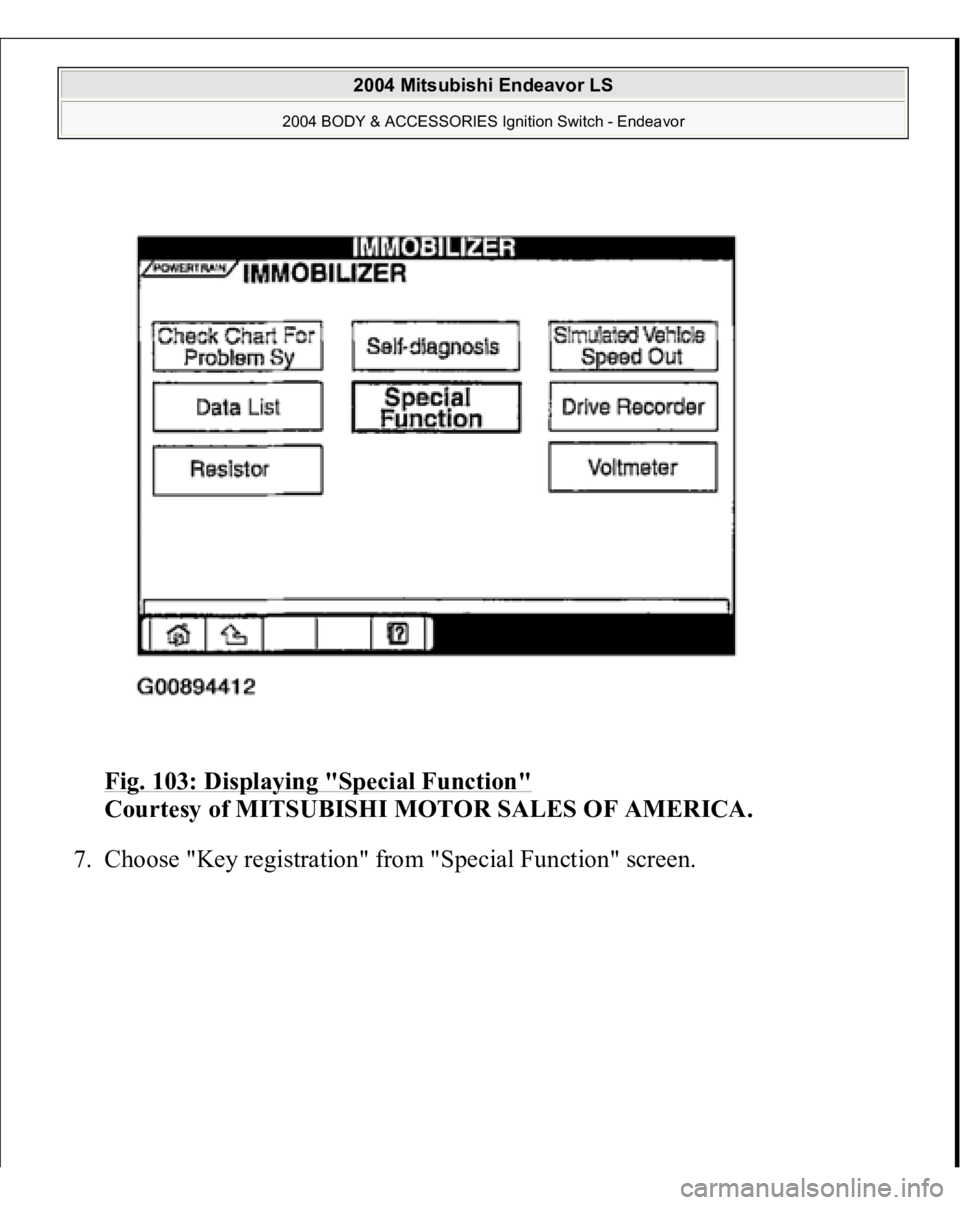
Fig. 103: Displaying "Special Function"
Courtesy of MITSUBISHI MOTOR SALES OF AMERICA.
7. Choose "Ke
y re
gistration" from "S
pecial Function" screen.
2004 Mitsubishi Endeavor LS
2004 BODY & ACCESSORIES Ignition Switch - Endeavor
Page 2652 of 3870
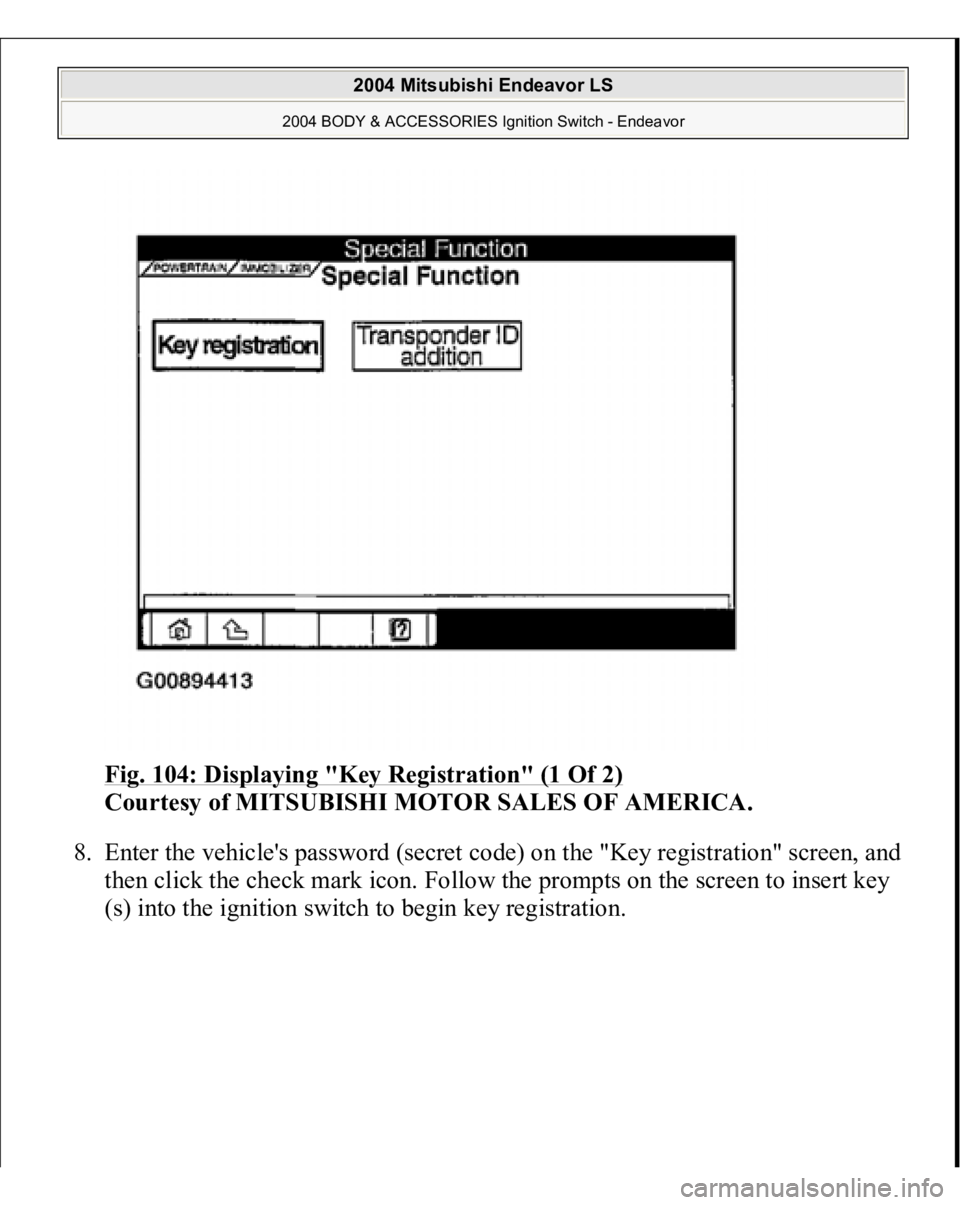
Fig. 104: Displaying "Key Registration" (1 Of 2)
Courtesy of MITSUBISHI MOTOR SALES OF AMERICA.
8. Enter the vehicle's password (secret code) on the "Key registration" screen, and
then click the check mark icon. Follow the prompts on the screen to insert key
(s) into the i
gnition switch to be
gin ke
y registra
tion.
2004 Mitsubishi Endeavor LS
2004 BODY & ACCESSORIES Ignition Switch - Endeavor
Page 2653 of 3870
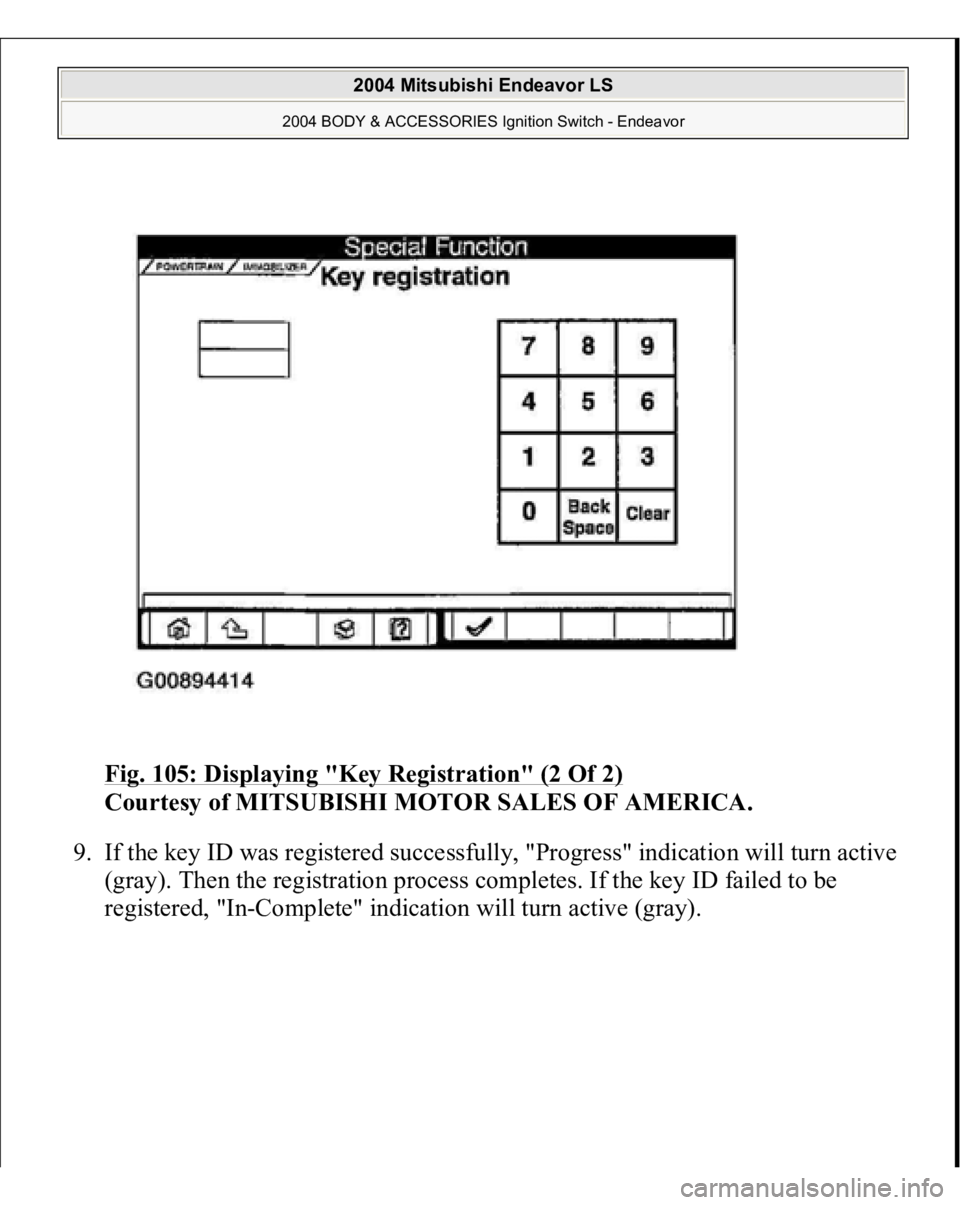
Fig. 105: Displaying "Key Registration" (2 Of 2)
Courtesy of MITSUBISHI MOTOR SALES OF AMERICA.
9. If the key ID was registered successfully, "Progress" indication will turn active
(gray). Then the registration process completes. If the key ID failed to be
registered, "I
n-Complete" indication will turn active (gray).
2004 Mitsubishi Endeavor LS
2004 BODY & ACCESSORIES Ignition Switch - Endeavor
Page 2654 of 3870
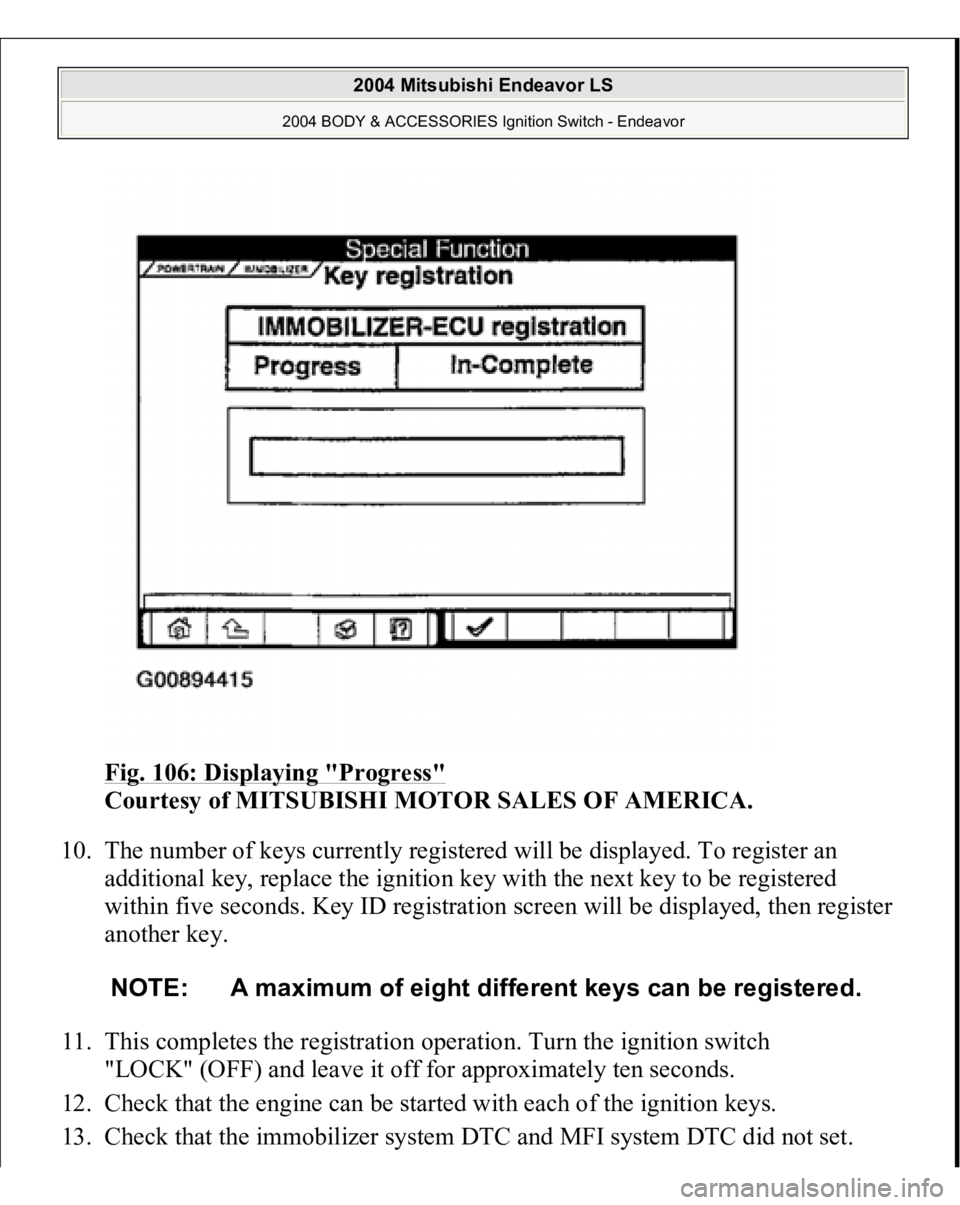
Fig. 106: Displaying "Progress"
Courtesy of MITSUBISHI MOTOR SALES OF AMERICA.
10. The number of keys currently registered will be displayed. To register an
additional key, replace the ignition key with the next key to be registered
within five seconds. Key ID registration screen will be displayed, then register
another key.
11. This completes the registration operation. Turn the ignition switch
"LOCK" (OFF) and leave it off for approximately ten seconds.
12. Check that the engine can be started with each of the ignition keys.
13. Check that the immobilizer s
ystem DTC and MFI s
ystem DTC did not set.
NOTE: A maximum of eight different keys can be registered.
2004 Mitsubishi Endeavor LS
2004 BODY & ACCESSORIES Ignition Switch - Endeavor
Page 2657 of 3870
Connector
Courtesy of MITSUBISHI MOTOR SALES OF AMERICA.
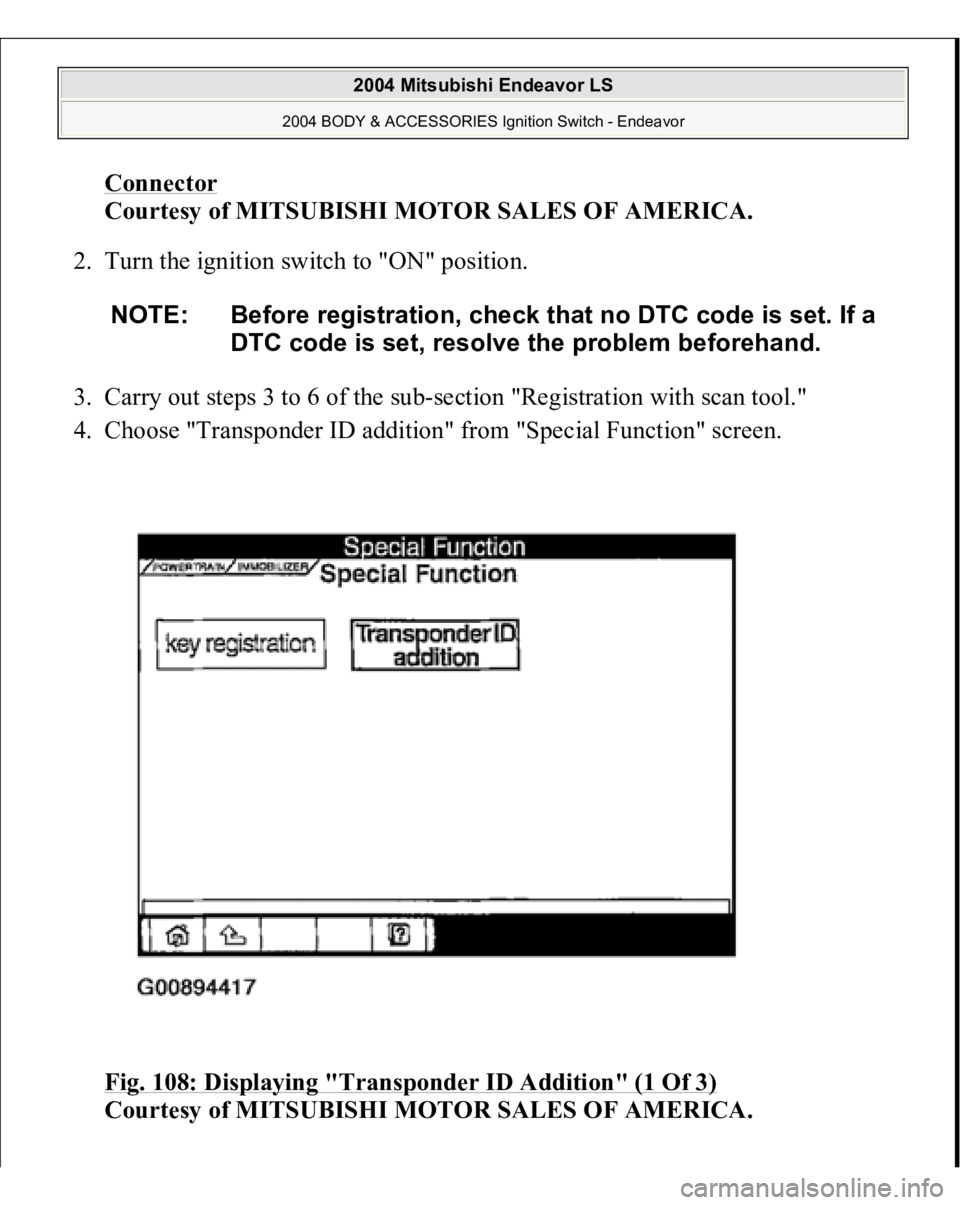
2. Turn the ignition switch to "ON" position.
3. Carry out steps 3 to 6 of the sub-section "Registration with scan tool."
4. Choose "Transponder ID addition" from "Special Function" screen.
Fig. 108: Displaying "Transponder ID Addition" (1 Of 3)
Courtesy of MITSUBISHI MOTOR SALES OF AMERICA.
NOTE: Before registration, check that no DTC code is set. If a
DTC code is set, resolve the problem beforehand.
2004 Mitsubishi Endeavor LS
2004 BODY & ACCESSORIES Ignition Switch - Endeavor
Page 2658 of 3870
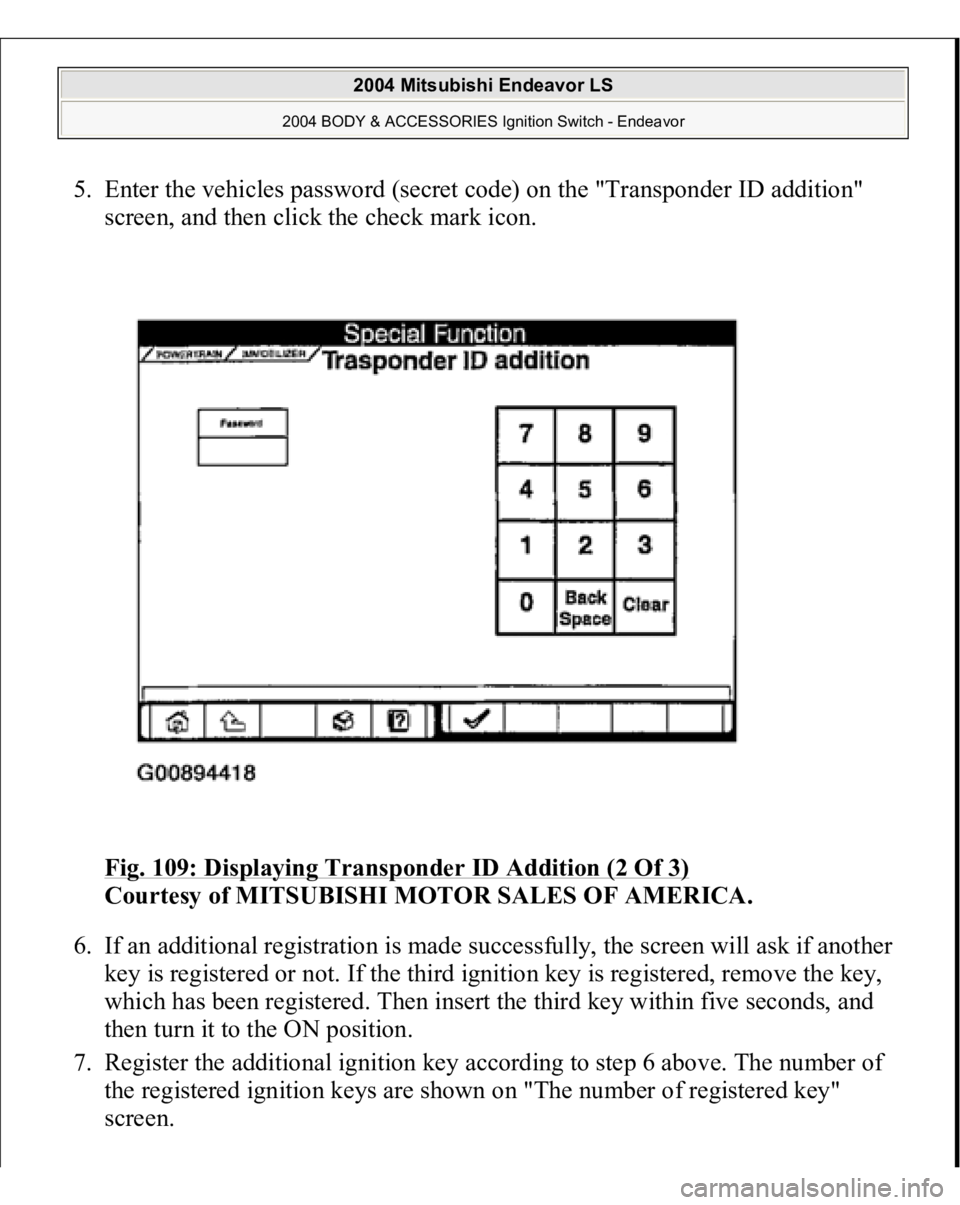
5. Enter the vehicles password (secret code) on the "Transponder ID addition"
screen, and then click the check mark icon.
Fig. 109: Displaying Transponder ID Addition (2 Of 3)
Courtesy of MITSUBISHI MOTOR SALES OF AMERICA.
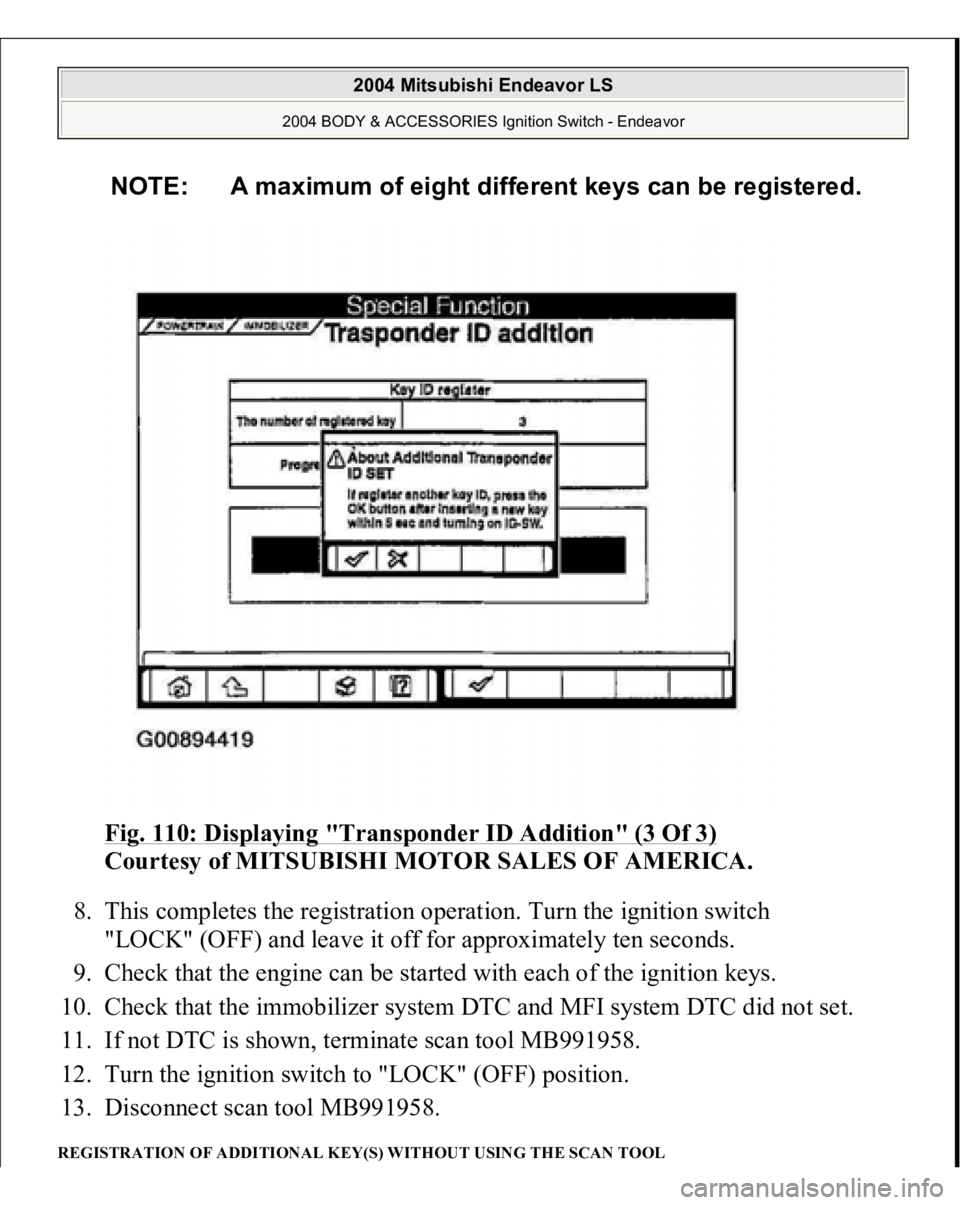
6. If an additional registration is made successfully, the screen will ask if another
key is registered or not. If the third ignition key is registered, remove the key,
which has been registered. Then insert the third key within five seconds, and
then turn it to the ON position.
7. Register the additional ignition key according to step 6 above. The number of
the registered ignition keys are shown on "The number of registered key"
screen.
2004 Mitsubishi Endeavor LS
2004 BODY & ACCESSORIES Ignition Switch - Endeavor
Page 2659 of 3870
Fig. 110: Displaying "Transponder ID Addition" (3 Of 3)
Courtesy of MITSUBISHI MOTOR SALES OF AMERICA.
8. This completes the registration operation. Turn the ignition switch
"LOCK" (OFF) and leave it off for approximately ten seconds.
9. Check that the engine can be started with each of the ignition keys.
10. Check that the immobilizer system DTC and MFI system DTC did not set.
11. If not DTC is shown, terminate scan tool MB991958.
12. Turn the ignition switch to "LOCK" (OFF) position.
13. Disconnect scan tool MB991958.
REGISTRATION OF ADDITIONAL KEY(S) WITHOUT USING THE SCAN TOOL
NOTE: A maximum of eight different keys can be registered.
2004 Mitsubishi Endeavor LS
2004 BODY & ACCESSORIES Ignition Switch - Endeavor
Page 2664 of 3870
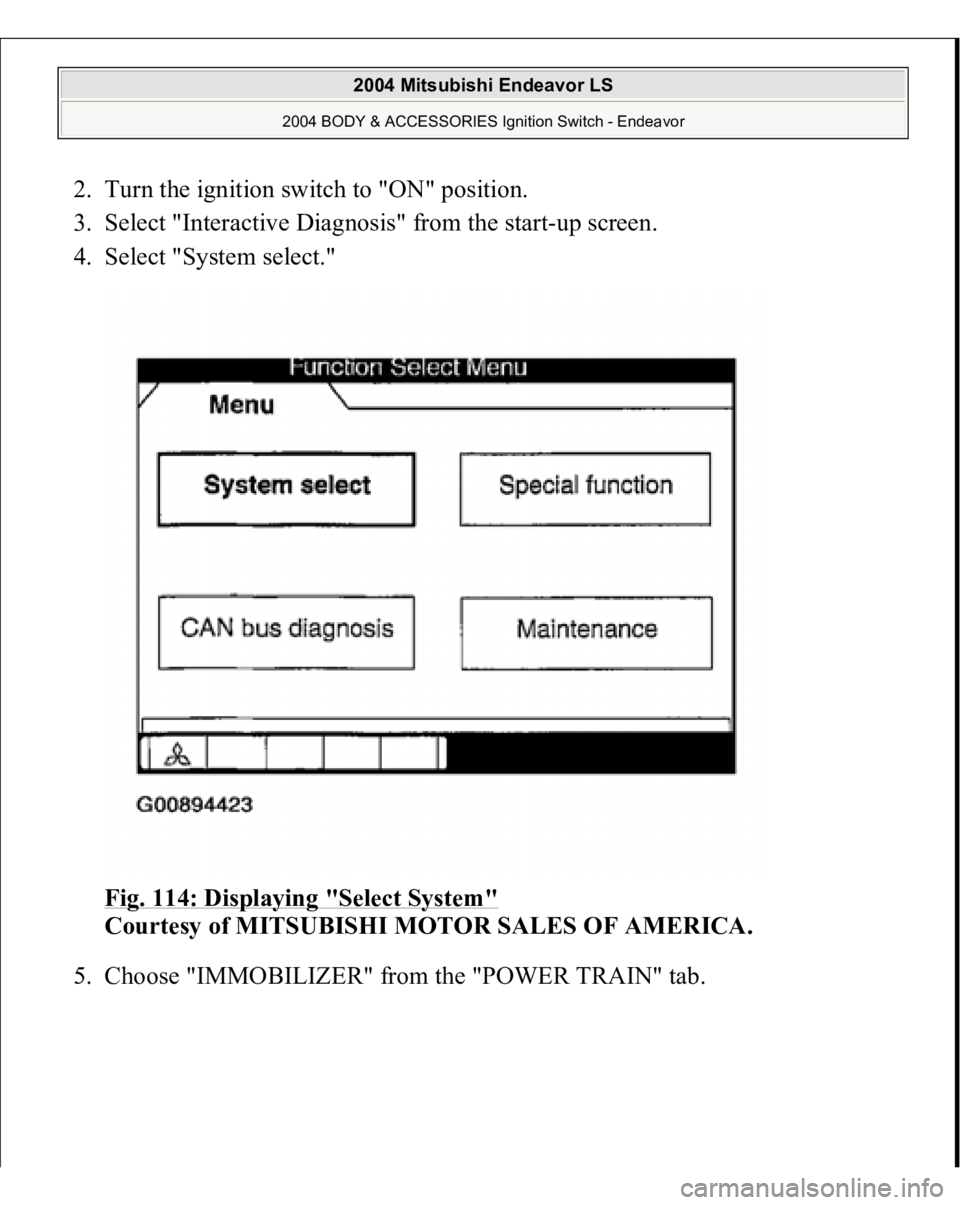
2. Turn the ignition switch to "ON" position.
3. Select "Interactive Diagnosis" from the start-up screen.
4. Select "System select."
Fig. 114: Displaying "Select System"
Courtesy of MITSUBISHI MOTOR SALES OF AMERICA.
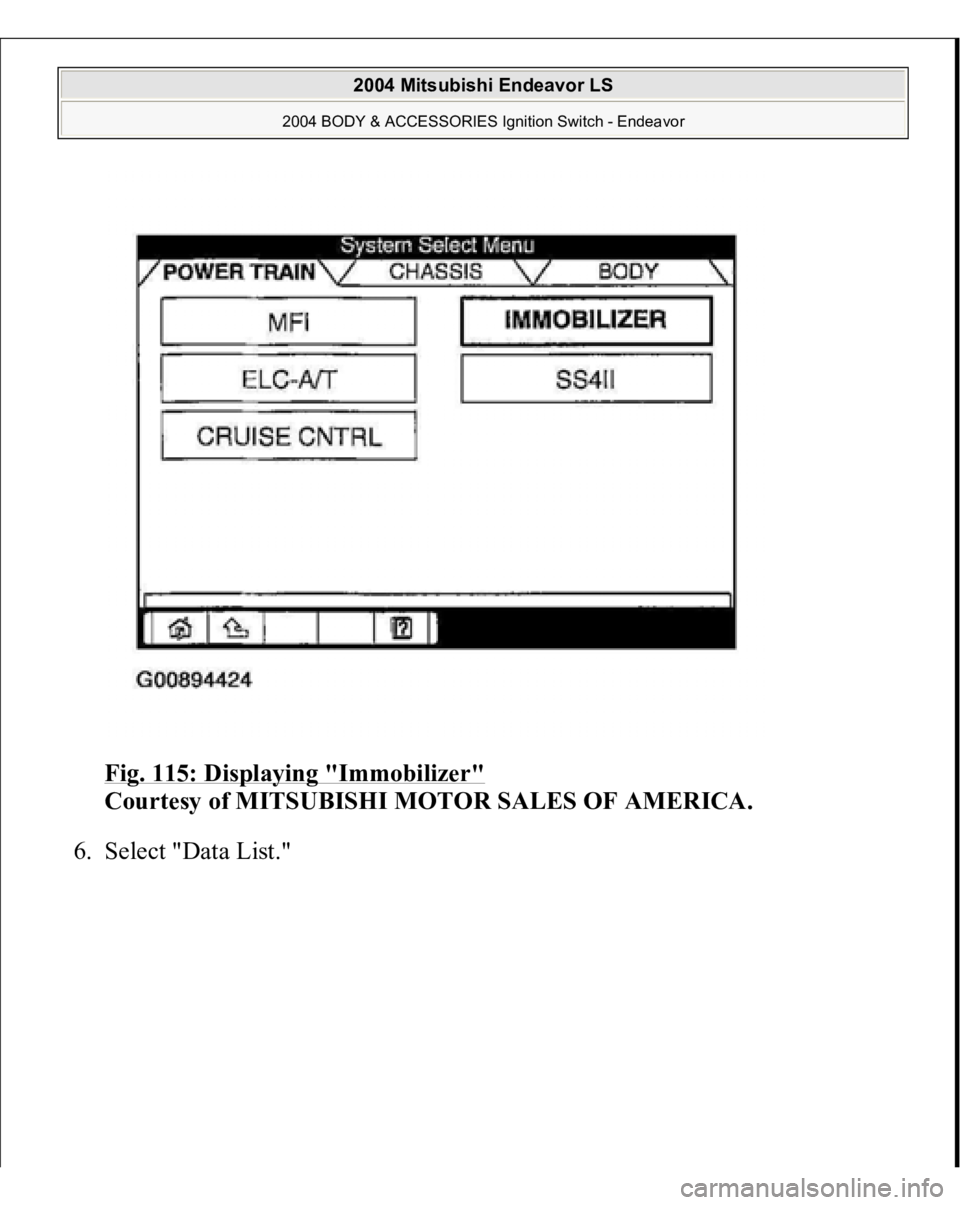
5. Choose "IMMOBILIZER" from the "POWER TRAIN" tab.
2004 Mitsubishi Endeavor LS
2004 BODY & ACCESSORIES Ignition Switch - Endeavor
Page 2665 of 3870
Fig. 115: Displaying "Immobilizer"
Courtesy of MITSUBISHI MOTOR SALES OF AMERICA.
6. Select "Data List."
2004 Mitsubishi Endeavor LS
2004 BODY & ACCESSORIES Ignition Switch - Endeavor