lights MITSUBISHI iMiEV 2014 1.G User Guide
[x] Cancel search | Manufacturer: MITSUBISHI, Model Year: 2014, Model line: iMiEV, Model: MITSUBISHI iMiEV 2014 1.GPages: 262, PDF Size: 26.84 MB
Page 63 of 262

MiEV Remote System 3-48 General information/Charging
3
N01204901032
Take the following actions when the system does not operate correctly. If the system still does not operate correctly after the
action(s) have been
taken, a system component may not be wo
rking properly. Please consult with a
certified i-MiEV de
aler to check it.
Actions to be taken when the MiEV Remo
te system does not operate correctly
Phenomena
Cause
Remedy
Charging does not start when regular charge connector is inserted.
“ON” timer has been set. Cancel the “ON” timer. The regular charge connector is not locked completely.
Lock the regular charge connector securely.
A household electrical
outlet, which the
EV charging cable is connected to, is shut down.(e.g. disconnected plug)
Turn on the household elec
trical outlet and make
sure the plug is securely connected.
MiEV Remote does not operate normally.
MiEV Remote is not powered on.
Batteries in the MiEV Remote are defec- tive or the batteries are discharged.
Replace the batteries in the MiEV Remote. Refer to “Replacement of batteries for the MiEV Remote” on page 3-46.
No indicator lights come on when the remote is turned on. Melody or buzzer does not sound.
Melody or buzzer has been disabl
ed. Enable the melody or buzzer.
Refer to “To turn on/off melody and buzzer” on page 3-45.
BK0209800US.book 48 ページ 2014年1月14日 火曜日 午前9時26分
Page 106 of 262
5
Features and controlsBreak-in recommendations ..............................................................5-2 Keys .................................................................................................5-2 Electronic immobilizer (Anti-theft starting system) ........................5-2Keyless entry system .......................................................................5-5 Door locks ........................................................................................5-8 Power door locks ........
...........
...........
...........
...........
...........
.........
.....5-9
Child safety locks for rear door ..........
...........
.........
.........
.........
.....5-10
Liftgate ........................................................................................... 5-11 Theft-alarm system ........................................................................5-12Power window control ...................................................................5-14 Parking brake .................................................................................5-16 Inside rearview mirror ...................................................................5-16Outside rearview mirrors ...............................................................5-17 Electric motor switch .....................................................................5-18 Steering wheel lock ........................................................................5-20Starting the electric motor unit ......................................................5-20 Transmission ..................................................................................5-21 Acoustic vehicle alerting system (AVAS) ......................................5-23Service brake .................................................................................5-24 Brake assist system ........................................................................5-25 Anti-lock braking system ...............................................................5-25Electric power steering system (EPS) ............................................5-27 Active stability control (ASC) .......................................................5-28 Tire pressure monitoring system ....................................................5-30Instrument cluster ..........................................................................5-34 Indicator and warning light package ..............................................5-41 Indicators .......................................................................................5-42Warning lights ................................................................................5-42
Combination headlights and dimmer switch ................................. 5-44 Turn signal lever ............................................................................ 5-46 Hazard warning flasher switch ...................................................... 5-47Front fog light switch .................................................................... 5-47 Wiper and washer switch ............................................................... 5-48 Electric rear window defogger switch ....
...........
...........
...........
...... 5-50
Horn switch ................................................................................... 5-50 Sun visors ...................................................................................... 5-51 12 V power outlet .......................................................................... 5-51Interior lights ................................................................................. 5-52 Storage spaces ................................................................................ 5-54 Cup holder ..................................................................................... 5-55Assist grip ...................................................................................... 5-56
BK0209800US.book 1 ページ 2014年1月14日 火曜日 午前9時26分
Page 110 of 262
Keyless entry system
Features and controls 5-5
5
Rules. Operation is subject to the following two conditions. This device may not
cause harmful inter-
ference. This device must ac
cept any interference
received, including interference that maycause undesired operation.
This digital apparatu
s does not exceed the
Class A limits for radi
o noise emissions from
digital apparatus set out in the Radio Interfer- ence Regulations of th
e Canadian Department
of Communications.
N00509000910
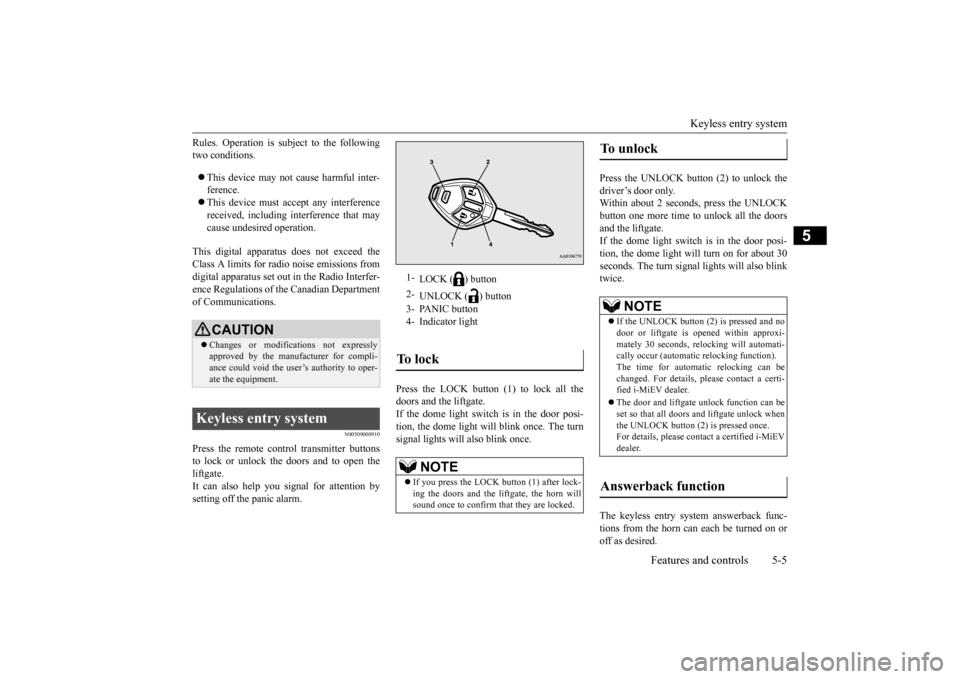
Press the remote control transmitter buttonsto lock or unlock the doors and to open the liftgate. It can also help you
signal for attention by
setting off the panic alarm.
Press the LOCK button (1) to lock all the doors and the liftgate. If the dome light switch is in the door posi- tion, the dome light w
ill blink once. The turn
signal lights will also blink once.
Press the UNLOCK button (2) to unlock the driver’s door only. Within about 2 seconds, press the UNLOCKbutton one more time to unlock all the doors and the liftgate. If the dome light switch is in the door posi-tion, the dome light will turn on for about 30 seconds. The turn signal
lights will also blink
twice. The keyless entry system answerback func- tions from the horn can each be turned on or off as desired.
CAUTION Changes or modifica
tions not expressly
approved by the manufacturer for compli- ance could void the user’s authority to oper-ate the equipment.
Keyless entry system
1-
LOCK ( ) button
2-
UNLOCK ( ) button
3- PANIC button 4- Indicator lightTo l o c k
NOTE
If you press the LOCK button (1) after lock- ing the doors and the liftgate, the horn will sound once to confirm that they are locked.
To unlock
NOTE
If the UNLOCK button (2) is pressed and no door or liftgate is opened within approxi- mately 30 seconds, relocking will automati- cally occur (automatic
relocking function).
The time for automatic relocking can be changed. For details,
please contact a certi-
fied i-MiEV dealer. The door and liftgate unlock function can be set so that all doors and liftgate unlock whenthe UNLOCK button (2) is pressed once. For details, please c
ontact a certified i-MiEV
dealer.
Answerback function
BK0209800US.book 5 ページ 2014年1月14日 火曜日 午前9時26分
Page 111 of 262

Keyless entry system 5-6 Features and controls
5
The horn answerback function can be set to the following three conditions. Each time the horn answerback function isset, a chime will sound to tell you the condi- tion of the answerback function. 1. Remove the key from the electric motor switch.2. Open the driver’s door and turn the com- bination headlights and dimmer switch to the “OFF” position.3. Press the LOCK button (1) for 4 to 10 sec- onds and press the UNLOCK button (2) during this time.4. Release in sequence the UNLOCK and LOCK buttons within 10 seconds of pressing the UNLOCK button in step 3.
The turn signal lights answerback function can be changed. If you want to change the answerback func- tion, please contact a
certified i-MiEV dealer
for details.
N00543600105
The door and liftgate unlock function can be set so that all doors and liftgate unlock when the UNLOCK button (2) is pressed once.For details, please contact a certified i-MiEV dealer.
N00543700050
If you are near your vehicle and feel threat-ened, you may activate th
e alarm to call atten-
tion as follows: 1. Press the PANIC button (3) for more than 1 second. 2. The headlights will blink on and off and the horn will sound intermittently forabout 3 minutes. 3. To turn off the alarm, press any button on the remote control transmitter.
N00543800077
Only remote control transmitters pro-grammed with the vehicle’s electronics canlock or unlock all doors. If you lose the remote control transmitter, you can order a remote cont
rol transmitter from a
certified i-MiEV deal
er by referring to the
key number. To prevent vehicle theft, the ID codes for allthe remote control transmitters except the one for the lost key must be programmed again. Take your vehicle and all the remainingremote control transmitters to a certified i- MiEV dealer to have your ID codes pro- grammed again.
N00543900065
To add a remote control transmitter, you mustalready have one registered remote control transmitter. Registering the ID code can be done by your-self or by a certified i-MiEV dealer. For you to register the ID code yourself, follow the “Customer remote control transmitter pro-gramming” procedure below.
Horn deactivation/reactivation Number of chimes
Condition
One chime The horn will not sound. Two chimes The horn will sound. Three chimes
The horn will sound if the auto light switch is ON (if so equipped).
Four chimes
The horn will sound if the LOCK button is pressed twice quickly.
Changing the setting of the turn signal lights answerback function Setting of door unlock function Using the panic alarm
Replacement remote control transmitters Additional remote control transmitters
BK0209800US.book 6 ページ 2014年1月14日 火曜日 午前9時26分
Page 118 of 262
Theft-alarm system
Features and controls 5-13
5
3. The system has ente
red the armed stage
after about 20 seconds, when the theft-alarm indicator flashi
ng becomes slower.
The theft-alarm indicator continues to flash while the system is in the armedstage.
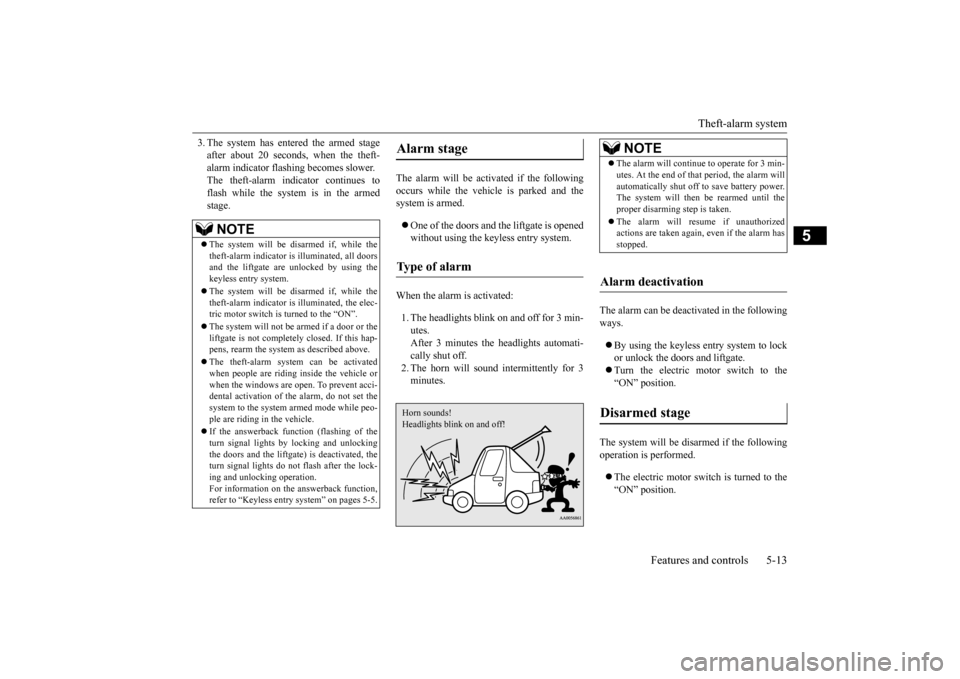
The alarm will be activated if the following occurs while the vehicle is parked and the system is armed. One of the doors and the liftgate is opened without using the keyless entry system.
When the alarm is activated: 1. The headlights blink on and off for 3 min- utes. After 3 minutes the headlights automati-cally shut off. 2. The horn will sound intermittently for 3 minutes.
The alarm can be deacti
vated in the following
ways. By using the keyless entry system to lock or unlock the doors and liftgate. Turn the electric motor switch to the “ON” position.
The system will be disarmed if the following operation is performed. The electric motor switch is turned to the “ON” position.
NOTE
The system will be disarmed if, while the theft-alarm indicator is
illuminated, all doors
and the liftgate are
unlocked by using the
keyless entry system. The system will be disarmed if, while the theft-alarm indicator is illuminated, the elec-tric motor switch is turned to the “ON”. The system will not be armed if a door or the liftgate is not completely closed. If this hap- pens, rearm the system
as described above.
The theft-alarm system can be activated when people are riding inside the vehicle or when the windows are open. To prevent acci-dental activati
on of the alarm, do not set the
system to the system armed mode while peo- ple are riding in the vehicle. If the answerback function (flashing of the turn signal lights by locking and unlockingthe doors and the liftgate
) is deactivated, the
turn signal lights do not flash after the lock- ing and unlocking operation.For information on the answerback function, refer to “Keyless entry system” on pages 5-5.
Alarm stage Type of alarm Horn sounds!Headlights blink on and off!
NOTE
The alarm will continue to operate for 3 min- utes. At the end of that
period, the alarm will
automatically shut off
to save battery power.
The system will then
be rearmed until the
proper disarming step is taken. The alarm will resu
me if unauthorized
actions are taken again, even if the alarm has stopped.
Alarm deactivation Disarmed stage
BK0209800US.book 13 ページ 2014年1月14日 火曜日 午前9時26分
Page 119 of 262
Power window control 5-14 Features and controls
5
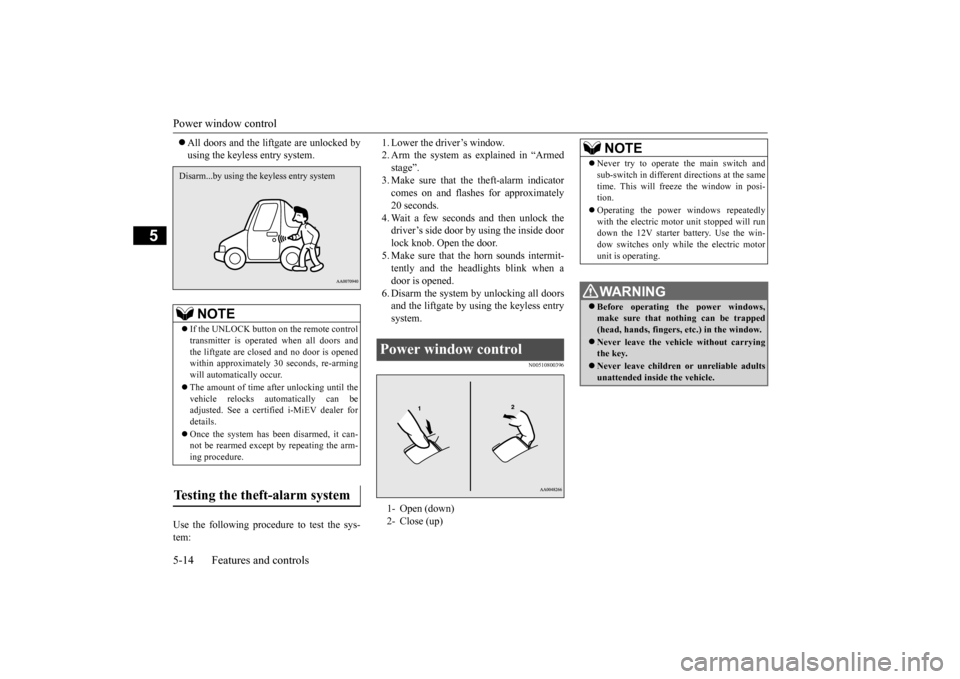
All doors and the lift
gate are unlocked by
using the keyless entry system.
Use the following proce
dure to test the sys-
tem:
1. Lower the driver’s window. 2. Arm the system as explained in “Armedstage”. 3. Make sure that the theft-alarm indicator comes on and flashe
s for approximately
20 seconds. 4. Wait a few seconds and then unlock the driver’s side door by using the inside doorlock knob. Open the door. 5. Make sure that the horn sounds intermit- tently and the headlights blink when a door is opened. 6. Disarm the system by unlocking all doorsand the liftgate by using the keyless entry system.
N00510800396
NOTE
If the UNLOCK button on the remote control transmitter is operated when all doors and the liftgate are closed and no door is opened within approximately 30 seconds, re-armingwill automatically occur. The amount of time afte
r unlocking until the
vehicle relocks automatically can be adjusted. See a certified i-MiEV dealer for details. Once the system has been disarmed, it can- not be rearmed except
by repeating the arm-
ing procedure.
Testing the theft-alarm system Disarm...by using the keyless entry system
Power window control 1- Open (down) 2- Close (up)
NOTE
Never try to operate the main switch and sub-switch in different
directions at the same
time. This will free
ze the window in posi-
tion. Operating the power windows repeatedly with the electr
ic motor unit stopped will run
down the 12V starter battery. Use the win- dow switches only while the electric motorunit is operating.WA R N I N G Before operating the power windows, make sure that nothing can be trapped (head, hands, fingers, etc.) in the window. Never leave the vehi
cle without carrying
the key. Never leave children
or unreliable adults
unattended inside the vehicle.
BK0209800US.book 14 ページ 2014年1月14日 火曜日 午前9時26分
Page 122 of 262
Outside rearview mirrors
Features and controls 5-17
5
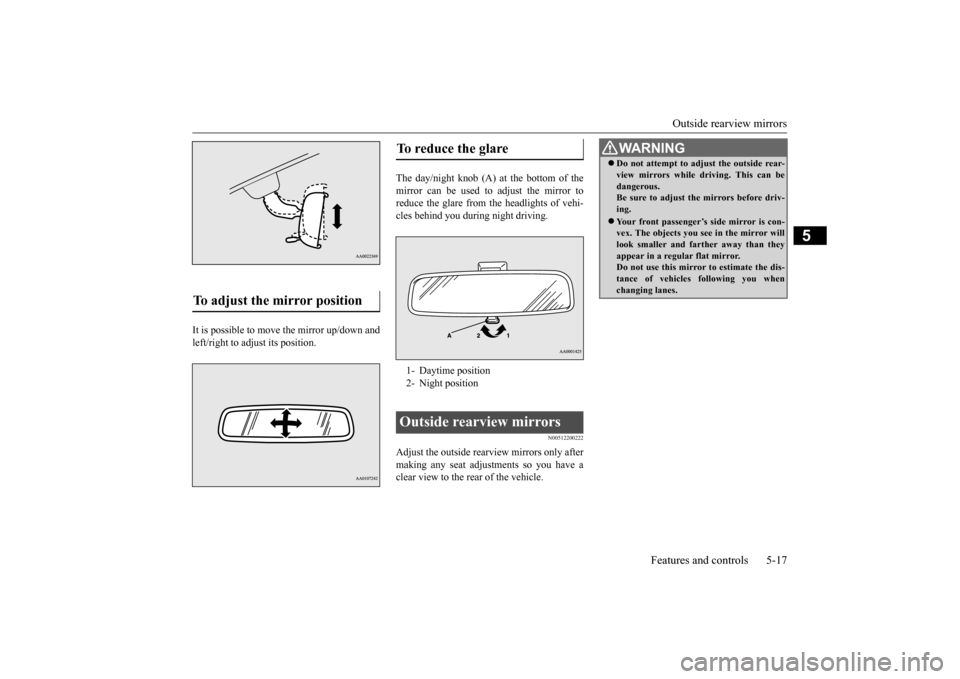
It is possible to move the mirror up/down and left/right to adjust its position.
The day/night knob (A) at the bottom of the mirror can be used to adjust the mirror to reduce the glare from the headlights of vehi-cles behind you during night driving.
N00512200222
Adjust the outside rearview mirrors only after making any seat adjustments so you have a clear view to the rear of the vehicle.
To adjust the mirror position
To reduce the glare 1- Daytime position2- Night positionOutside rearview mirrors
WA R N I N G Do not attempt to adjust the outside rear- view mirrors while driving. This can bedangerous.Be sure to adjust the mirrors before driv- ing. Your front passenger’s side mirror is con- vex. The objects you see in the mirror will look smaller and fa
rther away than they
appear in a regular flat mirror. Do not use this mirror to estimate the dis- tance of vehicles following you whenchanging lanes.
BK0209800US.book 17 ページ 2014年1月14日 火曜日 午前9時26分
Page 125 of 262
Steering wheel lock 5-20 Features and controls
5
N00571700013
If the driver’s door is opened while the elec- tric motor switch is in the “LOCK” or “ACC” position, a tone will sound.
N00512500209
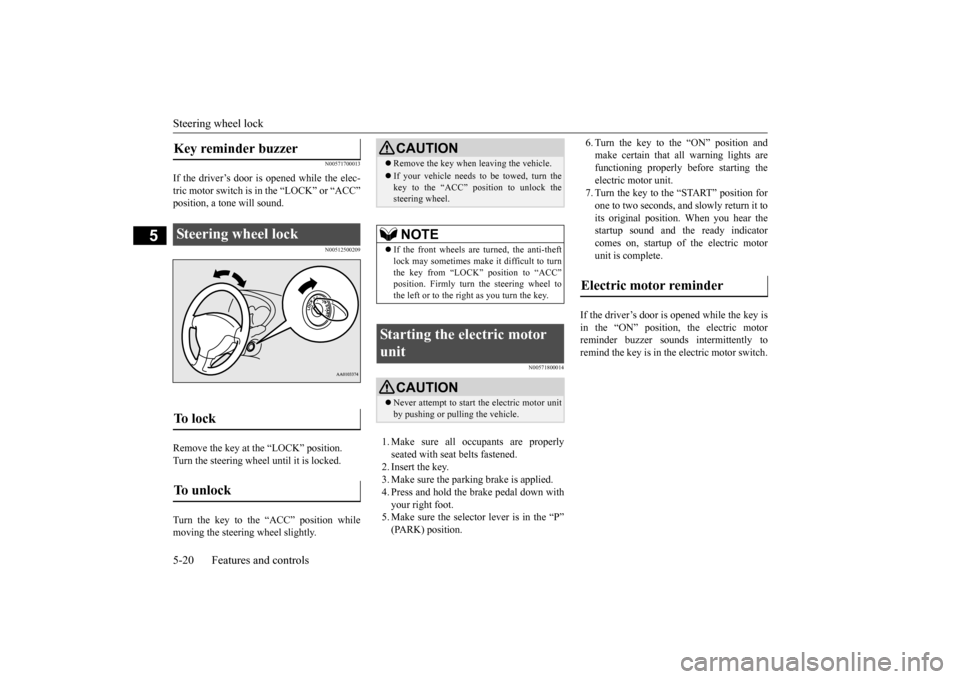
Remove the key at
the “LOCK” position.
Turn the steering wheel until it is locked. Turn the key to the “ACC” position while moving the steering
wheel slightly.
N00571800014
1. Make sure all occupants are properly seated with seat belts fastened. 2. Insert the key. 3. Make sure the parking brake is applied.4. Press and hold the brake pedal down with your right foot. 5. Make sure the selector
lever is in the “P”
(PARK) position.
6. Turn the key to the “ON” position and make certain that all warning lights arefunctioning properly before starting the electric motor unit. 7. Turn the key to the “START” position forone to two seconds, and
slowly return it to
its original position. When you hear the startup sound and the ready indicatorcomes on, startup of the electric motor unit is complete.
If the driver’s door is opened while the key is in the “ON” position, the electric motorreminder buzzer sounds
intermittently to
remind the key is in the electric motor switch.
Key reminder buzzer Steering wheel lock To l o c k To u n l o c k
CAUTION Remove the key when leaving the vehicle.If your vehicle needs to be towed, turn the key to the “ACC” position to unlock the steering wheel.NOTE
If the front wheels are turned, the anti-theft lock may sometimes make it difficult to turnthe key from “LOCK”
position to “ACC”
position. Firmly turn the steering wheel to the left or to the right as you turn the key.
Starting the electric motor unit
CAUTION Never attempt to start the electric motor unit by pushing or pulling the vehicle.
Electric motor reminder
BK0209800US.book 20 ページ 2014年1月14日 火曜日 午前9時26分
Page 133 of 262
Active stability control (ASC) 5-28 Features and controls
5
N00574400024
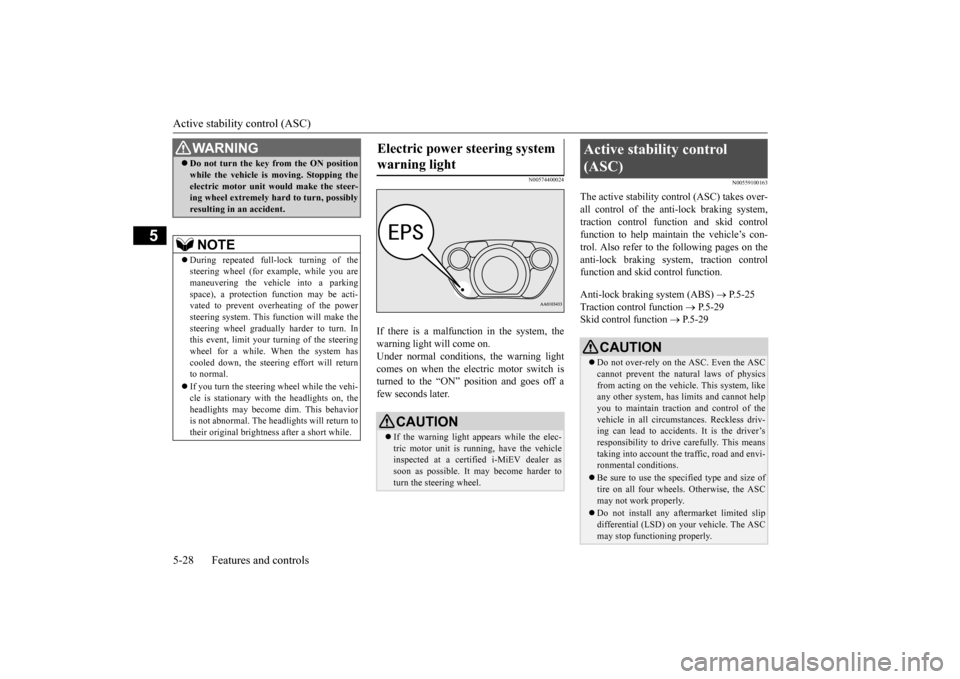
If there is a malfunction in the system, the warning light will come on.Under normal conditions
, the warning light
comes on when the electric motor switch is turned to the “ON” position and goes off afew seconds later.
N00559100163
The active stability c
ontrol (ASC) takes over-
all control of the anti-lock braking system, traction control function and skid controlfunction to help maintain the vehicle’s con- trol. Also refer to the following pages on the anti-lock braking system, traction controlfunction and skid control function. Anti-lock braking system (ABS)
P.5-25
Traction control function
P.5-29
Skid control function
P.5-29
WA R N I N GDo not turn the key from the ON position while the vehicle is moving. Stopping theelectric motor unit would make the steer-ing wheel extremely hard to turn, possibly resulting in an accident.NOTE
During repeated full-lock turning of the steering wheel (for example, while you aremaneuvering the vehicle into a parking space), a protection
function may be acti-
vated to prevent overheating of the powersteering system. This f
unction will make the
steering wheel gradually harder to turn. In this event, limit your turning of the steeringwheel for a while. When the system has cooled down, the steering effort will return to normal. If you turn the steering wheel while the vehi- cle is stationary with
the headlights on, the
headlights may become
dim. This behavior
is not abnormal. The headlights will return to their original brightne
ss after a short while.
Electric power steering system warning light
CAUTION If the warning light a
ppears while the elec-
tric motor unit is running, have the vehicle inspected at a certified i-MiEV dealer as soon as possible. It may become harder toturn the steering wheel.
Active stability control (ASC)
CAUTION Do not over-rely on the ASC. Even the ASC cannot prevent the natural laws of physics from acting on the vehicle. This system, like any other system, has li
mits and cannot help
you to maintain traction and control of the vehicle in all circumstances. Reckless driv- ing can lead to accident
s. It is the driver’s
responsibility to drive carefully. This means taking into account the tr
affic, road and envi-
ronmental conditions. Be sure to use the specified type and size of tire on all four wheels
. Otherwise, the ASC
may not work properly. Do not install any aftermarket limited slip differential (LSD) on
your vehicle. The ASC
may stop functioning properly.
BK0209800US.book 28 ページ 2014年1月14日 火曜日 午前9時26分
Page 139 of 262
Instrument cluster 5-34 Features and controls
5
N00519000375 N00519100246
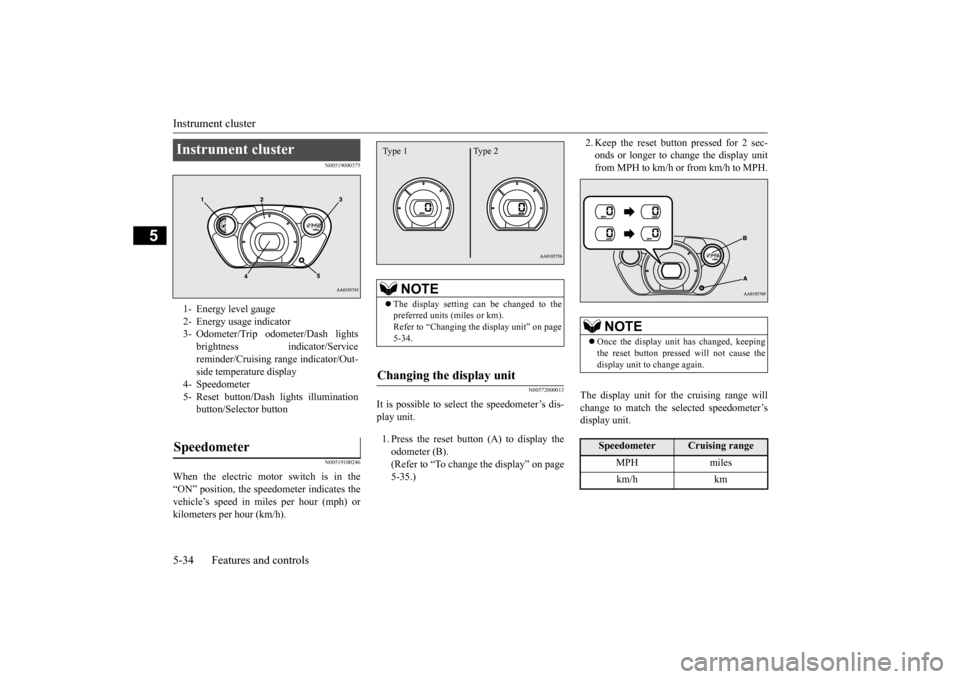
When the electric motor switch is in the “ON” position, the speedometer indicates thevehicle’s speed in mi
les per hour (mph) or
kilometers per hour (km/h).
N00572000013
It is possible to select
the speedometer’s dis-
play unit. 1. Press the reset button (A) to display the odometer (B). (Refer to “To change the display” on page5-35.)
2. Keep the reset button pressed for 2 sec- onds or longer to change the display unitfrom MPH to km/h or from km/h to MPH.
The display unit for the cruising range will change to match the selected speedometer’sdisplay unit.
Instrument cluster 1- Energy level gauge2- Energy usage indicator3- Odometer/Trip odom
eter/Dash lights
brightness indi
cator/Service
reminder/Cruising ra
nge indicator/Out-
side temperature display
4- Speedometer 5- Reset button/Dash
lights illumination
button/Select
or button
Speedometer
NOTE
The display setting can be changed to the preferred units (miles or km).Refer to “Changing the
display unit” on page
5-34.
Changing the display unit Type 1 Type 2
NOTE
Once the display unit
has changed, keeping
the reset button pressed will not cause thedisplay unit to change again.Speedometer
Cruising range
MPH miles km/h km
BK0209800US.book 34 ページ 2014年1月14日 火曜日 午前9時26分