audio MITSUBISHI iMiEV 2017 1.G User Guide
[x] Cancel search | Manufacturer: MITSUBISHI, Model Year: 2017, Model line: iMiEV, Model: MITSUBISHI iMiEV 2017 1.GPages: 296, PDF Size: 7.79 MB
Page 203 of 296
7
Comfort controlsVents ................................................................................................7-2 Air conditioning ..........
...........
...........
...........
...........
...........
.........
.....7-4
Important air conditioning operating tips ..
...........
...........
.........
.....7-10
Air purifier ..................................................................................... 7-11 Remote Climate Control ................................................................ 7-11 AM/FM electronically tune
d radio with CD player
(if so equipped) .......................................................................... 7-11 To play iPod/USB memory devi
ce tracks via
voice operation
(vehicles with Bluetooth
® 2.0 interface) ...................................7-20
Steering wheel audio remote control
switch (if so equipped) ........7-22
Error codes .....................................................................................7-24 Handling of compact discs .............................................................7-25Antenna ..........................................................................................7-27 Clock (if so equipped) ....................................................................7-27 General information about your radio .....
...........
...........
...........
.....7-28
BK0220401US.book 1 ページ 2015年6月3日 水曜日 午前7時42分
Page 213 of 296
Air purifier
Comfort controls 7-11
7
The air conditioning should be operated for at least five minutes each week, even in cold weather. This includes the quick defrostingmode. Operating the
air condition system
weekly maintains lubrication of the compres- sor internal parts and maintains the air condi-tioning in the best operating condition.
N00733800177
The air conditioning system is equipped with an air filter to reduc
e pollen and dust entering
the cabin.The air filter’s ability to collect pollen and dust will be reduced as
it becomes dirty, so
replace it periodically. For the maintenanceinterval, refer to the “WARRANTY AND MAINTENANCE MANUAL”.
N00766601026
You can run the air conditioning in advanceof using the vehicle. For details, refer to “Remote Climate Cont
rol” on page 3-36,
3-47.
N00734301062
The audio system can only be used when theelectric motor switch is in the “ON” or“ACC” position.
CAUTION The air conditioning system in your vehicle must be charged with the refrigerant HFC-134a and the lubricant POE MA68EV.Use of any other refrigerant or lubricant will cause severe damage a
nd may require replac-
ing your vehicle’s en
tire air conditioning
system. The release of refrigerant into the atmo- sphere is not recommended.The new refrigerant HFC-134a in your vehi- cle is designed not to harm the earth’s ozone layer. However, it may contribute slightly toglobal warming. It is recommended that the old refrigerant be saved and recycled for future use.
During a long period of disuse
Air purifier
NOTE
Operation in certain conditions such as driv- ing on a dusty road or frequent use of the air conditioning can reduce
the service life of
the filter. When you feel that the air flow is lower than normal or when the windshield or windows start to fog up easily, replace the airfilter. Contact a certified i-MiEV dealer for assis- tance.
Remote Climate Control
AM/FM electronically tuned radio with CD player
(if so
equipped)
NOTE
To listen to the audio system while the elec- tric motor unit is not running, turn the elec-tric motor switch to the “ACC” position. If the electric motor switch is in the “ACC”cally turn off after a certain period of time and you will no longer be able to use the audio system. The accessory power comeson again if the electric motor switch is turned from the “ACC” position. Refer to “ACC power auto-cutout f
unction” on page 5-19.
If a cellular phone is
used inside the vehicle,
it may create noise in the audio equipment.This does not mean that anything is wrong with your audio equipment. In such a case, use the cellular phone at
a place as
far away
as possible from the audio equipment.
BK0220401US.book 11 ページ 2015年6月3日 水曜日 午前7時42分
Page 214 of 296
AM/FM electronically tuned radio with CD player (if so equipped) 7-12 Comfort controls
7
N00711900716
N00712000408
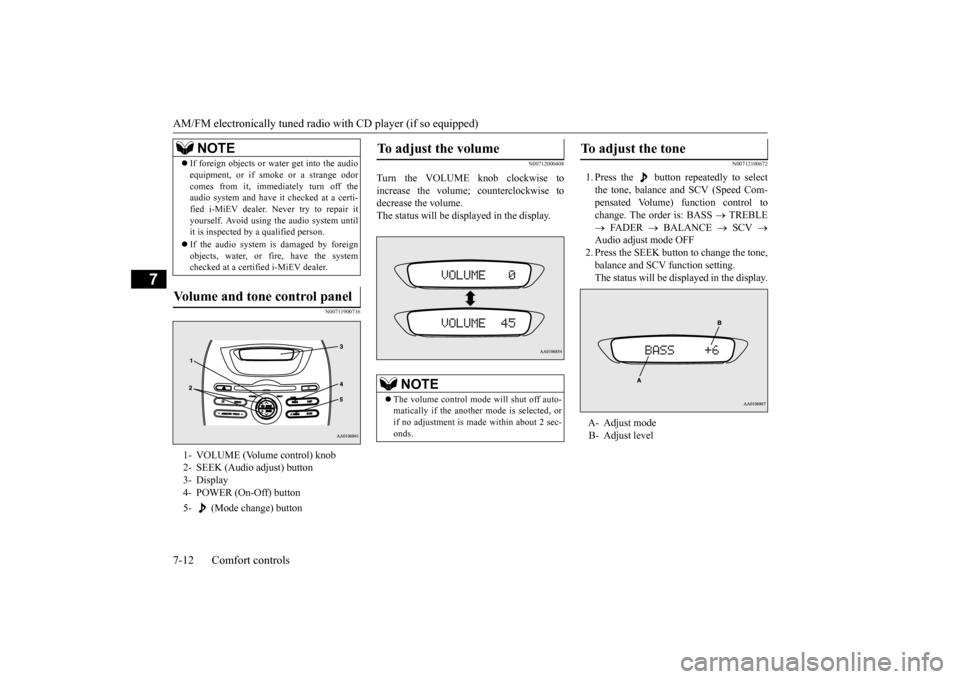
Turn the VOLUME knob clockwise to increase the volume; counterclockwise to decrease the volume.The status will be displayed in the display.
N00712100672
1. Press the button repeatedly to select the tone, balance and SCV (Speed Com- pensated Volume) function control tochange. The order is: BASS
TREBLE
FADER
BALANCE
SCV
Audio adjust mode OFF2. Press the SEEK button to change the tone, balance and SCV function setting. The status will be di
splayed in the display.
If foreign objects or wa
ter get into the audio
equipment, or if smoke or a strange odorcomes from it, immediately turn off theaudio system and have
it checked at a certi-
fied i-MiEV dealer. Ne
ver try to repair it
yourself. Avoid using the audio system untilit is inspected by a qualified person. If the audio system is damaged by foreign objects, water, or fi
re, have the system
checked at a certif
ied i-MiEV dealer.
Volume and tone control panel
1- VOLUME (Volume control) knob 2- SEEK (Audio adjust) button3- Display 4- POWER (On-Off) button 5- (Mode change) button
NOTE
To adjust the volume
NOTE
The volume control mode will shut off auto- matically if the anothe
r mode is selected, or
if no adjustment is ma
de within about 2 sec-
onds.
To adjust the tone
A- Adjust mode B- Adjust level
BK0220401US.book 12 ページ 2015年6月3日 水曜日 午前7時42分
Page 215 of 296
AM/FM electronically tuned radio with CD player (if so equipped)
Comfort controls 7-13
7
To select the desired bass level. To select the desi
red treble level.
To balance the volume from the F (front) and the R (rear) speakers. To balance the volume from the L (left) and the R (right) speakers. Speed Compensated Volume function is a feature that automatically adjusts the VOL-UME, BASS and TREBLE
settings in accor-
dance with the vehicle speed. The effects of the SCV function can beselected either of three levels (LOW, MID and HIGH). Select the degree of your choice by pressing the SEEK button.If you want to stop th
e SCV function, select
the OFF.
N00734900902
Adjust Mode
AdjustLevel
SEEK button opera-
tion
BASS
-6 to 6
Stronger Weaker
TRE- BLE
Stronger Weaker
FADER
F11 to R11
F (Front) increases
R (Rear) increases
BAL- ANCE
L11 to R11
R (Right) increases
L (Left)
SCV
HIGH, MID, LOW, OFF
HIGH MID LOW OFF
HIGH MID LOW OFF
BASS (Bass tone control)
TREBLE (Treble tone control)
FADER (Front/Rear balance con- trol)BALANCE (Left/Right balance control)
SCV (Speed Compensated Vol- ume) function
NOTE
The audio adjust mode
will automatically
shut off when another m
ode is selected, or if
no adjustment is made
within about 10 sec-
onds.
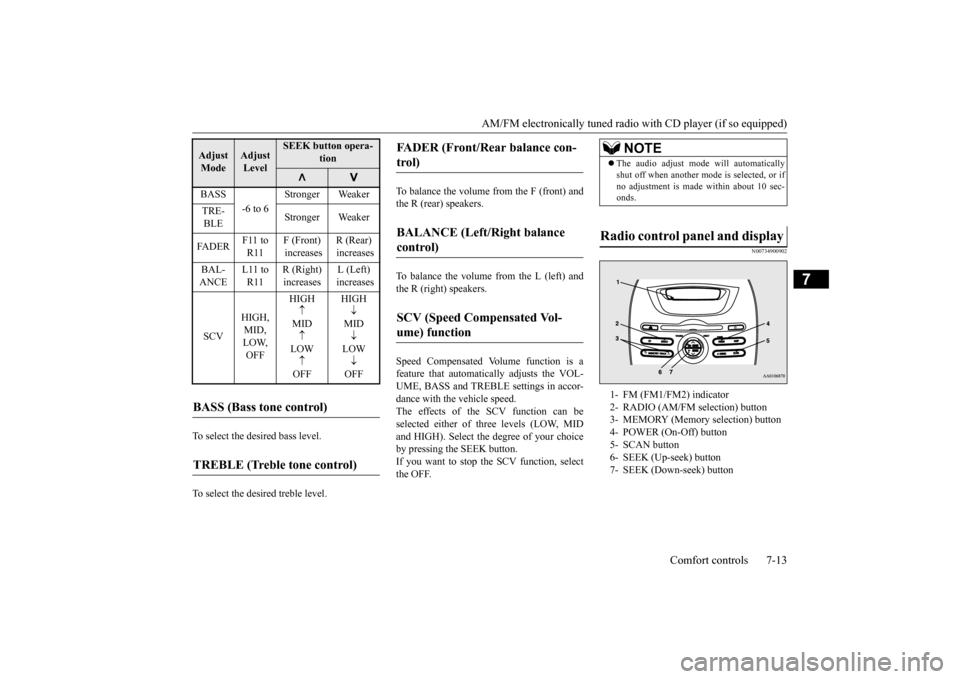
Radio control panel and display
1- FM (FM1/FM2) indicator 2- RADIO (AM/FM selection) button 3- MEMORY (Memory selection) button4- POWER (On-Off) button 5- SCAN button 6- SEEK (Up-seek) button7- SEEK (Down-seek) button
BK0220401US.book 13 ページ 2015年6月3日 水曜日 午前7時42分
Page 216 of 296
AM/FM electronically tuned radio with CD player (if so equipped) 7-14 Comfort controls
7
N00735000913
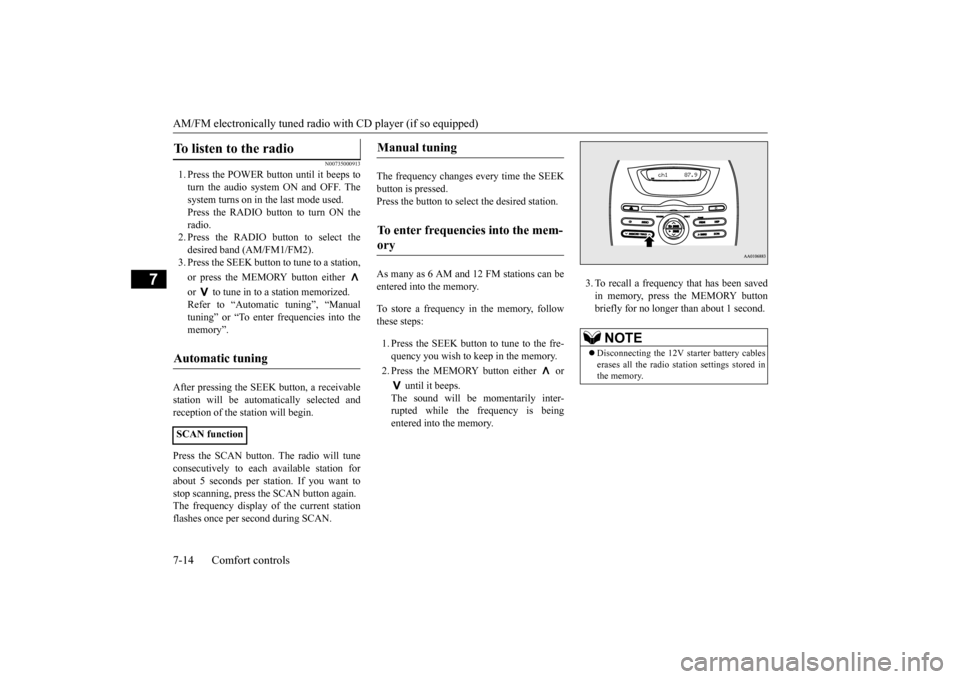
1. Press the POWER button until it beeps to turn the audio system ON and OFF. The system turns on in the last mode used.Press the RADIO button to turn ON the radio. 2. Press the RADIO button to select thedesired band (AM/FM1/FM2). 3. Press the SEEK button
to tune to a station,
or press the MEMORY button either or to tune in to a station memorized. Refer to “Automatic tuning”, “Manual tuning” or “To enter frequencies into the memory”.
After pressing the SEEK button, a receivable station will be automatically selected andreception of the st
ation will begin.
Press the SCAN button.
The radio will tune
consecutively to each
available station for
about 5 seconds per stat
ion. If you want to
stop scanning, press the SCAN button again. The frequency display of the current stationflashes once per second during SCAN.
The frequency changes every time the SEEK button is pressed. Press the button to sele
ct the desired station.
As many as 6 AM and 12 FM stations can be entered into the memory. To store a frequency in the memory, follow these steps: 1. Press the SEEK button to tune to the fre- quency you wish to keep in the memory. 2. Press the MEMORY button either or
until it beeps. The sound will be momentarily inter-rupted while the frequency is being entered into the memory.
3. To recall a frequency that has been saved in memory, press the MEMORY buttonbriefly for no longer than about 1 second.
To listen to the radio
Automatic tuning
SCAN function
Manual tuning
To enter frequencies into the mem- ory
NOTE
Disconnecting the 12V st
arter battery cables
erases all the radio stat
ion settings stored in
the memory.
BK0220401US.book 14 ページ 2015年6月3日 水曜日 午前7時42分
Page 217 of 296
AM/FM electronically tuned radio with CD player (if so equipped)
Comfort controls 7-15
7
N00735300743
N00735502097
1. Press the POWER button until it beeps to turn the audio system ON and OFF. The system turns on in the last mode used. 2. Insert the disc with the label facing up.When a disc is inserted, the CD indicator will come on and the CD player will begin playing even if the radio is being used.The CD player will also begin playing when the CD button is pressed with a disc set in the CD player or in the disc loadingslot, even if the radio is being used.
When the eject button is pressed, the disc automatically stops and
is ejected. The sys-
tem automatically swit
ches to radio mode.
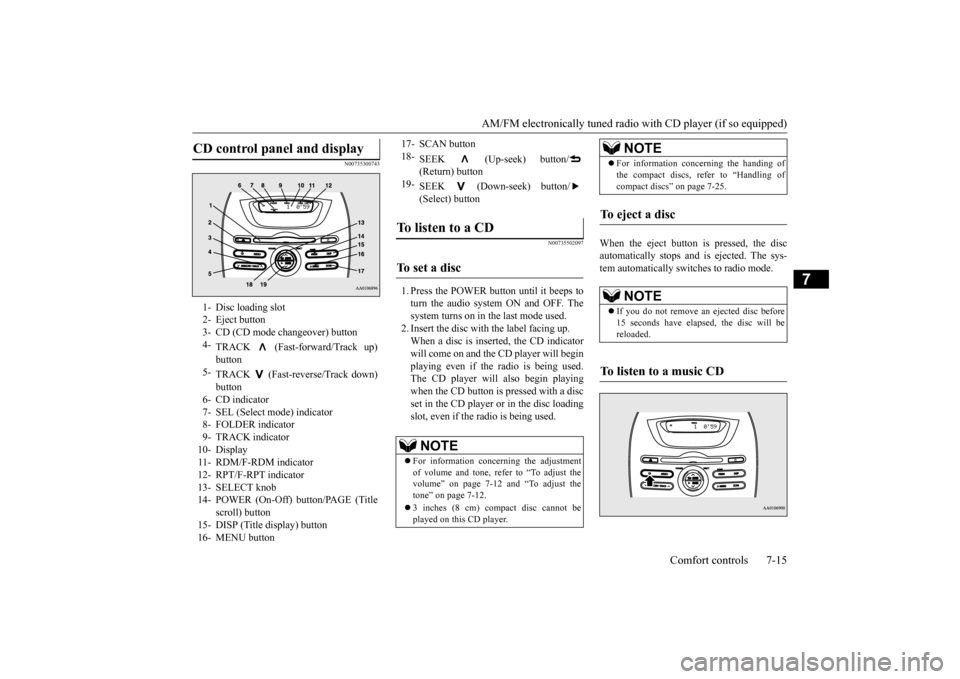
CD control panel and display
1- Disc loading slot 2- Eject button3- CD (CD mode changeover) button 4-
TRACK (Fast-forward/Track up)
5-
TRACK (Fast-reverse/Track down) button
6- CD indicator 7- SEL (Select m
ode) indicator
8- FOLDER indicator9- TRACK indicator 10- Display 11- RDM/F-RDM indicator12- RPT/F-RPT indicator 13- SELECT knob 14- POWER (On-Off) button/PAGE (Title
scroll) button
15- DISP (Title display) button 16- MENU button
17- SCAN button 18-
SEEK (Up-seek) button/ (Return) button
19-
SEEK (Down-seek) button/ (Select) button
To listen to a CD
To s e t a d i s c
NOTE
For information concerning the adjustment of volume and tone, refer to “To adjust the volume” on page 7-12 and “To adjust the tone” on page 7-12. 3 inches (8 cm) compact disc cannot be played on this CD player.
For information concerning the handing of the compact discs, re
fer to “Handling of
compact discs” on page 7-25.
To eject a disc
NOTE
If you do not remove an
ejected disc before
15 seconds have elapse
d, the disc will be
reloaded.
To listen to a music CD
NOTE
BK0220401US.book 15 ページ 2015年6月3日 水曜日 午前7時42分
Page 218 of 296
AM/FM electronically tuned radio with CD player (if so equipped) 7-16 Comfort controls
7
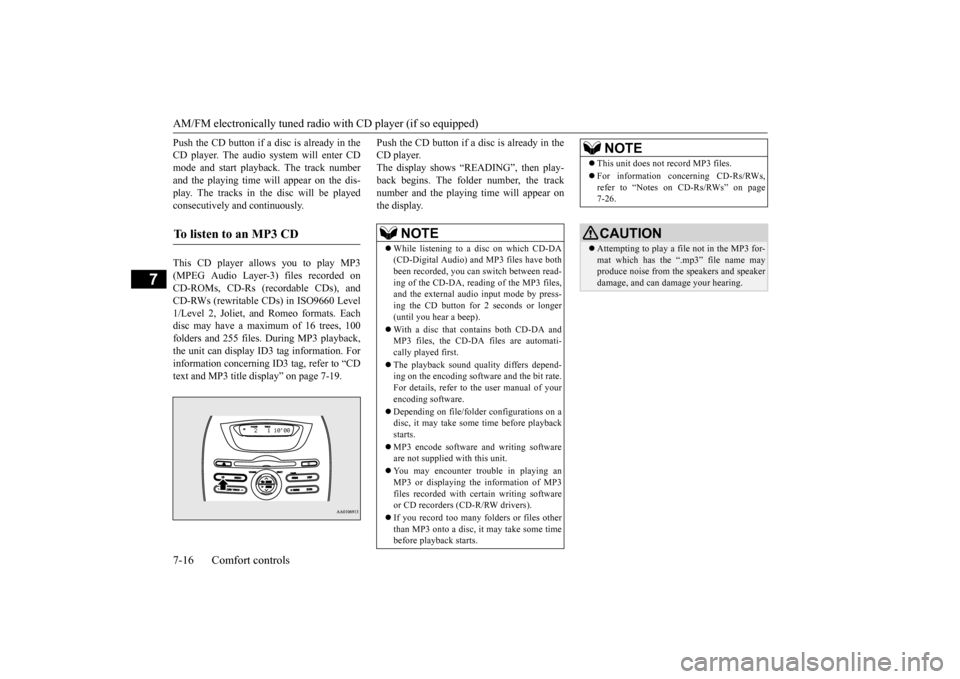
Push the CD button if a disc is already in the CD player. The audio system will enter CDmode and start playba
ck. The track number
and the playing time will appear on the dis- play. The tracks in the disc will be playedconsecutively and continuously. This CD player allows you to play MP3 (MPEG Audio Layer-3) files recorded on CD-ROMs, CD-Rs (reco
rdable CDs), and
CD-RWs (rewritable CDs) in ISO9660 Level 1/Level 2, Joliet, a
nd Romeo formats. Each
disc may have a maximum of 16 trees, 100folders and 255 files. During MP3 playback, the unit can display ID3 tag information. For information concerning ID
3 tag, refer to “CD
text and MP3 title di
splay” on page 7-19.
Push the CD button if a disc is already in the CD player.The display shows “READING”, then play- back begins. The folder number, the track number and the playing time will appear onthe display.
To listen to an MP3 CD
NOTE
While listening to a
disc on which CD-DA
(CD-Digital Audio) a
nd MP3 files have both
been recorded, you can switch between read- ing of the CD-DA, reading of the MP3 files, and the external audio input mode by press-ing the CD button for 2 seconds or longer (until you hear a beep). With a disc that contains both CD-DA and MP3 files, the CD-DA files are automati- cally played first. The playback sound quality differs depend- ing on the encoding software and the bit rate.For details, refer to
the user manual of your
encoding software. Depending on file/folde
r configurations on a
disc, it may take some
time before playback
starts. MP3 encode software and writing software are not supplied with this unit. You may encounter trouble in playing an MP3 or displaying the information of MP3files recorded with certain writing software or CD recorders (CD-R/RW drivers). If you record too many folders or files other than MP3 onto a disc, it
may take some time
before playback starts.
This unit does not record MP3 files. For information concerning CD-Rs/RWs, refer to “Notes on CD-Rs/RWs” on page 7-26.CAUTION Attempting to play a file not in the MP3 for- mat which has the “.mp3” file name may produce noise from the speakers and speakerdamage, and can da
mage your hearing.
NOTE
BK0220401US.book 16 ページ 2015年6月3日 水曜日 午前7時42分
Page 221 of 296

AM/FM electronically tuned radio with CD player (if so equipped)
Comfort controls 7-19
7
N00771900017
Press the SCAN button.
“SCAN” will appear
on the display and the CD player will playback the first 10 second
s of each track on the
selected disc (music
CDs only) or the cur-
rently selected folder (MP3 CDs only).The track number will blink while the scan mode is selected. To stop the scan mode, press the SCAN button again.
N00752100166
This audio system can
display CD text and
MP3 titles including ID3 tag information. The audio system can di
splay disc and track
titles for discs with converted disc and track title information. Press the DISP button repeatedly to make selections in the following sequence: disc name
track name
normal
display mode. The audio system can display folder and track titles for discs wi
th converted folder and track
information. Press the DISP button repeat- edly to make selections in the followingsequence: folder name
track name
nor-
mal display mode.
The audio system can
display ID3 tag infor-
mation for files that ha
ve been recorded with
ID3 tag information. 1. Press the DISP button for 2 seconds or longer to switch to the ID3 tag informa- tion. “TAG” will appear on the display.2. Press the DISP button repeatedly to make selections in th
e following sequence:
album name
track name
artist name
normal display mode.
NOTE
With a disc that contains both CD-DA and MP3 files, the random
mode causes only
files of the same format (CD-DA only orMP3 files only) to be repeated.
To find the start of each track on a disc for playback
NOTE
Once all tracks on the
disc (music CDs only)
or the currently selected folder (MP3 CDs only) have been scanne
d, playback of the
disc will restart from
the beginning of the
track that was play
ing when scanning
started. With a disc that contains both CD-DA and MP3 files, the scan m
ode causes only files of
the same format (CD-DA only or MP3 filesonly) to be played.
CD text and MP3 title display
CD text
NOTE
The display can show up to 11 characters. If a disc name or track
name has more than 11
characters, press the PAGE button to viewthe next 11 characters. When there is no title information to be dis- played, the display shows “NO TITLE”. Characters that the a
udio system cannot dis-
play are shown as “ ”.
ID3 tag information
NOTE
To return from ID3 tag information to the folder name, press the DISP button again for2 seconds or longer. When there is no title information to be dis- played, the display
shows “NO TITLE”.
a folder name, track name
, or item of ID3 tag
information has more than 11 characters, press the PAGE button to view the next 11characters. Folder names, trac
k names and ID3 tag
information can each be displayed up to a length of 32 characters. Characters that the a
udio system cannot dis-
play are shown as “ ”.
BK0220401US.book 19 ページ 2015年6月3日 水曜日 午前7時42分
Page 224 of 296
Steering wheel audio remote cont
rol switch (if so equipped)
7-22 Comfort controls
7
5. If there are two or more matches, the voice guide will say “More than onematch was found, would you like to play
de says “Playing
N00772500010
1. Say “Play” on the main menu. 2. After the voice guide says “Would you like to play by Artist, Album, Playlist or Genre?,” say “Genre”. would you like to play?,” say the musictype. 4. If there is only one match, the system pro- ceeds to step 6.5. If there are two or more matches, the voice guide will say “More than one match was found, would you like to play
If you say “No,” the next matching genre is uttered by the system. 6. After the voice gui
de says “Playing
N00714800471
The remote control switch is located on theleft side of th
e steering wheel.
NOTE
If you say “No” to three
or all playlist names
uttered by the system, the voice guide willsay “Playlist not found,
please try again” and
the system returns to step 2.NOTE
If the confirmation function is active, the voice guide confirms if
the playlist name is
correct. If the playlist name is correct, say “Yes”. If not, say “No”. After the voice guidesays “Playlist not foun
d, please try again,”
the system returns to step 2. Refer to “Con- firmation function se
tting” on page 5-57.
To search by genre
NOTE
The Bluetooth
® 2.0 interface
starts recogniz-
ing the connected device.If the connected device
cannot be recognized
or a connection error
occurs, the Bluetooth
®
2.0 interface starts an appropriate voice guide. Follow the voice guide.NOTE
If you say “Genre
NOTE
If you say “No” to three or all genres uttered by the system, the voice guide will say “Genre not found, please try again” and thesystem returns to step 2.NOTE
If the confirmation function is active, the voice guide confirms if the genre is correct. If the genre is correct, say “Yes”. If not, say“No”. After the voice
guide says “Genre not
found, please try again,” the system returns to step 2. Refer to
“Confirmation function
setting” on page 5-57.
Steering wheel audio remote control switch
(if so equipped)
BK0220401US.book 22 ページ 2015年6月3日 水曜日 午前7時42分
Page 225 of 296
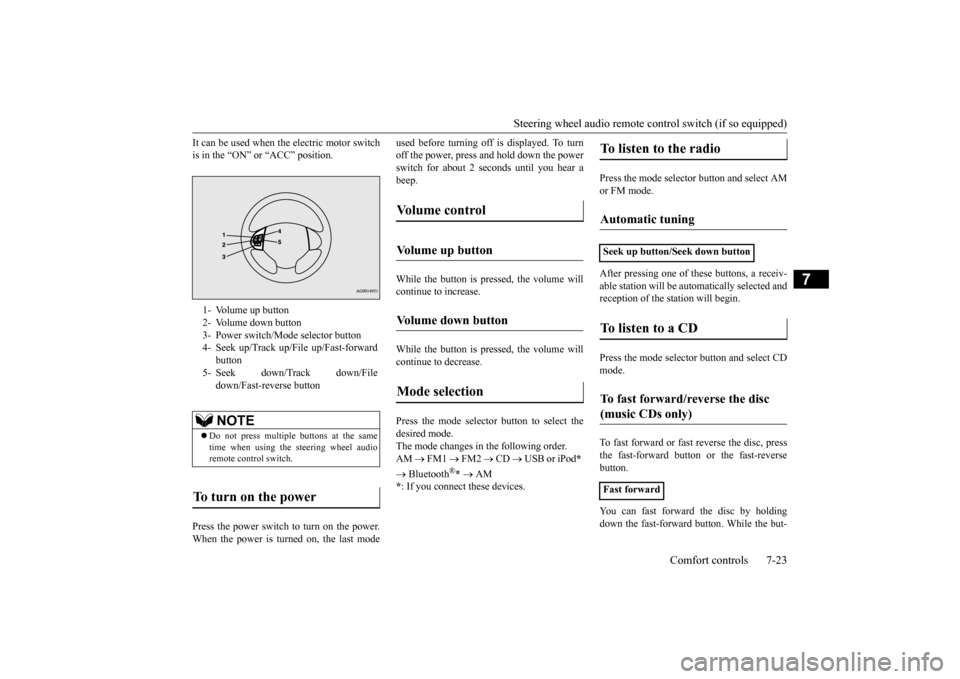
Steering wheel audio remote control switch (if so equipped)
Comfort controls 7-23
7
It can be used when the electric motor switch is in the “ON” or “ACC” position. Press the power switch to turn on the power. When the power is turned on, the last mode
used before turning off is displayed. To turn off the power, press and hold down the powerswitch for about 2 seconds until you hear a beep. While the button is pressed, the volume will continue to increase. While the button is pressed, the volume will continue to decrease. Press the mode selector button to select the desired mode.The mode changes in the following order. AM
FM1
FM2
CD
USB or iPod
*
Bluetooth
®* AM
* : If you connect these devices.
Press the mode selector button and select AM or FM mode. After pressing one of
these buttons, a receiv-
able station will be automatically selected and reception of the st
ation will begin.
Press the mode selector
button and select CD
mode. To fast forward or fast
reverse the disc, press
the fast-forward button or the fast-reverse button. You can fast forward the disc by holding down the fast-forward button. While the but-
1- Volume up button 2- Volume down button 3- Power switch/Mode selector button4- Seek up/Track up/File up/Fast-forward
button
5- Seek down/Track down/File
down/Fast-reverse buttonNOTE
Do not press multiple buttons at the same time when using the steering wheel audioremote control switch.
To turn on the power
Vo l u m e c o n t r o l
Volume up button
Volume down button
Mode selection
To listen to the radio
Automatic tuning
Seek up button/Seek down buttonTo listen to a CD
To fast forward/reverse the disc (music CDs only)
Fast forward
BK0220401US.book 23 ページ 2015年6月3日 水曜日 午前7時42分