radio controls MITSUBISHI iMiEV 2017 1.G User Guide
[x] Cancel search | Manufacturer: MITSUBISHI, Model Year: 2017, Model line: iMiEV, Model: MITSUBISHI iMiEV 2017 1.GPages: 296, PDF Size: 7.79 MB
Page 217 of 296
AM/FM electronically tuned radio with CD player (if so equipped)
Comfort controls 7-15
7
N00735300743
N00735502097
1. Press the POWER button until it beeps to turn the audio system ON and OFF. The system turns on in the last mode used. 2. Insert the disc with the label facing up.When a disc is inserted, the CD indicator will come on and the CD player will begin playing even if the radio is being used.The CD player will also begin playing when the CD button is pressed with a disc set in the CD player or in the disc loadingslot, even if the radio is being used.
When the eject button is pressed, the disc automatically stops and
is ejected. The sys-
tem automatically swit
ches to radio mode.
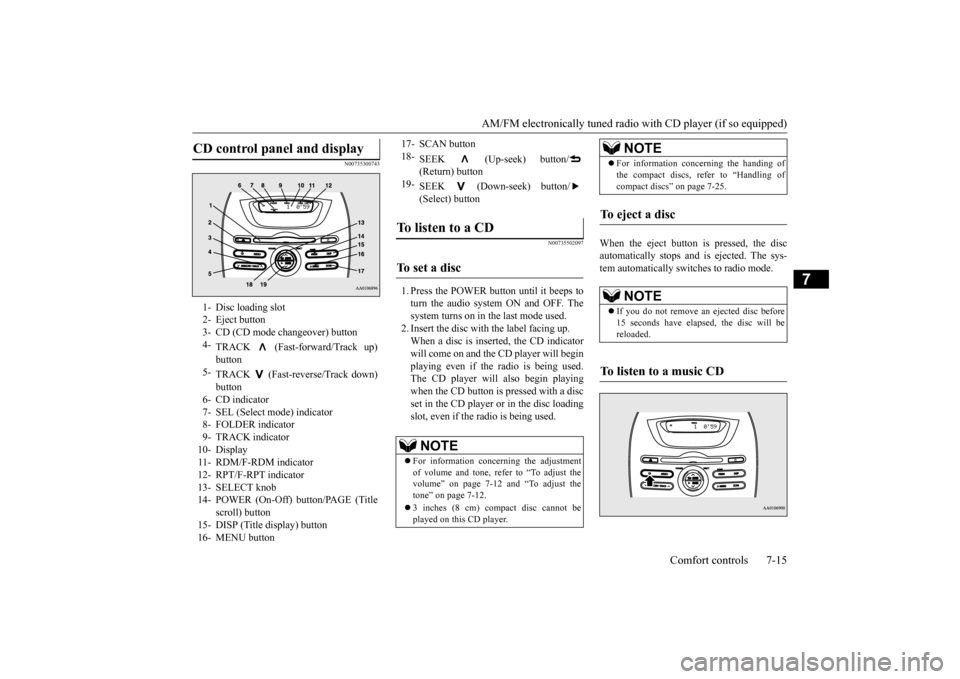
CD control panel and display
1- Disc loading slot 2- Eject button3- CD (CD mode changeover) button 4-
TRACK (Fast-forward/Track up)
5-
TRACK (Fast-reverse/Track down) button
6- CD indicator 7- SEL (Select m
ode) indicator
8- FOLDER indicator9- TRACK indicator 10- Display 11- RDM/F-RDM indicator12- RPT/F-RPT indicator 13- SELECT knob 14- POWER (On-Off) button/PAGE (Title
scroll) button
15- DISP (Title display) button 16- MENU button
17- SCAN button 18-
SEEK (Up-seek) button/ (Return) button
19-
SEEK (Down-seek) button/ (Select) button
To listen to a CD
To s e t a d i s c
NOTE
For information concerning the adjustment of volume and tone, refer to “To adjust the volume” on page 7-12 and “To adjust the tone” on page 7-12. 3 inches (8 cm) compact disc cannot be played on this CD player.
For information concerning the handing of the compact discs, re
fer to “Handling of
compact discs” on page 7-25.
To eject a disc
NOTE
If you do not remove an
ejected disc before
15 seconds have elapse
d, the disc will be
reloaded.
To listen to a music CD
NOTE
BK0220401US.book 15 ページ 2015年6月3日 水曜日 午前7時42分
Page 218 of 296
AM/FM electronically tuned radio with CD player (if so equipped) 7-16 Comfort controls
7
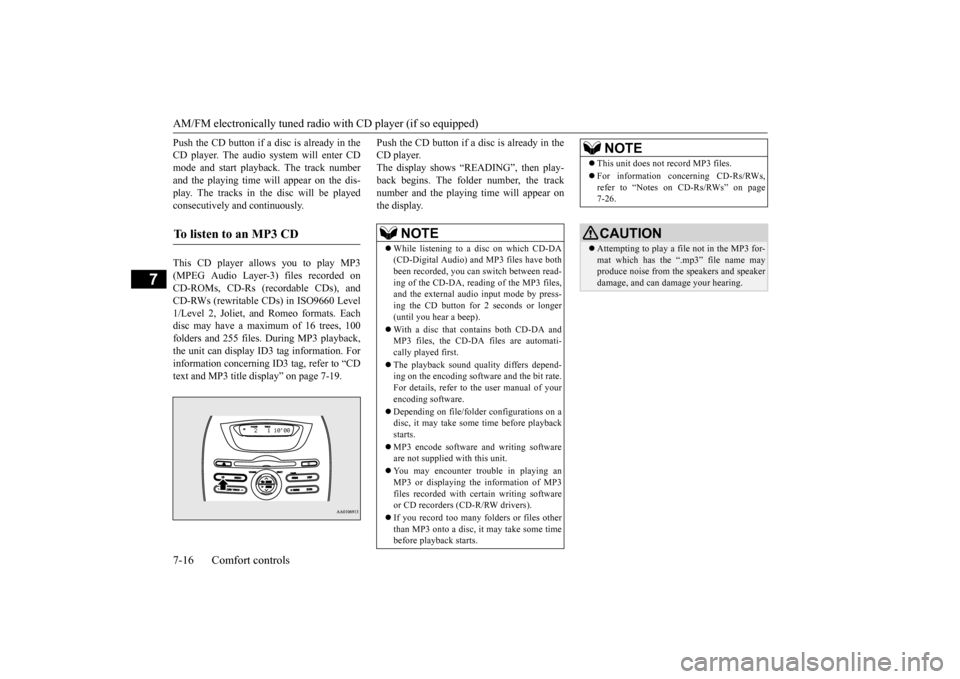
Push the CD button if a disc is already in the CD player. The audio system will enter CDmode and start playba
ck. The track number
and the playing time will appear on the dis- play. The tracks in the disc will be playedconsecutively and continuously. This CD player allows you to play MP3 (MPEG Audio Layer-3) files recorded on CD-ROMs, CD-Rs (reco
rdable CDs), and
CD-RWs (rewritable CDs) in ISO9660 Level 1/Level 2, Joliet, a
nd Romeo formats. Each
disc may have a maximum of 16 trees, 100folders and 255 files. During MP3 playback, the unit can display ID3 tag information. For information concerning ID
3 tag, refer to “CD
text and MP3 title di
splay” on page 7-19.
Push the CD button if a disc is already in the CD player.The display shows “READING”, then play- back begins. The folder number, the track number and the playing time will appear onthe display.
To listen to an MP3 CD
NOTE
While listening to a
disc on which CD-DA
(CD-Digital Audio) a
nd MP3 files have both
been recorded, you can switch between read- ing of the CD-DA, reading of the MP3 files, and the external audio input mode by press-ing the CD button for 2 seconds or longer (until you hear a beep). With a disc that contains both CD-DA and MP3 files, the CD-DA files are automati- cally played first. The playback sound quality differs depend- ing on the encoding software and the bit rate.For details, refer to
the user manual of your
encoding software. Depending on file/folde
r configurations on a
disc, it may take some
time before playback
starts. MP3 encode software and writing software are not supplied with this unit. You may encounter trouble in playing an MP3 or displaying the information of MP3files recorded with certain writing software or CD recorders (CD-R/RW drivers). If you record too many folders or files other than MP3 onto a disc, it
may take some time
before playback starts.
This unit does not record MP3 files. For information concerning CD-Rs/RWs, refer to “Notes on CD-Rs/RWs” on page 7-26.CAUTION Attempting to play a file not in the MP3 for- mat which has the “.mp3” file name may produce noise from the speakers and speakerdamage, and can da
mage your hearing.
NOTE
BK0220401US.book 16 ページ 2015年6月3日 水曜日 午前7時42分
Page 219 of 296
AM/FM electronically tuned radio with CD player (if so equipped)
Comfort controls 7-17
7
To fast forward or fast reverse the disc, press the TRACK button or the TRACK but- ton.
You can fast-forward the disc by pressing the TRACK button. While the button is kept pressed, the disc wi
ll be fast-forwarded.
You can fast reverse th
e disc by pressing the
TRACK button. While the button is kept pressed, the disc wi
ll be fast-reversed.
You can select your desi
red track by using the
TRACK button. Press the TRACK button repeatedly until the desired track number appears on the dis-play. When listening to a MP3 CD, keep pressing the button to continue to move up tracks. Press the TRACK button repeatedly until the desired track number appears on the dis-play. When listening to a MP3 CD, keep pressing the button to continue to move down tracks.
Operate the following buttons or the SELECT knob to select desired file.When this mode is activated by pressing the
button, the SEL indicator will be dis-
played in the display.
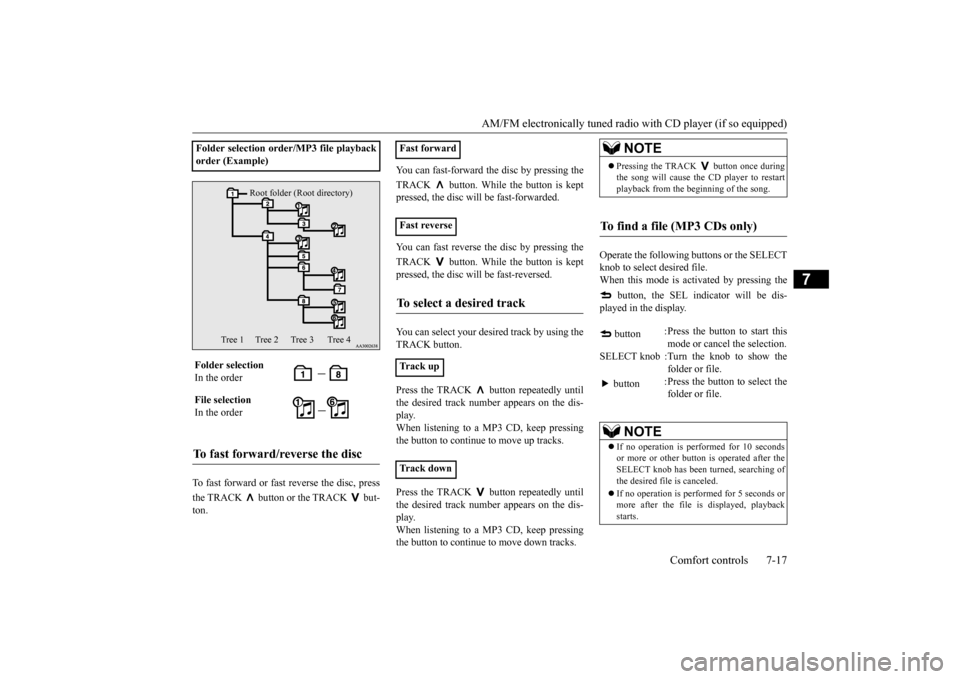
Folder selection ord
er/MP3 file playback
order (Example) Folder selection In the order File selection In the orderTo fast forward/reverse the disc
Root folder (Root directory)
Tree 1 Tree 2 Tree 3 Tree 4
Fast forward Fast reverseTo select a desired track
Track up Track down
NOTE
Pressing the TRACK button once during the song will cause the
CD player to restart
playback from the beginning of the song.
To find a file (MP3 CDs only)
button
:Press the button to start this mode or cancel the selection.
SELECT knob :Turn the knob to show the
folder or file.
button
:Press the button to select the folder or file.
NOTE
If no operation is performed for 10 seconds or more or other button is operated after theSELECT knob has been turned, searching ofthe desired file is canceled. If no operation is perf
ormed for 5 seconds or
more after the file is displayed, playback starts.
BK0220401US.book 17 ページ 2015年6月3日 水曜日 午前7時42分
Page 220 of 296
AM/FM electronically tuned radio with CD player (if so equipped) 7-18 Comfort controls
7
N00771500013
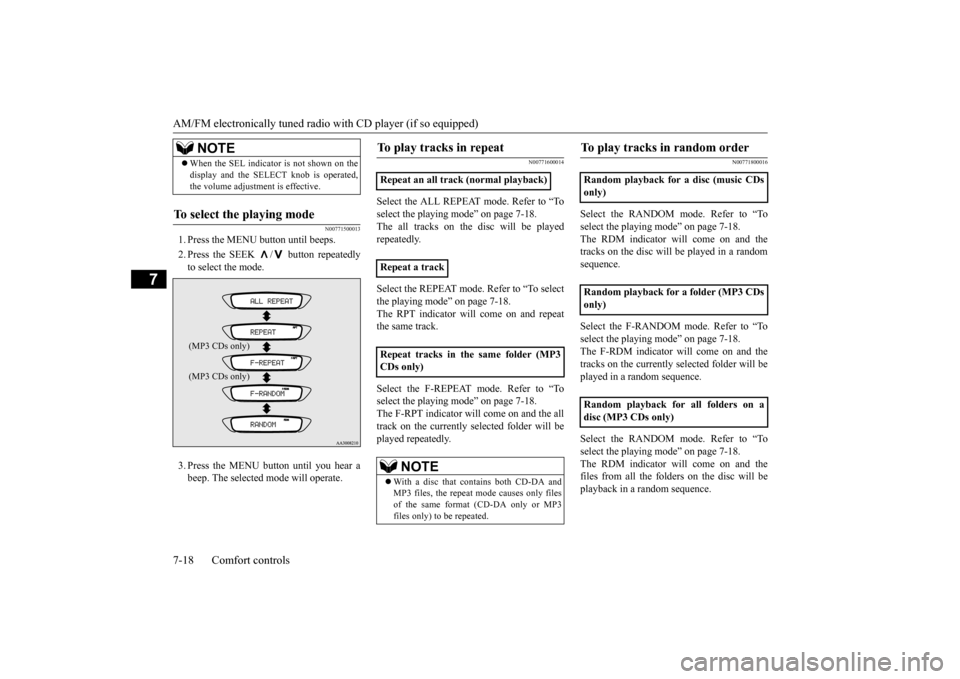
1. Press the MENU button until beeps. 2. Press the SEEK / button repeatedly to select the mode. 3. Press the MENU button until you hear a beep. The selected mode will operate.
N00771600014
Select the ALL REPEAT mode. Refer to “Toselect the playing
mode” on page 7-18.
The all tracks on the
disc will be played
repeatedly. Select the REPEAT mode. Refer to “To select the playing mode” on page 7-18. The RPT indicator will come on and repeatthe same track. Select the F-REPEAT mode. Refer to “To select the playing
mode” on page 7-18.
The F-RPT indicator will come on and the all track on the currently selected folder will be played repeatedly.
N00771800016
Select the RANDOM m
ode. Refer to “To
select the playing mode” on page 7-18. The RDM indicator will come on and thetracks on the disc will be played in a random sequence. Select the F-RANDOM mode. Refer to “To select the playing mode” on page 7-18. The F-RDM indicator will come on and thetracks on the currently selected folder will be played in a random sequence. Select the RANDOM m
ode. Refer to “To
select the playing mode” on page 7-18. The RDM indicator will come on and the files from all the folders on the disc will beplayback in a random sequence.
When the SEL indicato
r is not shown on the
display and the SELECT knob is operated,the volume adjustment is effective.
To select the playing mode
NOTE(MP3 CDs only)
Repeat an all track (normal playback) Repeat a track Repeat tracks in th
e same folder (MP3
CDs only)
NOTE
With a disc that contains both CD-DA and MP3 files, the repeat
mode causes only files
of the same format (CD-DA only or MP3files only) to be repeated.
To play tracks in random order
Random playback for a disc (music CDs only) Random playback for a folder (MP3 CDs only) Random playback for all folders on a disc (MP3 CDs only)
BK0220401US.book 18 ページ 2015年6月3日 水曜日 午前7時42分
Page 221 of 296

AM/FM electronically tuned radio with CD player (if so equipped)
Comfort controls 7-19
7
N00771900017
Press the SCAN button.
“SCAN” will appear
on the display and the CD player will playback the first 10 second
s of each track on the
selected disc (music
CDs only) or the cur-
rently selected folder (MP3 CDs only).The track number will blink while the scan mode is selected. To stop the scan mode, press the SCAN button again.
N00752100166
This audio system can
display CD text and
MP3 titles including ID3 tag information. The audio system can di
splay disc and track
titles for discs with converted disc and track title information. Press the DISP button repeatedly to make selections in the following sequence: disc name
track name
normal
display mode. The audio system can display folder and track titles for discs wi
th converted folder and track
information. Press the DISP button repeat- edly to make selections in the followingsequence: folder name
track name
nor-
mal display mode.
The audio system can
display ID3 tag infor-
mation for files that ha
ve been recorded with
ID3 tag information. 1. Press the DISP button for 2 seconds or longer to switch to the ID3 tag informa- tion. “TAG” will appear on the display.2. Press the DISP button repeatedly to make selections in th
e following sequence:
album name
track name
artist name
normal display mode.
NOTE
With a disc that contains both CD-DA and MP3 files, the random
mode causes only
files of the same format (CD-DA only orMP3 files only) to be repeated.
To find the start of each track on a disc for playback
NOTE
Once all tracks on the
disc (music CDs only)
or the currently selected folder (MP3 CDs only) have been scanne
d, playback of the
disc will restart from
the beginning of the
track that was play
ing when scanning
started. With a disc that contains both CD-DA and MP3 files, the scan m
ode causes only files of
the same format (CD-DA only or MP3 filesonly) to be played.
CD text and MP3 title display
CD text
NOTE
The display can show up to 11 characters. If a disc name or track
name has more than 11
characters, press the PAGE button to viewthe next 11 characters. When there is no title information to be dis- played, the display shows “NO TITLE”. Characters that the a
udio system cannot dis-
play are shown as “ ”.
ID3 tag information
NOTE
To return from ID3 tag information to the folder name, press the DISP button again for2 seconds or longer. When there is no title information to be dis- played, the display
shows “NO TITLE”.
a folder name, track name
, or item of ID3 tag
information has more than 11 characters, press the PAGE button to view the next 11characters. Folder names, trac
k names and ID3 tag
information can each be displayed up to a length of 32 characters. Characters that the a
udio system cannot dis-
play are shown as “ ”.
BK0220401US.book 19 ページ 2015年6月3日 水曜日 午前7時42分
Page 225 of 296
Steering wheel audio remote control switch (if so equipped)
Comfort controls 7-23
7
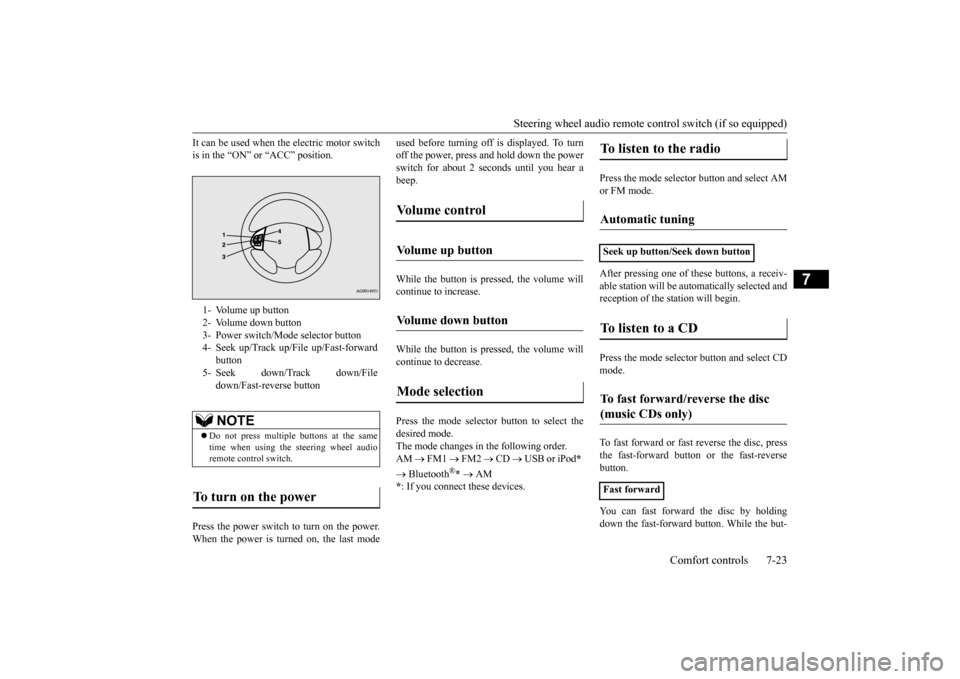
It can be used when the electric motor switch is in the “ON” or “ACC” position. Press the power switch to turn on the power. When the power is turned on, the last mode
used before turning off is displayed. To turn off the power, press and hold down the powerswitch for about 2 seconds until you hear a beep. While the button is pressed, the volume will continue to increase. While the button is pressed, the volume will continue to decrease. Press the mode selector button to select the desired mode.The mode changes in the following order. AM
FM1
FM2
CD
USB or iPod
*
Bluetooth
®* AM
* : If you connect these devices.
Press the mode selector button and select AM or FM mode. After pressing one of
these buttons, a receiv-
able station will be automatically selected and reception of the st
ation will begin.
Press the mode selector
button and select CD
mode. To fast forward or fast
reverse the disc, press
the fast-forward button or the fast-reverse button. You can fast forward the disc by holding down the fast-forward button. While the but-
1- Volume up button 2- Volume down button 3- Power switch/Mode selector button4- Seek up/Track up/File up/Fast-forward
button
5- Seek down/Track down/File
down/Fast-reverse buttonNOTE
Do not press multiple buttons at the same time when using the steering wheel audioremote control switch.
To turn on the power
Vo l u m e c o n t r o l
Volume up button
Volume down button
Mode selection
To listen to the radio
Automatic tuning
Seek up button/Seek down buttonTo listen to a CD
To fast forward/reverse the disc (music CDs only)
Fast forward
BK0220401US.book 23 ページ 2015年6月3日 水曜日 午前7時42分
Page 227 of 296
Handling of compact discs Comfort controls 7-25
7
N00734100340
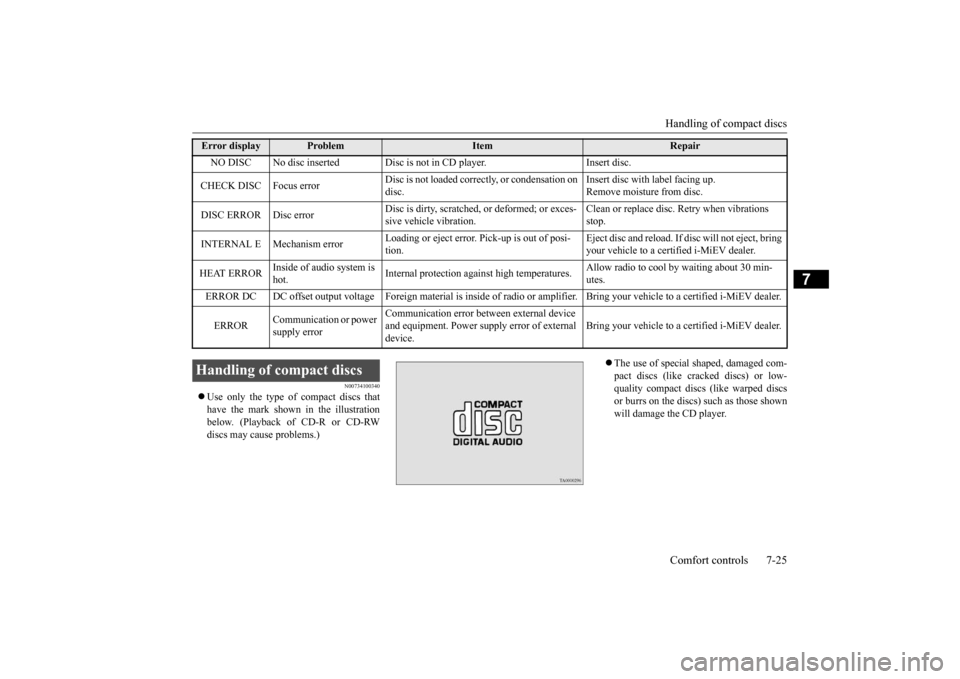
Use only the type of compact discs that have the mark shown in the illustration below. (Playback of CD-R or CD-RW discs may cause problems.)
The use of special shaped, damaged com- pact discs (like cracked discs) or low- quality compact discs (like warped discsor burrs on the discs)
such as those shown
will damage the CD player.
Error display
Problem
Item
Repair
NO DISC No disc inserted Disc is
not in CD player. Insert disc.
CHECK DISC Focus error
Disc is not loaded correctly, or condensation on disc.
Insert disc with label facing up. Remove moisture from disc.
DISC ERROR Disc error
Disc is dirty, scratched,
or deformed; or exces-
sive vehicle vibration.
Clean or replace disc.
Retry when vibrations
stop.
INTERNAL E Mechanism error
Loading or eject error. Pick-up is out of posi- tion.
Eject disc and reload. If di
sc will not eject, bring
your vehicle to a certified i-MiEV dealer.
HEAT ERROR
Inside of audio system is hot.
Internal protection agai
nst high temperatures.
Allow radio to cool
by waiting about 30 min-
utes.
ERROR DC DC offset output voltage Foreign materi
al is inside of radio or amplifier. Bri
ng your vehicle to a certified i-MiEV deale
r.
ERROR
Communication or power supply error
Communication error betw
een external device
and equipment. Power supply error of external device.
Bring your vehicle to a certified i-MiEV dealer.
Handling of compact discs
BK0220401US.book 25 ページ 2015年6月3日 水曜日 午前7時42分
Page 230 of 296
General information about your radio 7-28 Comfort controls
7
4. When the time is set, press the clock but- ton to stop the clock display from flash-ing.
N00733900439
Your vehicle’s radio receives both AM andFM stations. The quality of your reception is affected by distance, obstacles, an
d signal interference.
This radio complies with Part 15 of Federal Communications Commission (FCC) Rules (for vehicles sold in U.S.A.). Operation is subject to the following conditions: The device may not cause harmful inter- ference. This device must ac
cept any interference
recieved, including interference that maycause undesirable operation.
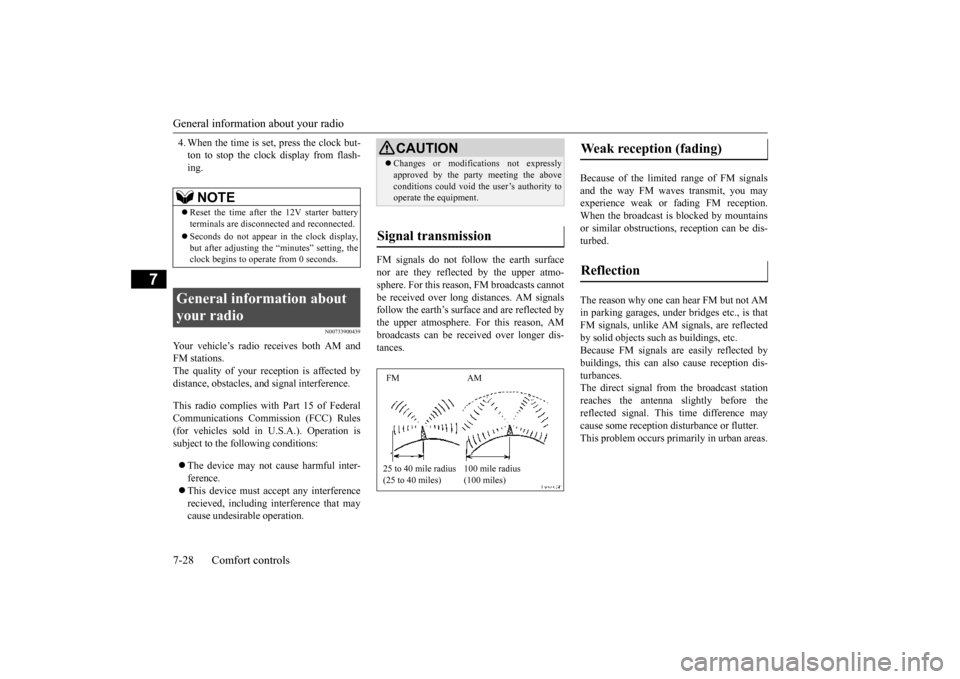
FM signals do not follow the earth surface nor are they reflected by the upper atmo-sphere. For this reason,
FM broadcasts cannot
be received over long distances. AM signals follow the earth’s surface and are reflected bythe upper atmosphere. For this reason, AM broadcasts can be received over longer dis- tances.
Because of the limite
d range of FM signals
and the way FM waves transmit, you may experience weak or fading FM reception.When the broadcast is blocked by mountains or similar obstructions,
reception ca
n be dis-
turbed. The reason why one can hear FM but not AM in parking garages, unde
r bridges etc., is that
FM signals, unlike AM
signals, are reflected
by solid objects such
as buildings, etc.
Because FM signals are easily reflected by buildings, this can also
cause reception dis-
turbances.The direct signal from
the broadcast station
reaches the antenna slightly before the reflected signal. This
time difference may
cause some reception di
sturbance or flutter.
This problem occurs primarily in urban areas.
NOTE
Reset the time after the 12V starter battery terminals are disconnect
ed and reconnected.
Seconds do not appear
in the clock display,
but after adjusting the
“minutes” setting, the
clock begins to opera
te from 0 seconds.
General information about your radio
CAUTION Changes or modifica
tions not expressly
approved by the party meeting the aboveconditions could void th
e user’s authority to
operate the equipment.
Signal transmission FM AM 25 to 40 mile radius (25 to 40 miles)
100 mile radius (100 miles)
Weak reception (fading) Reflection
BK0220401US.book 28 ページ 2015年6月3日 水曜日 午前7時42分
Page 231 of 296
General information about your radio
Comfort controls 7-29
7
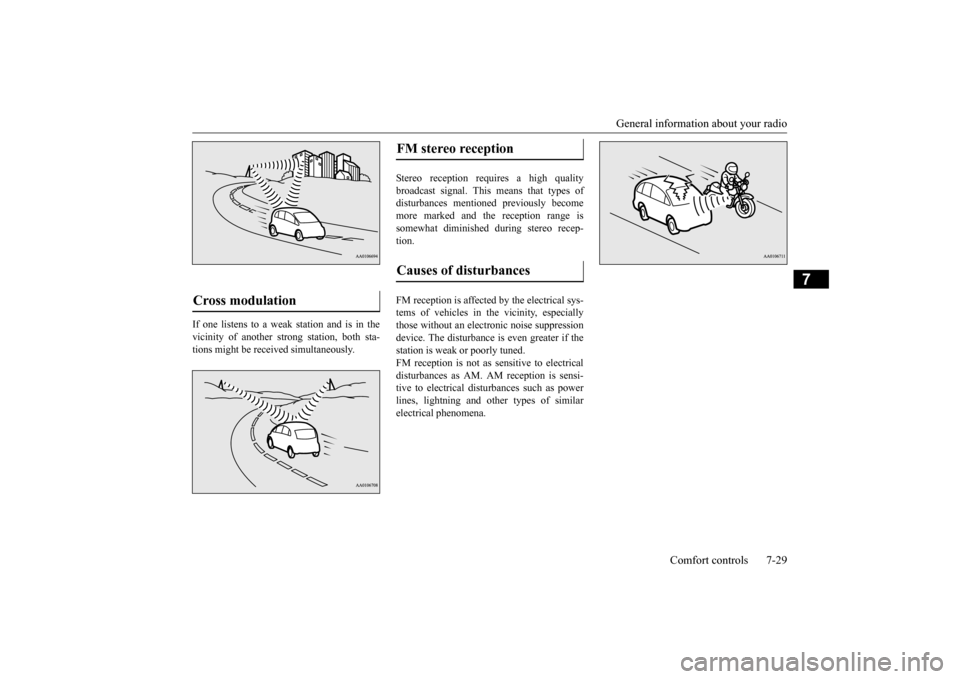
If one listens to a weak station and is in the vicinity of another st
rong station, both sta-
tions might be received simultaneously.
Stereo reception requires a high quality broadcast signal. This means that types of disturbances mentioned previously becomemore marked and the reception range is somewhat diminished during stereo recep- tion. FM reception is affected by the electrical sys- tems of vehicles in the vicinity, especially those without an electr
onic noise suppression
device. The disturbance is even greater if thestation is weak or poorly tuned. FM reception is not as sensitive to electrical disturbances as AM. AM
reception is sensi-
tive to electrical dist
urbances such as power
lines, lightning and ot
her types of similar
electrical phenomena.
Cross modulation
FM stereo reception Causes of disturbances
BK0220401US.book 29 ページ 2015年6月3日 水曜日 午前7時42分