ECU MITSUBISHI iMiEV 2017 1.G Owner's Manual
[x] Cancel search | Manufacturer: MITSUBISHI, Model Year: 2017, Model line: iMiEV, Model: MITSUBISHI iMiEV 2017 1.GPages: 296, PDF Size: 7.79 MB
Page 132 of 296
Service brake 5-24 Features and controls
5
When the vehicle sp
eed is approximately
2-22 mph (3-35 km/h).
The system will not operate under the follow- ing conditions: When the vehicle sp
eed is approximately
2 mph (3 km/h) or less and the brake pedal is depressed. When the vehicle sp
eed is approximately
22 mph (35 km/h) or more. When the selector lever is in the “P”
Under normal conditions, the indicator light in the instrument cluster illuminates when theelectric motor switch is turned to the “ON”
few seconds later.
Always confirm the indicator light goes offbefore driving.
N00517500305
Overuse of the brake can cause poor brakeresponse and premature wear of the brakepads.
N00517600423
Your vehicle is equipped with power brakesfor more braking force with reduced brakepedal effort. Your brakes are designed to operate at full capacity, even if the power assist is lost.If the power assist is lost, the effort needed to press the brake pedal is greater. If you should lose the power assist for somereason, the brakes will still work. If the power brake unit or either of the two brake hydraulic systems stop working prop-
WA R N I N G Always pay special attention to pedestri- ans. Even if the acou
stic vehicle alerting
system (AVAS) sounds, pedestrians may not notice your vehicle.
NOTE
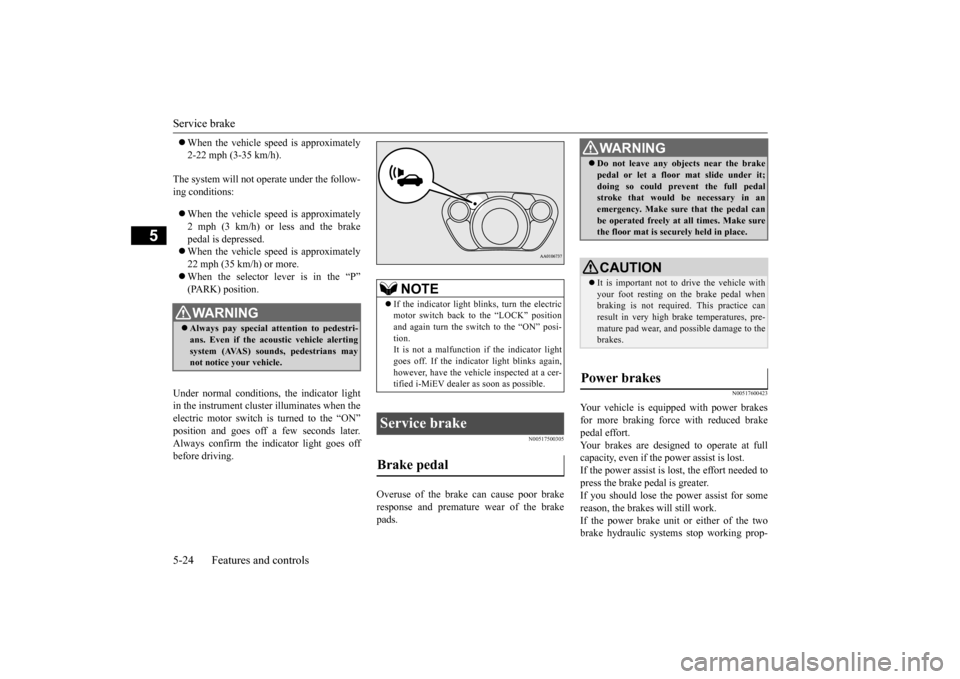
If the indicator light blinks, turn the electric motor switch back to the “LOCK” positionand again turn the switch to the “ON” posi- tion. It is not a malfunction if the indicator lightgoes off. If the indica
tor light blinks again,
however, have the vehicl
e inspected at a cer-
tified i-MiEV dealer as soon as possible.
Service brake Brake pedal
WA R N I N G Do not leave any obje
cts near the brake
pedal or let a floor
mat slide under it;
doing so could prevent the full pedalstroke that would be necessary in an emergency. Make sure that the pedal can be operated freely at
all times. Make sure
the floor mat is securely held in place.CAUTION It is important not to drive the vehicle with your foot resting on the brake pedal when braking is not required.
This practice can
result in very high brake temperatures, pre- mature pad wear, and pos
sible damage to the
brakes.
Power brakes
BK0220401US.book 24 ページ 2015年6月3日 水曜日 午前7時42分
Page 142 of 296
Rear-view camera (if so equipped) 5-34 Features and controls
5
N00546201200
When the selector lever is in the “R”switch is in the “ON” position, the rear-view image will be displayed on the screen of the Mitsubishi Multi Co
mmunication System.
When the selector lever is shifted out of the “R” position, the rear-view image will turn off.
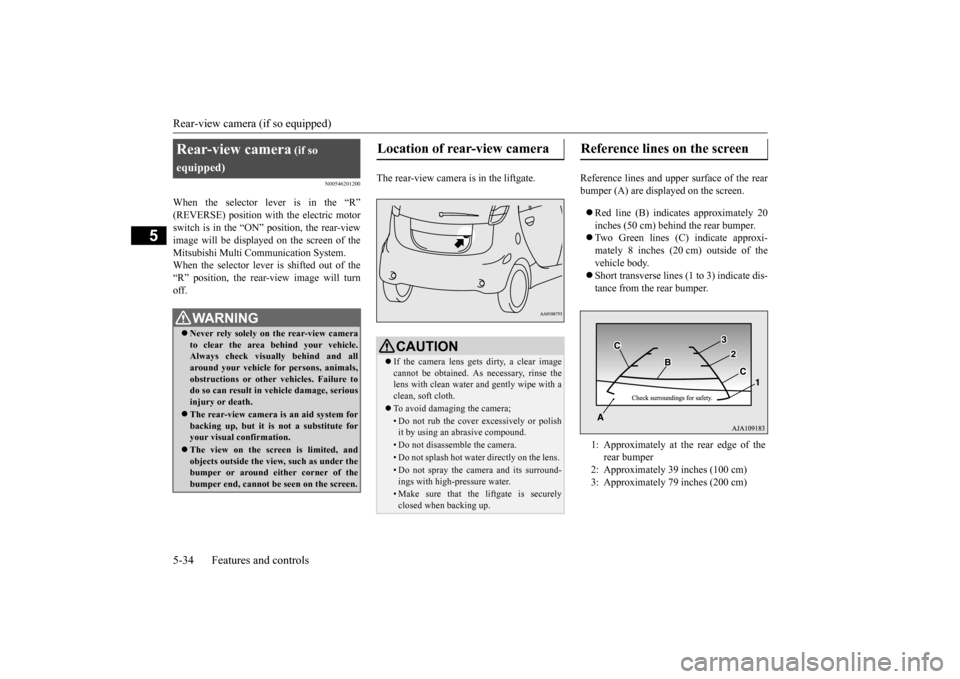
The rear-view camera is in the liftgate. Reference lines and upper surface of the rear
bumper (A) are displayed on the screen. Red line (B) indicates approximately 20 inches (50 cm) behind the rear bumper. Two Green lines (C) indicate approxi- mately 8 inches (20 cm) outside of the vehicle body. Short transverse lines (1
to 3) indicate dis-
tance from the rear bumper.
Rear-view camera
(if so
equipped) Never rely solely on the rear-view camera to clear the area behind your vehicle. Always check visua
lly behind and all
around your vehicle fo
r persons, animals,
obstructions or other vehicles. Failure to do so can result in
vehicle damage, serious
injury or death. The rear-view camera is an aid system for backing up, but it is not a substitute foryour visual confirmation. The view on the scre
en is limited, and
objects outside the view, such as under the bumper or around ei
ther corner of the
bumper end, cannot be seen on the screen.
Location of rear-view camera
CAUTION If the camera lens gets
dirty, a clear image
cannot be obtained. As necessary, rinse the lens with clean water and gently wipe with a clean, soft cloth. To avoid damaging the camera;• Do not rub the cover excessively or polish it by using an abrasive compound. • Do not disassemble the camera.• Do not splash hot wate
r directly on the lens.
• Do not spray the camera and its surround- ings with high-pressure water.• Make sure that the liftgate is securelyclosed when backing up.
Reference lines on the screen
1: Approximately at the rear edge of the
rear bumper
2: Approximately 39 inches (100 cm) 3: Approximately 79 inches (200 cm)
BK0220401US.book 34 ページ 2015年6月3日 水曜日 午前7時42分
Page 165 of 296

Bluetooth® 2.0 interface (if so equipped)
Features and controls 5-57
5
N00564400018
There are 2 cancel functions. If you are at the main menu, say “Cancel” to exit from the Bluetooth
® 2.0 interface.
If you are anywhere else within the system, say “Cancel” to return to the main menu.
N00564501061
The Bluetooth
® 2.0 interface is equipped
with a confirmation function.With the confirmation function activated, you are given more opportunities than normal to confirm a command when making various settings to the Bluetooth
® 2.0 interface. This
allows you to decrease
the possibility that a
setting is accident
ally changed.
The confirmation function can be turned on or off by following the steps below. 1. Press the PICK-UP button. 2. Say “Setup.”3. Say “Confirmation prompts.” 4. The voice guide will say “Confirmation prompts are
5. The voice guide will say “Confirmation prompts are
N00564601163
It is possible to use a passcode as a securityfunction by setting a passcode of your choice for the Bluetooth
® 2.0 interface.
When the security function is turned on, it is necessary to make a vo
ice input of a 4-digit
passcode in order to use all functions of the Bluetooth
® 2.0 interface, except for recep-
tion. Use the following procedure to turn on the security function by setting a passcode. 1. Press the PICK-UP button. 2. Say “Setup.” 3. Say “Passcode.”4. The voice guide will
say “Passcode is dis-
abled. Would you like to enable it?” Answer “Yes.” passcode and return to the main menu. 5. The voice guide will say “Please say a 4-digit passcode. Remember this passcode. It will be required to use this system.”
Say a 4-digit number which you want to set as a passcode.6. For confirmation purposes, the voice guide will say “Pa
sscode <4-digit pass-
code>. Is this correct?” Answer “Yes.” input in Step 5. 7. When the registration of the passcode iscompleted, the voice
guide will say “Pass-
code is enabled” and the system will return to the main menu.
If a passcode has been
set and the security
function is enabled, the voice guide will say“Hands-free system is
locked. State the pass-
code to continue” wh
en the PICK-UP button
is pressed to enter
voice recognition mode.
Canceling
Confirmation function setting
Security function
Setting the passcode
NOTE
Passcode will be requi
red to access the sys-
tem after restarting the electric motor unit. It is required for a little time after the ready indicator has turned of
f that the entered pass-
code is actually recorded in the system. If the electric motor switch is made to “ACC” or“ON” or the electric motor is started immedi- ately after the ready indicator has turned off, there is a case when the entered passcode isnot recorded in the system. At this time, please try to enter the passcode again.
Entering the passcode
BK0220401US.book 57 ページ 2015年6月3日 水曜日 午前7時42分
Page 166 of 296

Bluetooth® 2.0 interface (if so equipped) 5-58 Features and controls
5
Say the 4-digit passcode number to enter the passcode. If the entered passcode
is wrong, the voice
guide will say “<4-digi
t passcode>, Incorrect
passcode. Please try again.” Enter the correctpasscode. Use the following procedure to turn off the security function by di
sabling the passcode.
1. Press the PICK-UP button. 2. Say “Setup.”3. Say “Passcode.” 4. The voice guide will say “Passcode is enabled. Would you like to disable it?”Answer “Yes.” the passcode and return to the main menu.
5. When the disabling of the passcode is completed, the voice
guide will say “Pass-
code is disabled” and the system will return to the main menu.
N00564700011
The Bluetooth
® 2.0 interface can use the
speaker enrollment function to create a voice model for one person per language. This makes it easier for the Bluetooth
® 2.0
interface to recognise
voice commands said
by you. You can turn a voice model registered with the speaker enrollment function on and offwhenever you want.
N00564801149
It takes about 2 to 3 mi
nutes to complete the
speaker enrollment process. To ensure the best results, run through the process while in the driver’s seat, in an envi-ronment that is as quiet as possible (when there is no rain or strong winds and the vehi- cle windows are closed).
Please turn off your
phone while in speaker enrollment to prevent interruption of the process. Use the following procedure for speakerenrollment.
1. Stop your vehicle in a safe area, put the selector lever in the
Page 178 of 296

Bluetooth® 2.0 interface (if so equipped) 5-70 Features and controls
5
N00580300099
1. Press the PICK-UP button. 2. Say “Phonebook.”3. The voice guide will say “Select one of the following: new entry, edit number, edit name, list names, delete, erase all, orimport contact.” Say “Delete.” name of the entry you would like todelete, or say list names.” Say the name of the phonebook entry in which the tele- phone number you want to
delete is regis-
tered.
5. If only one telephone
number is registered
in the selected phonebook entry, the voice guide will say “Deleting
ed phonebook entry, the
voice guide will say “Would you like to delete [home], [work], [mobile], [other], or all?”Select the location to delete, and the voice guide will say “Deleting
number(s) and then
return to Step 4.
7. When the telephone number deletion is complete, the voice guide will say“
deleted” and then
the system will return to the main menu. If all locations are deleted, the system willsay “
removed from the
phonebook. If numbers still remain underthe entry, the name will retain the other associated numbers.
N00580400074
You can delete all registered informationfrom the vehicle phonebook. 1. Press the PICK-UP button. 2. Say “Phonebook.”3. The voice guide will say “Select one of the following: new entry, edit number, edit name, list names, delete, erase all, orimport contact.” Say “Erase all.” guide will ask “Are
you sure you want to
erase everything from your hands-free system phonebook?” Answer “Yes.” Answer “No” to cancel the deletion of allregistered information in the phonebook and return to the main menu.
NOTE
You can call, edit or delete a name that is being read out.Press the SPEECH butt
on and say “Call” to
call the name, “Edit name” to edit it, or “Delete” to delete it. The system will beep and then execute yourcommand. If you press the SPEECH button and say “Continue” or “Previous” while the list is being read, the system will advance or rewind the list. Say “C
ontinue” to proceed to
the next entry or “Previous” to return to the previous entry.
Deleting a telephone number
NOTE
Say “List names,” and
the names registered
in the phonebook are read out in order. Referto “Listening to the list
of registered names”
on page 5-69.NOTE
To delete the telephone
numbers from all
locations, say “All.”
BK0220401US.book 70 ページ 2015年6月3日 水曜日 午前7時42分
Page 188 of 296
Cup holder 5-80 Features and controls
5
N00551500259
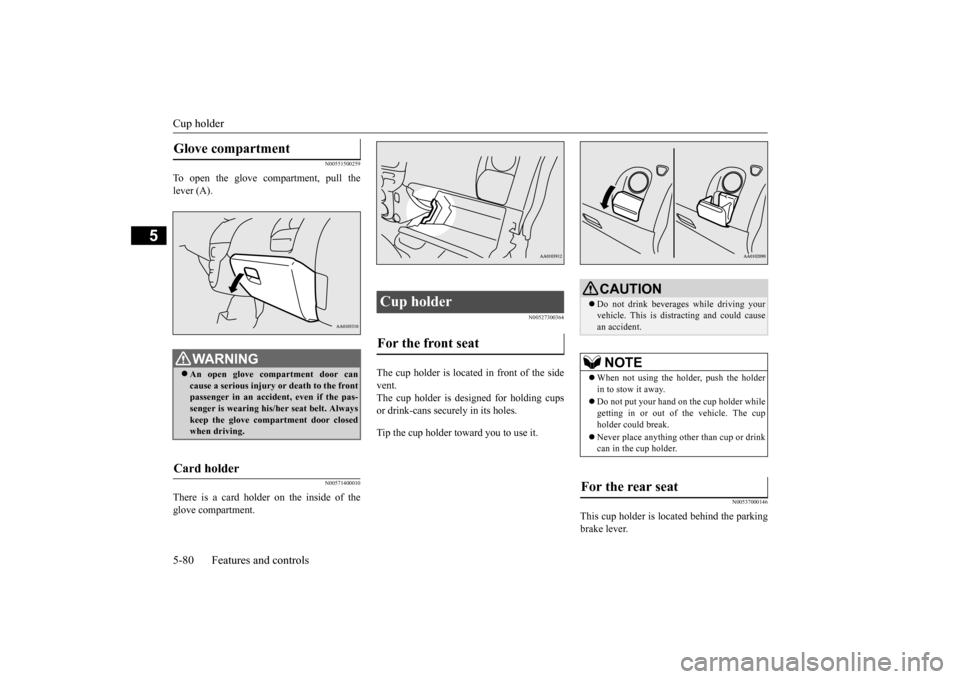
To open the glove compartment, pull the lever (A).
N00571400010
There is a card holder on the inside of theglove compartment.
N00527300364
The cup holder is located in front of the side vent. The cup holder is designed for holding cups or drink-cans secu
rely in its holes.
Tip the cup holder toward you to use it.
N00537000146
This cup holder is loca
ted behind the parking
brake lever.
Glove compartment
WA R N I N G An open glove comp
artment door can
cause a serious injury or death to the frontpassenger in an accident, even if the pas- senger is wearing his/
her seat be
lt. Always
keep the glove comp
artment door closed
when driving.
Card holder
Cup holder For the front seat
CAUTION Do not drink beverages while driving your vehicle. This is dist
racting and could cause
an accident.NOTE
When not using the holder, push the holder in to stow it away. Do not put your hand on the cup holder while getting in or out of
the vehicle. The cup
holder could break. Never place anyt
hing other than cup or drink
can in the cup holder.
For the rear seat
BK0220401US.book 80 ページ 2015年6月3日 水曜日 午前7時42分
Page 192 of 296
Economical driving 6-2 Driving safety
6
N00628500029
For economical driving,
there are some tech-
nical requirements that
have to be met. In
order to achieve longer life of the vehicle andthe most economical
operation, we recom-
mend you to have the vehicle checked at reg- ular intervals according to the “WARRANTYAND MAINTENANCE MANUAL”. Avoid driving with the
accelerator pedal fully
depressed, such as for unnecessarily sudden starts, accelerati
on and deceleration.
Smoothly depress the
accelerator pedal.
Observe the speed limit and keep the speed as constant as possi
ble while driving.
Parking for a long period with the ready indi- cator illuminated will shorten the cruisingrange. At higher the vehicle speed the more main drive lithium-ion battery
is consumed. Avoid
driving at full speed. Even a slight release of the accelerator pedal wi
ll save a significant
amount of main drive lithium-ion battery charge. Check the tire inflation pressures at regular intervals Low tire inflat
ion pressure increases
road resistance. In addi
tion, low tire pressures
adversely affect tire we
ar and driving stabil-
ity. Do not drive with unnecessary articles in the luggage compartment. Too much cooling/heating can affect the cruising range, so maintain an appropriatetemperature to exte
nd the cruising range.
N00628900010
Drunk driving is one of the most frequent causes of accidents.
Your driving ability ca
n be seriously impaired
even with blood alcohol levels far below thelegal minimum. If you
have been drinking,
don’t drive. Ride with a designated non- drinking driver, call a cab or a friend, or usepublic transportation. Drinking coffee or tak- ing a cold shower will not make you sober. Similarly, prescription and nonprescriptiondrugs affect your aler
tness, perception and
reaction time. Consul
t with your doctor or
pharmacist before dr
iving while under the
influence of any of
these medications.
N00628600017
The original equipmen
t floor mat provided
with your vehicle was
specifically designed
for your vehicle. Always properly position the floor mat and assure it does not interfere with operation of the pedals. Always use theretaining clip on the driver’s floorboard to secure the floor mat. When used, this clip will help prevent the floor mat from moving for-ward and possibly interfering with the opera- tion of the pedals. To prevent the floor mat
Economical driving Starting and acceleration Idling Speed
Tire inflation pressure Cargo loads Air conditioning Driving, alcohol and drugs
WA R N I N G NEVER DRINK AND DRIVE. Your perceptions ar
e less accurate, your
reflexes are slower and your judgment is impaired.
Floor mat
BK0220401US.book 2 ページ 2015年6月3日 水曜日 午前7時42分
Page 193 of 296
Vehicle preparatio
n before driving
Driving safety 6-3
6
from moving forward
and possibly interfering
with the operation of the pedals, Mitsubishigenuine floor mats are recommended.
N00628700063
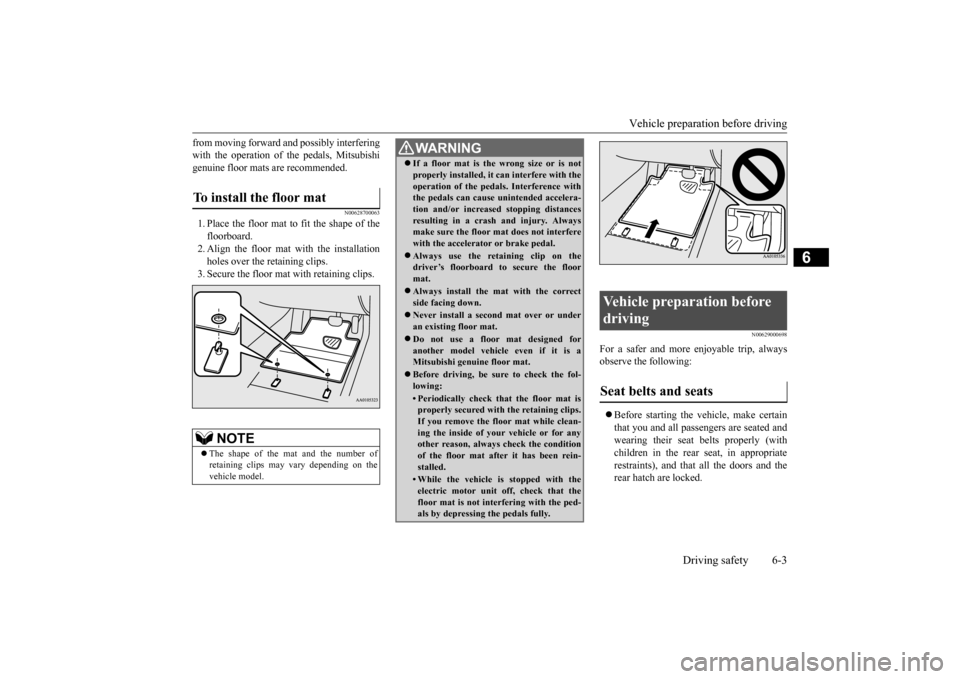
1. Place the floor mat to fit the shape of thefloorboard. 2. Align the floor mat with the installation holes over the retaining clips. 3. Secure the floor mat with retaining clips.
N00629000698
For a safer and more enjoyable trip, always observe the following: Before starting the ve
hicle, make certain
that you and all passengers are seated andwearing their seat belts properly (with children in the rear seat, in appropriate restraints), and that all the doors and therear hatch are locked.
To install the floor mat
NOTE
The shape of the mat and the number of retaining clips may
vary depending on the
vehicle model.
WA R N I N G If a floor mat is the
wrong size or is not
properly installed, it can interfere with theoperation of the pedals. Interference withthe pedals can cause unintended accelera- tion and/or increased stopping distances resulting in a cras
h and injury. Always
make sure the floor mat does not interfere with the accelerator or brake pedal. Always use the reta
ining clip on the
driver’s floorboard to secure the floor mat. Always install the mat with the correct side facing down. Never install a second
mat over or under
an existing floor mat. Do not use a floor mat designed for another model vehicle even if it is aMitsubishi genuine floor mat. Before driving, be sure to check the fol- lowing:• Periodically check that the floor mat isproperly secured with the retaining clips. If you remove the floor mat while clean- ing the inside of you
r vehicle or for any
other reason, always check the condition of the floor mat after it has been rein- stalled.• While the vehicle is stopped with theelectric motor unit off, check that thefloor mat is not interfering with the ped- als by depressing the pedals fully.
Vehicle preparation before driving Seat belts and seats
BK0220401US.book 3 ページ 2015年6月3日 水曜日 午前7時42分
Page 216 of 296
AM/FM electronically tuned radio with CD player (if so equipped) 7-14 Comfort controls
7
N00735000913
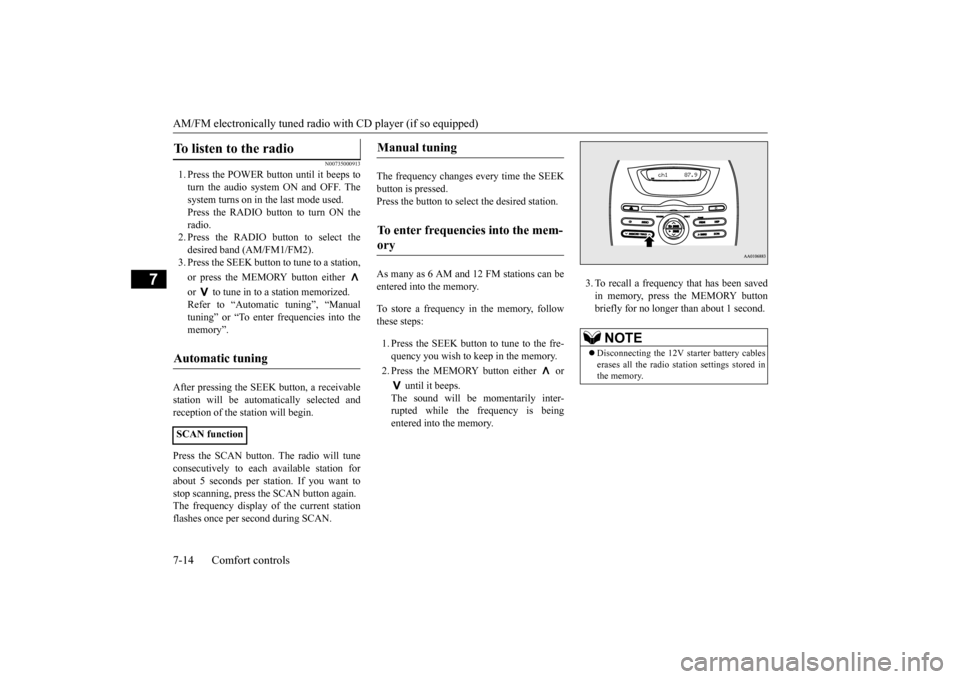
1. Press the POWER button until it beeps to turn the audio system ON and OFF. The system turns on in the last mode used.Press the RADIO button to turn ON the radio. 2. Press the RADIO button to select thedesired band (AM/FM1/FM2). 3. Press the SEEK button
to tune to a station,
or press the MEMORY button either or to tune in to a station memorized. Refer to “Automatic tuning”, “Manual tuning” or “To enter frequencies into the memory”.
After pressing the SEEK button, a receivable station will be automatically selected andreception of the st
ation will begin.
Press the SCAN button.
The radio will tune
consecutively to each
available station for
about 5 seconds per stat
ion. If you want to
stop scanning, press the SCAN button again. The frequency display of the current stationflashes once per second during SCAN.
The frequency changes every time the SEEK button is pressed. Press the button to sele
ct the desired station.
As many as 6 AM and 12 FM stations can be entered into the memory. To store a frequency in the memory, follow these steps: 1. Press the SEEK button to tune to the fre- quency you wish to keep in the memory. 2. Press the MEMORY button either or
until it beeps. The sound will be momentarily inter-rupted while the frequency is being entered into the memory.
3. To recall a frequency that has been saved in memory, press the MEMORY buttonbriefly for no longer than about 1 second.
To listen to the radio
Automatic tuning
SCAN function
Manual tuning
To enter frequencies into the mem- ory
NOTE
Disconnecting the 12V st
arter battery cables
erases all the radio stat
ion settings stored in
the memory.
BK0220401US.book 14 ページ 2015年6月3日 水曜日 午前7時42分
Page 218 of 296
AM/FM electronically tuned radio with CD player (if so equipped) 7-16 Comfort controls
7
Push the CD button if a disc is already in the CD player. The audio system will enter CDmode and start playba
ck. The track number
and the playing time will appear on the dis- play. The tracks in the disc will be playedconsecutively and continuously. This CD player allows you to play MP3 (MPEG Audio Layer-3) files recorded on CD-ROMs, CD-Rs (reco
rdable CDs), and
CD-RWs (rewritable CDs) in ISO9660 Level 1/Level 2, Joliet, a
nd Romeo formats. Each
disc may have a maximum of 16 trees, 100folders and 255 files. During MP3 playback, the unit can display ID3 tag information. For information concerning ID
3 tag, refer to “CD
text and MP3 title di
splay” on page 7-19.
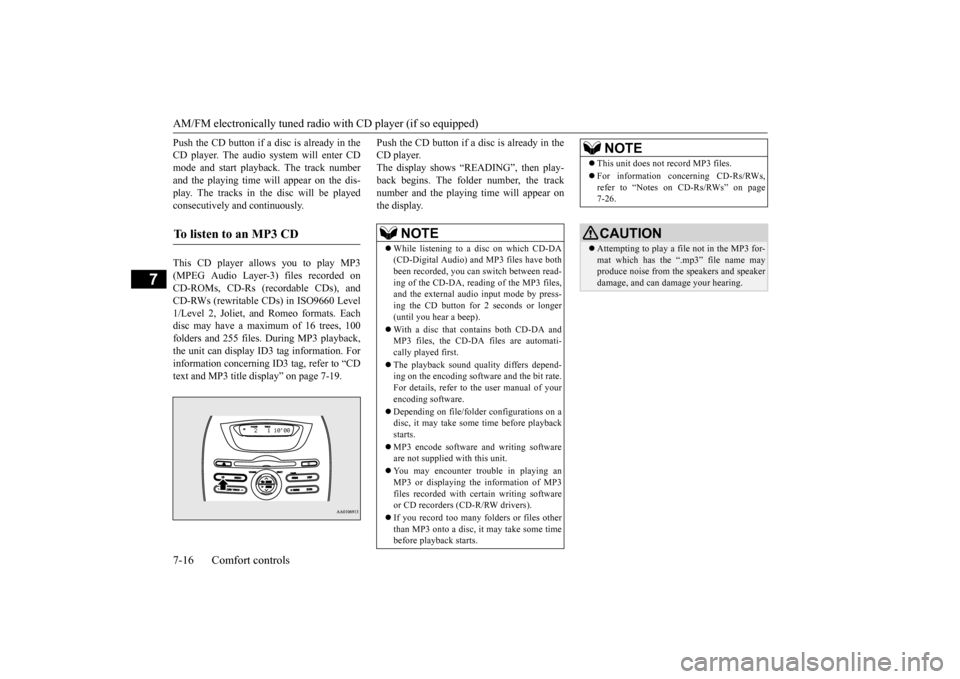
Push the CD button if a disc is already in the CD player.The display shows “READING”, then play- back begins. The folder number, the track number and the playing time will appear onthe display.
To listen to an MP3 CD
NOTE
While listening to a
disc on which CD-DA
(CD-Digital Audio) a
nd MP3 files have both
been recorded, you can switch between read- ing of the CD-DA, reading of the MP3 files, and the external audio input mode by press-ing the CD button for 2 seconds or longer (until you hear a beep). With a disc that contains both CD-DA and MP3 files, the CD-DA files are automati- cally played first. The playback sound quality differs depend- ing on the encoding software and the bit rate.For details, refer to
the user manual of your
encoding software. Depending on file/folde
r configurations on a
disc, it may take some
time before playback
starts. MP3 encode software and writing software are not supplied with this unit. You may encounter trouble in playing an MP3 or displaying the information of MP3files recorded with certain writing software or CD recorders (CD-R/RW drivers). If you record too many folders or files other than MP3 onto a disc, it
may take some time
before playback starts.
This unit does not record MP3 files. For information concerning CD-Rs/RWs, refer to “Notes on CD-Rs/RWs” on page 7-26.CAUTION Attempting to play a file not in the MP3 for- mat which has the “.mp3” file name may produce noise from the speakers and speakerdamage, and can da
mage your hearing.
NOTE
BK0220401US.book 16 ページ 2015年6月3日 水曜日 午前7時42分