clock MITSUBISHI L200 2010 4.G User Guide
[x] Cancel search | Manufacturer: MITSUBISHI, Model Year: 2010, Model line: L200, Model: MITSUBISHI L200 2010 4.GPages: 369, PDF Size: 30.72 MB
Page 103 of 369
NOTE
l Pressing
the “RESET” function button will
not reset the indication (C).
l It is possible to set the display unit to hPa,
mb, kPa, or inHg.
Refer to “User customization” on page 3-24.
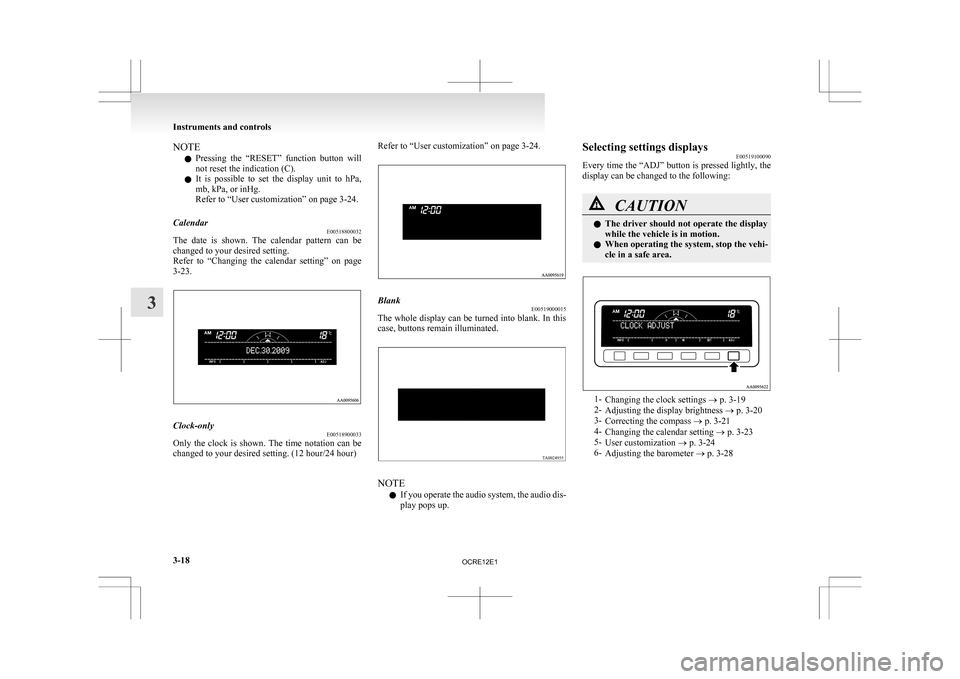
Calendar E00518800032
The date is shown. The calendar pattern can be
changed to your desired setting.
Refer
to “Changing the calendar setting” on page
3-23. Clock-only
E00518900033
Only the clock is shown. The time notation can be
changed to your desired setting. (12 hour/24 hour) Refer to “User customization” on page 3-24.
Blank
E00519000015
The whole display can be turned into blank. In this
case, buttons remain illuminated. NOTE
l If
you operate the audio system, the audio dis-
play pops up. Selecting settings displays
E00519100090
Every
time the “ADJ” button is pressed lightly, the
display can be changed to the following: CAUTION
l
The
driver should not operate the display
while the vehicle is in motion.
l When operating the system, stop the vehi-
cle in a safe area. 1-
Changing the clock settings
® p. 3-19
2- Adjusting the display brightness ® p. 3-20
3- Correcting the compass ® p. 3-21
4- Changing the calendar setting ® p. 3-23
5- User customization ® p. 3-24
6- Adjusting the barometer ® p. 3-28 Instruments and controls
3-18
3
OCRE12E1
Page 104 of 369
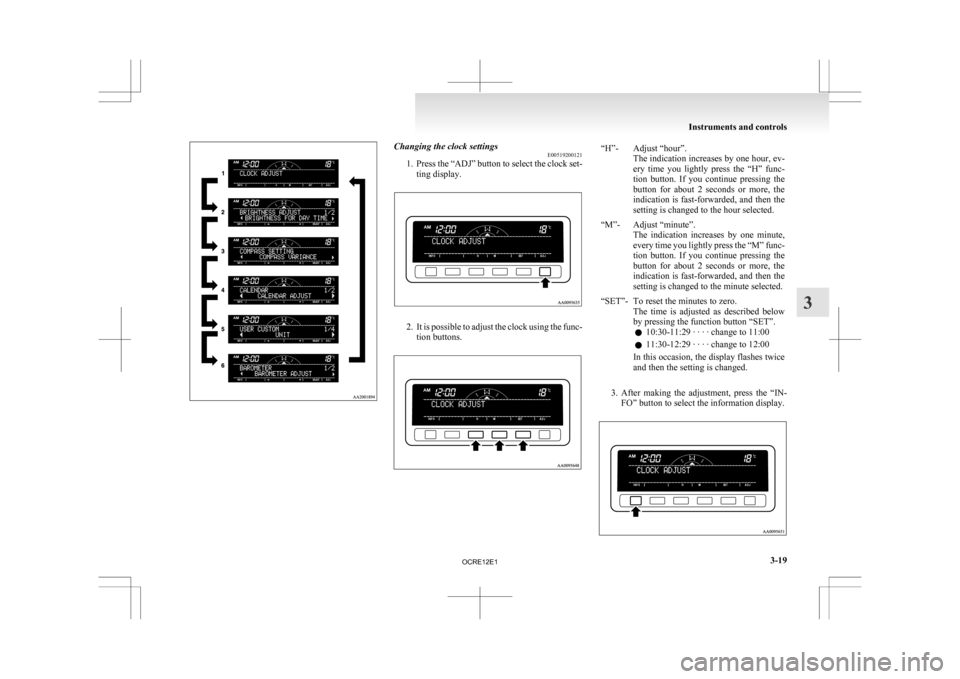
Changing the clock settings
E00519200121
1. Press
the “ADJ” button to select the clock set-
ting display. 2. It
is possible to adjust the clock using the func-
tion buttons. “H”- Adjust “hour”.
The
indication increases by one hour, ev-
ery time you lightly press the “H” func-
tion button. If you continue pressing the
button for about 2 seconds or more, the
indication is fast-forwarded, and then the
setting is changed to the hour selected.
“M”- Adjust “minute”. The
indication increases by one minute,
every time you lightly press the “M” func-
tion button. If you continue pressing the
button for about 2 seconds or more, the
indication is fast-forwarded, and then the
setting is changed to the minute selected.
“SET”- To reset the minutes to zero. The
time is adjusted as described below
by pressing the function button “SET”.
l 10:30-11:29 · · · · change to 11:00
l 11:30-12:29 · · · · change to 12:00
In this occasion, the display flashes twice
and then the setting is changed.
3. After
making the adjustment, press the “IN- FO” button to select the information display. Instruments and controls
3-19 3
OCRE12E1
Page 133 of 369
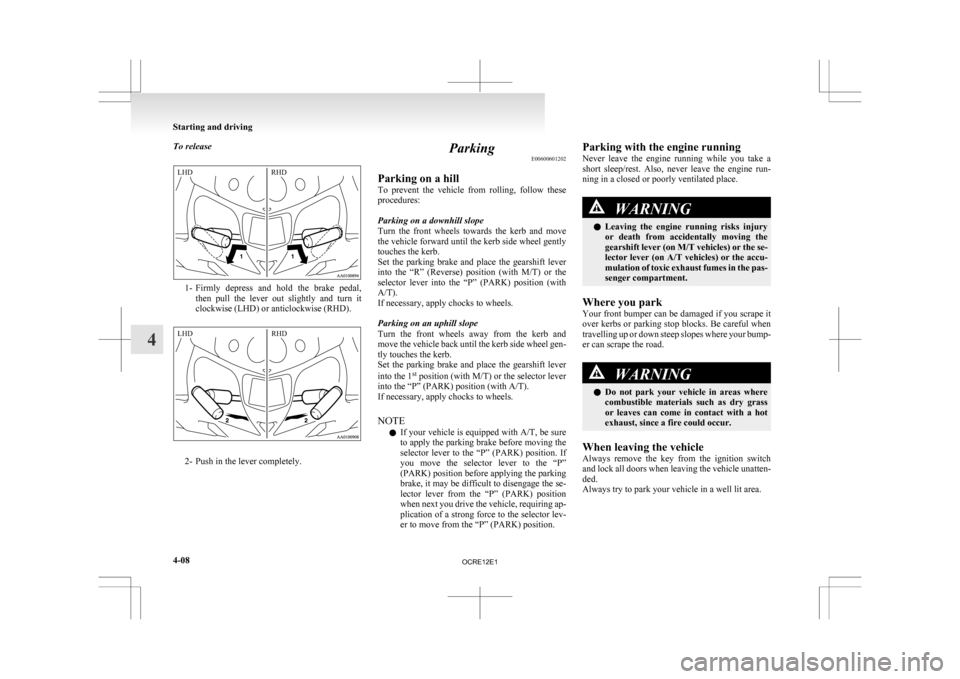
To release
1- Firmly depress and hold the brake pedal,
then pull the lever out slightly and turn it
clockwise (LHD) or anticlockwise (RHD). 2- Push in the lever completely. Parking
E00600601202
Parking on a hill
To
prevent the vehicle from rolling, follow these
procedures:
Parking on a downhill slope
Turn the front wheels towards the kerb and move
the vehicle forward until the kerb side wheel gently
touches the kerb.
Set the parking brake and place the gearshift lever
into the “R” (Reverse) position (with M/T) or the
selector lever into the “P” (PARK) position (with
A/T).
If necessary, apply chocks to wheels.
Parking on an uphill slope
Turn the front wheels away from the kerb and
move the vehicle back until the kerb side wheel gen-
tly touches the kerb.
Set the parking brake and place the gearshift lever
into the 1 st
position (with M/T) or the selector lever
into the “P” (PARK) position (with A/T).
If necessary, apply chocks to wheels.
NOTE
l If your vehicle is equipped with A/T, be sure
to apply the parking brake before moving the
selector lever to the “P” (PARK) position. If
you move the selector lever to the “P”
(PARK) position before applying the parking
brake, it may be difficult to disengage the se-
lector lever from the “P” (PARK) position
when next you drive the vehicle, requiring ap-
plication of a strong force to the selector lev-
er to move from the “P” (PARK) position. Parking with the engine running
Never
leave the engine running while you take a
short sleep/rest. Also, never leave the engine run-
ning in a closed or poorly ventilated place. WARNING
l Leaving
the engine running risks injury
or death from accidentally moving the
gearshift lever (on M/T vehicles) or the se-
lector lever (on A/T vehicles) or the accu-
mulation of toxic exhaust fumes in the pas-
senger compartment.
Where you park
Your
front bumper can be damaged if you scrape it
over kerbs or parking stop blocks. Be careful when
travelling up or down steep slopes where your bump-
er can scrape the road. WARNING
l Do
not park your vehicle in areas where
combustible materials such as dry grass
or leaves can come in contact with a hot
exhaust, since a fire could occur.
When leaving the vehicle
Always
remove the key from the ignition switch
and lock all doors when leaving the vehicle unatten-
ded.
Always try to park your vehicle in a well lit area. Starting and driving
4-08
4LHD RHD LHD RHD
OCRE12E1
Page 184 of 369
Ventilators
.................................................................................... 5-02
Heater/Manual air conditioning* ..................................................5-03
Automatic air conditioning* ......................................................... 5-08
Important operation tips for the air conditioning
..........................5-12
Air purifier*.................................................................................. 5-12
LW/MW/FM electronic tuning radio with CD player* ................5-13
To play tracks from USB device* ................................................5-27
To play tracks from a Bluetooth ®
device (vehicles with
Bluetooth ®
2.0 interface)..........................................................5-36
To use the external audio input function* ....................................5-39
Steering wheel remote control switch* ........................................5-40
Error codes.................................................................................... 5-42
Error codes (iPod)......................................................................... 5-44
Error codes (USB memory device) ..............................................5-46
Audio system anti-theft feature .................................................... 5-48
Handling of compact discs ........................................................... 5-48
Antenna......................................................................................... 5-50
Link System* ................................................................................ 5-51
Bluetooth ®
2.0 interface* ............................................................. 5-51
USB input terminal* ..................................................................... 5-67
Sun visors..................................................................................... 5-69
Vanity mirror* .............................................................................. 5-70
Ashtray..........................................................................................5-70
Cigarette lighter ............................................................................ 5-71
Accessory socket*........................................................................ 5-72
Digital clock* ............................................................................... 5-73
Interior lamps ................................................................................ 5-73
Storage spaces...............................................................................5-75
Cup holder*.................................................................................. 5-78
Bottle holder ................................................................................. 5-79 Convenient hook
........................................................................... 5-80
Coat hook*.................................................................................... 5-80
First-aid kit and warning triangle securing bands* ......................5-80 For pleasant driving
5
OCRE12E1
Page 187 of 369
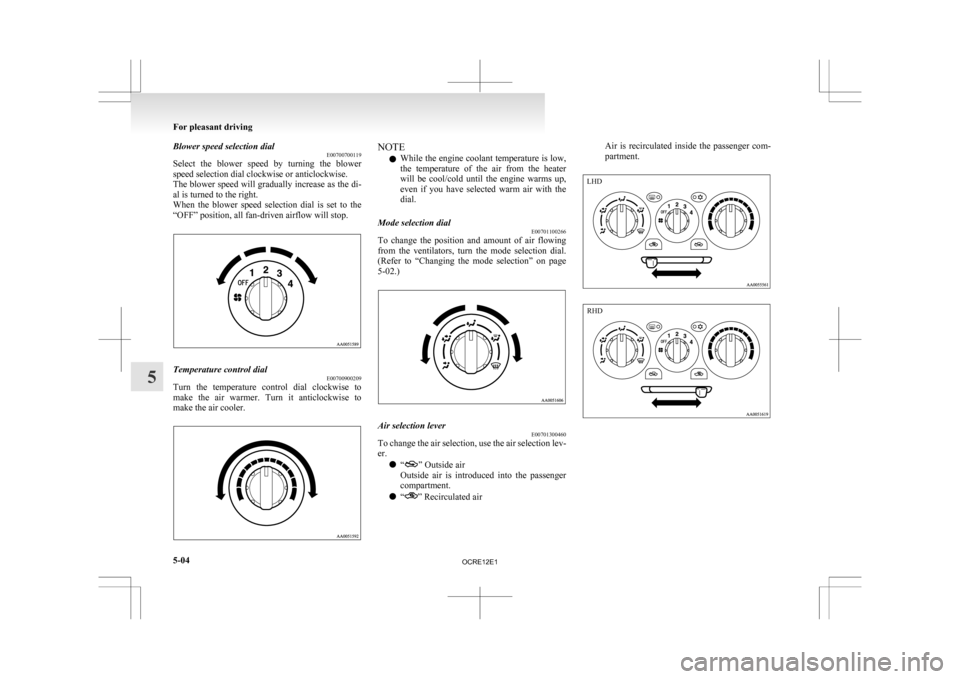
Blower speed selection dial
E00700700119
Select
the blower speed by turning the blower
speed selection dial clockwise or anticlockwise.
The blower speed will gradually increase as the di-
al is turned to the right.
When the blower speed selection dial is set to the
“OFF” position, all fan-driven airflow will stop. Temperature control dial
E00700900209
Turn the temperature control dial clockwise to
make
the air warmer. Turn it anticlockwise to
make the air cooler. NOTE
l While
the engine coolant temperature is low,
the temperature of the air from the heater
will be cool/cold until the engine warms up,
even if you have selected warm air with the
dial.
Mode selection dial E00701100266
To change the position and amount of air flowing
from
the ventilators, turn the mode selection dial.
(Refer to “Changing the mode selection” on page
5-02.) Air selection lever
E00701300460
To change the air selection, use the air selection lev-
er.
l “ ” Outside air
Outside
air is introduced into the passenger
compartment.
l “ ” Recirculated airAir is recirculated inside the passenger com-
partment.For pleasant driving
5-04
5 LHD RHD
OCRE12E1
Page 188 of 369
CAUTION
l
Normally, use the “ ” (outside) posi-
tion to keep the windscreen and side win-
dows clear and quickly remove fog or
frost from the windscreen.
If high cooling performance is desired, or
if the outside air is dusty or otherwise con-
taminated, use the “ ”
(recirculation)
position. Set the air selection lever to the
“ ”
(outside) position periodically to in-
crease ventilation so that the windows do
not become fogged up.
l Use of the “ ”
(recirculation) position
for extended time may cause the windows
to fog up.
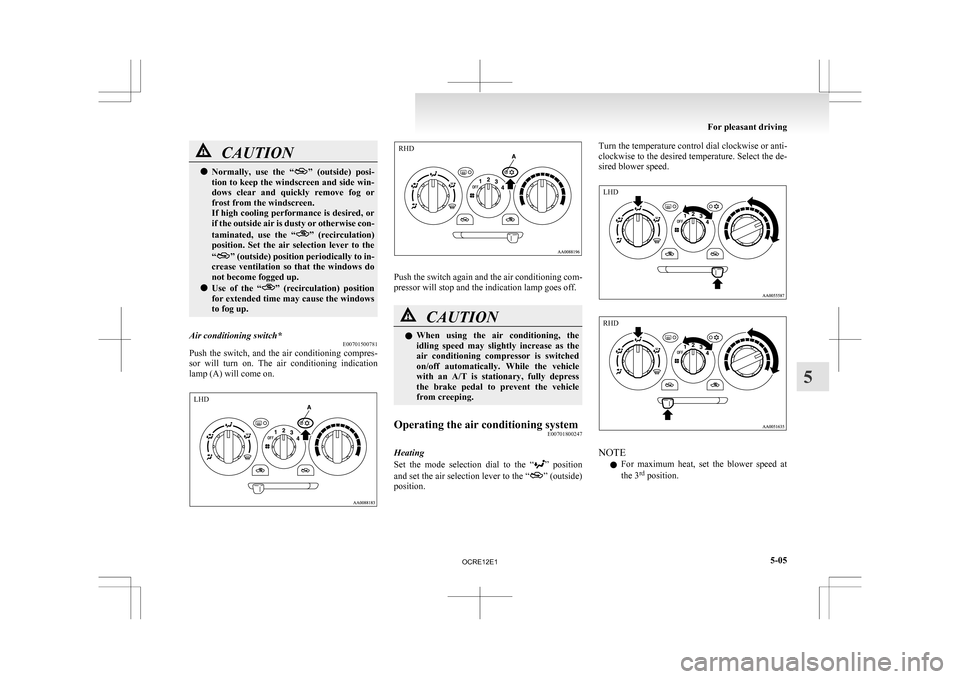
Air conditioning switch* E00701500781
Push the switch, and the air conditioning compres-
sor
will turn on. The air conditioning indication
lamp (A) will come on. Push the switch again and the air conditioning com-
pressor will stop and the indication lamp goes off.
CAUTION
l
When
using the air conditioning, the
idling speed may slightly increase as the
air conditioning compressor is switched
on/off automatically. While the vehicle
with an A/T is stationary, fully depress
the brake pedal to prevent the vehicle
from creeping.
Operating the air conditioning system E00701800247
Heating
Set
the mode selection dial to the “ ”
position
and set the air selection lever to the “ ” (outside)
position. Turn the temperature control dial clockwise or anti-
clockwise
to the desired temperature. Select the de-
sired blower speed. NOTE
l For
maximum heat, set the blower speed at
the 3 rd
position. For pleasant driving
5-05 5 LHD RHD LHD RHD
OCRE12E1
Page 189 of 369
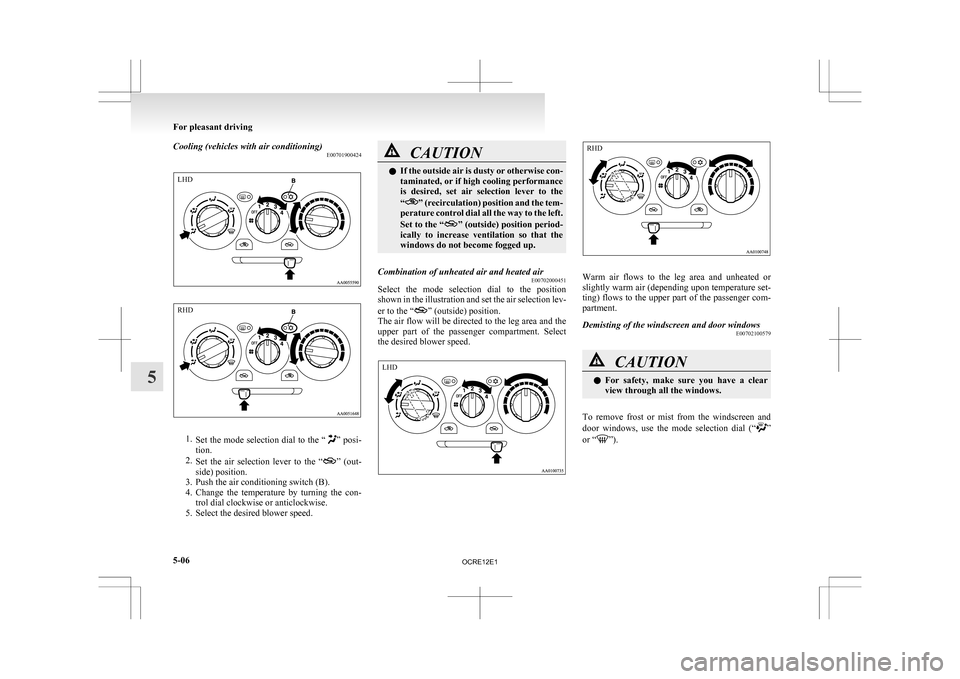
Cooling (vehicles with air conditioning)
E007019004241.
Set the mode selection dial to the “ ” posi-
tion.
2. Set the air selection lever to the “ ”
(out-
side) position.
3. Push the air conditioning switch (B).
4. Change the temperature by turning the con- trol dial clockwise or anticlockwise.
5. Select the desired blower speed. CAUTION
l
If
the outside air is dusty or otherwise con-
taminated, or if high cooling performance
is desired, set air selection lever to the
“ ”
(recirculation) position and the tem-
perature control dial all the way to the left.
Set to the “ ”
(outside) position period-
ically to increase ventilation so that the
windows do not become fogged up.
Combination of unheated air and heated air E00702000451
Select the mode selection dial to the position
shown
in the illustration and set the air selection lev-
er to the “ ” (outside) position.
The
air flow will be directed to the leg area and the
upper part of the passenger compartment. Select
the desired blower speed. Warm air flows to the leg area and unheated or
slightly
warm air (depending upon temperature set-
ting) flows to the upper part of the passenger com-
partment.
Demisting of the windscreen and door windows E00702100579 CAUTION
l
For
safety, make sure you have a clear
view through all the windows.
To remove frost or mist from the windscreen and
door
windows, use the mode selection dial (“ ”
or “ ”).For pleasant driving
5-06
5LHD RHD LHD RHD
OCRE12E1
Page 191 of 369
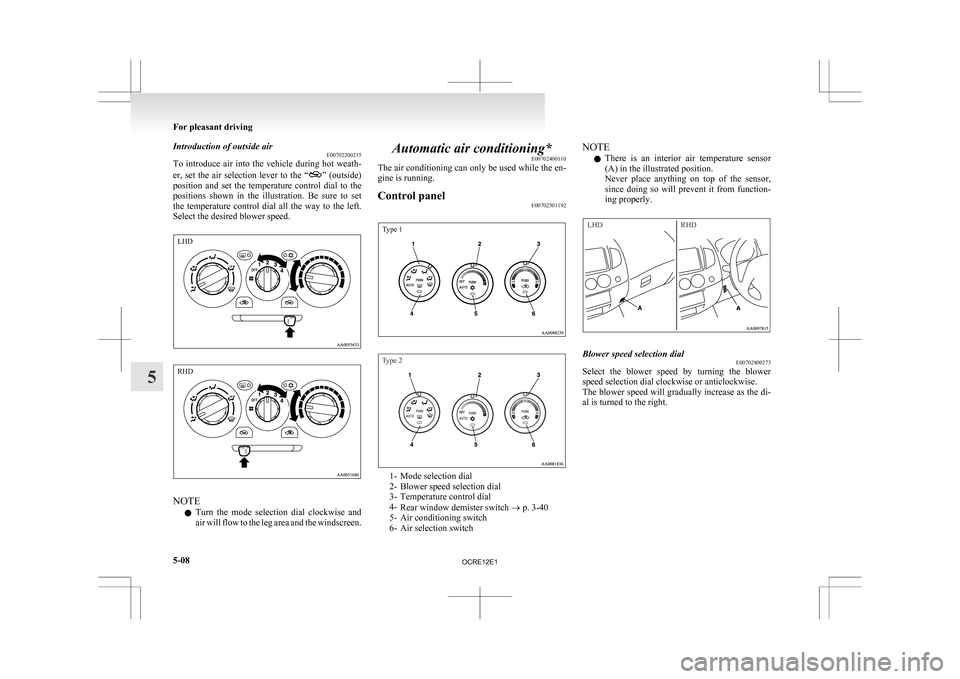
Introduction of outside air
E00702200235
To
introduce air into the vehicle during hot weath-
er, set the air selection lever to the “ ”
(outside)
position and set the temperature control dial to the
positions shown in the illustration. Be sure to set
the temperature control dial all the way to the left.
Select the desired blower speed. NOTE
l Turn
the mode selection dial clockwise and
air will flow to the leg area and the windscreen. Automatic air conditioning*
E00702400110
The
air conditioning can only be used while the en-
gine is running.
Control panel E00702501192
Type 1
Type 2 1- Mode selection dial
2-
Blower speed selection dial
3- Temperature control dial
4- Rear window demister switch ® p. 3-40
5- Air conditioning switch
6- Air selection switch NOTE
l There
is an interior air temperature sensor
(A) in the illustrated position.
Never place anything on top of the sensor,
since doing so will prevent it from function-
ing properly.
LHD RHD Blower speed selection dial
E00702800273
Select the blower speed by turning the blower
speed selection dial clockwise or anticlockwise.
The
blower speed will gradually increase as the di-
al is turned to the right. For pleasant driving
5-08
5 LHD RHD
OCRE12E1
Page 192 of 369
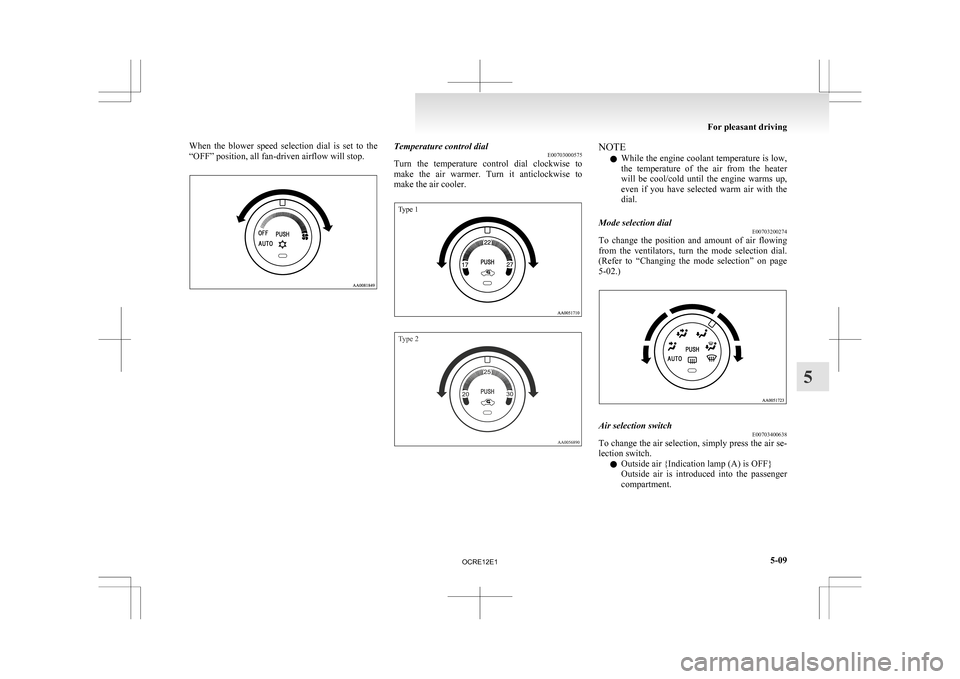
When the blower speed selection dial is set to the
“OFF” position, all fan-driven airflow will stop.
Temperature control dial
E00703000575
Turn
the temperature control dial clockwise to
make the air warmer. Turn it anticlockwise to
make the air cooler.
Type 1
Type 2 NOTE
l While
the engine coolant temperature is low,
the temperature of the air from the heater
will be cool/cold until the engine warms up,
even if you have selected warm air with the
dial.
Mode selection dial E00703200274
To change the position and amount of air flowing
from
the ventilators, turn the mode selection dial.
(Refer to “Changing the mode selection” on page
5-02.) Air selection switch
E00703400638
To change the air selection, simply press the air se-
lection switch.
l Outside air {Indication lamp (A) is OFF}
Outside
air is introduced into the passenger
compartment. For pleasant driving
5-09 5
OCRE12E1
Page 198 of 369
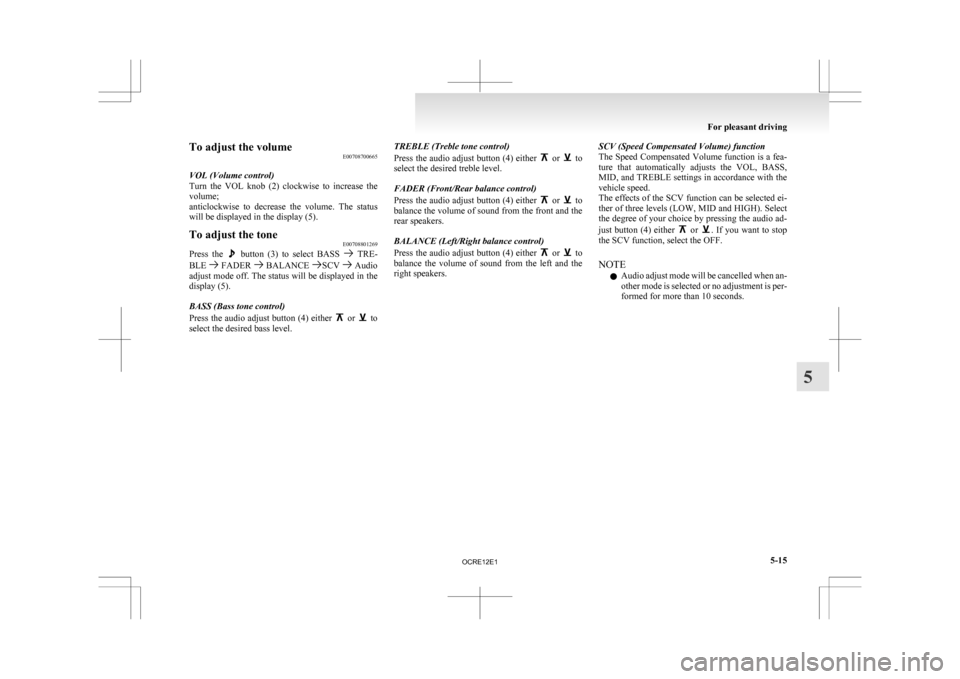
To adjust the volume
E00708700665
VOL (Volume control)
Turn
the VOL knob (2) clockwise to increase the
volume;
anticlockwise to decrease the volume. The status
will be displayed in the display (5).
To adjust the tone E00708801269
Press the button (3) to select BASS TRE-
BLE FADER BALANCE SCV Audio
adjust
mode off. The status will be displayed in the
display (5).
BASS (Bass tone control)
Press the audio adjust button (4) either or to
select the desired bass level. TREBLE (Treble tone control)
Press
the audio adjust button (4) either or to
select the desired treble level.
FADER (Front/Rear balance control)
Press
the audio adjust button (4) either or to
balance
the volume of sound from the front and the
rear speakers.
BALANCE (Left/Right balance control)
Press the audio adjust button (4) either or to
balance
the volume of sound from the left and the
right speakers. SCV (Speed Compensated Volume) function
The
Speed Compensated Volume function is a fea-
ture that automatically adjusts the VOL, BASS,
MID, and TREBLE settings in accordance with the
vehicle speed.
The effects of the SCV function can be selected ei-
ther of three levels (LOW, MID and HIGH). Select
the degree of your choice by pressing the audio ad-
just button (4) either or . If you want to stop
the SCV function, select the OFF.
NOTE
l Audio
adjust mode will be cancelled when an-
other mode is selected or no adjustment is per-
formed for more than 10 seconds. For pleasant driving
5-15 5
OCRE12E1