USB port MITSUBISHI L200 2014 Owner's Manual (in English)
[x] Cancel search | Manufacturer: MITSUBISHI, Model Year: 2014, Model line: L200, Model: MITSUBISHI L200 2014Pages: 362, PDF Size: 20.97 MB
Page 177 of 362
Ventilators.................................................................................... 5-02
Heater/Manual air conditioning* ..................................................5-03
Automatic air conditioning* ......................................................... 5-08
Important operation tips for the air conditioning..........................5-12
Air purifier* .................................................................................. 5-12
LW/MW/FM electronic tuning radio with CD player* ................5-13
To play tracks from USB device* ................................................5-28
To play tracks from a Bluetooth ®
device (vehicles with
Bluetooth ®
2.0 interface)..........................................................5-37
To use the external audio input function* ....................................5-40
Steering wheel remote control switch* ........................................5-41
Error codes .................................................................................... 5-43
Error codes (iPod) ......................................................................... 5-45
Error codes (USB memory device) ..............................................5-47
Audio system anti-theft feature .................................................... 5-49
Handling of compact discs ........................................................... 5-49
Antenna ......................................................................................... 5-51
Link System* ................................................................................ 5-52
Bluetooth ®
2.0 interface ............................................................... 5-52
USB input terminal* ..................................................................... 5-68
Sun visors ..................................................................................... 5-70
Vanity mirror* .............................................................................. 5-71
Ashtray..........................................................................................5-71
Cigarette lighter ............................................................................ 5-72
Accessory socket* ........................................................................ 5-73
Digital clock* ............................................................................... 5-74
Interior lamps ................................................................................ 5-74
Storage spaces...............................................................................5-76
Cup holder* .................................................................................. 5-79
Bottle holder ................................................................................. 5-80Convenient hook
........................................................................... 5-80
Coat hook* .................................................................................... 5-81
First-aid kit and warning triangle securing bands* ......................5-81For pleasant driving
OKTE14E2
5
Page 204 of 362
lThe display can show up to 16 characters. If
a folder name, track name, or item of ID3 tag
information has more than 16 characters,
press the PAGE button (6) to view the next
16 characters.
l Folder names and track names can each be
displayed up to a length of 32 characters.
Items of ID3 tag information can each be dis-
played up to a length of 30 characters.
l Characters that the CD player cannot display
are shown as “ ”.To play tracks from USB device* E00756100149
You can connect your iPod or USB memory device
to the USB input terminal and play music files stor-
ed in the iPod or USB memory device.
See the following section for the types of connecta-
ble devices and supported files.
Refer to “ Types of connectable devices and suppor-
ted file specifications” on page 5-69.
See the following sections for the connecting meth-
ods, “How to connect an iPod” on page 5-68 and
“ How to connect a USB memory device” on page
5-68.
If your vehicle is equipped with a Bluetooth ®
2.0
interface, you can play music files in your iPod or
USB memory device via voice operation.
Refer to “To play iPod tracks via voice operation”
on page 5-31 and “To play USB memory device
tracks via voice operation” on page 5-37.
NOTE l The protected file by copyright might not be
able to start playback.
l It is recommended to adjust the equalizer of
the connected device is flat.
For pleasant driving
5-28 OKTE14E2
5
Page 211 of 362
To play from a USB memory deviceE00762500366
1. Press the PWR button (1) to turn on the au-
dio system. The system turns on in the last
mode used.
2. Connect your USB memory device to the
USB input terminal.
Refer to “ How to connect a USB memory de-
vice” on page 5-68.
3. Press the CD button (11) several times to
switch to the USB mode. The mode changes
as follows every time the CD button is pressed.
CD mode → USB mode → Bluetooth ®
mode*
NOTE l If your vehicle is equipped with Auxiliary Au-
dio connector (RCA), pressing and holding
the CD button for 2 seconds or more
switches the system to the AUX mode.
4. Once the device is selected, playback starts
and “USB” appears on the display.
NOTE l Depending on the condition of your USB de-
vice, it may take a longer time before the play-
back starts.
5. To stop the playback, change over to a differ-
ent mode.
NOTE l To adjust the volume and tone, refer to “To
adjust the volume” and “To adjust the tone”.Supported compressed music files E00758300305
This audio can play MP3, WMA, AAC and WAV
files recorded in a USB memory device. This audio
supports up to 65,535 files in 700 folders on 8 levels.
Folder selection order/file playback order (exam-
ple)
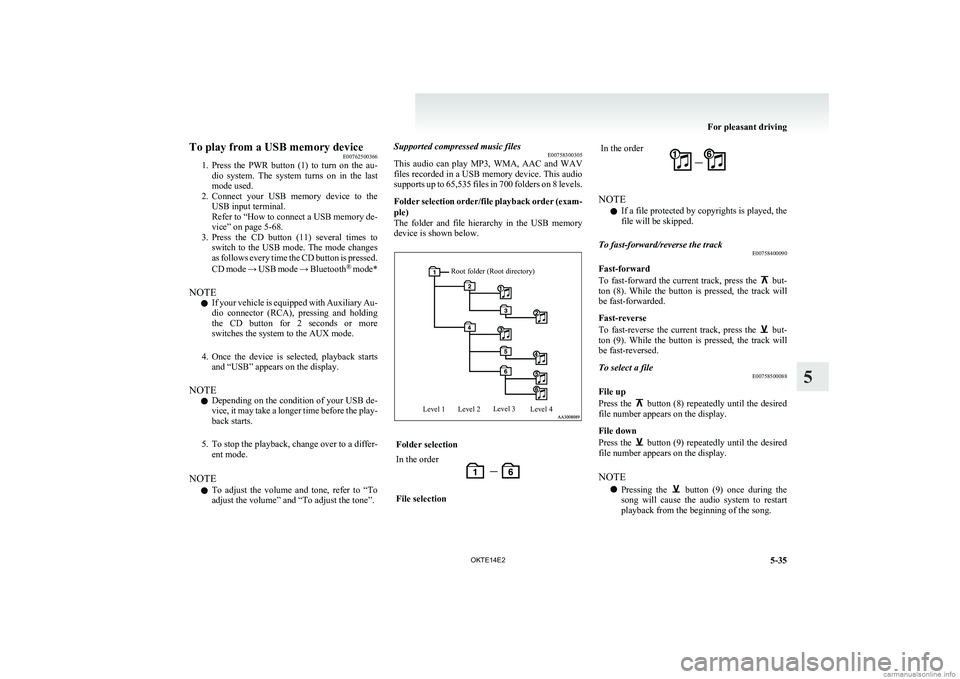
The folder and file hierarchy in the USB memory
device is shown below.Root folder (Root directory)Level 1Level 2Level 3Level 4Folder selectionIn the orderFile selectionIn the order
NOTE
l If a file protected by copyrights is played, the
file will be skipped.
To fast-forward/reverse the track E00758400090
Fast-forward
To fast-forward the current track, press the
but-
ton (8). While the button is pressed, the track will
be fast-forwarded.
Fast-reverse
To fast-reverse the current track, press the
but-
ton (9). While the button is pressed, the track will
be fast-reversed.
To select a file E00758500088
File up
Press the
button (8) repeatedly until the desired
file number appears on the display.
File down
Press the
button (9) repeatedly until the desired
file number appears on the display.
NOTE l Pressing the
button (9) once during the
song will cause the audio system to restart
playback from the beginning of the song.
For pleasant driving
5-35
OKTE14E2
5
Page 213 of 362
To play USB memory device tracks
via voice operation (vehicles with Blue-
tooth ®
2.0 interface)
E00759400130
Desired tracks can be selected and played from
your USB memory device by “Artist”, “Album”,
“Playlist” and “Genre” using voice commands.
For information concerning the voice recognition
function or speaker enrollment function, refer to
“Bluetooth ®
2.0 interface” on page 5-52.
The playback sequence of tracks is the same as
when an iPod is connected. Refer to the “To play
iPod tracks via voice operation” on page 5-31.
Preparation for voice operation
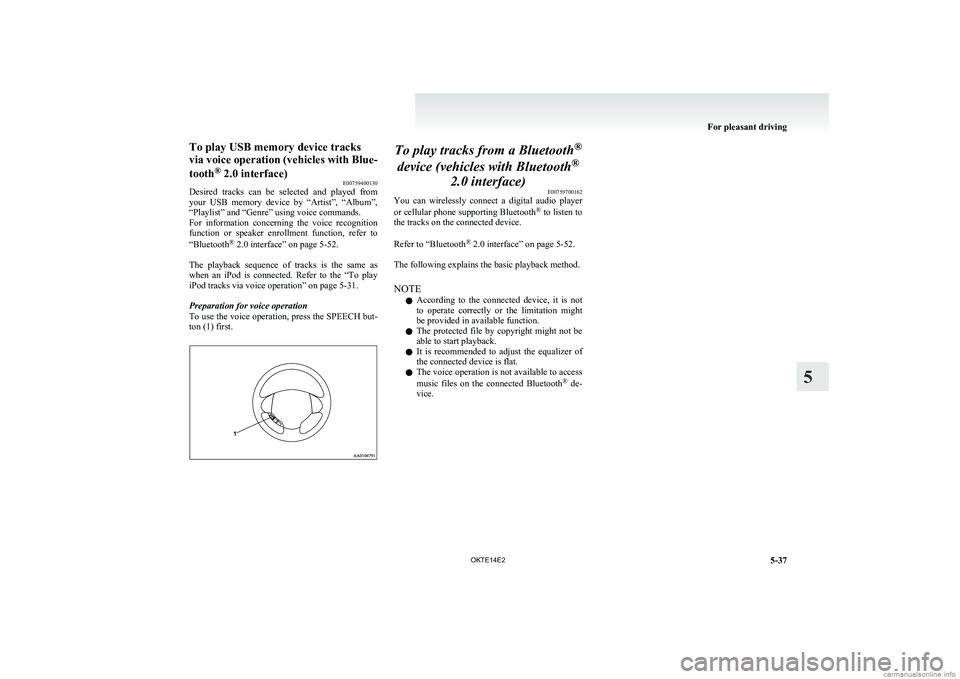
To use the voice operation, press the SPEECH but-
ton (1) first.To play tracks from a Bluetooth ®
device (vehicles with Bluetooth ®
2.0 interface) E00759700162
You can wirelessly connect a digital audio player
or cellular phone supporting Bluetooth ®
to listen to
the tracks on the connected device.
Refer to “Bluetooth ®
2.0 interface” on page 5-52.
The following explains the basic playback method.
NOTE l According to the connected device, it is not
to operate correctly or the limitation might
be provided in available function.
l The protected file by copyright might not be
able to start playback.
l It is recommended to adjust the equalizer of
the connected device is flat.
l The voice operation is not available to access
music files on the connected Bluetooth ®
de-
vice.
For pleasant driving
5-37
OKTE14E2
5
Page 215 of 362
To listen to tracks from a device con-
nected via Bluetooth ®
E00762700225
1. Press the PWR button (1) to turn on the au-
dio system. The system turns on in the last
mode used.
2. Press the CD button (8) several times to
switch to the BT-A (Bluetooth ®
) mode. The
mode changes as follows every time the CD
button is pressed.
CD mode → USB (iPod) mode → Blue-
tooth ®
mode
NOTE l For vehicles equipped with Auxiliary Audio
connector (RCA), pressing and holding the
CD button for 2 seconds or more switches
the system to the AUX mode.
3. Connect your Bluetooth ®
device.
Refer to “Connecting the Bluetooth® 2.0 in-
terface and Bluetooth® device” on page
5-57.
4. Playback starts automatically.
NOTE l Depending on the connected device, the play-
back may not start automatically.
In this case, operate the connected device to
start the playback.To stop the playback (if supported by the device) E00762800079
To stop the playback, press and hold the button
(9) until you hear a beep.
To restart the playback, press the
button (10).
To pause the playback (if supported by the device) E00762900083
To pause the playback, press the
button (9).
To restart the playback, press the button (10).
To fast-forward/reverse the track (if supported by
the device) E00765600010
Fast-forward
To fast-forward the current track, press the
but-
ton (6). While the button is pressed, the track will
be fast-forwarded.
Fast-reverse
To fast-reverse the current track, press the
but-
ton (7). While the button is pressed, the track will
be fast-reversed.
To select a track (if supported by the device) E00763000094
Track up
Press the
button (6) repeatedly until the desired
track number appears on the display.
Track down
Press the
button (7) repeatedly until the desired
track number appears on the display.
NOTE l Pressing the
button (7) once during the
song will cause the audio system to restart
playback from the beginning of the song.
To play the same track or all tracks repeatedly (if
supported by the device) E00763100079
Press the RPT button (4) several times to show
“1-RPT” (same track repeat mode) or “ A-RPT” (all
tracks repeat mode) in the display.
The mode changes as follows every time the RPT
button is pressed.
1-RPT mode → A-RPT mode → mode off
To exit these mode, press the RPT button several
times until the 1-RPT indicator or the A-RPT indi-
cator goes off.To play tracks in random order (if supported by
the device) E00763200070
Press the RDM button (5) to show “RDM” in the
display.
The system randomly selects and plays tracks from
all tracks in the Bluetooth ®
device.
To exit this mode, press the button again.
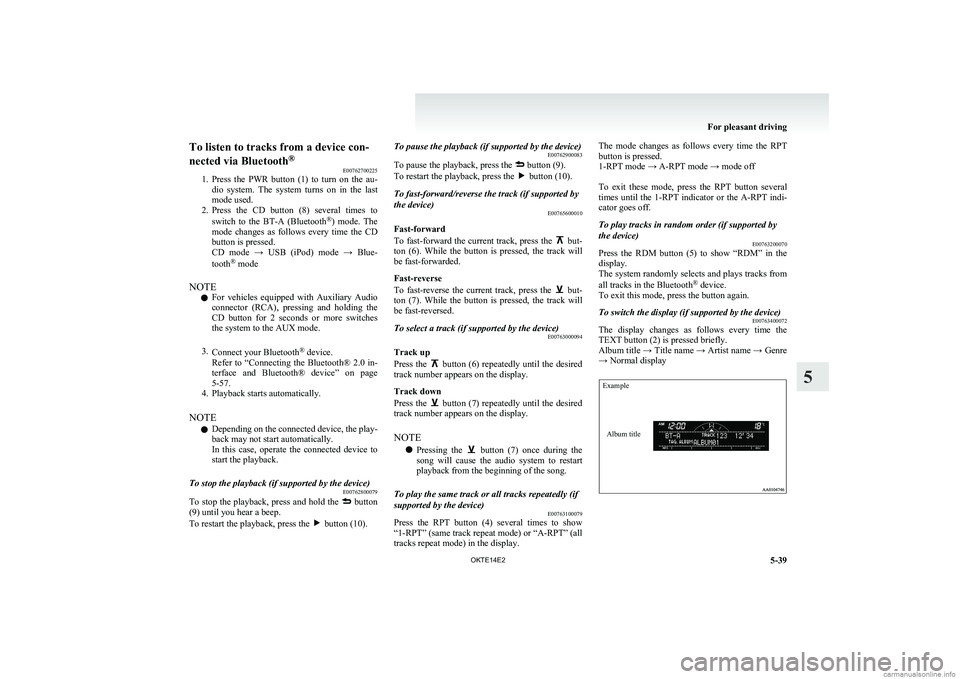
To switch the display (if supported by the device) E00763400072
The display changes as follows every time the
TEXT button (2) is pressed briefly.
Album title → Title name → Artist name → Genre
→ Normal display
ExampleAlbum title
For pleasant driving
5-39
OKTE14E2
5
Page 221 of 362
Error codes (iPod)E00763500158
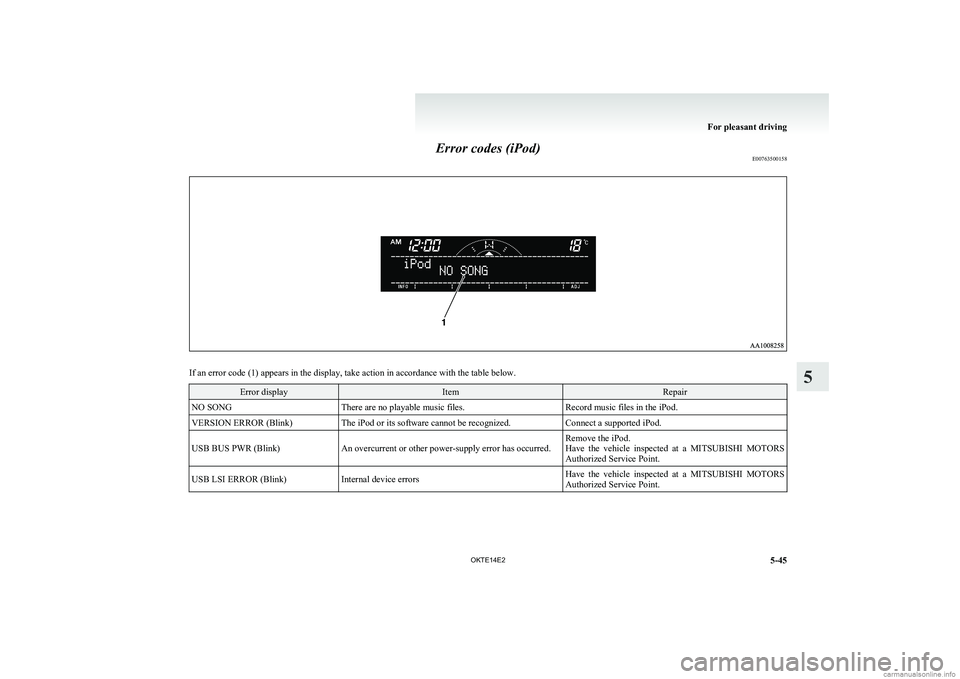
If an error code (1) appears in the display, take action in accordance with the table below.
Error displayItemRepairNO SONGThere are no playable music files.Record music files in the iPod.VERSION ERROR (Blink)The iPod or its software cannot be recognized.Connect a supported iPod.USB BUS PWR (Blink)An overcurrent or other power-supply error has occurred.Remove the iPod.
Have the vehicle inspected at a MITSUBISHI MOTORS
Authorized Service Point.USB LSI ERROR (Blink)Internal device errorsHave the vehicle inspected at a MITSUBISHI MOTORS
Authorized Service Point.
For pleasant driving
5-45
OKTE14E2
5
Page 223 of 362
Error codes (USB memory device)E00763600146
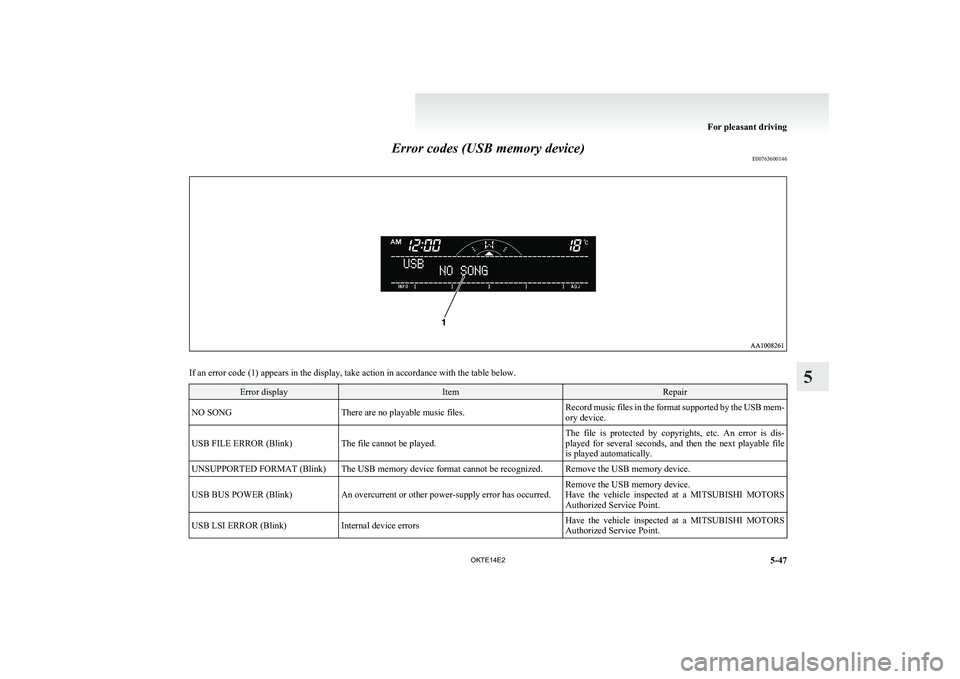
If an error code (1) appears in the display, take action in accordance with the table below.
Error displayItemRepairNO SONGThere are no playable music files.Record music files in the format supported by the USB mem-
ory device.USB FILE ERROR (Blink)The file cannot be played.The file is protected by copyrights, etc. An error is dis-
played for several seconds, and then the next playable file
is played automatically.UNSUPPORTED FORMAT (Blink)The USB memory device format cannot be recognized.Remove the USB memory device.USB BUS POWER (Blink)An overcurrent or other power-supply error has occurred.Remove the USB memory device.
Have the vehicle inspected at a MITSUBISHI MOTORS
Authorized Service Point.USB LSI ERROR (Blink)Internal device errorsHave the vehicle inspected at a MITSUBISHI MOTORS
Authorized Service Point.
For pleasant driving
5-47
OKTE14E2
5
Page 245 of 362
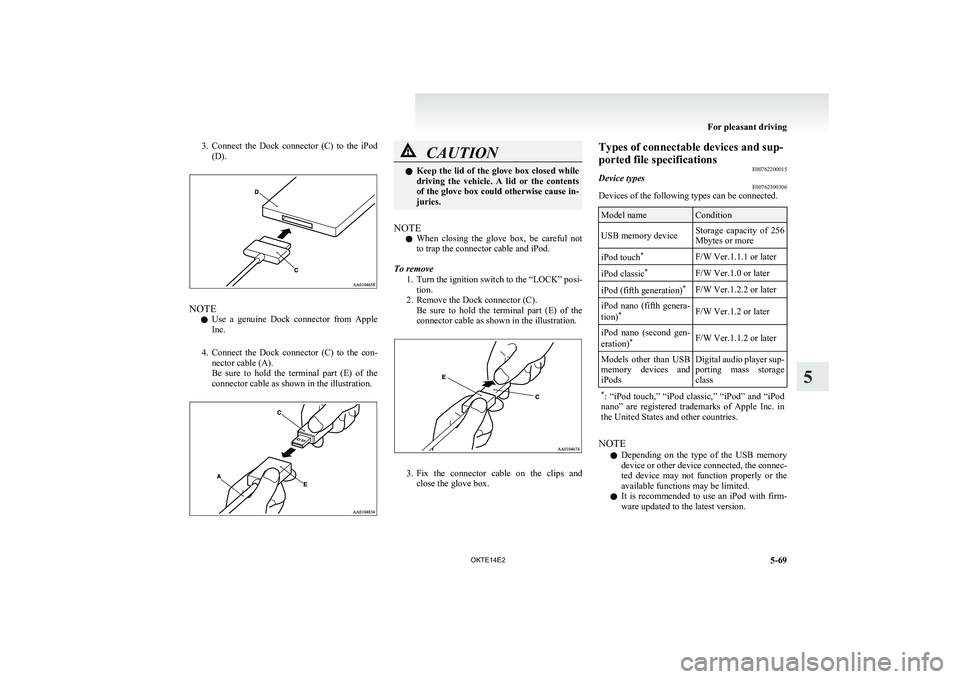
3.Connect the Dock connector (C) to the iPod
(D).
NOTE
l Use a genuine Dock connector from Apple
Inc.
4. Connect the Dock connector (C) to the con-
nector cable (A).
Be sure to hold the terminal part (E) of the
connector cable as shown in the illustration.
CAUTIONl Keep the lid of the glove box closed while
driving the vehicle. A lid or the contents
of the glove box could otherwise cause in-
juries.
NOTE
l When closing the glove box, be careful not
to trap the connector cable and iPod.
To remove 1.Turn the ignition switch to the “LOCK” posi-
tion.
2. Remove the Dock connector (C). Be sure to hold the terminal part (E) of the
connector cable as shown in the illustration.
3. Fix the connector cable on the clips and
close the glove box.
Types of connectable devices and sup-
ported file specifications E00762200015Device typesE00762300306
Devices of the following types can be connected.
Model nameConditionUSB memory deviceStorage capacity of 256
Mbytes or moreiPod touch *F/W Ver.1.1.1 or lateriPod classic *F/W Ver.1.0 or lateriPod (fifth generation) *F/W Ver.1.2.2 or lateriPod nano (fifth genera-
tion) *F/W Ver.1.2 or lateriPod nano (second gen-
eration) *F/W Ver.1.1.2 or laterModels other than USB
memory devices and
iPodsDigital audio player sup-
porting mass storage
class* : “iPod touch,” “iPod classic,” “iPod” and “iPod
nano” are registered trademarks of Apple Inc. in
the United States and other countries.
NOTE
l Depending on the type of the USB memory
device or other device connected, the connec-
ted device may not function properly or the
available functions may be limited.
l It is recommended to use an iPod with firm-
ware updated to the latest version.
For pleasant driving
5-69
OKTE14E2
5
Page 246 of 362
lYou can charge your iPod by connecting it to
the USB input terminal when the ignition
switch is in the “ACC” or “ON” position.
l Do not keep your USB memory device or
iPod in your vehicle.
l It is recommended that you back up files in
case of data damage.
l Do not connect to the USB input terminal
any device (hard disk, card reader, memory
reader, etc.) other than the connectable devi-
ces specified in the previous section. The de-
vice and/or data may be damaged. If any of
these devices was connected by mistake, re-
move it after turning the ignition switch to
the “LOCK” position.File specifications E00762400017
You can play music files of the following specifica-
tions that are saved in a USB memory device or oth-
er device supporting mass storage class.
ItemConditionFile formatMP3, WMA, AAC,
WAVMaximum number of
levels (including the
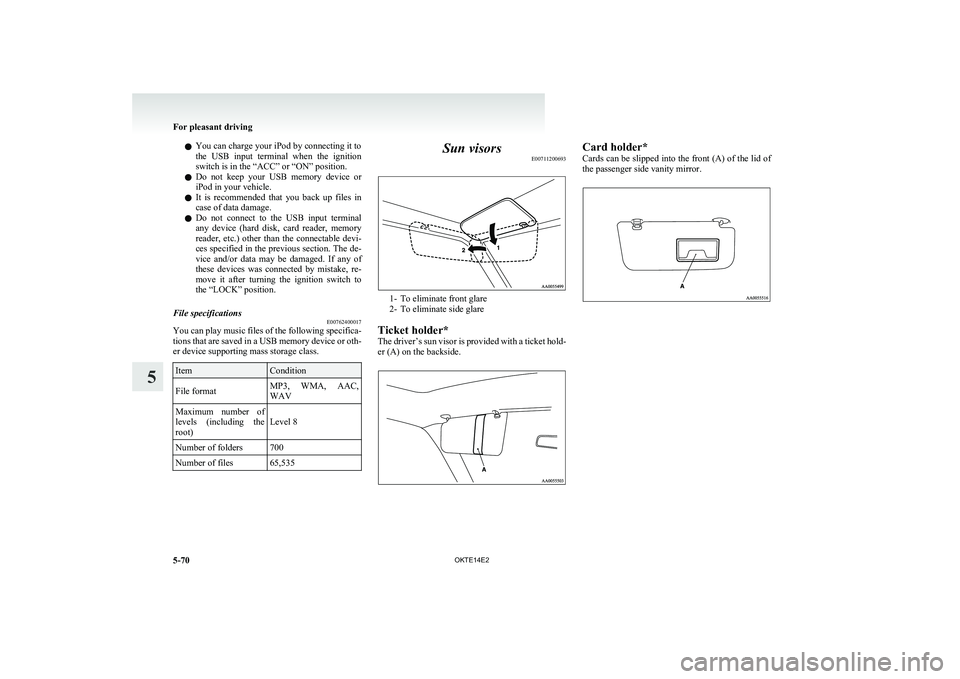
root)Level 8Number of folders700Number of files65,535Sun visors E00711200693
1- To eliminate front glare
2- To eliminate side glare
Ticket holder*
The driver’s sun visor is provided with a ticket hold-
er (A) on the backside.
Card holder*
Cards can be slipped into the front (A) of the lid of
the passenger side vanity mirror.
For pleasant driving
5-70 OKTE14E2
5
Page 352 of 362
Heated seats 2-06
Rear seat 2-07
Secret box 5-78
Service precaution
8-02
Side airbag system 2-34
Side turn-signal lamps
Bulb capacity 8-24
Replacement 8-28 Snow tyres 8-14
Spare wheel 6-16
Spark plug 9-16
Specifications 9-02
Speedometer 3-03
Starting 4-12
Steering
Power steering fluid 8-09,9-21
Power steering system 4-42
Steering wheel height adjustment 4-08
Steering wheel lock 4-12
Steering wheel remote control switch 5-41 Stop lamps
Bulb capacity 8-23
Replacement 8-30 Storage spaces 5-76
Sun visors 5-70
Sunglasses holder 5-78
Sunroof 1-13
Safety mechanism 1-14
Sunshade 1-14
Switch 1-13 Super select 4WD 4-26
Supplemental restraint system 2-26
How the Supplemental Restraint System
works 2-28
Servicing 2-38
Warning lamp 2-37 TTachometer 3-03
Tail lamps
Bulb capacity
8-24
Replacement 8-30 Tank capacity 02
Ticket holder 5-70
Tools 6-09
Storage 6-07 Towing 6-20
Trailer towing 4-49
Transfer oil 9-21
Transmission
Automatic transmission Sports Mode 4A/T, 5A/
T 4-17
Fluid 8-07,9-21
Manual transmission 4-14
Specifications 9-15 Tripmeter 3-03
Turn-signal indication lamps 3-07
Turn-signals lever 3-33
Tyres 8-11
How to change a tyre 6-17
Inflation pressures 8-12
Rotation 8-13
Size (tyre and wheel) 9-17
Snow tyres 8-14
Tyre chains 8-14
Wheel condition 8-13
U USB input terminal 5-68
How to connect an iPod 5-68 USB input terminal
How to connect a USB memory device
5-68Used engine oils safety instructions and disposal
information 05
Utility box 5-78
V Vanity mirror 5-71
Vehicle care precautions
7-02
Vehicle dimensions 9-03
Vehicle identification number 9-02
Vehicle identification number plate 9-02
Vehicle information code plate 9-02
Vehicle labeling 9-02
Vehicle performance 9-09
Vehicle weight 9-10
Ventilators 5-02
W Warning lamps 3-08
Washer
Fluid 8-08,9-21
Switch 3-36,3-39 Washing 7-03
Water temperature gauge
3-05
Waxing 7-04
Weatherstripping 8-19
Weight 9-10
Wheel condition 8-13
Wheel
Specification 9-17 Wiper
Switch 3-36
Wiper blade rubber replacement 8-17
Wiper blades 8-17 Alphabetical index
4 OKTE14E2