display MITSUBISHI LANCER 2016 8.G User Guide
[x] Cancel search | Manufacturer: MITSUBISHI, Model Year: 2016, Model line: LANCER, Model: MITSUBISHI LANCER 2016 8.GPages: 392, PDF Size: 13.12 MB
Page 82 of 392

Free-hand Advanced Security Transmitter (F.A.S.T.-key) (if so equipped) 5-20
Features and controls
5
N005601
00105
Type 1
Type 2
When
the
ignition
switch
is
in
a position
other than “LO
CK
(PUSH
OFF)
”, all
the
doors
are
closed,
and
someone
tries
to
lock
the
vehicle
by
pressing
the
drive
r’s or front
passenger
’s
door
lock/unlock
switch,
the
warning
display
is displayed
and
the
buzzer
sounds
for
about
3 seconds
as a warning,
and
the doors cannot be locked.
N0051430
0025
Turn
the
ignition
switch
to the
“LOCK”
posi-
tion.Turn the steering wheel until it is locked.Turn
the ignition
switch
to
the “AC
C”
posi-
tion
while
moving
the
steering
wheel
slightl
y.
N0051460
1386
Do
not
operate
the
starter
motor
for
longer
than
15
seconds
as
this
could
run
the
bat-
tery
down
or
damage
the
starter
motor
. If
the
engine
does
not
start,
turn
the
ignition
switch
back
to the
“LOCK”
position,
wait
a few
seconds,
and
then
try
again.
Trying
repeatedly
with
the
engine
or starter
motor
still
turning
will
damage
the
starter
mechanism.
Ignition switch turn-off
reminder
system
Steering wheel lock
To loc
k
To unloc
k
CAUTIONCarry the key with you when leaving the
vehicle
.
If your veh
icle
need
s to be tow
ed, turn the
ignition switch to the “ACC”
position to
unlock the steer
ing wheel
.
NOTE
If the fron
t wheels are turned, the anti-theft
lock may
sometime
s mak
e it difficu
lt to turn
the ignition switch from “LOCK” to “ACC”
position
. Firmly
turn the steer
ing wheel
to
the left or to the right as you turn the ignitio
n
switch
.
Startin
g
Tips for starting
CAUTION
Page 83 of 392
Free-hand Advanced Security Transmit
ter (F.A.S.T.-key) (if so equipped)
Features and controls
5-21
5
If the
engine
will
not
start
because
the
bat-
tery
is
weak
or
dischar
ged,
refer
to
“Jump-starting
the
engine”
on
page
8-2
for instructions.A longer
warm
up
peri
od
wil
l only
con-
sume
extra
fuel.
The
engine
is warmed
up
enough
for
driving
when
the
bar
graph
of
the
engine
coolant
temperature
display
starts
to move.
Refer
to “Interrupt
display
screen
(W
ith
ignition
switch
in the
“ON”
position)” on page 5-101.
Your
vehicle
is equipped
with
an
electroni-
cally
controlled
fuel
injection
system.
This
is
a
system
that
automatically
controls
fuel
injection.
There
is
no
need
to
depress
the
accelerator pedal when starting the engine.The starte
r mo
tor sho
uld
not
be run
for
mo
re
than
15
seconds
at a time.
To prevent
battery
drain,
wait
a few
seconds
between attempts to restart the engine.1.Make
sure
all
occupants
are
properly
seated with seat belts fastened.2.Make sure the parking brake is applied.3.Press
and
hold
the
brake
pedal
down
firmly with your right foot.4.Press
and
hold
the
clutch
pedal
all
the
way
down
(manual
transaxle).
5.On
vehicles
with
manual
transaxle,
place
the
gearshift
lever
in
the
“N”
(Neutral)
position.On
vehicles
with
continuously
variable
transmission
(CVT)
make
sure
the
selec-
tor lever is in the “P” (P
ARK) position.
6.While
pushing
the
ignition
switch
from
“LOCK”
(PUSH
OFF)
to “LOCK”
(PUSH
ON),
set
the
ignition
switch
to the
“ON”
position
and
confirm
that
all
warn-
ing
lights
and
warning
displays
are
oper
-
ating properly
.
7.Without
pressing
the
accelerator
pedal,
slowly
turn
the
ignition
switch
to
the
“ST
ART”
position
to
start
the
engine.
Release
the
ignition
switch
when
the
engine
starts.
After
several
attempts,
you
may
experience
that the engine still does not start.
W
AR
NING
Never
run
the
engi
ne in a clos
ed or poorly
ventilate
d area
any
longer
than
is need
ed
to move your
veh
icle
out
of the
area. Car
-
bon
monoxide
gas,
which
is odorless
and
extr
emely
poisonous,
could
build
up
and
cause serious injury or death.CAUTIONDo not
push-star
t the vehicle.
Do
not
run
the
engine
at high
rpms
or drive
at high speeds
until
the
engin
e has had a
chance
to warm
up.
Releas
e the ignition
switch
as soon
as the
engi
ne starts. Otherwi
se, the starter motor
will be damag
ed.
Starting
the
engine
NOTE
For
models
equipped
with
a manual
trans-
axle,
the
starter
will
not
operate
unless
the
clutch
pedal
is fully
depressed
(Clutch
inter
-
lock). This is a safety feature.
NOTE
On
vehicles
with
CVT
, the
starter
will
not
ope
rate
unless
the selector
lev
er is in the “P”
(PARK)
or “
N” (NE
UTRAL
) position.
For s
afety
reasons, s
tart the engi
ne in the “P”
(PARK)
position
so
that
the wheels
are
locked.NOTE
Minor
noi
ses may
be heard
on
engi
ne start-
up.
These will disappear
as the engi
ne warms
up.
When the engine is hard to start
Page 87 of 392
Free-hand Advanced Security Transmit
ter (F.A.S.T.-key) (if so equipped)
Features and controls
5-25
5
Turn
the
eme
rgency
key
to the
“LO
CK
” pos
i-
tion.Turn the steering wheel until it is locked.Turn
the
emer
gency
key
to
the
“ACC”
posi-
tion
while
moving
the
steering
wheel
slightly
.
Tips for starting
Do not
operate
the
starter
motor
continu-
ously
for
longer
than
15
seconds
as
this
could
run
the
battery
down
or damage
the
starter
motor
. If the
engine
does
not
start,
turn
the
eme
rgency
key
back
to
the
“LO
CK
” pos
ition,
wait a few
seconds
,
and
then
try
again.
Trying
repeatedly
with
the
engine
or
starter
motor
still
turning
will damage the starter mechanism.If the
engine
will
not
start
because
the
bat-
tery
is
weak
or
dischar
ged,
refer
to
“Jump-starting
the
engine”
on
page
8-2
for instructions.A longer
warm
up
period
will
only
con-
sume
extra
fuel.
The
engine
is warmed
up
enough
for
driving
when
the
bar
graph
of
the
engine
coolant
temperature
display
starts
to move.
Refer
to “Interrupt
display
screen
(W
ith
ignition
switch
in the
“ON”
position)” on page 5-101.
Starting the engineYour
vehicle
is equipped
with
an
electroni-
cally
controlled
fuel
injection
system.
This
is
a system
that
automatically
controls
the
fuel
injection.
There
is
no
need
to
depress
the
accelerator pedal when starting the engine.The starter
mo
tor sho
uld
not
be run
for
mo
re
than
15
seconds
at a time.
To prevent
battery
drain,
wait
a few
seconds
between attempts to restart the engine.1.Make
sure
all
occupants
are
properly
seated with seat belts fastened.2.Make sure the parking brake is applied.3.While
pushing
the
lock
release
buttons
(A),
remove
the
cover
of
the
ignition
switch.
To lock
To u
nlock
CAUTIONRemove
the emer
gency key whe
n leav
ing
the
vehicle.
If your
vehicle
needs
to be
towed,
turn
the
emer
gency
key to the
“ACC”
position
to
unlock the steering wheel.NOTE
If the
front
wheels
are
turned,
the
anti-theft
lock
may
sometimes
make
it difficult
to turn
the
emer
gency
key
from
“LO
CK” to “ACC”.
Firmly
turn
the steer
ing
wheel
to the left or
to the right
as you t
urn
the emer
gency ke
y.
Starting
W
AR
NING
Never
run
the engin
e in a clos
ed or poorly
ven
tilated
area
any lon
ger
than is need
ed
to move
you
r veh
icle
out of the area.
Car-
bon
monoxi
de gas,
which
is odorless
and
extr
emely
poi
sonous,
coul
d build
up
and
cause
serious
injur
y or
death.
CAUTIONDo not push-star
t the vehicle.
Do
not run
the engin
e at high
rpms
or drive
at high
speeds
until
the
engine
has
had
a
chance to
warm up.
Releas
e the
emer
gency
key
as soon
as the
engine
starts
. It
will
damage
the
starter
motor.
CAUTION
Page 88 of 392
Free-hand Advanced Security Transmitter (F.A.S.T.-key) (if so equipped)5-26
Features and controls
5
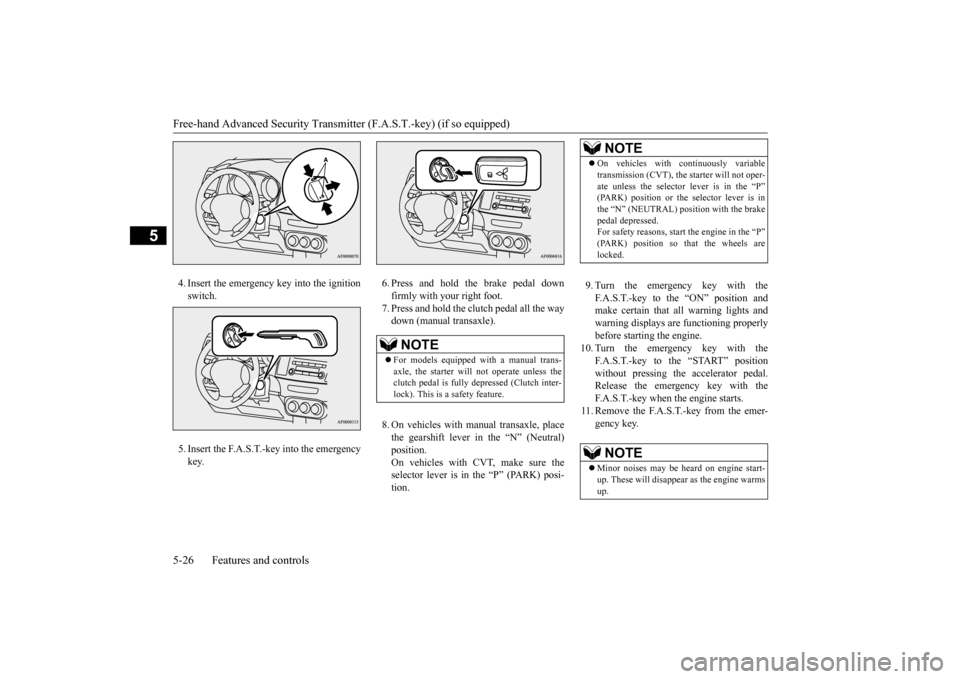
4.Insert
the
emer
gency
key
into
the
ignition
switch.5.Insert
the
F.A.S.T
.-key
into
the
emer
gency
key
.
6.Press
and
hold
the
brake
pedal
down
firmly with your right foot.7.Press
and
hold
the
clutch
pedal
all
the
way
down
(manual
transaxle).
8.On
vehicles
with
manual
transaxle,
place
the
gearshift
lever
in
the
“N”
(Neutral)
position. On
vehicles
with
CVT
, make
sure
the
selector
lever
is in
the
“P”
(PARK)
posi-
tion.
9.Turn
the
emer
gency
key
with
the
F.A.S.T
.-key
to
the
“ON”
position
and
make
certain
that
all
warning
lights
and
warning
displays
are
functioning
properly
before starting the engine.
10.
Turn
the
emer
gency
key
with
the
F.A.S.T.-key
to
the
“START”
pos
ition
without
pressing
the
accelerator
pedal.
Release
the
emer
gency
key
with
the
F.A.S.T
.-key when the engine starts.
11.Remove
the
F.A.S.T
.-key
from
the
emer
-
gency key
.
NOTE
For
models
equipped
with
a manual
trans
-
axle,
the
starter
will
not
operate
unless
the
clu
tch
pedal is fully
depre
ssed (Cl
utch
inter-
lock). This is a safety feature.
NOTE
On
vehicles
with
continuously
variable
trans
mission
(CV
T),
the
starter
will not
oper
-
ate
unless
the
selector
lever
is in
the
“P”
(PARK)
position
or
the
selector
lever
is in
the “N” (NE
UTRA
L) position
with
the brake
pedal depr
essed.
For s
afety
reas
ons, s
tart the eng
ine in t
he “P”
(PARK)
position
so
that
the
wheels
are
locked.NOTE
Minor
noi
ses may
be heard
on
engi
ne start-
up.
These will disappear
as the engi
ne warms
up.
Page 91 of 392
Free-hand Advanced Security Transmit
ter (F.A.S.T.-key) (if so equipped)
Features and controls
5-29
5
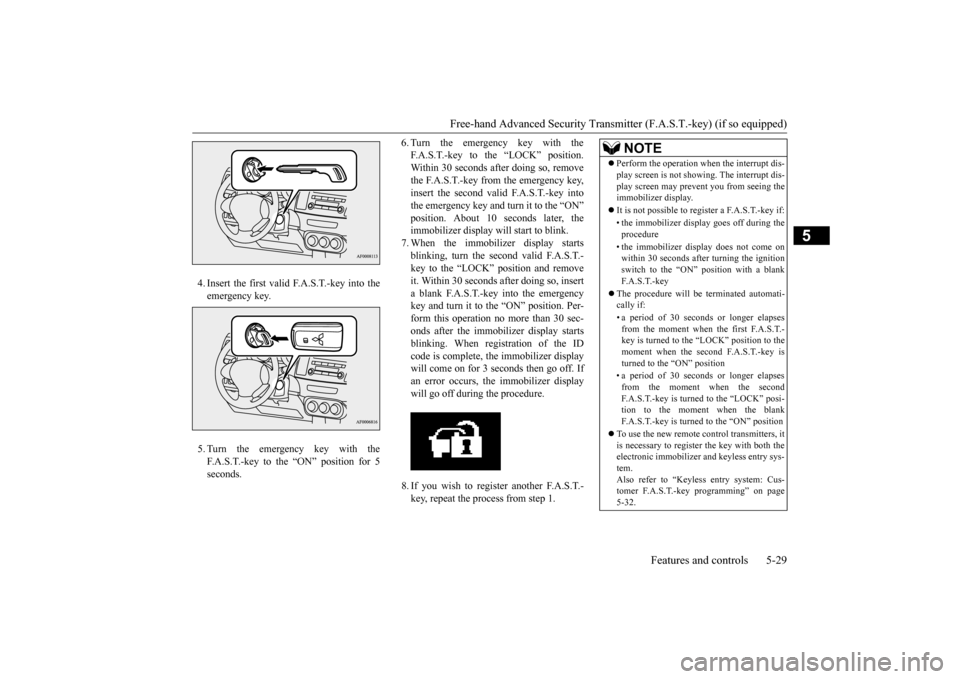
4.Insert
the
first
valid
F.A.S.T
.-key
into
the
eme
rgency ke
y.
5.Turn
the
emer
gency
key
with
the
F.A.S.T
.-key
to
the
“ON”
position
for
5
seconds
.
6.Turn
the
eme
rgency
key
with
the
F.A.S.T
.-key
to
the
“LOCK”
position.
Within
30
seconds
after
doing
so,
remove
the
F.A.S.T
.-key
from
the
eme
rgency
key
,
insert
the
second
valid
F.A.S.T
.-key
into
the
eme
rgency
key
and
turn
it to the
“ON”
position.
About
10
seconds
later
, the
immobilizer display will start to blink.7.When
the
immobilizer
display
starts
blinking,
turn
the
second
valid
F.A.S.T
.-
key
to
the
“LOCK”
position
and
remove
it. Within
30
seconds
after
doing
so,
insert
a blank
F.A.S.T
.-key
into
the
emer
gency
key
and
turn
it to the
“ON”
position.
Per
-
form
this oper
ation
no
more
than 30 sec-
onds
after
the
immobilizer
display
starts
blinking.
When
registration
of
the
ID
code
is complete,
the
immobilizer
display
will
come
on
for
3 seconds
then
go
off. If
an
error
occurs,
the
immobilizer
display
will go of
f during the procedure.
8.If you
wish
to
register
another
F.A.S.T
.-
key
, repeat the process from step 1.
NOTE
Perform
the ope
ration
whe
n the interrupt
dis-
play
screen
is not
showi
ng.
The interrupt
dis-
play
screen
may
prevent
you
from
seeing
the
immobilizer
display
.
It is not
possi
ble to register a F.A.S.T
.-ke
y if:
•the
immob
ilizer
display
goe
s off during
the
procedure•the
immob
ilizer
display
doe
s not
come
on
within 30
second
s after turning
the
ign
ition
switch
to the “ON”
positio
n with
a blan
k
F.A.S.T.-key
The
procedure
will
be
terminated
automati-
cally
if:
•a period
of
30
seconds
or
longer
elapses
from
the momen
t whe
n the first F.A.S.T
.-
key is turned
to the “LO
CK” position
to the
momen
t whe
n the second
F.A.S.T
.-ke
y is
turne
d to the “ON”
positio
n
•a period
of
30
seconds
or
longer
elapses
from
the moment
whe
n the seco
nd
F.A.S.
T.-key
is turne
d to the “LO
CK” posi
-
tion
to the moment
when
the blan
k
F.A.S.T
.-ke
y is turne
d to the “ON”
positio
n
To use
the
new
remote
control
transmitters,
it
is necessary
to register
the
key
with
both
the
electronic
immobilizer
and
keyless
entry
sys-
tem.Also refer to “Keyless
entry
system:
Cus-
tomer
F.A.S.T
.-ke
y prog
ramming”
on
page
5-32.
Page 95 of 392
Free-hand Advanced Security Transmit
ter (F.A.S.T.-key) (if so equipped)
Features and controls
5-33
5
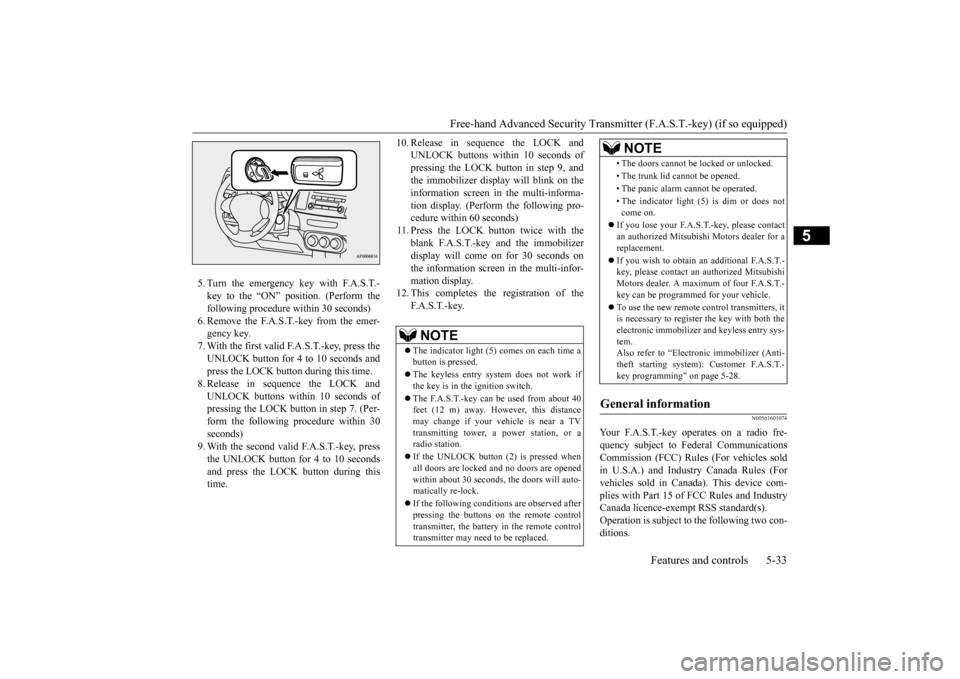
5.Turn
the
emer
gency
key
with
F.A.S.T
.-
key
to
the
“ON”
position.
(Perform
the
following procedure within 30 seconds)6.Remove
the
F.A.S.T
.-key
from
the
emer
-
gency key
.
7.With
the
first
valid
F.A.S.T
.-key
, press
the
UNLOCK
button
for
4 to 10
seconds
and
press the LOCK button during this time.8.Release
in
sequence
the
LOCK
and
UNLO
CK
buttons
within
10
seconds
of
pressing
the
LOCK
button
in step
7. (Per
-
form
the
following
procedure
within
30
seconds
)
9.With
the
second
valid
F.A.S.T
.-key
, press
the
UNLOCK
button
for
4 to 10
seconds
and
press
the
LOCK
button
during
this
time.
10.
Release
in
sequence
the
LOCK
and
UNLO
CK
buttons
within
10
seconds
of
pressing
the LO
CK
butt
on
in
step
9, and
the
immobilizer
display
will
blink
on
the
information
screen
in
the
multi-informa-
tion
display
. (Perform
the
following
pro-
cedure within 60 seconds)
11.Press
the
LOCK
button
twice
with
the
blank
F.A.S.T
.-key
and
the
immobilizer
display
will come
on
for
30
seconds
on
the
information
screen
in the
multi-infor
-
mation displa
y.
12.
This
completes
the
registration
of
the
F.A.S.T.-key.
N00561601
074
Your
F.A.S.T
.-key
operates
on
a radio
fre-
quency
subject
to
Federal
Communications
Commission
(FCC)
Rules
(For
vehicles
sold
in
U.S.A.)
and
Industry
Canada
Rules
(For
vehicles
sold
in
Canada).
This
device
com-
plies
with
Part
15
of
FCC
Rules
and
Industry
Canada licence-exempt RSS standard(s). Operation
is subject
to the
following
two
con-
ditions
.
NOTE
The
ind
icator
light
(5)
comes
on each
time
a
button
is pre
ssed.
The
keyless
entry
system
does
not
work
if
the
key
is in the
ignition switch.
The
F.A.S.
T.-key
can
be
used
from
about 40
feet
(12
m)
away
. However
, this
distance
may
change
if your
vehicle
is near
a TV
trans
mitting
tow
er, a pow
er
station,
or
a
radio
station.
If the UNL
OCK
button
(2)
is pre
ssed whe
n
all
doors
are
locked
and
no
doors
are
opened
within
about
30
seconds
, the
doors
will auto-
matically
re-lock.
If the followi
ng
conditions
are obse
rve
d after
pressing
the
buttons
on
the
remote
control
transmitter
, the battery
in the remo
te cont
rol
transmitter
may need
to be replaced
.
•The doors cannot
be locked or unl
ocked.
•The trunk
lid cannot
be ope
ned.
•The panic alar
m cannot
be ope
rated
.
•The
indicator
light
(5)
is dim
or
does
not
come
on.
If you
lose your
F.A.S.T.-key
, pleas
e contact
an authorized
Mitsubis
hi Motors
dealer
for
a
replacement.If you
wish
to obtain
an
additional
F.A.S.T
.-
key, pleas
e con
tact
an authorized
Mitsubi
shi
Motors
dealer
. A max
imu
m of four
F.A.S.T
.-
key can be
pro
grammed fo
r your vehicle.
To use
the
new
remote
control
transmitters,
it
is necessary
to register
the
key
with
both
the
electronic
immobilizer
and
keyless
entry
sys-
tem. Also refer to “Electronic
immobilizer
(Anti-
theft
starting
system):
Customer
F.A.S.T
.-
key programming” on page 5-28.
General
information
NOTE
Page 98 of 392
Door
locks
5-36
Features and controls
5
2.Be
sure
the
keys
are
not
inside
the
vehi-
cle. Close the doo
r.
N0054960
0178
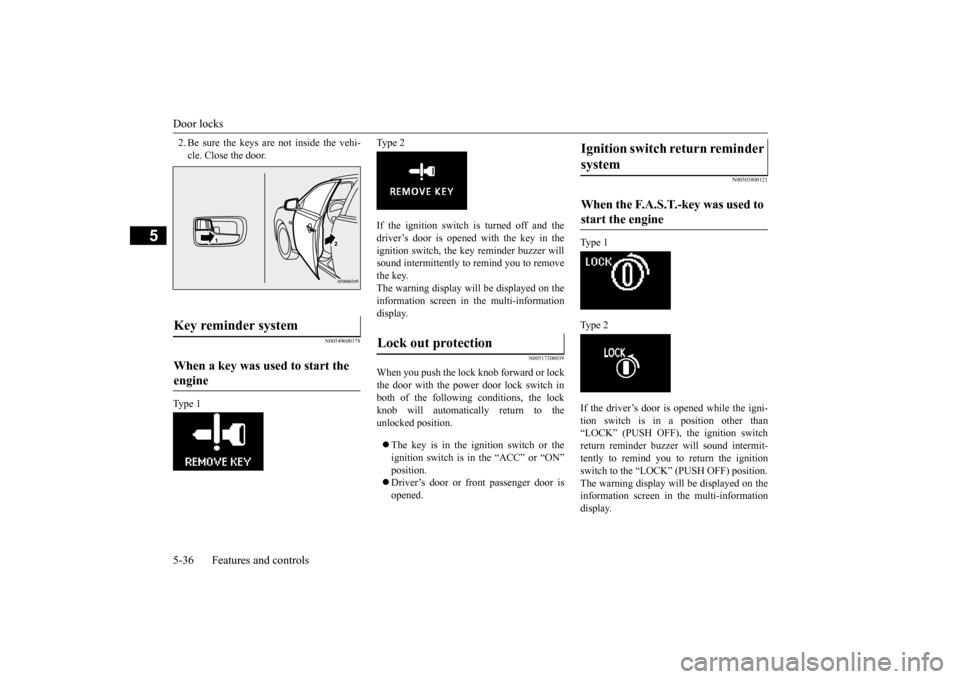
Type 1
Type 2
If
the
ignition
switch
is
turned
off and
the
driver
’s door
is opened
with
the
key
in
the
ignition
switch,
the
key
reminder
buzzer
will
sound
intermittently
to remind
you
to remove
the k
ey.
The
warning
display
will
be
displayed
on
the
information
screen
in
the
multi-information
display
.
N0051730
0039
When
you
push
the
lock
knob
forward
or lock
the
door
with
the
power
door
lock
switch
in
both
of
the
following
conditions,
the
lock
knob
will
automatically
return
to
the
unlocked position.The
key
is in
the
ignition
switch
or
the
ignition
switch
is in
the
“ACC”
or
“ON”
position.Driver
’s door
or
front
passenger
door
is
opened.
N0050380
0121
Type 1
Type 2
If the
driver
’s door
is opened
while
the
igni-
tion
switch
is
in
a
position
other
than
“LO
CK
” (PUSH
OFF),
the
ignition
switch
return
reminder
buzzer
will
sound
intermit-
tently
to
remind
you
to
return
the
ignition
switch to the “LOCK” (PUSH OFF) position. The
warning
display
will
be
displayed
on
the
information
screen
in
the
multi-information
display
.
Key r
eminder system
When a key was used to start the engine
Lock out pr
otection
Ignition
switch
return
reminder
system When
the
F.A.S.T
.-key
was
used
to
start
the
engine
Page 104 of 392
Theft-alarm system 5-42 Features and controls
5
4. The system has entered the armed stage after about 20 seconds, when the theft- alarm indicator (A) flashing becomes slower.The theft-alarm indicator (A) continues to flash while the system is in the armed stage.
N00510401197
The alarm will be activated if any of the fol-lowing occur while the vehicle is parked andthe system is armed.
One of the doors is opened without using the remote control transmitter or the F. A . S . T. - k e y. The engine hood or the trunk lid is opened.
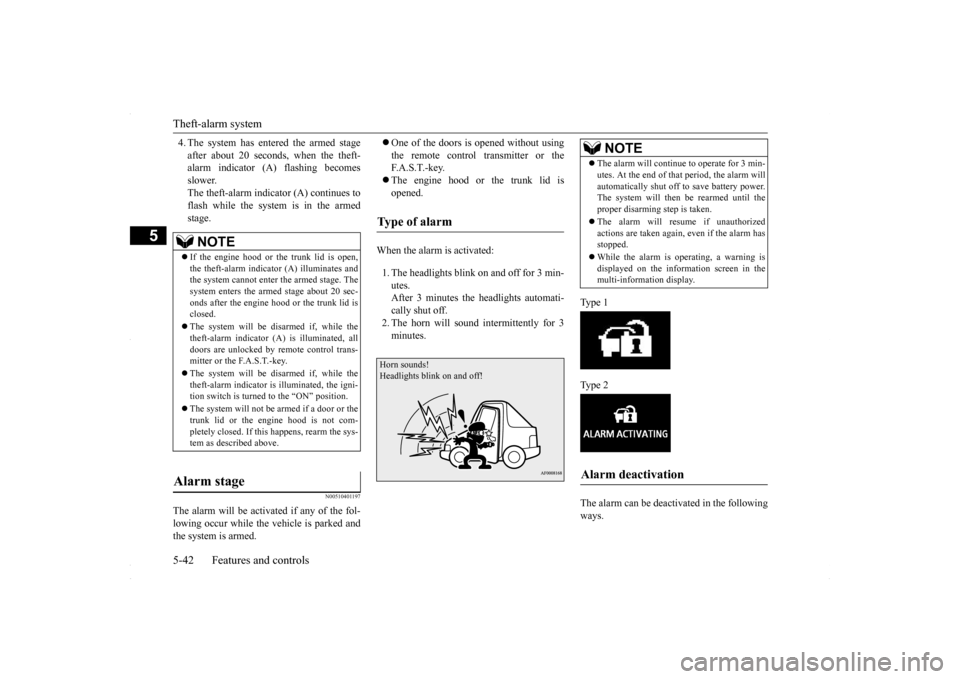
When the alarm is activated: 1. The headlights blink on and off for 3 min- utes.After 3 minutes the headlights automati- cally shut off. 2. The horn will sound intermittently for 3minutes.
Ty p e 1 Ty p e 2 The alarm can be deactivated in the following ways.
NOTE
If the engine hood or the trunk lid is open, the theft-alarm indicator (A) illuminates and the system cannot enter the armed stage. The system enters the armed stage about 20 sec-onds after the engine hood or the trunk lid is closed. The system will be disarmed if, while the theft-alarm indicator (A) is illuminated, all doors are unlocked by remote control trans-mitter or the F.A.S.T.-key. The system will be disarmed if, while the theft-alarm indicator is illuminated, the igni- tion switch is turned to the “ON” position. The system will not be
armed if a door or the
trunk lid or the engine hood is not com- pletely closed. If this happens, rearm the sys-tem as described above.
Alarm stage
Type of alarm Horn sounds!Headlights blink on and off!
NOTE
The alarm will continue to operate for 3 min- utes. At the end of that period, the alarm will automatically shut off to save battery power. The system will then
be rearmed until the
proper disarming step is taken. The alarm will resume if unauthorized actions are taken again, even if the alarm hasstopped. While the alarm is operating, a warning is displayed on the information screen in the multi-information display.
Alarm deactivation
BK0230300US.bo
ok 42 ページ 2015年7月30日 木曜日 午後8時38分
Page 111 of 392
Steering wheel tilt lock lever Features and controls 5-49
5
N00511500215
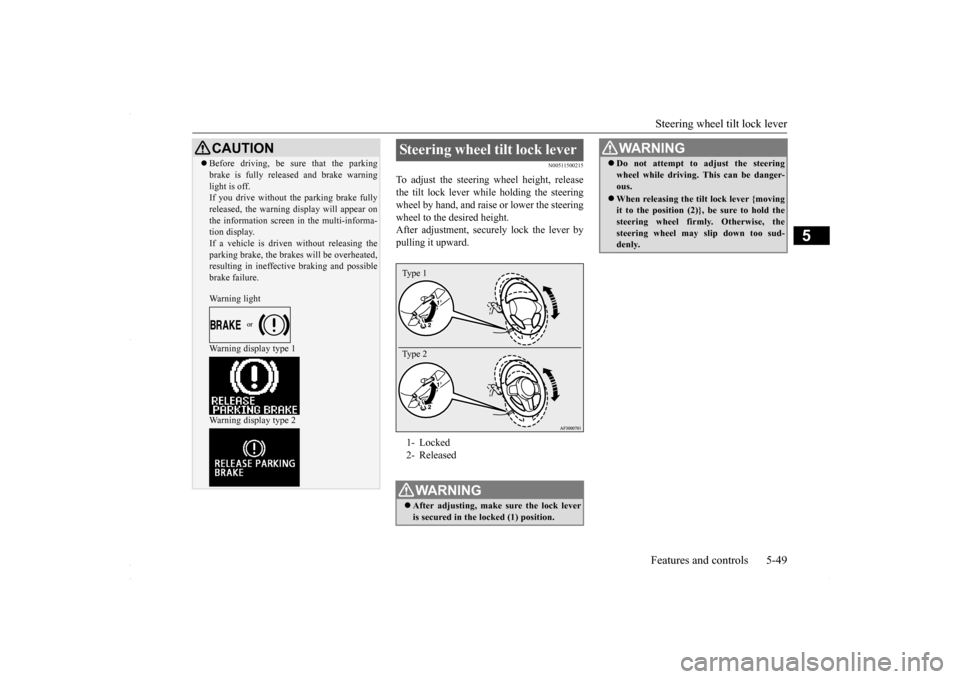
To adjust the steering wheel height, release the tilt lock lever while holding the steeringwheel by hand, and raise or lower the steering wheel to the desired height. After adjustment, securely lock the lever bypulling it upward.
CAUTION Before driving, be sure that the parking brake is fully released and brake warning light is off. If you drive without the parking brake fully released, the warning display will appear onthe information screen in the multi-informa- tion display. If a vehicle is driven without releasing theparking brake, the brakes will be overheated, resulting in ineffective braking and possible brake failure. Warning light Warning display type 1 Warning display type 2
Steering wheel tilt lock lever 1- Locked 2- ReleasedWA R N I N G After adjusting, make sure the lock lever is secured in the locked (1) position. Type 1 Type 2
Do not attempt to adjust the steering wheel while driving. This can be danger- ous. When releasing the tilt lock lever {moving it to the position (2)}, be sure to hold the steering wheel firmly. Otherwise, the steering wheel may slip down too sud-denly. WA R N I N G
BK0230300US.bo
ok 49 ページ 2015年7月30日 木曜日 午後8時38分
Page 117 of 392
Starting and stopping the engine Features and controls 5-55
5
N00542101096
Do not operate the starter motor continu- ously for longer than
15 seconds as this
could run the battery down or damage thestarter motor. If the engine does not start,turn the ignition switch back to the “LOCK” position, wait a few seconds, and then try again. Trying repeatedly withthe engine or starter motor still turning will damage the starter mechanism. If the engine will not start because the bat- tery is weak or discharged, refer to “Jump-starting the engine” (on page 8-2) for instructions. The engine is warmed up enough for driv- ing when the bar graph of engine coolant temperature display starts to move. A lon-ger warm up period will only consume extra fuel.
N00542201198
[For vehicles equipped with the F.A.S.T.- key.]For information on operation for vehicles equipped with the F.A.S.T.-key, refer to “F.A.S.T.-key: Starting the engine” on page5-20. [Except for vehicles equipped with the F. A . S . T. - k e y. ]Your vehicle is equipped with an electroni- cally controlled fuel injection system, which automatically controls the release of fuel.
There is usually no need to depress the accel- erator pedal when starting the engine. The starter should not be run for more than 15 seconds at a time.To prevent battery drain, wait a few seconds between attempts to restart the engine. 1. Make sure all occupants are properly seated with seat belts fastened 2. Insert the ignition key. 3. Make sure the parking brake is applied.4. Press and hold the brake pedal downfirmly with your right foot. 5. Press and hold the clutch pedal all the way down (manual transaxle). 6. On vehicles with manual transaxle, place the gearshift lever in the “N” (Neutral) position.On vehicles with continuously variable transmission (CVT), make sure the selec- tor lever is in the “P” (PARK) position.
Starting and stopping the engine Tips for starting
WA R N I N G Never run the engine in a closed or poorly ventilated area any longer than is needed to move your vehicle out of the area. Car- bon monoxide gas, which is odorless and extremely poisonous, could build up andcause serious injury or death.CAUTION Do not push-start the vehicle.Do not run the engine
at high rpms or drive
at high speeds until the engine has had a chance to warm up. Release the ignition switch as soon as the engine starts. Otherwise, the starter motorwill be damaged.
Starting the engine
NOTE
For models equipped with a manual trans- axle, the starter will not operate unless the clutch pedal is fully depressed (Clutch inter-lock). This is a safety feature.
BK0230300US.bo
ok 55 ページ 2015年7月30日 木曜日 午後8時38分