multi-information MITSUBISHI LANCER 2016 8.G User Guide
[x] Cancel search | Manufacturer: MITSUBISHI, Model Year: 2016, Model line: LANCER, Model: MITSUBISHI LANCER 2016 8.GPages: 392, PDF Size: 13.12 MB
Page 125 of 392
Continuously variable transmission (CVT) (if so equipped)
Features and controls 5-63
5
N00514200372
This position locks the transmission to pre- vent the vehicle from moving. The engine canbe started from the “PARK” position. Move the lever to this position only after the vehicle has come to a complete stop.
At this position, the transmission is disen- gaged. It is the same as the neutral position ona manual transaxle and should be used when the vehicle is not moving for an extended length of time during driving, such as in atraffic jam. This position is used for most city and high- way driving. The transmission will automati-cally and continuously change its gear ratio depending on road and driving conditions.
CAUTION If a malfunction occurs in the CVT while driving, the warning display or the warning display will appear on the informa- tion screen in the multi-information display. In this case, immediately park your vehicle in a safe place and follow these procedures: [When warning display is showing] The continuously variable transmission (CVT) fluid is overheating. The engine con- trol may activate to lower the CVT fluid tem-perature, causing the engine revolutions and vehicle speed to decrease. In this case, take one of the following procedures:• Slow down your vehicle.• Stop your vehicle in a safe place, put the selector lever in the “P” (PARK) position, and open the engine hood with the enginerunning to allow the engine to cool down.After a while, confirm that the warning display is no longer showing. It is safe to continue driving if the display is no longer showing. If the warning display remains or flashes frequently, have your vehicleinspected by an authorized Mitsubishi Motors dealer or a repair facility of your choice.
[When warning display is showing] It may be that there is something unusual happening in the CVT, causing a safety device to activate. Have your vehicleinspected by an authorized Mitsubishi Motors dealer or a repair facility of your choice as soon as possible.
Selector lever positions
“P” PARK
“R” REVERSE
CAUTION Never shift into the “P” (PARK) or “R” (REVERSE) position while the vehicle is in motion. If the lever is shifted into the “P”(PARK) or “R” (REVERSE) position while the vehicle is in motion, the transmission may be damaged. CAUTION
“N” NEUTRAL
WA R N I N G Never move the selector lever to the “N” (NEUTRAL) position while driving since you could accidentally slip it into the “P”(PARK) or “R”(REVERSE) position, damaging the transmission. To prevent the vehicle from rolling when stopped on a slope, the engine should be started in the “P” (PARK) position, not in“N” (NEUTRAL) position. To prevent rolling, always keep your foot on the brake pedal when the vehicle is in “N” (NEUTRAL) position, or when shift- ing into or out of “N” (NEUTRAL) posi-tion.
“D” DRIVE
BK0230300US.bo
ok 63 ページ 2015年7月30日 木曜日 午後8時38分
Page 128 of 392
Continuously variable transm
ission (CVT) (if so equipped)
5-66 Features and controls
5
N00538800154
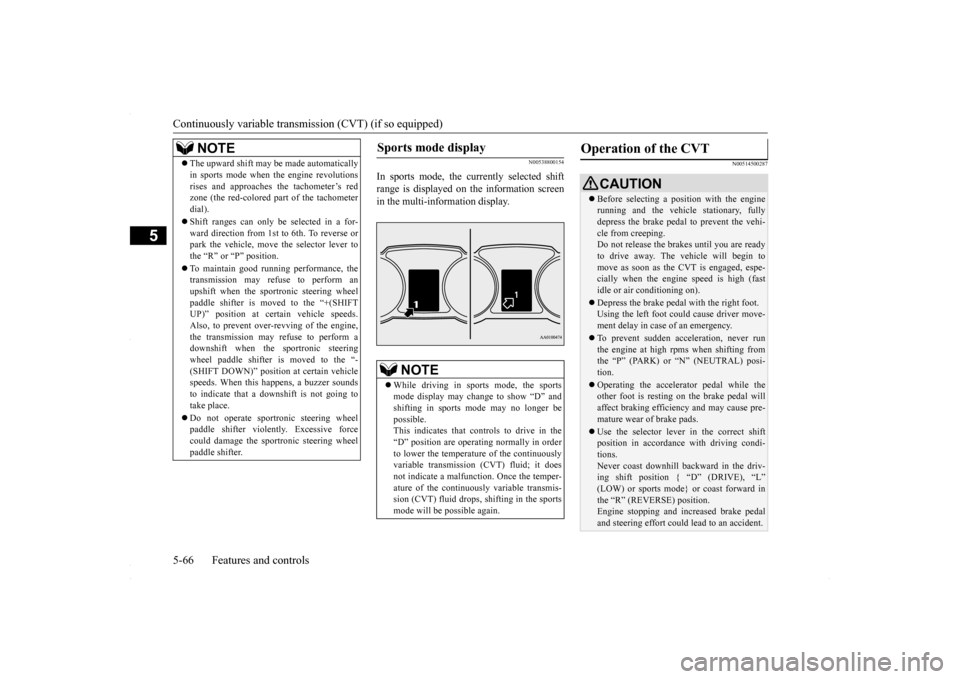
In sports mode, the currently selected shift range is displayed on the information screenin the multi-information display.
N00514500287
NOTE
The upward shift may be made automatically in sports mode when the engine revolutions rises and approaches the tachometer’s red zone (the red-colored part of the tachometer dial). Shift ranges can only be selected in a for- ward direction from 1st to 6th. To reverse orpark the vehicle, move the selector lever to the “R” or “P” position. To maintain good running performance, the transmission may refuse to perform an upshift when the sportronic steering wheelpaddle shifter is moved to the “+(SHIFT UP)” position at certain vehicle speeds. Also, to prevent over-revving of the engine,the transmission may refuse to perform a downshift when the sportronic steering wheel paddle shifter is moved to the “-(SHIFT DOWN)” position at certain vehicle speeds. When this happens, a buzzer sounds to indicate that a downshift is not going totake place. Do not operate sportronic steering wheel paddle shifter violently. Excessive force could damage the sportronic steering wheel paddle shifter.
Sports mode display
NOTE
While driving in sports mode, the sports mode display may change to show “D” and shifting in sports mode may no longer be possible.This indicates that controls to drive in the “D” position are operating normally in order to lower the temperature of the continuouslyvariable transmission (CVT) fluid; it does not indicate a malfunction. Once the temper- ature of the continuously variable transmis-sion (CVT) fluid drops, shifting in the sports mode will be possible again.
Operation of the CVT
CAUTION Before selecting a position with the engine running and the vehicle stationary, fully depress the brake pedal to prevent the vehi- cle from creeping.Do not release the brakes until you are ready to drive away. The vehicle will begin to move as soon as the CVT is engaged, espe-cially when the engine speed is high (fast idle or air conditioning on). Depress the brake pedal with the right foot. Using the left foot could cause driver move- ment delay in case of an emergency. To prevent sudden acceleration, never run the engine at high rpms when shifting fromthe “P” (PARK) or “N” (NEUTRAL) posi- tion. Operating the accelerator pedal while the other foot is resting on the brake pedal will affect braking efficiency and may cause pre-mature wear of brake pads. Use the selector lever in the correct shift position in accordance with driving condi- tions. Never coast downhill backward in the driv- ing shift position { “D” (DRIVE), “L” (LOW) or sports mode} or coast forward inthe “R” (REVERSE) position. Engine stopping and increased brake pedal and steering effort could lead to an accident.
BK0230300US.bo
ok 66 ページ 2015年7月30日 木曜日 午後8時38分
Page 130 of 392
Electronically controlled 4WD system (if so equipped) 5-68 Features and controls
5
2. Once the vehicle is moving on a level road, move the selector lever back to “D” (DRIVE) position.
N00548300019
The electronically controlled 4WD system isan all-wheel drive system that allows one of three drive modes to be selected with aswitch, in accordance with the driving condi- tions. The following drive modes are available.
4-wheel drive operation requires special driv- ing skills. Carefully read the “All-wheel driving opera- tion” section on page 5-70 and take care todrive safely.
N00548401033
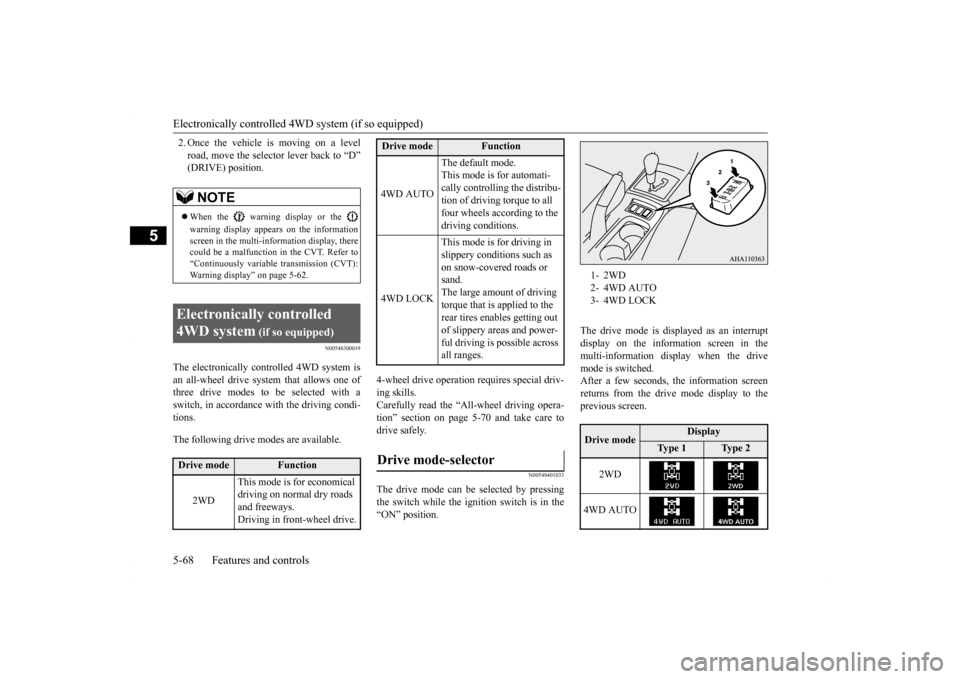
The drive mode can be selected by pressingthe switch while the ignition switch is in the “ON” position.
The drive mode is displayed as an interrupt display on the information screen in the multi-information display when the drive mode is switched.After a few seconds, the information screenreturns from the drive mode display to the previous screen.
NOTE
When the warning display or the warning display appears on the information screen in the multi-information display, therecould be a malfunction in the CVT. Refer to “Continuously variable transmission (CVT): Warning display” on page 5-62.
Electronically controlled 4WD system
(if so equipped)
Drive mode
Function
2WD
This mode is for economical driving on normal dry roads and freeways. Driving in front-wheel drive.
4WD AUTO
The default mode. This mode is for automati- cally controlling the distribu-tion of driving torque to all four wheels according to the driving conditions.
4WD LOCK
This mode is for driving in slippery conditions such as on snow-covered roads or sand.The large amount of driving torque that is applied to the rear tires enables getting out of slippery areas and power- ful driving is possible across all ranges.
Drive mode-selector
Drive mode
Function
1- 2WD2- 4WD AUTO3- 4WD LOCKDrive mode
Display
Ty p e 1
Ty p e 2
2WD
4WD AUTO
BK0230300US.bo
ok 68 ページ 2015年7月30日 木曜日 午後8時38分
Page 131 of 392
Electronically controlled 4WD system (if so equipped)
Features and controls 5-69
5
N00549400017
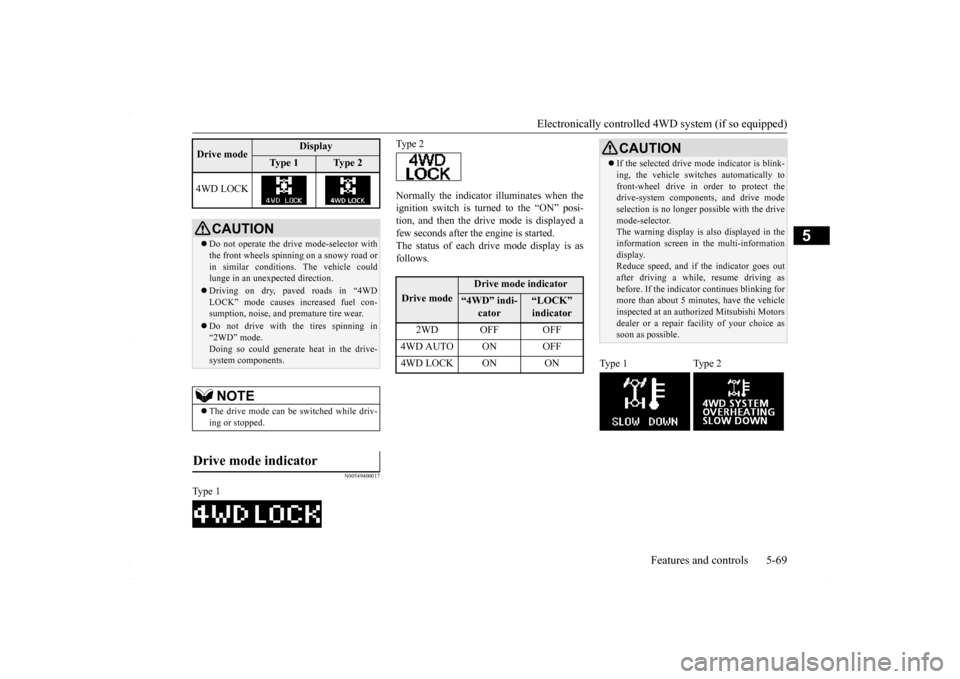
Normally the indicator illuminates when the ignition switch is turned to the “ON” posi- tion, and then the drive mode is displayed afew seconds after the engine is started. The status of each drive mode display is as follows.
4WD LOCK
CAUTION Do not operate the drive mode-selector with the front wheels spinning on a snowy road or in similar conditions. The vehicle couldlunge in an unexpected direction. Driving on dry, paved roads in “4WD LOCK” mode causes increased fuel con- sumption, noise, and premature tire wear. Do not drive with the tires spinning in “2WD” mode. Doing so could generate heat in the drive-system components.NOTE
The drive mode can be switched while driv- ing or stopped.
Drive mode indicator
Type 1Drive mode
Display
Ty p e 1
Ty p e 2
Type 2Drive mode
Drive mode indicator
“4WD” indi-
cator
“LOCK” indicator
2WD OFF OFF
4WD AUTO ON OFF4WD LOCK ON ON
CAUTION If the selected drive m
ode indicator is blink-
ing, the vehicle switches automatically to front-wheel drive in order to protect the drive-system components, and drive mode selection is no longer pos
sible with the drive
mode-selector. The warning display is also displayed in the information screen in the multi-informationdisplay. Reduce speed, and if the indicator goes out after driving a while, resume driving asbefore. If the indicator continues blinking for more than about 5 minutes, have the vehicle inspected at an authorized Mitsubishi Motorsdealer or a repair facility of your choice as soon as possible.
Type 1 Type 2
BK0230300US.bo
ok 69 ページ 2015年7月30日 木曜日 午後8時38分
Page 132 of 392
All-wheel driving operation 5-70 Features and controls
5
N00530600169
Full-time 4WD vehicles are propelled by engine power distributed constantly andappropriately to all 4 wheels. Not only does this ensure enhanced handling on dry, paved roads but also permits bettertraction when driving on slippery, wet orsnow-covered roads and when moving out of mud. These vehicles, however, are not designedfor off-road use, and are unsuitable for driving on bumpy ground that may cause excessive strain.
Full-time 4WD vehicles
should be driven only under the same condi- tions as are suitable for ordinary front-wheel drive vehicles. Electronically controlled 4WD system vehi- cles are propelled by engine power distrib- uted constantly and appropriately to all 4 wheels. Not only does this ensure enhanced handling on dry, paved roads but also permits better
traction when driving on slippery, wet or snow-covered roads and when moving out of mud. These vehicles, however, are not designedfor off-road use, and are unsuitable for driving on bumpy ground that may cause excessive strain.
Electronically controlled
4WD system vehicles should be driven only under the same conditions as are suitable for ordinary front-wheel drive vehicles. When turning a sharp corner in “4WD LOCK” position at low speed, a slight differ- ence in steering may be experienced similarto feeling as if the brakes were applied. This is called tight corner braking and results from each of the four tires being at a different dis-tance from the corner. The phenomenon is typical of 4-wheel drive vehicles. If this occurs, either straighten out the steeringwheel, or change to “2WD” or “4WD AUTO” mode. Set the drive mode-selector to “4WD AUTO” conditions, and then gradually depress theaccelerator pedal for a smooth start.
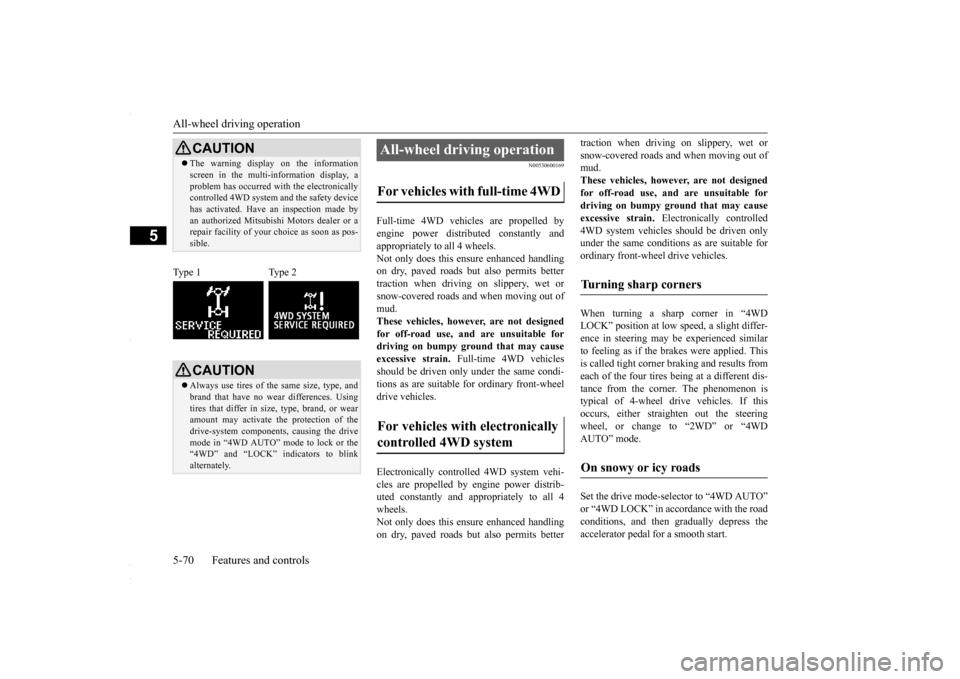
CAUTION The warning display on the information screen in the multi-information display, a problem has occurred with the electronically controlled 4WD system and the safety device has activated. Have an inspection made byan authorized Mitsubishi Motors dealer or a repair facility of your choice as soon as pos- sible.
Type 1 Type 2
CAUTION Always use tires of the same size, type, and brand that have no wear differences. Using tires that differ in size, type, brand, or wear amount may activate the protection of thedrive-system components, causing the drive mode in “4WD AUTO” mode to lock or the “4WD” and “LOCK” indicators to blinkalternately.
All-wheel driving operation For vehicles with full-time 4WD For vehicles with electronically controlled 4WD system
Turning sharp corners On snowy or icy roads
BK0230300US.bo
ok 70 ページ 2015年7月30日 木曜日 午後8時38分
Page 133 of 392
Cautions on handling of all-wheel drive vehicles
Features and controls 5-71
5
Set the drive mode-selector to “4WD LOCK” and then gradually depress the accelerator pedal for a smooth start. Keep the pressure on the accelerator pedal asconstant as possible, and drive at low speed.
Your vehicle may not provide sufficient hill climbing ability and engine braking on steepslopes. Avoid driving on steep slopes even though the vehicle is a 4-wheel drive vehicle.
N00530800190
Since driving torque can
be applied to all four
wheels, the performance of the vehicle when operating in all-wheel drive is greatly affected by the condition of the tires. Pay close attention to the tires. Install specified tires on all wheels. Refer to “Tires and wheels” on page 11-5. Be sure to fit all four tires and wheels of the same size and type.When replacement of any of the tires or wheels is necessary, replace all of them. All tires should be rotated whenever the wear difference between the front and rear tires is recognizable.
NOTE
The use of snow tires is recommended. Maintain a safe distance between vehicles, avoid sudden braking, and use engine brak- ing (downshifting).CAUTION Avoid sudden braking, sudden acceleration, and sharp turning. Skidding occurs and con- trol of the vehicle could be lost.
Moving out of mud
CAUTION If any of the following conditions occur, fol- low these procedures:• The engine coolant temperature display appears on the information screen in the multi-information display or the engine power drops suddenly. Refer to “Engine overheating” on page 8-4.
• The “ ” warning display or the “ ” warning display appear on the information screen in the multi-information display. Refer to “Warning display” on page 5-62.WA R N I N G When attempting to rock your vehicle out of a stuck position, be sure that the area around the vehicle is clear of people and physical objects. The rocking motion may cause the vehicle to suddenly launch for- ward/backward, causing injury or dam-age to nearby people or objects.NOTE
Avoid sudden braking, sudden acceleration and sharp turning; such operations couldresult in the vehicle becoming stuck. If the vehicle becomes stuck in muddy roads, it can often be moved with a rocking motion. Move the selector lever alternately between “D” (DRIVE) and “R” (REVERSE) posi-tions, while pressing lightly on the accelera- tor pedal.CAUTION
Climbing/descending sharp grades Cautions on handling of all- wheel drive vehicles Tires and wheels
BK0230300US.bo
ok 71 ページ 2015年7月30日 木曜日 午後8時38分
Page 135 of 392
Brake assist system
Features and controls 5-73
5
N00517600377
Your vehicle is equipped with power brakes for more braking force with minimal brakepedal effort. Your brakes are designed to operate at full capacity, even if the power assist is lost.If the power assist is lost, the effort needed to press the brake pedal is greater. If you should loose the power assist for somereason, the brakes will still work. If the power brake unit or either of the two brake hydraulic systems stops working prop-erly, the rest of the br
ake system will still
work, but the vehicle will not slow down as quickly.You will know this has happened if you find you need to depress the brake pedal down further, or harder when slowing down or stop-ping, or if the brake warning light and the warning display in the multi-information dis- play come on.
N00532500087
The disc brakes have an alarm that makes ametallic squeal when the brake pads haveworn down enough to need service. If you hear this sound, have the brake pads replaced at an authorized Mitsubishi Motors dealer ora repair facility of your choice.
N00567300076
The brake assist system is a device assistingdrivers who cannot depress the brake pedalfirmly such as in emergency stop situations and provides greater braking force. If the brake pedal is depressed suddenly, the brakes will be applied with more force thanusual.
CAUTION It is important not to drive the vehicle with your foot resting on the brake pedal when braking is not required. This practice can result in very high brake temperatures, pre- mature pad and lining wear, and possibledamage to the brakes.
Power brakes
WA R N I N G Never coast downhill with the engine OFF. Keep the engine running whenever your vehicle is in motion. If you turn off the engine while driving, the power brake booster will stop working and your brakeswill not work as well. If the power assist is
lost or if either brake
hydraulic system stops working properly, take your vehicle to an authorized Mit- subishi Motors dealer or a repair facilityof your choice immediately.
Brake pad wear alarm
WA R N I N G Driving with worn brake pads will make it harder to stop, and can cause an accident.
Brake assist system
CAUTION The brake assist system is not a device designed to exercise braking force greater than its capacity. Make sure to always keep asufficient distance between vehicles in front of you without relying too much on the brake assist system.NOTE
Once the brake assist system is operational, it maintains great braking force even if the brake pedal is lightly released. To stop its operation, completely remove your foot from the brake pedal. The brake assist system may become opera- tional when the brake pedal is fullydepressed even if it has not been depressed suddenly.
BK0230300US.bo
ok 73 ページ 2015年7月30日 木曜日 午後8時38分
Page 138 of 392
Active Stability Control (ASC) (if so equipped) 5-76 Features and controls
5
The anti-lock braking system and brake force distribution function may not work, so hard braking could make the vehicle unstable. Avoid hard braking and high-speed driving.Stop the vehicle in a safe place and contact an authorized Mitsubishi Motors dealer or repair facility of your choice.
N00529200022
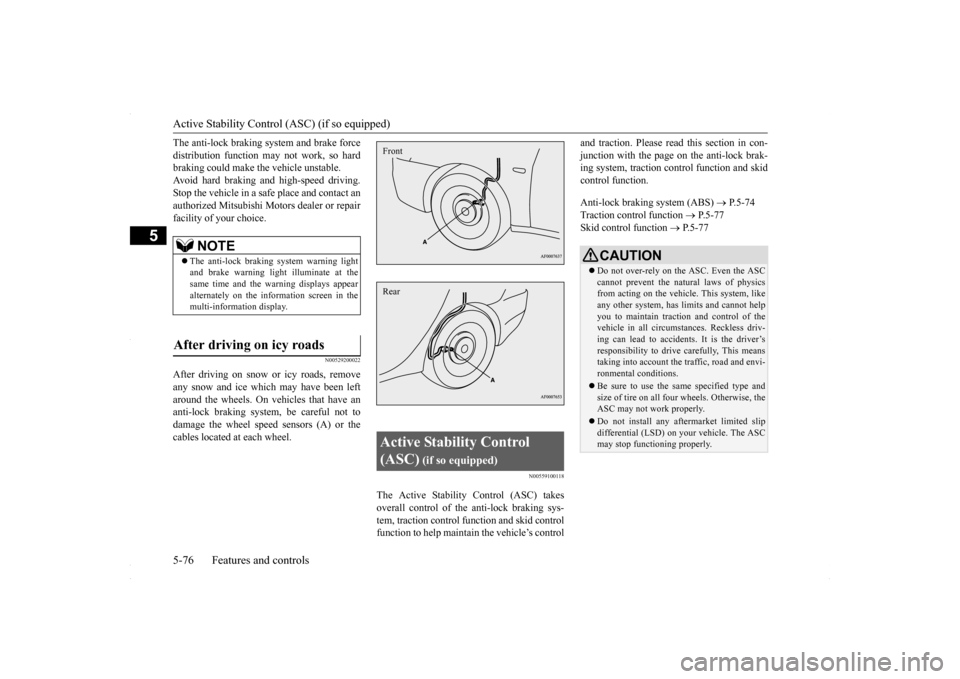
After driving on snow or icy roads, removeany snow and ice which may have been left around the wheels. On vehicles that have an anti-lock braking system, be careful not todamage the wheel speed sensors (A) or the cables located at each wheel.
N00559100118
The Active Stability Control (ASC) takes overall control of the anti-lock braking sys-tem, traction control function and skid control function to help maintain the vehicle’s control
and traction. Please read
this section in con-
junction with the page on the anti-lock brak- ing system, traction control function and skid control function. Anti-lock braking system (ABS)
P.5-74
Traction control function
P.5-77
Skid control function
P.5-77
NOTE
The anti-lock braking system warning light and brake warning light illuminate at thesame time and the warning displays appear alternately on the information screen in the multi-information display.
After driving on icy roads
Active Stability Control (ASC)
(if so equipped)
FrontRear
CAUTION Do not over-rely on the ASC. Even the ASC cannot prevent the natural laws of physics from acting on the vehicl
e. This system, like
any other system, has limits and cannot helpyou to maintain traction and control of the vehicle in all circumstances. Reckless driv- ing can lead to accidents. It is the driver’sresponsibility to drive carefully, This means taking into account the traffic, road and envi- ronmental conditions. Be sure to use the same specified type and size of tire on all four wheels. Otherwise, theASC may not work properly. Do not install any aftermarket limited slip differential (LSD) on your vehicle. The ASC may stop functioning properly.
BK0230300US.bo
ok 76 ページ 2015年7月30日 木曜日 午後8時38分
Page 142 of 392
Cruise control (if so equipped) 5-80 Features and controls
5
Ty p e 2 If there is a malfunction in the system, the warning display will appear on the informa- tion screen in the multi-information display.
N00518301639
Cruise control is an automatic speed control system. It lets you keep the same driving speed. Cruise control can be activated atabout 25 mph (40 km/h)
or more. It is espe-
cially useful for freeway driving. Cruise con- trol does not work at speeds below about 25 mph (40 km/h).
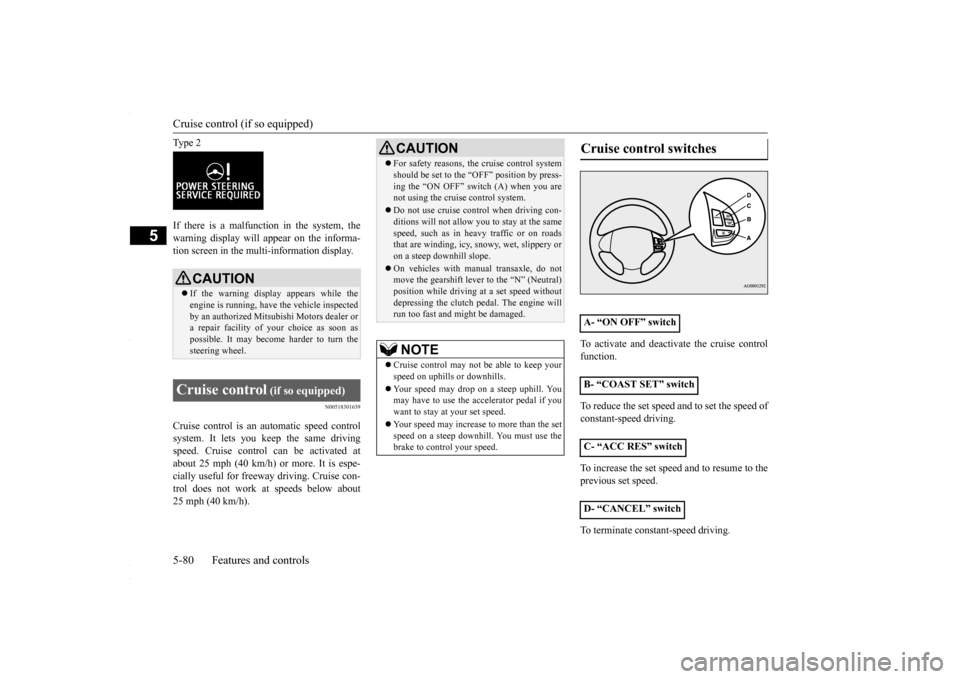
To activate and deactivate the cruise control function. To reduce the set speed and to set the speed of constant-speed driving. To increase the set speed and to resume to the previous set speed. To terminate constant-speed driving.
CAUTION If the warning display appears while the engine is running, have the vehicle inspected by an authorized Mitsubishi Motors dealer ora repair facility of
your choice as soon as
possible. It may become harder to turn the steering wheel.
Cruise control
(if so equipped)
CAUTION For safety reasons, the cruise control system should be set to the “OFF” position by press- ing the “ON OFF” switch (A) when you are not using the cruise control system. Do not use cruise control when driving con- ditions will not allow you to stay at the same speed, such as in heavy traffic or on roadsthat are winding, icy, snowy, wet, slippery or on a steep downhill slope. On vehicles with manual transaxle, do not move the gearshift lever to the “N” (Neutral) position while driving at a set speed withoutdepressing the clutch pedal. The engine will run too fast and might be damaged. NOTE
Cruise control may not be able to keep your speed on uphills or downhills. Your speed may drop on a steep uphill. You may have to use the accelerator pedal if you want to stay at your set speed. Your speed may increase to more than the set speed on a steep downhill. You must use the brake to control your speed.
Cruise control switches
A- “ON OFF” switch B- “COAST SET” switchC- “ACC RES” switch D- “CANCEL” switch
BK0230300US.bo
ok 80 ページ 2015年7月30日 木曜日 午後8時38分
Page 152 of 392
Instrument cluster 5-90 Features and controls
5
N00519000333
N00519100190
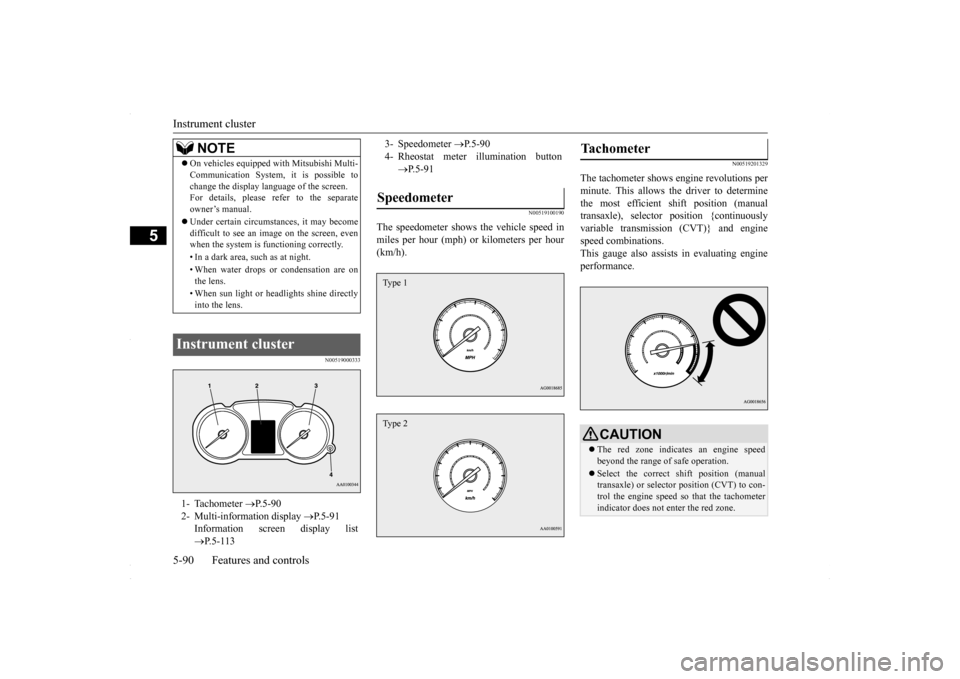
The speedometer shows the vehicle speed in miles per hour (mph) or kilometers per hour (km/h).
N00519201329
The tachometer shows engine revolutions perminute. This allows the driver to determinethe most efficient shift position (manual transaxle), selector position {continuously variable transmission (CVT)} and enginespeed combinations. This gauge also assists in evaluating engine performance.
NOTE
On vehicles equipped with Mitsubishi Multi- Communication System, it is possible to change the display language of the screen. For details, please refer to the separate owner’s manual. Under certain circumstances, it may become difficult to see an image on the screen, evenwhen the system is functioning correctly. • In a dark area, such as at night. • When water drops or condensation are on the lens. • When sun light or headlights shine directly into the lens.
Instrument cluster 1- Tachometer
P.5-90
2- Multi-information display
P.5-91
Information screen display list P.5-113
3- Speedometer
P.5-90
4- Rheostat meter illumination button
P.5-91
Speedometer Type 1Type 2
Tachometer
CAUTIONThe red zone indicates an engine speed beyond the range of safe operation. Select the correct shift position (manual transaxle) or selector position (CVT) to con- trol the engine speed so that the tachometerindicator does not enter the red zone.
BK0230300US.bo
ok 90 ページ 2015年7月30日 木曜日 午後8時38分