change time MITSUBISHI LANCER 2017 8.G User Guide
[x] Cancel search | Manufacturer: MITSUBISHI, Model Year: 2017, Model line: LANCER, Model: MITSUBISHI LANCER 2017 8.GPages: 385, PDF Size: 14.34 MB
Page 128 of 385
Continuously variable transmission (CVT) (if so equipped)
Features and controls 5-63
5
N00514200372
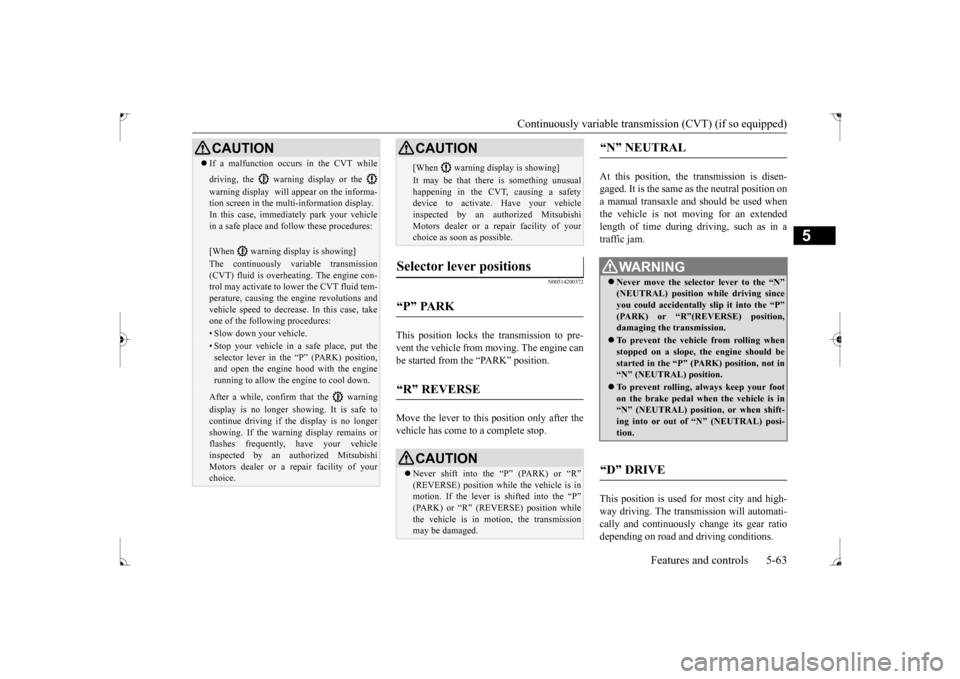
This position locks the transmission to pre- vent the vehicle from moving. The engine canbe started from the “PARK” position. Move the lever to this position only after the vehicle has come to a complete stop.
At this position, the transmission is disen- gaged. It is the same as the neutral position ona manual transaxle and should be used when the vehicle is not moving for an extended length of time during driving, such as in atraffic jam. This position is used for most city and high- way driving. The transmission will automati-cally and continuously change its gear ratio depending on road and driving conditions.
CAUTION If a malfunction occurs in the CVT while driving, the warning display or the warning display will appear on the informa- tion screen in the multi-information display. In this case, immediately park your vehicle in a safe place and follow these procedures: [When warning display is showing] The continuously variable transmission (CVT) fluid is overheating. The engine con- trol may activate to lower the CVT fluid tem-perature, causing the engine revolutions and vehicle speed to decrease. In this case, take one of the following procedures:• Slow down your vehicle.• Stop your vehicle in a safe place, put the selector lever in the “P” (PARK) position, and open the engine hood with the enginerunning to allow the engine to cool down.After a while, confirm that the warning display is no longer showing. It is safe to continue driving if the display is no longer showing. If the warning display remains or flashes frequently, have your vehicleinspected by an authorized Mitsubishi Motors dealer or a repair facility of your choice.
[When warning display is showing] It may be that there is something unusual happening in the CVT, causing a safety device to activate. Have your vehicleinspected by an authorized Mitsubishi Motors dealer or a repair facility of your choice as soon as possible.
Selector lever positions
“P” PARK
“R” REVERSE
CAUTION Never shift into the “P” (PARK) or “R” (REVERSE) position while the vehicle is in motion. If the lever is shifted into the “P”(PARK) or “R” (REVERSE) position while the vehicle is in motion, the transmission may be damaged. CAUTION
“N” NEUTRAL
WA R N I N G Never move the selector lever to the “N” (NEUTRAL) position while driving since you could accidentally slip it into the “P”(PARK) or “R”(REVERSE) position, damaging the transmission. To prevent the vehicle from rolling when stopped on a slope, the engine should be started in the “P” (PARK) position, not in“N” (NEUTRAL) position. To prevent rolling, always keep your foot on the brake pedal when the vehicle is in “N” (NEUTRAL) position, or when shift- ing into or out of “N” (NEUTRAL) posi-tion.
“D” DRIVE
BK0237700US.bo
ok 63 ページ 2016年4月15日 金曜日 午前11時28分
Page 129 of 385
Continuously variable transm
ission (CVT) (if so equipped)
5-64 Features and controls
5
This position is for driving up very steep hills and for engine braki
ng at low speeds when
driving down steep hills.
N00514401469
Whether the vehicle is stationary or in motion, sports mode is selected by pushing
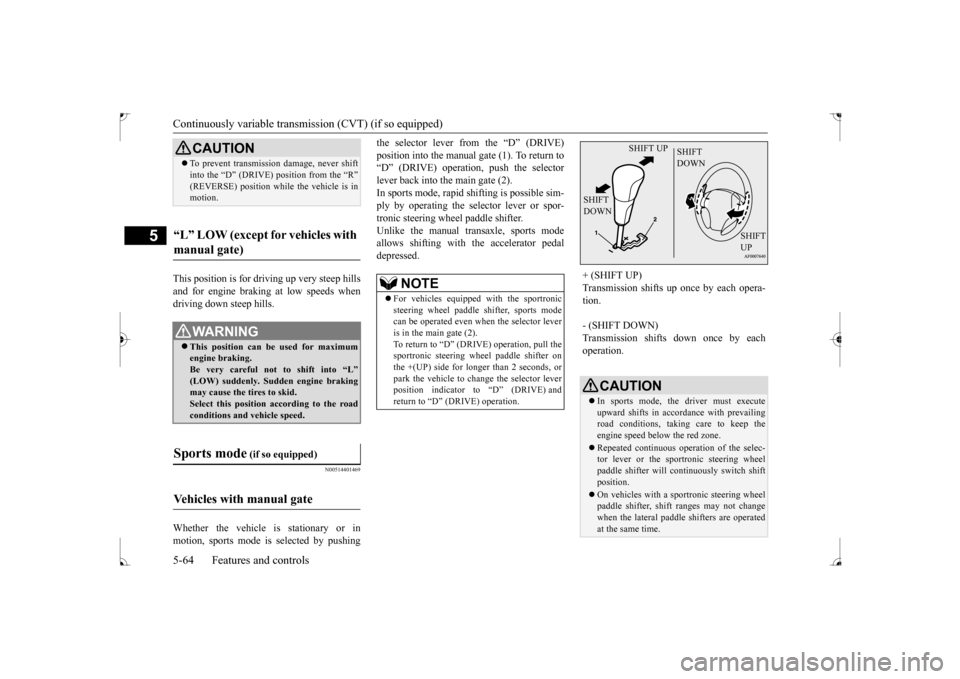
the selector lever from the “D” (DRIVE) position into the manual gate (1). To return to “D” (DRIVE) operation, push the selector lever back into the main gate (2).In sports mode, rapid shifting is possible sim- ply by operating the selector lever or spor- tronic steering wheel paddle shifter.Unlike the manual transaxle, sports mode allows shifting with the accelerator pedal depressed.
CAUTION To prevent transmission damage, never shift into the “D” (DRIVE) position from the “R” (REVERSE) position while
the vehicle is in
motion.
“L” LOW (except for vehicles with manual gate)
WA R N I N G This position can be used for maximum engine braking.Be very careful not to shift into “L” (LOW) suddenly. Sudden engine braking may cause the tires to skid.Select this position according to the road conditions and vehicle speed.
Sports mode
(if so equipped)
Vehicles with manual gate
NOTE
For vehicles equipped with the sportronic steering wheel paddle shifter, sports modecan be operated even when the selector lever is in the main gate (2). To return to “D” (DRIVE) operation, pull thesportronic steering wheel paddle shifter on the +(UP) side for longer than 2 seconds, or park the vehicle to change the selector leverposition indicator to “D” (DRIVE) and return to “D” (DRIVE) operation.
+ (SHIFT UP) Transmission shifts up once by each opera- tion. - (SHIFT DOWN) Transmission shifts down once by each operation.
CAUTION In sports mode, the driver must execute upward shifts in accordance with prevailing road conditions, taking care to keep theengine speed below the red zone. Repeated continuous operation of the selec- tor lever or the sportronic steering wheel paddle shifter will continuously switch shift position. On vehicles with a sportronic steering wheel paddle shifter, shift ranges may not changewhen the lateral paddle shifters are operated at the same time.
SHIFT UP
SHIFT DOWN
SHIFT DOWN
SHIFT UP
BK0237700US.bo
ok 64 ページ 2016年4月15日 金曜日 午前11時28分
Page 130 of 385
Continuously variable transmission (CVT) (if so equipped)
Features and controls 5-65
5
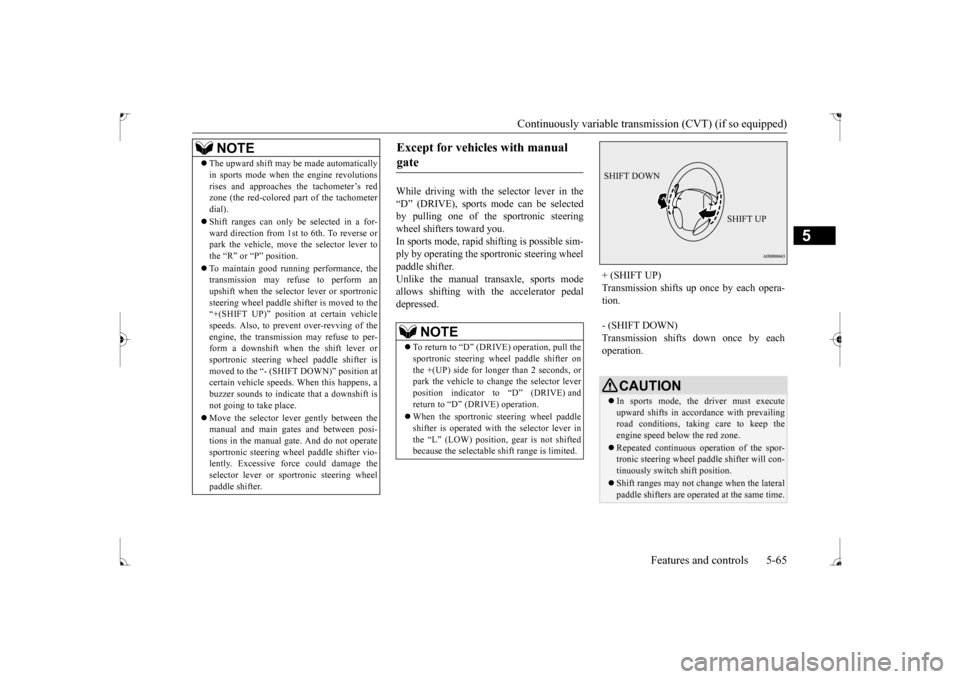
While driving with the selector lever in the “D” (DRIVE), sports mode can be selected by pulling one of the sportronic steeringwheel shifters toward you. In sports mode, rapid
shifting is possible sim-
ply by operating the sportronic steering wheelpaddle shifter.Unlike the manual transaxle, sports mode allows shifting with the accelerator pedal depressed.
NOTE
The upward shift may be made automatically in sports mode when the engine revolutions rises and approaches the tachometer’s red zone (the red-colored part of the tachometer dial). Shift ranges can only be selected in a for- ward direction from 1st to 6th. To reverse orpark the vehicle, move the selector lever to the “R” or “P” position. To maintain good running performance, the transmission may refuse to perform an upshift when the selector lever or sportronicsteering wheel paddle shifter is moved to the “+(SHIFT UP)” positi
on at certain vehicle
speeds. Also, to prevent over-revving of theengine, the transmission may refuse to per- form a downshift when the shift lever or sportronic steering wheel paddle shifter ismoved to the “- (SHIFT DOWN)” position at certain vehicle speeds. When this happens, a buzzer sounds to indicate that a downshift isnot going to take place. Move the selector lever gently between the manual and main gates and between posi- tions in the manual gate. And do not operate sportronic steering wheel paddle shifter vio-lently. Excessive force could damage the selector lever or sportronic steering wheel paddle shifter.
Except for vehicles with manual gate
NOTE
To return to “D” (DRIVE) operation, pull the sportronic steering wheel paddle shifter on the +(UP) side for longer than 2 seconds, orpark the vehicle to change the selector lever position indicator to “D” (DRIVE) and return to “D” (DRIVE) operation. When the sportronic steering wheel paddle shifter is operated with the selector lever inthe “L” (LOW) position, gear is not shifted because the selectable shift range is limited.
+ (SHIFT UP) Transmission shifts up once by each opera- tion. - (SHIFT DOWN) Transmission shifts down once by each operation.
CAUTION In sports mode, the driver must execute upward shifts in accordance with prevailing road conditions, taking care to keep theengine speed below the red zone. Repeated continuous operation of the spor- tronic steering wheel paddle shifter will con- tinuously switch shift position. Shift ranges may not change when the lateral paddle shifters are operated at the same time.
SHIFT DOWN
SHIFT UP
BK0237700US.bo
ok 65 ページ 2016年4月15日 金曜日 午前11時28分
Page 135 of 385
All-wheel driving operation 5-70 Features and controls
5
N00530600169
Full-time 4WD vehicles are propelled by engine power distributed constantly andappropriately to all 4 wheels. Not only does this ensure enhanced handling on dry, paved roads but also permits bettertraction when driving on slippery, wet orsnow-covered roads and when moving out of mud. These vehicles, however, are not designedfor off-road use, and are unsuitable for driving on bumpy ground that may cause excessive strain.
Full-time 4WD vehicles
should be driven only under the same condi- tions as are suitable for ordinary front-wheel drive vehicles. Electronically controlled 4WD system vehi- cles are propelled by engine power distrib- uted constantly and appropriately to all 4 wheels. Not only does this ensure enhanced handling on dry, paved roads but also permits better
traction when driving on slippery, wet or snow-covered roads and when moving out of mud. These vehicles, however, are not designedfor off-road use, and are unsuitable for driving on bumpy ground that may cause excessive strain.
Electronically controlled
4WD system vehicles should be driven only under the same conditions as are suitable for ordinary front-wheel drive vehicles. When turning a sharp corner in “4WD LOCK” position at low speed, a slight differ- ence in steering may be experienced similarto feeling as if the brakes were applied. This is called tight corner braking and results from each of the four tires being at a different dis-tance from the corner. The phenomenon is typical of 4-wheel drive vehicles. If this occurs, either straighten out the steeringwheel, or change to “2WD” or “4WD AUTO” mode. Set the drive mode-selector to “4WD AUTO” conditions, and then gradually depress theaccelerator pedal for a smooth start.
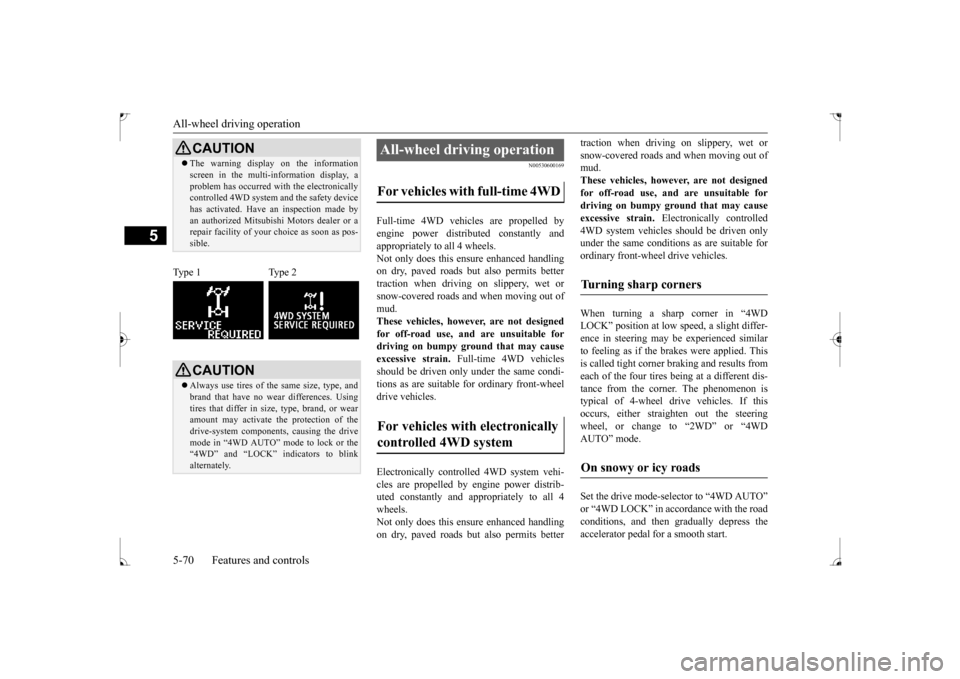
CAUTION The warning display on the information screen in the multi-information display, a problem has occurred with the electronically controlled 4WD system and the safety device has activated. Have an inspection made byan authorized Mitsubishi Motors dealer or a repair facility of your choice as soon as pos- sible.
Type 1 Type 2
CAUTION Always use tires of the same size, type, and brand that have no wear differences. Using tires that differ in size, type, brand, or wear amount may activate the protection of thedrive-system components, causing the drive mode in “4WD AUTO” mode to lock or the “4WD” and “LOCK” indicators to blinkalternately.
All-wheel driving operation For vehicles with full-time 4WD For vehicles with electronically controlled 4WD system
Turning sharp corners On snowy or icy roads
BK0237700US.bo
ok 70 ページ 2016年4月15日 金曜日 午前11時28分
Page 156 of 385
Multi-information display
Features and controls 5-91
5
N00554900137
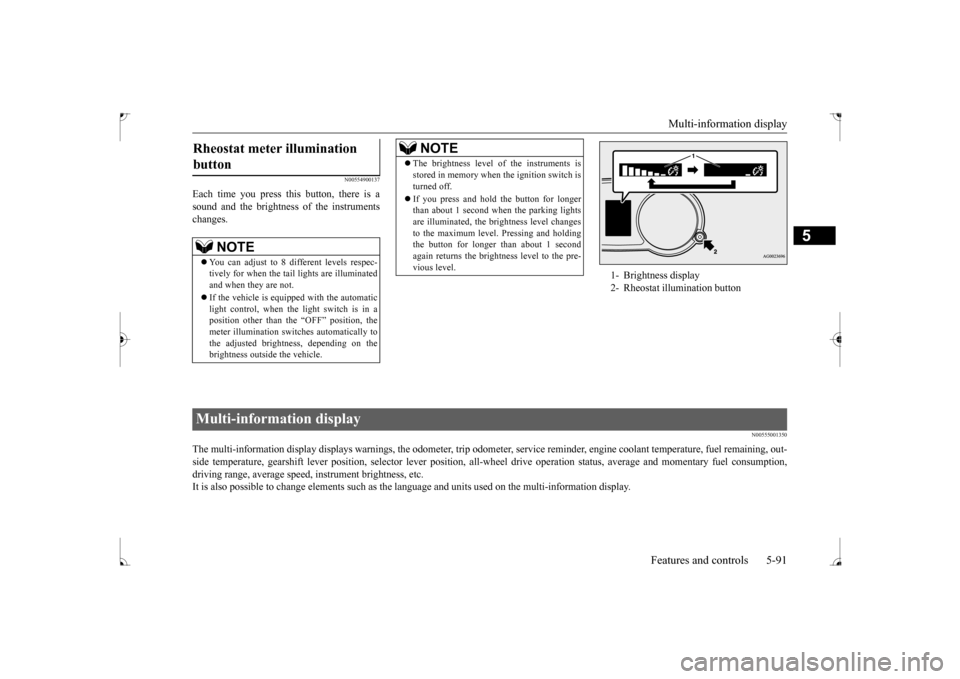
Each time you press this button, there is a sound and the brightness of the instruments changes.
N00555001350
The multi-information display displays warnings, the odometer, tr
ip odometer, service reminder, engine coolant temperature, fue
l remaining, out-
side temperature, gearshift lever position, selector lever pos
ition, all-wheel drive operation status, average and momentary fu
el consumption,
driving range, average speed, instrument brightness, etc. It is also possible to change elements such as the
language and units used on the multi-information display.
Rheostat meter illumination button
NOTE
You can adjust to 8 different levels respec- tively for when the tail lights are illuminated and when they are not. If the vehicle is equipped with the automatic light control, when the light switch is in a position other than the “OFF” position, themeter illumination switches automatically to the adjusted brightness, depending on the brightness outside the vehicle.
The brightness level of the instruments is stored in memory when the ignition switch is turned off. If you press and hold the button for longer than about 1 second when the parking lights are illuminated, the brightness level changes to the maximum level. Pressing and holdingthe button for longer than about 1 second again returns the brightness level to the pre- vious level.NOTE
1- Brightness display 2- Rheostat illumination button
Multi-information display
BK0237700US.bo
ok 91 ページ 2016年4月15日 金曜日 午前11時28分
Page 158 of 385
Multi-information display
Features and controls 5-93
5
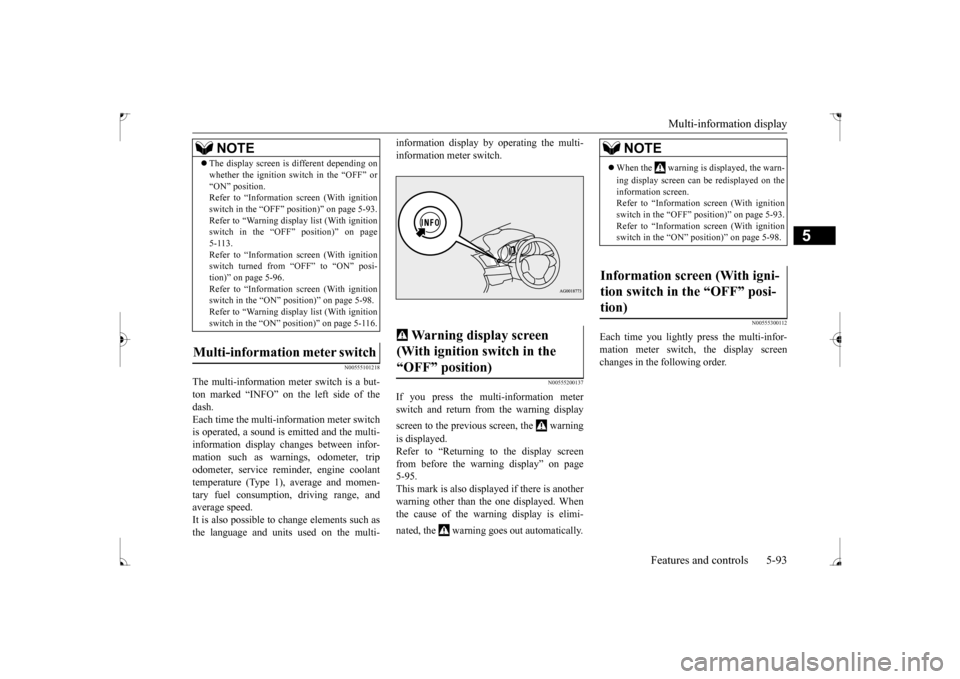
N00555101218
The multi-information meter switch is a but- ton marked “INFO” on the left side of the dash.Each time the multi-information meter switch is operated, a sound is emitted and the multi- information display changes between infor-mation such as warnings, odometer, trip odometer, service reminder, engine coolant temperature (Type 1), average and momen-tary fuel consumption, driving range, and average speed. It is also possible to
change elements such as
the language and units used on the multi-
information display by operating the multi- information meter switch.
N00555200137
If you press the multi-information meter switch and return from the warning display screen to the previous screen, the warning is displayed. Refer to “Returning to the display screen from before the warning display” on page5-95. This mark is also displayed if there is another warning other than the one displayed. Whenthe cause of the warning display is elimi- nated, the warning goes out automatically.
N00555300112
Each time you lightly press the multi-infor- mation meter switch, the display screenchanges in the following order.
The display screen is different depending on whether the ignition switch in the “OFF” or “ON” position. Refer to “Information screen (With ignition switch in the “OFF” position)” on page 5-93.Refer to “Warning displa
y list (With ignition
switch in the “OFF” position)” on page 5-113.Refer to “Information screen (With ignition switch turned from “OFF” to “ON” posi- tion)” on page 5-96.Refer to “Information screen (With ignition switch in the “ON” position)” on page 5-98. Refer to “Warning displa
y list (With ignition
switch in the “ON” position)” on page 5-116.
Multi-information meter switch
NOTE
Warning display screen (With ignition switch in the “OFF” position)
NOTE
When the warning is displayed, the warn- ing display screen can be redisplayed on the information screen. Refer to “Information screen (With ignitionswitch in the “OFF” position)” on page 5-93. Refer to “Information screen (With ignition switch in the “ON” position)” on page 5-98.
Information screen (With igni- tion switch in the “OFF” posi- tion)
BK0237700US.bo
ok 93 ページ 2016年4月15日 金曜日 午前11時28分
Page 159 of 385
Multi-information display 5-94 Features and controls
5
N00555400100
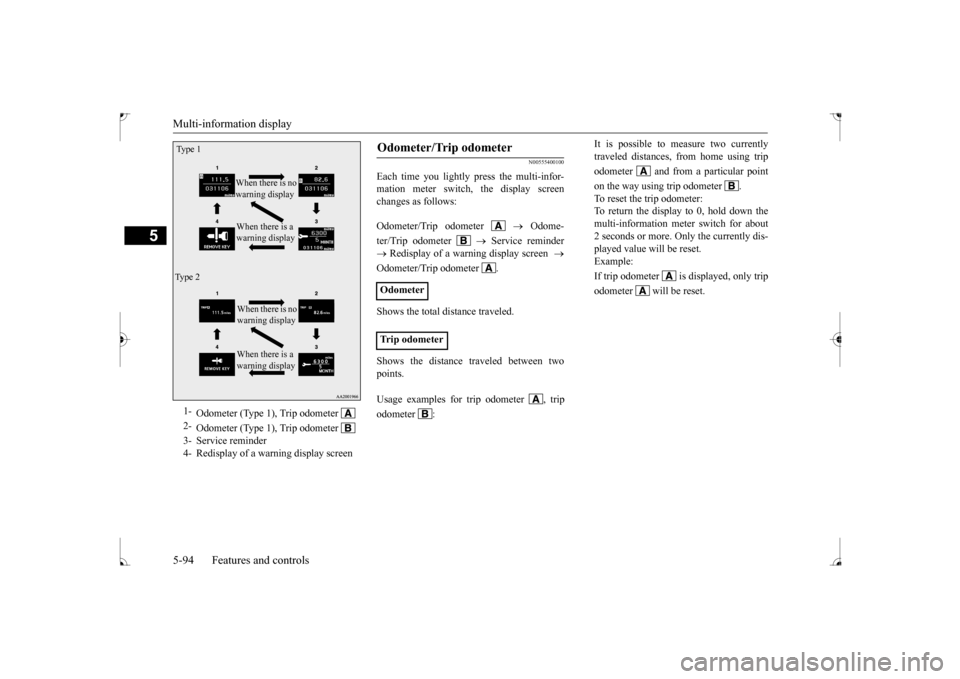
Each time you lightly press the multi-infor- mation meter switch, the display screenchanges as follows: Odometer/Trip odometer
Odome-
ter/Trip odometer
Service reminder
Redisplay of a warning display screen
Odometer/Trip odometer . Shows the total distance traveled. Shows the distance traveled between two points.
1-
Odometer (Type 1), Trip odometer
2-
Odometer (Type 1), Trip odometer
3- Service reminder4- Redisplay of a warning display screenType 1
When there is no warning display When there is a warning display
Ty p e 2
When there is no warning display When there is a warning display
Odometer/Trip odometer Odometer Trip odometer Usage examples for trip odometer , trip odometer :
It is possible to measure two currently traveled distances, from home using trip odometer and from a particular pointon the way using trip odometer . To reset the trip odometer: To return the display to 0, hold down the multi-information meter switch for about2 seconds or more. Only the currently dis-played value will be reset. Example: If trip odometer is displayed, only tripodometer will be reset.
BK0237700US.bo
ok 94 ページ 2016年4月15日 金曜日 午前11時28分
Page 161 of 385
Multi-information display 5-96 Features and controls
5
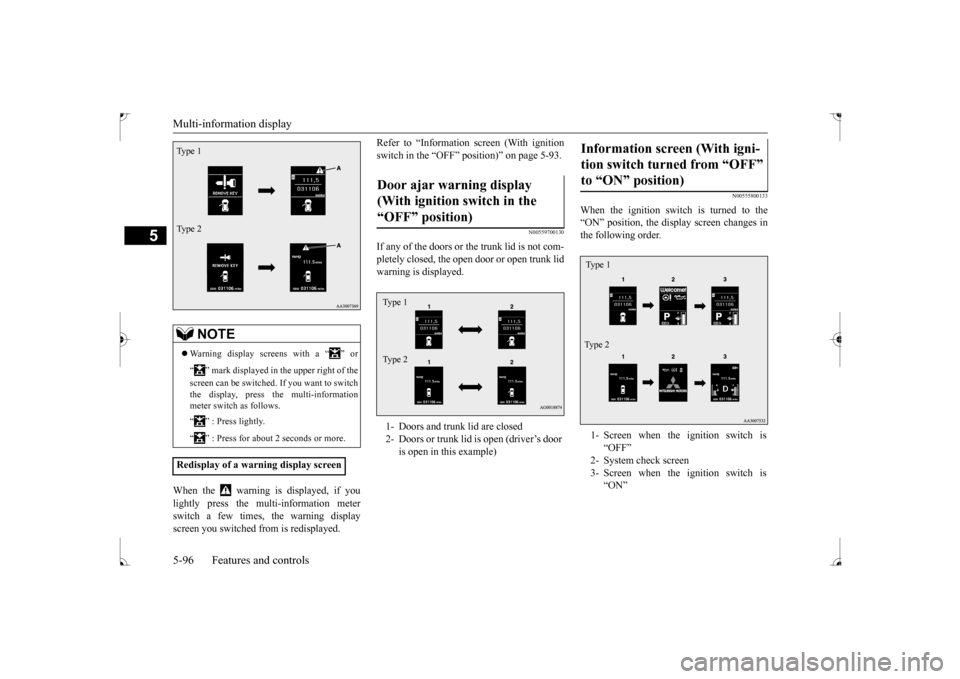
When the warning is displayed, if you lightly press the multi-information meter switch a few times, the warning displayscreen you switched from is redisplayed.
Refer to “Information screen (With ignition switch in the “OFF” position)” on page 5-93.
N00559700130
If any of the doors or
the trunk lid is not com-
pletely closed, the open door or open trunk lidwarning is displayed.
N00555800133
When the ignition switch is turned to the “ON” position, the display screen changes in the following order.
NOTE
Warning display screens with a “ ” or “ ” mark displayed in the upper right of the screen can be switched. If you want to switch the display, press the multi-information meter switch as follows. “ ” : Press lightly. “ ” : Press for about 2 seconds or more.
Redisplay of a warning display screenType 1 Type 2
Door ajar warning display (With ignition switch in the “OFF” position) 1- Doors and trunk lid are closed 2- Doors or trunk lid is open (driver’s door
is open in this example)
Type 1 Type 2
Information screen (With igni- tion switch turned from “OFF” to “ON” position) 1- Screen when the ignition switch is
“OFF”
2- System check screen 3- Screen when the ignition switch is
“ON”
Ty p e 1 Type 2
BK0237700US.bo
ok 96 ページ 2016年4月15日 金曜日 午前11時28分
Page 162 of 385
Multi-information display
Features and controls 5-97
5
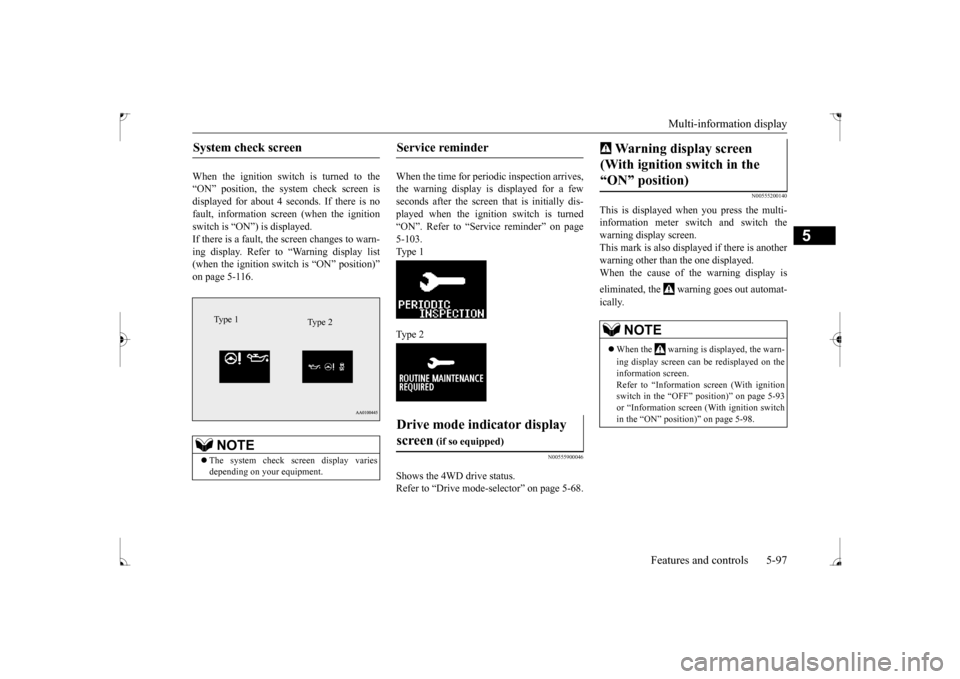
When the ignition switch is turned to the “ON” position, the system check screen isdisplayed for about 4 seconds. If there is no fault, information screen (when the ignition switch is “ON”) is displayed.If there is a fault, the screen changes to warn- ing display. Refer to “Warning display list (when the ignition switch is “ON” position)”on page 5-116.
When the time for periodic inspection arrives, the warning display is displayed for a fewseconds after the screen that is initially dis- played when the ignition switch is turned “ON”. Refer to “Service reminder” on page5-103. Type 1 Type 2
N00555900046
Shows the 4WD drive status. Refer to “Drive mode-s
elector” on page 5-68.
N00555200140
This is displayed when you press the multi- information meter switch and switch the warning display screen.This mark is also displayed if there is another warning other than the one displayed. When the cause of the warning display is eliminated, the warning goes out automat- ically.
System check screen
NOTE
The system check screen display varies depending on your equipment.Type 1
Type 2
Service reminder Drive mode indicator display screen
(if so equipped)
Warning display screen (With ignition switch in the “ON” position)
NOTE
When the warning is displayed, the warn- ing display screen can be redisplayed on the information screen. Refer to “Information screen (With ignition switch in the “OFF” position)” on page 5-93or “Information screen (With ignition switch in the “ON” position)” on page 5-98.
BK0237700US.bo
ok 97 ページ 2016年4月15日 金曜日 午前11時28分
Page 163 of 385
Multi-information display 5-98 Features and controls
5
N00556100074
This is displayed when the Active stability control (ASC) is turned “OFF” with the“ASC OFF” switch. Also, if an abnormal condition is occurred in the ASC while driving, the “ASC OFF” dis-play illuminates.Refer to “ASC OFF switch” on page 5-77.
N00556200176
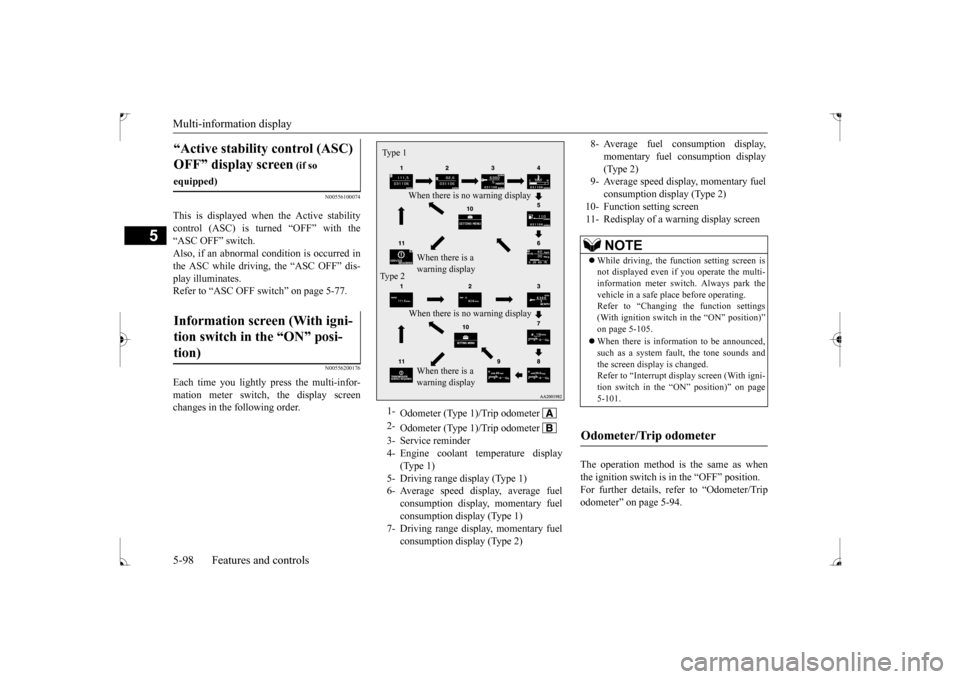
Each time you lightly press the multi-infor-mation meter switch, the display screenchanges in the following order.
The operation method is the same as when the ignition switch is in the “OFF” position.For further details, refer to “Odometer/Trip odometer” on page 5-94.
“Active stability control (ASC) OFF” display screen
(if so
equipped)Information screen (With igni- tion switch in the “ON” posi- tion)
1-
Odometer (Type 1)/Trip odometer
2-
Odometer (Type 1)/Trip odometer
3- Service reminder4- Engine coolant temperature display
(Type 1)
5- Driving range display (Type 1)6- Average speed display, average fuel
consumption display, momentary fuel consumption display (Type 1)
7- Driving range display, momentary fuel
consumption display (Type 2)
Ty p e 1
When there is no warning display When there is a warning display
Type 2
When there is no warning display When there is a warning display
8- Average fuel consumption display,
momentary fuel consumption display(Type 2)
9- Average speed display, momentary fuel
consumption display (Type 2)
10- Function setting screen 11- Redisplay of a warning display screen
NOTE
While driving, the function setting screen is not displayed even if you operate the multi- information meter switch. Always park the vehicle in a safe place before operating.Refer to “Changing the function settings (With ignition switch in the “ON” position)” on page 5-105. When there is information to be announced, such as a system fault, the tone sounds andthe screen display is changed. Refer to “Interrupt display screen (With igni- tion switch in the “ON” position)” on page5-101.
Odometer/Trip odometer
BK0237700US.bo
ok 98 ページ 2016年4月15日 金曜日 午前11時28分