change time MITSUBISHI LANCER 2017 8.G Owner's Manual
[x] Cancel search | Manufacturer: MITSUBISHI, Model Year: 2017, Model line: LANCER, Model: MITSUBISHI LANCER 2017 8.GPages: 385, PDF Size: 14.34 MB
Page 164 of 385
Multi-information display
Features and controls 5-99
5
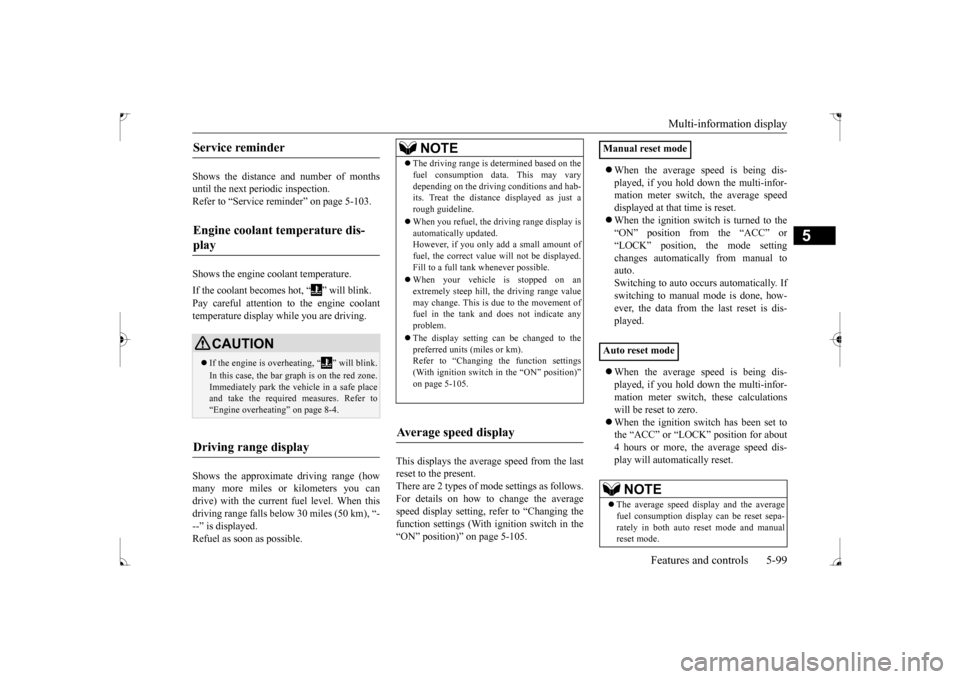
Shows the distance and number of months until the next periodic inspection.Refer to “Service reminder” on page 5-103. Shows the engine coolant temperature. If the coolant becomes hot, “ ” will blink. Pay careful attention to the engine coolant temperature display while you are driving. Shows the approximate driving range (how many more miles or kilometers you can drive) with the current fuel level. When thisdriving range falls below 30 miles (50 km), “- --” is displayed. Refuel as soon as possible.
This displays the average speed from the last reset to the present.There are 2 types of mode settings as follows. For details on how to change the average speed display setting, refer to “Changing thefunction settings (With ignition switch in the “ON” position)” on page 5-105.
When the average speed is being dis- played, if you hold down the multi-infor- mation meter switch, the average speed displayed at that time is reset. When the ignition switch is turned to the “ON” position from the “ACC” or “LOCK” position, the mode settingchanges automatically from manual to auto. Switching to auto occurs automatically. Ifswitching to manual mode is done, how-ever, the data from the last reset is dis- played. When the average speed is being dis- played, if you hold down the multi-infor-mation meter switch, these calculations will be reset to zero. When the ignition switch has been set to the “ACC” or “LOCK” position for about 4 hours or more, the average speed dis- play will automatically reset.
Service reminder Engine coolant temperature dis- play
CAUTION If the engine is overheating, “ ” will blink. In this case, the bar graph is on the red zone. Immediately park the vehicle in a safe placeand take the required measures. Refer to “Engine overheating” on page 8-4.
Driving range display
NOTE
The driving range is determined based on the fuel consumption data. This may vary depending on the driving conditions and hab- its. Treat the distance displayed as just a rough guideline. When you refuel, the driving range display is automatically updated.However, if you only add a small amount of fuel, the correct value will not be displayed. Fill to a full tank whenever possible. When your vehicle is stopped on an extremely steep hill, the driving range valuemay change. This is due to the movement of fuel in the tank and does not indicate any problem. The display setting can be changed to the preferred units (miles or km).Refer to “Changing the function settings (With ignition switch in the “ON” position)” on page 5-105.
Average speed display
Manual reset mode Auto reset mode
NOTE
The average speed display and the average fuel consumption display can be reset sepa-rately in both auto reset mode and manual reset mode.
BK0237700US.bo
ok 99 ページ 2016年4月15日 金曜日 午前11時28分
Page 165 of 385
Multi-information display 5-100 Features and controls
5
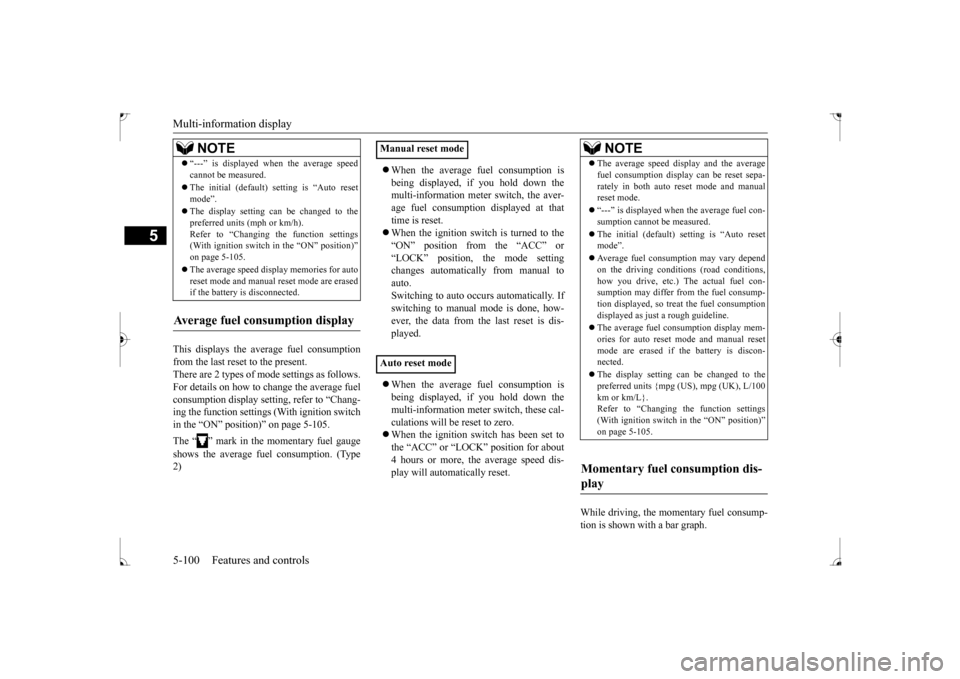
This displays the average fuel consumption from the last reset to the present. There are 2 types of mode settings as follows.For details on how to change the average fuel consumption display setting, refer to “Chang- ing the function settings (With ignition switchin the “ON” position)” on page 5-105. The “ ” mark in the momentary fuel gauge shows the average fuel consumption. (Type 2)
When the average fuel consumption is being displayed, if you hold down the multi-information meter switch, the aver- age fuel consumption displayed at thattime is reset. When the ignition switch is turned to the “ON” position from the “ACC” or“LOCK” position, the mode setting changes automatically from manual to auto. Switching to auto occurs automatically. Ifswitching to manual mode is done, how- ever, the data from the last reset is dis- played. When the average fuel consumption is being displayed, if you hold down the multi-information meter switch, these cal- culations will be reset to zero. When the ignition switch has been set to the “ACC” or “LOCK” position for about 4 hours or more, the average speed dis-play will automatically reset.
While driving, the momentary fuel consump- tion is shown with a bar graph.
“---” is displayed when the average speed cannot be measured. The initial (default) setting is “Auto reset mode”. The display setting can be changed to the preferred units (mph or km/h).Refer to “Changing the function settings (With ignition switch in the “ON” position)” on page 5-105. The average speed display memories for auto reset mode and manual reset mode are erasedif the battery is disconnected.
Average fuel consumption display
NOTE
Manual reset mode Auto reset mode
NOTE
The average speed display and the average fuel consumption display can be reset sepa- rately in both auto reset mode and manual reset mode. “---” is displayed when the average fuel con- sumption cannot be measured. The initial (default) setting is “Auto reset mode”. Average fuel consumption may vary depend on the driving conditions (road conditions, how you drive, etc.) The actual fuel con-sumption may differ from the fuel consump- tion displayed, so treat the fuel consumption displayed as just a rough guideline. The average fuel consumption display mem- ories for auto reset mode and manual resetmode are erased if the battery is discon- nected. The display setting can be changed to the preferred units {mpg (US), mpg (UK), L/100 km or km/L}.Refer to “Changing the function settings (With ignition switch in the “ON” position)” on page 5-105.
Momentary fuel consumption dis- play
BK0237700US.book
100 ページ 2016年4月15日 金曜日 午前11時28分
Page 167 of 385
Multi-information display 5-102 Features and controls
5
switch a few times, the warning display screen you switched from is redisplayed. The operation status of each system is dis- played on the information screen. For further details, refer to the appropriate page in the warning display list.Refer to “Other interrupt displays (With igni-tion switch in the “ON” position)” on page 5-121.
N00556400048
Shows the position of the selector lever. Refer to “Selector lever operation” on page 5-59.
N00556500094
Shows the temperature outside the vehicle.
N00568700019
This indicator will be displayed when fuel-efficient driving is achieved.
N00556600125
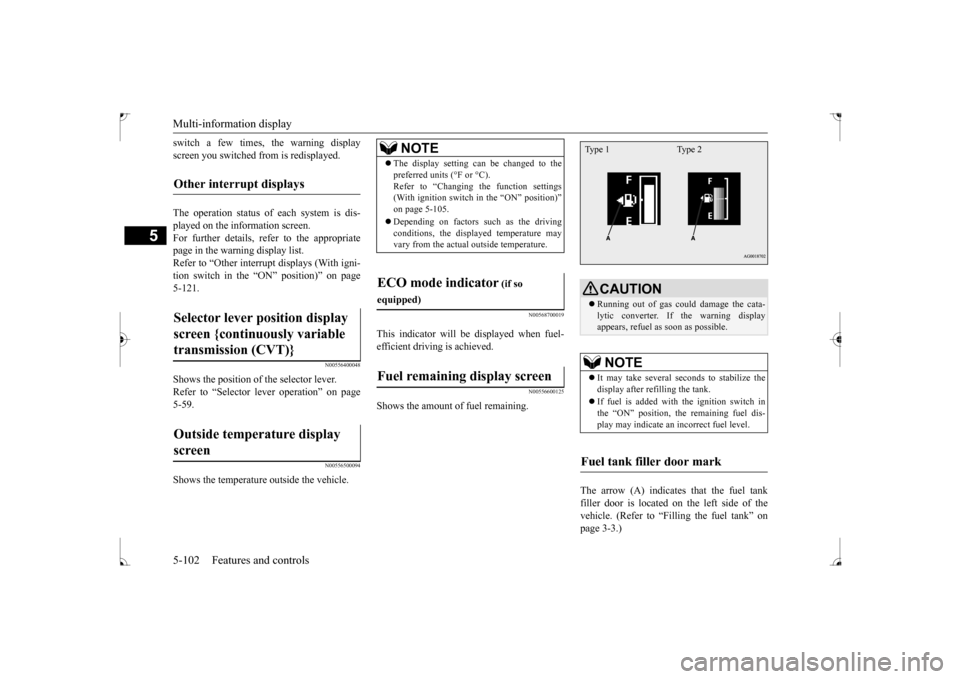
Shows the amount of fuel remaining.
The arrow (A) indicates that the fuel tank filler door is located on the left side of the vehicle. (Refer to “Filling the fuel tank” on page 3-3.)
Other interrupt displays Selector lever position display screen {continuously variable transmission (CVT)} Outside temperature display screen
NOTE
The display setting can be changed to the preferred units (°F or °C). Refer to “Changing the function settings (With ignition switch in the “ON” position)” on page 5-105. Depending on factors such as the driving conditions, the displayed temperature mayvary from the actual outside temperature.
ECO mode indicator
(if so
equipped)Fuel remaining display screen
CAUTION Running out of gas could damage the cata- lytic converter. If the warning display appears, refuel as soon as possible.NOTE
It may take several seconds to stabilize the display after refilling the tank. If fuel is added with the ignition switch in the “ON” position, the remaining fuel dis- play may indicate an incorrect fuel level.
Fuel tank filler door mark Type 1 Type 2
BK0237700US.book
102 ページ 2016年4月15日 金曜日 午前11時28分
Page 168 of 385
Multi-information display
Features and controls 5-103
5
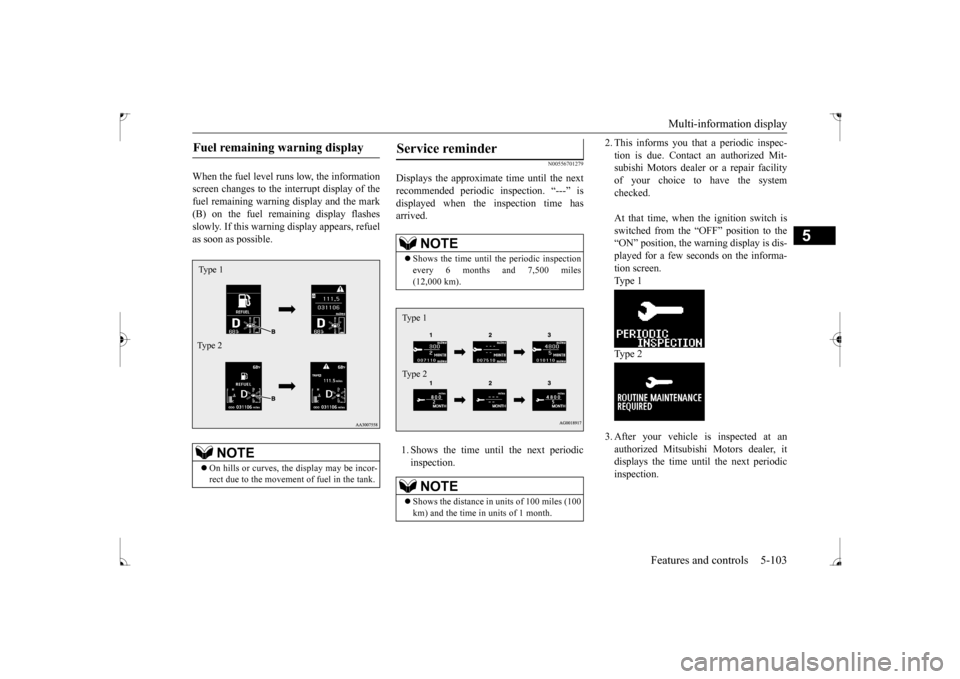
When the fuel level runs low, the information screen changes to the interrupt display of thefuel remaining warning display and the mark (B) on the fuel remaining display flashes slowly. If this warning display appears, refuelas soon as possible.
N00556701279
Displays the approximate time until the nextrecommended periodic inspection. “---” isdisplayed when the inspection time has arrived. 1. Shows the time until the next periodic inspection.
2. This informs you that a periodic inspec- tion is due. Contact an authorized Mit- subishi Motors dealer or a repair facility of your choice to have the systemchecked. At that time, when the ignition switch is switched from the “OFF” position to the “ON” position, the warning display is dis- played for a few seconds on the informa-tion screen.Ty p e 1 Ty p e 2 3. After your vehicle is inspected at an authorized Mitsubishi Motors dealer, itdisplays the time until the next periodicinspection.
Fuel remaining warning display
NOTE
On hills or curves, the display may be incor- rect due to the movement of fuel in the tank.Type 1 Type 2
Service reminder
NOTE
Shows the time until the periodic inspection every 6 months and 7,500 miles (12,000 km).NOTE
Shows the distance in un
its of 100 miles (100
km) and the time in units of 1 month.Type 1 Type 2
BK0237700US.book
103 ページ 2016年4月15日 金曜日 午前11時28分
Page 169 of 385
Multi-information display 5-104 Features and controls
5
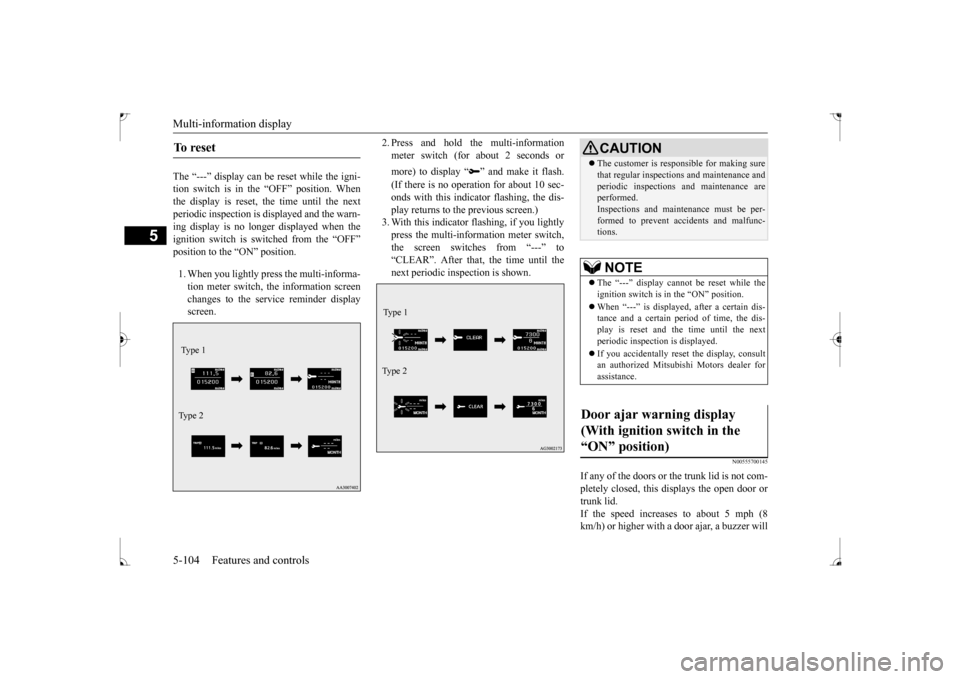
The “---” display can be reset while the igni- tion switch is in the “OFF” position. Whenthe display is reset, the time until the next periodic inspection is displayed and the warn- ing display is no longer displayed when theignition switch is switched from the “OFF” position to the “ON” position. 1. When you lightly press the multi-informa- tion meter switch, the information screen changes to the service reminder displayscreen.
2. Press and hold the multi-information meter switch (for about 2 seconds or more) to display “ ” and make it flash. (If there is no operation for about 10 sec- onds with this indicator flashing, the dis-play returns to the previous screen.) 3. With this indicator flashing, if you lightly press the multi-information meter switch,the screen switches from “---” to “CLEAR”. After that, the time until the next periodic inspection is shown.
N00555700145
If any of the doors or the trunk lid is not com- pletely closed, this displays the open door or trunk lid.If the speed increases to about 5 mph (8 km/h) or higher with a door ajar, a buzzer will
To r e s e t Type 1 Ty p e 2
Type 1 Ty p e 2
CAUTION The customer is responsible for making sure that regular inspections and maintenance and periodic inspections and maintenance are performed. Inspections and maintenance must be per-formed to prevent accidents and malfunc- tions.NOTE
The “---” display cannot be reset while the ignition switch is in the “ON” position. When “---” is displayed, after a certain dis- tance and a certain period of time, the dis- play is reset and the time until the next periodic inspection is displayed. If you accidentally reset the display, consult an authorized Mitsubishi Motors dealer forassistance.
Door ajar warning display (With ignition switch in the “ON” position)
BK0237700US.book
104 ページ 2016年4月15日 金曜日 午前11時28分
Page 170 of 385
Multi-information display
Features and controls 5-105
5
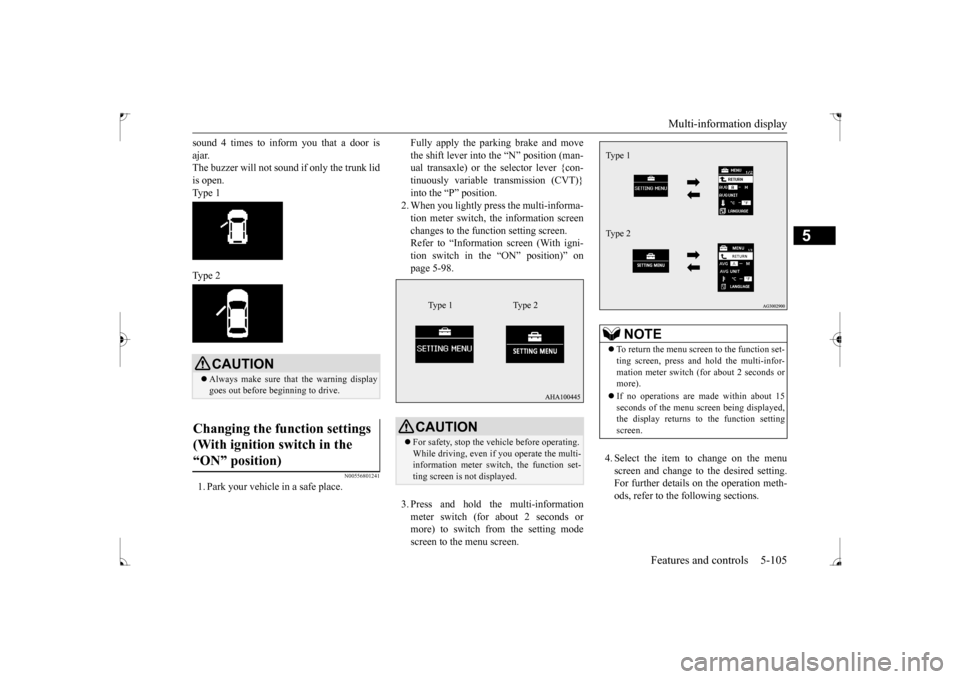
sound 4 times to inform you that a door is ajar. The buzzer will not sound if only the trunk lid is open. Type 1 Type 2
N00556801241
1. Park your vehicle in a safe place.
Fully apply the parking brake and move the shift lever into the “N” position (man- ual transaxle) or the selector lever {con- tinuously variable transmission (CVT)}into the “P” position. 2. When you lightly press the multi-informa- tion meter switch, the information screenchanges to the function setting screen. Refer to “Information screen (With igni- tion switch in the “ON” position)” onpage 5-98. 3. Press and hold the multi-information meter switch (for about 2 seconds or more) to switch from the setting mode screen to the menu screen.
4. Select the item to change on the menu screen and change to the desired setting. For further details on the operation meth- ods, refer to the following sections.
CAUTION Always make sure that the warning display goes out before beginning to drive.
Changing the function settings (With ignition switch in the “ON” position)
CAUTION For safety, stop the vehicle before operating. While driving, even if you operate the multi-information meter switch, the function set- ting screen is not displayed.
Type 1 Type 2
NOTE
To return the menu screen to the function set- ting screen, press and hold the multi-infor- mation meter switch (for about 2 seconds or more). If no operations are made within about 15 seconds of the menu screen being displayed,the display returns to the function setting screen.Type 1 Type 2
BK0237700US.book
105 ページ 2016年4月15日 金曜日 午前11時28分
Page 171 of 385
Multi-information display 5-106 Features and controls
5
Refer to “Changing the reset mode for average fuel consum
ption and average
speed” on page 5-106. Refer to “Changing the fuel consumptiondisplay unit” on page 5-107. Refer to “Changing the temperature unit” on page 5-108.Refer to “Changing the display language” on page 5-108. Refer to “Operation sound setting” onpage 5-109.Refer to “Changing the amount of time until “REST REMINDER” is displayed” on page 5-109.Refer to “Changing the turn signal sound” on page 5-110. Refer to “Changing the momentary fuelconsumption display (Type 2)” on page 5-110. Refer to “Returning to the factory set-tings” on page 5-111.
N00557000184
You can change the mode condition for the average fuel consumption and average speed display to “Auto reset” or “Manual reset”.
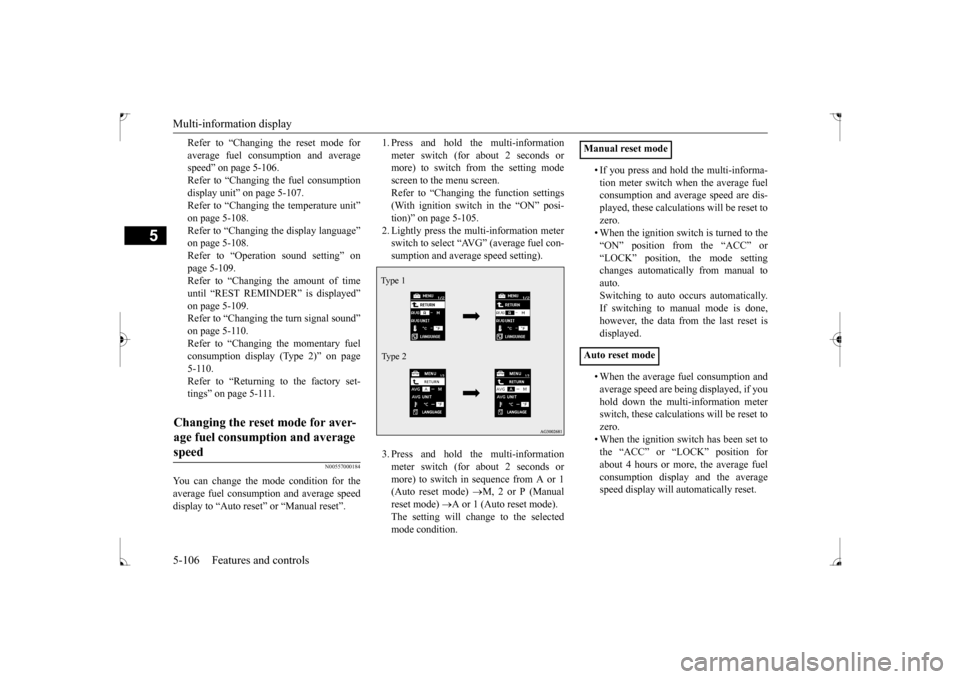
1. Press and hold the multi-information meter switch (for about 2 seconds or more) to switch from the setting mode screen to the menu screen.Refer to “Changing the function settings (With ignition switch in the “ON” posi- tion)” on page 5-105.2. Lightly press the multi-information meter switch to select “AVG” (average fuel con- sumption and average speed setting). 3. Press and hold the multi-information meter switch (for about 2 seconds ormore) to switch in sequence from A or 1 (Auto reset mode)
M, 2 or P (Manual
reset mode)
A or 1 (Auto reset mode).
The setting will change to the selectedmode condition.
• If you press and hold the multi-informa- tion meter switch when the average fuel consumption and average speed are dis- played, these calculations will be reset tozero. • When the ignition switch is turned to the “ON” position from the “ACC” or“LOCK” position, the mode setting changes automatically from manual to auto.Switching to auto occurs automatically.If switching to manual mode is done, however, the data from the last reset is displayed. • When the average fuel consumption and average speed are being displayed, if you hold down the multi-information meterswitch, these calculations will be reset to zero. • When the ignition switch has been set tothe “ACC” or “LOCK” position for about 4 hours or more, the average fuel consumption display and the averagespeed display will automatically reset.
Changing the reset mode for aver- age fuel consumption and average speed
Type 1 Type 2
Manual reset mode Auto reset mode
BK0237700US.book
106 ページ 2016年4月15日 金曜日 午前11時28分
Page 174 of 385
Multi-information display
Features and controls 5-109
5
5. Press and hold the multi-information meter switch (for about 2 seconds or more) to change the setting to the selected language.
N00557400104
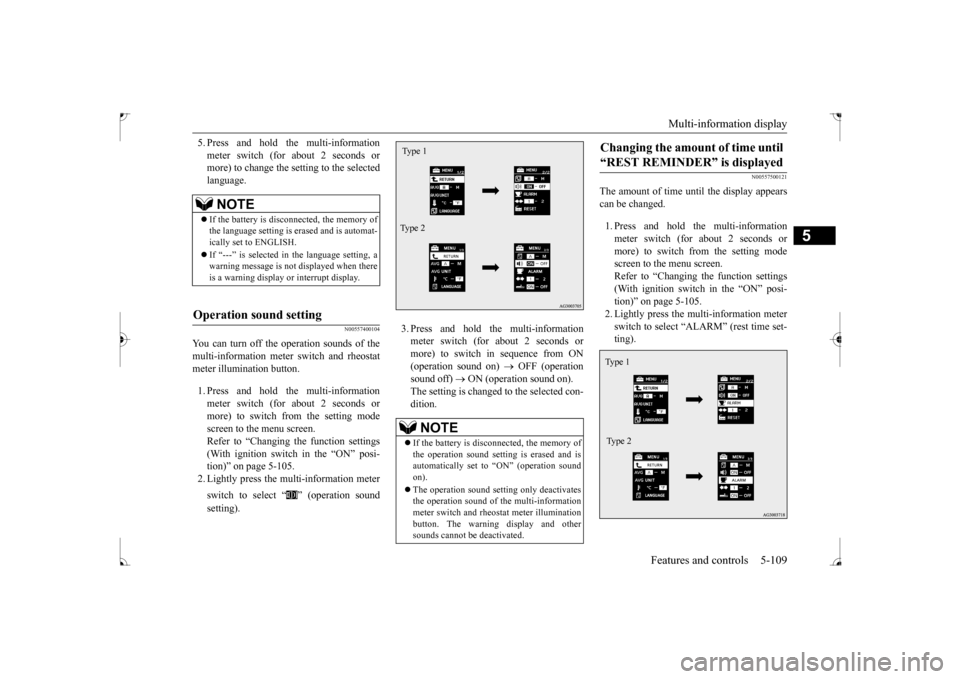
You can turn off the operation sounds of themulti-information meter switch and rheostat meter illumination button. 1. Press and hold the multi-information meter switch (for about 2 seconds ormore) to switch from the setting mode screen to the menu screen. Refer to “Changing the function settings(With ignition switch in the “ON” posi- tion)” on page 5-105. 2. Lightly press the multi-information meter switch to select “ ” (operation sound setting).
3. Press and hold the multi-information meter switch (for about 2 seconds or more) to switch in sequence from ON(operation sound on)
OFF (operation
sound off)
ON (operation sound on).
The setting is changed to the selected con-dition.
N00557500121
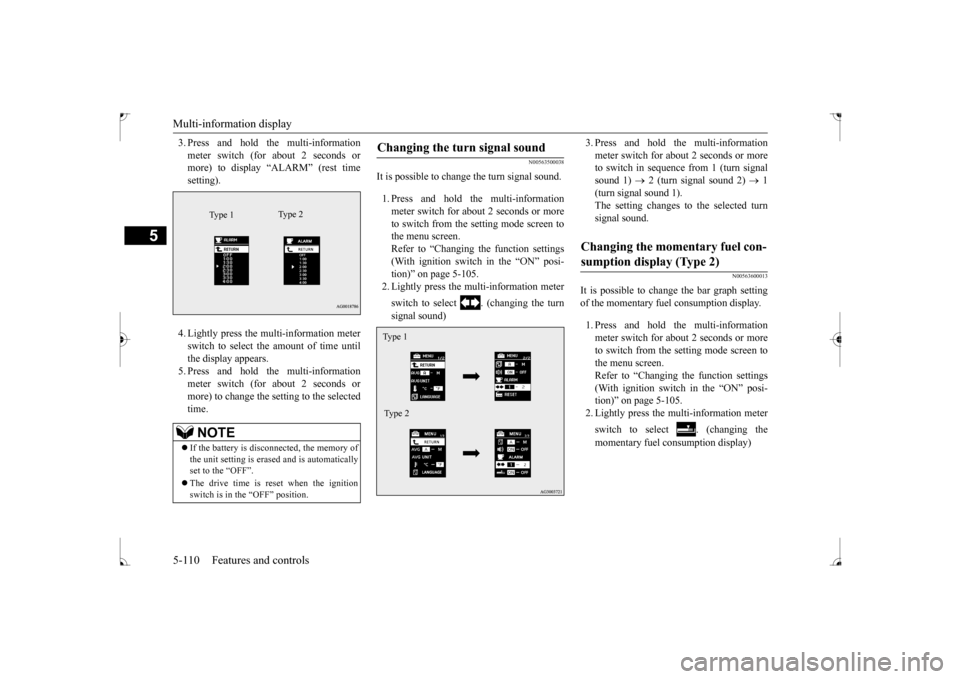
The amount of time until the display appears can be changed. 1. Press and hold the multi-information meter switch (for about 2 seconds ormore) to switch from the setting mode screen to the menu screen. Refer to “Changing the function settings(With ignition switch in the “ON” posi-tion)” on page 5-105. 2. Lightly press the multi-information meter switch to select “ALARM” (rest time set-ting).
NOTE
If the battery is disconnected, the memory of the language setting is erased and is automat- ically set to ENGLISH. If “---” is selected in the language setting, a warning message is not displayed when there is a warning display or interrupt display.
Operation sound setting
NOTE
If the battery is disconnected, the memory of the operation sound setting is erased and isautomatically set to “ON” (operation sound on). The operation sound setting only deactivates the operation sound of the multi-information meter switch and rheostat meter illuminationbutton. The warning display and other sounds cannot be deactivated.Type 1 Type 2
Changing the amount of time until “REST REMINDER” is displayed Ty p e 1 Type 2
BK0237700US.book
109 ページ 2016年4月15日 金曜日 午前11時28分
Page 175 of 385
Multi-information display 5-110 Features and controls
5
3. Press and hold the multi-information meter switch (for about 2 seconds or more) to display “ALARM” (rest time setting). 4. Lightly press the multi-information meter switch to select the amount of time untilthe display appears.5. Press and hold the multi-information meter switch (for about 2 seconds or more) to change the setting to the selectedtime.
N00563500038
It is possible to change the turn signal sound. 1. Press and hold the multi-information meter switch for about 2 seconds or moreto switch from the setting mode screen to the menu screen. Refer to “Changing the function settings(With ignition switch in the “ON” posi- tion)” on page 5-105. 2. Lightly press the multi-information meter switch to select . (changing the turn signal sound)
3. Press and hold the multi-information meter switch for about 2 seconds or more to switch in sequence from 1 (turn signal sound 1)
2 (turn signal sound 2)
1
(turn signal sound 1). The setting changes to the selected turn signal sound.
N00563600013
It is possible to change the bar graph settingof the momentary fuel consumption display. 1. Press and hold the multi-information meter switch for about 2 seconds or more to switch from the setting mode screen tothe menu screen. Refer to “Changing the function settings (With ignition switch in the “ON” posi-tion)” on page 5-105. 2. Lightly press the multi-information meter switch to select . (changing the momentary fuel consumption display)
NOTE
If the battery is disconnected, the memory of the unit setting is erased and is automatically set to the “OFF”. The drive time is reset when the ignition switch is in the “OFF” position.
Type 1
Ty p e 2
Changing the turn signal sound Type 1 Type 2
Changing the momentary fuel con- sumption display (Type 2)
BK0237700US.book
110 ページ 2016年4月15日 金曜日 午前11時28分
Page 197 of 385
Headlight leveling switch (if so equipped) 5-132 Features and controls
5
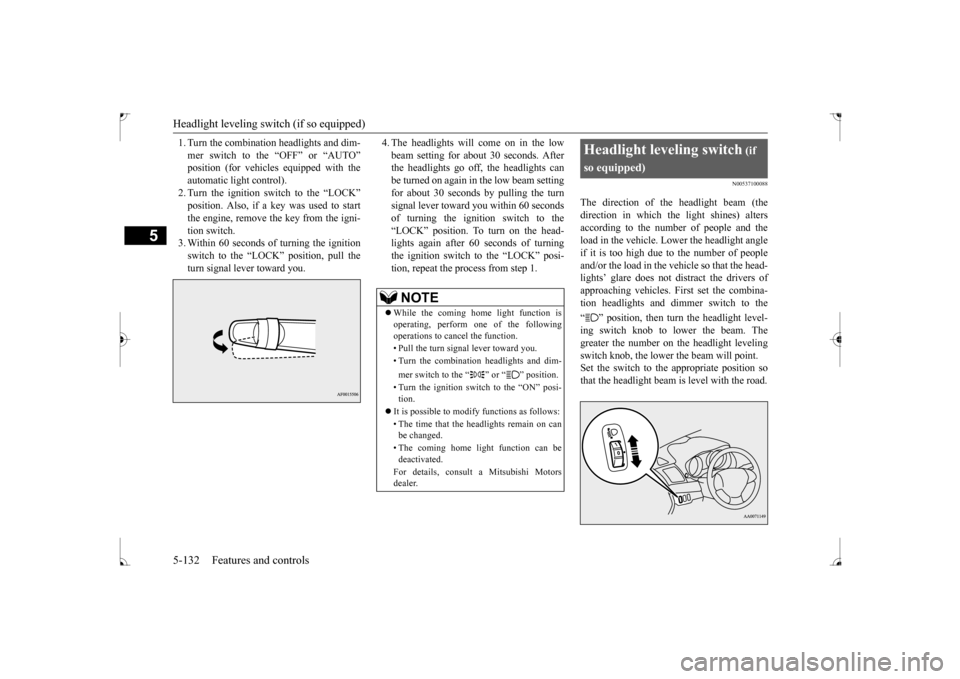
1. Turn the combination headlights and dim- mer switch to the “OFF” or “AUTO” automatic light control).2. Turn the ignition switch to the “LOCK” position. Also, if a key was used to start the engine, remove the key from the igni-tion switch. 3. Within 60 seconds of turning the ignition switch to the “LOCK” position, pull theturn signal lever toward you.
4. The headlights will come on in the low beam setting for about 30 seconds. After the headlights go off, the headlights can be turned on again in the low beam settingfor about 30 seconds by pulling the turn signal lever toward you within 60 seconds of turning the ignition switch to the“LOCK” position. To turn on the head- lights again after 60 seconds of turning the ignition switch to the “LOCK” posi-tion, repeat the process from step 1.
N00537100088
The direction of the headlight beam (thedirection in which the light shines) alters according to the number of people and the load in the vehicle. Lower the headlight angleif it is too high due to the number of people and/or the load in the vehicle so that the head- lights’ glare does not distract the drivers ofapproaching vehicles. First set the combina-tion headlights and dimmer switch to the “ ” position, then turn the headlight level- ing switch knob to lower the beam. The greater the number on the headlight levelingswitch knob, the lower the beam will point. Set the switch to the appropriate position so that the headlight beam is level with the road.
NOTE
While the coming home light function is operating, perform one of the following operations to cancel the function. • Pull the turn signal lever toward you. • Turn the combination headlights and dim- mer switch to the “ ” or “ ” position. • Turn the ignition switch to the “ON” posi- tion.
It is possible to modify functions as follows: • The time that the headlights remain on can be changed. • The coming home light function can be deactivated. For details, consult a Mitsubishi Motors dealer.
Headlight leveling switch
(if
so equipped)
BK0237700US.book
132 ページ 2016年4月15日 金曜日 午前11時28分