key MITSUBISHI LANCER 2017 8.G Repair Manual
[x] Cancel search | Manufacturer: MITSUBISHI, Model Year: 2017, Model line: LANCER, Model: MITSUBISHI LANCER 2017 8.GPages: 385, PDF Size: 14.34 MB
Page 193 of 385
![MITSUBISHI LANCER 2017 8.G Repair Manual Combination headlights and dimmer switch 5-128 Features and controls
5
[When the engine is not running, or when the engine is started before the parking brake is released]
Rotate the switch to operat](/img/19/7464/w960_7464-192.png "MITSUBISHI LANCER 2017 8.G Repair Manual Combination headlights and dimmer switch 5-128 Features and controls
5
[When the engine is not running, or when the engine is started before the parking brake is released]
Rotate the switch to operat")
Combination headlights and dimmer switch 5-128 Features and controls
5
[When the engine is not running, or when the engine is started before the parking brake is released]
Rotate the switch to operate the lights.
If your vehicle is equipped with daytime run- ning lights, the combinations of switch opera- tions and illuminated lights differ in accordance with the following conditions. [When the engine is started after the parking brake is released]
The daytime running lights illumi- nated Parking (vehicles with daytime run-ning lights on the headlights), tail, front and rear side-marker lights, license plate and instrument panel lights on Headlights and other lights onNOTE
Once the daytime running light come on, they do not go out until the key is turned to the “LOCK” or “ACC” position.
OFF All lights off
Parking, tail, front and rear side- marker lights, license plate and instrument panel lights on Headlights and other lights onNOTE
Even if the daytime running lights are not on, they will come on once the vehicle starts moving.
Once the daytime running light come on, they do not go out until the key is turned to the “LOCK” or “ACC” position.
Ty p e 2 OFF All lights off AUTO
Headlights and other lights turn on and off automatically in accor- dance with outside light level. Parking, tail, front and rear side- marker lights, license plate and instrument panel lights on Headlights and other lights on
NOTE
OFF
The daytime running lights illumi- nated
AUTO
The daytime running lights illumi- nated (when it is light outside the vehicle) Headlights and other lights turn on and off automatically in accor- dance with outside light level. The daytime running lights illumi- natedParking (vehicles with daytime running lights on the headlights), tail, front and rear side-marker lights, license plate and instrument panel lights on Headlights and other lights on
NOTE
Once the daytime running light come on, they do not go out until the key is turned to the “LOCK” or “ACC” position.
BK0237700US.book
128 ページ 2016年4月15日 金曜日 午前11時28分
Page 194 of 385
![MITSUBISHI LANCER 2017 8.G Repair Manual Combination headlights and dimmer switch
Features and controls 5-129
5
[When the engine is not running, or when the engine is started before the parking brake is released]
N00532601607
If the ign](/img/19/7464/w960_7464-193.png "MITSUBISHI LANCER 2017 8.G Repair Manual Combination headlights and dimmer switch
Features and controls 5-129
5
[When the engine is not running, or when the engine is started before the parking brake is released]
N00532601607
If the ign")
Combination headlights and dimmer switch
Features and controls 5-129
5
[When the engine is not running, or when the engine is started before the parking brake is released]
N00532601607
If the ignition key is turned to “LOCK” or “ACC” position or removed from the ignition switch and the driver’s door is opened with the combination headlights and dimmer switch in the “ ” or “ ” [When using a key to start the engine]
• If the driver’s door is opened after the key is removed from the ignition switch, a high-pitched constant tone will sound to remind you to turn off the lights.• If the driver’s door is opened with the key in the ignition switch, a low-pitched tone will sound to remind you to removethe key. [When using the F.A.S.T.-key to start the engine] • If the ignition switch is turned to the“LOCK” position and the driver’s dooris opened, a high-pitched constant buzzer will sound to remind you to turn off the lights.• If the ignition switch is turned to any position other than “LOCK” and the driver’s door is opened, a low-pitchedconstant buzzer will sound to remind you to return the ignition switch.
If the ignition switch is turned to “LOCK” or “ACC” position with the driver’s doorclosed and the combination headlights and dimmer switch in the “ ” or “ ” minutes and then turn off automatically.
OFF All lights off AUTO
Headlights and other lights turn on and off automatically in accor- dance with outside light level. Parking, tail, front and rear side- marker lights, license plate and instrument panel lights on Headlights and other lights on
NOTE
Even if the daytime running lights are not on, they will come on once the vehicle starts moving. Once the daytime running light come on, they do not go out until the key is turned tothe “LOCK” or “ACC” position. The sensitivity of the automatic on/off con- trol can be adjusted. For further information, please contact your authorized Mitsubishi Motors dealer or arepair facility of your choice.
Do not cover the sensor (A) for the automatic on/off control by affixing a sticker or label to the windshield. If the lights do not turn on or off with the switch in the “AUTO” position, manually operate the switch and we recommend you to have your vehicle checked.
Light auto-cutout function (headlights and other lights)
NOTE
BK0237700US.book
129 ページ 2016年4月15日 金曜日 午前11時28分
Page 195 of 385
Combination headlights and dimmer switch 5-130 Features and controls
5
If the combination headlights and dimmer switch is turned to the “ ” or “ ” posi- tion again after the engine is turned off, the about 3 minutes auto-cutout function described above will not work. The lights (theparking lights, tail lights and license plate lights) will stay on and will not turn off auto- matically.
N00549800196
If the driver’s door is opened with the key inthe “LOCK” or “ACC” position or removed from the ignition switch while the lights are on, the buzzer will sound to remind you toturn off the lights. If the driver’s door is opened with the ignition switch in the “LOCK” or “ACC” position, or
if the ignition switch is moved to the “LOCK” position while the lights are on, the buzzer will sound to remind you to turn off the lights. In either case, the li
ghts and buzzer will turn
off automatically. Or you can turn the combination headlights and dimmer switch to the “OFF” position tostop the buzzer.
N00549900155
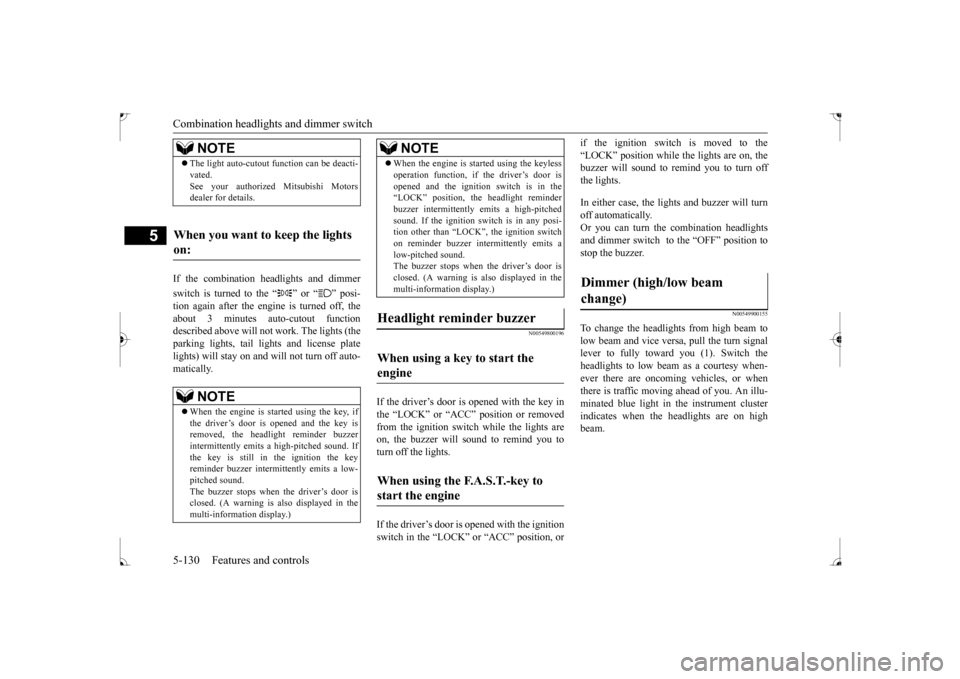
To change the headlights from high beam tolow beam and vice versa, pull the turn signal lever to fully toward you (1). Switch the headlights to low beam as a courtesy when-ever there are oncoming vehicles, or when there is traffic moving ahead of you. An illu- minated blue light in the instrument clusterindicates when the headlights are on high beam.
NOTE
The light auto-cutout function can be deacti- vated. See your authorized Mitsubishi Motors dealer for details.
When you want to keep the lights on:
NOTE
When the engine is started using the key, if the driver’s door is opened and the key is removed, the headlight reminder buzzer intermittently emits a high-pitched sound. If the key is still in the ignition the keyreminder buzzer intermittently emits a low- pitched sound. The buzzer stops when the driver’s door isclosed. (A warning is also displayed in the multi-information display.)
operation function, if the driver’s door is opened and the ignition switch is in the “LOCK” position, the headlight reminder buzzer intermittently emits a high-pitchedsound. If the ignition sw
itch is in any posi-
tion other than “LOCK”, the ignition switch on reminder buzzer intermittently emits alow-pitched sound. The buzzer stops when the driver’s door is closed. (A warning is also displayed in themulti-information display.)
When using a key to start the engine When using the F.A.S.T.-key to start the engine
NOTE
Dimmer (high/low beam change)
BK0237700US.book
130 ページ 2016年4月15日 金曜日 午前11時28分
Page 197 of 385
Headlight leveling switch (if so equipped) 5-132 Features and controls
5
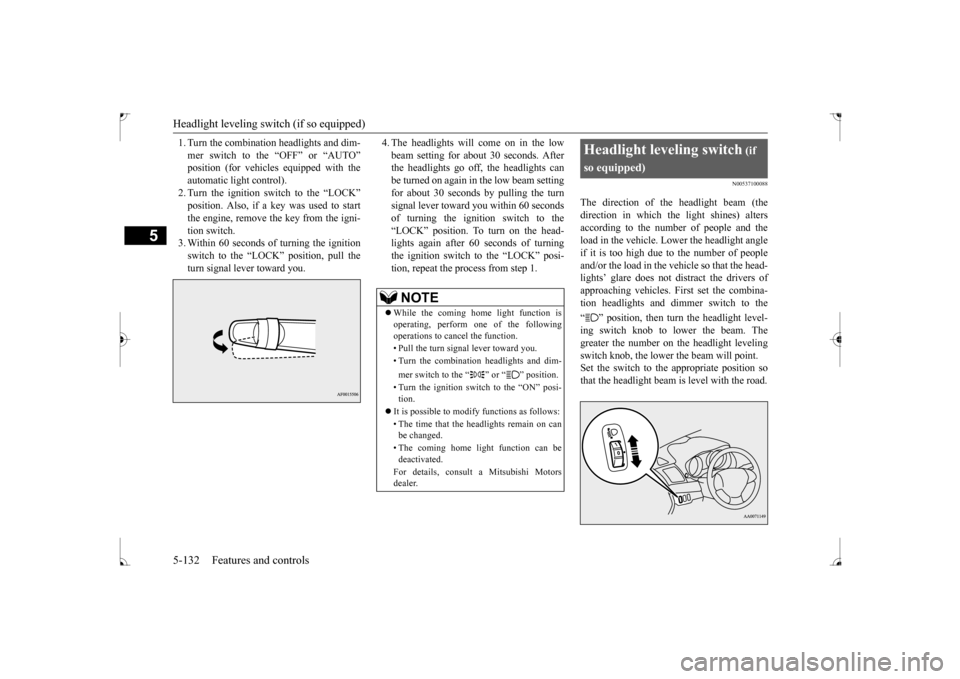
1. Turn the combination headlights and dim- mer switch to the “OFF” or “AUTO” automatic light control).2. Turn the ignition switch to the “LOCK” position. Also, if a key was used to start the engine, remove the key from the igni-tion switch. 3. Within 60 seconds of turning the ignition switch to the “LOCK” position, pull theturn signal lever toward you.
4. The headlights will come on in the low beam setting for about 30 seconds. After the headlights go off, the headlights can be turned on again in the low beam settingfor about 30 seconds by pulling the turn signal lever toward you within 60 seconds of turning the ignition switch to the“LOCK” position. To turn on the head- lights again after 60 seconds of turning the ignition switch to the “LOCK” posi-tion, repeat the process from step 1.
N00537100088
The direction of the headlight beam (thedirection in which the light shines) alters according to the number of people and the load in the vehicle. Lower the headlight angleif it is too high due to the number of people and/or the load in the vehicle so that the head- lights’ glare does not distract the drivers ofapproaching vehicles. First set the combina-tion headlights and dimmer switch to the “ ” position, then turn the headlight level- ing switch knob to lower the beam. The greater the number on the headlight levelingswitch knob, the lower the beam will point. Set the switch to the appropriate position so that the headlight beam is level with the road.
NOTE
While the coming home light function is operating, perform one of the following operations to cancel the function. • Pull the turn signal lever toward you. • Turn the combination headlights and dim- mer switch to the “ ” or “ ” position. • Turn the ignition switch to the “ON” posi- tion.
It is possible to modify functions as follows: • The time that the headlights remain on can be changed. • The coming home light function can be deactivated. For details, consult a Mitsubishi Motors dealer.
Headlight leveling switch
(if
so equipped)
BK0237700US.book
132 ページ 2016年4月15日 金曜日 午前11時28分
Page 198 of 385
Turn signal lever
Features and controls 5-133
5
N00522601545
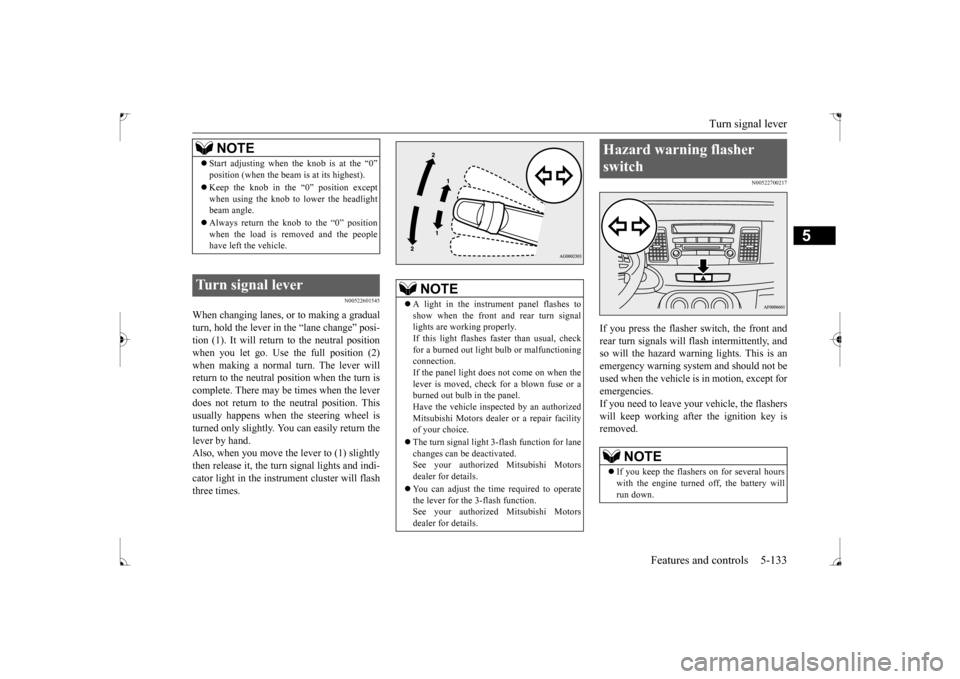
When changing lanes, or to making a gradual turn, hold the lever in
the “lane change” posi-
tion (1). It will return to the neutral positionwhen you let go. Use the full position (2) when making a normal turn. The lever will return to the neutral position when the turn iscomplete. There may be times when the lever does not return to the neutral position. This usually happens when the steering wheel isturned only slightly. You can easily return the lever by hand. Also, when you move the lever to (1) slightlythen release it, the turn signal lights and indi- cator light in the instrument cluster will flash three times.
N00522700217
If you press the flasher switch, the front andrear turn signals will flash intermittently, and so will the hazard warning lights. This is an emergency warning system and should not beused when the vehicle is in motion, except foremergencies. If you need to leave your vehicle, the flashers will keep working afte
r the ignition key is
removed.
NOTE
Start adjusting when the knob is at the “0” position (when the beam is at its highest). Keep the knob in the “0” position except when using the knob to lower the headlightbeam angle. Always return the knob to the “0” position when the load is removed and the people have left the vehicle.
Turn signal lever
NOTE
A light in the instrument panel flashes to show when the front and rear turn signal lights are working properly.If this light flashes faster than usual, check for a burned out light bulb or malfunctioning connection.If the panel light does not come on when the lever is moved, check for a blown fuse or a burned out bulb in the panel.Have the vehicle inspected by an authorized Mitsubishi Motors dealer or a repair facility of your choice. The turn signal light 3-flash function for lane changes can be deactivated.See your authorized Mitsubishi Motors dealer for details. You can adjust the time required to operate the lever for the 3-flash function. See your authorized Mitsubishi Motorsdealer for details.
Hazard warning flasher switch
NOTE
If you keep the flashers on for several hours with the engine turned off, the battery will run down.
BK0237700US.book
133 ページ 2016年4月15日 金曜日 午前11時28分
Page 230 of 385
Interior lights
Features and controls 5-165
5
N00553800067
Regardless of the dome light switch position, when you press the lens, the light on the side
that is pressed illuminates; when you press the lens again, the light goes off.
N00525401485
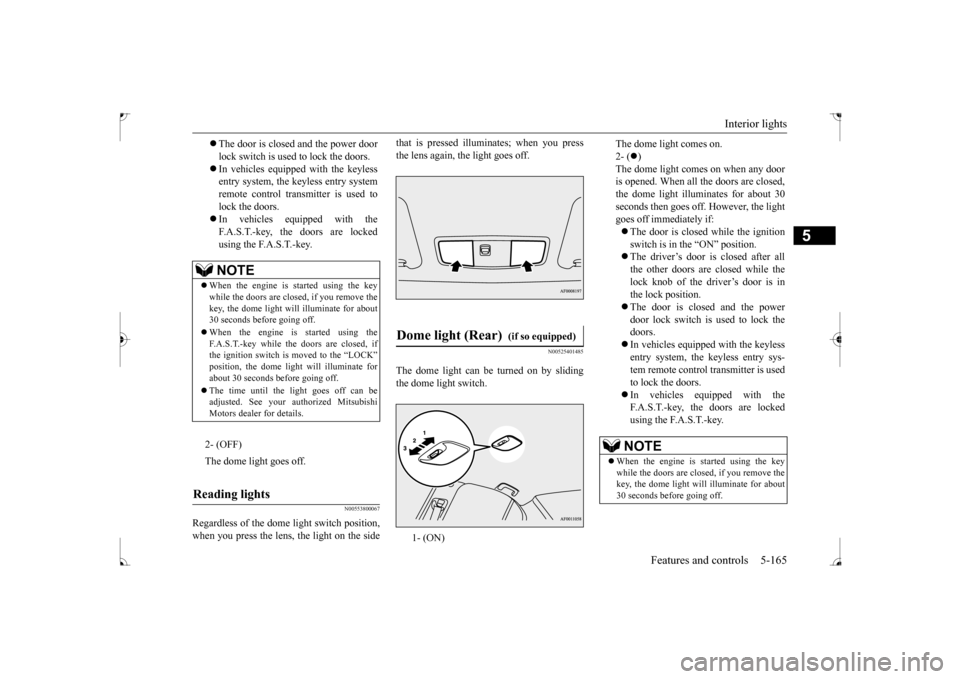
The dome light can be turned on by sliding the dome light switch.
The door is closed and the power door lock switch is used to lock the doors. In vehicles equipped with the keyless entry system, the keyless entry system remote control transmitter is used tolock the doors. In vehicles equipped with the F.A.S.T.-key, the doors are lockedusing the F.A.S.T.-key.NOTE
When the engine is started using the key while the doors are closed, if you remove the key, the dome light will illuminate for about30 seconds before going off. When the engine is started using the F.A.S.T.-key while the doors are closed, if the ignition switch is moved to the “LOCK” position, the dome light will illuminate forabout 30 seconds before going off. The time until the light goes off can be adjusted. See your authorized Mitsubishi Motors dealer for details.2- (OFF) The dome light goes off.
Reading lights
Dome light (Rear)
(if so equipped)
1- (ON)
The dome light comes on. 2- (
)
The dome light comes on when any door is opened. When all the doors are closed, the dome light illuminates for about 30seconds then goes off. However, the light goes off immediately if: The door is closed while the ignition switch is in the “ON” position. The driver’s door is closed after all the other doors are closed while thelock knob of the driver’s door is inthe lock position. The door is closed and the power door lock switch is used to lock thedoors. In vehicles equipped with the keyless entry system, the keyless entry sys-tem remote control transmitter is used to lock the doors. In vehicles equipped with the F.A.S.T.-key, the doors are locked using the F.A.S.T.-key.NOTE
When the engine is started using the key while the doors are closed, if you remove the key, the dome light will illuminate for about 30 seconds before going off.
BK0237700US.book
165 ページ 2016年4月15日 金曜日 午前11時28分
Page 231 of 385
Storage spaces 5-166 Features and controls
5
N00526301465
If any of the interior lights are left on with the ignition switch in the “LOCK” position, the lights go off automatically after about 30 minutes.The lights come on again if the ignition switch is turned to the “ON” or “ACC” posi- tion, any door or the trunk lid is opened andclosed, or the keyless entry system or F.A.S.T.-key is operated.
N00526401570
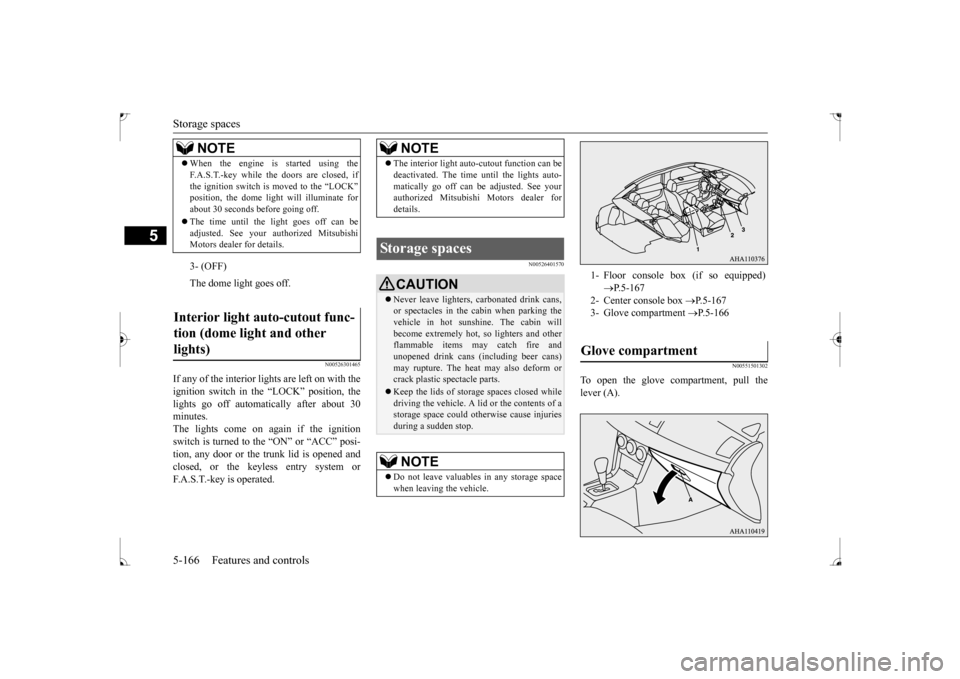
N00551501302
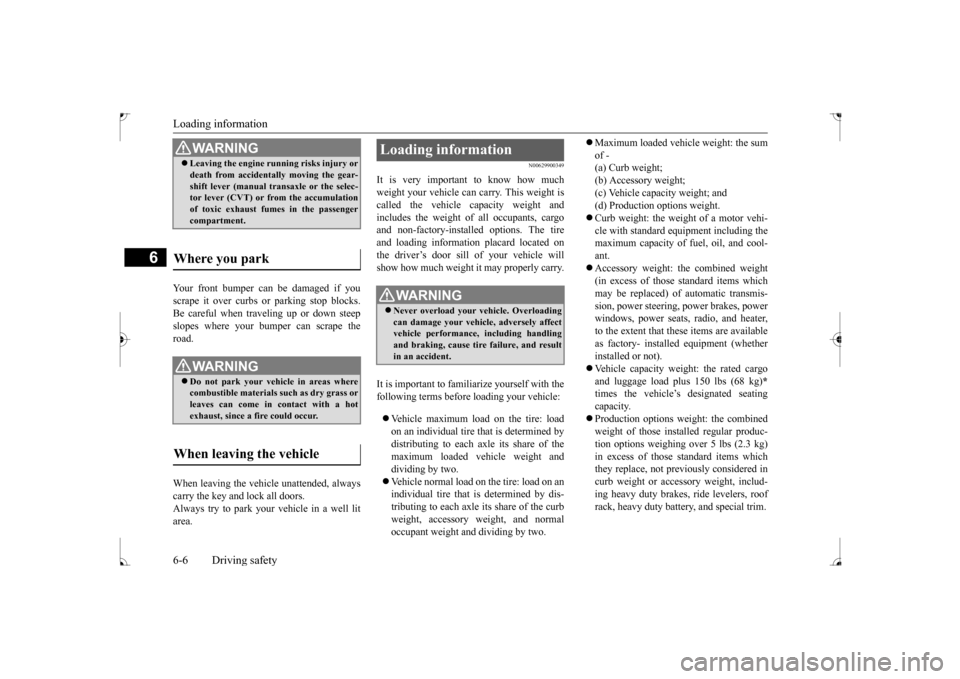
To open the glove compartment, pull the lever (A).
When the engine is started using the F.A.S.T.-key while the doors are closed, if the ignition switch is moved to the “LOCK” position, the dome light will illuminate for about 30 seconds before going off. The time until the light goes off can be adjusted. See your au
thorized Mitsubishi
Motors dealer for details.3- (OFF) The dome light goes off.
Interior light auto-cutout func- tion (dome light and other lights)
NOTE
NOTE
The interior light auto-cutout function can be deactivated. The time until the lights auto- matically go off can be adjusted. See your authorized Mitsubishi Motors dealer for details.
Storage spaces
CAUTION Never leave lighters, carbonated drink cans, or spectacles in the cabin when parking the vehicle in hot sunshine. The cabin willbecome extremely hot, so lighters and other flammable items may catch fire and unopened drink cans (including beer cans)may rupture. The heat may also deform or crack plastic spectacle parts. Keep the lids of storage spaces closed while driving the vehicle. A lid or the contents of a storage space could otherwise cause injuriesduring a sudden stop.NOTE
Do not leave valuables in any storage space when leaving the vehicle.
1- Floor console box (if so equipped)
P.5-167
2- Center console box
P.5-167
3- Glove compartment
P.5-166
Glove compartment
BK0237700US.book
166 ページ 2016年4月15日 金曜日 午前11時28分
Page 241 of 385
Loading information 6-6 Driving safety
6
Your front bumper can be damaged if you scrape it over curbs or parking stop blocks.Be careful when traveling up or down steep slopes where your bumper can scrape the road. When leaving the vehicle unattended, always carry the key and lock all doors.Always try to park your vehicle in a well lit area.
N00629900349
It is very important to know how much weight your vehicle can carry. This weight iscalled the vehicle capacity weight and includes the weight of all occupants, cargo and non-factory-installed options. The tireand loading information placard located on the driver’s door sill of your vehicle will show how much weight it may properly carry. It is important to familiarize yourself with the following terms before loading your vehicle: Vehicle maximum load on the tire: load on an individual tire that is determined by distributing to each axle its share of the maximum loaded vehicle weight anddividing by two. Vehicle normal load on the tire: load on an individual tire that is determined by dis-tributing to each axle its share of the curb weight, accessory weight, and normal occupant weight and dividing by two.
Maximum loaded vehicle weight: the sum of - (a) Curb weight; (b) Accessory weight;(c) Vehicle capacity weight; and (d) Production options weight. Curb weight: the weight of a motor vehi- cle with standard equipment including the maximum capacity of fuel, oil, and cool- ant. Accessory weight: the combined weight (in excess of those standard items which may be replaced) of automatic transmis- sion, power steering, power brakes, powerwindows, power seats, radio, and heater, to the extent that these items are available as factory- installed equipment (whetherinstalled or not). Vehicle capacity weight: the rated cargo and luggage load plus 150 lbs (68 kg)
*
times the vehicle’s designated seating capacity. Production options weight: the combined weight of those installed regular produc- tion options weighing over 5 lbs (2.3 kg) in excess of those standard items whichthey replace, not previously considered in curb weight or accessory weight, includ- ing heavy duty brakes, ride levelers, roofrack, heavy duty battery, and special trim.
WA R N I N G Leaving the engine running risks injury or death from accidentally moving the gear- shift lever (manual transaxle or the selec- tor lever (CVT) or from the accumulation of toxic exhaust fumes in the passengercompartment.
Where you park
WA R N I N G Do not park your vehicle in areas where combustible materials such as dry grass or leaves can come in contact with a hotexhaust, since a fire could occur.
When leaving the vehicle
Loading information
WA R N I N G Never overload your vehicle. Overloading can damage your vehicle, adversely affectvehicle performance, including handling and braking, cause tire failure, and result in an accident.
BK0237700US.bo
ok 6 ページ 2016年4月15日 金曜日 午前11時28分
Page 248 of 385
7
Comfort controlsVents .........................................
.......................................................7-2
Automatic air conditioning
with Fahrenheit scale
(if so equipped) .
.................................................
..........................7-4
Automatic air conditioning with Cels
ius scale (if so equipped) .......7-9
Important air conditioning op
erating tips ......................................7-14
Air purifier ......................
...............................................................7-15
AM/FM radio/CD player (if so equipped) .....................................7-15Handling of Discs .
.................................................
........................7-18
Audio Files (MP3/WMA/
AAC) ....................................................7-20
Important Points on Safety fo
r the Customer ................................7-24
Operation Keys ...............
...............................................................7-24
Listen to Radio ......
.................................................
........................7-28
Listen to Satellite Radio (if so equipped) .......................................7-29Listen to CDs ..................
...............................................................7-31
Listen to MP3s ......
.................................................
........................7-32
Listen to an iPod ...
.................................................
........................7-33
Listen to Audio Files on
a USB Device .........................................7-35
To play iPod/USB memory device tracks via voice operation (vehicles with Bluetooth 2.0
interface) ......................................7-38
Listen to Bluetooth Audio (i
f so equipped) ....................................7-41
Display Indicator ..
.................................................
........................7-43
Audio Quality and Volume Balance Adjustment ...........................7-44System Settings .....
.................................................
........................7-45
Troubleshooting ..............
...............................................................7-49
Antenna .....................................
.....................................................7-51
Clock (if so equipped)
............................................
........................7-52
General information about
your radio ...........................................7-53
BK0237700US.bo
ok 1 ページ 2016年4月15日 金曜日 午前11時28分
Page 271 of 385
Important Points on Safety for the Customer 7-24 Comfort controls
7
N00716200020
This product features a number of pictorial indications as well as points concerning han-dling so that you can use the product cor- rectly and in a safe manner, as well as prevent injury or damage to yourself, other users, orproperty.
N00716300021 N00716400022
1. Press the PWR/VOL key.
File extension m4a Supported tag information
AAC tags or ID3 tags Title, Artist name, Album name
Maximum number of characters that can be indicated on
the display
64 characters
Important Points on Safety for the Customer
WA R N I N G The driver should not pay close attention to the display while driving. This may prevent the driver looking where they are going, and cause an acci-dent.
Item
Details
The driver should not perform compli- cated operations while driving. Performing complicated operations while driving may prevent the driver looking where they are going, and cause an acci-dent. Therefore stop the vehicle in a safe loca- tion before performing such operations. Do not use during malfunctions, such as when no sound is audible.This may lead to accident, fire, or electric shock. Ensure water or other foreign objects do not enter the product. This may lead to smoking, fire, electricshock, or malfunction. Do not insert foreign objects into the disc slot. This may lead to fire, electric shock, or malfunction. In the event of abnormalities occurring when foreign objects or water enter theproduct, resulting in smoke or a strange smell, immediately stop using the product, and consult an authorized MitsubishiMotors dealer or a repair facility of your choice. Continuing to use the product may result in accident, fire, or electric shock. Do not disassemble or modify the product. This may lead to malfunction, fire, or elec- tric shock.WA R N I N G
During thunderstorms, do not touch the antenna or the front panel. This may lead to electrical shock from lightning.CAUTION Do not block ventilation holes or heat sinks on the product.Blocking ventilation holes or heat sinks may prevent heat from escaping from within the product, leading to fire or malfunction. Do not turn the volume up to the extent that you cannot hear sounds from outside thevehicle while driving. Driving without being able to hear sounds from outside the vehicle may result in anaccident. Do not insert your hand or fingers into the disc slot. This may result in injury.
Operation Keys Turn the Power ON/ OFF
WA R N I N G
BK0237700US.bo
ok 24 ページ 2016年4月15日 金曜日 午前11時28分