engine coolant MITSUBISHI LANCER 2017 8.G Owners Manual
[x] Cancel search | Manufacturer: MITSUBISHI, Model Year: 2017, Model line: LANCER, Model: MITSUBISHI LANCER 2017 8.GPages: 385, PDF Size: 14.34 MB
Page 16 of 385
If this problem occurs...
Quick index 2-5
2
Problem
Do this
Ref. page
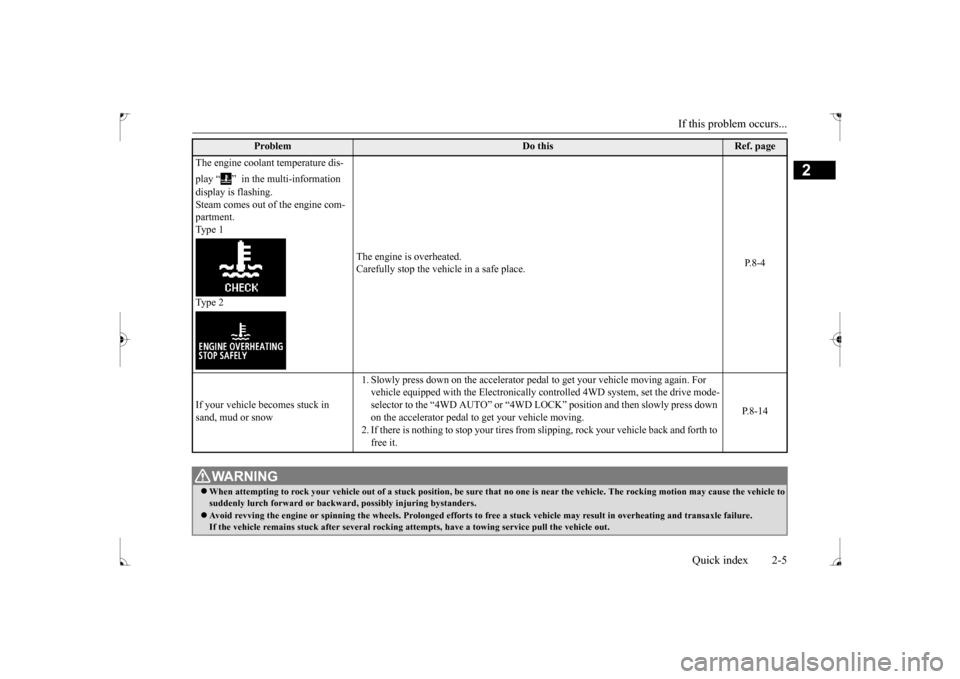
The engine coolant temperature dis- play “ ” in the multi-information display is flashing. Steam comes out of the engine com- partment. Type 1 Type 2
The engine is overheated. Carefully stop the vehicle in a safe place.
P.8-4
If your vehicle becomes stuck in sand, mud or snow
1. Slowly press down on the accelerator peda
l to get your vehicle moving again. For
vehicle equipped with the Electronically controlled 4WD system, set the drive mode- selector to the “4WD AUTO” or “4WD LO
CK” position and then slowly press down
on the accelerator pedal to get your vehicle moving.2. If there is nothing to stop your tires from
slipping, rock your vehicle back and forth to
free it.
P.8-14
WA R N I N G When attempting to rock your vehicle out of
a stuck position, be sure that no one is
near the vehicle. The rocking motion may c
ause the vehicle to
suddenly lurch forward or backward, possibly injuring bystanders. Avoid revving the engine or spinning the
wheels. Prolonged efforts to free a stuck ve
hicle may result in overheating and transa
xle failure.
If the vehicle remains stuck after several rocking at
tempts, have a towing service pull the vehicle out.
BK0237700US.bo
ok 5 ページ 2016年4月15日 金曜日 午前11時28分
Page 86 of 385
Free-hand Advanced Security Transmit
ter (F.A.S.T.-key) (if so equipped)
Features and controls 5-21
5
If the engine will not start because the bat- tery is weak or discharged, refer to “Jump-starting the engine” on page 8-2 for instructions. A longer warm up period will only con- sume extra fuel. The engine is warmed up enough for driving when the bar graph ofthe engine coolant temperature display starts to move. Refer to “Interrupt display screen (With ignition
switch in the “ON”
position)” on page 5-101.
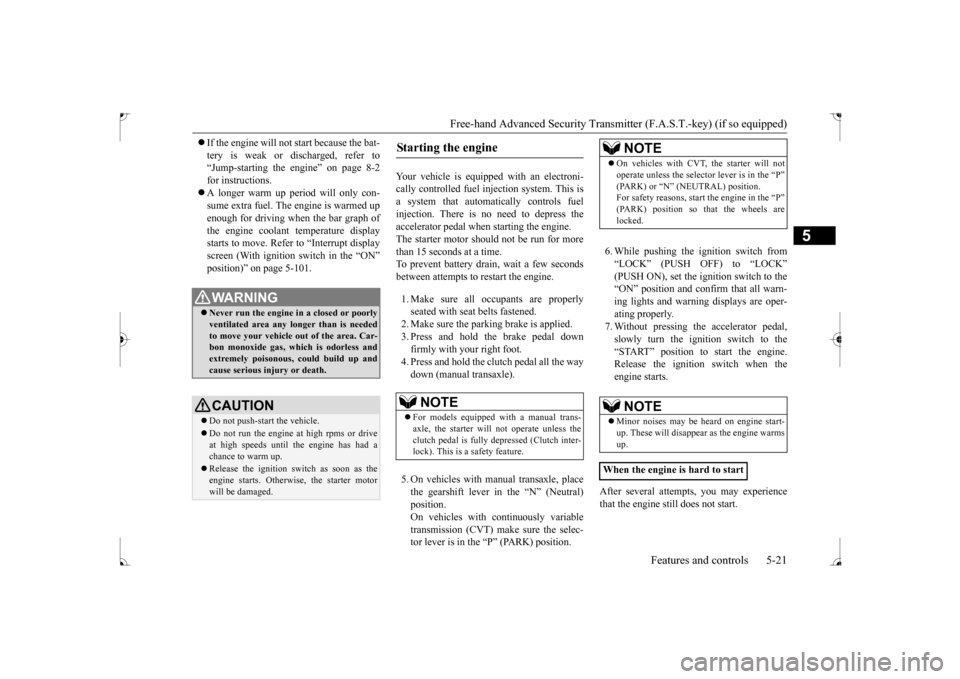
Your vehicle is equipped with an electroni- cally controlled fuel injection system. This isa system that automatically controls fuel injection. There is no need to depress the accelerator pedal when starting the engine.The starter motor should not be run for more than 15 seconds at a time. To prevent battery drain, wait a few secondsbetween attempts to restart the engine. 1. Make sure all occupants are properly seated with seat belts fastened. 2. Make sure the parking brake is applied. 3. Press and hold the brake pedal downfirmly with your right foot. 4. Press and hold the clutch pedal all the way down (manual transaxle). 5. On vehicles with manual transaxle, place the gearshift lever in the “N” (Neutral) position.On vehicles with continuously variable transmission (CVT) make sure the selec- tor lever is in the “P” (PARK) position.
6. While pushing the ignition switch from “LOCK” (PUSH OFF) to “LOCK” (PUSH ON), set the ignition switch to the“ON” position and confirm that all warn-ing lights and warning displays are oper- ating properly. 7. Without pressing the accelerator pedal,slowly turn the ignition switch to the “START” position to start the engine. Release the ignition switch when theengine starts.
After several attempts, you may experience that the engine still does not start.
WA R N I N G Never run the engine in a closed or poorly ventilated area any longer than is needed to move your vehicle out of the area. Car-bon monoxide gas, which is odorless and extremely poisonous, could build up and cause serious injury or death.CAUTION Do not push-start the vehicle.Do not run the engine at high rpms or drive at high speeds until the engine has had a chance to warm up. Release the ignition switch as soon as the engine starts. Otherwise, the starter motorwill be damaged.
Starting the engine
NOTE
For models equipped with a manual trans- axle, the starter will not operate unless the clutch pedal is fully depressed (Clutch inter-lock). This is a safety feature.
NOTE
On vehicles with CVT, the starter will not operate unless the selector lever is in the “P” (PARK) or “N” (NEUTRAL) position. For safety reasons, start the engine in the “P” (PARK) position so that the wheels arelocked.NOTE
Minor noises may be heard on engine start- up. These will disappear as the engine warms up.
When the engine is hard to start
BK0237700US.bo
ok 21 ページ 2016年4月15日 金曜日 午前11時28分
Page 90 of 385
Free-hand Advanced Security Transmit
ter (F.A.S.T.-key) (if so equipped)
Features and controls 5-25
5
Turn the emergency key to the “LOCK” posi- tion. Turn the steering wheel until it is locked. Turn the emergency key to the “ACC” posi- tion while moving the steering wheel slightly. Tips for starting
Do not operate the starter motor continu- ously for longer than 15 seconds as this could run the battery down or damage the starter motor. If the engine does not start,turn the emergency key back to the “LOCK” position, wait a few seconds, and then try again. Trying repeatedly withthe engine or starter motor still turning will damage the starter mechanism. If the engine will not start because the bat- tery is weak or discharged, refer to“Jump-starting the engine” on page 8-2 for instructions. A longer warm up period will only con- sume extra fuel. The engine is warmed up enough for driving when the bar graph of the engine coolant temperature displaystarts to move. Refer to “Interrupt display screen (With ignition switch in the “ON” position)” on page 5-101.
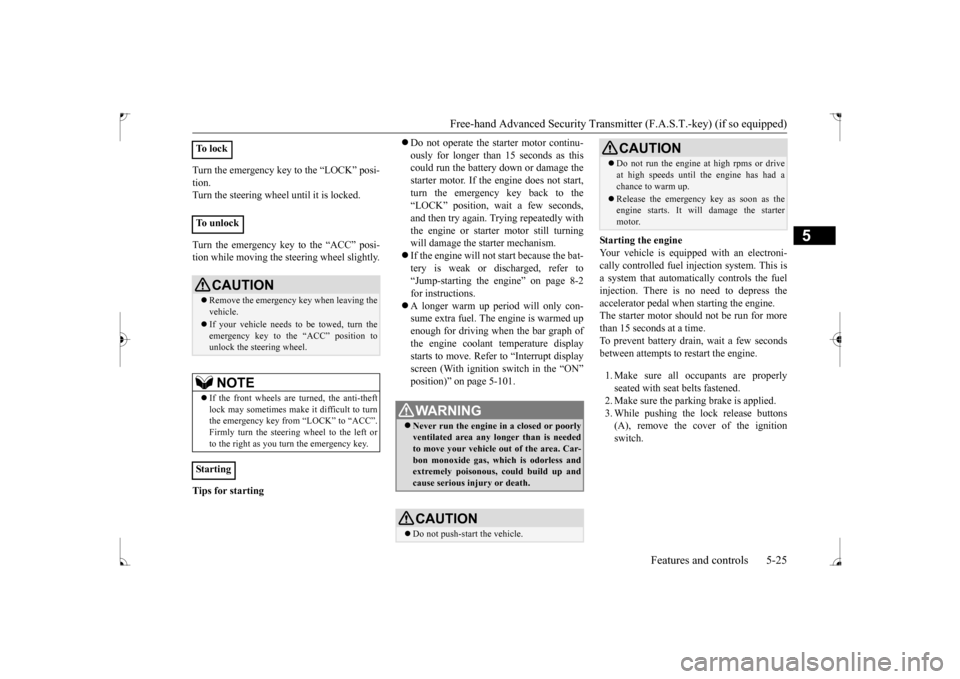
Starting the engine Your vehicle is equipped with an electroni-cally controlled fuel injection system. This is a system that automatically controls the fuel injection. There is no need to depress theaccelerator pedal when starting the engine. The starter motor should not be run for more than 15 seconds at a time.To prevent battery drain, wait a few seconds between attempts to restart the engine. 1. Make sure all occupants are properly seated with seat belts fastened.2. Make sure the parking brake is applied. 3. While pushing the lock release buttons (A), remove the cover of the ignitionswitch.
To l o c k To u n l o c k
CAUTION Remove the emergency key when leaving the vehicle. If your vehicle needs to be towed, turn the emergency key to the “ACC” position tounlock the steering wheel.NOTE
If the front wheels are turned, the anti-theft lock may sometimes make it difficult to turnthe emergency key from “LOCK” to “ACC”. Firmly turn the steering wheel to the left or to the right as you turn the emergency key.
Starting
WA R N I N G Never run the engine in a closed or poorly ventilated area any longer than is needed to move your vehicle out of the area. Car- bon monoxide gas, which is odorless and extremely poisonous, could build up andcause serious injury or death.CAUTION Do not push-start the vehicle.
Do not run the engine
at high rpms or drive
at high speeds until the engine has had a chance to warm up. Release the emergency key as soon as the engine starts. It will damage the starter motor.CAUTION
BK0237700US.bo
ok 25 ページ 2016年4月15日 金曜日 午前11時28分
Page 120 of 385
Starting and stopping the engine Features and controls 5-55
5
N00542101096
Do not operate the starter motor continu- ously for longer than
15 seconds as this
could run the battery down or damage thestarter motor. If the engine does not start,turn the ignition switch back to the “LOCK” position, wait a few seconds, and then try again. Trying repeatedly withthe engine or starter motor still turning will damage the starter mechanism. If the engine will not start because the bat- tery is weak or discharged, refer to “Jump-starting the engine” (on page 8-2) for instructions. The engine is warmed up enough for driv- ing when the bar graph of engine coolant temperature display starts to move. A lon-ger warm up period will only consume extra fuel.
N00542201198
[For vehicles equipped with the F.A.S.T.- key.]For information on operation for vehicles equipped with the F.A.S.T.-key, refer to “F.A.S.T.-key: Starting the engine” on page5-20. [Except for vehicles equipped with the F. A . S . T. - k e y. ]Your vehicle is equipped with an electroni- cally controlled fuel injection system, which automatically controls the release of fuel.
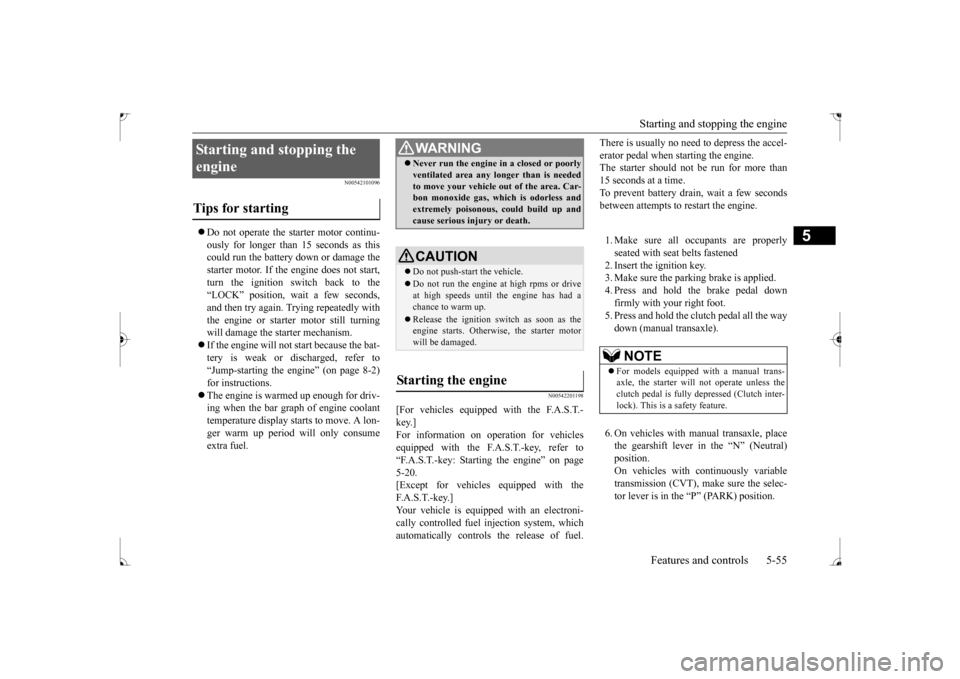
There is usually no need to depress the accel- erator pedal when starting the engine. The starter should not be run for more than 15 seconds at a time.To prevent battery drain, wait a few seconds between attempts to restart the engine. 1. Make sure all occupants are properly seated with seat belts fastened 2. Insert the ignition key. 3. Make sure the parking brake is applied.4. Press and hold the brake pedal downfirmly with your right foot. 5. Press and hold the clutch pedal all the way down (manual transaxle). 6. On vehicles with manual transaxle, place the gearshift lever in the “N” (Neutral) position.On vehicles with continuously variable transmission (CVT), make sure the selec- tor lever is in the “P” (PARK) position.
Starting and stopping the engine Tips for starting
WA R N I N G Never run the engine in a closed or poorly ventilated area any longer than is needed to move your vehicle out of the area. Car- bon monoxide gas, which is odorless and extremely poisonous, could build up andcause serious injury or death.CAUTION Do not push-start the vehicle.Do not run the engine
at high rpms or drive
at high speeds until the engine has had a chance to warm up. Release the ignition switch as soon as the engine starts. Otherwise, the starter motorwill be damaged.
Starting the engine
NOTE
For models equipped with a manual trans- axle, the starter will not operate unless the clutch pedal is fully depressed (Clutch inter-lock). This is a safety feature.
BK0237700US.bo
ok 55 ページ 2016年4月15日 金曜日 午前11時28分
Page 136 of 385
Cautions on handling of all-wheel drive vehicles
Features and controls 5-71
5
Set the drive mode-selector to “4WD LOCK” and then gradually depress the accelerator pedal for a smooth start. Keep the pressure on the accelerator pedal asconstant as possible, and drive at low speed.
Your vehicle may not provide sufficient hill climbing ability and engine braking on steepslopes. Avoid driving on steep slopes even though the vehicle is a 4-wheel drive vehicle.
N00530800190
Since driving torque can
be applied to all four
wheels, the performance of the vehicle when operating in all-wheel drive is greatly affected by the condition of the tires. Pay close attention to the tires. Install specified tires on all wheels. Refer to “Tires and wheels” on page 11-5. Be sure to fit all four tires and wheels of the same size and type.When replacement of any of the tires or wheels is necessary, replace all of them. All tires should be rotated whenever the wear difference between the front and rear tires is recognizable.
NOTE
The use of snow tires is recommended. Maintain a safe distance between vehicles, avoid sudden braking, and use engine brak- ing (downshifting).CAUTION Avoid sudden braking, sudden acceleration, and sharp turning. Skidding occurs and con- trol of the vehicle could be lost.
Moving out of mud
CAUTION If any of the following conditions occur, fol- low these procedures:• The engine coolant temperature display appears on the information screen in the multi-information display or the engine power drops suddenly. Refer to “Engine overheating” on page 8-4.
• The “ ” warning display or the “ ” warning display appear on the information screen in the multi-information display. Refer to “Warning display” on page 5-62.WA R N I N G When attempting to rock your vehicle out of a stuck position, be sure that the area around the vehicle is clear of people and physical objects. The rocking motion may cause the vehicle to suddenly launch for- ward/backward, causing injury or dam-age to nearby people or objects.NOTE
Avoid sudden braking, sudden acceleration and sharp turning; such operations couldresult in the vehicle becoming stuck. If the vehicle becomes stuck in muddy roads, it can often be moved with a rocking motion. Move the selector lever alternately between “D” (DRIVE) and “R” (REVERSE) posi-tions, while pressing lightly on the accelera- tor pedal.CAUTION
Climbing/descending sharp grades Cautions on handling of all- wheel drive vehicles Tires and wheels
BK0237700US.bo
ok 71 ページ 2016年4月15日 金曜日 午前11時28分
Page 156 of 385
Multi-information display
Features and controls 5-91
5
N00554900137
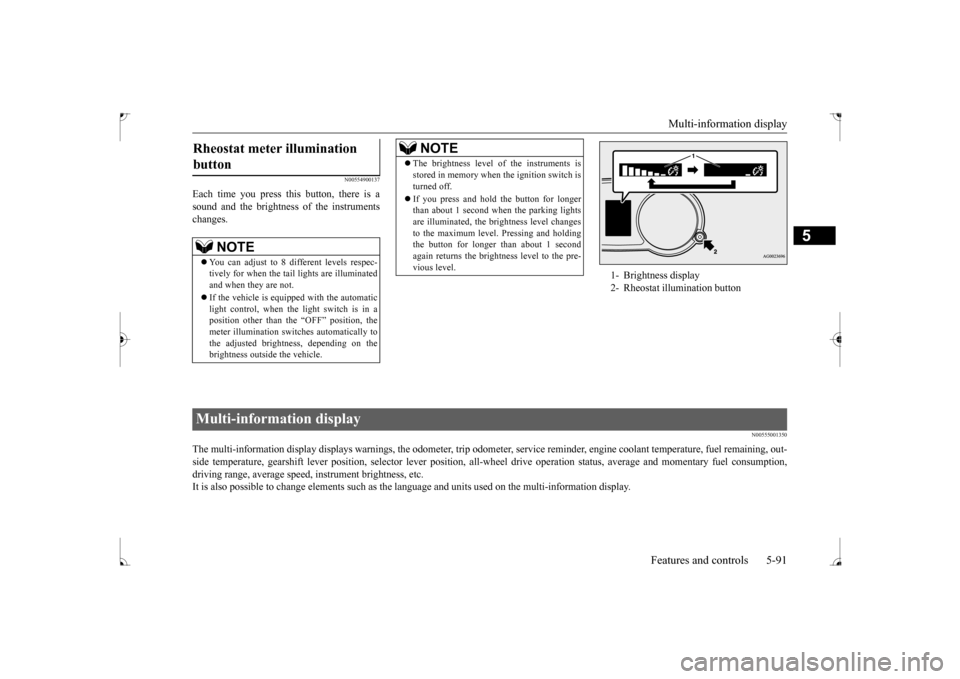
Each time you press this button, there is a sound and the brightness of the instruments changes.
N00555001350
The multi-information display displays warnings, the odometer, tr
ip odometer, service reminder, engine coolant temperature, fue
l remaining, out-
side temperature, gearshift lever position, selector lever pos
ition, all-wheel drive operation status, average and momentary fu
el consumption,
driving range, average speed, instrument brightness, etc. It is also possible to change elements such as the
language and units used on the multi-information display.
Rheostat meter illumination button
NOTE
You can adjust to 8 different levels respec- tively for when the tail lights are illuminated and when they are not. If the vehicle is equipped with the automatic light control, when the light switch is in a position other than the “OFF” position, themeter illumination switches automatically to the adjusted brightness, depending on the brightness outside the vehicle.
The brightness level of the instruments is stored in memory when the ignition switch is turned off. If you press and hold the button for longer than about 1 second when the parking lights are illuminated, the brightness level changes to the maximum level. Pressing and holdingthe button for longer than about 1 second again returns the brightness level to the pre- vious level.NOTE
1- Brightness display 2- Rheostat illumination button
Multi-information display
BK0237700US.bo
ok 91 ページ 2016年4月15日 金曜日 午前11時28分
Page 157 of 385
Multi-information display 5-92 Features and controls
5
W i t h i g n i t i o n s w i t c h i n “ O N ” p os i t i o n { C o n t i n u o us l y
v a r i a b l e t r a n s m i s s i o n ( C V T ) }
With ignition switch in “OFF” position
With ignition switch in “ON” position (Manual transaxle)
Type 1 Type 2 Type 1 Type 2 Type 1 Type 21-
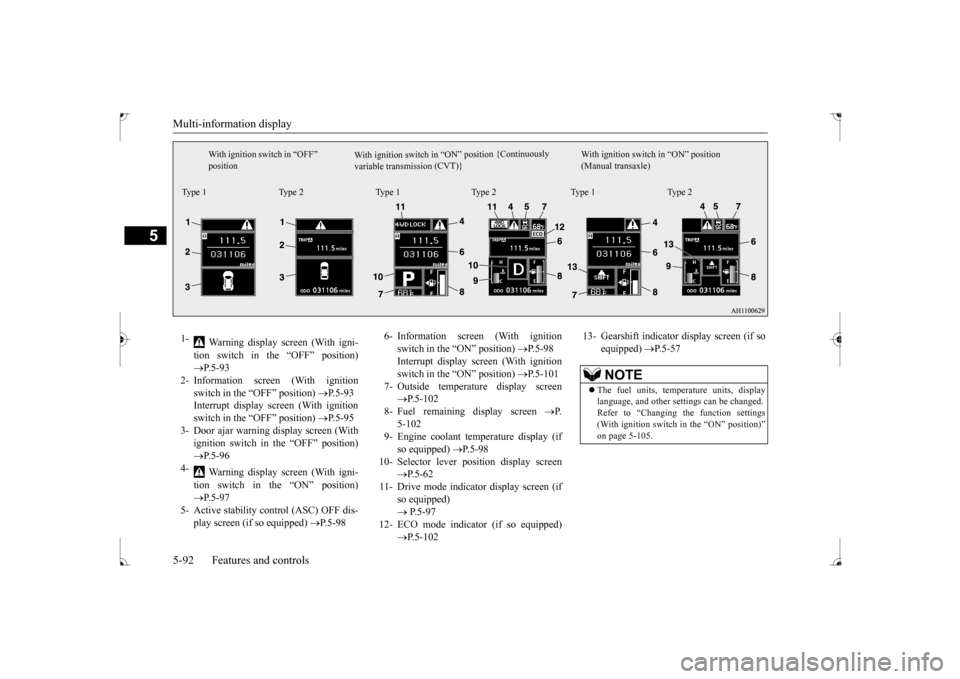
Warning display screen (With igni- tion switch in the “OFF” position) P.5-93
2- Information screen (With ignition
switch in the “OFF” position)
P.5-93
Interrupt display screen (With ignition switch in the “OFF” position)
P.5-95
3- Door ajar warning display screen (With
ignition switch in the “OFF” position) P.5-96
4-
Warning display screen (With igni- tion switch in the “ON” position) P.5-97
5- Active stability control (ASC) OFF dis-
play screen (if so equipped)
P.5-98
6- Information screen (With ignition
switch in the “ON” position)
P.5-98
Interrupt display screen (With ignition switch in the “ON” position)
P.5-101
7- Outside temperature display screen
P.5-102
8- Fuel remaining display screen
P.
5-102
9- Engine coolant temperature display (if
so equipped)
P.5-98
10- Selector lever position display screen
P.5-62
11- Drive mode indicator display screen (if
so equipped) P.5-97
12- ECO mode indicator (if so equipped)
P.5-102
13- Gearshift indicator display screen (if so
equipped)
P.5-57
NOTE
The fuel units, temperature units, display language, and other settings can be changed. Refer to “Changing the function settings (With ignition switch in the “ON” position)” on page 5-105.
BK0237700US.bo
ok 92 ページ 2016年4月15日 金曜日 午前11時28分
Page 158 of 385
Multi-information display
Features and controls 5-93
5
N00555101218
The multi-information meter switch is a but- ton marked “INFO” on the left side of the dash.Each time the multi-information meter switch is operated, a sound is emitted and the multi- information display changes between infor-mation such as warnings, odometer, trip odometer, service reminder, engine coolant temperature (Type 1), average and momen-tary fuel consumption, driving range, and average speed. It is also possible to
change elements such as
the language and units used on the multi-
information display by operating the multi- information meter switch.
N00555200137
If you press the multi-information meter switch and return from the warning display screen to the previous screen, the warning is displayed. Refer to “Returning to the display screen from before the warning display” on page5-95. This mark is also displayed if there is another warning other than the one displayed. Whenthe cause of the warning display is elimi- nated, the warning goes out automatically.
N00555300112
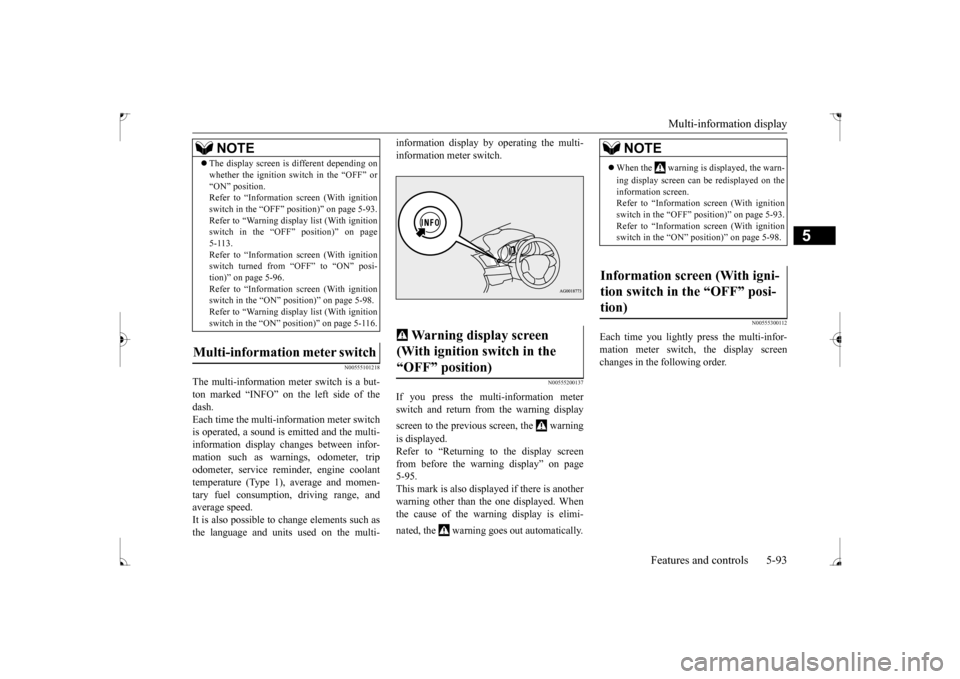
Each time you lightly press the multi-infor- mation meter switch, the display screenchanges in the following order.
The display screen is different depending on whether the ignition switch in the “OFF” or “ON” position. Refer to “Information screen (With ignition switch in the “OFF” position)” on page 5-93.Refer to “Warning displa
y list (With ignition
switch in the “OFF” position)” on page 5-113.Refer to “Information screen (With ignition switch turned from “OFF” to “ON” posi- tion)” on page 5-96.Refer to “Information screen (With ignition switch in the “ON” position)” on page 5-98. Refer to “Warning displa
y list (With ignition
switch in the “ON” position)” on page 5-116.
Multi-information meter switch
NOTE
Warning display screen (With ignition switch in the “OFF” position)
NOTE
When the warning is displayed, the warn- ing display screen can be redisplayed on the information screen. Refer to “Information screen (With ignitionswitch in the “OFF” position)” on page 5-93. Refer to “Information screen (With ignition switch in the “ON” position)” on page 5-98.
Information screen (With igni- tion switch in the “OFF” posi- tion)
BK0237700US.bo
ok 93 ページ 2016年4月15日 金曜日 午前11時28分
Page 163 of 385
Multi-information display 5-98 Features and controls
5
N00556100074
This is displayed when the Active stability control (ASC) is turned “OFF” with the“ASC OFF” switch. Also, if an abnormal condition is occurred in the ASC while driving, the “ASC OFF” dis-play illuminates.Refer to “ASC OFF switch” on page 5-77.
N00556200176
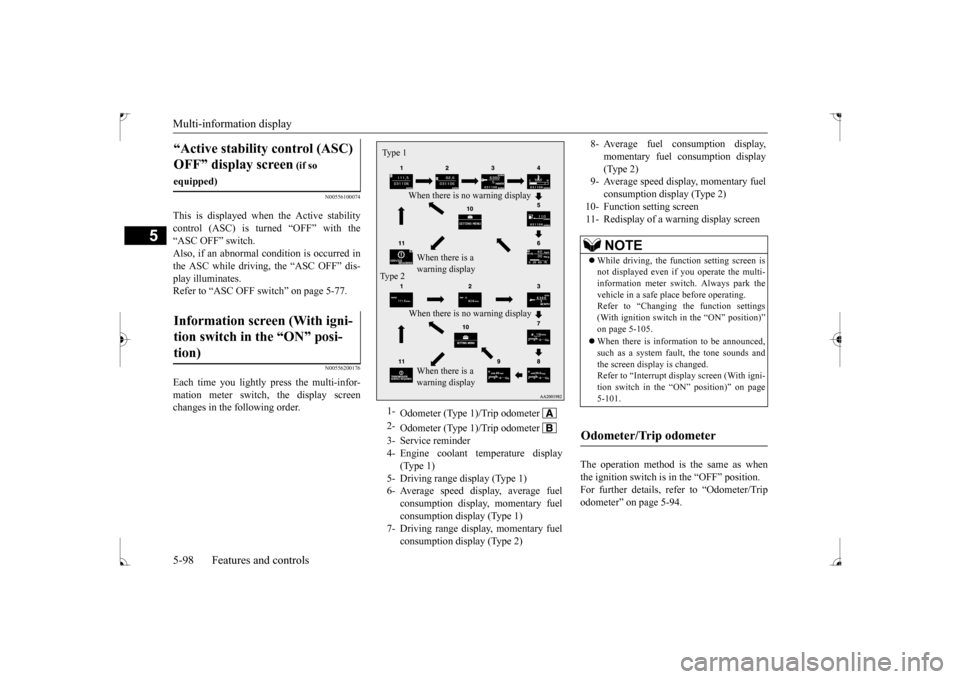
Each time you lightly press the multi-infor-mation meter switch, the display screenchanges in the following order.
The operation method is the same as when the ignition switch is in the “OFF” position.For further details, refer to “Odometer/Trip odometer” on page 5-94.
“Active stability control (ASC) OFF” display screen
(if so
equipped)Information screen (With igni- tion switch in the “ON” posi- tion)
1-
Odometer (Type 1)/Trip odometer
2-
Odometer (Type 1)/Trip odometer
3- Service reminder4- Engine coolant temperature display
(Type 1)
5- Driving range display (Type 1)6- Average speed display, average fuel
consumption display, momentary fuel consumption display (Type 1)
7- Driving range display, momentary fuel
consumption display (Type 2)
Ty p e 1
When there is no warning display When there is a warning display
Type 2
When there is no warning display When there is a warning display
8- Average fuel consumption display,
momentary fuel consumption display(Type 2)
9- Average speed display, momentary fuel
consumption display (Type 2)
10- Function setting screen 11- Redisplay of a warning display screen
NOTE
While driving, the function setting screen is not displayed even if you operate the multi- information meter switch. Always park the vehicle in a safe place before operating.Refer to “Changing the function settings (With ignition switch in the “ON” position)” on page 5-105. When there is information to be announced, such as a system fault, the tone sounds andthe screen display is changed. Refer to “Interrupt display screen (With igni- tion switch in the “ON” position)” on page5-101.
Odometer/Trip odometer
BK0237700US.bo
ok 98 ページ 2016年4月15日 金曜日 午前11時28分
Page 164 of 385
Multi-information display
Features and controls 5-99
5
Shows the distance and number of months until the next periodic inspection.Refer to “Service reminder” on page 5-103. Shows the engine coolant temperature. If the coolant becomes hot, “ ” will blink. Pay careful attention to the engine coolant temperature display while you are driving. Shows the approximate driving range (how many more miles or kilometers you can drive) with the current fuel level. When thisdriving range falls below 30 miles (50 km), “- --” is displayed. Refuel as soon as possible.
This displays the average speed from the last reset to the present.There are 2 types of mode settings as follows. For details on how to change the average speed display setting, refer to “Changing thefunction settings (With ignition switch in the “ON” position)” on page 5-105.
When the average speed is being dis- played, if you hold down the multi-infor- mation meter switch, the average speed displayed at that time is reset. When the ignition switch is turned to the “ON” position from the “ACC” or “LOCK” position, the mode settingchanges automatically from manual to auto. Switching to auto occurs automatically. Ifswitching to manual mode is done, how-ever, the data from the last reset is dis- played. When the average speed is being dis- played, if you hold down the multi-infor-mation meter switch, these calculations will be reset to zero. When the ignition switch has been set to the “ACC” or “LOCK” position for about 4 hours or more, the average speed dis- play will automatically reset.
Service reminder Engine coolant temperature dis- play
CAUTION If the engine is overheating, “ ” will blink. In this case, the bar graph is on the red zone. Immediately park the vehicle in a safe placeand take the required measures. Refer to “Engine overheating” on page 8-4.
Driving range display
NOTE
The driving range is determined based on the fuel consumption data. This may vary depending on the driving conditions and hab- its. Treat the distance displayed as just a rough guideline. When you refuel, the driving range display is automatically updated.However, if you only add a small amount of fuel, the correct value will not be displayed. Fill to a full tank whenever possible. When your vehicle is stopped on an extremely steep hill, the driving range valuemay change. This is due to the movement of fuel in the tank and does not indicate any problem. The display setting can be changed to the preferred units (miles or km).Refer to “Changing the function settings (With ignition switch in the “ON” position)” on page 5-105.
Average speed display
Manual reset mode Auto reset mode
NOTE
The average speed display and the average fuel consumption display can be reset sepa-rately in both auto reset mode and manual reset mode.
BK0237700US.bo
ok 99 ページ 2016年4月15日 金曜日 午前11時28分