key MITSUBISHI LANCER EVOLUTION 2014 10.G Workshop Manual
[x] Cancel search | Manufacturer: MITSUBISHI, Model Year: 2014, Model line: LANCER EVOLUTION, Model: MITSUBISHI LANCER EVOLUTION 2014 10.GPages: 338, PDF Size: 40.99 MB
Page 115 of 338

Starting and stopping the engine 5-54 Features and controls
5
6. On vehicles with manual transaxle, place the gearshift lever in the “N” (Neutral) position. On vehicles with Twin Clutch SST, makesure the gearshift lever is in the “P” (PARK) position. 7. Turn the ignition switch to the “ON” posi- tion and make certain that all warninglights are functioning properly before starting the engine. 8. Turn the ignition switch to the “START”position without pressing the accelerator pedal. Release the key when the engine starts.
After several attempts, you may experience that the engine still does not start.
1. Make sure that all electric devices, such as lights, air conditioning blower and rear window defogger, are turned off. 2. While depressing the brake pedal on vehi-cles equipped with Twin Clutch SST or the clutch pedal on the vehicles equipped with manual transaxle, press the accelera-tor pedal halfway and hold it there, then crank the engine. Release the accelerator pedal, immediately after the engine starts.3. If the engine still will not start, the enginecould be flooded with too much gasoline. While depressing the brake pedal on vehi- cles equipped with Twin Clutch SST orthe clutch pedal on the vehicles equipped with manual transaxle, push the accelera- tor pedal all the way down and hold itthere, then crank the engine for 5 to 6 sec- onds. Return the ignition switch to the “LOCK” position and release the acceler-ator pedal. Wait a few seconds, and then crank the engine again for 5 to 6 seconds while depressing the brake pedal or theclutch pedal, but do not push the accelera- tor pedal. Release the ignition key if the engine starts. If the engine fails to start,repeat these procedures. If the engine still will not start, contact your local Mitsubi- shi Motors dealer or a repair facility ofyour choice for assistance.
When the ambient temperature is -22 °F (-30 °C) or lower, it may not be possible to start from a standstill even with the gearshift lever in the “D” (DRIVE) position.This phenomenon occurs because the trans- mission has not warmed up sufficiently; it does not indicate a problem. If it occurs,place the gearshift lever in the “P” (PARK)position and let the engine idle for at least 10 minutes. The transmission will warm up, and you willbe able to start normally. Do not leave the vehicle during warm-up operation.
N00547600031
At high altitude locations, the idle speed maybe higher. This is done in order to stabilizethe idle speed when the power steering sys- tem and other systems operate. It does not indicate a malfunction.
N00542300075
1. Bring the vehicle to a complete stop.
NOTE
On vehicles with Twin Clutch SST, the starter will not operate unless the gearshift lever is in the “P” (PARK) position or thegearshift lever is in the “N” (NEUTRAL) position with the brake pedal depressed. For safety reasons, start the engine in the “P”(PARK) position so that the wheels are locked.
When the engine is hard to start
Startability of Twin Clutch SST vehicle with ambient temperature of -22 °F (-30 °C) or lower Idle speed in high altitude area Stopping the engine
BK0200800US.bo
ok 54 ページ 2013年2月14日 木曜日 午後2時28分
Page 119 of 338
Twin Clutch SST (Sportronic Shif
t Transmission) (if so equipped)
5-58 Features and controls
5
N00513100156
The table below shows the maximum rec- ommended driving speed for in each gear.Do not drive near or at these speeds forprolonged periods of time. Do not use the gearshift lever as a han- drest. This can result in premature wear of the transaxle shift forks.
N00539700017
The Twin Clutch SST is a transmission that, through integrated control of the engine and transmission, is able to achieve both the smooth shifting of an automatic transaxle andthe acceleration and fuel economy close to amanual transaxle. In addition, the control mode can be selected from three types to suit the driving conditions.Together with manual shifting, the transmis- sion is capable of responding to a variety of driving circumstances. Twin Clutch SST control mode
P.5-62
Manual shift
P.5-64
N00539800063
As an additional safety precaution, models equipped with a Twin Clutch SST have a shift-lock device that holds the gearshift lever in the “P” (PARK) position. To move thegearshift lever from the “P” (PARK) position to another position, follow the steps below. 1. Press and hold the brake pedal down.
2. Move the gearshift lever to the desired position.
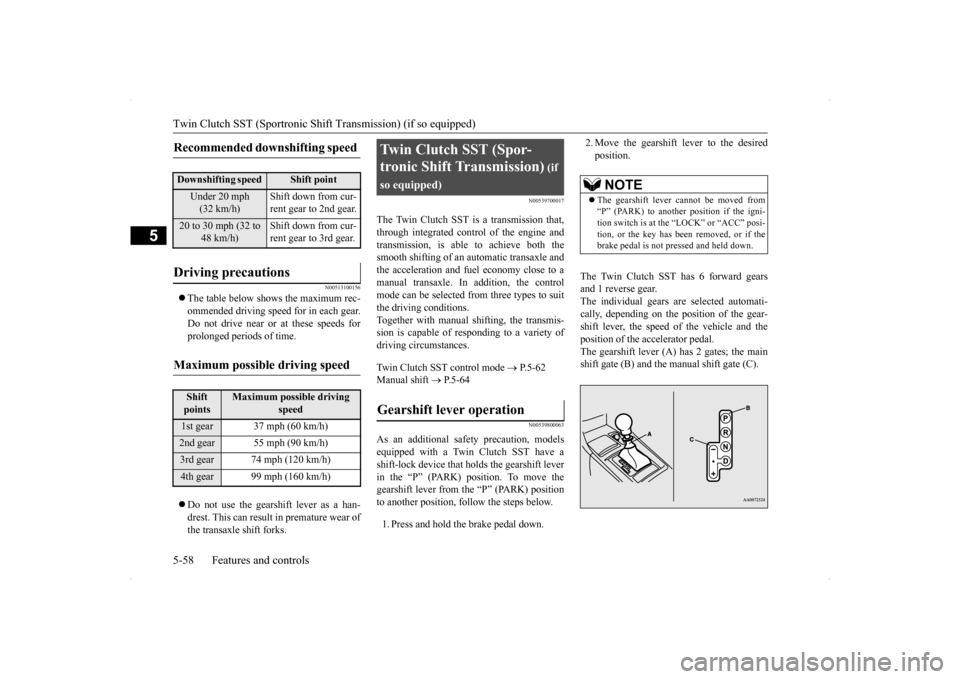
The Twin Clutch SST has 6 forward gears and 1 reverse gear.The individual gears are selected automati- cally, depending on the position of the gear- shift lever, the speed of the vehicle and theposition of the accelerator pedal. The gearshift lever (A) has 2 gates; the main shift gate (B) and the manual shift gate (C).
Recommended downshifting speed
Downshifting speed
Shift point
Under 20 mph (32 km/h)
Shift down from cur- rent gear to 2nd gear.
20 to 30 mph (32 to
48 km/h)
Shift down from cur- rent gear to 3rd gear.
Driving precautions
Maximum possible driving speed
Shift points
Maximum possible driving
speed
1st gear 37 mph (60 km/h)2nd gear 55 mph (90 km/h)3rd gear 74 mph (120 km/h)4th gear 99 mph (160 km/h)
Twin Clutch SST (Spor- tronic Shift Transmission)
(if
so equipped)Gearshift lever operation
NOTE
The gearshift lever cannot be moved from “P” (PARK) to another position if the igni- tion switch is at the “LOCK” or “ACC” posi-tion, or the key has been removed, or if the brake pedal is not pressed and held down.
BK0200800US.bo
ok 58 ページ 2013年2月14日 木曜日 午後2時28分
Page 155 of 338
Multi-information display 5-94 Features and controls
5
N00555500013
Shows the distance and number of months until the next periodic inspection.
Refer to “Service reminder” on page 5-101.
N00559600139
When there is information to be announced, such as a key reminder, the buzzer sounds and switches to the warning display screen. Referto the appropriate page and take the necessarymeasures. When the cause of the warning display is eliminated, the warning display goes outautomatically. Refer to “Warning display list (With ignition switch in the “OFF” position)” on page5-112.
Even if the cause of the warning display is not eliminated, you can return to the screen that was displayed before the warning dis-play. If you press the multi-information meter switch, the display screen switches to thescreen display from before the warning andthe “!” warning is displayed.
NOTE
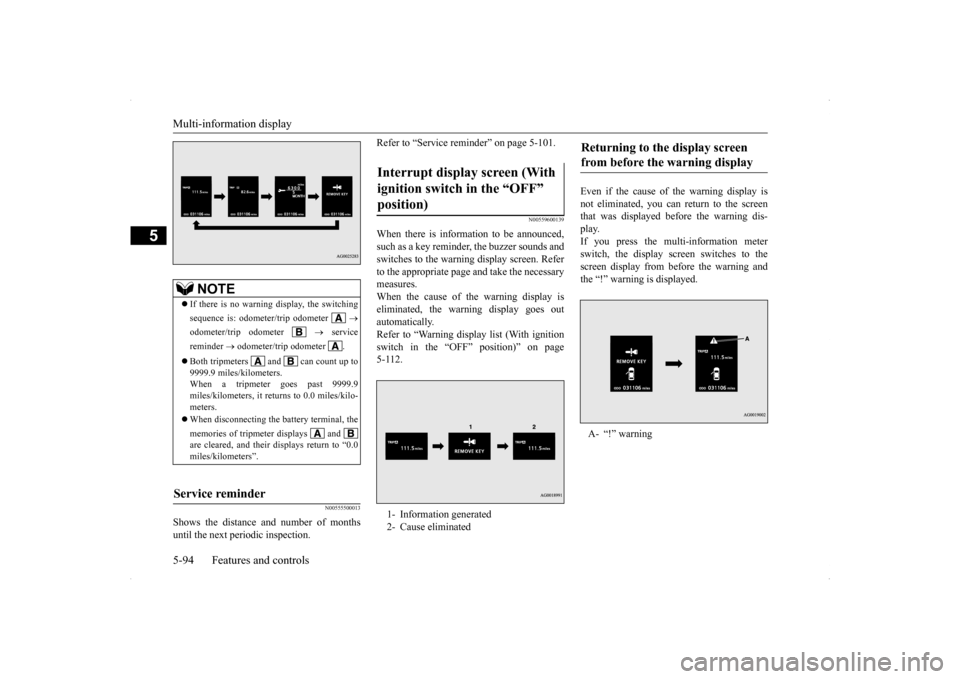
If there is no warning display, the switching sequence is: odometer/trip odometer
odometer/trip odometer
service
reminder
odometer/trip odometer .
Both tripmeters and can count up to 9999.9 miles/kilometers.When a tripmeter goes past 9999.9 miles/kilometers, it returns to 0.0 miles/kilo- meters. When disconnecting the battery terminal, the memories of tripmeter displays and are cleared, and their displays return to “0.0miles/kilometers”.
Service reminder
Interrupt display screen (With ignition switch in the “OFF” position) 1- Information generated 2- Cause eliminated
Returning to the display screen from before the warning display A- “!” warning
BK0200800US.bo
ok 94 ページ 2013年2月14日 木曜日 午後2時28分
Page 173 of 338
Indicator light, warning light, an
d information screen display list
5-112 Features and controls
5
N00557900066
When there is information to be announced,
such as light reminder, the tone sounds an
d the screen switches to the displays show
n below. Refer to
the appropriate page and take the necessary measures.When the cause of the warning display is eliminated, the warning display goes out automatically. Refer to “Warning display list (With ignition switch in the “OFF” position)” on page 5-112. Refer to “Warning display list (With ignition
switch in the “ON” position)” on page 5-115.
Refer to “Other interrupt displays (With ignition switch in the “ON” position)” on page 5-119.
N00558000194
Information screen display list
NOTE
In the following cases, a warning may be displayed on the inform
ation screen and the buzzer may
sound for a few seconds, at tim
es.
This is caused by the system picking up interference such as stro
ng electromagnetic waves or nois
e, and is not a functional pro
blem.
• An extremely strong electromagnetic wave is received from a source
such as an illegal radio set,
a spark from a wire, or a rad
ar station.
• Abnormal voltage or a static electricity discharge is genera
ted by the operation of your vehicle’s electronics (including afte
r-market parts).
If the warning display has occurred a number of times, take your vehicle to an authorized Mitsubishi Motors dealer or a repair
facility of your choice and
have the system checked.
Warning display list (With ignition switch in the “OFF” position)
Screen
Cause
Do this (Reference)
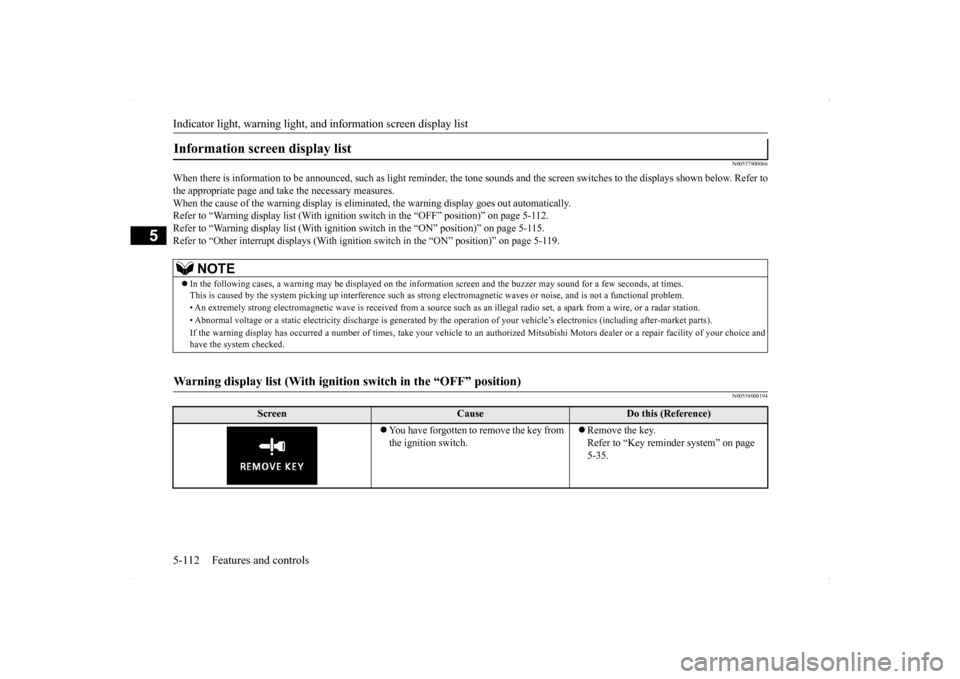
You have forgotten to remove the key from the ignition switch.
Remove the key. Refer to “Key reminder system” on page 5-35.
BK0200800US.book
112 ページ 2013年2月14日 木曜日 午後2時28分
Page 174 of 338
Indicator light, warning light, an
d information screen display list Features and controls 5-113
5
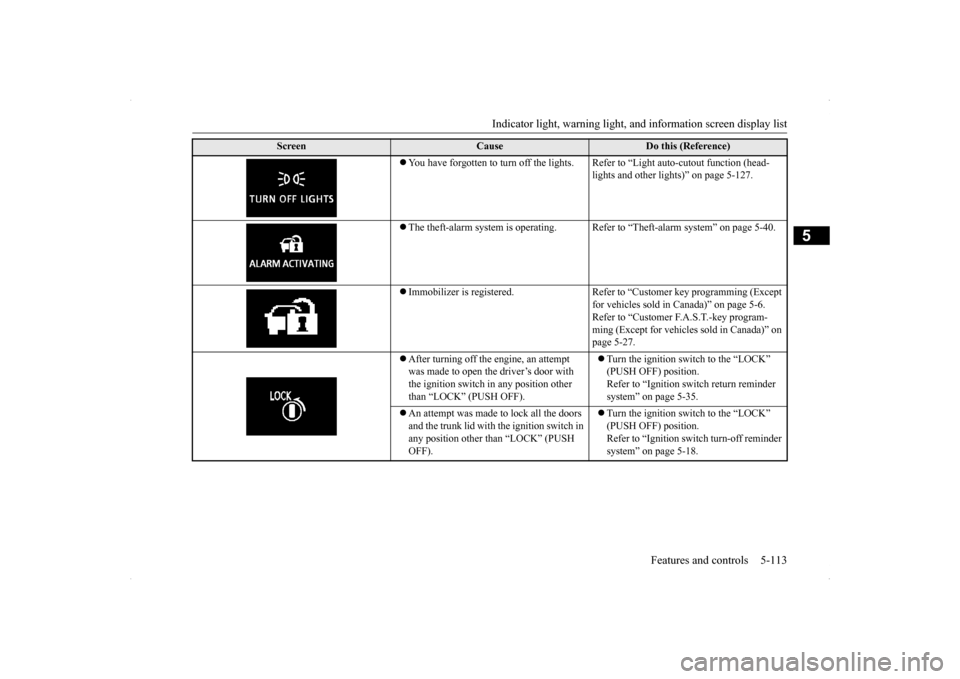
You have forgotten to turn off the lights. Refer to “Light auto-cutout function (head-
lights and other lights)” on page 5-127.
The theft-alarm system is operating. Refer
to “Theft-alarm system” on page 5-40.
Immobilizer is registered. Refer to “Customer key programming (Except
for vehicles sold in Canada)” on page 5-6.Refer to “Customer F.A.S.T.-key program- ming (Except for vehicles sold in Canada)” on page 5-27.
After turning off the engine, an attempt was made to open the driver’s door with the ignition switch in any position other than “LOCK” (PUSH OFF).
Turn the ignition switch to the “LOCK” (PUSH OFF) position. Refer to “Ignition switch return reminder system” on page 5-35.
An attempt was made to lock all the doors and the trunk lid with the ignition switch in any position other than “LOCK” (PUSH OFF).
Turn the ignition switch to the “LOCK” (PUSH OFF) position. Refer to “Ignition switch turn-off reminder system” on page 5-18.
Screen
Cause
Do this (Reference)
BK0200800US.book
113 ページ 2013年2月14日 木曜日 午後2時28分
Page 175 of 338
Indicator light, warning light, an
d information screen display list
5-114 Features and controls
5
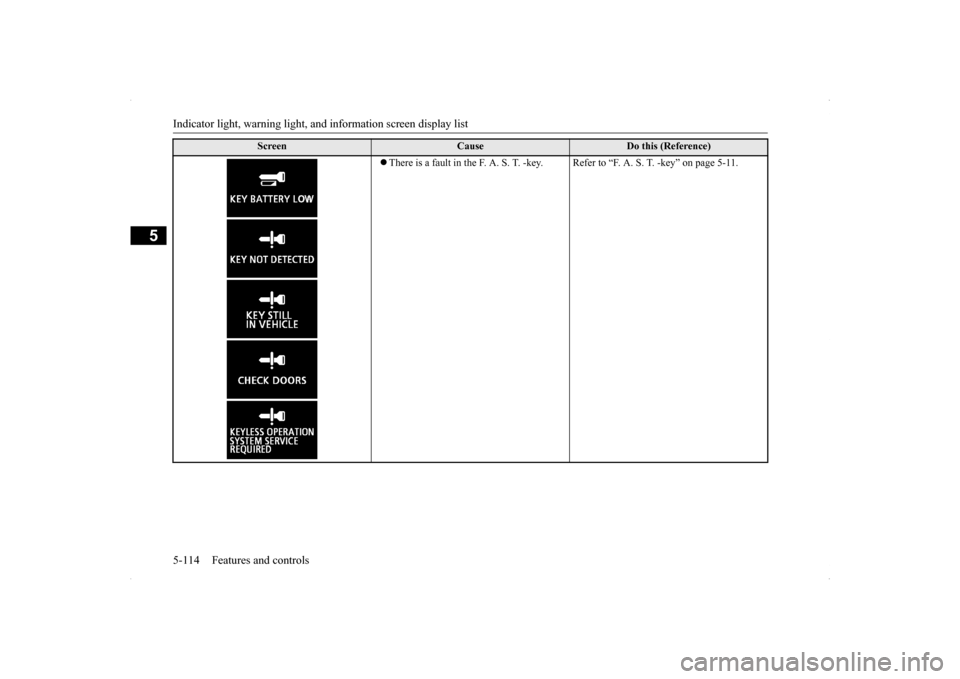
There is a fault in the F. A. S. T. -key. Refer to “F. A. S. T. -key” on page 5-11.
Screen
Cause
Do this (Reference)
BK0200800US.book
114 ページ 2013年2月14日 木曜日 午後2時28分
Page 176 of 338
Indicator light, warning light, an
d information screen display list Features and controls 5-115
5
N00558100212
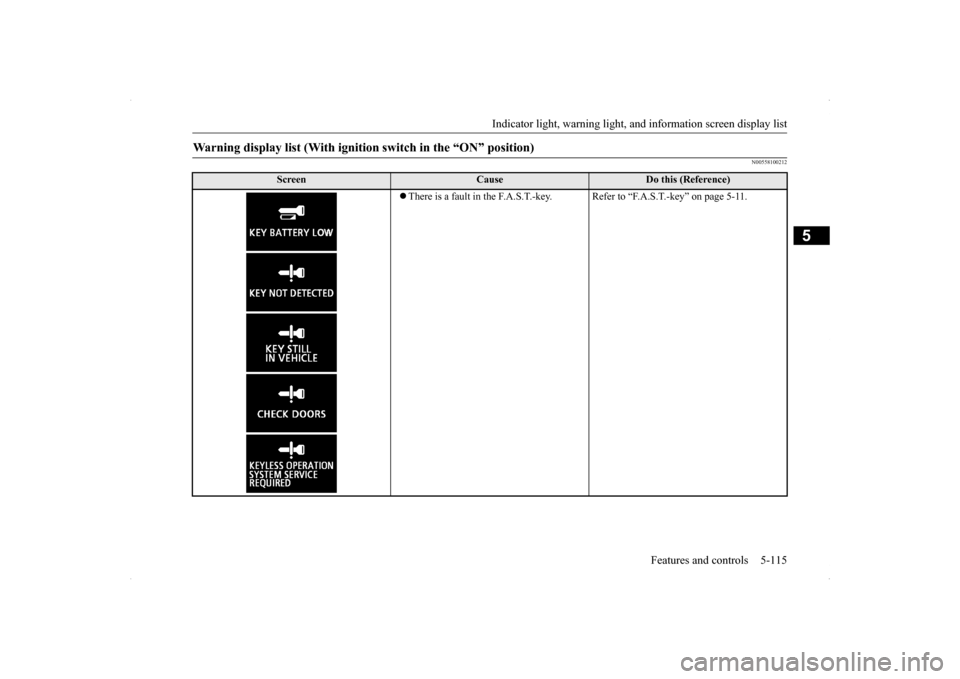
Warning display list (With ignition switch in the “ON” position)
Screen
Cause
Do this (Reference)
There is a fault in the F.A.S.T.-key. Refer to “F.A.S.T.-key” on page 5-11.
BK0200800US.book
115 ページ 2013年2月14日 木曜日 午後2時28分
Page 177 of 338
Indicator light, warning light, an
d information screen display list
5-116 Features and controls
5
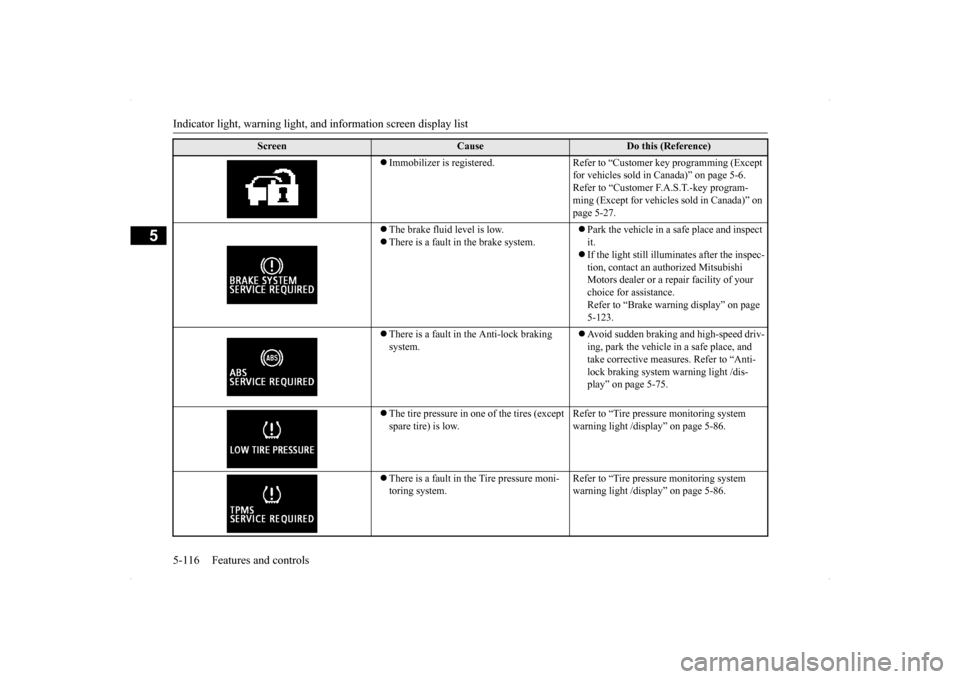
Immobilizer is registered. Refer to “Customer key programming (Except
for vehicles sold in Canada)” on page 5-6. Refer to “Customer F.A.S.T.-key program-ming (Except for vehicles sold in Canada)” on page 5-27.
The brake fluid level is low. There is a fault in the brake system.
Park the vehicle in a safe place and inspect it. If the light still illuminates after the inspec- tion, contact an authorized Mitsubishi Motors dealer or a repair facility of your choice for assistance. Refer to “Brake warning display” on page 5-123.
There is a fault in the Anti-lock braking system.
Avoid sudden braking and high-speed driv- ing, park the vehicle in a safe place, and take corrective measures. Refer to “Anti- lock braking system warning light /dis-play” on page 5-75.
The tire pressure in one of the tires (except spare tire) is low.
Refer to “Tire pressure monitoring system warning light /display” on page 5-86.
There is a fault in the Tire pressure moni- toring system.
Refer to “Tire pressure monitoring system warning light /display” on page 5-86.
Screen
Cause
Do this (Reference)
BK0200800US.book
116 ページ 2013年2月14日 木曜日 午後2時28分
Page 188 of 338
![MITSUBISHI LANCER EVOLUTION 2014 10.G Workshop Manual Combination headlights and dimmer switch
Features and controls 5-127
5
[When the engine is not running, or when the engine is running but the parking brake is not released] The engine starts when the](/img/19/7475/w960_7475-187.png "MITSUBISHI LANCER EVOLUTION 2014 10.G Workshop Manual Combination headlights and dimmer switch
Features and controls 5-127
5
[When the engine is not running, or when the engine is running but the parking brake is not released] The engine starts when the")
Combination headlights and dimmer switch
Features and controls 5-127
5
[When the engine is not running, or when the engine is running but the parking brake is not released] The engine starts when the lights are off.
N00532601610
With the combination headlights and dim- mer switch in the “ ” or “ ” position, if the key is turned to the “LOCK” or“ACC” position or removed from the ignition switch and the driver’s door is opened, the lights automatically turn off. [When using a key to start the engine]
• If the driver’s door is opened after the key is removed from the ignition switch, a high-pitched constant tone will sound to remind you to turn off the lights.• If the driver’s door is opened with the key in the ignition switch, a low-pitched beep will sound to remind you to removethe key. [When using the F.A.S.T.-key to start the engine] • If the ignition switch is turned to the “LOCK” position and the driver’s door is opened, a high-pitched constantbuzzer will sound to remind you to turn off the lights. • If the ignition switch is turned to anyposition other than “LOCK” and the driver’s door is opened, a low-pitched constant buzzer will sound to remindyou to return the ignition switch.
With the combination headlights and dim- mer switch in the “ ” or “ ” position, if the key is turned to the “LOCK” or “ACC” position or removed from theignition switch and the driver’s door is not opened, the lights automatically turn off after about 3 minutes.
NOTE
Once the daytime running light come on, they do not go out until the ignition switch is turned to the “LOCK” or “ACC” position.OFF All lights off AUTO
Headlights and other lights turn on and off automatically in accor- dance with outside light level. Parking, tail, front and rear side- marker lights, license plate and instrument panel lights on Headlights and other lights on
NOTE
The sensitivity of the automatic on/off con- trol can be adjusted. For further information, please contact your authorized Mitsubishi Motors dealer or arepair facility of your choice.
Do not cover the sensor (A) for the automatic on/off control by affixing a sticker or label to the windshield. If the lights do not turn on or off with the switch in the “AUTO” position, manually operate the switch. Have the system checked by an authorized Mitsubishi Motors dealer ora repair facility of your choice.
Light auto-cutout function (headlights and other lights)
NOTE
BK0200800US.book
127 ページ 2013年2月14日 木曜日 午後2時28分
Page 189 of 338
Combination headlights and dimmer switch 5-128 Features and controls
5
If the combination headlights and dimmer switch is turned to the “ ” or “ ” posi- tion again after the engine is turned off, the about 3-minute auto-cutout functiondescribed above will not work. The lights (theparking lights, tail lights and license plate lights) will stay on and will not turn off auto- matically.
N00549800183
[When using a key to start the engine] If the driver’s door is opened with the key in the “LOCK” or “ACC” position or removedfrom the ignition switch while the lights are on, the tone will sound to remind you to turn off the lights. [When using the F.A.S.T.-key to start the engine] If the driver’s door is opened with the ignition switch in the “LOCK” or “ACC” position, orif the ignition switch is moved to the “LOCK” position while the lights are on, the tone will sound to remind you to turn off thelights.
In either case, the lights will turn off automat- ically and so will the tone. Or you can turn the light switch to the “OFF” position to stop the tone.
N00549900142
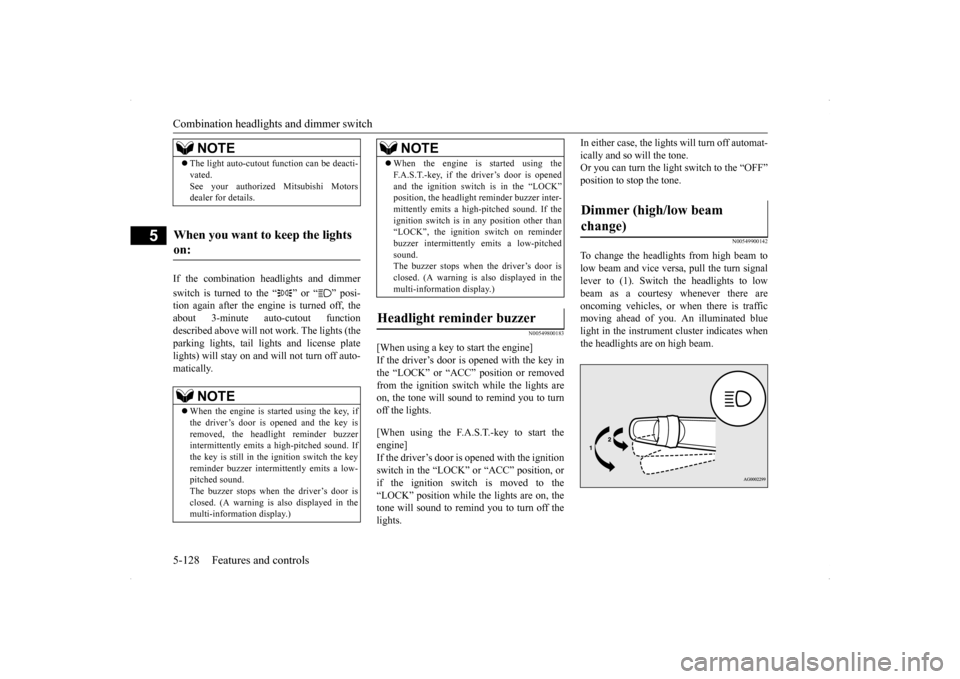
To change the headlights from high beam tolow beam and vice versa, pull the turn signallever to (1). Switch the headlights to low beam as a courtesy whenever there are oncoming vehicles, or when there is trafficmoving ahead of you. An illuminated blue light in the instrument cluster indicates when the headlights are on high beam.
NOTE
The light auto-cutout function can be deacti- vated. See your authorized Mitsubishi Motors dealer for details.
When you want to keep the lights on:
NOTE
When the engine is started using the key, if the driver’s door is opened and the key is removed, the headlight reminder buzzerintermittently emits a high-pitched sound. If the key is still in the ignition switch the key reminder buzzer intermittently emits a low-pitched sound. The buzzer stops when the driver’s door is closed. (A warning is also displayed in themulti-information display.)
When the engine is started using the F.A.S.T.-key, if the driver’s door is opened and the ignition switch is in the “LOCK” position, the headlight reminder buzzer inter- mittently emits a high-pitched sound. If theignition switch is in any position other than “LOCK”, the ignition switch on reminder buzzer intermittently emits a low-pitchedsound. The buzzer stops when the driver’s door is closed. (A warning is also displayed in themulti-information display.)
Headlight reminder buzzer
NOTE
Dimmer (high/low beam change)
BK0200800US.book
128 ページ 2013年2月14日 木曜日 午後2時28分