change time MITSUBISHI LANCER EVOLUTION 2015 10.G User Guide
[x] Cancel search | Manufacturer: MITSUBISHI, Model Year: 2015, Model line: LANCER EVOLUTION, Model: MITSUBISHI LANCER EVOLUTION 2015 10.GPages: 338, PDF Size: 43.12 MB
Page 118 of 338
Manual transaxle (if so equipped)
Features and controls 5-57
5
clutch pedal while depressing the accelerator pedal.
N00537400049
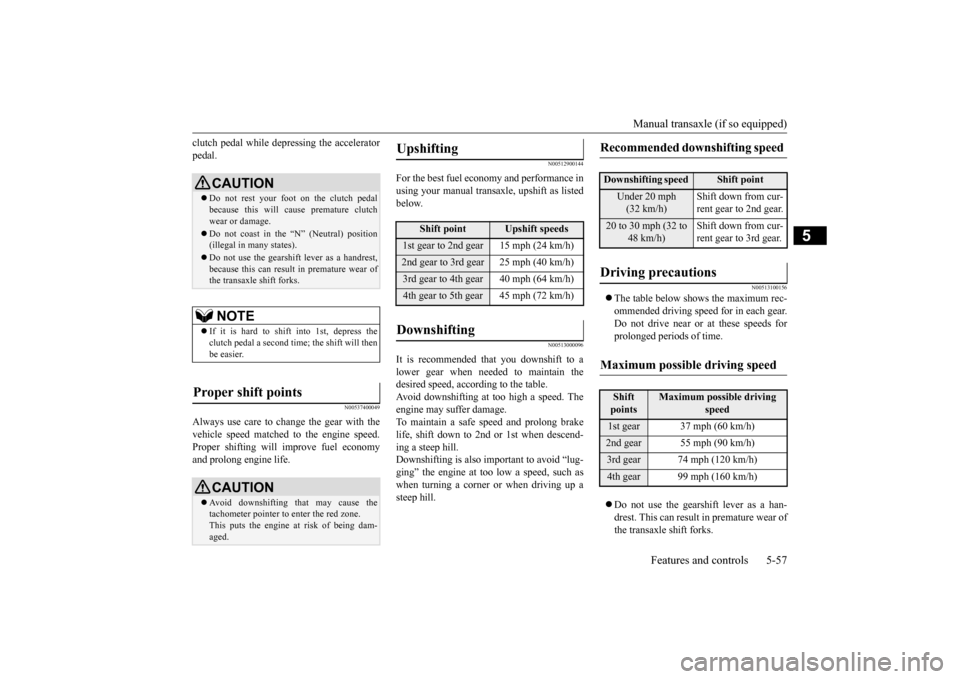
Always use care to change the gear with thevehicle speed matched to the engine speed.Proper shifting will improve fuel economy and prolong engine life.
N00512900144
For the best fuel economy and performance in using your manual transaxle, upshift as listedbelow.
N00513000096
It is recommended that you downshift to alower gear when needed to maintain thedesired speed, according to the table.Avoid downshifting at too high a speed. The engine may suffer damage. To maintain a safe speed and prolong brakelife, shift down to 2nd or 1st when descend- ing a steep hill. Downshifting is also important to avoid “lug-ging” the engine at too low a speed, such as when turning a corner or when driving up a steep hill.
N00513100156
The table below shows the maximum rec- ommended driving speed for in each gear.Do not drive near or at these speeds forprolonged periods of time. Do not use the gearshift lever as a han- drest. This can result in premature wear of the transaxle shift forks.
CAUTION Do not rest your foot on the clutch pedal because this will cause premature clutch wear or damage. Do not coast in the “N” (Neutral) position (illegal in many states). Do not use the gearshift lever as a handrest, because this can result in premature wear ofthe transaxle shift forks.NOTE
If it is hard to shift into 1st, depress the clutch pedal a second time; the shift will thenbe easier.
Proper shift points
CAUTION Avoid downshifting that may cause the tachometer pointer to enter the red zone. This puts the engine at risk of being dam- aged.
Upshifting
Shift point
Upshift speeds
1st gear to 2nd gear 15 mph (24 km/h)2nd gear to 3rd gear 25 mph (40 km/h)3rd gear to 4th gear 40 mph (64 km/h)4th gear to 5th gear 45 mph (72 km/h)Downshifting
Recommended downshifting speed
Downshifting speed
Shift point
Under 20 mph (32 km/h)
Shift down from cur- rent gear to 2nd gear.
20 to 30 mph (32 to
48 km/h)
Shift down from cur- rent gear to 3rd gear.
Driving precautions
Maximum possible driving speed
Shift points
Maximum possible driving
speed
1st gear 37 mph (60 km/h)2nd gear 55 mph (90 km/h)3rd gear 74 mph (120 km/h)4th gear 99 mph (160 km/h)
BK0210800US.bo
ok 57 ページ 2014年4月8日 火曜日 午前11時28分
Page 126 of 338
Twin Clutch SST (Sportronic Shif
t Transmission) (if so equipped) Features and controls 5-65
5
N00540600016
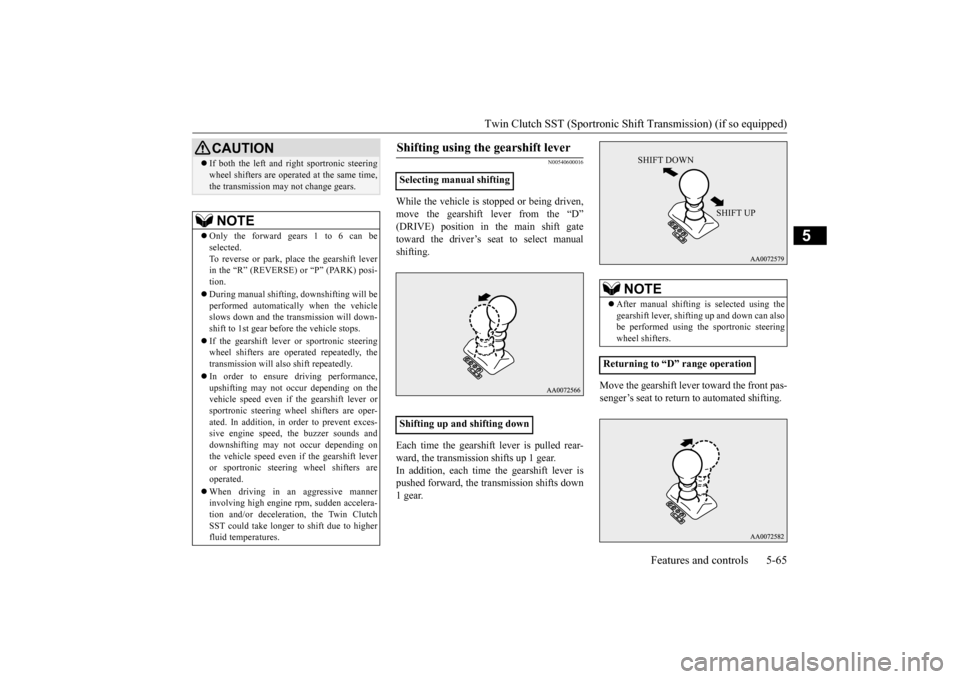
While the vehicle is stopped or being driven, move the gearshift lever from the “D” (DRIVE) position in the main shift gatetoward the driver’s seat to select manual shifting. Each time the gearshift lever is pulled rear- ward, the transmission shifts up 1 gear.In addition, each time the gearshift lever is pushed forward, the transmission shifts down 1 gear.
Move the gearshift lever toward the front pas- senger’s seat to return to automated shifting.
If both the left and right sportronic steering wheel shifters are operated at the same time, the transmission may not change gears.NOTE
Only the forward gears 1 to 6 can be selected. To reverse or park, place the gearshift leverin the “R” (REVERSE) or “P” (PARK) posi- tion. During manual shifting, downshifting will be performed automatically when the vehicle slows down and the transmission will down-shift to 1st gear before the vehicle stops. If the gearshift lever or sportronic steering wheel shifters are operated repeatedly, the transmission will also shift repeatedly. In order to ensure driving performance, upshifting may not occur depending on the vehicle speed even if the gearshift lever orsportronic steering wheel shifters are oper- ated. In addition, in
order to prevent exces-
sive engine speed, the buzzer sounds anddownshifting may not occur depending on the vehicle speed even if the gearshift lever or sportronic steering wheel shifters are operated. When driving in an aggressive manner involving high engine rpm, sudden accelera- tion and/or deceleration, the Twin ClutchSST could take longer to shift due to higher fluid temperatures.CAUTION
Shifting using the gearshift lever
Selecting manual shifting Shifting up and shifting down
NOTE
After manual shifting
is selected using the
gearshift lever, shifting up and down can also be performed using the sportronic steeringwheel shifters.
Returning to “D” range operation
SHIFT DOWN
SHIFT UP
BK0210800US.bo
ok 65 ページ 2014年4月8日 火曜日 午前11時28分
Page 133 of 338
S-AWC (Super-All Wheel Control) 5-72 Features and controls
5
The left-right differential limiting function is a function that enhances driving performance and vehicle stability by preventing idle spin-ning of a wheel when driving on slippery road surfaces or when the road surfaces of the left and right wheels are different. The yaw control function is a function that enhances vehicle cornering performance by controlling the drive power difference of theleft and right wheels
and the braking force
when the vehicle does not turn in response to steering input, such as when the steeringwheel is turned quickly or when driving on slippery road surfaces.
N00542401057
Select the control mode from the followingthree types to suit the driving conditions.
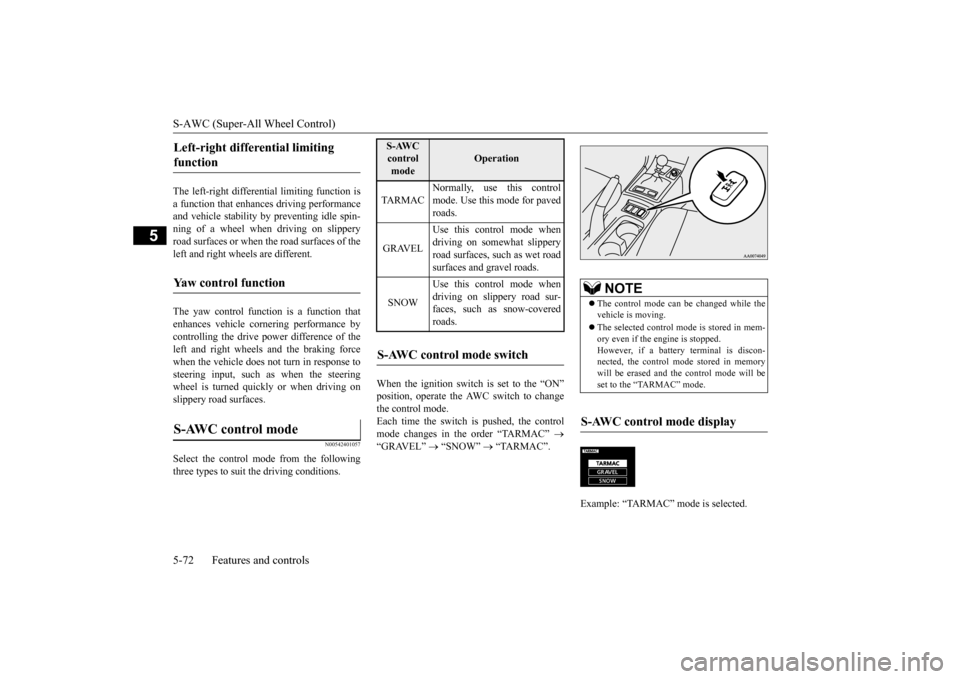
When the ignition switch is set to the “ON” position, operate the AWC switch to change the control mode.Each time the switch is pushed, the control mode changes in the order “TARMAC”
“GRAVEL”
“SNOW”
“TARMAC”.
Left-right differential limiting function Yaw control function S-AWC control mode
S-AWC control mode
Operation
TA R M A C
Normally, use this control mode. Use this mode for paved roads.
GRAVEL
Use this control mode when driving on somewhat slipperyroad surfaces, such as wet road surfaces and gravel roads.
SNOW
Use this control mode when driving on slippery road sur-faces, such as snow-covered roads.
S-AWC control mode switch
NOTE
The control mode can be changed while the vehicle is moving. The selected control mode is stored in mem- ory even if the engine is stopped. However, if a battery terminal is discon-nected, the control mode stored in memory will be erased and the control mode will be set to the “TARMAC” mode.
S-AWC control mode display Example: “TARMAC” mode is selected.ç
BK0210800US.bo
ok 72 ページ 2014年4月8日 火曜日 午前11時28分
Page 134 of 338
S-AWC (Super-All Wheel Control)
Features and controls 5-73
5
The currently selected control mode is dis- played on the multi-information display. In addition, when the control mode is changed, the selected mode appears on theinterrupt display screen of the information screen in the multi-information display. The control mode display will appear on theinformation screen for a few seconds, and then the original screen will return.
N00542500048
The S-AWC operation status can be displayedon the information screen in the multi-infor- mation display.To display the status, press the multi-informa- tion meter switch to change the information screen.Refer to “Information screen (when the igni- tion switch is “ON”)” on page 5-96.
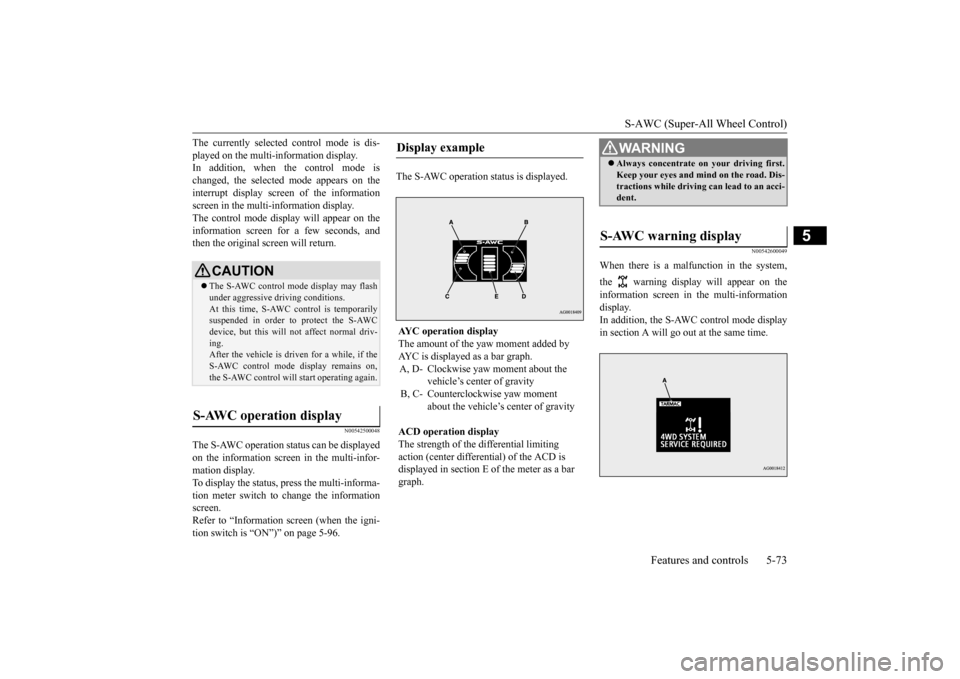
The S-AWC operation status is displayed.
N00542600049
When there is a malfunction in the system, the warning display will appear on the information screen in the multi-information display. In addition, the S-AWC control mode display in section A will go out at the same time.
CAUTION The S-AWC control mode display may flash under aggressive driving conditions. At this time, S-AWC control is temporarily suspended in order to protect the S-AWCdevice, but this will not affect normal driv- ing. After the vehicle is driven for a while, if theS-AWC control mode display remains on, the S-AWC control will start operating again.
S-AWC operation display
Display example AYC operation display The amount of the yaw moment added by AYC is displayed as a bar graph.A, D- Clockwise yaw moment about the
vehicle’s center of gravity
B, C- Counterclockwise yaw moment
about the vehicle’s center of gravity
ACD operation display The strength of the differential limiting action (center differential) of the ACD is displayed in section E of the meter as a bar graph.
WA R N I N G Always concentrate on your driving first. Keep your eyes and mind on the road. Dis- tractions while driving can lead to an acci- dent.
S-AWC warning display
BK0210800US.bo
ok 73 ページ 2014年4月8日 火曜日 午前11時28分
Page 150 of 338
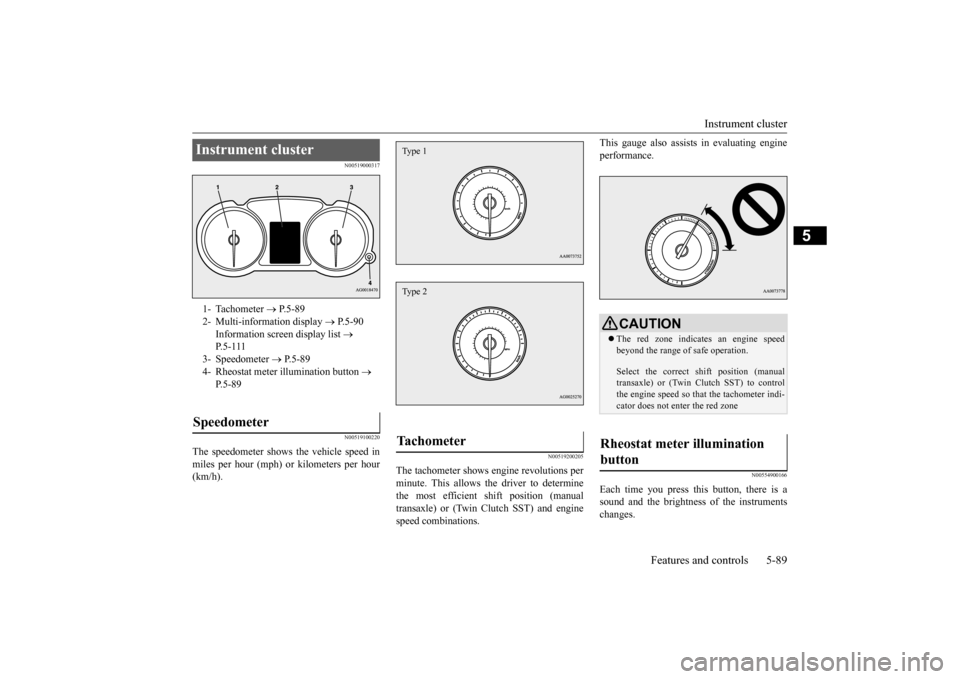
Instrument cluster
Features and controls 5-89
5
N00519000317 N00519100220
The speedometer shows the vehicle speed in miles per hour (mph) or kilometers per hour (km/h).
N00519200205
The tachometer shows engine revolutions perminute. This allows the driver to determinethe most efficient shift position (manual transaxle) or (Twin Clutch SST) and engine speed combinations.
This gauge also assists in evaluating engine performance.
N00554900166
Each time you press this button, there is a sound and the brightness of the instruments changes.
Instrument cluster 1- Tachometer
P.5-89
2- Multi-information display
P.5-90
Information screen display list
P. 5 - 1 1 1
3- Speedometer
P.5-89
4- Rheostat meter illumination button
P. 5 - 8 9
Speedometer
Tachometer Type 1Type 2
CAUTION The red zone indicates an engine speed beyond the range of safe operation. Select the correct shift position (manual transaxle) or (Twin Clutch SST) to control the engine speed so that the tachometer indi- cator does not enter the red zone
Rheostat meter illumination button
BK0210800US.bo
ok 89 ページ 2014年4月8日 火曜日 午前11時28分
Page 153 of 338
Multi-information display 5-92 Features and controls
5
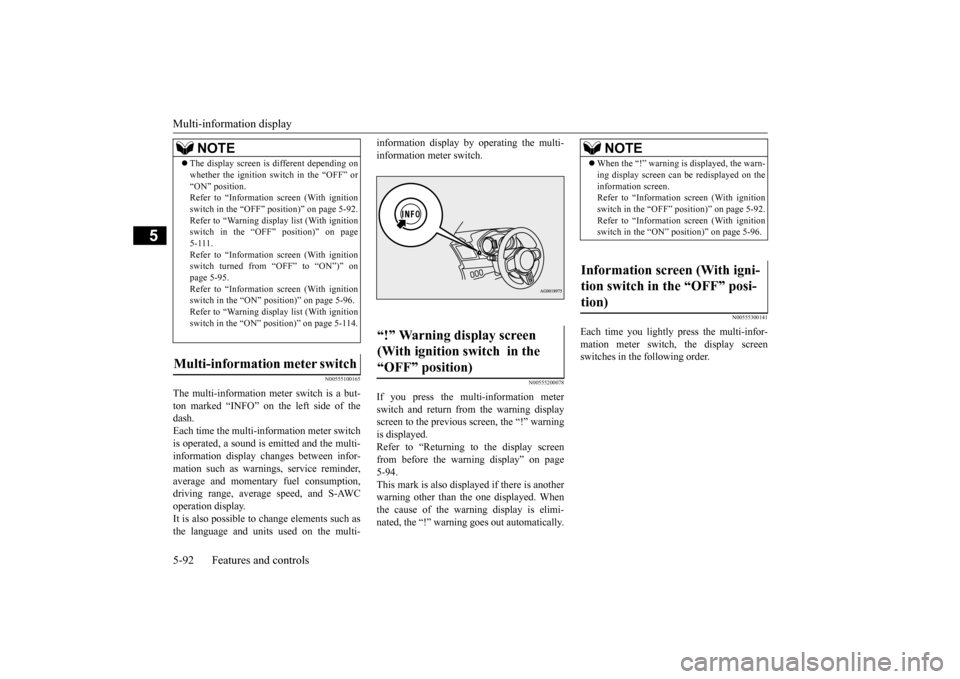
N00555100165
The multi-information meter switch is a but- ton marked “INFO” on the left side of the dash. Each time the multi-information meter switchis operated, a sound is emitted and the multi- information display changes between infor- mation such as warnings, service reminder,average and momentary fuel consumption, driving range, average speed, and S-AWC operation display.It is also possible to change elements such as the language and units used on the multi-
information display by operating the multi- information meter switch.
N00555200078
If you press the multi-information meter switch and return from the warning display screen to the previous screen, the “!” warningis displayed. Refer to “Returning to the display screen from before the warning display” on page5-94. This mark is also displayed if there is another warning other than the one displayed. Whenthe cause of the warning display is elimi- nated, the “!” warning goes out automatically.
N00555300141
Each time you lightly press the multi-infor- mation meter switch, the display screen switches in the following order.
The display screen is different depending on whether the ignition switch in the “OFF” or “ON” position. Refer to “Information screen (With ignition switch in the “OFF” position)” on page 5-92.Refer to “Warning displa
y list (With ignition
switch in the “OFF” position)” on page 5-111.Refer to “Information screen (With ignition switch turned from “OFF” to “ON”)” on page 5-95.Refer to “Information screen (With ignition switch in the “ON” position)” on page 5-96. Refer to “Warning displa
y list (With ignition
switch in the “ON” position)” on page 5-114.
Multi-information meter switch
NOTE
“!” Warning display screen (With ignition switch in the “OFF” position)
NOTE
When the “!” warning is displayed, the warn- ing display screen can be redisplayed on the information screen. Refer to “Information screen (With ignition switch in the “OFF” position)” on page 5-92.Refer to “Information screen (With ignition switch in the “ON” position)” on page 5-96.
Information screen (With igni- tion switch in the “OFF” posi-tion)
BK0210800US.bo
ok 92 ページ 2014年4月8日 火曜日 午前11時28分
Page 156 of 338
Multi-information display
Features and controls 5-95
5
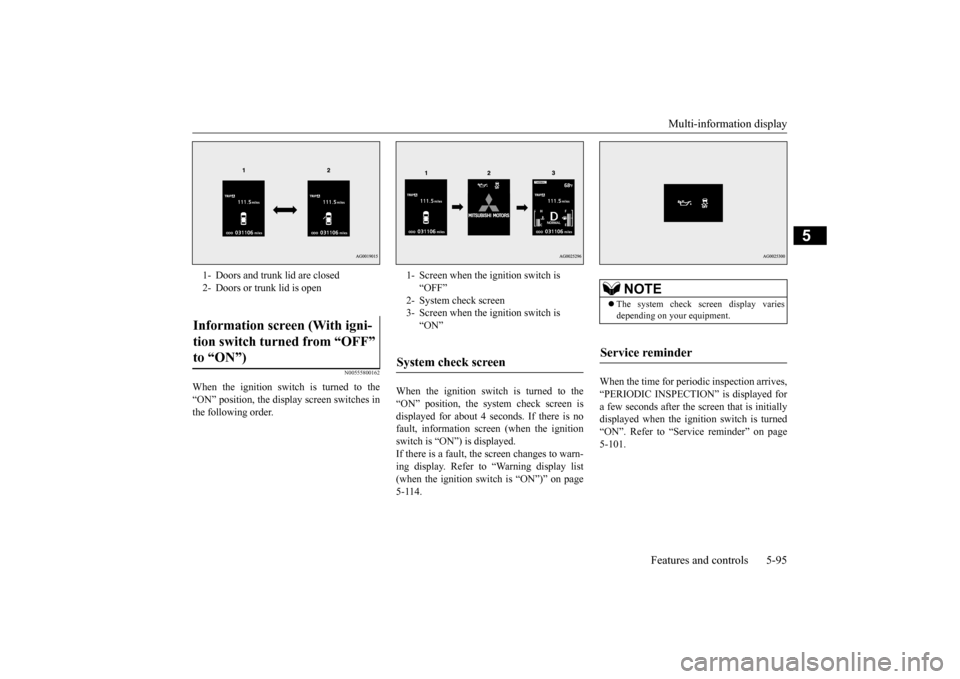
N00555800162
When the ignition switch is turned to the “ON” position, the display screen switches inthe following order.
When the ignition switch is turned to the “ON” position, the system check screen is displayed for about 4 seconds. If there is no fault, information screen (when the ignitionswitch is “ON”) is displayed. If there is a fault, the screen changes to warn- ing display. Refer to “Warning display list(when the ignition switch is “ON”)” on page 5-114.
When the time for periodic inspection arrives, “PERIODIC INSPECTION” is displayed for a few seconds after the screen that is initiallydisplayed when the ignition switch is turned “ON”. Refer to “Service reminder” on page 5-101.
1- Doors and trunk lid are closed 2- Doors or trunk lid is openInformation screen (With igni- tion switch turned from “OFF” to “ON”)
1- Screen when the ignition switch is
“OFF”
2- System check screen 3- Screen when the ignition switch is
“ON”
System check screen
NOTE
The system check screen display varies depending on your equipment.
Service reminder
BK0210800US.bo
ok 95 ページ 2014年4月8日 火曜日 午前11時28分
Page 161 of 338
Multi-information display 5-100 Features and controls
5
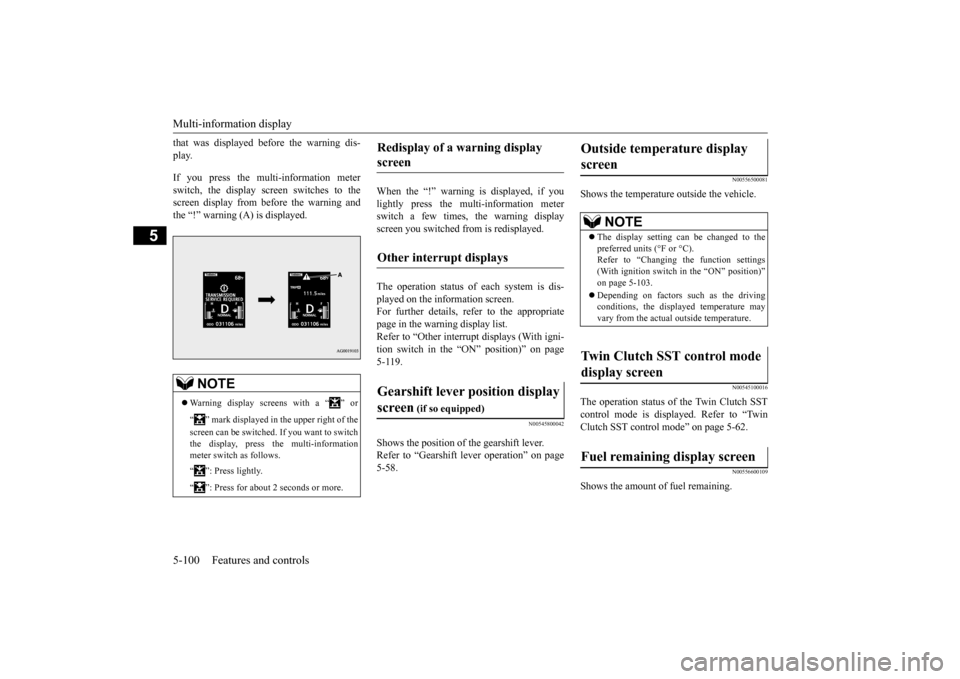
that was displayed before the warning dis- play. If you press the multi-information meter switch, the display screen switches to the screen display from before the warning andthe “!” warning (A) is displayed.
When the “!” warning is displayed, if you lightly press the multi-information meter switch a few times, the warning displayscreen you switched from is redisplayed. The operation status of each system is dis- played on the information screen.For further details, refer to the appropriate page in the warning display list. Refer to “Other interrupt displays (With igni-tion switch in the “ON” position)” on page 5-119.
N00545800042
Shows the position of the gearshift lever. Refer to “Gearshift lever operation” on page 5-58.
N00556500081
Shows the temperature outside the vehicle.
N00545100016
The operation status of the Twin Clutch SST control mode is displayed. Refer to “Twin Clutch SST control mode” on page 5-62.
N00556600109
Shows the amount of fuel remaining.
NOTE
Warning display screens with a “ ” or “ ” mark displayed in the upper right of the screen can be switched. If you want to switch the display, press the multi-information meter switch as follows. “ ”: Press lightly. “ ”: Press for about 2 seconds or more.
Redisplay of a warning display screen Other interrupt displays Gearshift lever position display screen
(if so equipped)
Outside temperature display screen
NOTE
The display setting can be changed to the preferred units (°F or °C).Refer to “Changing the function settings (With ignition switch in the “ON” position)” on page 5-103. Depending on factors such as the driving conditions, the displayed temperature mayvary from the actual outside temperature.
Twin Clutch SST control mode display screen Fuel remaining display screen
BK0210800US.book
100 ページ 2014年4月8日 火曜日 午前11時28分
Page 164 of 338
Multi-information display
Features and controls 5-103
5
N00555700116
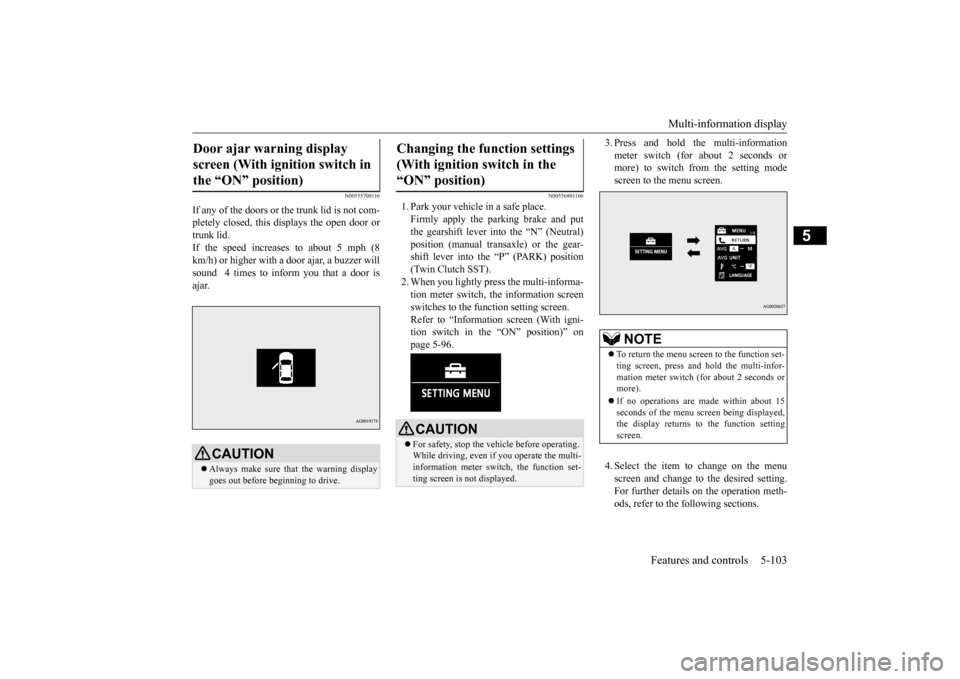
If any of the doors or the trunk lid is not com- pletely closed, this displays the open door or trunk lid.If the speed increases to about 5 mph (8 km/h) or higher with a door ajar, a buzzer will sound 4 times to inform you that a door isajar.
N00556801166
1. Park your vehicle in a safe place. Firmly apply the parking brake and put the gearshift lever into the “N” (Neutral)position (manual transaxle) or the gear- shift lever into the “P” (PARK) position (Twin Clutch SST).2. When you lightly press the multi-informa-tion meter switch, the information screen switches to the function setting screen. Refer to “Information screen (With igni-tion switch in the “ON” position)” on page 5-96.
3. Press and hold the multi-information meter switch (for about 2 seconds or more) to switch from the setting mode screen to the menu screen. 4. Select the item to change on the menu screen and change to the desired setting.For further details on the operation meth- ods, refer to the following sections.
Door ajar warning display screen (With ignition switch in the “ON” position)
CAUTION Always make sure that the warning display goes out before beginning to drive.
Changing the function settings (With ignition switch in the “ON” position)
CAUTION For safety, stop the vehicle before operating. While driving, even if you operate the multi-information meter switch, the function set- ting screen is not displayed.
NOTE
To return the menu screen to the function set- ting screen, press and hold the multi-infor- mation meter switch (for about 2 seconds or more). If no operations are made within about 15 seconds of the menu screen being displayed,the display returns to the function setting screen.
BK0210800US.book
103 ページ 2014年4月8日 火曜日 午前11時28分
Page 165 of 338
Multi-information display 5-104 Features and controls
5
Refer to “Changing the reset mode for average fuel consum
ption and average
speed” on page 5-104. Refer to “Changing the fuel consumptiondisplay unit” on page 5-105. Refer to “Changing the temperature unit” on page 5-106.Refer to “Changing the display language” on page 5-106. Refer to “Operation sound setting” onpage 5-106.Refer to “Changing the time until “REST REMINDER” is displayed” on page 5-107.Refer to “Changing the turn signal sound” on page 5-107. Refer to “Changing the momentary fuelconsumption display” on page 5-108. Refer to “Returning to the factory set- tings” on page 5-108.
N00557000214
You can change the mode condition for theaverage fuel consumption and average speed display to “Auto reset” or “Manual reset.”
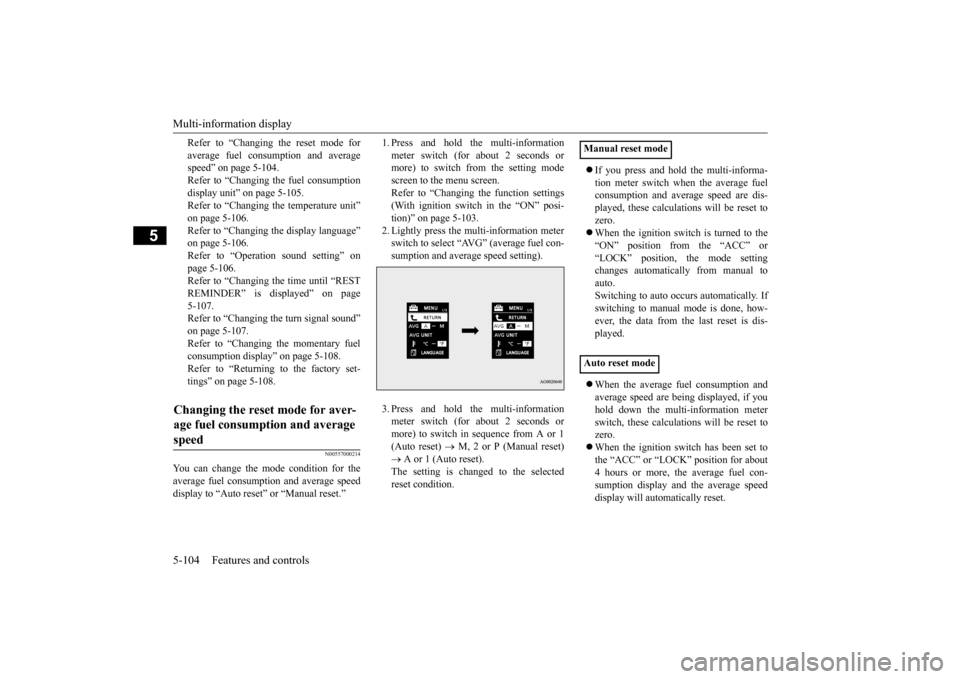
1. Press and hold the multi-information meter switch (for about 2 seconds or more) to switch from the setting mode screen to the menu screen.Refer to “Changing the function settings (With ignition switch in the “ON” posi- tion)” on page 5-103.2. Lightly press the multi-information meter switch to select “AVG” (average fuel con- sumption and average speed setting). 3. Press and hold the multi-information meter switch (for about 2 seconds or more) to switch in sequence from A or 1(Auto reset)
M, 2 or P (Manual reset)
A or 1 (Auto reset). The setting is changed to the selectedreset condition.
If you press and hold the multi-informa- tion meter switch when the average fuel consumption and average speed are dis- played, these calculations will be reset tozero. When the ignition switch is turned to the “ON” position from the “ACC” or“LOCK” position, the mode setting changes automatically from manual to auto.Switching to auto occurs automatically. Ifswitching to manual mode is done, how- ever, the data from the last reset is dis- played. When the average fuel consumption and average speed are being displayed, if you hold down the multi-information meter switch, these calculations will be reset tozero. When the ignition switch has been set to the “ACC” or “LOCK” position for about4 hours or more, the average fuel con- sumption display and the average speed display will automatically reset.
Changing the reset mode for aver- age fuel consumption and average speed
Manual reset mode Auto reset mode
BK0210800US.book
104 ページ 2014年4月8日 火曜日 午前11時28分