change time MITSUBISHI LANCER EVOLUTION 2015 10.G Owner's Guide
[x] Cancel search | Manufacturer: MITSUBISHI, Model Year: 2015, Model line: LANCER EVOLUTION, Model: MITSUBISHI LANCER EVOLUTION 2015 10.GPages: 338, PDF Size: 43.12 MB
Page 213 of 338
Bluetooth® 2.0 interface 5-152 Features and controls
5
6. Operate the Bluetooth
® compatible cellu-
lar phone to set it up so that the phone- book entry you want to register in the vehicle phonebook can be transferred to the Bluetooth
® 2.0 interface.
7. When the reception is complete, the voice guide will say “
8. The voice guide will say “Adding
10. The voice guide will say “Would you like
to import another contact?”Answer “Yes” if you want to continue with the registration. You can continue to register a new phonebook entry from Step5. Answer “No,” the system will return to the main menu.
N00579800036
You can change or delete a name or telephone number registered in the vehicle phonebook. You can also listen to the list of names regis-tered in the vehicle phonebook.
N00579900040
1. Press the SPEECH button (except forvehicles with Mitsubishi Multi-Commu-nication System) or PICK-UP button (for vehicles with Mitsubishi Multi-Commu- nication System).2. Say “Phonebook.” 3. The voice guide will say “Select one of the following: new entry, edit number,edit name, list names, delete, erase all, orimport contact”. Say “Edit number.” 4. The voice guide will say “Please say the name of the entry you would like to edit,or say list names.” Say the name of the phonebook entry you want to edit. 5. The voice guide will say “Home, work, mobile or other?” Select and say the loca- tion where the telephone number youwant to change or add is registered. When the confirmation function is on, the system will check the target name andlocation again. Answer “Yes” if you want to continue with the editing.
NOTE
If the Bluetooth
® 2.0 interface cannot recog-
nise the Bluetooth
® compatible cellular
phone or the connection takes too much time, the voice guide will say “Import con- tact has timed out” and then the system will cancel the registration. In such case, start over again from Step 1. Pressing the HANG-UP button or pressing and holding the SPEECH button will cancelthe registration.NOTE
If the entered name is already used for other phonebook entry or similar to a name used for other phonebook entry, that name cannot be registered.
To change the content registered in the vehicle phonebook NOTE
The system must have at least one entry.
Editing a telephone number NOTE
Say “List names,” and the names registered in the phonebook will be read out in order. Refer to “Vehicle phonebook: Listening to the list of registered names” on page 5-153.
BK0210800US.book
152 ページ 2014年4月8日 火曜日 午前11時28分
Page 217 of 338
Bluetooth® 2.0 interface 5-156 Features and controls
5
5. The voice guide will say “Importing the contact list from the mobile phonebook. This may take several minutes to com- plete. Would you like to continue?”Answer “Yes,” transferring to the mobile phonebook the phonebook stored in the cellular phone will start.Answer “No,” the system will return to the main menu.
6. When the transfer is complete, the voice guide will say “Import complete” and then the system will return to the main menu.
N00566301106
MODEL: MMC FCC ID: CB2MDGMY10IC: 279B-MDGMY10 Your Bluetooth
® 2.0 interface operates on a
radio frequency subject to Federal Communi- cations Commission (FCC) Rules (For vehi- cles sold in U.S.A.) and Industry CanadaRules (For vehicles sold in Canada). This device complies with Part 15 of the FCC Rules and RSS-210 of the Industry CanadaRules. Operation is subject to the following two conditions: This device may not cause harmful inter- ference. This device must accept any interference received, including interference that may cause undesired operation.
The term “IC:” before the radio certification number only signifies that Industry Canada technical specifications were met. The antenna used for this transmitter must notbe co-located or operating in conjunction with any other antenna or transmitter. End- users and installers must be provided withinstallation instructions and transmitter oper- ating conditions for satisfying RF exposure compliance.FCC Notice: This equipment has been testedand found to comply with the limits for a Class B digital device, pursuant to part 15 of the FCC Rules. These limits are designed toprovide reasonable protection against harmful interference in a residential installation. This equipment generates, uses and can radi-ate radio frequency energy and, if not installed and used in accordance with the instructions, may cause harmful interferenceto radio communications. However, there is no guarantee that interfer- ence will not occur in a particular installation.If this equipment does cause harmful interfer- ence to radio or television reception, which can be determined by turning the equipmentoff and on, the user is encouraged to try to correct the interference by one or more of the following measures: Reorient or relocate the receiving antenna. Increase the separation between the equipment and receiver.
NOTE
The transfer may take some time to complete depending on the number of contacts. If the Bluetooth
® 2.0 interface could not be
connected to the Bluetooth
® compatible cel-
lular phone, the voice guide will say “Unable to transfer contact list from phone” and then the system will return to the main menu. If you press the HANG-UP button or press and hold the SPEECH button during the datatransfer, the transfer will be cancelled and the system will return to the main menu. If an error occurs during the data transfer, all transfer will be cancelled and the voice guide will say “Unable to complete the phonebookimport” and then the system will return to the main menu. If there are no contacts in the phonebook, the voice guide will say “There are no contacts on the connected phone.”
General information
CAUTION Changes or modifications made to this equipment not expressly approved by themanufacturer may void the FCC authoriza- tion to operate this equipment.
BK0210800US.book
156 ページ 2014年4月8日 火曜日 午前11時28分
Page 244 of 338
Automatic air conditioning with
Fahrenheit scale (if so equipped)
Comfort controls 7-5
7
N00737001363
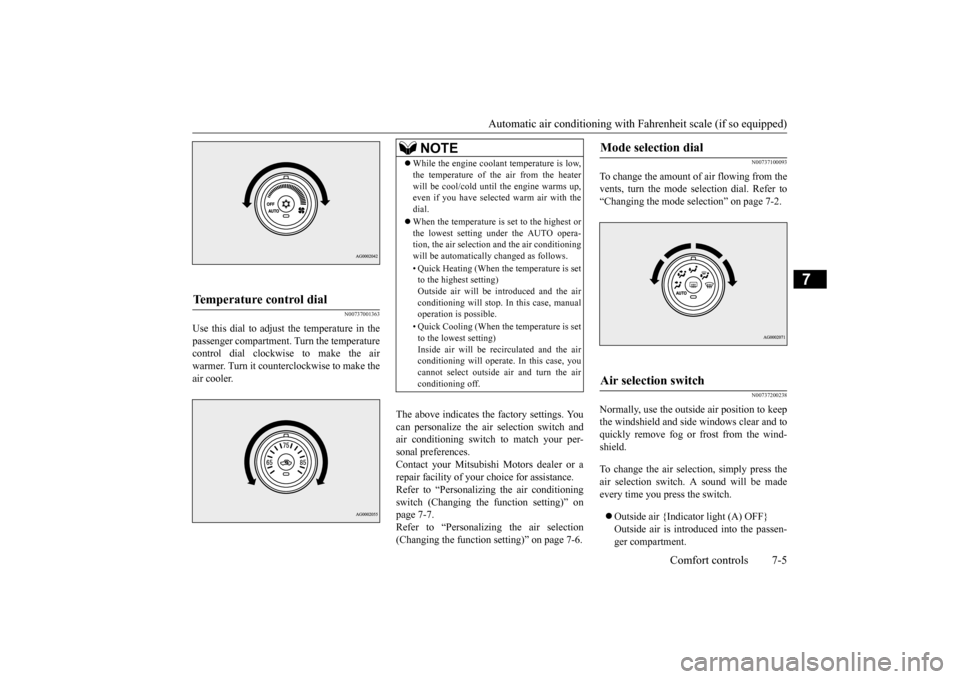
Use this dial to adjust the temperature in the passenger compartment. Turn the temperaturecontrol dial clockwise to make the air warmer. Turn it counterclockwise to make the air cooler.
The above indicates the factory settings. You can personalize the air selection switch and air conditioning switch to match your per-sonal preferences. Contact your Mitsubishi Motors dealer or a repair facility of your choice for assistance.Refer to “Personalizing the air conditioning switch (Changing the function setting)” on page 7-7.Refer to “Personalizing the air selection (Changing the function setting)” on page 7-6.
N00737100093
To change the amount of air flowing from the vents, turn the mode selection dial. Refer to“Changing the mode selection” on page 7-2.
N00737200238
Normally, use the outside air position to keepthe windshield and side windows clear and toquickly remove fog or frost from the wind- shield. To change the air selection, simply press the air selection switch. A sound will be madeevery time you press the switch. Outside air {Indicator light (A) OFF} Outside air is introduced into the passen- ger compartment.
Temperature control dial
NOTE
While the engine coolant temperature is low, the temperature of the air from the heater will be cool/cold until the engine warms up, even if you have selected warm air with the dial. When the temperature is set to the highest or the lowest setting under the AUTO opera-tion, the air selection and the air conditioning will be automatically changed as follows. • Quick Heating (When the temperature is set to the highest setting) Outside air will be introduced and the airconditioning will stop. In this case, manual operation is possible. • Quick Cooling (When the temperature is set to the lowest setting) Inside air will be recirculated and the airconditioning will operate. In this case, you cannot select outside air and turn the air conditioning off.
Mode selection dial
Air selection switch
BK0210800US.bo
ok 5 ページ 2014年4月8日 火曜日 午前11時28分
Page 245 of 338
Automatic air conditioning with
Fahrenheit scale (if so equipped)
7-6 Comfort controls
7
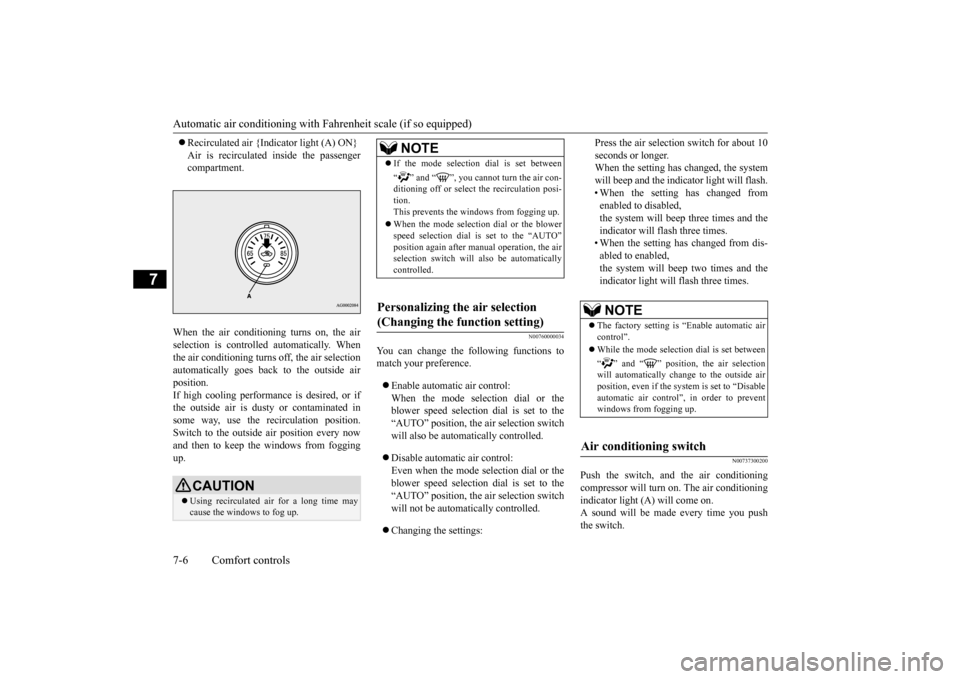
Recirculated air {Indicator light (A) ON} Air is recirculated inside the passenger compartment.
When the air conditioning turns on, the air selection is controlled automatically. When the air conditioning turns off, the air selection automatically goes back to the outside airposition.If high cooling performance is desired, or if the outside air is dusty or contaminated in some way, use the recirculation position.Switch to the outside air position every now and then to keep th
e windows from fogging
up.
N00760000034
You can change the following functions to match your preference. Enable automatic air control: When the mode selection dial or theblower speed selection dial is set to the “AUTO” position, the air selection switch will also be automatically controlled. Disable automatic air control: Even when the mode selection dial or theblower speed selection dial is set to the “AUTO” position, the air selection switch will not be automatically controlled. Changing the settings:
Press the air selection switch for about 10 seconds or longer. When the setting has changed, the system will beep and the indicator light will flash.• When the setting has changed from enabled to disabled, the system will beep three times and theindicator will flash three times. • When the setting has changed from dis- abled to enabled,the system will beep two times and theindicator light will flash three times.
N00737300200
Push the switch, and the air conditioningcompressor will turn on. The air conditioningindicator light (A) will come on. A sound will be made every time you push the switch.
CAUTION Using recirculated air for a long time may cause the windows to fog up.
NOTE
If the mode selection dial is set between “ ” and “ ”, you cannot turn the air con- ditioning off or select the recirculation posi- tion.This prevents the windows from fogging up. When the mode selection dial or the blower speed selection dial is set to the “AUTO” position again after manual operation, the air selection switch will also be automaticallycontrolled.
Personalizing the air selection (Changing the function setting)
NOTE
The factory setting is “Enable automatic air control”. While the mode selection dial is set between “ ” and “ ” position, the air selection will automatically change to the outside air position, even if the sy
stem is set to “Disable
automatic air control”, in order to preventwindows from fogging up.
Air conditioning switch
BK0210800US.bo
ok 6 ページ 2014年4月8日 火曜日 午前11時28分
Page 246 of 338
Automatic air conditioning with
Fahrenheit scale (if so equipped)
Comfort controls 7-7
7
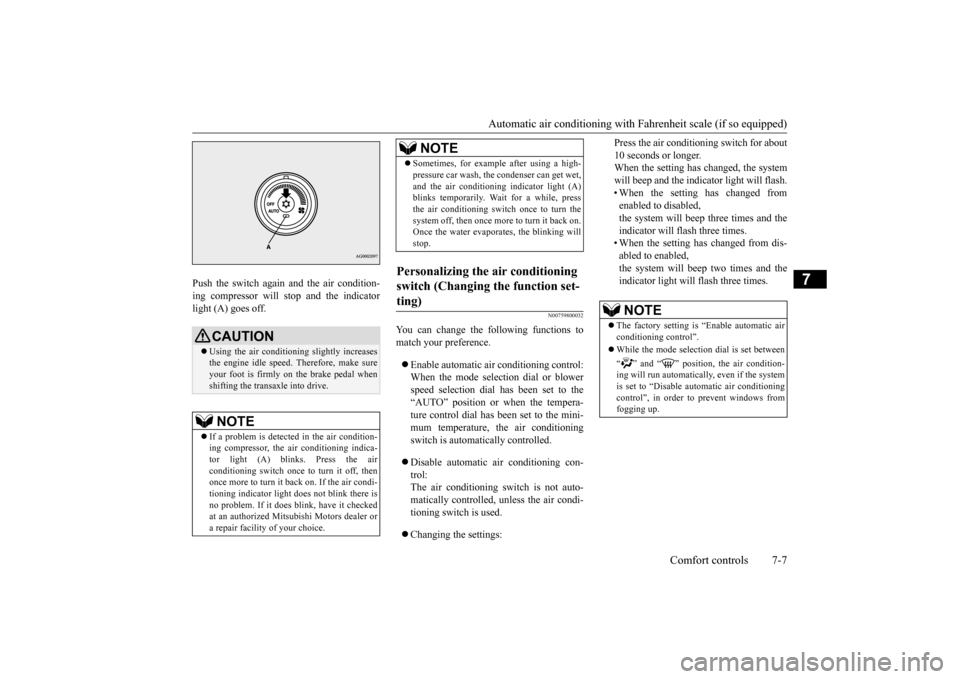
Push the switch again and the air condition- ing compressor will stop and the indicator light (A) goes off.
N00759800032
You can change the following functions tomatch your preference. Enable automatic air conditioning control: When the mode selection dial or blower speed selection dial has been set to the“AUTO” position or when the tempera- ture control dial has been set to the mini- mum temperature, the air conditioningswitch is automatically controlled. Disable automatic air conditioning con- trol: The air conditioning switch is not auto-matically controlled, unless the air condi- tioning switch is used. Changing the settings:
Press the air conditioning switch for about 10 seconds or longer. When the setting has changed, the system will beep and the indicator light will flash.• When the setting has changed from enabled to disabled, the system will beep three times and theindicator will flash three times. • When the setting has changed from dis- abled to enabled,the system will beep two times and theindicator light will flash three times.
CAUTION Using the air conditioning slightly increases the engine idle speed. Therefore, make sureyour foot is firmly on the brake pedal when shifting the transaxle into drive.NOTE
If a problem is detected in the air condition- ing compressor, the air conditioning indica- tor light (A) blinks. Press the air conditioning switch once to turn it off, thenonce more to turn it back on. If the air condi- tioning indicator light does not blink there is no problem. If it does blink, have it checkedat an authorized Mitsubishi Motors dealer or a repair facility of your choice.
Sometimes, for example after using a high- pressure car wash, the condenser can get wet, and the air conditioning indicator light (A) blinks temporarily. Wait for a while, press the air conditioning switch once to turn thesystem off, then once more to turn it back on. Once the water evaporates, the blinking will stop.
Personalizing the air conditioning switch (Changing the function set- ting)
NOTE
NOTE
The factory setting is “Enable automatic air conditioning control”. While the mode selection dial is set between “ ” and “ ” position, the air condition- ing will run automatically, even if the system is set to “Disable automatic air conditioning control”, in order to prevent windows fromfogging up.
BK0210800US.bo
ok 7 ページ 2014年4月8日 火曜日 午前11時28分
Page 250 of 338
Automatic air conditioning with
Celsius scale (if so equipped)
Comfort controls 7-11
7
N00737200241
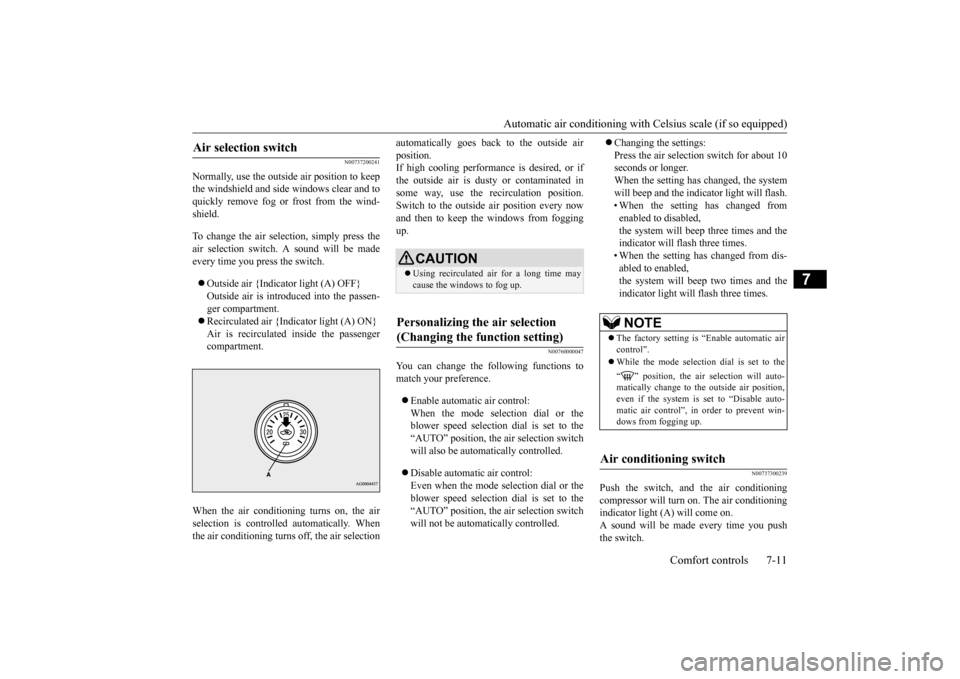
Normally, use the outside air position to keep the windshield and side windows clear and toquickly remove fog or frost from the wind- shield. To change the air selection, simply press the air selection switch. A sound will be madeevery time you press the switch. Outside air {Indicator light (A) OFF} Outside air is introduced into the passen- ger compartment. Recirculated air {Indicator light (A) ON} Air is recirculated inside the passenger compartment.
When the air conditioning turns on, the air selection is controll
ed automatically. When
the air conditioning turns off, the air selection
automatically goes back to the outside air position. If high cooling performance is desired, or if the outside air is dusty or contaminated insome way, use the recirculation position. Switch to the outside air position every now and then to keep th
e windows from fogging
up.
N00760000047
You can change the following functions tomatch your preference. Enable automatic air control: When the mode selection dial or the blower speed selection dial is set to the“AUTO” position, the air selection switch will also be automatically controlled. Disable automatic air control: Even when the mode selection dial or theblower speed selection dial is set to the “AUTO” position, the air selection switch will not be automatically controlled.
Changing the settings: Press the air selection switch for about 10 seconds or longer. When the setting has changed, the systemwill beep and the indicator light will flash. • When the setting has changed from enabled to disabled,the system will beep three times and the indicator will flash three times. • When the setting has changed from dis-abled to enabled,the system will beep two times and the indicator light will flash three times.
N00737300239
Push the switch, and the air conditioning compressor will turn on. The air conditioning indicator light (A) will come on. A sound will be made every time you pushthe switch.
Air selection switch
CAUTION Using recirculated air for a long time may cause the windows to fog up.
Personalizing the air selection (Changing the function setting)
NOTE
The factory setting is “Enable automatic air control”. While the mode selection dial is set to the “ ” position, the air selection will auto- matically change to the outside air position,even if the system is set to “Disable auto- matic air control”, in order to prevent win- dows from fogging up.
Air conditioning switch
BK0210800US.bo
ok 11 ページ 2014年4月8日 火曜日 午前11時28分
Page 251 of 338
Automatic air conditioning with
Celsius scale (if so equipped)
7-12 Comfort controls
7
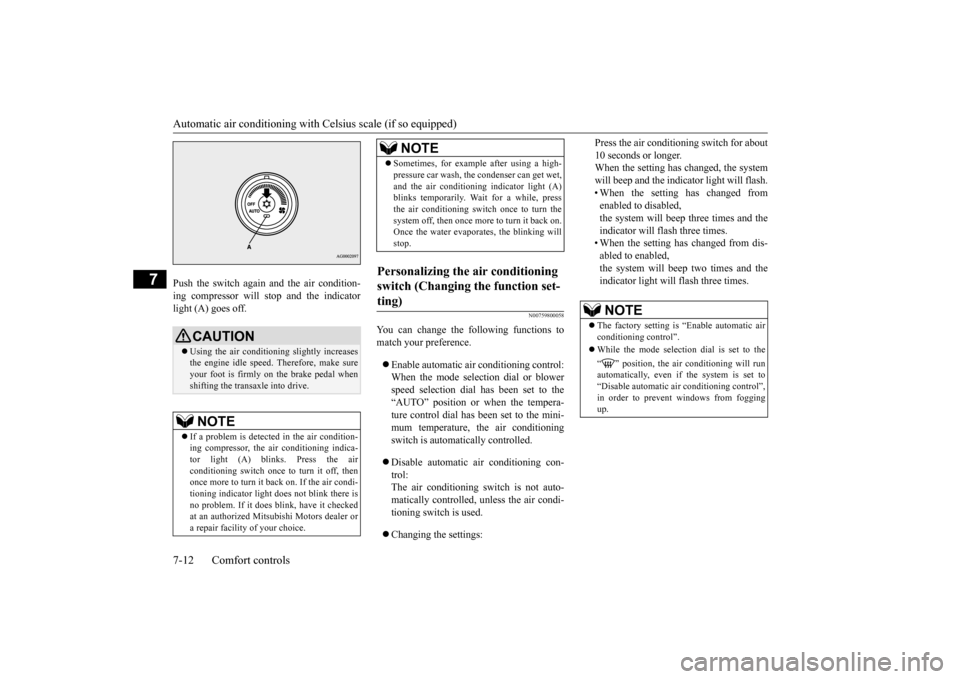
Push the switch again and the air condition- ing compressor will stop and the indicator light (A) goes off.
N00759800058
You can change the following functions tomatch your preference. Enable automatic air conditioning control: When the mode selection dial or blower speed selection dial has been set to the“AUTO” position or when the tempera- ture control dial has been set to the mini- mum temperature, the air conditioningswitch is automatically controlled. Disable automatic air conditioning con- trol: The air conditioning switch is not auto-matically controlled, unless the air condi- tioning switch is used. Changing the settings:
Press the air conditioning switch for about 10 seconds or longer. When the setting has changed, the system will beep and the indicator light will flash.• When the setting has changed from enabled to disabled, the system will beep three times and theindicator will flash three times. • When the setting has changed from dis- abled to enabled,the system will beep two times and theindicator light will flash three times.
CAUTION Using the air conditioning slightly increases the engine idle speed. Therefore, make sureyour foot is firmly on the brake pedal when shifting the transaxle into drive.NOTE
If a problem is detected in the air condition- ing compressor, the air conditioning indica- tor light (A) blinks. Press the air conditioning switch once to turn it off, thenonce more to turn it back on. If the air condi- tioning indicator light does not blink there is no problem. If it does blink, have it checkedat an authorized Mitsubishi Motors dealer or a repair facility of your choice.
Sometimes, for example after using a high- pressure car wash, the condenser can get wet, and the air conditioning indicator light (A) blinks temporarily. Wait for a while, press the air conditioning switch once to turn thesystem off, then once more to turn it back on. Once the water evaporates, the blinking will stop.
Personalizing the air conditioning switch (Changing the function set- ting)
NOTE
NOTE
The factory setting is “Enable automatic air conditioning control”. While the mode selection dial is set to the “ ” position, the air conditioning will run automatically, even if the system is set to “Disable automatic air conditioning control”, in order to prevent windows from foggingup.
BK0210800US.bo
ok 12 ページ 2014年4月8日 火曜日 午前11時28分
Page 263 of 338
How to change a tire 8-6 For emergencies
8
N00836900763
Before changing a tire, first stop your vehicle in a safe, flat location. 1. Park the vehicle on level and stable ground. 2. Set the parking brake firmly.3. On vehicles with manual transaxle, turn the ignition switch to the “LOCK” posi- tion, and move the gearshift lever to the“R” (Reverse) position. On vehicles with Twin Clutch SST, move the gearshift lever to the “P” (PARK)position, and turn the ignition switch to the “LOCK” position. 4. Turn on the hazard flashers and set up awarning triangle, flashing signal light, etc., at an adequate distance from the vehicle, and have all your passengersleave the vehicle.
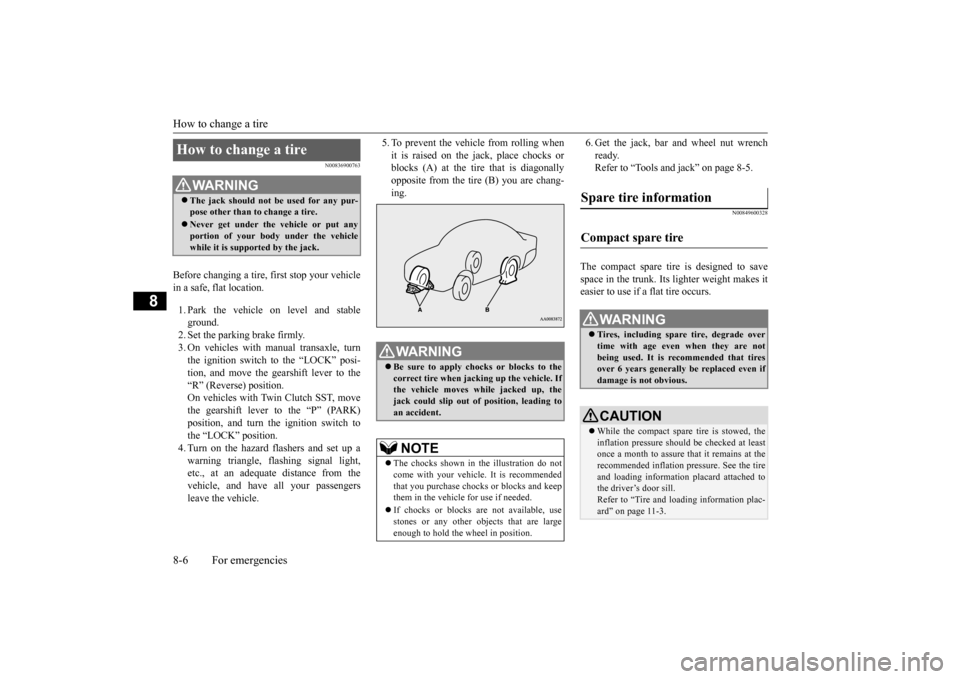
5. To prevent the vehicle from rolling when it is raised on the jack, place chocks or blocks (A) at the tire that is diagonally opposite from the tire (B) you are chang-ing.
6. Get the jack, bar and wheel nut wrench ready. Refer to “Tools and jack” on page 8-5.
N00849600328
The compact spare tire is designed to save space in the trunk. Its lighter weight makes it easier to use if a flat tire occurs.
How to change a tire
WA R N I N G The jack should not be used for any pur- pose other than to change a tire. Never get under the vehicle or put any portion of your body under the vehicle while it is supported by the jack.
WA R N I N G Be sure to apply chocks or blocks to the correct tire when jacking up the vehicle. Ifthe vehicle moves while jacked up, the jack could slip out of position, leading to an accident.NOTE
The chocks shown in the illustration do not come with your vehicle. It is recommended that you purchase chocks or blocks and keepthem in the vehicle for use if needed. If chocks or blocks are not available, use stones or any other objects that are large enough to hold the wheel in position.
Spare tire information Compact spare tire
WA R N I N G Tires, including spare tire, degrade over time with age even when they are notbeing used. It is recommended that tires over 6 years generally be replaced even if damage is not obvious.CAUTION While the compact spare tire is stowed, the inflation pressure should be checked at least once a month to assure that it remains at the recommended inflation pressure. See the tire and loading information placard attached tothe driver’s door sill. Refer to “Tire and loading information plac- ard” on page 11-3.
BK0210800US.bo
ok 6 ページ 2014年4月8日 火曜日 午前11時28分
Page 265 of 338
How to change a tire 8-8 For emergencies
8
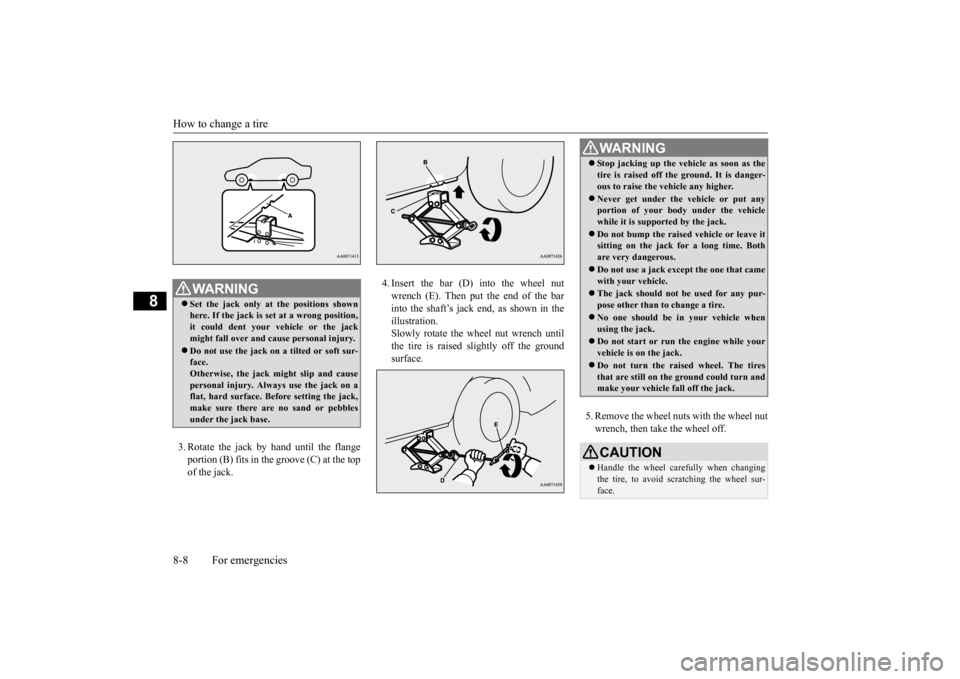
3. Rotate the jack by hand until the flange portion (B) fits in the groove (C) at the top of the jack.
4. Insert the bar (D) into the wheel nut wrench (E). Then put the end of the barinto the shaft’s jack end, as shown in the illustration. Slowly rotate the wheel nut wrench untilthe tire is raised slightly off the ground surface.
5. Remove the wheel nuts with the wheel nut wrench, then take the wheel off.
WA R N I N G Set the jack only at the positions shown here. If the jack is set at a wrong position, it could dent your vehicle or the jack might fall over and cause personal injury. Do not use the jack on a tilted or soft sur- face.Otherwise, the jack might slip and cause personal injury. Always use the jack on a flat, hard surface. Before setting the jack,make sure there are no sand or pebbles under the jack base.
WA R N I N G Stop jacking up the vehicle as soon as the tire is raised off the ground. It is danger- ous to raise the vehicle any higher. Never get under the vehicle or put any portion of your body under the vehicle while it is supported by the jack. Do not bump the raised vehicle or leave it sitting on the jack for a long time. Both are very dangerous. Do not use a jack except the one that came with your vehicle. The jack should not be used for any pur- pose other than to change a tire. No one should be in your vehicle when using the jack. Do not start or run the engine while your vehicle is on the jack. Do not turn the raised wheel. The tires that are still on the ground could turn andmake your vehicle fall off the jack. CAUTION Handle the wheel carefully when changing the tire, to avoid scratching the wheel sur- face.
BK0210800US.bo
ok 8 ページ 2014年4月8日 火曜日 午前11時28分
Page 290 of 338
Clutch pedal free play (if so equipped) Vehicle care and maintenance 9-19
9
N00940000359
In some areas of the country, snow tires are required for winter driving. If snow tires arerequired in your area, you must choose snow tires of the same size and type as the original tires provided with your vehicle. Snow tiresshould also be installed on all four wheels. Otherwise your safety and vehicle handling can be reduced.Even where laws may permit it, snow tiresshould not be operated at sustained speeds over 75 mph (120 km/h).
N00940100015 N00940201097
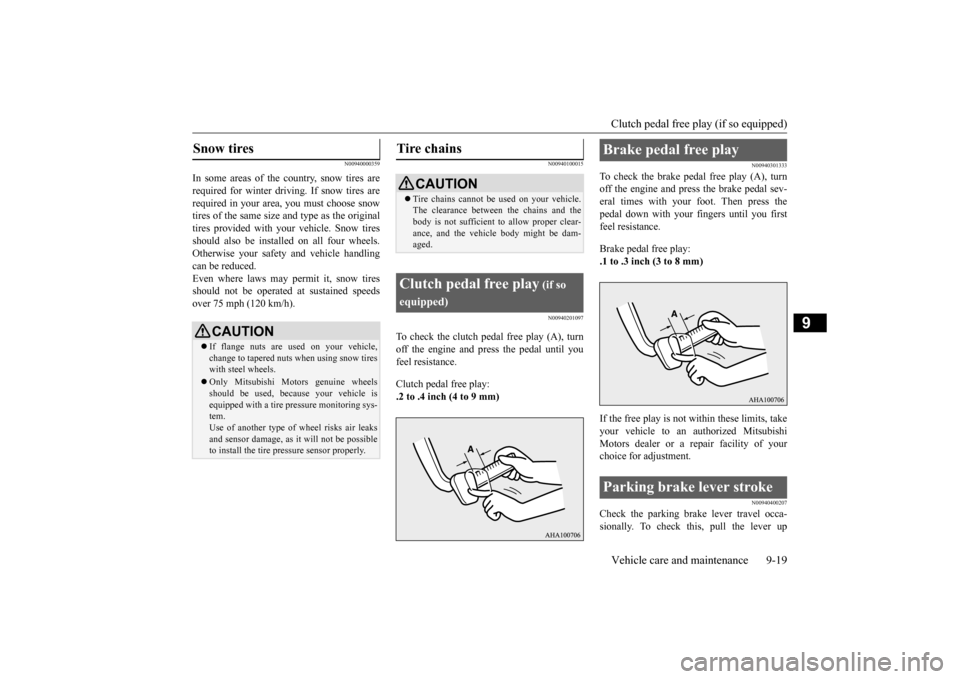
To check the clutch pedal free play (A), turn off the engine and press the pedal until you feel resistance. Clutch pedal free play: .2 to .4 inch (4 to 9 mm)
N00940301333
To check the brake pedal free play (A), turnoff the engine and press the brake pedal sev-eral times with your foot. Then press the pedal down with your fingers until you first feel resistance. Brake pedal free play: .1 to .3 inch (3 to 8 mm) If the free play is not within these limits, take your vehicle to an authorized Mitsubishi Motors dealer or a repair facility of your choice for adjustment.
N00940400207
Check the parking brake lever travel occa-sionally. To check this, pull the lever up
Snow tires
CAUTION If flange nuts are used on your vehicle, change to tapered nuts when using snow tireswith steel wheels. Only Mitsubishi Motors genuine wheels should be used, because your vehicle is equipped with a tire pressure monitoring sys- tem.Use of another type of wheel risks air leaks and sensor damage, as it will not be possible to install the tire pressure sensor properly.
Tire chains
CAUTION Tire chains cannot be used on your vehicle. The clearance between the chains and the body is not sufficient to allow proper clear- ance, and the vehicle body might be dam-aged.
Clutch pedal free play
(if so
equipped)
Brake pedal free play Parking brake lever stroke
BK0210800US.bo
ok 19 ページ 2014年4月8日 火曜日 午前11時28分