display MITSUBISHI LANCER EVOLUTION 2015 10.G User Guide
[x] Cancel search | Manufacturer: MITSUBISHI, Model Year: 2015, Model line: LANCER EVOLUTION, Model: MITSUBISHI LANCER EVOLUTION 2015 10.GPages: 338, PDF Size: 43.12 MB
Page 78 of 338
Free-hand Advanced Security Transmit
ter (F.A.S.T.-key) (if so equipped)
Features and controls 5-17
5
N00513700077
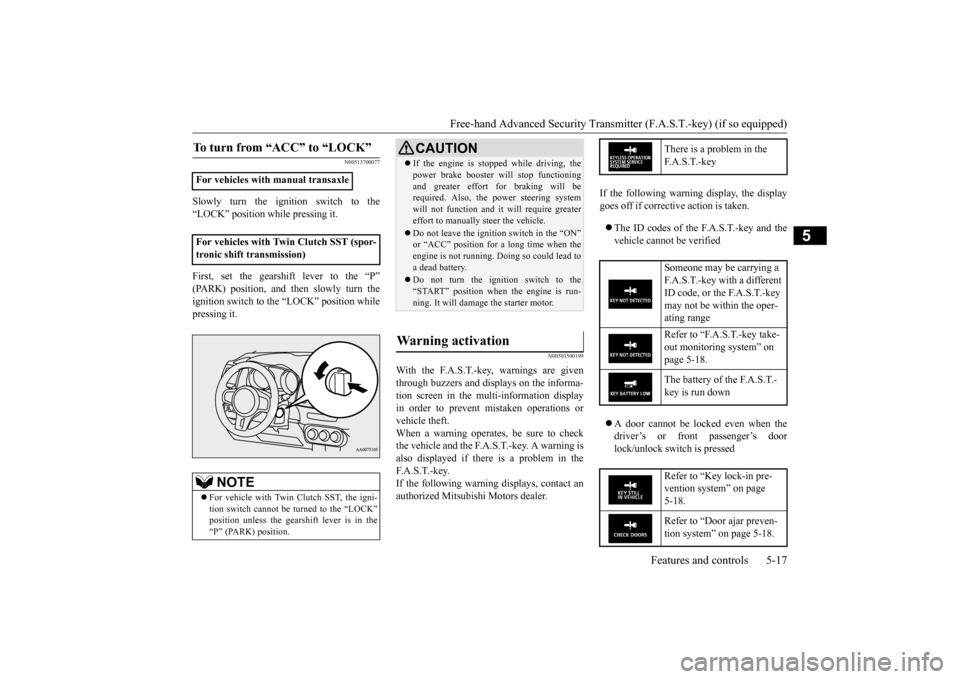
Slowly turn the ignition switch to the “LOCK” position while pressing it. First, set the gearshift lever to the “P” (PARK) position, and then slowly turn theignition switch to the “LOCK” position while pressing it.
N00503500199
With the F.A.S.T.-key, warnings are given through buzzers and displays on the informa-tion screen in the multi-information display in order to prevent mistaken operations or vehicle theft.When a warning operates, be sure to check the vehicle and the F.A.S.T.-key. A warning is also displayed if there is a problem in theF. A . S . T. - k e y. If the following warning displays, contact an authorized Mitsubishi Motors dealer.
If the following warning display, the display goes off if corrective action is taken. The ID codes of the F.A.S.T.-key and the vehicle cannot be verified A door cannot be locked even when the driver’s or front passenger’s door lock/unlock switch is pressed
To turn from “ACC” to “LOCK”
For vehicles with manual transaxle For vehicles with Twin Clutch SST (spor- tronic shift transmission)
NOTE
For vehicle with Twin Clutch SST, the igni- tion switch cannot be turned to the “LOCK” position unless the gearshift lever is in the“P” (PARK) position.
CAUTION If the engine is stopped while driving, the power brake booster will stop functioning and greater effort for braking will be required. Also, the power steering system will not function and it will require greatereffort to manually steer the vehicle. Do not leave the ignition switch in the “ON” or “ACC” position for a long time when the engine is not running. Doing so could lead to a dead battery. Do not turn the ignition switch to the “START” position when the engine is run-ning. It will damage the starter motor.
Warning activation
There is a problem in the F. A . S . T. - k e y Someone may be carrying a F.A.S.T.-key with a different ID code, or the F.A.S.T.-key may not be within the oper- ating range Refer to “F.A.S.T.-key take- out monitoring system” on page 5-18. The battery of the F.A.S.T.- key is run down Refer to “Key lock-in pre- vention system” on page 5-18. Refer to “Door ajar preven- tion system” on page 5-18.
BK0210800US.bo
ok 17 ページ 2014年4月8日 火曜日 午前11時28分
Page 79 of 338
Free-hand Advanced Security Transmitter (F.A.S.T.-key) (if so equipped) 5-18 Features and controls
5
N00559801167
When the ignition switch is in a position other than the “LOCK (PUSH OFF)”, if thedoor(s) are opened, the F.A.S.T. - key is removed from the passenger compartment, and then the door(s) are closed, the warningdisplay is displayed and the buzzer sounds 4 times as a warning since it’s impossible to verify the ID codes of the F.A.S.T.-key andvehicle.
N00559900132
When the ignition switch is in the “LOCK(PUSH OFF)” position, the F.A.S.T.-key isleft in the passenger compartment, all the doors are closed, and someone tries to lock the vehicle by pressing the driver’s or frontpassenger’s door lock/unlock switch, the warning display is displayed and the buzzer sounds for about 3 seconds as a warning, andthe doors cannot be locked.If all the doors are manually locked and closed while the ignition switch is in the “LOCK (PUSH OFF)” position and theF.A.S.T.-key is left in the car, the doors will automatically unlock and a buzzer will sound for about 3 seconds.
N00560000133
When the ignition switch is in the “LOCK(PUSH OFF)” position, and someone tries tolock the vehicle by pressing the driver’s or front passenger’s door lock/unlock switch while one of the doors is not fully closed, thewarning display is displayed and the buzzer sounds for about 3 seconds as a warning, and the doors cannot be locked.
N00560100134
When the ignition switch is in a position other than “LOCK (PUSH OFF)”, all the doors are closed, and someone tries to lockthe vehicle by pressing the driver’s or front passenger’s door lock/unlock switch, the warning display is displayed and the buzzer
Refer to “Ignition switch turn-off reminder system” on page 5-18.
F.A.S.T.-key take-out monitoring system
NOTE
The F.A.S.T.-key take-out monitoring system does not function if the F.A.S.T.-key is removed through a window without openinga door. This setting can be changed. See an authorized Mitsubishi Motors dealer for details.
The warning may display even if the F.A.S.T.-key is in the operating range for starting the engine. The surrounding envi- ronment or electromagnetic waves may make it impossible to verify the ID codes ofthe F.A.S.T.-key and vehicle.
Key lock-in prevention system
NOTE
Door ajar prevention system
Ignition switch turn-off reminder system
BK0210800US.bo
ok 18 ページ 2014年4月8日 火曜日 午前11時28分
Page 80 of 338
Free-hand Advanced Security Transmit
ter (F.A.S.T.-key) (if so equipped)
Features and controls 5-19
5
sounds for about 3 seconds as a warning, and the doors cannot be locked.
N00514300054
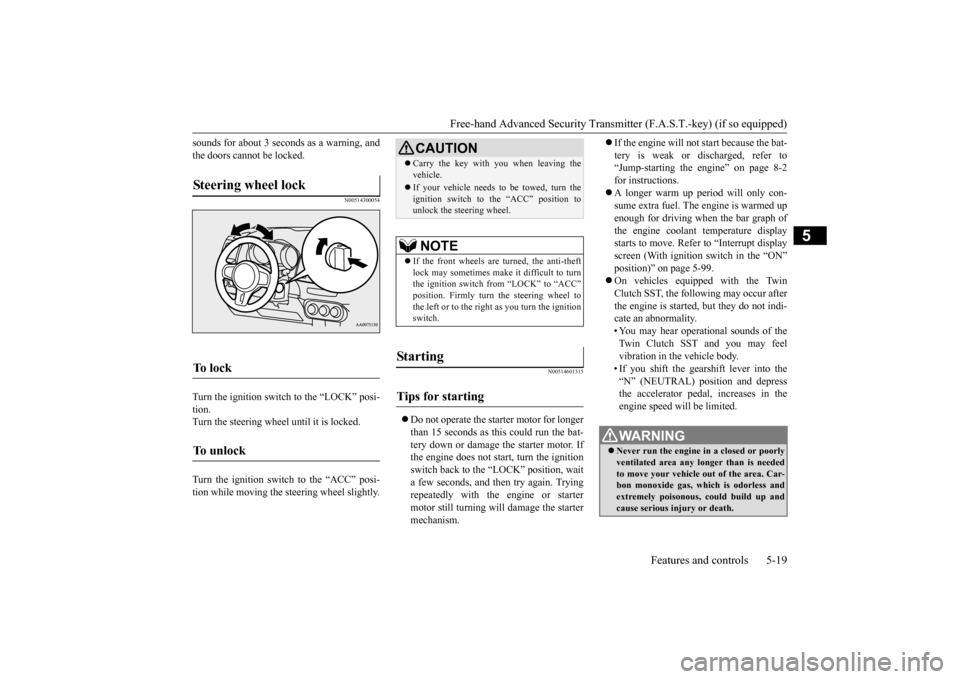
Turn the ignition switch to the “LOCK” posi- tion. Turn the steering wheel until it is locked. Turn the ignition switch to the “ACC” posi- tion while moving the steering wheel slightly.
N00514601315
Do not operate the starter motor for longer than 15 seconds as this could run the bat- tery down or damage the starter motor. Ifthe engine does not start, turn the ignition switch back to the “LOCK” position, wait a few seconds, and then try again. Tryingrepeatedly with the engine or starter motor still turning will damage the starter mechanism.
If the engine will not start because the bat- tery is weak or discharged, refer to “Jump-starting the engine” on page 8-2 for instructions. A longer warm up period will only con- sume extra fuel. The engine is warmed up enough for driving when the bar graph ofthe engine coolant temperature display starts to move. Refer to “Interrupt display screen (With ignition switch in the “ON”position)” on page 5-99. On vehicles equipped with the Twin Clutch SST, the following may occur after the engine is started, but they do not indi-cate an abnormality. • You may hear operational sounds of the Twin Clutch SST and you may feelvibration in the vehicle body. • If you shift the gearshift lever into the “N” (NEUTRAL) position and depressthe accelerator pedal, increases in the engine speed will be limited.
Steering wheel lock
To l o c k
To u n l o c k
CAUTION Carry the key with you when leaving the vehicle. If your vehicle needs to be towed, turn the ignition switch to the “ACC” position tounlock the steering wheel.NOTE
If the front wheels are turned, the anti-theft lock may sometimes make it difficult to turnthe ignition switch from “LOCK” to “ACC” position. Firmly turn the steering wheel to the left or to the right
as you turn the ignition
switch.
St arting
Tips for starting
WA R N I N G Never run the engine in a closed or poorly ventilated area any longer than is needed to move your vehicle out of the area. Car- bon monoxide gas, which is odorless andextremely poisonous, could build up and cause serious injury or death.
BK0210800US.bo
ok 19 ページ 2014年4月8日 火曜日 午前11時28分
Page 81 of 338
Free-hand Advanced Security Transmitter (F.A.S.T.-key) (if so equipped) 5-20 Features and controls
5
Your vehicle is equipped with an electroni- cally controlled fuel injection system. This isa system that automatically controls fuel injection. There is no need to depress the accelerator pedal when starting the engine.The starter motor should not be run for more than 15 seconds at a time. To prevent battery drain, wait a few secondsbetween attempts to restart the engine. 1. Make sure all occupants are properly seated with seat belts fastened. 2. Press and hold the brake pedal down withyour right foot. 3. Press and hold the clutch pedal all the way down (manual transaxle).
4. On vehicles with manual transaxle, place the gearshift lever in the “N” (Neutral) position.On vehicles with Twin Clutch SST, makesure the gearshift lever is in the “P” (PARK) position. 5. While pushing the ignition switch from “LOCK” (PUSH OFF) to “LOCK” (PUSH ON), set the ignition switch to the“ON” position and confirm that all warn- ing lights and warning displays are oper- ating properly.
6. Without pressing the accelerator pedal, slowly turn the ignition switch to the “START” position to start the engine. Release the ignition switch when theengine starts.
After several attempts, you may experience that the engine still does not start. 1. Make sure that all electric devices, such as lights, air conditioning blower and rearwindow defogger, are turned off. 2. While depressing the brake pedal on vehi- cles equipped with Twin Clutch SST orthe clutch pedal on the vehicles equipped with manual transaxle, press the accelera- tor pedal halfway and hold it there, thencrank the engine. Release the accelerator pedal, immediately after the engine starts.
CAUTION Do not push-start the vehicle.Do not run the engine
at high rpms or drive
at high speeds until the engine has had a chance to warm up. Release the ignition switch as soon as the engine starts. Otherwise, the starter motorwill be damaged.
Starting the engine
NOTE
For models equipped with a manual trans- axle, the starter will
not operate unless the
clutch pedal is fully depressed (Clutch inter- lock). This is a safety feature.NOTE
On vehicles with Twin Clutch SST, the starter will not operate unless the gearshift lever is in the “P” (PARK) position or the gearshift lever is in the “N” (NEUTRAL)position with the brake pedal depressed. For safety reasons, start the engine in the “P” (PARK) position so that the wheels arelocked.
NOTE
Minor noises may be heard on engine start- up. These will disappear as the engine warmsup.
When the engine is hard to start
BK0210800US.bo
ok 20 ページ 2014年4月8日 火曜日 午前11時28分
Page 85 of 338
Free-hand Advanced Security Transmitter (F.A.S.T.-key) (if so equipped) 5-24 Features and controls
5
Turn the emergency key to the “LOCK” posi- tion. Turn the steering wheel until it is locked. Turn the emergency key to the “ACC” posi- tion while moving the steering wheel slightly. Tips for starting
Do not operate the starter motor continu- ously for longer than 15 seconds as this could run the battery down or damage the starter motor. If the engine does not start,turn the emergency key back to the “LOCK” position, wait a few seconds, and then try again. Trying repeatedly withthe engine or starter motor still turning will damage the starter mechanism. If the engine will not start because the bat- tery is weak or discharged, refer to“Jump-starting the engine” on page 8-2 for instructions. A longer warm up period will only con- sume extra fuel. The
engine is warmed up
enough for driving when the bar graph of the engine coolant temperature displaystarts to move. Refer to “Interrupt display screen (With ignition switch in the “ON” position)” on page 5-99. On vehicles equipped with the Twin Clutch SST, the following may occur after the engine is started, but they do not indi-cate an abnormality. • You may hear operational sounds of the Twin Clutch SST and you may feelvibration in the vehicle body. • If you shift the gearshift lever into the “N” (NEUTRAL) position and depressthe accelerator pedal, increases in the engine speed will be limited.
The vehicle is equipped with an electronically controlled fuel injection system. This is a sys-tem that automatically controls the fuel injec- tion. There is no need to depress the accelerator pedal when starting the engine.The starter motor should not be run for more than 15 seconds at a time. To prevent battery drain, wait a few secondsbetween attempts to restart the engine. 1. Make sure all occupants are properly seated with seat belts fastened.
To l o c k To u n l o c k
CAUTION Remove the emergency key when leaving the vehicle. If your vehicle needs to be towed, turn the emergency key to the “ACC” position tounlock the steering wheel.NOTE
If the front wheels are turned, the anti-theft lock may sometimes make it difficult to turnthe emergency key from “LOCK” to “ACC”. Firmly turn the steering wheel to the left or to the right as you turn the emergency key.
Starting
WA R N I N G Never run the engine in a closed or poorly ventilated area any longer than is needed to move your vehicle out of the area. Car- bon monoxide gas, which is odorless and extremely poisonous, could build up andcause serious injury or death.CAUTION Do not push-start the vehicle.Do not run the engine
at high rpms or drive
at high speeds until the engine has had a chance to warm up. Release the emergency key as soon as the engine starts. It will damage the startermotor.
Starting the engine
BK0210800US.bo
ok 24 ページ 2014年4月8日 火曜日 午前11時28分
Page 86 of 338
Free-hand Advanced Security Transmit
ter (F.A.S.T.-key) (if so equipped)
Features and controls 5-25
5
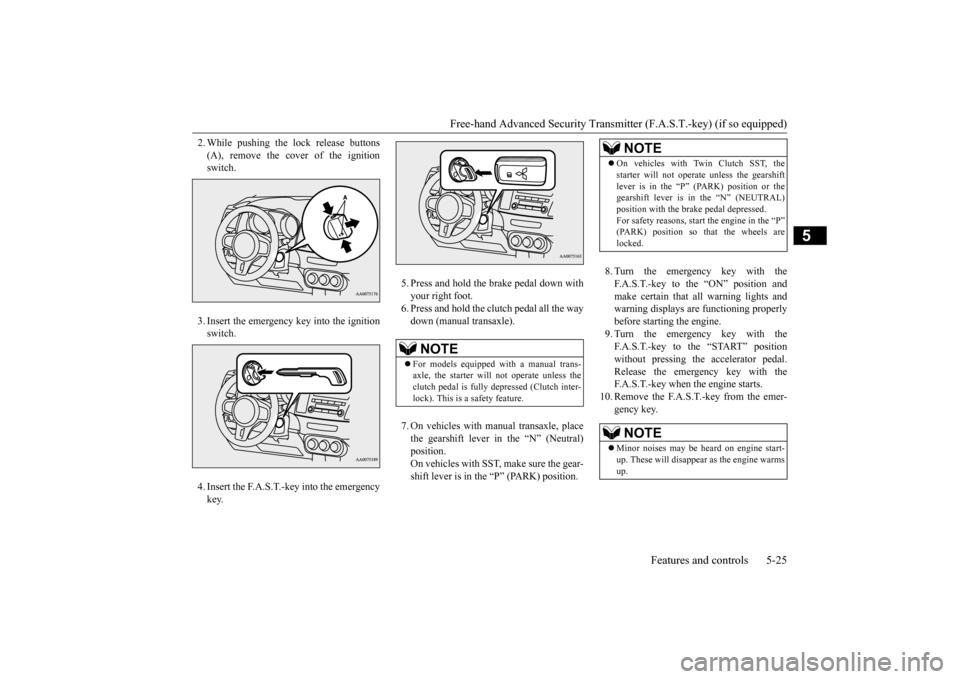
2. While pushing the lock release buttons (A), remove the cover of the ignition switch. 3. Insert the emergency key into the ignition switch. 4. Insert the F.A.S.T.-key into the emergency key.
5. Press and hold the brake pedal down with your right foot. 6. Press and hold the clutch pedal all the waydown (manual transaxle). 7. On vehicles with manual transaxle, place the gearshift lever in the “N” (Neutral) position.On vehicles with SST, make sure the gear- shift lever is in the “P” (PARK) position.
8. Turn the emergency key with the F.A.S.T.-key to the “ON” position andmake certain that all warning lights and warning displays are functioning properly before starting the engine.9. Turn the emergency key with the F.A.S.T.-key to the “START” position without pressing the accelerator pedal.Release the emergency key with the F.A.S.T.-key when the engine starts.
10. Remove the F.A.S.T.-key from the emer-
gency key.
NOTE
For models equipped with a manual trans- axle, the starter will not operate unless the clutch pedal is fully depressed (Clutch inter-lock). This is a safety feature.
NOTE
On vehicles with Twin Clutch SST, the starter will not operate unless the gearshift lever is in the “P” (P
ARK) position or the
gearshift lever is in the “N” (NEUTRAL) position with the brake pedal depressed.For safety reasons, start the engine in the “P” (PARK) position so that the wheels are locked.NOTE
Minor noises may be heard on engine start- up. These will disappear as the engine warmsup.
BK0210800US.bo
ok 25 ページ 2014年4月8日 火曜日 午前11時28分
Page 89 of 338
Free-hand Advanced Security Transmitter (F.A.S.T.-key) (if so equipped) 5-28 Features and controls
5
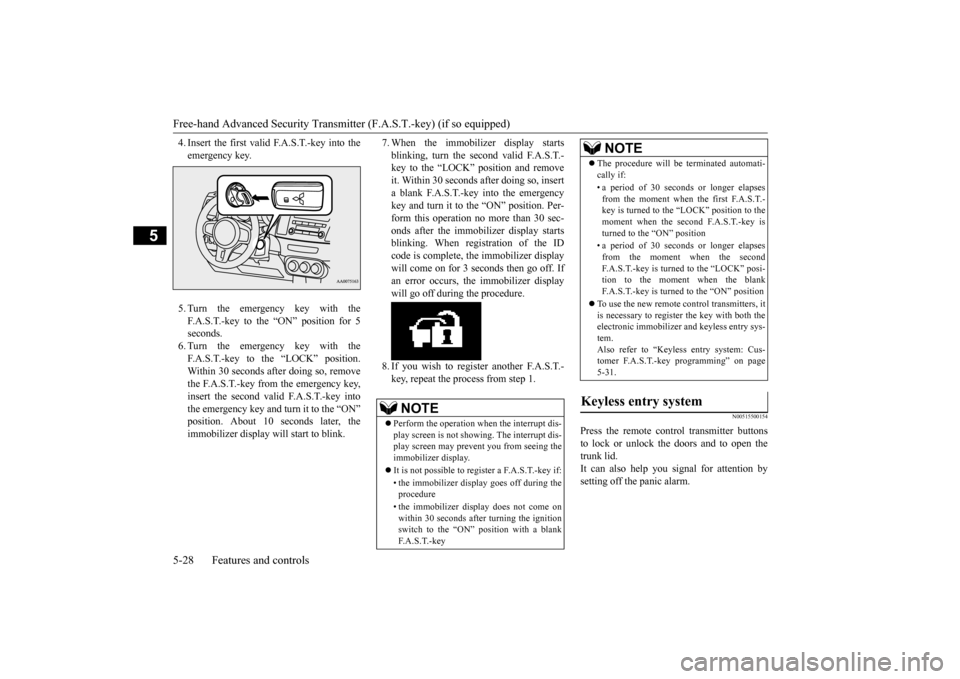
4. Insert the first valid F.A.S.T.-key into the emergency key. 5. Turn the emergency key with the F.A.S.T.-key to the “ON” position for 5 seconds. 6. Turn the emergency key with theF.A.S.T.-key to the “LOCK” position. Within 30 seconds after doing so, remove the F.A.S.T.-key from the emergency key,insert the second valid F.A.S.T.-key intothe emergency key and turn it to the “ON” position. About 10
seconds later, the
immobilizer display will start to blink.
7. When the immobilizer display starts blinking, turn the second valid F.A.S.T.- key to the “LOCK” position and remove it. Within 30 seconds after doing so, inserta blank F.A.S.T.-key into the emergency key and turn it to the “ON” position. Per- form this operation no more than 30 sec-onds after the immobilizer display starts blinking. When registration of the ID code is complete, the immobilizer displaywill come on for 3 seconds then go off. Ifan error occurs, the immobilizer display will go off during the procedure. 8. If you wish to register another F.A.S.T.- key, repeat the process from step 1.
N00515500154
Press the remote control transmitter buttons to lock or unlock the doors and to open the trunk lid. It can also help you signal for attention bysetting off the panic alarm.
NOTE
Perform the operation when the interrupt dis- play screen is not showing. The interrupt dis- play screen may prevent you from seeing the immobilizer display. It is not possible to regi
ster a F.A.S.T.-key if:
• the immobilizer display goes off during the procedure • the immobilizer display does not come on within 30 seconds after turning the ignition switch to the “ON” position with a blankF. A . S . T. - k e y
The procedure will be terminated automati- cally if: • a period of 30 seconds or longer elapses from the moment when the first F.A.S.T.-key is turned to the “LOCK” position to the moment when the second F.A.S.T.-key is turned to the “ON” position • a period of 30 seconds or longer elapses from the moment when the secondF.A.S.T.-key is turned to the “LOCK” posi- tion to the moment when the blank F.A.S.T.-key is turned to the “ON” position
To use the new remote control transmitters, it is necessary to register the key with both theelectronic immobilizer and keyless entry sys- tem. Also refer to “Keyless entry system: Cus-tomer F.A.S.T.-key programming” on page 5-31.
Keyless entry system
NOTE
BK0210800US.bo
ok 28 ページ 2014年4月8日 火曜日 午前11時28分
Page 93 of 338
Free-hand Advanced Security Transmitter (F.A.S.T.-key) (if so equipped) 5-32 Features and controls
5
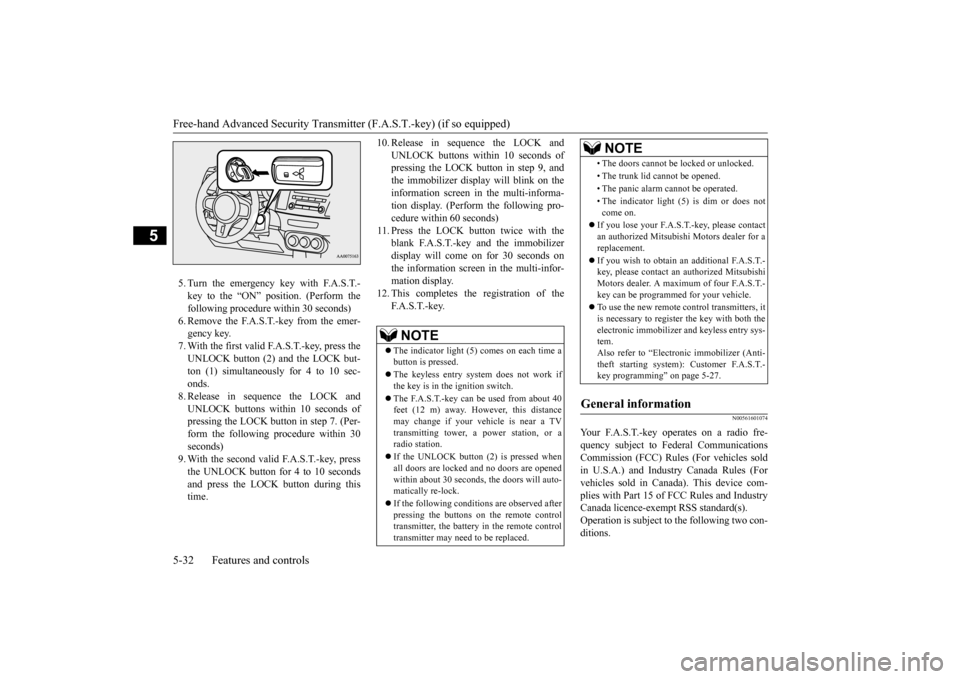
5. Turn the emergency key with F.A.S.T.- key to the “ON” position. (Perform the following procedure within 30 seconds)6. Remove the F.A.S.T.-key from the emer- gency key. 7. With the first valid F.A.S.T.-key, press theUNLOCK button (2) and the LOCK but- ton (1) simultaneously for 4 to 10 sec- onds.8. Release in sequence the LOCK andUNLOCK buttons within 10 seconds of pressing the LOCK button in step 7. (Per- form the following procedure within 30seconds) 9. With the second valid F.A.S.T.-key, press the UNLOCK button for 4 to 10 secondsand press the LOCK button during this time.
10. Release in sequence the LOCK and
UNLOCK buttons within 10 seconds of pressing the LOCK button in step 9, and the immobilizer display will blink on theinformation screen in the multi-informa- tion display. (Perform the following pro- cedure within 60 seconds)
11. Press the LOCK button twice with the
blank F.A.S.T.-key and the immobilizer display will come on for 30 seconds onthe information screen in the multi-infor-mation display.
12. This completes the registration of the
F. A . S . T. - k e y.
N00561601074
Your F.A.S.T.-key operates on a radio fre-quency subject to Federal Communications Commission (FCC) Rules (For vehicles sold in U.S.A.) and Industry Canada Rules (Forvehicles sold in Canada). This device com- plies with Part 15 of FCC Rules and Industry Canada licence-exempt RSS standard(s).Operation is subject to the following two con- ditions.
NOTE
The indicator light (5) comes on each time a button is pressed. The keyless entry system does not work if the key is in the ignition switch. The F.A.S.T.-key can be used from about 40 feet (12 m) away. However, this distance may change if your vehicle is near a TVtransmitting tower, a power station, or a radio station. If the UNLOCK button (2) is pressed when all doors are locked and no doors are openedwithin about 30 seconds, the doors will auto- matically re-lock. If the following conditions are observed after pressing the buttons on the remote control transmitter, the battery in the remote controltransmitter may need to be replaced.
• The doors cannot be locked or unlocked. • The trunk lid cannot be opened.• The panic alarm cannot be operated.• The indicator light (5) is dim or does not come on.
If you lose your F.A.S.T.-key, please contact an authorized Mitsubishi Motors dealer for areplacement. If you wish to obtain an
additional F.A.S.T.-
key, please contact an authorized Mitsubishi Motors dealer. A maximum of four F.A.S.T.- key can be programmed for your vehicle. To use the new remote control transmitters, it is necessary to register the key with both theelectronic immobilizer and keyless entry sys- tem. Also refer to “Electr
onic immobilizer (Anti-
theft starting system): Customer F.A.S.T.- key programming” on page 5-27.
General information
NOTE
BK0210800US.bo
ok 32 ページ 2014年4月8日 火曜日 午前11時28分
Page 96 of 338
Power door locks
Features and controls 5-35
5
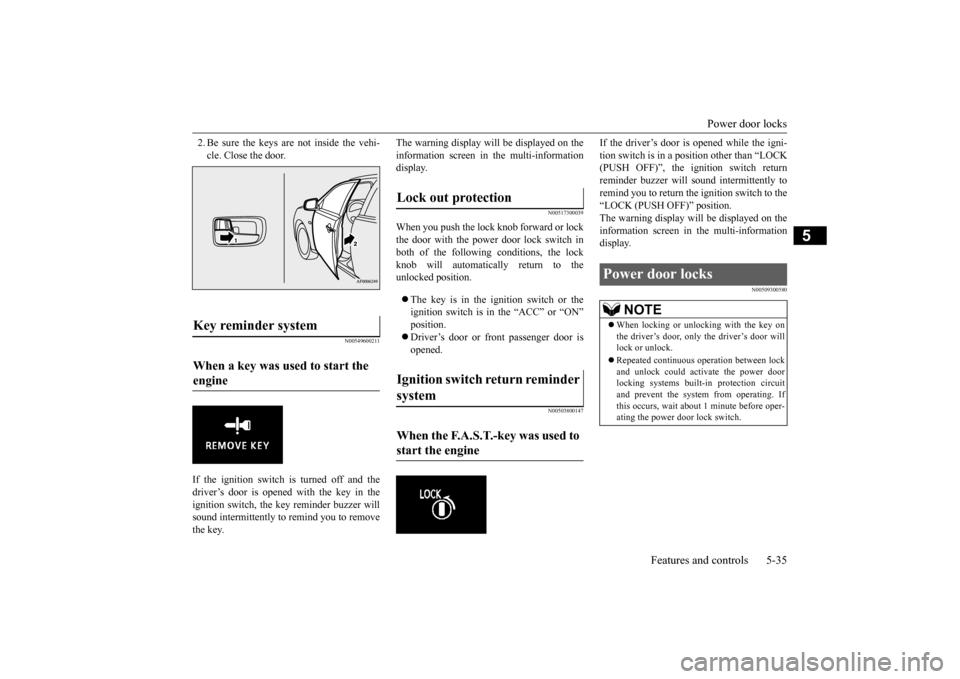
2. Be sure the keys are not inside the vehi- cle. Close the door.
N00549600211
If the ignition switch is turned off and the driver’s door is opened with the key in the ignition switch, the key reminder buzzer willsound intermittently to remind you to remove the key.
The warning display will be displayed on the information screen in the multi-information display.
N00517300039
When you push the lock knob forward or lockthe door with the power door lock switch in both of the following conditions, the lockknob will automatically return to theunlocked position. The key is in the ignition switch or the ignition switch is in the “ACC” or “ON” position. Driver’s door or front passenger door is opened.
N00503800147
If the driver’s door is opened while the igni- tion switch is in a position other than “LOCK (PUSH OFF)”, the ignition switch return reminder buzzer will sound intermittently toremind you to return th
e ignition switch to the
“LOCK (PUSH OFF)” position. The warning display will be displayed on theinformation screen in the multi-information display.
N00509300580
Key reminder system When a key was used to start the engine
Lock out protection Ignition switch return reminder system When the F.A.S.T.-key was used to start the engine
Power door locks
NOTE
When locking or unlocking with the key on the driver’s door, only the driver’s door will lock or unlock. Repeated continuous operation between lock and unlock could activate the power doorlocking systems built-in protection circuit and prevent the system from operating. If this occurs, wait about 1 minute before oper-ating the power door lock switch.
BK0210800US.bo
ok 35 ページ 2014年4月8日 火曜日 午前11時28分
Page 102 of 338
Theft-alarm system
Features and controls 5-41
5
The alarm can be deactivated in the following ways. By using the keyless entry system or the F.A.S.T.-key operation to lock or unlock the door. Turn the ignition switch to the “ON” posi- tion.
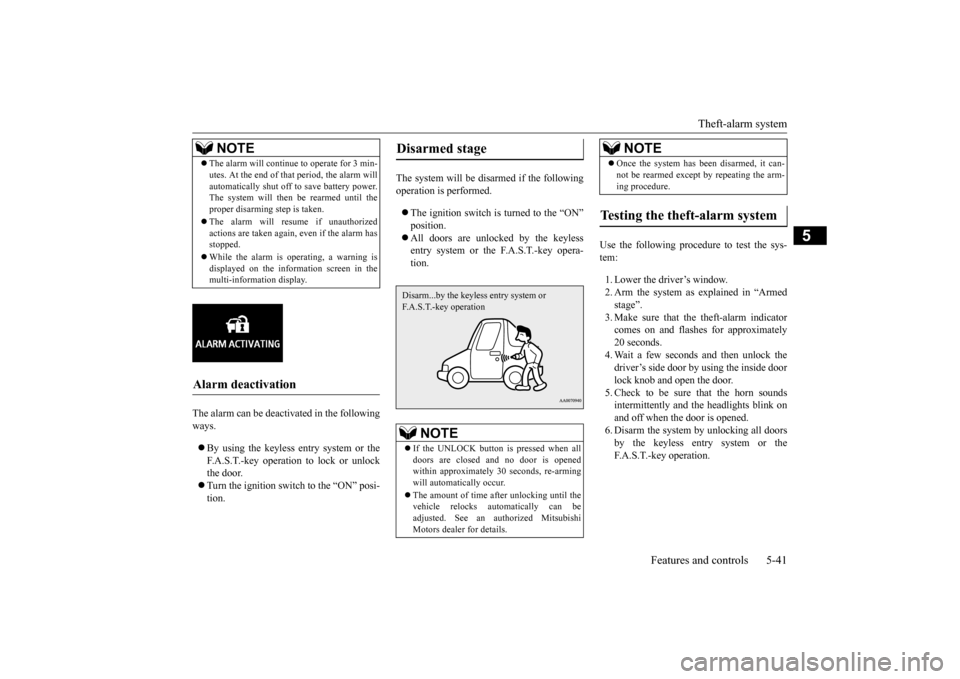
The system will be disarmed if the following operation is performed. The ignition switch is turned to the “ON” position. All doors are unlocked by the keyless entry system or the F.A.S.T.-key opera-tion.
Use the following procedure to test the sys- tem: 1. Lower the driver’s window. 2. Arm the system as explained in “Armedstage”. 3. Make sure that the theft-alarm indicator comes on and flashes for approximately20 seconds. 4. Wait a few seconds and then unlock the driver’s side door by using the inside doorlock knob and open the door. 5. Check to be sure that the horn sounds intermittently and the headlights blink onand off when the door is opened. 6. Disarm the system by unlocking all doors by the keyless entry system or theF.A.S.T.-key operation.
NOTE
The alarm will continue to operate for 3 min- utes. At the end of that period, the alarm will automatically shut off to save battery power. The system will then
be rearmed until the
proper disarming step is taken. The alarm will resume if unauthorized actions are taken again, even if the alarm hasstopped. While the alarm is operating, a warning is displayed on the information screen in the multi-information display.
Alarm deactivation
Disarmed stage
NOTE
If the UNLOCK button is pressed when all doors are closed and no door is opened within approximately 30 seconds, re-arming will automatically occur. The amount of time after unlocking until the vehicle relocks automatically can beadjusted. See an authorized Mitsubishi Motors dealer for details.Disarm...by the keyless entry system or F.A.S.T.-key operation
Once the system has been disarmed, it can- not be rearmed except by repeating the arm- ing procedure.
Testing the theft-alarm system
NOTE
BK0210800US.bo
ok 41 ページ 2014年4月8日 火曜日 午前11時28分