fuel MITSUBISHI LANCER EVOLUTION 2015 10.G User Guide
[x] Cancel search | Manufacturer: MITSUBISHI, Model Year: 2015, Model line: LANCER EVOLUTION, Model: MITSUBISHI LANCER EVOLUTION 2015 10.GPages: 338, PDF Size: 43.12 MB
Page 85 of 338
Free-hand Advanced Security Transmitter (F.A.S.T.-key) (if so equipped) 5-24 Features and controls
5
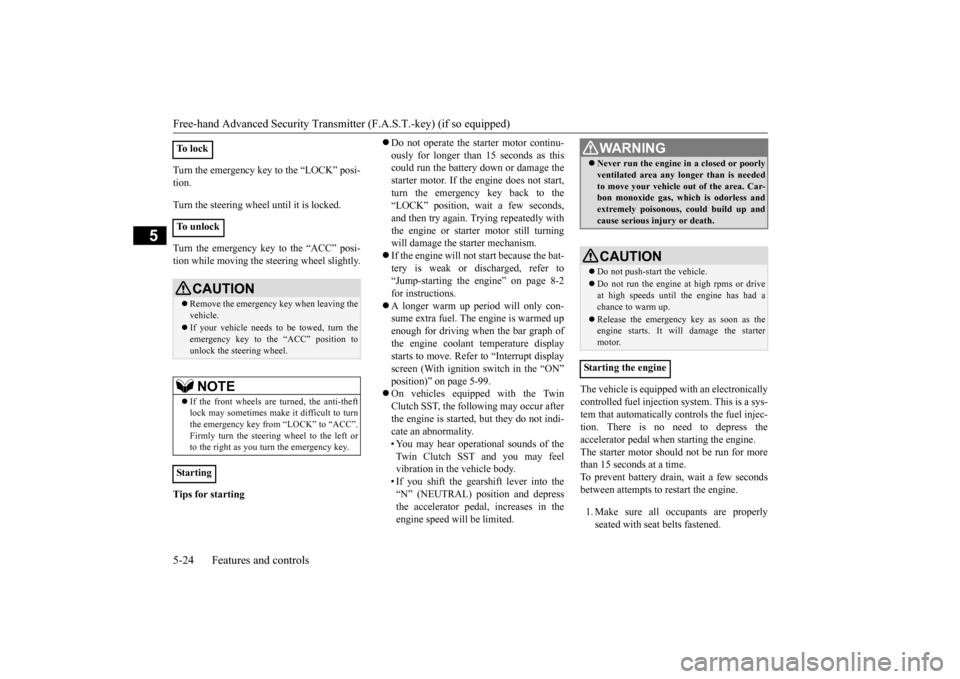
Turn the emergency key to the “LOCK” posi- tion. Turn the steering wheel until it is locked. Turn the emergency key to the “ACC” posi- tion while moving the steering wheel slightly. Tips for starting
Do not operate the starter motor continu- ously for longer than 15 seconds as this could run the battery down or damage the starter motor. If the engine does not start,turn the emergency key back to the “LOCK” position, wait a few seconds, and then try again. Trying repeatedly withthe engine or starter motor still turning will damage the starter mechanism. If the engine will not start because the bat- tery is weak or discharged, refer to“Jump-starting the engine” on page 8-2 for instructions. A longer warm up period will only con- sume extra fuel. The
engine is warmed up
enough for driving when the bar graph of the engine coolant temperature displaystarts to move. Refer to “Interrupt display screen (With ignition switch in the “ON” position)” on page 5-99. On vehicles equipped with the Twin Clutch SST, the following may occur after the engine is started, but they do not indi-cate an abnormality. • You may hear operational sounds of the Twin Clutch SST and you may feelvibration in the vehicle body. • If you shift the gearshift lever into the “N” (NEUTRAL) position and depressthe accelerator pedal, increases in the engine speed will be limited.
The vehicle is equipped with an electronically controlled fuel injection system. This is a sys-tem that automatically controls the fuel injec- tion. There is no need to depress the accelerator pedal when starting the engine.The starter motor should not be run for more than 15 seconds at a time. To prevent battery drain, wait a few secondsbetween attempts to restart the engine. 1. Make sure all occupants are properly seated with seat belts fastened.
To l o c k To u n l o c k
CAUTION Remove the emergency key when leaving the vehicle. If your vehicle needs to be towed, turn the emergency key to the “ACC” position tounlock the steering wheel.NOTE
If the front wheels are turned, the anti-theft lock may sometimes make it difficult to turnthe emergency key from “LOCK” to “ACC”. Firmly turn the steering wheel to the left or to the right as you turn the emergency key.
Starting
WA R N I N G Never run the engine in a closed or poorly ventilated area any longer than is needed to move your vehicle out of the area. Car- bon monoxide gas, which is odorless and extremely poisonous, could build up andcause serious injury or death.CAUTION Do not push-start the vehicle.Do not run the engine
at high rpms or drive
at high speeds until the engine has had a chance to warm up. Release the emergency key as soon as the engine starts. It will damage the startermotor.
Starting the engine
BK0210800US.bo
ok 24 ページ 2014年4月8日 火曜日 午前11時28分
Page 113 of 338
![MITSUBISHI LANCER EVOLUTION 2015 10.G User Guide Steering wheel lock 5-52 Features and controls
5
N00512500010
[For vehicles equipped with the F.A.S.T.- key]For information on operations for vehiclesequipped with the F.A.S.T.-key, refer to “F.A.S.](/img/19/7477/w960_7477-112.png "MITSUBISHI LANCER EVOLUTION 2015 10.G User Guide Steering wheel lock 5-52 Features and controls
5
N00512500010
[For vehicles equipped with the F.A.S.T.- key]For information on operations for vehiclesequipped with the F.A.S.T.-key, refer to “F.A.S.")
Steering wheel lock 5-52 Features and controls
5
N00512500010
[For vehicles equipped with the F.A.S.T.- key]For information on operations for vehiclesequipped with the F.A.S.T.-key, refer to “F.A.S.T.-key: Steering wheel lock” on page 5-19. [Except for vehicles equipped with the F. A . S . T. - k e y ]
Remove the key at the “LOCK” position. Turn the steering wheel until it is locked. Turn the key to the “ACC” position while moving the steering wheel slightly.
N00542100073
Do not operate the starter motor continu- ously for longer than 15 seconds as this could run the battery down or damage thestarter motor. If the engine does not start,turn the ignition switch back to the “LOCK” position, wait a few seconds, and then try again. Trying repeatedly withthe engine or starter motor still turning will damage the starter mechanism. If the engine will not start because the bat- tery is weak or discharged, refer to “Jump-starting the engine” (on page 8-2) for instructions. The engine is warmed up enough for driv- ing when the bar graph of engine coolant temperature display starts to move. Driv-ing before the bar graph moves may cause deterioration of turbocharger performance and driveability. A longer warm up periodwill only consume extra fuel. On vehicles equipped with the Twin Clutch SST, the following may occur afterthe engine is started, but they do not indi- cate an abnormality.
Do not turn the key to the “START” position when the engine is running. It will damage the starter motor.
Steering wheel lock
CAUTION
To l o c k To u n l o c k
CAUTION Remove the key when leaving the vehicle.NOTE
If the front wheels are turned, the anti-theft lock may sometimes make it difficult to turn the key from “LOCK” position to “ACC” position. Firmly turn the steering wheel tothe left or to the right as you turn the key.
Starting and stopping the engine Tips for starting
BK0210800US.bo
ok 52 ページ 2014年4月8日 火曜日 午前11時28分
Page 114 of 338
Starting and stopping the engine Features and controls 5-53
5
• You may hear operational sounds of the Twin Clutch SST and you may feel vibration in the vehicle body. • If you shift the gearshift lever into the“N” (NEUTRAL) position and depress the accelerator pedal, increases in the engine speed will be limited.
N00542201172
[For vehicles equipped with the F.A.S.T.-key]
For information on operation for vehicles equipped with the F.A.S.T.-key, refer to “F.A.S.T.-key: Starting the engine” on page 5-19. [Except for vehicles equipped with the F. A . S . T. - k e y ] Your vehicle is equipped with an electroni- cally controlled fuel injection system, whichautomatically controls the release of fuel. There is usually no need to depress the accel- erator pedal when starting the engine.The starter should not be run for more than15 seconds at a time. To prevent battery drain, wait a few seconds between attempts to restart the engine. 1. Make sure all occupants are properly seated with seat belts fastened. 2. Insert the ignition key. 3. Make sure the parking brake is applied.4. Press and hold the brake pedal down with your right foot. 5. Press and hold the clutch pedal all the waydown (manual transaxle).
6. On vehicles with manual transaxle, place the gearshift lever in the “N” (Neutral) position. On vehicles with Twin Clutch SST, makesure the gearshift lever is in the “P” (PARK) position. 7. Turn the ignition switch to the “ON” posi- tion and make certain that all warninglights are functioning properly before starting the engine. 8. Turn the ignition switch to the “START”position without pressing the accelerator pedal. Release the key when the engine starts.
After several attempts, you may experience that the engine still does not start.
WA R N I N G Never run the engine in a closed or poorly ventilated area any longer than is neededto move your vehicle out of the area. Car- bon monoxide gas, which is odorless and extremely poisonous, could build up andcause serious injury or death.CAUTION Do not push-start the vehicle.Do not run the engine at high rpms or drive at high speeds until the engine has had a chance to warm up. Release the ignition switch as soon as the engine starts. Otherwise, the starter motorwill be damaged.
Starting the engine
NOTE
For models equipped with a manual trans- axle, the starter will not operate unless the clutch pedal is fully depressed (Clutch inter-lock). This is a safety feature.
NOTE
On vehicles with Twin Clutch SST, the starter will not operate unless the gearshift lever is in the “P” (P
ARK) position or the
gearshift lever is in the “N” (NEUTRAL) position with the brake pedal depressed. For safety reasons, start the engine in the “P”(PARK) position so that the wheels are locked.
When the engine is hard to start
BK0210800US.bo
ok 53 ページ 2014年4月8日 火曜日 午前11時28分
Page 118 of 338
Manual transaxle (if so equipped)
Features and controls 5-57
5
clutch pedal while depressing the accelerator pedal.
N00537400049
Always use care to change the gear with thevehicle speed matched to the engine speed.Proper shifting will improve fuel economy and prolong engine life.
N00512900144
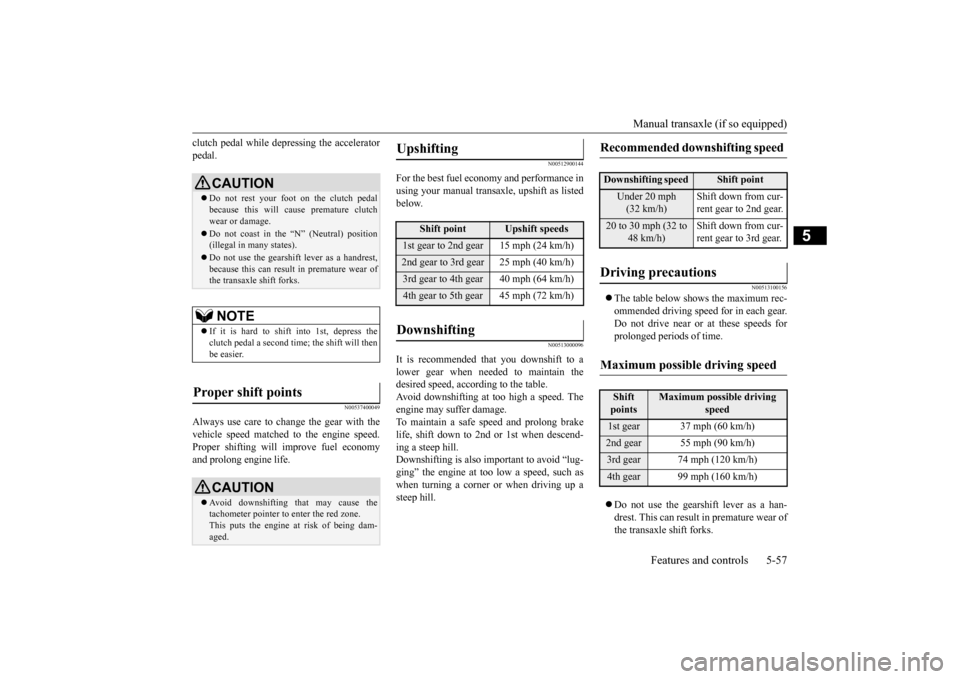
For the best fuel economy and performance in using your manual transaxle, upshift as listedbelow.
N00513000096
It is recommended that you downshift to alower gear when needed to maintain thedesired speed, according to the table.Avoid downshifting at too high a speed. The engine may suffer damage. To maintain a safe speed and prolong brakelife, shift down to 2nd or 1st when descend- ing a steep hill. Downshifting is also important to avoid “lug-ging” the engine at too low a speed, such as when turning a corner or when driving up a steep hill.
N00513100156
The table below shows the maximum rec- ommended driving speed for in each gear.Do not drive near or at these speeds forprolonged periods of time. Do not use the gearshift lever as a han- drest. This can result in premature wear of the transaxle shift forks.
CAUTION Do not rest your foot on the clutch pedal because this will cause premature clutch wear or damage. Do not coast in the “N” (Neutral) position (illegal in many states). Do not use the gearshift lever as a handrest, because this can result in premature wear ofthe transaxle shift forks.NOTE
If it is hard to shift into 1st, depress the clutch pedal a second time; the shift will thenbe easier.
Proper shift points
CAUTION Avoid downshifting that may cause the tachometer pointer to enter the red zone. This puts the engine at risk of being dam- aged.
Upshifting
Shift point
Upshift speeds
1st gear to 2nd gear 15 mph (24 km/h)2nd gear to 3rd gear 25 mph (40 km/h)3rd gear to 4th gear 40 mph (64 km/h)4th gear to 5th gear 45 mph (72 km/h)Downshifting
Recommended downshifting speed
Downshifting speed
Shift point
Under 20 mph (32 km/h)
Shift down from cur- rent gear to 2nd gear.
20 to 30 mph (32 to
48 km/h)
Shift down from cur- rent gear to 3rd gear.
Driving precautions
Maximum possible driving speed
Shift points
Maximum possible driving
speed
1st gear 37 mph (60 km/h)2nd gear 55 mph (90 km/h)3rd gear 74 mph (120 km/h)4th gear 99 mph (160 km/h)
BK0210800US.bo
ok 57 ページ 2014年4月8日 火曜日 午前11時28分
Page 119 of 338
Twin Clutch SST (Sportronic Shif
t Transmission) (if so equipped)
5-58 Features and controls
5
N00539700017
The Twin Clutch SST is a transmission that, through integrated control of the engine and transmission, is able to achieve both the smooth shifting of an automatic transaxle andthe acceleration and fuel economy close to amanual transaxle. In addition, the control mode can be selected from three types to suit the driving conditions.Together with manual shifting, the transmis- sion is capable of responding to a variety of driving circumstances. Twin Clutch SST control mode
P.5-62
Manual shift
P.5-64
N00539800063
As an additional safety precaution, models equipped with a Twin Clutch SST have a shift-lock device that holds the gearshift lever in the “P” (PARK) position. To move thegearshift lever from the “P” (PARK) position to another position, follow the steps below. 1. Press and hold the brake pedal down.
2. Move the gearshift lever to the desired position.
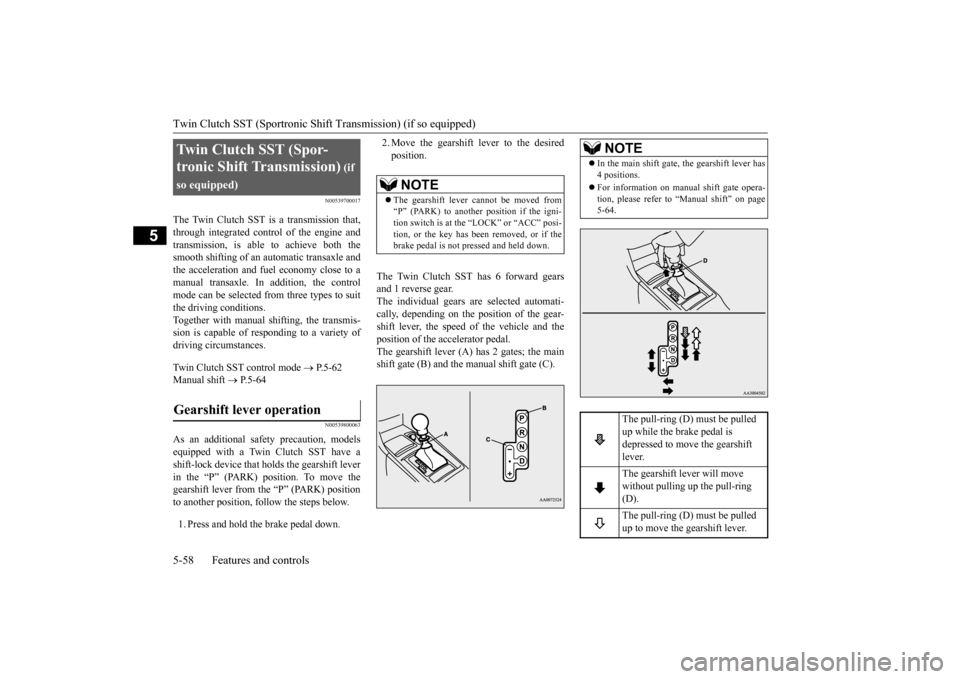
The Twin Clutch SST has 6 forward gears and 1 reverse gear.The individual gears are selected automati- cally, depending on the position of the gear- shift lever, the speed of the vehicle and theposition of the accelerator pedal. The gearshift lever (A) has 2 gates; the main shift gate (B) and the manual shift gate (C).
Twin Clutch SST (Spor- tronic Shift Transmission)
(if
so equipped)Gearshift lever operation
NOTE
The gearshift lever cannot be moved from “P” (PARK) to another position if the igni- tion switch is at the “LOCK” or “ACC” posi-tion, or the key has been removed, or if the brake pedal is not pressed and held down.
NOTE
In the main shift gate, the gearshift lever has 4 positions. For information on manual shift gate opera- tion, please refer to “Manual shift” on page5-64.
The pull-ring (D) must be pulled up while the brake pedal is depressed to move the gearshift lever. The gearshift lever will move without pulling up the pull-ring (D). The pull-ring (D) must be pulled up to move the gearshift lever.
BK0210800US.bo
ok 58 ページ 2014年4月8日 火曜日 午前11時28分
Page 148 of 338
Tire pressure monitoring system
Features and controls 5-87
5
Under-inflation also reduces fuel efficiency and tire tread life, and may affect the vehi- cle’s handling and stopping ability. Please note that the TPMS is not a substitute forproper tire maintenance, and it is the driver’s responsibility to maintain correct tire pres- sure, even if under-inflation has not reachedthe level to trigger illumination of the TPMS low tire pressure telltale. Your vehicle has also been equipped with aTPMS malfunction indicator to indicate whenthe system is not operating properly. The TPMS malfunction indicator is combined with the low tire pressure telltale.When the system detects a malfunction, the telltale will flash for approximately one min- ute and then remain continuously illuminated.This sequence will continue upon subsequent vehicle start-ups as long as the malfunction exists.When the malfunction indicator is illumi- nated, the system may not be able to detect or signal low tire pressure as intended.TPMS malfunctions may occur for a variety of reasons, including the installation of replacement or alternate tires or wheels on thevehicle that prevent the TPMS from function- ing properly. Always check the TPMS mal- function telltale after replacing one or moretires or wheels on your vehicle to ensure that the replacement or alternate tires and wheels
allow the TPMS to continue to function prop- erly.
N00532800439
1. If the tire pressure monitoring system warning light illuminates, avoid hard braking, sharp steering maneuvers andhigh speeds. You should stop and adjustthe tires to the proper inflation pressure as soon as possible. Adjust the spare tire at the same time. Refer to “Tires” on page9-12.
2. If the tire pressure monitoring system warning light remains illuminated after you have been driving for about 20 min- utes after you adjust the tire inflation pres-sure, one or more of the tires may have apuncture. Inspect the tire and if it has a puncture, have it repaired by an autho- rized Mitsubishi Motors dealer as soon aspossible.
If the warning light/display illu- minates while driving
NOTE
In addition, the warning display is displayed on the information screen in the multi-infor- mation display. When inspecting or adjusting the tire pres- sure, do not apply excessive force to thevalve stem to avoid breakage. After inspecting or adjusting the tire pres- sure, always reinstall the valve cap on the valve stem. Without the valve cap, dirt or moisture could get into the valve, resulting in damage to the tire inflation pressure sensor. Do not use metal valve caps, which may cause a metal reaction, resulting in corrosionand damage of the tire inflation pressure sen- sors.
Once adjustments have been made, the warn- ing light will go off after a few minutes of driving.WA R N I N G If the warning light/display illuminates while you are driving, avoid hard braking, sharp steering maneuvers and high speeds. Driving with an under-inflated tireadversely affects vehicle performance and can result in an accident.CAUTION If a tire has a puncture, replace that tire with the spare tire. Driving on a punctured tire could lead to an accident. The warning light/displ
ay may not illuminate
immediately in the event of a tire blowout orrapid leak.NOTE
BK0210800US.bo
ok 87 ページ 2014年4月8日 火曜日 午前11時28分
Page 151 of 338
Multi-information display 5-90 Features and controls
5
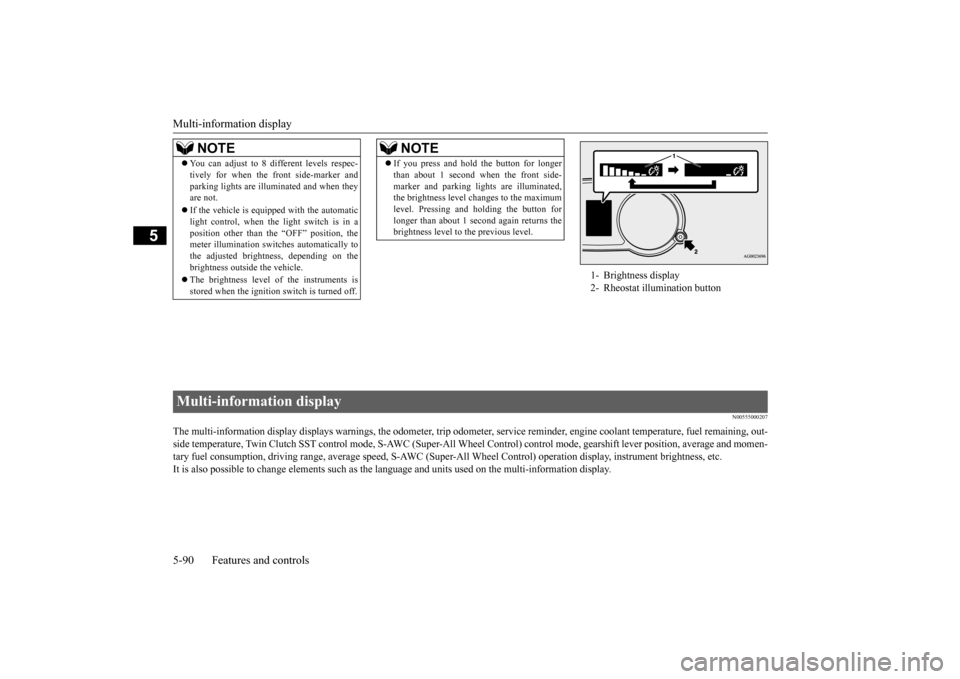
N00555000207
The multi-information display displays warn
ings, the odometer, trip odometer, service re
minder, engine coolant temperature, fue
l remaining, out-
side temperature, Twin Clutch SST contro
l mode, S-AWC (Super-All Wheel Control) control mode, gearshift lever position, average
and momen-
tary fuel consumption, driving range, average speed, S-AWC (Super-
All Wheel Control) operation display, instrument brightness,
etc.
It is also possible to change elements such as th
e language and units used on the multi-information display.
NOTE
You can adjust to 8 different levels respec- tively for when the front side-marker and parking lights are illuminated and when they are not. If the vehicle is equipped with the automatic light control, when the light switch is in a position other than the “OFF” position, themeter illumination switches automatically to the adjusted brightness, depending on the brightness outside the vehicle. The brightness level of the instruments is stored when the ignition switch is turned off.
If you press and hold the button for longer than about 1 second when the front side- marker and parking lights are illuminated, the brightness level changes to the maximum level. Pressing and holding the button forlonger than about 1 second again returns the brightness level to the previous level.NOTE
1- Brightness display 2- Rheostat illumination button
Multi-information display BK0210800US.bo
ok 90 ページ 2014年4月8日 火曜日 午前11時28分
Page 152 of 338
Multi-information display
Features and controls 5-91
5
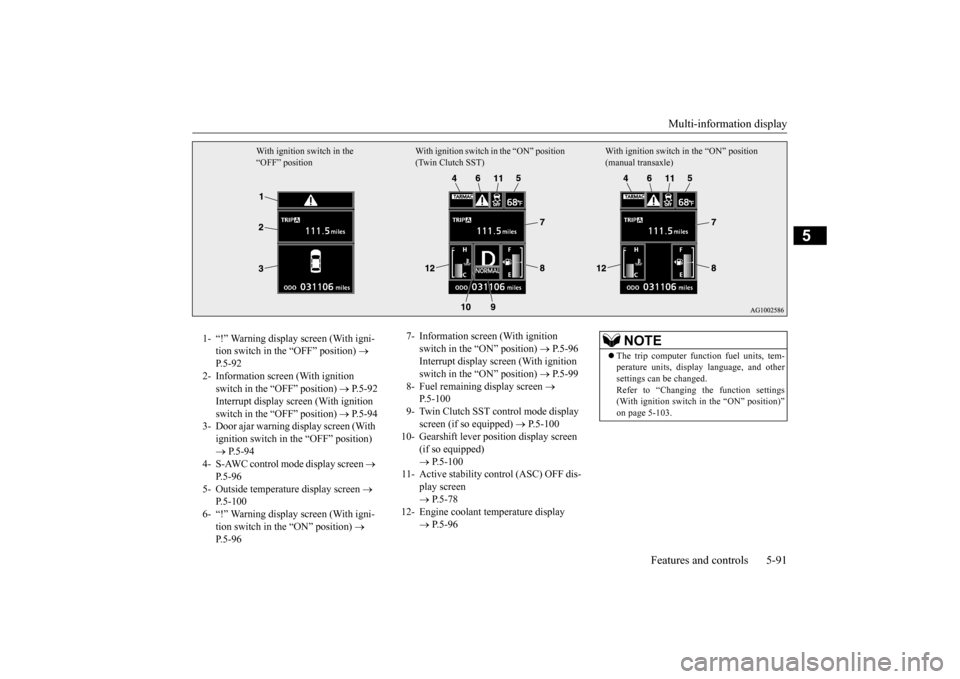
With ignition switch in the “OFF” position
With ignition switch in the “ON” position (Twin Clutch SST)
With ignition switch in the “ON” position (manual transaxle)
1- “!” Warning display screen (With igni-
tion switch in the “OFF” position)
P.5-92
2- Information screen (With ignition
switch in the “OFF” position)
P.5-92
Interrupt display screen (With ignition switch in the “OFF” position)
P.5-94
3- Door ajar warning display screen (With
ignition switch in the “OFF” position) P.5-94
4- S-AWC control mode display screen
P.5-96
5- Outside temperature display screen
P.5-100
6- “!” Warning display screen (With igni-
tion switch in the “ON” position)
P.5-96
7- Information screen (With ignition
switch in the “ON” position)
P.5-96
Interrupt display screen (With ignition switch in the “ON” position)
P.5-99
8- Fuel remaining display screen
P.5-100
9- Twin Clutch SST control mode display
screen (if so equipped)
P.5-100
10- Gearshift lever position display screen
(if so equipped) P.5-100
11- Active stability control (ASC) OFF dis-
play screen P.5-78
12- Engine coolant temperature display
P.5-96
NOTE
The trip computer function fuel units, tem- perature units, display language, and other settings can be changed. Refer to “Changing the function settings(With ignition switch in the “ON” position)” on page 5-103.
BK0210800US.bo
ok 91 ページ 2014年4月8日 火曜日 午前11時28分
Page 153 of 338
Multi-information display 5-92 Features and controls
5
N00555100165
The multi-information meter switch is a but- ton marked “INFO” on the left side of the dash. Each time the multi-information meter switchis operated, a sound is emitted and the multi- information display changes between infor- mation such as warnings, service reminder,average and momentary fuel consumption, driving range, average speed, and S-AWC operation display.It is also possible to change elements such as the language and units used on the multi-
information display by operating the multi- information meter switch.
N00555200078
If you press the multi-information meter switch and return from the warning display screen to the previous screen, the “!” warningis displayed. Refer to “Returning to the display screen from before the warning display” on page5-94. This mark is also displayed if there is another warning other than the one displayed. Whenthe cause of the warning display is elimi- nated, the “!” warning goes out automatically.
N00555300141
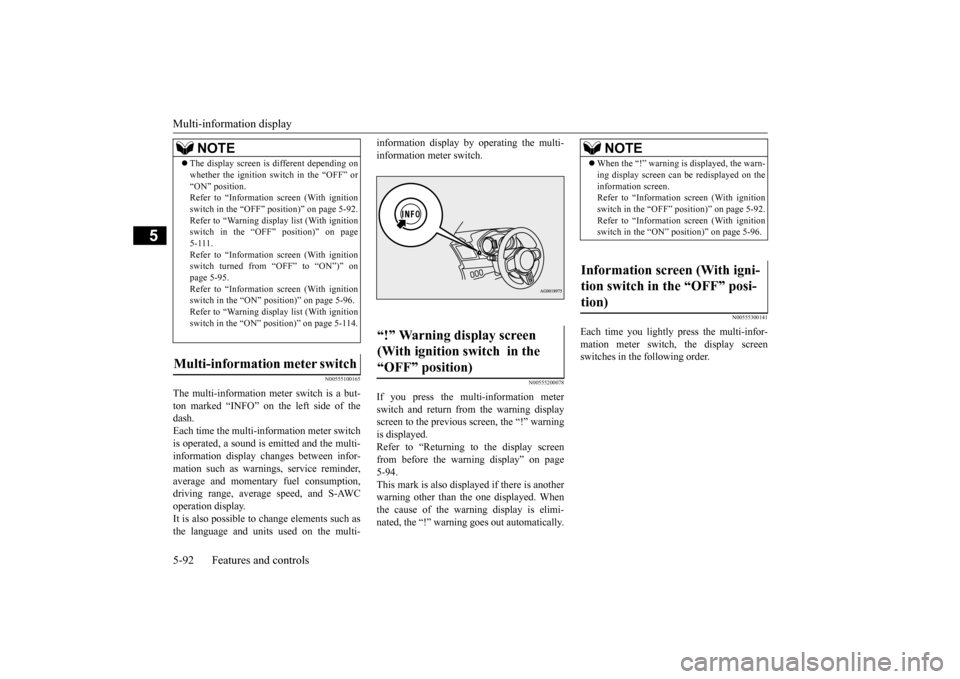
Each time you lightly press the multi-infor- mation meter switch, the display screen switches in the following order.
The display screen is different depending on whether the ignition switch in the “OFF” or “ON” position. Refer to “Information screen (With ignition switch in the “OFF” position)” on page 5-92.Refer to “Warning displa
y list (With ignition
switch in the “OFF” position)” on page 5-111.Refer to “Information screen (With ignition switch turned from “OFF” to “ON”)” on page 5-95.Refer to “Information screen (With ignition switch in the “ON” position)” on page 5-96. Refer to “Warning displa
y list (With ignition
switch in the “ON” position)” on page 5-114.
Multi-information meter switch
NOTE
“!” Warning display screen (With ignition switch in the “OFF” position)
NOTE
When the “!” warning is displayed, the warn- ing display screen can be redisplayed on the information screen. Refer to “Information screen (With ignition switch in the “OFF” position)” on page 5-92.Refer to “Information screen (With ignition switch in the “ON” position)” on page 5-96.
Information screen (With igni- tion switch in the “OFF” posi-tion)
BK0210800US.bo
ok 92 ページ 2014年4月8日 火曜日 午前11時28分
Page 157 of 338
Multi-information display 5-96 Features and controls
5
N00561900012
The S-AWC operation status is displayed. Refer to “S-AWC control mode” on page 5-72.
N00556000015
This is displayed when you press the multi- information meter switch and switch thewarning display screen. This mark is also displayed if there is another warning other than the one displayed.
When the cause of the warning display is eliminated, the “!” warning goes out automat- ically.
N00556100104
This is displayed when the Active stabilitycontrol (ASC) is turned “OFF” with the “ASC OFF” switch.Also, if an abnormal condition is occurred in the ASC while driving, the “ASC OFF” dis- play illuminates.Refer to “ASC OFF switch” on page 5-77.
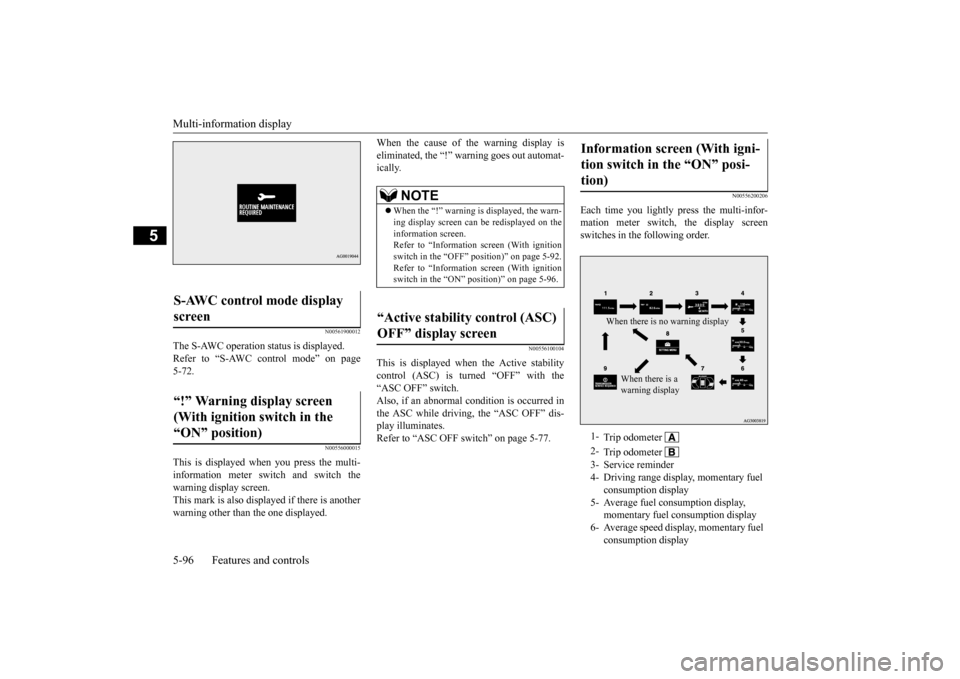
N00556200206
Each time you lightly press the multi-infor- mation meter switch, the display screen switches in the following order.
S-AWC control mode display screen “!” Warning display screen (With ignition switch in the “ON” position)
NOTE
When the “!” warning is displayed, the warn- ing display screen can be redisplayed on the information screen. Refer to “Information screen (With ignitionswitch in the “OFF” position)” on page 5-92. Refer to “Information screen (With ignition switch in the “ON” position)” on page 5-96.
“Active stability control (ASC) OFF” display screen
Information screen (With igni- tion switch in the “ON” posi- tion) 1-
Trip odometer
2-
Trip odometer
3- Service reminder 4- Driving range display, momentary fuel
consumption display
5- Average fuel consumption display,
momentary fuel consumption display
6- Average speed display, momentary fuel
consumption displayWhen there is no warning display
When there is a warning display
BK0210800US.bo
ok 96 ページ 2014年4月8日 火曜日 午前11時28分