warning light MITSUBISHI LANCER EVOLUTION 2015 10.G Owner's Manual
[x] Cancel search | Manufacturer: MITSUBISHI, Model Year: 2015, Model line: LANCER EVOLUTION, Model: MITSUBISHI LANCER EVOLUTION 2015 10.GPages: 338, PDF Size: 43.12 MB
Page 136 of 338
Anti-lock braking system
Features and controls 5-75
5
N00531600632
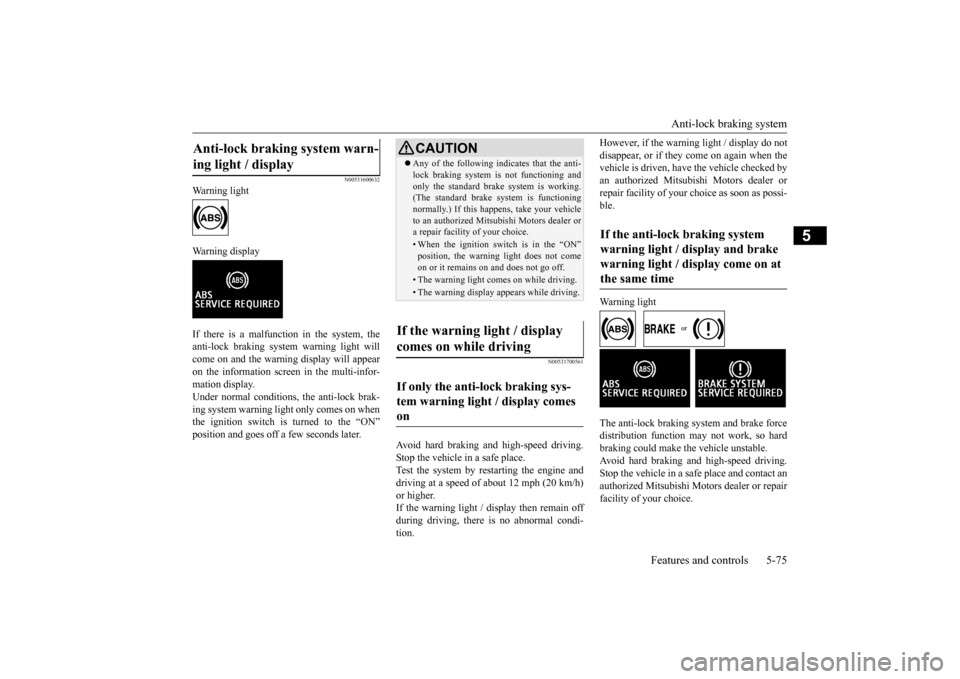
Warning light Warning display If there is a malfunction in the system, the anti-lock braking system warning light will come on and the warning display will appearon the information screen in the multi-infor- mation display. Under normal conditions
, the anti-lock brak-
ing system warning light only comes on when the ignition switch is turned to the “ON” position and goes off a few seconds later.
N00531700561
Avoid hard braking and high-speed driving. Stop the vehicle in a safe place. Test the system by restarting the engine anddriving at a speed of about 12 mph (20 km/h) or higher. If the warning light / display then remain offduring driving, there is no abnormal condi- tion.
However, if the warning light / display do not disappear, or if they come on again when the vehicle is driven, have the vehicle checked by an authorized Mitsubishi Motors dealer orrepair facility of your choice as soon as possi- ble. Warning light
The anti-lock braking system and brake force distribution function may not work, so hard braking could make the vehicle unstable.Avoid hard braking and high-speed driving.Stop the vehicle in a safe place and contact an authorized Mitsubishi Motors dealer or repair facility of your choice.
Anti-lock braking system warn- ing light / display
CAUTION Any of the following indicates that the anti- lock braking system is not functioning and only the standard brak
e system is working.
(The standard brake system is functioning normally.) If this happens, take your vehicleto an authorized Mitsubishi Motors dealer or a repair facility of your choice.• When the ignition switch is in the “ON”position, the warning light does not come on or it remains on and does not go off.• The warning light comes on while driving.• The warning display appears while driving.
If the warning light / display comes on while driving If only the anti-lock braking sys- tem warning light / display comes on
If the anti-lock braking system warning light / display and brake warning light / display come on at the same time
BK0210800US.bo
ok 75 ページ 2014年4月8日 火曜日 午前11時28分
Page 137 of 338
Active stability control (ASC) 5-76 Features and controls
5
N00529200035
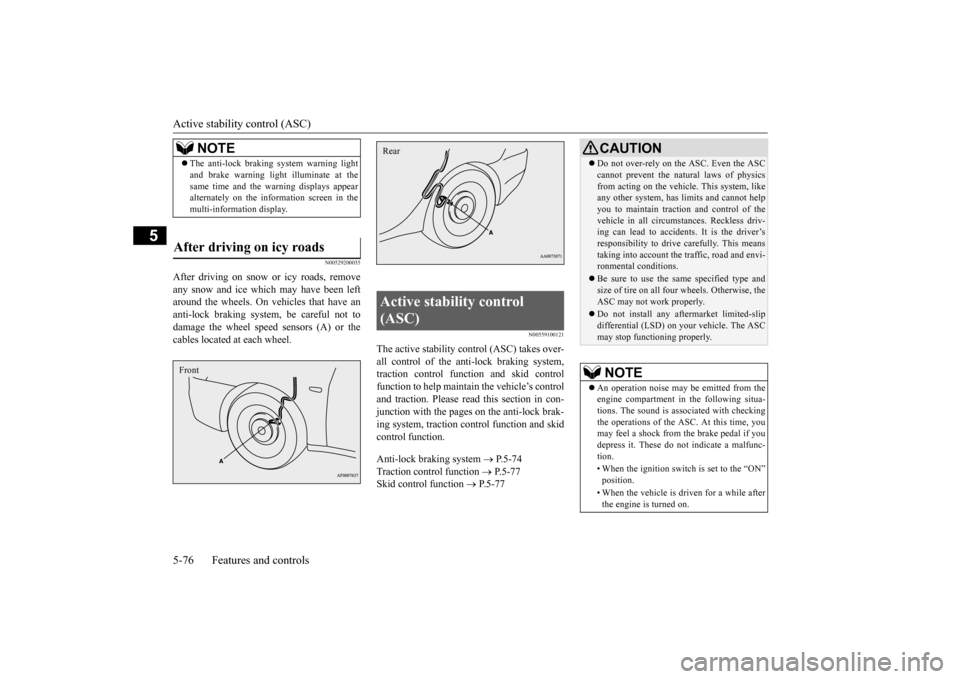
After driving on snow or icy roads, remove any snow and ice which may have been left around the wheels. On vehicles that have an anti-lock braking system, be careful not todamage the wheel speed sensors (A) or the cables located at each wheel.
N00559100121
The active stability control (ASC) takes over- all control of the anti-lock braking system, traction control function and skid control function to help maintain the vehicle’s controland traction. Please read
this section in con-
junction with the pages on the anti-lock brak- ing system, traction control function and skid control function. Anti-lock braking system
P.5-74
Traction control function
P.5-77
Skid control function
P.5-77
NOTE
The anti-lock braking system warning light and brake warning light illuminate at the same time and the warning displays appear alternately on the information screen in the multi-information display.
After driving on icy roads Front
Active stability control (ASC) Rear
CAUTION Do not over-rely on the ASC. Even the ASC cannot prevent the natural laws of physics from acting on the vehicl
e. This system, like
any other system, has limits and cannot help you to maintain traction and control of thevehicle in all circumstances. Reckless driv- ing can lead to accidents. It is the driver’s responsibility to drive carefully. This meanstaking into account the traffic, road and envi- ronmental conditions. Be sure to use the same specified type and size of tire on all four wheels. Otherwise, the ASC may not work properly. Do not install any aftermarket limited-slip differential (LSD) on your vehicle. The ASCmay stop functioning properly.NOTE
An operation noise may be emitted from the engine compartment in the following situa-tions. The sound is associated with checking the operations of the ASC. At this time, you may feel a shock from the brake pedal if youdepress it. These do not indicate a malfunc- tion. • When the ignition switch is set to the “ON” position. • When the vehicle is driven for a while after the engine is turned on.
BK0210800US.bo
ok 76 ページ 2014年4月8日 火曜日 午前11時28分
Page 138 of 338
Active stability control (ASC) Features and controls 5-77
5
N00559200021
On slippery surfaces, the traction control function prevents the dr
ive wheels from spin-
ning excessive, thus helping the vehicle to start moving from a stopped condition. It also provides sufficient driving force and steeringperformance as the vehicle turns while press- ing the acceleration pedal.
N00546800010
The skid control function is designed to help the driver maintain control of the vehicle onslippery roads or during rapid steering
maneuvers. It works by controlling the engine output and the brake on each wheel.
N00559400209
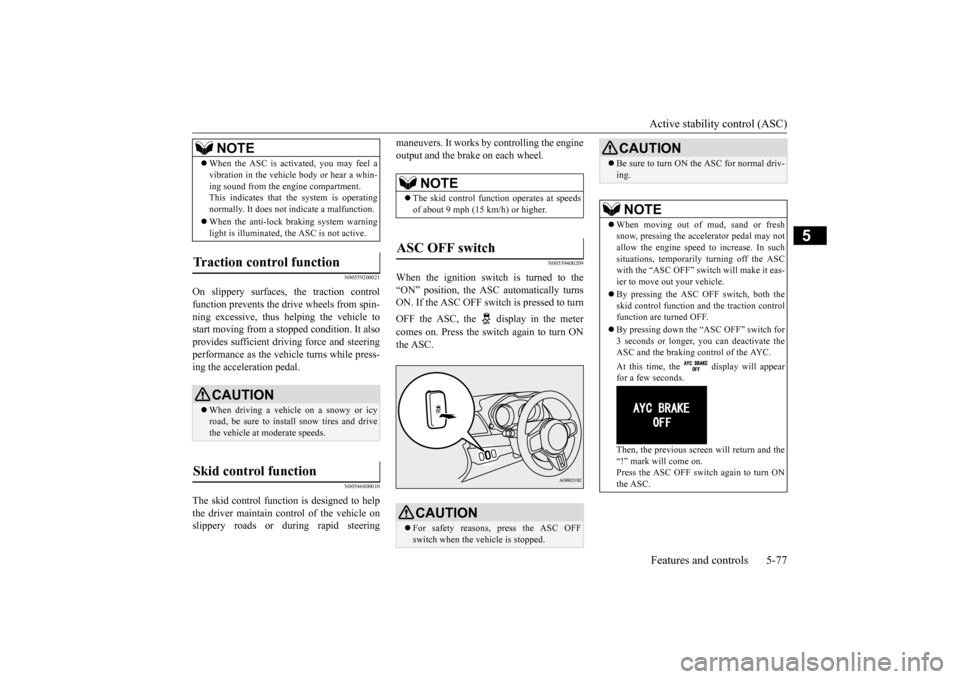
When the ignition switch is turned to the “ON” position, the ASC automatically turns ON. If the ASC OFF switch is pressed to turn OFF the ASC, the display in the meter comes on. Press the switch again to turn ON the ASC.
When the ASC is activated, you may feel a vibration in the vehicle body or hear a whin- ing sound from the engine compartment. This indicates that the system is operating normally. It does not indicate a malfunction. When the anti-lock braking system warning light is illuminated, the ASC is not active.
Traction control function
CAUTION When driving a vehicle on a snowy or icy road, be sure to install snow tires and drivethe vehicle at moderate speeds.
Skid control function
NOTE
NOTE
The skid control function operates at speeds of about 9 mph (15 km/h) or higher.
ASC OFF switch
CAUTION For safety reasons, press the ASC OFF switch when the vehicle is stopped.
Be sure to turn ON the ASC for normal driv- ing.NOTE
When moving out of mud, sand or fresh snow, pressing the accelerator pedal may not allow the engine speed to increase. In such situations, temporarily turning off the ASCwith the “ASC OFF” switch will make it eas- ier to move out your vehicle. By pressing the ASC OFF switch, both the skid control function and the traction control function are turned OFF. By pressing down the “ASC OFF” switch for 3 seconds or longer, you can deactivate theASC and the braking control of the AYC. At this time, the display will appear for a few seconds. Then, the previous screen will return and the “!” mark will come on. Press the ASC OFF switch again to turn ONthe ASC.CAUTION
BK0210800US.bo
ok 77 ページ 2014年4月8日 火曜日 午前11時28分
Page 140 of 338
Service brake
Features and controls 5-79
5
N00517500291
Overuse of the brake can cause poor brake response and premature wear of the brakepads. When driving down a long or steep hill, use engine braking by downshifting.
N00517600380
Your vehicle is equipped with power brakes for more braking force with minimal brake pedal effort.Your brakes are designe
d to operate at full
capacity, even if the power assist is lost. If the power assist is lost, the effort needed topress the brake pedal is greater. If you lose the power assist for some reason, the brakes will still work. If the power brake unit or either of the two brake hydraulic systems stops working prop-
erly, the rest of the br
ake system will still
work, but the vehicle will not slow down as quickly. You will know this has happened if you findyou need to depress the brake pedal down further, or harder when slowing down or stop- ping, or if the brake
warning light and the
warning display in the multi-information dis- play come on.
N00532500117
The disc brakes have an alarm that makes ametallic squeal when the brake pads have worn down enough to need service. If youhear this sound continuously, have the brake pads inspected at an authorized Mitsubishi Motors dealer or a repair facility of yourchoice.
NOTE
Even if there is a difference in the amount of traction the wheels can get, if both of them are spinning, the limited-slip differential will not be effective.CAUTION Never start the engine while one of the front or rear wheels is jacked up and the other in contact with the ground; doing so may cause the vehicle to jump forward. Continuously attempting to extract the vehi- cle from snow, mud, etc. while using highengine rpm may damage the limited-slip dif- ferential. Using a compact spare wheel will adversely affect the limited-slip differential; replace the compact spare wheel with a standard sizewheel as soon as possible.
Service brake Brake pedal
WA R N I N G Do not leave any objects near the brake pedal or let a floor mat slide under it; doing so could prevent the full pedal stroke that would be necessary in an emergency. Make sure that the pedal canbe operated freely at all times. Make sure the floor mat is securely held in place.CAUTION It is important not to drive the vehicle with your foot resting on the brake pedal when braking is not required. This practice can result in very high brake temperatures, pre-mature pad wear, and possible damage to the brakes.
Power brakes
WA R N I N G Never coast downhill with the engine OFF. Keep the engine running whenever your vehicle is in motion. If you turn off the engine while driving, the power brakebooster will stop working and your brakes will not work as well. If the power assist is
lost or if either brake
hydraulic system stops working properly, take your vehicle to an authorized Mit-subishi Motors dealer or a repair facility of your choice immediately.
Brake pad wear alarm
BK0210800US.bo
ok 79 ページ 2014年4月8日 火曜日 午前11時28分
Page 147 of 338
Tire pressure monitoring system 5-86 Features and controls
5
N00554800110
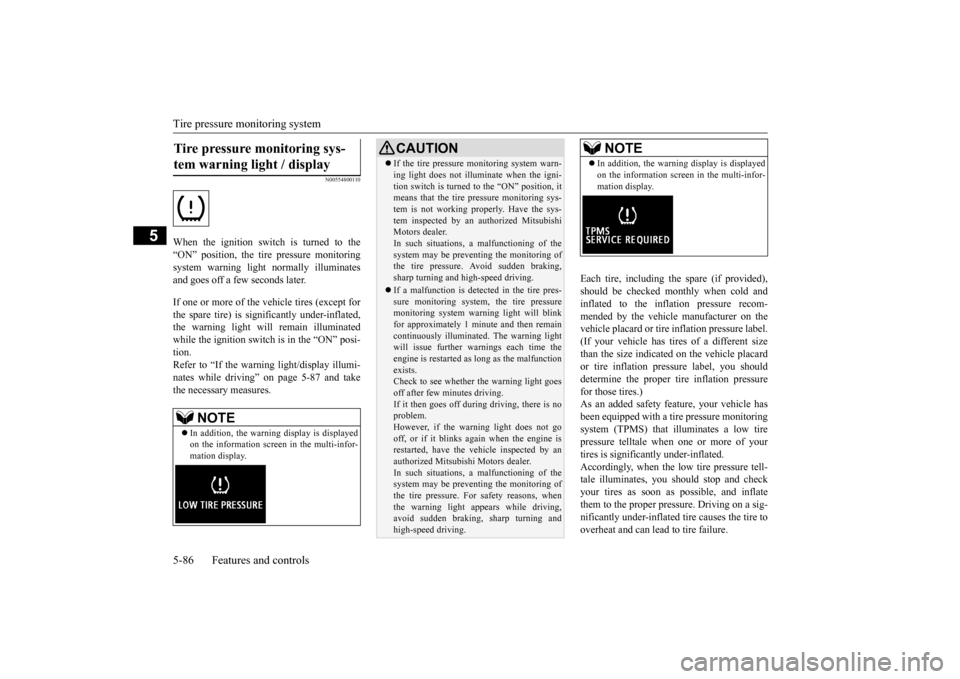
When the ignition switch is turned to the “ON” position, the tire pressure monitoringsystem warning light normally illuminatesand goes off a few seconds later. If one or more of the vehicle tires (except for the spare tire) is significantly under-inflated, the warning light will remain illuminatedwhile the ignition switch is in the “ON” posi- tion. Refer to “If the warning light/display illumi-nates while driving” on page 5-87 and take the necessary measures.
Each tire, including the spare (if provided), should be checked monthly when cold and inflated to the inflation pressure recom-mended by the vehicle manufacturer on the vehicle placard or tire inflation pressure label. (If your vehicle has tires of a different sizethan the size indicated on the vehicle placard or tire inflation pressure label, you should determine the proper tire inflation pressurefor those tires.) As an added safety feature, your vehicle has been equipped with a tire pressure monitoringsystem (TPMS) that illuminates a low tire pressure telltale when one or more of your tires is significantly under-inflated.Accordingly, when the low tire pressure tell-tale illuminates, you should stop and check your tires as soon as possible, and inflate them to the proper pres
sure. Driving on a sig-
nificantly under-inflated tire causes the tire to overheat and can lead to tire failure.
Tire pressure monitoring sys- tem warning light / display
NOTE
In addition, the warning display is displayed on the information screen in the multi-infor- mation display.
CAUTION If the tire pressure monitoring system warn- ing light does not illuminate when the igni- tion switch is turned to the “ON” position, it means that the tire pressure monitoring sys- tem is not working properly. Have the sys-tem inspected by an authorized Mitsubishi Motors dealer. In such situations, a malfunctioning of thesystem may be preventing the monitoring of the tire pressure. Avoid sudden braking, sharp turning and high-speed driving. If a malfunction is detected in the tire pres- sure monitoring system, the tire pressuremonitoring system warning light will blink for approximately 1 minute and then remain continuously illuminated. The warning lightwill issue further warnings each time the engine is restarted as long as the malfunction exists.Check to see whether the warning light goes off after few minutes driving. If it then goes off during driving, there is noproblem. However, if the warning light does not go off, or if it blinks again when the engine isrestarted, have the vehicle inspected by an authorized Mitsubishi Motors dealer. In such situations, a malfunctioning of the system may be preventing the monitoring of the tire pressure. For safety reasons, whenthe warning light appears while driving, avoid sudden braking, sharp turning and high-speed driving.
NOTE
In addition, the warning display is displayed on the information screen in the multi-infor- mation display.
BK0210800US.bo
ok 86 ページ 2014年4月8日 火曜日 午前11時28分
Page 148 of 338
Tire pressure monitoring system
Features and controls 5-87
5
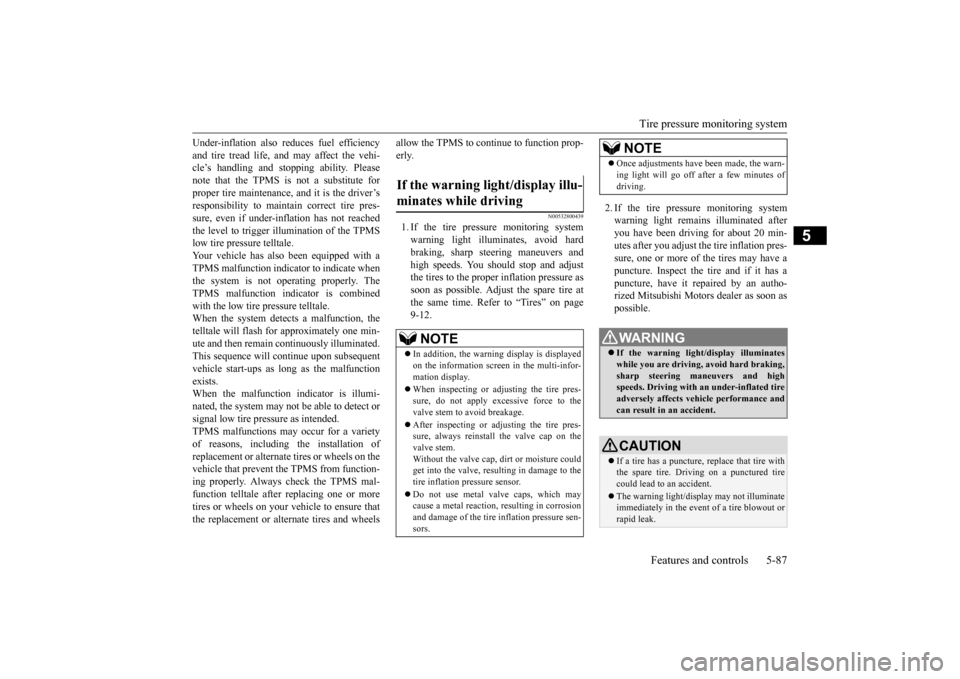
Under-inflation also reduces fuel efficiency and tire tread life, and may affect the vehi- cle’s handling and stopping ability. Please note that the TPMS is not a substitute forproper tire maintenance, and it is the driver’s responsibility to maintain correct tire pres- sure, even if under-inflation has not reachedthe level to trigger illumination of the TPMS low tire pressure telltale. Your vehicle has also been equipped with aTPMS malfunction indicator to indicate whenthe system is not operating properly. The TPMS malfunction indicator is combined with the low tire pressure telltale.When the system detects a malfunction, the telltale will flash for approximately one min- ute and then remain continuously illuminated.This sequence will continue upon subsequent vehicle start-ups as long as the malfunction exists.When the malfunction indicator is illumi- nated, the system may not be able to detect or signal low tire pressure as intended.TPMS malfunctions may occur for a variety of reasons, including the installation of replacement or alternate tires or wheels on thevehicle that prevent the TPMS from function- ing properly. Always check the TPMS mal- function telltale after replacing one or moretires or wheels on your vehicle to ensure that the replacement or alternate tires and wheels
allow the TPMS to continue to function prop- erly.
N00532800439
1. If the tire pressure monitoring system warning light illuminates, avoid hard braking, sharp steering maneuvers andhigh speeds. You should stop and adjustthe tires to the proper inflation pressure as soon as possible. Adjust the spare tire at the same time. Refer to “Tires” on page9-12.
2. If the tire pressure monitoring system warning light remains illuminated after you have been driving for about 20 min- utes after you adjust the tire inflation pres-sure, one or more of the tires may have apuncture. Inspect the tire and if it has a puncture, have it repaired by an autho- rized Mitsubishi Motors dealer as soon aspossible.
If the warning light/display illu- minates while driving
NOTE
In addition, the warning display is displayed on the information screen in the multi-infor- mation display. When inspecting or adjusting the tire pres- sure, do not apply excessive force to thevalve stem to avoid breakage. After inspecting or adjusting the tire pres- sure, always reinstall the valve cap on the valve stem. Without the valve cap, dirt or moisture could get into the valve, resulting in damage to the tire inflation pressure sensor. Do not use metal valve caps, which may cause a metal reaction, resulting in corrosionand damage of the tire inflation pressure sen- sors.
Once adjustments have been made, the warn- ing light will go off after a few minutes of driving.WA R N I N G If the warning light/display illuminates while you are driving, avoid hard braking, sharp steering maneuvers and high speeds. Driving with an under-inflated tireadversely affects vehicle performance and can result in an accident.CAUTION If a tire has a puncture, replace that tire with the spare tire. Driving on a punctured tire could lead to an accident. The warning light/displ
ay may not illuminate
immediately in the event of a tire blowout orrapid leak.NOTE
BK0210800US.bo
ok 87 ページ 2014年4月8日 火曜日 午前11時28分
Page 149 of 338
Tire pressure monitoring system 5-88 Features and controls
5
The tire pressure monitoring system may not work normally in the following circum- stances: A wireless facility or device using the same frequency is near the vehicle. Snow or ice is stuck inside the fenders and/or on the wheels. The tire inflation pressure sensor’s battery is dead. Wheels other than Mitsubishi genuine wheels are being used. Wheels that are not fi
tted with tire infla-
tion pressure sensors are being used. Wheels whose ID codes are not memo- rized by the vehicle are used. Compact spare tire is fitted on a road wheel.
A window tint that affects the radio wave signals is installed.
N00532900179
If new wheels with new tire inflation pressuresensors are installed, their ID codes must beprogrammed into the tire pressure monitoring system. Have tire and wheel replacement per- formed by an authorized Mitsubishi Motorsdealer to avoid the risk of damaging the tire inflation pressure sensors. If the wheel replacement is not done by an authorizedMitsubishi Motors dealer, it is not covered by your warranty.
N00533001259
Your tire pressure monitoring system oper-ates on a radio frequency subject to Federal Communications Commission (FCC) Rules(For vehicles sold in U.S.A.) and Industry Canada Rules (For vehicles sold in Canada). This device complies with Part 15 of FCCRules and Industry Canada licence-exempt RSS standard(s). Operation is subject to the following two con-ditions. This device may not cause harmful inter- ference. This device must accept any interference received, including interference that may cause undesired operation.
NOTE
To avoid the risk of damage to the tire infla- tion pressure sensors, have any punctured tire repaired by an authorized Mitsubishi Motors dealer. If the tire repair is not done by an authorized Mitsubishi Motors dealer, it isnot covered by your warranty. Do not use an aerosol puncture-repair prod- uct on any tire. Such a spray could damage the tire inflation pressure sensors. Have any puncture repaired by an authorized Mitsubi-shi Motors dealer.
NOTE
Tire inflation pressures vary with the ambi- ent temperature. If the
vehicle is subjected to
large variations in ambient temperature, thetire inflation pressures may be under-inflated (causing the warning light/display to come on) when the ambient temperature is rela-tively low. If the warning light/display comes on, adjust the tire inflation pressure.
Whenever the tires and wheels are replaced with new ones
CAUTION The use of non-genuine wheels will prevent the proper fit of the tire inflation pressure sensors, resulting in air leakage or damage to the sensors.
General information
CAUTION Changes or modifications not expressly approved by the manufacturer for compli- ance could void the user’s authority to oper- ate the equipment.
BK0210800US.bo
ok 88 ページ 2014年4月8日 火曜日 午前11時28分
Page 153 of 338
Multi-information display 5-92 Features and controls
5
N00555100165
The multi-information meter switch is a but- ton marked “INFO” on the left side of the dash. Each time the multi-information meter switchis operated, a sound is emitted and the multi- information display changes between infor- mation such as warnings, service reminder,average and momentary fuel consumption, driving range, average speed, and S-AWC operation display.It is also possible to change elements such as the language and units used on the multi-
information display by operating the multi- information meter switch.
N00555200078
If you press the multi-information meter switch and return from the warning display screen to the previous screen, the “!” warningis displayed. Refer to “Returning to the display screen from before the warning display” on page5-94. This mark is also displayed if there is another warning other than the one displayed. Whenthe cause of the warning display is elimi- nated, the “!” warning goes out automatically.
N00555300141
Each time you lightly press the multi-infor- mation meter switch, the display screen switches in the following order.
The display screen is different depending on whether the ignition switch in the “OFF” or “ON” position. Refer to “Information screen (With ignition switch in the “OFF” position)” on page 5-92.Refer to “Warning displa
y list (With ignition
switch in the “OFF” position)” on page 5-111.Refer to “Information screen (With ignition switch turned from “OFF” to “ON”)” on page 5-95.Refer to “Information screen (With ignition switch in the “ON” position)” on page 5-96. Refer to “Warning displa
y list (With ignition
switch in the “ON” position)” on page 5-114.
Multi-information meter switch
NOTE
“!” Warning display screen (With ignition switch in the “OFF” position)
NOTE
When the “!” warning is displayed, the warn- ing display screen can be redisplayed on the information screen. Refer to “Information screen (With ignition switch in the “OFF” position)” on page 5-92.Refer to “Information screen (With ignition switch in the “ON” position)” on page 5-96.
Information screen (With igni- tion switch in the “OFF” posi-tion)
BK0210800US.bo
ok 92 ページ 2014年4月8日 火曜日 午前11時28分
Page 154 of 338
Multi-information display
Features and controls 5-93
5
N00555400139
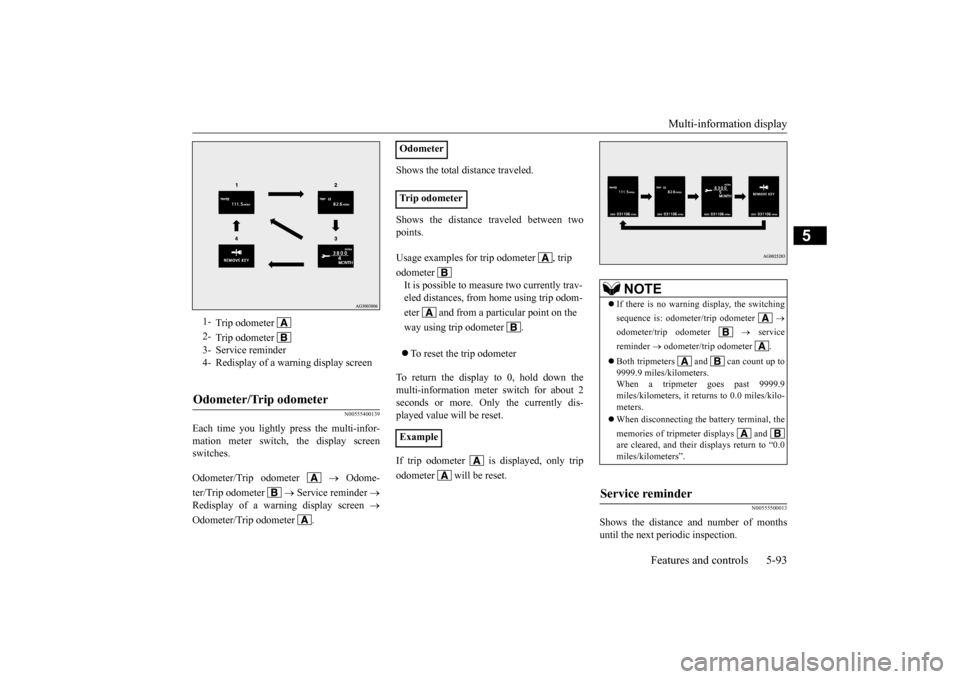
Each time you lightly press the multi-infor- mation meter switch, the display screen switches. Odometer/Trip odometer
Odome-
ter/Trip odometer
Service reminder
Redisplay of a warning display screen
Odometer/Trip odometer .
Shows the total distance traveled. Shows the distance traveled between two points. To reset the trip odometer
To return the display to 0, hold down the multi-information meter switch for about 2 seconds or more. Only the currently dis-played value will be reset. If trip odometer is displayed, only trip odometer will be reset.
N00555500013
Shows the distance and number of months until the next periodic inspection.
1-
Trip odometer
2-
Trip odometer
3- Service reminder 4- Redisplay of a warning display screenOdometer/Trip odometer
Odometer Trip odometer Usage examples for trip odometer , trip odometer It is possible to measure two currently trav- eled distances, from home using trip odom- eter and from a particular point on the way using trip odometer . Example
NOTE
If there is no warning display, the switching sequence is: odometer/trip odometer
odometer/trip odometer
service
reminder
odometer/trip odometer .
Both tripmeters and can count up to 9999.9 miles/kilometers.When a tripmeter goes past 9999.9 miles/kilometers, it returns to 0.0 miles/kilo- meters. When disconnecting the battery terminal, the memories of tripmeter displays and are cleared, and their displays return to “0.0miles/kilometers”.
Service reminder
BK0210800US.bo
ok 93 ページ 2014年4月8日 火曜日 午前11時28分
Page 155 of 338
Multi-information display 5-94 Features and controls
5
Refer to “Service reminder” on page 5-101.
N00559600139
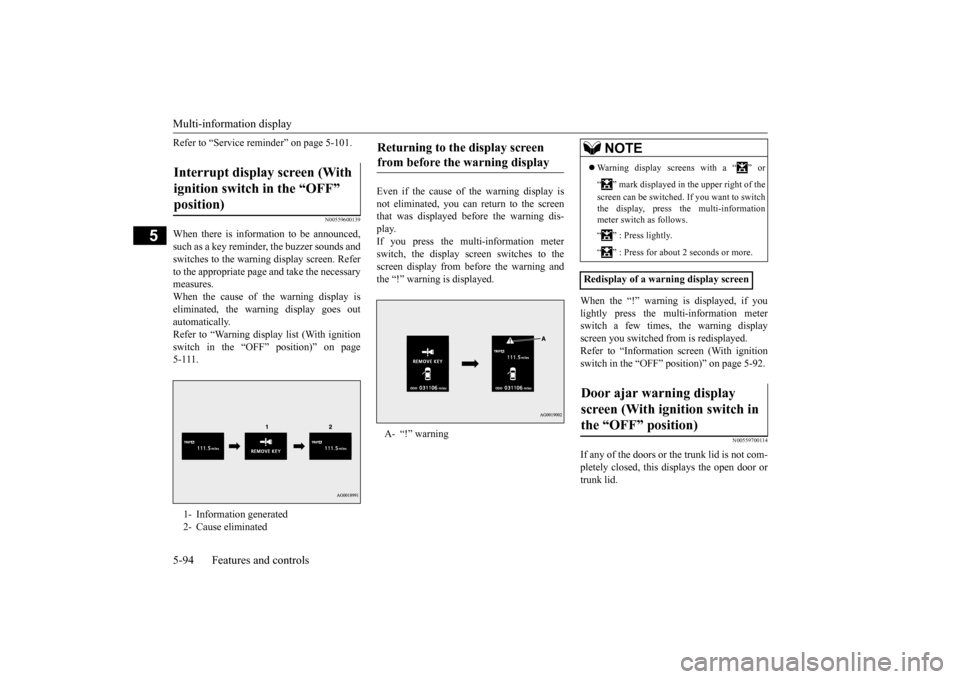
When there is information to be announced, such as a key reminder, the buzzer sounds and switches to the warning display screen. Referto the appropriate page and take the necessarymeasures. When the cause of the warning display is eliminated, the warning display goes outautomatically. Refer to “Warning display list (With ignition switch in the “OFF” position)” on page5-111.
Even if the cause of the warning display is not eliminated, you can return to the screen that was displayed before the warning dis-play. If you press the multi-information meter switch, the display screen switches to thescreen display from before the warning andthe “!” warning is displayed.
When the “!” warning is displayed, if you lightly press the multi-information meter switch a few times, the warning display screen you switched from is redisplayed.Refer to “Information screen (With ignition switch in the “OFF” position)” on page 5-92.
N00559700114
If any of the doors or the trunk lid is not com- pletely closed, this displays the open door or trunk lid.
Interrupt display screen (With ignition switch in the “OFF” position) 1- Information generated 2- Cause eliminated
Returning to the display screen from before the warning display A- “!” warning
NOTE
Warning display screens with a “ ” or “ ” mark displayed in the upper right of the screen can be switched. If you want to switch the display, press the multi-information meter switch as follows. “ ” : Press lightly. “ ” : Press for about 2 seconds or more.
Redisplay of a warning display screenDoor ajar warning display screen (With ignition switch in the “OFF” position)
BK0210800US.bo
ok 94 ページ 2014年4月8日 火曜日 午前11時28分